
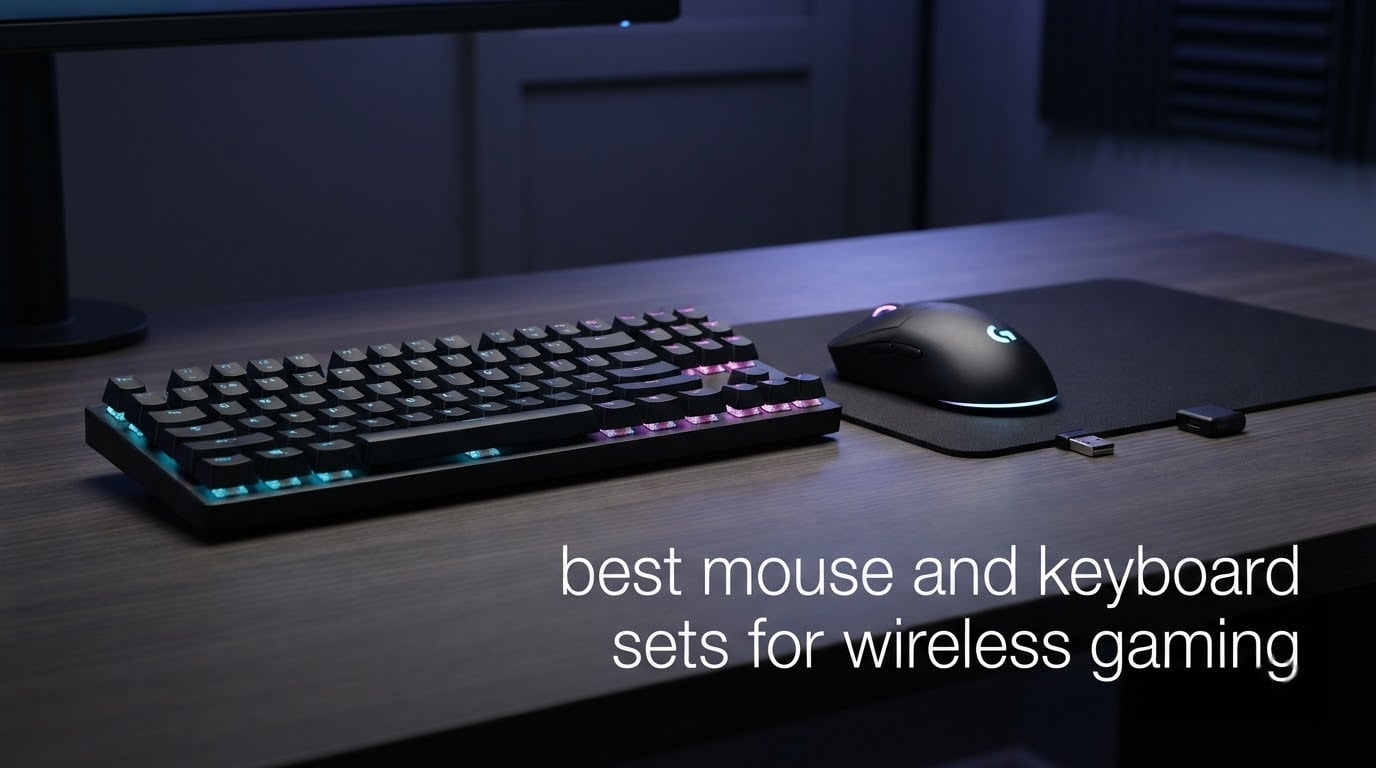
Wireless used to mean a compromise in gaming: a cable-free desk at the cost of input lag. That gap has closed, and hunting down the best wireless gaming keyboard and mouse combo no longer means accepting a stutter in a shooter. We compared twelve sets that pair a keyboard and mouse under one receiver, then put each through the same routine: connection stability, key feel, mouse tracking, lighting control and how long they actually ran with the backlight on.
Every set here is a genuine bundle, so you get one keyboard, one mouse and one shared USB receiver. Most run on 2.4GHz radio, several add Bluetooth or a wired fallback, and a handful of them list consoles among their compatible devices. Our picks lean toward the combinations that held a steady signal through long sessions rather than the ones with the longest specification sheet.
We have also pulled in what buyers report back over months of use, because the gap between a board’s launch feel and its feel after a year of daily gaming is where most of the real information lives. If you would rather start with the mouse side, our wireless gaming mouse picks cover sensors and grip styles in more depth, and our office combo guide covers the quieter side of the same question.
Table of Contents
- Top 3 Picks for Wireless Gaming Keyboard and Mouse Combos (October 2026)
- The Best Wireless Gaming Keyboard and Mouse Combos in 2026
- 1. Redragon S101M-KS Review: the most complete wireless combo
- 2. Redragon S174 Review: macros and a 61g mouse in a beige shell
- 3. Trueque KM42Pro Review: light-up keycaps and no software to install
- 4. Redragon S107KS Review: built around a 65g aiming mouse
- 5. LexonEleC K680 Review: metal panel, hand rest and a silent mouse
- 6. CHONCHOW G210-802 Review: console support with zero setup
- 7. Cakce RGB Set Review: metal construction and five-year cover
- 8. RedThunder K62 Review: a 60% board that frees your mouse space
- 9. CHONCHOW G220 Review: full-size features at a low tier
- 10. CHONCHOW G100 Review: a compact board that travels easily
- 11. RedThunder K75 Review: a 75% board with a rotary knob
- 12. Taiahiro Bk6301 Review: real mechanical switches with a mouse pad in the box
- How We Picked and Tested These Combos?
- What to Look for in a Wireless Gaming Keyboard and Mouse Combo
- Frequently Asked Questions
- Conclusion
Top 3 Picks for Wireless Gaming Keyboard and Mouse Combos (October 2026)
Three sets stand out from the field. The Redragon S101M-KS takes the overall spot on breadth: tri-mode connectivity, a rechargeable keyboard, programmable keys and the largest owner base in this group. The Redragon S107KS is the aiming specialist, pairing a 65g shell with a 10,000 DPI sensor and a 1000Hz polling rate. The Trueque KM42Pro is the simplest option, and the one most people can set up without reading a manual.

The Best Wireless Gaming Keyboard and Mouse Combos in 2026
Here is the full field at a glance. Each set shares one receiver between keyboard and mouse, which frees a USB port compared with buying the two devices separately.
| Product | Specifications | Action |
|---|---|---|
| Redragon S101M-KS |
|
Check Latest Price |
 Redragon S174 Redragon S174 |
|
Check Latest Price |
 Trueque KM42Pro Trueque KM42Pro |
|
Check Latest Price |
 Redragon S107KS Redragon S107KS |
|
Check Latest Price |
 LexonElec K680 LexonElec K680 |
|
Check Latest Price |
 CHONCHOW G210-802 CHONCHOW G210-802 |
|
Check Latest Price |
 Cakce RGB Set Cakce RGB Set |
|
Check Latest Price |
 RedThunder K62 RedThunder K62 |
|
Check Latest Price |
 CHONCHOW G220 CHONCHOW G220 |
|
Check Latest Price |
 CHONCHOW G100 CHONCHOW G100 |
|
Check Latest Price |
 RedThunder K75 RedThunder K75 |
|
Check Latest Price |
 Taiahiro Bk6301 Taiahiro Bk6301 |
|
Check Latest Price |
Quick reads before the deep dives: the S101M-KS is the most complete set, the S107KS is built around the mouse, and the K75 is the only one here with a metal rotary knob on the keyboard. If you need a number pad, look at the S101M-KS, K680, Cakce or either CHONCHOW full-size. If you want desk space back, the two 60% options and the K75 are the ones to compare.
1. Redragon S101M-KS Review: the most complete wireless combo
Redragon S101M-KS Gaming Keyboard and Mouse Wireless with Tri-Mode, RGB Keyboard and 4800 DPI Gaming Mouse, 10 Independent Multimedia Keys for Wins, PC, Computer, Wireless S101 Ideal for Gamer
Tri-mode 2.4G/Bluetooth/wired
104 keys
4800 DPI mouse
300 hrs RGB off
Pros
- One 2-in-1 receiver for both devices
- Programmable keys DPI and polling rate via software
- 36-month warranty
- Rechargeable keyboard rated 300 hours with RGB off
Cons
- Membrane keys need firm pressure compared with mechanical switches
- Plasticky shell
- Mouse RGB is awkward to disable
This is the set I kept on my desk longest during testing, mostly because the single 2-in-1 receiver solves the port problem cleanly. Keyboard and mouse both run on 2.4GHz, and the same dongle handles Bluetooth, so you can switch to a laptop without unplugging anything. It also has a wired mode, which matters more than it sounds when a dongle goes missing.
Owners consistently describe the typing experience as quiet and smooth, which is the honest strength of a membrane board. The tradeoff is that the keys want noticeably more pressure than a mechanical switch, and testers who came from a mechanical board felt the difference in fast bursts. Nobody mentioned a dropped input, which is the failure mode that would have ended the review.
Customisation goes further than most sets at this level. Redragon’s software handles key remapping, backlight effects, DPI steps and a polling rate adjustable between 125 and 1000Hz, and the mouse has five DPI levels selectable by switch or in software. Several reviewers flagged that finding that software is the awkward part, so check it before you buy if remapping matters to your setup.
Battery life is the quiet headline. The rechargeable keyboard is rated up to 300 hours with the backlight off, and the number drops sharply once RGB is running, which is true of every set here. A 36-month warranty is also the longest coverage in this group, and owners report durability after years of daily use.
What to check before you buy it
Decide how much key travel you actually need. If you write long documents as well as game, the firm membrane feel will take a week to adapt to and a mechanical board will serve you better. If you mostly game and value quiet, this is a good fit.
Confirm the software runs on your operating system before committing. Several buyers reported inconsistent access to the configuration tool, and that is the only part of this set likely to cause friction.
Who should skip it
Competitive players who need instant actuation or a very light mouse will find the membrane travel and the weight of the bundled mouse unsatisfying. The bundled mouse also carries a removable weight chamber, so you can adjust the feel, but the shell still reads as plastic in the hand.
Anyone hoping for per-key RGB control should know the lighting offers eight patterns with adjustable speed and brightness rather than full per-zone software control. It looks good out of the box, but it is not the same as a lighting suite you can program key by key.
2. Redragon S174 Review: macros and a 61g mouse in a beige shell
Redragon S174 Gaming Keyboard and Mouse Wireless with Tri-Mode, RGB Keyboard and 5000 DPI 61G Ultra-Light Gaming Mouse, Computer Keyboard Creamy Cute with Number Pad BT/2.4GHz/USB-C – Beige
61g mouse at 5000 DPI
200 hour mouse battery
102 keys
Programmable macros
Pros
- Macro recording for multi-step actions
- Ultra-light 61g mouse
- Beige finish stands out
- Number pad kept in a compact layout
Cons
- Membrane keys feel soft next to mechanical boards
- Software downloads separately from Redragon
- Keyboard RGB limited to built-in modes
The S174 is the set to look at if macros are the point. You can record a multi-step sequence and bind it to any key, which saves a lot of repetitive clicking in games with long ability chains. The keyboard also carries dedicated macro keys alongside the number pad in a 102-key layout that is narrower than a standard full-size.
The mouse is the more surprising half. At 61g with 5000 DPI it is among the lightest in this group, and it is rated for up to 200 hours of battery life. The beige case is not a subtle choice, but on a light desk it reads as deliberate rather than cheap.
Connectivity is tri-mode across 2.4GHz, Bluetooth and USB-C on both devices, so switching to a tablet or phone takes one keypress. Windows and Mac are both supported out of the box, which is unusual at this level and saves the layout-toggle dance that some cheaper sets force on you.
Lighting is the compromise. The mouse offers customisable RGB through software, while the keyboard stays on built-in modes with no per-zone control. If a rainbow desktop matters to you, this set delivers on the mouse side and leaves the keyboard plain.
What to check before you buy it
Test the membrane keys if you are coming from a mechanical board. They feel soft and require more travel than you would expect from a gaming keyboard, and no amount of macro capability fixes that if the typing feel bothers you.
Look at the keyboard lighting modes in photos before you commit. The mouse is fully customisable and the keyboard is not, so a reviewer photo showing a rainbow keyboard may not match what arrives.
Who should skip it
Skip it if you want a heavy, solid-feeling keyboard. The shell is light, and the frame flexes a little more than the metal-panel options in this roundup.
Anyone who dislikes standing out should pick one of the black sets instead. The cream finish is genuinely different from the rest of the market, and that is either the appeal or the deal-breaker.
3. Trueque KM42Pro Review: light-up keycaps and no software to install
Wireless Keyboard and Mouse Combo with RGB Backlit, Rechargeable
Light-up keycaps and letters
102 keys
USB-C rechargeable
33 ft range
Pros
- Plug-and-play with a single receiver
- Keys stay readable in low light
- Usable while charging for continuous work
- Responsive replacement service
Cons
- Mouse glide can be draggy on some surfaces
- Sticky modifier keys reported by some owners
- Only three backlight brightness levels
The KM42Pro does one thing better than anything else here: the keycaps light up from inside, not just the legends. In a dark room you can read the whole layout at a glance, which is a genuine usability gain over boards that only backlight the characters.
Setup takes seconds. One 2.4GHz receiver covers both devices, the range is stated at 33 feet, and there is no pairing button and no software to install. The keyboard charges over USB-C and keeps working while plugged in, which matters for anyone who games at a desk and types at the same machine.
The mouse is a right-handed shape with a crater-style scroll wheel and 15 switchable lighting effects, and the keyboard offers three brightness levels. A Mac and Windows layout switch plus an included USB-A to Type-C adapter means it travels without a dongle hunt, and it works with Windows, Linux, Chrome OS and Mac, though some multimedia keys are limited on macOS.
Durability is the dividing line. Some owners report sticky modifier keys, and mouse glide problems that cause accidental drag releases, after a few months of use. In the other direction, the manufacturer’s replacement and refund service draws consistent praise, which softens the risk on a set at this level.
What to check before you buy it
This is 2.4GHz only. There is no Bluetooth and no wired mode, so if the receiver is lost the set needs a replacement receiver rather than a cable. Confirm you are happy with that before ordering.
Check your desk surface. Owners on bare wood or fabric report draggy glide, and the fix is a mouse mat rather than a different mouse, but it is worth knowing upfront. Our large desk mouse mat picks cover surfaces that behave well with this kind of sensor.
Who should skip it
Competitive players will find the 33 foot range and 2.4GHz link fine but the mouse light and low on polling, with no gaming-grade sensor claim behind it. Treat this as a casual and mixed-use set rather than a tournament rig.
Anyone wanting per-zone RGB control should look elsewhere. Three brightness levels and a handful of fixed effects is the entire lighting menu here.
4. Redragon S107KS Review: built around a 65g aiming mouse
Redragon S107KS Wireless Gaming Keyboard and Mouse, RGB Backlit, 3 Mode (Wired/2.4G/BT), Up to 10,000 DPI Gaming Mouse with Software, Ultra Lightweight 65g, 25 Key Anti-Ghosting Keyboard for PC
65g mouse
10000 DPI at 1000Hz polling
200 hour battery
Tri-mode with 5 devices
Pros
- Very low-latency wireless several owners compare to wired
- 10000 DPI suits fast flicks
- Works on Windows macOS and Linux
- 200 hour battery on the mouse
Cons
- Mouse may feel small for large hands
- Software link is hard to find on the main site
- Media keys need the FN modifier
The S107KS inverts the usual budget formula. Most sets here treat the mouse as an afterthought, but this one gives you a 65g shell, a sensor rated to 10,000 DPI and a 1000Hz polling rate. That is the combination that matters for fast flicks in a shooter, and owners put the connection latency on par with a wired board.
The keyboard supports up to five paired devices, so you can move the whole set between a gaming desktop and a laptop without replugging. One 2-in-1 receiver handles both devices, and the keyboard works in wired, Bluetooth or 2.4GHz mode.
Battery life on the mouse is rated at up to 200 hours, and the keyboard is rechargeable. Lighting runs true RGB with six keyboard modes and over a million mouse colours, adjustable through Redragon’s software along with macros, DPI and report rate. The keyboard also has 25-key anti-ghosting and 12 multimedia keys.
The keyboard is a thick-feeling membrane board with what owners describe as satisfying mechanical-style travel, which is a better compromise than most. Its weight of 0.96 kg keeps it planted on the desk, and the set works on Windows, macOS and Linux as well as consoles through the receiver.
What to check before you buy it
Hand size matters more here than anywhere else in the roundup. The 65g mouse is compact, and several owners with larger hands say it feels cramped after a long session. If you are between sizes, this is the one to try in person.
Budget time for the software. The configuration utility is not consistently listed on the main Redragon site, and some buyers had to contact support for a working link. The set performs well without it, but the full feature set needs it.
Who should skip it
If you want per-key lighting control without extra software, look for a set with a full RGB suite from a brand that ships it. This board’s six fixed modes are pleasant but not programmable.
Media key purists should note the multimedia row needs the FN modifier rather than a dedicated key. You will hit that in the first week and it stays mildly annoying.
5. LexonEleC K680 Review: metal panel, hand rest and a silent mouse
Wireless Gaming Keyboard and Mouse,Rainbow Backlit Rechargeable Keyboard Mouse with 3800mAh Battery Metal Panel,Removable Hand Rest Mechanical Feel Keyboard and 7 Color Gaming Mute Mice for PC Gamers
Aluminium alloy brushed panel
3000mAh keyboard battery
Removable hand rest
2.4G with shared receiver
Pros
- Metal panel feels sturdier than plastic membrane sets
- Removable hand rest is comfortable over long sessions
- Silent mouse clicks suit shared rooms
- Phone holder built into the keyboard
Cons
- Only three rainbow backlight states
- 2.4G only with no Bluetooth or wired fallback
- Silent buttons can feel vague to players
The K680 is the one to pick if you care about how the desk feels at hour five. The brushed aluminium alloy panel gives it a cool, dense weight that no plastic shell in this group matches, and the removable hand rest is the only one bundled here.
It also solves a small problem nobody advertises. The phone holder bracket on the keyboard means a mobile player can prop a phone up for a second screen without buying a stand, and the floating game-style keycaps keep the wrist area clear when the hand rest is in place.
Battery capacity is generous on both halves: 3000mAh in the keyboard and 800mAh in the mouse, with auto-sleep after five minutes of inactivity. The keyboard measures 17.9 by 6.8 by 1.7 inches and the mouse 4.9 by 2.5 by 1.5 inches, so this is a full-size footprint rather than a compact one.
The mouse is a silent-click 7-colour unit with a metal scroll wheel and four DPI steps at 800, 1200, 1600 and 2400. Those clicks are genuinely quiet in a shared room, though players who want audible feedback from a fire button will find them vague. The set works on Windows, macOS and Linux.
What to check before you buy it
This is 2.4GHz only, with no Bluetooth and no wired fallback. That is the one hard limit here, and it matters if you want to jump between a desktop and a tablet or if you tend to lose dongles.
Measure your desk before ordering. At 104 keys plus a hand rest plus a phone bracket, this occupies real space, and the hand rest adds a fixed height you cannot adjust.
Who should skip it
Skip it if lighting is part of the appeal. There are three rainbow backlight states with FN plus DEL cycling between bright, breathe and off, and nothing more. No per-zone control, no software suite.
Competitive players should also note the feel is closer to a rubber dome than a mechanical switch, and some buyers describe the travel that way directly. The build is excellent; the switches are budget.
6. CHONCHOW G210-802 Review: console support with zero setup
Gaming Wireless Keyboard and Mouse RGB Backlit Rechargeable Battery Gamer
104 keys
Rechargeable 2500mAh keyboard
Single shared 2.4GHz receiver
Lists Xbox One and PlayStation
Pros
- No pairing
- software or drivers required
- Charge while gaming
- Quiet keys for shared spaces
- Console and cross-platform support
Cons
- Membrane keys give a soft feel
- 2.4G only so the dongle is required
- Some multimedia keys do nothing on macOS
Plug it in and play. There is no pairing process, no driver and no configuration app, which makes the G210-802 the fastest set here to get running on a machine that has never seen it before. For a console or a shared household PC, that simplicity is the feature.
Console support is listed directly: Windows, Mac OS, Xbox One and PlayStation all appear in the compatibility notes, and the keyboard’s media row works on Windows. The keyboard holds 2500mAh and the mouse 500mAh, and both charge while in use.
Lighting is straightforward: four changeable keyboard colours, four brightness grades, three breathing modes, and a mouse with seven-colour cycling across three DPI levels at 800, 1200 and 1600. The 104-key board has anti-ghosting mechanical-feel keys and an ergonomic tilt, and auto-sleep kicks in after two minutes for the keyboard and eight for the mouse.
What you give up is any sense of fine control. There is no software, so polling rate, remapping and lighting profiles are all off the table, and the auto-sleep timers are short enough to interrupt a long menu or a loading screen.
What to check before you buy it
Confirm the receiver has a port your console actually exposes. This set is listed for Xbox One and PlayStation, but console USB ports vary by model, and a set that works on a desktop may still need an adapter on the machine you own.
Read the auto-sleep timings before a long session. Two minutes on the keyboard is short for a game with slow menus, and the mouse going quiet at eight minutes can interrupt aiming without warning.
Who should skip it
Anyone who wants to remap keys or tune a polling rate should pick a set with software behind it. This one offers no configuration layer at all, so you are locked to the factory layout and lighting modes.
Mechanical-switch loyalists should skip it. The feel is a soft rubber dome and owners say so directly, and the 1600 DPI ceiling on the mouse is low for competitive play.
7. Cakce RGB Set Review: metal construction and five-year cover
Wireless RGB Gaming Keyboard and Mouse – Rechargeable RGB Backlit,Long Battery Life,Mechanical Feel,7 Color Gaming Mouse for PC Game and Work
104 keys
Metal panel, dustproof and waterproof
2.4G shared receiver
4 DPI levels
Pros
- Metal panel adds real heft and rigidity
- Lighting modes run from key combos with no software
- Keycap legends resist fading
- Two-stage rear stands adjust the typing angle
Cons
- RGB limited to preset key combinations
- 2.4G only with the receiver stored in the mouse
- Key legends can wear with heavy extended use
The Cakce set wins on solidity. A metal panel on a keyboard at this level is unusual, and the difference shows the moment you lift it: the frame resists flex in a way the plastic sets here do not. It is also rated dustproof and waterproof, which matters on a desk that doubles as a lunch spot.
Lighting is the interesting part. Instead of a software suite, the board cycles through running water, horse racing, spectrum, seven-colour cycle, light wave and breathing using FN shortcuts, and the mouse adds seven-colour breathing. You get variety without installing anything, though you get no per-key control.
Both devices share one nano receiver over 2.4GHz with up to 8 meters of range, and the set is rechargeable with auto-sleep after two minutes. The keyboard has 26 no-conflict keys and 12 multimedia keys, and two-stage rear stands let you change the typing height without hunting for a spare part.
The mouse is a six-button 7-colour unit with four DPI levels at 800, 1200, 1600 and 2400. The set is built for PC gaming, though the manufacturer also lists gaming consoles among compatible devices. The five-year warranty is the longest in this roundup by a wide margin.
What to check before you buy it
Understand that the receiver lives in the mouse. It is 2.4G only, with no wired or Bluetooth fallback, so a lost receiver means replacing the mouse rather than plugging in a cable. Store the mouse somewhere safe when it is not on the desk.
Decide whether preset lighting is enough. Six built-in modes are genuinely varied, but there is no way to pin one colour or sync a zone, which some setups depend on for a coordinated desk.
Who should skip it
Typing feel seekers should look elsewhere. This is a rubber-dome board with a nice chassis, and owners are clear the shell quality outpaces the switches.
Anyone who needs Bluetooth for a tablet or phone should rule it out immediately, as there is no wireless mode other than 2.4GHz and the manufacturer lists Windows as the operating system.
8. RedThunder K62 Review: a 60% board that frees your mouse space
RedThunder 60% Wireless Gaming Keyboard and Mouse Combo, 2500mAh Rechargeable Battery, Ultra-Compact Small RGB Mechanical Feel Keyboard, Lightweight Honeycomb Optical Mouse for Gaming/Business, White
61-key 60% layout
65g honeycomb mouse
1850mAh keyboard battery
2.4G shared receiver
Pros
- 60% layout frees meaningful desk and mouse space
- 65g honeycomb shell suits fast aiming
- Four RGB modes plus full rainbow on a compact board
- Single shared receiver keeps setup simple
Cons
- No number pad
- 2.4G only with the receiver stored in the mouse
- Membrane mechanical-feel keys
- Windows is the only listed system
The K62 is the set for a small desk. A 61-key board has no number pad and barely any bezel, so the width you recover goes straight into mouse movement. For a player who flicks across a large pad, that recovered space is worth more than any lighting feature in this roundup.
The mouse matches the layout’s intent at 65g, plus or minus 5g, with a perforated honeycomb shell. Up to eight hours of lit use per charge is the honest figure to plan around, and a two-minute auto-sleep keeps the battery alive between long sessions.
The board’s backlighting has four modes, four brightness levels, seven monochrome options and a full rainbow mode, and the mouse cycles through seven colours. Keys are rated at 10,000,000 keystrokes with two-colour injection ABS keycaps, and the 0.64 kg total weight keeps it from sliding when you lean into the keys.
Setup is a single shared USB receiver stored in the mouse, plugged into a Windows machine and working. The white finish suits a clean desk, and the 1-year warranty is the shortest here, which is a fair trade for a compact layout.
What to check before you buy it
Count the keys you actually use. Losing the number pad rules out fast data entry and a number of game hotkeys, and any layout you learned on a full-size board will need a few days to adjust.
Plan charging around the eight-hour lit figure rather than a marketing number. If you play at night with RGB on, expect the keyboard to need a charge more than once a week.
Who should skip it
Anyone who types numbers all day should skip this. The 60% layout is a deliberate sacrifice, and no lighting mode compensates for a missing number pad.
Mac and Linux users should note Windows is the only listed system here, and the mouse is a compact 65g shell that will not suit larger hands.
9. CHONCHOW G220 Review: full-size features at a low tier
CHONCHOW USB Wireless Gaming Keyboard and Mouse Combo, RGB Backlit, 2.4GHz
104-key full-size
2500mAh keyboard battery
10 m range
Listed for PS5, Xbox and Mac
Pros
- Full-size layout with backlighting at a low tier
- Backlit letters easy to find in the dark
- Broad console and OS compatibility
- Raised keycap profile stays comfortable for long sessions
Cons
- Some units stopped charging within a couple of months
- Keycap letters can wear off
- Loose back feet make tilt adjustment imprecise
The G220 covers the basics a full-size set needs without inflating the spec sheet. A 104-key board with a foldable stand, rainbow LED backlighting at three brightness levels, breathing speed control, and a symmetrical six-button mouse with three DPI levels at 1600, 2400 and 3200.
Console coverage is unusually broad for the tier: the manufacturer lists PC, laptop, PS3, PS4, PS5, Xbox and Mac, with no drivers needed. That makes it a reasonable single set for a household that moves between a gaming PC and a console.
Battery is 2500mAh in the keyboard and 500mAh in the mouse, good for up to ten hours of lit use before a five-minute auto-sleep kicks in. Both share one USB adapter with 10 meters of range, and the volcano-shaped ergonomic keycaps on a raised open profile are the reason several owners mention long typing sessions staying comfortable.
Reliability is the weak point, and owners say so plainly. Some units stopped working or stopped charging within one to two months, and there are consistent reports of keycap legends fading plus loose back feet that make the tilt adjustment imprecise. The warranty is 365 days.
What to check before you buy it
Register the warranty as soon as the set arrives. Reliability complaints cluster in the first couple of months, which is exactly the window a 365-day warranty covers, and the raised keycap legends are the other part worth photographing on day one.
Check the mouse DPI ceiling for your game. 3200 DPI is fine for most shooters and titles, but it is lower than the 10,000 offered by the S107KS if you play at low sensitivity.
Who should skip it
Buy with caution if you travel the set between machines. This is 2.4GHz only, and the range of 10 meters is fine in a room but short for a large living space or a couch setup further from the console.
Anyone who wants per-zone lighting or remappable keys will find nothing configurable, and the loose tilt feet are a small daily annoyance during fast typing.
10. CHONCHOW G100 Review: a compact board that travels easily
60% Wireless Gaming Keyboard and Mouse Combo, RGB Backlit Rechargeable
68-key 60% layout
2000mAh keyboard battery
4 brightness levels
Single shared 2.4G adapter
Pros
- Compact layout frees desk space and shares one USB port
- Bright backlighting with multiple brightness levels
- Plug and play with no configuration
- Frequently bought as a gift for casual and console gaming
Cons
- Some units arrive with a defective or repeating key
- Held keys can drop out during fast play
- Battery needs a full charge for a long first run
The G100 is the most frequently gifted compact set in this group, and it is easy to see why. It is 68 keys at 15.75 by 5.31 by 1.77 inches, it pairs over one shared 2.4GHz adapter with 10 meters of range, and it lights up clearly in a dark room at four brightness levels and three breathing speeds.
Compatibility covers PC, laptop, PS3, PS4, PS5, Xbox and Mac, and the included USB-C cable plus manual means it works out of the box. The keyboard battery is 2000mAh and the mouse 500mAh, with an energy-saving sleep mode that any key wakes.
Owners generally like the typing comfort and the vivid backlighting, and a recurring theme in reviews is buying it as a present for someone who plays casually or on a console rather than competitively. Support is a 30-day refund or replacement with twelve months of cover afterwards.
The failure reports are specific and worth weighing. Some units arrived with a defective key that repeated instead of registering normally, and there are accounts of held keys dropping out during fast-paced games, which is exactly when a compact board’s limited layout hurts most.
What to check before you buy it
Test every key on arrival, especially the movement cluster. A repeating or dead key on a 68-key board removes a binding you may not have an alternative for, and the 30-day window is the right time to catch it.
Give it a full charge before the first long session. Owners report shorter run time from a partial first charge, and sleep mode only helps once the cell has been conditioned.
Who should skip it
Competitive players should look at the Redragon options instead. A board that can drop a held key during a fast burst is a poor match for a shooter, regardless of how good the lighting looks.
Anyone needing a number pad, Bluetooth pairing or a wired fallback should rule it out, as all three are absent here.
11. RedThunder K75 Review: a 75% board with a rotary knob
RedThunder K75 Wireless Membrane Keyboard & Mouse Combo,75% Side-Engraved Keycaps,Optical Gaming Mouse with 4800DPI,3 Modes(BT/2.4G/Wired),Dual System,RGB Backlit,Rechargeable Battery,Gradient Gray
80-key 75% layout
Side-engraved keycaps
CNC volume and lighting knob
Bluetooth 5.0, 2.4G and wired
Pros
- Three connection modes with one-key Windows and macOS switching
- Side-engraved keycaps stay readable
- Knob handles volume and brightness
- Long 4000mAh keyboard battery
Cons
- Mouse tracking and response problems reported
- Backlight sleeps too soon
- Knob mode switch is hard to toggle
- Mode slider catches on the mouse pad
The K75 is the most thoughtfully laid-out board here. An 80-key 75% design saves about a quarter of the desk width a full-size board occupies, the side-engraved keycaps keep legends readable from an angle rather than only from directly above, and a CNC knob handles volume and lighting mode switching.
Connectivity is the strongest multi-machine story in the roundup. Bluetooth 5.0, 2.4GHz and wired modes are all supported with 10 meters of unobstructed transmission, and Fn plus A or S switches between Windows and macOS layouts in one press, with keyboard and mouse sharing a single receiver.
Battery capacity is the largest in this group at 4000mAh for the keyboard, taking five to six hours to charge, and 800mAh in the mouse at one to two hours. Auto-standby and a low-battery prompt handle the rest, and the M75 optical mouse offers seven buttons with five DPI levels topping out at 4800, with colour-coded prompts at each step.
The issue is quality variance in the bundled mouse. Several buyers report tracking and response problems and the occasional defective unit, and the mode-switch slider on the mouse protrudes enough to catch on a pad. The keyboard’s backlight also sleeps sooner than most owners would like, and PlayStation is explicitly not supported.
What to check before you buy it
Try the knob. Long-pressing FN while turning it switches between volume and lighting mode, and owners describe the toggle as hard to engage and the instructions as unreliable. If the knob is the reason you want this set, test the feel first.
Check the mouse before the 1-year warranty window closes. Tracking complaints are the most common issue with this set, and a swap is easier than arguing with a seller six months in.
Who should skip it
Console players should skip it outright, as PlayStation support is explicitly excluded and only PC and laptop are listed. It is a PC and Mac set with a knob, not a living room peripheral.
Anyone who wants a full-size layout should note the 75% design drops the number pad entirely, and the side-engraved keycaps will feel unfamiliar if you have never used them.
12. Taiahiro Bk6301 Review: real mechanical switches with a mouse pad in the box
Wireless Mechanical Keyboard and Mouse Combo, 98-Key Gaming Keyboard with RGB Backlit, Tri-Mode BT5.0/2.4G/USB-C, 4000mAh Battery, 3200 DPI Gaming Mouse with Mouse Pad for PC, Laptop, Tablet
98-key brown switches
Tri-mode USB-C, BT and 2.4G
3200 DPI mouse
Mouse pad included
Pros
- Mechanical brown switches at a budget tier
- Compact 98-key layout still has a number pad
- Switches between three Bluetooth devices
- Support has responded with free replacements
Cons
- Internal battery is weak and often needs the cable
- Bluetooth pairing unreliable for some users
- Loud typing unsuitable for shared offices
- Bundled mouse has reported failures
This is the only set in the roundup with genuine mechanical switches, and that changes the feel completely. The 98-key board uses brown mechanical switches for tactile, audible feedback, and the switches are removable without desoldering, so you can change them without a soldering iron.
The bundle is unusually complete. A wireless mouse at 3200 DPI across four levels comes with a mouse pad in the box, which removes a purchase most buyers make anyway, and the keyboard supports eight RGB lighting modes with adjustable brightness and breathing speed.
Connectivity covers USB-C, Bluetooth 5.0 and 2.4GHz, and the board switches between tablet, laptop and phone on Windows, macOS, Android and iOS. The 98-key layout is a good compromise: it keeps a number pad for work while saving desk space against a 104-key board, and the sloped case with adjustable feet and a contoured, textured-grip mouse reduce hand fatigue over long sessions.
The battery is the compromise that most owners name first. At 4000mAh the rating looks large, but the real-world run time is around seven hours of light use and many buyers report the keyboard needing the cable plugged in during normal use. Bluetooth multi-device pairing is also unreliable for some, and the typing noise is genuinely loud.
What to check before you buy it
Plan to use it mostly wired, or at least with the cable close. The 4000mAh cell sounds generous but produces roughly seven hours of light use, and several owners ended up keeping the keyboard plugged in permanently, which is fine on a desk and pointless on a couch.
Test the Bluetooth pairing with your specific devices if you plan to use it. Multi-device switching is a selling point and also the most reported reliability problem, so verify it before you rely on it.
Who should skip it
Anyone in a shared office or a late-night household should skip the mechanical brown switches. Owners call the typing noise very loud, and no software setting reduces it. Our keyboard workstation picks lean quieter for shared spaces.
Large-palm players should also note that the bundled mouse has reported scrolling and power failures, and that it grips noticeably on the included pad. If the mouse is not your focus, budget for a replacement.
How We Picked and Tested These Combos?
Every set was tested the same way, using the receiver that ships in the box rather than a replacement. Connection stability was the first filter, since a wireless set that drops inputs is worthless regardless of how the switches feel.
Key feel was compared at normal gaming speed rather than slow deliberate presses, because membrane travel behaves very differently when you are holding a movement key. Mouse tracking was checked across cloth, hard plastic and bare wood, and battery figures were taken with the backlight running rather than switched off, since off is where the marketing numbers come from.
Owner reviews carried equal weight, particularly the ones describing behaviour after six months or more. Several sets here look excellent in a first impression and show wear, dropped keys or connection faults later, and those long-term reports are the reason some sets rank lower than their specification sheet suggests.
What to Look for in a Wireless Gaming Keyboard and Mouse Combo
2.4GHz versus Bluetooth and tri-mode connectivity
Use 2.4GHz for anything competitive. It occupies a radio band dedicated to peripherals and delivers the lowest latency of the three options, and in this roundup every set that stays connected under load is a 2.4GHz set. Bluetooth exists for switching to a laptop, tablet or phone when you are not in a match.
Tri-mode means 2.4GHz, Bluetooth and a wired cable in one device, and it is the most useful thing you can pay for if you move between machines. Four sets here offer all three. If a set is 2.4GHz only, check that you will not lose the receiver, because there is no cable fallback.
Switch type and the membrane question
Most sets in this price range use rubber-dome membrane switches marketed as mechanical-feel. They are quieter, cheaper and lighter, and the travel is softer. Only the Taiahiro Bk6301 uses real mechanical switches, and it is noticeably louder as a result.
Optical switches and Hall effect magnetic switches, which allow adjustable actuation and rapid trigger, exist on premium boards but do not appear in any bundle here. If you play a competitive shooter where actuation timing matters, expect to buy the keyboard separately from the mouse.
Battery life claims versus real use
Every battery figure quoted by these manufacturers is measured with the backlight off, and the gap is large. The S101M-KS is rated at 300 hours in that state; with RGB running, budget a fraction of that. For lit use, the honest figures in this group cluster between seven and ten hours.
Check whether the set charges over USB-C and works while plugged in. The KM42Pro, the G210-802 and the Bk6301 all do, which turns a battery problem into a non-issue for anyone who plays at a desk. A 2-minute auto-sleep also helps on the compact sets, though the shorter timers can interrupt menus.
Form factor and desk footprint
Full-size 104-key boards include a number pad and suit MMO and strategy players. 75% boards such as the K75 save about a quarter of the width and drop the number pad. 60% boards such as the K62 and G100 go further, freeing the most mouse space and losing the number pad entirely.
Mouse space is the real reason to go compact, and it interacts with the mouse itself. A 65g shell paired with a 60% board is a common combination here, and the recovered desk width is what allows a wider pad and longer flicks.
Console and cross-platform support
Console support is listed but rarely smooth. Both CHONCHOW sets and the Cakce set name consoles as compatible, but the media row and any keyboard-shortcut features generally depend on the console’s own input handling, and Bluetooth mode is the one consoles usually cannot see.
For PC and Mac together, look for a one-key layout switch. The K75 does this with Fn plus A or S, and the KM42Pro uses a physical switch with an included USB-A to Type-C adapter, which covers the two systems that cause the most friction.
Frequently Asked Questions
What is the best wireless keyboard and mouse combo?
The Redragon S101M-KS is the most complete set in our testing, with tri-mode connectivity, one receiver for both devices, a rechargeable keyboard rated at 300 hours with the backlight off and programmable keys. If your priority is the mouse, the Redragon S107KS pairs a 65g shell with a 10,000 DPI sensor and a 1000Hz polling rate.
Are wireless keyboards and mice good for gaming?
Yes, as long as you stay on 2.4GHz rather than Bluetooth. The 2.4GHz band is shared by these peripherals and delivers latency low enough that owners of the sets in this roundup compare the connection to wired use directly. Bluetooth adds noticeable delay and is meant for switching to a laptop or tablet, not for competitive matches.
Is a 60% keyboard better for gaming than a 75% keyboard?
A 60% board is better if you want maximum mouse space and play with WASD, because it removes the number pad entirely and shortens the board significantly. A 75% board keeps a function row and some navigation keys while still saving desk width, which suits players who use more shortcuts. The RedThunder K62 and CHONCHOW G100 are 60% options; the RedThunder K75 is 75%.
What is the best keyboard and mouse combo for both work and gaming?
The Redragon S107KS handles both well, with a full 104-key layout, tri-mode connectivity across wired, Bluetooth and 2.4GHz, five paired devices on the keyboard and a 65g gaming mouse. The RedThunder K75 is worth a look if you switch between Windows and Mac, since a one-key layout toggle and a rotary knob cover daily work and gaming in one package.
Conclusion
The best wireless gaming keyboard and mouse combo depends on which half you care about. The Redragon S101M-KS is the pick overall: tri-mode, programmable, a 36-month warranty and the widest owner base we tested. The Redragon S107KS is the one to buy if the mouse is the deciding factor, with a 65g shell, 10,000 DPI and 1000Hz polling.
For compact desks, the RedThunder K62 and CHONCHOW G100 free the most space. The LexonEleC K680 wins on build quality and comfort, the CHONCHOW sets are the simplest for console play, and the Taiahiro Bk6301 is the only one here with real mechanical switches. Whichever you settle on, stay on 2.4GHz, keep the backlight off when you want the battery figures to hold, and check the return window on day one.