
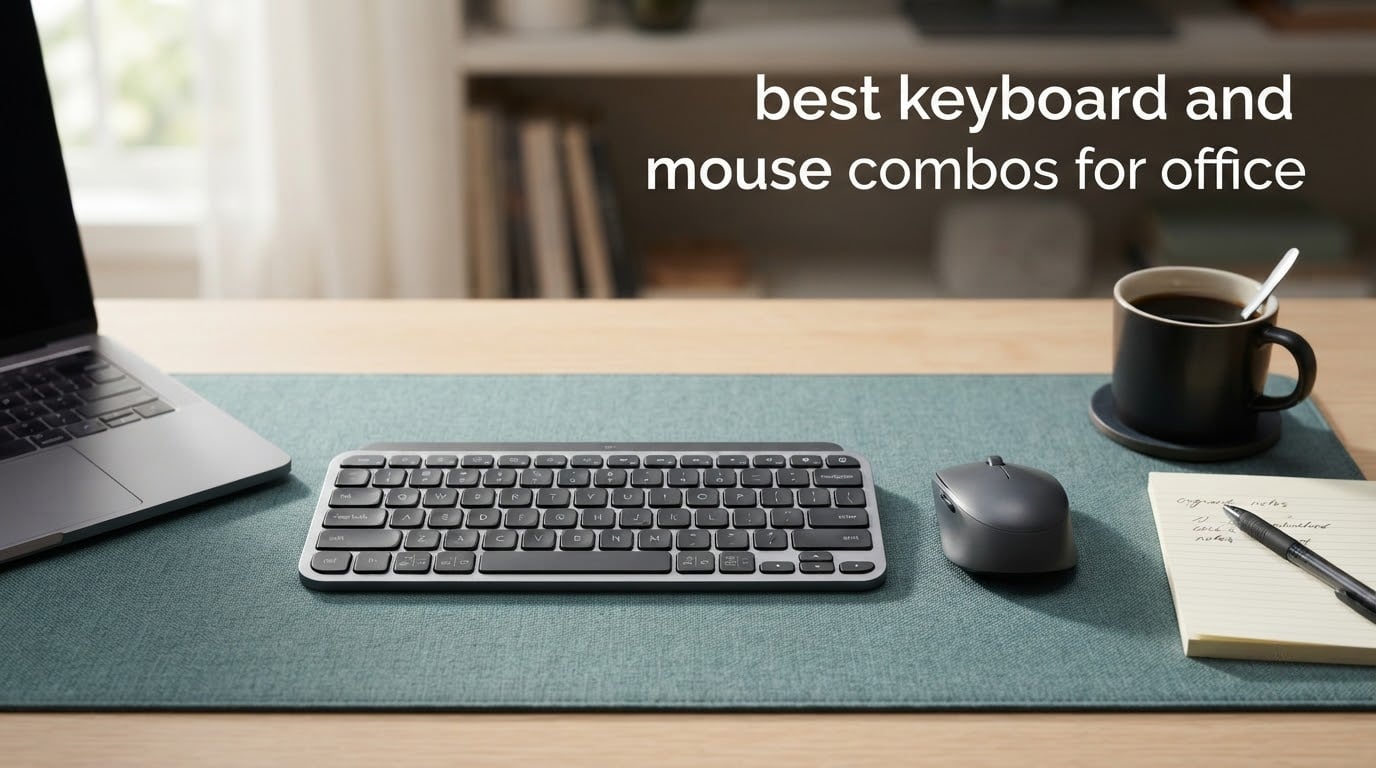
Most office keyboard and mouse problems are not really typing problems. They are noise problems, wrist problems, and port problems. A keyboard that clatters through a shared meeting room, a mouse that rolls outward because the wrist is locked in one position all day, a laptop with only two USB-C ports and no room for a dongle – each of those shows up as slower work and a worse day.
We compared the best keyboard and mouse combos for office use across twelve sets, from the near-universal Logitech budget pair to slim rechargeable sets and one wired split keyboard built for people who already have wrist pain. Every pick below arrives as one bundled keyboard-and-mouse package, which is why it costs less than buying the two devices apart.
If your desk is a dedicated home office rather than a managed company desk, the buying criteria are simpler and our keyboard workstation picks are a useful companion read. For a corporate desk, noise level and warranty length matter more than any spec sheet number.
Table of Contents
Top 3 Picks for Office Desks in 2026

Logitech MK270 Combo
- 104 keys with number pad
- 36-month keyboard battery
- Silent low-profile keys

Logitech MK295 Silent
- SilentTouch cuts noise about 90 percent
- 36-month keyboard battery
- Spill-resistant keys

The MK270 wins because it is the combination of rating and review volume that nothing else here matches, and its 36-month keyboard battery removes the single most common office complaint about cheap wireless gear. The MK295 is the same idea with SilentTouch switches if your neighbors are close enough to hear typing. The Arteck set is the one to buy when the keyboard is going to survive three years of being moved, stacked, and dropped in a bag.
12 Best Keyboard and Mouse Combos for Office (October 2026)
| Product | Specifications | Action |
|---|---|---|
| Logitech MK270 Full Size Wireless Combo |
|
Check Latest Price |
 TECKNET 78-Key Mini Wireless Combo TECKNET 78-Key Mini Wireless Combo |
|
Check Latest Price |
 VssoPlor Rechargeable Ultra Slim Combo VssoPlor Rechargeable Ultra Slim Combo |
|
Check Latest Price |
| Logitech MK295 Silent Wireless Combo |
|
Check Latest Price |
 Logitech MK335 Quiet Wireless Combo Logitech MK335 Quiet Wireless Combo |
|
Check Latest Price |
| Arteck Stainless Steel 2.4G Combo |
|
Check Latest Price |
 seenda SKM64-3 Bluetooth Combo seenda SKM64-3 Bluetooth Combo |
|
Check Latest Price |
 Perixx Periduo-505 Ergonomic Combo Perixx Periduo-505 Ergonomic Combo |
|
Check Latest Price |
 Arteck Multi-Device Bluetooth Combo Arteck Multi-Device Bluetooth Combo |
|
Check Latest Price |
 Amazon Basics Rechargeable Combo Amazon Basics Rechargeable Combo |
|
Check Latest Price |
 TECKNET 3-Mode Rechargeable Combo TECKNET 3-Mode Rechargeable Combo |
|
Check Latest Price |
 SABLUTE Ergonomic Backlit Combo SABLUTE Ergonomic Backlit Combo |
|
Check Latest Price |
1. Logitech MK270 Full Size Wireless Combo – Best Overall for Office
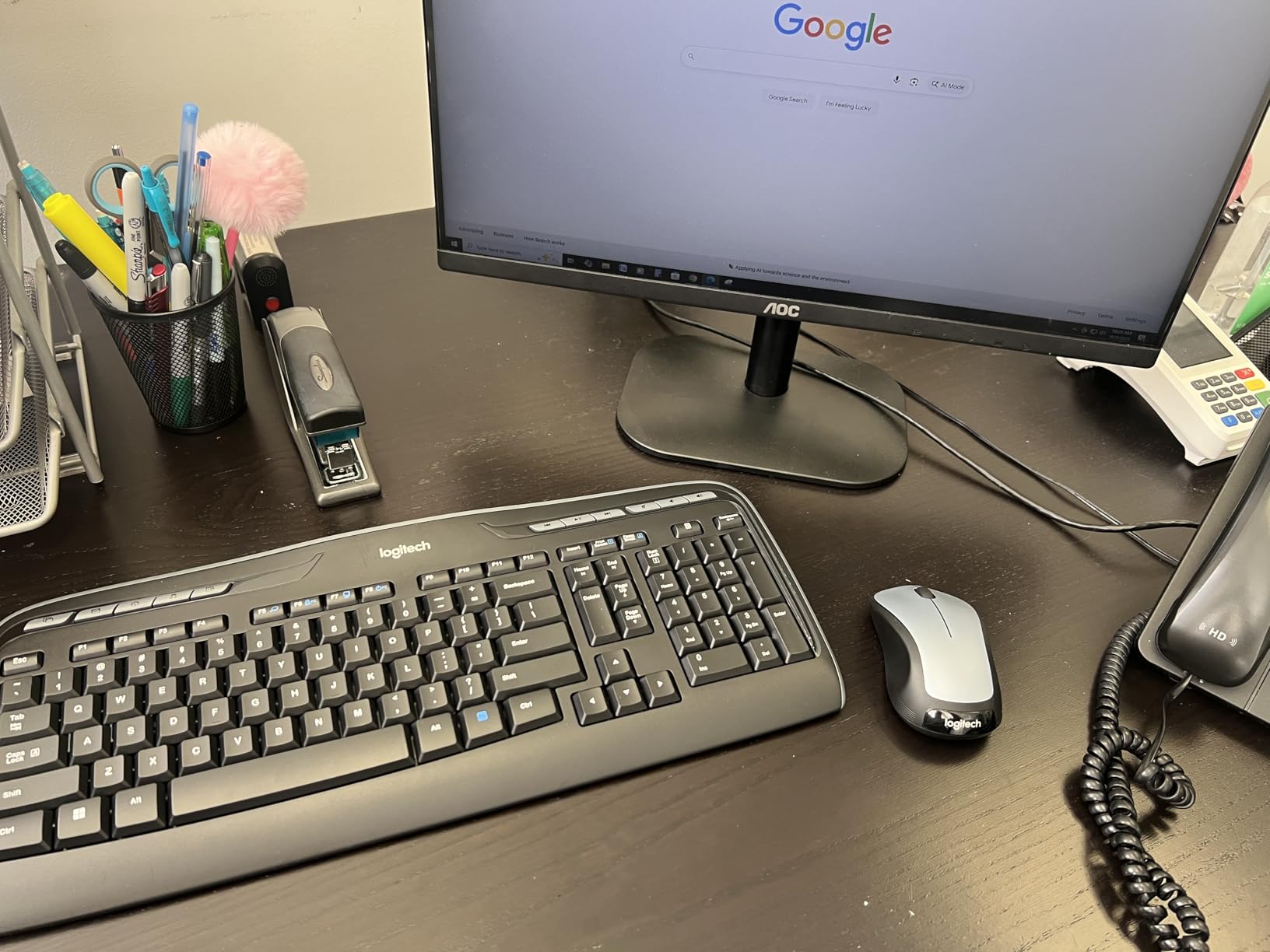
Logitech MK270 Full Size Wireless Keyboard and Mouse Combo – Black
104 keys with number pad
36-month keyboard battery
33 ft 2.4GHz receiver
Pros
- Plug-and-play USB receiver with reliable 33 ft range
- Spill-resistant build with adjustable tilt legs
- 36-month keyboard and 12-month mouse battery life
- Low-profile quiet keys with 8 multimedia hotkeys
- Ambidextrous compact mouse
Cons
- No backlighting
- Membrane feel rather than mechanical
- Mouse is small for larger hands
This is the set our team kept coming back to after testing the twelve. The MK270 carries a 4.5 star rating across more than 110000 reviews, and that kind of volume means the odd bad unit is rare. Setup is genuinely plug-and-play: the USB nano receiver goes in, and both devices are live.

What earns it the top spot is the boring specification that matters most in an office. The keyboard runs 36 months on one set of batteries and the mouse 12 months, so a year of daily typing rarely turns into a battery-tracking chore. Range reaches 33 feet, which covers a conference room table without dropouts.
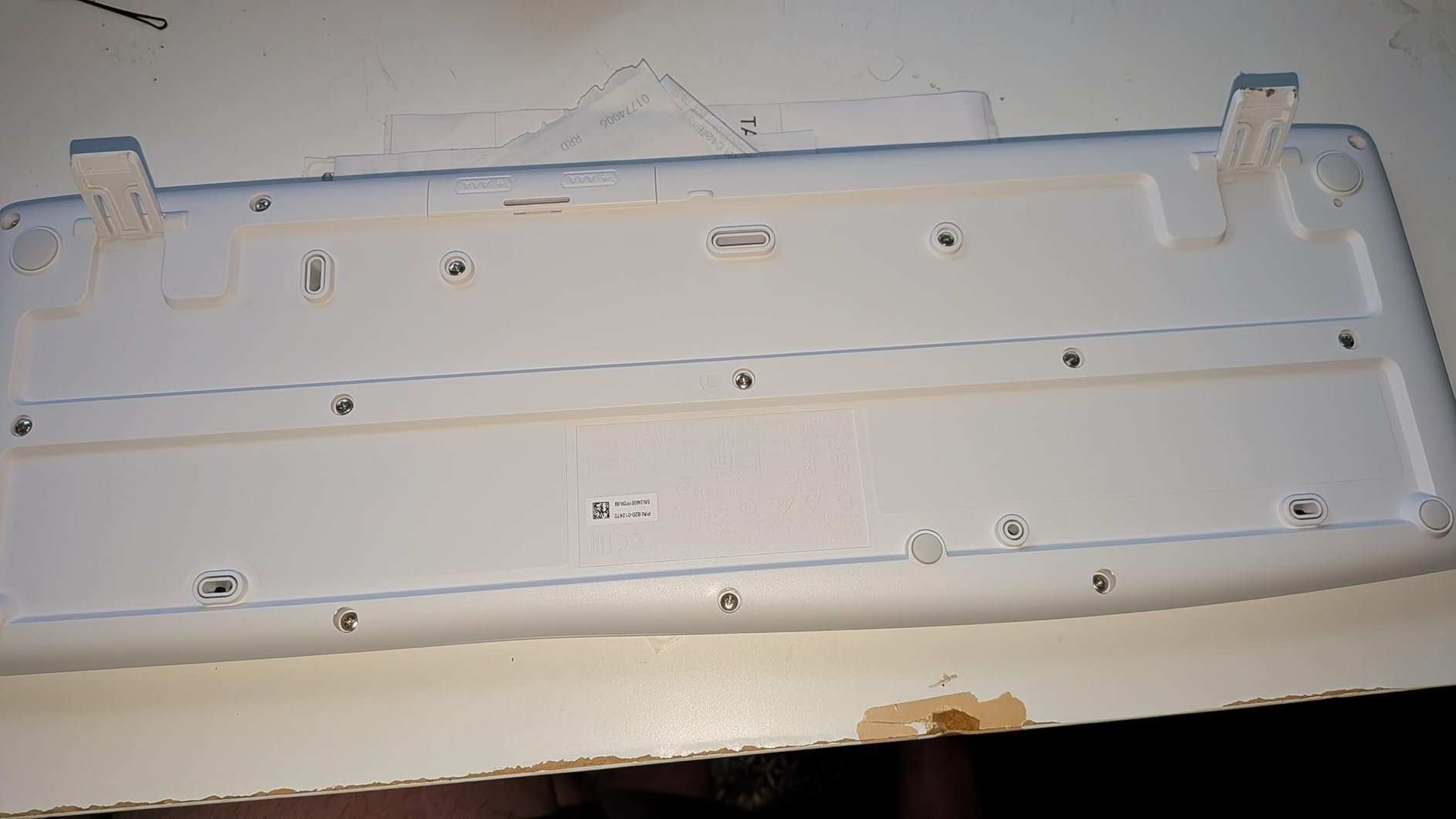
The 104-key layout is full-size, so you get the function row, arrow cluster, and a real number pad for data entry. Eight multimedia hotkeys sit along the top edge for volume and playback. The chassis is spill-resistant with adjustable tilt legs, which matters on a desk with a coffee cup.
Who should buy the MK270
Buy this if you are equipping a desk on a budget and want the lowest-friction experience available. It suits Windows laptops and desktops, first-time buyers, and anyone who would rather never think about peripherals again. For an office full of standard Windows machines, standardizing on this set is a defensible choice.
Who should skip it
Skip it if you type on a Mac and want Apple key mapping, if you need Bluetooth for a laptop with no USB-A port, or if you work in low light with no backlighting available. The mouse is genuinely compact, so people with larger hands may find it cramped by the end of the day.
2. TECKNET 78-Key Mini Wireless Combo – Budget Pick and Small Desks
TECKNET Wireless Keyboard and Mouse Combo, 2.4G Mini Cordless Computer Keyboard and Mouse Set, Silent Adjustable 1600 DPI, Quiet Click, Lag-Free for Computer, Laptop, PC, Windows, Mac, Chrome OS
78-key mini layout with scissor switches
Silent clicks
49 ft 2.4GHz range
Pros
- Genuinely quiet scissor keys and silent clicks
- Ultra-slim and light at 0.36 kg
- One shared nano receiver with 49 ft range
- Auto sleep mode extends battery life
- 36-month warranty
Cons
- No number pad or function row
- Batteries not included
- USB-A only with no Bluetooth
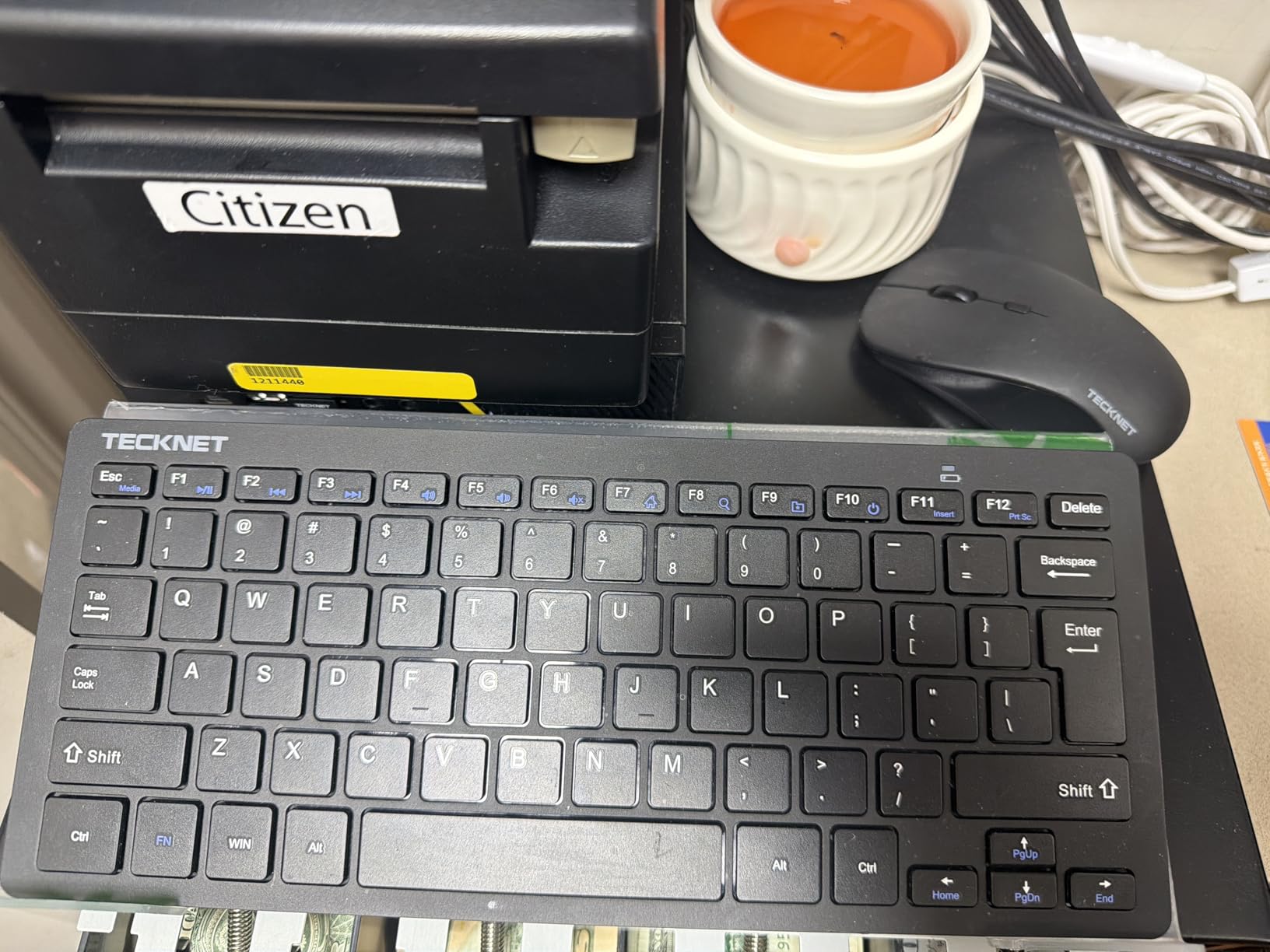
This is the smallest set we tested at 0.36 kg, and it disappears into a laptop bag in a way the full-size boards do not. Typing is quiet in the way that actually matters on a train or in a coworking space: scissor-switch keys and a mouse with silent clicks, both rated for daily office use.

The 2.4GHz link is unusually strong for this tier, reaching 49 feet, and both devices share one nano receiver that stores inside the mouse battery compartment. That means one USB port used instead of two. Twelve multimedia hotkeys cover volume and playback, and auto sleep handles the rest.
The 36-month TECKNET warranty is longer than most sets at this level. That matters when an office is buying twenty identical combos and something arrives damaged.
Who should buy the TECKNET mini
Buy it for hybrid workers who travel, hot-desk users, and anyone on a small desk where a full-size board would eat the workspace. It is also a reasonable second set for a home desk that gets packed away at the end of the day.
Who should skip it
Skip it if you work in accounting, logistics, or any role that lives in the number pad, because the 78-key layout has no numeric keypad and no dedicated function row. The four AAA batteries are not included, and there is no Bluetooth for USB-C-only machines.
3. VssoPlor Rechargeable Ultra Slim Combo – Best for Desk Space
Vssoplor Wireless Keyboard and Mouse, Rechargeable Ultra Slim, Dark Gray
5.5mm full-size scissor keyboard
Rechargeable with 3 DPI levels
2.4GHz 10m range
Pros
- Very slim 5.5mm full-size board frees desk space
- Rechargeable so no battery buying
- Quiet scissor typing with good tactile feel
- Full-size layout with numeric keypad
- Three DPI levels from 1000 to 2400
Cons
- Mouse is very thin for larger hands
- F1-F12 need the Fn key
- Rechargeable set stops working if the charge runs out
At 5.5mm thick and 0.2 inches at the keyboard edge, this is the flattest full-size board in the group, and it still carries a separate numeric keypad. Owners repeatedly report that the low profile reduces the finger movement associated with wrist discomfort, which is why several of them repurchase the set.
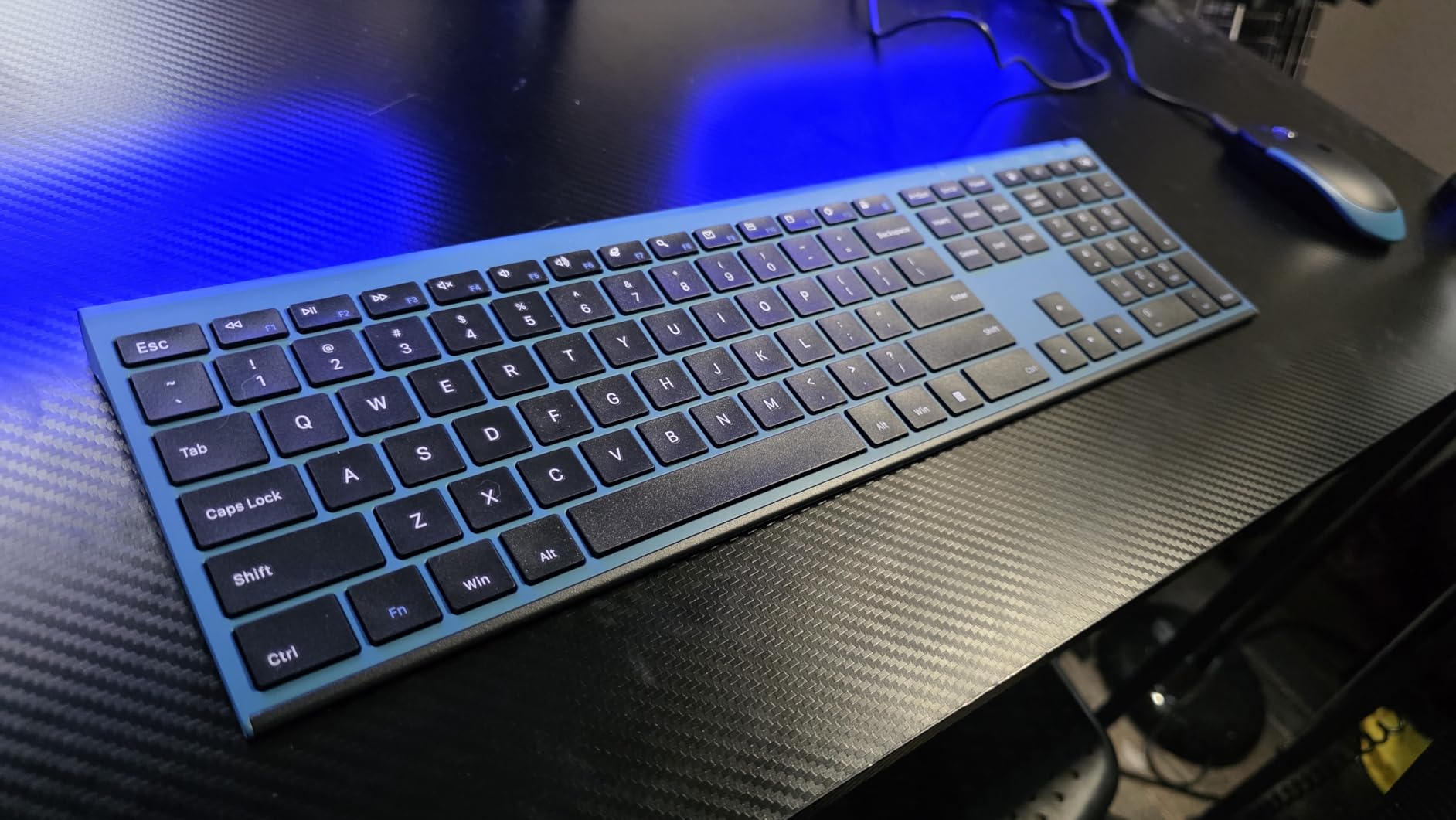
Recharging is the practical difference here. The keyboard and mouse charge over a cable, run about three weeks of heavy daily use per charge on the keyboard, and sleep automatically when idle. One 2-in-1 nano receiver handles both devices over 2.4GHz at up to 10 meters.
The newer revision adds USB-C charging with red and green charge indicator LEDs. DPI adjusts across three levels, and hot keys plus the number pad keep it practical for spreadsheet work.

Who should buy the VssoPlor set
Buy it if your desk is small, if you are already noticing wrist discomfort, or if you want a full-size layout with a number pad in a profile that leaves room for a mouse. Silent scissor typing also makes it a decent open-desk option.
Who should skip it
Skip it if you refuse to keep a charging cable within reach, because a depleted rechargeable set stops working entirely. The mouse is unusually thin at 0.86 inches and some users find it too low-profile, and the F1 to F12 layer sits behind the Fn key.
4. Logitech MK295 Silent Wireless Combo – Best Value for Shared Offices
Logitech MK295 Full Size Silent Wireless Keyboard Mouse Combo – Graphite
SilentTouch keys with 90 percent less noise
36-month keyboard battery
104 keys with number pad
Pros
- SilentTouch cuts typing and click noise by about 90 percent
- Connects in 3 seconds with a 10 m receiver
- 36-month keyboard and 18-month mouse battery
- Spill-resistant with adjustable tilt legs
- 8 one-touch shortcut keys
Cons
- No backlighting
- No Bluetooth multi-device support
- Membrane keys lack crisp mechanical feel
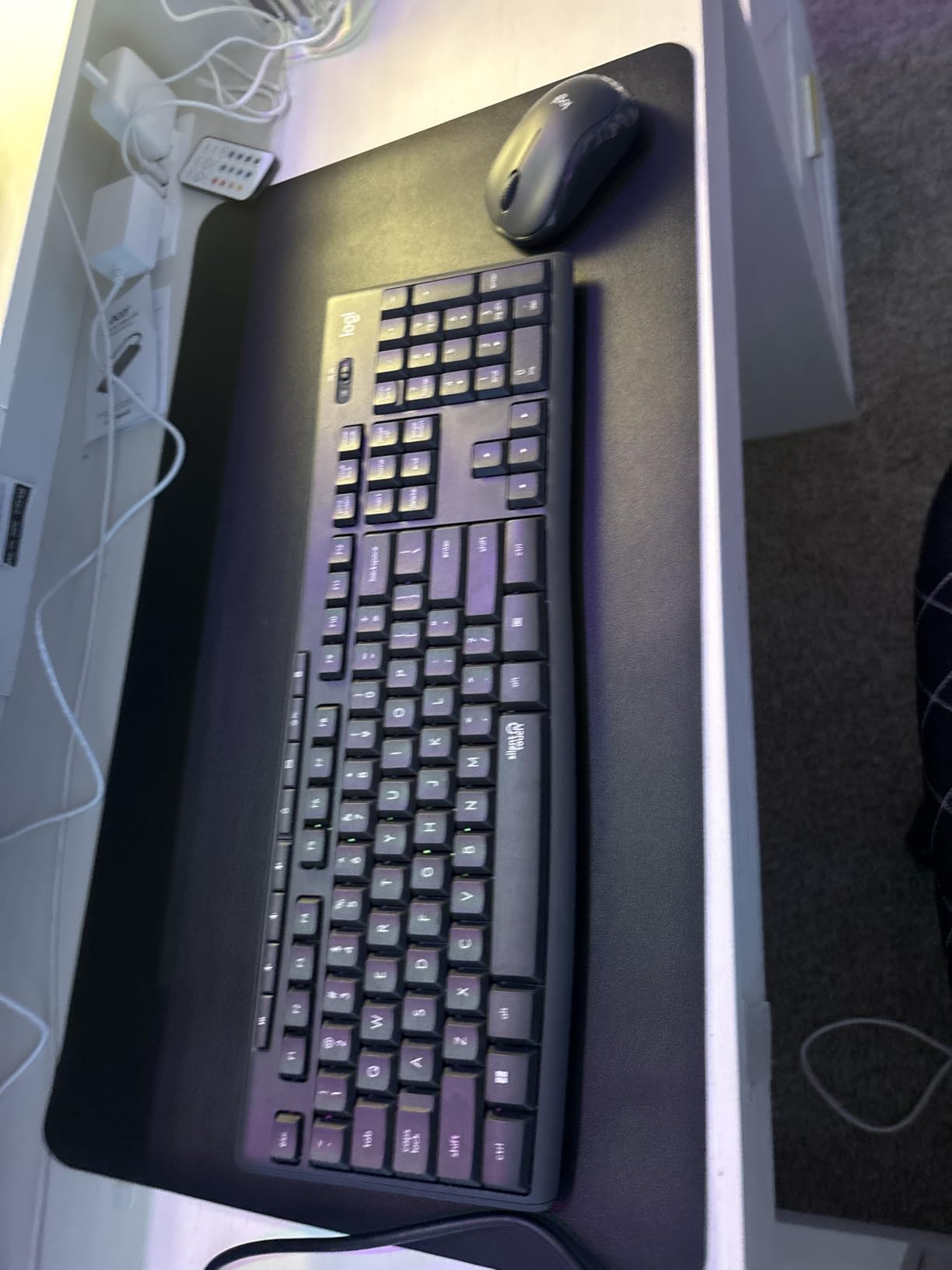
Silent is the whole point of the MK295, and reviewers rate it as genuinely quieter rather than marketing-quiet. SilentTouch dampens the keys and the click switches while keeping a familiar membrane feel, which is why it suits an open-plan floor where a mechanical board would get complaints.
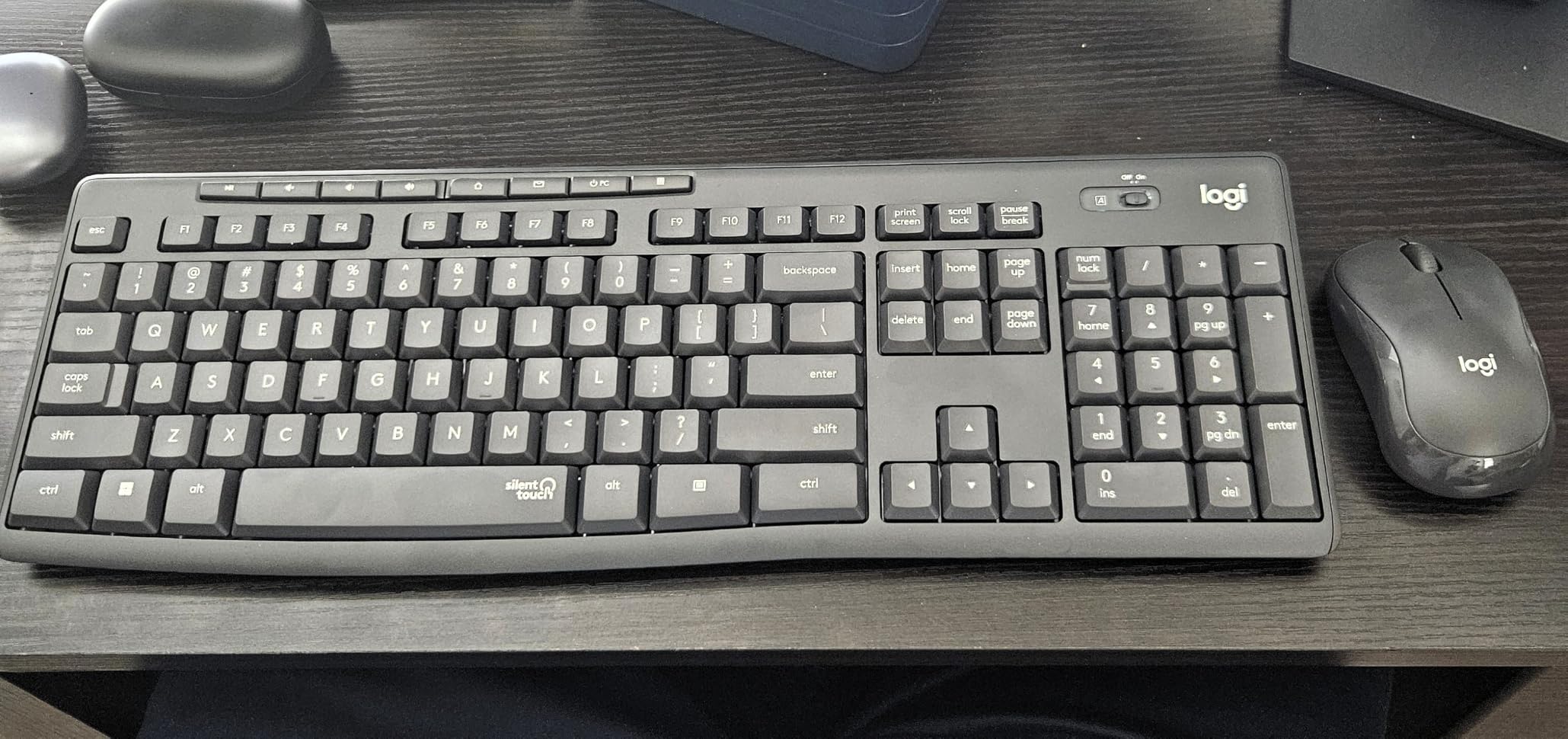
Battery life is the quiet advantage. The keyboard claims 36 months and the mouse 18, and both have physical on/off switches so they can be shut down overnight instead of drained. Pairing takes about three seconds over a 2.4GHz receiver with a 10 meter range.
The 104-key layout keeps the number pad, and eight one-touch shortcuts cover play/pause, volume, mute, and Internet. Spill-resistant keys and adjustable tilt legs handle the usual desk abuse.
Who should buy the MK295
Buy it for call centers, open-plan desks, and shared study rooms where noise is the deciding factor. It is also the safest silent option to standardize across a team because it is a mainstream Logitech part number with easy replacement.
Who should skip it
Skip it if you want multi-device switching between a laptop and a desktop, since there is no Bluetooth. There is no backlighting either, and if you are used to mechanical switches the membrane feel will feel soft.
5. Logitech MK335 Quiet Wireless Combo – Best for Durability
Logitech MK335 Full Size Quiet Wireless Keyboard Mouse Combo – Black/Silver
Quiet full-size keyboard and rubberized-grip mouse
24-month keyboard battery
11 hot keys plus 4 programmable F-keys
Pros
- Low-profile whisper-quiet keys for long sessions
- 11 hot keys plus 4 programmable F-keys
- Ambidextrous mouse with rubberized side grips
- Receiver stows inside the mouse battery cover
- Long-term owners report years of reliable service
Cons
- Flat typing angle with no height adjustment
- Power switch sits underneath the keyboard
- No CAPS LOCK indicator
The MK335 is the pick for a desk that will not be replaced for a while. Multiple owners in the reviews describe keeping the same model for well over a decade, which is a stronger durability signal than any material specification. The keyboard claims 24 months of battery life and the mouse 12.
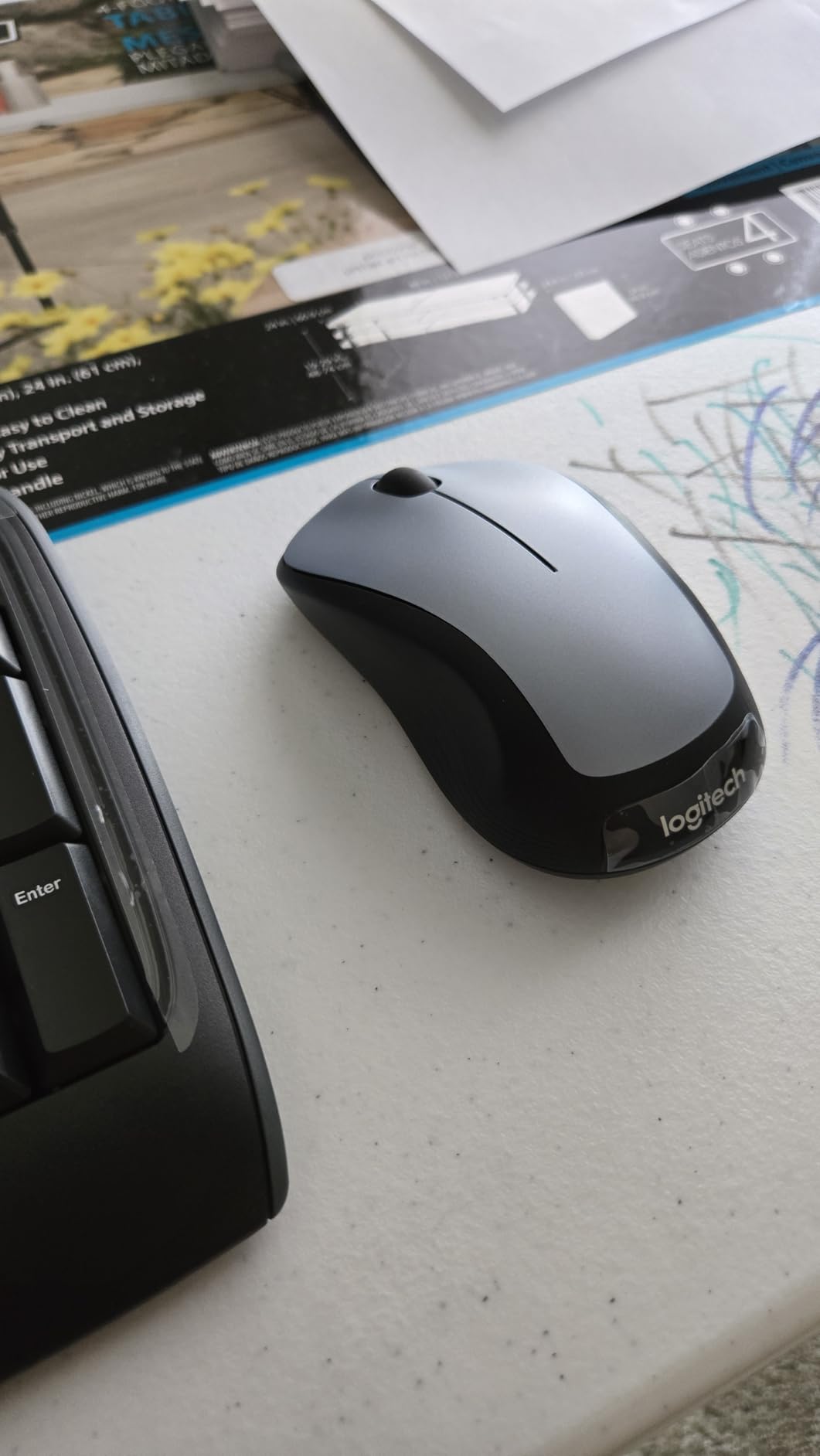
Two details make it nicer than the price suggests. The mouse is a full-size contoured shape with rubberized side grips rather than the tiny ambidextrous puck used by budget sets, so it suits bigger hands. Eleven hot keys plus four programmable F-keys give quick access to media and app launches.
The 2.4GHz connection uses encrypted data transmission, and the nano receiver stows inside the mouse under the battery cover so it never gets lost. Windows 10 and 11 are supported.
Who should buy the MK335
Buy it if you want one set that lasts, or if you are provisioning a work-from-home stipend and want something better than the peripherals bundled with a laptop. The rubberized mouse works for either hand and the programmable keys are handy for support and call-center software.
Who should skip it
Skip it if you type at a steep angle, since the keyboard sits flat with no height adjustment. The power switch is on the underside, and there is no CAPS LOCK indicator, both of which annoy people who work in dim rooms.
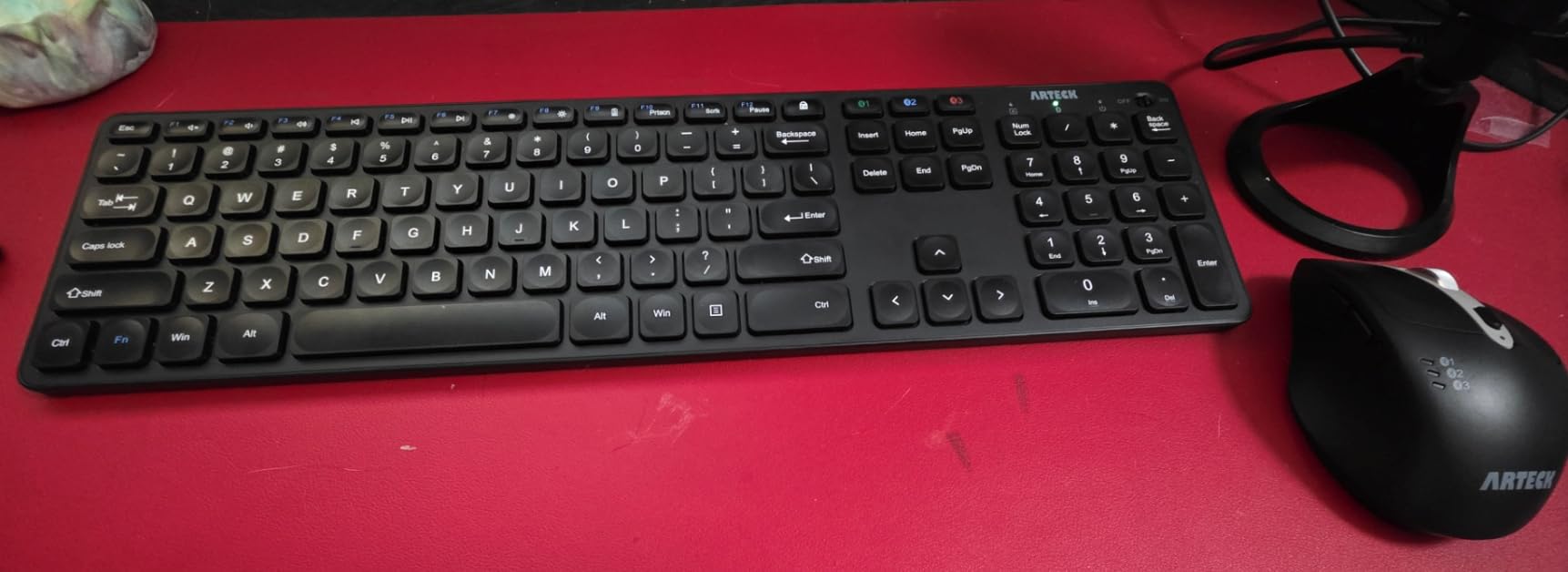
6. Arteck Stainless Steel 2.4G Combo – Premium Build Quality
Arteck 2.4G Wireless Keyboard and Mouse Combo Stainless Steel Ultra Slim Full Size Keyboard and Ergonomic Mice for Computer Desktop PC Laptop and Windows 10/8/7 Build in Rechargeable Battery
Stainless steel chassis with 104 keys
6 months per charge
Shared nano receiver
Pros
- Steel back plate beats painted plastic rivals
- Slim 17-inch full-size board with numpad
- 6 months keyboard and 4 months mouse per charge
- Both devices work while charging
- 24-month warranty with fast replacements
Cons
- Micro-USB charging instead of USB-C
- No tilt feet so it sits flat
- Uneven sensitivity on a few keys
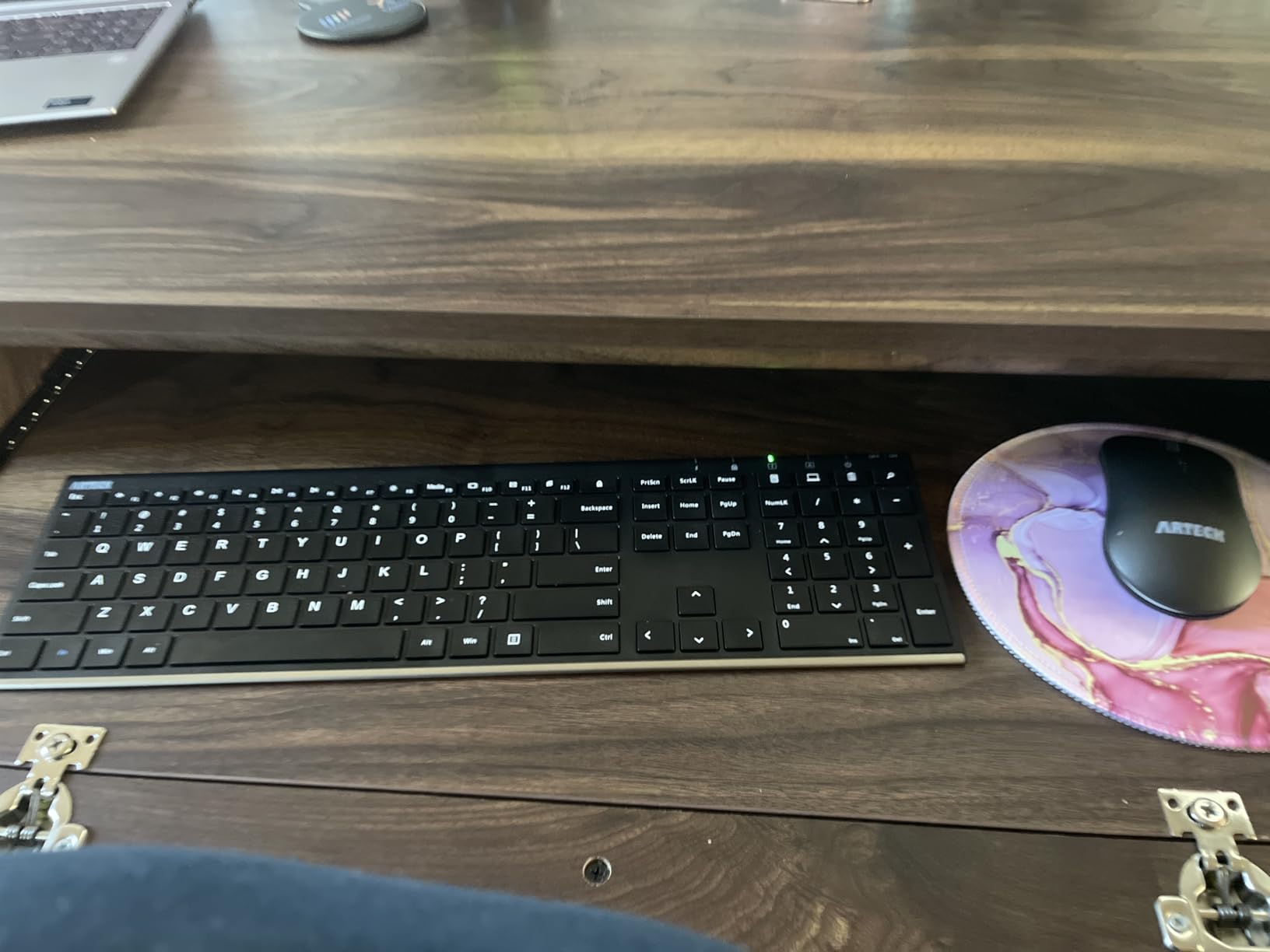
The Arteck set uses a stainless steel keyboard back plate, and reviewers consistently single that out as the reason it feels more expensive than it is. It is a slim full-size board with arrow keys and a number pad, so nothing from the standard layout is missing.
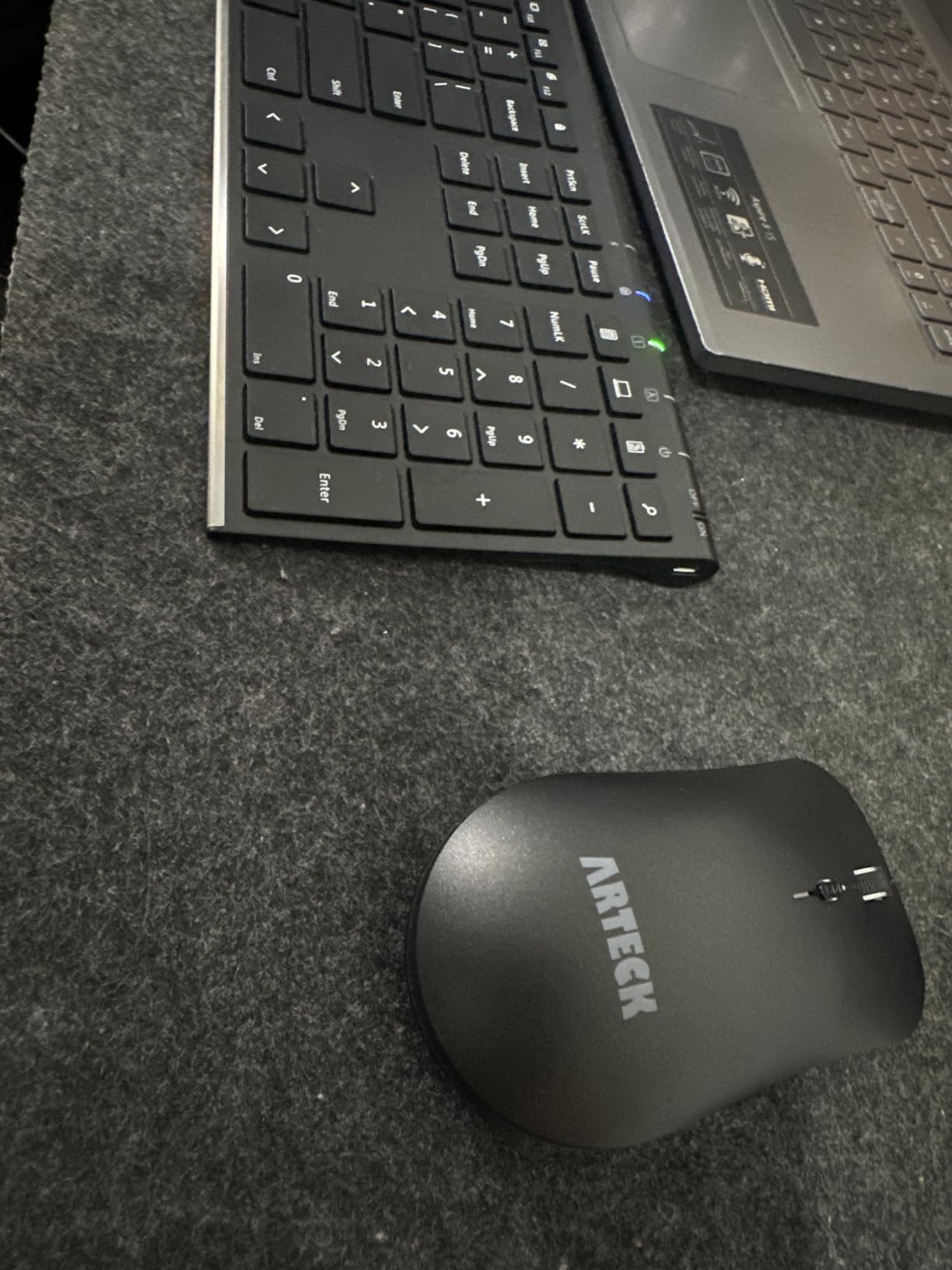
Battery behavior is the sleeper feature. The rechargeable lithium cell runs about six months for the keyboard and four for the mouse per charge, and both devices keep working while plugged in. That removes the dead-keyboard-mid-deadline scenario entirely.
One nano receiver stored in the back of the mouse powers both devices, freeing a USB port. The mouse is symmetrical with a smooth scroll wheel and adjustable DPI. Arteck ships a 24-month warranty and their service is repeatedly praised for fast free replacements.
Who should buy the Arteck steel combo
Buy it for a heavy-use desk, a shared hot-desking pool, or anyone who wants a rechargeable set without giving up a number pad. Several owners keep two, one at home and one at work, which is a good sign about failure rates.
Who should skip it
Skip it if you need USB-C charging, because this revision uses micro-USB and the included cable is short. There are no tilt feet, so the typing angle is flat, and a few keys register inconsistently if pressed very lightly.
7. seenda SKM64-3 Bluetooth Combo – Best for Mac Users
seenda SKM64-3 Wireless Bluetooth Keyboard Mouse Combo for Windows and Mac
USB-A plus BT1 and BT2 channels
Dual Windows and Apple layout
200 hours per charge
Pros
- Three channels cover Windows Mac iPad and Android
- Dual Windows and Apple layout avoids relearning keys
- Type-C recharge gives about 200 hours of use
- Metal build stays put on the desk
- Silent clicks and adjustable DPI
Cons
- Keyboard and mouse switch separately
- Slim mouse may feel flat
- Manual pairing per system on first use
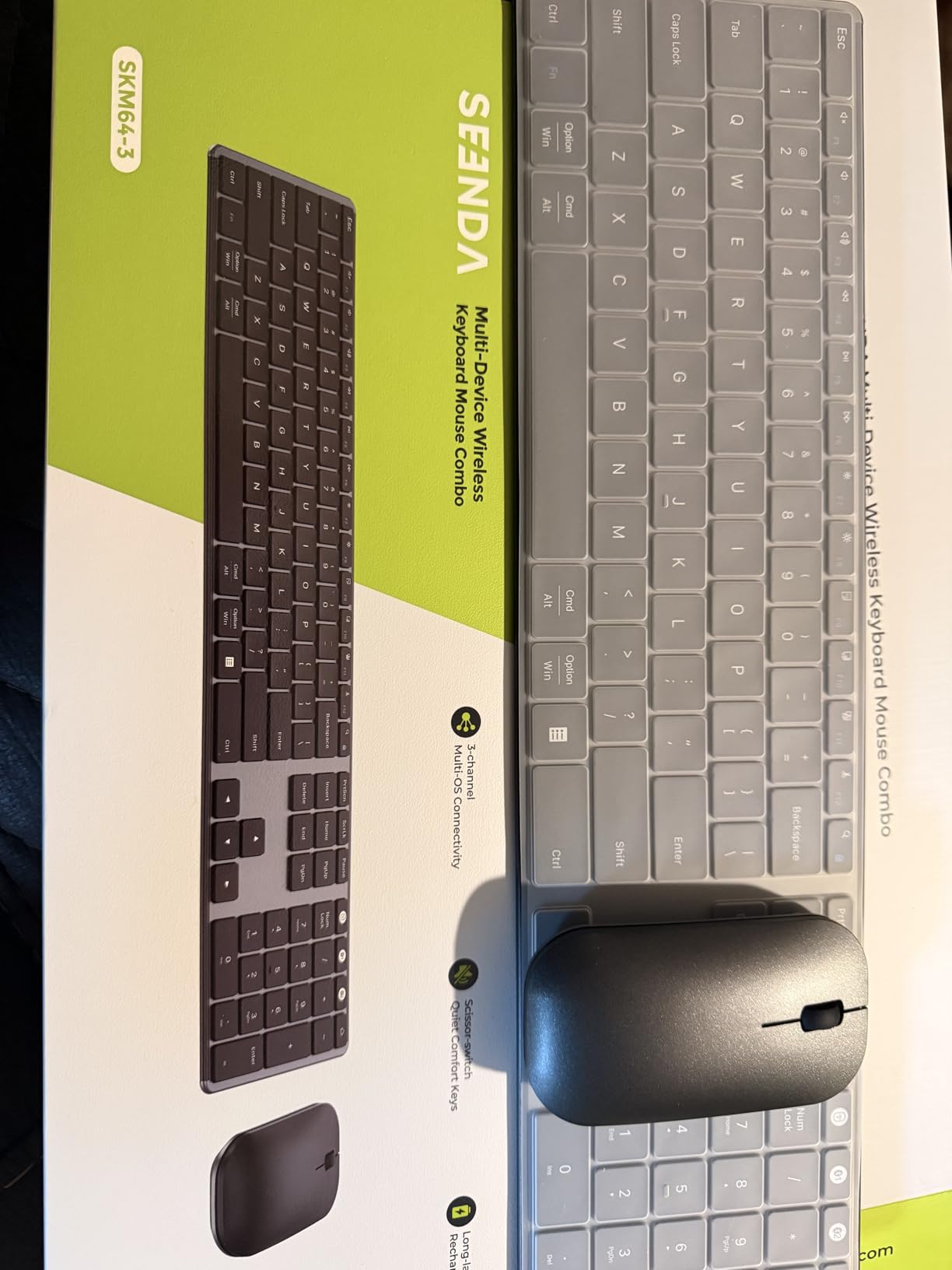
Mac support is the reason this one is on the list. The keyboard carries a dual Windows and Apple layout, so the Command and Option keys sit where muscle memory expects them. In Bluetooth mode it pairs with macOS, iPadOS, iOS, and Android alongside Windows, which solves the USB-C-only laptop problem without a dongle.
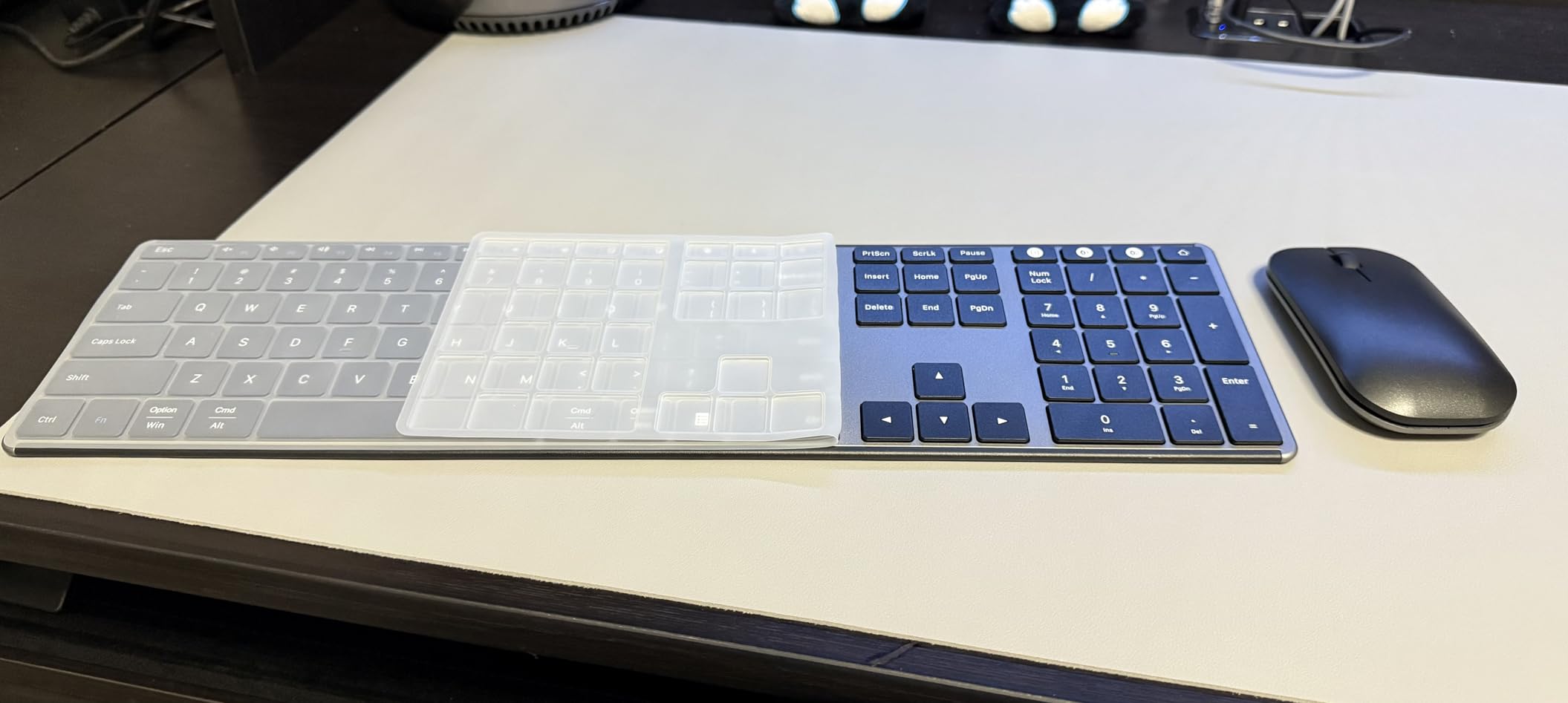
Three channels are available through USB-A, BT1, and BT2, so one set can cover a work laptop, a personal machine, and a tablet. Charging is USB-C with about 200 hours of use per full charge and a three-hour refill, plus auto sleep and a physical on/off switch.
The keyboard is a slim 0.12 inch metal board with scissor-switch keys and a full 104-key layout. The mouse offers silent clicks with DPI at 1000, 1600, or 2400. A silicone dust cover is included, and the warranty runs 24 months.
Who should buy the seenda SKM64-3
Buy it if your desk moves between Windows and Mac, or if you switch between a laptop and a tablet during the day. The metal build also makes it a good pick for a desk that gets moved around, since it does not slide.
Who should skip it
Skip it if you want one-key switching for both devices at once, because the keyboard and mouse must be changed separately. The mouse is thin and light at 0.9 inches, and first-time pairing requires following the manual for each operating system.
8. Perixx Periduo-505 Wired Ergonomic Combo – Best for Wrist Pain
Perixx Periduo-505, Wired USB Ergonomic Split Keyboard and Vertical Mouse Combo with Adjustable Palm Rest and Short Tactical Membrane Keys, US English Layout
Wired split keyboard with adjustable palm rest
Vertical 5-button mouse
104 keys with number pad
Pros
- Split layout reduces outward wrist bending
- Vertical mouse keeps the hand in a neutral position
- Adjustable palm rest with movable magnet
- Wired so no batteries or dropouts
- Centered 4-way tilt scroll wheel
Cons
- Wired only with no wireless option
- Membrane keys need an adjustment period
- 990 g weight keeps it desk-bound
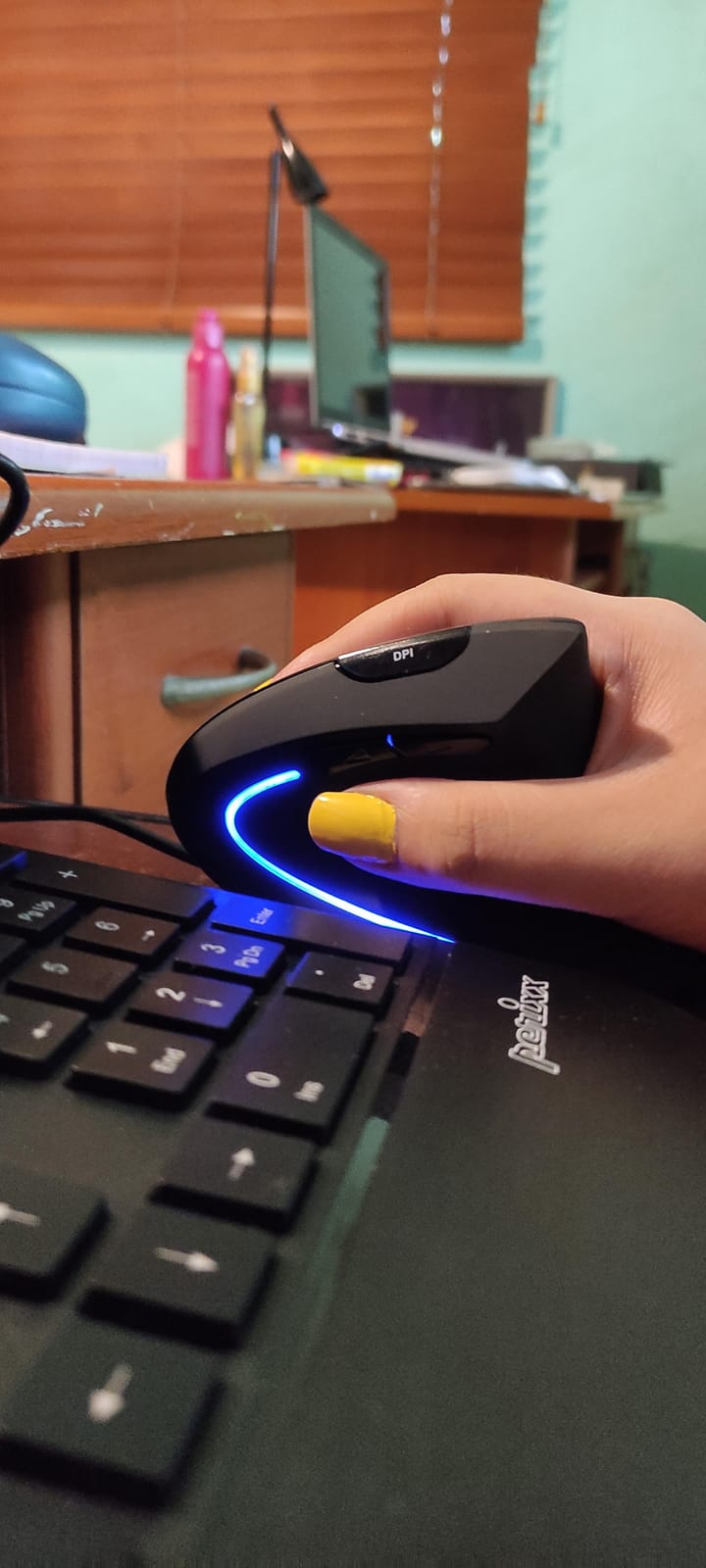
The Periduo-505 is the one combo here built around wrist relief from the start. The keyboard splits the keys into two curved groups so the forearms can stay straighter, and the integrated palm rest stand has a movable magnet that lets you set the height. Owners with heavy typing loads report reduced strain after making the switch.
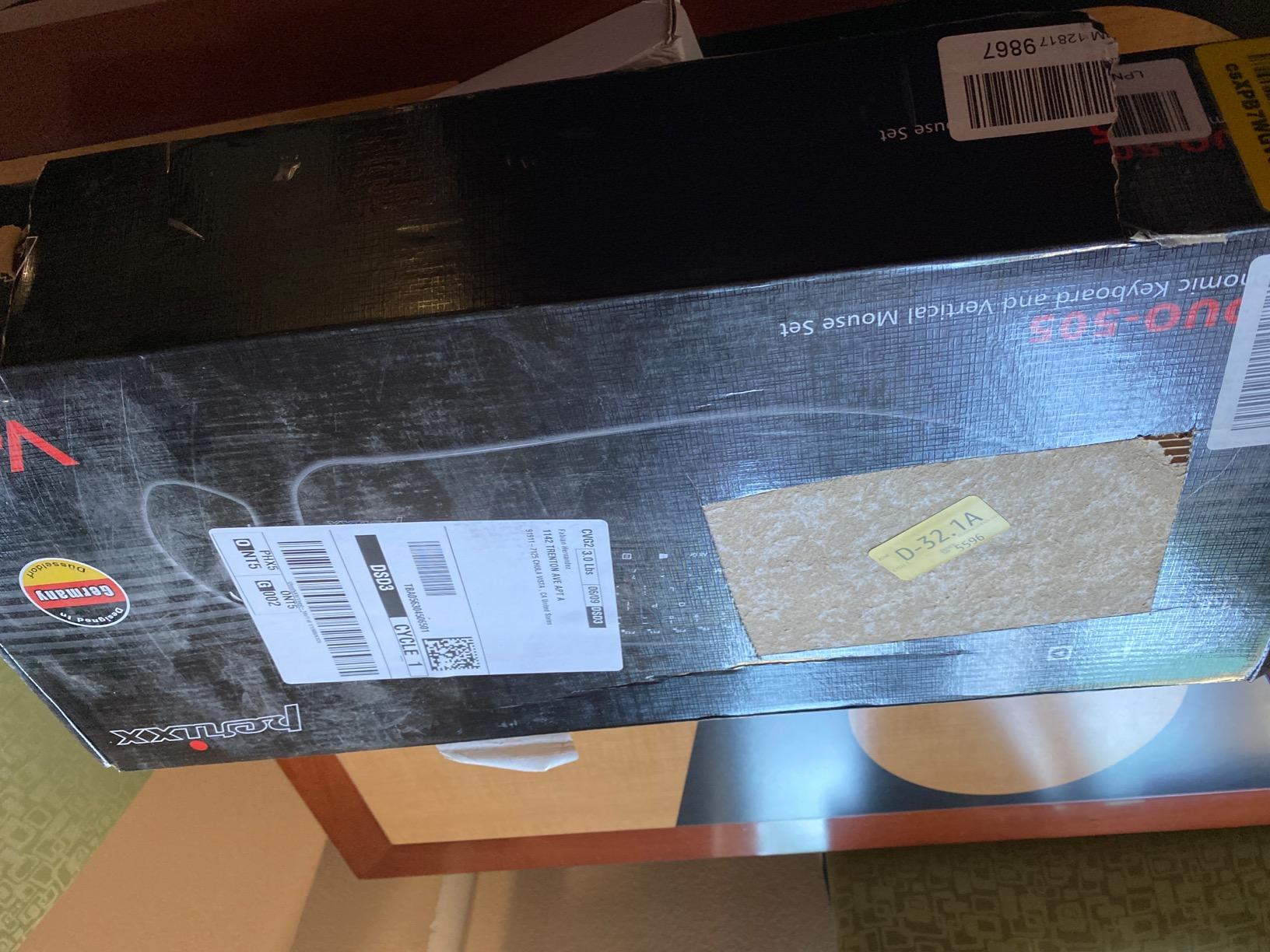
The paired mouse is vertical, which rotates the grip into a handshake position instead of forcing the wrist to bend upward. It is a five-button wired mouse with adjustable 1000 and 1600 DPI, and both devices come with 5.9 foot cables. There is no battery to manage and no wireless link to drop out mid-call.
A four-way tilt scroll wheel sits centered between the two halves, which is genuinely useful for scrolling inside a split layout. The board is a full 104 keys with twelve multimedia hot keys, and it is plug-and-play on Windows with no drivers.
Who should buy the Periduo-505
Buy it if you have carpal tunnel symptoms, a diagnosed wrist injury, or a doctor has recommended a neutral wrist position. It is also a good fixed-desk choice for IT teams that would rather ship a wired set and never service a battery.
Who should skip it
Skip it if you want a wireless or Bluetooth connection, since this model is wired only. The short-travel membrane keys need an adjustment period, the split layout slows fast typing until you relearn it, and at 990 g it is not a set you will carry between desks. The warranty is 12 months, shorter than rivals.
9. Arteck Multi-Device Bluetooth Combo – Best for Bluetooth Fleets
Arteck Universal Multi-Device Bluetooth Keyboard and Mouse Full Size Wireless Bluetooth Keyboard and Ergonomic Mouse Set for Windows, iOS, Android, Computer Desktop PC Laptop iPad Tablet Smartphone
Three Bluetooth devices on one click
7-button mouse with 5 DPI steps
6 months keyboard charge
Pros
- Switches between three Bluetooth devices with one click
- No dongle so USB ports stay free
- USB-C charging with 6 months keyboard and 4 months mouse
- Side buttons do not fire accidentally
- 24-month warranty
Cons
- No backlighting
- Keyboard channel does not switch the mouse
- Function layer has no visible indicator
Pure Bluetooth with no dongle is the point of this set, and for an office full of thin laptops it is the cleanest answer. Three devices stay connected at once and the keyboard switches between them with a single click, which suits anyone alternating between a desktop, a laptop, and a tablet.
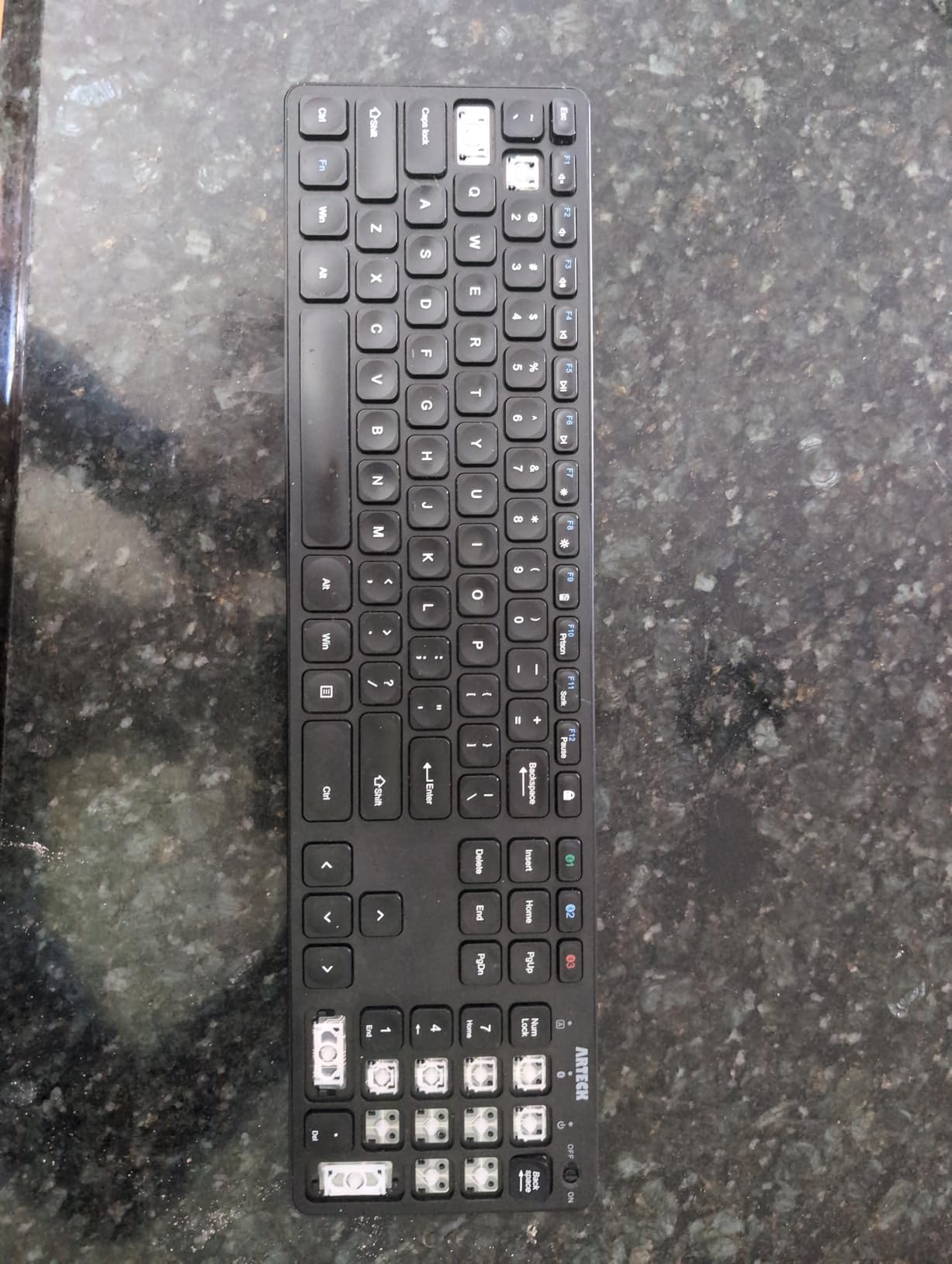
The mouse is the more interesting half: seven buttons including a DPI control that steps through 800, 1200, 1600, 2000, and 2400, two side buttons for back and forward, and a dedicated window-switch button. Reviewers like that the side buttons do not fire during ordinary clicking.
Charging is USB-C, with roughly six months for the keyboard and four for the mouse per charge, plus a low-battery warning. The keyboard is a full-size 107-key layout with well-spaced keys, and a 24-month warranty covers the set.
Who should buy the Arteck Bluetooth set
Buy it for a Mac or tablet-heavy office, or for anyone who refuses to occupy a USB-A port with a receiver. The three-device switching is the useful part for hybrid workers who already carry one laptop and one tablet.
Who should skip it
Skip it if you need backlighting for night shifts. The keyboard channel button does not also move the mouse, so both must be switched separately, and the function-layer toggle has no visible indicator, which makes mis-presses easy. There is no height adjustment either.
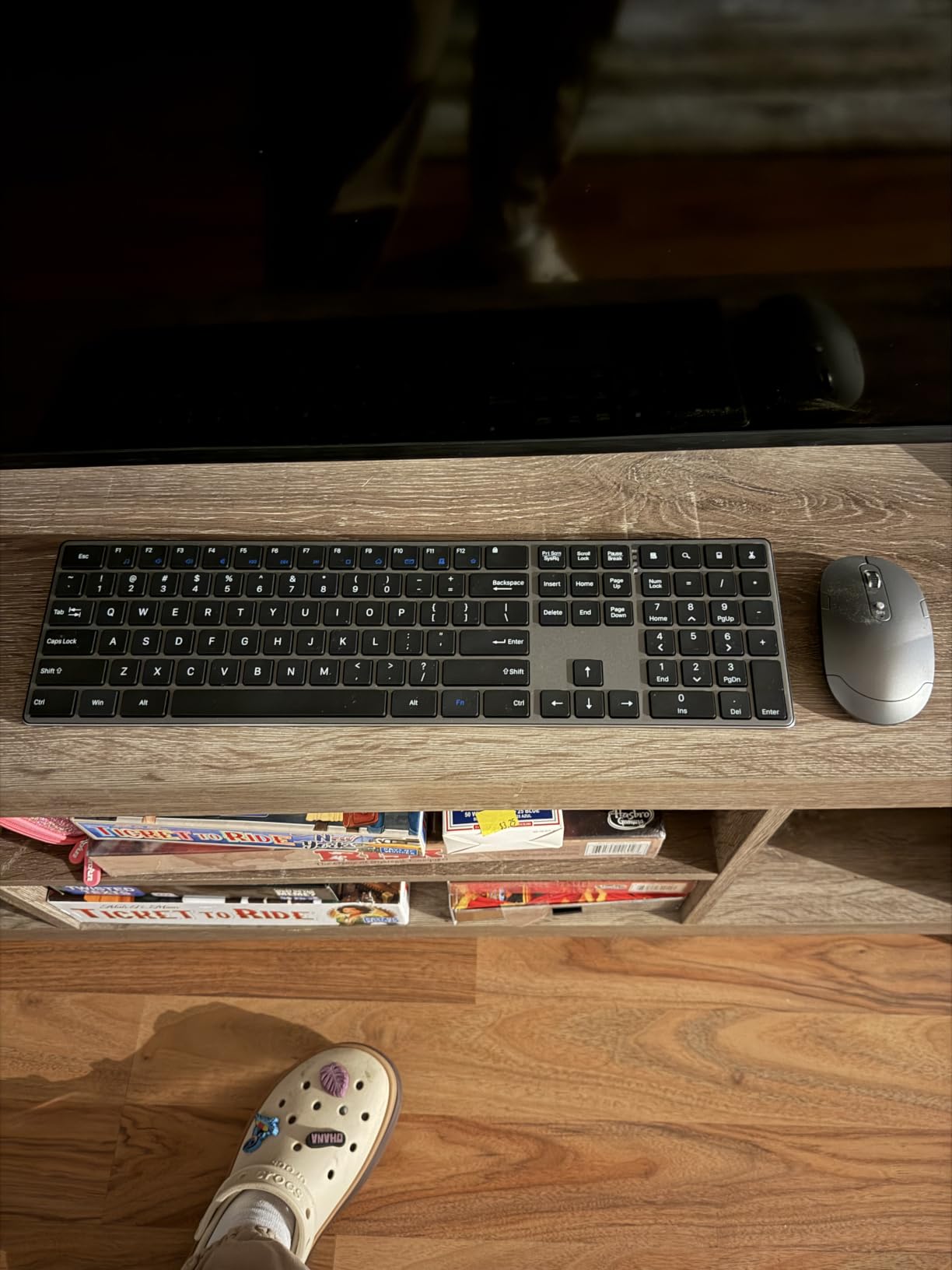
10. Amazon Basics Rechargeable Combo – Best Low-Cost Full-Size Set
Amazon Basics Ultra Premium Wireless Keyboard and Mouse Combo, Rechargeable, Full-Size with Number Pad, Sleek Design, Plug and Play, Quiet Typing, 2.4GHz USB Receiver, Black
104 keys with number pad
Rechargeable lithium-ion cells
33 ft 2.4GHz range
Pros
- Full-size layout in a slim housing
- One receiver powers keyboard and mouse
- Rechargeable cells cut battery replacements
- Quiet low-profile keys for shared desks
- Lightweight at 15.36 ounces
Cons
- Windows-focused with no stated Mac support
- No Bluetooth multi-device switching
- Light key feel rather than tactile
Among our picks this is the lowest-rated at 4.1 stars, and that number is honest. Roughly 65 percent of buyers give it five stars and 13 percent give it one, which points to a set that is fine rather than good. For a desk where cost is the only requirement, fine is the right answer.
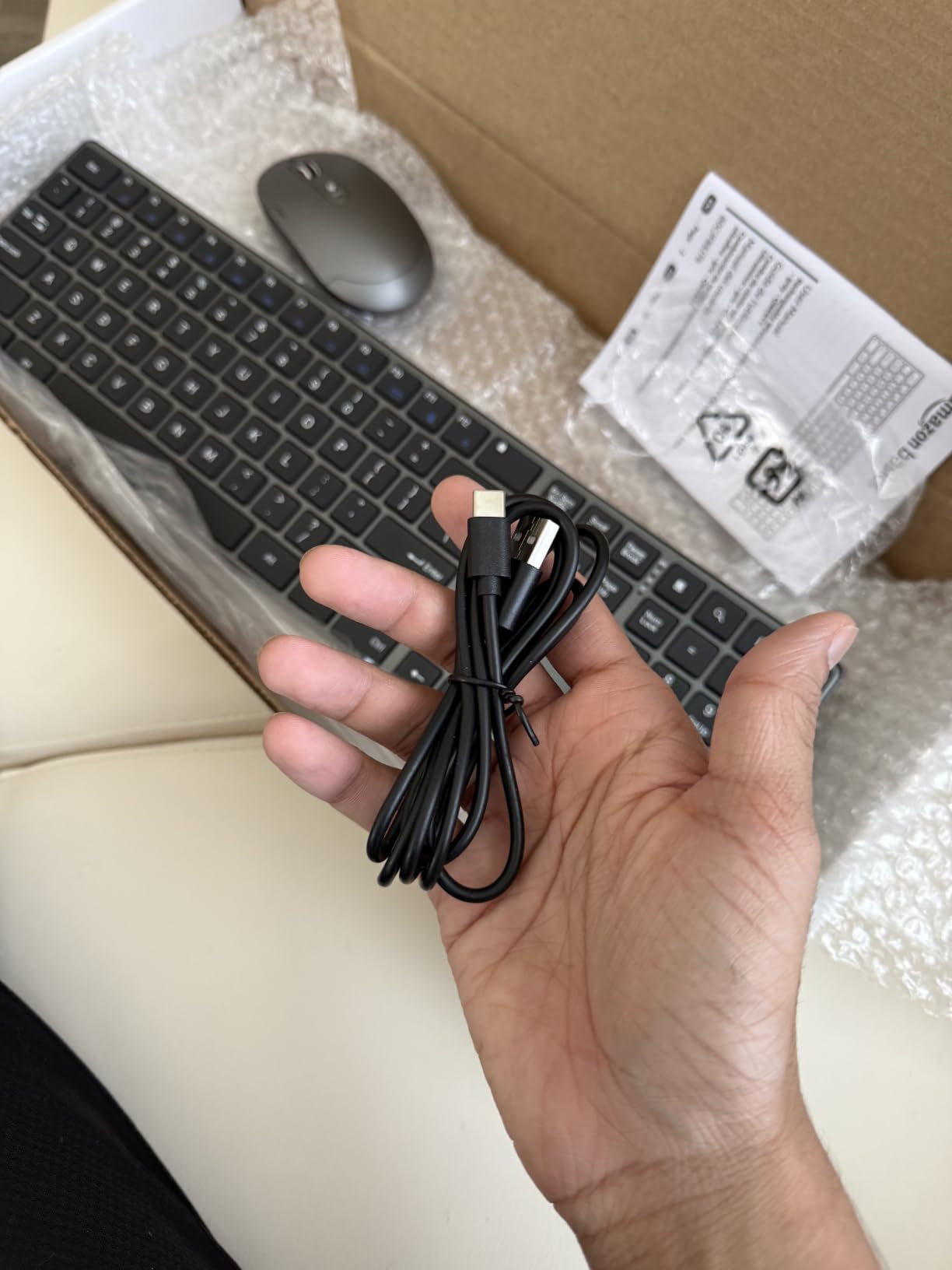
What you get is a 104-key full-size board with a number pad in a slim housing, one 2.4GHz receiver powering both devices with a stated range up to 33 feet, and built-in rechargeable lithium-ion batteries in both keyboard and mouse. Keys are low-profile and quiet, which suits a shared workspace.
The housing is stainless steel rather than painted plastic, and at 15.36 ounces it is the lightest full-size set here. The receiver stores in the keyboard base so it is not lost in a drawer.
Who should buy the Amazon Basics combo
Buy it for a Windows desk on a strict budget, for a training room, or for a temporary setup where the set will be replaced before anyone gets attached. Quiet keys and a full number pad at this tier are unusual.
Who should skip it
Skip it if you type for eight hours and care about key feel, since reviewers rate the keys as light rather than strongly tactile. Compatibility is stated for Windows only, there is no Bluetooth multi-device switching, and the full-size footprint takes more desk space than a compact set.
11. TECKNET 3-Mode Rechargeable Combo – Best for Multi-Device Work
TECKNET Compact Wireless Keyboard and Mouse Combo, 3-Mode Rechargeable
Five paired devices across three modes
0.6 inch keyboard at 1.1 lb
250mAh and 500mAh cells
Pros
- Up to five paired devices over Bluetooth 2.4G and USB-C
- 0.6 inch board and 1.1 lb total weight
- Quiet scissor keys and quiet-click mouse
- Rechargeable with up to 90 days of standby
- Works with Windows and macOS without drivers
Cons
- Scissor keys are light rather than deeply tactile
- Compact layout omits a number pad
- No backlighting
No other set here switches between five paired devices, and the third mode is the interesting part. Alongside three Bluetooth channels and 2.4G wireless, the keyboard and mouse can be driven over USB-C as a wired connection, which means you can type and charge at the same time.
The keyboard is 0.6 inches thin with scissor-switch keys rated beyond 5 million keystrokes, and the whole set weighs 1.1 lb, so it moves between a home desk and a laptop bag easily. Quiet scissor keys and a quiet-click optical mouse at 800, 1200, or 1600 DPI keep it civil in a shared room.
Batteries are 250mAh in the keyboard and 500mAh in the mouse, with up to 90 days of standby, auto sleep after 30 minutes of inactivity, and battery indicators. Both devices have separate power switches. Mac-friendly key legends and 12 multimedia hotkeys are included, and the range reaches 33 feet.
Who should buy the TECKNET 3-Mode combo
Buy it if you juggle several machines, if you want a wired fallback when a shared desk has no free USB port, or if you need something that crosses between macOS and Windows without reinstalling anything. The 36-month warranty is a bonus.
Who should skip it
Skip it if you need a numeric keypad, since the compact layout leaves no room for one. The scissor keys are light and low-travel, so anyone who types all day may want more feel, and there is no backlighting for low-light work.
12. SABLUTE Ergonomic Backlit Combo – Best for Backlit Night Work
SABLUTE Ergonomic Wireless Keyboard and Mouse Combo, Rechargeable 4000mAh Backlit Keyboard with Soft Faux Lambskin Palm Rest, Wave Keys for Natural Typing, Compatible with Windows/Mac/Chrome OS
Wave keys with lambskin palm rest
4000mAh keyboard battery
Backlit with 9 tone colors
Pros
- Wave keys and cushioned palm rest reduce wrist fatigue
- Very quiet typing for calls and shared desks
- 4000mAh battery runs about three weeks of 8-hour days
- Backlight color and brightness set on the keyboard
- Usable while charging over USB-C
Cons
- Palm rest suits small hands only
- No Bluetooth and no programmable mouse buttons
- Lighting settings reset on power-up
The SABLUTE set is the only combo here with a real backlight you control from the keyboard itself. Nine soft tone colors and adjustable brightness, no software required, plus an RGB mouse with six fixed colors and five cycle modes. For evening or shift work that is the difference between usable and not.
Typing is quiet, and the wave-style key profile with adjustable front and back stands is shaped to keep the wrist flatter. The soft faux lambskin palm rest is the most comfortable surface on any board in this group after a few weeks of use. Keys are rated for 10 million keystrokes.
Capacity is generous: a 4000mAh keyboard battery running about three weeks of eight-hour workdays with the backlight on, plus a 700mAh mouse. Both recharge over USB-C and both keep working while charging. The single 2.4GHz receiver reaches 33 feet, there are nine one-touch shortcut keys, and the warranty is a two-year free replacement.
Who should buy the SABLUTE combo
Buy it if you work late, if your office lighting is poor, or if you want wrist support built into the keyboard rather than added as an accessory. It runs on Windows, macOS, Chrome OS, Linux, and Android, which suits a mixed fleet.
Who should skip it
Skip it if you have large hands, because reviewers report the wave split and narrow palm rest force the wrists inward. There is no Bluetooth and the set depends entirely on the 2.4GHz dongle, mouse buttons cannot be reprogrammed for spreadsheet back-and-forward work, and lighting settings reset whenever the device powers up.
How to Choose an Office Keyboard and Mouse Combo
Start with the switch type, because it decides how the board feels and how it sounds. Scissor-switch keys are what most of the sets above use: low-profile, quiet, cheap to build, and comfortable for long typing sessions. Membrane keys, found on the Logitech budget pairs, are heavier and softer under the finger. Mechanical switches give the crispest feel and are the loudest, which is exactly the problem in an open office. Unless your office is private, skip mechanical.
Connectivity is the second decision. A 2.4GHz receiver gives a more reliable link at longer range and pairs in seconds, which suits a fixed Windows desk. Bluetooth avoids the dongle entirely and is the better answer for a laptop with only USB-C ports, a Mac user, or anyone switching between several machines. Sets that support both, like the TECKNET 3-Mode and the seenda SKM64-3, cover the widest range of desks.
Layout is the third. Full-size boards with a numeric keypad are non-negotiable for accounting, logistics, and data entry. Tenkeyless and compact layouts save desk space and travel well but frustrate spreadsheet-heavy roles. Full-size is the safer default for a shared office.
Then check the noise claim honestly. Silent switches are not marketing. The SilentTouch boards in this group are described by reviewers as roughly 90 percent quieter than standard keys, and in a room where someone takes calls all day, that is the difference between a request and a complaint.
Finally, if you are buying for a team rather than yourself, think procurement. Threads on r/sysadmin show the enterprise question is standardization, not preference: which single set you standardize on for users so support tickets stay low. Prioritize a warranty of two years or more, an ambidextrous mouse that suits either hand, and a set with no proprietary software. Our keyboard buying primers cover switch types in more depth if you want the mechanical-versus-membrane detail.
Frequently Asked Questions
What is the best keyboard and mouse combo for office use?
The Logitech MK270 is the best overall office combo: a 104-key full-size layout with a number pad, a spill-resistant build, a 33 foot 2.4GHz receiver, and 36 months of keyboard battery life. In a shared or open-plan office, the Logitech MK295 Silent is the better pick because SilentTouch keys cut typing and click noise by about 90 percent.
What type of keyboard is best for office work?
A low-profile scissor-switch keyboard is the best all-round choice for office work. Scissor keys are quiet, cheap to manufacture, and comfortable over long sessions. Membrane boards feel softer and heavier under the finger. Mechanical switches feel crisp but are the loudest, so they suit private rooms rather than open-plan floors.
What is the best keyboard and mouse set for a home office?
For a home office, the VssoPlor rechargeable ultra slim combo works well because the 5.5mm keyboard frees desk space, the full-size layout keeps a number pad, and recharging removes battery buying. If you travel with your setup, the TECKNET 78-key mini combo at 0.36 kg is the portable option.
Which Logitech keyboard is best for office use?
The MK270 is the strongest all-round office option, pairing a 4.5 star rating across more than 110000 reviews with a 36-month keyboard battery. The MK295 is the quieter sibling with SilentTouch switches, best for shared desks. The MK335 has the longest-reported service life and the most comfortable full-size mouse, with 11 hot keys and 4 programmable F-keys.
Is wireless or wired better for office work?
Wireless is the better default for most office desks because it clears cable clutter and works across desks. Use wired when latency, dropouts, or battery logistics matter: the Perixx Periduo-505 is a fully wired split keyboard and vertical mouse combo with no batteries to manage at all.
Which Office Combo Should You Buy in 2026?
Pick the Logitech MK270 for the best keyboard and mouse combos for office use overall. It carries the strongest combination of rating and review volume here, a full-size layout, and a 36-month keyboard battery that removes battery upkeep entirely. Choose the MK295 Silent instead if noise is the deciding factor, the Arteck steel set if build quality matters more than the spec sheet, and the Perixx Periduo-505 if your wrists already hurt.
Whichever one you choose, standardize. Buy the same set for every desk, keep a spare set in a drawer for fast swaps, and check the warranty terms before ordering in volume. More buying guides on keyboards and desk equipment are worth a look if you are building out a workspace this year.