
The short answer is an inkjet photo printer, and preferably a dedicated photo model rather than a general-purpose office all-in-one. Only inkjets lay down multiple light inks or dense pigment inks, which is what gives you smooth skin tones, clean shadow detail and blacks that hold up under glass. Laser prints text beautifully and photographs adequately, which is the polite way of saying not well enough to frame.
We compared seven photo-focused inkjets for this roundup, reading thousands of owner reviews and weighing the three decisions that actually change the outcome: ink chemistry, maximum print size, and refillable tanks versus cartridges. Those three axes explain nearly every difference between the picks below, and they explain why a printer that costs more up front often costs less per photograph over a year of printing.
The category has settled into five clear tiers in 2026. Compact 4×6 and 5×7 print-only units handle snapshots and scrapbooking. Desktop all-in-ones add a scanner and copier for homes that print documents too. Dedicated 8-color dye machines cover 13×19 borderless work for photographers and small studios. Above that sit pigment-based professional models where archival longevity and black density start to matter more than gloss punch.
Dye sublimation units and Zink portable printers turn up in searches for this topic constantly, and we left them out on purpose. They are a different chemical process with different economics, and mixing them into an inkjet roundup makes the comparisons meaningless. Our photo printer guide covers those formats separately.
Table of Contents
Top 3 Picks for Inkjet Photo Printing (October 2026)
If you want our answer in three lines, this is it. The Epson EcoTank Photo ET-8550 wins overall because it pairs 13×19 borderless dye output with refillable tanks and has the deepest review history of anything we tested. The Epson PictureMate PM-400 takes the value slot with the highest average rating in the group and a footprint small enough for a shelf. The HP Envy Photo 7975 is the pick when one machine has to handle school projects, scan-to-email and family photos in the same week.

EcoTank Photo ET-8550
- 13x19 borderless dye output
- Refillable ink tanks
- Flatbed scanner and copier
- 2.4-inch touchscreen

PictureMate PM-400
- 4x6 and 5x7 borderless prints
- 36-second 4x6 output
- 6-pound body
- Wireless from phone or tablet

HP Envy Photo 7975
- Print copy scan plus 35-sheet feeder
- Borderless to 8.5x11.7 inches
- 2.7-inch touchscreen
- Automatic duplex
Best Inkjet Printers for Photos in 2026
Seven picks, ranked. The column that matters most for anyone printing regularly is the ink system: cartridge machines are simpler to buy and far more expensive per photograph over time, while tank machines cost more to start and behave better once the ink is flowing.
| Product | Specifications | Action |
|---|---|---|
| Epson EcoTank Photo ET-8550 |
|
Check Latest Price |
| Epson PictureMate PM-400 |
|
Check Latest Price |
| HP Envy Photo 7975 |
|
Check Latest Price |
 Canon PIXMA TS8820 Canon PIXMA TS8820 |
|
Check Latest Price |
 Canon PIXMA PRO-200S Canon PIXMA PRO-200S |
|
Check Latest Price |
 Canon PIXMA PRO-100 Canon PIXMA PRO-100 |
|
Check Latest Price |
 Epson Expression Photo XP-8700 Epson Expression Photo XP-8700 |
|
Check Latest Price |
1. Epson EcoTank Photo ET-8550 – Best Inkjet Photo Printer Overall
Epson EcoTank Photo ET-8550 Wireless Wide-Format All-in-One Tank Printer
13x19 borderless dye printing
Refillable Claria ET Premium tanks
Flatbed scanner and copier
2.4-inch color LCD
Pros
- 13x19 borderless output on glossy and matte fine art papers
- Refillable tanks cut per-photo ink cost dramatically
- Flatbed scanner useful for copies and printhead alignment
- Dedicated 4x6 tray plus rear feed for full-size sheets
- Quiet and solidly built for its size
Cons
- Automatic tray selection is unreliable
- Rear manual feed can throw paper not found errors on thick media
- Dye inks are not archival fade resistant
This is the machine we keep coming back to, and the owner reviews explain why it has accumulated more feedback than anything else in the group. The 6-color Claria ET Premium dye set produces the kind of glossy output people describe as gallery-grade on Epson’s own premium paper, and the transparent toppable tanks mean you can see the ink level yourself before you commit to a large job.
The economics are the reason it earns the top slot rather than a dedicated pro model. Epson’s own figures put a 4×6 print at about four cents with tank ink against roughly forty cents on traditional cartridge ink, and a full tank set covers up to 6,200 color pages. Over a year of family printing that gap dwarfs any difference in sticker price.
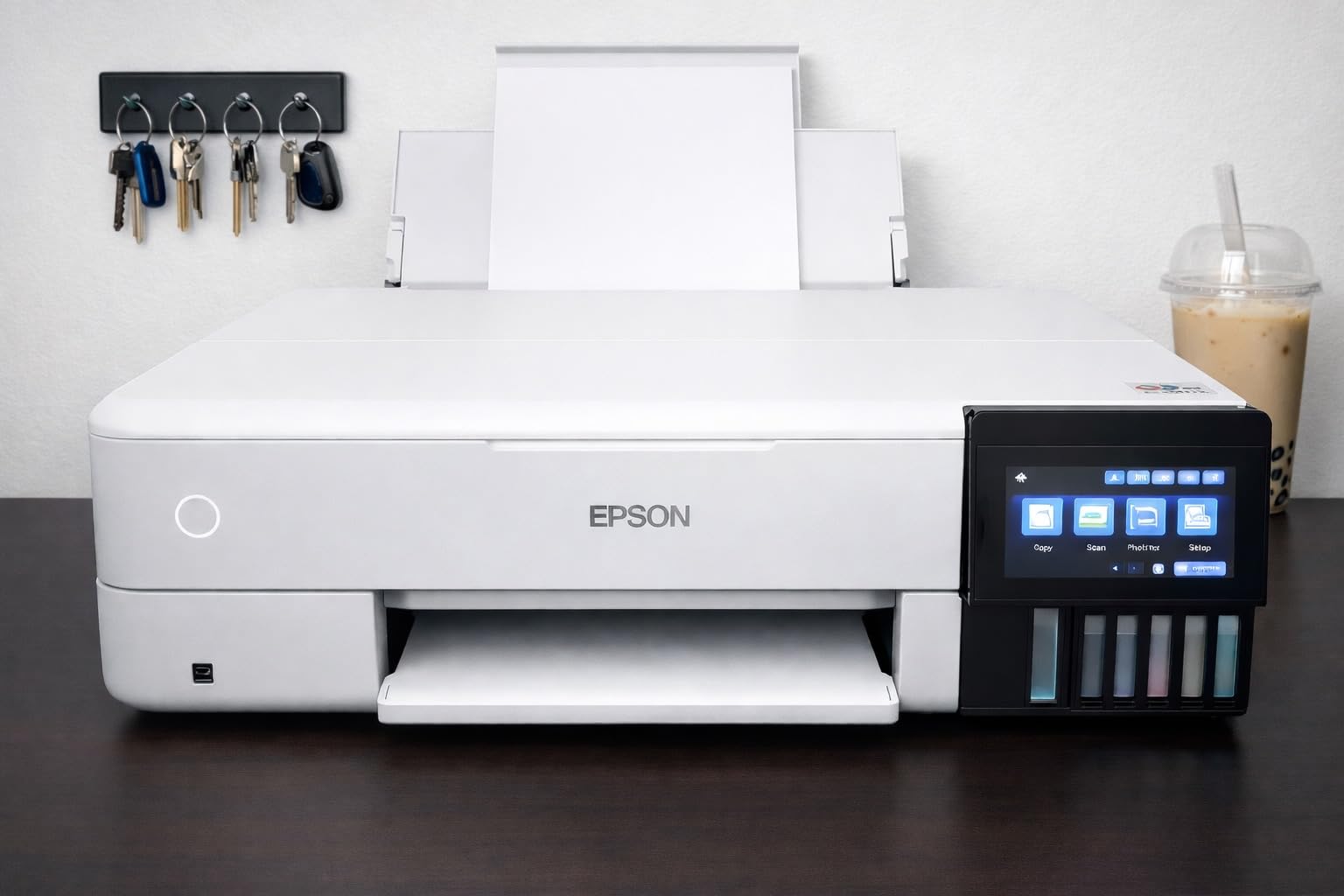
What you give up is archival life. These are dye inks, so a print kept in direct sunlight will fade faster than pigment output would, and that matters if you are making something meant to last decades. The other recurring theme in reviews is paper handling: automatic tray selection picks the wrong tray often enough that owners learn to set it manually, and the rear manual feed is finicky with heavy media.
At 24.5 pounds and 29.8 inches deep, this is not a desk machine. Owners also report occasional ink blobs from partially clogged nozzles that need a deep clean, and a flatbed scanner that will not handle 11×17 originals. For a home office or small studio printing a mix of documents and framed photos, none of that is disqualifying. For archival work, it is.
How refillable tanks change your running cost
With cartridges, cost per print is set by how much ink you throw away flushing nozzles before each job. With tanks, the printer sits idle and the ink does not expire on a schedule. Owners running heavy 13×19 work report thousands of prints without a clog, and the bottles are cheap enough that a full refill set costs less than two cartridge sets.
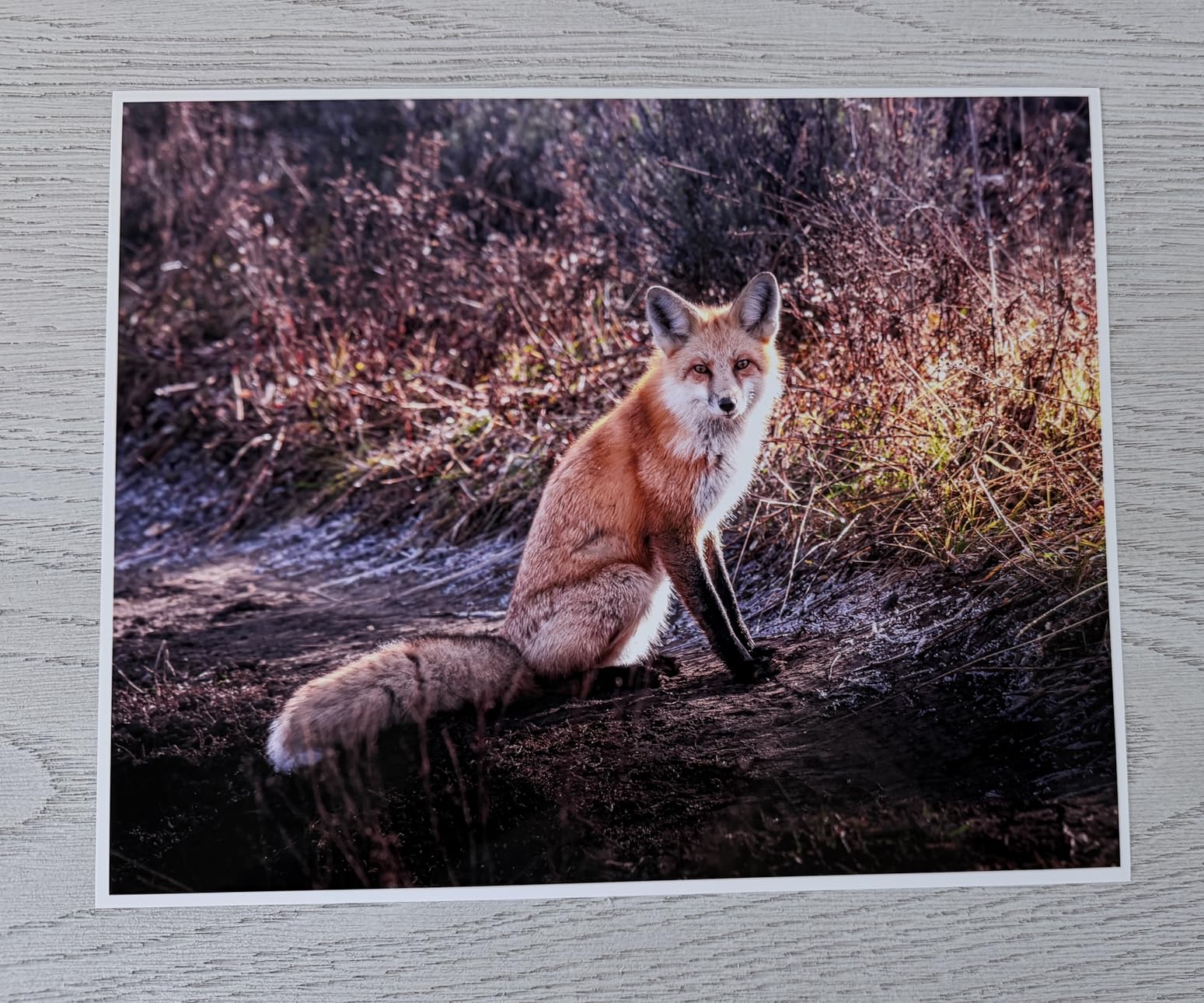
What 13×19 output changes about paper and framing
Borderless 13×19 means Super B sheets, matted and framed at roughly 18 by 24 inches once the border is trimmed. That is the point at which a photo stops looking like a snapshot and starts looking like a print, and it is the last step before true wide-format territory where cost per sheet becomes intimidating.
2. Epson PictureMate PM-400 – Best Value for 4×6 and 5×7 Prints
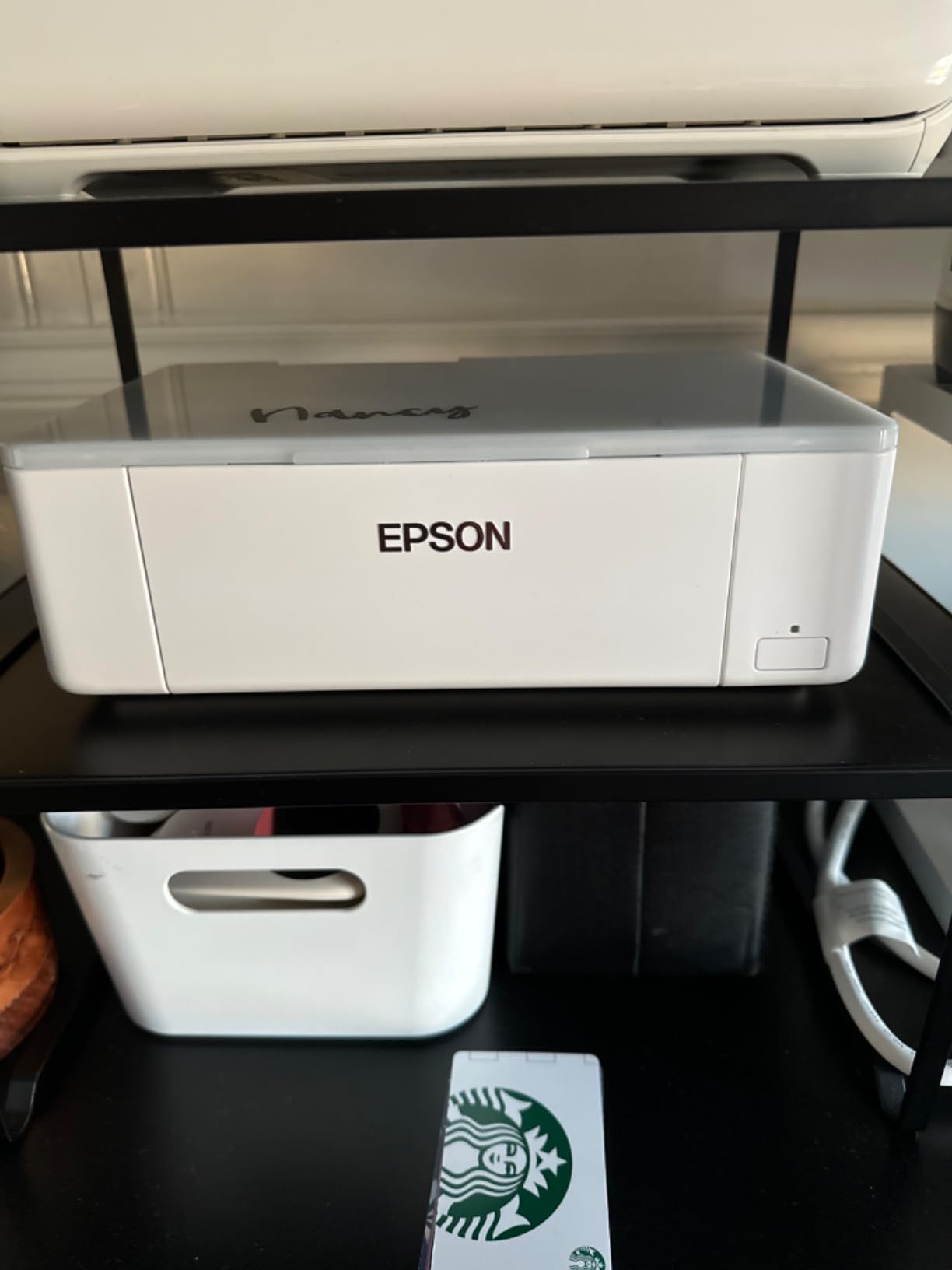
Epson PictureMate PM-400 Wireless Compact Photo Printer
4x6 and 5x7 borderless printing
36-second first print
6-pound folding body
Wireless from phone or tablet
Pros
- Bright sharp smudge-proof 4x6 and 5x7 output
- 36-second borderless 4x6 prints
- Compact 6-pound body travels easily
- Owners report six to nine years of continuous use
- App layouts for collages and sticker sheets
Cons
- Print-only with no copy function
- No battery or Bluetooth despite the compact shape
- Cartridges run out fast at event volume
The highest average rating in the group belongs to a printer that has been in production long enough to accumulate a decade of owner reports. At 4.5 stars across more than 1,400 reviews, with 79 percent five-star feedback, this is the most-proven compact photo printer we looked at, and the durability story is unusually specific: multiple owners describe six to nine years of continuous scrapbooking on the same unit, one of them estimating more than 1,000 prints across eight cartridges.
Set-up is genuinely quick, wireless pairing from a phone takes seconds, and the app handles full-page layouts, collages and two sticker prints per sheet. At 6 pounds and under 8 inches tall it folds down small enough to live on a shelf rather than a desk, which matters more than it sounds in a home office.
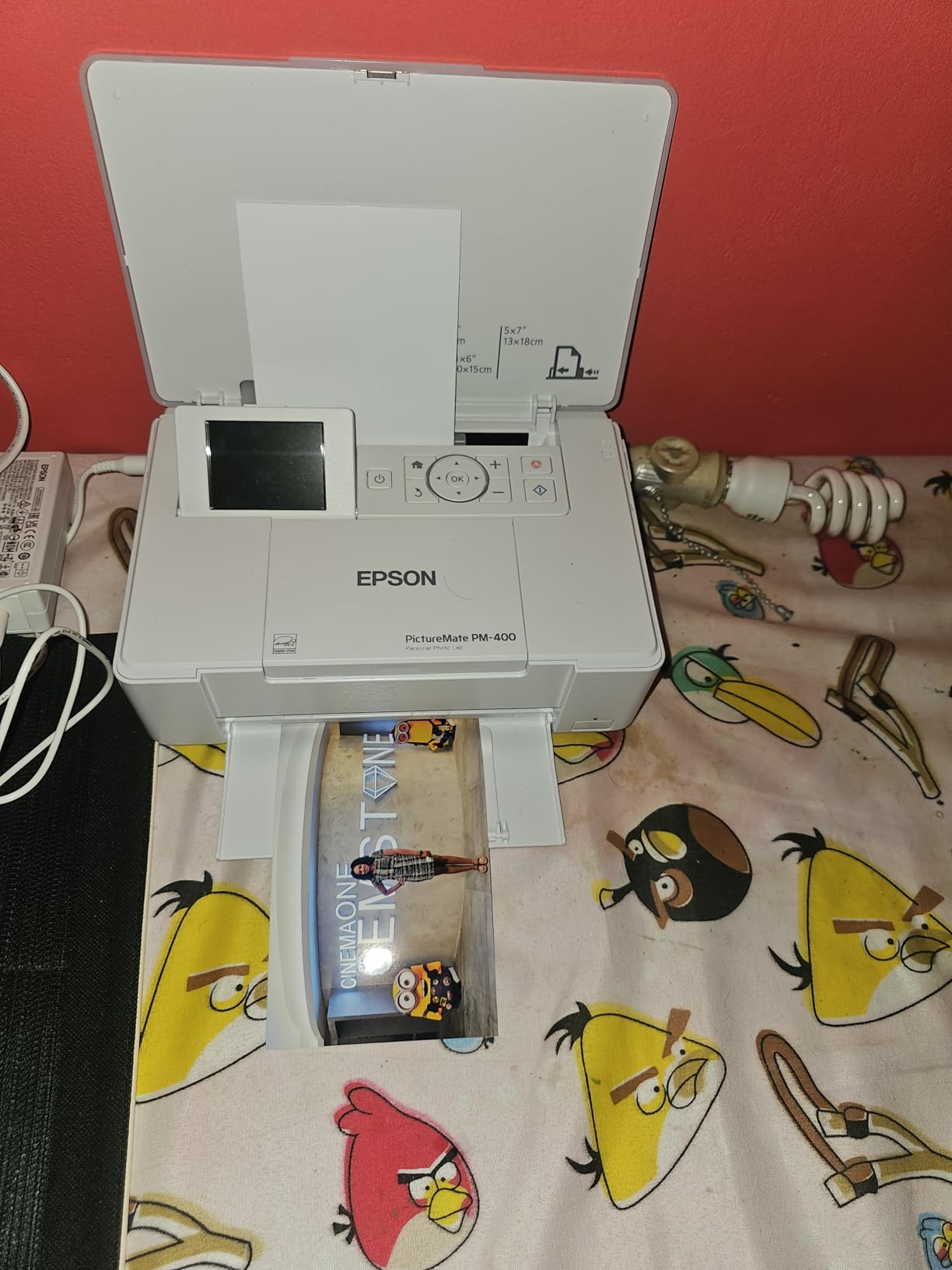
The limits are real but specific. Maximum media is 5×7, so anything larger is out of the question, and this is a print-only device despite a portable scanner entry appearing in the spec listing. Cartridge capacity is the practical issue at volume: an event photographer running several hundred prints will empty a set far faster than a family will.
Quality is described as good rather than exceptional, which is the honest summary for a machine whose inks are standard dye cartridges. The stamp the print carries matters more here than on a wide-format machine, since the surface is what people touch. Owners using aftermarket ink report results vary, and Epson’s warranty does not cover damage from third-party supplies.
Whether the 5×7 ceiling is enough for how you print
If your prints go into albums, cards, fridge doors and small frames, 4×6 and 5×7 covers almost everything. If you have ever wanted a print to fill a wall, this is the wrong machine, and there is no paper trick that changes the maximum media size.
How cartridge capacity behaves at event volume
For family use the cartridges last. For a wedding, a school production or a market stall, plan on cartridge sets as a line item rather than an exception. The refillable alternative for small formats would be a tank-based printer, but those all carry a larger body and a higher entry cost.
3. HP Envy Photo 7975 – Best All-in-One for a Mixed Document and Photo Household
HP Envy Photo 7975 Wireless Color Inkjet Photo Printer, Print, scan, Copy, Easy Setup, Mobile Printing, Best-for-Home, 3 Month Instant Ink Trial Included, AI-Enabled (B63K3A)
Print copy scan with 35-sheet feeder
Borderless photos to 8.5x11.7 inches
2.7-inch color touchscreen
Automatic two-sided printing
Pros
- True-to-screen borderless photo output
- Print copy scan plus document feeder in one body
- Automatic duplex and a dedicated photo tray
- Large 2.7-inch touchscreen
- Compact footprint under 18 pounds
Cons
- Shared cartridge line with higher running cost
- Letter and A4 scanning only
- Maximum print size stops at 8.5x11.7 inches
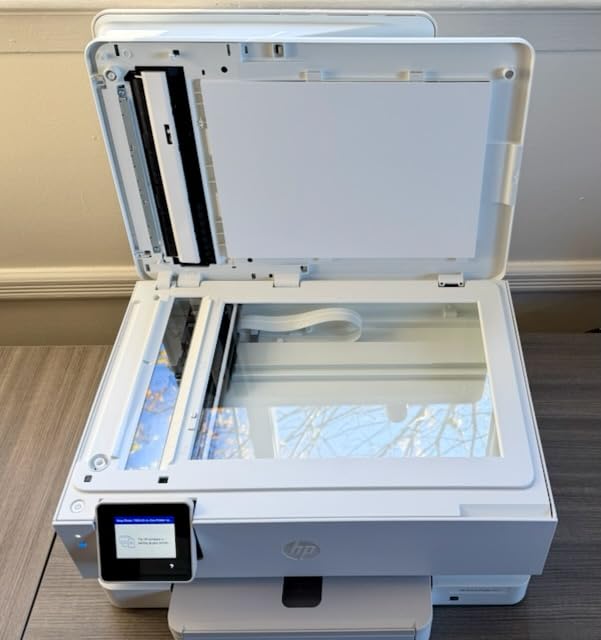
Most people who search for a photo printer actually need a printer that also does homework, boarding passes and scanned documents. This is the pick for them, and the 35-sheet automatic document feeder is the feature that separates it from the dedicated photo machines in this roundup. Reviewers consistently credit the borderless color as matching their screens, which is the single most common complaint people have about photo printing in general.
It runs at up to 15 black and 10 color pages per minute, includes a 2.7-inch color touchscreen for standalone control, and the HP AI formatting tool strips margins and stray elements out of web pages before printing. At 17.9 pounds it is the smallest full all-in-one here that still has a document feeder.
Two trade-offs deserve a clear mention. First, consumables: this runs HP 64 and 64XL cartridges, a shared line with a well-earned reputation for costing more per page than any tank system in this list, and the ink absorber adds servicing over time. Second, all three colors live in one tri-color cartridge, so one empty color stops all color printing rather than just that channel.
Scanning and printing both cap at letter and A4 sizes, and the maximum media size is 8.5 by 11.7 inches. That is fine for albums and framed 8×10 prints with a border. It rules out the borderless letter-size and larger work that photo-focused buyers tend to want, which is why we place it third rather than first.
Whether one machine really has to do both jobs
If documents and photos split roughly evenly, a single all-in-one saves desk space, ink and setup time. If photos are the majority of your printing, the cartridge economics and the letter-size ceiling will frustrate you within a few months.
What the tri-color cartridge arrangement costs you
A single tri-color cartridge means an empty cyan stops magenta and yellow printing too, which forces a full replacement earlier than individual cartridges would. In a home with occasional printing that is manageable. In a household that prints weekly, it is the main reason to look at a six-ink or tank-based machine instead.
4. Canon PIXMA TS8820 – Best Compact All-in-One With Six Individual Inks
Canon PIXMA TS8820 Wireless Printer, Best for Home Photo Printing, Copy and Scan, White
Six individual ink cartridges
Borderless to 8x10 plus square sizes
4.3-inch color touchscreen
Two paper trays
Pros
- Print quality praised on matte and glossy Canon paper
- Six individual cartridges so only the empty color is replaced
- Compact white chassis suits a home office desk
- Setup reported under five minutes by several owners
- Handles square 3.5x3.5 and 5x5 formats
Cons
- Weakest rating in the group at 3.8
- Wireless can drop to an offline state in the queue
- Individual ink is hard to source for this model
The design decision here is six individual cartridges in a small body, which is rarer than it should be. Every other compact all-in-one here runs combined color, and the practical result is that when one color runs out you replace only that color instead of throwing away usable ink. Owners upgrading from older Canon models are largely happy with both the footprint and the output.
Print quality is described as excellent, particularly on Canon’s own matte and glossy photo paper, and borderless output runs from 4×6 up to 8×10 with square formats supported. The 4.3-inch color touchscreen is the largest panel on any machine in this roundup at this size, backed by a physical keypad for quick changes.
This is also the weakest-rated product we included, at 3.8 stars, with a 21 percent one-star share. The complaints are operational rather than image-related: wireless connections dropping to an offline state in the print queue, guided setup being convoluted enough that owners skip it and join Wi-Fi directly, and individual ink for this specific model being hard to source, which pushes people toward full multi-cartridge kits.
There are two stranger failures worth knowing about. Owners report the printer refusing to print black and white when a color cartridge runs low, and some units rejecting genuine cartridges as incompatible. Construction also reads as cheap, with an awkward fold-out panel and output tray design that reviewers single out.
Whether six individual cartridges matter at your volume
If you print a few photos a month, cartridge waste is negligible and this machine’s handling of partial cartridges saves real ink. If you print heavily, the difficulty sourcing individual ink for this model becomes a genuine inconvenience that can outweigh the benefit.
How square and custom formats work in practice
The rear tray accepts square 3.5×3.5 and 5×5 media plus custom sizes from 2.2 inches wide, which covers the modern square formats that regular photo paper does not. Custom lengths run up to 26.6 inches, so panoramas at modest scale are possible.
5. Canon PIXMA PRO-200S – Best for 13×19 Borderless Dye Prints
Canon PIXMA PRO-200S Professional 13″ Wireless Inkjet Photo Printer, 3″ Color LCD, 8-Color Dye Ink, Black
8-color dye ink with photo grays
Borderless 3.5x3.5 to 13x19
90-second A3-plus output
Custom sizes up to 13x39 inches
Pros
- Eight inks including Photo Gray and Photo Cyan and Photo Magenta
- Borderless output from square sizes to full 13x19
- 53-second 8x10 and 90-second 13x19 prints
- Panorama support up to 13 by 39 inches
- 3.0-inch LCD for standalone control
Cons
- Print-only with no scanner or copier
- Dye inks are not archival grade
- Manual duplex only at 32 pounds
Four extra inks are the entire argument for this machine. The 8-color set adds Photo Gray, Gray, Photo Cyan and Photo Magenta on top of the standard four, and those channels are what smooth out gradients in skies and skin and deepen blacks on matte surfaces. At 4.1 stars with 67 percent five-star feedback, owners consistently point to those extra inks as the reason output looks smooth rather than posterized.
Borderless printing runs from 3.5×3.5 square all the way to 13×19 A3-plus at 4800 by 2400 dpi, and speed is respectable for the class at about 53 seconds for a bordered 8×10 and 90 seconds for A3-plus. Ethernet, Wi-Fi and USB cover both a wired studio setup and a shared wireless one, and the 3.0-inch LCD lets you check ink levels without opening a computer.

It is print-only, with manual duplex and no scanner, so this sits in a studio rather than on a family desk. At 32 pounds and 28.7 inches deep it needs a real surface, and the widest media goes through the rear manual feed where paper settings have to be chosen correctly or the job will not start. Document throughput is about 2 pages per minute, which nobody should attempt.
The dye-versus-pigment question is the real decision here. Dye inks give you gloss and vibrancy that pigment blacks cannot match, and they fade faster. If the work is for a client proof or a gallery wall that will be replaced, dye is the right call. If the print is meant to survive a decade in light, keep looking for a pigment machine.

Whether you actually need a 13-inch sheet
13×19 borderless is the largest step up most photographers make, and it is where framing starts to matter. Buyers who later wish they had bought 17-inch wide-format usually do so for panoramic or exhibition work, not because 13×19 was insufficient. Decide the maximum size you will actually print before you buy.
What eight dye inks mean for monochrome work
The Photo Gray channel gives cleaner shadows and better tonal continuity than a three-ink setup, which shows most in portraits and skies. It still is not a substitute for a dedicated monochrome printer if your work is entirely black and white, because dye blacks on matte paper cannot match pigment density.
6. Canon PIXMA PRO-100 – Best for Black-and-White Tone and Text Scanning
Canon PIXMA PRO-100 Professional Photo Printer
8 dye inks with 3 dedicated grays
13x19 at 4800x2400 dpi
Built-in flatbed scanner
150-sheet paper capacity
Pros
- Three dedicated grayscale inks for clean monochrome output
- Optimum Image Generating System picks the ink combination
- Individual tanks so only empty ink is replaced
- 150-sheet capacity suits longer print runs
- Flatbed scanner useful for alignment and copies
Cons
- Very heavy at 43.4 pounds
- Very slow at about one page per minute
- Older platform with dated software
This is the only machine in the roundup with three dedicated grayscale inks alongside the standard dye set, and for photographers who shoot in black and white that is the feature worth paying for. Grays reduce the gaps between ink levels, which is where visible stepping and blotchy midtones usually appear in monochrome prints made from three ink channels.
The Optimum Image Generating System reads the image data and selects the ink combination and placement it considers most faithful to the intent. Canon uses 48-bit color processing and FINE technology to drive 4800 by 2400 dpi output, and individual tanks mean you replace only the ink that runs out. The built-in flatbed is genuinely useful for printhead alignment, which is the step most often skipped and most often regretted.
Be realistic about the rest of the experience. At 43.4 pounds it is the heaviest machine here by a wide margin and needs a sturdy dedicated surface. Throughput is around one page per minute, duplexing is manual, and the platform predates modern touchscreen and app-driven workflows, so software support will keep aging while the hardware does not.
Whether three grayscale inks change your black-and-white results
Yes, visibly, in midtones. If you print monochrome regularly and care about smooth gradation rather than pure density, this is the only machine in the group built specifically for it. If you print color, the extra channels mostly show up as slightly cleaner shadows.
Whether a legacy platform still fits your workflow
The hardware is capable and the ink set is still current, but the software is dated and there is no touchscreen or modern mobile app workflow. If you edit in current versions of Lightroom or Photoshop and rely on driverless or app-based printing, that friction is real and worth weighing against newer hardware.
7. Epson Expression Photo XP-8700 – Best Paper Handling and Touchscreen Control
Epson Expression Photo XP-8700 Wireless Color All-in-One Inkjet Printer
6-color Claria Photo HD inks
Three paper paths including rear specialty feed
4.3-inch color touchscreen
Flatbed scanner and copier
Pros
- Smooth gradations and good borderless 8.5x11 output
- Three paper paths give the most versatile handling here
- Large 4.3-inch touchscreen for the size of machine
- Wi-Fi Direct for router-free printing
- Built-in photo editing for red-eye and restoration
Cons
- Lowest-rated at 3.8 with a 17 percent one-star share
- Letter and A4 maximum size only
- Six cartridges mean high running cost versus tanks
Three paper paths is the feature that separates this from every other letter-size all-in-one in the group. A dedicated photo cassette, a main cassette and a rear specialty feed that accepts select Epson fine art papers means you can keep ordinary paper, photo paper and heavier art stock loaded at the same time without swapping trays mid-session.
The 6-color Claria Photo HD set runs at 5760 by 1440 dpi and produces smooth gradations with solid borderless letter-size output. The 4.3-inch touchscreen is unusually large for a machine this size, and Wi-Fi Direct lets you print without a router, which solves a real problem in guest rooms and studios with locked-down networks.
Where it falls short is predictable for a cartridge machine: six 302-series cartridges make it the most expensive option here to keep running, and Epson restricts it to genuine cartridges, with third-party ink risking damage that the warranty will not cover. Maximum media size is letter and A4, and this listing has a flatbed scanner with no document feeder, which is surprising on an all-in-one chassis.
Ratings sit at 3.8 with 58 percent five-star and 17 percent one-star. Owners like the screen, the trays and the photo quality for the money; the dissatisfaction cluster is almost entirely about running cost and the missing document feeder.
Whether three paper paths solve your media problems
If you switch between plain paper, glossy photo paper and heavier art stock, having them loaded separately removes a recurring annoyance. If you print one paper type and nothing else, a two-tray machine is simpler and cheaper.
Where the touchscreen and app workflow help
The large panel makes red-eye removal, photo restoration and borderless layout adjustments easy without opening a computer, and the Smart Panel and Creative Print apps cover setup and basic edits from a phone. That convenience is the strongest argument for this machine over the cheaper cartridge options.
How to Choose an Inkjet Photo Printer
Every printer in this roundup is an inkjet, so the meaningful decisions are the three that follow. Work through them in order and the model choice becomes obvious within a couple of minutes.
Is an inkjet good for photos at all?
Yes, and there is no substitute at consumer level. Inkjet is the only consumer printing technology that lays down multiple light inks, and that is what produces smooth skin tones and deep blacks rather than visible dot structure. Laser wins on speed and text sharpness and loses outright on image quality, which is why our monochrome laser guide covers a different job entirely.
Dye ink or pigment ink?
Dye ink dissolves into the paper coating. It gives you the vibrancy and gloss punch that most people associate with good photo prints, and it fades faster under light. Pigment ink sits on the surface as solid particles, giving denser blacks, better matte performance and far longer archival life, at the cost of some of that gloss vibrancy.
Mapping that to a decision: dye for client work, albums, wall displays you will replace, and anything where punch matters. Pigment for black-and-white, gallery sales, and prints that need to survive a decade in a lit room. Every pick in this roundup except the two Canon professional models uses dye ink, because that is where the consumer photo market sits.
How much print size do you actually need?
Four by six and five by seven cover albums and small frames. Letter and A4 add borderless sheet prints and school projects. 8×10 and 13×19 Super B are where framing becomes the point, and 17-inch wide-format is where per-sheet cost becomes intimidating. Buyers regularly over-invest in size and then print 4x6s, so match the format to the frame you already own.
Tanks or cartridges, and what it really costs
This is where the running-cost argument decides most purchases. Cartridge machines flush ink to keep nozzles clear, so a large share of what you buy never reaches the paper. Tank machines use refillable bottles at a fraction of the per-milliliter cost and cut cartridge waste to nothing.
Epson puts the difference plainly for the ET-8550: about four cents per 4×6 print against roughly forty cents with traditional cartridges, with one full tank set covering around 6,200 color pages. Even if you print only a hundred photographs a year, that gap pays for the difference between the two approaches quickly. Our wide-format printer guide goes deeper on the higher end of the size ladder.
Which paper should you pair with the printer?
Start with the manufacturer’s own paper while you are learning the machine, then move to third-party media once you know how it renders your tones. Dye inks shine on glossy and luster surfaces where they are absorbed into the coating. Pigment inks handle matte, satin and cotton rag better, and they hold fine detail on textured surfaces. If you can only buy one paper, a resin-coated luster stock is the most forgiving middle ground for either ink type.
Canon or Epson?
We take the Epson side for most buyers, for two reasons. First, the refillable-tank option gives a clearer long-run cost path, and the ET-8550 in this roundup is the only 13×19 borderless machine here with tanks. Second, the third-party ICC profile ecosystem is wider, so matching paper to printer with a custom profile is easier on Epson hardware.
Canon pulls ahead in specific places. Chroma Optimizer ink on the professional models evens out gloss across the sheet and reduces bronzing on dark tones, and Canon has strong paper-profile breadth on some fine art stocks. Canon is also the better choice if you want a compact all-in-one with six individual cartridges, since several Canon models pair those with a small footprint.
What about maintenance and idle reliability?
Two failure modes decide how a printer ages. The first is clogging after weeks unused, which shows up as ink blobs or banding on a test sheet and usually clears with a clean cycle. The second is ink waste from switching between photo black and matte black inks on shared-nozzle printers, where every switch purges lines and consumes ink. Dedicated black channels avoid that entirely, and refillable tank machines sidestep most of it.
The practical advice forum regulars repeat: print a test sheet every few weeks if the machine is idle, keep it plugged in, and choose one ink type per paper surface rather than switching back and forth mid-project.
Frequently Asked Questions
What type of printer is best for printing photos?
An inkjet photo printer, ideally a dedicated photo model rather than a general office all-in-one. Only inkjets lay down multiple light or pigment inks, which is what produces smooth skin tones, clean shadow detail and deep blacks. Laser prints text well but does not reach photo quality.
Which is the best photo printer, Canon or Epson?
We lean Epson for most buyers because refillable tanks give a clearer long-run ink cost path and the third-party ICC profile ecosystem is wider. Canon pulls ahead on gloss uniformity with Chroma Optimizer, on fine art paper profile breadth, and on compact all-in-ones with six individual ink cartridges.
Which inkjet printer has the lowest cost per page?
The refillable tank models win, and the Epson EcoTank Photo ET-8550 in this roundup is the clearest example. Epson’s own figures put a 4×6 print at about four cents with tank ink against roughly forty cents on traditional cartridges, with one full set covering up to 6,200 color pages. Cartridge machines also flush ink to keep nozzles clear, so some of what you buy never reaches the paper.
Which photo printer is the best value for money?
Value has to be judged on total cost rather than purchase price. On that basis the Epson PictureMate PM-400 wins for small formats, holding a 4.5 average rating with owners reporting six to nine years of use, while the ET-8550 wins for 13×19 work. Higher sticker prices on tank machines are recovered quickly if you print regularly.
Why do my inkjet photo prints look different from my screen?
The most common causes are an uncalibrated monitor, a paper setting that does not match the media, and a printer driver managing color instead of your editing software. Print from your image editor with the correct ICC profile and let the driver manage color, then print a test sheet on the exact paper you plan to use before committing to a full run.
Final Verdict: The Best Inkjet Printers for Photos
For most people reading this in 2026, the Epson EcoTank Photo ET-8550 is the printer to buy. It is the only machine in this roundup that gives you borderless 13×19 output, refillable tanks that make per-photo ink cost a rounding error, and a scanner and touchscreen for the documents that will inevitably come with the photos. If your prints stay at 4×6 and 5×7, the PictureMate PM-400 does the same job for a fraction of the commitment and holds the highest average rating of the group.
Skip both if your work needs to last decades in light, since every machine here runs dye ink, and reconsider the size only if you already print larger than 13×19. Judge the running cost, not the sticker price, and print a single test sheet on your intended paper before you buy anything at all.