
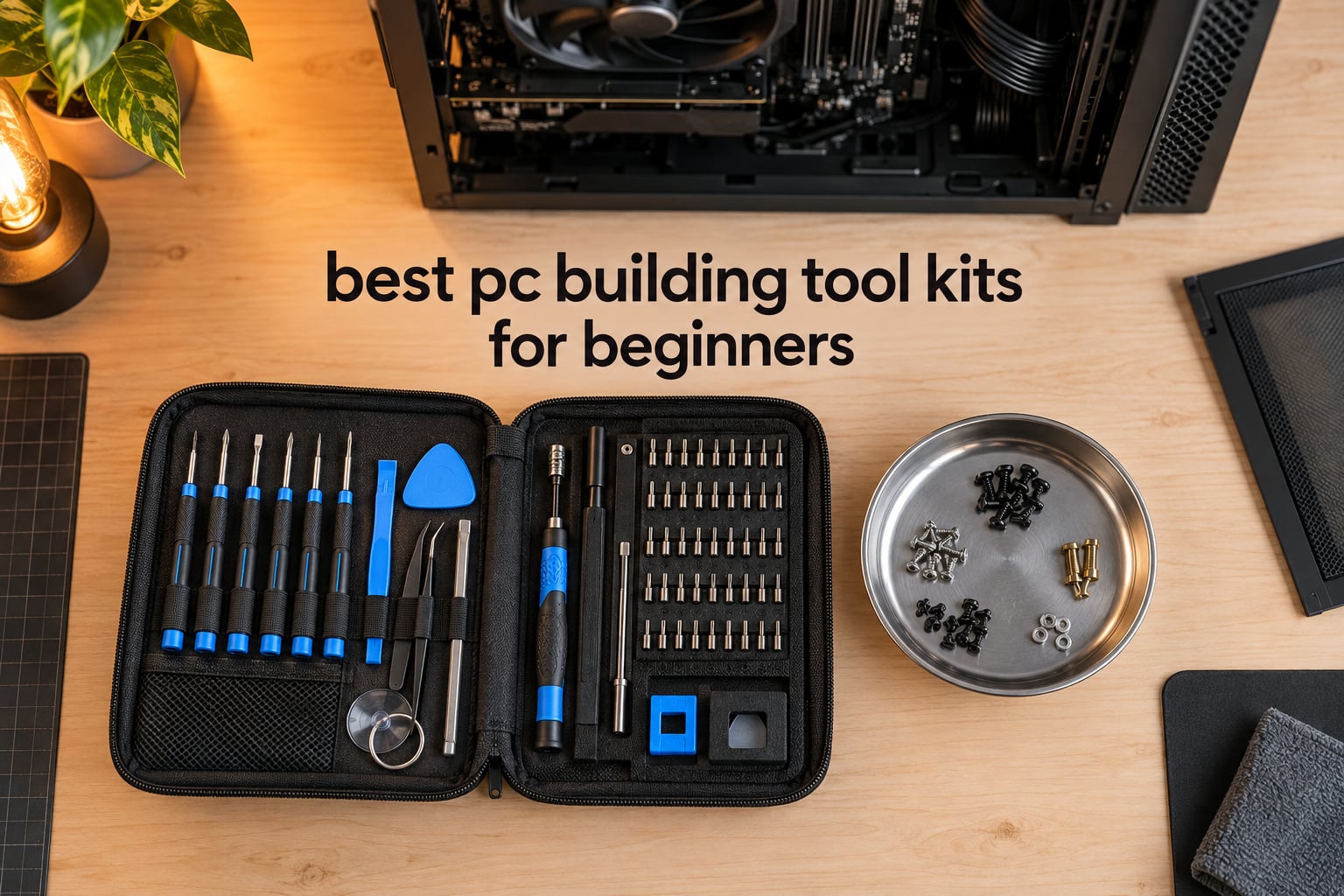
A PC building tool kit is a bundled set of the hand tools a desktop build needs: a magnetic precision screwdriver with mixed bits, tweezers, spudgers and pry tools, a magnetic tray or mat so screws do not disappear into the power supply shroud, and sometimes an anti-static wrist strap. A good kit bundles all of it in a case so you are not hunting through a toolbox mid-build.
I have assembled and rebuilt enough desktops to know that the tools matter less than the price suggests and more than most kits admit. The honest headline for 2026: you need a Phillips #2 driver, a Phillips #1 driver, and somewhere to put screws. Everything past that is convenience. That said, a decent kit costs less than the cheapest part in most builds, and it removes the two failure modes that ruin first builds — stripped screws and lost screws.
One scope note before we start. This is a roundup of tool kits, not a roundup of finished PCs. If you are still choosing parts rather than the screwdriver that holds them together, start with a general desktop build guide and come back here when the box arrives.
Below I compare 10 kits on the things that actually change your build: how many bits are useful rather than decorative, whether the tip holds a screw, what the handle is made of, what protection is included, and what is missing that you will want anyway.
Table of Contents
Top 3 Best PC Building Tool Kits for Beginners in 2026
Three kits cover almost every beginner. The first is the all-rounder, the second is the premium professional set, and the third is the biggest bit library for the money.

STREBITO 142-Piece Set
- 120 bits plus 22 accessories
- Magnetic mat and magnetizer
- Swivel handle
- 60HCR chrome-vanadium steel

iFixit Pro Tech Toolkit
- 64 precision bits in one driver
- Anti-static wristband
- Magnetic case with foam insert
- Lifetime guarantee

JOREST 152-in-1 Set
- 152 pieces
- 140 precision bits
- Labeled magnetic bit box
- Rotating cap handle
Two caveats on that top three. The iFixit Pro Tech is the highest rated kit here and the most expensive, and reviewers on Ars Technica’s forum put it precisely: it is not top tier, but it is far from the cheap junk at the same tier, which makes it the safe middle rather than the best of everything. The JOREST set has the largest review count in this group but its bits ship unmagnetized, which is a real annoyance on the smallest screws until you run the included magnetizer over them once.
All 10 Kits Compared Side by Side in 2026
Here is the full field at a glance. Each row lists the three attributes most likely to decide your purchase.
| Product | Specifications | Action |
|---|---|---|
| STREBITO 142-Piece Precision Screwdriver Set |
|
Check Latest Price |
| JOREST 152-in-1 Precision Screwdriver Set |
|
Check Latest Price |
| iFixit Pro Tech Toolkit |
|
Check Latest Price |
 LIFEGOO 150-in-1 Precision Screwdriver Set LIFEGOO 150-in-1 Precision Screwdriver Set |
|
Check Latest Price |
 SHOWPIN 122-Piece Computer Screwdriver Kit SHOWPIN 122-Piece Computer Screwdriver Kit |
|
Check Latest Price |
 iFixit Essential Electronics Toolkit iFixit Essential Electronics Toolkit |
|
Check Latest Price |
 XOOL 200-in-1 Precision Screwdriver Kit XOOL 200-in-1 Precision Screwdriver Kit |
|
Check Latest Price |
 UnaMela 80-in-1 Computer Repair Tool Kit UnaMela 80-in-1 Computer Repair Tool Kit |
|
Check Latest Price |
 StarTech 11 Piece Computer Tool Kit StarTech 11 Piece Computer Tool Kit |
|
Check Latest Price |
 UnaMela 140-in-1 PC Building Tool Kit UnaMela 140-in-1 PC Building Tool Kit |
|
Check Latest Price |
None of these kits includes thermal paste, isopropyl alcohol, a magnetic parts tray as a separate hard tray, or compressed air. Add those separately before you start.
1. STREBITO 142-Piece Precision Screwdriver Set – the All-Rounder
STREBITO Precision Screwdriver Set 142-Piece Computer Tool Kit Magnetic Screwdriver Set Laptop Screwdriver Kit Electronic Repair Kit Tech Toolkit for PC, Phone, Macbook, Nintendo, PS4, Xbox Controller
120 bits plus 22 accessories
60HCR chrome-vanadium steel
5.7 x 3.3 inch magnetic mat
8.66 x 5.51 x 1.57 inches
Pros
- Huge bit library covering PC
- laptop
- phone and console
- Magnetic mat and magnetizer keep screws organised
- Swivel rubberised handle spins smoothly
- Bits marked by type and size
- Lifetime warranty
Cons
- Bulk is real for a single desktop build
- Soft spudgers and pry tools wear before the bits do
This is the kit I hand to a first-time builder who also wants to fix phones later. It carries 120 precision bits and 22 accessories in an 8.66 x 5.51 x 1.57 inch bag, and it ranks first in its Amazon category with a review count in the tens of thousands. Owners consistently point to the same two things: bit variety and the magnetic mat.
The steel is 60HCR chrome-vanadium, which matters more than the piece count does. That hardness rating is why the bits resist abrasion, oxidation and corrosion rather than rounding off after one motherboard. Bits are labelled by type and size, so when you are elbows deep in a case you are not guessing which Phillips head you are holding.
The handle is the part you touch for an hour. It is rubberised, it swivels on top, and the top also acts as a bit holder, which stops a small PH1 dropping into the case floor when you set the driver down. There is a flexible extension shaft and an extendable blade for screws that sit at an angle against a motherboard standoff.
My honest objection is size. A 142-piece kit for a desktop-only build means you will use roughly six pieces: PH2, PH1, a flathead, the extension, the magnetizer and the mat. The rest are console and phone bits. That is not a flaw if you plan to keep the kit, and it is dead weight if you do not.
For a beginner it solves the two things that actually go wrong: screws ending up somewhere unretrievable in the power supply shroud, and a bit that slips off the driver and drops mid-build. Both the magnetizer and the mat are included, and reviewers call them out as the reason the kit feels considered rather than assembled at random.
What a first build will actually use
Phillips #2 covers nearly every case panel, motherboard standoff, GPU bracket and drive cage screw. Phillips #1 is the M.2 SSD screw and some smaller board mounts. The extension shaft is what makes a GPU mounting screw in the back of a mid-tower reachable. That is four pieces doing about ninety percent of the work.
The remaining bits are for the next job. Console screws, Torx security heads, pentalobe on Apple hardware and gamebit profiles all matter if you repair those devices. For a tower only, they sit unused.
Where it falls short
The soft accessories are the weak point. Spudgers, opening picks and suction tools take real abuse and plastic does not last the way hardened steel does. Expect to replace a spudger eventually even with the lifetime warranty covering the metal.
The bag is soft-sided, so it will not survive being thrown in a toolbox with gravel in it. If you plan to carry the kit to other people’s houses, a hard case is worth the difference.
2. JOREST 152-in-1 Precision Screwdriver Set – the Biggest Bit Library
JOREST 152 in 1 Small Precision Screwdriver Set, Tool Gifts for Men, Mini Repair Tool Kit for Electronics, Macbook, Laptop, PC, RC, PS5, iPhone, Jewelers, Xbox, Glasses
152 pieces including 140 bits
48mm precision head
TPR and PP handle
Storage box with labeled slots
Pros
- Largest review count in this roundup
- Excellent organization in a compact case
- Duplicates of common bit sizes included
- Long bits for deep-access screws
Cons
- Bits ship unmagnetized
- Small 4mm bits will not take much torque
This set has more reviews than anything else on this list and a rating just under five stars, which tells you something about the value tier it occupies. It is a 152-piece kit: 140 bits across Torx, Phillips, pentalobe, star, tri-wing and triangle profiles, plus 12 accessories.
The case is the part that stands out. It is an ABS and polypropylene box with labelled magnetic slots for each bit model, so nothing floats loose and nothing gets put back in the wrong hole. For someone who will open the kit repeatedly over a year, that organisation is worth more than another forty bits.
The handle is TPR and polypropylene with a rotatable cap and an adjustable extended tool bar for reaching recessed screws. There are four long bits included specifically for deep access, which is the situation where a standard short bit head slips out of the socket.
The accessories cover the usual ground: flexible shaft, magnetizer and demagnetizer, magnetic mat, a 1/4 inch to 4mm adapter, pry bar, pick and suction cup. That adapter is the quiet detail — it lets the small driver work on larger fasteners when you are fitting a standoffs kit or a thicker bracket.
The recurring complaint in reviews is that bits are not magnetized from the factory. Run the magnetizer over the handful you will actually use once, and the problem disappears. The second complaint is honest physics: 4mm bits are for electronics-scale fasteners, not for driving a long case screw with force.
Best use case for a beginner
This is the kit to buy if you split your time between a desktop and phones, tablets or laptops. The rare Torx security and pentalobe sizes are the ones you will not find in a smaller kit, and finding them means buying a separate driver later anyway.
The duplicate common sizes are a genuinely smart inclusion. Bits wear, and a worn PH2 that strips a screw head is worse than no spare at all. Having two of each common size means you never stop mid-build to hunt for a replacement.
Where it falls short
Torque is the limit. These are electronics bits, so do not use the PH2 here to drive a case screw that feels tight. Switch to a full-size driver for that, which is exactly what pick number 9 in this roundup is for.
It is also a lot of kit for a tower-only build. Same caveat as the STREBITO, and the same honest answer: it depends on whether you will keep using it after the build is finished.
3. iFixit Pro Tech Toolkit – the Premium Professional Set
iFixit Pro Tech Toolkit – Electronics, Smartphone, Computer & Tablet Repair Kit
64 precision bits in one driver
Anti-static wristband
Magnetic case with foam insert
2.3 pounds
Pros
- Highest rating in this roundup
- Curated 64-bit set covering mainstream electronics
- Premium build that survives repeated use
- Lifetime guarantee on every tool
Cons
- Highest price in the group
- Far more than a first build requires
This is the highest rated kit here at 4.9 stars across more than nineteen thousand reviews, and it is also the most expensive. It is 64 bits in a single driver rather than 150 loose pieces, and that difference is the entire argument for and against it.
Sixty-four sounds thin next to the others. It is deliberate. This is a curated set covering mainstream electronics screw types: Phillips, flathead, Torx, Torx security, pentalobe, JIS, hex, tri-point, nut driver, square, gamebit, spanner, triangle, SIM eject, standoff and more. There is no filler.
The extras are the ones that matter. You get tweezers, a flex extension, opening tools and an anti-static wristband, all in a magnetic case with a foam insert and a lid sorting tray. The case closes magnetically, which means it does not fail open in a bag the way a velcro folio does.
Build quality is the other differentiator. S2 steel bits, anodized aluminium, EVA and recycled ABS, at 2.3 pounds. It is a tool that feels like it was made to be handed down rather than replaced, and the lifetime guarantee backs that up by replacing anything that breaks.
It is also backed by thousands of free repair instructions, which matters more than it sounds. When you have the case open and are not sure what goes where, the guide is already written by someone who did the same job.
Owners rate the professional selection and the warranty as worth the premium, and also say plainly that the kit is more than a beginner strictly needs. Both are true, and the second sentence is the honest one.
Who this is worth it for
If you build, then upgrade, then repair, then help friends build, this pays for itself. The warranty removes the anxiety of a snapped bit, and the 64 curated drivers cover nearly anything you will open that is not a modern Apple device with proprietary pentalobe locks.
Forum regulars distinguish the iFixit tiers carefully, and readers on r/ifixit note the 112-bit Manta kit coming in handy well beyond PCs, including 3D printers. That is the pattern: these kits are for a repair practice, not a single build.
Where it falls short
Paying premium kit money for one build is the main complaint, and it is a fair one. If you assemble one PC and never open it again, the money is better spent on the components themselves.
It is also the heaviest option and the bulkiest for a bag. If you are moving between a desk and a sofa, a compact set handles the same work with less fuss.
4. LIFEGOO 150-in-1 Precision Screwdriver Set – the Balanced All-Rounder
LIFEGOO Precision Screwdriver Set, 150 in 1 Magnetic Screwdriver Set with mini built-in box, Repair Tool Kit for Computer, Laptop, iPhone, Macbook, PC, PS5, Xbox Controller, RC, Jewelers, Glasses
150 pieces for electronics
Tool steel bits
Box-in-box case with inner tray
Built-in magnetizer
Pros
- Magnetic driver holds tiny screws firmly
- Extension rod reaches tight spaces
- Neatly labelled compact case
- Strong value versus larger branded kits
Cons
- Plastic pry picks feel fragile
- Bits need magnetizing before small screws grip
This one sits in the middle of the pack on paper and does the most sensible job in practice. It is a 150-piece precision set with an anti-slip textured handle, and reviewers single out the magnetic driver as the part that holds small screws firmly rather than letting them tumble.
The box-in-box design is the feature I would point a first-timer at. The outer case holds the handle and bits, and an internal sub-box catches the small accessories and loose screws. That means when you tip the kit out on a table, the screws and the SIM eject pin travel together instead of scattering.
It also has a built-in magnetizer, which solves the unmagnetized-bit problem several kits in this roundup share. You magnetise a bit once and it holds case and M.2 screws for the rest of the session.
The accessory bundle covers a lot: flexible shaft, tweezers, suction cup, crowbar, opening picks and a SIM eject tool. That is enough to assemble a PC, mount an SSD and do the first clean of a used system without another purchase.
Reviews report handling electronics and household repairs reliably, with the plastic picks and unmagnetized tips named as the minor drawbacks. For a build, neither of those touches the work that matters.
Where it fits in a beginner toolkit
This is the kit I would describe as the safe middle of this list. It does not have the largest bit library and it does not have a warranty, but the parts you touch during a build — the handle, the driver, the magnet, the tip — are all competent.
Multiple sizes are produced in this same line, so if you find 150 pieces excessive, the same design is available smaller. The handle and driver do not change between sizes.
Where it falls short
The pry picks are the weak link. They feel fragile under real pressure, and they are the tools most likely to snap if you lever a tight bezel. Treat them as consumables rather than tools.
There is no warranty listed, which means a broken bit is a replacement cost rather than a support ticket. For a build-every-few-years hobby that is a reasonable trade.
5. SHOWPIN 122-Piece Computer Screwdriver Kit – the Value Entry Point
SHOWPIN Precision Computer Screwdriver Kit: 122PCS Laptop Screwdriver Sets
101 bits plus 21 auxiliary tools
Cr-V steel at 60 HRC
6.3 x 3.54 x 2.36 inches
0.58 kg
Pros
- Lowest price among the full-size kits
- Covers RAM upgrades and SSD swaps
- Spares of common bit sizes included
- Compact fully labelled case
Cons
- Not built for heavy-torque fasteners
- High piece count feels cluttered at first
This is the cheapest full-size kit here and the one most likely to be the right answer for a single desktop build. It weighs 0.58 kg and measures 6.3 x 3.54 x 2.36 inches, so it fits in a drawer without taking up shelf you wanted for something else.
The bits are forged chrome-vanadium steel heat-treated to 60 HRC. That is the same hardness rating as kits costing considerably more, and it is why reviewers do not complain about stripping. The head styles cover Torx, hex, slotted, Phillips, Torx security, Y-type, Pozidrive, triangle, U-type, square and PH2.
The two reach tools are worth naming. There is a 4.56 inch alloy-steel extension shaft for depth and a spring flexible shaft that flexes up to 180 degrees, which gets you into the angle between a GPU and a tightly routed cable loom where a straight driver simply will not go.
A magnetizer and magnetic mat come in the box, and that pairing is the cheapest insurance against the single most common beginner disaster. Both are the reason the screw count stays at zero when you finally power on.
Owners highlight the value, the bit breadth for PC maintenance and the fact that spare common sizes are included. The criticism is consistent and fair: it is not built for heavy driving, and a 122-piece layout can feel cluttered to someone opening it for the first time.
Best use case for a first build
RAM upgrades, SSD swaps and full assembly are named directly by reviewers, and those are exactly the tasks a new owner repeats in year two. Having the tools already on a shelf changes how willing you are to open the case again.
The labelled case means the second time is faster than the first. Find PH1, find the magnetizer, and the job takes minutes rather than a search through every slot.
Where it falls short
Do not reach for this when a fastener feels tight and needs real force. Precision bits are for small screws, and forcing one is how you round a Phillips head or shear a standoff.
The bit count is honestly more than a desktop build uses. Treat the extras as phone, console and small-appliance coverage rather than as features you are paying extra for.
6. iFixit Essential Electronics Toolkit – the Compact Travel Set
iFixit Essential Electronics Toolkit – PC, Laptop, Phone Repair Kit
16 S2 steel 4 mm bits
Spudger, picks and jimmy
Magnetic case with sorting tray
12.96 ounces
Pros
- Compact enough for a laptop bag or desk drawer
- Opening tools proved decisive on laptop and phone shells
- Free-spinning end cap stores spare bits
- S2 steel bits hold fit without stripping
Cons
- Only 16 bits for specialised fasteners
- Pointed tweezers bend easily
- No T3 Torx bit included
Sixteen bits sounds like an insult until you realise this kit is not trying to be a comprehensive driver set. It is trying to be the one you keep in your bag. At 12.96 ounces it is the lightest option here by a wide margin.
The driver is a 4 mm magnetic bit socket with a knurled grip and a swivel top that also stores spare bits. Because the free-spinning cap improves control at low torque, it is genuinely precise on the small screws found in laptops and phones rather than only adequate.
The reason people buy this one is the opening tool set: a spudger, a jimmy, an opening tool, a set of six opening picks, a suction handle and angled precision tweezers. Reviews repeatedly report that these were the pieces that made opening a laptop shell or phone body possible without marring it.
Storage is a magnetically closed case with a foam insert and a lid sorting tray. That is the same case architecture as the Pro Tech, which tells you where the brand’s design priorities sit.
It is compatible with Apple, Samsung, Huawei, Sony and other devices, and it carries the same lifetime guarantee as the bigger iFixit kit. If a tweezers tip bends, that is covered.
Users love the compact all-in-one design for phone and laptop work and report successful DIY PC builds with it. A few note the limited bit count, the pointy tweezers and the missing T3 Torx, which is the bit needed on some newer Apple hardware.
When this is the right pick
Choose this if your PC work is occasional and your other repair work is not. Someone who fixes a phone every few weeks will use this kit weekly, while a large driver set sits closed in a drawer between builds.
For a desktop build specifically it is sufficient but not generous. PH2 and PH1 are both in the sixteen, and the extension is there. You will not have the console profiles.
Where it falls short
Sixteen bits runs out quickly. The moment you hit a fastener that needs T3 Torx or an unusual pentalobe size, you are buying a second driver, which erodes the advantage of buying one compact thing.
The tweezers are sharp-pointed and bend when used as a pry tool. They are meant for picking up small parts, and treating them as a lever is how you end up with a bent tip.
7. XOOL 200-in-1 Precision Screwdriver Kit – the Largest Inventory
XOOL 200 in 1 Precision Screwdriver Kit, Electronics Repair Tool Magnetic Driver Kit with 164 Bits, Flexible Shaft, Extension Rod for Computer, iPhone, Laptop, PC, PS4, Xbox, Nintendo
200 pieces: 164 bits and two handles
CR-V steel above HRC62
Telescoping extension rod
1.27 kg
Pros
- Largest bit selection in the roundup
- Hardened bits resist chipping and stripping
- Two handles cover small and larger fasteners
- Duplicate copies of common bits included
Cons
- Folio closes with velcro so small parts can escape
- Soft tweezers bend when pried
- Weak magnet strength on small bits
Two hundred pieces with 164 bits and two handles is the largest inventory here, and the two-handle arrangement is the distinguishing feature. One is a small precision handle for electronics work; the other covers larger household screws, which is exactly the gap that makes most kits a one-trick pony.
The bits are CR-V steel hardened above HRC62, the highest hardness figure listed across these ten kits. Reviewers value that the bits resist chipping and stripping under load rather than merely surviving light work.
Reach tools include a telescoping extension rod and a flexible shaft for recessed screws. Both are genuinely useful in a mid-tower where the GPU retention screw sits at an angle you cannot square a driver to.
The rest of the bundle is anti-static tweezers, suction cup, cleaning brush, opening picks and a metal opening tool. There is a magnetic pad, which is the piece that gets used most during a teardown because it keeps screws in the order you removed them.
Multiple duplicate copies of frequently used bits are included, so a worn PH2 does not end your evening.
Reviewers value the huge, well-organised inventory and the durable metal construction for laptops and consoles. The most repeated criticisms are the closure and the magnet, and both are worth taking seriously.
Best fit for a beginner
If your interest extends to anything with a screw in it, this is the kit that covers the widest range in one case. Laptops, consoles, phones, cameras and a desktop are all in scope without a second purchase.
The two-handle layout also solves the torque problem that limits the electronics kits in this roundup. When a case screw needs real force, switch to the larger handle rather than forcing a precision bit.
Where it falls short
The folio closes with a velcro strip rather than a zipper, and reviewers specifically report small parts escaping. On a kit this size, an escaping M.2 screw is a genuine risk rather than a theoretical one.
Magnet strength on the small bits is described as weak by some users. Plan to run the magnet tool over the bits you need for small screws, exactly as you would with the JOREST set.
8. UnaMela 80-in-1 Computer Repair Tool Kit – the Console-Leaning Set
80 IN 1 Professional Computer Repair Tool Kit, Precision Screwdriver Set
56 bits and 7 spudgers
60HRC chrome-vanadium steel
Anti-static wrist strap included
9.84 x 5.12 x 2.17 inches
Pros
- Console and PC specific bit profiles
- 60HRC bits resist deformation
- Rotating top with a built-in bearing
- Anti-static wrist strap and ESD tweezers included
Cons
- Fewer bits than the larger kits
- Oxford fabric case instead of a hard shell
Eighty pieces is the smallest comprehensive kit on this list, and the reason is that its bit list is aimed rather than exhaustive. It carries 56 bits, 7 spudgers, opening picks, tweezers, a brush and an anti-static wrist strap, all in a tear-resistant Oxford cloth case.
The console profiles are the differentiator: PH000, PH00, T8H, T9H, T10H, Y2.5, Y00, and gamebit 3.8 and 4.5. Those are the fasteners used in Switch, PS4, PS5 and Xbox hardware, and they are the sizes a general electronics kit tends to omit.
Bits are CR-V steel at 60HRC rated against wear and deformation. The handle has a 360 degree rotating top with a built-in bearing, which is a nicer mechanism than a swivel cap on a loose bushing and stays smooth over time.
Having the anti-static wrist strap in the box is unusual for a kit at this level. Most bundles at this piece count give you a mat or nothing at all, so this one answers the grounding question before you have to ask it.
Buyers report the kit handling console, laptop and small-electronics jobs reliably, with the game-bit selection and the rotating handle as recurring positives. The listed criticisms are about what it lacks rather than what it does.
Best fit for a first build
For a desktop build it covers everything you need, including the PH2 and PH1 that handle most of the work. The console profiles are the reason to choose it over a similar-sized generic kit.
The wrist strap makes it a good first kit if you are nervous about static. You clip it on, ground it, and the question stops being a question.
Where it falls short
Fifty-six bits is fewer than the competition, and if you work on modern Apple hardware you will find gaps the console-focused list does not fill.
The case is fabric rather than a hard shell. It protects against a scuffed shelf but not against a dropped bag, and small parts can migrate if the bag is tipped.
9. StarTech 11 Piece Computer Tool Kit – the Traditional Driver Set
StarTech 11 Piece Computer Tool Kit, TAA (CTK200)
11 full-size drivers and extractors
Phillips, slotted, Torx and nut drivers
6.14 x 1.26 x 8.74 inches
0.54 kg
Pros
- Full-size drivers feel like standard shop tools
- Zippered vinyl case keeps the set together
- Includes chip extractor and parts retriever
- Compact and portable between jobs
Cons
- No precision bit assortment for laptops and consoles
- Fixed drivers instead of a swappable bit set
This is the odd one out and it is worth including for that reason. It contains no precision bits at all. You get number 1 and number 0 Phillips screwdrivers, 1/8 inch and 3/16 inch slotted screwdrivers, a reversible T10 and T15 Torx driver, 1/4 inch and 3/16 inch nut drivers, assembly tweezers, a chip extractor, a three-prong parts retriever and a plastic tube container, in a zippered vinyl case.
Those are full-size drivers with real handles and real torque. When you are fitting a case, driving a thick bracket or working on a desktop that has been assembled before, this feels like a proper tool rather than a jeweller’s implement.
The chip extractor and three-prong parts retriever are the pieces you will not find in a hobby precision kit. They exist for pulling a seated CPU chip or retrieving a dropped part from inside a heatsink, and owning them saves a bad afternoon.
It is 0.54 kg and measures 6.14 x 1.26 x 8.74 inches, so the vinyl case is slim and easy to carry. It is designed for technicians doing off-site service, which is a different job from a single build.
It also carries a 1 year warranty rather than a lifetime guarantee, and the same family is available in 7, 20, 23 and 55 piece configurations if you want to shift the balance toward bits.
One note on this listing: it is the only kit in the roundup with no customer photos attached, so treat the visual impressions as thinner than the rest. The written feedback is consistent, though. Owners value the sturdy, conventional driver set and the zippered case for routine servicing, and they note it lacks the precision bits modern laptop and console work requires.
Where this one belongs
Pair it with a small precision set rather than choosing it instead of one. The full-size drivers handle force and the awkward case screws; the precision driver handles the M.2 screw and the small board mounts. Between them you have covered a build completely.
For someone who services PCs as part of a job, the conventional feel of these drivers and the case that actually zips shut are worth more than another sixty precision bits.
Where it falls short
Fixed drivers mean fixed sizes. If a job needs a bit you do not have, you buy a whole driver, not a single cheap bit. That is the opposite trade-off to every other kit here.
It will not cover laptop or console fasteners at all, so it is a partial answer for anyone whose devices are portable rather than desktop.
10. UnaMela 140-in-1 PC Building Tool Kit – the Tracked-Screw Specialist
PC Building Tool Kit 140-IN-1: Computer Tool Kit for Repair & Assembly
120 precision bits plus 19 accessories
60HRC chrome-vanadium steel
9.45 x 5.7 x 1.57 inches
0.71 kg
Pros
- Removable Velcro bit holders rearrange mid-job
- Magnetic pad records disassembly order
- Covers PC builds and SSD installs
- Strong value against name-brand kits
Cons
- Bit heads can be slightly thick for tight screw holes
- Occasional reports of missing pieces in the box
This is the same family as pick number 8 with a different emphasis. It carries 120 precision bits and 19 practical accessories at 60HRC chrome-vanadium hardness, and the accessory list is aimed squarely at taking a machine apart rather than only assembling one.
The magnetic pad is 5.7 by 3.3 inches and sized to record your disassembly sequence. You lay screws down in the order they came out, which is the difference between a painless reassembly and an hour of guessing where a particular bracket belongs.
The Velcro-mounted bit holders are removable and can be rearranged mid-job. That sounds minor until you are three hours into a build and need the PH2 without unpacking the entire case to find it.
Reach is handled by a five-section extension rod and a 5.11 inch flexible shaft that bends 180 degrees. The curved handle has a 360 degree rotating top for one-handed work, and the accessory bundle includes a carbon fiber plastic spudger, curved tip tweezers, plastic and metal spudgers, LCD suction cup, cleaning brush, magnetizer, magnetic mat, triangle opening pry tool and SIM eject pin.
Owners report successful full custom PC builds and laptop liquid-damage repairs, with good bit variety and organisation at a fair price. The limited complaints are about bit head thickness and an occasional missing accessory in the box.
Best fit for a first build
It is one of the few kits here where the anti-static story is present as a mat and magnetizer rather than a wrist strap, and the spudger and pry tool selection is the most complete for opening a chassis that has never been opened.
For a first build where you will be slow and methodical, the disassembly pad is genuinely useful even if you only ever assemble forward. Lay the case screws down in a line and you cannot lose track of them.
Where it falls short
Bit head mounting can be slightly too thick for some tight screw holes, which is a real problem in a compact case with limited clearance between a shroud and a board.
Some buyers reported missing pieces on arrival. Check the count against the list when it lands, before you need the specific tool.
What to Look for in a PC Building Tool Kit?
Seven criteria decide whether a kit is useful or just large. Check them in this order and you will not be swayed by the piece count on the front of the box.
1. A magnetic bit holder and a real magnet. A magnetic driver tip lets you place one screw and pick up four without touching any of them. Look for an included magnetizer, because several kits in this roundup ship with unmagnetized bits.
2. Bit steel hardness, not just bit count. Look for chrome-vanadium steel and a hardness figure. The kits here range from 60 HRC up to above HRC62, and everything at 60 HRC or better will survive normal builds.
3. PH2 and PH1 coverage. Phillips #2 handles nearly every case, motherboard and GPU screw. Phillips #1 handles the M.2 SSD screw. If a kit does not clearly include both, keep looking.
4. Extension reach. A fixed extension shaft or a telescoping rod is what lets you reach a GPU retention screw or a case screw behind a cable loom. This is the feature people skip and then wish they had.
5. Anti-static protection. A wrist strap or a mat, ideally both. See the section below for how much this matters in practice.
6. A case that keeps bits in place. A hard box with labelled slots or a foam-insert case beats a velcro folio. The failure mode of a soft kit is a bit that leaves during a move and turns up in a keyboard.
7. A warranty that means something. The two kits here with lifetime guarantees are the iFixit pair. For a one-time build this barely registers, and for a repair hobby it is the whole reason to pay more.
One note if you buy precision tools for more than one kind of job: our jewelry making tool kits for beginners makes the same precision-versus-bulk comparison for fasteners a fraction of the size.
Do You Actually Need 142 Pieces?
Probably not. For a desktop-only build the honest minimum is a magnetic Phillips #2 driver, a magnetic Phillips #1 driver, a magnetic tray or mat, and a wrist strap if you want the grounding question closed. That is three cheap items rather than a kit, and it works.
Here is how those tools map onto an actual build order, which is the part most kit listings never explain. Unpack the case and fit standoffs: PH2 for the standoff holes, with a soft mat underneath so a dropped screw bounces rather than vanishes. Mount the motherboard and apply standoffs: PH2, finger tight only.
Install the CPU and cooler: this is where you want a spudger or a flathead rather than a driver, and where you want to stop the moment it feels tight. Fit the RAM: press until both latches click, no tool at all. Install the M.2 drive: PH1, and this is the screw most people lose.
Fit the GPU and storage: PH2 for the retention bracket, with the extension shaft. Fit the power supply and route cables: cable ties or reusable velcro straps, no tool. First power-on test: nothing but your hands and patience.
That sequence uses four pieces out of a hundred and forty. The extra bits are for the next task, and if you have no second task, a smaller kit or three individual tools is the honest buy.
The red flags in a kit worth avoiding are specific. Loose hex shank fit that lets a bit wobble in the driver. A plastic handle that spins or cracks under pressure. A magnetic tip so weak the screw slides off, or so strong it drops the screw somewhere you cannot reach. And a piece count used as the headline when the included bit sizes are not the ones you need.
Are iFixit Kits Worth It for a First Build?
For one build, usually no. The Pro Tech is the highest rated kit in this roundup and the most expensive, and reviewers say both things at once: the professional-grade selection and warranty are worth the premium, and the kit is more than a beginner strictly needs.
The value axis here is warranty and repairability, not bit count. A lifetime guarantee means a snapped bit is a support ticket rather than a replacement cost, which matters if you will open devices for years.
Forum consensus is that iFixit is not the finest steel available but is far from the cheap junk at the same tier, which makes it the safe middle rather than the outright best. If you want the very best bits, reviewers of the LTT precision screwdriver say they are marginally better, though the premium is real and small.
My verdict: buy the premium kit if you will also repair phones or laptops, because the opening tools and the case are worth as much as the driver. Buy the mid-tier kit if the build is the only job on the list.
Do You Need an Anti-Static Wrist Strap?
Not in a humid climate, and yes if you want the question closed. The disagreement between builders on this is mostly about how much risk people are willing to carry for the cost of a strap.
Here is the grounded method. Leave the power supply plugged into the wall but switched off, and touch the exposed metal chassis or a bare screw on the power supply casing before you touch any component. That equalises your potential with the machine, and it costs nothing.
A wrist strap does the same thing continuously. Clip the ground lead to bare metal on the chassis, not to a painted panel or a screw hole with no metal behind it, and wear it for the whole session rather than clipping it on and off.
Dry winter air is where static genuinely bites. If your house sits at low humidity and you notice shocks on carpet, treat the strap as essential. In a humid coastal climate, the grounding method alone is usually enough. Cheap insurance either way, and two of the kits here include one.
Related reading for the tools you will pair with a kit: our wood carving tool set guide for beginners covers the same precision-versus-bulk question from a different angle, and our power tool combo kit picks cover the case where you want real driver torque rather than electronics bits.
Frequently Asked Questions
What is the best tool kit for beginners building a PC?
For a first desktop build, the STREBITO 142-Piece Precision Screwdriver Set is the strongest all-rounder, with 120 bits, a magnetic mat and a magnetizer for screw control. The JOREST 152-in-1 is the better value pick and the iFixit Pro Tech is the premium option if you will also repair other devices.
What is the best screwdriver kit for PC building?
Look for four things: a magnetic bit holder, chrome-vanadium steel bits at 60 HRC or better, clear PH2 and PH1 coverage, and an extension shaft. PH2 handles nearly every case, motherboard and GPU screw while PH1 handles the small M.2 SSD screw. Ignore the piece count on the front of the box.
Are iFixit kits worth it?
For a single build, the premium is harder to justify because you will use a handful of the included bits. They earn their price through a lifetime guarantee, a magnetic foam-insert case and opening tools that work on phones and laptops, so they suit anyone who will keep repairing devices after the build is finished.
Do you need an anti static wrist strap when building a PC?
You do not need one in a humid climate. Leaving the power supply plugged in and switched off, then touching bare metal on the chassis or a screw on the power supply casing, equalises your potential for free. In dry winter air a wrist strap clipped to bare chassis metal is cheap insurance and two kits here include one.
Do you really need 142 pieces in a toolkit?
No. A desktop-only build uses about four pieces: a PH2 driver, a PH1 driver, an extension shaft and a magnetic tray or mat. The remaining bits cover phones, consoles and laptops, which is worth having only if you plan to repair those devices as well.
Can I build a PC with just a screwdriver?
You can assemble the hardware with a single magnetic Phillips #2 driver, provided you keep screws organised. You will still want a magnetic tray or mat, an extension shaft for GPU retention screws, a PH1 for the M.2 screw, thermal paste and isopropyl alcohol, none of which come in a screwdriver kit.
The Kit We Recommend for Your First Build
The STREBITO 142-Piece Precision Screwdriver Set is our pick for the best pc building tool kits for beginners, because it pairs a magnetic mat and magnetizer with 60HCR steel bits and a swivel handle at a price that does not compete with the premium tier. Buy it, use four pieces, and let the rest wait for the console teardown you will inevitably do next.
If your build is a one-off, the JOREST 152-in-1 is the better value. If you expect to keep repairing devices, the iFixit Pro Tech earns its premium through the lifetime guarantee. And whatever you choose, add thermal paste, isopropyl alcohol and compressed air — no kit on this list includes them.
Last updated for 2026. Every rating and review count here reflects the listing at the time of writing.