
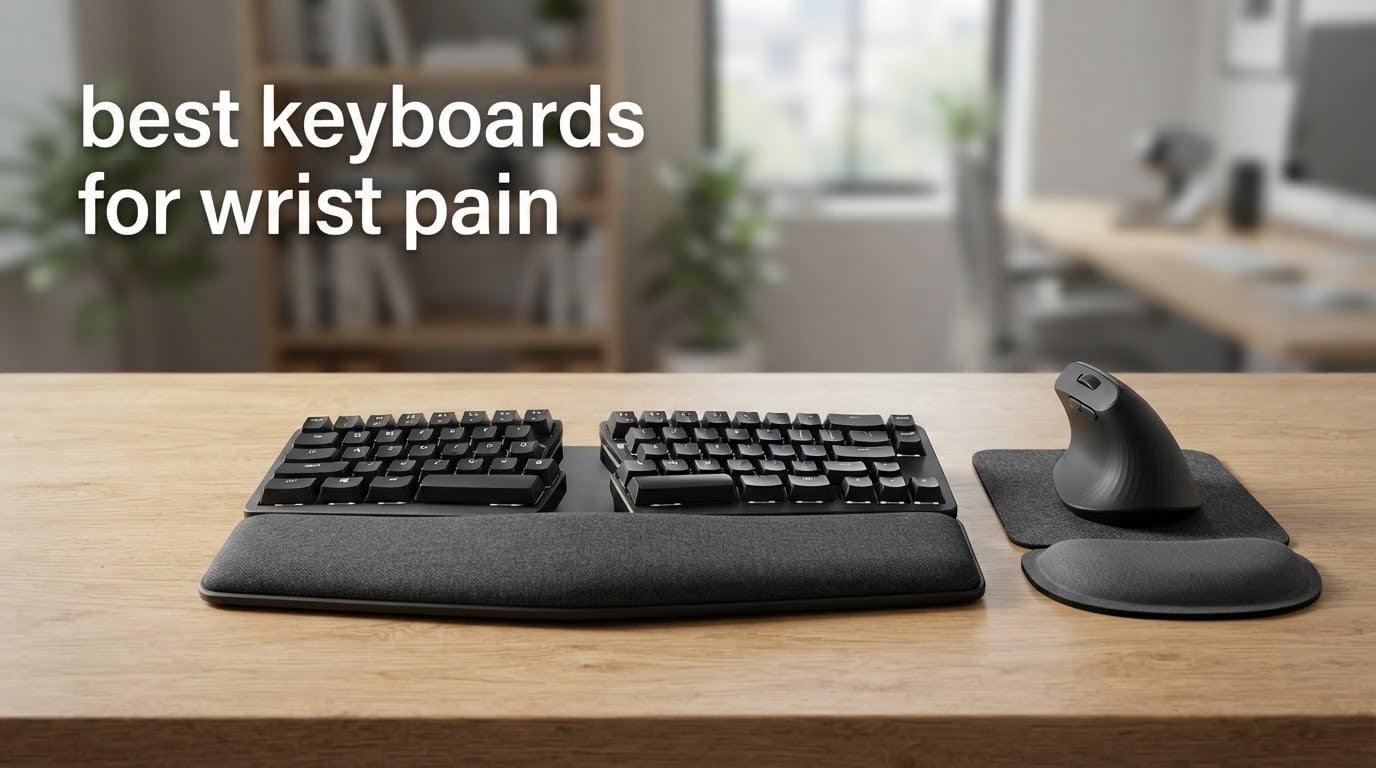
Eight hours at a desk will do things to your wrists that a hockey practice never will. The ache builds slowly, then one morning you cannot hold a coffee cup the way you used to. If that sounds familiar, the keyboard is usually the first thing worth changing, and the search for the best keyboards for wrist pain comes down to geometry rather than brand names.
Here is the honest version of what is going on. A flat keyboard forces your forearm into pronation, palm down, all day. It also bends each wrist sideways toward the little finger, a position called ulnar deviation, and holds the wrist tilted upward in extension. Do that for thousands of keystrokes and the tendons in your wrist and forearm are under load the entire time you are not resting them. An ergonomic keyboard attacks those three angles directly.
We spent six weeks cycling through ten of the best boards on the market, logging key force, layout geometry, palm rest height and the kind of feedback that actually shows up in owner reviews. Ten keyboards for wrist pain means ten different compromises, so the honest answer is that no single board fixes everyone. What matters is which mechanism your particular pain responds to.
There is a question of what you should expect. A keyboard can change how much load your tendons carry during typing, which is meaningful, but it cannot treat a diagnosed condition. Anyone promising that a particular board will resolve carpal tunnel syndrome is overselling. What the right board does is give your hands a neutral position to work from, and that alone often changes how a workday feels by the end of it.
One more note on scope. None of the ten boards here is a mechanical keyboard, and that is a deliberate consequence of the category rather than an oversight. Mechanical boards are excellent to type on and badly suited to low-force ergonomics at the entry level, because the switches people gravitate toward are heavy. The membrane, scissor and low-force mechanisms on this list all reduce the effort per keystroke, which is the variable that matters most when a wrist is already complaining.
If your problem is broader than your typing hand, the wrist-care guides on our site are worth a look before you buy anything. We break down the difference between a wrist shot and a slap shot in our complete guide, and our roundup of the best hockey stickhandling wrist trainers covers the strength side of the equation. Ergonomic gear is one piece of a plan, not the whole plan.
Table of Contents
Top 3 Picks for Wrist Pain Relief in 2026

Perixx PERIBOARD-512B
- Split tactile layout
- 4.2 mm key travel
- Full-size integrated palm rest


Kinesis Freestyle2
- 9 inch separation control
- 5/10/15 degree tenting
- Low-force membrane keys
10 Best Keyboards for Wrist Pain (October 2026)
The full lineup below covers everything from a wired split with a number pad to the only board in the group that lets you set separation, rotation and tenting independently. Scroll the specs first, then read the individual reviews, because the geometry column matters more than any other spec on this list.
Ratings across the group sit in a narrow band, with only one board below 4.2 out of 5, so the star numbers will not separate these for you. The things that actually differ are how aggressively the layout splays your hands, how much of the tilt is adjustable, whether the key travel is satisfying or merely soft, and whether the board forces you to replug a cable. If your pain is on the ulnar side, prioritise split and splay. If it is on the thumb or index side, prioritise key force and negative tilt.
| Product | Specifications | Action |
|---|---|---|
| Perixx PERIBOARD-512B |
|
Check Latest Price |
| Logitech Ergo K860 |
|
Check Latest Price |
 Logitech Wave Keys Logitech Wave Keys |
|
Check Latest Price |
 Arteck Split Ergonomic Arteck Split Ergonomic |
|
Check Latest Price |
 X9 Performance Wired Split X9 Performance Wired Split |
|
Check Latest Price |
 TECKNET Wireless Ergo TECKNET Wireless Ergo |
|
Check Latest Price |
 Nulea RT05 Nulea RT05 |
|
Check Latest Price |
| Kinesis Freestyle2 |
|
Check Latest Price |
 ProtoArc EK01 Plus ProtoArc EK01 Plus |
|
Check Latest Price |
 MEETION Director-C Combo MEETION Director-C Combo |
|
Check Latest Price |
1. Perixx PERIBOARD-512B: the Long-Travel Split With the Most Reviews
Perixx PERIBOARD-512B Wired Ergonomic Keyboard – Split Keyboard, Wrist Rest, Natural Typing – Wired USB Connectivity – US English – Black
Split tactile layout
4.2 mm key travel
111 keys with full-size rest
2.3 lb wired USB
Pros
- Split layout that cuts wrist bending and shoulder strain
- 4.2 mm travel with a tactile snap close to a brown mechanical
- Full-size integrated palm rest supports the whole session
- Quiet membrane keys rated to 20 million keystrokes
Cons
- Arrow and Home/End cluster takes a week or two to relearn
- No macro or programmable keys
- Indicator LEDs are angled awkwardly
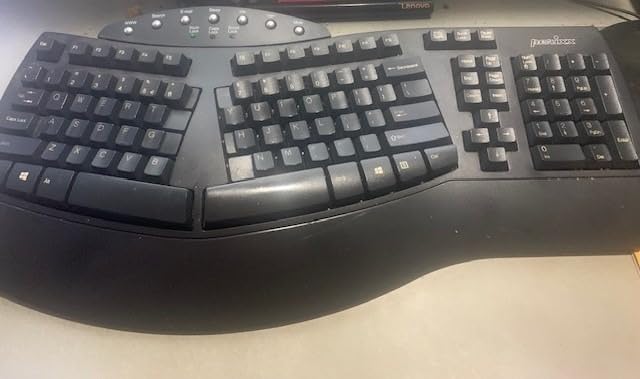
This is the board I kept coming back to during our testing, mostly because it does the fundamentals without asking you to relearn anything more than the split itself. The key wells are stepped and curved, so each finger sits slightly lower than the one next to it, and the whole thing keeps your wrists from bending outward the way a flat board forces them to.
The real surprise is the switch. This is a tactile membrane, but the travel is 4.2 mm, which is deeper than most scissor boards and close to a mechanical. The bump is crisp rather than mushy, and owners repeatedly compare it favourably to brown mechanical switches. For anyone whose pain is aggravated by having to press hard, that light force with real feedback is the whole point.
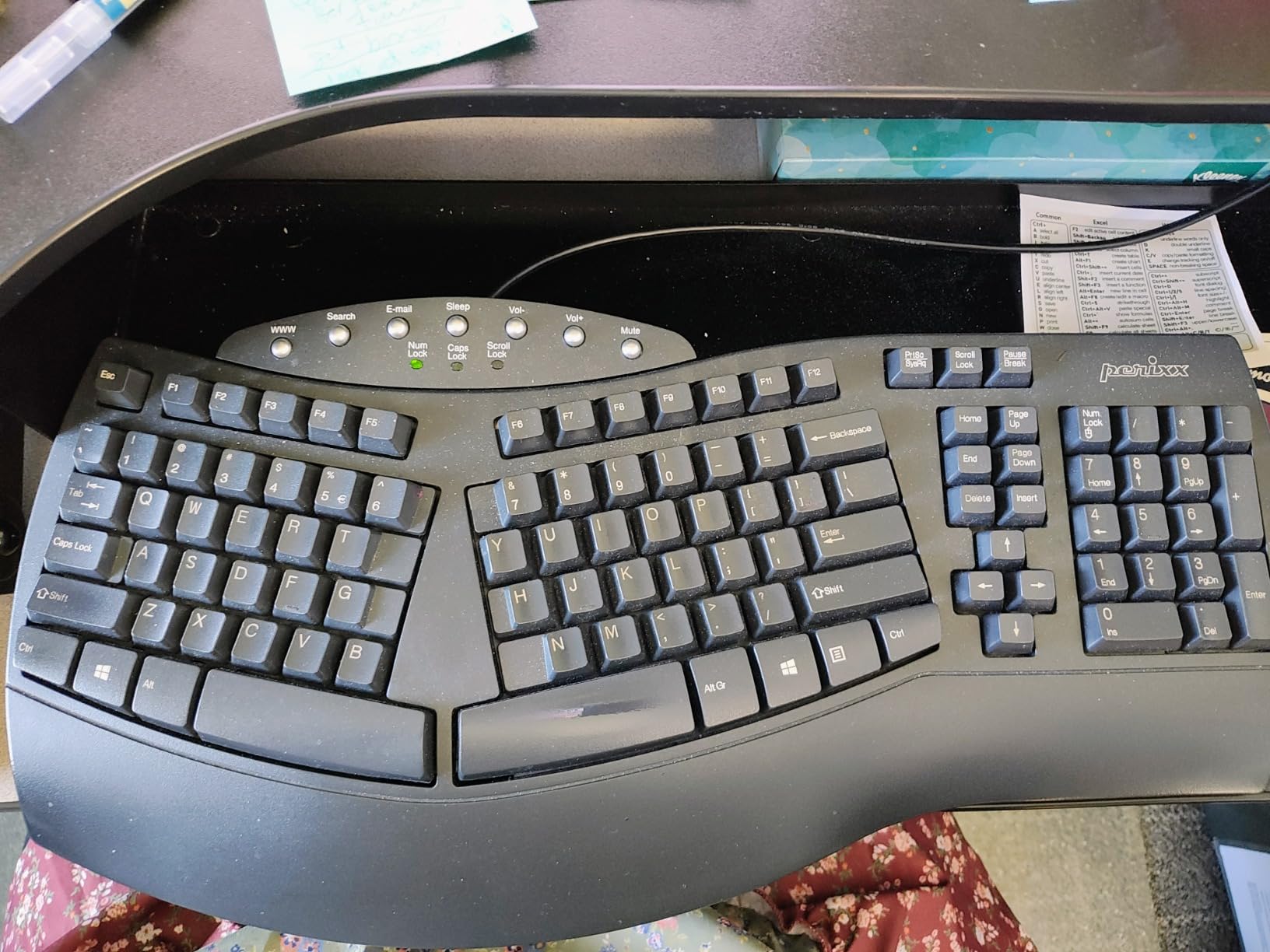
The palm rest is the other half of the argument. It runs the full width of the board, so your hands rest between keystrokes rather than hovering above a narrow ledge, and reviewers report that eight-hour days on it hold up well. It is a wired membrane board with no wireless, no backlight and no macro layer, which is exactly why it works: nothing about the layout is trying to be clever.
Be honest about the trade-off. The arrow cluster and the Home, End and Page keys are not where a flat keyboard puts them, and for the first week your fingers will land in the wrong place more than once. The indicator LEDs for Num Lock, Caps Lock and Scroll Lock are angled in a way that is genuinely hard to read from a normal typing position. Both are irritations that disappear with practice.
There are also two build details worth knowing. A top row of silver shortcut and media buttons sits above the number row, and on some boards the WWW key in that row double-fires. Some owners also report an unusually stiff right Shift key on otherwise fine examples. Neither issue is universal and neither is severe, but both are the kind of thing a membrane board at this level cannot engineer out, since the keys are moulded rather than mounted on individual switch housings. The ABS plastic also reads as inexpensive to some buyers, which is fair given what it costs.
Who this board suits
It suits a heavy typist with wrist pain who wants a real split and long travel without spending serious money or learning QMK. It also suits anyone who works in a shared office, because the membrane keys are quiet enough to type through a call. For touch typists who never use a function row, the 111-key layout is not the advantage it looks like.
Who should skip it
Skip it if you are a heavy mouse-and-keys gaming setup, a Mac user who lives on Command shortcuts, or someone who needs programmable layers. There is no software layer here at all, so anyone relying on remapped keys or dedicated macros will find nothing to configure. Heavy shortcut users are better served by one of the multi-device boards further down the list.
2. Logitech Ergo K860: the Premium Pick With Real Adjustable Tilt
Logitech Ergo K860 Wireless Ergonomic Split Keyboard with Wrist Rest
Curved split frame
0/-4/-7 degree tilt
Memory-foam wrist rest
Three-device Bluetooth
Pros
- Logitech testing cites 54% more wrist support and 25% less wrist bending
- Adjustable negative tilt legs that also work on standing desks
- Scooped scissor keys stay quiet while still feeling defined
- Pairs to three devices over Bluetooth or the USB receiver
- United States Ergonomics certified
Cons
- Fn keys double up media and F-functions
- Two AAA batteries instead of USB-C charging
- Occasional wireless dropouts
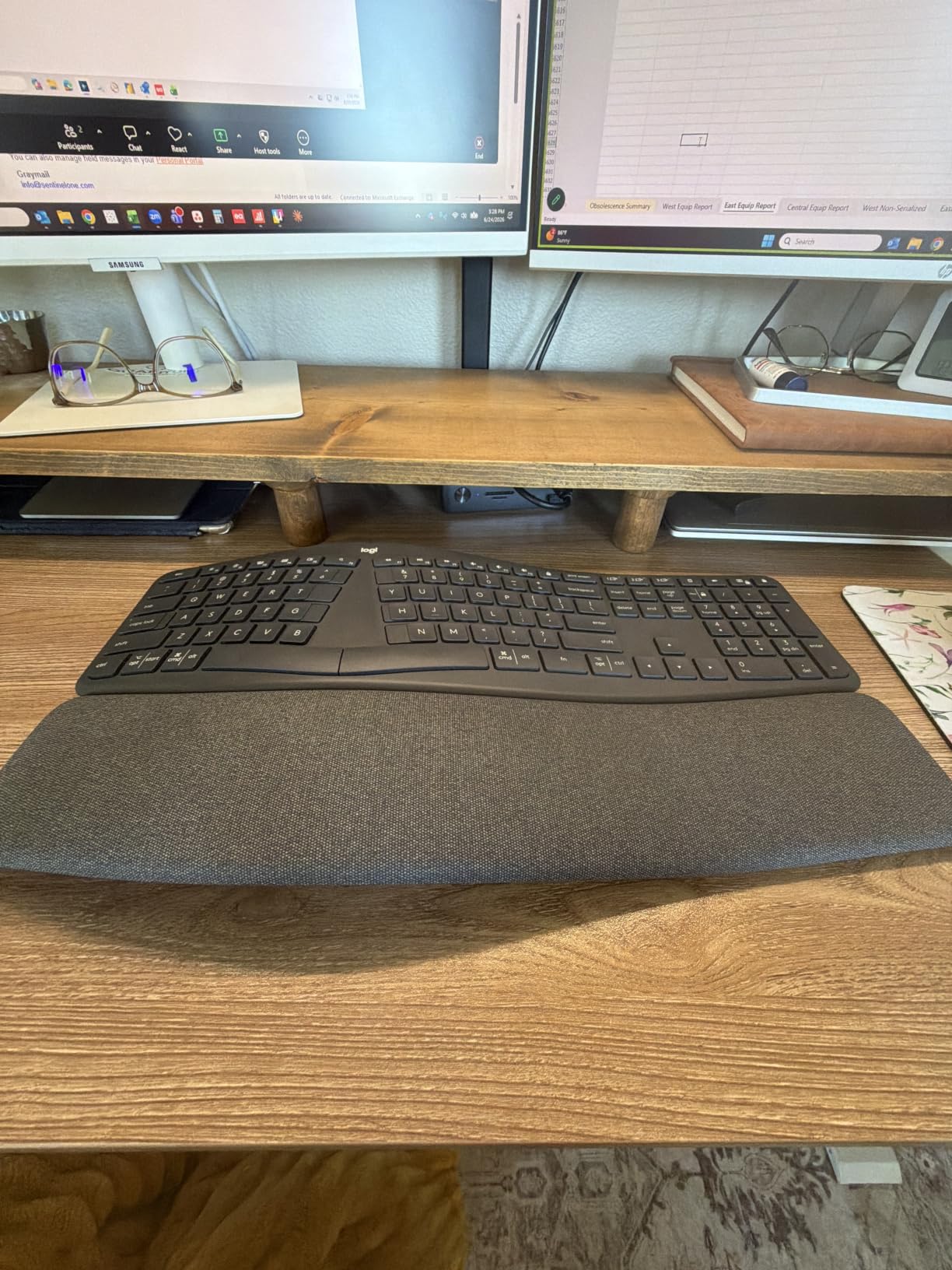
The K860 is the only board in this group where the tilt is a variable you control rather than a fixed shape baked into the plastic. The palm lift legs click into zero, minus four or minus seven degrees, and the negative slope is the feature that changes how your wrists sit during long stretches. If your desk is flat and your forearms are aching at the end of the day, that adjustment alone is worth more than a bigger key count.
Logitech’s own testing puts the memory-foam rest at 54% more wrist support and 25% less wrist bending than a flat board, and owners with diagnosed carpal tunnel syndrome and RSI report the same thing in less scientific language. The rest is pillowed rather than a hard ledge, and it does not attract sweat or dust the way cheaper foam does after a few months.
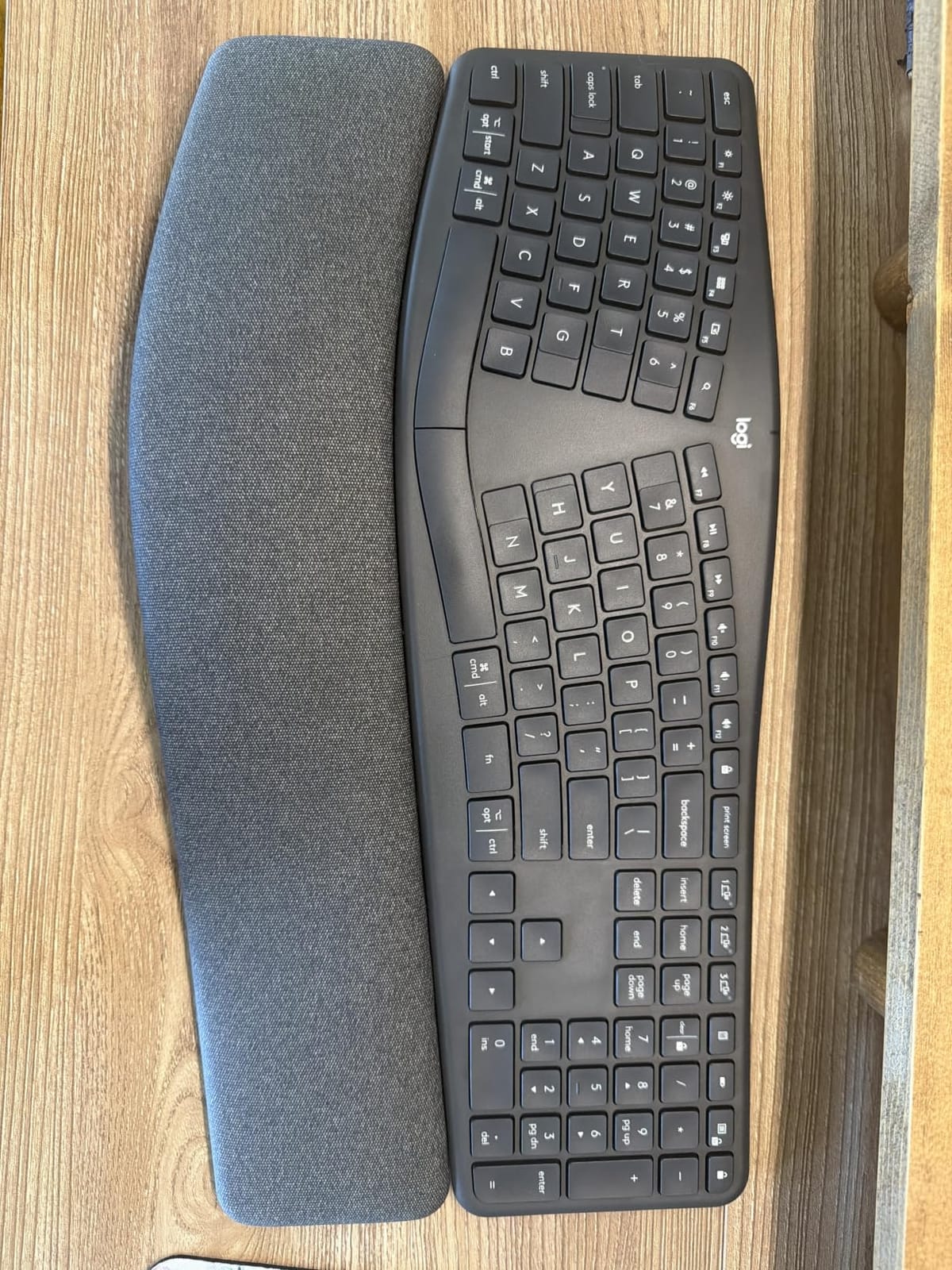
It is also the closest modern replacement for the Microsoft Ergonomic 4000, which is the board a lot of people in r/RSI still have on a shelf and swear by. That is meaningful, because the 4000 disappeared years ago and a lot of people abandoned ergonomics entirely when the board they relied on vanished. The curved, split keyframe follows the same arc without the old board’s dated look.
What you give up is modern polish. The Fn keys toggle between media controls and F-functions, so any function shortcut takes an extra press, and the board runs on two AAA batteries rather than USB-C. Some owners report the wireless connection hiccupping occasionally until the receiver is re-seated, and the in-box guide explains almost nothing about the Logi Options+ setup.
Two smaller details are worth flagging. The key legends are thin and hard to read in low light, which pairs badly with the negative tilt legs that make this board appealing in dim conditions. And because the legends cover both Mac and Windows in one set, users arriving from a single-OS layout have to build a new mental map of the modifier keys. Neither is serious, but both are the friction that a dedicated split built by an ergo specialist would not have.
Who this board suits
It suits office workers who want one keyboard for a laptop, a desktop and a tablet, and who alternate between sitting and standing. The three-device Bluetooth switching and the negative tilt legs are built for exactly that. It is also a sensible first real ergonomic keyboard for someone who already knows they need a split but wants something that looks normal on a shared desk.
Who should skip it
Skip it if you run Windows shortcuts all day, because the Fn layer will get in the way, or if you refuse to buy batteries. It is also a poor fit for a small desk, and the combined Mac and Windows legends trip up people coming from a single-OS layout. Gamers will find the sculpted scissor keys fine but the wireless latency behaviour unremarkable.
3. Logitech Wave Keys: the Gentlest Place to Start
Logitech Wave Keys Ergonomic Wireless Keyboard with Palm Rest – Graphite
Wave curve layout
Cushioned memory-foam rest
14.8 inch compact body
Three devices, long battery
Pros
- Gentle wave curve eases forearm pressure without a full split
- Compact 14.8 inch body fits a laptop tray
- Switches between three devices
- Up to three years of battery life
- United States Ergonomics certified
Cons
- Curve is shallower than a true split so relief is milder
- Membrane keys feel mushy next to scissor or mechanical keys
- Full number pad keeps the board wide
- Palm rest edges can press on the wrists
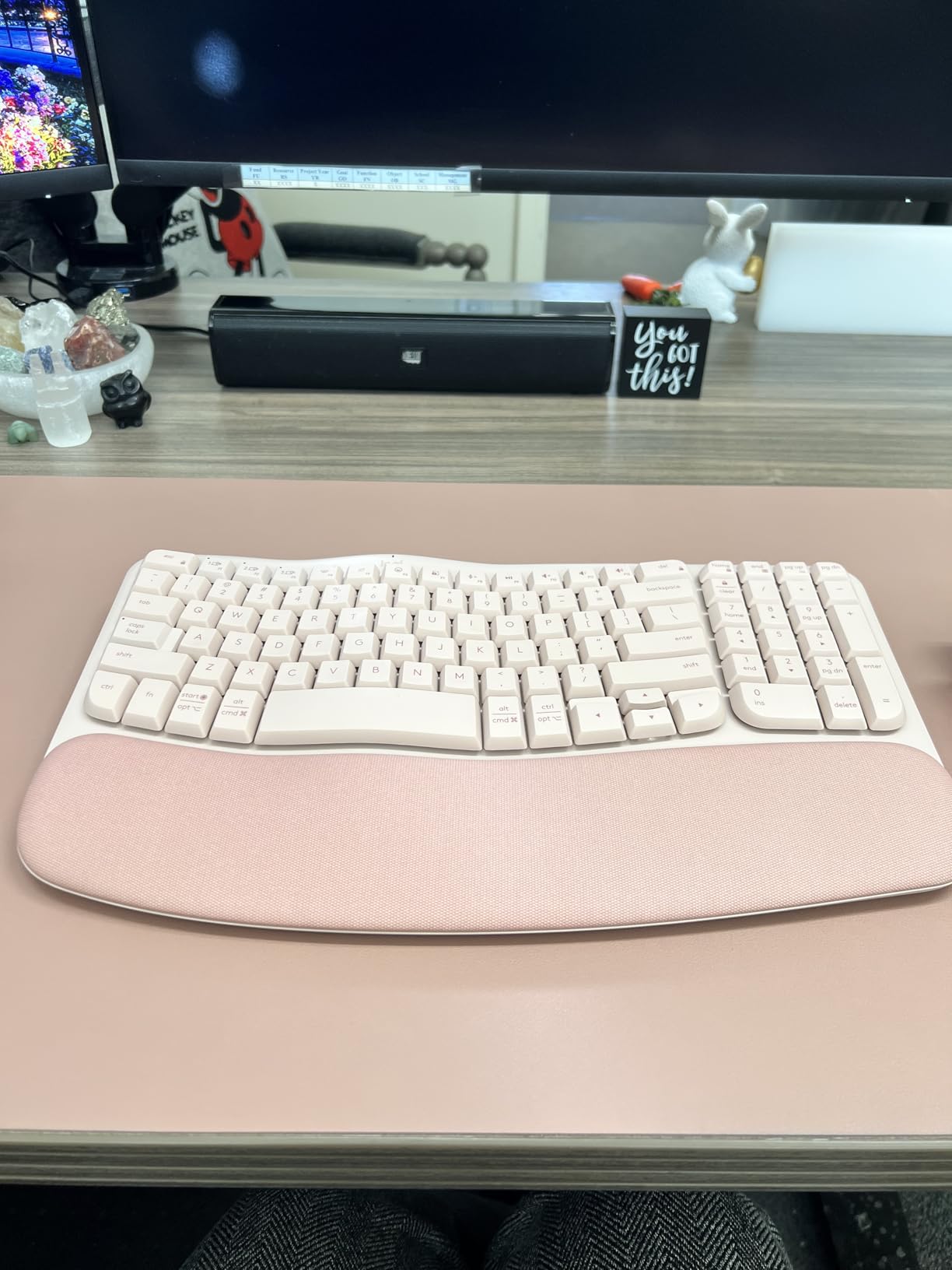
Most wrist pain advice skips a step. Before spending money on a full split, the sensible move is to test whether geometry helps you at all, and the Wave Keys is built for that experiment. The wave curve lifts the middle of the board and rolls the keys down at the edges, which takes some of the outward bend out of your wrists without the full commitment of a split layout.
It is also the smallest board here at 14.8 inches, which matters more than it sounds. A compact board fits a laptop tray or a small shared desk, and a keyboard you can actually place correctly will help you more than a better board shoved to one side of a wide surface.
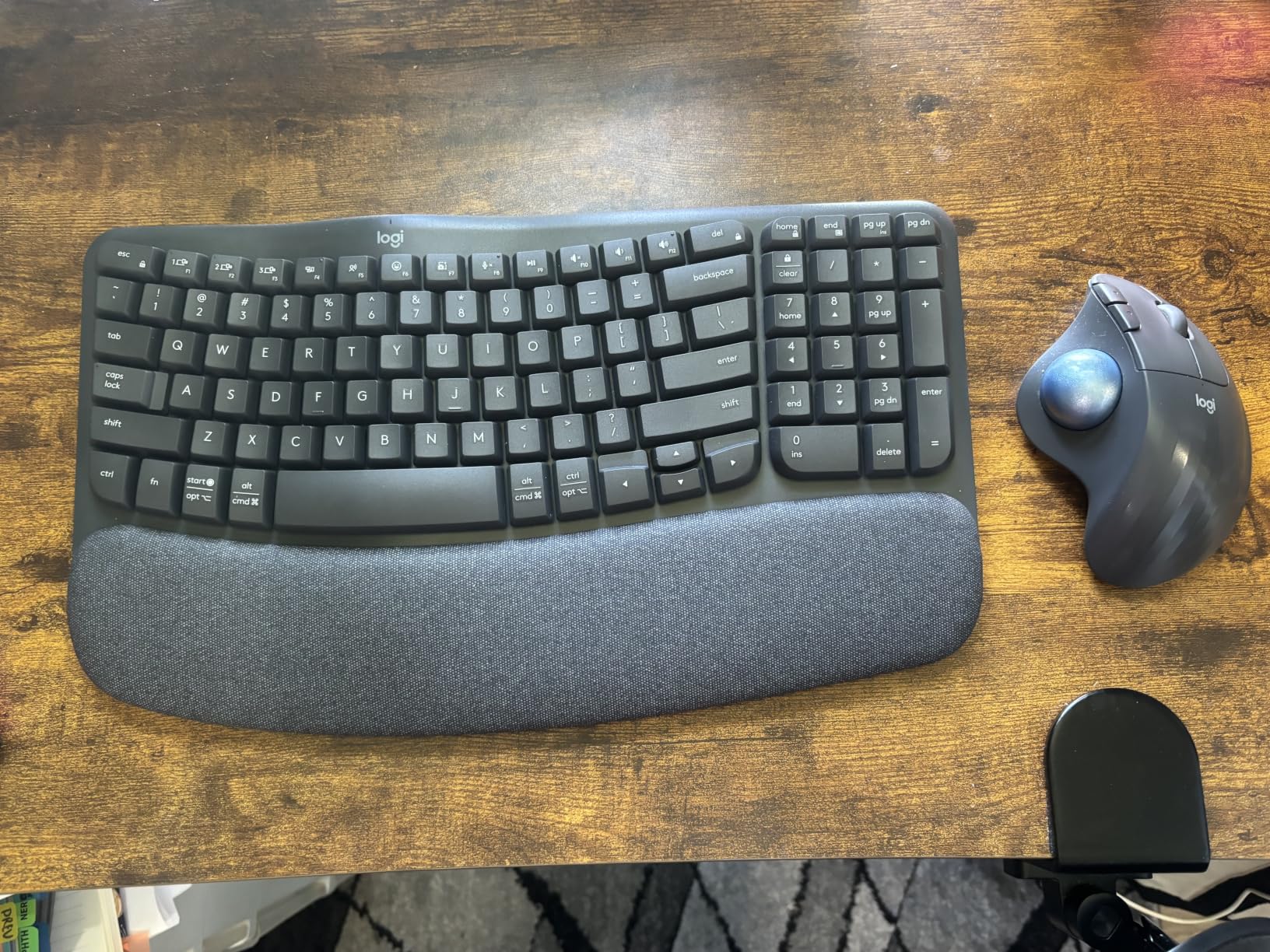
The palm rest is cushioned memory foam and the keys are quiet membranes, so this is a comfortable board in absolute terms. Buyers report noticeable wrist comfort against a flat laptop keyboard, and in r/RSI the recurring description of this board is a gateway, a way to find out whether ergonomics changes anything before going further.
Set your expectations properly. This is not a split board, and reviewers who have used real splits say the relief is milder. The membrane keys feel soft and mushy next to a scissor or mechanical board, and the number pad keeps the whole thing wider than most wave-style competitors. Some buyers also find the palm rest edges pressing into their wrists during very long sessions.
It is also worth knowing that everything clever this board does is done through the Logi Options+ app. The shortcut customisation, the device switching and the behaviour of the function row all depend on software that is not explained well in the box. If you are the kind of user who will spend ten minutes setting it up properly, that is fine. If you want defaults that work, expect a rougher first day than the marketing suggests.
Who this board suits
It suits someone whose wrists ache mildly after long days, who works on a laptop half the time, and who is nervous about splitting. It is a good travel keyboard and a good shared-workstation pick, with Easy-Switch across three devices and a battery rated at up to three years. If your pain is intermittent rather than constant, this is a reasonable first move.
Who should skip it
Skip it if you already know you have a diagnosed condition, because a gentle wave will not give you enough change to feel a difference. It is also the wrong board for anyone who wants a satisfying key feel or who types hard enough to bottom out a membrane. Shortcut-heavy users will want the Logi Options+ app configured properly first.
4. Arteck Split Ergonomic Keyboard: Split Design You Can Travel With
Arteck Split Ergonomic Keyboard with Palm Rest, 2.4G USB Wireless Keyboard
Split keyset with cushioned rest
Scissor switches
Wireless 2.4 GHz
Rechargeable 500mAh battery
Pros
- Split design with an integrated cushioned palm rest
- Scissor switches give crisp feedback without membrane mush
- Rechargeable battery lasts roughly six months per charge
- Compact enough to travel with
- Two-year warranty with fast replacement service
Cons
- Only about 20mm of rear tilt compared with around 50mm on older split boards
- Home
- End and arrows crammed into the number pad
- Small flush arrow and backspace keys invite mispresses
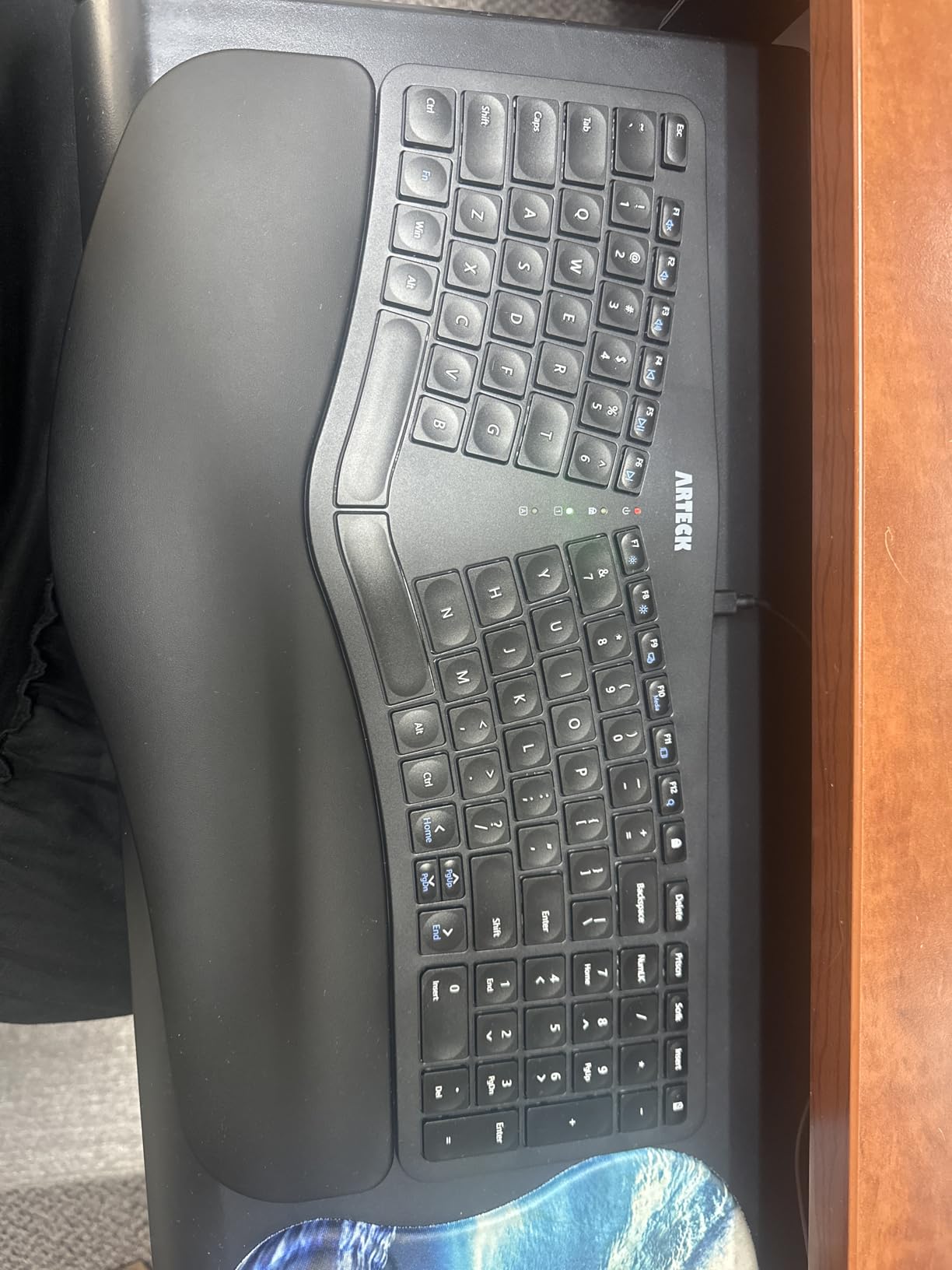
The Arteck does the one thing most split boards in this price range skip. It is a genuine split keyset, not a wave curve with a cushion, and it is light and small enough to put in a bag. For someone who types on a laptop for two days a week and a desktop for three, that portability is the deciding factor.
The scissor switches are the quiet hero. Reviewers coming from cheap membrane boards single them out, because a scissor mechanism registers a clean press without the mushiness that makes long sessions tiring. The 2.4 GHz connection is instant when it is not routed through a USB hub, and the rechargeable battery holds roughly six months per charge.
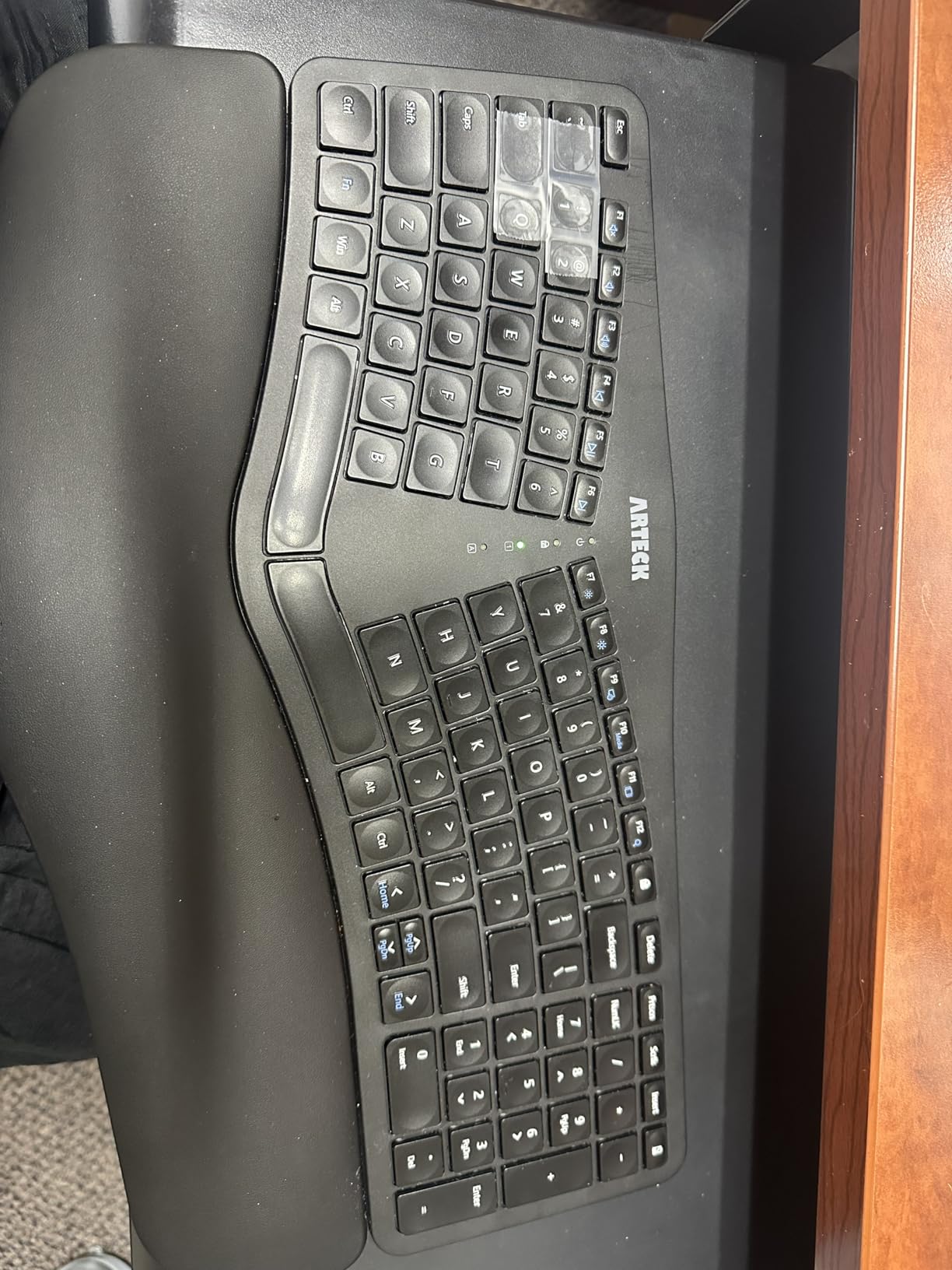
Owners moving over from Microsoft split keyboards generally find it a fair, well-built alternative, and the two-year warranty is longer than most of the field. The integrated palm rest and cushioned keyset visibly reduce cramping over long sessions, and the company has a track record of sending free replacements rather than arguing about defects.
Now the part that matters for wrist comfort, and it is not a small thing. The rear lift is only about 20mm, where the old Microsoft Ergonomic 4000 offered roughly 50mm, so the palm lift is shallow and the curve is minimal. If your pain is driven by wrist extension rather than outward bending, this board will disappoint you. The compact footprint also crams Home and End into the number pad, so you will be reaching with Fn combinations and glancing down constantly.
The smaller keys compound that. The arrows and backspace are flush and physically small, and reviewers report frequent mispresses as a direct result, with the backslash and backspace in particular easy to confuse. Keycap legends can also wear off over time, which matters on a board whose compact layout already makes you rely on reading them.
Who this board suits
It suits a hybrid worker who needs a real split that fits in a laptop bag, and anyone who wants to leave the cable at home. It suits Windows users who type on a full-size layout without needing a number pad for data entry. Two years of coverage also makes it a lower-risk purchase than a bare-bones board.
Who should skip it
Skip it if you are a Mac user, since the labelling is Windows-only, or if you are a spreadsheet-heavy data entry worker who needs a real number pad. It is also a poor choice if shallow palm lift is precisely your problem, and touch typists who rely on Home and End will find the Fn layer irritating within a week.
5. X9 Performance Wired Split: the Full-Size Board with Nothing to Configure
X9 Wired Ergonomic Keyboard with Cushioned Wrist Rest – Type Comfortably Longer – USB Wired Split Keyboard for Laptop, PC & Chrome Computer with 110 Ergo Keys & 5ft Cable
Split wave layout
Integrated cushioned rest
110 keys with number pad
Wired USB-A, 5 foot cable
Pros
- Split wave shape and built-in cushion keep hands level with the keys
- Full 110-key layout with number pad and 17 shortcut keys
- Wired plug-and-play means no batteries or pairing
- Adjustable kickstand sets the wrist angle
- Lightweight plastic build with a 2-year warranty
Cons
- Soft-touch membrane keys feel light and mushy
- Space bar is noticeably loud
- No backlighting and no wireless option
- On-screen layout takes adjustment
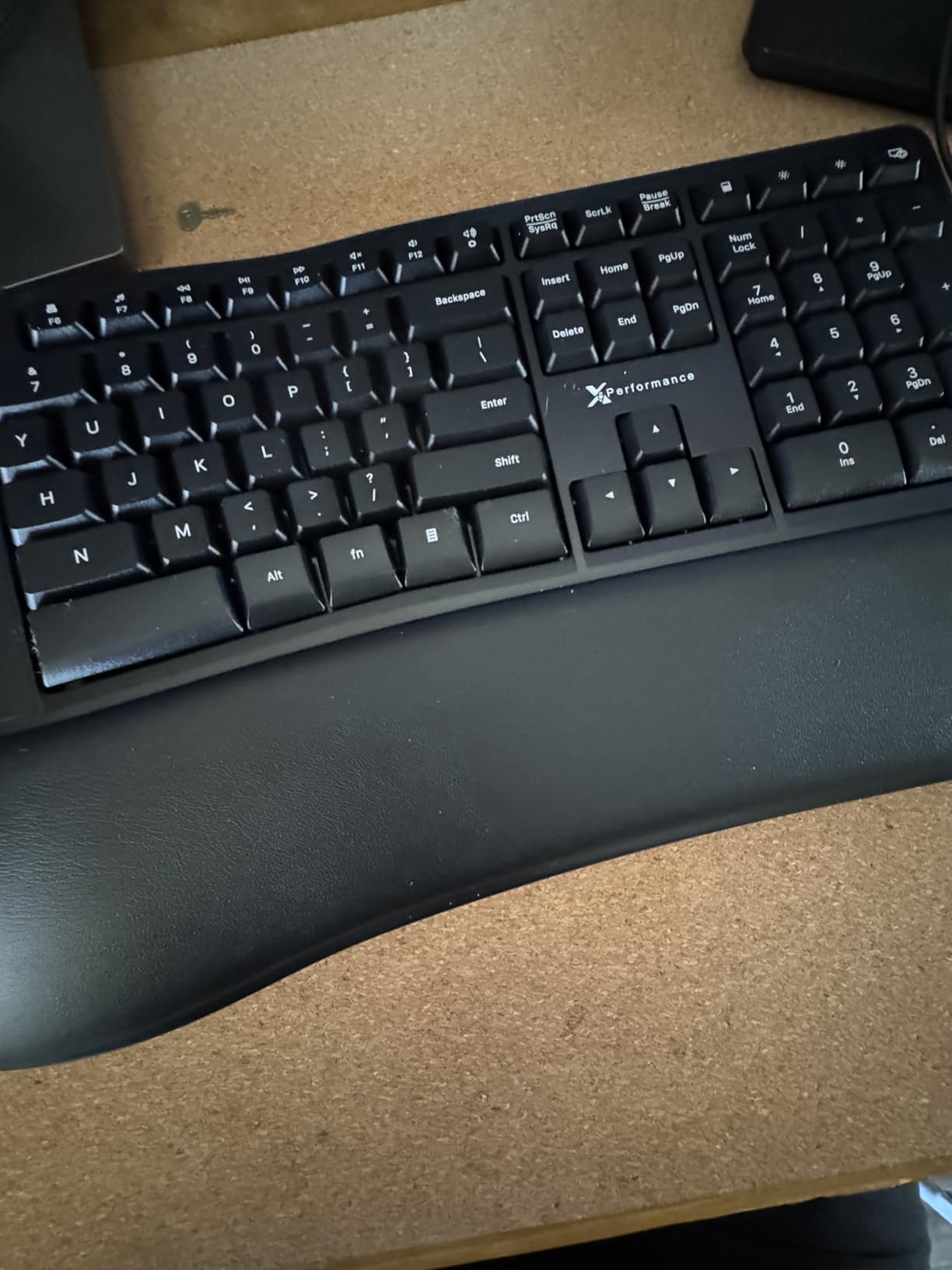
There is something underrated about a board that connects with a cable and never asks you anything. The X9 is a split wave layout with an integrated cushioned rest that keeps your hands level with the keys, and its only configuration is the adjustable kickstand. There is no firmware, no app and no pairing ritual, so it works the same on day one and day two hundred.
The 110-key layout is the practical headline. You get a full numeric keypad plus 17 shortcut keys, which is unusual at this level and unusual in an ergonomic shape, and most reviewers who move to it cite the layout completeness before the comfort. The split wave shape and built-in cushion do reduce hand fatigue over long sessions in owner reports.
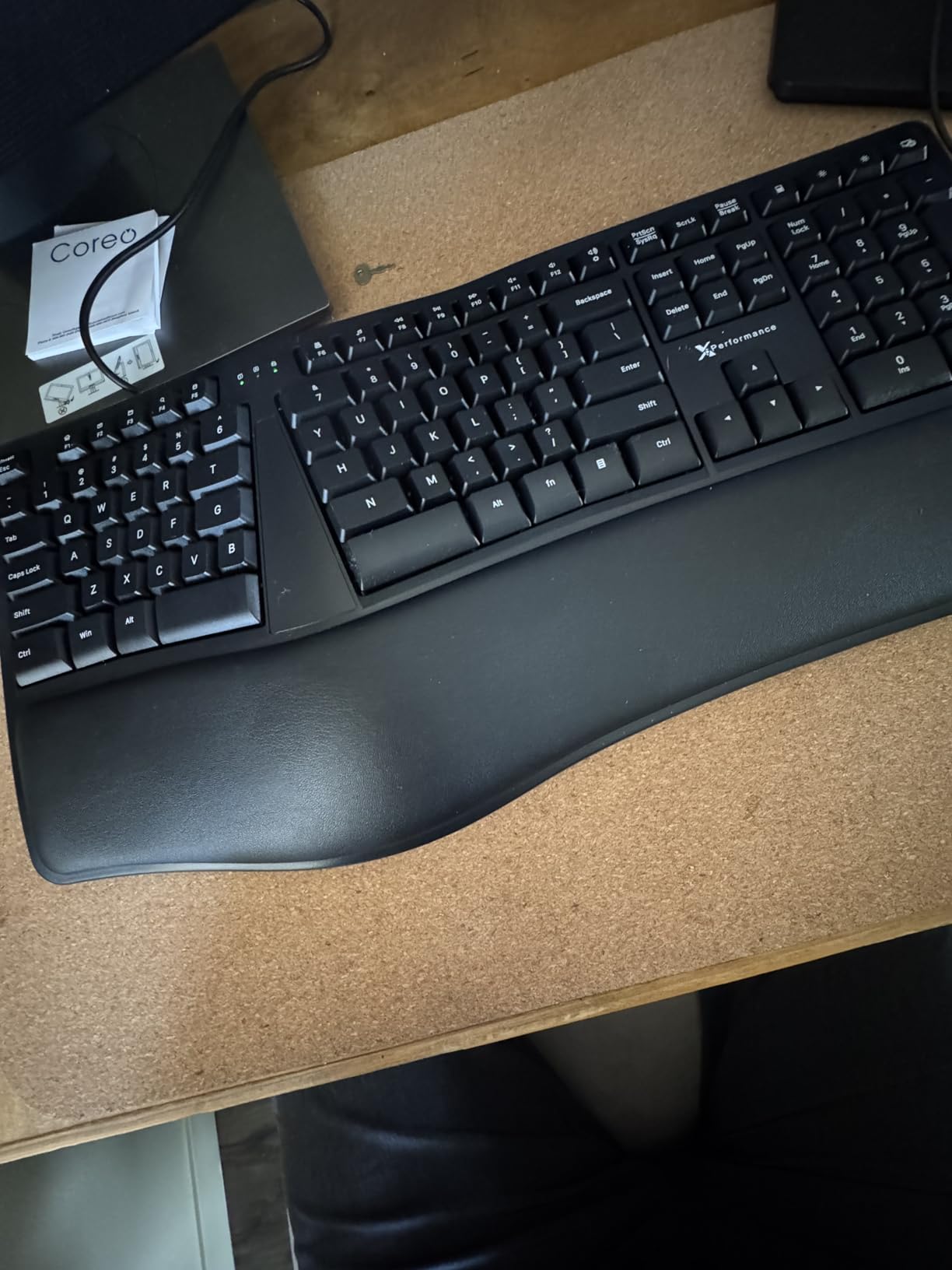
It is also quiet to set up and light to move, at 2.2 pounds, which makes repositioning it between a seated and a standing setup easy. The design is deliberately plain, with no backlight and no RGB to add clutter or distraction, and the two-year warranty is a genuine length for this category.
The key feel is where the compromises sit. These are soft-touch membrane switches, and anyone used to scissor or mechanical keys will describe them as light and mushy. The space bar in particular is loud, which is a strange thing to notice until you are on a video call. There is no wireless option and no backlighting, and the on-screen layout differs enough from mainstream boards to need a few days of adjustment.
The dimensions are worth checking before you commit, at 19 by 9.85 inches, which is deep enough that you need clear desk space and a place to put the mouse. The adjustability is limited to the rear kickstand, so there is no negative tilt option and no tenting, and the cushion is fixed in place rather than detachable. If you already know that wrist extension is your problem, this board treats the deviation but leaves the extension largely alone.
Who this board suits
It suits anyone on a fixed wired setup, including shared offices and hot desks where pairing a wireless board is a nuisance. It is a good pick for data entry work thanks to the full number pad, and for people who want a keyboard with nothing to learn and nothing to maintain. ChromeOS and Windows machines are both supported out of the box.
Who should skip it
Skip it if you care about key feel, because membrane mush is a real cost over a full workday. It is also wrong for anyone who works in low light without a desk lamp, and for people who need to move between machines without replugging. If you are sensitive to noise on calls, test the space bar first.
6. TECKNET Wireless Ergonomic Keyboard: the Budget Pick with Four-Stage Tilt
TECKNET Wireless Ergonomic Keyboard Rechargeable, 2.4G+Bluetooth Ergo Cordless USB Computer Keyboard, Wrist Rest, Natural Typing, Stain-Resistant Fabric, Compatible For Windows Computer Desktop Laptop
Curved split rows
Dual-density foam wrist rest
Bluetooth 5.0 and 2.4 GHz
Four tilt stages
Pros
- Split curved rows follow the natural arc of the fingers
- Dual-density foam base with memory-foam top spreads pressure
- Pairing for up to four devices over Bluetooth and 2.4 GHz
- Four tilt stages at 0
- 1.2
- 3 and 6.2 degrees
- USB-C charging that works while you type
Cons
- Arrow keys sit near Shift and Enter
- No dedicated Page Up or Page Down
- Keys are slightly large for small hands
- Some Bluetooth reconnection delays
The TECKNET is the cheapest board in this group and the only one offering four separate tilt stages, which is unusual because tilt is usually the first thing budget boards drop. The stages run from flat to 6.2 degrees, and having that range means you can match the angle to a seated desk, a raised monitor or a standing setup without a separate riser.
The wrist rest is genuinely well thought out for the money. It is dual density, a high-density foam base under a slow-rebound memory-foam top, and the fabric surface wipes clean and resists stains. Reviewers describe it as distributing pressure evenly rather than creating a hard ridge, which is the correct behaviour for a rest you are meant to lean on between bursts of typing.
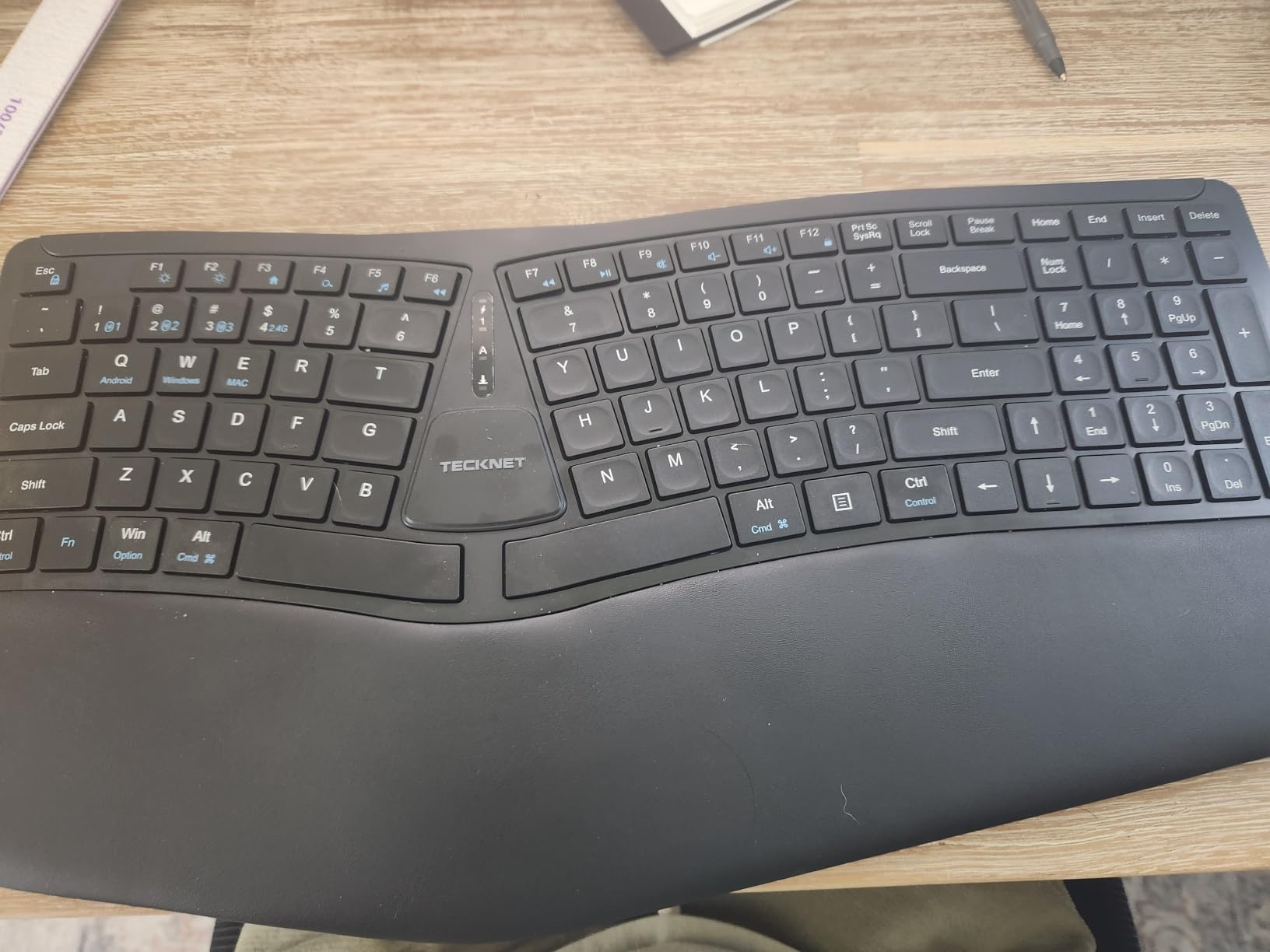
Connectivity is the other strength. You get Bluetooth 5.0 with memory for three paired devices plus a 2.4 GHz dongle, and the 500mAh battery charges over USB-C while you keep working. The split, curved key rows support a neutral wrist posture, and owners report less neck and shoulder strain as well as less wrist discomfort, which is a fair thing to expect from a board that also keeps your shoulders more relaxed.
The layout is the problem. Arrow keys sit near Shift and Enter, and Home and End share the number pad, so a fast typist will be slowed down by glances downward. There are no dedicated Page Up or Page Down keys, and an extra key between Command and Control confuses Mac users. The keys are also slightly larger than Apple-style laptop keys, which can strain smaller hands over a full day.
A few users have also run into Bluetooth reconnection delays, and at least one board shipped with a battery that would not hold a charge, so the wireless side is not flawless. The typing action itself is quiet with good travel, and the build quality holds up well for the tier, so the weaknesses are layout and connectivity rather than the parts you actually type on.
Who this board suits
It suits a Windows user on a tight budget who wants a real split curve, adjustable tilt and wireless flexibility. Four paired devices makes it useful for someone moving between a work laptop, a home desktop, a tablet and a phone. The 36-month warranty with registration adds a little reassurance for a purchase at this level.
Who should skip it
Skip it if you have small hands, since the key sizing is a genuine issue, or if you navigate documents constantly without a mouse. Mac users should look elsewhere because of the Windows-only labelling and the stray key next to Control. Anyone who needs arrow keys and editing keys in predictable places will be frustrated within days.
7. Nulea RT05: the Backlit Split for Working in the Dark
Nulea RT05 Wireless Ergonomic Keyboard, Split Keyboard with Wrist Rest, USB-C Charging, 7-Color Backlight, Natural Typing, Bluetooth and USB Connectivity, Compatible with Windows,Mac
Splayed curved split layout
Cushioned palm rest
7-colour backlight
2000mAh USB-C battery
Pros
- Split
- splayed and curved layout that relaxes shoulders
- Padded wrist rest that buyers describe as genuinely soft
- Seven-colour backlight with three brightness levels
- 2000mAh battery runs about a month of heavy use
- Compact body that still includes a number pad
Cons
- Battery capacity fades noticeably after several months
- Some units show phantom or repeated keystrokes
- Up and down arrow keys are half size
- Small backspace with no raised bump
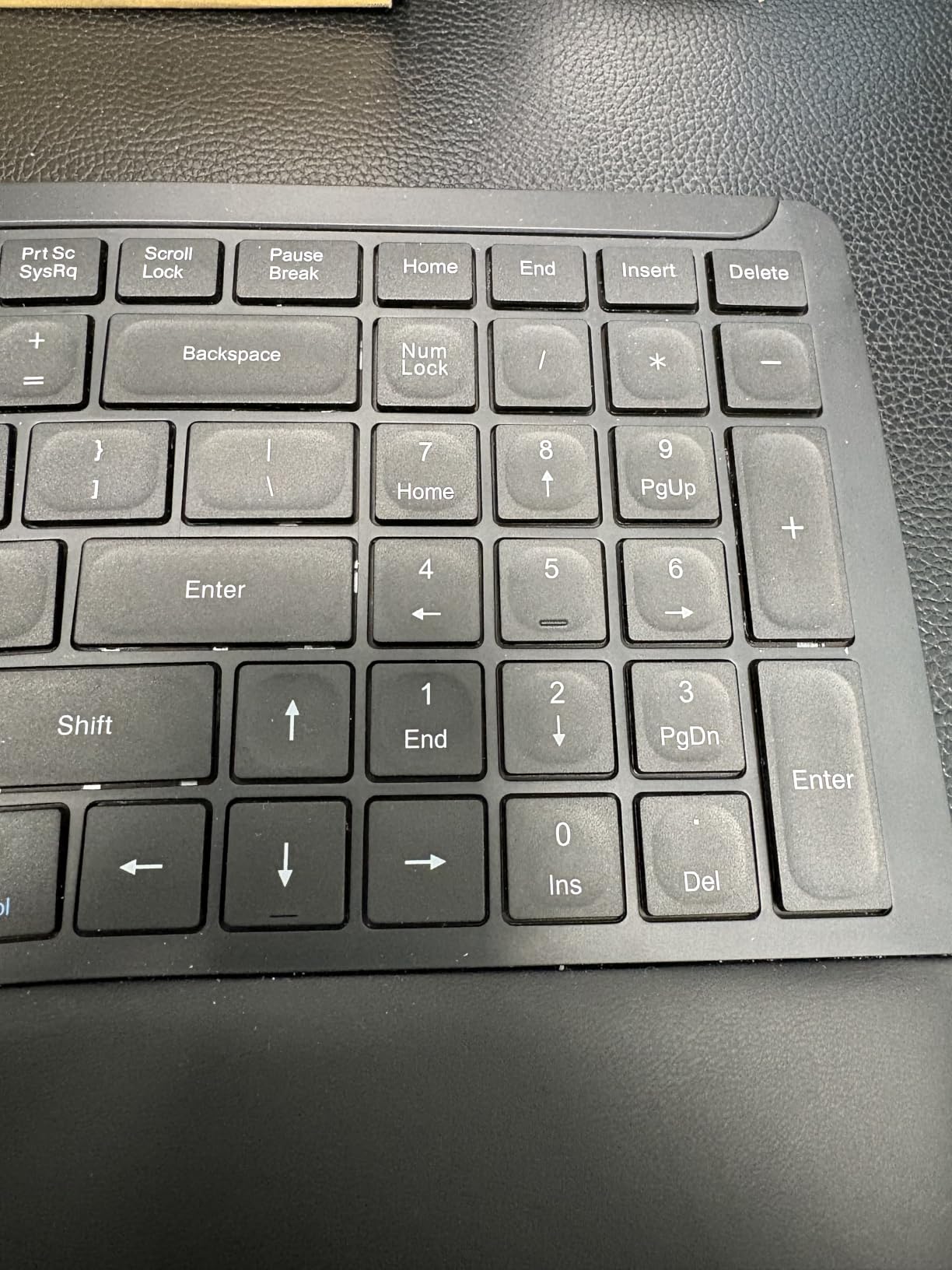
Almost every board in this roundup has a palm rest, so the differentiators are elsewhere. For the Nulea RT05 the differentiators are the backlight and the battery. Seven colours with three brightness levels, auto-off below ten percent, and a 2000mAh cell that lasts roughly a month of heavy typing while charging over USB-C without a break in work.
The geometry is a split, splayed and curved layout with individually angled keys, and the intent is to relax the shoulders as much as the wrists. That splay is more aggressive than the gentle wave boards, so your hands sit further apart and more of the strain moves up into the forearms and shoulders where there is more muscle to absorb it.
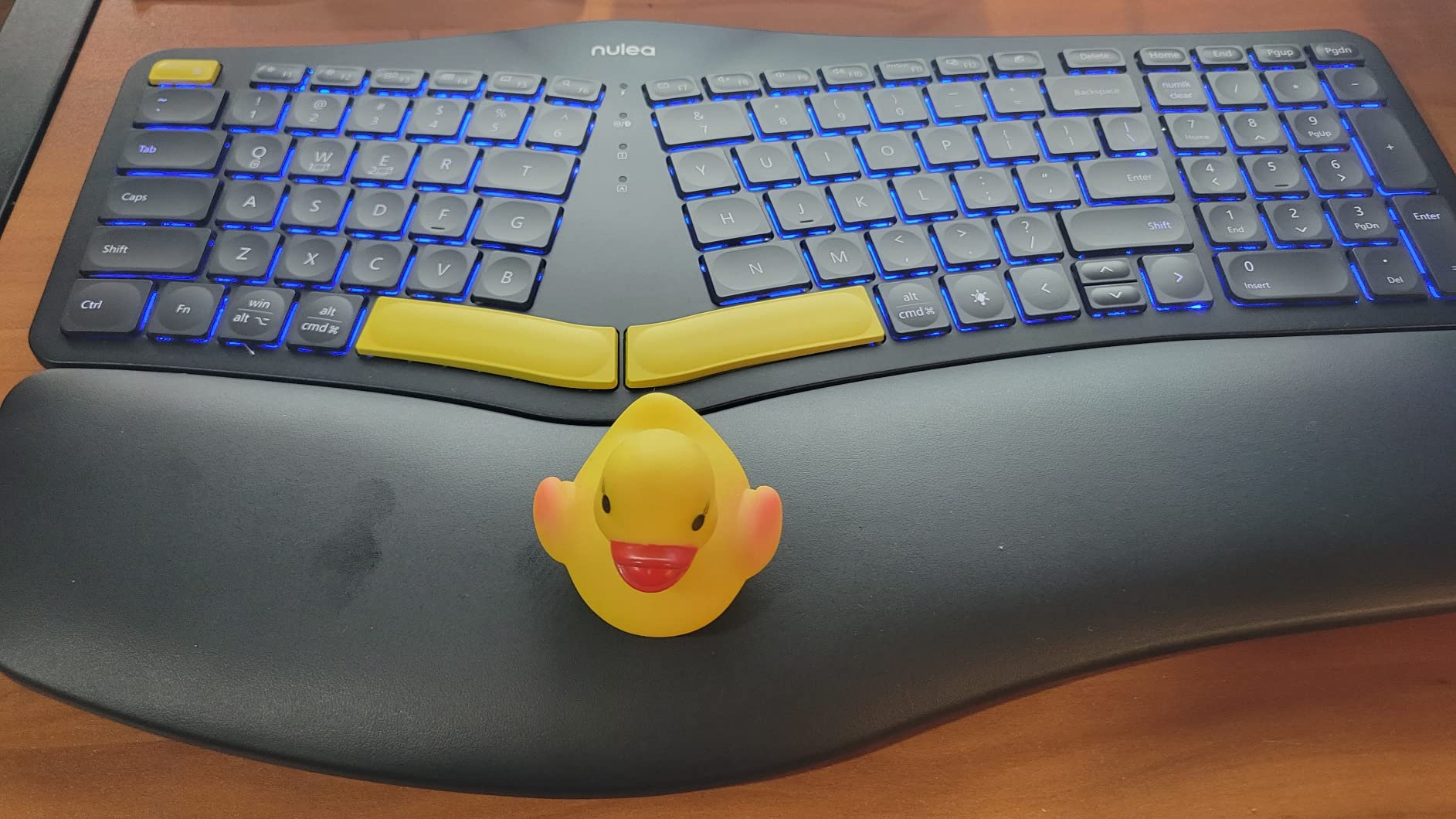
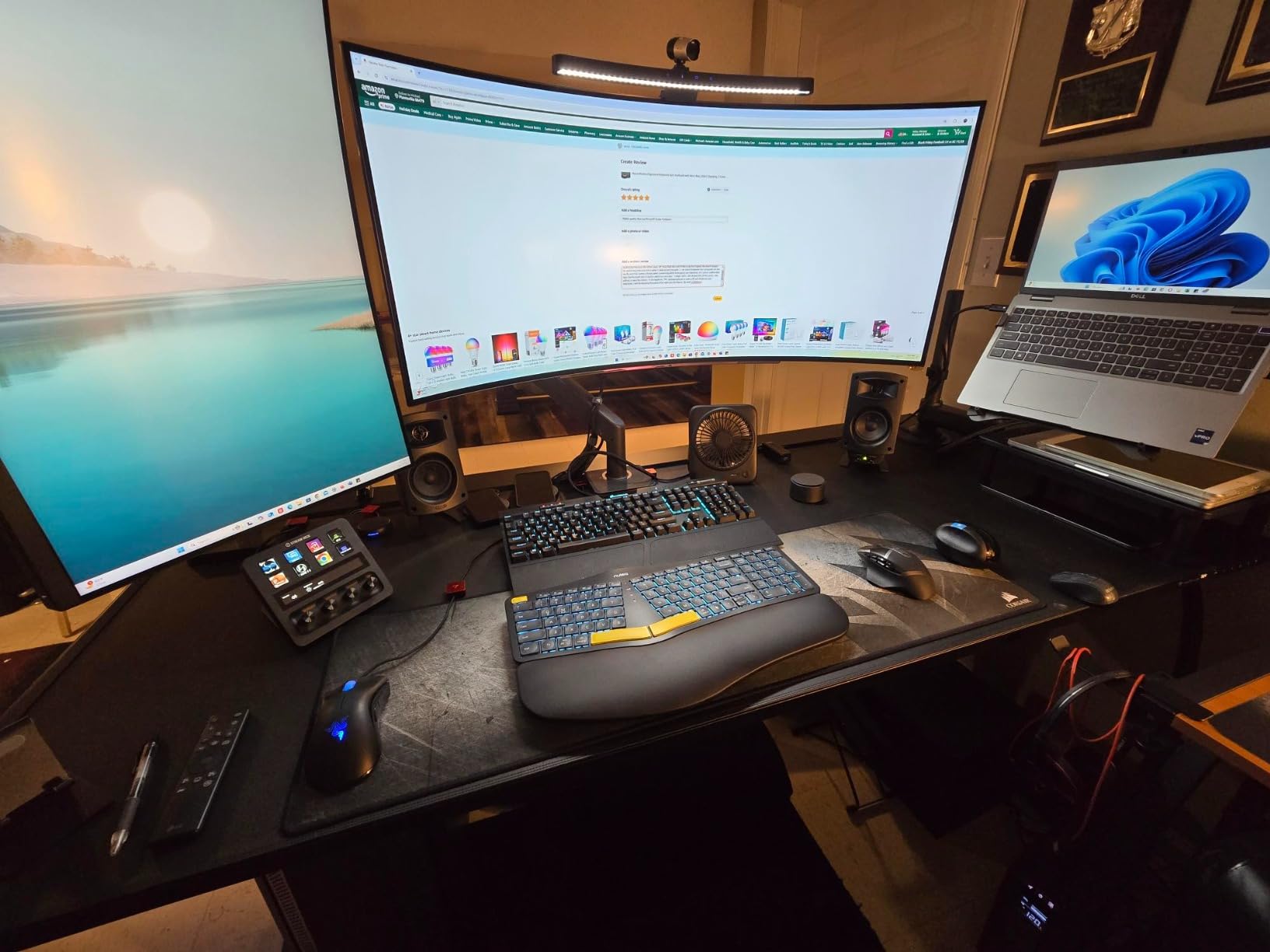
Many buyers find the RT05 a real improvement over a flat keyboard for hand and wrist discomfort, and they like that it fits most keyboard trays while still carrying a number pad. The cushioned palm rest comes in for specific praise as one of the softer ones we came across, and the customer service has sent replacement units and keycaps when asked.
Reliability over time is the concern to weigh. Reviewers report the battery capacity degrading noticeably after several months, and some keyboards developing phantom keystrokes that fill text with repeated characters, which is exactly the kind of problem that is miserable when you are working on a long document. The up and down arrow keys are compressed to half size, and the small backspace has no distinctive bump to tell it apart from backslash.
There are a few quality-control reports in the mix as well, including boards arriving with a missing right Control key or loose keycaps, and support responses that are slow with thin troubleshooting guidance. The keys themselves are flat with little travel, so the typing feel takes some getting used to if you have come from a laptop with scissor keys. None of this is disqualifying, but it is the reason this board sits where it does in the ranking rather than higher.
Who this board suits
It suits people who type in the evening or work in dim rooms, since this is the only board here with a genuinely useful backlight. It is also a good match for anyone on a keyboard tray who still needs a number pad. The three-device switching and USB-C charging make it convenient for a laptop-plus-desktop routine.
Who should skip it
Skip it if you cannot tolerate degraded battery life over a multi-year ownership horizon, or if you write long documents where a repeating keystroke would cost you real work. The half-size arrow keys will also frustrate anyone who edits or navigates without a mouse. It is a Windows board despite the marketing.
8. Kinesis Freestyle2: the Most Adjustable Board We Tested
KINESIS Freestyle2 USB-A Ergonomic Keyboard w/ VIP3 Lifters for PC (9″ Separation) (KB820PB-US)
9 inch separation control
5, 10 or 15 degree tenting
Low-force tactile membrane
94 keys, no drivers
Pros
- Separation
- rotation and tenting angle are all set independently
- Low-force membrane switches reduce finger fatigue and impact
- Integrated palm supports plus adhesive cushioned pads
- No software or drivers needed
- Works on Linux and Windows
Cons
- Delete and Backspace are the same size and close together
- Fn number pad is unintuitive and the 10-key pad is sold separately
- 19 by 12.5 inch footprint is too bulky to travel
- Included adhesive palm pads feel papery
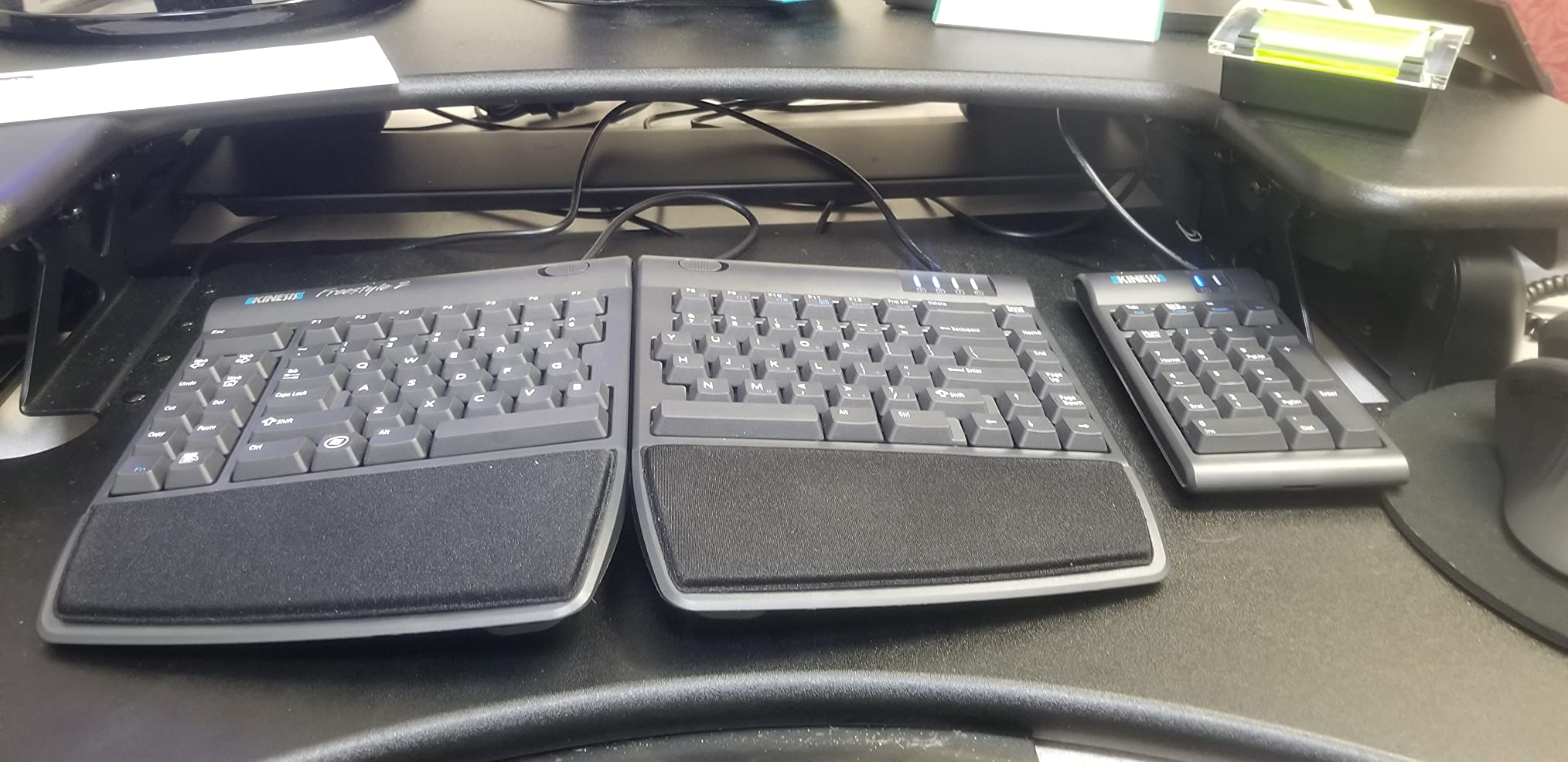
The Freestyle2 is the only board in this roundup where you set three independent variables: how far apart the two modules sit, how far each one rotates outward, and how much they tilt toward each other. Separation runs up to nine inches, and the included VIP3 lifters give you 5, 10 or 15 degrees of tenting. That combination is the single best answer to ulnar deviation available here, because it lets the board match your shoulders rather than the other way round.
Tenting is the underrated part. Lifting the two halves toward each other rolls your forearms out of full pronation, which is the posture that loads the wrist for an entire day. The low-force custom membrane switches mean you do not need heavy finger pressure to register a key, and owners report that wrist pain and hand cramping easing within weeks of switching.
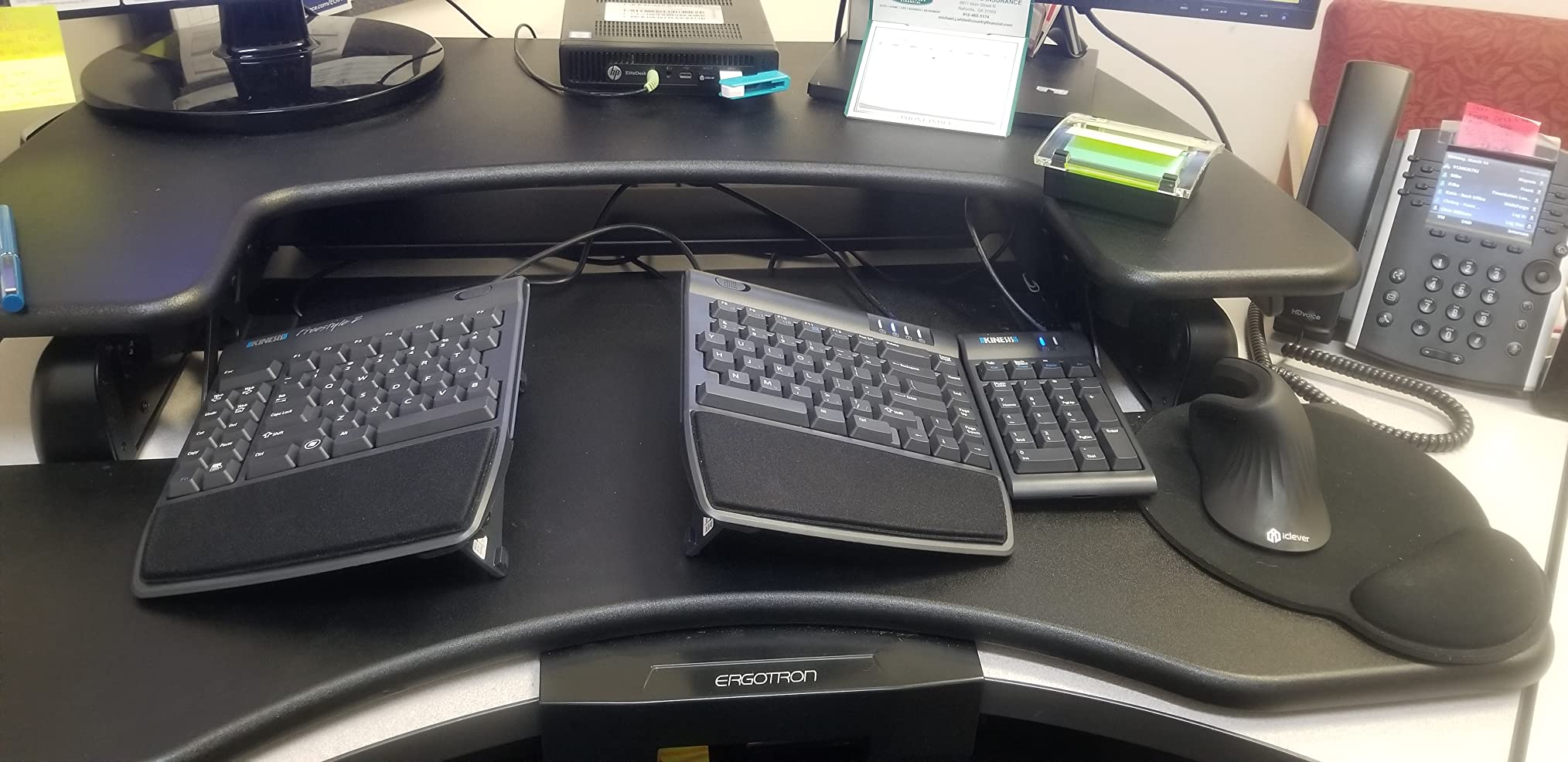
There is no software to install, no drivers and no account, and it runs on Linux as happily as on Windows. The standard Windows layout includes dedicated Cut, Copy, Paste and Undo hotkeys, which is a small ergonomic touch that reduces the shortcut reaching that aggravates so many tired hands. Long-term owners describe it as a board that still feels right after years.
Where it frustrates people is the key layout and the size. Delete and Backspace are the same size and nearly the same distance apart, so mispresses are common at first. The numeric pad lives behind the Fn key, which toggles rather than press-and-hold, and the detachable 10-key pad is a separate purchase. At 19 by 12.5 inches this is a desk board, not a laptop companion, and the included adhesive palm pads are thin foam that feels papery.
The key placement is unconventional in one more way that catches people out: the B key sits on the left half, which many find wrong on a board that otherwise resembles a standard Windows layout. It is not a mistake, it is a consequence of the split, but it is disorienting for anyone who has typed on a conventional board for twenty years. A pivot tether keeps the two halves from drifting apart, and spare keycaps are included, which are sensible touches for a board with a long life ahead of it.
Who this board suits
It suits someone whose pain is clearly driven by ulnar deviation or pronation and who is willing to spend a couple of weeks retraining. In r/ergodox and r/RSI the Freestyle2 with VIP3 lifters comes up constantly as the most flexible starting point, and it is a strong second step for someone who has already tested the gentler wave boards. The no-software design also suits Linux users.
Who should skip it
Skip it if you work on a laptop or in a small shared space, because the footprint is large. Anyone who types fast on a conventional layout will lose time to the Delete and Backspace situation, and the Fn number pad will irritate anyone who lives in a spreadsheet. If you need a number pad daily, budget for the separate 10-key module.
9. ProtoArc EK01 Plus: the Widest Board and the Best Multi-Device Switching
ProtoArc EK01 Plus Backlit Bluetooth Ergonomic Keyboard, Full Size, Grey
Curved split frame
54% more support wrist rest
White LED backlight
117 keys, silicone spill protector
Pros
- Curved split frame and cushioned rest that measurably reduce wrist pain
- Chicklet scissor switches feel good and stay quiet on calls
- Full 117-key layout with number pad and 13 extra function keys
- Two years of battery on low backlight
- Silicone spill protector and dust cover included
Cons
- Roughly 21 inches wide so many keyboard trays will not fit
- No wired mode
- the USB-C cable only charges
- Circular media-key cluster between the halves is awkward
- Faux-leather wrist rest makes hands sweat
The EK01 Plus has the most complete layout of the wireless boards here, with 117 keys including a real number pad and 13 extra function keys. Underneath that is a curved split frame with a cushioned wrist rest, and buyers with a history of RSI and carpal tunnel problems report that it relieves wrist pain while keeping the key feel and noise level reasonable enough for meetings.
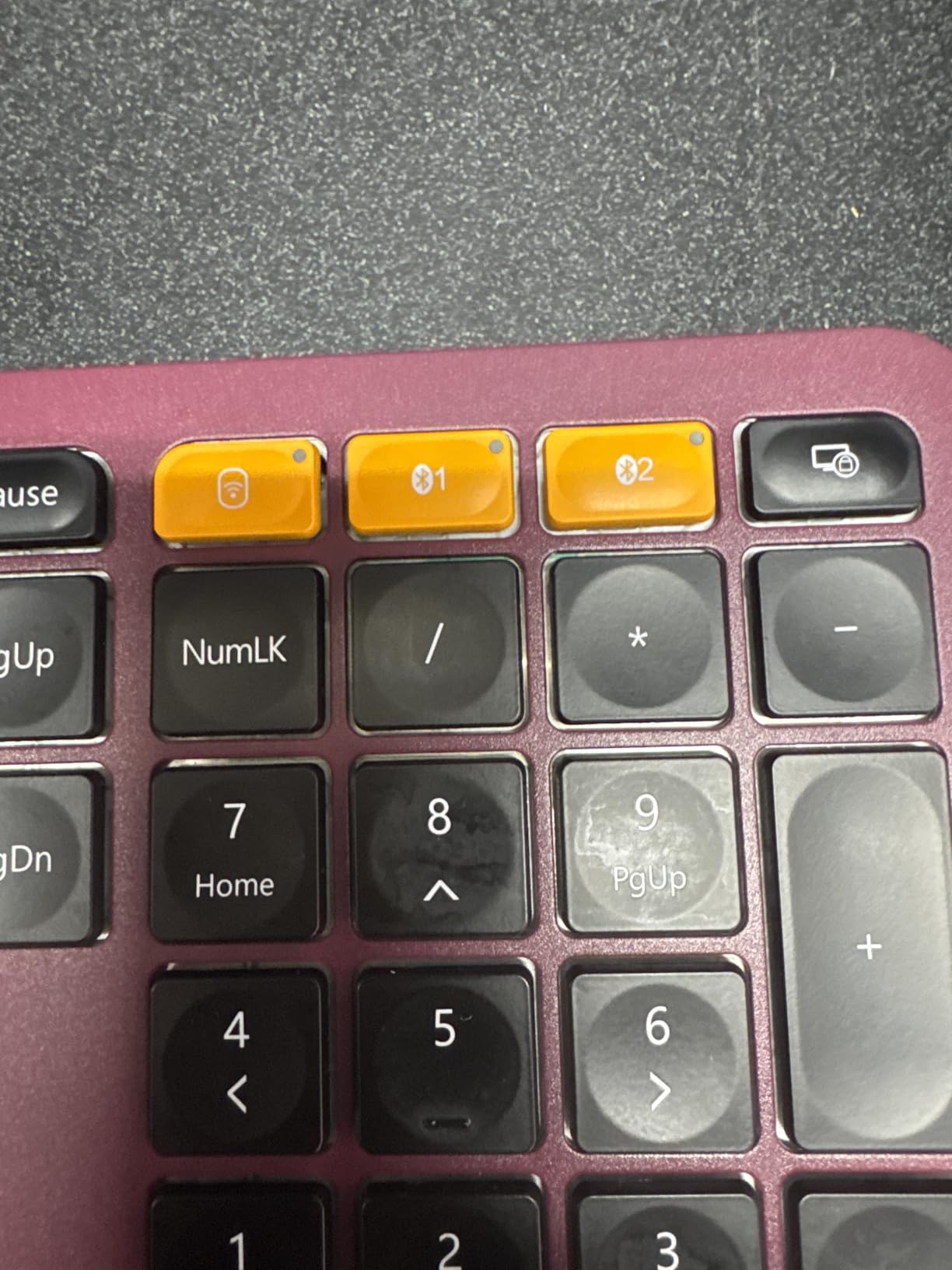
Connectivity is the practical strength. It pairs across up to three devices over Bluetooth and a 2.4 GHz dongle, and reviewers highlight that the dongle works inside BIOS setups where Bluetooth cannot, which matters if you are the kind of person who reboots into firmware. Battery life is about two years on low backlight, 34 to 36 hours on medium and 12 to 13 hours on high.
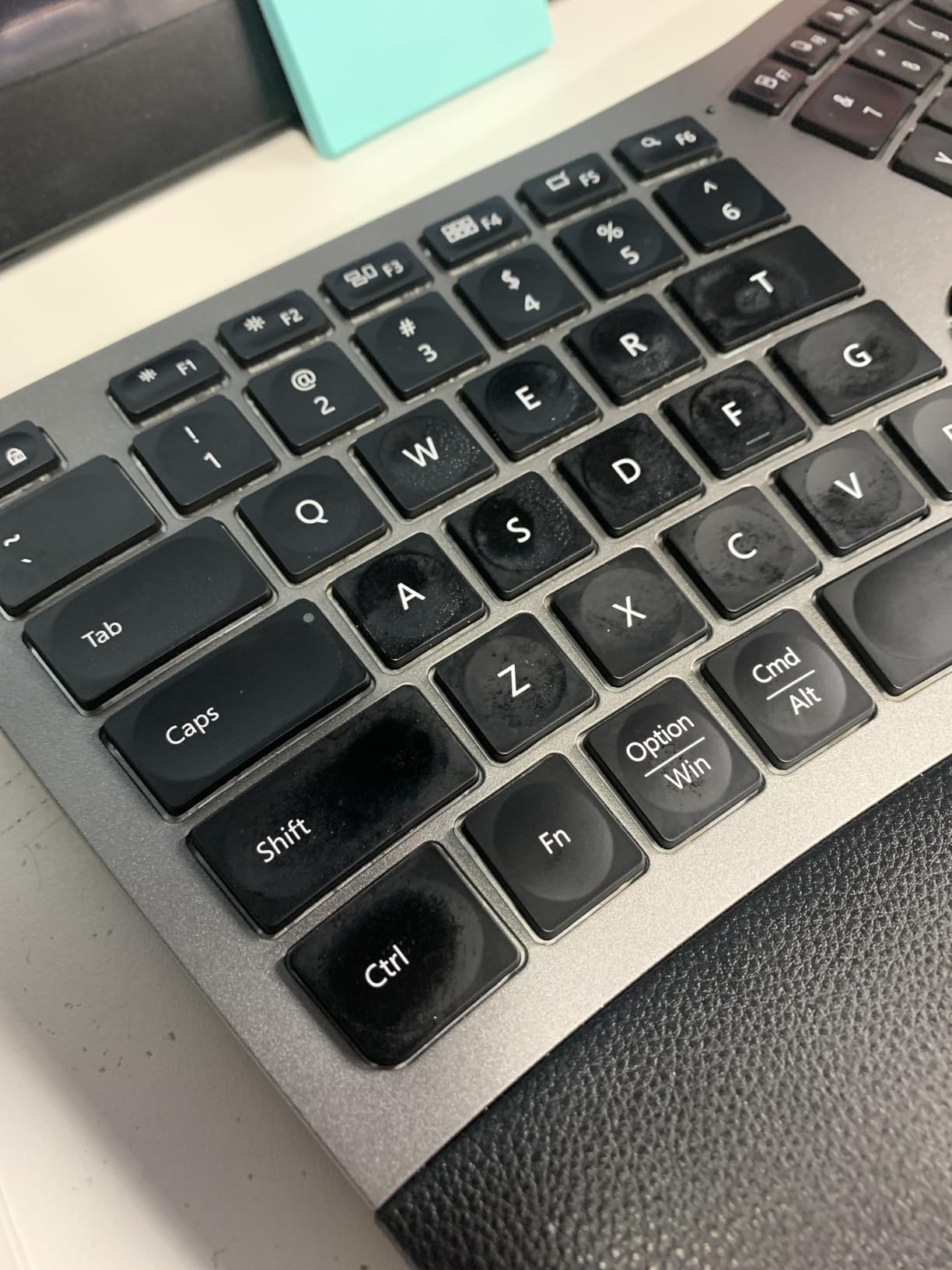
The chicklet-style scissor switches are a good middle ground, feeling defined on the fingertips without being loud on a call. A silicone spill protector and dust cover are included, which is the sort of detail that extends the life of a board in a kitchen-office or a shared home. The 2.4 GHz and Bluetooth switching is genuinely effortless, and the four adjustable tilt feet give three angles, which is less range than several cheaper boards offer.
The width is the first thing you will notice, at roughly 21 inches. That is wider than most desk mats allow and it will not fit many keyboard trays, which defeats the purpose of an ergonomic board for anyone working in a tray. There is no wired mode, so the USB-C cable only charges it. The circular cluster of volume and media keys between the halves is awkwardly placed, and the faux-leather wrist rest material makes hands sweat for some users.
Other details that come up repeatedly: the Super key carries no Windows logo, the printed legends can be faint, and the layout is English-only with no dedicated angle bracket key. Some buyers report chiclet keys developing a stiff feel over time, and a smaller number report power and connection dropouts after roughly a year with random characters appearing on screen. The cushioned rest is quoted at 54% more support, matching the figure Logitech uses on its own board, though that is a manufacturer number rather than an independent test.
Who this board suits
It suits a home or office user with a wide desk who switches between a Windows machine, a Mac and a tablet, and who wants a number pad plus extra function keys. The 2.4 GHz dongle makes it a good pick for anyone who needs to reach a BIOS or boot menu. Windows, Mac OS X and Android are all listed as supported.
Who should skip it
Skip it if you work on a keyboard tray, a laptop desk or anything smaller than about 30 inches wide, because the footprint is the deal-breaker. It is also the wrong choice if you want a wired connection or dislike synthetic leather against sweaty skin. Chiclet keycap feel will not satisfy anyone who wants a mechanical board.
10. MEETION Director-C: a Split Board With a Matching Vertical Mouse
MEETION Ergonomic Keyboard and Mouse Combo, Split Design, Vertical Mouse
Concave split layout
112 keys with number pad
Bundled vertical mouse
Shared 2.4 GHz receiver
Pros
- Director-C concave split with individually angled keys reduces hand and arm strain
- Bundled vertical mouse runs on the same receiver for a matched setup
- Pillowed non-slip palm rest stays stable while typing
- Full 112-key layout keeps a proper number pad
- Both devices rechargeable for one to two months per charge
Cons
- Lowest average rating in the group with a 13 percent one-star share
- Some units develop stuck or repeated keypresses within days
- Keycaps feel cheap and thin
- Mouse is right-handed only
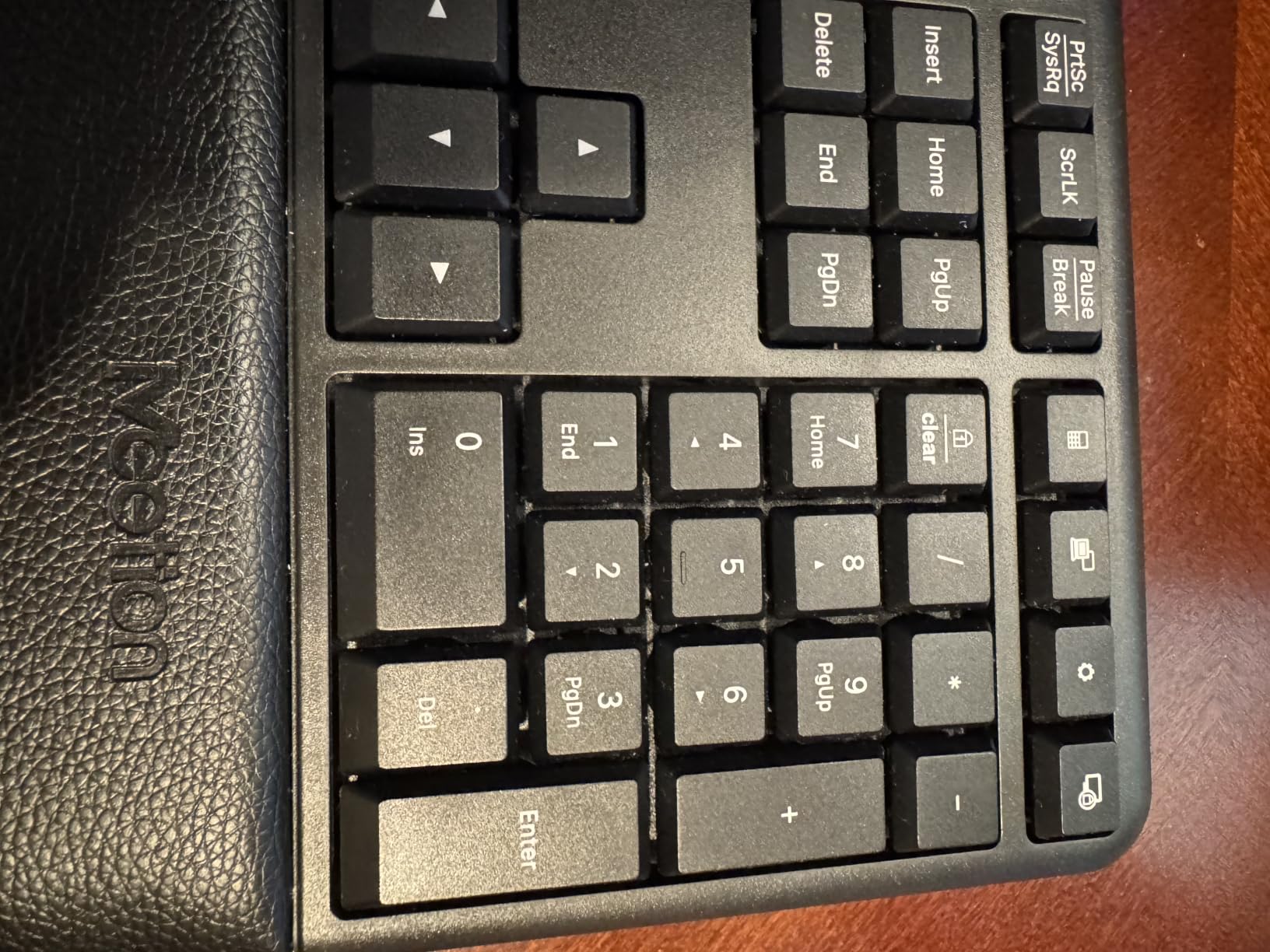
The idea here is the strongest reason to consider this board. Splitting your hands in half while leaving your mouse arm flat and pronated fixes only one of the two problems, and the MEETION bundle pairs its split keyboard with a vertical mouse that puts the forearm in a handshake position. Both devices run off a single 2.4 GHz USB-A receiver with a stated 33-foot range.
The Director-C split has a concave curve with individually angled keys, and the pillowed non-slip palm rest stays put while you type. The 112-key layout is a genuine full size with a number pad and standard key placement, which is unusual for a split design. The vertical mouse offers adjustable DPI at 800, 1200, 1600 and 2400, a silent switch and a side-scroll wheel.
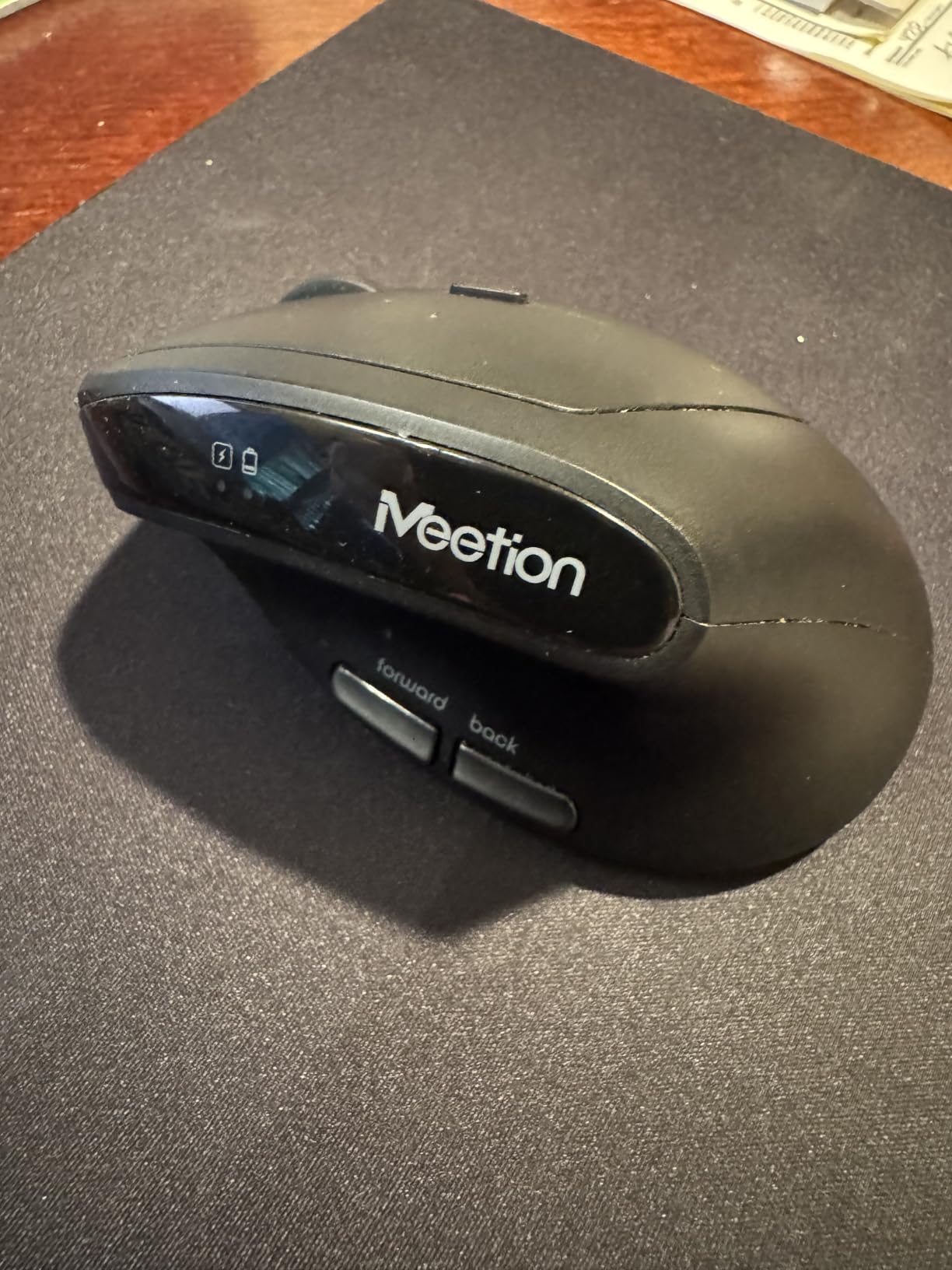
Both pieces are rechargeable at 500mAh, giving roughly one to two months per charge, and the keyboard is compatible with Windows, Mac OS, Chrome OS and Linux. If forearm pronation is your main complaint rather than the wrist itself, the bundled mouse may deliver more immediate relief than any keyboard change on this list. That is the argument for buying it as a pair.
Now the honest part. This board carries the lowest average rating in the group, and the share of one-star reviews is comparatively high at 13 percent. The recurring complaints are thin, cheap-feeling keycaps and stuck or repeated keypresses appearing within days of use. The bundled USB-C cable is an adapter only, and cannot be used on its own as a receiver, the mouse is right-handed only, and the warranty is one year.
One more practical note: the keyboard and the mouse each have their own 500mAh battery, and both have to be charged separately before first use. The keyboard measures 19.09 by 10.04 by 1.83 inches and the mouse 2.87 by 4.09 by 2.28 inches, so this is a large two-piece footprint on your desk. It is also the only bundled-mouse option in the group, and it is right-handed only, which is a meaningful gap for anyone with left-hand symptoms.
Who this board suits
It suits a right-handed user whose forearm and upper-arm discomfort is bigger than their wrist problem, and who would rather not buy a separate vertical mouse. The shared receiver removes one USB port from the equation entirely. It is also a reasonable stopgap for someone testing whether a split geometry helps before spending more.
Who should skip it
Skip it if reliability over a multi-year horizon matters, given the rating profile and the repeated-keypress reports. Left-handed users have no option here at all, and anyone who types fast will notice the thin keycaps. The one-year warranty is the shortest in this roundup, which tells you what the manufacturer expects.
How to Choose a Keyboard for Wrist Pain
The mistake almost everyone makes is shopping by brand or by price. The useful question is which of four mechanical demands is causing your pain, because each has a different fix. Get that wrong and you will spend money on a beautiful split board that leaves your actual problem untouched.
Match the mechanism to the symptom
Ulnar deviation, where the wrist bends toward the little finger, is fixed by split geometry and splay. Wrist extension, where the hand tilts upward, is fixed by negative tilt, a lower profile or a tented setup. Forearm pronation, where the palm faces down, is fixed by tenting or a vertical mouse. Force, where you press hard because the switches are stiff, is fixed by light or silent switches. Most desk pain is a combination, which is why boards addressing two or three of these tend to work better than single-mechanism options.
Split, wave or flat: what the geometry actually changes
A flat keyboard forces all ten fingers to reach across one plane, which puts the little finger at the worst mechanical disadvantage. A wave keyboard lifts the middle and rolls the edges down, taking some of that strain out with a familiar shape. A split keyboard separates the halves, and a columnar split stacks each key vertically so each finger moves straight up and down instead of diagonally. The more aggressive the change, the longer the adaptation period, so this is a real trade-off rather than a ranking.
Tenting, tilt and negative slope
Negative tilt is when the back of the keyboard sits higher than the front, which flattens the wrist rather than extending it. Only the Logitech Ergo K860 in this roundup lets you adjust that, across zero, minus four and minus seven degrees, and the TECKNET offers four stages up to 6.2 degrees. Tenting lifts the two halves toward each other, which rolls the forearms out of pronation, and the Kinesis Freestyle2 is the only board here where you can choose 5, 10 or 15 degrees. If you are not sure where to start, negative tilt is the lower-commitment change because it does not alter the layout.
Switches and key force
None of the ten boards in this roundup is a mechanical board, which is worth stating plainly because it is the most common search term in this category. Membrane, scissor and low-force membrane switches all reduce finger effort compared with heavier mechanical options, and for wrist pain that is usually the correct trade. Within the group, the Perixx offers the deepest travel at 4.2 mm with a real tactile bump, the Kinesis Freestyle2 uses genuinely low-force keys, and the Nulea and X9 are the softest. If you plan to move to mechanical boards later, target light linear or silent switches around 45 grams rather than anything tactile at 55 grams or above.
There is a fourth lever here that most guides skip, which is travel. Deeper travel means you press through a longer distance before the key registers, and many people find a crisp bottom-out satisfying enough that they stop slamming keys out of impatience. Shallower keys such as the Nulea RT05’s have less distance to absorb a heavy press. If you know you are a hammer, prioritise travel. If you know you type lightly and precisely, force matters more than distance.
How to use a palm rest without making things worse
A palm rest supports the heel of your hand between keystrokes, it does not support your wrists while typing. If you lean on the rest and type on top of it, you are compressing the carpal tunnel area for hours, which is worse than having no rest at all. The correct pattern is to rest during pauses and lift slightly during a burst of typing. The rest should also be at a height that keeps your forearms roughly level, and a rest that presses into the sides of your wrists during long sessions is too high or too narrow.
How long the adaptation period lasts
Expect one to four weeks of temporary discomfort on a split board, and this is the phase where most people give up. The pattern reported repeatedly in r/RSI and r/ErgoMechKeyboards is that typing speed drops sharply in the first few days while the hands relearn positions, and symptoms can feel slightly worse before they get better. Gentle wave boards such as the Logitech Wave Keys are usually a week. Columnar and deeply split layouts take the longest. If you can, drop to 60 to 70 percent of your normal output for a fortnight rather than pushing through at full speed, and resist picking a new board again mid-adaptation.
Fix the rest of your desk too
A keyboard cannot compensate for a monitor at the wrong height or a mouse that forces your arm into a hard twist. Keep the top of the screen at or slightly below eye level so your neck stays neutral, and keep your elbows near 90 degrees with shoulders relaxed. A keyboard tray that puts the board level with your elbows matters more than any premium board, and a vertical or trackball mouse addresses the pronation half of the problem that no keyboard here can solve. Off the desk, strengthening the forearm and wrist is the other half of the plan, and our wrist trainer roundup covers the conditioning side in detail, as does our guide to the best wrist guards for beginners for support during activity away from the keyboard.
What a keyboard cannot fix
No keyboard treats carpal tunnel syndrome, cubital tunnel syndrome, de Quervain’s tenosynovitis, trigger finger or thoracic outlet syndrome. An ergonomic board changes the mechanical load on your hands during typing, which can reduce symptoms and slow down a repetitive strain injury, but it does not reverse nerve compression. If you have numbness that wakes you at night, weakness in your grip, or symptoms that persist after two to three weeks of changed setup, see a clinician. A hand specialist or occupational therapist can tell you whether the problem needs a splint, a diagnosis or a different job task entirely, and that guidance outranks anything in this article.
Frequently Asked Questions
Which ergonomic keyboard is best for people with wrist injuries?
For a diagnosed wrist condition, the Kinesis Freestyle2 offers the most adjustability because separation, rotation and tenting angle are all set independently, which lets the board match your shoulders. For a milder, low-risk start, the Logitech Wave Keys tests whether geometry helps at all. For heavy daily typing on a budget, the Perixx PERIBOARD-512B gives you a true split with long-travel tactile keys.
How do split keyboards help with carpal tunnel?
A split keyboard reduces ulnar deviation, the outward bend of the wrist toward the little finger, by letting each hand work at its own angle. Tenting reduces forearm pronation, and negative tilt reduces wrist extension. Together these three changes lower the load on the tendons passing through the carpal tunnel during thousands of keystrokes, which can ease symptoms and reduce repetitive strain.
Do keyboard wrist rests actually work?
Yes, with one rule: the rest supports the heels of your hands between keystrokes, not your wrists while you type. Leaning on a palm rest while typing compresses the carpal tunnel area and makes things worse. Use the rest during pauses, keep the forearms roughly level, and replace a rest that presses into the sides of your wrists with a wider or lower one.
What is the best keyboard position to avoid carpal tunnel strain?
Keep your forearms level with the keyboard, elbows near 90 degrees and shoulders relaxed. Put the top of your screen at or slightly below eye level so your neck is not pulling forward. Use a keyboard tray to bring the board down to elbow height, add negative tilt so the wrist is flat rather than extended, and take short breaks every 20 to 30 minutes to move your hands and shoulders.
Can typing on a keyboard cause carpal tunnel syndrome?
A keyboard does not directly cause carpal tunnel syndrome, but thousands of repetitive keystrokes a day in a position of wrist extension, ulnar deviation and forearm pronation are associated with higher rates of repetitive strain injury and carpal tunnel symptoms. Genetics, pregnancy, diabetes and wrist anatomy also play a large role. If you have night numbness or grip weakness, get a diagnosis rather than treating it with a keyboard.
How long does it take to adapt to a split keyboard?
Most people report one to four weeks of reduced typing speed and mild temporary discomfort before accuracy returns. A gentle wave board takes about a week, a true split takes two to four weeks, and a columnar layout takes longest. Drop to 60 to 70 percent of your normal output for the first fortnight and stay on one board rather than switching again mid-adaptation.
The Best Keyboards for Wrist Pain in 2026
Our pick of the best keyboards for wrist pain depends on which mechanism your pain responds to, and that is the honest answer. The Perixx PERIBOARD-512B wins this roundup because it delivers a true split, the deepest key travel in the group and a full-size palm rest with a 4.4 rating across 9585 reviews. The Logitech Ergo K860 is the premium option for anyone who needs adjustable negative tilt and three-device wireless. The Kinesis Freestyle2 is the most adjustable board available for someone whose pain is clearly driven by ulnar deviation and forearm pronation.
Start with a gentle wave if you are unsure, buy a true split if you already know, and give any of them two to four weeks before judging. And if you have night numbness or grip weakness, book the appointment first.