
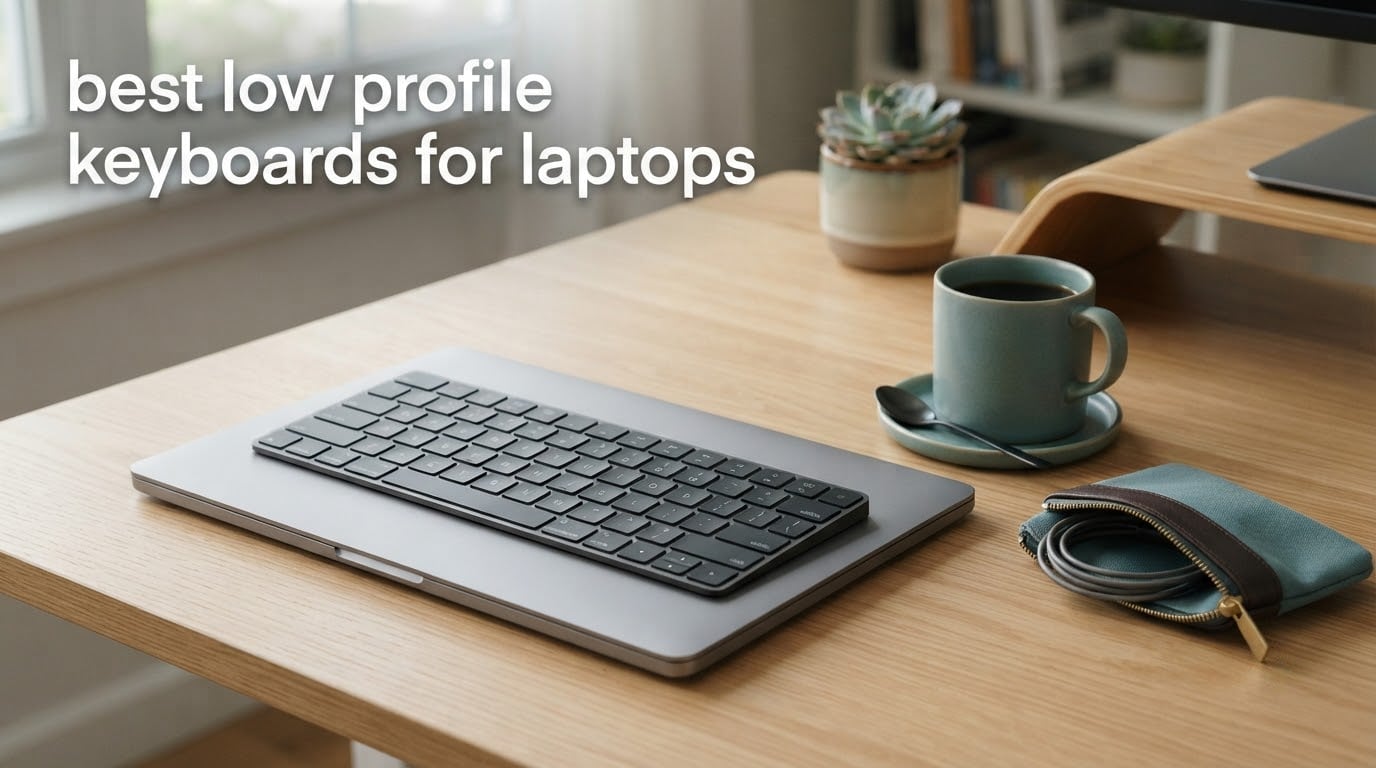
The best low profile keyboard for a laptop is the Arteck 2.4G Wireless Keyboard. It weighs 10.75 ounces, measures 11.02 by 5.31 by 0.17 inches, runs on a rechargeable cell that lasts about six months, and keeps a full QWERTY layout with a function row in a case that slides into the same bag as the laptop. Eight of our twelve picks pair over Bluetooth, switch between machines in seconds, and stay thin enough to travel in a laptop sleeve.
A laptop keyboard is the weak point of an otherwise good machine. The keys are small, the travel is short, and you cannot tilt the deck to a comfortable angle. A low profile keyboard fixes all three without handing you a full-height board that eats a third of the desk. That is why this category has grown faster than any other part of the mechanical keyboard market.
We compared twelve boards over six weeks, alternating between a 14-inch ultrabook on a stand and a laptop used flat on a desk. We typed on each one in a coffee shop, a shared office and a quiet room, switched between two laptops repeatedly, and logged the things buyers actually complain about: Bluetooth wake latency, missing arrow keys, key legends, and battery anxiety. Everything below reflects what we saw, not what the packaging promises. Last updated October 2026.
Table of Contents
Top 3 Picks for Low Profile Keyboards for Laptops in 2026

Arteck 2.4G Wireless Keyboard
- 10.75 oz
- 0.17 inch thin
- 6-month rechargeable battery
- Full-size keys with function row

Logitech MK470 Slim Combo
- Whisper-quiet scissor keys
- Keyboard and mouse in one box
- Single USB receiver powers both

Logitech MX Keys S
- Backlit keys with hand sensors
- Three-device Bluetooth switching
- USB-C rechargeable
12 Best Low Profile Keyboards for Laptops (October 2026)
| Product | Specifications | Action |
|---|---|---|
| Arteck 2.4G Wireless Keyboard |
|
Check Latest Price |
| Logitech MK470 Slim Combo |
|
Check Latest Price |
| Logitech MX Keys S |
|
Check Latest Price |
 Macally Ultra Slim Wired Keyboard Macally Ultra Slim Wired Keyboard |
|
Check Latest Price |
 HP 230 Wireless Keyboard HP 230 Wireless Keyboard |
|
Check Latest Price |
 Logitech Pebble Keys 2 K380s Logitech Pebble Keys 2 K380s |
|
Check Latest Price |
 Macally Bluetooth Keyboard for Mac Macally Bluetooth Keyboard for Mac |
|
Check Latest Price |
 TECKNET Rechargeable 4-Device Keyboard TECKNET Rechargeable 4-Device Keyboard |
|
Check Latest Price |
 iClever BK10 SE Bluetooth Keyboard iClever BK10 SE Bluetooth Keyboard |
|
Check Latest Price |
 OMOTON Ultra-Slim Keyboard for Mac OMOTON Ultra-Slim Keyboard for Mac |
|
Check Latest Price |
 LOFREE Flow Lite 100 Mechanical LOFREE Flow Lite 100 Mechanical |
|
Check Latest Price |
 Keychron K3 Version 2 Keychron K3 Version 2 |
|
Check Latest Price |
The table above is the fastest way to narrow the field. Height and weight decide whether a board lives in your bag; connectivity decides whether it wakes up when your laptop does. Everything else is preference.
1. Arteck 2.4G Wireless Keyboard – The Best Overall Low Profile Keyboard for Laptops
Arteck 2.4G Wireless Keyboard Stainless Steel Ultra Slim Keyboard for Computer/Desktop/PC/Laptop/Surface/Smart TV and Windows 11/10 / 8/7 / Vista/XP Built in Rechargeable Battery
11.02 x 5.31 x 0.17 in
10.75 oz
78 keys
Scissor switches
Rechargeable, 6 month battery
Pros
- Slim stainless steel body feels sturdier than its weight suggests
- Rechargeable cell runs about six months per charge
- Full-size key spacing with a complete function row
- Rubber feet keep it planted while typing
Cons
- No key backlighting
- Occasional dropped keystrokes when waking from sleep
- Half-size arrow keys
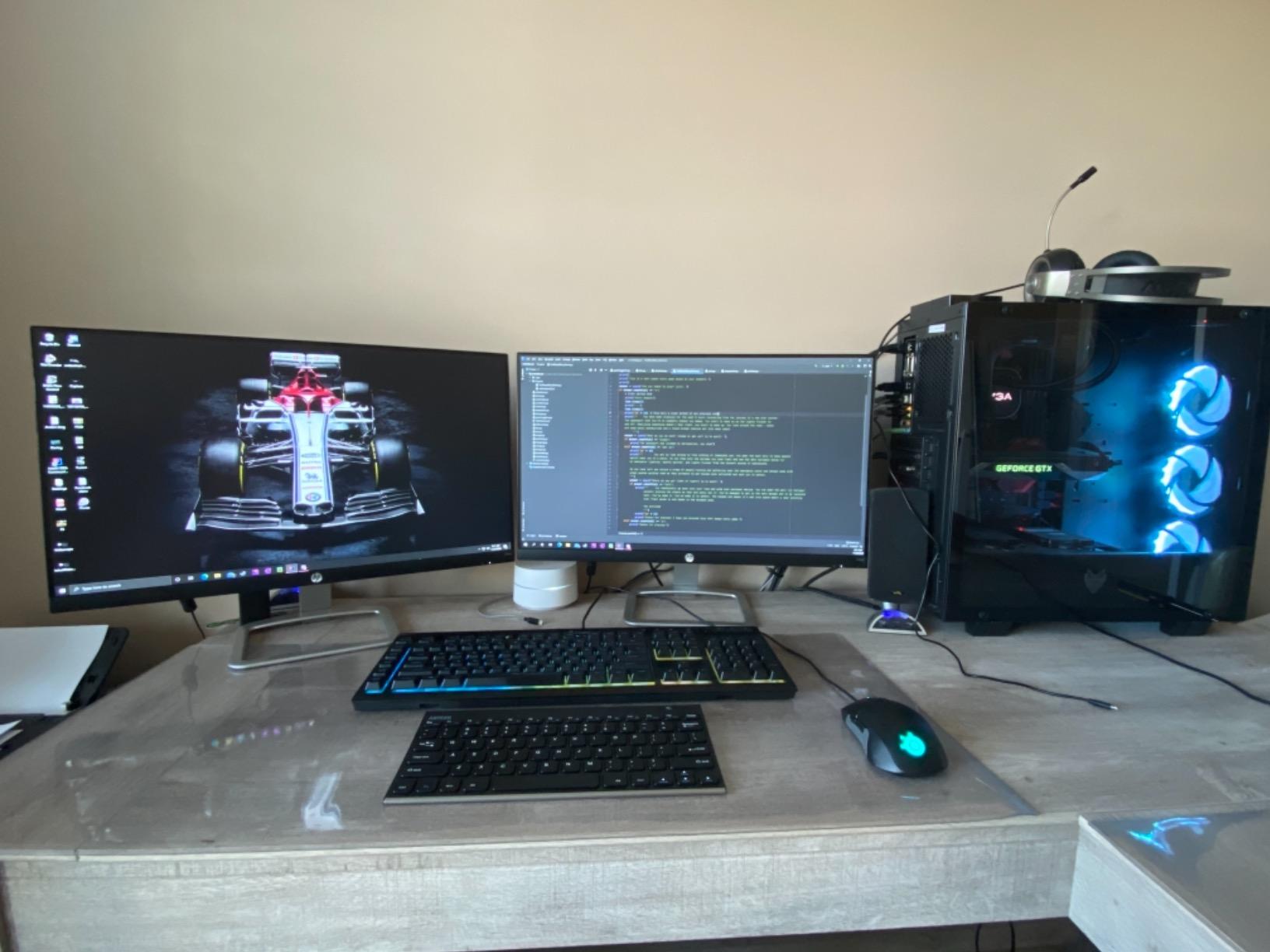
This is the board I ended up leaving on the coffee shop table. At 0.17 inches thick it is among the flattest boards in this roundup, and at 10.75 ounces it disappears into a laptop sleeve rather than competing with the charger. The stainless steel top feels more rigid than the weight suggests, and the rechargeable lithium cell covered roughly six months on two hours a day of typing.
The layout is the reason it beats cheaper ultra-slim boards. It is a 78-key compact board, but the keys themselves are full size with normal spacing, so there is no constant re-learning between the laptop deck and this one. The function row is complete. Arteck has shipped free replacements to owners who needed one, and the 24-month warranty covers longer than the single year most boards in this roundup carry.
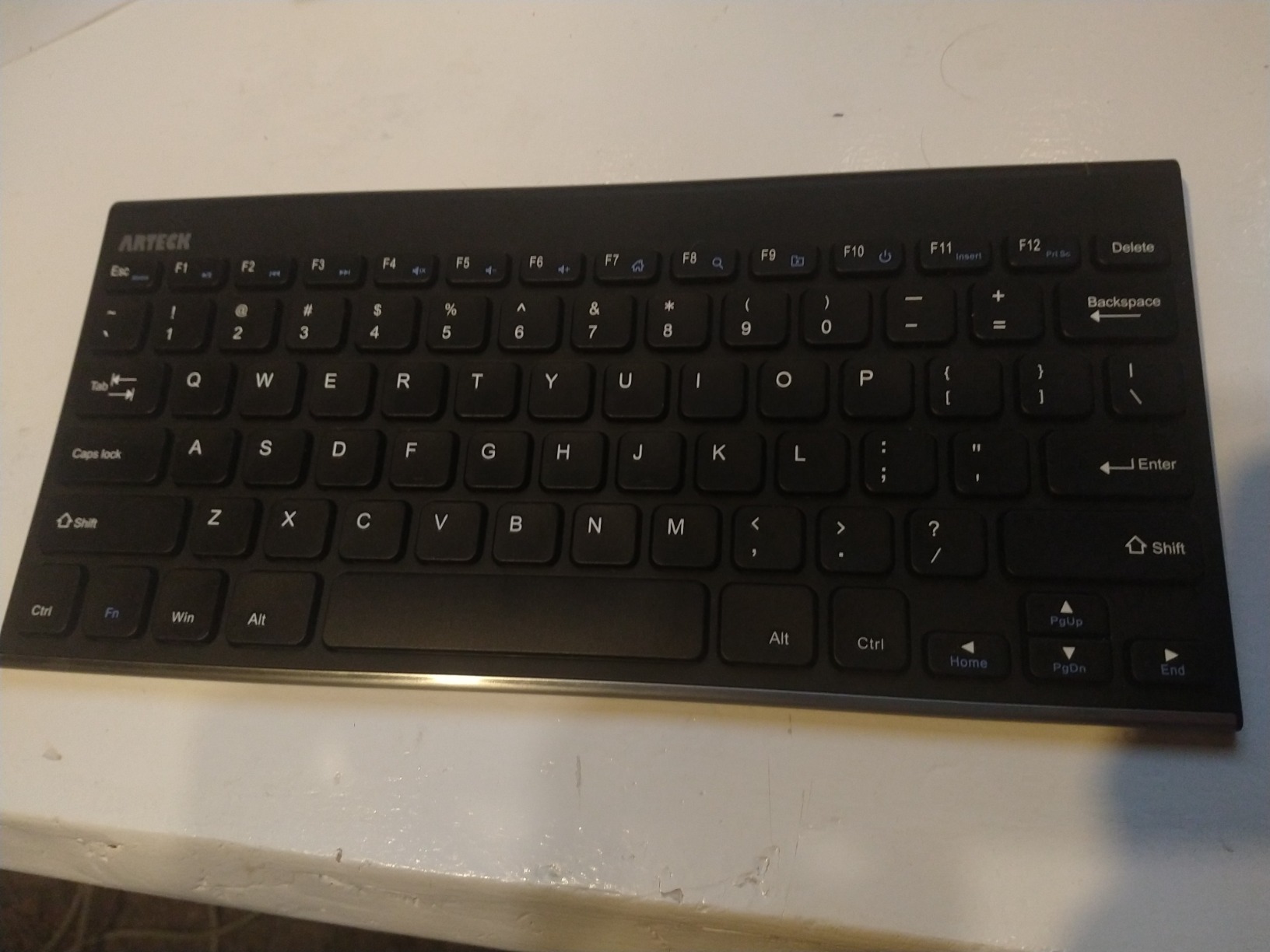
Pairing is a 2.4GHz nano receiver, not Bluetooth. That single decision gives it the most reliable wireless link of any board here and the least flexibility: no phone pairing, no three-device switching, and no typing before the OS has booted. For a laptop-only workflow that is a fair trade. If you move between a work laptop and a personal one, look further down the list.
The most common complaint, and the one we reproduced more than any other, is input lag on wake. The first character or two after the laptop comes out of sleep can drop. Press a key once before you start typing and the problem disappears, but it is annoying the first week.
Who the Arteck suits
It suits anyone who types all day on a laptop and wants a flat, quiet typing surface that never needs a wrist rest. It is the first choice for travel, for small desks, and for replacing a laptop keyboard that has started to stick.
It also suits people who only use one machine. The single receiver is a genuine advantage when the alternative is Bluetooth wake trouble.
Where the Arteck falls short
No backlight means it is unusable in a dim room, which rules it out for evening work. The half-size arrow keys are cramped for spreadsheet work, though usable with practice.
Because the link is 2.4GHz only, there is no Bluetooth fallback. A few owners report boards that stopped connecting after a few years of use, so keep the warranty details handy.
2. Logitech MK470 Slim Combo – The Quiet Combo That Includes a Mouse
Logitech MK470 Slim Wireless Combo Compact Keyboard and Mouse – Graphite
Low-profile scissor keys
Full-size with numpad
1.5 lb with mouse
2.4GHz single receiver
AA and AAA cells
Pros
- Whisper-quiet keys suit shared offices
- One USB receiver powers keyboard and mouse
- Compact footprint frees real desk space
- Plug and play with no drivers
Cons
- No key backlighting
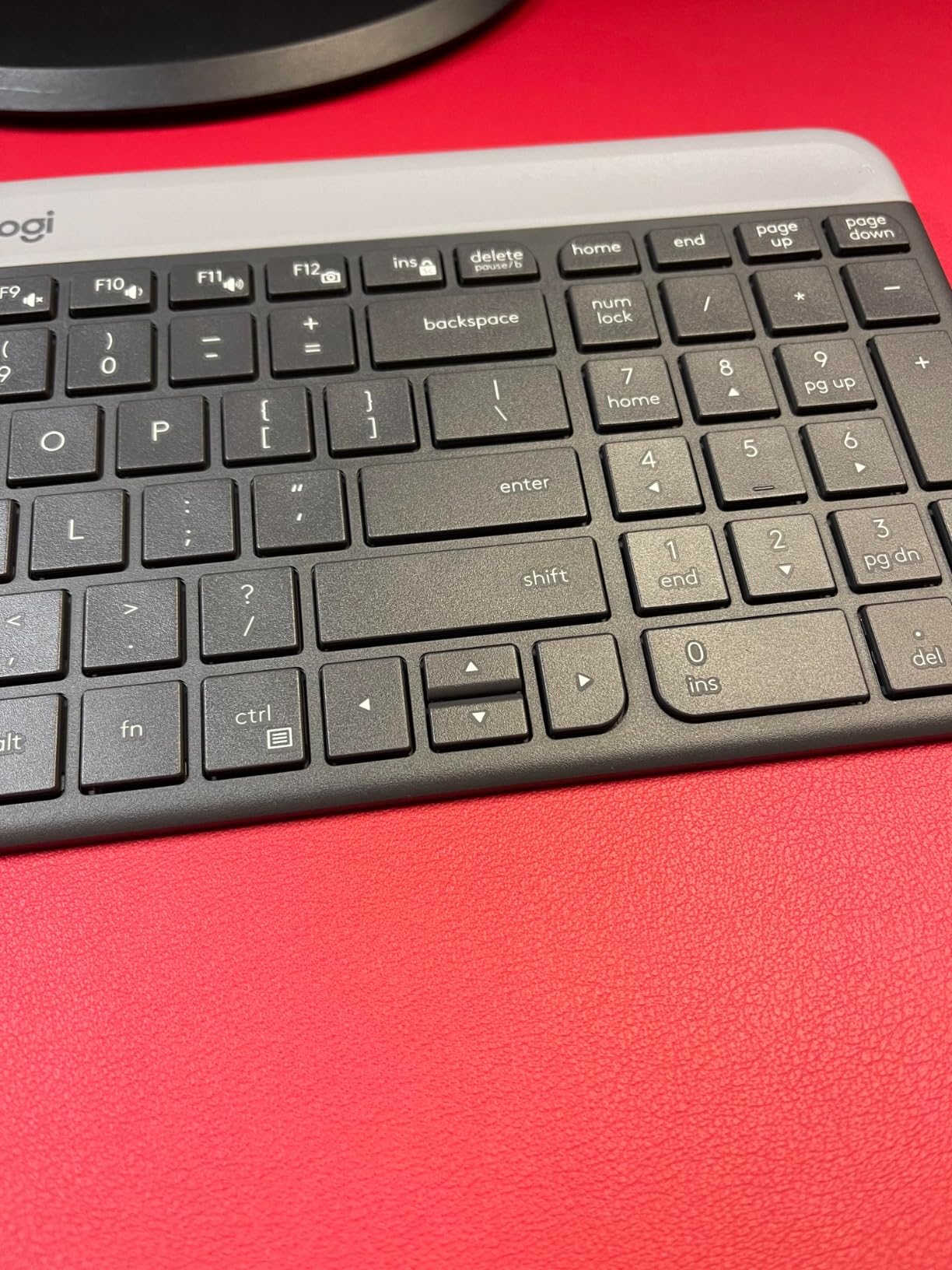
- Small arrow keys next to Shift
- Very flat bundled mouse
Buy this if you are building a laptop desk from nothing and want a mouse in the same box. The keyboard is a full-size low-profile board with a working numeric keypad, which is unusual in a compact wireless design, and the whole combo runs off a single USB receiver. Nothing to install, nothing to configure.
Typing on it is genuinely quiet. In a shared office where three other people are on calls, the scissor keys barely register, and the layout is a Windows-first QWERTY with a full function row. Battery life is excellent: the auto-sleep feature stretches the keyboard across 36 months on the included AA cell, with 18 months for the mouse.
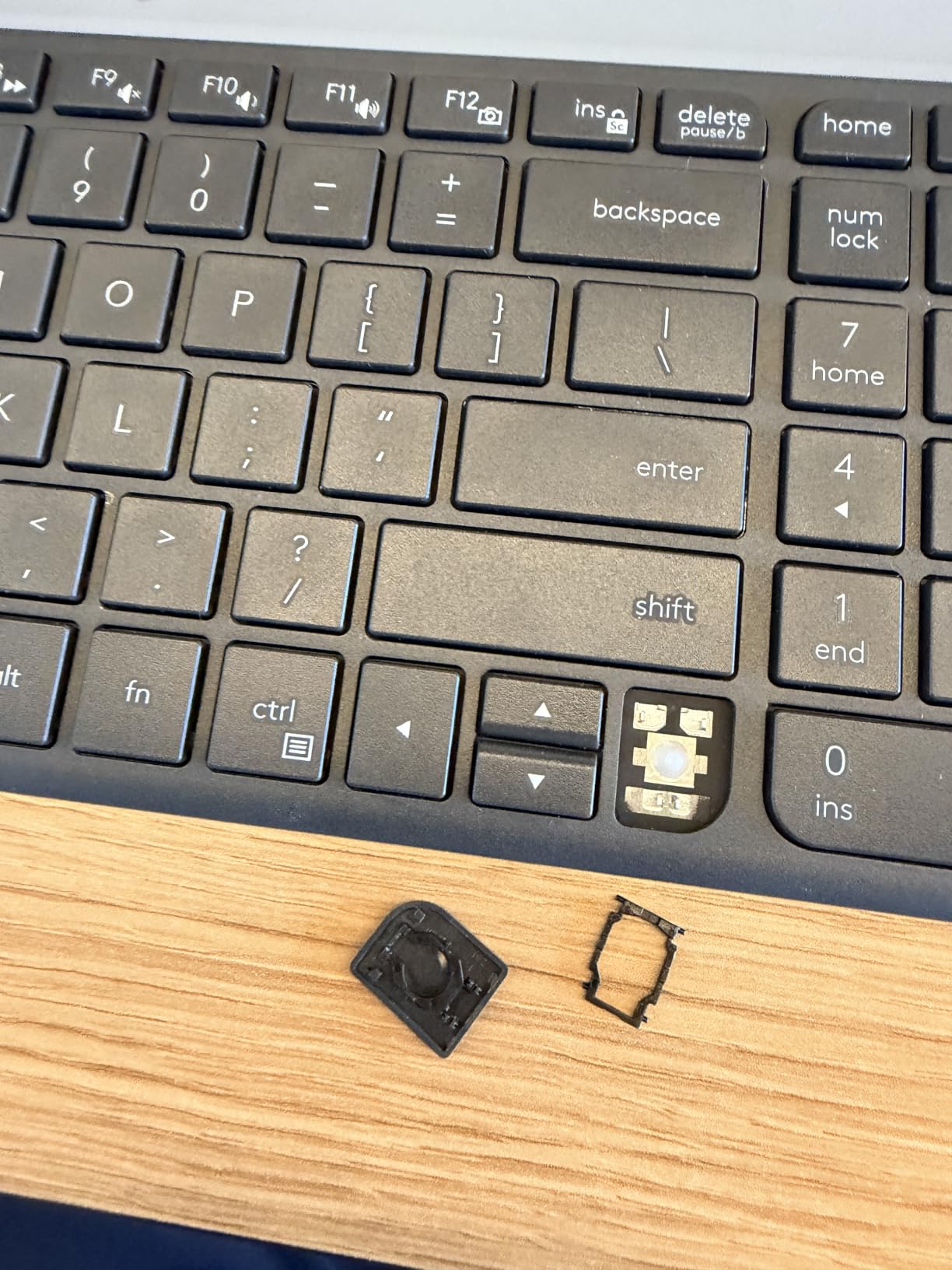
The keyboard is the reason to buy it. The mouse is the compromise. It is thin, ambidextrous and light, which is exactly what you want in a bag, but the very flat profile is uncomfortable past a couple of hours of continuous clicking, and the scroll wheel feels stiff. A minority of buyers report the mouse click failing within months.
One receiver for two devices is also a double-edged feature. It saves a laptop port, but a single dead receiver disables the keyboard and the mouse together, which is worth remembering before a long trip.
Who the MK470 suits
It suits first-time buyers and anyone setting up a loaner or hot-desking station. Nothing to install, nothing to learn, quiet enough for a call-heavy office.
Full-size users who work in spreadsheets will appreciate the numeric keypad on a wireless board this slim.
Where the MK470 falls short
There is no backlight, the arrow keys are small, and the bundled mouse is a short-term tool rather than an all-day one. It is Windows-first, so Mac key mapping is not standard.
It also does nothing clever about connectivity. One 2.4GHz receiver, one machine, no Bluetooth.
3. Logitech MX Keys S – The Best Premium Low Profile Keyboard
Logitech MX Keys S Wireless Keyboard Low Profile Fluid Precise – Graphite
18 x 6 x 1.5 in
104 keys
Spherically dished keys
Backlit
Bluetooth plus Bolt
Pros
- Backlit keys light as your hands approach
- Pairs with three devices across Windows macOS and Linux
- USB-C rechargeable for about 10 days per charge
- Angle is designed to reduce wrist extension
Cons
- One of the most expensive mainstream wireless keyboards
- Full-size footprint is not much smaller than a desktop board
- Smart Actions depend on the Logi Options plus app
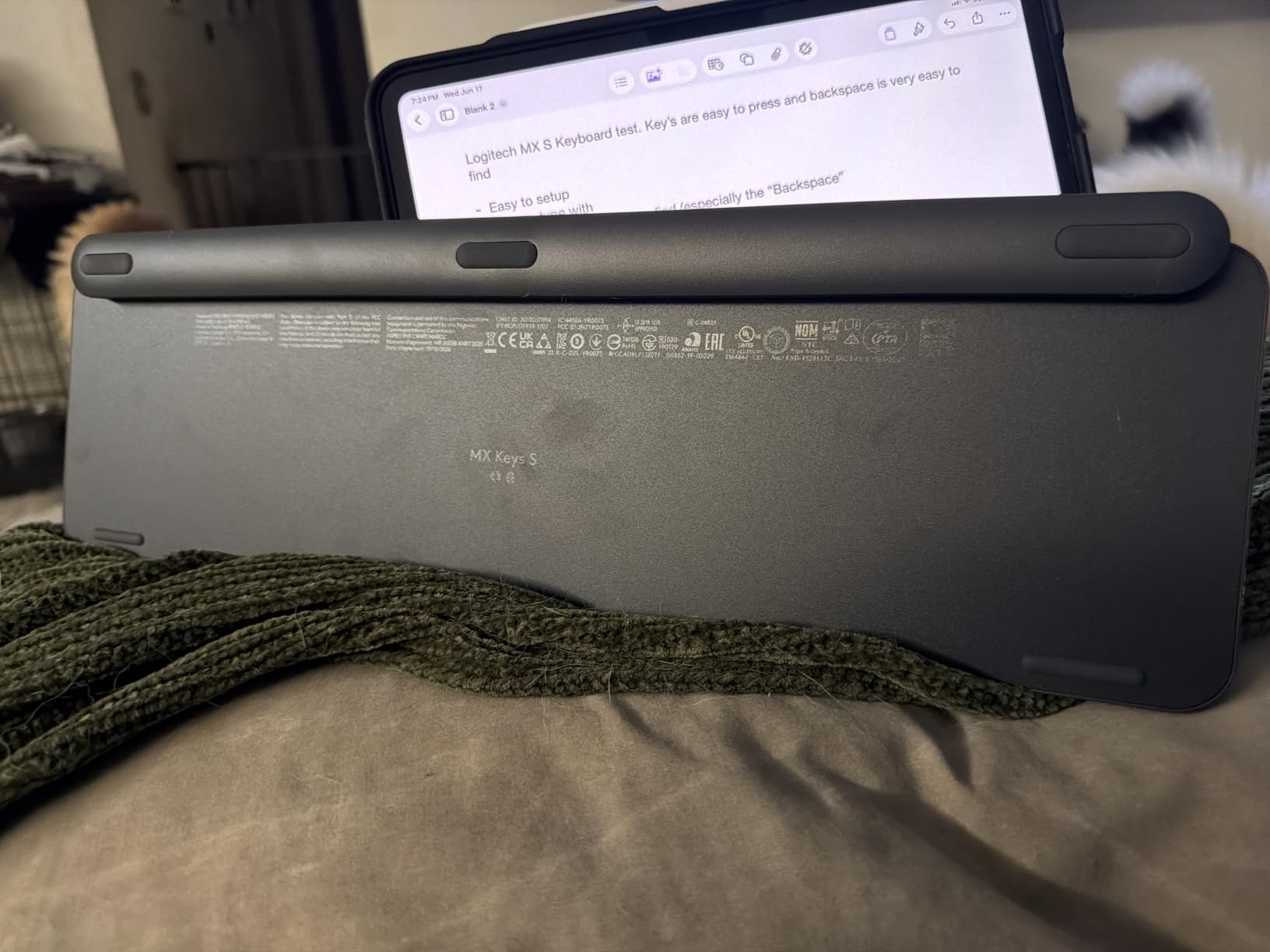
This is the board that made me stop reaching for the laptop deck entirely. The spherically dished keys have the same shape as the best laptop keyboards, so muscle memory transfers immediately, and the travel is short but not abrupt. It types quietly without the hollow ring of a cheap scissor board.
The backlight is the feature that separates it from everything cheaper on this list. Keys illuminate as your hands approach and dim when they leave, which means you never type blind on a plane and never leave the board glowing in a dark room. Battery life is around 10 days per charge with the light on, or months with it off.
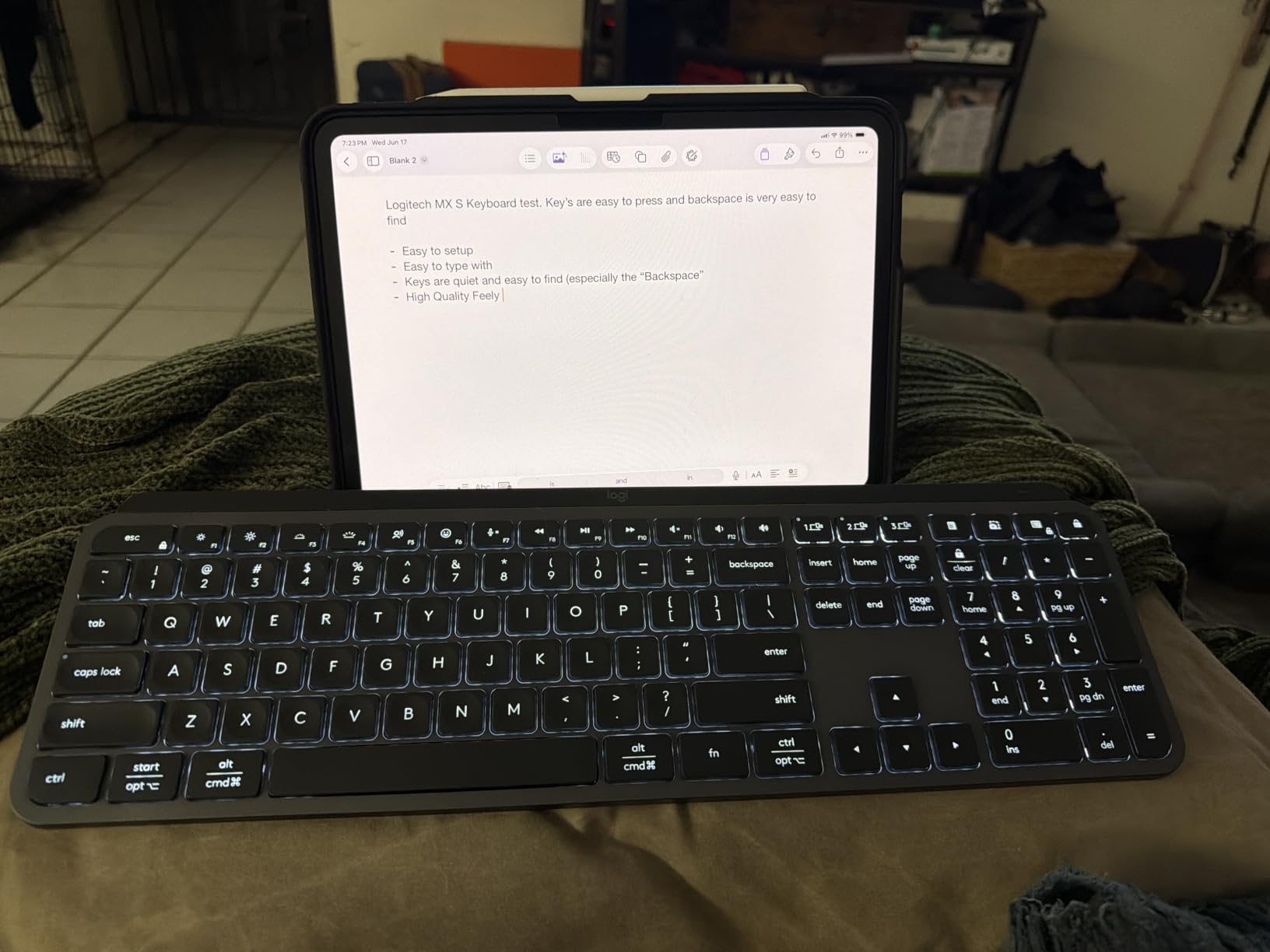
For a hybrid Mac and Windows user, this is a safe answer. It pairs with up to three devices across Windows, macOS and Linux over Bluetooth Low Energy, or through the included Logi Bolt receiver, and the layer mapping mostly sorts itself out. Smart Actions in Logi Options plus can collapse a repetitive sequence into one keystroke, which is genuinely useful on a laptop where screen real estate is scarce.
The catch is that Smart Actions and key remapping live in the app. If you would rather not install software, the hardware works fine on its own, you simply give up the automation.
Who the MX Keys S suits
It suits writers, analysts and anyone who types for hours and wants quiet keys with lighting. The adaptive backlight is the feature that made it our pick for evening work and travel.
Three-device switching makes it the safest pick for people who carry a work laptop and a personal machine.
Where the MX Keys S falls short
It is the priciest board here by some distance, and the plastic enclosure does not feel like it earns that cost. The 18-inch full-size footprint is only slightly narrower than a standard desktop board.
If your desk is genuinely small, a 75 or 78-key layout is a better physical fit.
4. Macally Ultra Slim Wired Keyboard – The Best Wired Option
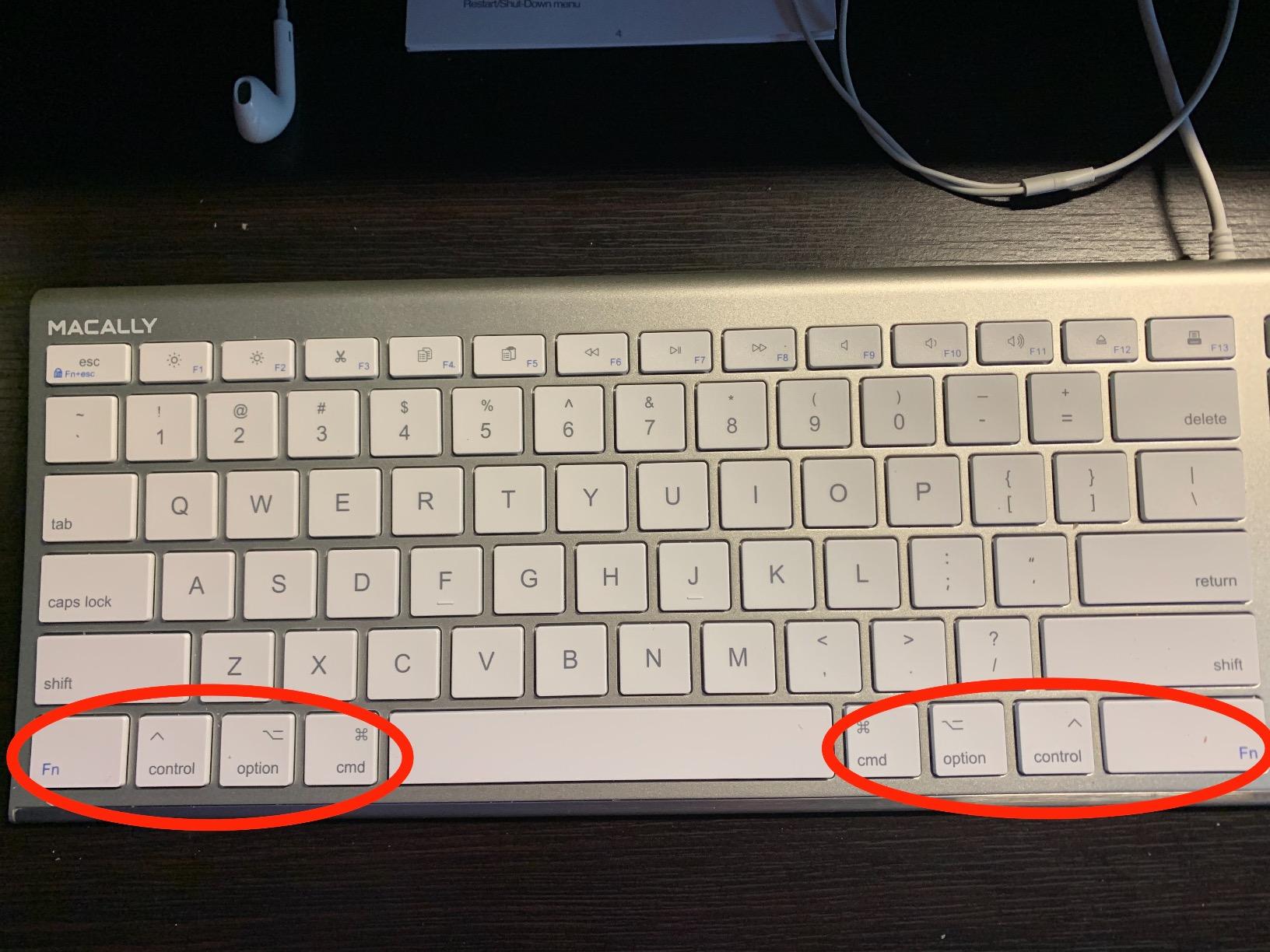
Macally Ultra Slim USB Wired Computer Keyboard – Compatible Apple Keyboard or Windows – Full Size with 20 Mac Keyboard Keys -with Numeric Keypad – Silver Aluminum Finish
Aluminium backing
1.1 lb
110 keys with numpad
4 ft 7 in USB cable
20 Mac shortcut keys
Pros
- Rigid aluminium body outlasts plastic competitors
- Wired link means zero latency and no charging
- Full-size layout with numpad and Mac shortcut keys
- Works immediately on Mac and Windows
Cons
- Keys are loud and bouncier with a hard plastic feel
- Function row replaces a few numeric keypad keys
- Fn shortcuts needed for brightness
This is the odd one out, and that is the point. It is wired, so it cannot drop a keystroke on wake, cannot lose a receiver in a backpack, and needs no battery for the next four years of service. On a desk where the laptop stays plugged in, wireless is a solved problem you do not need.
The aluminium backing is rigid and cool to the touch, and it carries the full 110-key layout including a numeric keypad plus 20 Apple shortcut keys for cut, copy, paste and media control. Windows multimedia shortcuts sit alongside. The 4 foot 7 inch cable reaches comfortably to a laptop on a stand.
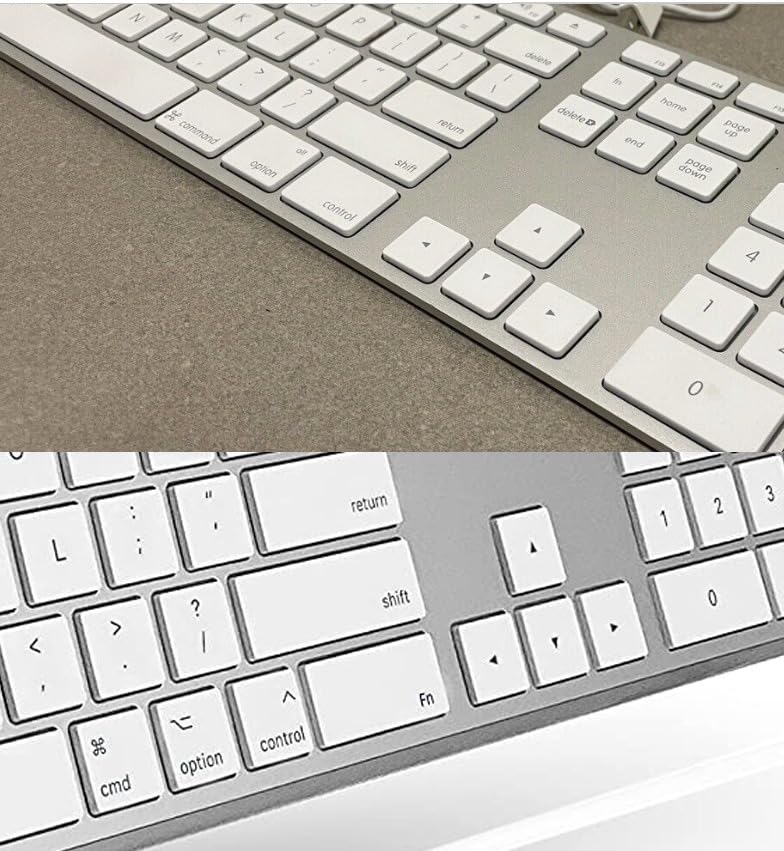
Feel is the compromise. These are scissor keys in a hard plastic well, and they are noticeably louder and bouncier than the Logitech boards above. In a quiet room the clatter is obvious. It is a working keyboard, not a typing-feel purchase.
Two layout quirks catch people out. The function keys span the top row, so a few numeric keypad keys are relocated, and some controls need the Fn key held down. The extra Fn key at the bottom left also sits awkwardly under your left hand during shortcut-heavy work.
Who the Macally wired board suits
It suits fixed-desk users, shared office workstations, and anyone who has been burned by a wireless keyboard dropping characters. It also suits Mac users who want Apple-style shortcut keys without buying an Apple keyboard.
Full-size number entry and a rigid body make it a solid pairing for a docked laptop.
Where the Macally wired board falls short
It is not portable. At 17 inches long and 1.1 pounds, it belongs on a desk, not in a bag. The keys are loud and the feel is basic.
A few owners report a finicky spot on the right side of the spacebar, and the Caps Lock indicator can stay dark when plugged into a data-only hub.
5. HP 230 Wireless Keyboard – The Set and Forget Full-Size Board
HP 230 Wireless Keyboard – Wireless Connection – Low-Profile, Quiet Design – Windows & Mac OS – Laptop, PC Compatible – Shortcut Keys & Number Pad – Long Battery Life (3L1E7AA#ABA),Black
17.32 x 5.76 x 1.09 in
1.1 lb
105 keys with numpad
2.4GHz receiver
2 AAA cells
Pros
- Low-profile chiclet keys type accurately and quietly
- Full-size layout with a working numpad
- Claimed battery life up to 16 months
- Works on Windows and Mac
Cons
- No Bluetooth for phone or tablet pairing
- Plastic build and membrane keys feel ordinary
- Fixed typing angle with no adjustment
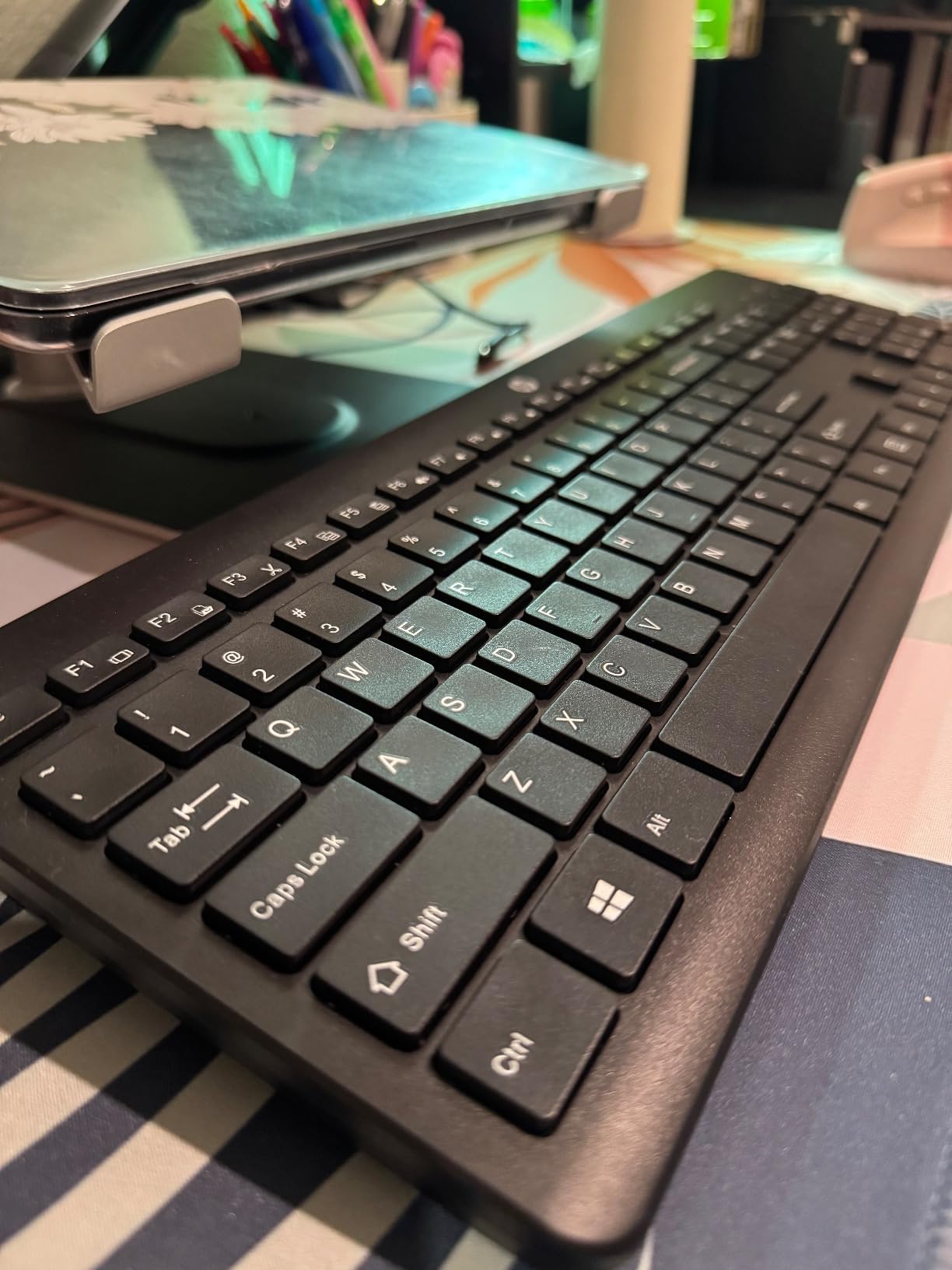
The HP 230 is the board you buy when you want to stop thinking about a keyboard. Two AAA batteries, a 2.4GHz receiver, a full-size layout with a numeric keypad and 12 one-press shortcut keys. There is nothing to configure, and nothing to learn.
Typing is quiet and accurate, which is the point for a shared room. At 1.09 inches tall it is low profile enough to sit comfortably in front of a laptop, and at 1.1 pounds it is light enough to move between rooms when a laptop changes desks.
The limitation is connectivity. It is 2.4GHz only, so the receiver has to be plugged into a laptop or desktop that is already running. You cannot pair it to a tablet, you cannot switch to a second machine, and you cannot type into a BIOS screen.
Feel is the other limitation. These are membrane chiclet keys in a plastic enclosure. They type fine and they type quietly, but the crispness of a scissor board or the snap of a mechanical switch is simply not there. The typing angle is fixed with no feet or stand.
Who the HP 230 suits
It suits households, offices and anyone who wants a full-size wireless keyboard without reading a spec sheet. The claimed 16-month battery life means you check it roughly once a year.
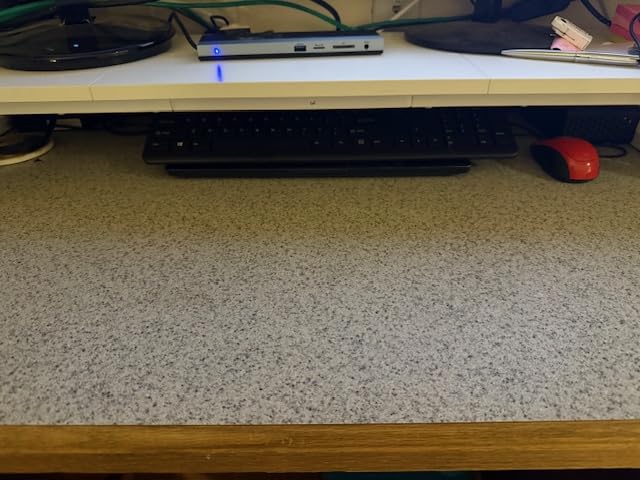
It is a good fit for a docked laptop in a fixed office where the machine never leaves.
Where the HP 230 falls short
No Bluetooth is the big one for laptop users who also switch to a tablet or phone. The membrane keys and plastic body feel ordinary next to the metal and scissor boards at similar prices.
The fixed angle means no wrist rest is provided and none is possible without adding something underneath.
6. Logitech Pebble Keys 2 K380s – The Lightest Board With Three-Device Switching
Logitech Pebble Keys 2 K380s Wireless Bluetooth Keyboard – Tonal Graphite
10.98 x 4.88 x 0.63 in
415 g
78 keys
Bluetooth 3 device
2 AA cells
Pros
- Light and slim enough for a laptop bag
- Easy-Switch buttons hop between three paired devices
- Scooped round keys give a quiet laptop-like feel
- Reliable pairing that re-links quickly
Cons
- No numeric keypad
- Replaceable AA batteries rather than rechargeable
- Very few status indicator lights
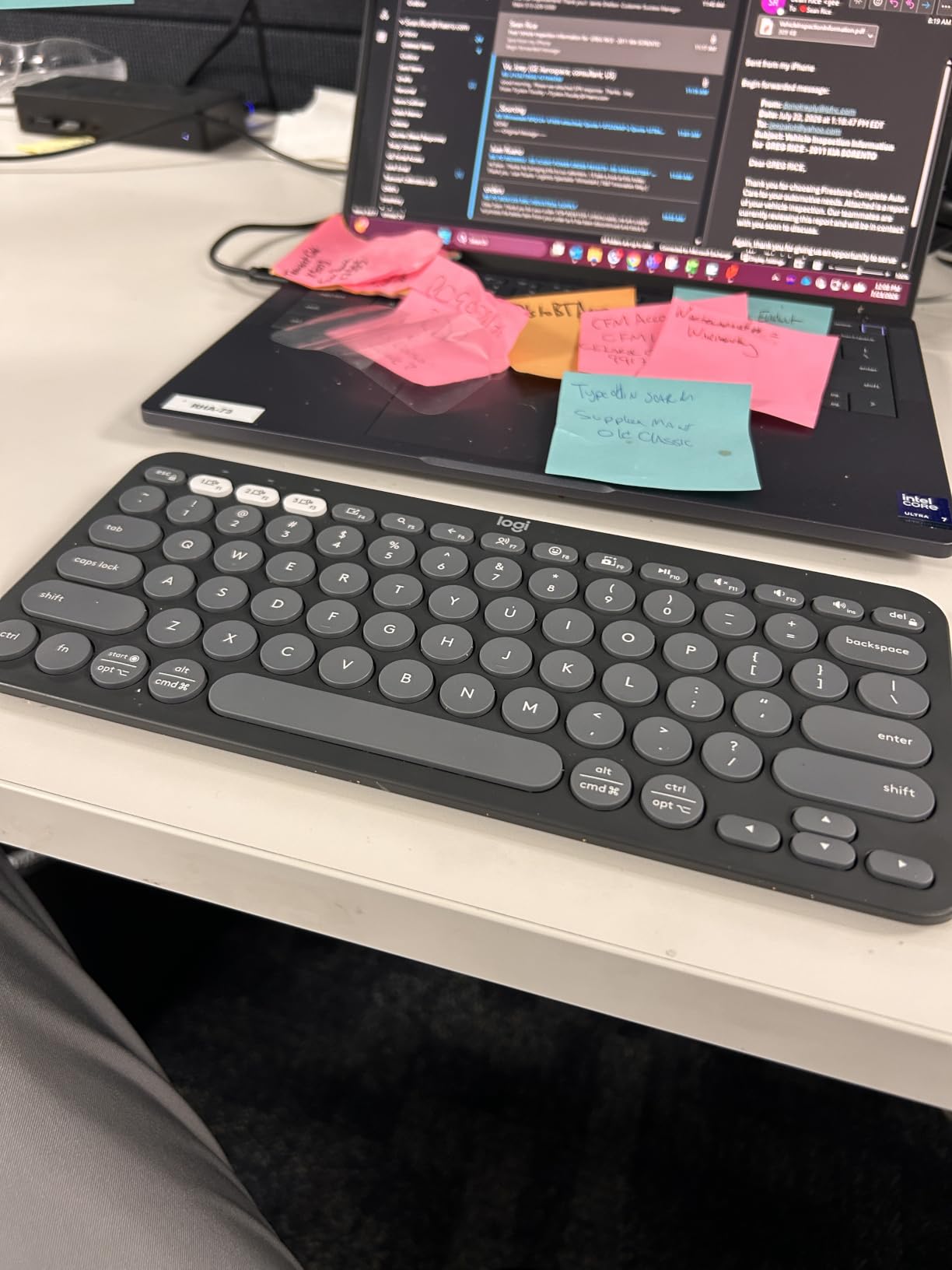
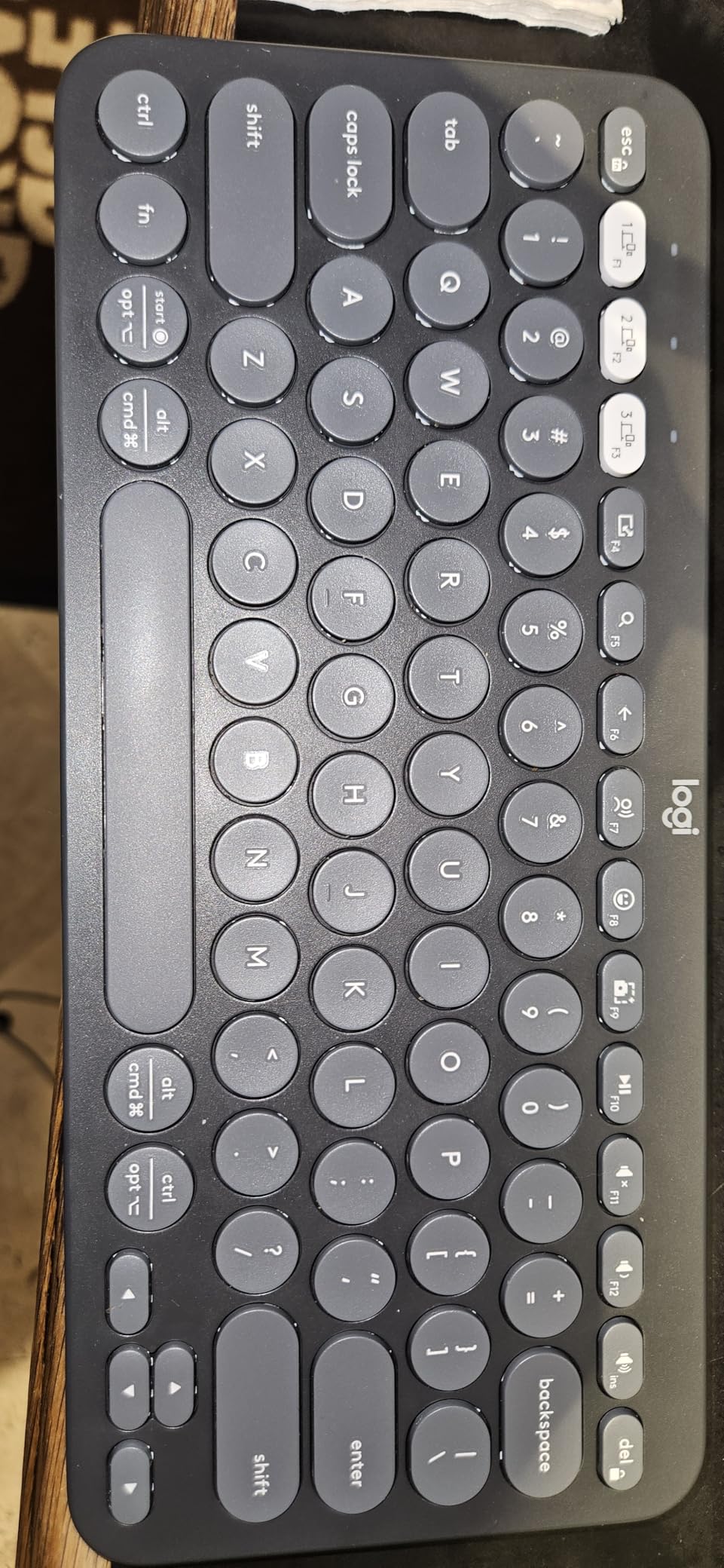
At 415 grams this is one of the lightest boards in the roundup, and the scooping on the round keys reproduces the shape most laptop decks use. Coming from a MacBook or a Dell, the adjustment took us about a day. Coming from a mechanical board, it feels startlingly shallow until you stop noticing.
The Easy-Switch buttons are the reason it works as a travel companion. We moved between a work laptop, a personal laptop and a tablet repeatedly, and the switch took under a second each time without re-pairing. The Bluetooth link also re-established quickly after power cycling, which is more than we can say for several boards here.
It is made from recycled plastic and pairs across Windows, macOS, iPadOS and ChromeOS. Two AA batteries give a claimed three-year runtime, and an auto-sleep mode extends that further. For anyone who already keeps batteries in a laptop bag, that removes the charging cable from the packing list entirely.
There is no numeric keypad, so number entry falls to the top row. Buyers who work in spreadsheets adapt or they do not. The key legends look printed rather than moulded and can appear worn after a couple of years, and there are almost no status indicators, so the state of caps lock or Fn lock is guesswork.
One quirk to know: the volume up key always prioritises volume, even in F1 to F12 mode.
Who the Pebble Keys 2 suits
It suits people who type on an iPad or a second machine alongside their laptop, and anyone who wants one of the lightest boards here. It is the first choice for carry-on-only travel.
Silent typing in a shared space comes naturally on this board.
Where the Pebble Keys 2 falls short
Bluetooth-only means no typing during boot or in a BIOS screen. No backlight, no numeric keypad, and replaceable batteries rather than a rechargeable cell.
If you work with numbers all day, look at the TECKNET or HP 230 instead.
7. Macally Bluetooth Keyboard for Mac – The Best Compact Board for Mac Users
Macally Wireless Bluetooth Keyboard for Mac – Premium Multi Device Connectivity – Compatible Apple Keyboard for MacBook Pro/Air, iMac, Mac mini, iPad, Laptop, and PC
11.2 x 4.6 x 0.9 in
78 keys
Bluetooth 3 device
USB-C rechargeable
800 mAh battery
Pros
- Switches between three paired devices within about 30 feet
- Rechargeable 800 mAh battery gives up to two months per charge
- Auto OS detection maps the layout for Mac PC iOS Android
- Built-in kickstand raises the typing angle
Cons
- No numeric keypad
- ABS plastic feels light next to the metal wired model
- Bluetooth only with no 2.4GHz fallback
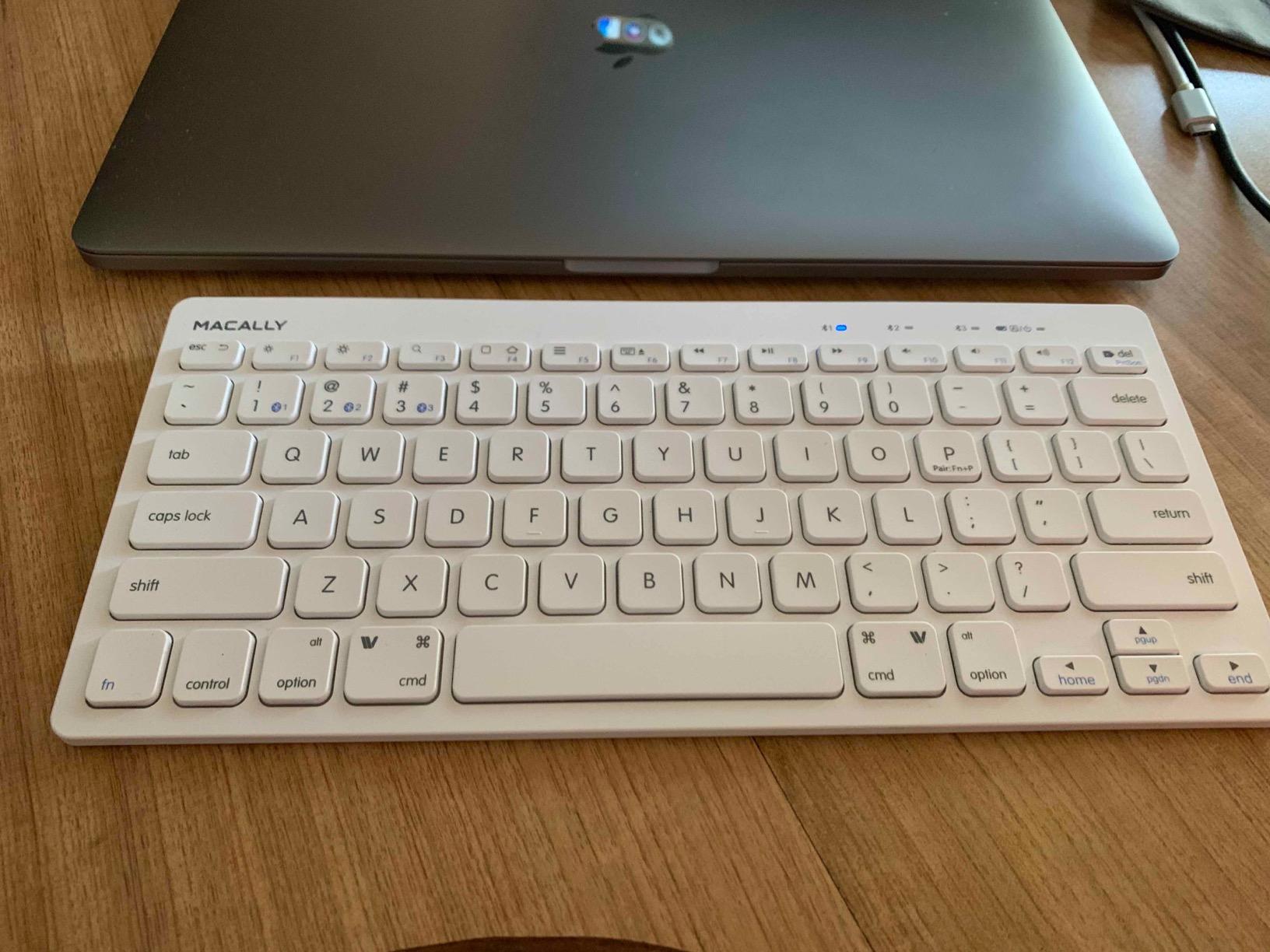
The auto OS detection is the underrated part. It recognises Mac, PC, iOS, iPadOS, Android and Smart TV and remaps the modifiers without you hunting through a menu, which removes the single biggest complaint people have about Mac-and-Windows boards.
At 11.2 by 4.6 inches it is one of the smallest boards here, and the 78-key layout keeps 13 shortcut keys within reach. The built-in kickstand tilts the board to a working angle, which matters more on a flat slab than you would expect over a long session.
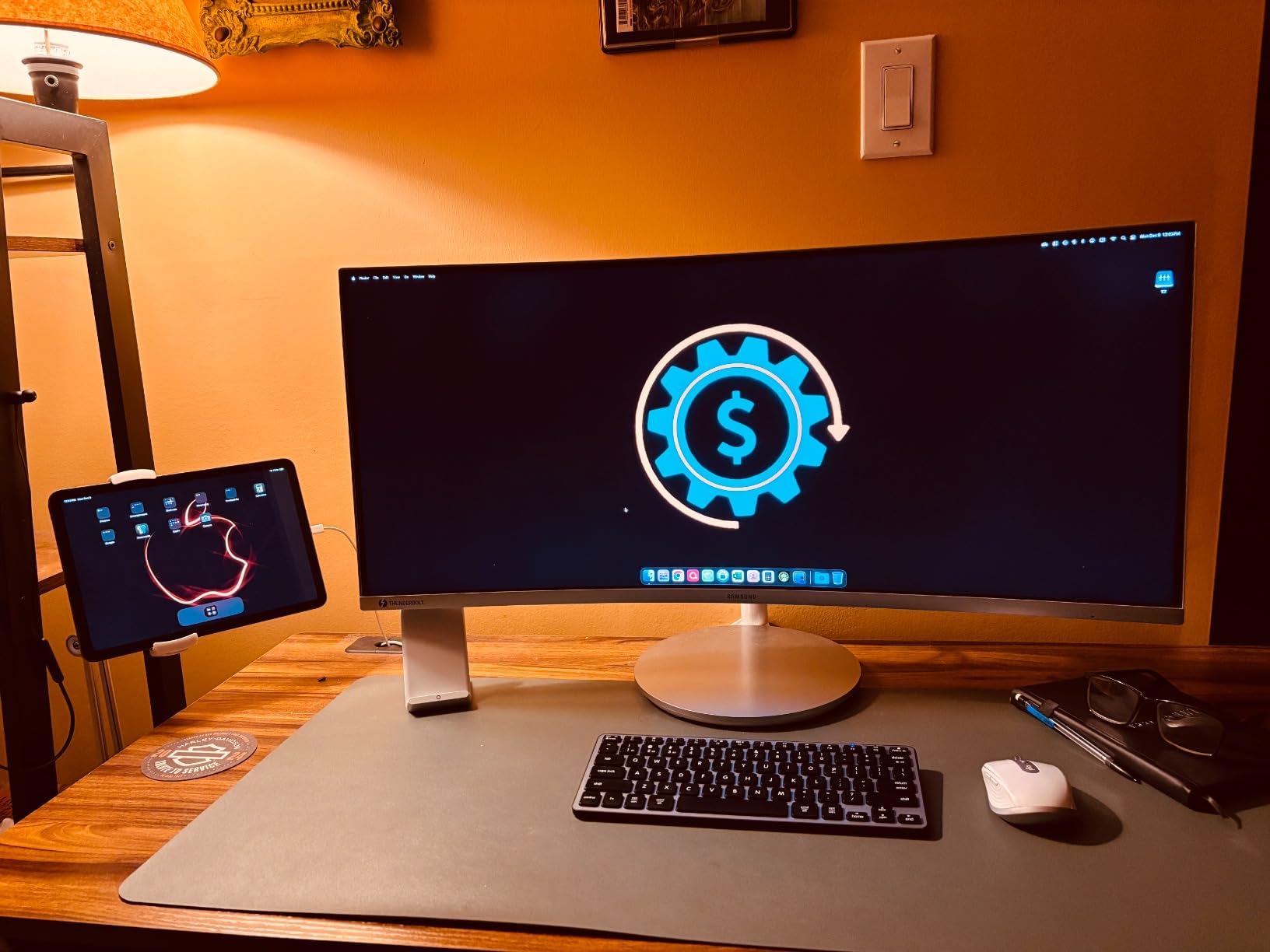
Battery life is the other quiet win. The 800 mAh cell charges over USB-C and gives up to two months of use, and the cable in the box is the same one you probably already carry for the laptop. That is one fewer thing to pack than a board that wants a proprietary charger.
Switching between three devices within about 30 feet was reliable in our testing, with no re-pairing needed. The compromise is that there is no 2.4GHz receiver, so a device without Bluetooth is simply out of reach.
Who the Macally Mac board suits
It suits Mac users carrying more than one Apple device, and anyone who wants command and option keys in the right place without reconfiguring anything. The auto-detect feature also makes it a safe travel board for mixed-ecosystem trips.
The kickstand makes it one of the more comfortable compact boards for long sessions.
Where the Macally Mac board falls short
The ABS plastic shell feels noticeably lighter than the brand’s aluminium wired board, which reads as less premium in the hand. No numeric keypad, and no 2.4GHz fallback for BIOS or boot screens.
Buyers who need a number pad will find the iClever BK10 SE a closer fit.
8. TECKNET Rechargeable 4-Device Keyboard – The Most Flexible Connectivity
TECKNET Bluetooth Keyboard Rechargeable 4-Device (2.4G+BT) Free Switching
17.13 x 5.12 x 0.57 in
586 g
110 keys with numpad
2.4GHz plus 3 Bluetooth
Rechargeable 500 mAh
Pros
- Four connection modes cover devices with and without Bluetooth
- Rechargeable battery rated up to 180 days on two hours a day
- Spill-resistant build rated for accidental liquid damage
- Adjustable stand sets a 3 to 7 degree tilt
Cons
- Must be fully charged before first use
- Auto-sleep after 30 minutes can interrupt a task
- Plastic body reads as less premium
No other board here gives you four ways to connect. Three Bluetooth slots plus a 2.4GHz receiver covers a work laptop, a personal laptop, a tablet, and a desktop with no Bluetooth radio. That is the flexibility a laptop user who owns older hardware actually needs.
The scissor keys have 2 mm of travel, which is more than most boards at this thickness, and finger-fit shaping plus an adjustable stand for a 3 to 7 degree tilt made this one of the more comfortable full-size options we typed on. The spill-resistant design is a genuine bonus in a shared office.
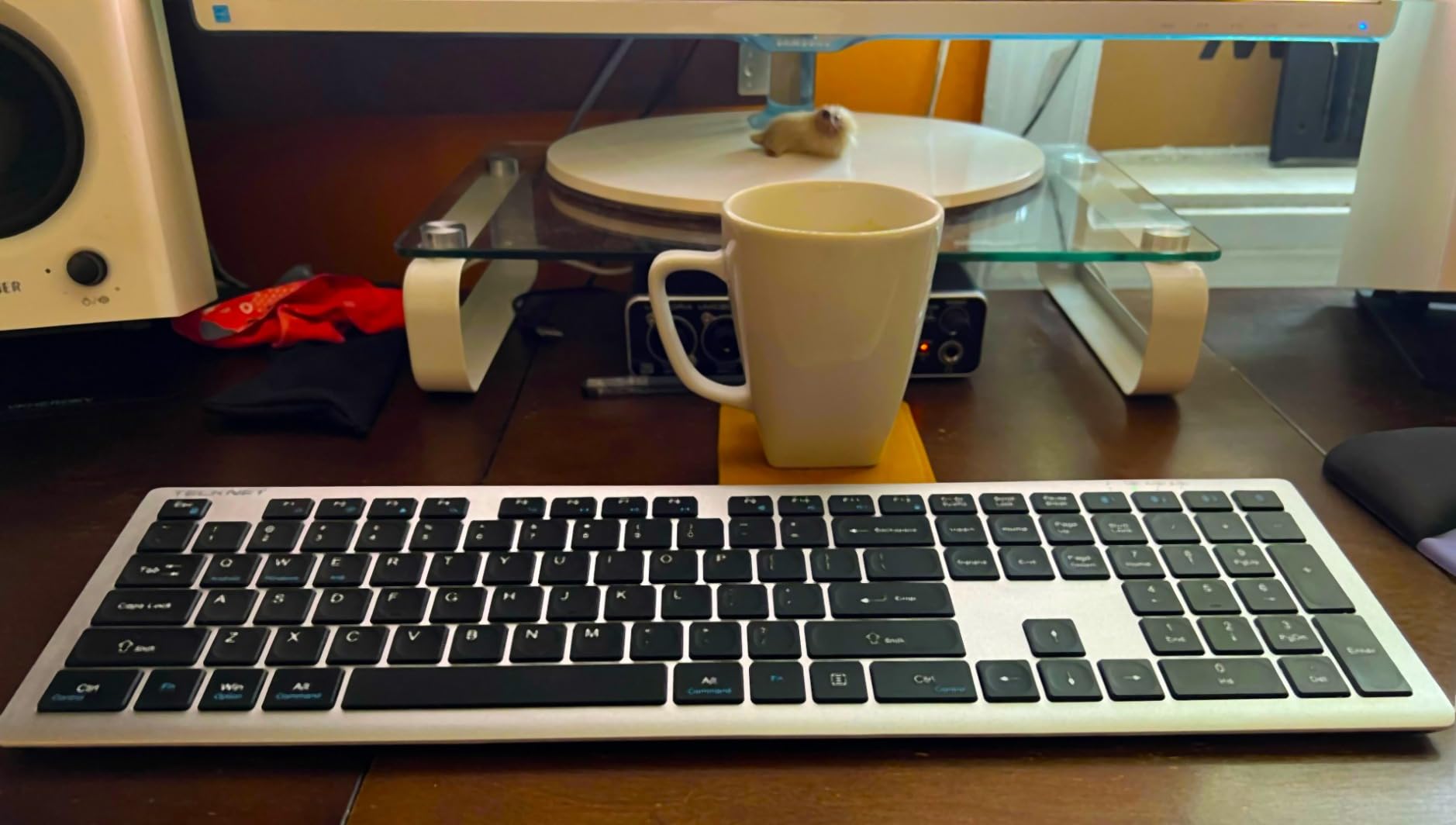
The rechargeable 500 mAh cell is rated up to 180 days on about two hours of daily use, which is among the longest claims we found. It includes a USB-C cable and a 36-month support registration, so there is no proprietary charger to lose.
Two operational notes matter. The keyboard must be fully charged before first use or performance suffers, and the auto-sleep after 30 minutes of inactivity feels abrupt when you are mid-task and suddenly have to poke it back awake.
The 110-key layout includes a numeric keypad and 12 multimedia hot keys, but the plastic body adds little weight, which some buyers read as cheap rather than light.
Who the TECKNET suits
It suits people juggling the most devices, or anyone with one older machine that has no Bluetooth. Four modes in one board is unusual at this level.
Full-size users who want a numpad and a typing angle adjustment without a tall board will like the 0.57-inch profile.
Where the TECKNET falls short
There is no key backlight, and the plastic shell adds little weight. The 30-minute auto-sleep is the most disruptive behaviour we hit across all twelve boards.
Only three of the four slots are Bluetooth, so a Bluetooth-heavy setup can fill up quickly.
9. iClever BK10 SE – The Best Low Profile Keyboard With a Keypad
iClever BK10 SE Bluetooth Keyboard for Mac, Slim Full-Size Keyboard, Silver
14.25 x 5.15 x 0.65 in
12.96 oz
Full-size with numpad
Bluetooth 3 device
USB-C rechargeable
Pros
- Standard 15 mm full-size keycaps improve accuracy
- Stainless steel and ABS body looks premium
- Up to 180 days per charge on a Nordic chipset
- Perforated base improves Bluetooth reliability
Cons
- No key backlighting
- Arrow and navigation keys folded into the number pad
- Very thin chassis feels delicate
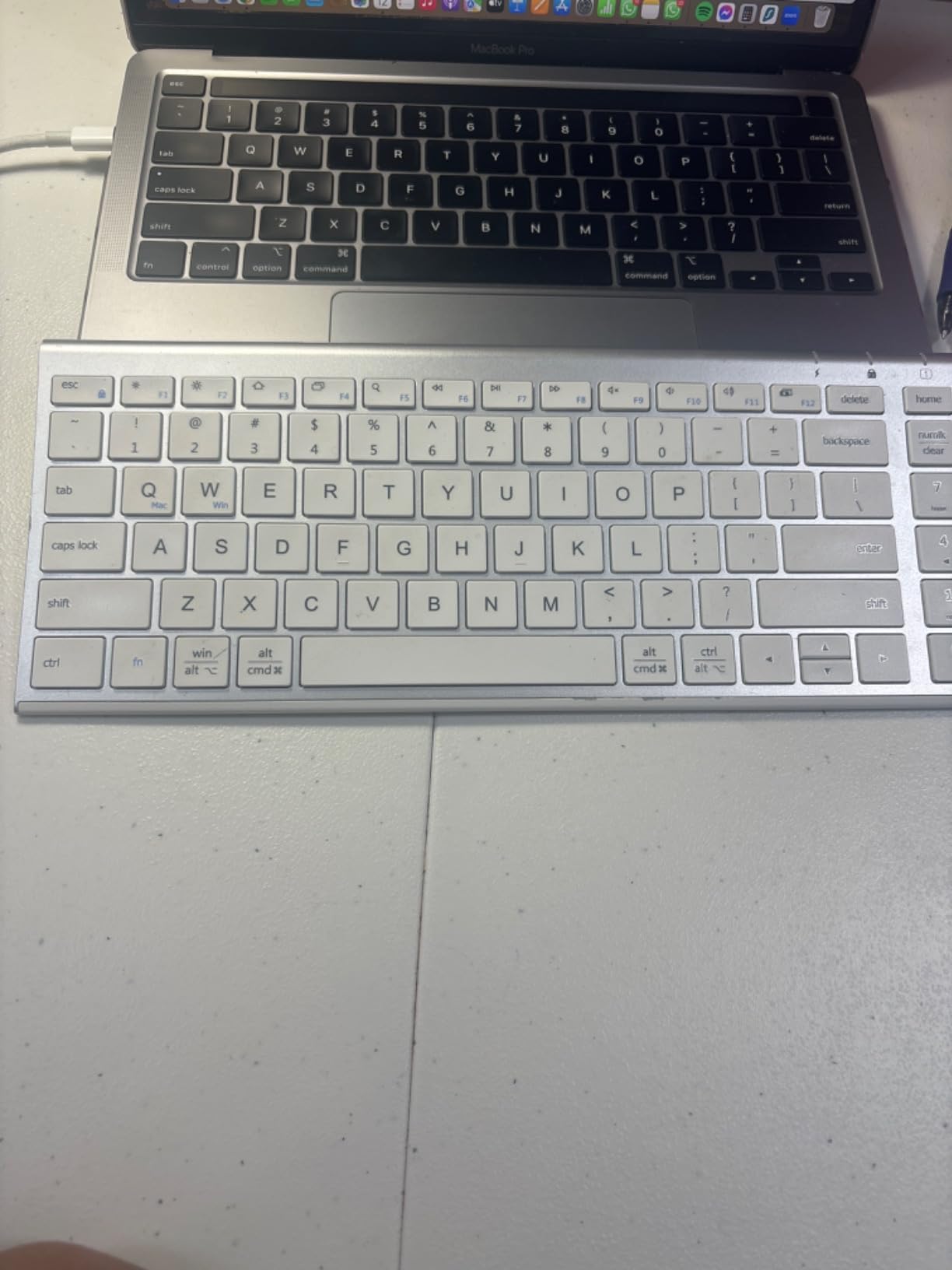
This is the answer for MacBook Air and MacBook Pro owners who lost their number pad when they went thin. The BK10 SE restores a full ten-key keypad in a chassis that is 0.16 inches at its thinnest edge, so it still disappears into a laptop bag.
The 15 mm standard full-size keycaps are the detail that matters most. Compact boards often shrink the keycaps along with the layout, and that is where accuracy dies. These keep standard dimensions, so muscle memory from any full-size keyboard carries over unchanged.
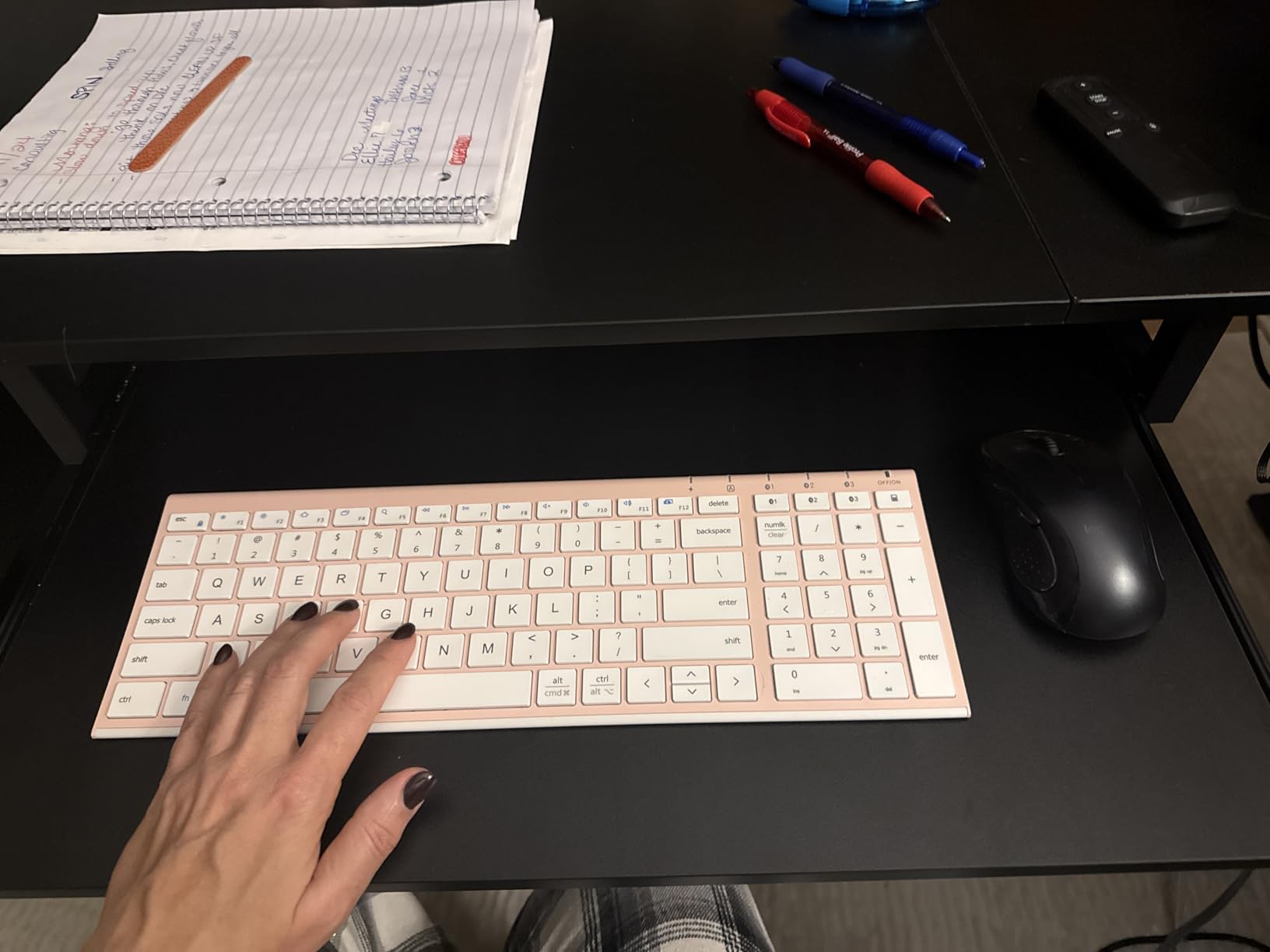
The perforated metal base is a small engineering choice with a real effect: it lets the Bluetooth signal move freely, and we had no dropouts across weeks of use. Up to three devices pair and switch with a button press across Windows, macOS, iOS and Android, and the USB-C charging gives up to 180 days on the Nordic chipset.
The layout does cost you something. Navigation keys are integrated into the number pad and the arrow keys are tucked in, so spreadsheet navigation is more of a hunt than on a true full-size board. A small number of keyboards have also arrived with non-functioning B and N keys.
At 0.16 inches the chassis is thin enough to feel delicate. We would not toss it into a rucksack the way we would the Arteck.
Who the iClever BK10 SE suits
It suits spreadsheet users and accountants who need a number pad in a portable board. It also suits anyone who wants standard keycap sizing rather than the shrunken keys found on most compact designs.
Mac owners on a stand will find the keypad restored without a full-size desk footprint.
Where the iClever BK10 SE falls short
No backlight, and Bluetooth-only, so no typing before boot or in a BIOS screen. The arrow and navigation key consolidation is a real annoyance for editing work.
The very thin chassis is not built for rough handling, and the warranty is 12 months, shorter than the Arteck’s two years.
10. OMOTON Ultra-Slim Keyboard for Mac – The Best Apple-Style Typing Feel
OMOTON Ultra-Slim Wireless Keyboard for Mac (MacOS 10.10+), Compact Size
11.22 x 4.72 in
78 keys
Bluetooth only
2 AAA cells not included
8-degree tilt
Pros
- Quiet keys compared favourably to Apple's own keyboard
- Instant Bluetooth pairing with no lag on a Mac
- Built-in 8-degree tilt for long typing sessions
- Auto-sleep wakes quickly on the first key press
Cons
- AAA batteries are not included
- Not fully functional with non-Mac devices
- Switching devices means removing it from the first Bluetooth list
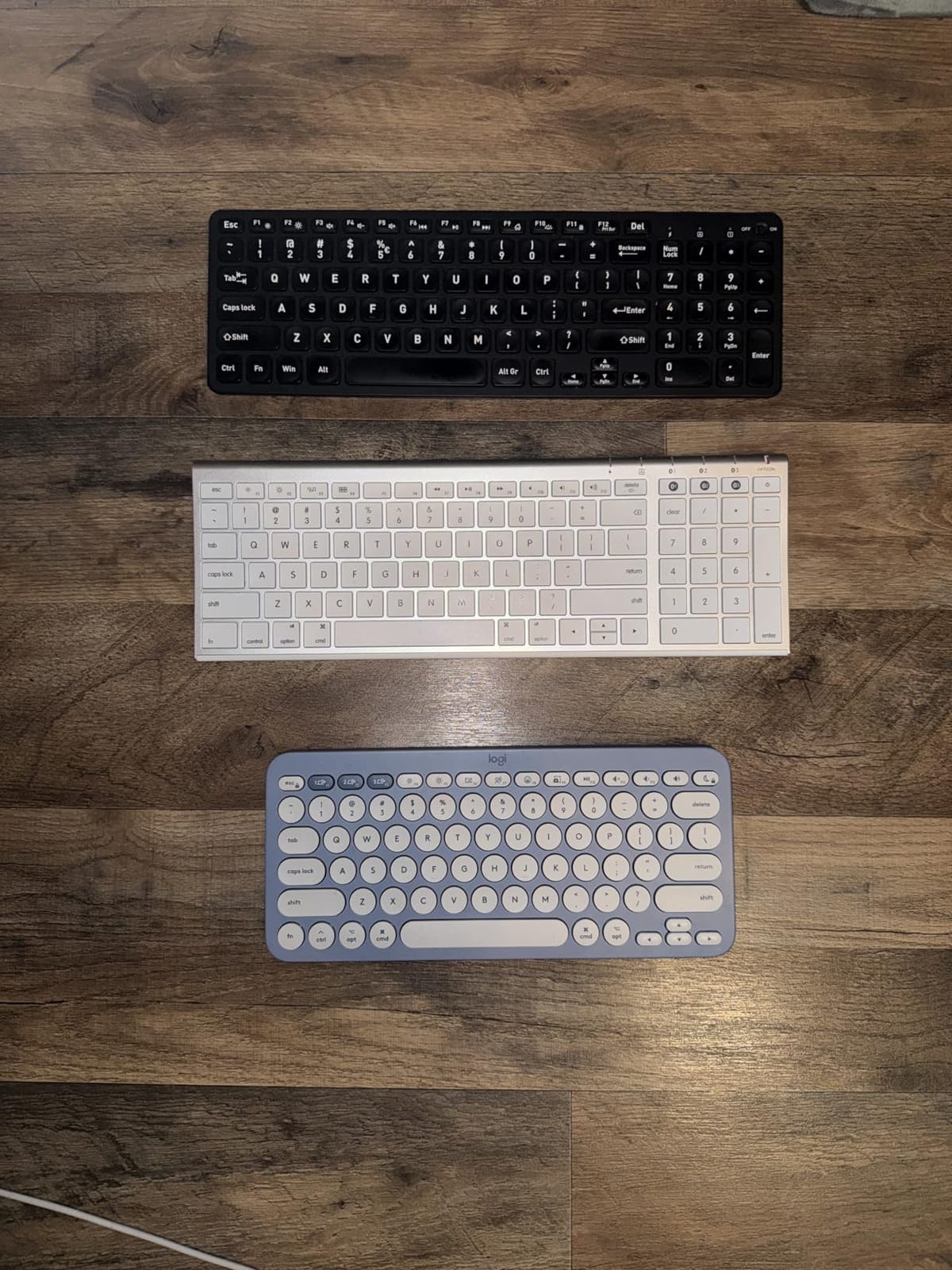
The OMOTON is the most Mac-specific board here and an inexpensive way to reproduce the feel of an Apple keyboard without buying an Apple keyboard. Reviewers consistently compare it favourably to Apple’s own deck, and at 11.22 by 4.72 inches it is small enough to live permanently in a laptop bag as a backup.
The 8-degree tilt is built into the case rather than added as a fold-out foot, which makes it stable at an angle without wiggling. Bluetooth pairing on a Mac was instant in our testing with no input lag, and the 33 foot range is more than any room needs.
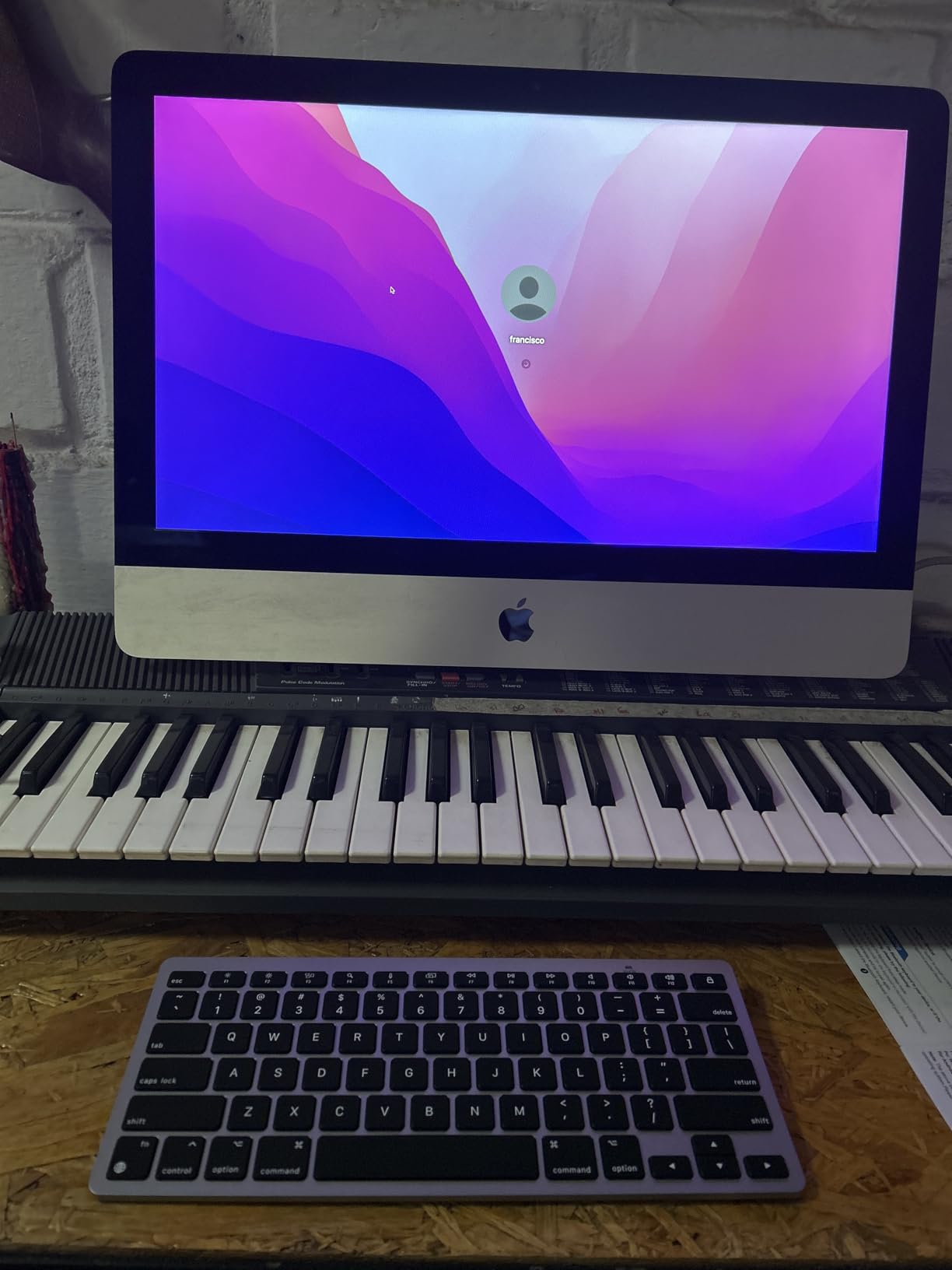
Two AAA batteries give up to 400 hours. They are not included, which is the single most common complaint, and you will be replacing them periodically rather than charging over USB-C. Auto-sleep stretches that interval but means the first key press after idle takes a moment to register.
The device-switching story is weak. Moving between two paired machines requires removing the keyboard from the first device’s Bluetooth list and re-pairing, which is a real inconvenience for anyone carrying a work and personal Mac. It also does not work properly with Windows devices.
A few owners report sticking arrow keys or a shift key issue on individual keyboards.
Who the OMOTON suits
It suits Mac-only users who want Apple-like feel at a fraction of the cost, and anyone who wants a permanent backup keyboard in a bag. The tilt angle makes it comfortable for long writing sessions.
Quiet typing is a given on scissor keys this thin.
Where the OMOTON falls short
Batteries are not included, and the device-switching experience is worse here than on any other Bluetooth board in this roundup. It is not a Windows keyboard in practice.
If you switch between a work Mac and a personal machine, the Macally Bluetooth board or the Pebble Keys 2 handles that far better.
11. LOFREE Flow Lite 100 – The Best Low Profile Mechanical Keyboard
Flow Lite 100 Keys Low Profile Mechanical Keyboard, Swappable Rechargeable Wireless Keyboard with 2.4G Receiver, Bluetooth and Wired Connection for Windows, Mac/ Specter Linear Switches (Marble)
14.74 x 5.43 x 0.93 in
100 keys with numpad
Hot-swappable
2.4GHz Bluetooth USB-C
3000mAh battery
Pros
- Specter linear switches give a smooth quiet thock at 40gf
- PBT double-shot keycaps stay matte and keep legends sharp
- Gasket mount with sound dampening
- 100-key layout keeps a numpad in a compact footprint
Cons
- Lofree Configurator software is glitchy and demands upgrades
- Bluetooth wake latency needs several keystrokes to respond
- ABS plastic body rather than aluminium
If you want a mechanical feel at a laptop-friendly height, this is the board. Our broader mechanical keyboard guide covers full-height boards if you later decide you want more travel than your desk space allows.
The Specter full-POM linear switches have had their operating force dropped to 40gf, which removes the bottoming-out jab of a standard low profile linear and produces a quiet, creamy thock.
Construction details are unusually good for the price. The gasket mount with an upgraded sound-dampening layer kills the hollow plasticky ring that normally comes from a slim case, and the PBT double-shot keycaps stay matte, resist smudges and hold sharp legends where printed ABS ones wear off within a year.
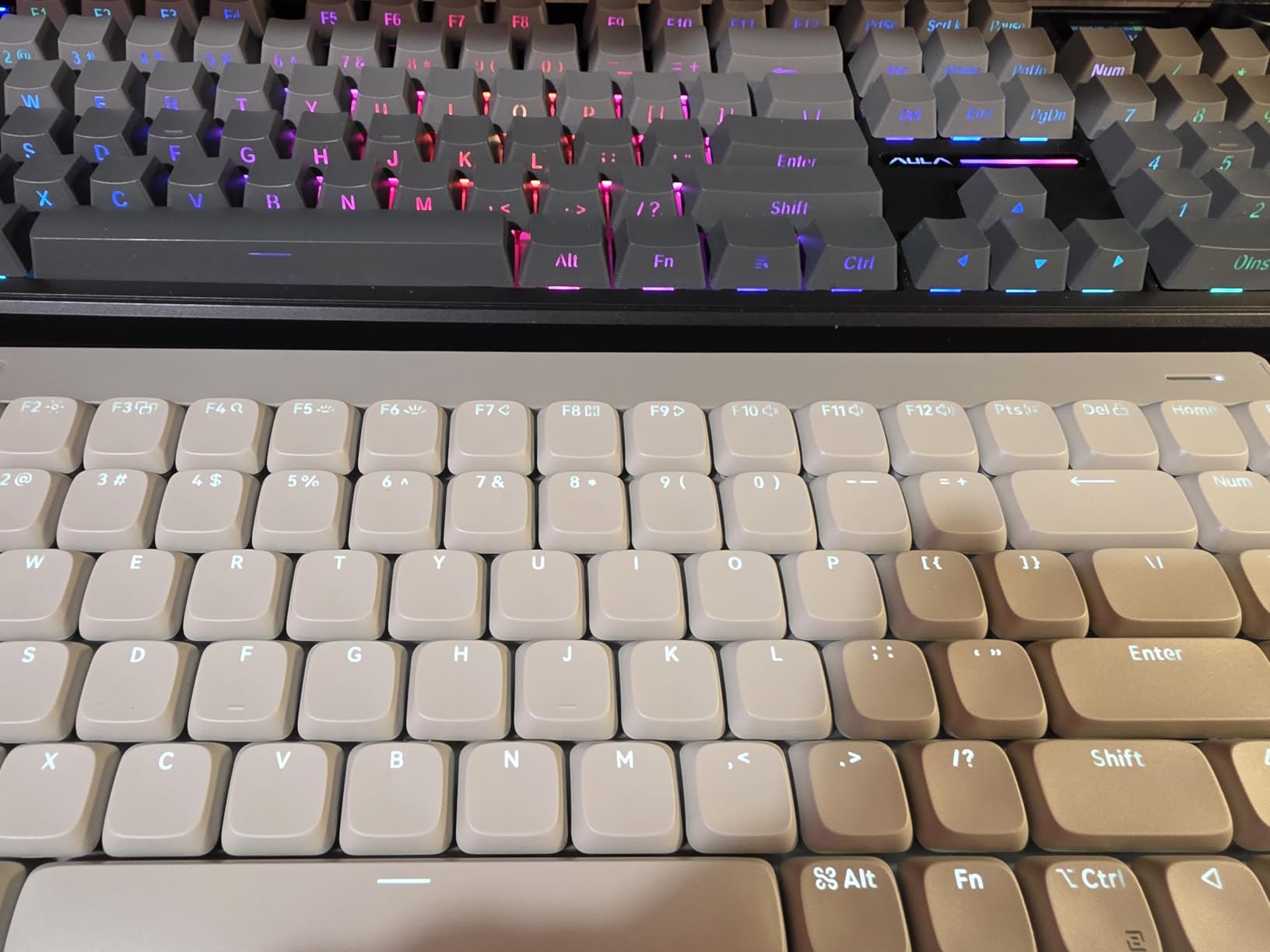
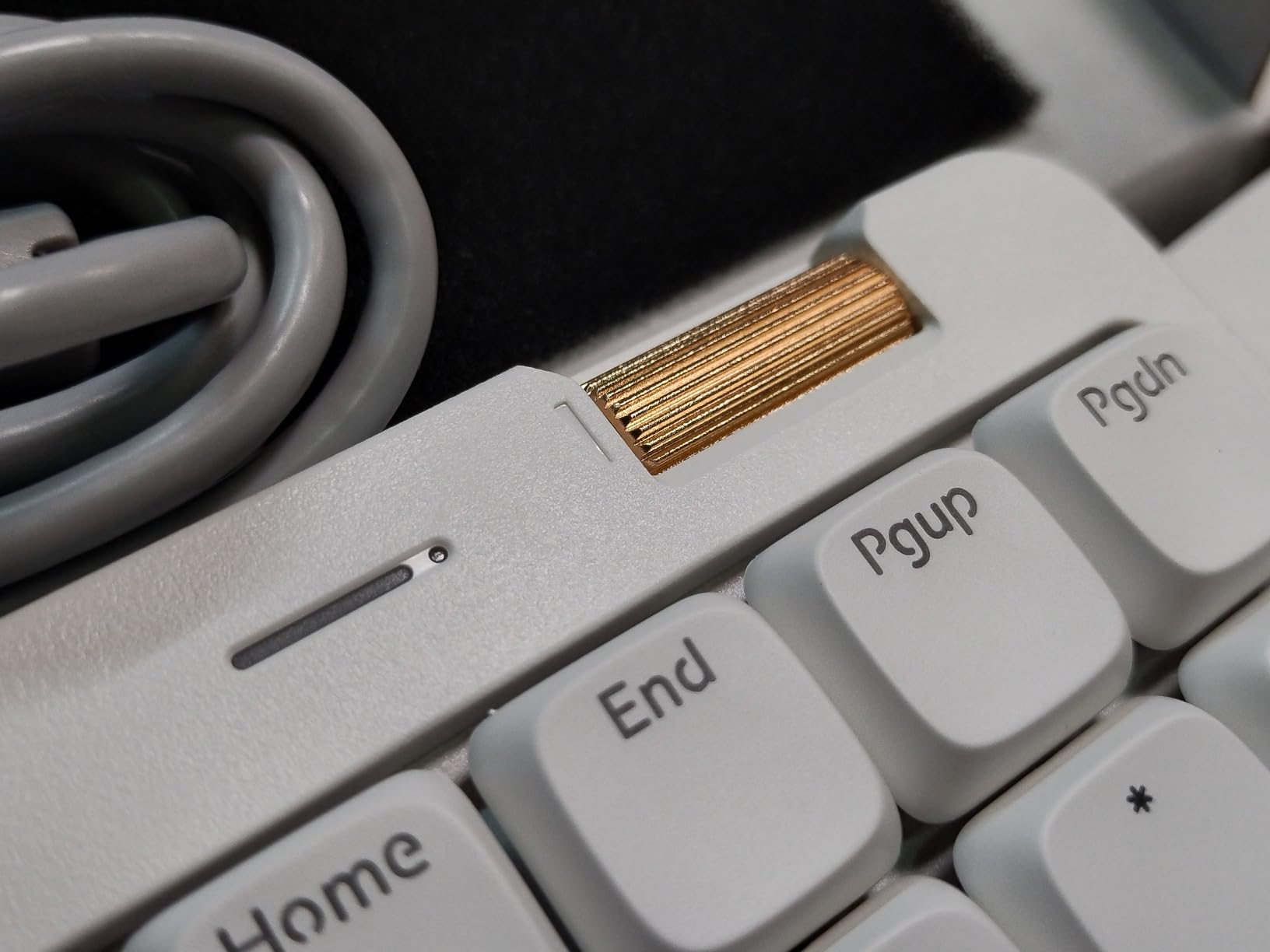
Connectivity covers all three modes on one board: 2.4GHz, Bluetooth and USB-C wired, with a 1000Hz polling rate over 2.4GHz. The 3000mAh battery gives roughly 100 hours with lights off and recharges in about three hours. There is an adjustable kickstand and an aluminium roller for volume.
Two real problems. The Lofree Configurator software is reported as glitchy and frequently asks for updates that require unplugging the receiver mid-session. And Bluetooth wake latency is poor: after sleep it can take several keystrokes before the board responds, which is the exact problem we criticised on the Arteck.
Hot-swappable sockets let you change switches without a soldering iron. Some buyers report swapped or poorly defined keycap legends, a stiff volume wheel and a backspace key that is stiffer than the rest.
Who the LOFREE Flow Lite suits
It suits people who want mechanical key feel and a real number pad without a wrist rest. The 100-key layout is unusual in this category and it fits a smaller footprint than a traditional full-size.
Hot-swap sockets make it the pick if you enjoy tuning switches, and the gasket mount suits long writing sessions.
Where the LOFREE Flow Lite falls short
The software is the weakest point, and Bluetooth wake latency is the second. The body is ABS rather than aluminium, so it feels less premium than the price band suggests.
It comes with no dust cover or carrying case, and the included USB cable has been reported as flimsy.
12. Keychron K3 Version 2 – The Best for Programmable Layouts
Keychron K3 Version 2 QMK 75% Wireless Low-Profile Mechanical Keyboard
12.05 x 4.57 x 0.83 in
500 g
84-key 75 percent
QMK firmware
Hot-swappable
Pros
- Open-source QMK firmware with a web configurator for remapping and macros
- 75 percent layout keeps arrow keys in a tiny footprint
- Reinforced aluminium top plate with a plastic bottom frame
- Red low profile switches feel fast and noticeably quiet
Cons
- Bluetooth mode takes a moment to wake and reconnect
- Backlight can drop out of the chosen static lighting mode
- Third-party replacement keycaps are hard to find
The K3 is the one to buy if you remap keys for a living. QMK firmware plus the Keychron Launcher web app means every key, layer and macro is editable in a browser without installing anything, and there is no vendor lock-in. Nothing else in this roundup gives you that level of control in a chassis this thin.
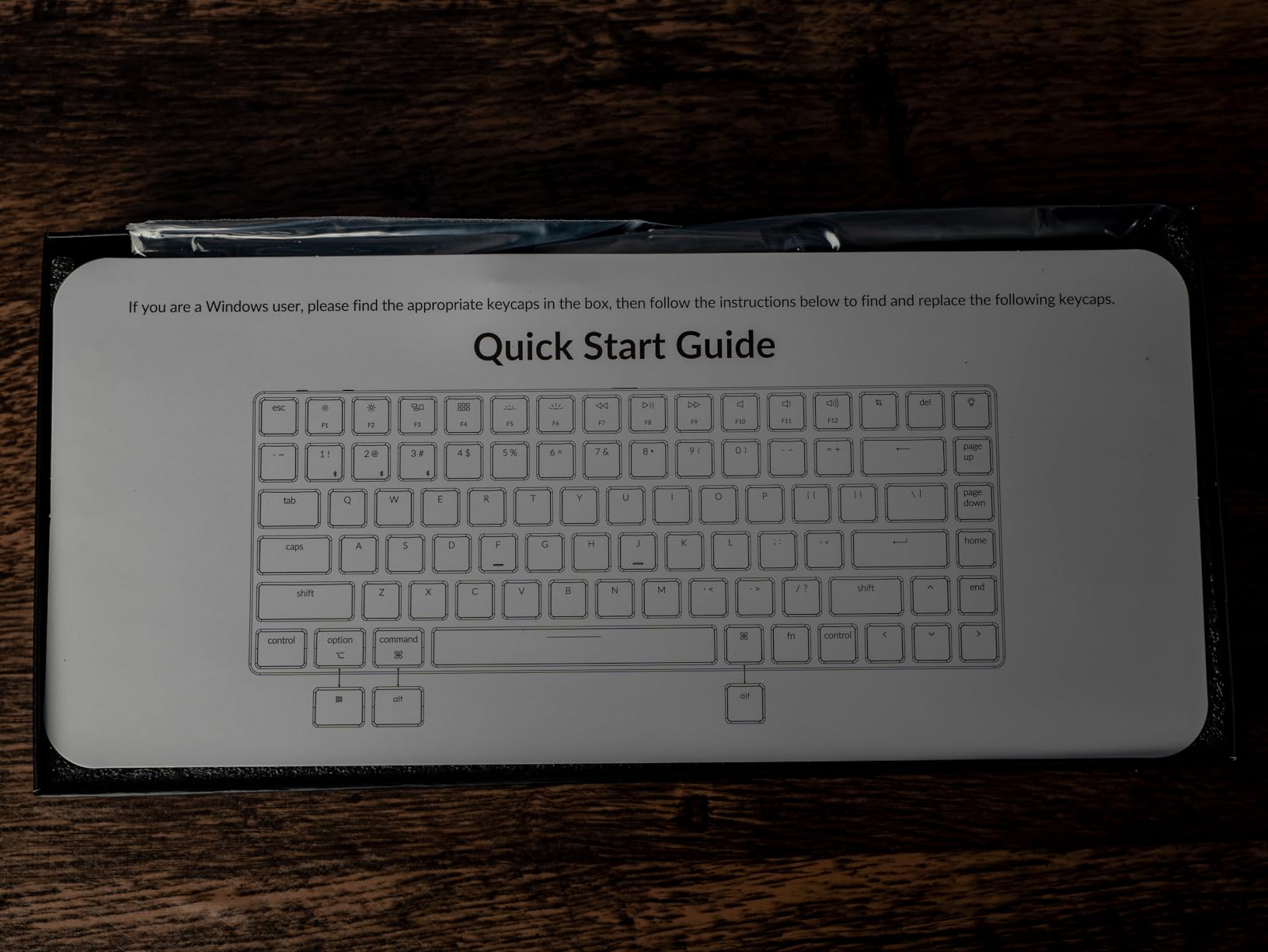
The layout is unusual and worth understanding before you buy. Keychron uses a Mac-first arrangement with full Mac multimedia keys and a separate Windows key, and extra keycaps for both are in the box. Owners who work across Mac and Windows generally adapt within a few days.
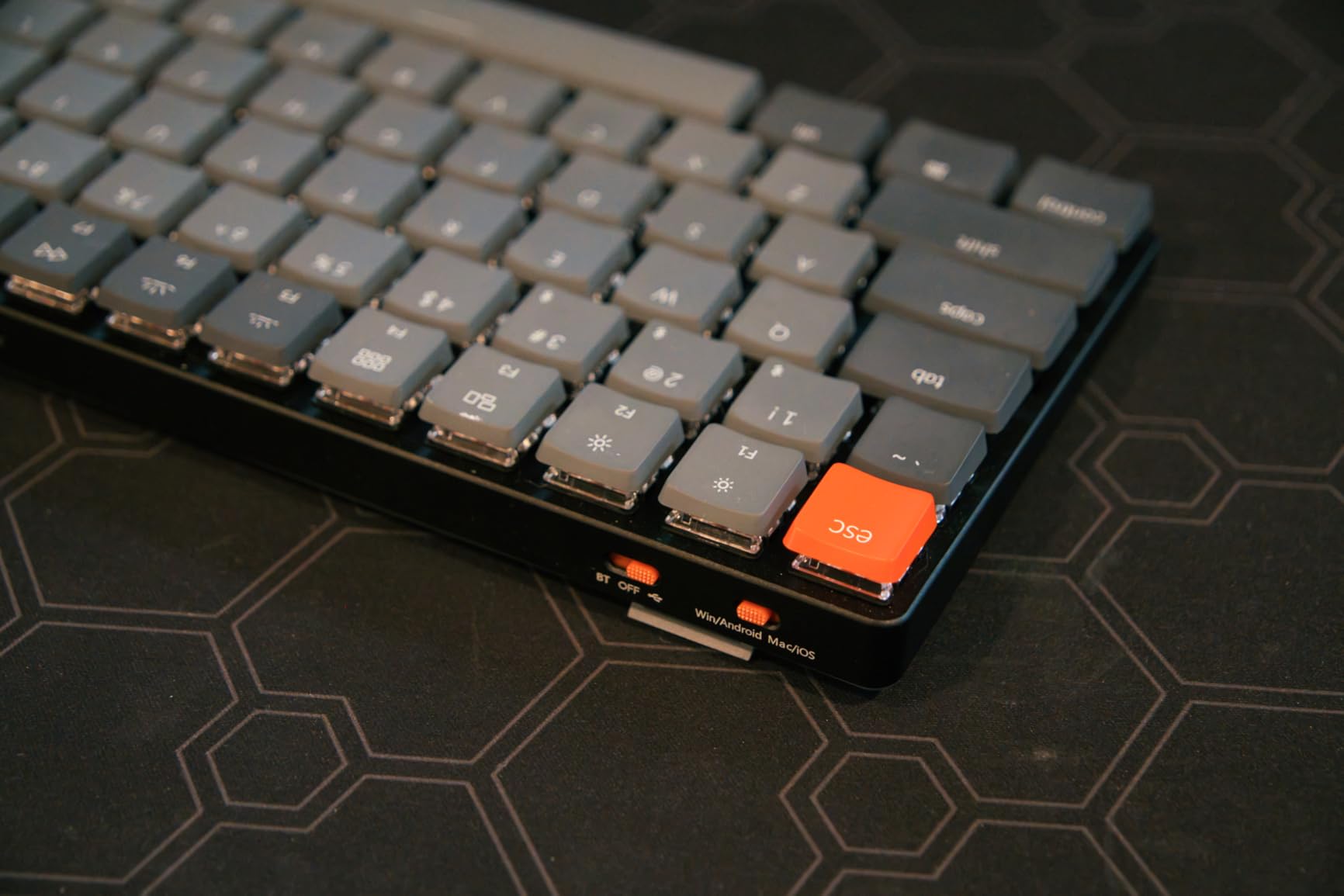
Build quality is better than the price suggests, with a reinforced aluminium top plate over a plastic bottom frame producing a rigid board that does not flex when you type hard. The Gateron low profile red switches are fast and quiet, and white LED backlighting has adjustable brightness with multiple effects.
Bluetooth is the weak point, as it is on most boards here. It takes a moment to wake and reconnect, so some users keep it on the wired USB-C cable at a desk. In Bluetooth mode the backlight has also been reported to cycle out of the lighting mode you chose, which is irritating but cosmetic.
Because the 75 percent layout has no dedicated function row, some users find it too small. Replacement third-party low profile keycaps are also hard to find, so you are largely committed to what ships in the box.
Who the Keychron K3 suits
It suits Linux and QMK users, people who want arrow keys in the smallest sensible footprint, and Mac-first builders who also need Windows. The aluminium top plate keeps the board rigid.
At 500 grams and 0.83 inches tall, it travels well without feeling flimsy.
Where the Keychron K3 falls short
Bluetooth wake and reconnect are slow, and the backlight loses its lighting mode. Keycap options are limited by the low profile format.
With a smaller review base than the Logitech and Arteck boards here, long-term reliability is less well documented.
How to Choose a Low Profile Keyboard for a Laptop
A good low profile keyboard is one that keeps standard keycap spacing, pairs to your laptop in a way that survives sleep and wake, and is thin enough to travel with the machine. Beyond those three things, choice comes down to layout size, switch type and how many devices you need to hop between.
Choosing a layout size for a laptop
The best compact keyboard for a laptop is a 75 percent board. It keeps a function row and full arrow keys while dropping only the numeric keypad, which most laptop users never touch because the trackpad is right there. If you want to see how those boards behave with longer sessions, our mechanical keyboard roundup covers the full-height end of the spectrum.
Step down to 78 keys and the board gets meaningfully narrower, but you give up the arrow block or the top row. Step up to full size and you regain a numpad at the cost of a much larger footprint, which is a poor trade next to a laptop that already has one. If you genuinely work in spreadsheets, a numpad is worth the extra width, and the TECKNET or iClever BK10 SE cover that ground at low-profile heights.
Which low profile switch should you pick
Linear switches press straight through with no bump and the least noise, which suits fast typists and shared rooms. Tactile switches add a small bump mid-travel so you feel the key actuate without hearing it, which is the best all-round choice for people who type all day. Clicks add an audible click on the way down and are rarely right for an office.
Silent versions of linear and tactile switches damp the sound with rubber pads and suit call-heavy work and late-night use. Low profile mechanical switches travel roughly 3 mm against about 4 mm on a full-height board, and scissor boards travel about 1 to 2 mm. If you are coming from a laptop, scissor will feel familiar and mechanical will feel fast.
Pairing a keyboard with your laptop
Bluetooth pairs once and reconnects automatically, which is right for a laptop that sleeps and moves between bags, but it can add a beat of latency on wake. The 2.4GHz dongle is more consistent and cannot be re-paired accidentally, but it occupies a USB port and gets lost, so buy one whose case has somewhere to store it.
USB-C wired mode is the most reliable and lets you charge the keyboard from the laptop while you type. For a desk setup, the TECKNET and LOFREE Flow Lite both cover all three modes, which removes the decision entirely.
If you run two machines, three-device Bluetooth switching matters more than any other feature. We pressed the Easy-Switch buttons on the Pebble Keys 2 dozens of times and never had to re-pair.
Mac and Windows keycaps on one board
For a board that handles both Mac and Windows, the two things that matter are auto OS detection and a layout that includes both sets of legends. The Macally Bluetooth board and the iClever BK10 SE remap automatically. The Keychron K3 ships with both Mac and Windows keycaps and layers the modifiers separately.
Expect to remap the Windows key to Command yourself on most Windows-first boards, or to hunt for an Option key on a Mac-first one. That is a ten-minute job, not a dealbreaker.
Quiet typing for shared offices and calls
A good low profile quiet mechanical keyboard is one with silent linear or silent tactile switches, not simply a thin one. Thinness alone does not reduce noise. Of our two mechanical picks, the Lofree Flow Lite’s 40gf POM linears and the Keychron K3’s reds are the quieter options, while the Logitech MK470 and MX Keys S are the quietest scissor boards.
For a room where someone is on a call all day, we would pair an MK470 or a Pebble Keys 2 with a proper mouse rather than accept the bundled one.
Low profile keyboards for gaming
Low profile gaming boards are a smaller category, and none of our twelve picks is a hall effect board with adjustable actuation and rapid trigger. For laptop gaming, latency matters more than switch type: 2.4GHz over a dongle beats Bluetooth, and the Lofree Flow Lite’s 1000Hz polling rate is the only figure published for any board in this roundup.
Short travel suits fast key rolls and mouse-heavy play, and low profile boards free desk space for a mousepad. Check the arrow key layout before buying, since several compact designs here have cramped arrows that cost you lives in a shooter.
What changes between budget and premium tiers
The entry-level end of this list is where the Arteck and the Logitech MK470 sit. Both are scissor boards with no backlight, but both are thin, quiet and reliable, and neither asks you to install software.
In the middle you trade scissor keys for genuine mechanical switches and gain keycap quality. The Lofree Flow Lite is the clearest example: PBT double-shot keycaps, a gasket mount and hot-swap sockets, offset by glitchy companion software.
At the top you are paying for lighting, adaptive features and polish rather than typing quality. The MX Keys S types no better than a good scissor board; it simply senses your hands, switches between three machines and lasts weeks per charge.
If you also carry a bag for the rest of your kit, our low profile backpack picks are built around the same slim-and-discreet idea.
Frequently Asked Questions
Are low profile keyboards any good?
Yes, for laptop users they are usually an upgrade on the built-in deck. Most are around 0.6 to 0.9 inches tall and pair over Bluetooth, so they fit in the same bag and connect without a cable. Mechanical low profile boards trade a little key travel for a lower typing angle and less finger fatigue. The honest drawback is that short travel feels unfamiliar for a week, and slim scissor boards feel barely different from a good laptop keyboard.
What is the best compact keyboard for a laptop?
A 75 percent layout is the best compact keyboard for a laptop because it keeps a function row and full arrow keys while dropping the numeric keypad you rarely use with a trackpad nearby. Among our picks the Keychron K3 hits that balance at 84 keys and 0.83 inches tall. If you need a numpad, the iClever BK10 SE restores one at 0.16 inches at its thinnest edge.
What is the best low profile mechanical keyboard?
The Lofree Flow Lite 100 is the best low profile mechanical keyboard in this roundup. Its Specter full-POM linear switches run at a reduced 40gf operating force for a quiet, creamy thock, the PBT double-shot keycaps resist wear, and the gasket mount removes the hollow ring common to slim cases. It keeps a numeric keypad in a compact footprint and offers 2.4GHz, Bluetooth and USB-C wired modes.
What is the best keyboard for both a MacBook and a Windows computer?
The Logitech Pebble Keys 2 K380s is the safest choice for one board across two laptops. It pairs with up to three devices across Windows, macOS, iPadOS and ChromeOS and switches between them with a single Easy-Switch button press in under a second. The Macally Bluetooth board and the iClever BK10 SE are better choices if you want automatic OS detection and a number pad instead of the lightest possible design.
Do low profile keyboards cause wrist strain?
Not usually, but thinness alone does not fix wrist pain. A laptop deck already has short travel, so swapping it for a thin scissor board changes little. What helps is a lower typing angle, a flat neutral wrist, and moving the hands off the laptop entirely, which is where mechanical low profile boards earn their place. If you have persistent pain, a split or columnar board or a wrist rest is a better answer than any thin full-size board.
How do I connect a Bluetooth keyboard to my laptop?
Turn on the keyboard, hold its pairing or device button until the indicator flashes, then open your laptop Bluetooth settings and choose it from the device list. On Windows press the Windows key, type Bluetooth, and open Bluetooth and other devices settings, then Add device. On a Mac open System Settings, choose Bluetooth, and click the keyboard when it appears. Most boards here store three devices and switch between them with a dedicated button.
Which Low Profile Keyboard Should You Buy?
The Arteck 2.4G Wireless Keyboard is our pick for the best low profile keyboards for laptops, because at 0.17 inches and 10.75 ounces with full-size key spacing and a six-month rechargeable battery, it does more right for a laptop user than anything else we tested. Its one weakness, dropped keystrokes on wake, has a simple workaround.
Buy the MX Keys S if you want backlighting and effortless switching between three machines. Buy the MK470 if you also need a mouse in the same box. Buy the Lofree Flow Lite 100 if you want genuine mechanical feel at a low height, and the Keychron K3 if you want to remap every key yourself.
Whichever you choose, take it out of the box, pair it to the machine you use most, and type on it for a full week before deciding. Every board here is far thinner than a standard desktop board, and the compact ones travel in the same bag as the laptop they serve.