
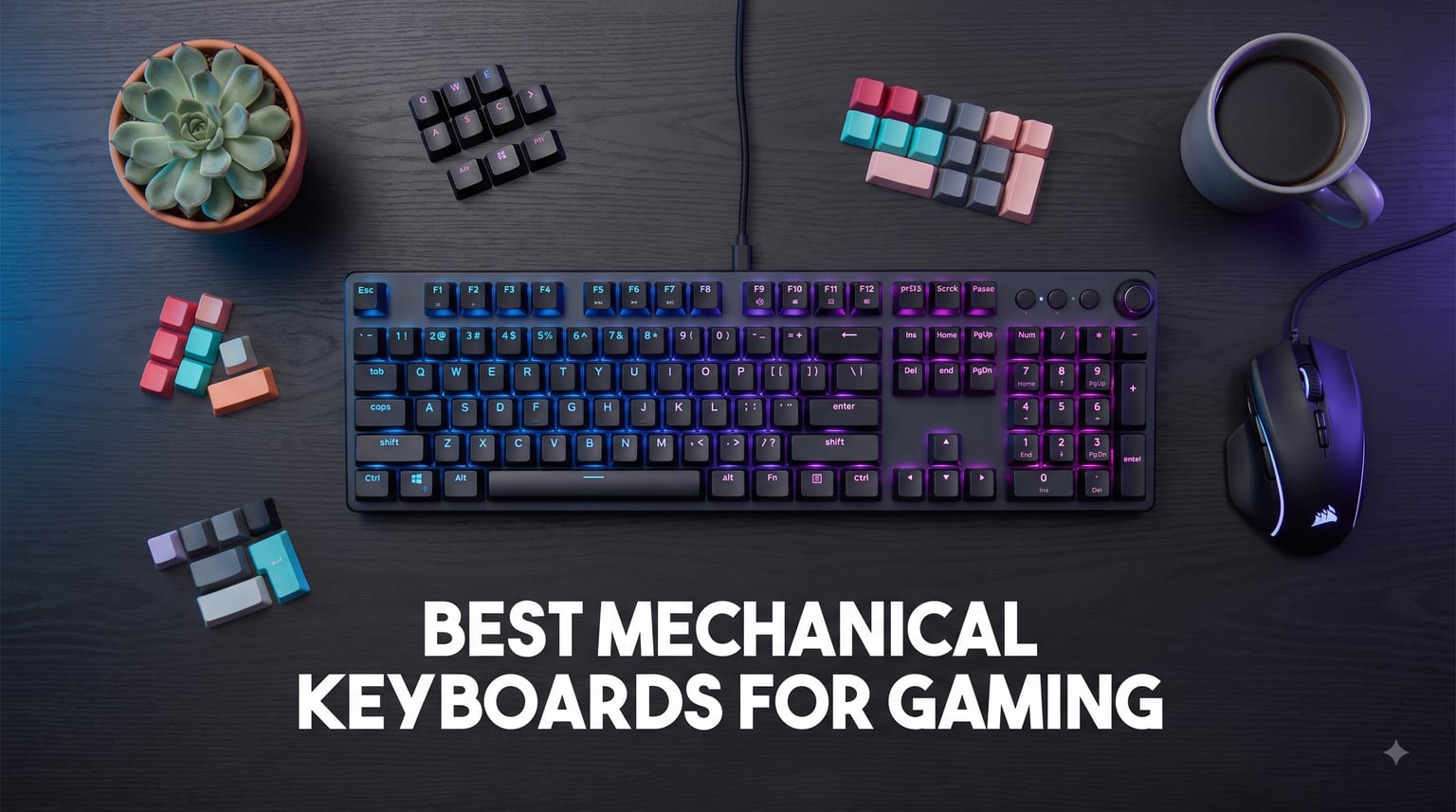
The right keyboard can change how a game feels under your fingers. Our team spent weeks testing the best mechanical keyboards for gaming in 2026 to find which ones deliver the speed, sound, and build quality that actually matter in matches.
Mechanical keyboards have come a long way in just the last few years. You no longer need to spend $200 to get hot-swappable switches, gasket-mounted plates, and creamy acoustic profiles. Budget boards now ship with features that used to be reserved for custom enthusiast kits.
The biggest shift in 2026 is magnetic Hall Effect switches with rapid trigger. That technology used to be exclusive to a single brand. Now multiple manufacturers offer adjustable actuation points and instant key reset, which is a real advantage in competitive FPS titles like Valorant and CS2.
We compared 10 keyboards across categories including budget value, esports performance, premium flagships, and creative layouts. Each pick earned its place through hands-on testing covering typing feel, gaming response, sound profile, and software experience. Whether you want a $35 starter board or a $300 flagship, this guide has a recommendation that fits.
If you just want the short list, our top three picks below cover the best overall, best value, and best budget options. Otherwise, scroll down for the full comparison table and detailed reviews.
Table of Contents
Top 3 Picks for Best Mechanical Keyboards for Gaming (2026)

SteelSeries Apex Pro TKL Gen 3
- OmniPoint 3.0 Hall Effect switches
- Adjustable actuation 0.1-4.0mm
- Rapid Trigger

AULA F75 Pro Wireless
- Tri-mode wireless
- Pre-lubed Reaper switches
- Gasket mount with sound dampening
Best Mechanical Keyboards for Gaming (October 2026)
| Product | Specifications | Action |
|---|---|---|
| SteelSeries Apex Pro TKL Gen 3 |
|
Check Latest Price |
| AULA F75 Pro Wireless |
|
Check Latest Price |
 Logitech G PRO Mechanical Logitech G PRO Mechanical |
|
Check Latest Price |
 Corsair K100 RGB Corsair K100 RGB |
|
Check Latest Price |
 ASUS ROG Strix Scope II 96 ASUS ROG Strix Scope II 96 |
|
Check Latest Price |
 AULA F99 Wireless AULA F99 Wireless |
|
Check Latest Price |
 Razer BlackWidow V3 Razer BlackWidow V3 |
|
Check Latest Price |
 EPOMAKER X Aula F75 MAX EPOMAKER X Aula F75 MAX |
|
Check Latest Price |
 RK ROYAL KLUDGE R75 RK ROYAL KLUDGE R75 |
|
Check Latest Price |
 SbocKeeb 75 Percent Wired SbocKeeb 75 Percent Wired |
|
Check Latest Price |
1. SteelSeries Apex Pro TKL Gen 3 – Hall Effect Champion
SteelSeries Apex Pro TKL Gen 3 Gaming Keyboard – OmniPoint 3.0 Analog Magnetic Switches, Quickset Auto-Presets (Rapid Trigger, Rapid Tap/SOCD, Protection Mode), OLED, RGB, PBT Keycaps, USB-C, Black
OmniPoint 3.0 Hall Effect switches
0.1mm to 4.0mm adjustable actuation
Rapid Trigger and Rapid Tap
TKL wired USB-C
PBT keycaps
OLED smart display
Pros
- Adjustable actuation per key with 40 levels
- Rapid Trigger resets instantly on release
- Rapid Tap gives faster strafing in FPS titles
- Quickset auto-presets for game-specific configs
- PBT keycaps resist shine and wear
Cons
- Premium price point
- Requires time to dial in actuation preferences
- Hall Effect feel differs from traditional switches
The SteelSeries Apex Pro TKL Gen 3 is the keyboard we reach for first when testing competitive FPS performance. The OmniPoint 3.0 magnetic switches let you set actuation depth per key, anywhere from a hair-trigger 0.1mm to a deliberate 4.0mm.
I set WASD keys to 0.4mm for instant strafing in Valorant and left my ability keys at 1.5mm to avoid misclicks. That per-key customization is something no traditional mechanical switch can match. Rapid Trigger takes it further by resetting the key the moment you start releasing it, which means faster counter-strafing and tighter movement.
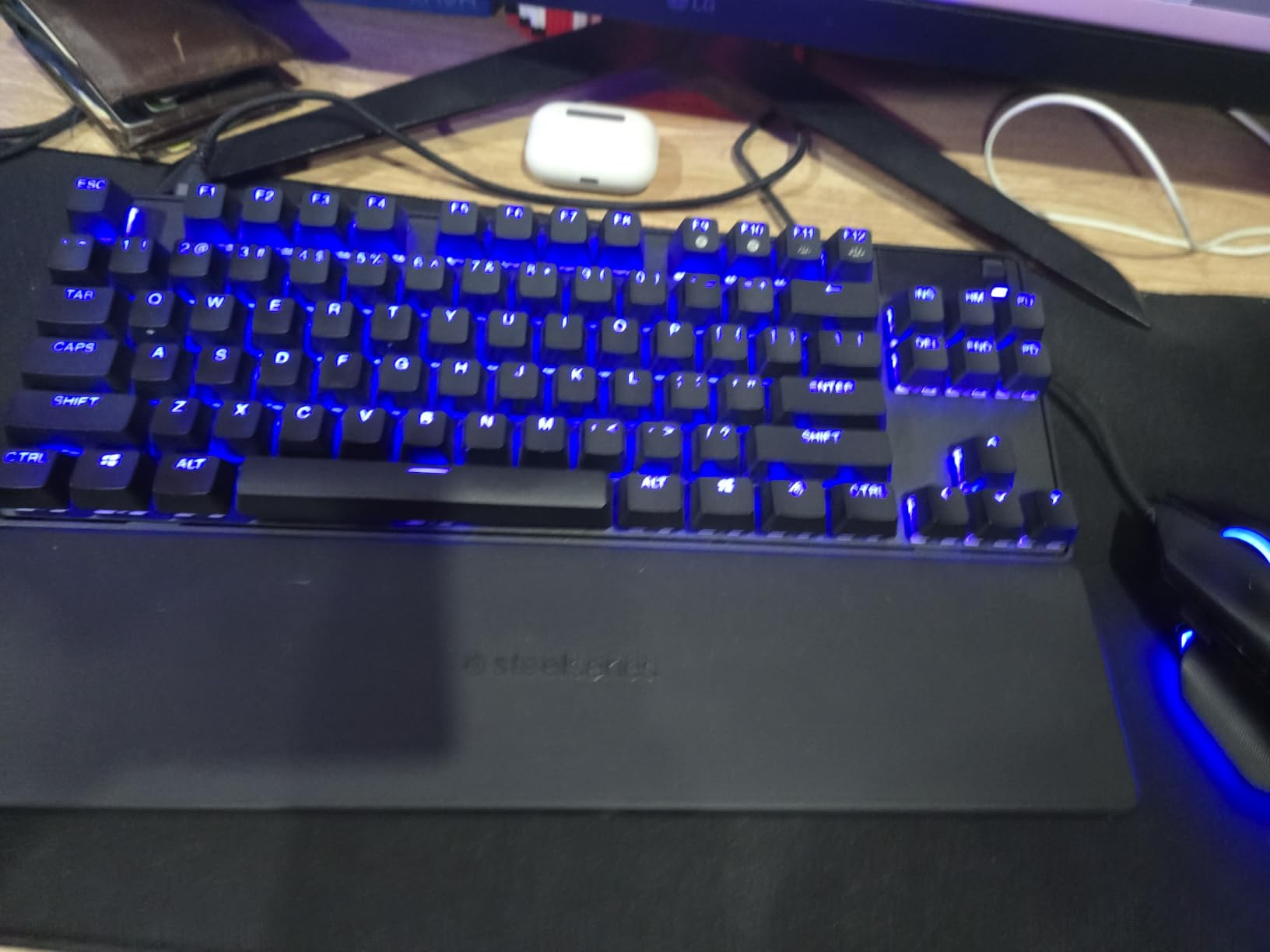
In CS2 deathmatch testing, the difference was immediate. My APM felt snappier, and counter-strafe stops felt tighter. Rapid Tap, the SOCD-style feature, also helps with movement-heavy games where you are constantly alternating between A and D.
The Quickset auto-presets are a genuine quality-of-life feature. You can save different actuation profiles for different games and switch between them through the OLED display. No need to dig through software mid-session.
Competitive Gamer Appeal
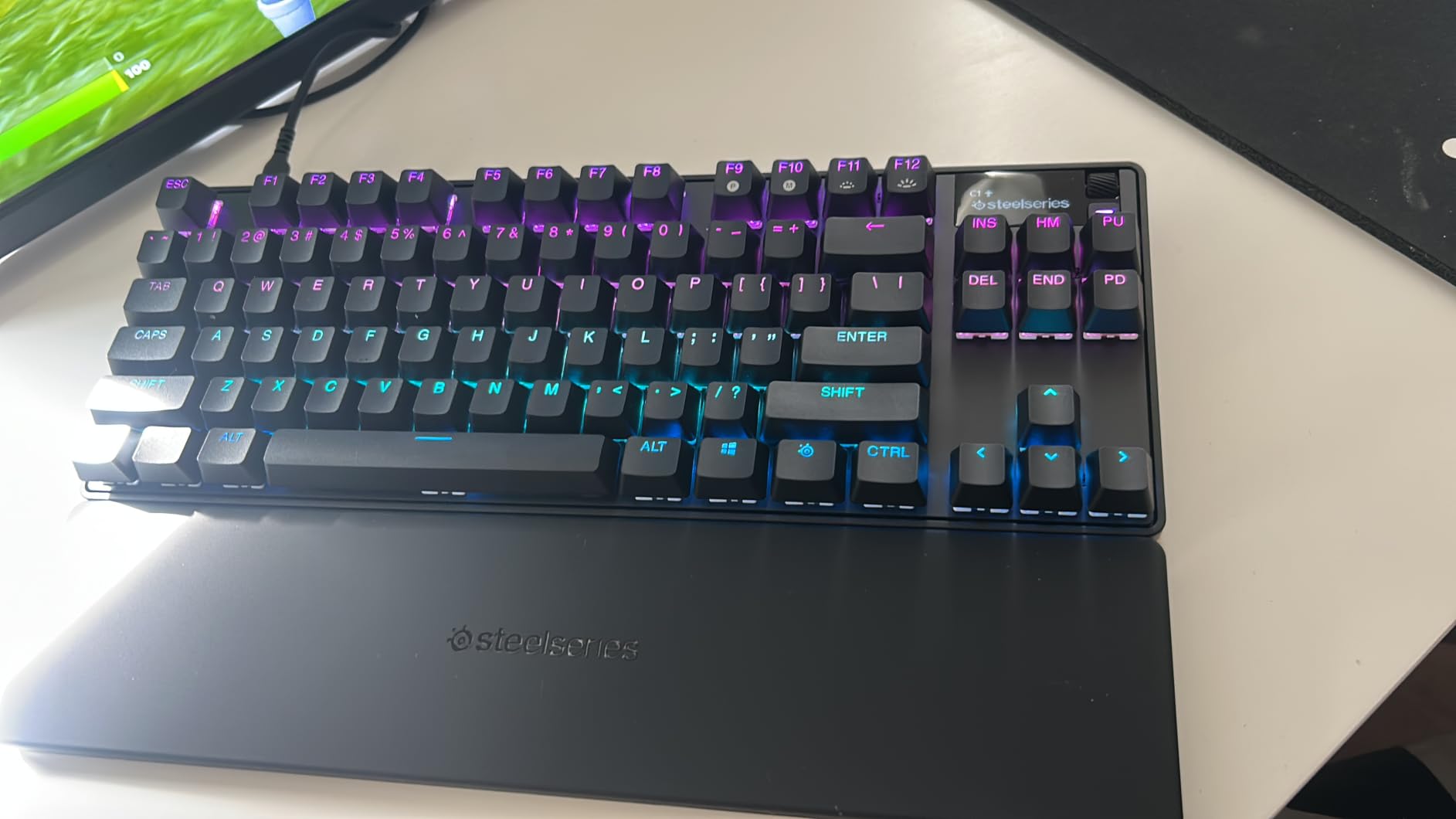
If you play ranked FPS titles where every millisecond of input matters, this is the best mechanical keyboard for gaming we tested. The combination of adjustable actuation and Rapid Trigger gives a measurable advantage in movement-dependent games.
The TKL form factor leaves plenty of room for low-sensitivity mouse swipes. Build quality feels dense and premium, with no flex or rattle during intense sessions.
Casual Gamer Trade-offs
The Hall Effect switch feel is different from traditional mechanical switches. Some users report it takes a week or two to adjust to the lighter, more sensitive response.
At this price point, you are paying for the competitive technology. If you mainly play single-player games or casual titles, the premium features may go underused.
2. AULA F75 Pro Wireless – Best Value 75%
AULA F75 Pro Wireless Mechanical Keyboard,75% Hot Swappable Custom Keyboard with Knob,RGB Backlit,Pre-lubed Reaper Switches,Side Printed PBT Keycaps,2.4GHz/USB-C/BT5.0 Mechanical Gaming Keyboards
Tri-mode wireless (BT5.0, 2.4GHz, USB-C)
Pre-lubed Reaper linear switches
Gasket mount with 5-layer sound dampening
75% layout with knob
4000mAh battery
Side-printed PBT keycaps
Pros
- Tri-mode wireless for up to 5 devices
- Pre-lubed switches and stabilizers out of the box
- Five layers of sound dampening for creamy typing sound
- Hot-swappable with 3-pin and 5-pin switch support
- Side-printed PBT keycaps resist wear
Cons
- Side-printed keycaps take adjustment
- Beginners may find layout unfamiliar initially
The AULA F75 Pro Wireless is the budget board that made our team reconsider what is possible under $80. It ships with pre-lubed Reaper linear switches, a gasket-mounted plate, and five layers of sound dampening that produce a genuinely creamy typing sound.
I used the F75 Pro as my daily driver for two weeks across gaming and work. The tri-mode wireless worked flawlessly, with the 2.4GHz dongle showing no noticeable latency in fast-paced shooters. Switching between my PC, laptop, and phone via Bluetooth was seamless.
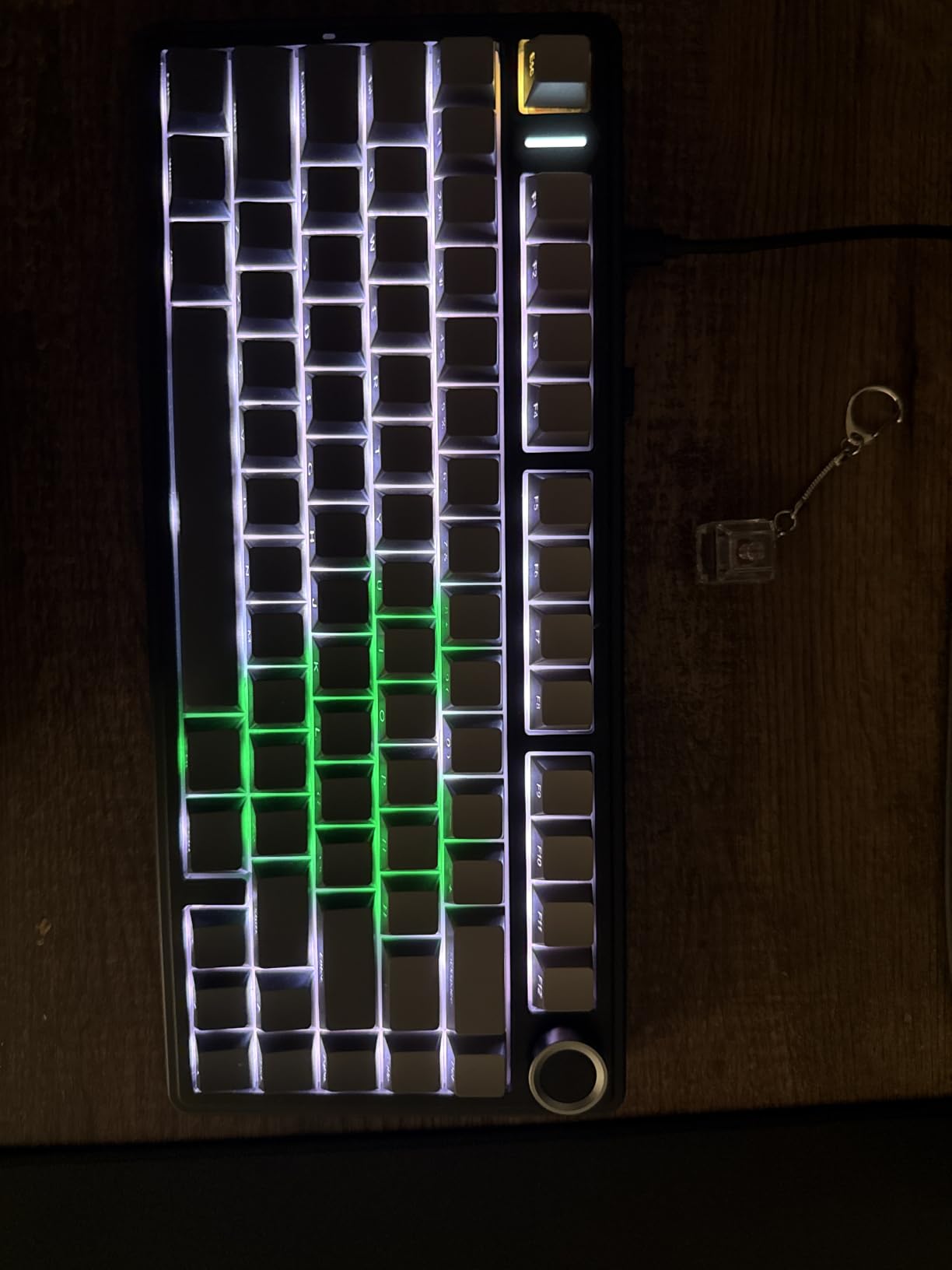
The 75% layout with the control knob is genuinely useful. The knob handles volume and media control without taking up desk space. The side-printed PBT keycaps look clean and resist the shine that cheaper ABS keycaps develop over time.
For hot-swapping fans, the board supports both 3-pin and 5-pin switches. I swapped the stock switches for some Holy Panda tactiles I had lying around, and the board handled the change without any soldering or fuss.
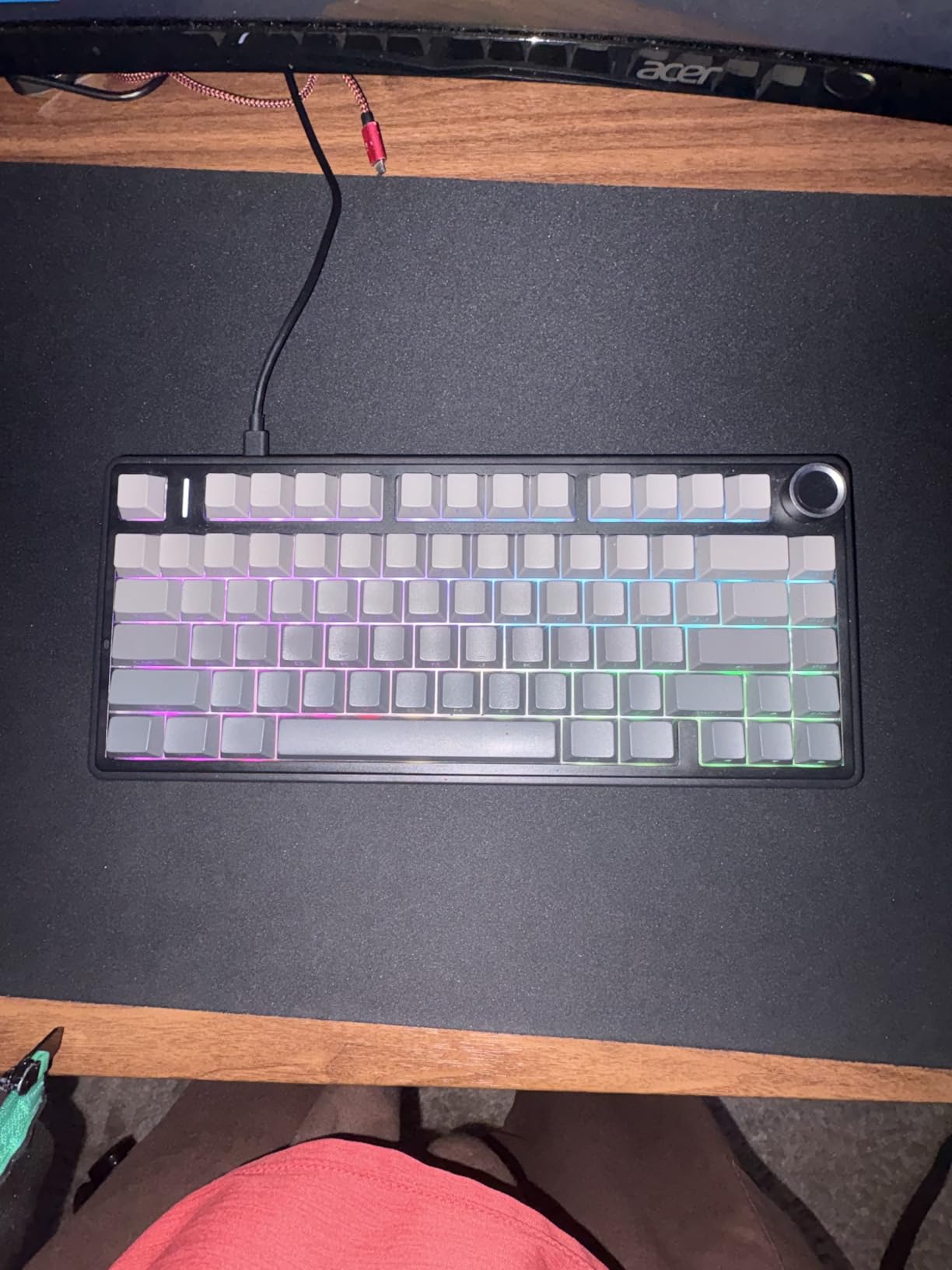
Sweet Spot for Gamers Who Want More
The F75 Pro hits a rare sweet spot between price and features. You get wireless, hot-swap, gasket mount, and pre-lubed switches in a single package. Most boards at this price skip at least one of those features.
The typing sound is where this board really shines. The combination of PCB slotting, foam layers, and silicone dampening produces a deep, muted thock that sounds like a board twice the price.
Things to Know Before Buying
The side-printed keycap style is polarizing. Some users love the clean top-down look. Others find the legends hard to read at a glance, especially in dim lighting.
The QWERTZ layout listed in the specs may require remapping for QWERTY users. Check the listing carefully to confirm you are getting the layout you need.
3. Logitech G PRO Mechanical – Esports Classic
Logitech G PRO Mechanical TKL Tenkeyless Gaming Keyboard (Clicky) – Black
GX Blue Clicky switches
Tenkeyless wired design
Detachable Micro USB cable
LIGHTSYNC RGB with onboard memory
3-step angle adjustment
F-key macros via G HUB
Pros
- Built for esports tournament performance
- GX Blue Click switches with tactile and audible feedback
- Detachable cable for easy transport
- Onboard memory stores profiles for tournament systems
- Compact TKL frees mouse space
Cons
- Not Prime eligible
- Requires G HUB software for full customization
- Micro USB instead of USB-C
The Logitech G PRO Mechanical is the board that built Logitech’s reputation in competitive esports. It has been a tournament staple for years, and after testing it, the reason is clear. The build is reliable, the switches are consistent, and the TKL footprint is perfect for LAN events.
Our tester ran this board through a weekend of ranked Rocket League and Apex Legends. The GX Blue Click switches give a satisfying tactile bump with an audible click that confirms every input. If you like knowing exactly when a key actuates, clicky switches are hard to beat.
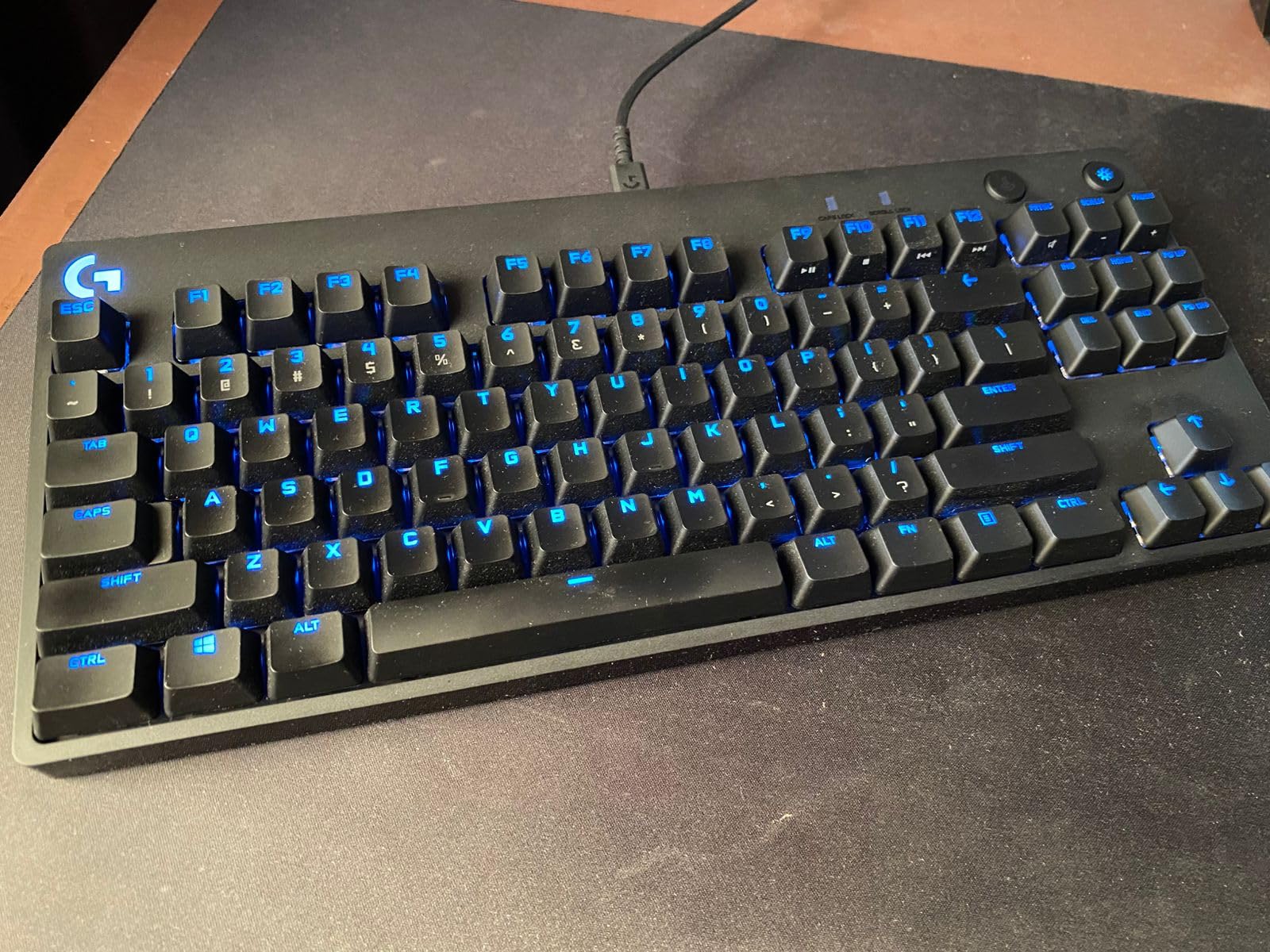
The detachable Micro USB cable is a practical feature for anyone who travels to LAN events or moves their setup frequently. The three-pronged cable design stays firmly in place during intense play. The onboard memory means your lighting and macro profiles travel with the keyboard.
The TKL layout gives your mouse arm plenty of room. At 2.16 pounds, the board has enough heft to stay planted during aggressive keystrokes without sliding around your desk.
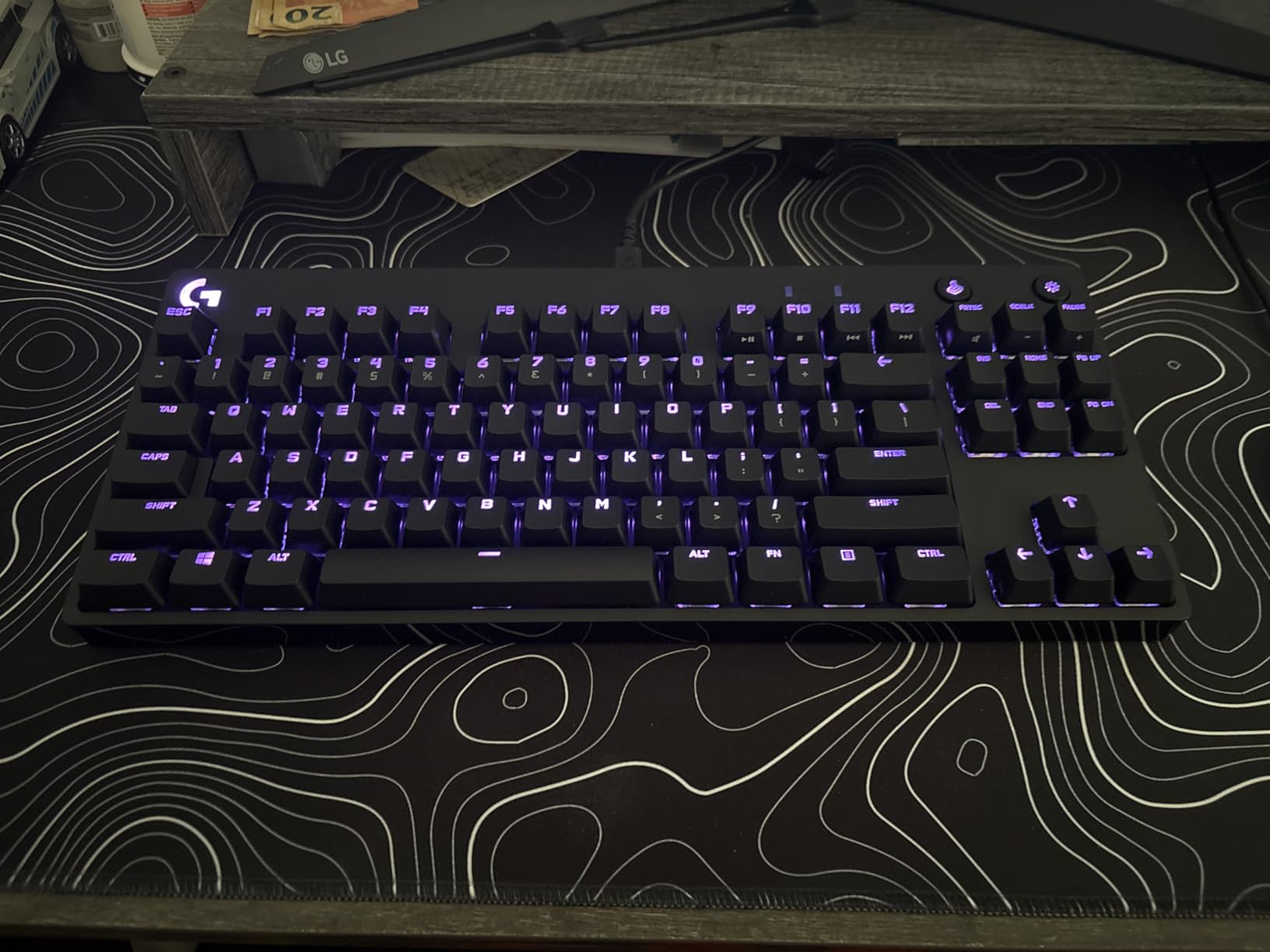
Tournament and Esports Use
This board was designed from the ground up for competitive play. The F-keys are programmable through G HUB, letting you set up macros and shortcuts for specific games.
The 3-step angle adjustment lets you find a comfortable typing angle for long sessions. Rubber feet keep the board stable even on glossy desk surfaces.
Clicky Switch Considerations
The GX Blue Click switches are loud. If you share a room, stream with an open mic, or play in a quiet environment, the clicky sound may be disruptive.
The Micro USB port is dated compared to the USB-C standard on newer boards. It works fine, but it is one area where this keyboard shows its age.
4. Corsair K100 RGB – Premium Flagship
Corsair K100 RGB Mechanical Gaming Keyboard – Cherry MX Speed RGB Silver Keyswitches – PBT Double-Shot Keycaps – Elgato Stream Deck and iCUE Compatible – QWERTY NA Layout – Black
Cherry MX Speed Silver switches (1.2mm actuation)
AXON 4000Hz hyper-polling
Aircraft-grade aluminum frame
PBT double-shot keycaps
6 macro G-keys
iCUE control wheel
Magnetic wrist rest
USB pass-through
Pros
- Cherry MX Speed Silver switches with 1.2mm actuation for fast inputs
- AXON hyper-processing delivers 4000Hz polling for minimal latency
- Aircraft-grade aluminum frame feels premium and durable
- Six dedicated macro G-keys for MMO and productivity
- PBT double-shot keycaps resist shine and fading
Cons
- Very expensive compared to competitors
- iCUE software can be glitchy and conflicts with other RGB software
- Full-size layout takes significant desk space
- Speed switches may feel too sensitive initially
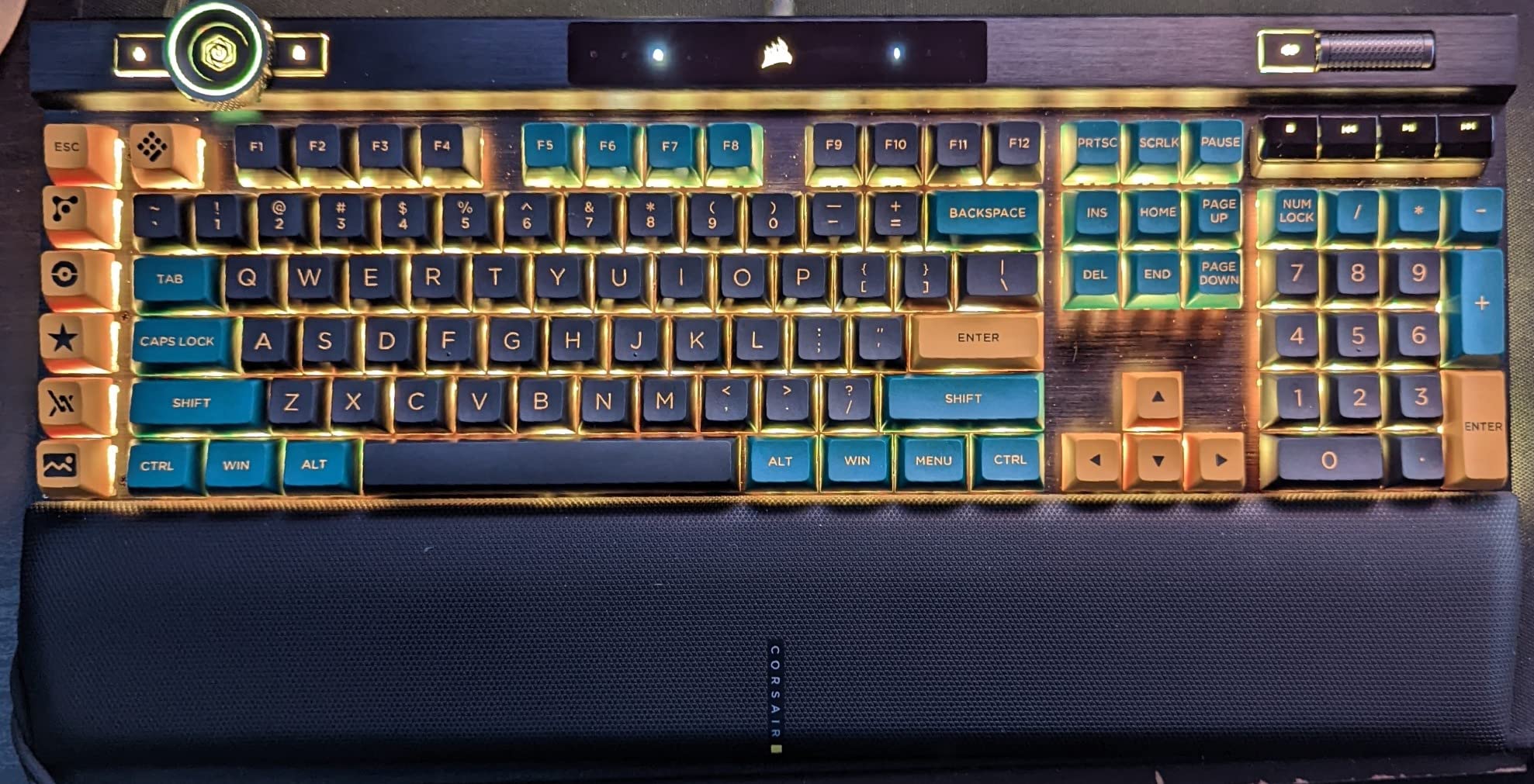
The Corsair K100 RGB is the most feature-dense keyboard on this list. The aluminum frame, Cherry MX Speed Silver switches, and AXON hyper-processing make it a serious flagship contender for anyone who wants maximum performance per keystroke.
The MX Speed Silver switches actuate at just 1.2mm, which is noticeably faster than standard Cherry MX Red at 2.0mm. In testing, I found my inputs registering a fraction earlier, which matters in reaction-dependent games. The 100 million keystroke rating means these switches will outlast most gaming rigs.
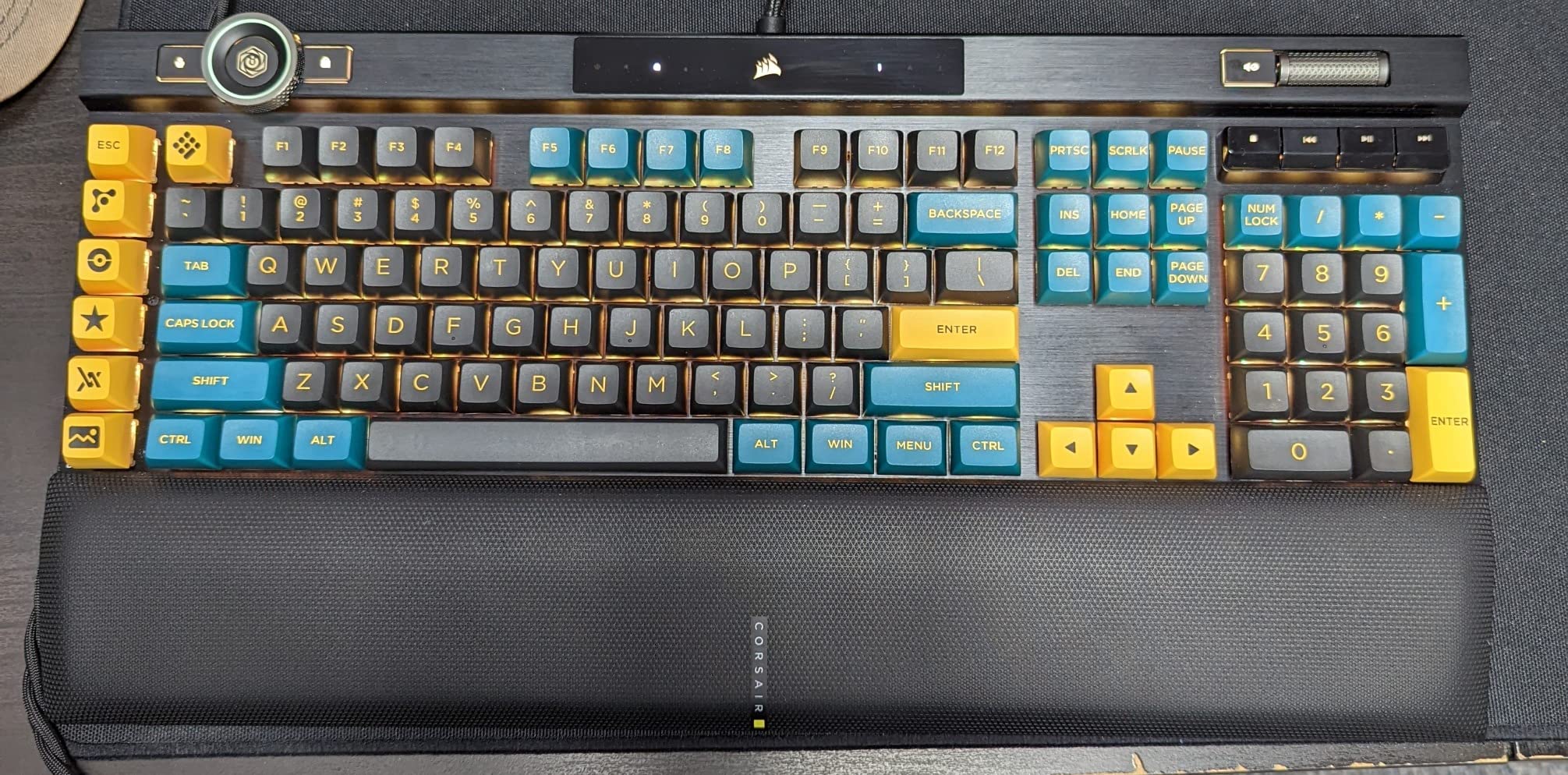
The AXON hyper-processing technology pushes polling and key scanning to 4000Hz. That means the keyboard reports its state to your computer four times more often than a standard 1000Hz board. Whether you can feel the difference depends on your monitor refresh rate and game engine, but the headroom is there.
Six dedicated macro G-keys on the left side make this board a strong pick for MMO players who need complex keybinds. The iCUE control wheel handles volume, media, and lighting adjustments, and the magnetic wrist rest with memory foam is genuinely comfortable for long sessions.
MMO and Power User Appeal
The full-size layout with numpad and six macro keys makes the K100 ideal for MMO players, streamers, and anyone who runs complex setups. The Elgato Stream Deck compatibility adds another layer of productivity integration.
The USB pass-through port is handy for connecting a mouse, headset, or flash drive without reaching behind your PC.
Software and Space Considerations
The iCUE software is powerful but can be a resource hog. Some users report conflicts with other RGB control software, so plan your software stack accordingly.
The full-size footprint is wide. Make sure your desk has room for the keyboard, wrist rest, and adequate mouse space before committing.
5. ASUS ROG Strix Scope II 96 Wireless – Best Tri-Mode
ASUS ROG Strix Scope II 96 Wireless Mechanical Gaming Keyboard – 96% Full-Size, Tri-Mode Connectivity, Hot Swappable Pre-lubed ROG NX Snow Linear Switches, PBT Keycaps, RGB, PC/Mac Support-Black
96% compact layout with numpad
Tri-mode wireless (BT, 2.4GHz, USB-C)
ROG NX Snow linear switches (hot-swappable)
Up to 1500 hours battery
Sound-dampening foam
PBT keycaps
PC and Mac compatible
Pros
- 96% layout keeps numpad in a compact footprint
- Up to 1500 hours battery life in 2.4GHz mode
- Hot-swappable pre-lubed ROG NX Snow linear switches
- Integrated sound-dampening foam for clean acoustics
- Tri-mode connectivity handles up to 3 Bluetooth devices
Cons
- QWERTZ layout may need adjustment for QWERTY users
- Not water resistant
- Linear switches only (no tactile or clicky option)
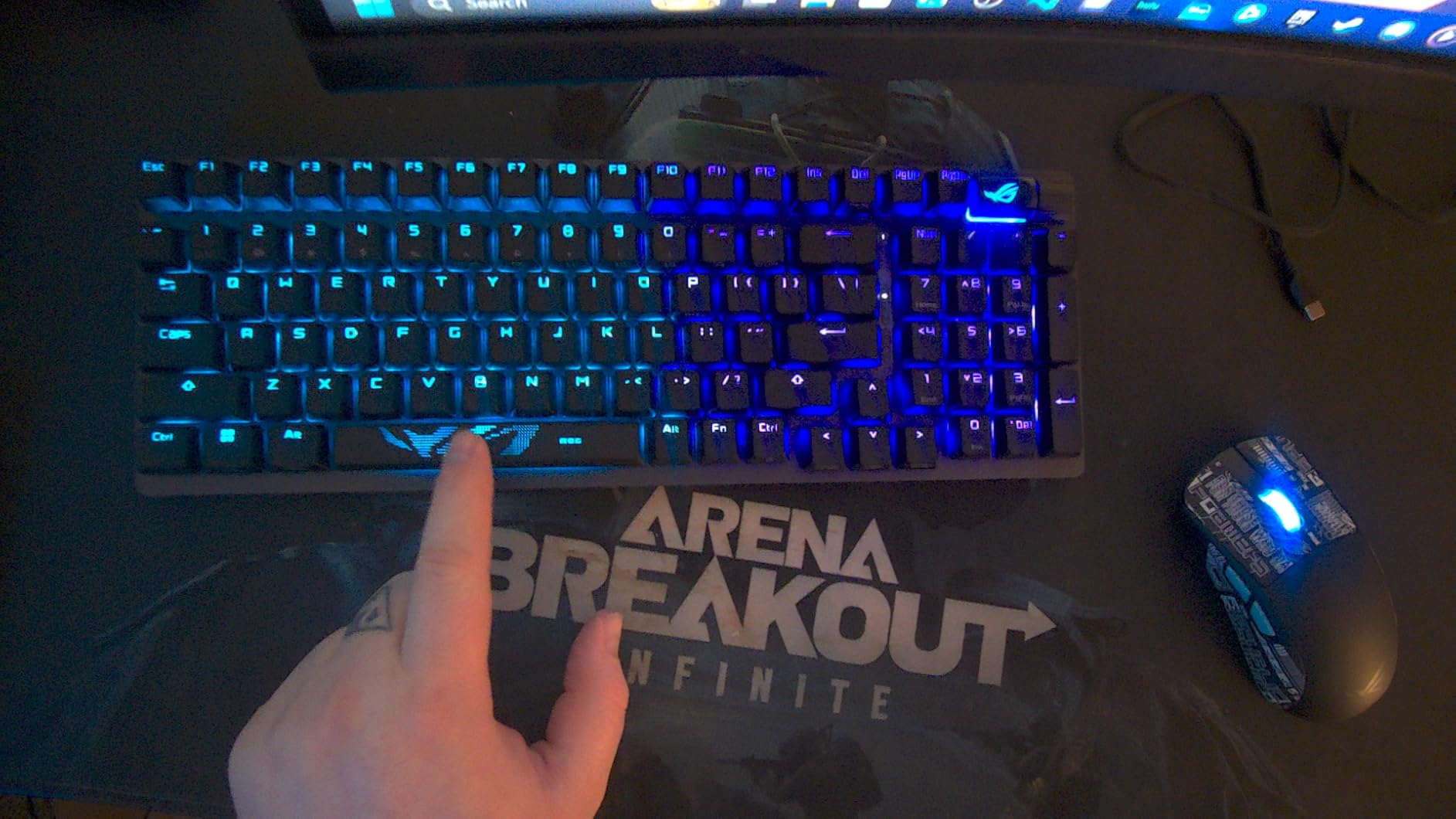
The ASUS ROG Strix Scope II 96 Wireless solves a problem that plagues many gamers: wanting a numpad without giving up desk space. The 96% layout packs a full number pad into a footprint barely larger than a TKL board.
The tri-mode connectivity is where this board flexes. In our testing, the 2.4GHz ROG SpeedNova connection showed no perceptible latency in fast-paced gaming. The battery life is exceptional, rated for up to 1500 hours in 2.4GHz mode with RGB off.
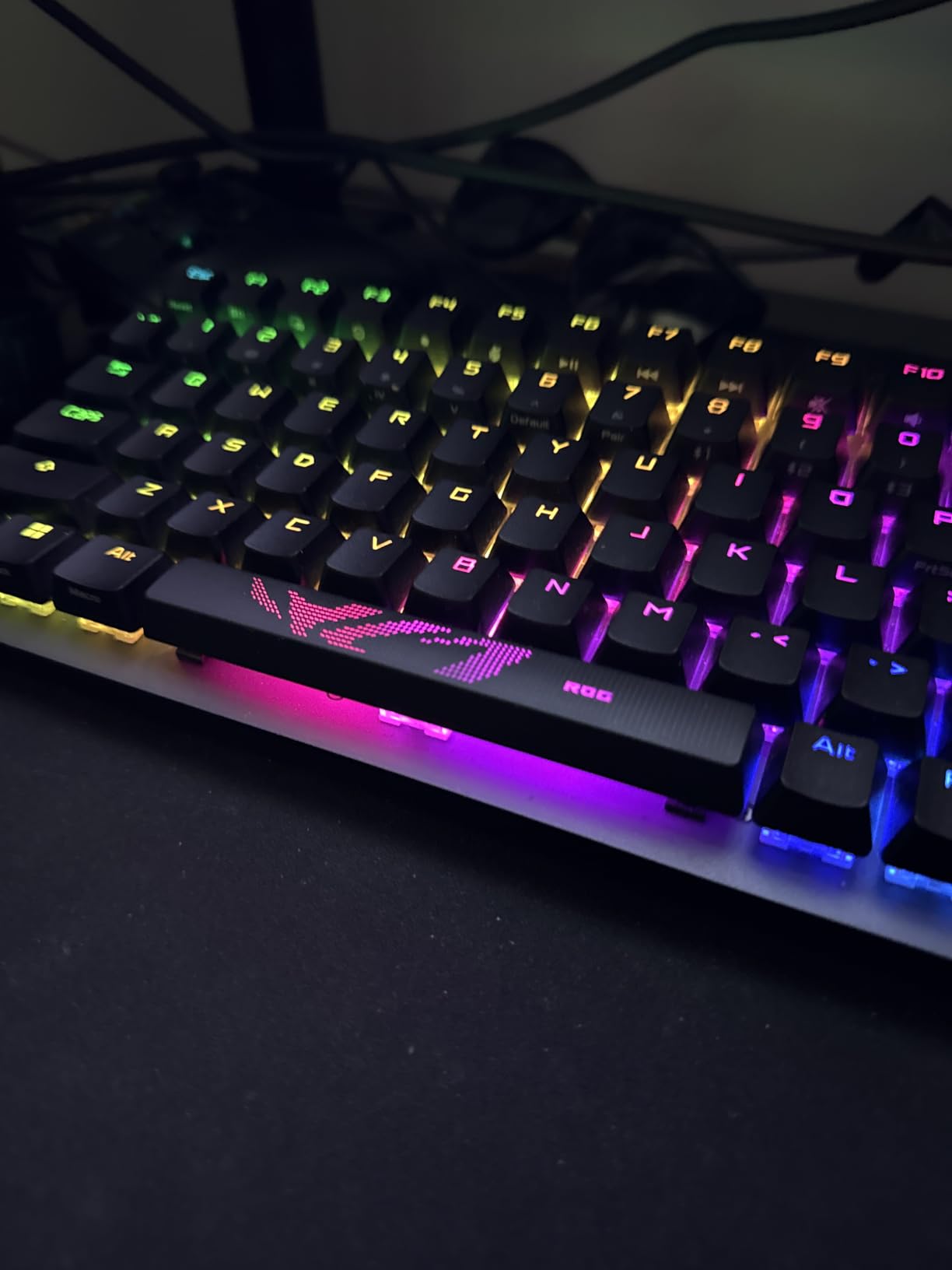
The ROG NX Snow linear switches are pre-lubed and hot-swappable. They deliver a smooth, consistent feel with a clean sound profile thanks to the integrated sound-dampening foam and switch-dampening pads. The board sounds refined, not pingy or hollow.
The multi-function wheel handles volume and lighting control. Three tilt positions and a detachable wrist rest round out the ergonomic features. The board works on both PC and Mac, which is a plus for dual-system users.
Best for Productivity and Gaming Hybrid
If you use your keyboard for both work and gaming, the 96% layout is hard to beat. You get the numpad for spreadsheet work without the width of a full-size board.
The battery life is class-leading. Even with moderate RGB use, you can go weeks between charges.
Layout and Switch Limitations
Some listings ship with a QWERTZ layout. Verify the layout before ordering if you need standard QWERTY.
The board only comes with linear NX Snow switches. If you prefer tactile or clicky switches, you will need to swap them yourself (the board is hot-swappable, so this is doable).
6. AULA F99 Wireless – Best Full-Featured Budget
AULA F99 Wireless Mechanical Keyboard,Tri-Mode BT5.0/2.4GHz/USB-C Hot Swappable Custom Keyboard,Pre-lubed Linear Switches,RGB Backlit Computer Gaming Keyboards for PC/Tablet/PS/Xbox
99-key 96% layout
Tri-mode wireless (BT5.0, 2.4GHz, USB-C)
Pre-lubed linear switches
Gasket mount with 5-layer sound dampening
8000mAh battery
Double shot PBT keycaps
N-key rollover
Pros
- Massive 8000mAh battery for extended use
- Gasket-mounted structure with five layers of sound dampening
- Tri-mode wireless for up to 5 devices
- Hot-swappable with pre-lubed linear switches
- Double shot PBT keycaps resist wear and shine
Cons
- Bluetooth connectivity can be inconsistent
- RGB usage significantly reduces battery life
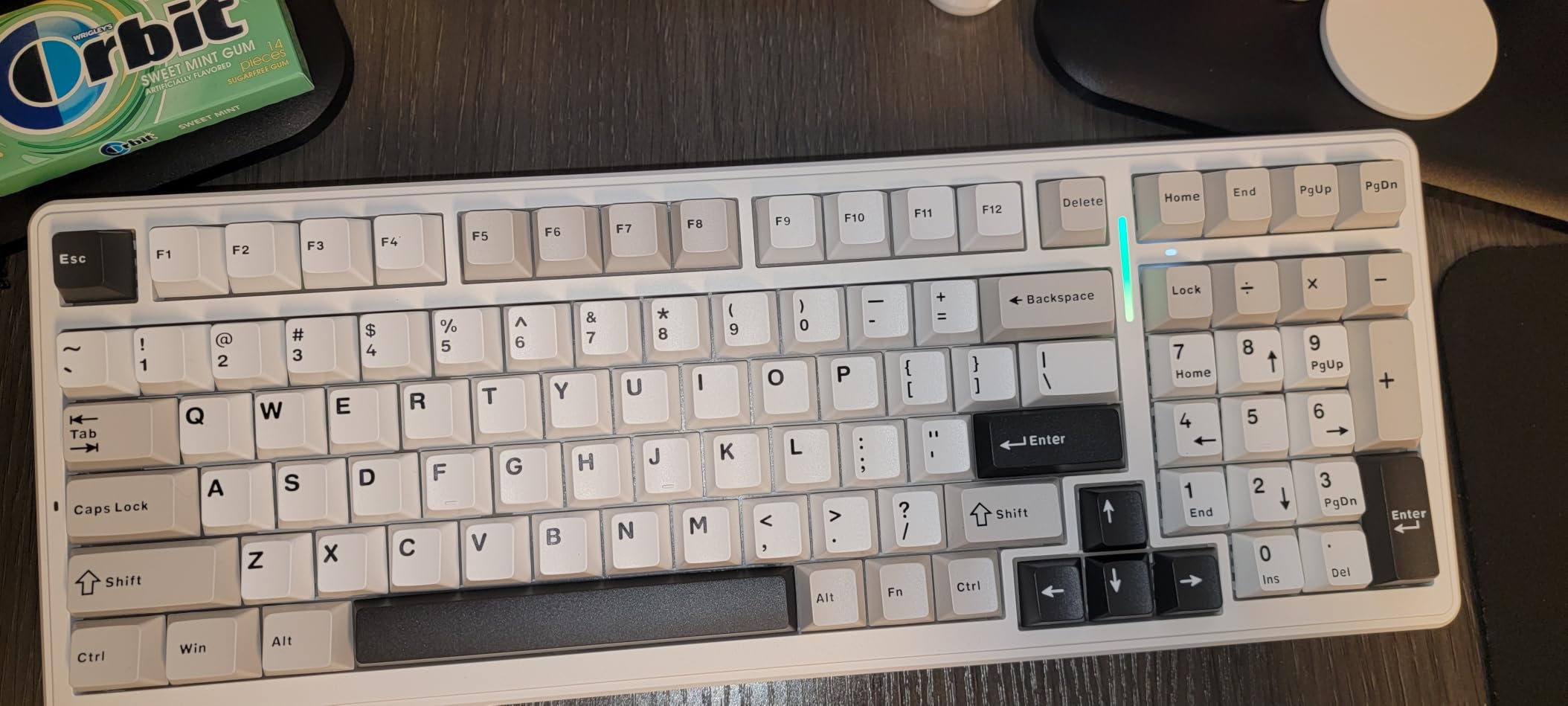
The AULA F99 Wireless is the bigger sibling of the F75 Pro, offering a 99-key layout with a number pad at a price that undercuts most competitors by a wide margin. It is currently ranked in the top 10 best-selling PC gaming keyboards, and for good reason.
Our testing focused on the gasket-mounted typing feel and the massive 8000mAh battery. The gasket structure with PCB single key slotting delivers a soft, cushioned typing experience that feels premium. Five layers of sound-dampening material produce a deep, satisfying thock.
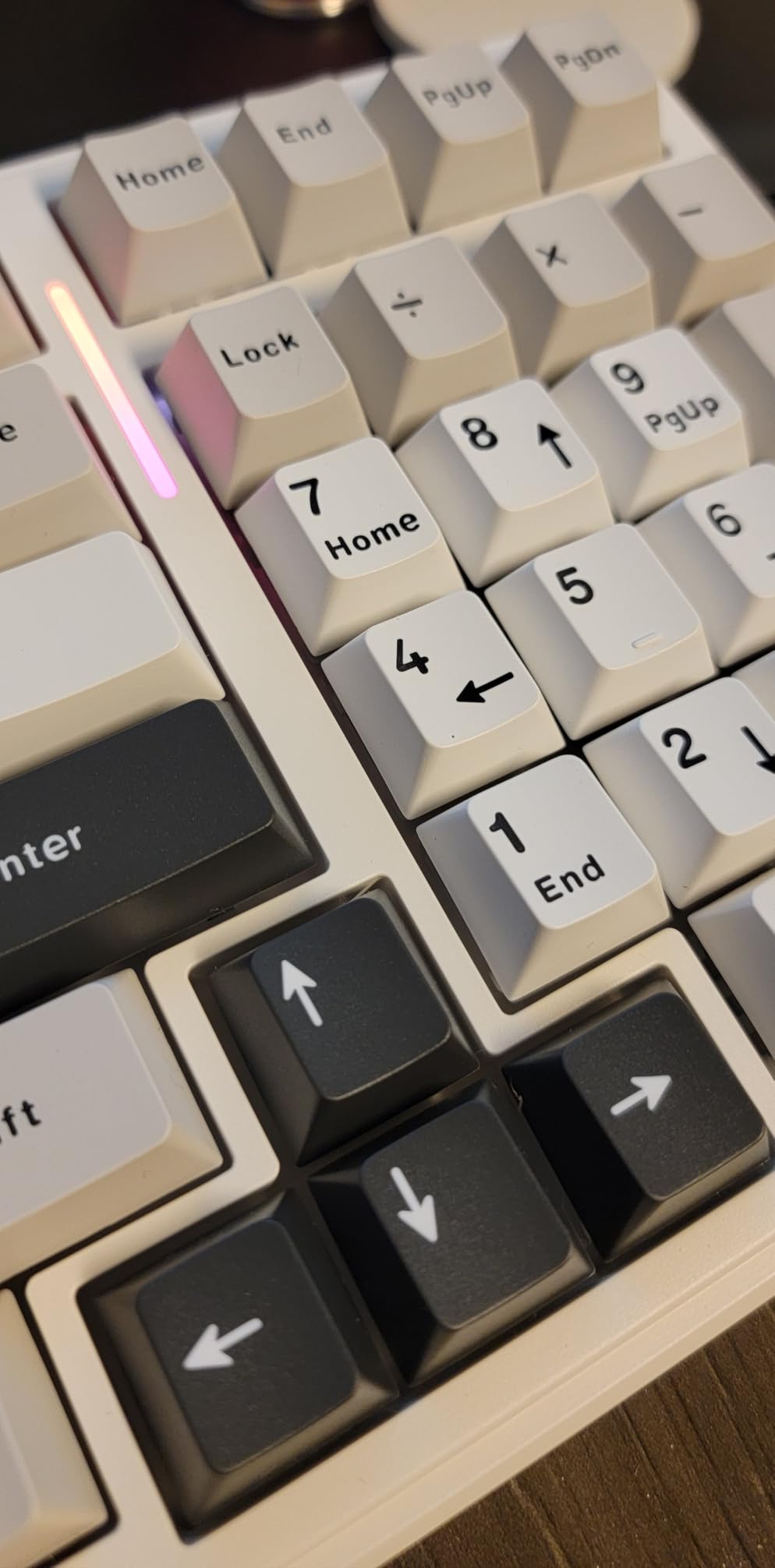
The pre-lubed linear switches are smooth and consistent out of the box. For gaming, the linear feel allows for fast, unobstructed keypresses without the tactile bump that can slow rapid inputs.
The tri-mode connectivity handles up to five devices. The 2.4GHz dongle provides lag-free gaming, while Bluetooth handles productivity work. The double shot PBT keycaps resist the shine and oil buildup that plague cheaper ABS keycaps.
Best Budget Full-Size Experience
If you want a numpad, gasket mount, wireless, and pre-lubed switches all under $70, the F99 is the only board on this list that delivers all four. The value proposition is genuinely impressive.
The 8000mAh battery is one of the largest we have seen in any wireless keyboard at any price. Even with regular RGB use, you can expect weeks of use between charges.
Connectivity Caveats
Some users report occasional Bluetooth connectivity drops. The 2.4GHz and wired modes are rock-solid, so use those for gaming.
Battery life claims assume RGB is off. With lighting effects running at full brightness, expect significantly shorter runtime.
7. Razer BlackWidow V3 – Tactile Champion
Razer BlackWidow V3 Mechanical Gaming Keyboard, Green Mechanical, Quartz
Razer Green mechanical switches (tactile and clicky)
Full-size 104-key layout
Chroma RGB with 150+ game integration
UV-coated ABS keycaps
Multi-function digital roller
Ergonomic wrist rest
80 million keystroke lifespan
USB-A wired
Pros
- Green mechanical switches with satisfying tactile clicky feedback
- Chroma RGB integrates with 150+ games for immersive lighting
- 80 million keystroke lifespan for long-term durability
- Ergonomic wrist rest included for comfort
- Multi-function digital roller for media control
Cons
- USB-A wired only (no wireless option)
- ABS keycaps may show wear despite UV coating
- Full-size layout requires significant desk space
The Razer BlackWidow V3 is the keyboard that defined the mainstream gaming keyboard category. The Green mechanical switches deliver a tactile bump and audible click that many gamers still consider the gold standard for feedback.
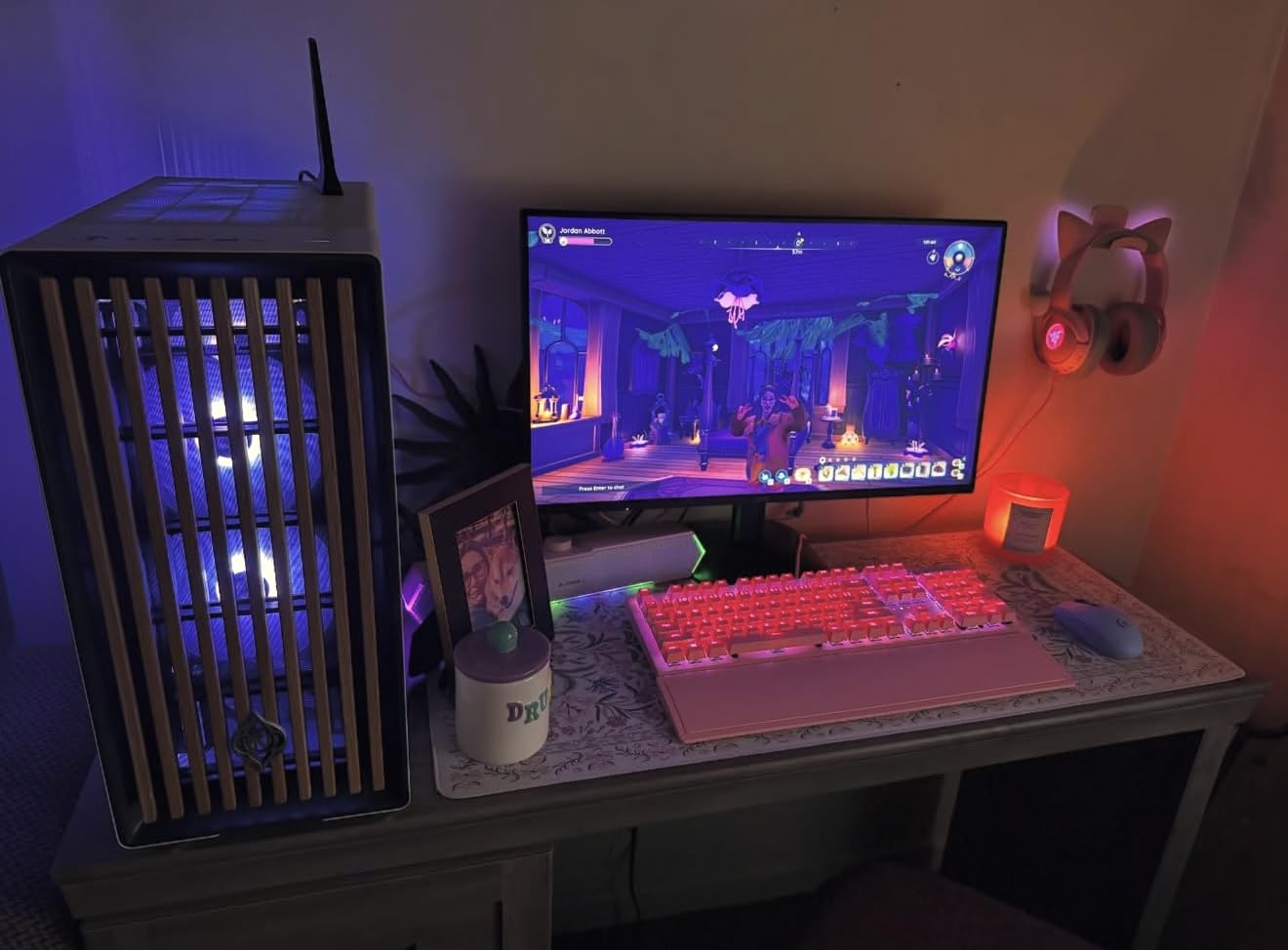
Our team tested the Quartz Pink variant, and the build quality matches Razer’s reputation. The aluminum top plate feels rigid, and the switches have a consistent feel across all 104 keys. The 80 million keystroke rating means this board will last through years of daily use.
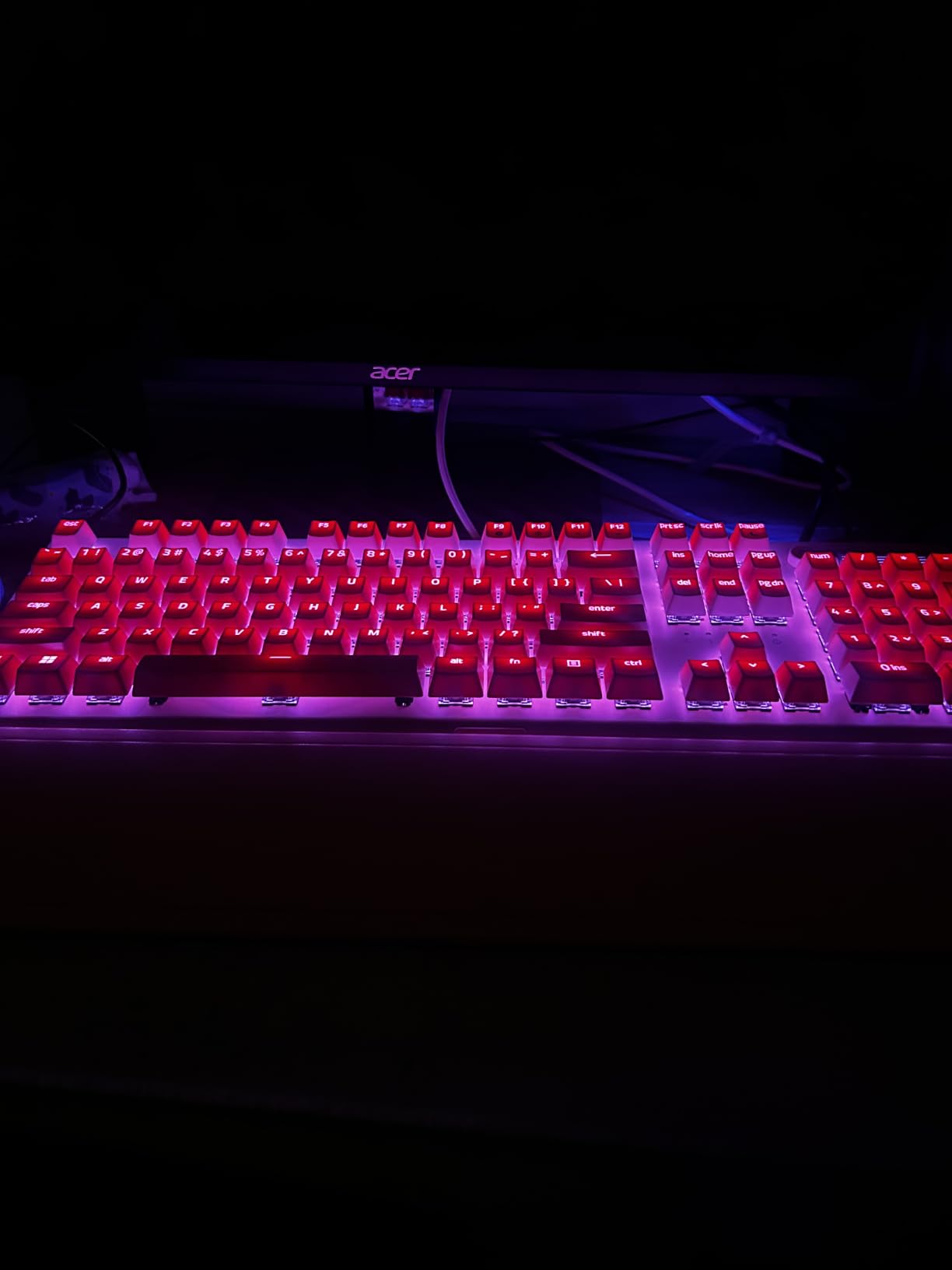
The Chroma RGB system is one of the best in the business. It integrates with over 150 games, meaning your lighting can react to in-game events. The transparent switch housages let the RGB shine through clearly for a vivid effect.
The multi-function digital roller and dedicated media key are genuinely useful. Adjusting volume or skipping tracks without alt-tabbing is a small quality-of-life feature that adds up over time.
Best for Tactile and Clicky Fans
If you love the sound and feel of clicky switches, the BlackWidow V3 Green switches are among the best. The tactile bump is pronounced and the click is crisp, giving you clear confirmation of every keypress.
The included ergonomic wrist rest is a real value-add. Razer wrist rests are among the more comfortable stock options we have tested.
Wired Limitations
This board is USB-A wired only. There is no wireless option, which may be a dealbreaker if you want a cable-free desk.
The UV-coated ABS keycaps will develop shine over time with heavy use. This is a known limitation of ABS versus PBT keycaps.
8. EPOMAKER X Aula F75 MAX – TFT Display Innovation
EPOMAKER X Aula F75 MAX Wireless Mechanical Keyboard with TFT Screen and Knob, Gasket Gaming Keyboard in 75% Layout, Hot Swappable, RGB Backlight, for PC/Mac/Linux (Black Gradient)
75% gasket-mount layout
TFT smart display with GIF support
Volume knob
Pre-lubed cream linear switches
Tri-mode wireless (BT5.0, 2.4GHz, USB-C)
1000Hz polling
Hot-swappable 3/5-pin
South-facing RGB
Pros
- Unique TFT smart display for GIFs and system info
- Gasket-mount with flex-cut PC plate for soft typing
- Creamy and thocky sound profile out of the box
- 1000Hz polling rate for responsive gaming
- Tri-mode wireless with hot-swappable switches
Cons
- Not Prime eligible
- Plastic enclosure feels less premium than metal alternatives
- TFT screen quality is basic compared to dedicated displays
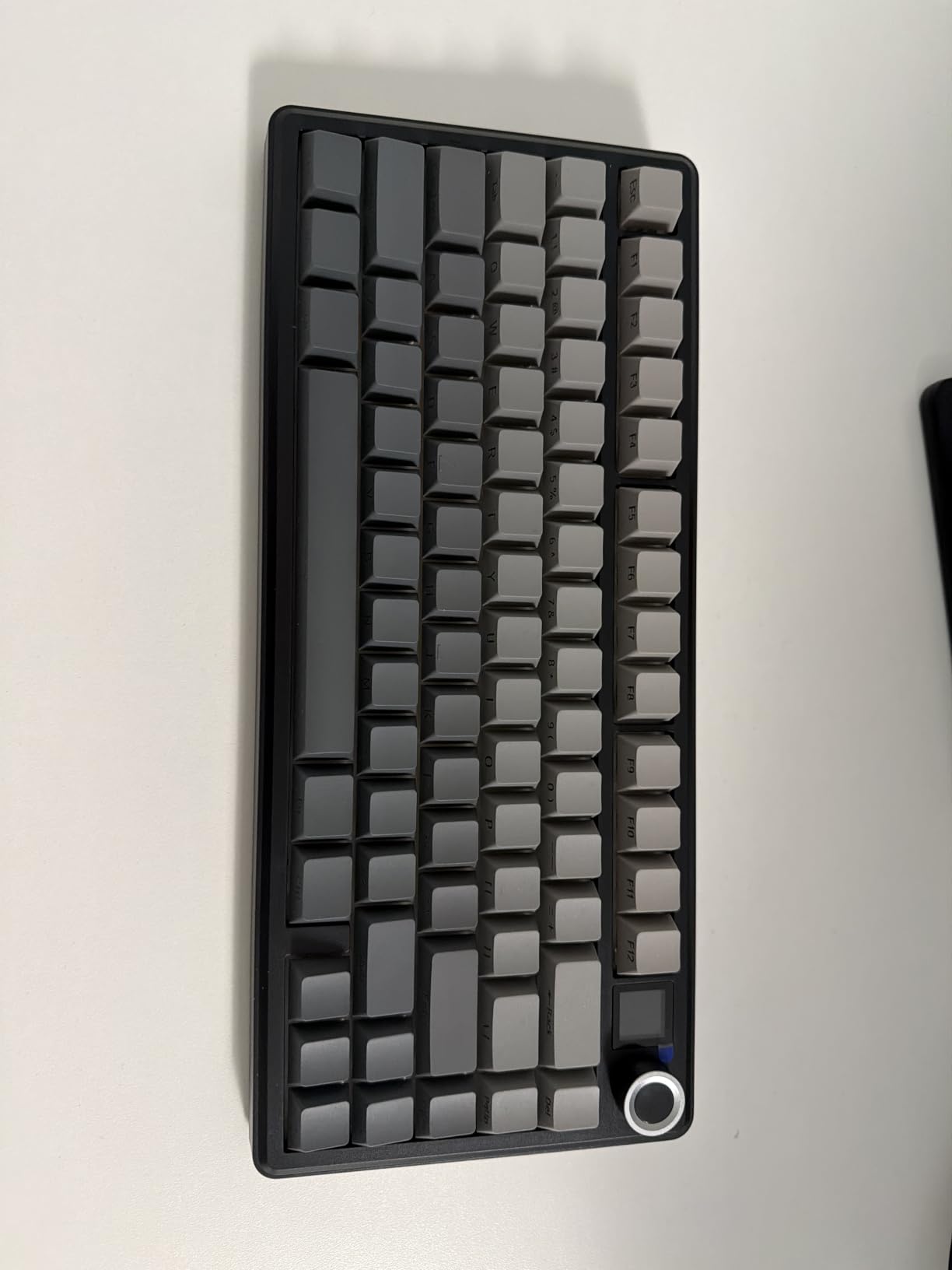
The EPOMAKER X Aula F75 MAX stands out for one reason: the TFT smart display. This small screen sits above the function row and can show custom GIFs, system information, or volume indicators. It is a conversation starter and genuinely useful for at-a-glance info.
Beyond the screen, this is a serious gaming keyboard. The gasket-mounted structure with a flex-cut polycarbonate plate delivers a soft, cushioned typing feel. The pre-lubed cream switches produce a creamy, thocky sound that rivals boards costing twice as much.
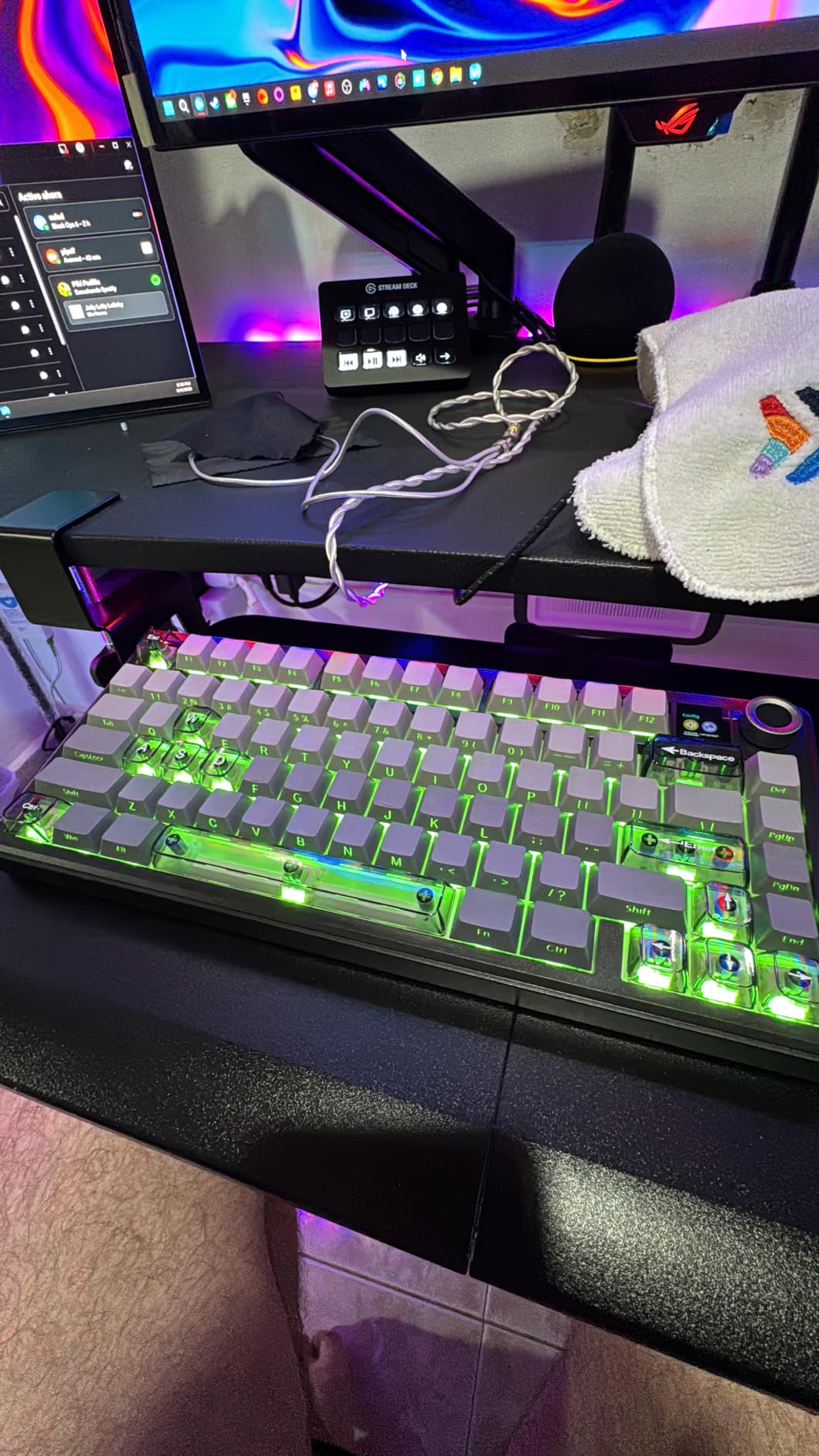
In gaming tests, the 1000Hz polling rate and NKRO anti-ghosting handled rapid inputs without issue. The tri-mode connectivity let me switch between my gaming PC on 2.4GHz and my work laptop on Bluetooth instantly.
The hot-swappable sockets support both 3-pin and 5-pin switches, and the screw-in stabilizers are compatible with enthusiast-grade stabilizer upgrades. This board is built for customization.
Best for Enthusiasts Who Want Personality
The TFT display and volume knob give this board personality that most competitors lack. If you want a keyboard that looks different from every other board on the market, the F75 MAX delivers.
The sound profile is excellent for the price. The full foam and silicone sandwich construction produces a deep, muted sound that enthusiasts describe as creamy or thocky.
Build Quality Expectations
The plastic enclosure is lighter and less premium-feeling than metal-frame boards. This keeps the weight down but means the board flexes slightly under heavy typing.
The TFT screen is functional but basic. Do not expect the resolution or color quality of a dedicated monitor.
9. RK ROYAL KLUDGE R75 – Best Cream Switch Option
RK ROYAL KLUDGE R75 Wireless Mechanical Keyboard, 75% Percent Custom Gaming Keyboard Gasket Mount RGB Backlit with Knob & PBT Keycaps, BT5.1/2.4GHz/USB-C, Hot Swappable Cream Switch, White
75% gasket-mount layout
Pre-lubed Cream linear switches
Tri-mode wireless (BT5.1, 2.4GHz, USB-C)
4000mAh battery
QMK/VIA compatible
CNC metal volume knob
Double shot PBT keycaps
5-layer sound dampening
Pros
- QMK/VIA compatibility for deep customization
- Gasket mount with five layers of sound-absorbing material
- CNC metal volume knob is removable and programmable
- Pre-lubed cream switches deliver smooth linear feel
- Tri-mode wireless connects up to 3 devices simultaneously
Cons
- Plastic construction feels less premium than metal boards
- Mode switching hotkeys have a learning curve
- Some users report occasional double-keystrokes
The RK ROYAL KLUDGE R75 is the board we recommend for anyone who wants to dip into enthusiast keyboard territory without spending over $70. The QMK/VIA compatibility alone makes this board stand out in the budget category.
The pre-lubed Cream switches are smooth and consistent. They have a lighter actuation force than typical Red switches, which makes them excellent for rapid gaming inputs. The gasket mount with five layers of sound-absorbing material gives each keypress a soft, cushioned landing.
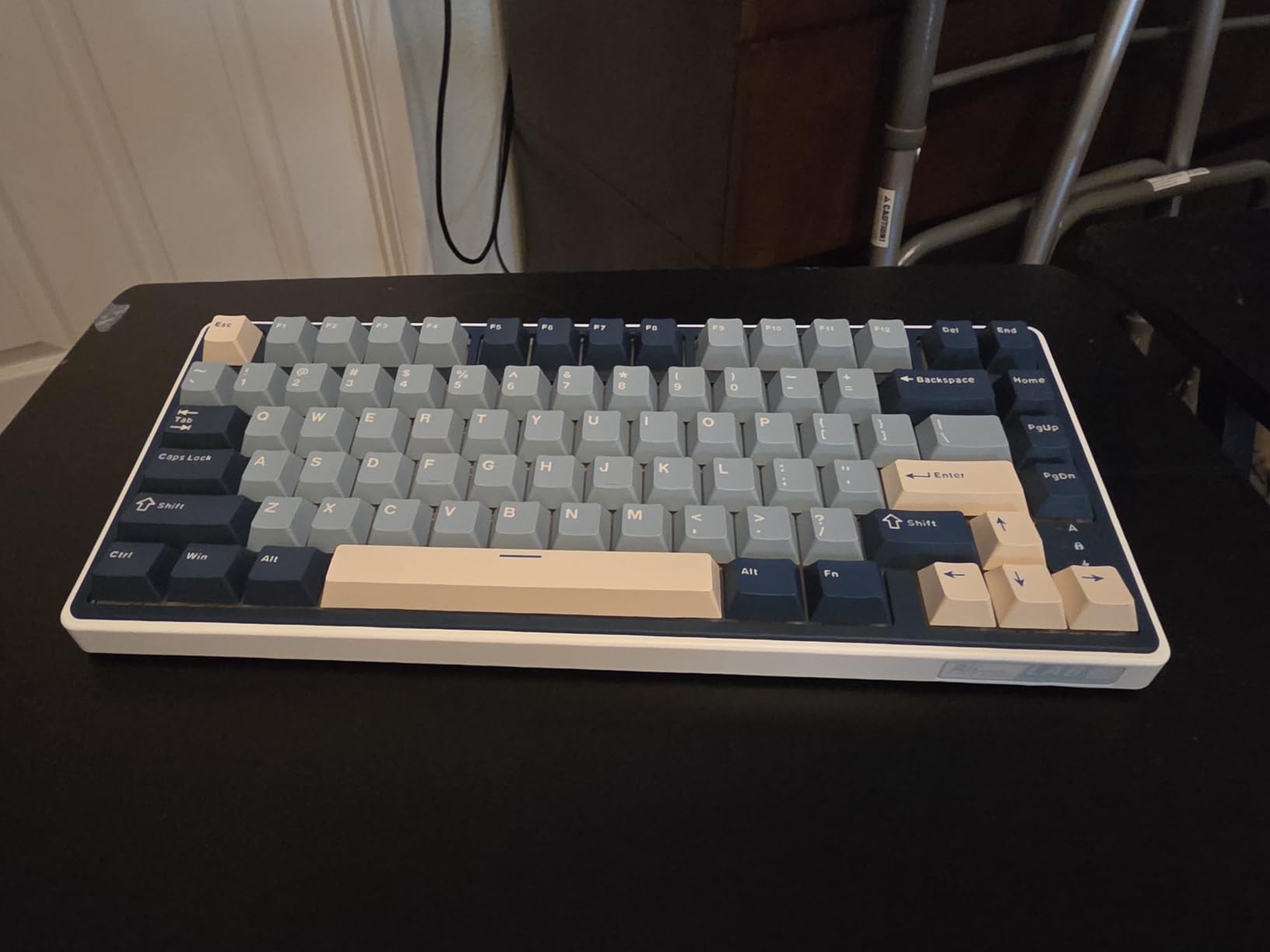
The CNC metal volume knob is a standout feature at this price. It is removable and programmable, meaning you can assign it to any function you want through QMK/VIA. The 4000mAh battery lasted over a week in our testing with moderate use.
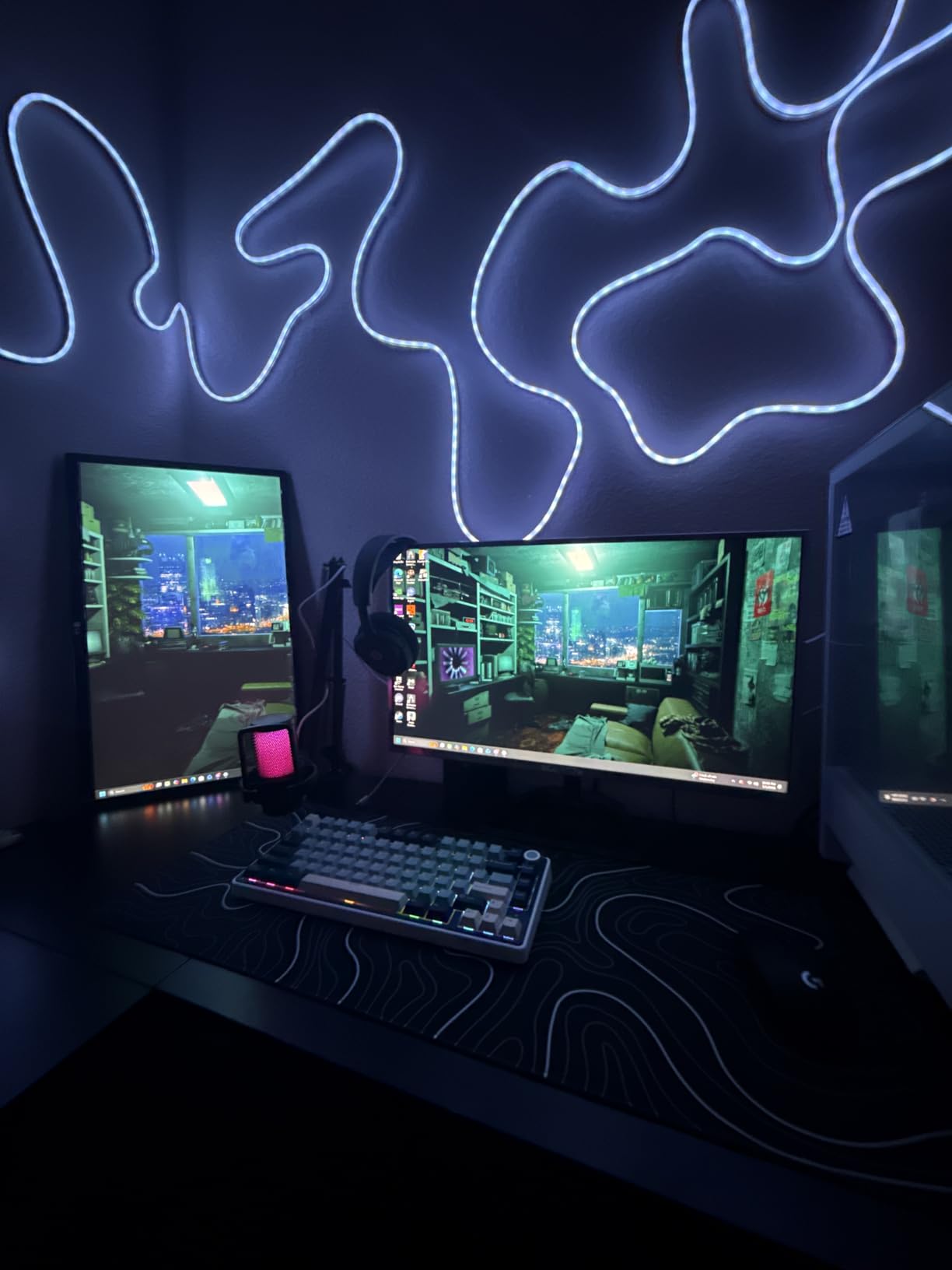
The south-facing RGB LEDs produce a clean underglow effect that looks great without being overwhelming. The double shot PBT keycaps resist shine and will look good for years.
Best Entry Point for Custom Keyboard Fans
If you have been curious about QMK/VIA programmable keyboards but did not want to spend $150-plus, the R75 is your entry ticket. The VIA software lets you remap any key, set up layers, and create macros without writing code.
The hot-swappable cream switches mean you can try different switch types without buying a new board.
Known Issues to Watch
Some users report occasional double-keystrokes, likely related to switch debounce timing. This is usually fixable through firmware or switch replacement.
The mode switching hotkeys (for toggling between Bluetooth, 2.4GHz, and wired) take memorization. Keep the manual handy for the first week.
10. SbocKeeb 75 Percent Wired – Best Ultra-Budget
SbocKeeb 75 Percent Keyboard Gasket-Mounted with Sound Absorbing Pads, 82-Key Compact Wired RGB Mechanical Gaming Keyboard Hot-Swap Socket for Win, Fog Blue
82-key 75% layout
Gasket-mounted with sound absorbing pads
Hot-swappable 3/5-pin
PBT keycaps
Linear Red switches
Full anti-ghosting
RGB lighting
Volume knob
USB-A wired
Pros
- Lowest price point on this list with gasket mount and hot-swap
- PBT keycaps resist oil and wear
- Full anti-ghosting for gaming accuracy
- Volume knob included for media control
- Comes with extra keycaps for customization
Cons
- Wired only with no wireless option
- Plastic gasket may flex under heavy typing
- Outemu Red switches are basic compared to premium options
- No Prime shipping
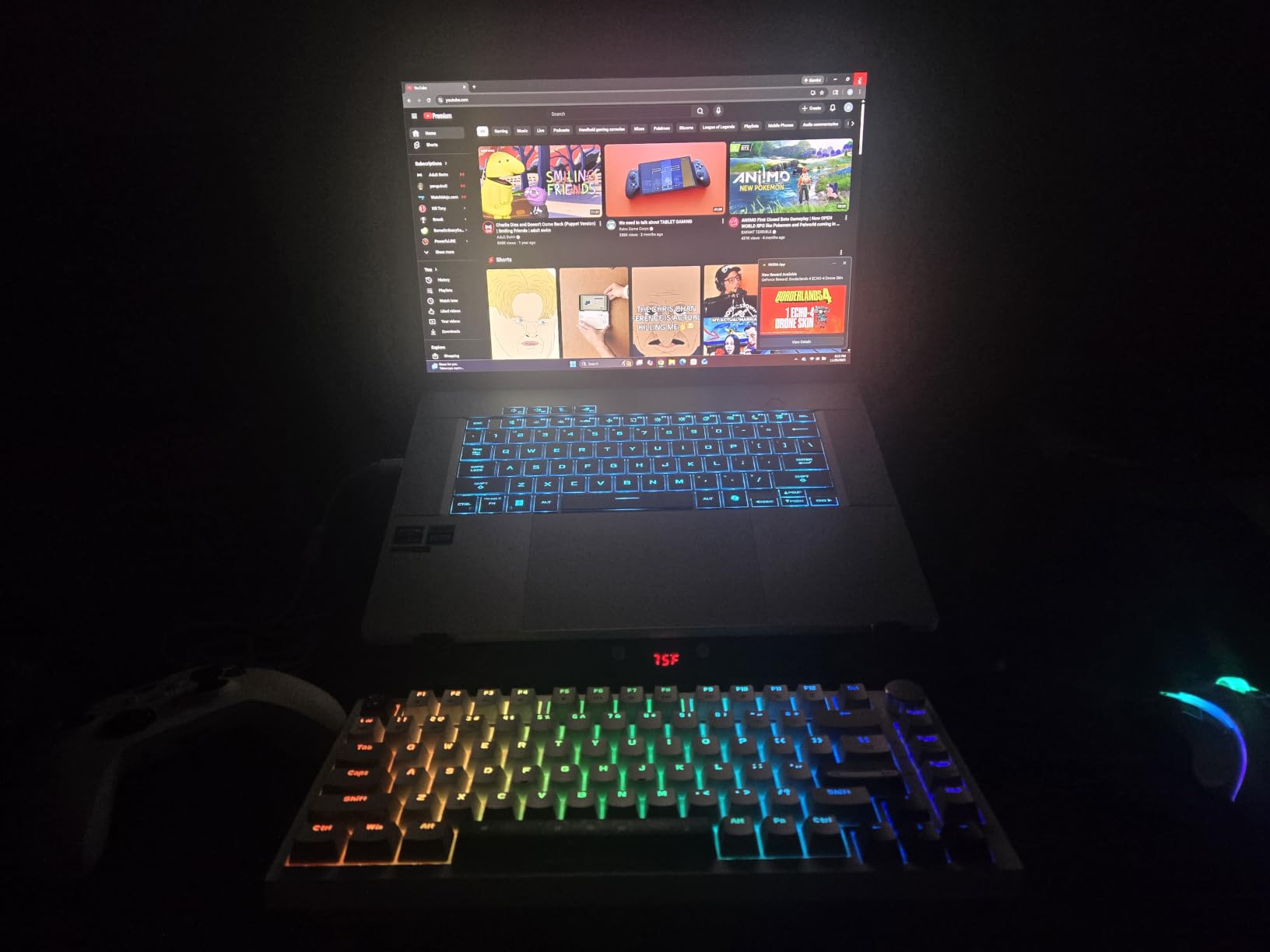
The SbocKeeb 75 Percent Wired is the keyboard we recommend for anyone buying their first mechanical keyboard or building a budget gaming setup. At under $40, it delivers gasket mounting, hot-swappable switches, and PBT keycaps.
For testing, I handed this board to a friend who had never used a mechanical keyboard. Within an hour, they were converted. The gasket-mounted feel is soft and forgiving, and the sound-absorbing pads keep the typing noise reasonable for a budget board.
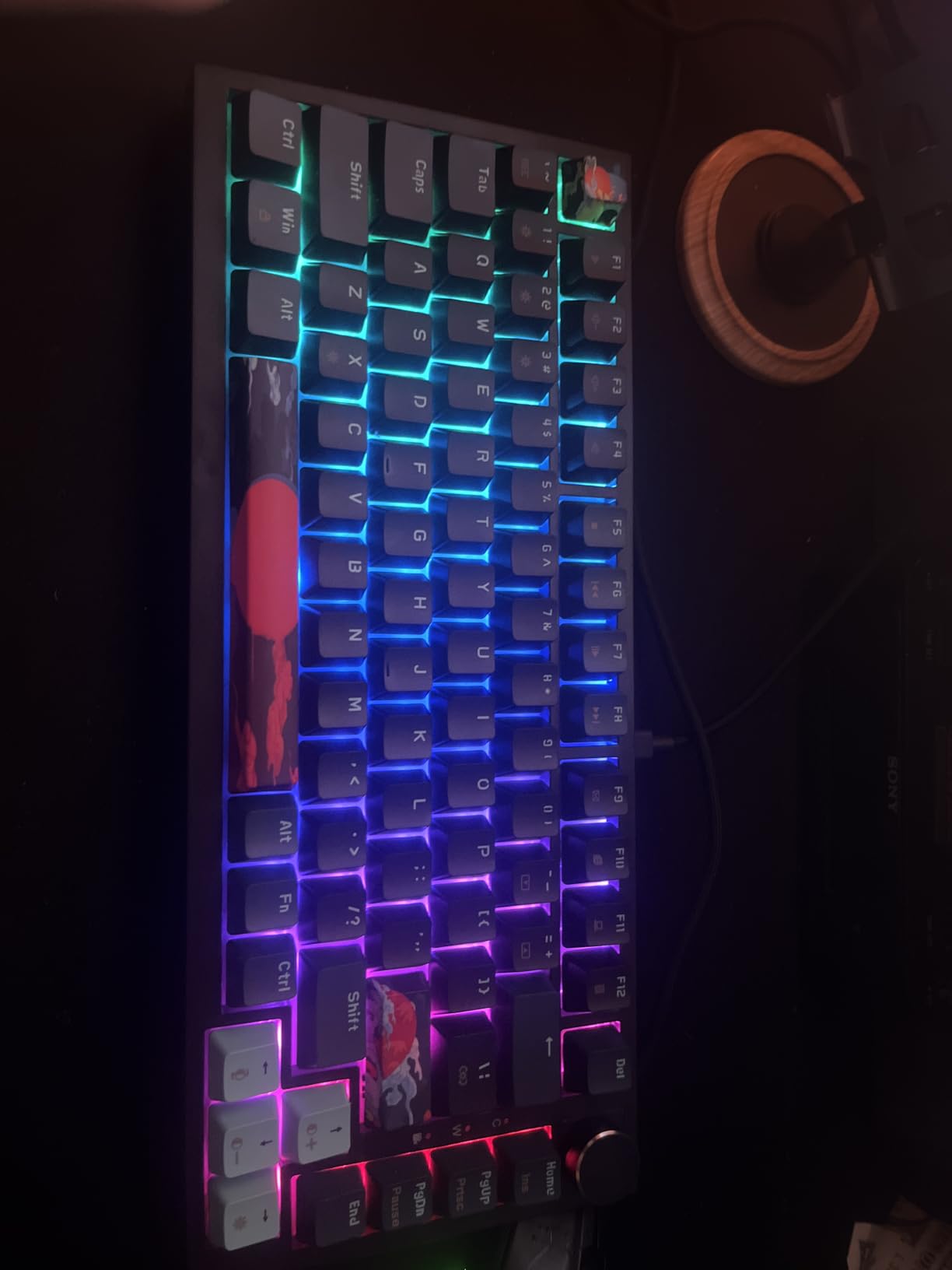
The Outemu Red linear switches are basic but functional. They are smooth enough for casual gaming, and the hot-swappable sockets mean you can upgrade to better switches later without buying a new board. This is the real value of a budget hot-swap board.
The included extra keycaps and volume knob are thoughtful additions at this price. The RGB lighting is customizable through included software, and full anti-ghosting ensures every keypress registers during intense gaming moments.
Best First Mechanical Keyboard
If you are new to mechanical keyboards and want to try one without a big investment, this is the board. The gasket mount gives you a taste of the cushioned typing feel that enthusiasts love, and the hot-swap sockets let you experiment with different switches.
The total cost of entry is lower than most name-brand switches alone. That makes it an ideal platform for learning about keyboard modding.
Limitations at This Price
The plastic construction flexes under heavy typing. This is expected at this price point and not a dealbreaker, but it is noticeable compared to metal-frame boards.
The Outemu Red switches are functional but not as smooth or consistent as the pre-lubed switches on the AULA or RK boards. Plan to swap them if you want a premium feel.
How to Choose the Best Mechanical Keyboard for Gaming?
Choosing the best mechanical keyboard for gaming comes down to four main factors: switch type, form factor, connectivity, and budget. Here is how to think through each one.
Switch Types Explained: Linear vs Tactile vs Clicky
Linear switches are the overwhelming favorite for gaming. They have a smooth, consistent keystroke with no tactile bump, which allows for faster repeated presses. Linear switches like Cherry MX Red, Speed Silver, and most pre-lubed budget switches fall into this category.
Tactile switches have a noticeable bump partway through the press. This feedback helps you know when the key has actuated, which some typists prefer. Tactile switches like Cherry MX Brown are a middle ground for users who type and game equally.
Clicky switches add an audible click mechanism on top of the tactile bump. They are the loudest option and are polarizing for gaming. Some players love the audible confirmation. Others find the noise distracting during long sessions.
For pure gaming performance, linear switches win. For mixed typing and gaming, tactile switches are the safe choice.
Hall Effect vs Optical vs Traditional Mechanical
Traditional mechanical switches use a physical metal contact to register keypresses. They are reliable, affordable, and come in thousands of variations. Their limitation is that actuation point is fixed at the factory.
Optical switches use a light beam to register keypresses. When you press the key, a stem blocks the light beam, triggering the input. Optical switches have no physical contact, which means less wear and theoretically faster response times.
Hall Effect switches use magnetic sensors to detect key position. This allows for adjustable actuation points, rapid trigger, and analog input. The SteelSeries Apex Pro TKL Gen 3 uses this technology. Hall Effect is the most advanced option for competitive gaming because it gives you control over exactly when each key registers.
Form Factor Guide: 60%, 65%, 75%, TKL, and Full-Size
60% keyboards remove the function row, arrow keys, and navigation cluster. They are the most compact option and free up maximum desk space for mouse movement. The trade-off is that arrow keys and functions require layer combinations.
65% and 75% layouts add arrow keys and a function row while keeping the footprint small. The 75% layout, used by the AULA F75 Pro and RK R75, is the most popular choice for gamers who want compact size without losing arrow keys.
Tenkeyless (TKL) removes only the numpad. It gives you a full function row and navigation cluster in a moderately compact footprint. The Logitech G PRO and SteelSeries Apex Pro TKL use this layout.
Full-size and 96% layouts include the numpad. The 96% layout, used by the ASUS ROG Strix Scope II 96 and AULA F99, compresses the numpad into a tighter footprint. Full-size boards like the Corsair K100 and Razer BlackWidow V3 offer maximum key count for MMO and productivity use.
Rapid Trigger and Latency Explained
Rapid Trigger is a Hall Effect feature that resets the key the moment you start releasing it. On a traditional switch, the key must travel all the way back to a fixed reset point before it can be pressed again. Rapid Trigger eliminates that delay.
The practical benefit is faster repeated inputs and tighter movement control. In FPS games, this translates to faster counter-strafing and more precise peeking. In rhythm games, it allows for quicker alternating keypresses.
Polling rate also affects latency. Standard keyboards poll at 1000Hz, meaning they report their state 1000 times per second. Boards like the Corsair K100 with AXON push this to 4000Hz, reducing input latency further. Whether you can perceive the difference depends on your overall system latency.
Wireless vs Wired for Gaming
Modern 2.4GHz wireless has effectively eliminated the latency argument for gaming. Boards like the AULA F75 Pro, ASUS ROG Strix Scope II 96, and AULA F99 all deliver lag-free gaming over their 2.4GHz dongles.
The main advantage of wireless is a clean desk. Without a cable dragging on the board, you have more freedom to position the keyboard exactly where you want it.
Wired boards still have a place for tournament play, where any risk of interference is unacceptable. The Logitech G PRO and SteelSeries Apex Pro TKL are both wired-first designs built for that scenario.
Battery life varies widely. The ASUS ROG Strix Scope II 96 leads with up to 1500 hours, while boards with heavy RGB use will drain significantly faster. If battery life matters, look for boards with 4000mAh or larger batteries.
Sound Dampening and Acoustic Tuning
Keyboard sound is a bigger deal than many buyers expect. A board that sounds pingy or hollow can be annoying over long sessions. This is a common complaint on Reddit keyboard forums.
Gasket mounting is the most effective sound-improvement feature. A gasket-mounted plate floats on cushioning material, which softens the impact of each keypress and reduces resonance. The AULA, RK, and EPOMAKER boards on this list all use gasket mounting.
Foam layers inside the case absorb hollow echoes and high-frequency ping. Most budget enthusiast boards now ship with multiple foam layers pre-installed. Pre-lubed switches and stabilizers further reduce scratchiness and rattle.
If sound quality matters to you, prioritize boards with gasket mount, foam layers, and pre-lubed switches. The AULA F75 Pro and EPOMAKER F75 MAX are standout values in this regard.
Frequently Asked Questions
What is the best mechanical keyboard for gaming?
The SteelSeries Apex Pro TKL Gen 3 is the best mechanical keyboard for gaming overall thanks to its OmniPoint 3.0 Hall Effect switches with adjustable actuation and Rapid Trigger. For value, the AULA F75 Pro Wireless delivers premium features at a fraction of the cost.
What switches are best for gaming?
Linear switches are best for gaming because they offer smooth, unobstructed keypresses without a tactile bump, allowing for faster repeated inputs. Hall Effect switches like the OmniPoint 3.0 take this further with adjustable actuation points and rapid trigger reset.
How much should I spend on a gaming keyboard?
You can get a solid gaming mechanical keyboard for $35 to $75 if you want basic features. For wireless, hot-swappable switches, and gasket-mounted sound dampening, expect $60 to $135. Premium Hall Effect boards with rapid trigger run $170 to $300.
What is rapid trigger and why does it matter?
Rapid Trigger is a Hall Effect switch feature that resets a key the instant you begin releasing it, rather than waiting for a fixed reset point. This allows for faster repeated inputs and tighter movement control in competitive FPS and rhythm games.
Should I get linear or tactile switches for gaming?
Linear switches are better for pure gaming because they allow faster keypresses without resistance. Tactile switches are better if you type a lot alongside gaming, since the bump provides feedback that helps typing accuracy. If unsure, start with linear.
Final Verdict
After testing all 10 boards, our top recommendation for the best mechanical keyboard for gaming in 2026 is the SteelSeries Apex Pro TKL Gen 3 for competitive players who want every possible advantage through Hall Effect switches and Rapid Trigger.
For everyone else, the AULA F75 Pro Wireless is the sweet spot. It delivers tri-mode wireless, pre-lubed switches, gasket-mounted sound dampening, and hot-swappable sockets at a price that leaves room in your budget for other gear. If you are just starting out, the SbocKeeb 75 Percent Wired gets you into mechanical keyboards for under $40 with room to upgrade later.