
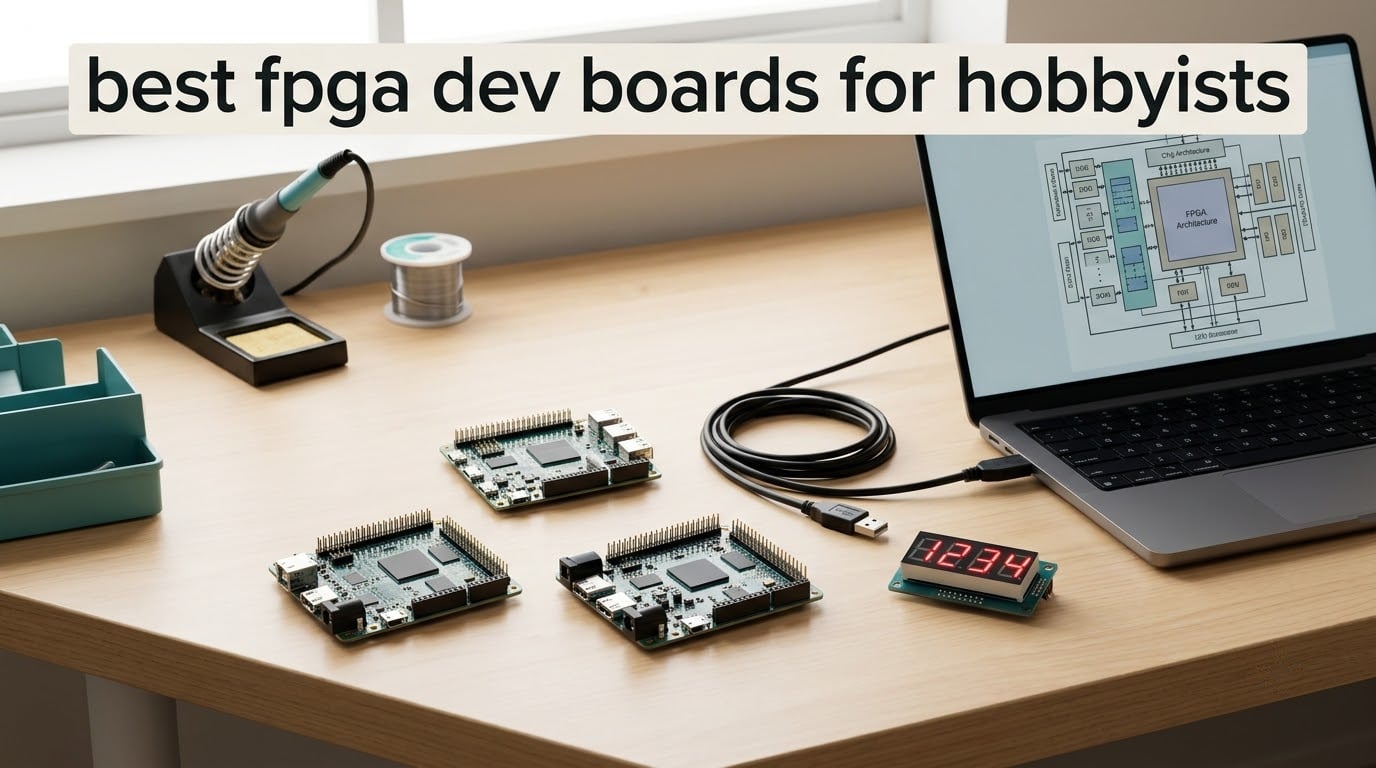
If you have been searching for the best FPGA dev boards for hobbyists, you have probably noticed something odd: nearly every guide out there is either a vendor datasheet dump or a listicle that treats cost as the only meaningful spec. Neither is much help when you are trying to work out which board you can actually learn on, which one will still be supported in five years, and which one quietly needs a second piece of hardware you were not planning to buy.
We spent weeks going through the boards hobbyists buy most often, reading the owner reviews closely and mapping what each one gives you: how much logic fabric, what memory, how you get a bitstream onto the chip, and what the toolchain situation looks like. The result is a list of ten FPGA development boards that cover three very different budgets and three very different ambitions, from a board that fits on a breadboard to one with 256MB of DDR3 next to the fabric.
Two things came up again and again while we read. First, the biggest reason beginners hesitate is not the cost of the board, it is the fear of needing a separate JTAG programmer. Second, almost everyone assumes they know which toolchains are free, and almost everyone is still surprised. We address both directly below, and we update this roundup for 2026 as the vendor tools change.
Table of Contents
Top 3 FPGA Dev Board Picks for 2026

Digilent Basys 3
- Artix-7 4.5E+2 FPGA
- 16 switches and 16 LEDs
- VGA plus four Pmod ports
- 128Mbit QSPI flash

Digilent Arty A7-100T
- XC7A100T Artix-7
- 256MB DDR3L memory
- USB-JTAG and Quad-SPI flash
- Ethernet

Best FPGA Dev Boards for Hobbyists (October 2026)
The table below is the fastest way to compare all ten boards in this roundup. An FPGA development board is a breakout board built around a field-programmable gate array, a chip whose digital logic you rewrite in hardware description languages such as Verilog or VHDL, together with the memory, input and output, power and programming interface you need to load a design onto it and see it run.
| Product | Specifications | Action |
|---|---|---|
| Digilent Basys 3 Artix-7 Trainer Board |
|
Check Latest Price |
| Digilent Arty A7-100T |
|
Check Latest Price |
| Sipeed Tang Nano 20K |
|
Check Latest Price |
 Digilent Arty S7-25 Digilent Arty S7-25 |
|
Check Latest Price |
 Nandland Go Board Nandland Go Board |
|
Check Latest Price |
 CycloFlex Cyclone 10 Board CycloFlex Cyclone 10 Board |
|
Check Latest Price |
 EBAZ4205 Zynq Development Board EBAZ4205 Zynq Development Board |
|
Check Latest Price |
 Tang Nano 9K GW1NR-9 Tang Nano 9K GW1NR-9 |
|
Check Latest Price |
 Sipeed Tang Nano 1K Sipeed Tang Nano 1K |
|
Check Latest Price |
 DueProLogic Altera Cyclone IV Board DueProLogic Altera Cyclone IV Board |
|
Check Latest Price |
1. Digilent Basys 3: the best FPGA dev board for beginners overall
Digilent Basys 3 Artix-7 FPGA Trainer Board: Recommended for Introductory Users
Artix-7 4.5E+2 FPGA
16 switches and 16 LEDs
VGA plus 4 Pmod ports
128Mbit QSPI flash
Pros
- Well documented with clear peripheral pin information
- Compact high-quality build that is easy to learn fundamentals on
- Plenty of I/O for tutorials
- Considerably more capable than older Spartan-3 boards
- Works with the free Vivado WebPACK toolchain
Cons
- No micro USB cable included
- VGA output only so modern displays need a converter
- Lacks general-purpose RAM for soft processor cores
- More hardware than the most basic exercises require
The Basys 3 is the board we recommend to someone opening the box on day one, and it earned that position because of what it does not ask you to figure out first. The Artix-7 4.5E+2 device on it is a modern part from AMD’s current toolchain generation, and the user interface is deliberately generous: 16 slide switches, 16 LEDs, 5 pushbuttons, a 7-segment display and VGA output, all broken out to named pins in documentation you can actually follow.
With 181 reviews behind it and a 4.5 average, this is also the most-tested board in the roundup, which matters more than raw spec in this category. When a beginner asks on r/FPGA what to buy, the Arty is the name that comes up most often, and the Basys 3 is the same Digilent ecosystem at a lower tier with even more physical switches to poke at while you are learning.
Four Pmod expansion ports, three standard 12-pin and one dual-width, mean you can add peripherals later without touching the main board. A 128Mbit QSPI flash holds the bitstream, so your design survives a power cycle, and a 100MHz oscillator gives you a clean reference clock to build a PLL from.
What you can build on it day one
Because every switch and LED is mapped in the reference manual, your first project can be something with visible output: a counter driving the 7-segment display, a UART terminal echoing characters to a serial console, or a traffic-light state machine using the switches and LEDs. These are not throwaway exercises, they are the four teaching patterns that every digital design course starts with.
When you want a screen rather than blinkenlights, the VGA output drives a monitor directly, which means text rendering, a frame buffer and simple 2D graphics are all reachable. At 3.2 x 5 x 1.2 inches and 3.2 ounces, it is small enough to sit on a desk permanently and light enough not to need a special work surface.
Where it will frustrate you
The board does not include a micro USB cable, which is the single most repeated complaint in the reviews and the thing we would tell you to check before you order. You need one to program the board at all, and it is a five-minute fix that stops a first session dead if you did not plan for it.
There is also no general-purpose RAM, which is the one limitation that will genuinely end a project. Soft processor cores such as MicroBlaze or a RISC-V core need memory the Basys 3 does not have, and reviewers consistently report hitting that wall when they try to run anything beyond pure logic. If a Linux-capable or soft-CPU project is in your plans, look at the Arty A7 instead.
2. Digilent Arty A7-100T: the best FPGA dev board for ambitious projects
Arty A7: Artix-7 FPGA Development Board for Makers and Hobbyists (Arty A7-100T)
XC7A100TCSG324-1 Artix-7
256MB DDR3L on a 16-bit bus
10/100 Ethernet and USB-UART
4 Pmod plus shield header
Pros
- Powerful platform with four Pmod connectors and plenty of LEDs and switches
- Can host a soft ARM CPU and is well supported by Vivado WebPACK
- Onboard USB-JTAG allows soft-core debug without a separate programmer
- Can be DC powered from an external barrel jack
- Documentation and example projects are well written
Cons
- Not ideal for absolute beginners because worked examples are thin
- Reference manual and pin reference are poorly organized for novices
- You must select the correct part number or synthesis wastes time
- USB-micro cable is not included
The Arty A7-100T is the board that stops being a learning kit and becomes a small computer. It carries 256MB of DDR3L on a 16-bit bus running at 667MHz, alongside the XC7A100TCSG324-1 Artix-7 device, and with 39 reviews it carries one of the strongest owner records in this roundup at a 4.6 average.
The A7-100T and the smaller A7-35T are the same physical board with different fabric inside, which is worth understanding before you buy because the part number in Vivado has to match exactly. Owners report that picking the wrong device string is a common way to waste an afternoon on a synthesis run that will never succeed.
Internal clock speeds exceed 450MHz and there is an on-chip XADC analog-to-digital converter, so sensor and signal work is in scope. You also get 10/100 Ethernet, a USB-UART bridge, 4 switches, 4 buttons, 4 LEDs, 4 RGB LEDs, 4 Pmod connectors and a shield connector, and the board can be powered from USB or any 7V to 15V source.
Why the memory matters more than the fabric
Block RAM inside the FPGA is fast but small and designed for buffers, not for a general memory system. The 256MB of DDR3L on this board is what makes a real soft processor core, a frame buffer, or an audio and video pipeline possible, and it is the difference between a project that fits and a project that has to be simplified until it fits.
Having 256MB also means you can experiment with a soft ARM or RISC-V core running a real program, and the onboard USB-JTAG circuitry means you can debug that core over a plain USB cable rather than buying a hardware debugger. On r/FPGA the Arty is repeatedly described as the default recommendation, and the reason is exactly this combination of capacity and a programming path that needs no extra hardware.
Who should not buy this first
Beginners report that the Digilent documentation for this board assumes you already know what a clock domain is. The reference manual and pin reference are genuinely disorganized for newcomers, and there are fewer worked examples for this specific board than for the Basys 3, so your early hours will go into setup rather than into learning.
Two practical notes from the reviews: the USB-micro cable is not included, and the part number selection really does matter. If your interest is a first Verilog project, the Arty A7 is more machine than you need today, and the Arty S7 or Basys 3 covers the same learning curve with less friction.
3. Sipeed Tang Nano 20K: the best value FPGA dev board in 2026
Sipeed Tang Nano 20K GW2AR-18 QN88 FPGA Development Board with 64Mbits SDRAM 828K Block SRAM Linux RISCV Single Board Computer for Retro Game Console Support microSD RGB LCD JTAG Port
GW2AR-18 with 20736 LUT4
64MB RAM and 64Mbit flash
Onboard JTAG, USB-UART and USB-SPI
HDMI display output
Pros
- Very capable logic fabric for the price compared with Xilinx-based boards
- Gowin IDE is licence-free and synthesizes much faster than Vivado
- Pre-soldered headers make it breadboardable at 3.3V logic
- Works with Yosys and nextpnr-himbaechel plus openFPGALoader
- Can drive HDMI output for retro console emulation
Cons
- Onboard SDRAM cannot reliably hit its rated speeds
- SDRAM has no exposed IO pins so signal names must be declared manually
- Not pin-compatible with the smaller Nano 9K and fewer I/O limit larger applications
- Build quality is described as merely adequate
- Some units arrive with quality-control problems
The Tang Nano 20K is the board that makes us uncomfortable about every other recommendation on this list in terms of pure capability per unit of spend. The GW2AR-18 QN88 device gives you 20,736 LUT4 logic cells and 15,552 flip-flops, with 2 PLLs and DSP units for 18×18 bit multiplication. That is enough fabric to run a soft core and a display pipeline on the same chip, which is more than the iCE40 and Cyclone IV boards further down this list can do.
It is also a proper little system rather than a bare chip on a PCB. You get 64MB of RAM, 64Mbit of flash, a 27MHz crystal, an MS5351 clock generating chip, a PCM amplifier and USB connectors for UART and SPI, and the board runs Linux and RISC-V soft-core experiments. At 2.13 x 0.89 x 0.2 inches it is genuinely tiny, and the headers arrive pre-soldered so you can put it straight on a breadboard at 3.3V logic.
The toolchain story is the quiet winner here. Gowin IDE is licence-free and compiles far faster than Vivado, and the board also works with open-source flows including Yosys, nextpnr-himbaechel and openFPGALoader. With 32 reviews averaging 4.5, buyers consistently single out the free licence and the speed of synthesis as the reasons to choose it over an Xilinx board.
What the memory situation really means
This is where the reviews get specific and where you should read carefully. The onboard SDRAM does not reliably reach its rated speed according to buyer feedback, and the listing advertises the capacity anyway, so treat the 64MB as usable but unremarkable. Anyone planning to stream video or run a soft CPU with real memory bandwidth will be disappointed by the memory, not by the logic.
The other wrinkle is that the SDRAM has no exposed IO pins and no constraints, so you have to declare the signal names manually in your top-level design file. That is a real friction point for a first project, and it is why we would start with the LED and HDMI paths rather than the memory. Retro game console emulation and RGB screen driving are the uses reviewers report most often, and both avoid the SDRAM problem entirely.
Quality control and the learning curve
Build quality is described as merely adequate by several owners, and a small number report units that would not configure under the Gowin toolchain. If you are risk-averse, check the return policy before you order, because a dead board on day one is a bad start.
The docs live on the Sipeed wiki rather than in a printed manual, and the level of detail varies by feature. GPIO, LED and display work is well covered, less exotic peripherals are thinner, and you should expect to spend time reading forum threads. The payoff is a board that can drive HDMI and host a soft RISC-V core without the heavyweight toolchain several of the boards above require.
4. Digilent Arty S7-25: the best FPGA dev board if you want the newest AMD fabric
Digilent Arty S7: Spartan-7 FPGA Board for Makers and Hobbyists (Arty S7-25)
XC7S25-CSGA324 Spartan-7
Internal speeds above 450MHz
On-chip XADC analog converter
JTAG and Quad-SPI flash
Pros
- Good quality board with solid Digilent documentation
- Widely recommended as a good board to learn FPGA programming on
- Step-by-step setup guide makes adding the board to Vivado straightforward
- The gap in the range is the Arty S7
- an Arty in the same Digilent ecosystem at a lower tier
Cons
- Vivado install requires a corporate signup
- No quick-start instructions in the box
- Costs more than other Spartan-7 boards of similar capability
The Arty S7 is the current low-cost entry point into AMD’s fabric, and the S7-25 pairs the XC7S25-CSGA324 device with the same physical design language as the Arty A7. There is a larger S7-50 with the XC7S50-CSGA324 in the same footprint, so the board you buy does not box you in.
Internal clock speeds exceed 450MHz and the on-chip analog-to-digital converter matches the Arty A7, so the silicon feature set is modern. Configuration is over JTAG and Quad-SPI flash, and the board can be powered from USB or any 7V to 15V source, which matters if you later attach something power-hungry.
What you buy here is Digilent’s documentation and workflow. With 18 reviews averaging 4.5, the feedback is small but consistently positive, and the recurring theme is that the step-by-step setup guide gets the board into Vivado without drama. The same ecosystem as the Arty means any reference design you have seen for the A7 is close to portable.
Whether the Spartan-7 fabric is enough for you
Spartan-7 is a smaller, lower-power family than Artix-7 and the right choice for a learning board, but the headroom difference shows up in one place: memory and large-scale video pipelines. If your plan is a soft CPU, a frame buffer, or anything that needs external DDR, an Artix-7 board like the Arty A7-100T is the more honest purchase.
For everything in the first-year learning arc, counters, state machines, UART, SPI and I2C peripherals, VGA output, a simple soft core and small protocol experiments, the S7-25 has more than you need. Clocking, pipelining and timing closure are the real skills you are buying the board for, and none of them require the bigger device.
The one thing that will slow you down
The complaint that appears in nearly every review is the Vivado download. It is a very large install, and getting it requires a corporate signup, so plan a long installation session before your first evening of work rather than discovering the friction at 9pm the night you want to start.
There are also no quick-start instructions in the box, and it costs more than other Spartan-7 options of similar capability. If open-source tooling and a smaller download are priorities, the Tang Nano 20K covers similar ground with a licence-free IDE. If you want the Digilent documentation and the AMD toolchain specifically, the Arty S7-25 is a sound pick.
5. Nandland Go Board: the best FPGA dev board if you want something in your hand this week
Nandland Go Board – FPGA Development Board for Beginners with USB Cable, 4 LEDs, 4 Push-Buttons, 7-Segment Display, VGA, PMOD, Win/Mac/Linux Compatible
Lattice iCE40 HX1K FPGA
8192 bytes of block RAM
4 LEDs, 4 buttons, two 7-segment displays
FT2232HL USB interface, cable included
Pros
- Very easy to use with graphics displaying within an hour of unboxing
- Includes a USB cable which almost no other board in this roundup does
- Good set of built-in peripherals for dozens of projects
- Great value for a turnkey entry into FPGA development
- Owners report completing a stored-program computer design on it
Cons
- ICEcube2 requires a drawn-out licence request taking several days
- ICEcube2 is crude as an IDE despite fast synthesis and place-and-route
- Tutorials do not provide ready-to-flash bitstreams
- Only 8192 bytes of block RAM limits video resolution
- Second FT2232HL channel not wired for 245 FIFO mode
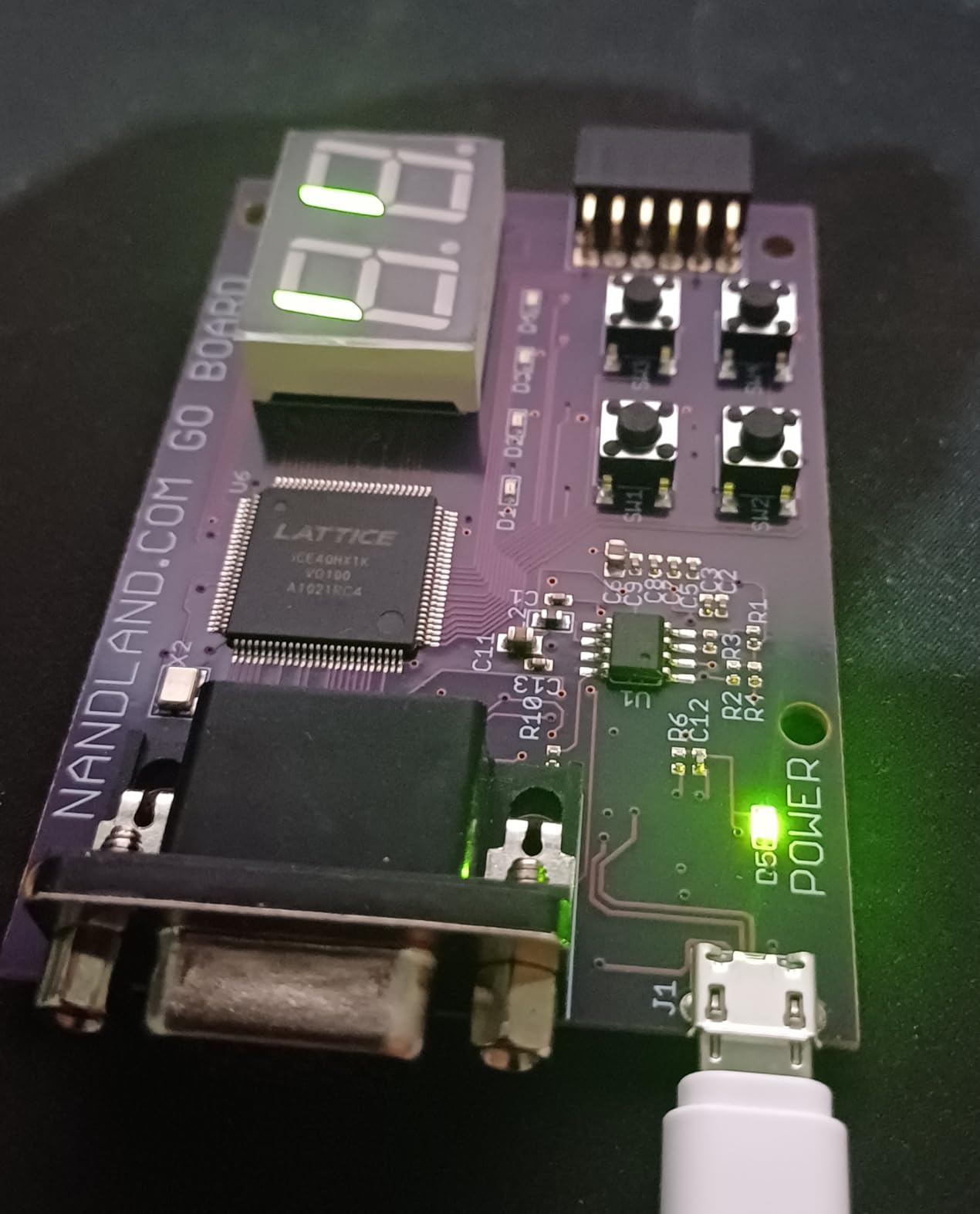
The Go Board is the fastest path from unboxing to something on a screen, and the reason is that the two things which usually stop beginners are solved. It comes with a USB cable, which almost no other board in this roundup does, and the build-on-each-other sample projects mean your first design is a small modification of a working one rather than a blank page.
The hardware is a Lattice iCE40 HX1K with 8,192 bytes of block RAM, driven through an onboard FT2232HL USB interface. Peripherals are 4 LEDs, 4 push-buttons, two 7-segment displays, VGA with 3:3:3 RGB and split H and V sync, and one Pmod connector. It works with both Verilog and VHDL, runs on Windows, Mac and Linux, and comes with a one-year manufacturer warranty.
Those 7 reviews all award 5 stars, and the detail in them is unusually good. Owners report getting graphics on the VGA output within an hour, and one describes implementing a complete stored-program computer design on it, which tells you more about the board’s capability than any spec line does.
What you can do on an HX1K
The 8,192 bytes of block RAM is the constraint that defines this board’s project envelope. It is plenty for counters, state machines, UART and SPI masters, a simple character generator, and a hand-built computer with a small program store, and several owners describe exactly that last project as their first serious build.
The two 7-segment displays and the RGB VGA output are what make the first week feel productive, because your work is visible immediately rather than hidden behind a serial console. Add a Pmod module later and you can bring in a keyboard, an audio codec or additional display, and the Pmod form factor is the most widely supported expansion standard in this hobby.
The licence delay you should plan around
Lattice ICEcube2, the vendor IDE, requires a licence request process that reviewers describe as taking several days to receive the file. That is the single biggest practical barrier on this board, and it is a scheduling problem rather than a technical one, but it means you cannot download the tools and start tonight.
ICEcube2 is also described as crude as an IDE even though synthesis and place-and-route are fast, and the online tutorials do not provide ready-to-flash bitstreams, with the linked EDAPlayground examples using mismatched signal names. Several owners work around this with alternative open-source flows, and if you are comfortable with Yosys-based tooling you will probably prefer them.
Two smaller notes: the second FT2232HL channel is not wired for 245 FIFO mode, and there is no Arduino-style 3.3V header broken out. If you are new to soldering headers, our soldering iron guide covers the fixed-temperature irons that make header work painless.
6. CycloFlex: the best FPGA dev board for learning Intel/Altera’s toolchain
Cyclone 10 FPGA Development Board – CycloFlex
Altera Cyclone 10 10CL016 FPGA
16000 logic elements and 504 Kbits SRAM
Three 7-segment displays and 65 I/O
50MHz oscillator plus four DLLs
Pros
- Nicely built development kit
- Well documented with manual and schematics plus drivers and compiled source projects
- Natively supported by the free Quartus Lite version with no paid licence
- Good clocking flexibility from the 50MHz oscillator and four DLLs
Cons
- Requires a separate external JTAG programmer
- Only a small number of customer reviews so long-term feedback is limited
The CycloFlex is the option for hobbyists whose interest is Intel and Altera’s side of the world rather than AMD’s, and it is the most generously documented board at the entry level. Alongside the board you get a downloadable user manual, datasheet, schematics, drivers, compiled source projects and a getting-started tutorial that even covers ModelSim and Questa setup.
The Altera Cyclone 10 10CL016 device gives you 16,000 logic elements and 504 Kbits of SRAM, and it is suitable for soft processor cores such as RISC-V. Clocking is handled by a 50MHz oscillator plus four DLLs for multiplication and division, which is enough to build several unrelated clock domains, and it is described as suited to RISC-V soft cores by the vendor documentation.
You also get three 7-segment displays, 65 I/O broken out to board connectors, seven green user LEDs, one RGB LED and two pushbuttons, with power from USB-C at 5VDC or a barrel connector taking 4.5 to 5.5VDC at 3A. The board measures 3.2 x 2.4 x 0.5 inches and carries a two-year warranty, the longest in this roundup.
What 16,000 logic elements buys you
That figure sits between the Go Board and the Tang Nano 20K in capacity, and it is enough for a modest soft core, several parallel data paths, and moderate DSP work. That 504 Kbits of SRAM is small compared with a board carrying external DDR, so treat it as buffer memory rather than a system memory store.
Quartus Lite is genuinely free for this device and needs no paid licence, which removes the licensing objection entirely, and the documentation package means you are not reverse-engineering a board from forum posts. This is the smoothest on-ramp we found to the Intel/Altera ecosystem.
The JTAG programmer catch
This board requires an external JTAG programmer for configuration, which is exactly the fear that stops a lot of beginners before they start, and it is the reason we cannot call it the best overall. It is an extra purchase and an extra setup step for someone whose entire plan was to plug in a USB cable and blink an LED.
Its other limitation is evidence rather than hardware: only a small number of customer reviews exist, so there is limited long-term feedback. Everything the three owners who did review it say is positive, and they cite the build quality, the documentation and the free Quartus Lite support, but a thin review base is worth weighing before you commit your learning path to it.
7. EBAZ4205: the best FPGA dev board for embedded Linux projects
FPGA Development Board EBAZ4205 with SD Card and JTAG Header Ready
Zynq FPGA with ARM Cortex-A9 CPU
Pre-fitted SD slot and JTAG header
DDR3 and DDR4 memory support
Compact 4 x 4 inch footprint
Pros
- Headers for serial debug
- SD card slot and JTAG arrive pre-soldered saving setup time
- Works well for prototyping and learning embedded Linux on a Zynq device
- Compact 4 x 4 inch footprint
- Entry point to the Zynq ARM Cortex-A9 ecosystem
Cons
- Very little customer feedback with only two reviews
- Feature listing is sparse and documentation is not included
- Warranty is only one month
The EBAZ4205 is the odd one out in this roundup, and that is why it is here: it is a Zynq-based system-on-chip board rather than a plain FPGA, so it pairs an ARM Cortex-A9 hard processor core with programmable logic on the same device. If your ambition is running Linux on the board and using the fabric as an accelerator or custom peripheral, this is the shape of hardware you need.
The practical detail that makes it beginner-friendly is the assembly. The headers for serial debug, the SD card slot and the JTAG are already fitted, so you can connect a monitor and a USB cable without a soldering iron. That removes the single most common reason a first electronics project gets abandoned on the bench.
Memory is configurable between DDR3 and DDR4 configurations, USB connectivity handles host development tools, and the board has a compact 4 x 4 x 0.5 inch footprint.
Both of the two customer reviews are positive about exactly that convenience, describing the pre-fitted headers as saving setup time.
When a hard processor core is the right choice
A Zynq device runs your own hardware on one side of the die and an operating system on the other, connected by a high-speed interface. That is what makes embedded Linux projects reachable on a hobbyist budget, and it is the reason people building software-defined radio, custom peripherals or hardware-assisted data processing reach for this class of board rather than a pure FPGA.
The tradeoff is conceptual. A hard processor core means you now have two worlds to keep in sync, firmware and fabric, and debugging spans both. If your interest is digital design, this is a harder way to learn the fundamentals, because the Linux side will absorb your attention and the logic will be an accessory to it.
The evidence is thin, and the warranty is thin too
There are only two customer reviews for this board, both positive, and that is not enough to draw conclusions about support quality, documentation depth or long-term reliability. The feature listing is sparse and the documentation is not included with the listing, so expect to be reading schematics and vendor material rather than following a tutorial written for this exact board.
The one-month warranty is the shortest stated warranty in this roundup and is the clearest signal about how much standing there is behind the product. That does not make it a bad board, but it does mean you should treat it as an experiment rather than a platform you will build a two-year project sequence on.
8. Tang Nano 9K: the best FPGA dev board for learning RISC-V soft cores
Beuiouer Tang Nano 9K FPGA Development Board GOWIN GW1NR-9 RISC-V -Compatible, Black, 500289270
Gowin GW1NR-9 with 8640 LUT4
Runs a complete PicoRV32 soft core
RGB and SPI screen connectors
SPI flash and 6 LEDs
Pros
- Capable fabric with dynamic RAM and HDMI for retrocomputing
- 8640 LUT4 are enough to run a full PicoRV32 soft core
- Compact form factor with RGB and SPI screen connectors plus 6 LEDs
Cons
- Public documentation is not always easy to understand
- Official public examples are poor with encrypted code blocks that cannot be inspected
- Only two customer reviews so community guidance is limited
The Tang Nano 9K is the board we would hand someone whose specific goal is to understand soft cores, and it is remarkable that a board this small runs a complete PicoRV32 RISC-V processor. The Gowin GW1NR-9 device gives 8,640 LUT4, and that is enough fabric to fit the core, a small instruction memory and the peripherals around it.
What makes it good for that purpose is the interface set. There is a RISC-V compatible connector, an RGB interface screen connector, an SPI screen connector, SPI flash and 6 LEDs, so you can attach a display, observe output and keep the design on a non-volatile device without extra hardware. Owners specifically call out the dynamic RAM and HDMI capability for retrocomputing projects.
It is also physically compact, weighing 51 grams, which makes it easy to move between a breadboard and a work surface while you iterate. Both reviews award 5 stars and describe it as capable for the fabric it provides, with the right peripheral connectors for verification work.
Why 8,640 LUT4 is enough for a processor
Soft cores are efficient because they are written in hardware description language and synthesised to fit the fabric, not run as software. A PicoRV32-class core is designed to be small enough to drop into a modest FPGA, which means you can put a real instruction set, a program memory and a set of peripherals on the same chip and watch it boot.
That is a different learning experience from a microcontroller, and it is the one most people mean when they say they want to learn how a computer works rather than how to use one. The 6 LEDs give you the output pins you need for the first bring-up, and the SPI flash stores the bitstream so the design survives power cycling.
Where the documentation will slow you down
The weakness named by both reviewers is documentation and examples rather than hardware. Public documentation is not always easy to understand, and the official public examples are poor, with encrypted code blocks that cannot be inspected or modified, which means you cannot read them to learn from them.
Third-party hobbyist projects have largely filled the gap, but you will be reading community write-ups rather than a vendor tutorial, and with only two customer reviews there is limited guidance beyond that. If you are comfortable researching rather than being taught, that is a fine trade for the capability. If you want a step-by-step path, the Go Board or the Basys 3 is a better fit.
9. Sipeed Tang Nano 1K: the entry board that still programs over plain USB
Sipeed Tang Nano 1K FPGA Development Board, GW1NZ-LV1 1152 LUT4 Onboard USB-JTAG Type-C 27MHz Oscillator RGB LCD VGA Support All IO Expanded, Compact Entry-Level Learning Kit for Student Maker
Gowin GW1NZ-LV1 with 1152 LUT4
Onboard USB-JTAG over USB Type-C
27MHz active crystal oscillator
Block SRAM, PLLs and flash
Pros
- First example program was running within about 15 minutes of unboxing
- Onboard USB-JTAG and Type-C means no external programmer is needed
- Free programming software plus open-source Gowin-compatible tools
- Sipeed wiki has excellent documentation including schematics and pinouts
- RGB LEDs give visual feedback without a logic analyzer
Cons
- Very limited logic resource at 1152 LUT4 so it suits small designs only
- Gowin programming software is described as clunky even though it works
- Header pins are supplied long and must be trimmed before fitting
- Bare board with few peripherals beyond the RGB LCD connector
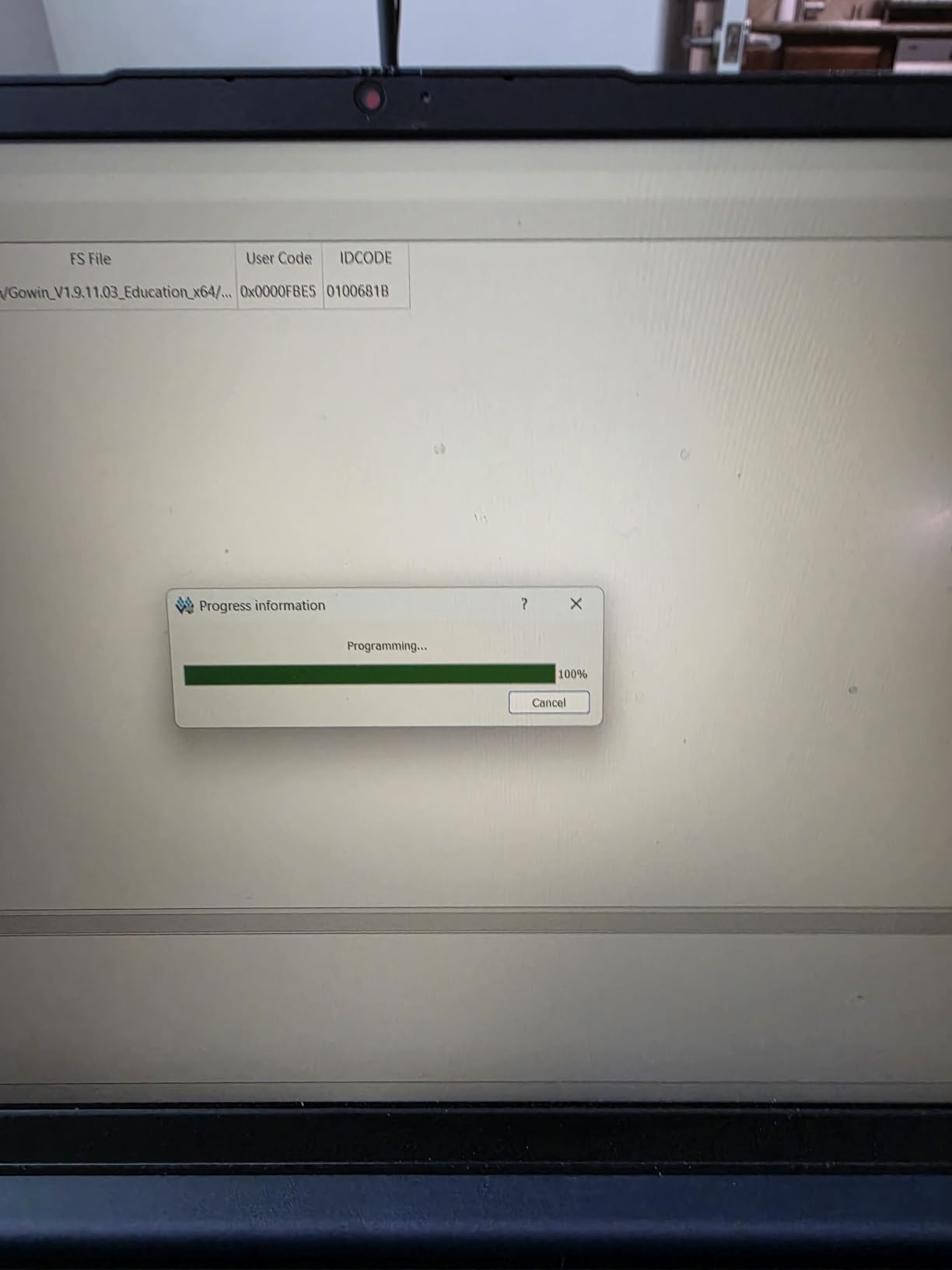
The Tang Nano 1K is the board to buy when the question is whether an FPGA is something you actually enjoy, before committing to a larger platform. Both of its detailed customer reviews come from users new to FPGAs, and both describe getting a first example program running in about 15 minutes, which is the fastest time-to-blink in this roundup.
That speed comes from three things lining up. The GW1NZ-LV1QN48C6/I5 device has onboard USB-JTAG over a USB Type-C port that handles both power and programming, so no external programmer is needed, the programming software is free, and the Sipeed wiki documentation is strong enough to include schematics, pinouts and datasheets.
On the hardware side you get 1,152 LUT4, an onboard 27MHz active crystal oscillator, integrated block SRAM, PLLs and flash memory for a non-volatile solution, plus an RGB LCD interface with all I/O expanded and VGA support. The block SRAM figures are listed as 9,000 bytes installed with 8,000 bytes of storage capacity.
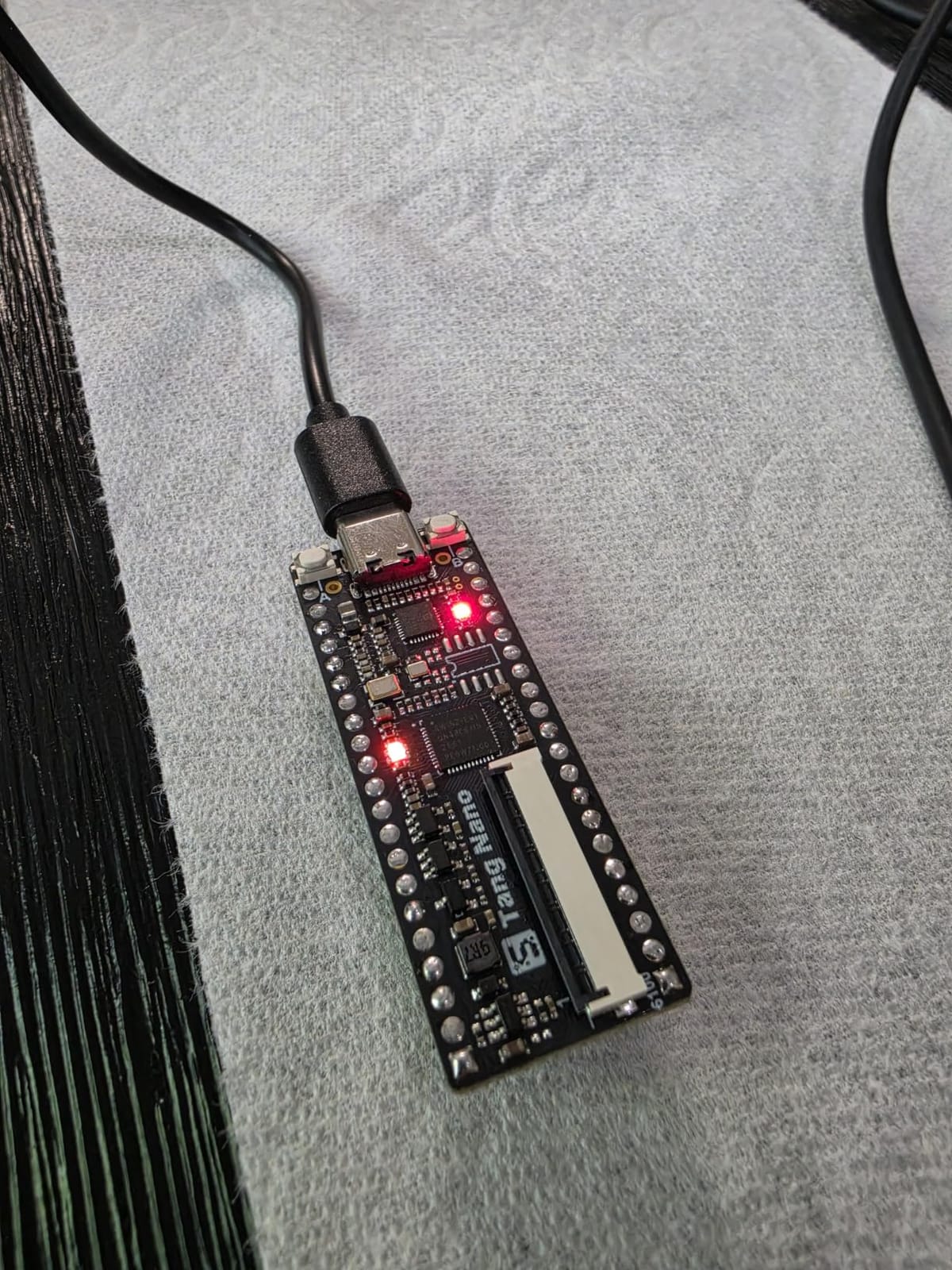
Programming over a single Type-C port also means there is no ribbon cable to lose and no driver juggling when you move a design between a Windows laptop and a Linux machine, which matters more than it sounds if you plan to keep the board as a portable demonstration piece rather than a desk fixture. Because the same port both powers and programs the board, it is also the only connector you need to keep track of, which is a small mercy when everything else about the board is already compact.
Because this board is so small in capability, the useful comparison is against an Arduino or a Pi, not against the Basys 3. One reviewer notes the first example ran within about 15 minutes of unboxing, another highlights the RGB LEDs giving visual feedback without needing a logic analyzer, and both mention crisp silkscreen labels as a detail that makes wiring mistakes less likely.
Deciding whether 1,152 LUT4 is enough
It is enough to learn the whole core loop: write a counter, drive the RGB LEDs, clock a button, drive a display, and understand what a bitstream is and how it gets onto the chip. The block SRAM, PLLs and onboard flash mean you are not missing any part of the workflow, which matters because a board that cannot store a bitstream teaches you the wrong first lesson.
It is not enough for anything involving video frames, soft processors or multiple subsystems, and both reviewers are explicit that it suits small designs only. Treat it as a two-week audition: if you are still interested after blinking something, move up to the Tang Nano 9K or the Basys 3, and the concepts carry over directly.
Small annoyances you can plan around
The Gowin programming software is described as clunky even though it works, so budget a little extra time for interface friction rather than assuming your own misunderstanding. Header pins are supplied long and must be trimmed before fitting, which is a fifteen-minute job with side cutters and much easier with a decent soldering setup for anything else you plan to attach.
It is also a bare board with few peripherals beyond the RGB LCD connector, so the immediate experience is very stripped back. The warranty is six months, and only one other board here states one at all, so at this entry point the sensible test is simple: if it works for you within a fortnight, keep it.
10. DueProLogic Cyclone IV: the best FPGA dev board for LED matrix experiments
Altera Cyclone IV FPGA Development Board – DueProLogic
Altera Cyclone IV with 6000 logic elements
20KB SRAM and two clock multipliers
6x6 LED array for animation
70 I/O plus two Pmod connectors
Pros
- Onboard programming cable means a single USB-C cable is all that is needed
- Generous 70 I/O pins on stackable headers plus two Pmod connectors
- 6x6 LED array allows fast character and animation display
- Dual 66MHz and 100MHz oscillators with onboard clock DLL modules
- Good balance of inexpensive build versus plentiful logic and GPIO
Cons
- 6000 logic elements and 20KB SRAM are the smallest fabric in this roundup
- Lowest average rating of the group with a sizeable share of 1-star reviews
- Documentation and tutorial media are dated and tied to an older Quartus and ModelSim flow
- A USB Blaster cable is still needed to use the JTAG header
The DueProLogic is unusual in that its headline feature is a display rather than logic: a 6×6 LED array whose blocks are individually addressable and can also be used as general I/O. For character rendering, animation or a quick visual state indicator, that array is a real advantage over the switches and LEDs most boards offer, because you can show something meaningful without a monitor.
The Cyclone IV inside has 6,000 logic elements, two clock multipliers and 20KB of SRAM, which is the smallest fabric in this roundup, so plan the project around that. Connectivity is generous: 70 I/O on stackable headers around the board edge, two Pmod connectors, two slide switches and two pushbuttons, across a 4 x 2 x 0.75 inch board.
Programming is the easy part. A built-in programmer cable means a single USB-C cable configures the board, with a separate JTAG header present if you later want a USB Blaster, and you can power from the USB cable or the barrel connector. Two oscillators, 66MHz for the USB core and 100MHz for your designs, feed onboard clock DLL modules for flexible clocking.
When a 6,000 logic element board is the right call
The capacity question here is about project shape. A 6×6 LED array animation engine, a character generator, a small state machine display, a protocol bridge or an instrumentation front end all fit comfortably, and the 70 I/O pins mean you can wire sensors and actuators without running out of pins long before you run out of logic.
What it will not do is run a soft processor, buffer video, or hold a meaningful working memory set, and 20KB of SRAM is the number that ends those plans. If your ambition is learning how a computer is built, this is the wrong board; if it is learning digital design and driving real hardware, the pin count and the array are genuinely useful.
The honest caveat about this board
With 19 reviews averaging 3.6, this is the lowest-rated board here, and a sizeable share of those reviews are one star. Positive comments concentrate on the built-in USB programming cable and the abundant GPIO, so the hardware itself is not the problem.
The critical mass of feedback points at the software side: documentation and tutorial media are dated and tied to an older Quartus and ModelSim flow, which is a genuine trap for a beginner who follows a ten-year-old tutorial and cannot get it to run. A USB Blaster is also still needed if you want to use the JTAG header. If a turnkey first experience matters most to you, choose one of the newer boards instead.
How to Choose an FPGA Dev Board in 2026
Most wrong purchases in this category come down to checking the wrong things. People compare logic capacity obsessively and then discover their board has no way to load a bitstream without buying a second device, or they buy the smallest board available and spend a month fighting a resource limit instead of learning the toolchain. These seven criteria are the ones that decide whether a board is a good fit.
1. Can it program itself, or do you need a JTAG cable?
Look for onboard USB-JTAG circuitry, not just a USB port. A USB port might only carry serial data, or only power, and boards that need a separate programmer add both an extra purchase and setup friction to your first evening. The Basys 3, Arty A7, Arty S7, Go Board, Tang Nano 1K and DueProLogic all handle programming over a single USB cable, while the CycloFlex explicitly requires an external JTAG programmer.
This single check eliminates most of the anxiety that shows up in hobbyist forums, where the most repeated question is whether people have to buy a programmer in addition to the board. Check it before you order, not after.
2. Does it have on-board flash for the bitstream?
An FPGA holds its configuration in RAM, so without onboard flash your design disappears every time power is removed. Every board in this roundup except where noted stores a bitstream on a flash device, which is what makes a board feel like a device rather than a fragile experiment. The Go Board goes further by arriving pre-programmed with a hardware function check bitstream in EEPROM, so you can confirm the hardware before writing anything.
3. How much logic, memory and DSP do you need?
Logic cells are the fabric you can build parallel hardware in, and the difference matters more than beginners expect. 1,152 LUT4 on the Tang Nano 1K is enough for small learning designs, 6,000 logic elements on the Cyclone IV suits display and instrumentation work, and 20,736 LUT4 on the Tang Nano 20K runs a soft core plus a display pipeline. Pair that with block RAM for buffers, DSP units for multiply-accumulate work, and above all external DDR if you plan on anything resembling a frame buffer.
4. What expansion do you get now and later?
PMOD connectors are the hobby standard and appear on the Basys 3, Arty A7, Arty S7, Go Board and DueProLogic, which means a Pmod module you buy for one board works on the others. The DueProLogic’s 70 stackable header I/O and the Arty A7’s shield connector go further, and the Tang boards’ screen connectors suit display work. Expansion is what stops a small board from feeling small after three months.
5. What is the toolchain situation, honestly?
Vivado WebPACK and Vitis cover the AMD boards at no cost for hobby-sized designs, Quartus Lite is free for the Cyclone 10, and Gowin IDE is licence-free. The complications are the vendor IDEs for small Lattice parts, where licence requests take days, and the sheer install size of Vivado. Open-source flows with Yosys and nextpnr work well on the Tang boards and on iCE40 parts, but require more setup.
6. Are there peripherals to see results with?
Switches, buttons and LEDs are what make a first project verifiable, and a 7-segment display or VGA output makes it satisfying. The Basys 3 gives you 16 switches, 16 LEDs, 5 buttons, a 7-segment display and VGA, the Arty A7 adds four RGB LEDs and Ethernet, and the DueProLogic’s 6×6 LED array is unusual and genuinely useful. Skipping this check is how people end up with a board they cannot tell is alive.
7. Will the documentation and community be there?
This is the criterion that decides whether you enjoy FPGA work, and it is the hardest to research. Digilent’s references and the Sipeed wiki are the two most complete documentation sets in this roundup, the DueProLogic’s material is dated and tied to an older tool flow, and the Tang Nano 9K’s official examples include encrypted code you cannot read. Vendor documentation quality matters enormously in digital design precisely because there is no well-populated Stack Overflow for it.
SoC Board or Plain FPGA Board: Which Should You Buy First?
Buy the plain FPGA board first unless you already know you need an operating system. The reason is that an SoC board gives you a processor core you did not build, and a beginner who starts there spends the first month learning Linux, device trees and cross-compilation instead of learning how a flip-flop becomes a circuit. The logic knowledge is identical, so the sequence that teaches the most is standalone first, SoC second.
The exception is obvious once you state your goal. If you want to boot an operating system, drive peripherals from software, or accelerate a processor workload with custom hardware, an SoC board such as the EBAZ4205 with its Zynq Cortex-A9 is the only sensible choice, and waiting will not change that.
A soft CPU on a plain FPGA is a useful middle path. A board with enough fabric and block RAM, such as the CycloFlex, can host a RISC-V core, and the Tang Nano 9K runs a complete PicoRV32, so you can learn processor architecture on hardware you control rather than one you were given. You keep the standalone learning model and gain the systems experience.
FPGA Vendor Families Explained in Plain English
Board names mean nothing on their own, because the part number under the hood determines everything. Here is what each family in this roundup is actually good at, and which of them has the strongest tool support for hobby work.
AMD and Xilinx Artix-7 and Spartan-7. Artix-7 is the mainstream hobbyist family: the Basys 3 and the Arty A7 carry Artix-7 devices, with the Arty A7-100T the only board here carrying external DDR memory. Spartan-7, under the Arty S7, is the smaller, lower-power sibling and the current value entry point into AMD’s fabric. Both are supported by Vivado WebPACK at no cost, and both are the safest choice if you want documentation and reference designs in quantity.
Zynq. A system-on-chip that couples programmable logic with a hard ARM processor core, which is what the EBAZ4205 is built around. It is the direct route to running Linux on a board at this level, and it changes the nature of the project from hardware design to systems design.
Intel and Altera Cyclone 10 and Cyclone IV. The CycloFlex carries a 10CL016 Cyclone 10 with 16,000 logic elements and free Quartus Lite support, and the DueProLogic carries the older, much smaller Cyclone IV with 6,000 logic elements. Cyclone 10 is the current family and the one to build on; Cyclone IV is legacy silicon with dated material, and its weaker average rating reflects that more than any hardware fault.
Lattice iCE40. Tiny, cheap and beloved by the open-source community, which is why the Nandland Go Board uses an HX1K. Open-source tools support iCE40 well, but the vendor IDE is the weak point, and the fabric is small enough that your project ceiling arrives quickly.
Gowin GW1N. The family behind three boards in this roundup, the Tang Nano 20K, the Tang Nano 9K and the Tang Nano 1K, spanning 20,736 LUT4 down to 1,152 LUT4. Gowin IDE is licence-free and fast, and the boards work with Yosys-based open-source flows, which makes this family the strongest value proposition in the current market and the weakest documented for absolute newcomers.
Asked directly which vendor is best: AMD has the strongest ecosystem, documentation and free toolchain for hobby work, Intel and Altera offers a credible free alternative and the most generous documentation on some entry boards, Lattice and Gowin own the low-cost and open-source end, and for most people the deciding factor is not the silicon but which community their questions will be answered in.
Which FPGA Toolchain Is Actually Free
Nearly every beginner assumes they need to pay for tools, and nearly every beginner is wrong. Here is the honest position on the toolchains that cover these ten boards.
Vivado WebPACK and Vitis are free for the Artix-7, Spartan-7 and Zynq devices on the boards here, with no licence purchase required for hobby-sized designs. The catch is not the licence, it is the download: the install is very large and obtaining it requires a corporate signup, which is the single most common complaint in reviews of the Arty S7 and Arty A7.
Quartus Lite is free and natively supports the Cyclone 10 device on the CycloFlex with no paid licence, which reviewers specifically call out as a strength. The older Cyclone IV device in the DueProLogic also runs in Quartus, but the tutorial material tied to that flow is dated, which is a support problem rather than a licensing one.
Gowin IDE is licence-free and synthesizes much faster than Vivado, which buyers consistently rank as the Tang boards’ standout advantage. The tool itself is functional rather than pleasant, described as clunky even by people who like it, and open-source Gowin-compatible flows exist if you would rather not use the vendor IDE at all.
ICEcube2 is free but slow to obtain for the iCE40 HX1K in the Go Board, because the licence request process takes several days to return the file. The synthesis and place-and-route underneath are fast, but the IDE is crude and the tutorial examples are not ready-to-flash. Several owners work around it with open-source flows instead.
The genuinely open-source option is Yosys with nextpnr and a programmer such as openFPGALoader, which works on the Tang Nano boards and on iCE40 parts. You get complete toolchain freedom and no vendor dependency at the cost of more setup, fewer tutorials and a steeper first week.
Frequently Asked Questions
What are the best FPGA boards for beginners?
The Digilent Basys 3 is the best starting board for most beginners because it combines a modern Artix-7 device, 16 switches, 16 LEDs, 5 pushbuttons, a 7-segment display, VGA output and four Pmod expansion ports with documentation that assumes no prior FPGA knowledge. If you want something even more approachable and it comes with a USB cable, the Nandland Go Board is a strong alternative.
What is the cheapest FPGA development board?
Among the boards we reviewed, the Sipeed Tang Nano 1K is the lowest-cost genuine option, with a Gowin GW1NZ-LV1 device of 1,152 LUT4, onboard USB-JTAG over USB Type-C, free programming software and a first example program running within about 15 minutes for the people who reviewed it. It suits small learning designs only, so treat it as an audition before a bigger board.
Which Xilinx FPGA board is the best?
Among the AMD and Xilinx boards in this roundup, the Arty A7-100T is the most capable, carrying the XC7A100TCSG324-1 device with 256MB of DDR3L on a 16-bit bus, Ethernet, four Pmod connectors and USB-JTAG for soft-core debugging. For learning fundamentals, the Basys 3 and the Arty S7-25 in the same ecosystem are easier to start with.
Is Vivado free for hobbyists?
Yes. Vivado WebPACK and Vitis are free for the Artix-7, Spartan-7 and Zynq devices found on these boards, with no licence purchase needed for hobby-sized designs. The real friction is the download rather than the licence, because the install is very large and obtaining it requires a corporate signup.
Do I need a separate JTAG programmer for my FPGA board?
Most of the boards in this roundup include onboard USB-JTAG circuitry, so a single USB cable handles both power and programming. The CycloFlex is the exception and requires an external JTAG programmer for configuration, and the DueProLogic includes a built-in programming cable but still offers a JTAG header for a USB Blaster if you want one.
Can I learn Verilog on a cheap board and move to a bigger one later?
Yes, and the language and concepts transfer completely. A board like the Sipeed Tang Nano 1K or the Nandland Go Board teaches you the full loop of writing a design, synthesising it, loading the bitstream and debugging with LEDs, and moving up to the Basys 3 or the Tang Nano 20K later only changes how much fabric and memory you have, not what you already know.
The Verdict: Which FPGA Dev Board Should You Buy in 2026
The Digilent Basys 3 is the best FPGA dev board for hobbyists in 2026, and the reason is not that it has the largest numbers on the spec sheet. It is that 181 owners have already made every beginner mistake you are about to make, the Artix-7 device is a modern part, the physical I/O makes a first project visible within an hour, and the toolchain is free. Bring your own micro USB cable and you can start this evening.
Match the board to the ambition instead. For the fastest possible first hour, the Nandland Go Board, though plan around the ICEcube2 licence request. For the most logic per board and open-source tooling, the Sipeed Tang Nano 20K. For soft processors and RISC-V, the Tang Nano 9K. For memory, a soft ARM core and a real network stack, the Arty A7-100T. For embedded Linux, the EBAZ4205. For the Intel and Altera ecosystem, the CycloFlex, with its external programmer requirement understood up front. For the lowest-cost test of whether this hobby is for you, the Tang Nano 1K.
Whichever one you choose, buy a USB cable before the board if it is not included, and start with a counter, a switch-driven state machine and a UART terminal. Everything else in this hobby follows from those three projects.