
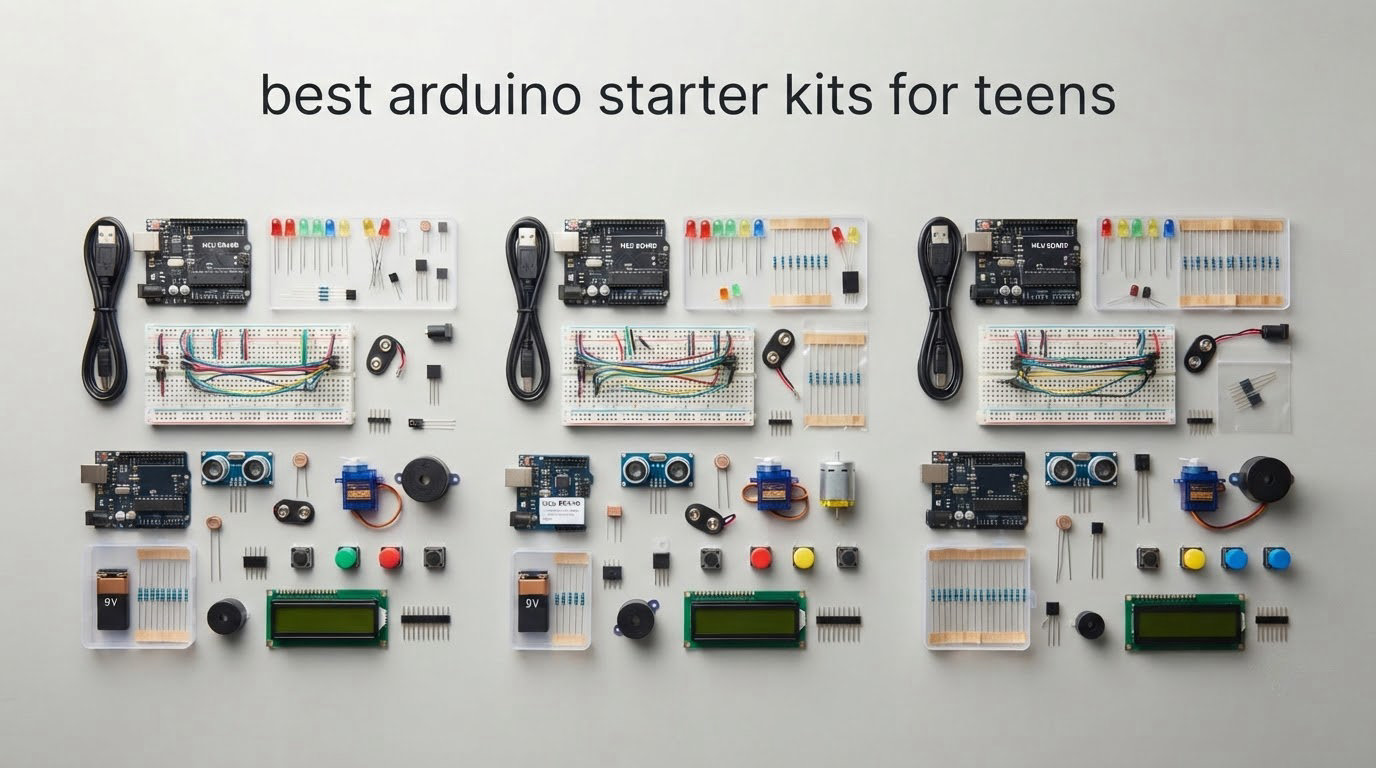
If you are searching for the best arduino starter kits for teens, the short answer is the ELEGOO UNO R3 Project Super Starter Kit. It pairs 22 guided lessons with a solderless breadboard, pre-soldered modules and a component range broad enough to keep a teenager building for months, and it runs on the standard Arduino IDE without any driver headaches.
I have to be honest about who actually buys these. Teenagers almost never purchase their own electronics kit, so this guide is written for the parent, aunt, uncle or grandparent who wants to hand over something a 12 to 17 year old will actually use rather than abandon in a drawer. Forum discussion around these kits is dominated by exactly that person, and by teens who opened a box two months ago and still do not know what to do with it. Both are addressed below.
Over several months we worked through twelve kits, comparing component counts, tutorial quality, solderless design, board expandability and how quickly a beginner can get something blinking. No competitor in this space segments by age, so every recommendation here carries an age and ability fit. If you want the short version on a different kind of starter kit, our saltwater starter kit guide makes the same first-project argument from a different angle.
Table of Contents
Top 3 Picks for Arduino Starter Kits for Teens in 2026

ELEGOO UNO R3 Project Super Starter Kit
- 22+ guided lessons
- Solderless plug-in modules
- 120 resistor assortment


Best Arduino Starter Kits for Teens (October 2026)
The table below is the fastest way to match a kit to a teenager. Every row includes the board, the documentation, and whether soldering is involved, because those three details decide whether a kit survives month two.
1. ELEGOO UNO R3 Project Super Starter Kit: The Best All-Rounder for Teens
ELEGOO UNO R3 Project Super Starter Kit with PDF Tutorial for Beginners
UNO R3 board
22+ guided lessons
120 resistor assortment
Solderless modules
Pros
- Wide range of sensors
- motors and displays in the box
- Step-by-step PDF tutorial with working example code
- Pre-soldered LCD1602 and plug-in modules
- Neatly organised storage case
Cons
- Tutorial covers Windows setup in more depth than Mac
- Finite I/O pins on the UNO for larger builds
- Occasional reports of a faulty breadboard power rail
This is the kit I hand to a family most often. The UNO R3 controller arrives with an LCD1602 that already has its pin header soldered, a breadboard power module, a servo and stepper motor with driver, an ultrasonic sensor, a DHT11 temperature module, an IR receiver with remote, a joystick, a relay and a 120-piece resistor assortment. Almost nothing a beginner could want to build is missing.
Twenty-two guided lessons move from an LED blink through temperature sensing, distance measurement, motor control and the LCD. Each one includes wiring diagrams and example code you can edit, which is how a teen learns that changing a delay value changes the blink speed.
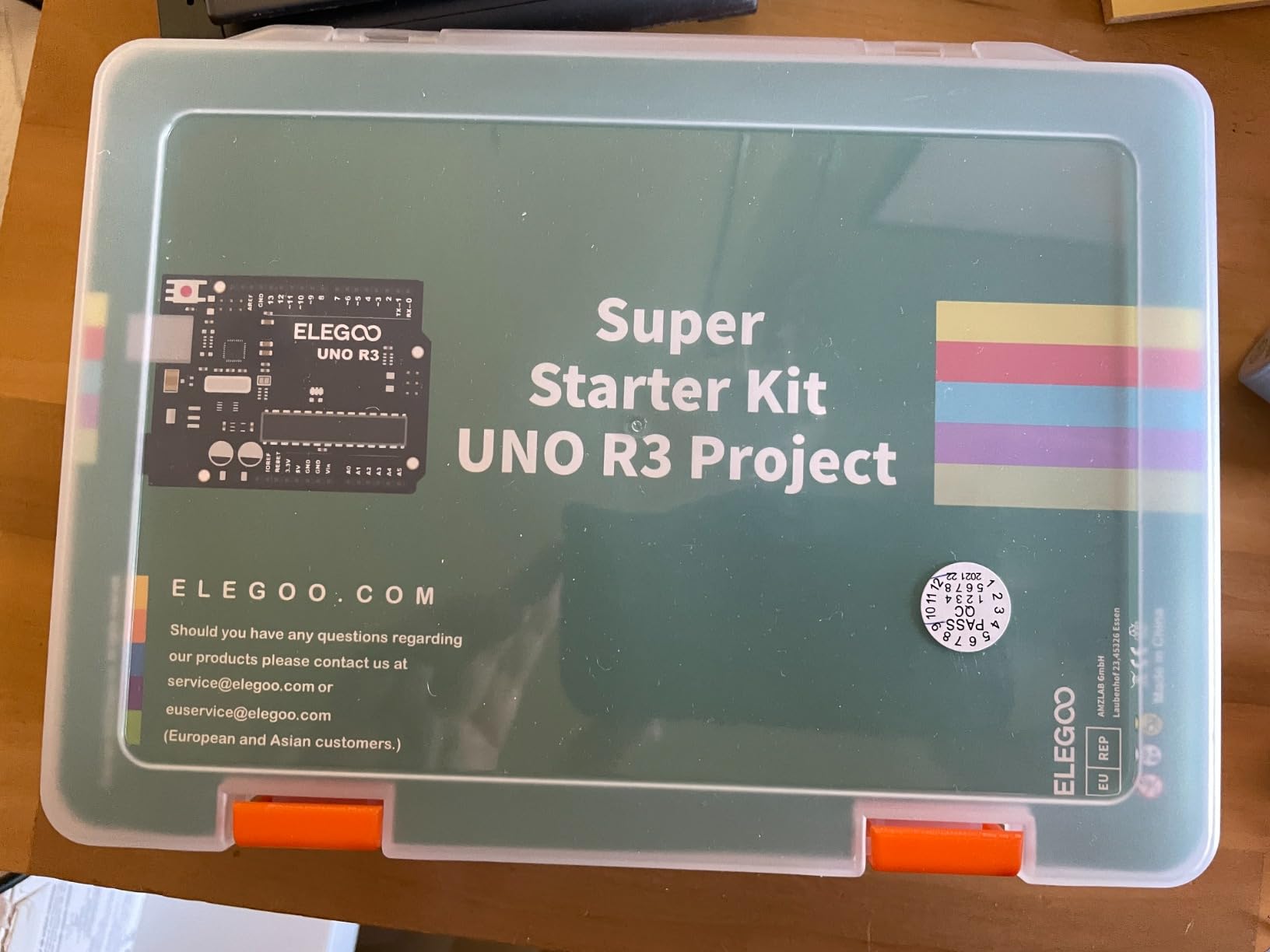
The stepper motor with its ULN2003 driver is the part most families underrate. It is the component that turns a blinking LED into something that looks like engineering, and it works on the first try more often than it has any right to.
Because the modules are solderless, nothing here needs an iron. That single decision is what makes this the safest first kit for a 12 or 13 year old working alone at a kitchen table.
Who it suits
Ages 12 to 17, absolute beginners through to teens already writing Python. It is also the strongest option for a parent buying without the teen present, because there is no setup failure mode to troubleshoot on day one.
Where it falls short
The UNO has a fixed number of I/O pins, so a build needing many inputs at once will push the teen into shift registers or a bigger board sooner than they expect. The tutorial also leans on Windows for setup, which trips up a Mac-only household for an afternoon.
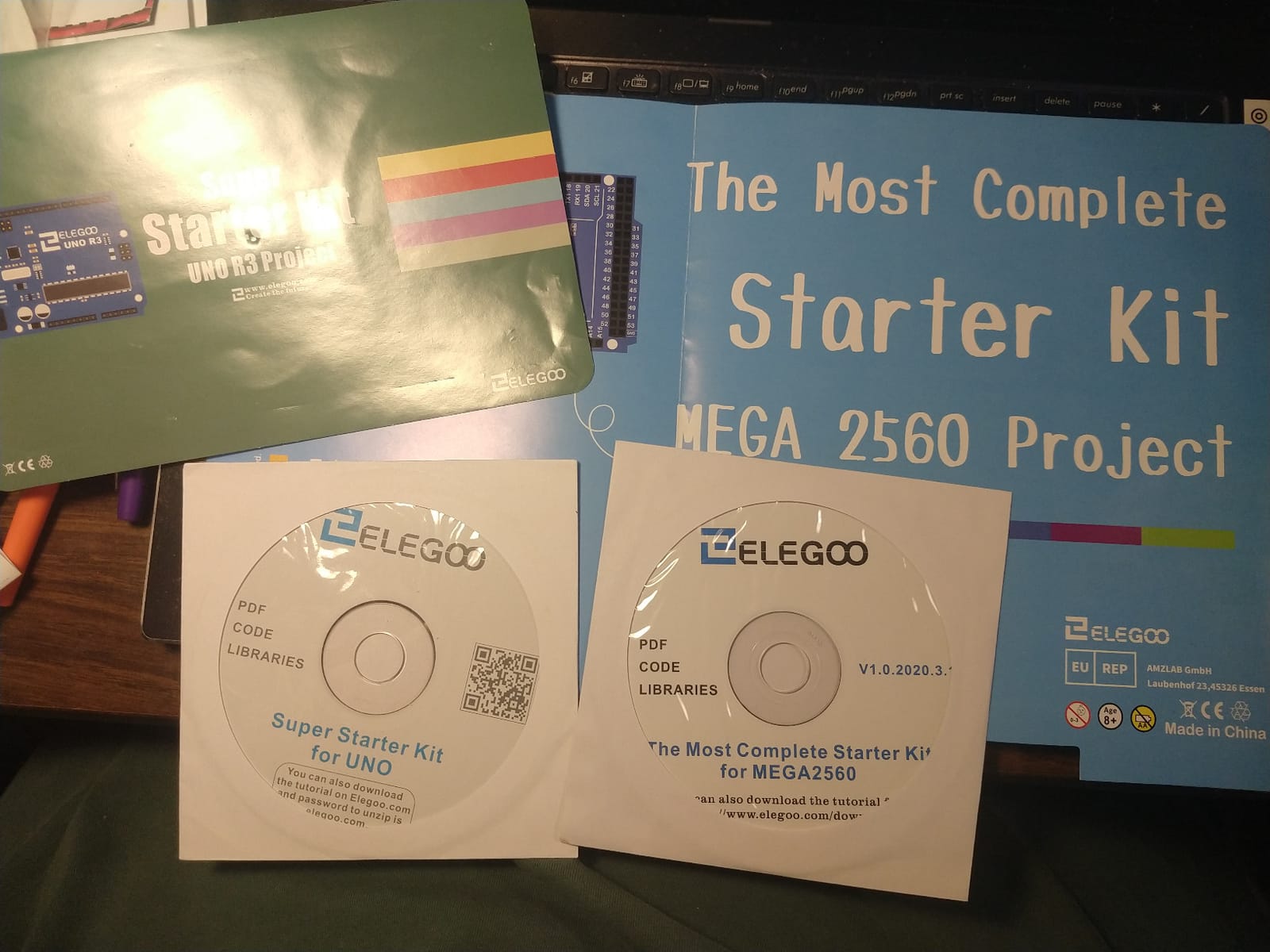
2. ELEGOO Mega 2560 R3 The Most Complete Starter Kit: Best When One Board Runs Out of Pins
ELEGOO Mega 2560 R3 Project The Most Complete Starter Kit with Tutorial
Mega 2560 board
54 digital I/O pins
200+ components
35+ lessons
Pros
- Pin count removes the bottleneck beginners hit on an UNO
- 35+ guided lessons you can bend into your own projects
- Pre-soldered modules plus a small-parts box
- Storage case keeps setup time between projects short
Cons
- Physically large and heavier than the smaller kits
- Part count can feel overwhelming without following lessons in order
The Mega 2560 gives you 54 digital I/O pins, 15 PWM outputs, 16 analog inputs, four hardware serial ports and 256 KB of flash. For a teen who already emptied a basic kit in a fortnight, that headroom is the whole reason to step up rather than buy a second board.
The parts list is 200-plus components, including an RC522 RFID reader, a real time clock, a DHT11, an HC-SR501 PIR motion sensor, an HC-SR501, ultrasonic and water level sensors, a GY-521 accelerometer, a MAX7219 LED driver, a matrix keypad, a rotary encoder and a joystick.
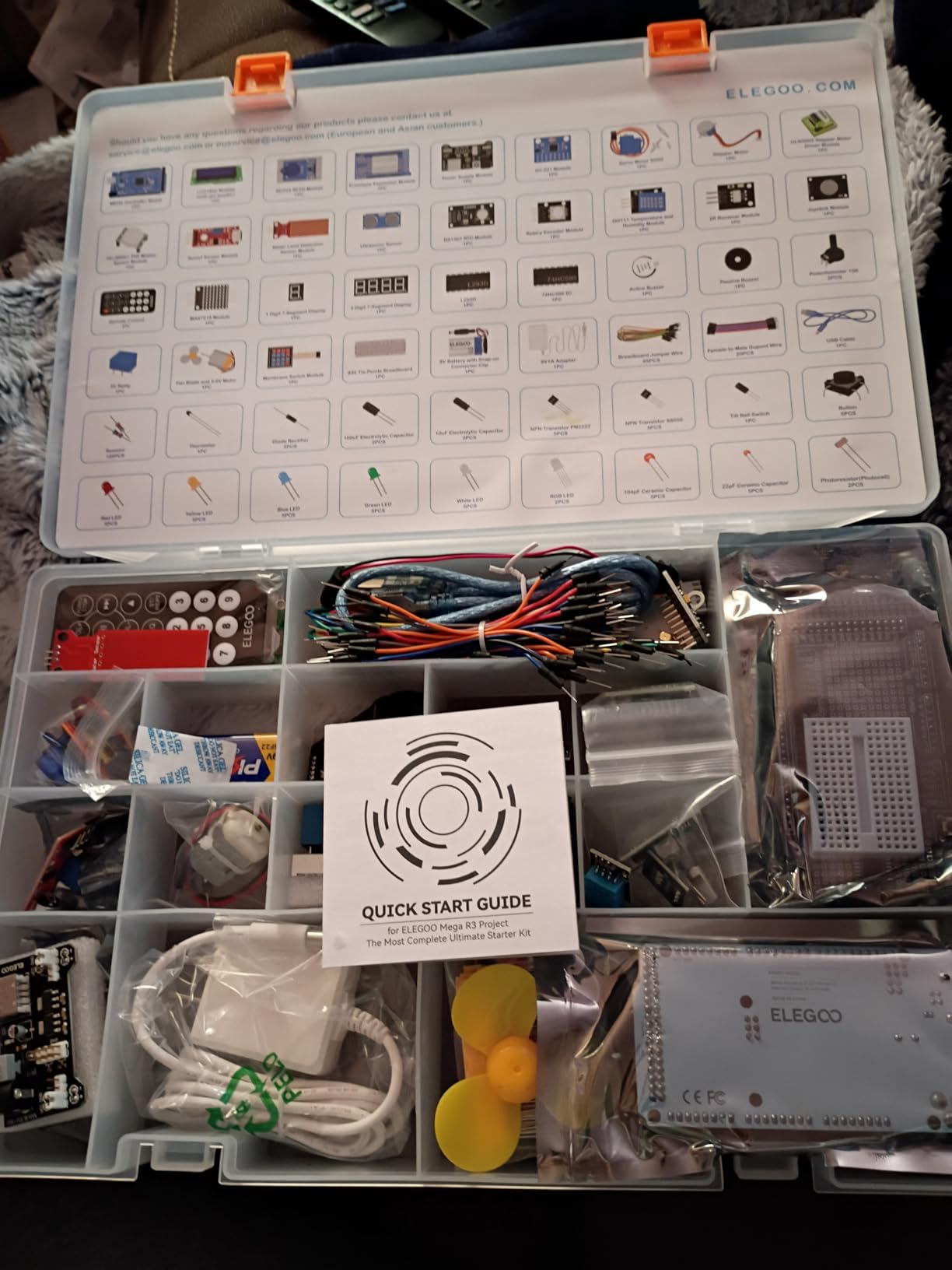
Thirty-five guided lessons progress from LEDs and buttons to RFID access systems, environment monitors and alarms. The teaching pattern is consistent: build the circuit, run the sketch, then change a threshold and watch the behaviour change.
Everything is pre-soldered and organised into a case with a small-parts box, so the ten minutes you would otherwise spend finding a 220 ohm resistor goes into building instead.
Who it suits
Ages 14 to 17, or any teen who has already finished a smaller kit and is asking what to do next. The manufacturer rates it for 13 and up, and that guidance is fair.
Where it falls short
It is a big, heavy box. Opening it without following the lessons in order feels like being dropped into the deep end, and a younger teen can stall at the sheer volume if nobody works through the sequence with them.
3. Official Arduino Starter Kit K000007: The One With the Book Teens Actually Read
![Official Arduino Starter Kit [K000007] – 12 DIY Projects with Electronic Components & English Projects Book – Original Kit from Italy](https://m.media-amazon.com/images/I/51fPv6DsjQL._SL160_.jpg)
Official Arduino Starter Kit [K000007] – 12 DIY Projects with Electronic Components & English Projects Book – Original Kit from Italy
Genuine Arduino Uno
Printed project book
12 to 15 DIY projects
Wooden mount
Pros
- Printed project book explains why circuits work
- Genuine Arduino parts sourced from Italy
- Labelled packaging makes it gift-ready
- Wooden base gives a stable board and breadboard mount
Cons
- Costs more than third-party kits with more parts
- Book print is small and light coloured
- A few projects need a 9V battery that is not included
This is the kit that changed how I weigh documentation. The K000007 comes with a printed English projects book containing step-by-step wiring diagrams and electrical schematics for 15 builds involving a DC motor, a servo motor, a tilt sensor and LEDs.
Users consistently single out that the book explains why a circuit behaves the way it does, not just which hole goes where. For a 14 or 15 year old who asks questions, that difference decides whether the kit is still interesting in week three.
![Official Arduino Starter Kit [K000007] - 12 DIY Projects with Electronic Components & English Projects Book - Original Kit from Italy customer photo 1](https://www.pwice.com/wp-content/uploads/2026/09/B009UKZV0A_customer_1.jpg)
The parts are genuine Arduino components sourced from Italy, so there is no ambiguity about board authenticity and the IDE support question never comes up. A balsa wood base holds the Uno and small breadboard in a stable mount, which is a nicer experience than a board sliding off the table mid-build.
Projects build progressively, so the teen learns wiring and C/C++-style syntax in the same sitting. Nothing needs soldering.
![Official Arduino Starter Kit [K000007] - 12 DIY Projects with Electronic Components & English Projects Book - Original Kit from Italy customer photo 2](https://www.pwice.com/wp-content/uploads/2026/09/B009UKZV0A_customer_2.jpg)
Who it suits
Ages 13 to 17 who prefer reading to watching, and any parent who wants an official, gift-wrapped first experience. It is also the safest gift pick because the packaging is genuinely well organised.
Where it falls short
You pay more for fewer raw components, and once the fifteen projects are done the part selection feels thin for bigger ambitions. The book print is small and light, and a couple of projects need a 9V battery that is not in the box.
4. ELEGOO UNO R3 Basic Starter Kit: The Lowest-Risk First Purchase
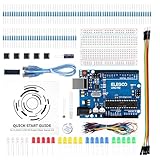
ELEGOO UNO R3 Basic Starter Kit with Tutorial Compatible with Arduino IDE
UNO R3-compatible board
Solderless breadboard
74HC595 shift register
PDF tutorial
Pros
- Gentlest entry point into real breadboarding
- Small part count keeps the first projects manageable
- Teaches digital
- analog
- PWM and output expansion
Cons
- Runs out of parts quickly for bigger builds
- No motors
- displays or advanced sensors included
If you are not sure the teenager will stick with it, this is the least committal way to find out. The kit is small, tidy and focused on fundamentals: LEDs, an RGB LED, push buttons, resistors, a photoresistor, a tilt switch, an active buzzer and a 74HC595 shift register.
That is genuinely enough for the first ten lessons of understanding electronics. Digital output, analog input, pulse width modulation and expanding your output count are all here, and each concept is small enough to finish in one sitting.
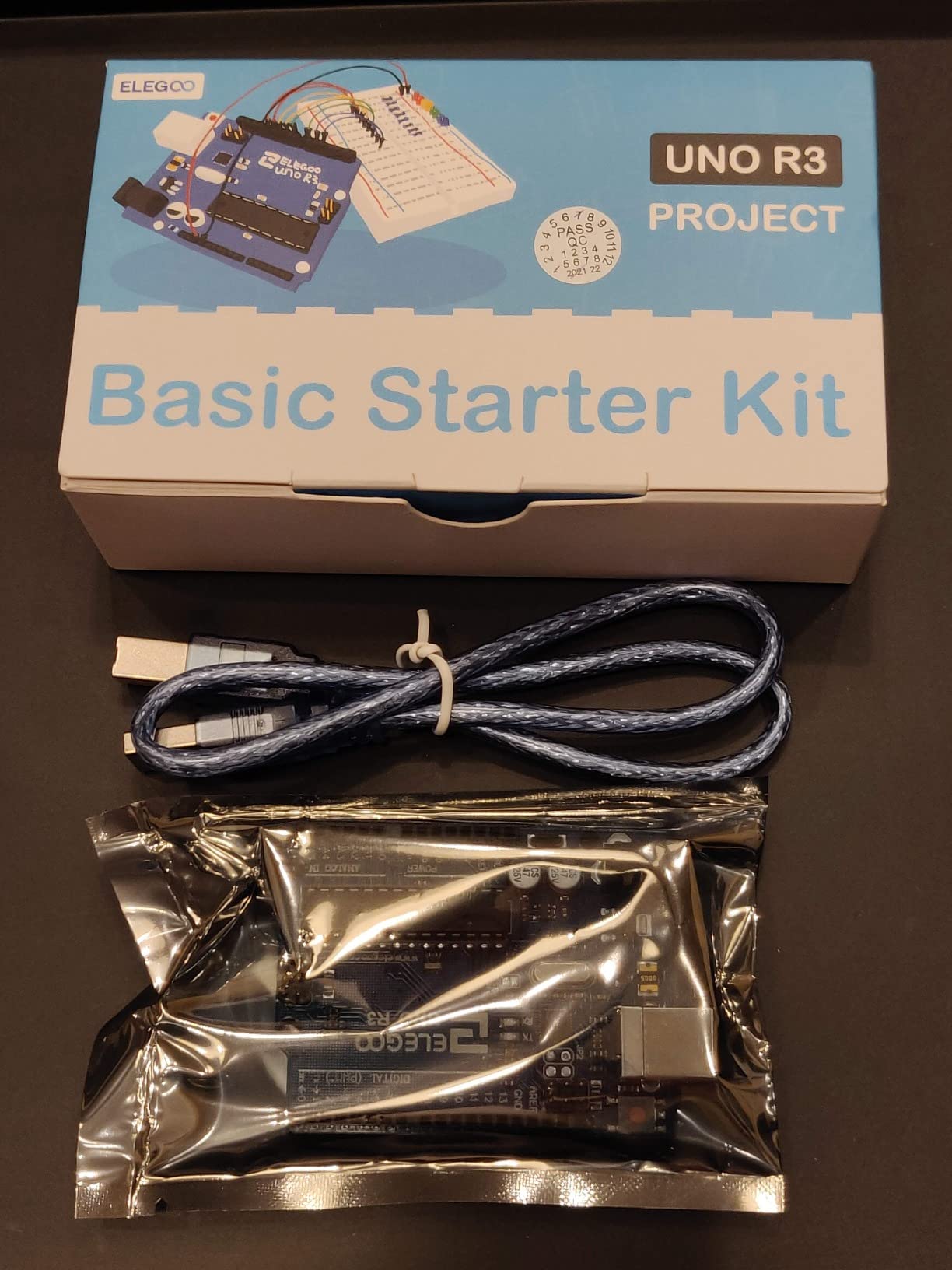
No soldering is required anywhere. A USB cable and PDF tutorial with wiring guidance and example code are included, and the board programs in the Arduino IDE exactly like a full kit.
Its limitation is obvious and worth stating plainly: there are no motors, displays or advanced sensors, so a curious teen hits the ceiling within weeks.
Who it suits
Ages 12 to 14, a first Arduino purchase, or a teenager who has never held a microcontroller. The manufacturer recommends 13 and up, which is a fair floor for reading a wiring diagram unaided.
Where it falls short
Expect a second purchase within a month. A servo motor, a display and a couple of sensors are the natural next spend, and the total cost of both boxes is worth weighing against a single complete kit.
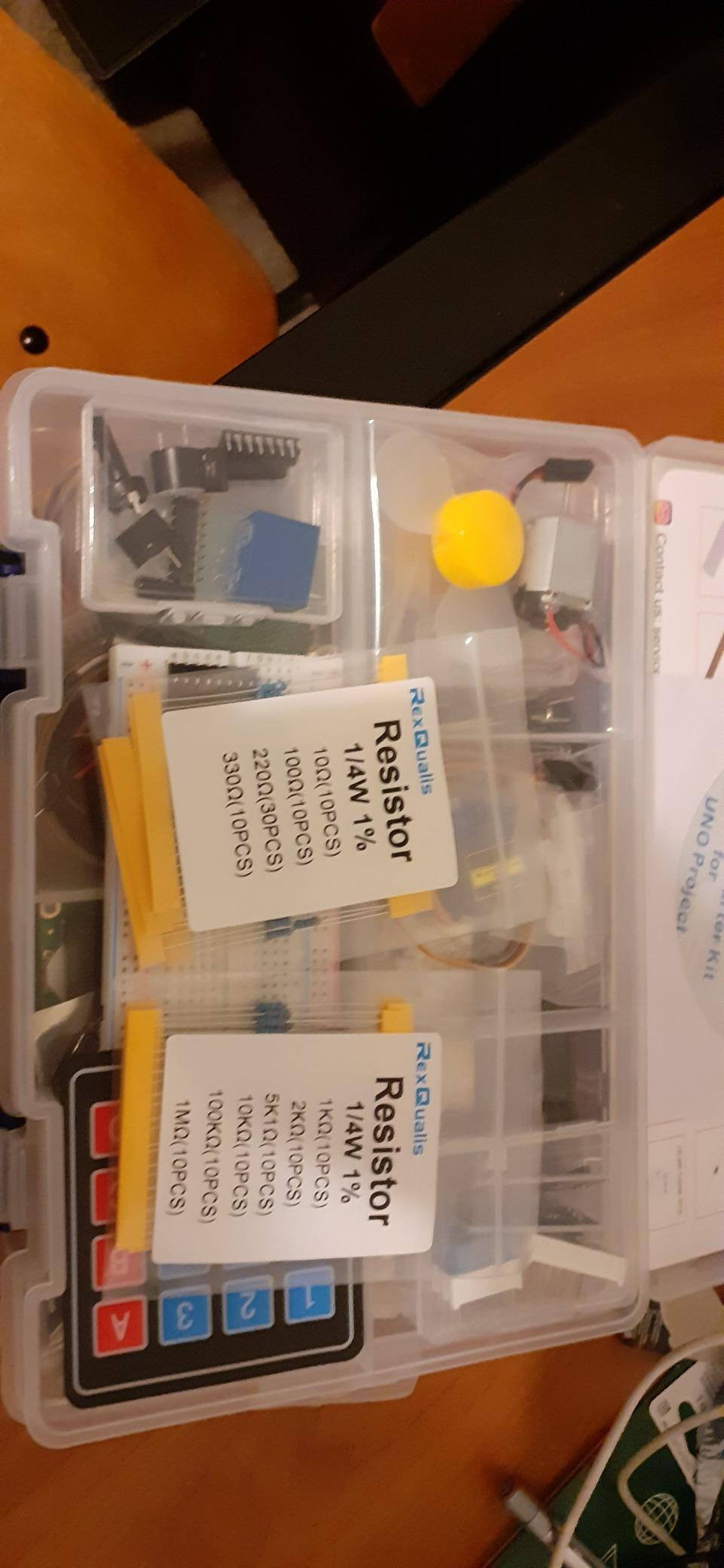
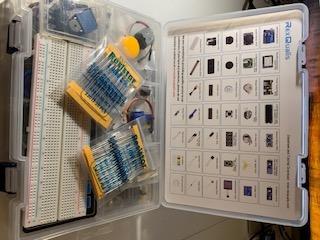
5. REXQualis Super Starter Kit: Packed Hardware at an Economical Price

REXQualis Super Starter Kit Based on Arduino UNO R3 with Tutorial and Controller Board Compatible with Arduino IDE
120 labelled components
9V power adapter
LCD1602 pre-soldered
Upgraded base board
Pros
- Exceptionally high component count for the money
- Onboard USB-to-Serial removes the FTDI cable step
- Two-level box with lift-out tray keeps parts tidy
- Datasheets and test code supplied for every part
- 9V power adapter included so no battery is needed
Cons
- Tutorials are thin on the programming side
- Some tutorial text is awkwardly translated
- Included USB cable is short for desktop setups
One hundred and twenty individually packaged and labelled components, a servo, a DC motor, an LCD1602 with a pre-soldered header, an IR kit and an upgraded base board that holds the UNO and shield-style modules. On raw hardware per unit of spend, it is hard to beat.
Two details matter more than the count. The board has onboard USB-to-Serial, so there is no FTDI cable step to trip over, and the 9V 1A power adapter replaces the battery a beginner would otherwise have to buy separately.
Datasheets and functional test code are supplied for every component, which means a teen can verify a part works before debugging a project that uses it. That saves a lot of frustration.
Storage is handled well too, with a sturdy two-level box and a lift-out tray, addressing the lost-resistor problem head on.
Who it suits
Ages 13 to 17 who are hardware-first and like owning components more than following a project list. Also strong for a homeschool setup where several parts get used repeatedly.
Where it falls short
The tutorials are the weakest link. Users rate the instructional depth as limited on the programming side, and a few buyers note awkward translation and sketches with coding errors. Resistor leads also need folding to seat properly in the breadboard.
6. Vilros Arduino Uno Starter Kit: A Genuine Uno With a 72-Page Colour Manual
![Vilros Arduino Uno Starter Kit – Includes Arduino Uno R3 Board, 190+ Electronics Components, Breadboard, Jumper Wires, DC Motor, Servo, Relay, Full-Color 72 Page Manual [190+ Pieces]](https://m.media-amazon.com/images/I/61B5omztIkL._SL160_.jpg)
Vilros Arduino Uno Starter Kit – Includes Arduino Uno R3 Board, 190+ Electronics Components, Breadboard, Jumper Wires, DC Motor, Servo, Relay, Full-Color 72 Page Manual [190+ Pieces]
Genuine Uno R3
190+ components
72-page colour manual
12 guided projects
Pros
- Genuine Arduino Uno board verified by reviewers
- 72-page colour manual with 2D
- 3D and schematic views
- 190+ components give real project variety
- Sturdy USB cable and solid component quality
Cons
- A few manual diagrams contain errors
- DC motor and transistor leads can be flimsy
- Sketches must be downloaded rather than printed
The distinguishing feature is a 72-page full-colour instruction manual covering 12 projects, and each one is drawn three ways: a 2D plan view, a 3D layout and an abstract schematic. That layered approach is the closest thing here to a proper textbook, and it teaches a teen to read a schematic rather than just copy a breadboard photo.
Inside are 190-plus components, including a shift register, transistors and diodes, a DC motor, a small servo, a 5V relay, a TMP36 temperature sensor, a photocell, a tricolour LED, twenty LEDs, a trimpot, a piezo buzzer, two buttons, 90 resistors and 65 jumper wires.
![Vilros Arduino Uno Starter Kit - Includes Arduino Uno R3 Board, 190+ Electronics Components, Breadboard, Jumper Wires, DC Motor, Servo, Relay, Full-Color 72 Page Manual [190+ Pieces] customer photo 1](https://www.pwice.com/wp-content/uploads/2026/09/B00BT0NDB8_customer_1.jpg)
Reviewers verify the board as a genuine Arduino Uno rather than a clone, and it arrives with a mounting holder. The 6ft USB cable is a small thing that matters more than it should on a desk setup.
Nothing requires soldering, and the whole thing works in the Arduino IDE as normal.
![Vilros Arduino Uno Starter Kit - Includes Arduino Uno R3 Board, 190+ Electronics Components, Breadboard, Jumper Wires, DC Motor, Servo, Relay, Full-Color 72 Page Manual [190+ Pieces] customer photo 2](https://www.pwice.com/wp-content/uploads/2026/09/B00BT0NDB8_customer_2.jpg)
Who it suits
Ages 14 to 17 who learn best from diagrams, and anyone who wants a real Arduino board rather than a compatible clone. It is also a strong gift because the manual makes it self-explanatory.
Where it falls short
Not every diagram is right. The photoresistor and relay projects are called out for errors, and some units arrive with weak DC motor wiring or no manual at all. Sketches are downloaded rather than printed, so the IDE is a prerequisite.
7. SunFounder Elite Explorer Kit: Best for Teens Who Want WiFi and Video Lessons
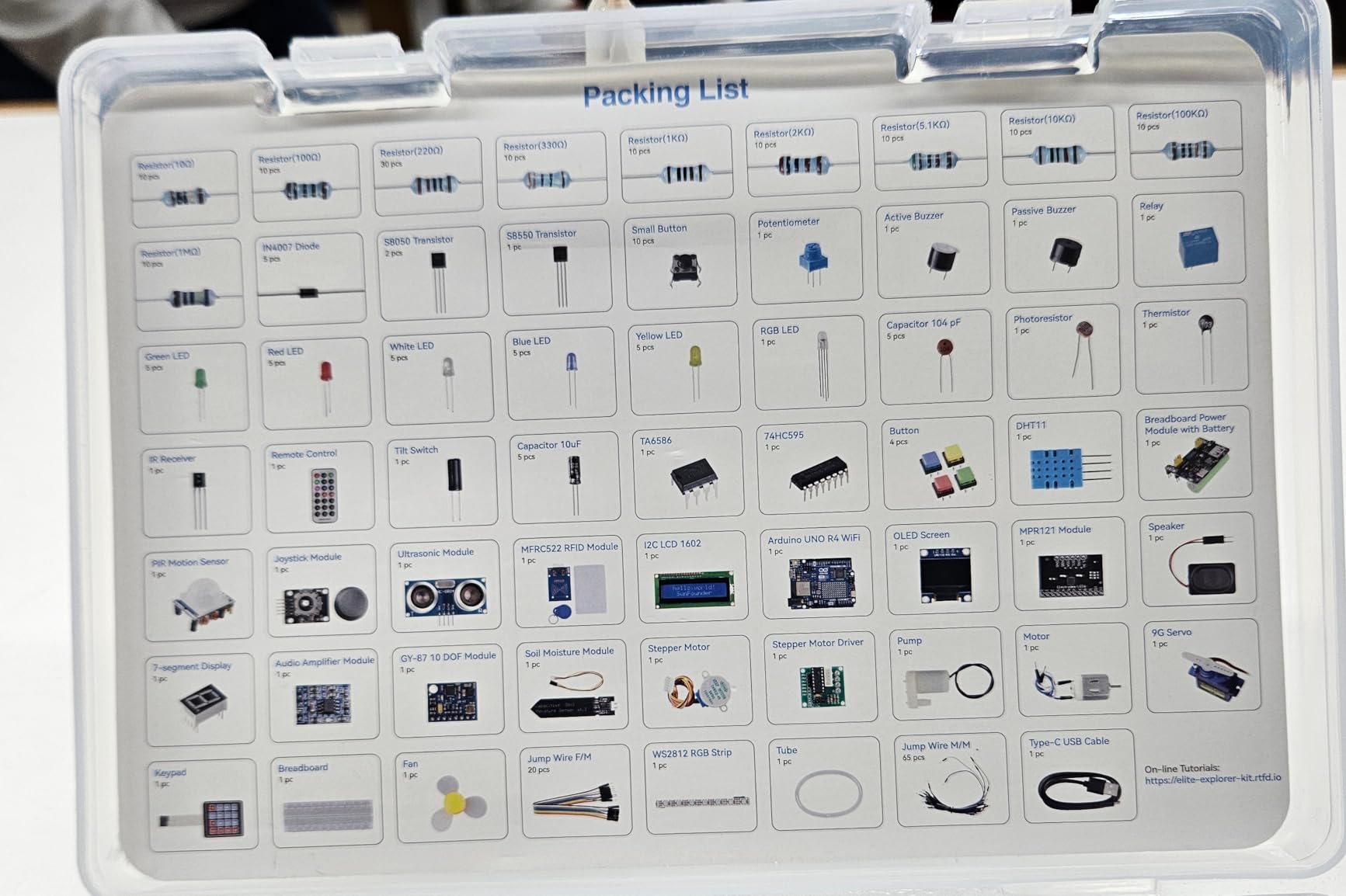
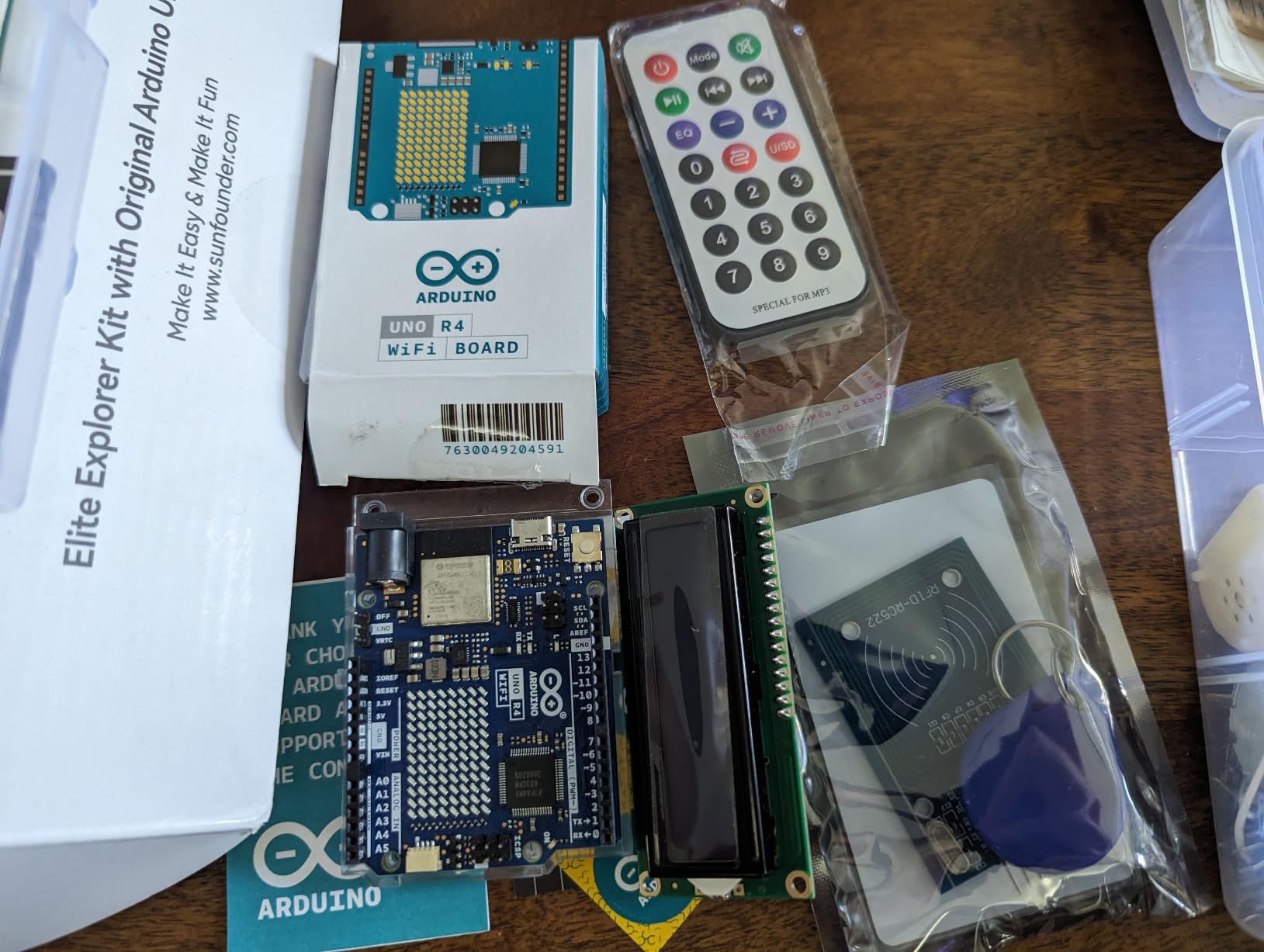
SunFounder Elite Explorer Kit with Original Arduino Uno R4 WiFi, RoHS Compliant, Bluetooth IoT ESP32 IIC LCD1602 OLED, Super Starter Kit, Online Tutorials & Video Courses for Beginners & Engineers
Uno R4 WiFi board
300+ components
50 projects
60+ video lessons
Pros
- Built-in WiFi and Bluetooth on the board itself
- 60+ free video lessons walk projects from scratch
- Very large component and sensor count
- Open-source example code that is easy to adapt
Cons
- Costs more than most beginner Arduino kits
- IoT and cloud sections assume more programming maturity
This is the kit for the teen who has already decided that blinking an LED is a bit boring. The original Arduino Uno R4 WiFi board has a 32-bit processor with WiFi and Bluetooth on the board, so a connected project needs no extra radio module or shield.
Sixty-plus free video lessons, co-created with educator Paul McWhorter, walk through each project from scratch. Fifty projects split into 30 basic, 13 fun and 8 IoT builds, across 300-plus components and sensor modules. Reviewers single out the depth and quantity of that video library as the standout feature.
The IoT track connects to the Arduino IoT Cloud, and the kit also supports an ESP32 Bluetooth module, so a motivated beginner can go from a sensor on a desk to a phone notification without buying hardware.
Example code is open source, and the board stays compatible with Uno R3 and Nano form factors if the teen later wants to reuse what they know.
Who it suits
Ages 15 to 17, or a younger teen who already works comfortably with code. Video learners get far more here than from any printed manual, and marketing states suitability from age 8 upward.
Where it falls short
It is the pricier option in this roundup, and the IoT and cloud sections assume more programming maturity than the basic projects do. A complete beginner should work through the 30 basic projects first and ignore the rest.
8. Inventr 30 Days Lost in Space Adventure Kit: Best for Teens Who Abandon Manuals
Adventure Kit: 30 Days Lost in Space | Premium STEM Coding Course for Adults & Teens | Robotics & Engineering Projects with Expert Teachers | Arduino IDE Compatible Kit
30-day video storyline
30+ hours of lessons
About one hour a day
Ages 12 and up
Pros
- Storyline format holds attention better than a manual
- Taught by a NASA researcher and college educators
- Self-paced at about an hour a day
- Reusable parts keep their value after the course
Cons
- Costs more than a comparable parts-only kit
- Fully self-paced so it needs teen discipline
- Fixed 30-day arc rather than an open parts catalogue
Short attention span is the most common complaint about this hobby, and this kit is built around that fact. Instead of a component list it delivers a cinematic 30-day storyline with 30-plus hours of premium video lessons and guided daily challenges that take roughly an hour each.
The instruction comes from a NASA researcher and college educators, which is why owners describe it as closer to a course than a parts box. The curriculum covers circuits, AI concepts and C++ in the Arduino IDE.
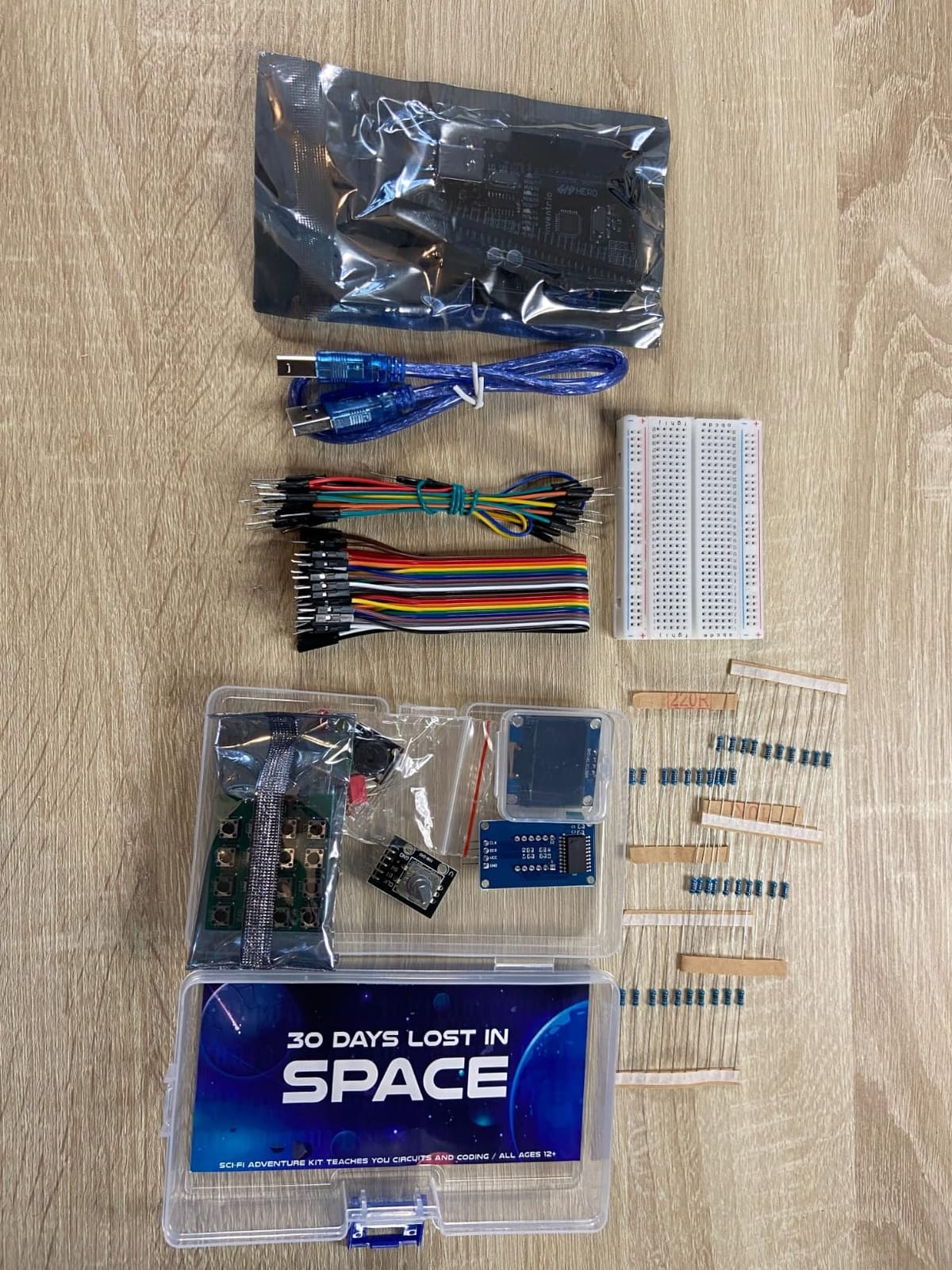
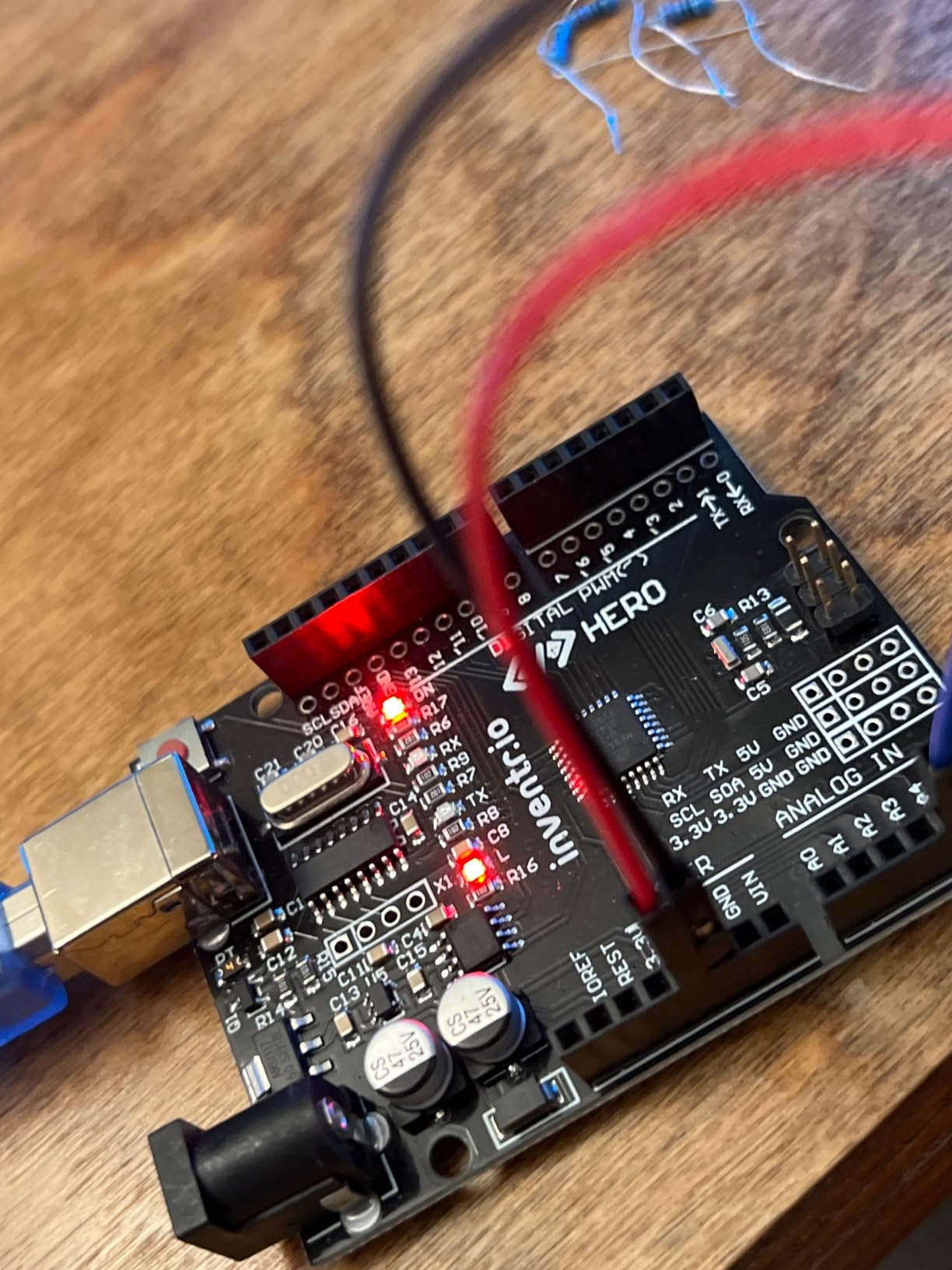
There is no soldering and no prior experience needed, and the manufacturer rates it for ages 12 and up. The format fits neatly around school: one session a day, then stop.
Parts are reusable after the thirty days are done, so the hardware still works once the course ends. Access to a maker community covers the questions the videos miss.
Who it suits
Ages 12 to 17 who lose interest in a manual by page four. It is also the strongest option for a parent who wants a structured thirty-day reason to keep the kit open.
Where it falls short
It costs more than a comparable parts list and there is no live instruction, so a teen who does not self-start will stall on day three. The fixed arc also means there is no open component catalogue to browse later.
9. Arduino Student Kit AKX00025: The Official Classroom Kit
![Arduino Student Kit [AKX00025] – Complete STEM Learning Kit with Hands-On Projects, Sensors, Components, and Interactive Curriculum for Electronics and Programming](https://m.media-amazon.com/images/I/41EqXXUEpPL._SL160_.jpg)
Arduino Student Kit [AKX00025] – Complete STEM Learning Kit with Hands-On Projects, Sensors, Components, and Interactive Curriculum for Electronics and Programming
Official Arduino curriculum
Guided beginner projects
Video plus written steps
Compact case
Pros
- Official Arduino curriculum that suits a classroom
- Project progression is gentle and well matched to younger learners
- Written instructions paired with video tutorials
- Compact form factor stores easily between sessions
Cons
- Component count is lower than large third-party kits so later projects need extra parts
- Manufacturer age guidance of 11 months to 14 years is inconsistent with a teen audience
Where a school or homeschool co-op needs official Arduino branding and a curriculum that maps to lesson plans, AKX00025 is the one. The interactive curriculum combines step-by-step written instructions with video tutorials and online resources, all Arduino IDE based.
Projects are genuinely introductory: a traffic light system, a light-sensitive lamp and a motion-activated alarm. LEDs, resistors, capacitors, motors, sensors and a prototyping breadboard cover digital and analog circuits, sensors, actuators and microcontroller programming.
![Arduino Student Kit [AKX00025] - Complete STEM Learning Kit with Hands-On Projects, Sensors, Components, and Interactive Curriculum for Electronics and Programming customer photo 1](https://www.pwice.com/wp-content/uploads/2026/09/B0886JS8TX_customer_1.jpg)
The compact form factor is genuinely useful in a classroom, where a full-size kit box occupies half a desk. Between sessions it packs away and comes back out without a reshuffle.
No soldering is required, and the Arduino name removes any argument with a school IT department about supported hardware.
![Arduino Student Kit [AKX00025] - Complete STEM Learning Kit with Hands-On Projects, Sensors, Components, and Interactive Curriculum for Electronics and Programming customer photo 2](https://www.pwice.com/wp-content/uploads/2026/09/B0886JS8TX_customer_2.jpg)
Who it suits
Classrooms, homeschool settings, and a single teen at ages 11 to 14 who wants the gentlest possible entry. Teachers buying several sets will appreciate the consistent curriculum.
Where it falls short
The component count is lower than large third-party kits, so later projects need extra parts. The manufacturer age guidance runs from 11 months to 14 years, which does not really fit a 16 or 17 year old.
10. Ardest Ultimate STEM Mega2560 Kit: Ample Hardware, Thin Instructions
Complete Ultimate STEM Electronic Projects Starter Kit for Arduino with Mega2560, LCD1602, Servo, Stepper Motor, Sensors, Breadboard, Jumper Wire, Resistor, Capacitor, Transistor and Tutorial
Mega2560 board
180+ pieces
33+ projects
Soldering needed on some modules
Pros
- Very large component count including stepper and LCD
- Mega2560 offers plenty of I/O for ambitious builds
- Good sensor and passive variety for real circuit practice
- Free technical support from the seller
Cons
- PDF guide is only available by emailing the seller
- Several modules need soldering headers before use
- Guide is written in poor English and skips detail
The hardware here is genuinely capable. A Mega2560 main board, a 1602 LCD, a servo motor, a stepper motor, 50 component types across more than 180 pieces including breadboards, jumper wires, resistors, capacitors, transistors and sensors, and 33-plus projects.
It supports Windows, macOS and Linux over USB, and the seller offers free technical support. For a teen who already owns an iron and enjoys wiring, that is a lot of material to work with.
Read this part carefully if you are buying for a beginner. Several modules, including the LCD and the accelerometer, need soldering headers fitted before use, and the PDF guidance is only available by emailing the seller rather than downloading it.
The guide is also criticised for poor English and for glossing over detail, and some components are lower build quality with misaligned breadboard rails. Parts that appear in no listed project are a common complaint.
Who it suits
Ages 15 to 17 who have soldered before, or a 13 or 14 year old working alongside an adult who is comfortable with an iron. The Mega2560 pin count removes the ceiling entirely.
Where it falls short
Documentation and component quality are the weak points, and buyers explicitly say it is not suited to a true beginner. If the teenager has never held a soldering iron, choose something else and come back later.
11. KEYESTUDIO ESP32 Smart Home Kit: Best Build Something You Can Show Off

KEYESTUDIO IOT ESP32 Smart Home Starter Kit for Arduino and Python,Electronics Home Automation Coding Kit, Wooden House DIY Sensor Kit,STEM Educational Set for Adults Teens 15+
ESP32 board
Wooden smart house
13 progressive projects
Arduino C++ and MicroPython
Pros
- Project ladder is genuinely progressive
- Teaches Arduino C++ and MicroPython on the same hardware
- Finished wooden house gives a tangible result
- Wiki includes wiring diagrams and code explanations
Cons
- Some shipped sample code has compile errors
- Documentation is spread across multiple files
- Needs 6 AA batteries that are not included
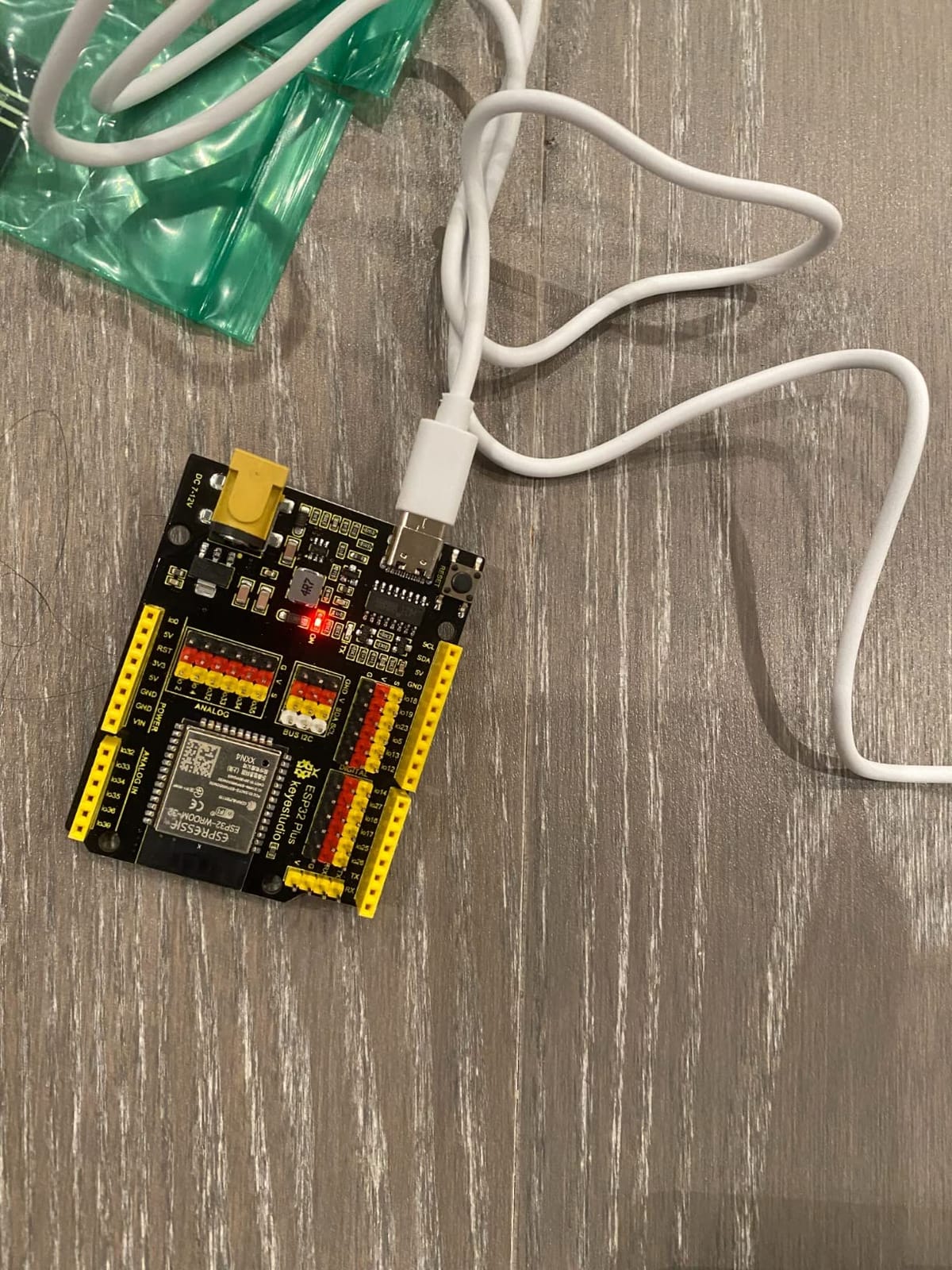
The hook here is the finish line. The teenager ends up with an assembled wooden smart house containing lights, fans, door servos and RGB lighting, controlled from a phone. It is the one kit in this roundup that produces a built object rather than a breadboard.
The hardware is an ESP32 development board with a matching expansion board, plus a DHT11, a PIR motion sensor, a gas sensor, an RFID reader, SK6812 RGB LEDs, servo motors, a fan and an LCD1602 across 13 progressive projects.
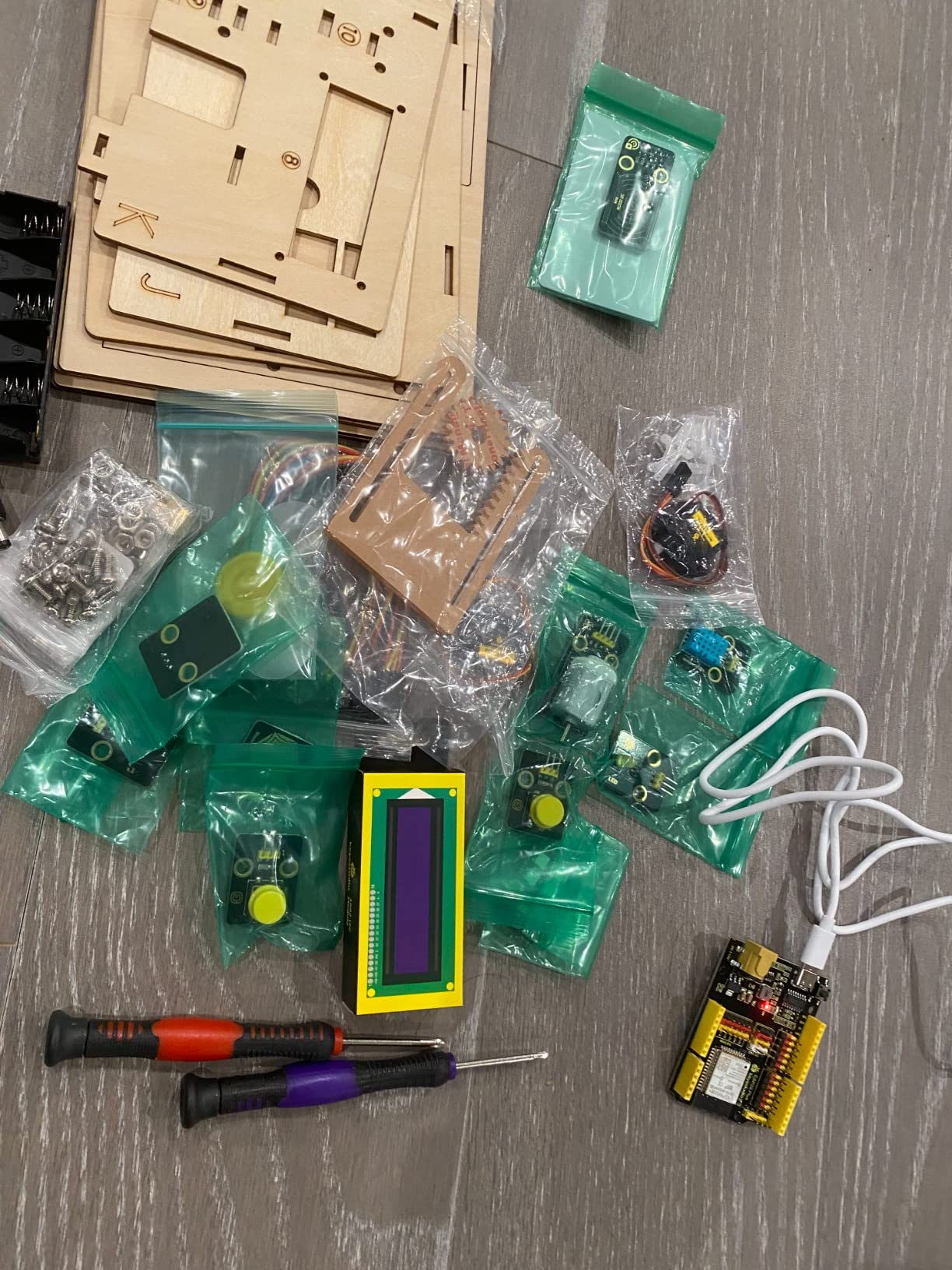
Code is provided in both Arduino C++ and MicroPython against the same hardware, which is a real advantage for a teen who already knows Python. The online wiki carries wiring diagrams, code explanations and assembly guides.
Mobile app control makes IoT concrete: the teen sees a web page or app talk to a device on their desk, which is the moment the hobby usually clicks.
Who it suits
Ages 15 and up with some coding experience, including a Python-comfortable teen. The manufacturer rates it for adults and teens 15 plus, and that guidance is accurate.
Where it falls short
Setup friction is the reason the rating sits where it does. Some shipped projects have compile errors or incorrect include statements, the assembly instructions are spread across multiple files, and the board does not always connect to the Arduino IDE out of the box. Six AA batteries are required and not included.
12. SunFounder 3-in-1 Super Starter Kit: Arduino, Smart Car and IoT Together

SunFounder 3-in-1 Super Starter Kit with Original Arduino Uno R4 Minima, IoT&Smart Car Projects, ESP8266 WiFi, 50+ Step-by-Step Tutorials for Beginners to Engineers, RoHS Compliant
Uno R4 Minima board
ESP8266 WiFi module
Three learning tracks
50+ tutorials
Pros
- Three tracks in one box: Arduino
- smart car and IoT
- 32-bit R4 Minima board keeps Uno pin compatibility
- ESP8266 WiFi module included from the start
- Tutorials explain electronics and code logic
Cons
- Breadth means shallower depth in each area
- Smart car assembly can frustrate younger builders
- Some beginners find the material demanding
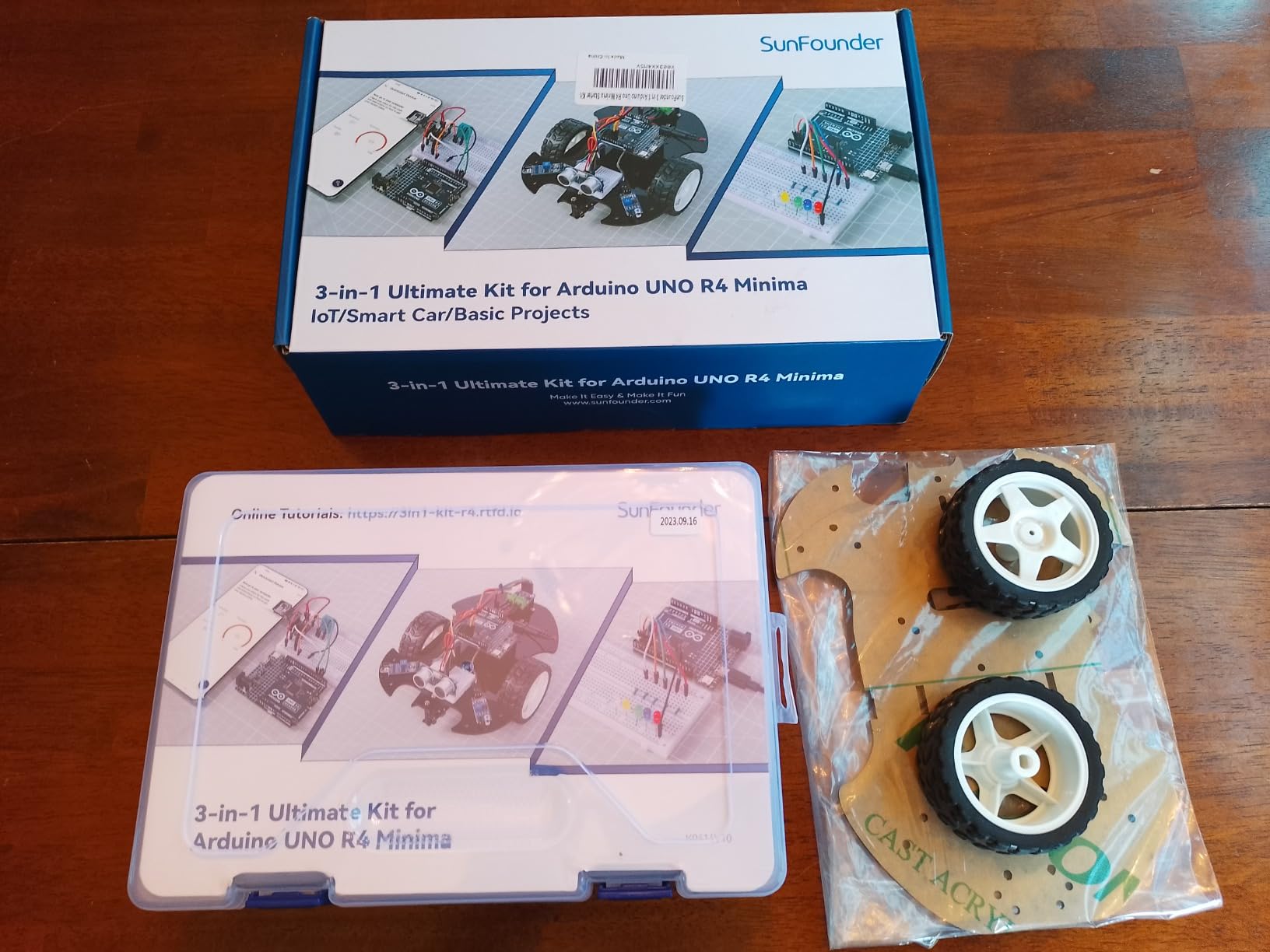
This kit answers a question most roundups ignore: what comes after the beginner kit. It covers three tracks in one purchase: core Arduino, a smart robot car and IoT cloud projects, with 50-plus step-by-step tutorials across all three.
The board is the original Arduino Uno R4 Minima with a 32-bit ARM Cortex-M4 processor, while keeping the same Uno form factor and 5V logic as earlier revisions. That means pin-compatible habits carry over to any other kit the teen buys later.
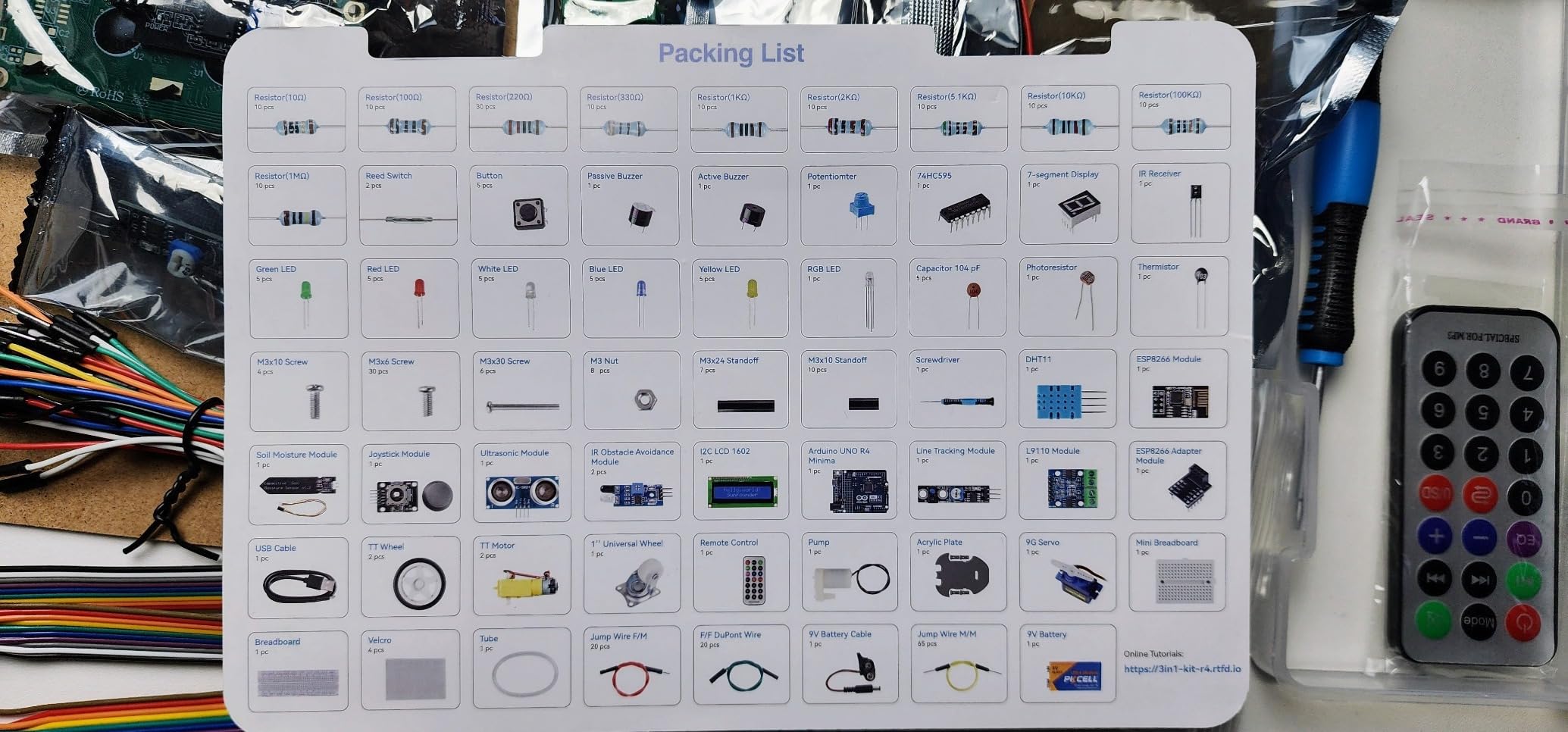
An ESP8266 WiFi module and adapter are included, so wireless and cloud projects need no extra purchase. The smart car hardware covers TT motors, a 9G servo and an ultrasonic module, alongside an I2C LCD1602, breadboard and assorted modules.
The tutorials explain electronics and code logic rather than handing over code to copy, and SunFounder runs technical support and an online community.
Who it suits
Ages 14 to 17 who want robotics and wireless in the same box, and parents who would rather buy once. The R4 Minima is a sensible modern board to start on.
Where it falls short
Spreading fifty-plus tutorials across three tracks means depth in any single area is lighter than a specialist kit delivers, and the smart car assembly adds a mechanical step that can frustrate younger builders. Some beginners find the material demanding without support.
How to Choose an Arduino Kit by Age and Ability
Age matters less than ability, but ability correlates with age closely enough to be a useful shortcut. Forum discussion about buying for teenagers repeats one theme: parents with high-school-aged kids report the teen leaps ahead of them within weeks, which makes this a collaborative decision rather than a gift you hand over sealed.
Ages 12 and 13. Choose a small, solderless kit with a gentle part list. The ELEGOO UNO R3 Basic Starter Kit is the right call here, paired with an adult sitting alongside for the first three projects. Avoid anything that needs soldering, anything with more than a hundred loose parts, and anything where the first project takes more than an evening.
Ages 14 and 15. The ELEGOO UNO R3 Project Super Starter Kit or the official Arduino K000007. At this age the teenager can follow a wiring diagram alone, so documentation quality becomes the deciding factor rather than component count. Either of these will hold attention for months.
Ages 16 and 17. Go wider. The ELEGOO Mega 2560 kit removes the pin ceiling, the SunFounder Elite Explorer adds WiFi and video lessons, and the KEYESTUDIO smart home set produces a finished physical object. Teens who already write Python tend to prefer the ESP32 options because the language barrier is lower.
Safety. Keep everything on 5V logic and USB or battery power. Do not attempt mains-voltage projects, and treat a soldering iron as an adult-supervised tool with a proper iron stand rather than something a younger teenager picks up unsupervised. Parents consistently name the fear of a soldering iron around teenagers as the reason they want a no-solder entry point.
One more practical note: buy with the teenager rather than for them where possible. A thirty-minute first build together removes most of the abandonment risk.
Official Arduino vs Clone Kits: What Teens Actually Need to Know
Official Arduino boards and Arduino-compatible clones run the same code in the same IDE. Users widely report the ELEGOO UNO R3 clone running identical code on the Arduino IDE with no compatibility issues for learning and hobby use, and genuine Arduino boards are accepted as fine for learning by most people too.
The real difference is documentation and community, not silicon. Genuine Arduino kits come with a printed projects book that explains the reasoning behind each circuit, plus official curriculum for classrooms. Clone kits increasingly come with PDFs and video libraries, and the gap has narrowed a lot.
So the honest comparison is components and instruction against instruction alone. If a kit gives you a genuine board but fewer parts, you are paying for the book and the brand. If it gives you 200 components and a thin PDF, you are paying for hardware and hoping the teenager teaches themselves the code. The best Arduino starter kit for teens balances both, which is why the ELEGOO units rank as highly as they do here.
Your First Working Build in Under an Hour
The most common complaint in every forum thread about these kits is abandonment: a kit gets opened, the teenager is handed 120 components with no starting point, and the box goes back in the cupboard. Three projects fix that.
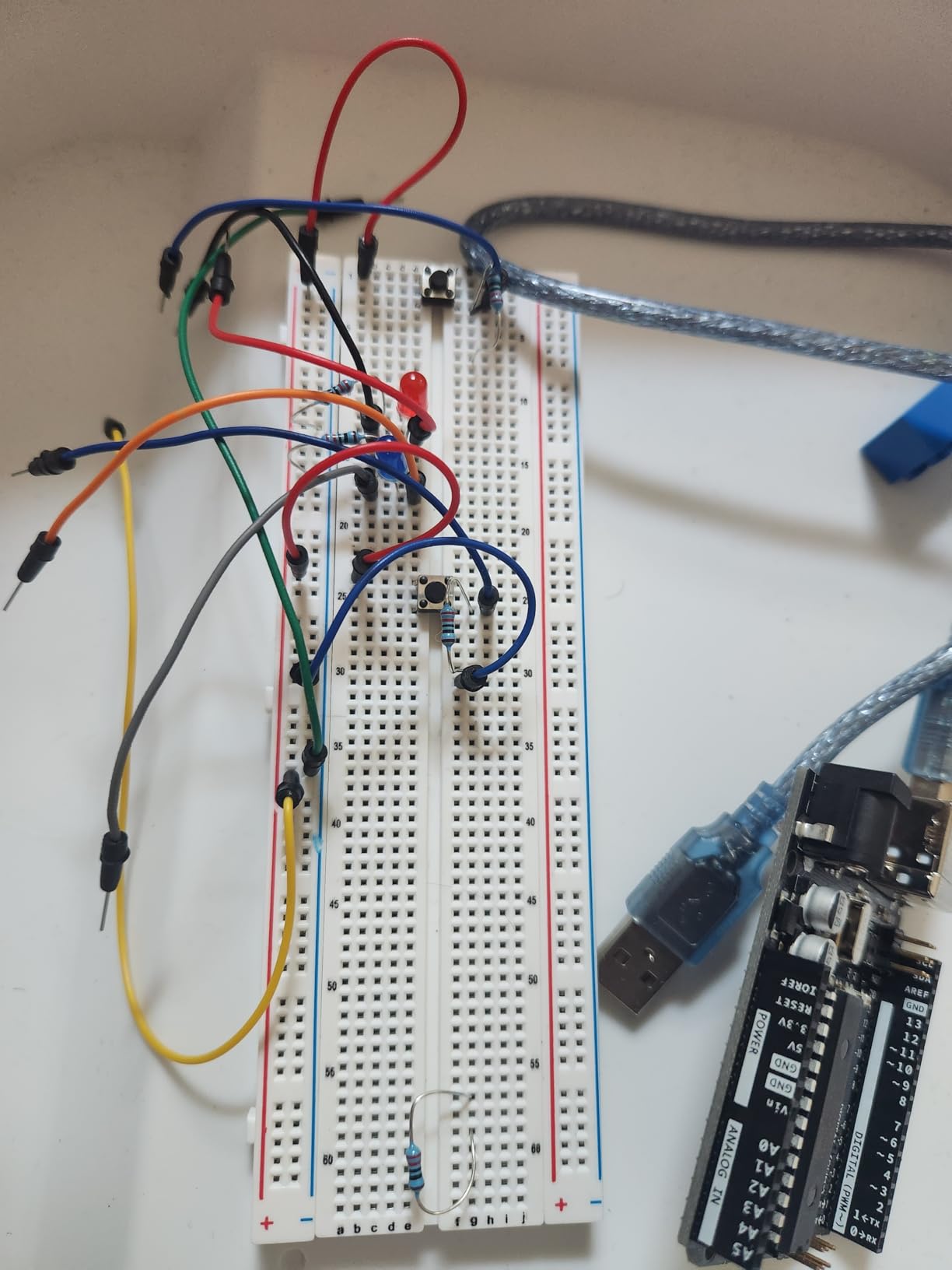
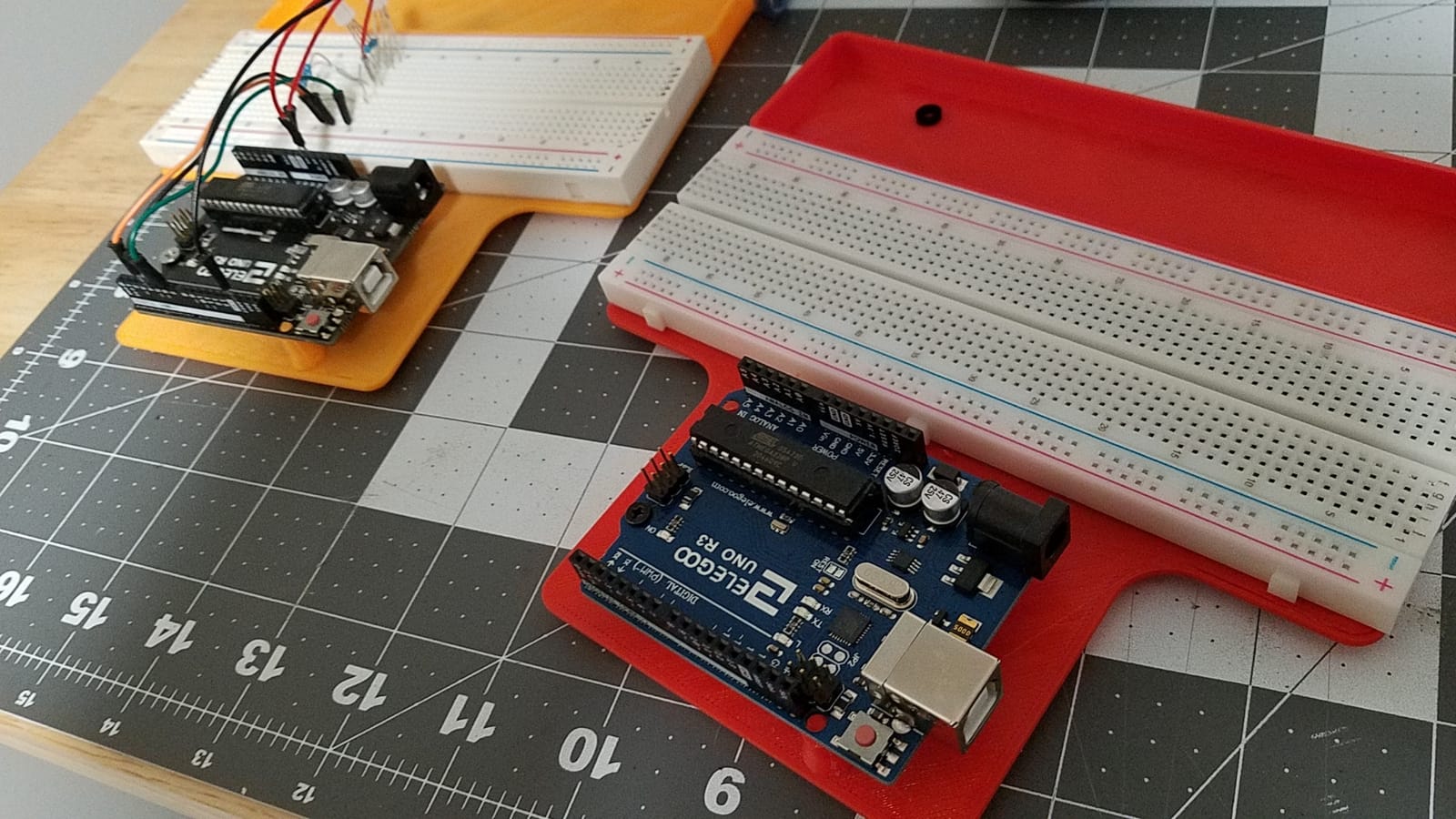
Blink, about 10 minutes. Plug an LED and a 220 ohm resistor into the solderless breadboard, run the Blink example, then change the delay values. The teenager owns their first parameter change, which matters more than it sounds.
Temperature on the serial monitor, about 25 minutes. Wire the DHT11 to the breadboard, load the sensor example, and read live values in the IDE. This is the first build where code produces data rather than a single on or off.
Motion alarm, about 40 minutes. Add an HC-SR501 PIR sensor and a buzzer so the board reacts to someone walking past. This is the project that usually convinces a teenager to keep going, because it is a thing that does something.
Do them in that order over the first week. If the first one works, the second usually does too, and the third is where the hobby starts looking like engineering.
What to Add After the First Month
Once the breadboard projects are comfortable, the next purchases matter less than people expect. In order of usefulness: a multimeter, a small soldering iron with a proper stand, extra jumper wires and a small-parts organiser, then more sensors.
A multimeter is first because debugging is the biggest frustration beginners report, and being able to check a voltage turns guessing into knowing. The organiser is second because lost jumpers and resistors quietly end projects, and most kits here ship with some form of storage but not always enough.
Only then add sensors, a servo, or an extra display. Our pizza oven starter accessory guide follows the same principle for a completely different hobby: get the build working with what you have before you start collecting parts.
The Upgrade Path: UNO R3 to UNO R4 WiFi to ESP32 and Teensy
Teens who outgrow Arduino are not bored with electronics, they are outgrown the board. The ladder runs UNO R3 first, then UNO R4 WiFi for built-in wireless, then a Mega 2560 for pin count, then ESP32 or Teensy when the project needs real processing power.
UNO R3 or clone. Learn the fundamentals on the easiest, most documented platform.
UNO R4 WiFi or R4 Minima. Add built-in wireless or an ESP8266 module while keeping the same form factor and pin compatibility.
Mega 2560. When the teen runs out of I/O pins on a single project rather than in theory.
ESP32. WiFi, Bluetooth and far more processing power, and the Python option is why motivated teens often jump here.
Teensy. Arduino-compatible with unusually strong documentation, and the board most often recommended once a teenager has outgrown a UNO.
The repeated forum counter-argument is that Arduino is too easy and toy-like. The counter to that is that a beginner who has never finished a blink program learns nothing from a faster board.
Frequently Asked Questions
What is the best Arduino starter kit for beginners?
The ELEGOO UNO R3 Project Super Starter Kit is the best Arduino starter kit for most beginners, and it suits teens particularly well. It combines 22+ guided lessons with a solderless breadboard, pre-soldered modules and a wide component range including a servo, stepper motor, ultrasonic sensor and LCD. Nothing requires a soldering iron, and the board programs in the standard Arduino IDE without extra drivers.
What is better, Arduino or Elegoo?
Official Arduino and ELEGOO are close on hardware because ELEGOO boards run the same code in the same IDE. The genuine Arduino difference is documentation: official kits ship a printed project book that explains why circuits behave as they do, plus official classroom curriculum. ELEGOO wins on component count and value. For a teenager, either works, and most buyers choose ELEGOO for parts and Arduino for the book.
Is the Elegoo Uno R3 good?
Yes. The ELEGOO UNO R3 board is widely reported to run identical code on the Arduino IDE with no compatibility issues for learning and hobby use. Reviewers praise the reliability of the board, the pin compatibility with the standard IDE and the build quality of the bundled modules. Its only real weakness is the fixed I/O pin count, which beginners hit once a project grows beyond a handful of inputs.
Do Arduino starter kits need soldering?
Most do not. A solderless breadboard and pre-soldered module headers are standard in good starter kits, and every beginner-friendly option in this roundup is fully solderless. A few larger kits, such as the Ardest Mega2560 set, ship modules that need headers fitted before use. For a teenager under 14, choose a kit that is solderless end to end and keep any iron out of reach.
Is Arduino too hard for a teenager?
No, but the first hour matters. The difficulty people describe is never the electronics, it is debugging a wiring mistake with no reference point. That is why a tutorial that explains why a circuit works beats a list of loose sketches, and why a kit that produces a first blinking LED within ten minutes keeps most teens going. A multimeter after the first month removes most of the remaining frustration.
Arduino or ESP32 for a beginner teen?
Start with Arduino and move to ESP32 when the project needs wireless or more processing power. ESP32 gives you WiFi, Bluetooth and a much faster processor, and a Python-fluent teen can code it in MicroPython, which lowers the barrier significantly. The argument against starting there is that an ESP32 hides the fundamentals behind configuration. The argument for it is that a bored teenager quits entirely.
Is the Arduino starter kit worth it?
It is worth it when the kit comes with a path from box to first working build. The most common regret in forum discussions is not the hardware, it is buying a large kit with no clear starting project and abandoning it a couple of months later. Pick a kit with guided lessons, a solderless design and an organised case, then build the ten-minute blink project on day one.
What do I add to an Arduino kit after the first month?
Add a multimeter first, because checking a voltage turns guessing into knowing and debugging is the biggest source of beginner frustration. Next comes a small-parts organiser or a second storage box, since lost resistors and jumper wires quietly end projects. After that, a soldering iron with a proper stand, and only then extra sensors, servos or displays.
Why is Arduino not used in industry?
Arduino is used widely in industry, particularly for prototyping, but it is rarely shipped inside a product. Industrial designs need guaranteed operating temperatures, long availability guarantees, certifications and tested components, none of which a hobby board provides. That is why Arduino is common in engineering teams as a test bench while the finished product uses an industrial microcontroller from a different supplier.
The Arduino Starter Kit for Teens Worth Buying in 2026
For a 12 or 13 year old starting from nothing, the ELEGOO UNO R3 Basic Starter Kit is the lowest-risk way in. From 14 up, the ELEGOO UNO R3 Project Super Starter Kit remains the best all-rounder, and it is what we recommend to most families in 2026. For a teen who wants wireless projects or a finished object to show off, the SunFounder Elite Explorer and KEYESTUDIO smart home sets are the stronger buys.
Whichever you choose, buy it with the teenager and build the ten-minute blink project together on day one. That single habit does more to prevent an abandoned kit than any component in the box.