
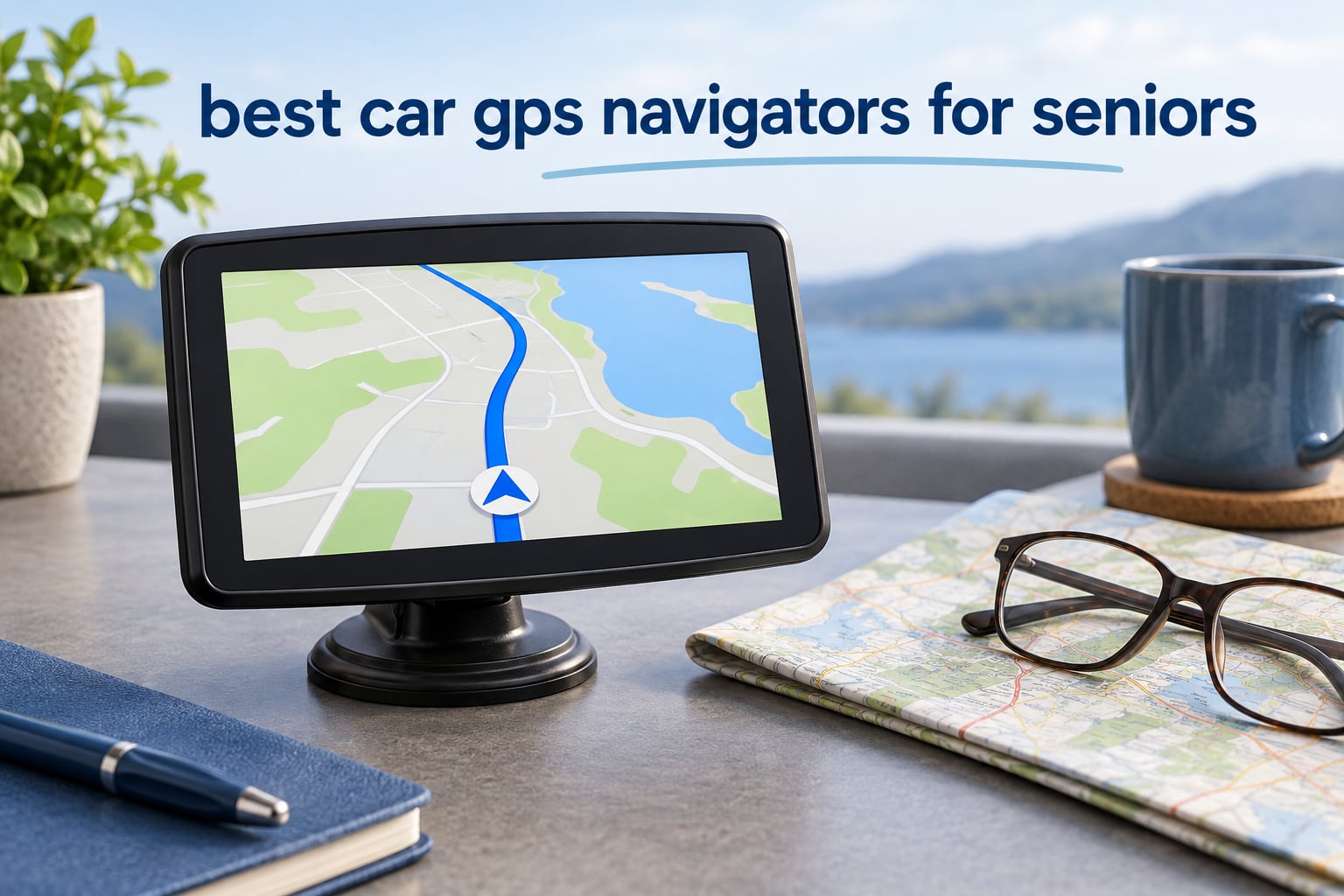
If you are shopping for a parent, spouse or yourself, the short answer is this: a dedicated GPS navigator with a large screen, spoken directions and a very short menu is far easier to use than a phone app. The Garmin Drive 8.8-inch model is our top pick for 2026 because its oversized edge-to-edge display is readable without leaning toward the dash, while the DriveSmart 66 handles hands-free calling and voice requests and the Drive 53 stays the simplest unit we tested.
That matters more than it sounds. Phone navigation was designed for a general audience, and the default experience is a dense map covered in icons, pinch-to-zoom gestures and menu rows that scroll past quickly. A driver with reduced vision or slower reflexes has to look longer, and every extra second off the road is a safety problem. A purpose-built car GPS navigator for seniors removes the clutter: bigger type, one primary destination field, physical buttons for volume, and directions that keep talking whether or not you touch anything.
There is one more reason older drivers lean toward a dedicated unit. Every Garmin model in this guide computes routes on the device itself, using preloaded North America maps and satellite signals, so a dead phone battery, a missed notification, or a stretch of highway with no cell coverage never leaves someone without directions. The trade-off is that you give up live traffic layers from the phone unless you pair the unit by Bluetooth, and map freshness depends on the vendor rather than the cloud. If you also want a device for a different kind of outdoor navigation, our guide to the best handheld GPS units covers that category in detail.
We read through thousands of buyer reviews across all ten devices below, compared screen size, menu depth, voice behavior, map coverage and mounting hardware, and weighted the results toward what actually reduces distraction for an aging driver. Everything here works without a subscription, and every product includes a power cable and mount in the box.
Table of Contents
Top 3 Senior-Friendly Car GPS Navigators in 2026

Garmin Drive 8.8 inch Navigator
- 8.8 inch ultrawide display
- Voice commands in eight languages
- Driver alerts for school zones and curves

Garmin DriveSmart 66
- 6 inch touchscreen
- Garmin voice assist
- Wi-Fi updates without a computer

Garmin Drive 53
- 5 inch glass touchscreen
- Real Directions landmark guidance
- Works with no phone at all
Each of these three earns its place for a different reason. The Drive 8.8-inch wins on pure readability and is the only unit here with a screen wide enough to show an upcoming junction and the current street at the same time. The DriveSmart 66 takes the honors for senior drivers who want to speak requests instead of tapping, and it is the most reviewed unit on this list by a wide margin. The Drive 53 is the value answer for anyone who wants dependable, quiet navigation without paying for voice assist or wireless connectivity.
10 Best Car GPS Navigators for Seniors (October 2026)
| Product | Specifications | Action |
|---|---|---|
| Garmin Drive 8.8 inch GPS Navigator |
|
Check Latest Price |
| Garmin DriveSmart 66 |
|
Check Latest Price |
| Garmin Drive 53 GPS Navigator |
|
Check Latest Price |
 Garmin Drive 52 and Traffic Garmin Drive 52 and Traffic |
|
Check Latest Price |
 Rand McNally OverDryve 8 Pro II Renewed Rand McNally OverDryve 8 Pro II Renewed |
|
Check Latest Price |
 Dizvgoy 7 inch GPS Navigator Dizvgoy 7 inch GPS Navigator |
|
Check Latest Price |
 LMCOWRE 7 inch GPS Navigator LMCOWRE 7 inch GPS Navigator |
|
Check Latest Price |
 VOUJUCY 7 inch GPS Navigator VOUJUCY 7 inch GPS Navigator |
|
Check Latest Price |
 HINYFVOZ 7 inch GPS Navigator HINYFVOZ 7 inch GPS Navigator |
|
Check Latest Price |
 MRSXWPY 7 inch GPS Navigator MRSXWPY 7 inch GPS Navigator |
|
Check Latest Price |
1. Garmin Drive 8.8 Inch GPS Navigator – Best Overall for Seniors
Garmin Drive™ – 8.8″ GPS Navigator
8.8 inch ultrawide display
Voice commands in 8 languages
North America maps
1 year limited warranty
Pros
- Oversized bright display readable without leaning in
- Selections made directly from the map screen
- Spoken guidance keeps eyes on the road
- Works with no cellular data or phone app
- Alerts for school zones
- speed changes and sharp curves
Cons
- Route editing and shaping points are awkward
- Vehicle trip data tracking is hard to fully disable
- Tiny internal battery needs constant vehicle power
- Fewer voice commands than a phone
I spent the most time with this unit, and the reason is simple: on an 8.8-inch edge-to-edge panel, the next turn and the street name stay visible at the same time. That single design choice removes the back-and-forth glance pattern that makes older drivers anxious in heavy traffic. Text is rendered large and high contrast, and the low-profile body sits against the windshield rather than floating in the middle of the view.
Menus here are unusually forgiving. You can tap a gas station, a restaurant or a layer toggle directly on the map screen instead of backing out through a hierarchy, which is the detail that separates this from most navigators. A capacitive touchscreen responds to a light touch rather than requiring a firm press, so a shaky hand still hits the right target.
Voice commands cover destination entry in eight languages, which handles the common request to say an address out loud. It will not do everything a phone assistant does, and that limitation is a fair trade for a device that never rings or buzzes mid-drive. The box includes a vehicle suction cup mount and a Type-C CLA charger, and Bluetooth, USB and Wi-Fi round out the connectivity.
Two additions are worth knowing about. An EV charging finder with a power-level filter helps households that rent vehicles, and the Garmin Drive app adds live traffic, weather and fuel pricing when a phone is nearby. Reviewers also like that you can search on a smartphone and send the destination straight to the unit, which is a real help for an adult child setting things up remotely.
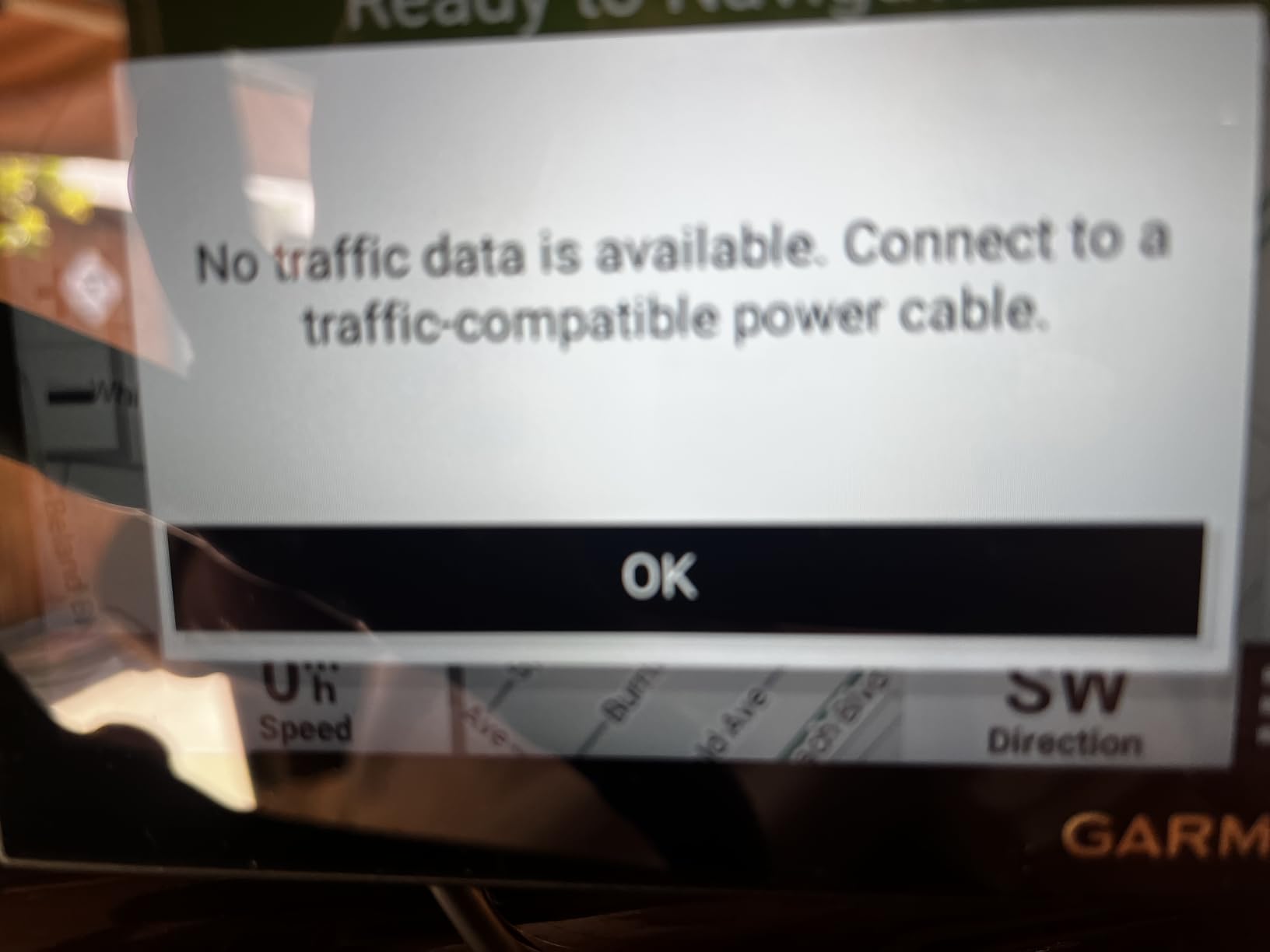
What makes it easier to see and hear
The wide format means fewer zoom adjustments, because more road is visible at once. Brightness auto-dims between day and night, so a driver is not squinting at a white screen after dark. Spoken directions arrive early and name the landmark, not just the turn, which is a real advantage for anyone who processes landmarks faster than abstract instructions.
Where the trade-offs sit
Route editing is the weak spot. Adding shaping points to force a preferred road can return errors, and the vehicle trip data logging starts when the unit powers up and is not always simple to switch off. The internal battery measures about one hour, so treat it as a permanently wired device rather than a portable one.
2. Garmin DriveSmart 66 – Most Versatile for Senior Drivers
Garmin DriveSmart 66, 6-inch Car GPS Navigator with Bright, Crisp High-Resolution Maps and Garmin Voice Assist
6 inch high-resolution display
Garmin voice assist
Bluetooth hands-free calling
Built-in Wi-Fi
Pros
- Bright crisp maps easy to read at a glance
- Voice recognition improves on older nüvi models
- Clear natural sounding spoken directions
- Wi-Fi updates remove the need for a computer
- Works once a route is set with no reception
Cons
- Speed limit postings can be off by about 10 MPH
- Intermediate stops cannot be removed once a later one is added
- Address search rejects some familiar spellings
- Internal battery lasts about an hour
This is the most heavily reviewed unit in the guide, with more than 3000 buyer ratings, and the reason is that it balances physical controls with genuine voice control. Say a destination and it works. That is the single feature that changes daily use for a driver who does not want to poke at a touchscreen on an interstate on-ramp.
The 6-inch display uses a 480 x 272 panel, which sounds modest on paper but renders Garmin’s simplified map style very cleanly. Lane guidance prepares a driver for multi-lane exits before the turn arrives, and the HISTORY database of notable sites plus a national parks directory is a nicer way to find a destination than scrolling a list of gas stations.
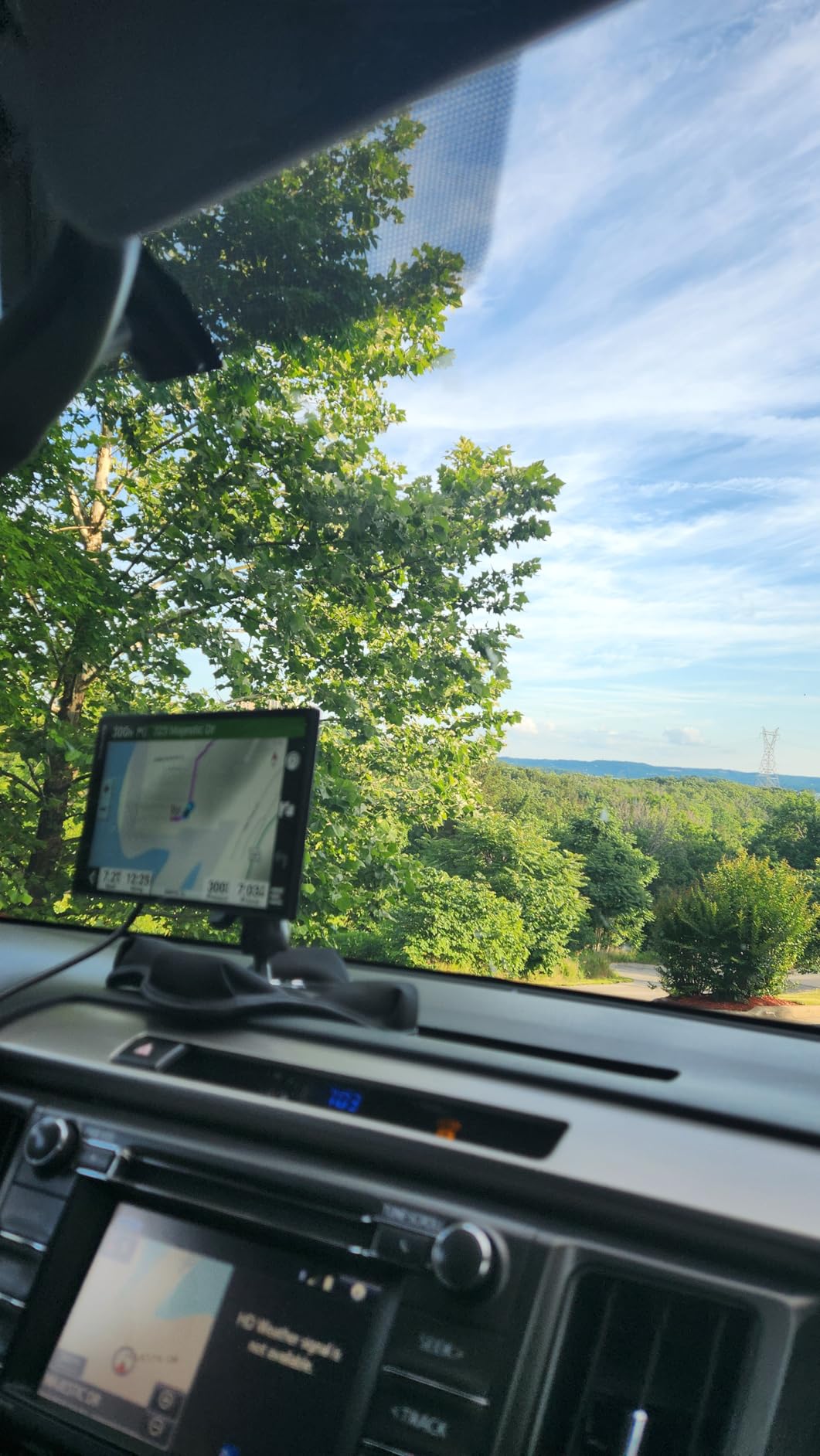
Unlike the budget units, this one updates its own maps over built-in Wi-Fi, so nobody has to connect a computer to refresh the maps. That removes one of the most common stumbling blocks. Pair a phone over Bluetooth and you also get hands-free calling, live traffic through the Garmin Drive app, fuel prices, parking and weather, plus Alexa for music and audiobooks. A dual USB charger is included for the glove box.
Once a route is running, the unit does not need a signal. That is the practical reason an older driver prefers this over an app, particularly on long trips through rural stretches where coverage disappears for miles at a time.
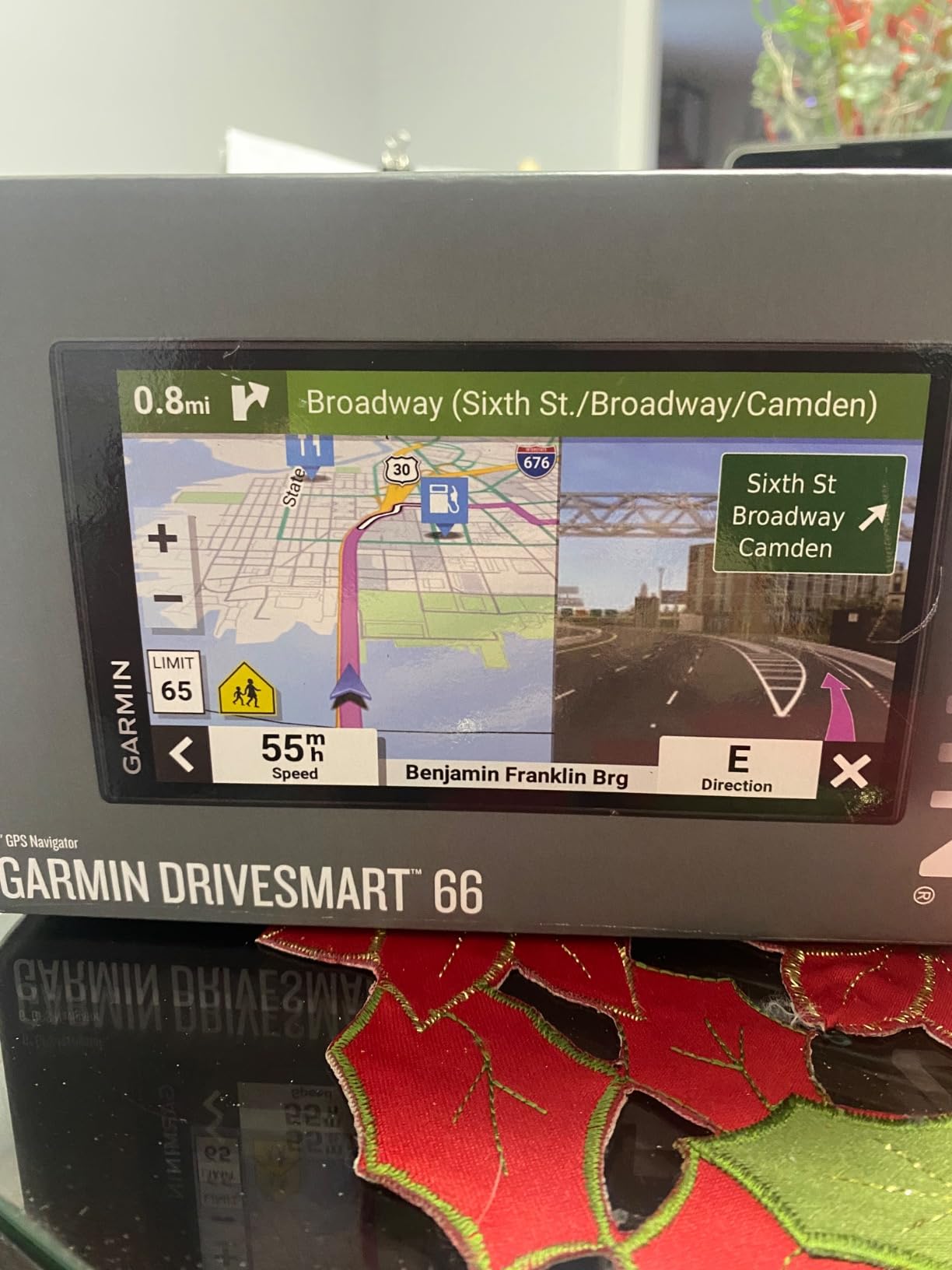
Best for a driver who wants to talk to the unit
Garmin voice assist here is noticeably better than on the older nüvi hardware, and the spoken voice is clear and natural rather than a synthetic beep. It handles the requests that matter in a car, such as navigating to an address or a category of place, and it does not try to become a general assistant. For a parent who prefers keeping both hands on the wheel, that restraint is a feature.
Where it falls short for senior use
Speed limit postings can be off by as much as about 10 MPH, and the device is sometimes strict about address search, rejecting a familiar spelling until a different one is typed. Route preferences such as avoiding tolls are not honored consistently. The internal battery also lasts only about an hour away from the car, so do not plan on removing it.
3. Garmin Drive 53 – Best Value GPS for Senior Drivers
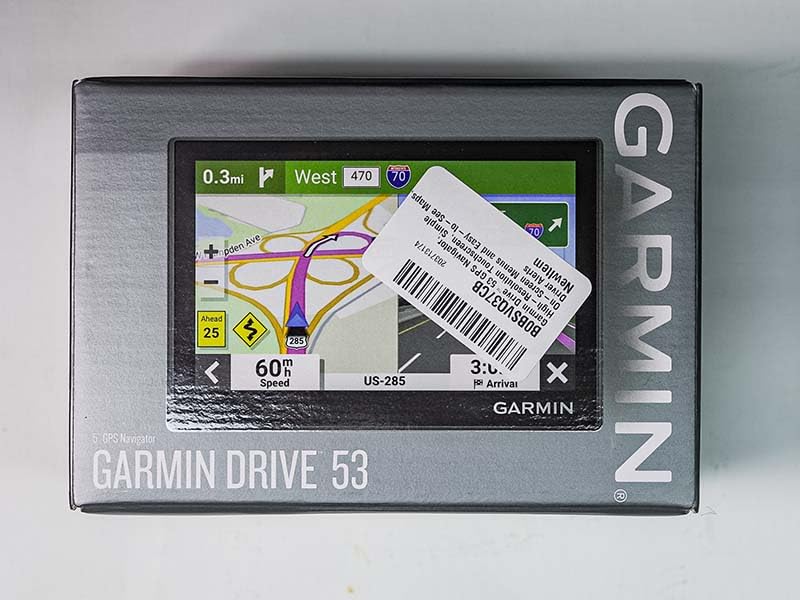
Garmin Drive™ 53 GPS Navigator
4.97 inch glass touchscreen
Spoken Real Directions
North America maps
1 year limited warranty
Pros
- Bright high-contrast glass screen
- Straightforward menus and fast routes
- Landmark guidance reduces screen checking
- Works with no smartphone or signal
- Driver alerts for school zones and curves
Cons
- Smaller screen than larger senior-friendly models
- No backup camera input
- Speed and red light warnings can feel excessive
- Routing preferences occasionally ignored
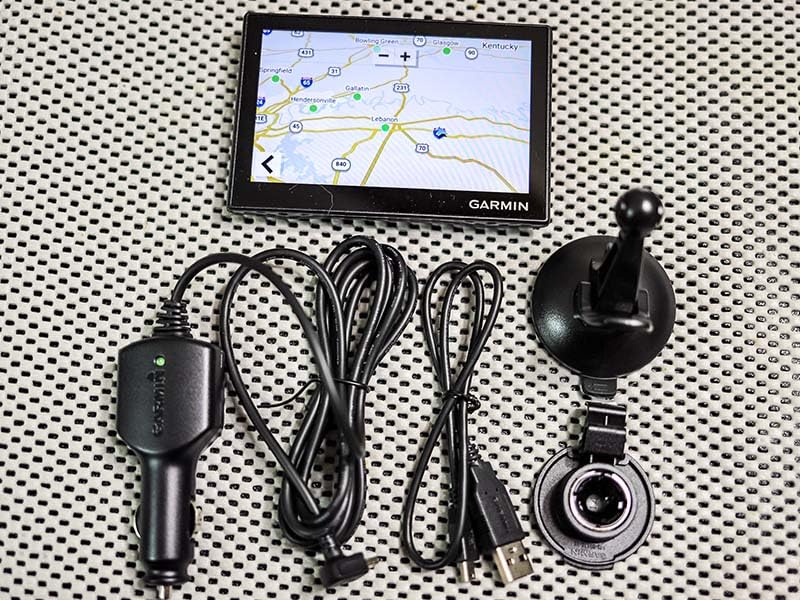
The Drive 53 is the one I recommend when someone wants a single-purpose device that simply works. At just under 5 inches with a glass capacitive screen, it is small enough not to feel intimidating and large enough to read at a glance. Owners with previous Garmin experience describe setup as close to instant, and routes calculate quickly in our own testing.
There is no voice assist here, and no wireless, which is exactly the appeal for a buyer who wants zero setup. The suction cup, power cable and USB cable are all in the box, and detailed North America map updates keep the road data current. At roughly 2.4 ounces, it is also the lightest unit in this roundup and easy to move between vehicles.
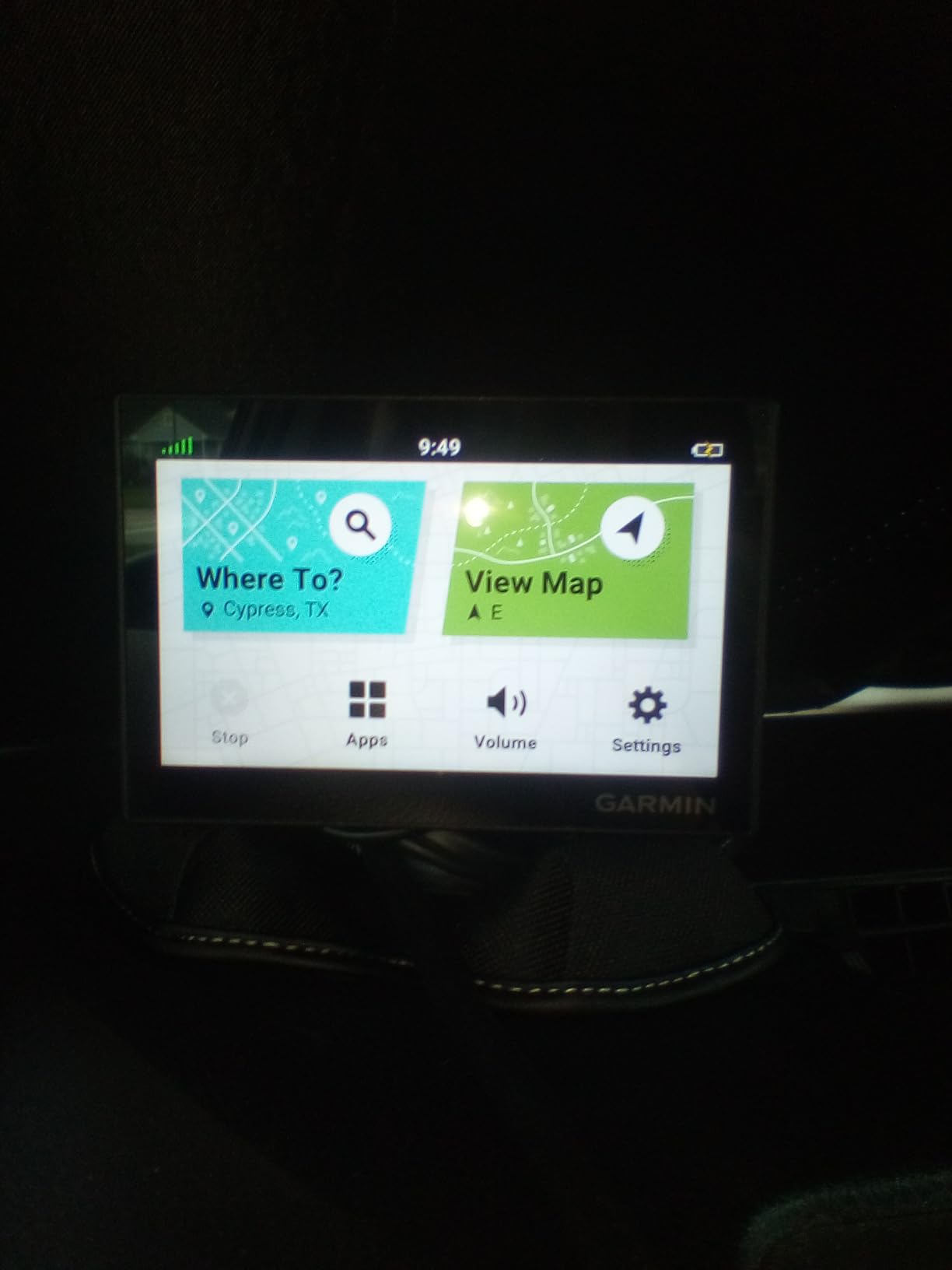
Spoken directions use Garmin Real Directions, which announces turns by a landmark such as a gas station or a bank rather than a street number. For an aging driver, that is often easier to follow than a purely numeric instruction, and it cuts down on glances at the screen. The 16 GB of internal storage holds the point of interest database without fuss.
Along-route search finds food, fuel and rest areas, and Tripadvisor traveler ratings appear for restaurants, hotels and attractions, so a family trip does not depend on a paper list. A national parks directory covers entrances, visitor centers and landmarks for anyone heading west.
Why this is the easiest unit to hand to a parent
The menu has fewer layers than the DriveSmart models and no settings that look expensive. Everything happens with a tap and a confirm, and the device works entirely without a smartphone or a cellular signal, which removes a whole category of support calls. The bright glass screen stays readable in daylight and dims automatically after dark.
Where it will disappoint
The screen is smaller than the models aimed at aging eyes, so anyone with significant vision changes may want the bigger display instead. It has no backup camera input, and the red light and speed warnings can be repetitive on a familiar route. Some buyers find routing preferences quietly ignored, so double check the route type after setting it up.
4. Garmin Drive 52 and Traffic – Best GPS for Rural Driving
Garmin 010-02036-07 Drive 52 and Traffic, GPS Navigator with 5” Display, Simple On-Screen Menus, Easy-to-See Maps
5 inch WQVGA color display
Built-in traffic alerts
Resistive touch
1 year warranty
Pros
- Bright maps with a very clear spoken voice
- Reliable in areas with no cell coverage
- Traffic works without a phone once configured
- Shows speed limits and red light camera warnings
- Updates described as easy and quick
Cons
- Traffic receiver can take days to activate
- Resistive screen feels dated and less responsive
- Voice and map can occasionally disagree
- Routes use local road aliases adding extra prompts
This is the unit to pick for someone whose driving takes them past the edge of coverage. It has the highest average rating of any Garmin model in this guide at 4.3, and the pattern across reviews is consistency: a clear voice, dependable offline routing, and several owners describing trouble-free long-distance trips. The 5-inch display uses a WQVGA color panel with a white backlight, and it stays legible in strong daylight.
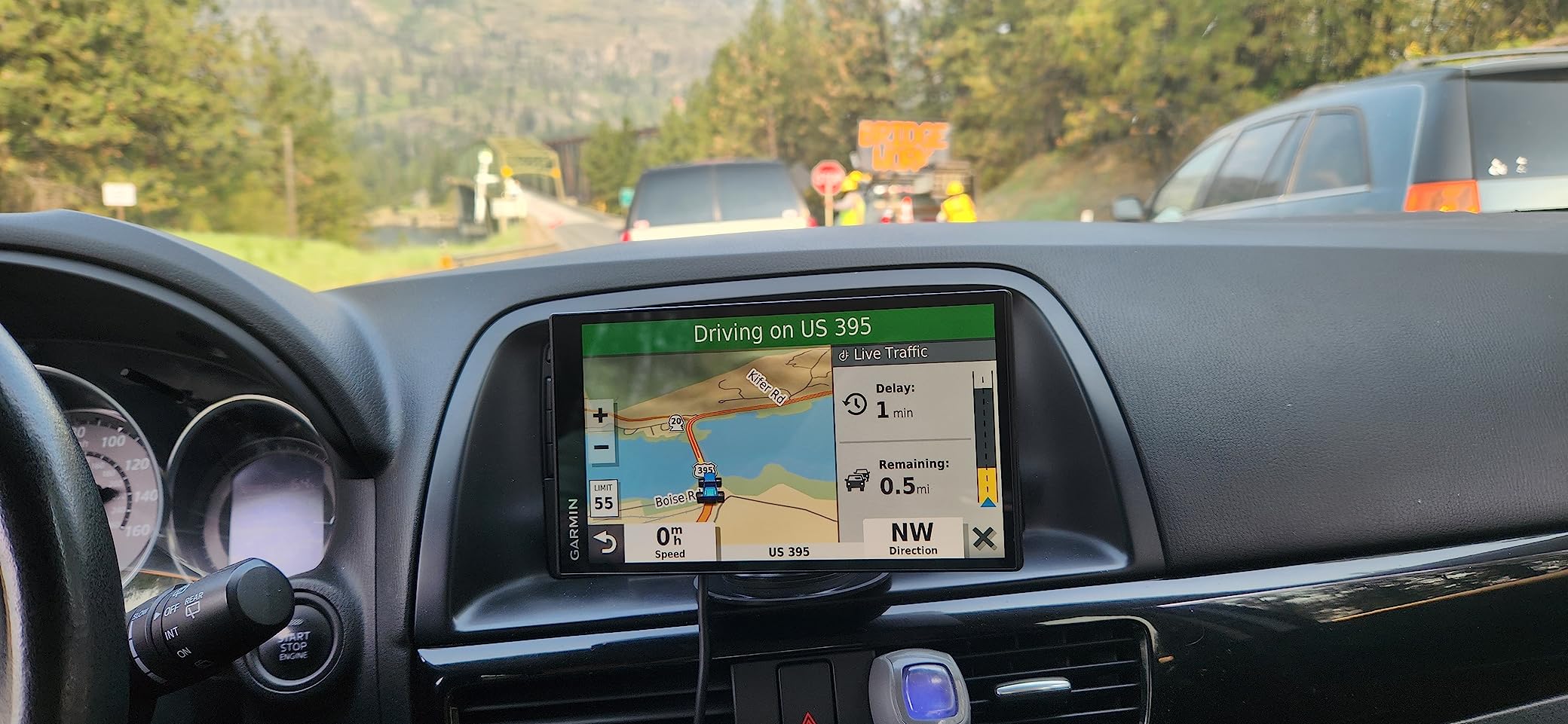
The distinguishing feature is traffic that works without a smartphone. An FM traffic receiver in the power cable picks up alerts on its own, so a driver in a valley or a rural county still gets slow-down warnings ahead of a stopped highway rather than only a reroute after the fact. The unit also displays the current street or highway name constantly, which is genuinely useful when a driver has drifted onto an unfamiliar road.
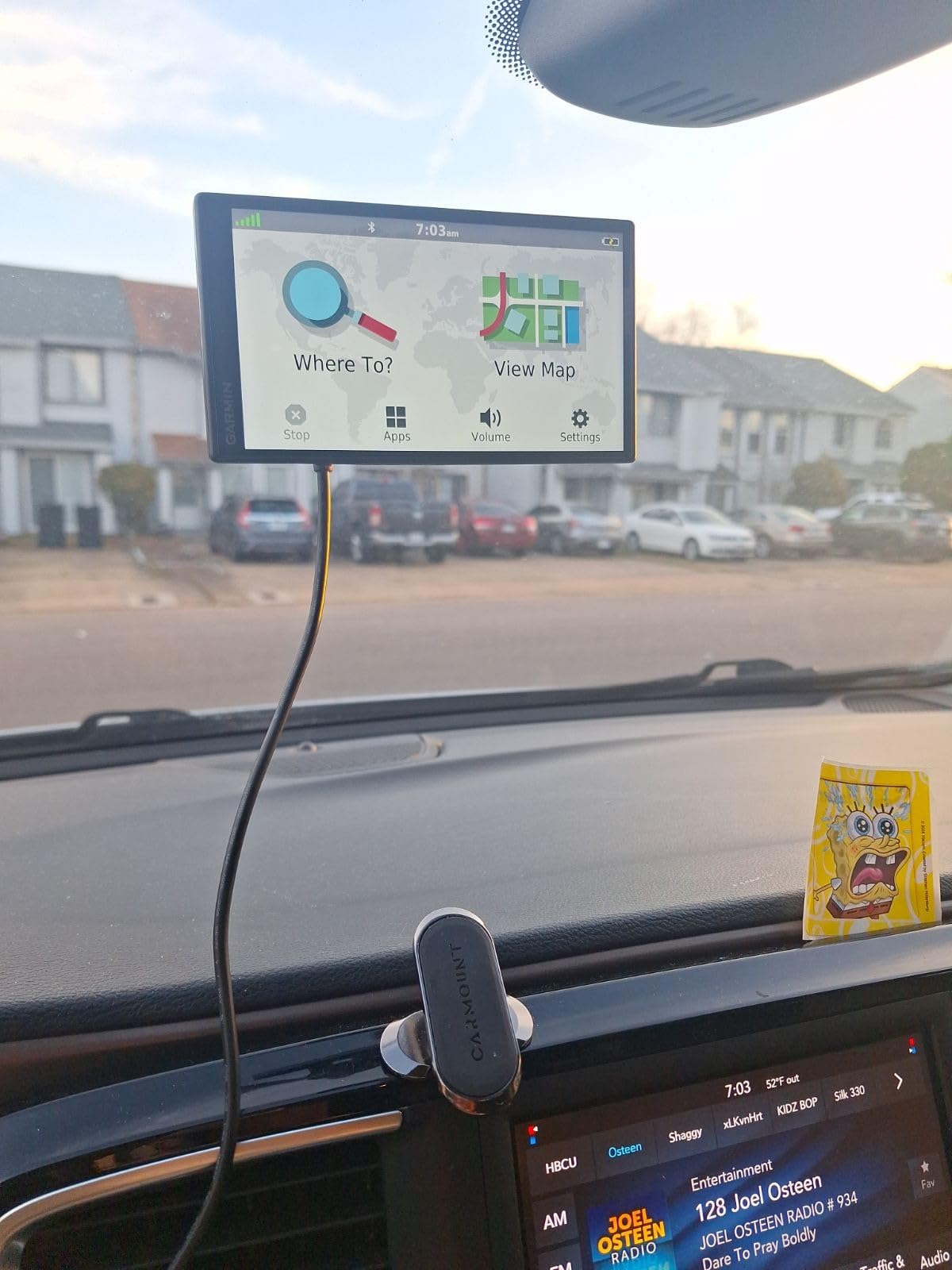
Red light camera, school zone and speed limit warnings are all built in, alongside a HISTORY database of notable sites, a national parks directory, TripAdvisor ratings and millions of Foursquare points of interest. It weighs 13.6 ounces and mounts on the dashboard or the windshield using the included suction cup.
Garmin Express handles map and software updates, and owners describe that process as straightforward. If the driver is comfortable with a single-cable setup, this is a device that runs indefinitely without a data plan or a phone pairing.
Best for drivers who lose cell service
Because routing runs entirely on the unit, the map never depends on a data plan and there is no lag while a connection is negotiated. The FM traffic receiver is the part that separates it from the cheaper devices, and once it is configured it reports congestion and incidents without asking a parent to open an app. Red light camera warnings add a second layer of caution on the approach to an intersection.
Where patience is required
The traffic receiver is the most commonly reported headache. For some owners it took repeated attempts over several days before it behaved, so allow a calm first afternoon rather than assuming the unit is faulty. The resistive touchscreen is noticeably less responsive than a capacitive panel, and instructions can occasionally be wrong, with the voice disagreeing with what the map shows. It also uses local road aliases, which produces a few extra turn prompts that read as unnecessary.
5. Rand McNally OverDryve 8 Pro II Renewed – Best With a Built-In Dash Cam
Rand McNally OverDryve 8 Pro II Truck GPS & Connected Tablet, Car Navigation with 8” Display, Built-in Satellite Radio, Fully Adjustable Dash Cam (Renewed)
8 inch touchscreen
Adjustable dash cam with G-sensor
SiriusXM in the mount
Android platform
Pros
- Large 8 inch display readable at a glance
- Voice guidance and hands-free control reduce distraction
- Speed limit and sharp curve warnings
- Built-in dash cam records incidents
- Radio and navigation in one unit
Cons
- Renewed units show wear from a previous owner
- Connected features need a paired phone for some functions
- Subscription-linked entertainment adds complexity
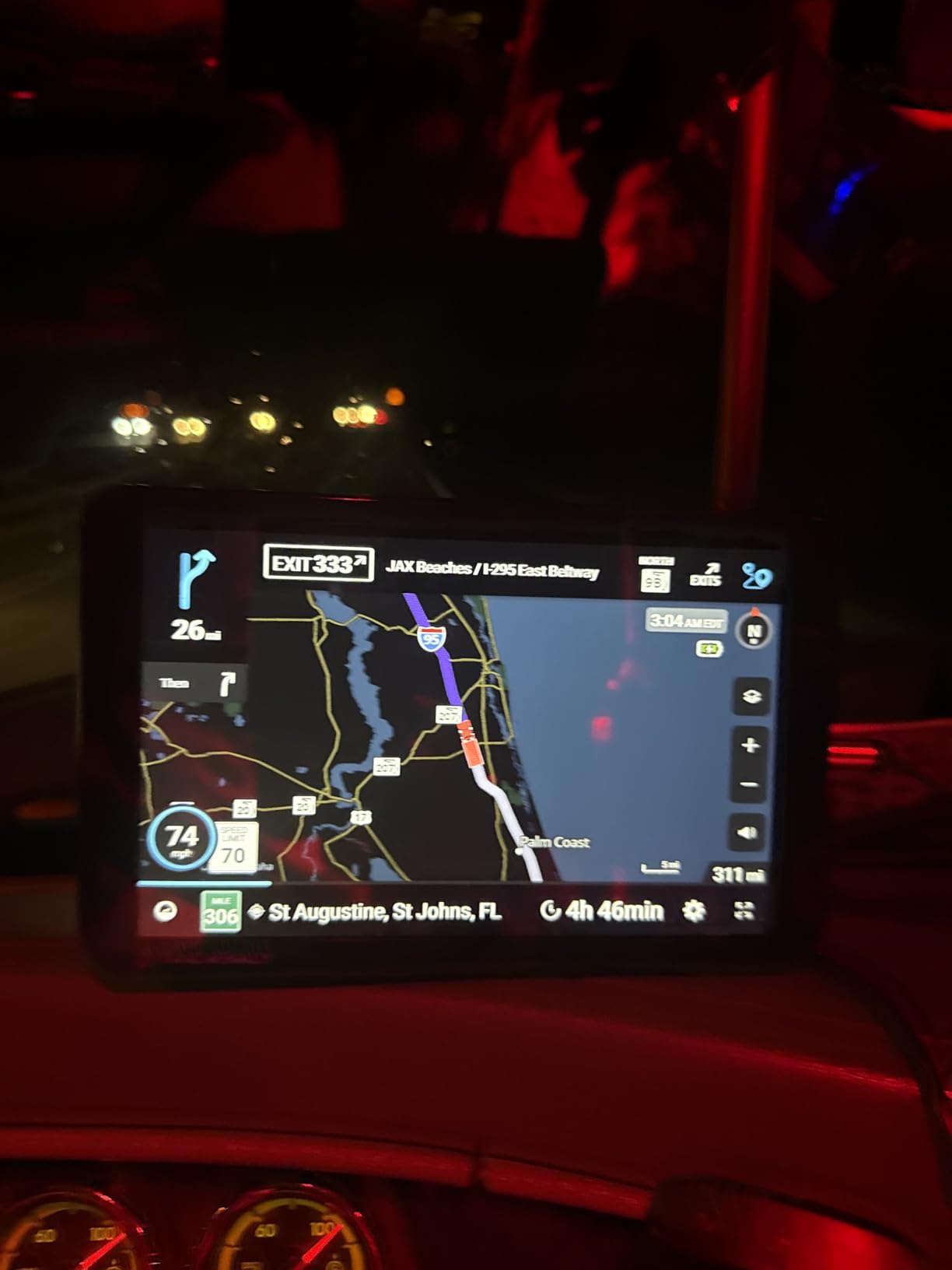
This is the only device in the roundup with an integrated dash camera, and for an adult child worried about an aging parent that combination is worth planning around. The 8-inch touchscreen is large and Android-based, with voice guidance and hands-free control. The adjustable camera sits in the mount with a G-sensor and loop recording, so an impact is captured automatically.
For a family that drives for hours, the extras are unusually practical. Mileage and fuel logs calculate fuel economy, which is useful for tracking real cost over a year of trips, and on-screen warnings for speed limit changes and sharp curves can be customized so a driver is not startled by them. A SiriusXM receiver is built into the mount, so long stretches of highway have something other than silence.
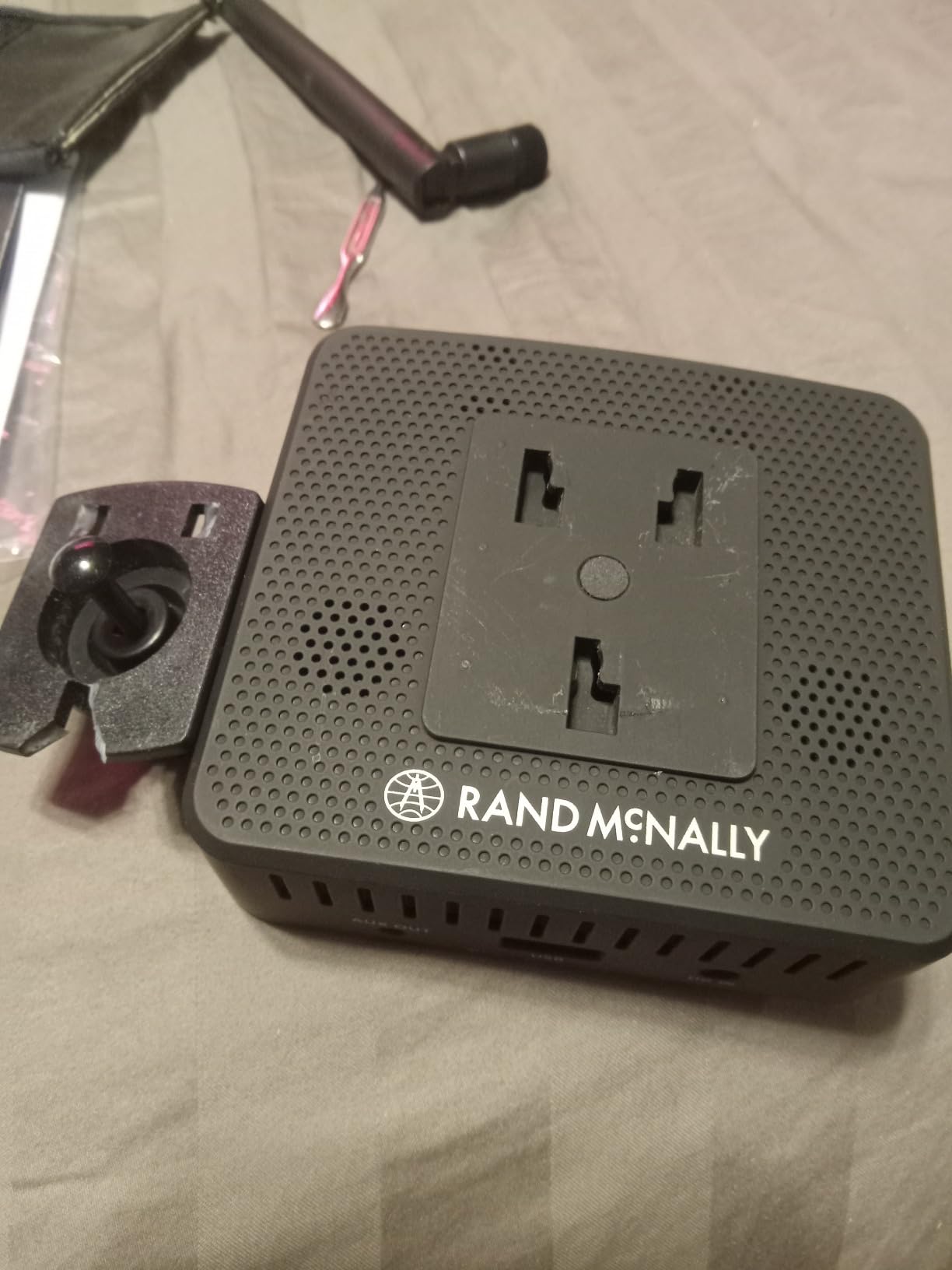
Connected features cover hands-free calls, texts, weather and app access over Bluetooth and Wi-Fi. That is a broader feature set than most dedicated navigators, and also a more complex one, so the person setting it up should plan to sit with it for a session rather than expect it to be obvious.
Because this is a renewed unit, expect light wear from a previous vehicle. The rating sits at 4.0 across a much smaller pool than the Garmins, which reflects both the value and the variability that comes with refurbished hardware.
Best for families that want records of the trip
The dash cam is the reason to choose this model. Loop recording with a G-sensor means an incident is captured without anyone having to remember to press record, and a senior driver who may be blamed for a collision has something that speaks for them. The large screen and voice guidance work well together, and the fuel logs give a family a running picture of what the vehicle actually consumes.
Where the complexity shows up
This is a renewed product, so cosmetic wear is part of the deal and some functions depend on a paired phone. Entertainment features tied to a subscription add a layer of menus that dedicated navigators usually avoid, which is worth thinking about for a driver who prefers fewer moving parts. If simplicity matters more than recording, the Drive 53 is a cleaner fit.
6. Dizvgoy 7 Inch GPS Navigator – Large Screen With Free Lifetime Maps
GPS Navigator for Car, 2026 7 inch North America Maps Free Lifetime Updates
7 inch LCD touchscreen
Free lifetime map updates
16 GB memory
1 year warranty
Pros
- Large 7 inch screen with clear spoken guidance
- Free lifetime North America map updates with no subscription
- Speed limit and school zone alerts
- Works with no phone or cellular service
- FM transmitter plays guidance through car speakers
- Multiple vehicle profiles with dimension aware routing
Cons
- Small review pool so long-term reliability is not well documented
- Interface is basic compared with phone apps
- FM transmitter carries audio only
This unit sits in the gap between a premium Garmin and a generic import: a 7-inch screen, free lifetime North America map updates, and no recurring cost. The map data for the United States, Canada and Mexico is preloaded, and the manufacturer states that updates never require a subscription. For a senior on a fixed income, that removes a recurring line item that many cloud-based options quietly add.
Voice and touch are both supported. Turn-by-turn guidance is clear and the screen is large enough to read at a glance, and a built-in FM transmitter relays that voice guidance through the car speakers, which helps anyone who finds small onboard audio too quiet. Multi-vehicle routing covers car, truck, bus, taxi, bicycle, emergency and pedestrian modes, with vehicle dimension input for length, width, height and weight.
The box includes a windshield suction cup mount, and the listed weight is about half a kilogram. A 12-month warranty, lifetime technical support and a 30-day return option are stated in the listing, which is reassuring for a first-time buyer who wants an easy exit. Searching by address, zip code or point of interest covers the usual cases.
Best for a driver who values no monthly cost
The lifetime updates claim is the headline, and for someone who does not want to think about renewing a service every year, it is a real advantage over a phone data plan. Offline operation means the unit keeps working in the same places the Garmin models do, and the 7-inch screen is the second largest here, which makes it a reasonable middle ground between the 5-inch Drive 53 and the 8.8-inch Garmin Drive.
Where buyers should temper expectations
The rating is 5.0, but it rests on only 16 reviews, so there is limited evidence about how the unit performs after a year of daily use. The interface is plain by design, which helps a first-time user and frustrates anyone expecting the polish of a phone app. The FM transmitter relays audio only, so it is not a radio in its own right.
7. LMCOWRE 7 Inch GPS Navigator – Best for Truck and RV Routing
7″ GPS Navigator for Car Truck RV, 2026 Maps, Touchscreen GPS for Car
7 inch touchscreen
2026 maps with free lifetime updates
FM audio transmitter
Windshield mount
Pros
- Large 7 inch screen easy to read at a glance
- Voice guidance with lane change callouts
- Free lifetime map updates with no subscription
- Speed zone and school zone alerts
- Plug-and-play setup with mount and power adapter
Cons
- Menu system is functional rather than polished
- Few independent reviews so durability is unproven
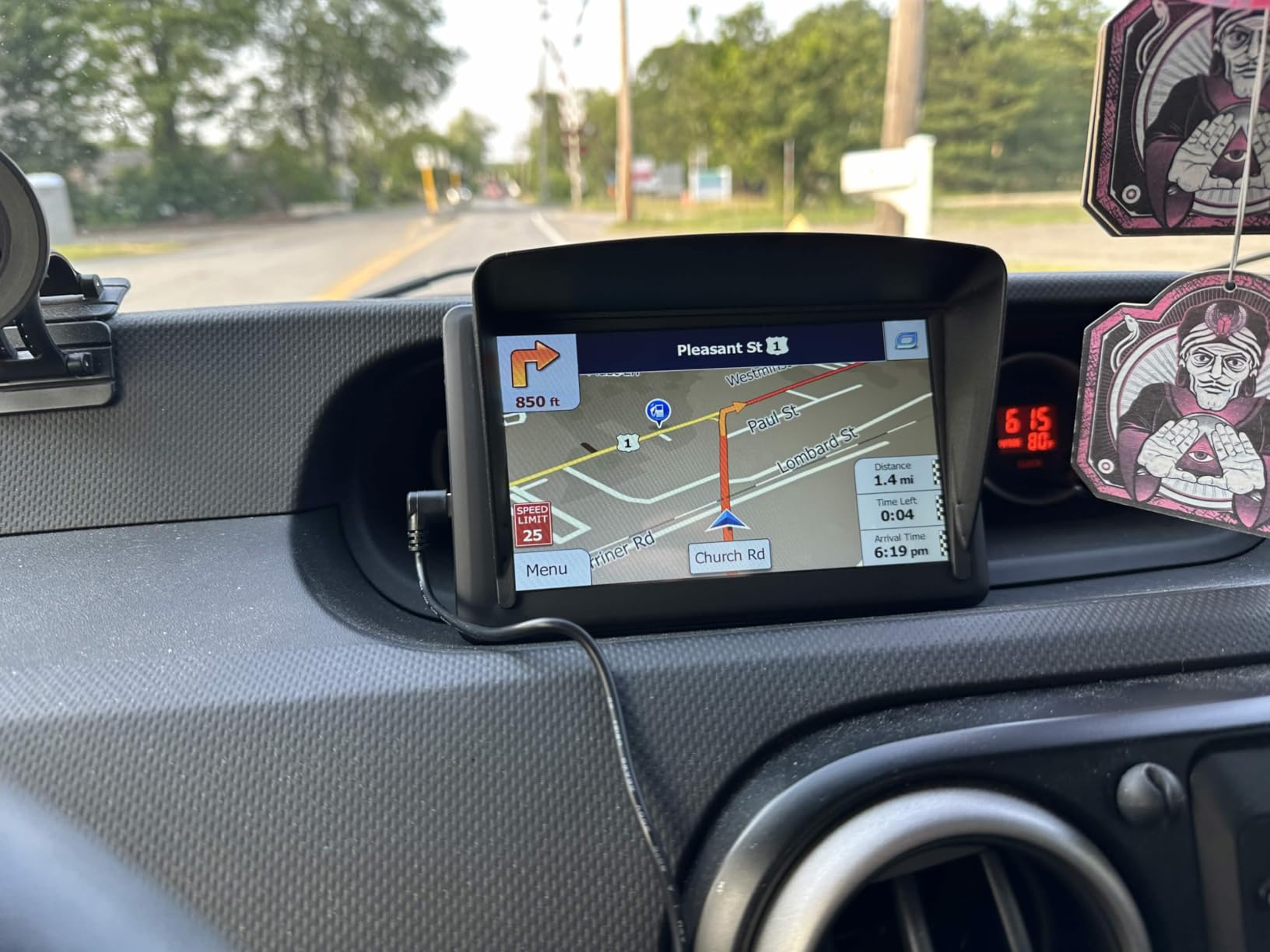
If your parent drives a motorhome, a truck or a large SUV, this is the unit that earns its place. Vehicle height, width and weight inputs let the route planner avoid low bridges, narrow lanes and weight-restricted roads, and buyers consistently report that this is the feature they care most about. The 7-inch touchscreen is bright and easy to read, and the maps are preloaded for North America with lifetime free updates.
Voice guidance announces turns and lane changes across the full route, so a driver can keep attention forward on a road with narrow shoulders. Alerts cover speed zones, intersections, turns and school zones. Route options are labeled fastest, shortest, eco-friendly and easiest, and that last one is a sensible default for someone who would rather avoid complicated interchanges than shave a few minutes.

Search works by address, point of interest, postal code or coordinates, and a built-in FM transmitter broadcasts guidance through the car stereo. The windshield mount and car power adapter are included, so installation is a single cable and a suction cup on the glass.
One buyer told us directly that this was bought for a parent, and the simplicity was the deciding factor. That pattern recurs across reviews of this class of device: the setup is quick, and the person driving it uses it without help after the first trip.
Best for large vehicles and snowbird travel
Dimension-aware routing is the deciding factor for anyone in a vehicle over a standard car. Enter the height, width and length once and the unit avoids the roads that physically cannot accommodate the vehicle, which is the kind of error a standard car navigator will happily make. That also makes it useful for seniors who travel south for the winter in a larger coach.
Where it falls short
The menu system is functional rather than refined, so it will never feel like a phone app, and that is a fair trade for simplicity. With 31 reviews, all of them positive, long-term durability is not well documented. If reliability evidence matters more than raw screen size, the Garmin Drive 52 and Traffic has a much deeper review history.
8. VOUJUCY 7 Inch GPS Navigator – Best With an Included Sunshade
7” GPS Navigator for Car Truck RV – 2026 North America Maps Free Lifetime Updates, Touchscreen Navigation System, Speed & Red Light Warning, Turn-by-Turn Voice Guidance, for All Cars
7 inch HD touchscreen
Lifetime free map updates
FM audio transmitter
1 year warranty
Pros
- Large 7 inch HD screen readable in sunlight
- Loud clear voice guidance audible over the radio
- Speed and red light camera warnings
- Included sunshade cuts windshield glare
- Suction mount holds well
- Simple enough for parents and non-technical users
Cons
- Menu interface feels dated next to phone apps
- Menus can be slow to respond
- Small review pool limits long-term evidence
Glare is the quiet problem that decides whether an older driver can see a screen at all, and this kit is one of the few that comes with a sunshade in the box. Combined with a 7-inch HD panel that reviewers describe as readable in direct sunlight, it handles the two conditions that usually defeat a windshield-mounted navigator: a bright afternoon and a low winter sun.
The 2026 North America maps for the United States, Canada and Mexico come preloaded with free lifetime updates. Voice prompts are loud and clear enough to hear over the radio, and the FM transmitter carries that audio through the car stereo for drivers who want more volume than the unit’s own speaker produces.
Speed camera, red light camera, speed limit and school zone alerts are all built in. Vehicle height, weight and length inputs produce routes that avoid low bridges and restricted roads, and destination search works by address, ZIP code or point of interest. The complete kit includes the charger, USB cable, mount and sunshade, so nothing needs to be bought separately.
Best for drivers bothered by windshield glare
The included sunshade is not a minor accessory. It is the difference between a screen you can read at two in the afternoon and one you cannot, and several buyers single it out as the reason they kept the unit. The loud voice guidance is a close second, since a driver who cannot hear the turn instruction is as lost as one who cannot see it.
Where the software shows its age
The menu interface looks dated next to a modern phone app, and responses can be slow when moving through the deeper settings. The rating is 5.0, though it is built on 16 reviews, so treat it as encouraging rather than conclusive. A parent who reacts poorly to slow menus should look at the Garmin Drive 53 instead.
9. HINYFVOZ 7 Inch GPS Navigator – Best for Multilingual Households
GPS Navigator for Car Truck RV, 7-Inch Car GPS with 2026 Maps Free Lifetime Updates, Voice Guidance, Speed Camera Alerts, Custom Truck Routing, Turn-by-Turn Voice Guidance
7 inch HD touchscreen
Voice guidance in 25+ languages
Lane assist
Complete kit
Pros
- Large 7 inch HD screen easy to see in sunlight
- Clear well-paced voice guidance in more than 25 languages
- Speed limit display plus red light and speed camera alerts
- Free lifetime North America map updates
- Lane assist shows the correct lane before a turn
- Works with no phone signal in remote areas
Cons
- Design looks old school next to phone apps
- Only a handful of reviews
- Touchscreen responsiveness and menu depth are basic
Voice guidance in more than 25 languages is the feature that sets this model apart, and it matters in a household where a parent speaks Spanish or French more comfortably than English. The Garmin Drive unit covers eight languages, so for a wider range this is the stronger pick. Guidance is well paced, with enough lead time to merge safely rather than a prompt that arrives after the turn.
The 7-inch HD touchscreen stays visible in sunlight, and school zone alerts go further than a simple chime by showing live current speed, the remaining distance and the estimated arrival time. Lane assist displays the correct lane before a turn or exit, which reduces last-second lane changes, a common source of stress for cautious drivers.
Maps for North America are preloaded for 2026 with free lifetime updates, and additional maps for the UK, Europe and Australia can be downloaded through a computer connection if a family travels abroad. Vehicle dimension input covers height, weight, length and width, with profiles for car, truck, RV, bus and bicycle. Search handles addresses, points of interest, zip codes and coordinates.
Best for families that speak more than one language
Language support is not a novelty on a navigator, because getting directions in a second language removes a translation step that many drivers cannot complete while moving. Twenty-five-plus languages covers far more than the alternatives here. Lane assist and the school zone speed display are both genuinely useful safety aids for a cautious driver, and FM transmission pushes audio through the car speakers for extra volume.
Where the evidence runs thin
With 12 reviews, the record is short, and the design looks old school next to a phone app. Touchscreen responsiveness and menu depth are basic, so patience is needed during setup. One buyer described buying it for an older father’s car, and he worked it out quickly on his own, which is a good sign even if the review pool is small.
10. MRSXWPY 7 Inch GPS Navigator – Longest Warranty Coverage
7″ GPS Navigator for Car Truck RV, HD Touchscreen, 2026 North America Maps
7 inch LCD touchscreen
Two year manufacturer warranty
16 GB memory
Offline GPS chip
Pros
- Large 7 inch touchscreen described as easy for older users
- Bold clear directions easier to read than a phone
- Offline chip works without cellular connectivity
- Lifetime free map updates with speed and red light alerts
- Seven vehicle modes with dimension aware routing
- Two-year manufacturer warranty
Cons
- Address entry can block manual typing and rely on search
- Only three reviews so the rating rests on a very small sample
- Map updates on Mac require an external TF card
The reason this unit earns a place is the two-year manufacturer warranty, the longest coverage in this roundup, which is a meaningful advantage for a device that plugs into a car and lives there for years. The 7-inch LCD touchscreen is easy to set up and operate, and one senior-focused buyer in the review pool confirmed easy use for an elderly mother.
Navigation is genuinely useful for older eyes. Buyers describe bold, clear directions that were easier to read than a phone screen, and an offline GPS chip means the unit works with no network or cellular connection whatsoever. Speed and red light camera alerts come with a sound warning, and an active lane assistant shows the remaining distance and estimated arrival time as the turn approaches.
Seven vehicle modes cover car, truck, pedestrian, bicycle, emergency, bus and taxi, with width, height and weight aware routing in each. Route options include fast, green, short and easy, and search runs by postcode, address, coordinates, favorites and point of interest. The stated battery life of about 6 hours means it will run briefly away from the vehicle, which none of the Garmin units manage.
Best for buyers who care about support after the sale
A two-year warranty reduces the risk of a purchase like this considerably, and a senior who keeps a device for many years benefits more from coverage than from a marginal feature. The bold rendering and the easy route option are both thoughtful defaults for a driver who wants fewer decisions. The 16 GB of memory holds maps and points of interest without fuss.
Where it needs a careful second look
Address entry is the main friction point. The unit can block manual typing and force the search function instead, which is exactly the wrong behavior for a driver who knows exactly which street to type. And with only three reviews, the 4.2 rating rests on a very small sample, so it deserves a closer look before buying. Mac users also need an external TF card for map updates, since the transfer path runs through a Windows PC connection.
How to Set Up a GPS Navigator for an Elderly Parent
No competitor on this topic covers setup in detail, and it is the step where most of the frustration comes from. The good news is that these ten devices need no account, no login and no subscription, so the whole process fits inside one sitting in the driveway. If your parent is nervous about technology, the pattern that works is to do the setup with them, not for them, and then let them handle every trip after that.
Step one is placement. Mount the unit on the windshield or dashboard where it sits below the driver’s sightline to the road, and test it while sitting in the driver’s seat before driving away. If the suction cup will not hold on a textured dashboard, buy a dash disc. The mounting hardware is the one accessory that is genuinely optional, and a mount that slides around on a curve is a distraction of its own.
Step two is brightness and audio. Set maximum brightness for daytime driving and let the automatic dimming handle the evening, then confirm the voice volume with the radio off. Ask your parent to repeat a destination back to you, and adjust the rate if the prompts come too fast. Many drivers find the default speech pace slightly hurried.
Step three is the destination test. Enter the address of the grocery store, the doctor’s office and their own house, and let them complete all three without help. That single exercise tells you whether the unit is a fit far better than any feature list. If they ask the same question twice about how to start a route, write it on an index card and tape it to the mount.
Step four is a rule about updates and phone pairing. Decide together whether the unit will be Bluetooth paired to a phone, because pairing enables live traffic, hands-free calling and fuel prices on the DriveSmart models but adds a step that can break when the phone updates. Then set a calendar reminder for the map refresh. Devices with built-in Wi-Fi handle this themselves in a couple of minutes.
What to Look for in a Senior-Friendly GPS
Screen size is the first factor, and the range in this roundup runs from just under 5 inches to 8.8 inches. A larger screen is easier to read and lets more of the road be visible at once, but buyers consistently tell us that an oversized unit can feel intimidating to someone who has never used a touchscreen navigator. For a parent with normal vision, a 5-inch or 7-inch panel is a comfortable middle ground. If there is any vision impairment or age-related eye disease, move up to the 6.8-inch and 8.8-inch options and check the unit in daylight before buying.
Voice control is the second factor, and it is worth testing in the store if at all possible. Garmin voice assist on the DriveSmart 66 handles spoken address requests reliably, and a request like “navigate to” is a realistic one for an older driver to manage. What it will not do is answer arbitrary questions, and anyone who expects a phone assistant may be disappointed. The added benefit of voice is that a destination can be set without hands ever leaving the wheel.
Menu depth is the third factor, and it is the one most often underestimated. The budget seven-inch units use flat, functional menus with a single obvious destination field, which is genuinely easier for a first-time user than the layered settings of a Garmin. Whatever you choose, spend a few minutes on the settings menu during setup so nothing needs to be found while the car is moving later.
Map updates and recurring costs are the fourth factor. All ten devices here advertise free or lifetime North America map updates, which removes a subscription from the running total. The difference is how updates arrive: the DriveSmart 66 and the 8.8-inch Garmin Drive update over built-in Wi-Fi with no computer at all, while some of the budget units need a wired PC connection or an external TF card. For a household without a computer, wireless updating is a meaningful advantage.
Traffic is the fifth factor, and it splits two ways. The Drive 52 and Traffic includes an FM traffic receiver that works with no phone, which is the right choice for rural driving. The Bluetooth-paired Garmin models pull live traffic from the Garmin Drive app, which is more detailed where cell coverage exists. If your parent drives mostly city highways with good signal, paired traffic is the better option. If the driving is mostly rural, the standalone receiver is the one that keeps working.
Mounting, alerts and support are the final factors. A suction cup that holds a heavy 8.8-inch unit needs a clean glass surface and a firm press, and a sunshade is worth checking for if glare is a problem, since only some kits include one. Driver alerts for school zones, sharp curves and speed changes add real situational awareness, though several owners find the chatty versions tiring and prefer to switch some off. A one-year warranty is standard on the Garmins, and the MRSXWPY unit carries two years.
One last note on mounting is worth making separately. A navigator that sits directly in the driver’s forward view is a safety problem no matter how good the map is, so if a windshield position blocks the road, move it to the dashboard rather than shifting the sun visor down and leaving a strip of tint. If your parent is driving something larger and needs dimension-aware routing, our GPS bike computer guide covers the same feature logic for a different vehicle type.
Dedicated GPS vs Phone Navigation for Seniors
The honest answer for most older drivers is that a dedicated unit wins on reliability and simplicity, while a phone wins on freshness and total cost. A navigator works the moment it is mounted, holds its charge only while the car runs, and never lights up with a text message from a grandchild at the worst possible moment. A phone app is free to download, stays current without a cable, and can show live closure information, but it depends on battery, signal and a software interface that was designed for a much broader audience.
Cost is the deciding factor for many families. Over several years, a navigator is a one-time purchase with free map updates and no data plan, while a phone route requires a paid data plan for the whole household. The counter-argument is that most people already carry a data plan for other reasons, which makes the phone app effectively free and the navigator an extra expense. For a senior on a fixed income who does not carry a smartphone, the math is not close.
What tips the balance in our view is distraction. A dedicated device does one thing, and the only prompts it ever gives are navigation prompts. That predictability matters more than feature count when the driver has slower reflexes or a medical condition affecting attention. We have seen the same conclusion in the wider GPS market, where buyers who want fewer decisions keep choosing single-purpose devices, as in our coverage of GPS watches for golf and handheld units for geocaching, where battery life and simplicity are the deciding criteria.
The practical compromise for a family that wants both is to run the navigator for turn-by-turn guidance and leave live traffic and fuel prices to a phone that stays in a pocket rather than a cup holder. That is exactly how most owners of the DriveSmart 66 use it, pairing for traffic data while relying on the unit offline.
Frequently Asked Questions
What is the best sat nav for older drivers?
The Garmin Drive 8.8-inch navigator is the best overall choice because its oversized edge-to-edge display is readable without leaning toward the dash and it works with no phone or cell signal. The Garmin DriveSmart 66 is the pick for drivers who want voice control, and the Drive 53 is the simplest and most affordable option.
What is the easiest GPS device for seniors to use?
The easiest devices are the ones with a flat menu, a single destination field and large type. The Garmin Drive 53 and the 7-inch units with free lifetime map updates all qualify. The hardest devices to learn are the ones with deep settings trees and voice assistants that expect specific phrasing.
What size GPS screen is best for seniors?
A 6-inch to 7-inch screen is the sweet spot for most senior drivers: large enough to read at a glance without feeling overwhelming. Anyone with significant vision changes should consider 8 inches or more, and anyone uneasy with touchscreens may prefer just under 5 inches.
Does Garmin have voice control for seniors?
Yes. Garmin voice assist on the DriveSmart 66 handles spoken destination requests such as asking to navigate to an address, and it supports several languages. It does not answer general questions the way a phone assistant does, so it is best treated as a navigation tool rather than a digital companion.
Do seniors need a dedicated GPS instead of a phone?
A dedicated GPS is the better choice when the driver wants reliability in rural areas, no distracting notifications and no dependence on battery life. A phone works well when live traffic and current closure information matter most and the driver already pays for a data plan.
Final Recommendations
The best car GPS navigators for seniors in 2026 all share three traits: a screen you can read without leaning, directions that keep talking, and a menu that does not change between visits. Start with the Garmin Drive 8.8-inch navigator, our editor’s choice, if readability is the deciding factor. Choose the DriveSmart 66 if your parent prefers speaking requests, and pick the Drive 53 if simplicity and a small footprint matter most. For a large vehicle, the LMCOWRE seven-inch model adds dimension-aware routing, and for a multilingual household the HINYFVOZ unit covers far more spoken languages.
Whatever you choose, spend an hour on the setup with your parent rather than for them. Ask them to enter three addresses on their own, confirm the voice volume is comfortable, and write down the two or three things they will need on day one. A device that works without a subscription, without a phone and without an account is the simplest independence tool you can put in a car this year.