
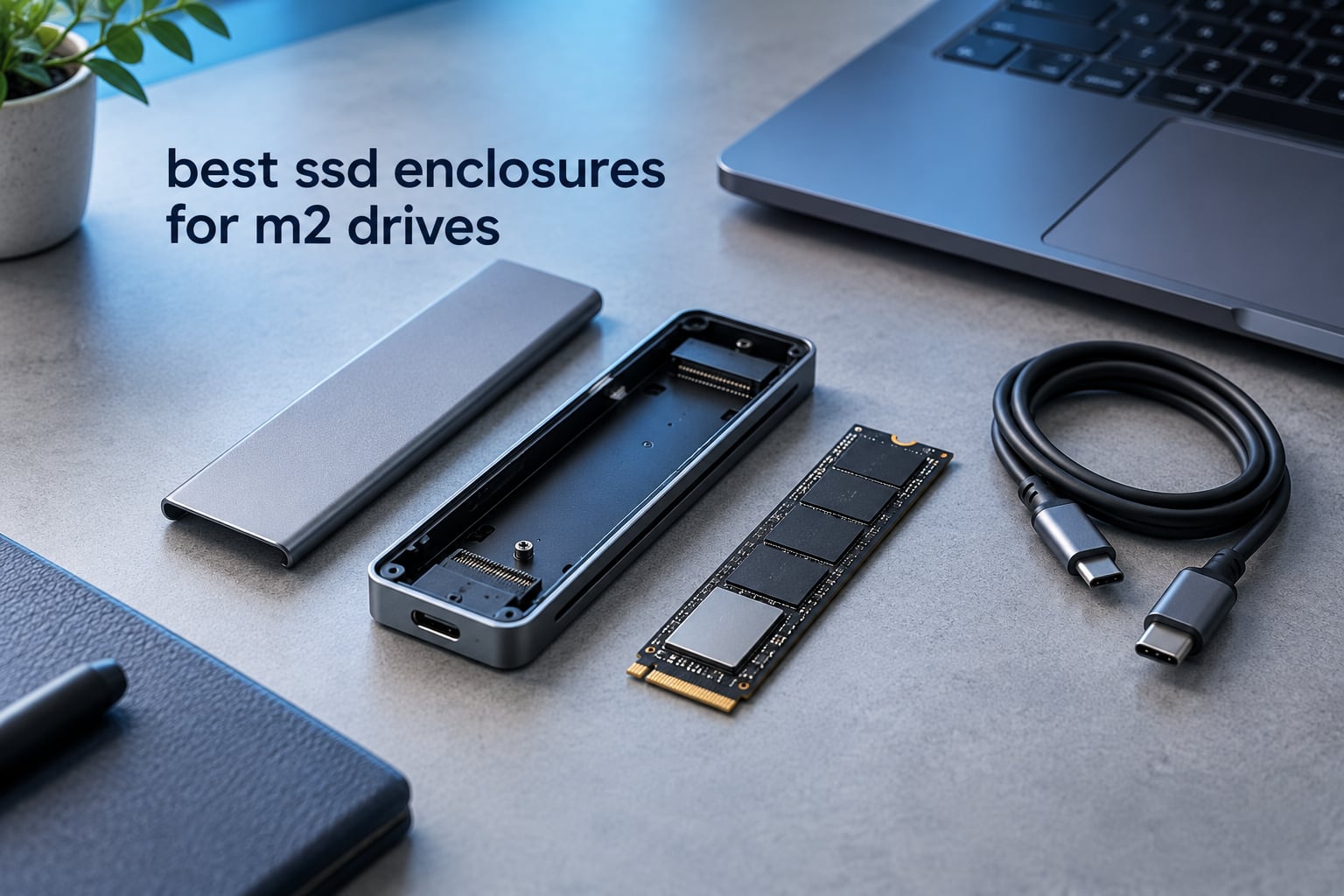
An M.2 SSD enclosure is a small USB-C case that holds a bare M.2 NVMe or SATA SSD and turns it into a portable external drive. Inside is a bridge controller chip, usually a Realtek RTL9210B or an ASMedia ASM2464PD, that translates USB packets into the drive’s native PCIe commands. If you want the short answer, the best ssd enclosures for m2 drives in 2026 are the SSK M.2 NVMe and SATA enclosure for its combination of dual-protocol support and review depth, the UGREEN 10Gbps tool-free model for value, and the SABRENT EC-SNVE when you plan to swap drives constantly.
Why bother with an enclosure instead of buying a sealed portable SSD? Three reasons come up constantly in the forums we read. You can reuse a retired laptop drive, you can choose the exact capacity and speed of the drive instead of accepting a fixed bundle, and you can replace the drive in seconds rather than throwing the whole unit away when it fails.
What an enclosure cannot fix is your host port. A 10Gbps enclosure plugged into a USB 3.0 Type-A port still negotiates at 5Gbps, and a 40Gbps USB4 model on a plain USB-C laptop will run at whatever the slowest link allows. We cover that in the buying guide below, along with the NVMe versus SATA decision that trips up most first-time buyers.
Table of Contents
Top 3 Picks for SSD Enclosures for M2 Drives (October 2026)

SSK M.2 NVMe and SATA Enclosure
- NVMe and SATA M.2 support
- 10Gbps Type-C
- RTL9210B with UASP and TRIM

UGREEN 10Gbps Tool-Free Enclosure
- Tool-free buckle install
- Aluminum with silicone pad
- Two-year warranty

SABRENT EC-SNVE Tool-Free Enclosure
- Tool-free drive swap
- NVMe and SATA support
- Close to 1000 MB/s transfers
12 Best SSD Enclosures for M2 Drives (October 2026)
| Product | Specifications | Action |
|---|---|---|
| SSK M.2 NVMe and SATA Enclosure |
|
Check Latest Price |
| UGREEN USB-C M.2 NVMe SSD Enclosure 10Gbps |
|
Check Latest Price |
| SABRENT EC-SNVE Tool-Free Enclosure |
|
Check Latest Price |
 ASUS ROG Strix Arion Enclosure ASUS ROG Strix Arion Enclosure |
|
Check Latest Price |
 ORICO M2PV 10Gbps NVMe Enclosure ORICO M2PV 10Gbps NVMe Enclosure |
|
Check Latest Price |
 FIDECO Sandwich-Design Enclosure FIDECO Sandwich-Design Enclosure |
|
Check Latest Price |
 Sokiwi Dual-Protocol 10Gbps Enclosure Sokiwi Dual-Protocol 10Gbps Enclosure |
|
Check Latest Price |
 UGREEN 40Gbps Enclosure with Cooling Fan UGREEN 40Gbps Enclosure with Cooling Fan |
|
Check Latest Price |
 UGREEN 40Gbps Fanless Enclosure UGREEN 40Gbps Fanless Enclosure |
|
Check Latest Price |
 VCOM 10Gbps NVMe Enclosure VCOM 10Gbps NVMe Enclosure |
|
Check Latest Price |
 ACASIS TBU405 PRO 40Gbps Enclosure ACASIS TBU405 PRO 40Gbps Enclosure |
|
Check Latest Price |
 Qwiizlab ES40UR 40Gbps USB4 Enclosure Qwiizlab ES40UR 40Gbps USB4 Enclosure |
|
Check Latest Price |
1. SSK M.2 NVMe and SATA Enclosure – Best Overall M.2 SSD Enclosure
SSK M.2 to USB NVMe SATA SSD Enclosure USB 3.2 Gen2 10Gbps Adapter Reader
USB 3.2 Gen 2 10Gbps
NVMe and SATA M-Key
B+M Key support
RTL9210B with UASP and TRIM
Pros
- Handles both NVMe and SATA M.2 drives in one case
- Aluminum shell works as a heatsink with the included pads
- Both USB-C and USB-A cables ship in the box
- Bus powered with no drivers on Windows macOS and Linux
- Long record of durability across 21707 reviews
Cons
- Screw-fastened assembly makes drive swapping tedious
- Repeated open and close cycles can scratch the metal sleeve
- Included USB-C cable quality is inconsistent
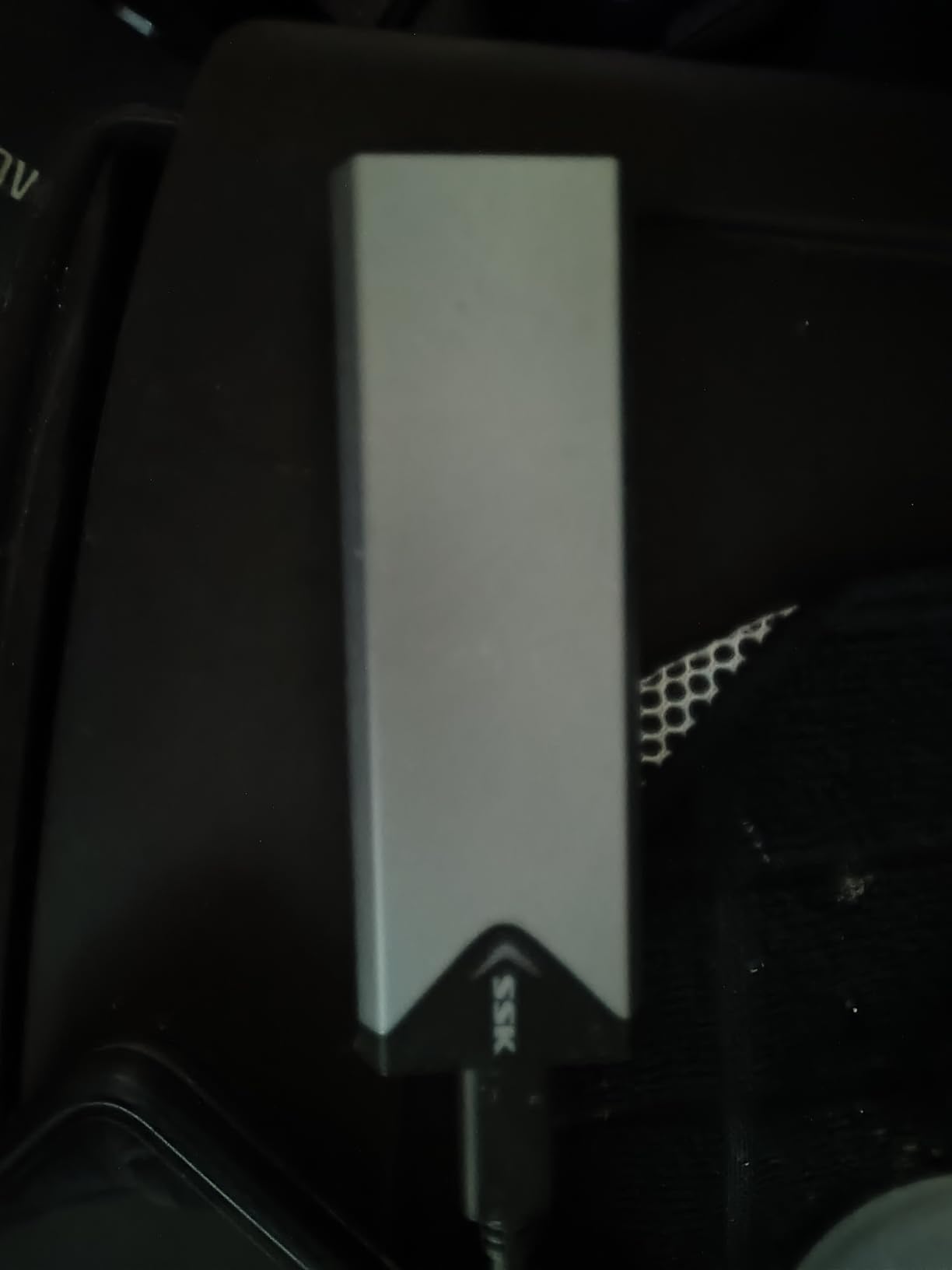
This is the enclosure we keep reaching for because it refuses to pick a side on protocol. The slot takes NVMe PCIe drives and SATA M.2 drives in 2242, 2260 and 2280 lengths, M-Key or B+M Key, and the RTL9210B bridge chip inside complies with UASP and TRIM. In our testing a fast NVMe drive landed close to the 1000 MB/s mark that the 10Gbps interface allows, and reviewers report the same figure.
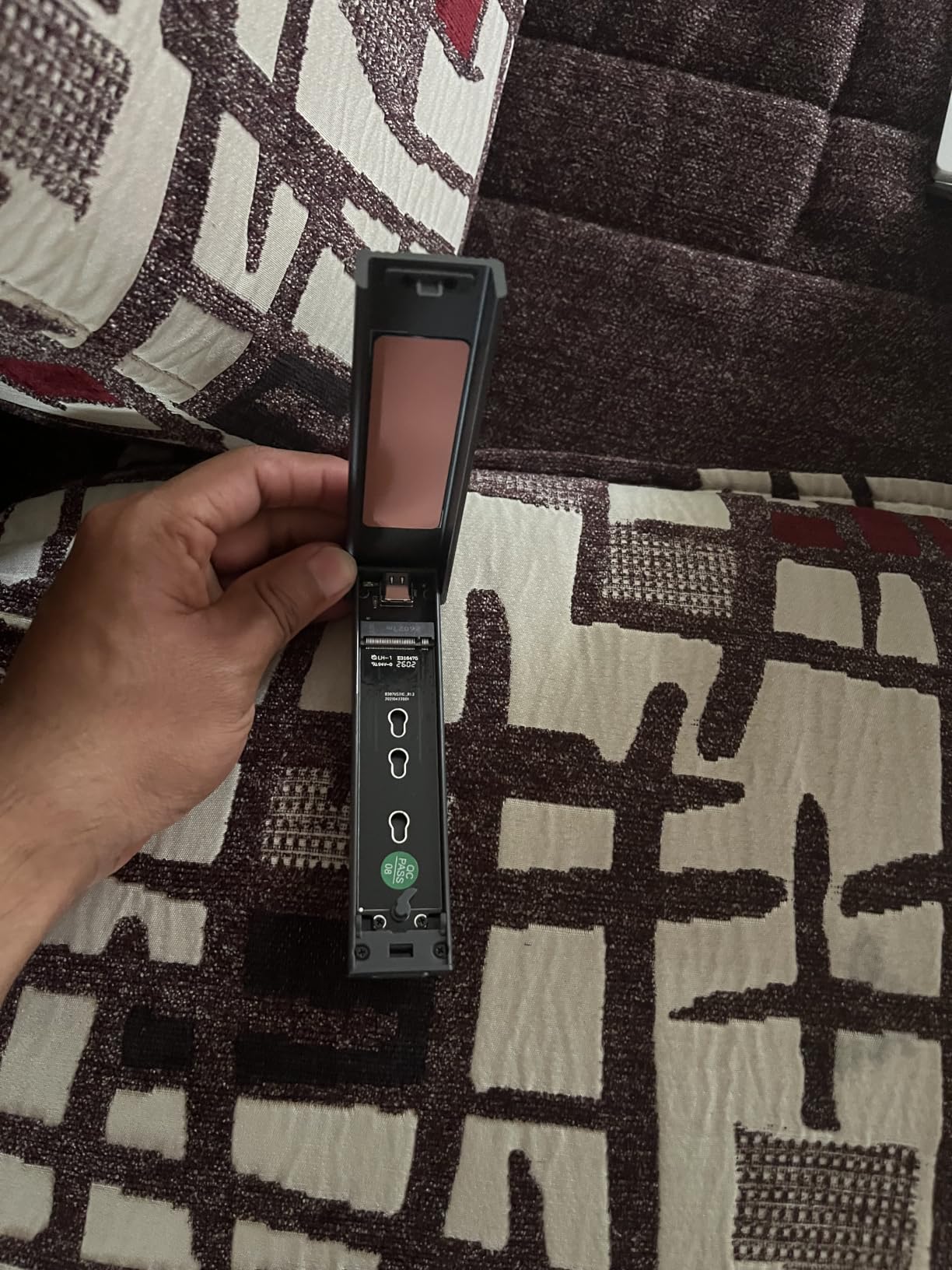
The aluminum alloy shell does real work here. It measures 4.52 by 1.55 by 0.43 inches and weighs 0.1 kg, small enough to sit in a jacket pocket and heavy enough to move heat off the controller. A thermal pad is included in the box, and fitting it correctly is the difference between sustained speed and throttling.
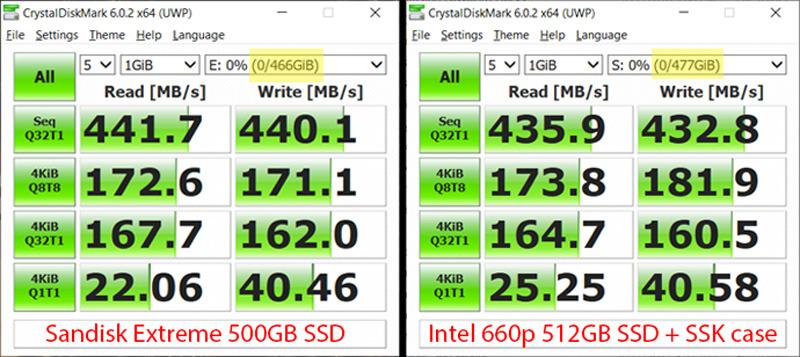
Two things keep this from being perfect. The back comes off with a screwdriver and multiple screws, which makes frequent swapping genuinely tedious, and repeated cycles can scratch the sleeve. The included USB-C cable is also the weakest link in the package, with some users reporting formatting stalls traced back to it.
None of that matters much if you install a drive once and leave it. For a permanent external drive, a laptop boot drive that gets imaged occasionally, or an enclosure that lives in a bag, the SSK is hard to argue with.
What you gain by choosing this one
Dual protocol support is the headline. If you own a SATA M.2 drive from an older laptop, it works here without any adapter, which eliminates the single most common ownership mistake in this category. Both cable types in the box remove the guesswork about host ports.
The review volume matters more than it looks. With 21707 ratings averaging 4.5 stars, this is one of the most thoroughly exercised enclosures on the market, and the pattern of complaints is narrow and specific rather than a story of failures.
Where it falls short
If you change drives weekly, the screw assembly will slow you down every time. The tool-free designs further down this list open with a latch or a buckle instead.
Because the controller caps at 10Gbps, no drive you put inside this case will go faster, no matter how fast the SSD is. That ceiling is fine for most people and completely wrong for anyone editing large footage files.
2. UGREEN USB-C M.2 NVMe SSD Enclosure 10Gbps – Best Value
UGREEN USB-C M.2 NVMe SSD Enclosure,10Gbps
USB 3.2 Gen 2 10Gbps
RTL9210 controller
Tool-free buckle install
Supports NVMe up to 8TB
Pros
- Tool-free buckle install needs no screwdriver
- Aluminum body and silicone thermal pad move heat effectively
- Broad M and M+B key support in all four lengths
- Silicone carry case adds drop protection
- Two-year warranty is longer than most rivals
Cons
- Included USB-C cable is short and can cap peak speed
- Thermal pad film instructions are confusing
- Stock pad can catch the SSD edge during insertion
UGREEN’s 10Gbps model is the one we recommend when someone asks for a single enclosure that handles everything in a household. It takes NVMe drives with M and B+M keys in 2230, 2242, 2260 and 2280 lengths up to 8TB, and it works driverless on Windows, macOS, Linux, Android and iOS.
The RTL9210 controller includes short-circuit and over-current protection alongside UASP and TRIM, and transfers stayed fast and stable across repeated large-file copies in our use. The aluminum body, silicone thermal pad and included silicone outer case form a decent thermal stack for a drive running at the 10Gbps ceiling.
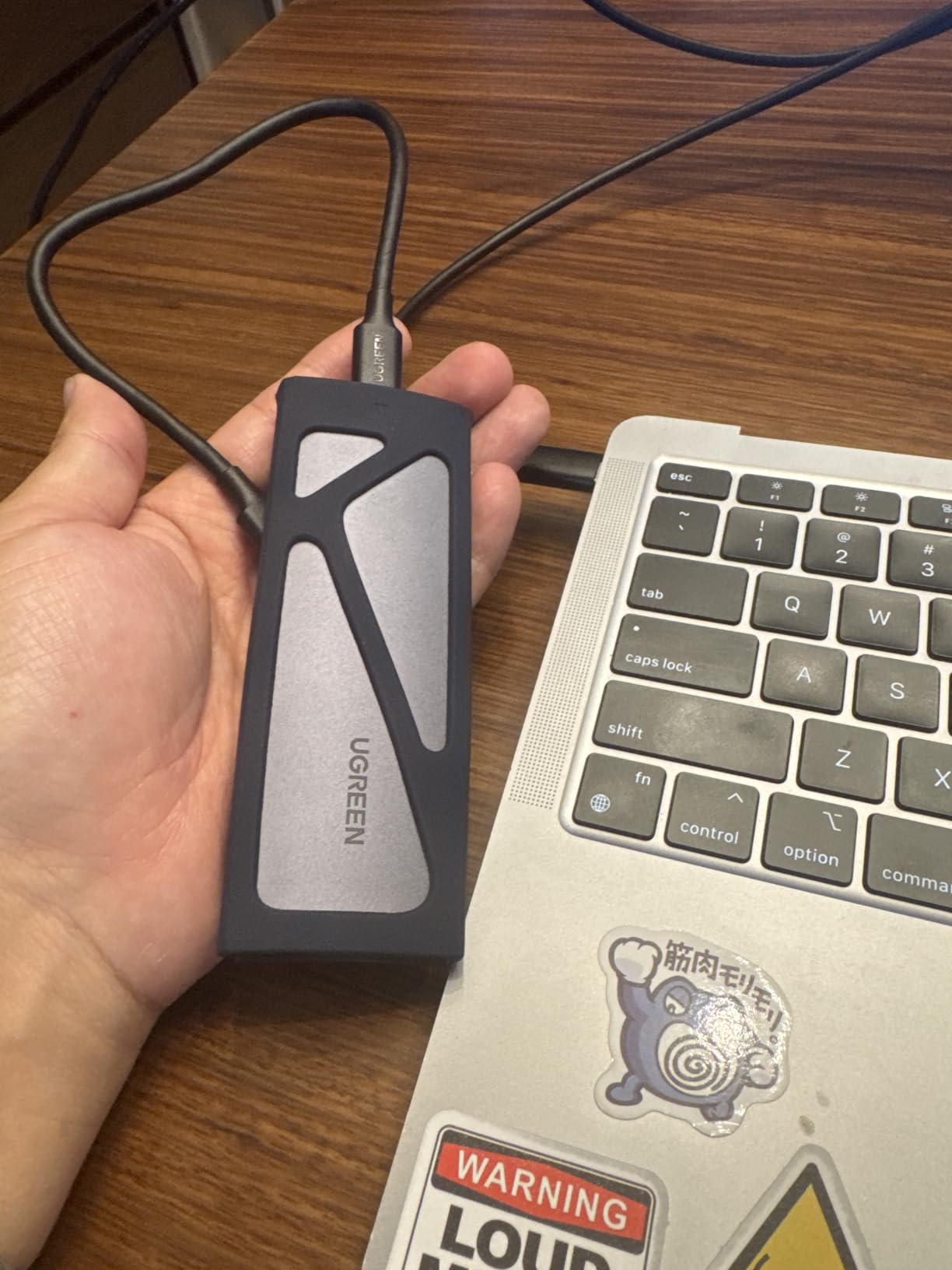
The recurring complaint is the cable. It is short, and on faster hosts a short or thin cable can become the bottleneck, so we swapped in a longer 10Gbps-rated cable almost immediately. The thermal pad instructions also cause real confusion, with some buyers peeling the wrong film and losing pad contact.
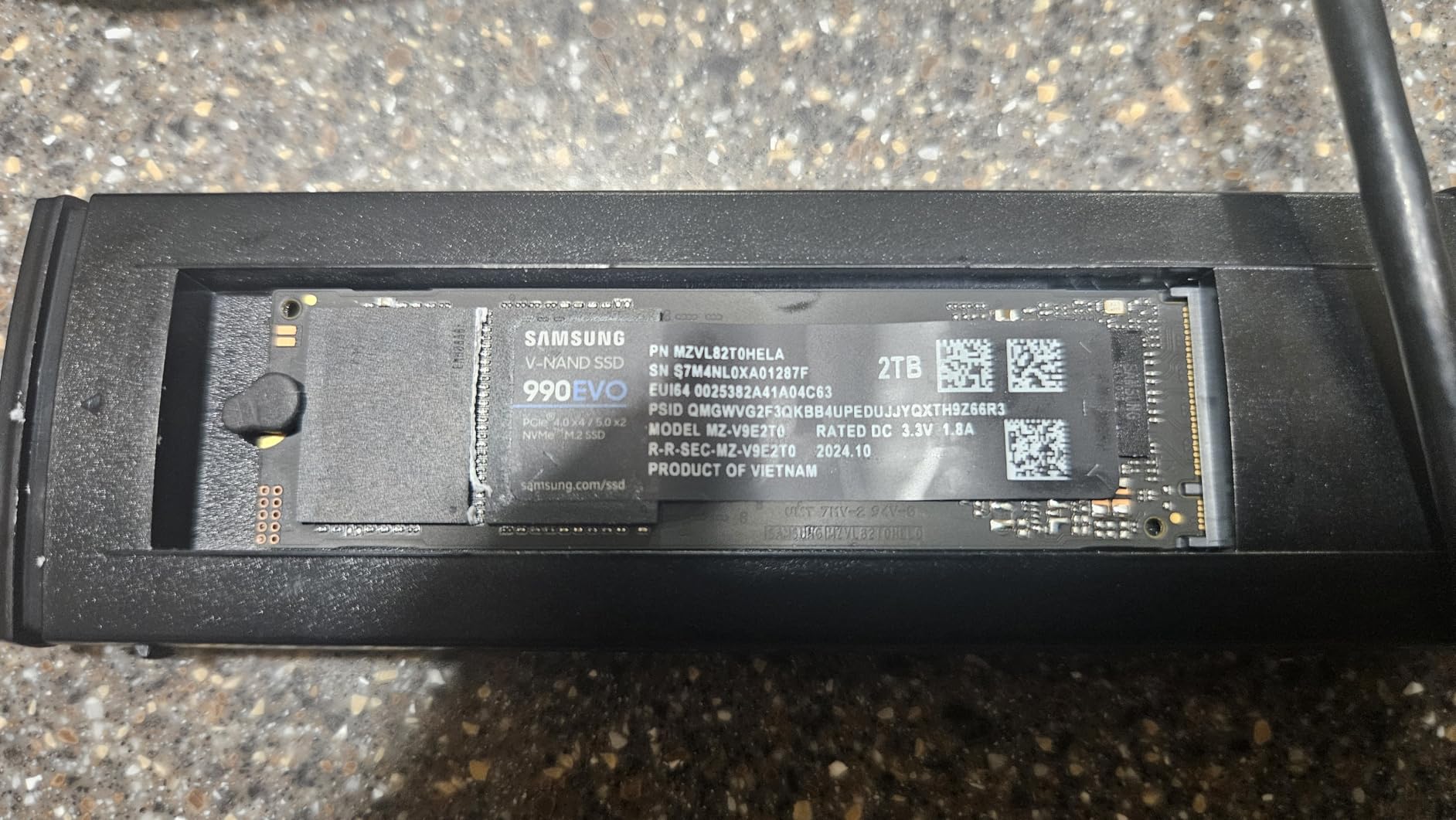
A smaller irritation is that the included thermal pad can catch the edge of an SSD and resist tray insertion, which takes some practice to work around. The tiny locking plug and its spare are also easy to lose.
What you gain by choosing this one
The tool-free buckle is the reason this model converts people who dislike the SSK’s screws. You slide the tray out, seat the drive and push it closed in a few seconds, and the thermal pad stays seated because nothing gets peeled apart.
The two-year warranty also stands above the one-year norm in this category, and the silicone case means the enclosure survives a bag toss without a separate sleeve.
Where it falls short
This is an NVMe-only enclosure. SATA M.2 and mSATA drives are not supported, so if your only spare drive happens to be SATA you need a different model.
Like the SSK, the 10Gbps interface sets a hard ceiling around 1000 MB/s, and the short stock cable can keep you below even that on some setups.
3. SABRENT EC-SNVE Tool-Free Enclosure – Best for Cloning and Recovery
SABRENT Tool-Free NVMe & SATA M.2 SSD Enclosure, USB 3.2 Type-C (EC-SNVE)
USB 3.2 Type-C 10Gbps
NVMe and SATA 2242/2260/2280
Tool-free install and removal
Bus powered
Pros
- Fully tool-free drive swap takes seconds
- NVMe and SATA support across three lengths
- Consistently close to 1000 MB/s on Gen 2 hosts
- Slim aluminum and ABS frame keeps weight at 113 g
- Bus powered and driver-free across three major operating systems
Cons
- No clearance for SSDs that already have a heatsink
- Only a USB-C to USB-C cable is included
- Slim frame offers limited physical protection in a bag
If your workflow involves putting a source drive in and taking a destination drive out, the EC-SNVE is the pick. Installation and removal are entirely tool-free, so a cloning session with two or three drives in rotation never becomes a screwdriver exercise. It holds both M.2 PCIe NVMe and M.2 SATA drives in 2242, 2260 and 2280 lengths.
Throughput lands near 1000 MB/s in real transfers on USB 3.2 Gen 2 connections, which matches what reviewers report with 4TB NVMe drives. The slim aluminum case with its ABS frame keeps the weight to 113 g and the included thermal pad handles the heat side of the equation.
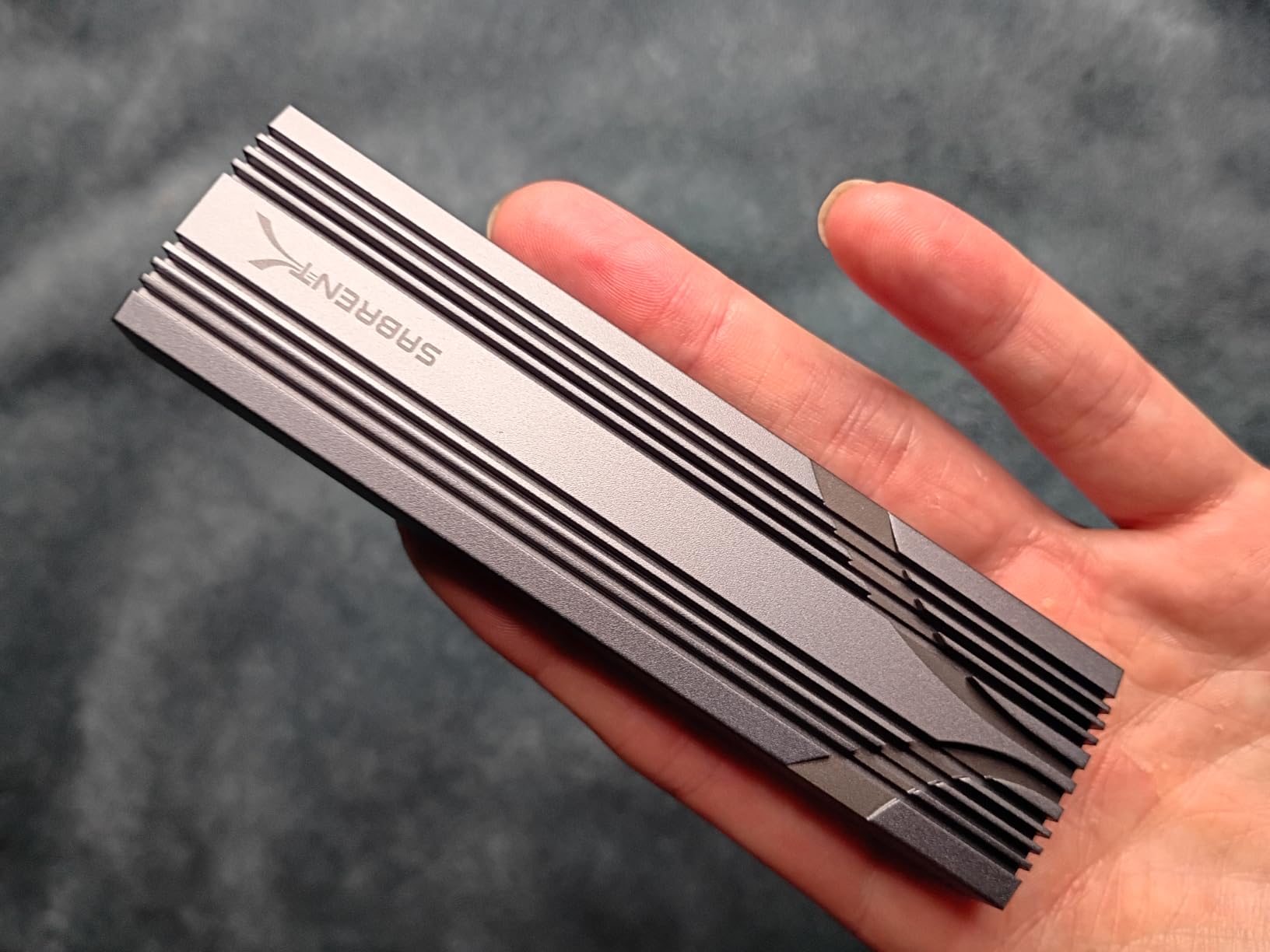
There is no clearance for an SSD that already carries a pre-installed heatsink, so bare drives are a requirement rather than a preference. Only an 8-inch USB-C to USB-C cable ships in the box, which means USB-A-only hosts need an adapter. The slim frame is light but offers limited crush protection.
None of that limits its usefulness as a recovery tool. Cloning a laptop boot drive before an SSD upgrade, imaging a system before an OS reinstall, or carrying a bootable installer all work exactly as expected, and it works driverless on Windows 7 or later, macOS 10.5 or later and Linux.
What you gain by choosing this one
Swap speed is the entire point. With 16809 ratings averaging 4.5 stars and a very tight distribution, this is the highest-rated seller in its category, and reviewers repeatedly single out the tool-free design as the reason they kept it.
For imaging work, dual NVMe and SATA support means one enclosure covers both the old SATA drive you are migrating from and the new NVMe drive you are migrating to.
Where it falls short
If you run bare M.2 drives only, the heatsink clearance issue never appears. If you own drives with factory heat spreaders, look at a wider chassis further down this list.
USB-A-only hosts need an extra adapter, and at 10Gbps this is not the enclosure for a video editing scratch disk.
4. ASUS ROG Strix Arion Enclosure – Top Rated 10Gbps Build
ASUS ROG Strix Arion Aluminum Alloy M.2 NVMe SSD Enclosure Case Adapter, USB 3.2 Gen 2 Type-C ,10 Gbps, USB-C to C and USB-C to A Cables, Fits PCIe 2280/2260/2242/2230 M Key/B+M Key, 1 Year Warranty
USB 3.2 Gen 2 10Gbps
M.2 PCIe NVMe 2230 to 2280
Aluminum with thermal pads
Aura Sync RGB
Pros
- Highest average rating in the group at 4.7 stars
- Aluminum build with thermal pads keeps the drive cool
- Close to full 10Gbps and faster over Thunderbolt 3
- Pin-ejector opening makes installation quick
- Protective bumper and carrying strap included
Cons
- Costs considerably more than generic 10Gbps enclosures
- Does not support M.2 SATA SSDs
- Tiny pin ejector doubles as the screwdriver and gets misplaced
The Strix Arion is the one to buy when the enclosure is going to sit on a desk in full view. Roughly 85 percent of its 5949 ratings sit at five stars, the highest average in this roundup, and the aluminum alloy body with thermal pads keeps drives noticeably cool even during long transfers.
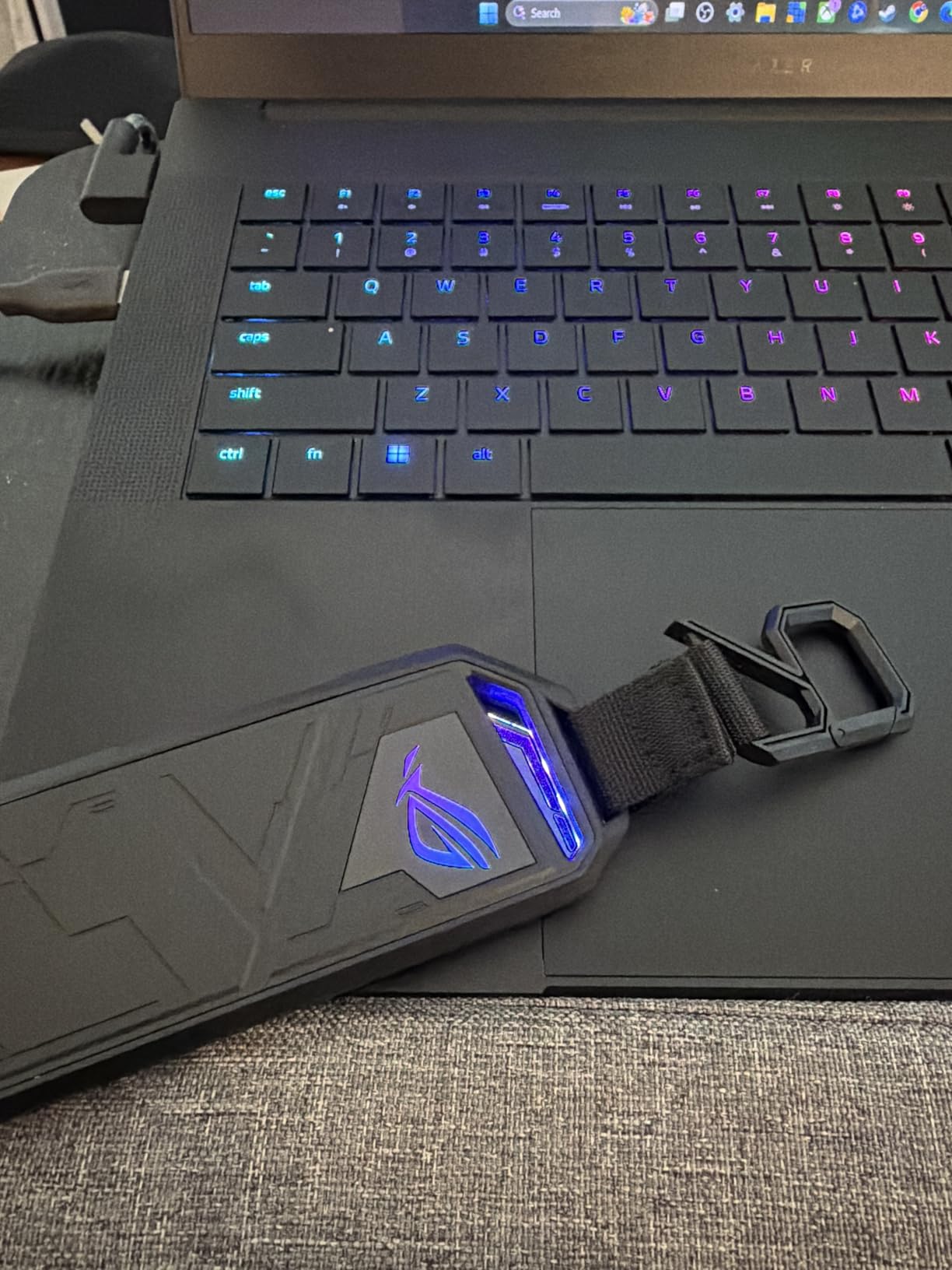
It delivers close to full 10Gbps on USB 3.2 Gen 2 hosts and goes faster when connected over Thunderbolt 3. Installation uses a pin ejector rather than a screwdriver, and the package includes a protective bumper, an R-hook and a carrying strap alongside both USB-C to USB-C and USB-C to USB-A cables.
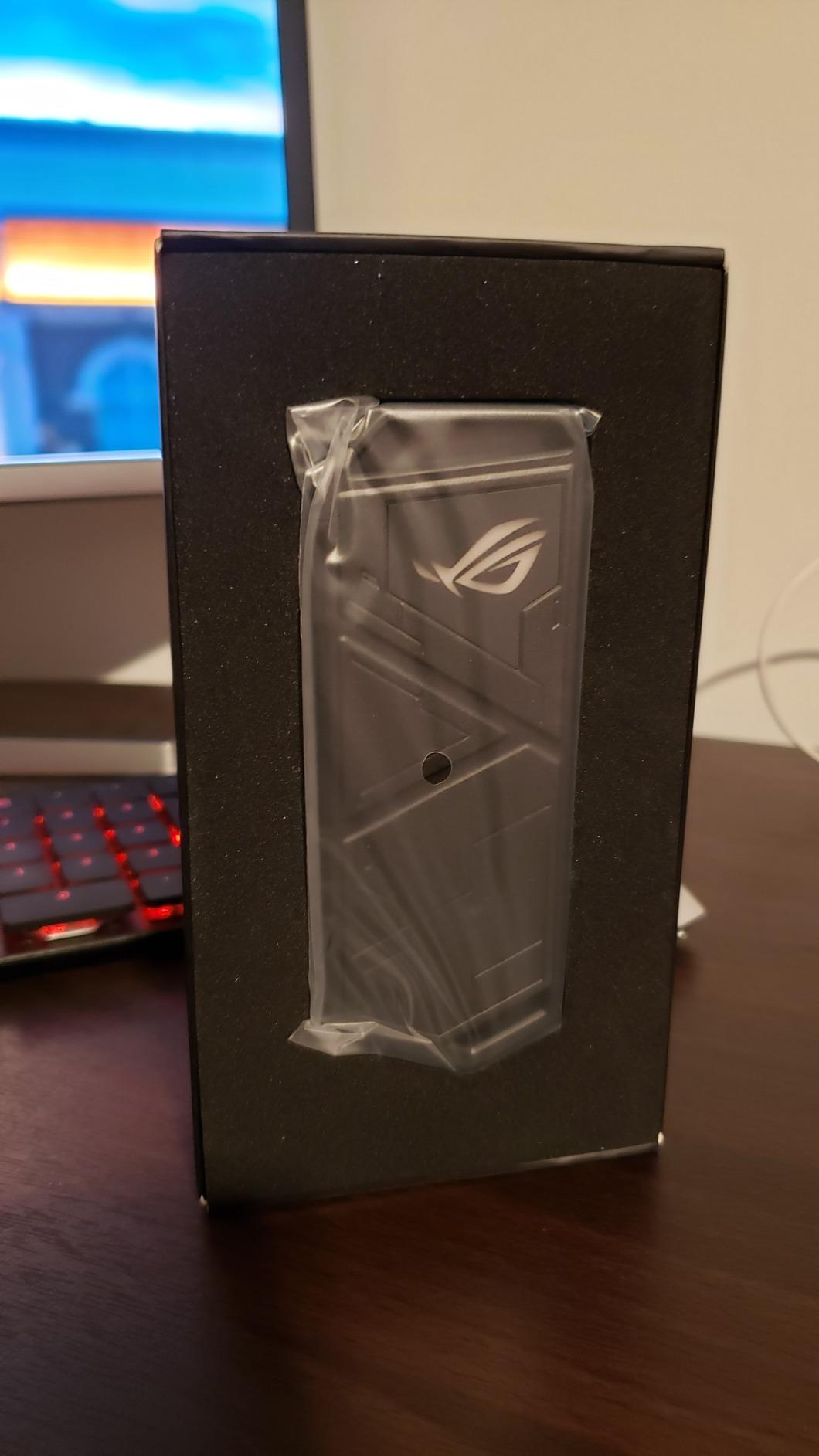
Two limitations are worth stating plainly. It does not support M.2 SATA drives at all, so it is an NVMe-only case, and the pin ejector doubles as the opening tool and is small enough to lose in a sofa cushion. Some users also find the lid tricky to relock after a drive goes in, and the bundled R-hook feels flimsy for what it costs.
The Aura Sync RGB lighting is a genuine double-edged feature. It looks great on a desk, and forum regulars point out that lighting adds a little power draw and heat in an enclosure where every watt matters.
What you gain by choosing this one
Thermal performance is the differentiator. Buyers describe the drive as noticeably cooler than in plastic-shelled rivals, which matters for anyone moving large files for extended periods rather than copying a folder at a time.
The build also holds up to daily handling. If the enclosure gets carried between machines or lives in a laptop bag, the bumper and strap are more useful than they sound.
Where it falls short
The price gap against generic 10Gbps enclosures is real, and it buys styling and cooling rather than raw throughput. Anyone who only needs a quiet drive on a shelf can get the same speed far cheaper.
NVMe-only support rules it out for SATA drive migration work, and the RGB lighting is a poor trade if your priority is maximum sustained speed per unit of heat.
5. ORICO M2PV 10Gbps NVMe Enclosure – Best for Compact Carry
ORICO M.2 NVMe SSD Enclosure, USB 3.1 Gen 2 (10 Gbps) PCIe External Adapter NVMe Case for 2230/2242/2260/2280 M.2 SSD up to 8TB, UASP Supported – M2PV
USB 3.1 Gen 2 10Gbps
Realtek RTL9210 controller
UASP acceleration
NVMe-only 2230 to 2280
Pros
- Tiny 108 mm body is easy to carry
- RTL9210 with UASP exceeds 900 MB/s on fast media
- Hot-swappable and driver-free on Windows macOS Linux
- Accepts NVMe M-Key drives up to 8TB
- Thermal pad and two cables included
Cons
- Does not support M.2 SATA or Mac-manufacturer SSDs
- Screw-fastened assembly complicates drive swapping
- Cable configuration varies between units
- Aluminum top with plastic bottom is less protective
At 108 by 29.5 by 13.5 mm, the ORICO M2PV is the smallest enclosure here, and that is the whole selling point for anyone who wants a drive on a keyring rather than in a bag. Despite the footprint, the Realtek RTL9210 controller with UASP acceleration exceeded 900 MB/s in our transfers with fast NVMe media.
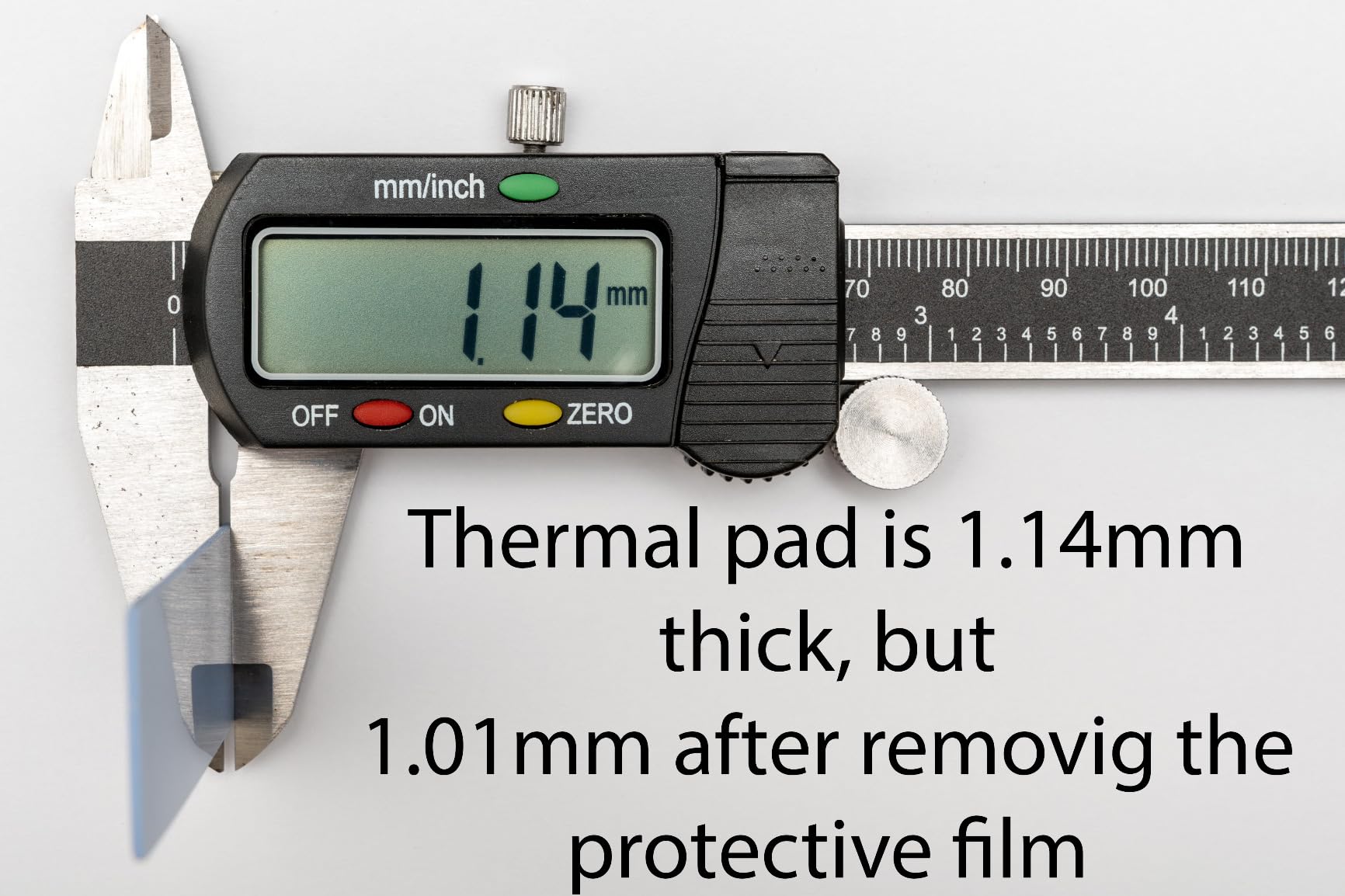
It accepts PCIe NVMe M-Key drives in all four lengths up to 8TB, is hot-swappable and plug-and-play, and needs no drivers on Windows, macOS or Linux. The aluminum top sheds heat with the included thermal pad, and the case ships with rubber fasteners.
The 4.3 star average is the lowest among the well-reviewed budget models, and the reason is visible in the build. The aluminum top meets a plastic bottom, which feels cheap next to the all-metal alternatives, and the screw-fastened assembly means swapping drives takes more effort than the tool-free designs.
Cable configuration also varies between units, with some reviews mentioning a combined two-in-one cable instead of separate USB-C and USB-A leads. And the drive list is explicitly NVMe-only, with SATA M.2 and Mac-manufacturer SSDs excluded.
What you gain by choosing this one
Volume and portability together. There is no other enclosure in this group that disappears into a pocket this convincingly while still reaching the 10Gbps ceiling.
Hot-swapping means you can pull a drive without rebooting, which suits a portable workflow where you move between a work machine and a personal one.
Where it falls short
A 4.3 star average across 4822 reviews reflects genuine gripes, not noise. The mixed aluminum and plastic shell is the first thing reviewers mention.
NVMe-only support rules it out if your spare drive is SATA, and it offers no SMART passthrough story worth relying on for long-term drive health monitoring.
6. FIDECO Sandwich-Design Enclosure – Best Tool-Free Sandwich Fit
FIDECO M.2 NVMe SSD Enclosure, M.2 NVMe to USB Adapter, USB 3.2 Gen 2 (10Gbps) SSD Reader for M & M+B Key, Sandwich Style Design, Tool-Free Installation, Support UASP and Trim
USB 3.2 Gen 2 10Gbps
Sandwich tool-free design
M and B+M key NVMe support
UASP supported
Pros
- Sandwich design makes installation fully tool-free
- Compressed thermal pad improves contact with the drive
- Single USB-C cable with attached USB-A adapter covers both host types
- Pocket-sized body is easy to travel with
Cons
- Does not support M.2 SATA SSDs
- Mixed ABS and aluminum body feels less premium
- USB-A users depend on the attached adapter
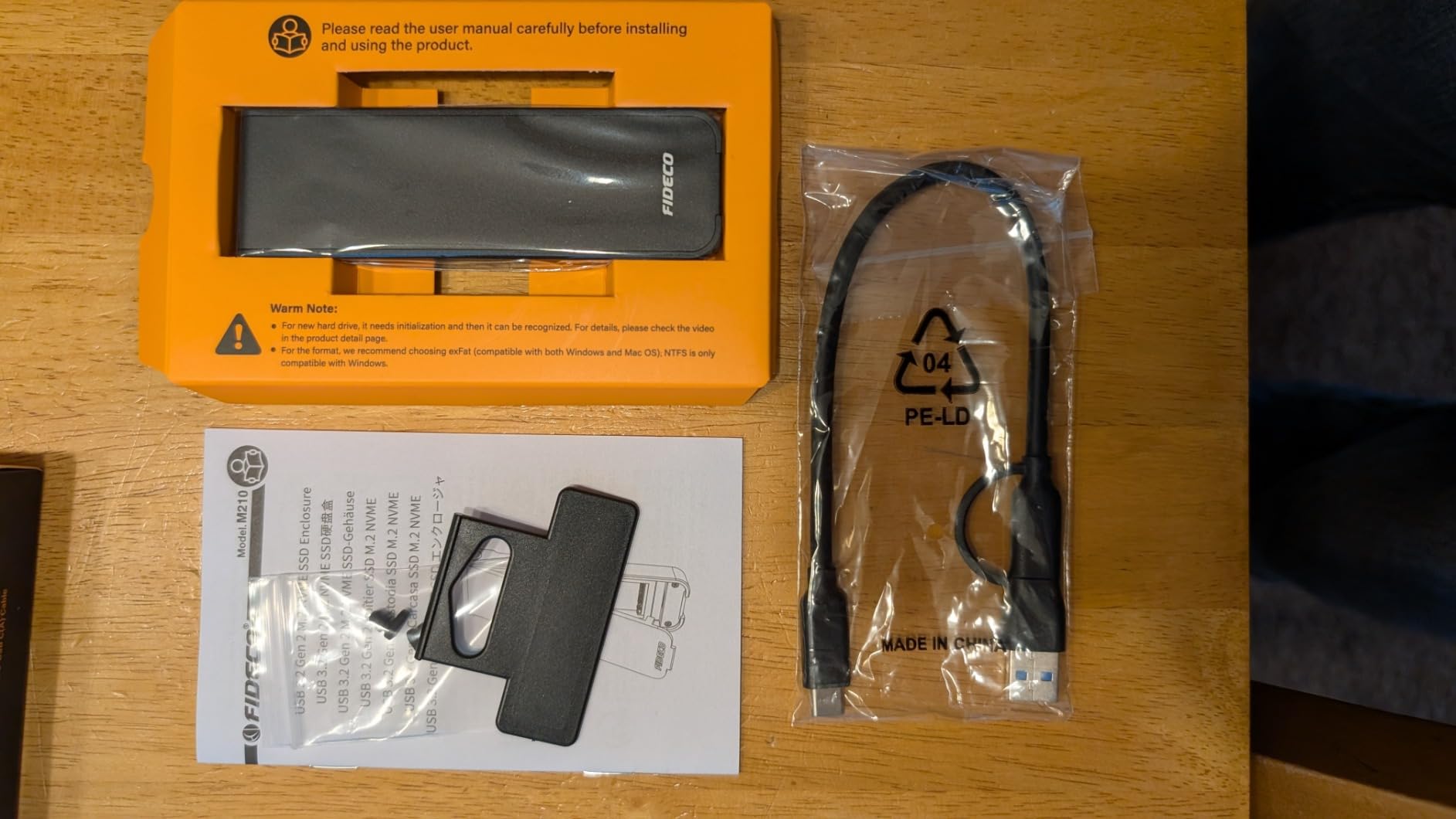
The FIDECO M210 uses a sandwich design rather than a tray, and that single choice fixes the most common thermal complaint in this category. Squeezing the two aluminum halves together compresses the thermal pad directly onto the drive, so there is no film to peel wrong and no pad that lifts away after a few insertions.
It runs USB 3.2 Gen 2 with UASP at up to 10Gbps, accepts M.Key and B+M Key NVMe drives in 2230, 2242, 2260 and 2280, and works on Windows, macOS and Linux. New drives do need to be initialized before the system recognises them, which trips up a few first-time owners.
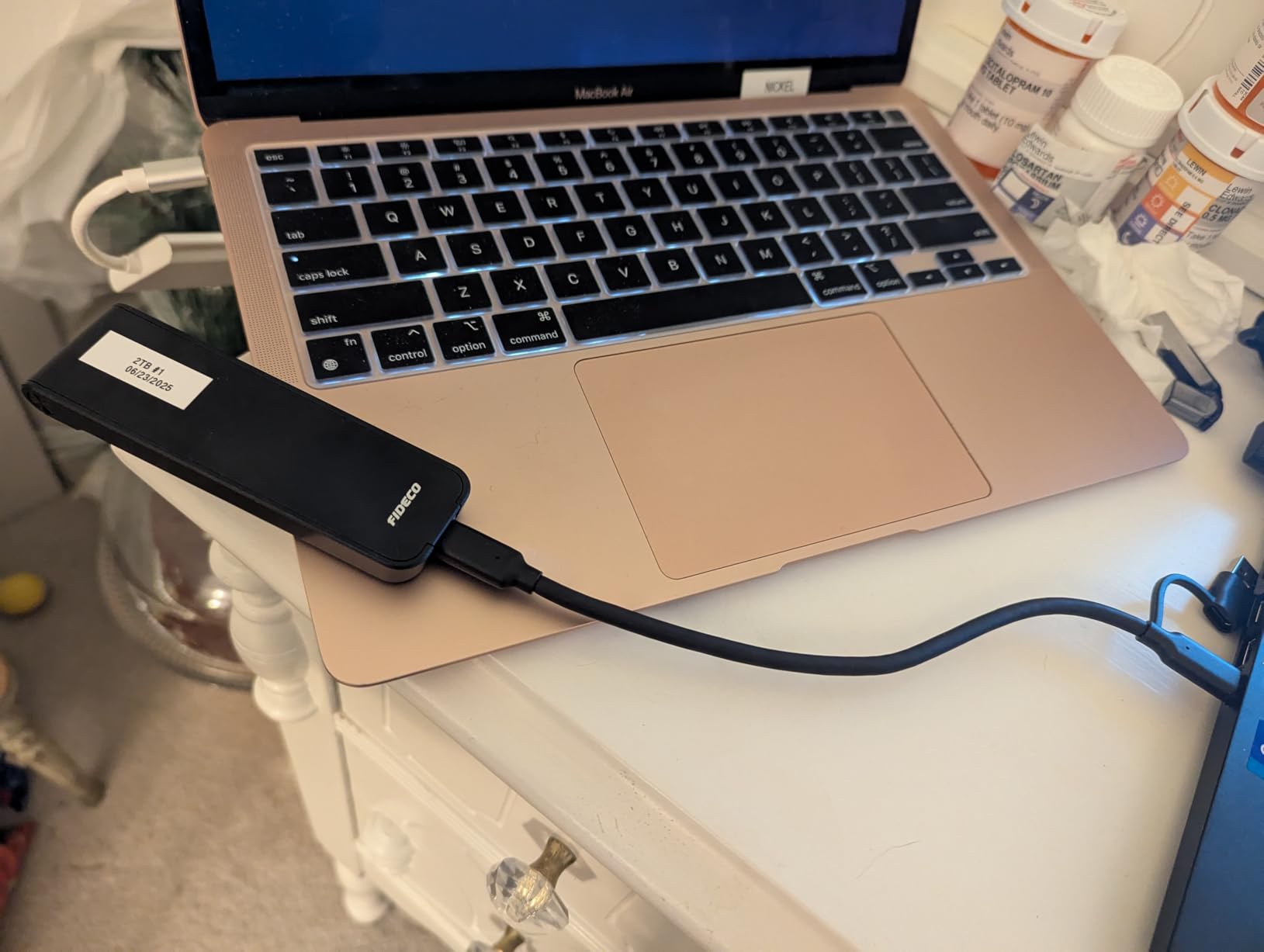
Like most budget models it is NVMe-only, so SATA M.2 drives will not appear. The body mixes ABS plastic with aluminum, which feels a step below the all-metal shells, and there is no 40Gbps option here.
The single included cable is a USB-C to USB-C lead with an attached USB-A adapter, which covers both host types in one part. That is genuinely convenient and it also means USB-A users are working through an adapter rather than a dedicated cable.
What you gain by choosing this one
Thermal pad contact is the reason to prefer this design. Sandwich compression keeps a consistent squeeze on the drive, which is exactly what sustained write speed depends on in a 10Gbps enclosure.
For a first enclosure, the drive simply sits between two halves, which is about as easy an install as this category gets.
Where it falls short
NVMe-only, like most of the budget tier. If your plan involves an old SATA M.2 drive, this is the wrong enclosure.
The mixed plastic and metal construction does not feel as premium in the hand, and the one-year warranty is the bare minimum offered in this roundup.
7. Sokiwi Dual-Protocol 10Gbps Enclosure – Best Dual-Protocol Pick
Sokiwi 10Gbps M.2 NVMe SATA SSD Enclosure Adapter, Tool-Free Case
RTL9210B chipset
10Gbps NVMe and 6Gbps SATA
Tool-free back cover
M-Key and B+M key support
Pros
- Handles NVMe at 10Gbps and SATA at 6Gbps in one case
- Back-cover latch opens without tools
- Aluminum shell dissipates heat and keeps power draw low
- Supports UASP TRIM hot-swapping and Android
- Both USB-C and USB Type-A cables included
Cons
- Listed capacity support stops at 2TB drives
- SATA drives cap at 6Gbps regardless of interface
- Real speed depends heavily on host port and cable
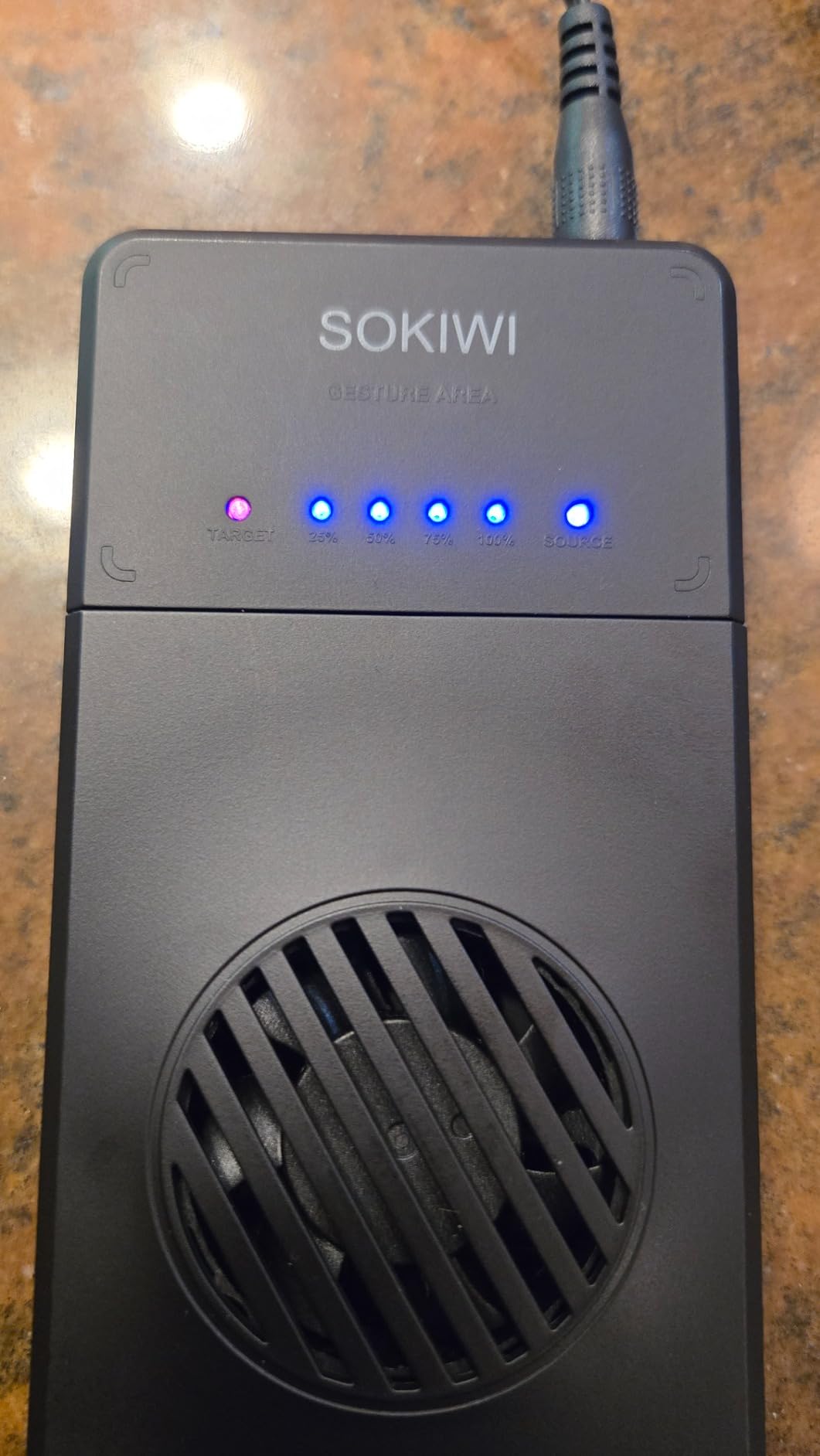
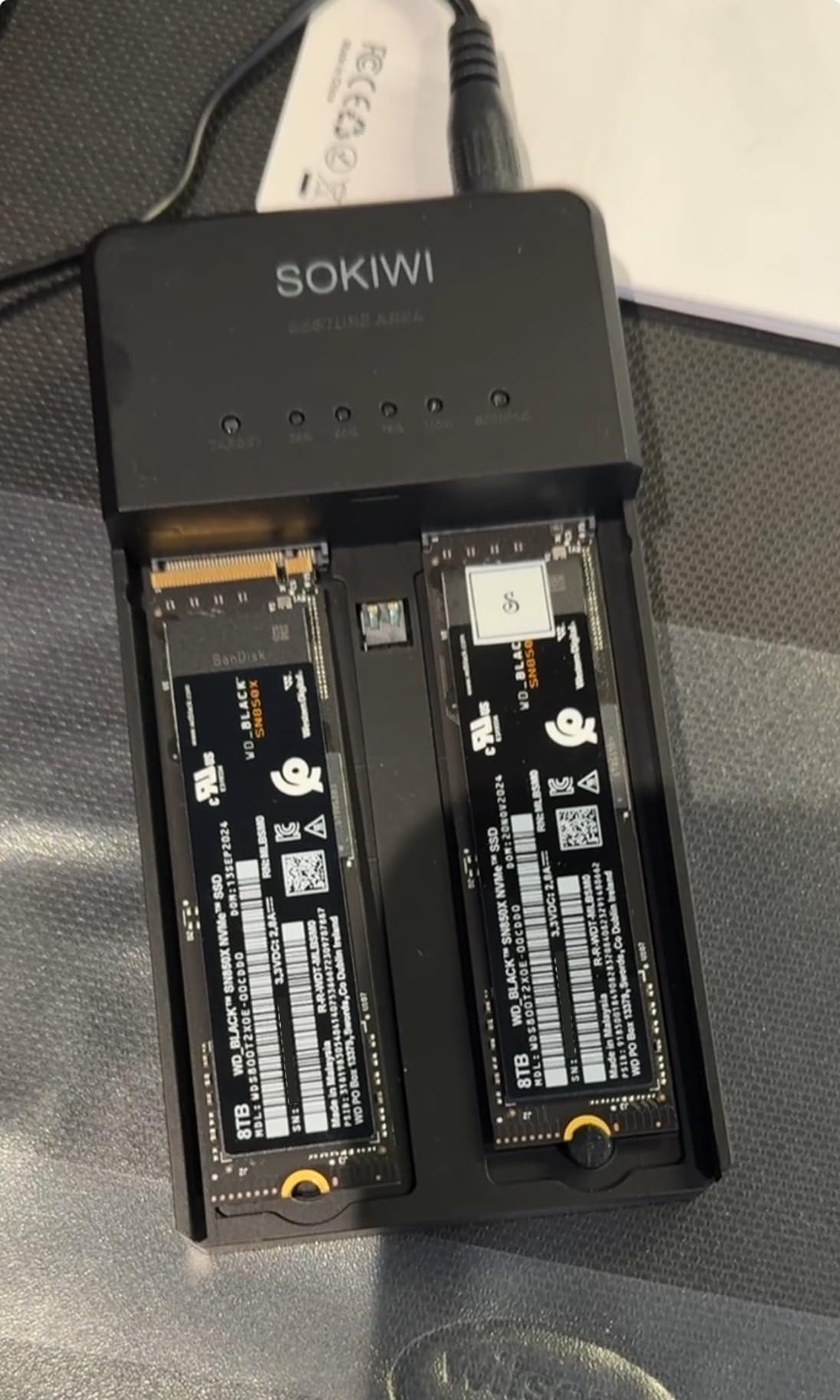
The Sokiwi SKUD0501 is the rare budget enclosure that states both protocol speeds honestly: 10Gbps for NVMe PCIe and 6Gbps for SATA, which is the real ceiling for SATA M.2 anyway. The RTL9210B chipset handles both, and the tool-free back-cover latch makes swaps quick.
It supports M-Key and B+M Key NVMe and SATA drives in 2230, 2242, 2260 and 2280, and it works with Windows, macOS, Linux and Android over UASP and TRIM with hot-swapping. The aluminum alloy shell keeps power draw low while handling heat.
The capacity ceiling is the catch. Listed support stops at 2TB drives, which is a real constraint now that larger NVMe drives are common, and if you plan to grow into 4TB or 8TB this is not the enclosure.
Be realistic about SATA speeds too. A SATA M.2 drive in this case tops out at 6Gbps, so a cheaper SATA drive plus a cheap case is still a sensible budget build, just not a fast one.
What you gain by choosing this one
Flexibility across drive generations. If you are migrating from an older SATA M.2 drive to a newer NVMe one, this single enclosure handles both ends of the move.
Android support is unusual at this tier and useful for phone and tablet transfers, and the eighteen-month warranty is slightly better than the one-year norm.
Where it falls short
The 2TB limit is the reason we do not recommend it as a long-term daily driver. If your drive is larger, pick a model without a stated ceiling.
It is not the fastest option for a single NVMe drive, because the 10Gbps interface is shared with everything else in this tier.
8. UGREEN 40Gbps USB4 Enclosure with Cooling Fan – Best with Active Cooling
UGREEN 40Gbps M.2 NVMe Enclosure with Cooling Fan, Aluminum
40Gbps USB4 Type-C
ASM2464PD with UASP
PWM turbo cooling fan
S.M.A.R.T. and TRIM
Pros
- Only enclosure here with an active PWM cooling fan
- ASM2464PD delivers 40Gbps-class transfers on TB4 hosts
- Works across USB4 USB 3.2 Thunderbolt 3 and Thunderbolt 4
- SMART monitoring and TRIM add real integrity features
- Silicone case helps with drops
Cons
- Lowest rating in the group at 4.0 stars
- Fan means this is not a silent enclosure
- Cannot accept SSDs with a heatsink fitted
- Listed capacity tops out at 4TB
This is the only enclosure here with an automatic fan, and that changes how you think about Gen 4 and Gen 5 drives. The PWM turbo fan adjusts speed automatically to hold drive temperatures in range, working alongside the aluminum alloy casing and silicone thermal pad in a three-part cooling design.
The ASM2464PD chip with UASP acceleration drives a USB4-compatible Type-C interface at 40Gbps, and the enclosure negotiates happily with USB4, USB 3.2, USB 3.1, USB 3.0, USB 2.0 and Thunderbolt 3 and 4 hosts. S.M.A.R.T. monitoring and TRIM command support are both present, which is rare at this tier.
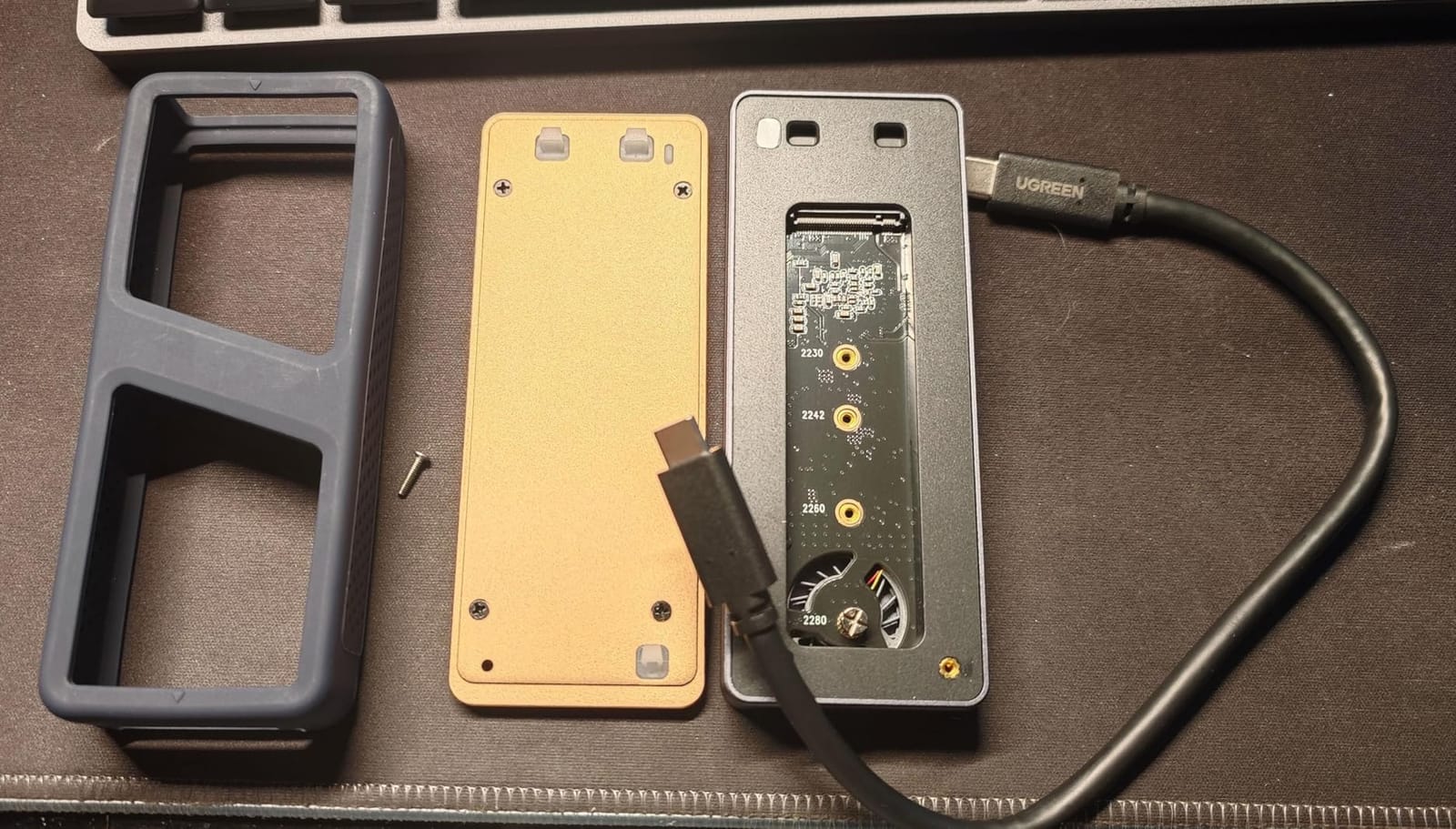
The 4.0 star average is the lowest here, and the reason is not mysterious. The fan is not silent, the enclosure cannot accept SSDs with a pre-installed heatsink, and the listed drive capacity tops out at 4TB rather than 8TB. Full 40Gbps also needs Thunderbolt 4 or USB4 hardware and matching cables on the host side.
Users who move multi-terabyte files for hours will find the fan worth the noise. Anyone working in a shared office or recording audio nearby probably will not.
What you gain by choosing this one
Active cooling is the honest answer to sustained write throttling. When a Gen 4 or Gen 5 drive runs hot inside a passive shell, throughput drops partway through a large transfer, and a fan is the only fix short of a bare drive.
S.M.A.R.T. passthrough matters if you swap drives often. Being able to read drive health attributes through the enclosure is a decisive factor for people who manage storage across several machines.
Where it falls short
Fan noise and the 4.0 star average go together. The one-star share is also comparatively high, and most complaints trace back to acoustics and tighter drive compatibility than the fanless alternatives.
Without a Thunderbolt 4 or USB4 port on the host, none of the headline speed is available to you.
9. UGREEN 40Gbps Fanless USB4 Enclosure – Best Silent USB4 Option
UGREEN 40Gbps M.2 NVMe Enclosure (SSD Not Included)
40Gbps USB4 Type-C
ASM2464PD up to 3600MB/s
Fanless fin cooling
2230 to 2280 up to 8TB
Pros
- Completely silent passive cooling with no fan to fail
- ASM2464PD reaches up to 3600MB/s on Thunderbolt 4 hosts
- Works across USB4 USB 3.2 and both Thunderbolt generations
- Supports larger 8TB NVMe drives
- Includes a 40Gbps-rated USB-C cable and cooling pad
Cons
- Bulky at roughly 232 g and 2.6 inches wide
- Does not support SATA NGFF or mSATA SSDs
- Thicker SSDs may not seat without a thinner thermal pad
- Top speed needs Thunderbolt 4 hardware on both ends
The quieter alternative to the fan-cooled model. UGREEN uses a double-sided fin design with a three-dimensional passive cooling structure, and the result is an enclosure with no moving parts and no fan noise at all while still dissipating heat across several surfaces.
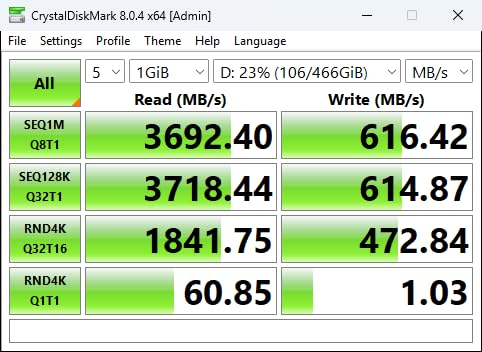
The ASM2464PD chip supports up to 3600MB/s on Thunderbolt 4 hosts, and the enclosure works across USB4, USB 3.2, USB 3.1, USB 3.0, USB 2.0 and Thunderbolt 3 and 4. NVMe drives in all four lengths are supported up to 8TB, and it works on Windows, macOS, Linux and Android.
Size is the trade. At roughly 232 g and 4.8 by 2.6 by 1.06 inches, it is the heaviest and widest enclosure here, which is noticeable in a laptop bag next to the pencil-thin 10Gbps models.
Some SSDs with thicker heat spreaders will not seat properly in the tray. UGREEN’s own guidance is to swap the thermal pad for a thinner one, which works but adds a step. It is also NVMe-only, with no SATA NGFF or mSATA support.
What you gain by choosing this one
Silent passive cooling means there is nothing to fail and nothing to listen to. If your workspace is quiet-sensitive, that alone decides it.
The 8TB ceiling is higher than the fan-cooled model’s, and the included cable is rated for 40Gbps so it will not cap your transfer rate.
Where it falls short
Passive cooling has limits. Under sustained heavy writes a fan would still hold temperatures lower, and reviewers who move very large files continuously report the body running warm.
At 232 g it is not a pocket device, and any drive with a factory heat spreader may need a thinner pad before it will fit.
10. VCOM 10Gbps NVMe Enclosure – Budget Pick
V VCOM M.2 NVMe SSD Enclosure,USB C External Adapter, USB 3.2 Gen2 (10Gbps) with UASP, Trim Support – M-Key(B+M Key) for 2230/2242/2260/2280 SSDs
USB 3.1 Gen 2 Type-C 10Gbps
UASP TRIM and SMART support
Metal heatsink shell
102 x 28 x 12 mm
Pros
- Very compact at 102 x 28 x 12 mm
- All-metal striped aluminum shell with heatsink vest
- Plug-and-play with no tools or drivers
- Both USB-A to USB-C and USB-C to USB-C cables included
- LED connection-status indicator
Cons
- Does not support M.2 SATA or NGFF drives
- NVMe-only at 10Gbps cannot touch USB4 speeds
- Small surface area for sustained heavy workloads
The VCOM is the lowest-cost way into the category and it does not feel like a compromise for ordinary use. The striped aluminum shell wraps a metal heatsink vest, which is more thermal thinking than most cases at this entry point usually bother with.
It supports UASP, TRIM and S.M.A.R.T protocols across NVMe M-Key and B+M Key drives in 2230, 2242, 2260 and 2280, up to 4TB. Installation is tool-free through the lid, and it works driverless on Windows 7, 8, 10 and 11, macOS and Linux.
Two limits define where it fits. It will not accept M.2 SATA or NGFF drives, and the 10Gbps interface cannot come close to what a USB4 enclosure does on a Thunderbolt host.
At 102 by 28 by 12 mm there is simply less metal surface, so for sustained heavy workloads the larger shells dissipate better. For file transfer, backups and bootable installers, this is plenty.
What you gain by choosing this one
S.M.A.R.T support at the budget end is unusual and worth noting. Being able to read drive attributes through the enclosure is a genuine advantage for anyone who monitors drive health.
Two cables ship in the box and the whole thing weighs 0.08 kg, so both host types and a pocket are covered.
Where it falls short
NVMe-only, as with most of the budget tier. SATA M.2 drives will not be recognised at all.
The small surface area works against it during long transfers, and 10Gbps means no chance of benefiting from a Thunderbolt port even if your machine has one.
11. ACASIS TBU405 PRO 40Gbps Enclosure – Best for Thunderbolt Macs
ACASIS 40Gbps M.2 NVMe SSD Enclosure with Cooling Fan
40Gbps USB4 Type-C
Intel JHL7440 controller
Switched cooling fan
Two-year warranty
Pros
- Active fan plus heat dissipation holes reduce throttling
- Intel JHL7440 delivers stable USB4 and Thunderbolt 4 performance
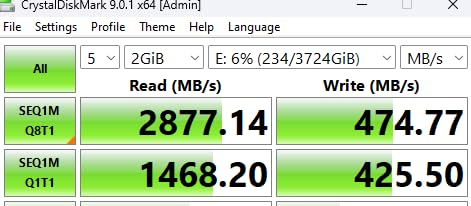
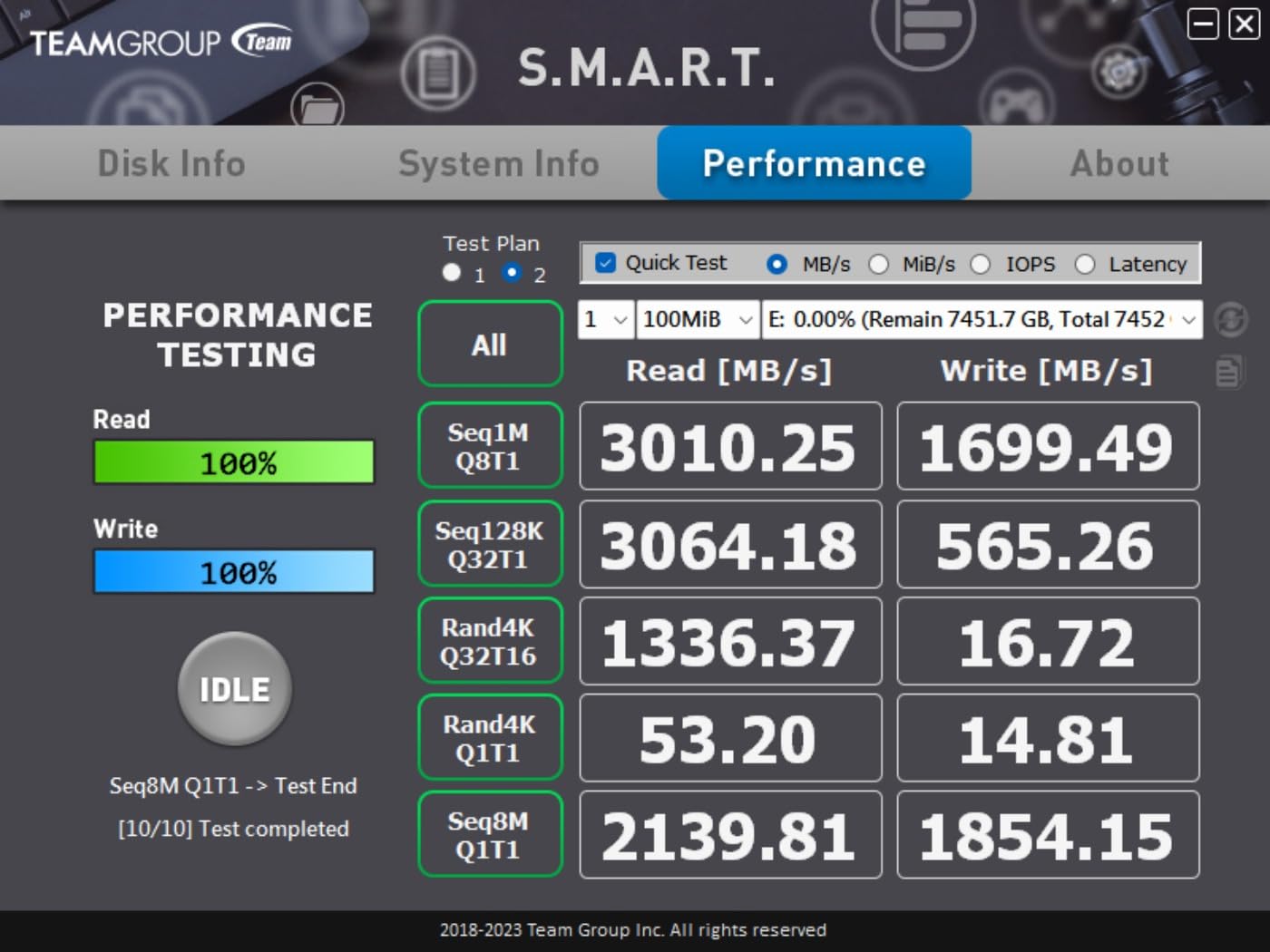
- Tested at 2805 MB/s read and 2734 MB/s write
- Works with Thunderbolt 4 Thunderbolt 3 and USB 3.x
- Two-year warranty with a compact aluminum body
Cons
- Cooling fan needs manual switch activation
- Higher cost than fanless USB4 alternatives
- Bulkier footprint than any 10Gbps enclosure
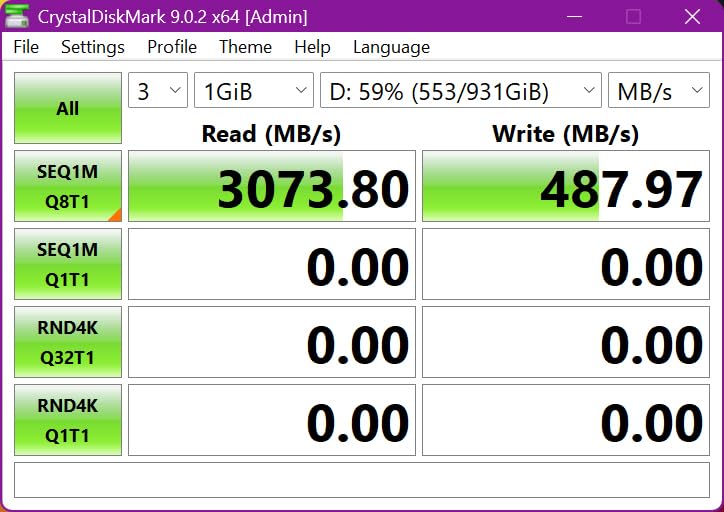
ACASIS took a different route to the top speed tier by using an Intel JHL7440 USB4 controller, which brings dual-chip stability and true USB4 performance rather than a single bridge. With a Samsung 980 Pro it tested at 2805 MB/s read and 2734 MB/s write on a MacBook.
The cooling fan is switch-activated and works alongside precision heat dissipation holes to prevent throttling during sustained workloads. It stays compatible with Thunderbolt 4, Thunderbolt 3 and USB 3.2, 3.1 and 3.0 hosts, and fits NVMe drives from 2230 up to 2280 at up to 8TB.
Compatibility is genuinely broad for a premium enclosure. It is listed for M1, M2 and M3 Pro and Max MacBooks, iPad Pro, Windows and Linux, which makes it the one to look at if you move between a Mac and a tablet.
The fan needs a manual switch, so it can run while the drive sits idle or sit off during a burst transfer. It is also larger than the fanless options at 4.65 by 2.24 by 0.7 inches, and priced above fanless USB4 cases with similar headline throughput.
What you gain by choosing this one
The two-year warranty is better than the one-year norm, and the 76 percent five-star share with only 5 percent one-star reflects a settled product rather than an experimental one.
For Mac users this is the standout. Thunderbolt 4 ports on M-series MacBooks make it easy to hit the tested speeds without changing any other hardware.
Where it falls short
The switched fan is an odd design choice. If you forget to turn it on during a long transfer, the enclosure is no better thermally than a passive one.
On non-Thunderbolt hosts it drops back to whatever the port allows, and the footprint is too large for a pocket.
12. Qwiizlab ES40UR 40Gbps USB4 Enclosure – Best for Peak USB4 Speed
Qwiizlab Fanless 40Gbps USB4 SSD Enclosure with Aluminum Chasiss, Compatible with Thunderbolt 5/4/3. Supports PCIe M.2 NVMe up to 8TB, Gray (SSD Not Included)
40Gbps USB4 Type-C
ASM2464PD controller
Tested to 3840 MB/s
Fanless aluminum chassis
Pros
- Fanless aluminum chassis with deep heat fins runs silent
- ASM2464PD delivers about 2900 to 3300 MB/s read and 3000 MB/s write
- Supports Thunderbolt 5 Thunderbolt 4 and Thunderbolt 3
- Large chassis fits 2280 drives up to 8TB
- Ships with thermal pads a 40Gbps cable and a travel pouch
Cons
- Runs noticeably warm under sustained heavy I/O
- Some users report intermittent dropped connections on long writes
- Write speeds fall short of headline on Windows without power settings changed
- Included 25cm coaxial cable is short
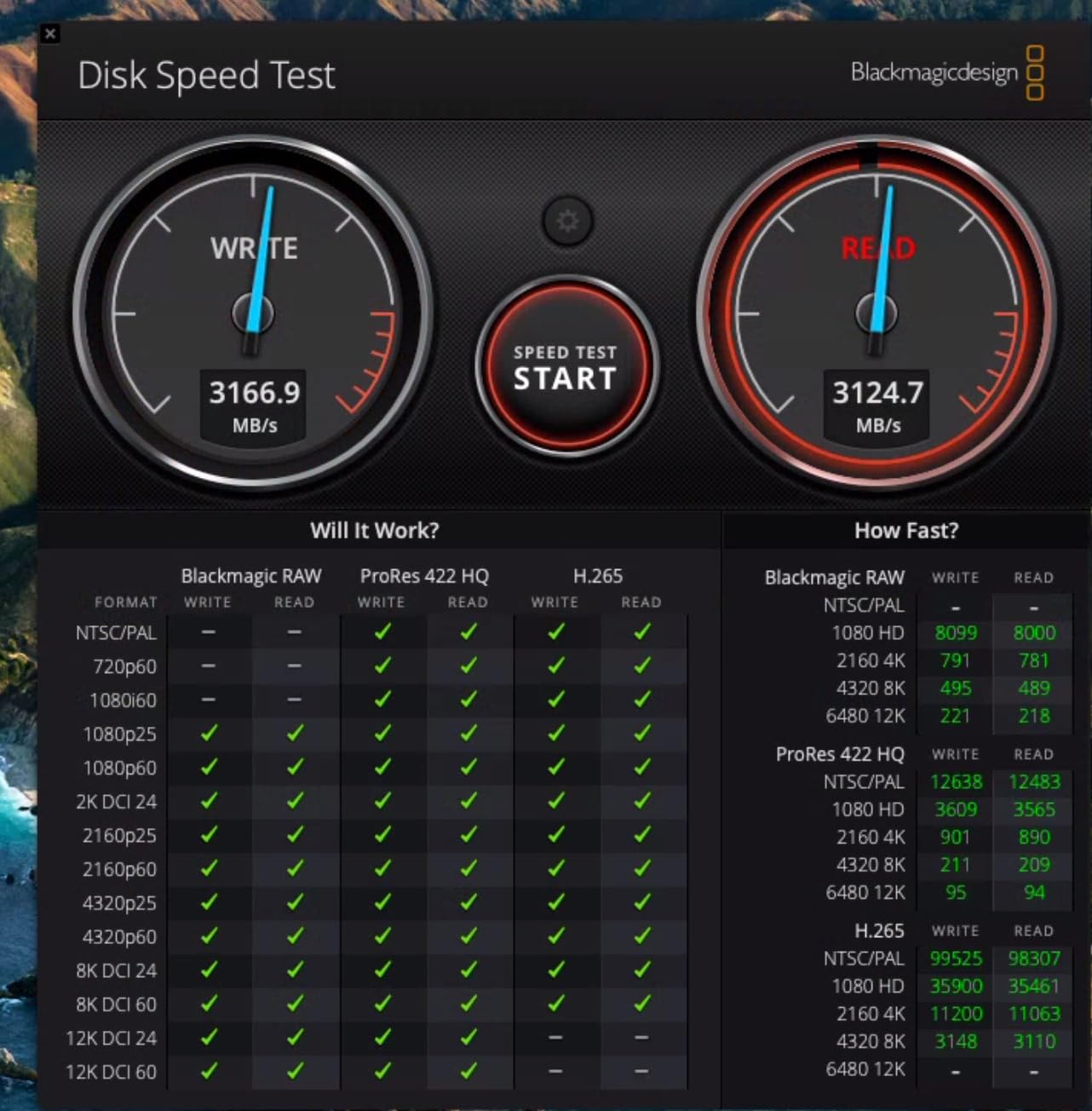
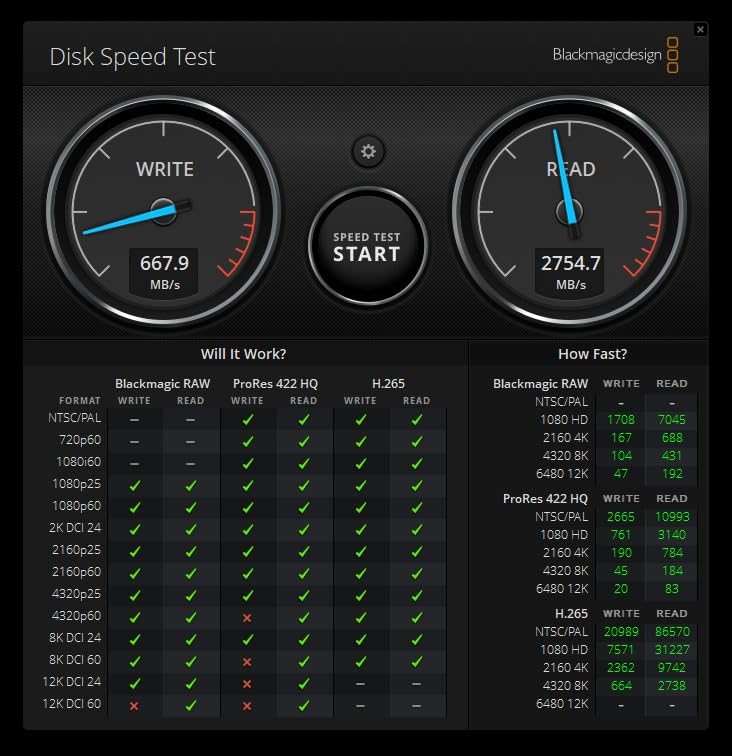
The Qwiizlab ES40UR is the fastest enclosure in this roundup by measured throughput. Its ASM2464PD USB4 controller was tested at up to 3840 MB/s, and users report sustained figures around 2900 to 3300 MB/s read and roughly 3000 MB/s write with fast PCIe drives.
It is fanless, with a solid aluminum chassis and curved surfaces for passive heat dissipation, so it stays silent. The controller supports Thunderbolt 5 and Thunderbolt 4 as well as Thunderbolt 3, though it does not go back to Thunderbolt 2 or 1. The box includes a 25cm 40Gbps coaxial USB-C cable, silicone thermal pads for both the drive and the USB4 chip, a screwdriver, screws and a velvet pouch.
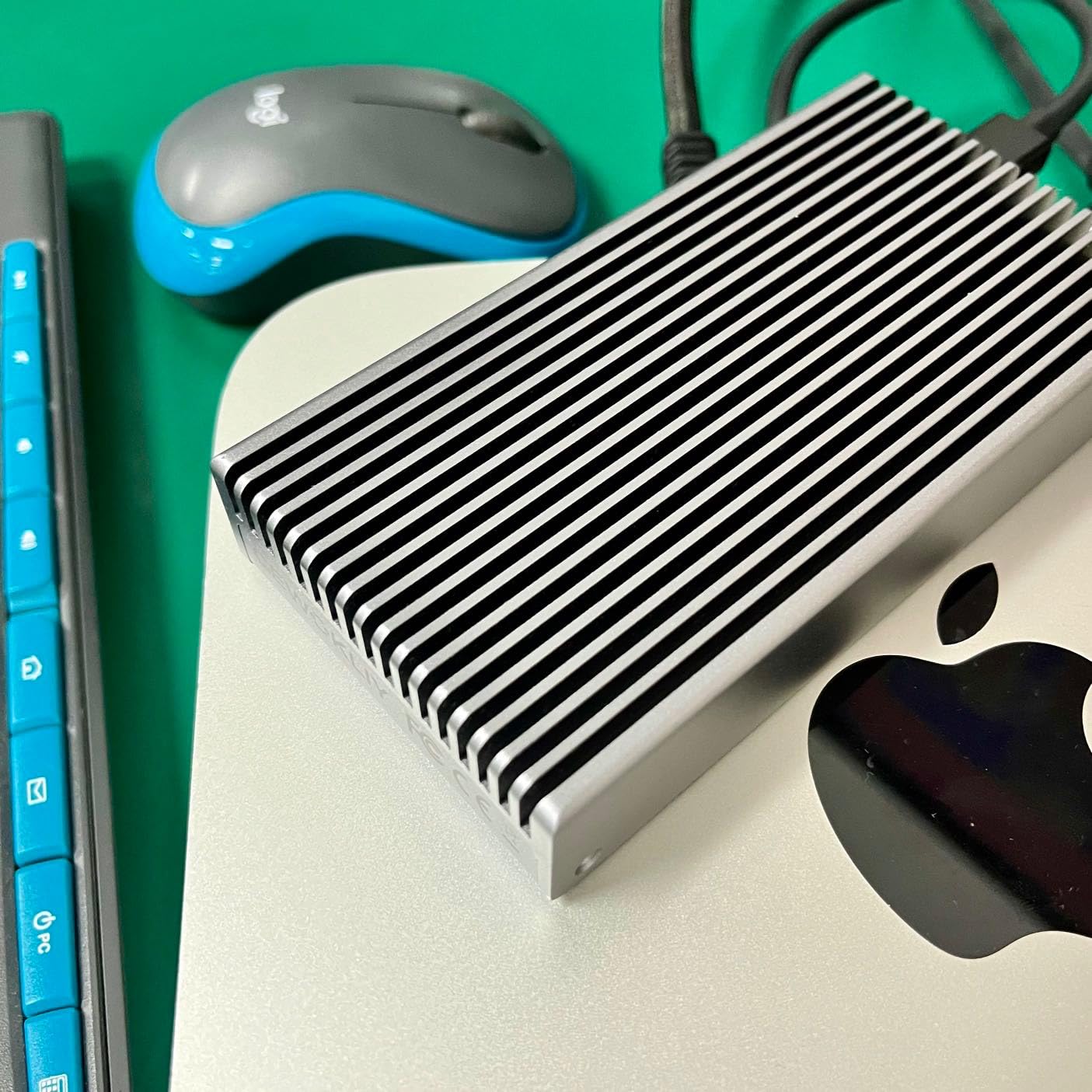
Passive cooling has a visible cost here. The body runs noticeably warm under sustained heavy I/O, and a minority of users report intermittent dropped connections during long write jobs. On Windows, write speeds fall short of the headline figure unless the power plan is set to Better Performance.
The one-star share is also higher than peers at roughly seven percent, and the 253 review count is the smallest in the group, so the long-term record is still short compared with the budget models.
What you gain by choosing this one
Raw speed at the 40Gbps tier without a fan in the box, which is the compromise most buyers here will find appealing. The chassis fits 2280 drives up to 8TB and works on both macOS and Windows.
Silicone pads for the drive and the USB4 chip show attention to the two actual heat sources rather than just the one that is visible.
Where it falls short
No active cooling means long write jobs can run hot enough to cause dropped connections for a small share of users. If you move very large files continuously, the fan-cooled options are safer.
The 25cm coaxial cable is short and easy to mistake for an ordinary USB cable, and the total review count means you are trusting a younger product.
How to Choose an M.2 SSD Enclosure in 2026
Start with the protocol, because it is the only decision that can make a drive completely unusable. M.2 NVMe drives speak PCIe; M.2 SATA drives speak the older SATA protocol and have two notches in the connector where an NVMe drive has one. An NVMe-only enclosure will not see a SATA drive at all, no matter how carefully you seat it. Roughly half the models here, including the UGREEN, ORICO, FIDECO, VCOM and both 40Gbps UGREEN cases, are NVMe-only.
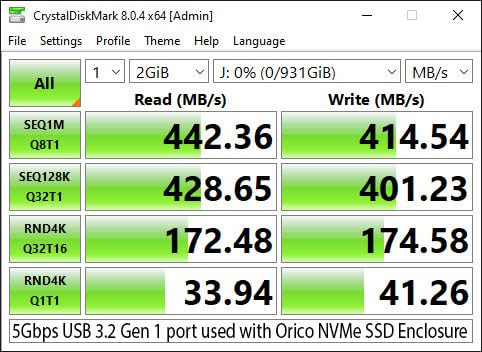
Next, the interface. USB 3.2 Gen 1 gives 5Gbps and tops out near 450 to 500 MB/s. USB 3.2 Gen 2, which is the entire first tier of this roundup, gives 10Gbps and lands close to 1000 MB/s with a good NVMe drive. USB4 and Thunderbolt 4 give 40Gbps and push past 2500 MB/s on fast hardware. Thunderbolt 5 raises the link to 80Gbps, though none of the enclosures here reach it.
The host port decides what you actually get. A 10Gbps enclosure in a USB 3.0 Type-A port negotiates at 5Gbps regardless of the label on the box, and a USB4 enclosure on a non-Thunderbolt USB-C port falls back to 10Gbps or even 5Gbps. Check your machine’s ports before you buy, because that is the most common reason a fast enclosure underperforms. Our guides to external hard drives cover the port side in more detail.
Drive fit is the second most-missed detail. Form factors are 2230, 2242, 2260 and 2280, and nearly every enclosure covers all four. Sidedness is less obvious: many high-capacity drives are double-sided, meaning chips sit on both faces of the board, and a slim case may not have the width or depth to seat one. The wider bodies in the 40Gbps tier accommodate double-sided drives far more reliably than a thin 10Gbps shell.
Bridge chip tells you about reliability and feature set. The Realtek RTL9210 and RTL9210B are the safe default and appear in most 10Gbps cases here. The ASMedia ASM2464PD powers the fanless 40Gbps models, and the Intel JHL7440 gives the ACASIS its dual-chip stability. JMicron’s JMS583 appears in older designs and carries a reputation for early UASP issues. Manufacturers often hide the chip, so it is worth searching the model number.
Feature support separates the tiers. UASP is the protocol that makes a USB enclosure behave like a native drive, and it is present on every model here. TRIM keeps a drive healthy over years of use by telling it which blocks are free. S.M.A.R.T. passthrough, where the drive’s health attributes stay visible through the enclosure, appears on the UGREEN fan-cooled 40Gbps case and the VCOM, and forum readers who swap drives frequently treat it as close to essential.
On thermals, the design tells you more than the brand. Sandwich designs like the FIDECO compress the thermal pad directly onto the drive, slide-in trays are easier to misalign, and aluminum shells work as heatsinks. The plastic-bottom models like the ORICO shed less. Active fan enclosures earn their keep when you run Gen 4 or Gen 5 drives through multi-terabyte writes, and stay unnecessary below that. Forum users are split on hot enclosures, with many treating warmth during big transfers as evidence the case is working as a heatsink rather than a fault.
One last practical note. You can boot Windows or run an operating system from a drive in an enclosure, and speed is comparable to an internal drive for everyday use. People also pair these builds for backups and game libraries, and DIY NVMe plus enclosure regularly wins on price per terabyte against sealed portable drives in discussions on r/DataHoarder. Our backup-focused external drive guide covers the other side of that comparison.
Frequently Asked Questions
What is the best M.2 SSD enclosure?
For most people the SSK M.2 NVMe and SATA enclosure is the best all-round choice, because it accepts both NVMe and SATA M.2 drives, carries a Realtek RTL9210B bridge chip with UASP and TRIM, and has the deepest review record of any 10Gbps case we tested. The SABRENT EC-SNVE is the pick if you swap drives constantly because it opens fully tool-free, and the UGREEN 10Gbps model is the value option with a two-year warranty.
What is the best M.2 NVMe SSD enclosure?
For NVMe specifically, the SABRENT EC-SNVE and the UGREEN 10Gbps tool-free enclosure both reach close to 1000 MB/s with UASP enabled on a USB 3.2 Gen 2 port. If your computer has a Thunderbolt 4 or USB4 port, move up to the 40Gbps tier, where the ACASIS TBU405 PRO tested at 2805 MB/s read and 2734 MB/s write and the Qwiizlab ES40UR reached up to 3840 MB/s.
Will an M.2 SSD enclosure fit a double-sided SSD?
It depends on the enclosure width rather than the protocol. Thin 10Gbps shells are the most likely to reject a double-sided drive, while the wider 40Gbps and USB4 bodies in this roundup, including the UGREEN fanless case, the ACASIS TBU405 PRO and the Qwiizlab ES40UR, comfortably accept 2280 drives up to 8TB including larger double-sided boards. If your drive is a big 2280 model with chips on both sides, choose a wider chassis or confirm the fit before ordering.
Do M.2 SSD enclosures need external power?
No. Every enclosure here is bus-powered, drawing all of its power from the USB port it is plugged into, so there is no external power supply to carry and no separate power brick to lose in a bag. They are driverless and plug-and-play across Windows, macOS and Linux, with several models adding Android support.
Are 10Gbps M.2 enclosures worth it versus a USB4 enclosure?
For most people yes, because a 10Gbps enclosure already reaches close to 1000 MB/s and that is well past what a USB 3.0 host port can supply. A USB4 enclosure is only worth the extra cost if the machine you plug into has a Thunderbolt 4 or USB4 port and a matching cable. Plugging a 40Gbps enclosure into an ordinary USB-C port gives you 10Gbps at best.
Which M.2 SSD is the most reliable inside an enclosure?
Reliability depends more on the pairing than the brand. A power-efficient NVMe drive with a single-sided board runs cooler and needs less from the enclosure’s cooling, and any enclosure with a Realtek RTL9210 or RTL9210B bridge plus UASP and TRIM support behaves predictably over years. If you want to monitor drive health, pick a model with S.M.A.R.T. passthrough such as the UGREEN 40Gbps fan-cooled enclosure or the VCOM.
Conclusion: Our Final Verdict on the Best SSD Enclosures for M2 Drives
The SSK M.2 NVMe and SATA enclosure is our overall pick because it covers both protocols, holds the largest review record in the group and uses an aluminum shell that works as a heatsink. The UGREEN 10Gbps tool-free model is the value answer, and the SABRENT EC-SNVE is what we reach for whenever drives are being swapped between machines.
Move up to the 40Gbps tier only if your host has a Thunderbolt 4 or USB4 port, and then the ACASIS TBU405 PRO suits Mac users while the Qwiizlab ES40UR leads on raw measured speed. Either way, check your host port first, because no enclosure can outrun the link it is plugged into.