
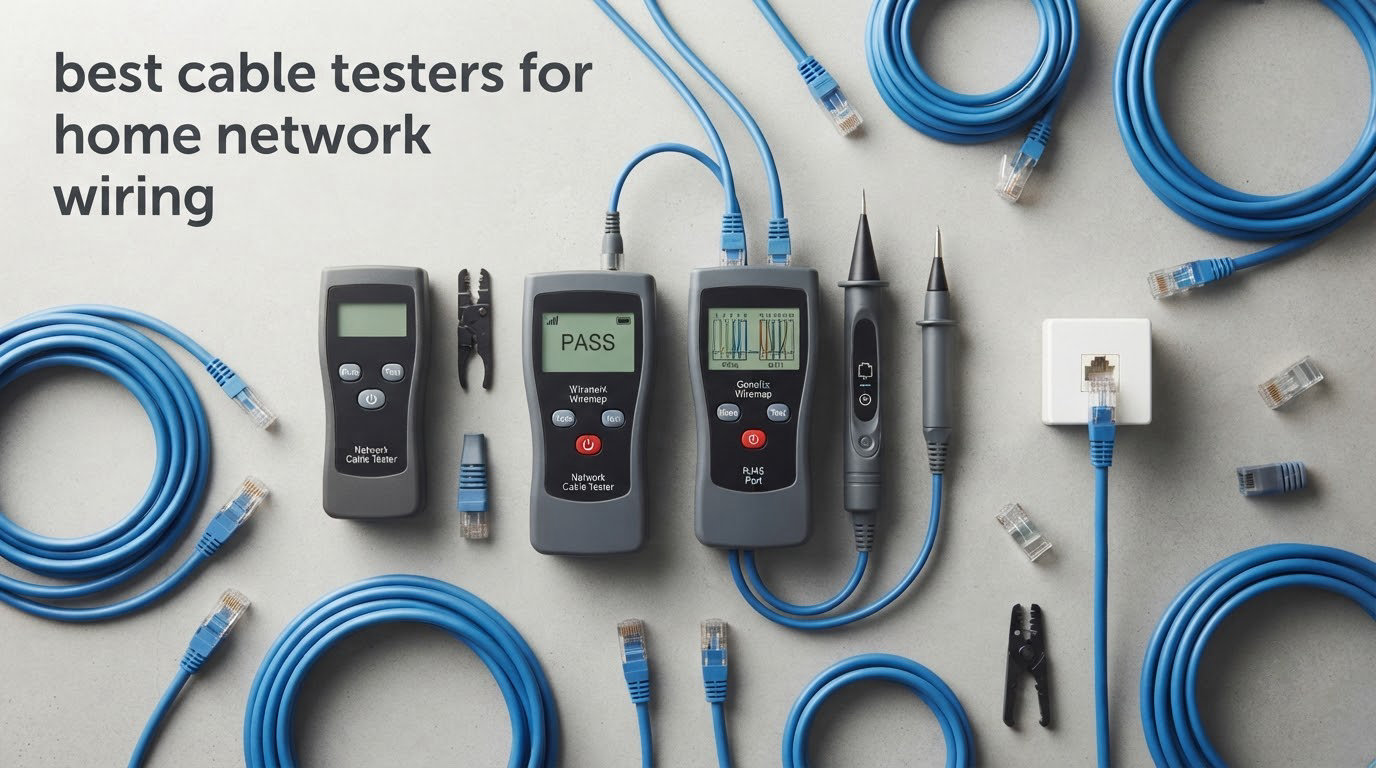
Most home network faults are physical, not configuration problems. A bad crimp, a nicked conductor, or a pair of wires that were punched down on the wrong color code will sit there quietly while you blame the router. A cable tester finds those faults in seconds, before you close up the wall.
Here is the trap that catches almost everyone: a run can light up green on a cheap LED tester and still fail at gigabit speeds. That happens when the eight conductors are all connected but the pairs are split, meaning pin 3 and pin 6 end up twisted together instead of staying with their own partners. A basic continuity check only asks whether a wire reaches the other end, so a split pair passes. A tester that draws a pin-to-pin wiremap on a screen catches it.
That single distinction is why we built this guide around what a tester actually proves rather than around brand names. If you want the short answer for most houses, the Klein Tools VDV501-851 Scout Pro 3 is the one we keep reaching for. It shows a graphical wiremap, measures length, flags split pairs, and ships with numbered remotes so you can map every wall jack in the house one cable at a time. The rest of the picks below cover narrower jobs, including tracing an unlabeled cable behind drywall and checking a live PoE camera run.
We also wrote the buying guide section for someone deciding whether they need a tester at all. Many homeowners are one afternoon away from needing exactly one tool, and that tool is rarely the expensive one.
Table of Contents
Top 3 Cable Testers for Home Network Wiring in 2026
These three cover the situations we see most often in houses: mapping new in-wall runs, verifying patch cables, and diagnosing an existing run before you decide whether to re-pull it.

Klein Scout Pro 3
- Backlit LCD wiremap with length to 2000 ft
- Split-pair detection
- Ten locator remotes

Klein LAN Scout Jr 2
- Large backlit LCD wiremap
- Split-pair detection
- Three-button interface
Best Cable Testers for Home Network Wiring (October 2026)
The list runs from the simplest LED continuity checkers up to the professional tone and probe kit. Display type is the dividing line: above roughly the middle of this table you get a graphical wiremap, and below it you get a row of lights that tells you a fault exists without telling you which pin failed.
| Product | Specifications | Action |
|---|---|---|
| Klein Tools VDV501-851 Scout Pro 3 |
|
Check Latest Price |
 iMBAPrice RJ45 RJ11 RJ12 Network Tester iMBAPrice RJ45 RJ11 RJ12 Network Tester |
|
Check Latest Price |
 Klein Tools VDV526-100 LAN Explorer Klein Tools VDV526-100 LAN Explorer |
|
Check Latest Price |
 NOYAFA NF-8209 Network Cable Tester NOYAFA NF-8209 Network Cable Tester |
|
Check Latest Price |
| Klein Tools VDV526-200 LAN Scout Jr 2 |
|
Check Latest Price |
 Fluke Networks PRO3000F60 Tone and Probe Kit Fluke Networks PRO3000F60 Tone and Probe Kit |
|
Check Latest Price |
 TESMEN TLP-123A Network Cable Tester TESMEN TLP-123A Network Cable Tester |
|
Check Latest Price |
 PETECHTOOL Network Cable Tester PETECHTOOL Network Cable Tester |
|
Check Latest Price |
 Mcbazel Ethernet Cable Tester Mcbazel Ethernet Cable Tester |
|
Check Latest Price |
 Brileine Cable Tester with PoE Detection Brileine Cable Tester with PoE Detection |
|
Check Latest Price |
1. Klein Tools VDV501-851 Scout Pro 3 for Mapping Every Run in the House
Klein Tools VDV501-851 Scout Pro 3 Tester Starter Set Cable Tester
Tests RJ45, RJ11/12 and coax
Length to 2000 ft
Split-pair detection
Pros
- Graphical wiremap on a backlit LCD
- Cable length measurement up to 2000 feet
- Flags open short miswire and split-pair faults
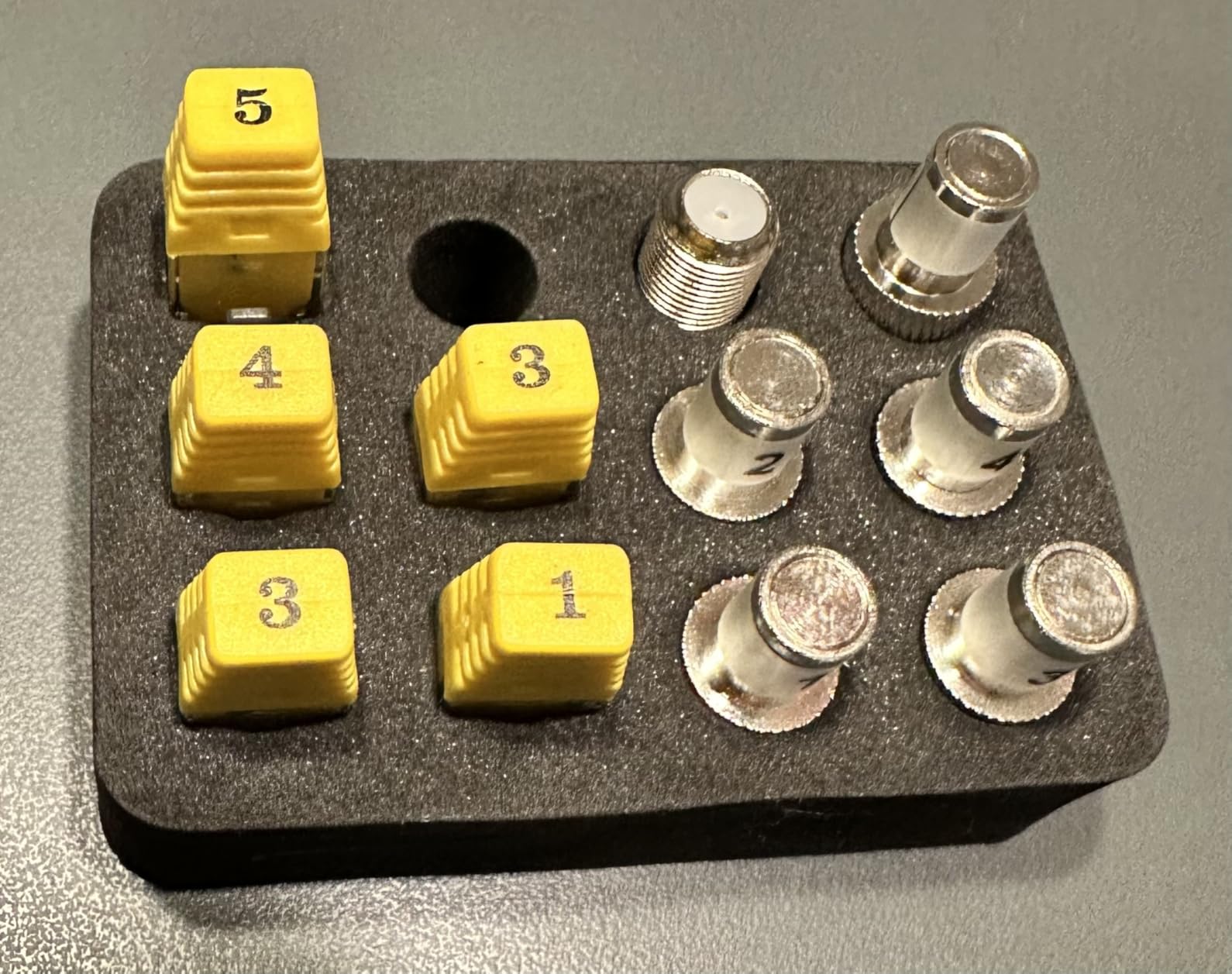
- Ten numbered locator remotes included
- Tests voice data and coax in one unit
Cons
- Tone probe sold separately
- Documentation is thin on split-pair explanation
- Tests unenergized cable only
This is the tester we reach for first, and it is the one we recommend as the default for home network wiring. The backlit LCD draws the full pin-to-pin wiremap, so a miswired keystone jack shows up as a diagram rather than a guess. Length measurement runs to 2000 feet, which is more than a house needs but does tell you roughly where a fault sits.
What sets it apart for residential work is the bundle of ten locator remotes, five for LAN and five for coax. You leave one remote in a wall jack, plug the main unit at the patch panel, and the screen reports the remote ID instead of a wiremap. That turns testing a whole house from a guessing game into a one-cable-at-a-time process.
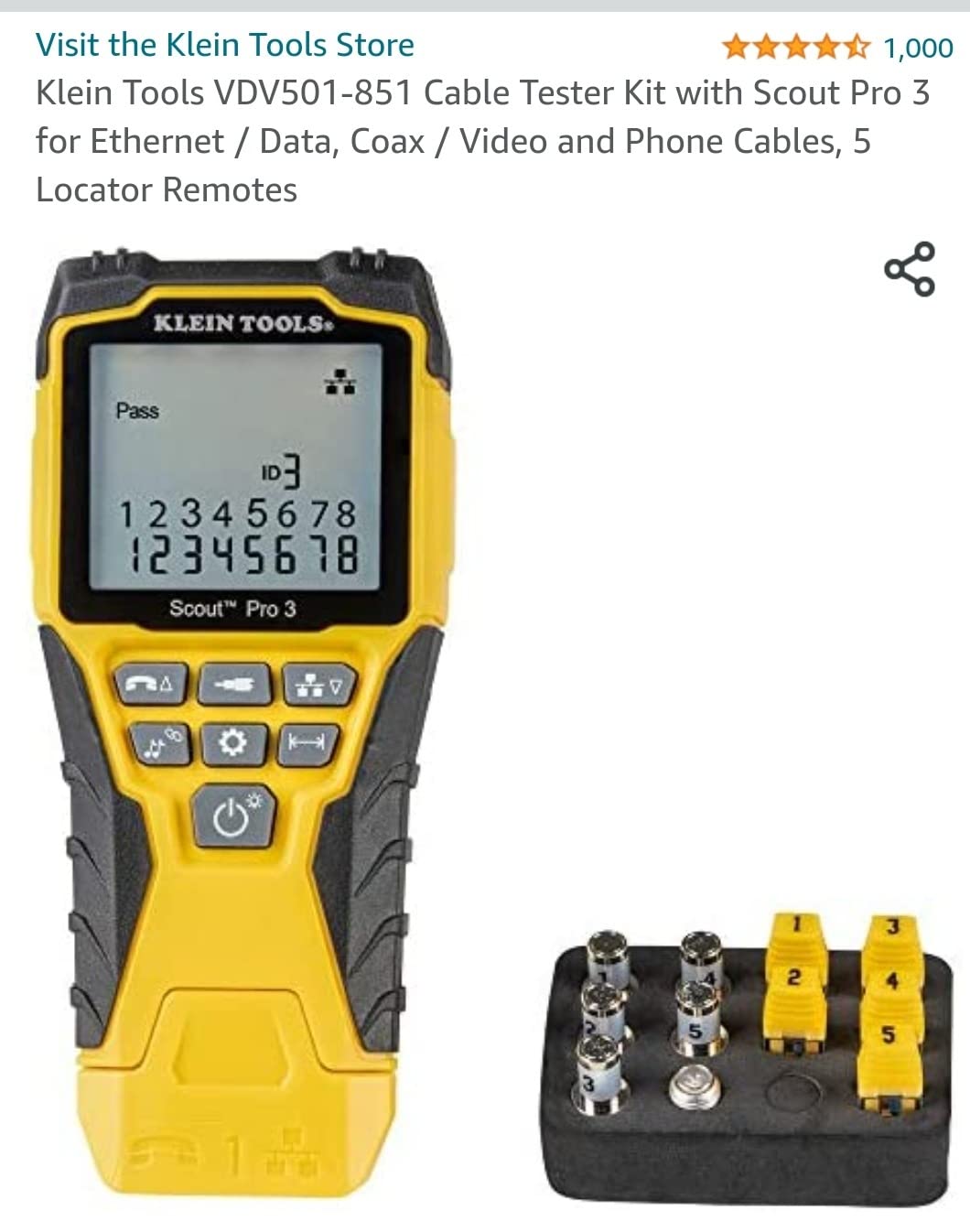
Split-pair detection is the reason we rank it first. On an in-wall run pulled by someone else, a split pair is one of the most common hidden faults, and this unit names it on the display. The tone generator outputs multiple styles so you can put a signal on a single conductor, a pair, or all eight.
Owners do report two limitations. The analog tone probe is not included, so tracing through walls needs a separate purchase, and the documentation explains the fault codes in a way that leaves room for interpretation. Neither issue affects the wiremap work, which is what you will use it for.
What it gets right in a finished house
The backlit screen matters more than it sounds. Wall closets, basements, and attic junctions are unlit, and an LED tester in that spot means holding a flashlight in your teeth while counting blinking pins. The screen also auto-identifies the remote ID, which is how you confirm the bedroom jack goes to port 4 on the switch instead of guessing from cable ties.
Where it will disappoint you
It tests unenergized cable only, so it will report a failed result on a live PoE circuit and leave you guessing. If you are commissioning powered cameras, you need a unit with PoE detection. The included locator remotes also check a limited range of wire pairs, so a full eight-conductor check still needs the main wiremap test.
2. iMBAPrice RJ45 RJ11 RJ12 Tester for Verifying a Freshly Crimped Cable
iMBAPrice – RJ45 Network Cable Tester for Lan Phone RJ45/RJ11/RJ12/CAT5/CAT6/CAT7 UTP Wire Test Tool
RJ45 and RJ11 support
Cat5 through Cat7
Automatic one-button test
Pros
- Runs the test automatically with one button
- Works across RJ11 RJ45 and Cat5 through Cat7
- Covers Cat5 Cat5e Cat6 and Cat7
- Compact enough to keep in a drawer
- Rated 4.4 across 5231 reviews
Cons
- LED-only with no pin-to-pin map
- 9V battery not included
- No length measurement or toning
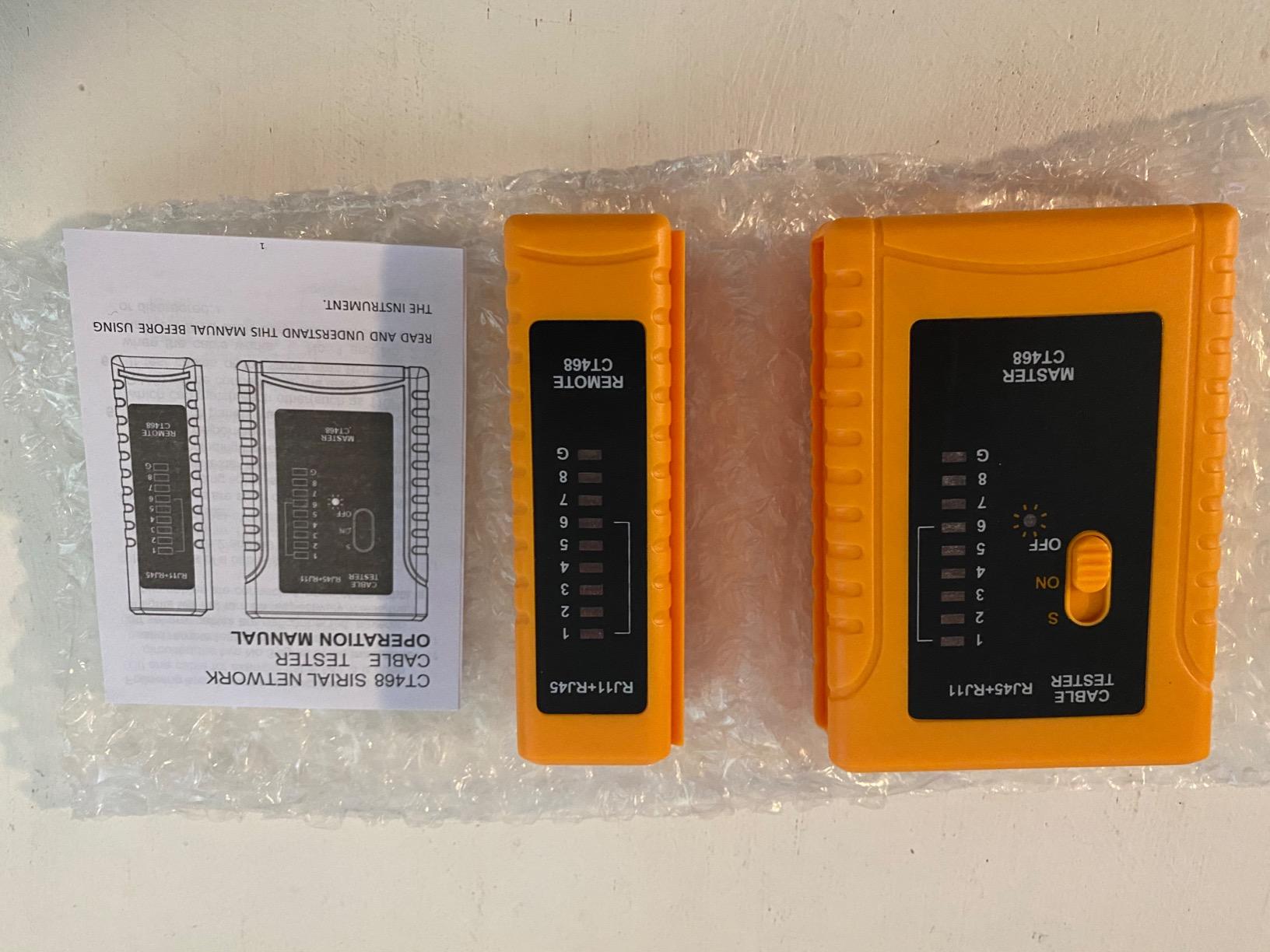
This is the tool many people end up with first, and for a single purpose it is genuinely useful. You crimp a patch cable, plug both ends in, press the button, and the LED sequence tells you whether the conductors are continuous and whether any pair is open, shorted, or crossed. It also does two-wire telephone testing including line DC detection and ringing signal detection.
With over 5200 reviews behind it, the failure pattern is well understood rather than mysterious. Owners treat it as a dependable continuity checker for freshly terminated cables and nothing more. The diagnostic depth stops at the LED sequence, which tells you a fault exists but not which pin failed or how far along the run the break is.
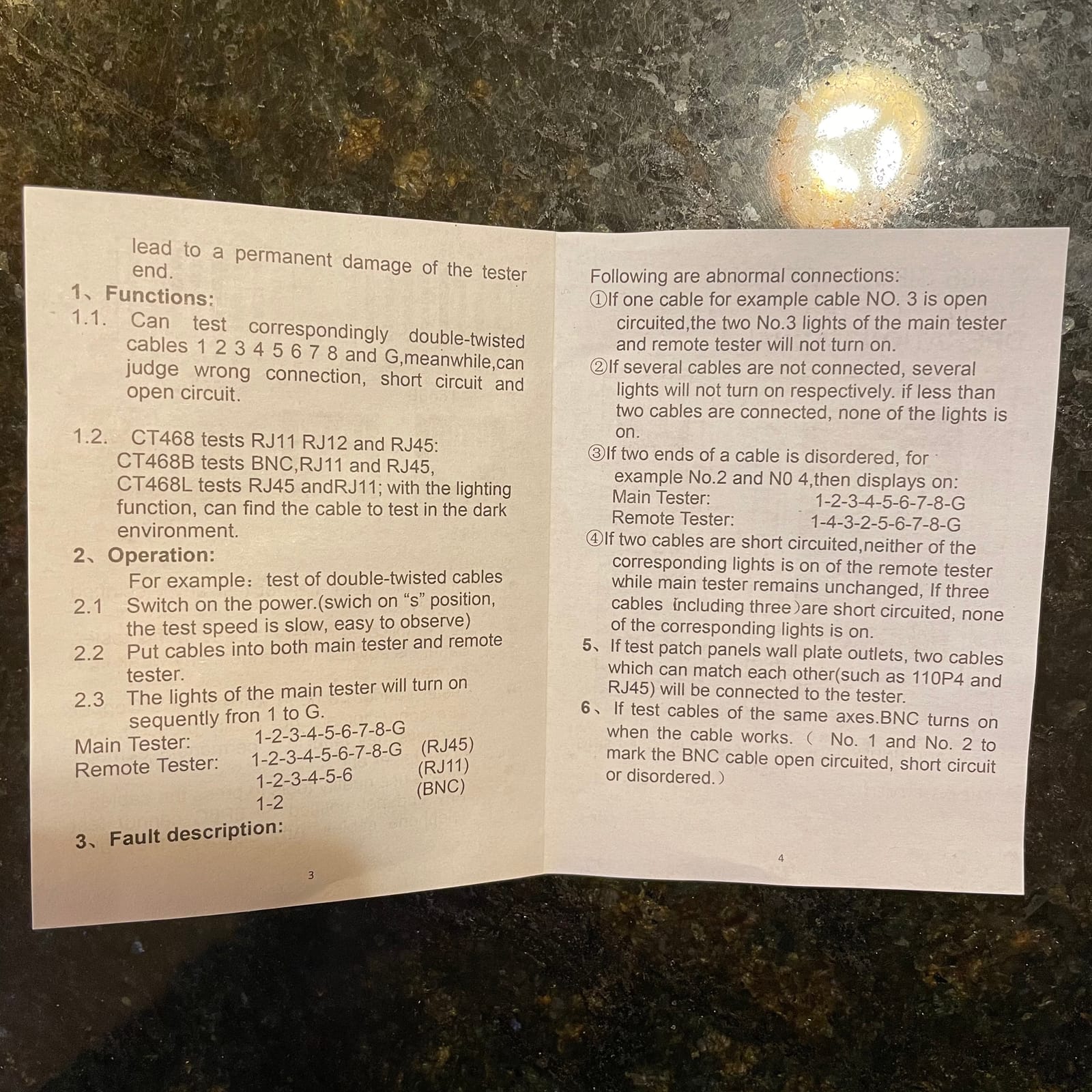
Two things to know before you buy. The 9V battery is not included, and the plastic feels primitive next to anything with a display. The model number is BC-50W-P, and the unit measures under half an inch square, so it is a drawer item rather than a tool-belt item.
For a whole-house job this is the wrong tool, because a passing result on a split pair sends you looking in the wrong place. For confirming the cable you just crimped, it is hard to argue with.
When it is the right choice
If your entire project is making patch cables at a desk, or you want something to keep in a junk drawer to check a suspect cable in thirty seconds, this does that job. The RJ11 and RJ12 support also means one tool covers phone line extensions in the same house, which matters if you are wiring both.
When to step up instead
Any time you are standing at a patch panel with a cable you did not terminate yourself, you want a wiremap you can read. A split pair passes here and fails later at gigabit, and that is exactly the failure homeowners spend a weekend chasing. Use the LED tool at the bench and something with a screen for the walls.
3. Klein Tools VDV526-100 LAN Explorer for the One Cable You Need to Check
Klein Tools VDV526-100 Network LAN Cable Tester, VDV Tester, LAN Explorer with Remote
RJ11 RJ12 and RJ45
Cat3 Cat5e Cat6/6A
Single-button testing
Pros
- One button runs the full test
- Distinct LEDs for miswire open short and shield
- Remote stores inside the tester body
- 9V battery included
- Rated 4.7 across 2496 reviews
Cons
- No LCD wiremap or length reading
- Remote has no tone generation
- LED sequences take practice to read
At 4.7 across 2496 reviews with 83 percent five-star, this is among the most thoroughly proven testers in the category, and it is a simple design that still covers every residential fault type. One button runs the test and the LEDs report pass, miswire, open fault, short fault, and shield separately rather than lumping everything into one failure light.
The detail that wins over buyers is the remote that stores inside the tester body. On a two-piece tool, losing the remote is a common reason these end up in a drawer unused. Here it clips into the main housing, so the next time you need it both halves are already together.
A 9V battery is included, which rules out the complaint we hear most about cheaper kits.
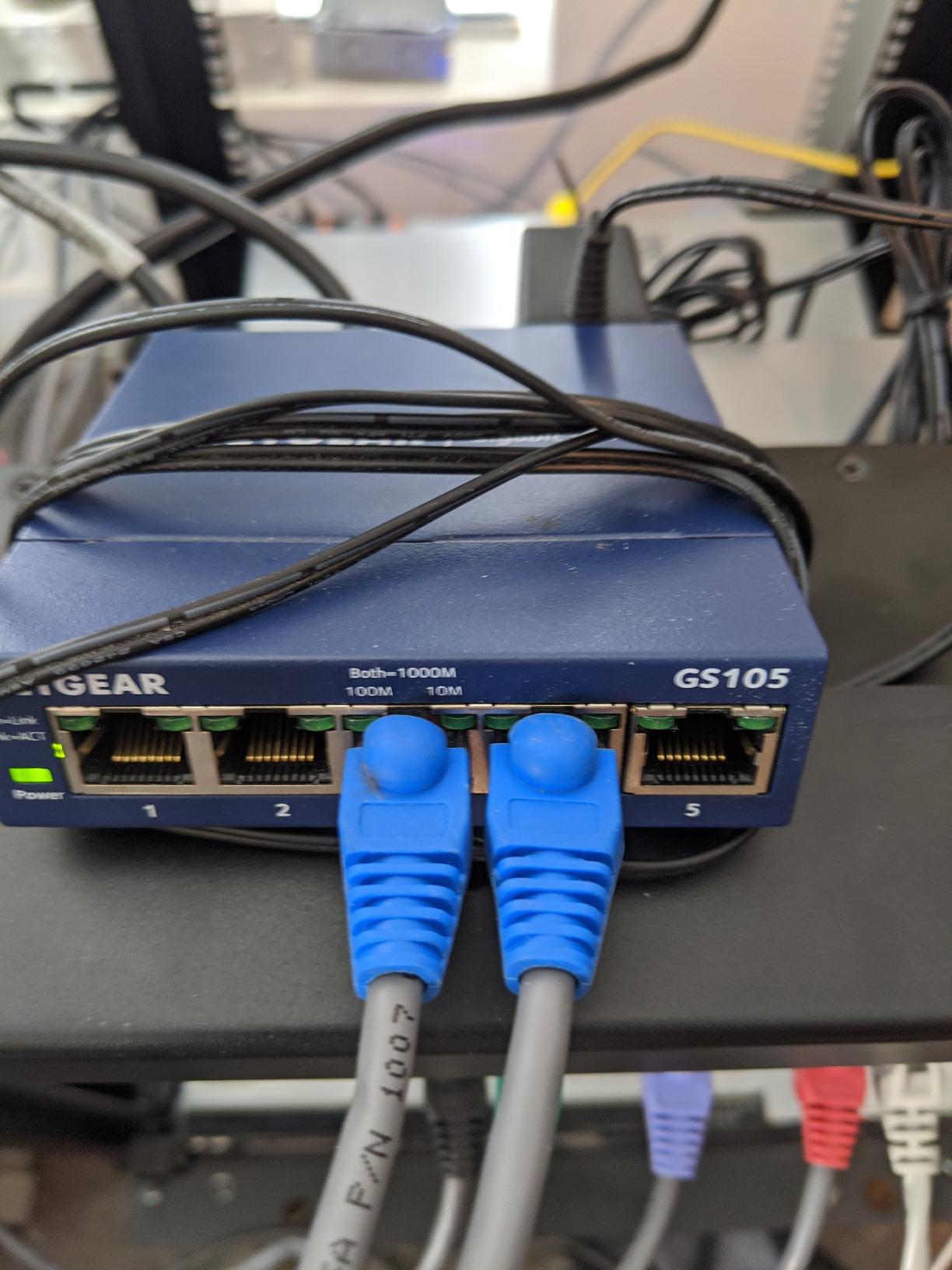
The body weighs four ounces and measures just over five inches, so it lives in a tool bag without being noticed. It handles RJ11, RJ12, and RJ45 terminated voice and data cables across Cat3, Cat5e, and Cat6/6A, with a low battery indicator that stops you drawing false results from a dying cell.
What you give up is depth. There is no length measurement and no graphical wiremap, and the remote is a plain identification plug with no tone generation, so this cannot trace a cable through a wall. It also will not tell you whether a pair is split.
Good for the dead wall port job
When one bedroom jack stopped working and you want to know whether the fault is the jack, the run, or the switch port, this answers the question in about a minute. Plug in at the patch panel, walk to the bedroom with the remote, press test, and the fault type tells you where to start. For a house with a handful of questionable jacks, that is the whole use case.
Not good for reusing old wiring
If your plan is to find out whether twenty-year-old Cat5e can carry gigabit before you commit to a rewire, this cannot answer it. Absence of a split-pair reading is not the same as proof of a good pair, and a pass here only means the conductors reach the other end. Use a tester with a wiremap for that question.
4. NOYAFA NF-8209 Tester for Finding a Break Inside an In-Wall Run
NOYAFA NF-8209 Network Cable Tester, Ethernet Cable Wire Tester with POE & NCV for CAT5/CAT6 Wire Tracer, Length Test, RJ45 Network Tester Kit for Cable Tracer Telephone Line Finder Home Repair
Length to 120 m
PoE and hub blink
Three scan modes
Pros
- Measures length and estimates distance to a break
- PoE mode reports voltage current and PSE standard
- Hub blink finds which switch port a jack maps to
- NCV detects 50V to 1000V AC presence
- Carry case and RJ45 RJ11 and alligator leads included
Cons
- Cheap plastic raises doubts about drop durability
- Power button easy to press through the case
- Digital toning harder to use than analog
The length function is the headline here. It measures cable length over a 120 meter range, and owners repeatedly report that this is the feature that upgraded them from a basic LED tester because it located faults that a pure continuity check had passed. When a run is already inside a wall, knowing the break is short of the far end versus short of the middle is the difference between a ten-minute fix and an afternoon of opening drywall.
Three scan modes cover the rest of the residential troubleshooting picture. AC filter mode handles live or noisy environments, analog mode does straightforward toning, and PoE mode tells you which pins carry power, what voltage is present, and whether the source is at or af standard. Hub blink flashes the port on a 10M, 100M, or 1000M switch, which is how you identify which port a specific wall jack lands on.
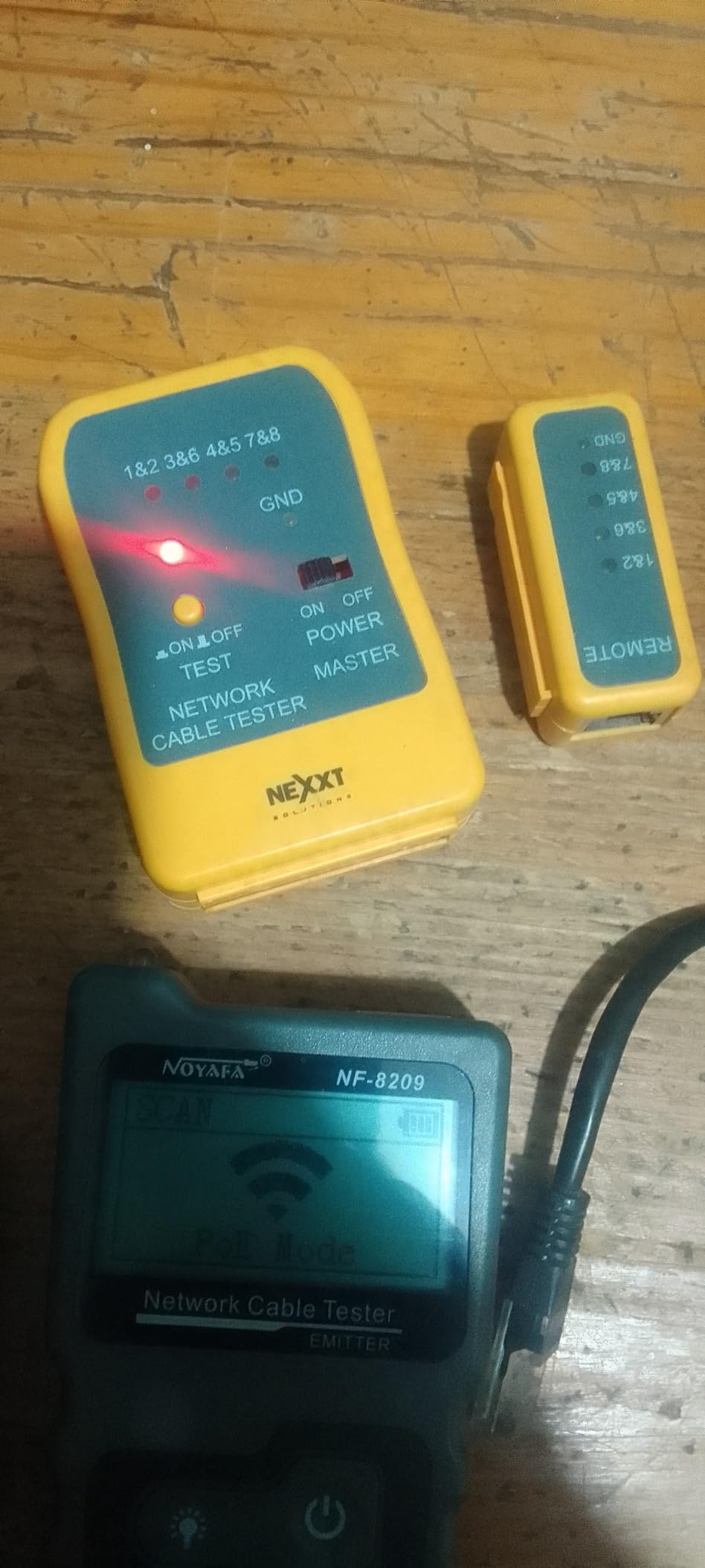
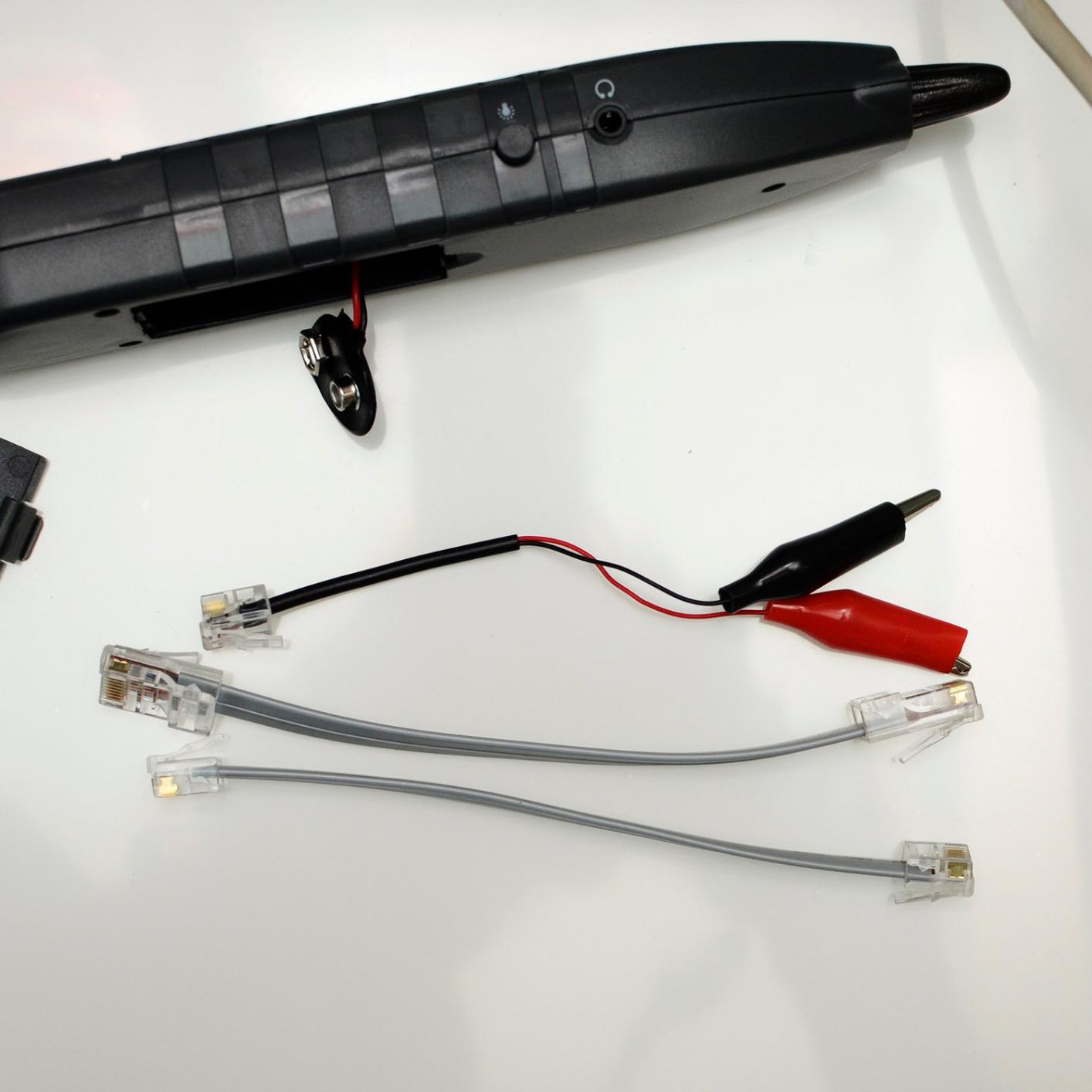
It also includes a non-contact voltage function for 50V to 1000V AC and a physical status check for shielded versus unshielded cable. The kit comes with a carrying case and short test leads for RJ45, RJ11, and bare wire, and it charges over USB-C. That is a lot of function in one kit, and at 4.3 across 2284 reviews it is the strongest feature-per-pound option in the mid-price tier of this lineup.
The complaints are consistent and mostly about feel. The plastic is light in the hand, the power button is reachable through the case and drains batteries, and the digital toning mode takes more practice than the analog one. Length readings run slightly high on some examples, and shielded cable reduces toning accuracy unless the wand sits close to the connector.
Where it earns its place in the house
The combination of length measurement, hub blink, and PoE detection covers the three things homeowners actually call in about. Hub blink alone solves the mystery of a wall jack that works on one switch port and not another. PoE mode answers the question that comes up every time someone adds a security camera or a ceiling access point, and the NCV function tells you whether a cable is live before you touch it.
Where it will frustrate you
This is not a tool for a finished closet that gets knocked around, and the manual reads roughly as well as the budget testers it competes with. Battery drain from an easy-to-hit power button is a real annoyance on a long mapping session. If you will mostly test unenergized cable at a patch panel, the Klein Scout Pro 3 gives you a cleaner screen.
5. Klein Tools VDV526-200 LAN Scout Jr 2 for a Readable Wiremap in the Dark
Klein Tools VDV526-200 LAN Scout Jr Cable Tester Ethernet Cable Tester Kit
RJ45 Cat5e Cat6/6A
Large backlit LCD
Three-button interface
Pros
- Rated 4.8 across 1778 reviews
- Largest backlit LCD for pin-to-pin wiremap
- Detects open short miswire split-pair cross-over and shield
- Only 4.32 oz so it fits a small tool bag
- Auto power-off after 10 minutes
Cons
- RJ45 only with no RJ11 telephone testing
- Tone probe sold separately
- No cable length measurement
This carries a 4.8 rating across 1778 reviews with 86 percent five-star, and that rating comes from a specific behavior in the reviews. A recurring story is someone upgrading from an inexpensive LED tester that gave false readings, then finding the backlit wiremap and clear fault labels made the difference between diagnosing a problem and guessing at it. Home renovators use it to isolate failing wall runs and bad keystone jacks one at a time.
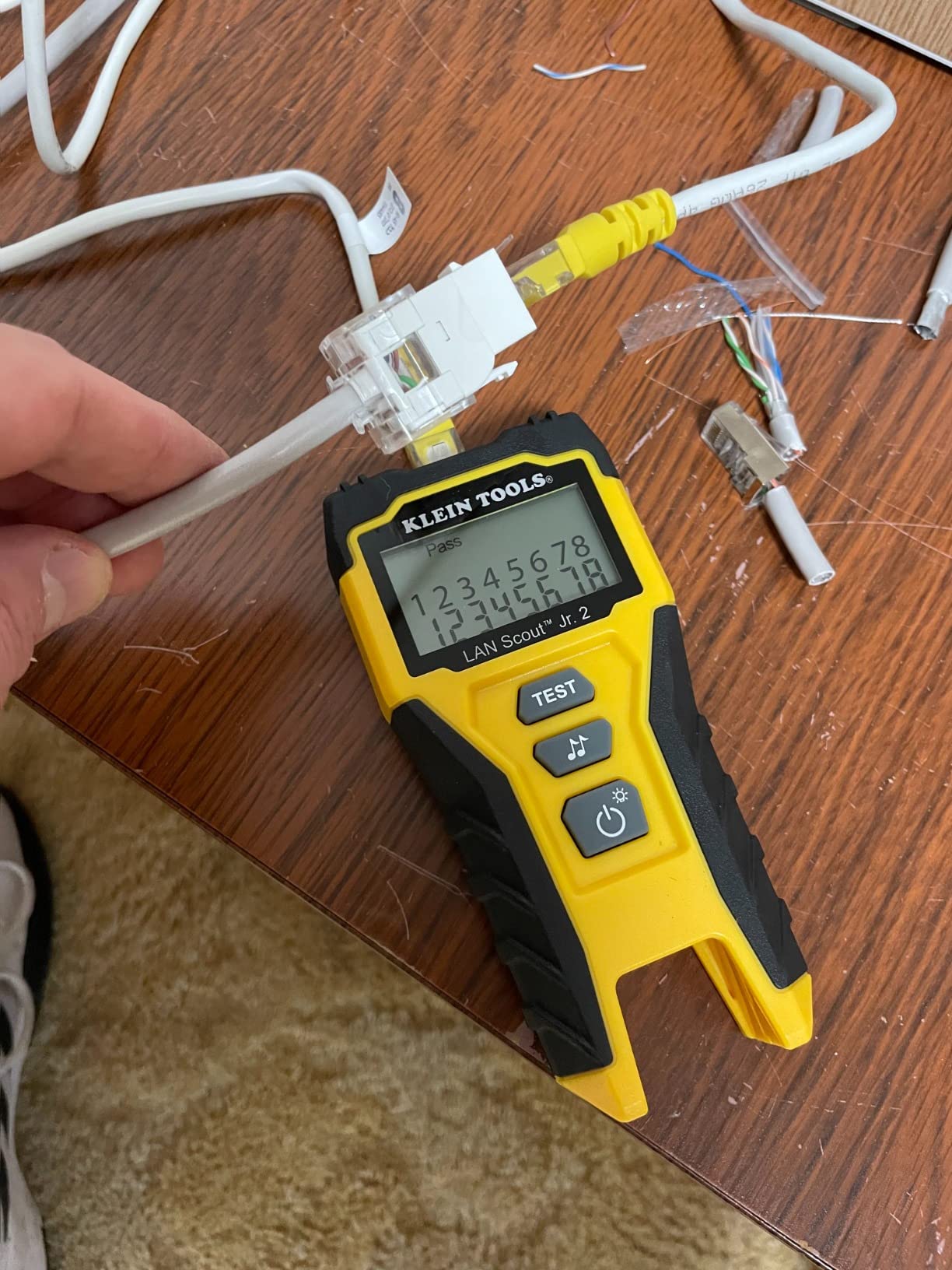
Fault coverage is the full list: open, short, miswire, split-pair, cross-over, and shield. That last group matters in a house with shielded cable run through a shared conduit, where a shield fault is easy to confuse with a dead pair. The three-button interface keeps responses unambiguous, and the large backlit LCD is readable in a closet or attic with no light at all.
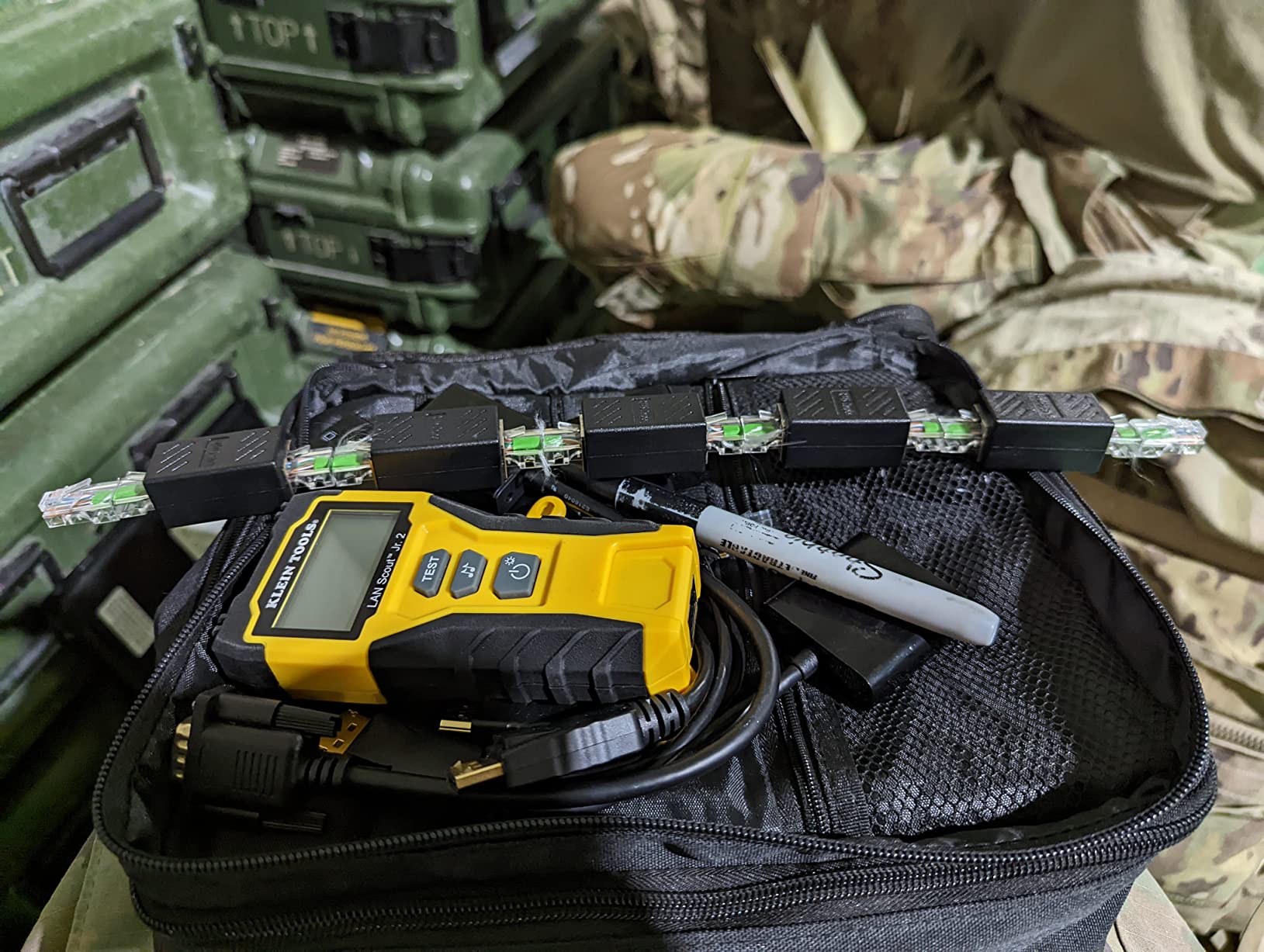
It weighs just over four ounces and measures about five inches long, so it does not take up room in a bag next to a punch-down tool. Batteries are included, and auto power-off after 10 minutes in test mode or 60 minutes in tone mode means a session across a dozen jacks does not drain the cell. One reviewer reported one arriving with the battery installed backwards, which is a supply-chain nit rather than a design fault.
The scoping note matters. This is an Ethernet-only model, so it does not cover RJ11 telephone lines, and there is no length measurement. The tone generator has multiple styles but the probe is a separate purchase.
Best fit for Ethernet-only homes
If everything you are wiring is RJ45, this is an easy screen to read. It holds a full eight-pin wiremap plus a fault label without squinting, and the fault list means one pass tells you whether to re-crimp, re-punch, or pull new cable. It suits someone whose only job is to certify in-wall runs before drywall goes up.
Where it leaves a gap
No telephone testing, no length reading, and no included probe, so the tone generator styles are only useful once you have bought the analog probe to go with them.
6. Fluke Networks PRO3000F60 Tone and Probe Kit for Finding Cables Behind Drywall
Fluke Networks PRO3000F60-KIT Includes Tone Generator & Probe with 60Hz Filter and SmartTone Technology, 4962074
60 Hz filtered probe
SmartTone with five tones
Trace up to 10 miles
Pros
- 60 Hz filter cuts the buzz that defeats cheap toners
- SmartTone gives five tones plus a verification change
- Audible through drywall and other enclosures
- Includes angled bed-of-nails clips and belt case
- 3.5 mm jack and volume dial for noisy rooms
Cons
- Expensive against generic tone kits
- 9V battery not included
- Tracer only with no wiremap function
Be clear about what this is. It is a tone generator and probe, not a wiremap tester, so it cannot report opens, shorts, or pinout faults. What it does is put a loud identifiable signal on a conductor so you can follow that specific cable through a bundle, across an attic, or behind drywall without opening anything. Cable techs use it to identify unlabeled runs on thirty-year-old installations, and that is the same job a homeowner has when moving into a house with a closet full of mystery cables.
Its distinguishing feature is the 60 Hz filter. Bundled or live cable produces a low hum that makes cheap toners maddening to work with, and the filtered probe cuts through it. SmartTone adds five distinct cadences plus a verification change when the pair is shorted, so one person at one end can confirm the correct cable without walking back to the other end.
Reviewers repeatedly name the filter and SmartTone as the two features that justified the purchase.
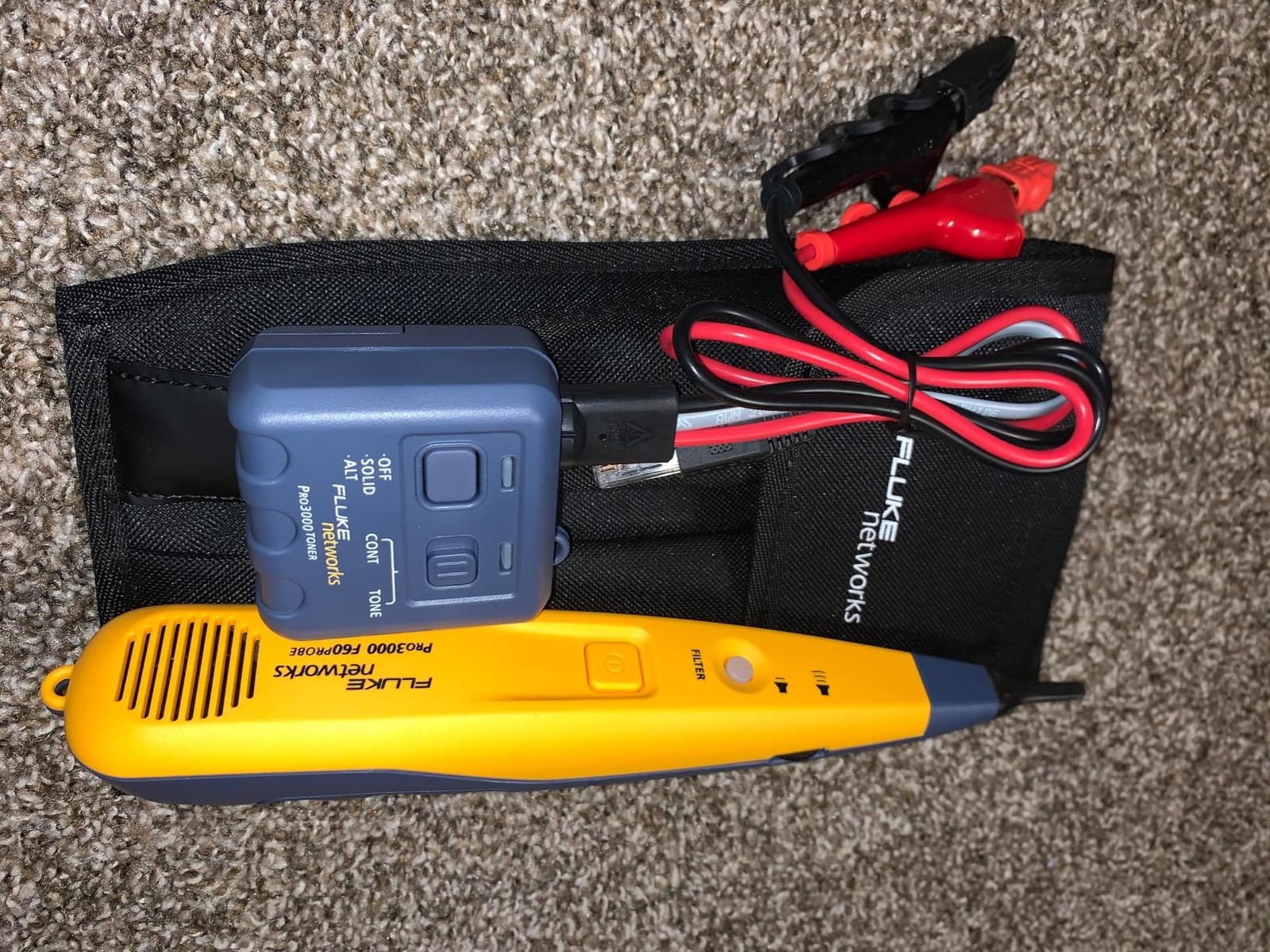
The kit is complete. You get the Pro3000 filtered probe, the Pro3000 tone generator, angled bed-of-nails clips for individual pairs, an RJ-11 connector, a nylon belt case, and a replacement tip. The probe speaker auto-offs after five minutes, and the tone carries up to 10 miles on most cables, which is far beyond a residential run.
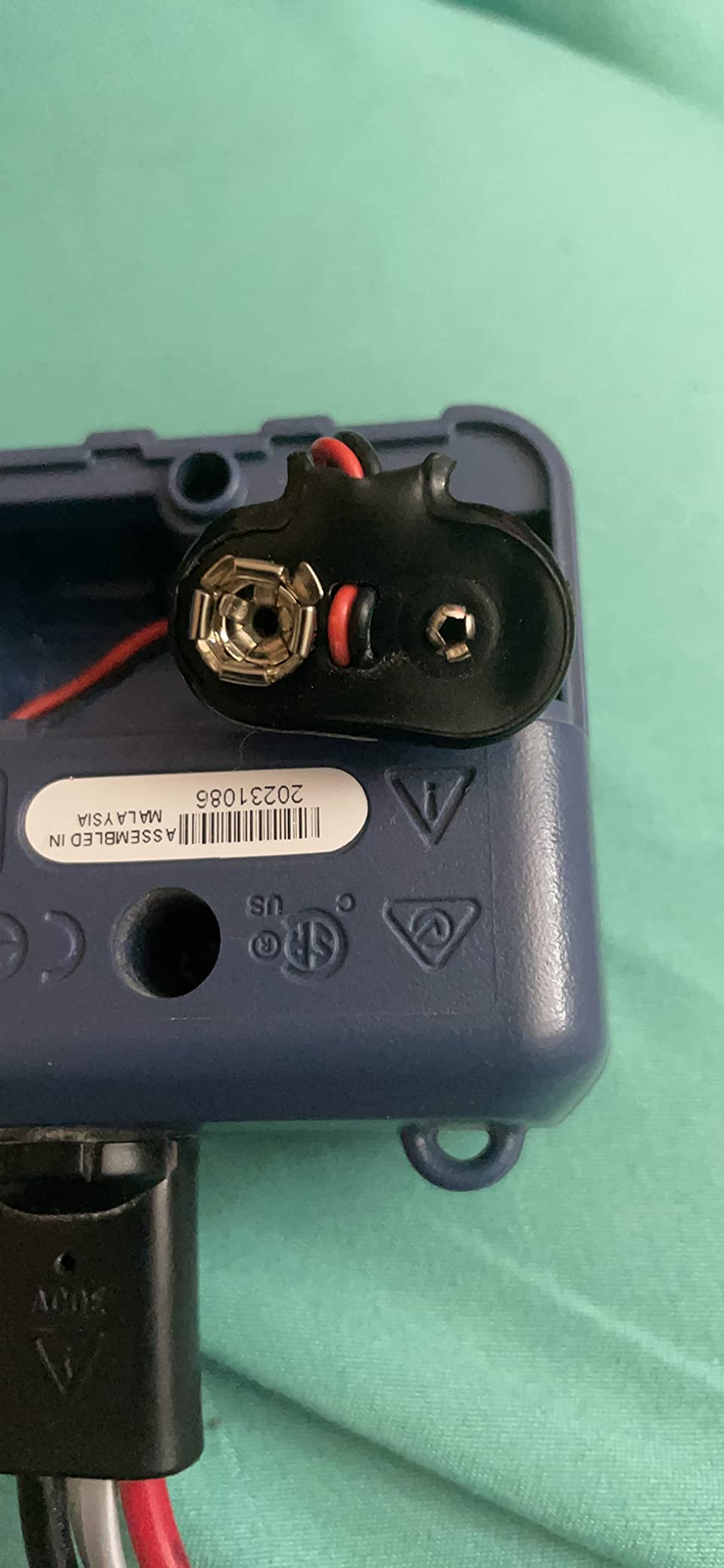
At 4.8 across 983 reviews this reads as a reputation purchase. The downsides are the price against generic kits, a 9V battery that is not in the box, and tone bleeding into network equipment on an active network if more than one alligator clip is attached.
Why homeowners buy this one
There is one scenario where this pays for itself immediately: a closet or bundle of thirty unlabeled cables and no documentation. Put the generator on a pair at the closet, walk to the far end with the probe, and hold the probe against each jack until one of them answers. The verification change tells you when you have the right pair and it is properly continuous, not just present.
Several DIY reviewers note that a cheaper kit would do if you will only trace once or twice a year.
Why most readers should skip it
It tells you nothing about whether the wiring is correct. Pair it with a wiremap tester, never instead of one. If your problem is a dead port rather than an unidentified cable, or if you are installing rather than hunting, a tester with a screen is the better spend. A lanyard is also missing, so hanging the generator while you work means improvising.
7. TESMEN TLP-123A Tester for Fixing Twenty-Year-Old House Wiring
TESMEN TLP-123A Network Cable Tester for RJ11 RJ45, Ethernet Wire Tool for CAT5/CAT5E/CAT6/CAT6A/CAT7/UTP&STP, LAN & TEL Continuity Test, Suitable for Cable Maintenance – Green
RJ45 and RJ11
Cat5 through Cat7 UTP and STP
Detachable remote
Pros
- Detachable remote lets you test wall-mounted ports in place
- Two test speeds for wire-by-wire observation
- Supports shielded and unshielded Cat5 through Cat7
- Two AAA batteries included
Cons
- No LCD wiremap length or tone generation
- Fast test speed switch is awkward to reach
- No per-wire manual step mode
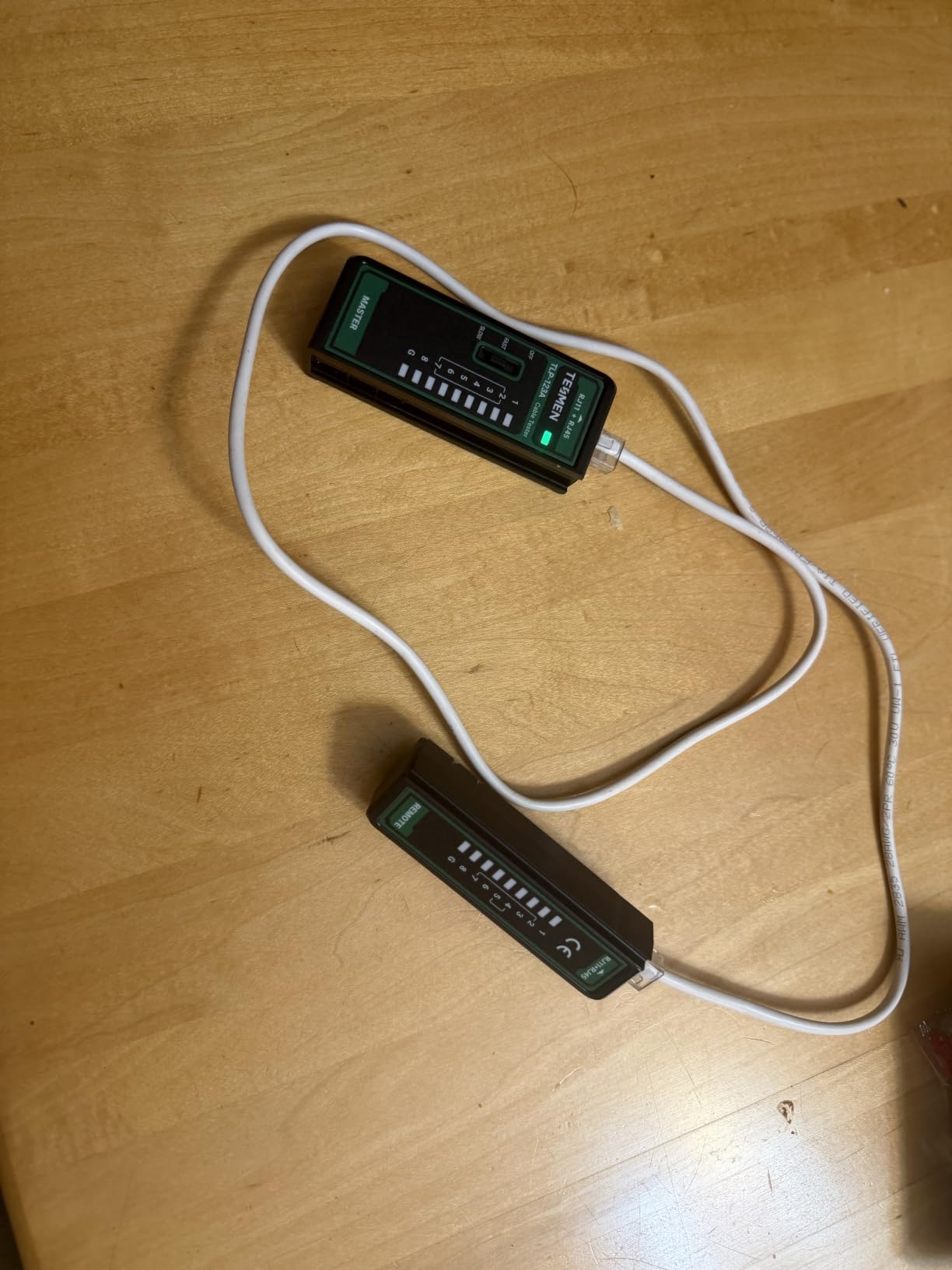
This is the budget pick, and the detachable design is what earns it. The main and remote pieces separate, which means you can leave the remote in a wall jack, walk to the patch panel, and run the test without pulling cable out of a plate. Home networkers describe using it to test and correct old Cat5 house wiring where the connectors are fixed in place and awkward to reach.
It covers RJ45 and RJ11 across Cat5 through Cat7 in both unshielded and shielded configurations, and it reports shield status alongside continuity, shorts, opens, and miswiring. Two AAA batteries are included in the box, and owners who carry tools for a living call out the replaceable cells as a practical advantage over a unit that charges over USB and is dead when the cable is.
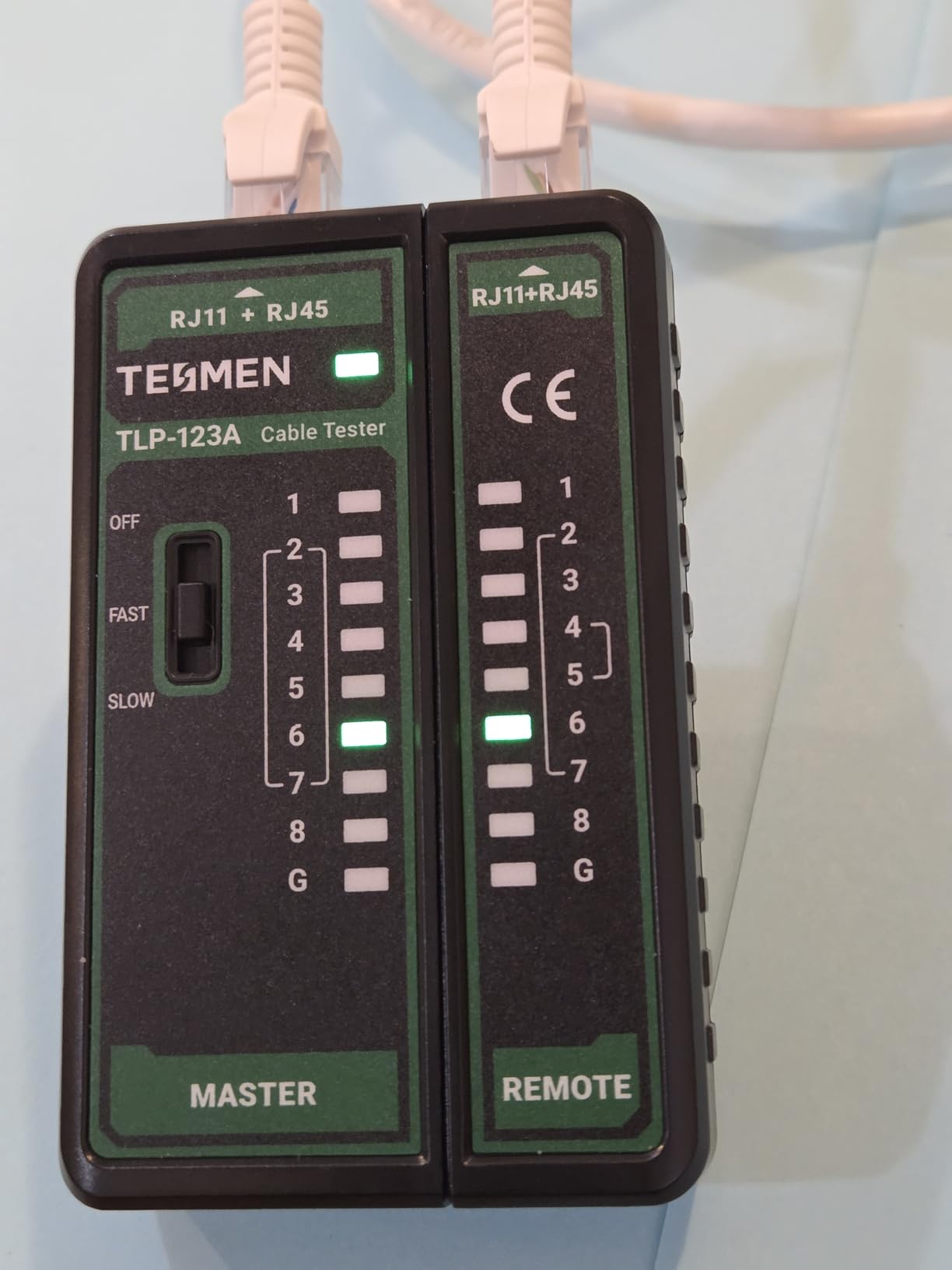
Two test speeds let you slow the scan down enough to watch each conductor light in sequence, which is how you catch a single skipped pin. The most repeated complaint is the physical layout: the speed selector sits in the middle of the switch, so the fast setting is hard to toggle with fingernails and the slow setting is much easier to land on. Plan to use the slow mode, and the awkwardness disappears.
There is no per-wire manual step mode for isolating one conductor, and build quality is average for a site that gets dropped regularly. None of that matters much for a careful homeowner working at a desk or a wall plate.
A good match for one specific job
If your project is working through a punch-down panel and re-terminating old jacks one room at a time, this does that job without ceremony. Shield status indication is unusual at this level, and the detachable halves suit testing a fixed wall port well. It is also small enough to carry without noticing.
Where it stops helping
It cannot answer the question most people are buying a tester to answer. With no wiremap and no length reading, a passing result here will not tell you whether the existing wiring is sound to gigabit, and there is no tone generation to trace anything. It is a continuity and termination tool, so treat it that way rather than as a diagnostic instrument.
8. PETECHTOOL Network Cable Tester for Fast Batch Verification
Network Ethernet Cable Tester for LAN RJ45 Cat5 Cat5e Cat6 Cat6a Cat7 UTP/Shielded Cable and RJ11 RJ12
RJ11 and RJ45
Cat5 through Cat7 UTP and shielded
LED sequence test
Pros
- Sequential LEDs show which conductor matches
- Remote and main unit test both ends of in-wall wire
- Covers Cat5 through Cat7 in UTP and shielded configurations
- Rated 4.5 across 923 reviews
- Light and easy to read for small jobs
Cons
- Not safe on powered-on devices and the housing does not say so
- Connectors sit close together and are fiddly to seat
- Thin housing feels flimsy
Buyers frame the value plainly: accurate continuity and wire-sequence testing on both RJ11 and RJ45 cable. The sequential LED display shows which conductor corresponds to the one currently being checked, which is more diagnostic than a single pass or fail light, and several owners use it to check punch-downs on new in-wall runs.
One real-world report stands out: someone used it to identify which drops survived a lightning strike and which were dead. That is the kind of job a simple continuity check handles well, because you are comparing many cables against a known pattern rather than chasing a subtle fault. The dovetail body keeps the two halves together while letting you separate them for testing.
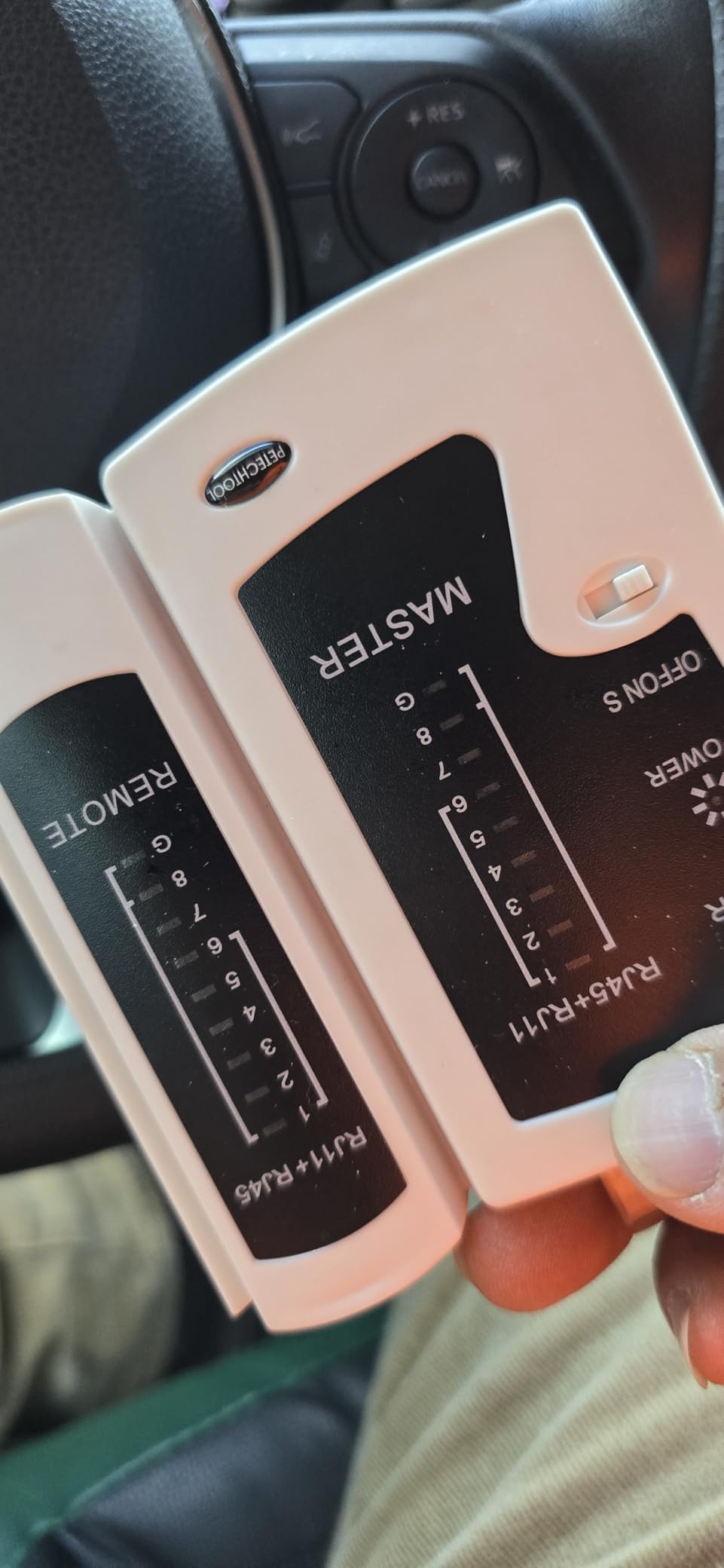
The caution that appears repeatedly in reviews is worth taking seriously. Test a known-good cable first before you trust the result on anything expensive, because a cheap LED unit can fail on a pin and then falsely condemn good cable. The other recurring note is that the switch settings on the housing are poorly labeled and the instruction sheet is not written clearly.
There is also an unprinted safety point. This is not for use while connected to powered-on devices, and the housing does not say so. Disconnect the run before testing, every time.
When it is enough
Batch verification is where this shines. If you are terminating twenty wall jacks and want a fast pass or fail on each one before you close the plate, sequential LEDs are enough. The RJ11 and RJ12 coverage also means phone extensions in the same house come along for free, and the shield check works if you have run shielded cable.
When it is not
It will not help you understand a fault, only detect one. With no wiremap and no length measurement, you cannot tell a split pair from a good pair, and the LED sequence requires familiarity to decode. Fiddly connectors matter more than they should, especially on booted patch cables, and the thin housing will not survive being dropped from a ladder.
9. Mcbazel Ethernet Cable Tester for Shielded Cable and Slow Scans
Mcbazel Ethernet Cable Tester – RJ45 RJ11 Network Tester Tool for CAT5/CAT5e/CAT6/CAT6a/CAT7, Portable LAN Wire Continuity Checker with LED Indicators, S-Mode Speed & Detachable Remote – Black
RJ45 and RJ11
Cat5 through Cat7 UTP and STP
G indicator for shield
Pros
- G light confirms STP shield status
- S Mode slows the LED scan so you can catch a skipped pin
- Detachable halves test cable already run through walls
- Shock-resistant ABS housing
- Rated 4.4 across 224 reviews
Cons
- Own backlight bleeds into the LED array making a dark pin hard to see
- 9V battery not included
- Error feedback is not self-explanatory
The G indicator is the reason this one is worth knowing about. Some budget testers ignore shielding, and on a run where the shield is not continuous you get intermittent faults that look like software problems for weeks. A dedicated light that goes green for shielded cable and stays off for unshielded takes about a second to interpret and rules out a whole category of confusion.
S Mode is the second useful feature. It slows the LED flashing frequency so you can watch the sequence conductor by conductor, which is what you need when the fault is a single skipped pin rather than a dead pair.
The LED array runs 1 through 8 with a separate G indicator, and the main and remote slide apart so you can test cable already installed between rooms.
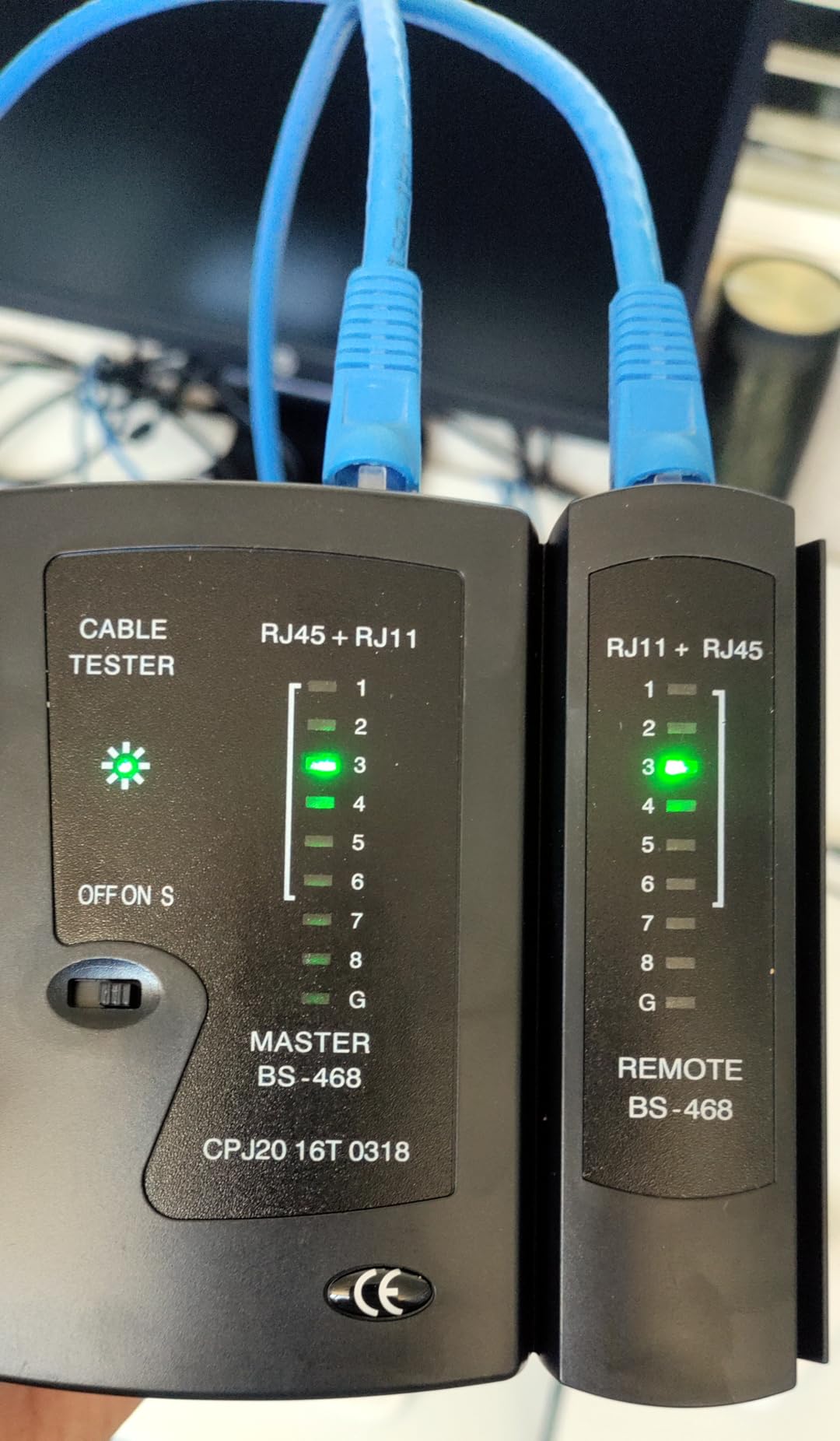
It weighs about 130 grams, which makes it a pocket item, and the shock-resistant ABS housing takes a drop better than thin plastic at this level. RJ45 and RJ11 are supported across Cat5, Cat5e, Cat6, Cat6a, and Cat7 in both unshielded and shielded configurations.
The one clever problem is the LED bleed. A broken wire leaves its indicator dark, but light from the unit’s own backlight spills into that area, so a genuine open looks like an unlit background. The habit that fixes it is testing a known-good cable first to confirm the display pattern. One buyer received a unit with dead pins 4 and 6 that flagged factory-new cables as faulty, which is the same issue in a different form.
Best fit for shielded runs
If you have run shielded cable through conduit or alongside power, or you are pulling fresh STP rather than reusing what is in the wall, the shield check is worth more than everything else this unit does. Combine it with slow scan mode and you have a credible termination checker that fits in a pocket.
Weaknesses to plan around
No LCD, no length measurement, and no tone generation, so this cannot tell you whether existing wiring supports the speed you want. The error feedback means nothing to someone without networking experience, and the 9V battery is not included. Budget the battery before the first use or you will assume the tester is broken.
10. Brileine Cable Tester for Checking Live PoE on a Camera Run
Brileine Network Cable Tester and Ethernet Tester with POE Detection
RJ11 RJ12 and RJ45
PoE detection on live cable
300 m remote range
Pros
- Checks PoE on live connected cables instead of dead cable only
- 300 m solo testing range is unusually long for this class
- Fast and slow test speeds for isolating faults
- Removable orange silicone sleeve protects against drops
- 18-month product support
Cons
- LED sequence only with no wiremap or distance readout
- 9V battery not included
- 8 percent one-star share
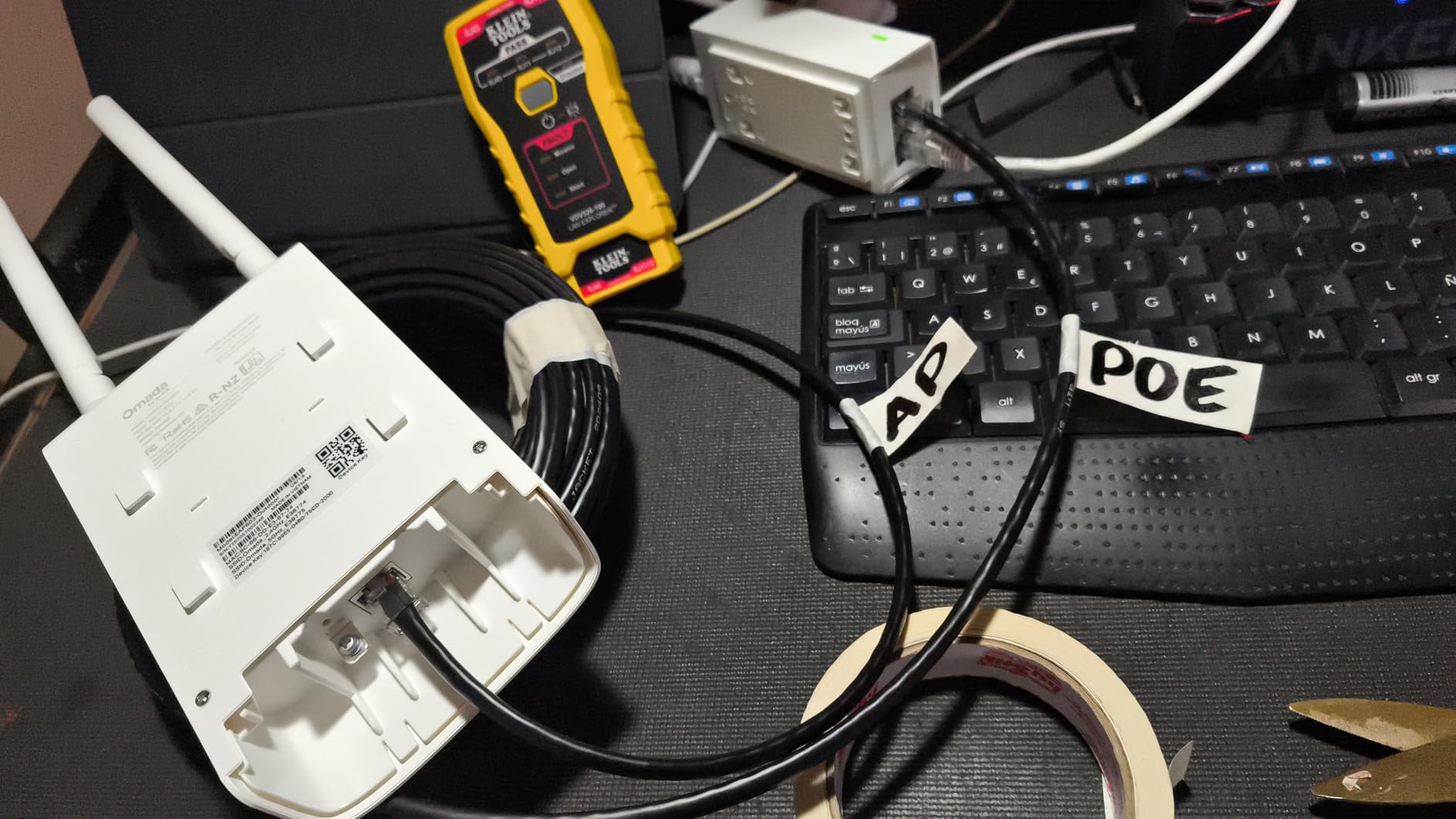
PoE detection is the feature that separates this from the other budget testers. Most testers in this list are unenergized-only tools, and the Scout Pro 3 among them will report a failure on a live PoE circuit and leave you stuck. This one scans a live connection, which is the situation you are in when you are commissioning a security camera or a ceiling access point that refuses to come up.
The 300 meter solo testing range is also unusual at this level, since you work alone with the main unit and the remote rather than needing a second person. It covers RJ11, RJ12, and RJ45 across Cat5, Cat5e, and Cat6, with fast and slow test speeds so you can slow the sequence down when hunting a specific fault. The removable orange silicone sleeve is a small thing that matters, because it survives drops and makes the tool easy to find in a bag.
At 4.3 across 210 reviews, this is the least reviewed product in the lineup, and the ratings are spread wide. An 8 percent one-star share points to the usual budget pattern where a portion of production runs perform inconsistently out of the box, so validating against a known-good cable before trusting a verdict is worth the extra minute.
Good for the install-day camera check
Install a PoE camera, watch it fail to power up, and you need to know whether the run is delivering power or whether the switch port is dead. A live PoE check answers that in seconds without unplugging anything.
It also means the same tool verifies the phone lines in the same house, and it comes with 18 months of product support.
Where it will not go far enough
It gives a sequential LED readout and nothing more. There is no pin-to-pin wiremap, so a split pair will pass, and there is no distance measurement to tell you where a break sits inside a run.
There is no tone generation either, so it cannot trace anything. If you want a screen as well, the Klein Scout Pro 3 covers both jobs.
How to Test Ethernet Cable That Is Already Inside Your Walls
Testing an in-wall run is not harder than testing a patch cable, but the order matters. Work through these five steps and you can certify every run in the house in an afternoon.
Power everything down. Disconnect the run from the switch, modem, and any PoE injector at both ends. A tester with PoE detection is the exception, but no tester should be trusted on a live circuit.
Place the remote at the far end. Plug the remote into the wall jack in the far room. You do not need to be in two places, which is why testers with a detachable or self-storing remote suit this job so much better than fixed-cable tools.
Run the test from the patch panel. Plug the main unit into the near end and press test. Read the wiremap, not just the pass or fail result, and write down which pin number failed.
Interpret the fault type. Open means a conductor stops somewhere. Short means two conductors touch. Miswire means pins land on the wrong partners. Split-pair means all eight conductors reach the far end but the pairs are wrong, and this is the one that passes cheap LED testers.
Fix and retest before you close anything. Re-punch the jack or re-crimp the plug, then run the test again on the same run. Once the run passes, keep the remote in that room and move to the next cable.
For a whole house, the numbered locator remotes bundled with the Scout Pro 3 turn step five into a loop. Leave remote 1 in the bedroom, walk back, test, note the ID the screen reports, and move to the next room. You end with a written map of which wall jack goes to which switch port, and older houses rarely have that document.
Which Tester Do You Actually Need?
Most homeowners reading this do not need a verifier, and the price gap between the tiers is the reason people get confused. Here is what each tier actually proves and who it is for.
Cable tester checks that conductors are connected correctly and reports opens, shorts, miswires, and on a good model, split pairs. It does not measure performance. This is the right tier for a house, and the only tier most people need.
Verifier goes further and confirms the run supports a specific speed, such as gigabit, by measuring signal performance rather than just continuity. Useful if you are signing off on someone else’s install or disputing an installer.
Qualifier tests whether a cable can meet a standard such as Cat6A and can be used to isolate a fault on an active link. Relevant if you are extending an existing network professionally.
Certifier produces a pass or fail against TIA or ISO standards and prints a report. You need one when a client or a code requires documentation, not when you are checking your own house.
Owner discussions line up with that. In r/sysadmin the consensus is that unless you need certification, a tone-and-probe plus a VDV map kit is all you need. Buyers in r/homelab and r/HomeNetworking repeatedly name Klein as the entry-level tier they have kept for years, and an old forum thread is still the reference people cite for the price gap between an inexpensive tester and a certifier.
Working back from that, the decision is simple. If you want to know whether the wiring in your walls is correct and whether it is safe to use for gigabit, buy a tester with a graphical wiremap that detects split pairs. If you want to know which unlabeled cable in a bundle goes where, add a tone generator and probe, which can be a separate purchase later. If you need a signed report against a standard for a client, that is a different and much more expensive category of purchase.
Two practical buying notes. First, check what is actually in the box, because the tone probe is frequently sold separately even when listings describe a kit, and the 9V battery is not included with a surprising number of units. Second, decide whether you need RJ11 support, because several of the better screen-based testers are RJ45 only and will not touch a phone line.
For related reads on keeping the rest of your setup tidy, we covered travel cable organizers, travel gaming cable organizer kits and cable machines separately, but none of them replaces a tester when the question is whether a conductor reaches the other end.
Can You Reuse the Cat5e Already in Your Walls?
Often yes, and testing is far cheaper than pulling new cable. The question that actually matters is not the label on the jacket, which is frequently wrong or missing, but whether the pairs are intact and properly paired. That is a wiremap question, and it takes a minute per run with a screen-based tester.
What a wiremap cannot tell you is the cable category. Unmarked solid-core copper in older homes is often Cat5e or better, while cheap stranded cable from a decade of patch cords may be Cat5 at best. If the wiremap passes with no split pair and the run is under about 90 metres, gigabit is realistic. If you find split pairs or crossed pairs, re-terminating at both ends often fixes it without touching the cable in the wall.
Two things do rule out reuse. Aluminum or CCA cable will show up as a failure or an erratic result on a length test, and it is not something you can fix. And if the run shares a bundle with power wiring for more than a short stretch, the noise will show up on a length or toning measurement even when the wiremap is clean.
If your goal is gigabit or better across the house and the wiremap is clean, reuse is a reasonable call. If you plan to run 10 gigabit or add a home server, measure the length and check for split pairs before you commit, and keep a length-capable tester like the NOYAFA NF-8209 in the toolbox for the runs that matter.
What to Do When a Test Fails
Work through the fault type rather than re-crimping blindly. Each result points somewhere specific.
Open fault means a conductor stops. Re-seat both connectors first, since a partially seated plug causes it constantly. If it persists, the break is inside the cable or a bad punch-down, and you need to find which pin failed from the wiremap.
Short fault means two conductors touch. Usually a stray strand of copper bridging the punch-down block, or a crushed cable under a staple. Pull staples and re-terminate before assuming the cable is damaged.
Miswire or cross-over means pins land on the wrong partners, which is a color code error. Re-punch to T568B at both ends and retest. This is the most common fault in DIY installs and the easiest to fix.
Split pair means all eight conductors connect but the pairs are wrong. This one will pass a basic LED tester and fail at gigabit. You have to re-terminate at one end to correct the pairing.
Pass but the link still fails means the cable is fine. Move up the stack: try another switch port, check the device, and use hub blink or port flash to identify whether the port is live.
After any fault, retest on the same run rather than a new one. A pass on a different cable tells you nothing about whether you fixed the problem.
Frequently Asked Questions
What is the best cable tester for testing Ethernet cables?
For most homes, the Klein Tools VDV501-851 Scout Pro 3 is the best overall choice because it draws a graphical pin-to-pin wiremap on a backlit LCD, measures cable length up to 2000 feet, and detects split pairs, which are the faults a basic LED continuity check cannot see. The Klein VDV526-200 LAN Scout Jr 2 is the alternative if you want the same wiremap in a smaller body and only test RJ45. Either will tell you whether an in-wall run is terminated correctly before you plug in a router.
What tool should you use to test if your Ethernet cables are wired correctly?
Use a cable tester with a graphical wiremap display and split-pair detection. Plug the main unit into one end of the run, the remote into the far end or wall jack, and press test. The display then shows which of the eight conductors connect to which pin, along with any open, short, miswire, or split pair. A tester with only LEDs can confirm continuity but will pass a split pair, which is the most common hidden fault in in-wall wiring.
Which cable tester is best for home use?
A tester with a backlit LCD wiremap is the right tier for home use, and most people do not need anything above it. Verifiers, qualifiers, and certifiers measure performance against a standard and produce reports, which matters for professional sign-off but not for checking your own house. The practical extras worth paying for are split-pair detection, cable length measurement, and a tone generator for identifying unlabeled runs.
Which brand of network cable tester is the best?
Klein Tools is the brand homeowners name most often in owner discussions, with the VDV501-851 Scout Pro 3 and VDV526-200 LAN Scout Jr 2 appearing repeatedly as long-term tools people keep for years. Fluke Networks is the premium tracing option, and NOYAFA offers the broadest feature set in the mid range. Budget testers from generic brands work for patch cables but give no wiremap detail.
How accurate are Fluke network testers?
The Fluke Networks PRO3000F60 tone and probe kit is rated 4.8 across 983 reviews, and reviewers treat it as a professional-grade tracer with a reputation for reliable results. Its accuracy advantage is in noisy environments, where the 60 Hz filter cuts interference that defeats cheaper toners, and in SmartTone, which provides five distinct cadences plus a verification change so the correct pair can be confirmed from one end.
Is there a way to test my Ethernet cable?
Yes, and you can do it two ways. A cable tester gives the full answer by checking pin-to-pin continuity and flagging opens, shorts, miswires, and split pairs. As a quick partial check, you can plug the cable into two switch ports and watch for link lights, or loop one end back to the other and use the software link check on your computer, which confirms traffic flows but will not reveal a split pair.
The Verdict for Home Network Wiring in 2026
For most people searching for the best cable testers for home network wiring, the Klein Tools VDV501-851 Scout Pro 3 is the pick. It combines a readable wiremap, length measurement, split-pair detection, and enough numbered remotes to map an entire house in one afternoon, and nothing else in this group does all four.
Add the Fluke Networks PRO3000F60 tone and probe kit only if you have unlabeled cables you need to trace through walls, and add a length-capable model like the NOYAFA NF-8209 if you plan to reuse existing wiring or add PoE devices. For a single patch cable on a desk, any of the LED testers here will do the job.
Whatever you buy, test it on a known-good cable first, and check the box for the battery and the tone probe before you close it up.