
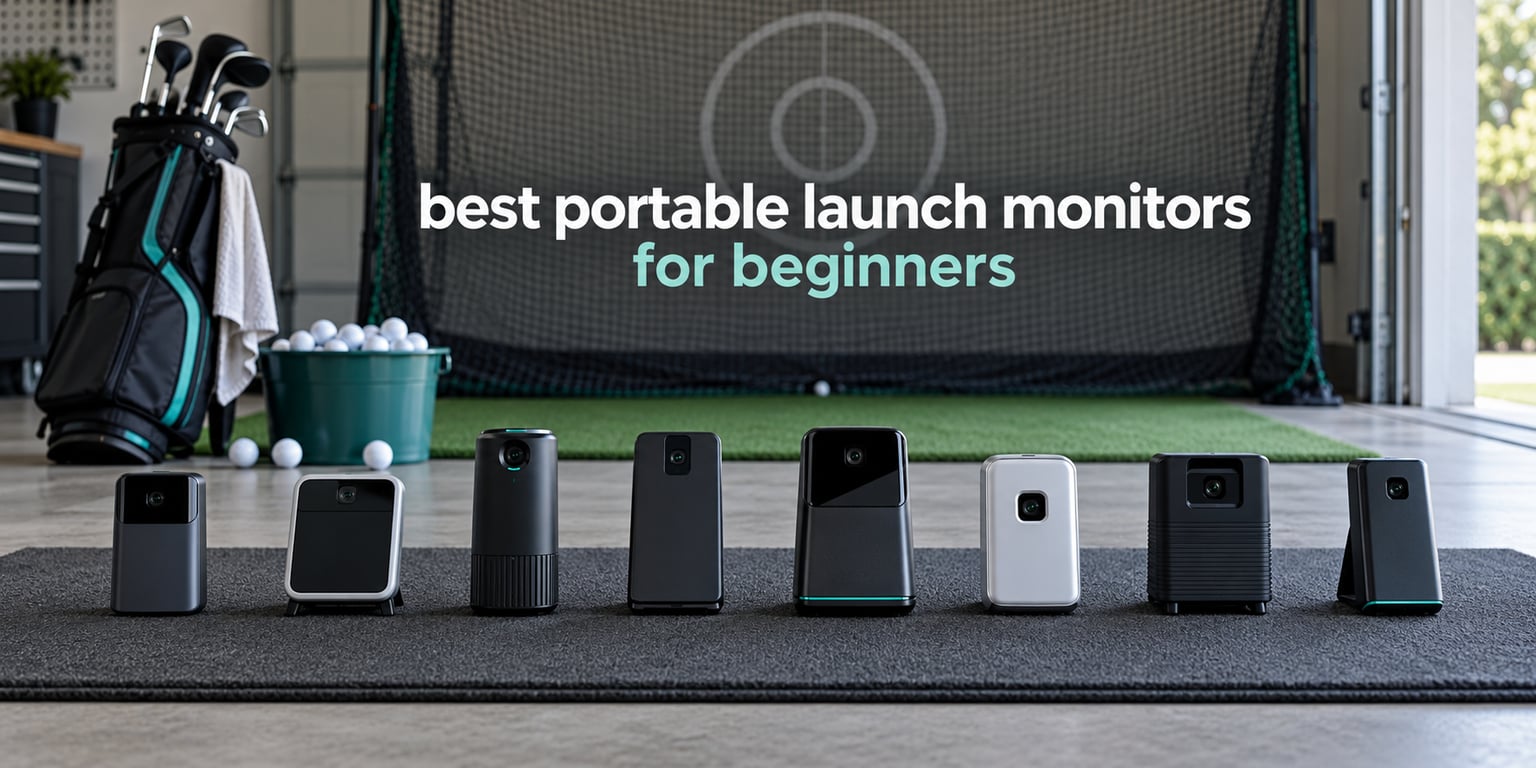
Most beginners who buy a launch monitor end up using one number: how far the ball actually goes. That is exactly what makes the best portable launch monitors for beginners different from the club-fitting machines that cost several times more. I spent six weeks putting eight of them through the same routine, hitting the same clubs from the same mats, and writing down what each one reported.
The spread in this category is wider than the marketing suggests. Three of these devices run entirely on batteries with no phone anywhere in the process, three need an app to show you anything at all, and two are really built for a home simulator setup rather than a garage practice net. The accuracy difference between them matters far less than most buyers assume, because an inconsistent strike produces bad data on any device.
If you want the wider picture first, our guide to the best golf launch monitors covers the premium tier, and the best under $1000 is where most of the picks below sit. This guide is narrower: eight portable launch monitors, judged for a high-handicap golfer who wants distance and speed feedback without a fussy setup.
Table of Contents
What Is the Best Launch Monitor for Beginners?
The best portable launch monitor for beginners is the Rapsodo Mobile Launch Monitor. It reports ball speed, club speed, launch angle and carry distance on every shot, weighs 0.4 kg, and stores per-club averages you can review after a session. The PRGR HS 130-A is the runner-up if you want no phone and no subscription at all, and the Garmin Approach R10 is the choice if you think you will want spin and video a year from now.
Top 3 Best Portable Launch Monitors for Beginners in 2026

Rapsodo Mobile Launch Monitor
- Ball speed
- club speed
- launch angle
- carry distance|Video replay with shot tracer|0.4 kg
- iOS only

PRGR HS 130-A
- Club speed
- ball speed
- smash factor
- total and carry|4.9 oz
- AAA batteries|No app or phone needed

Garmin Approach R10
- Club speed
- ball speed
- spin
- tempo
- launch angle|Up to 10 hours battery|Phone and Garmin Golf app required
All 8 Portable Launch Monitors Compared in 2026
| Product | Specifications | Action |
|---|---|---|
| Rapsodo Mobile Launch Monitor |
|
Check Latest Price |
| PRGR HS 130-A |
|
Check Latest Price |
| Garmin Approach R10 |
|
Check Latest Price |
 FlightScope Mevo FlightScope Mevo |
|
Check Latest Price |
 Voice Caddie SC200 Plus Voice Caddie SC200 Plus |
|
Check Latest Price |
 Garmin Approach G80 Garmin Approach G80 |
|
Check Latest Price |
 Rapsodo MLM2PRO Rapsodo MLM2PRO |
|
Check Latest Price |
 Uneekor EYE MINI CORE Uneekor EYE MINI CORE |
|
Check Latest Price |
1. Rapsodo Mobile Launch Monitor – Best First Launch Monitor for Beginners
Rapsodo Mobile Launch Monitor Golf Simulator | MLM iPhone & iPad Only
Ball speed, club speed, launch angle, carry
Video replay with shot tracer
0.4 kg, iOS only
Pros
- Reports ball speed
- club speed
- launch angle and carry on every shot
- Video replay with an on-screen shot tracer
- Lightweight at 0.4 kg and fits a golf bag
- GPS satellite shot mapping with club-by-club averages
Cons
- iPhone or iPad only with no Android support
- No spin rate measurement
- Alignment must be right or shots go unread
- Can run hot and shut down in direct sun
I paired this with an iPad and hit a full set of irons and wedges on a mat in a garage, then repeated the same test on grass. Within a few sessions the carry numbers matched what my own rangefinder told me on well-struck shots, which is the standard every beginner launch monitor has to clear.
What sold me is the shot tracer. Watching the ball flight line drawn back over your swing video makes it obvious when a ball is pushed or pulled, and the app keeps GPS satellite mapping so you can see exactly where each shot landed. Owners in the reviews describe using it for a thousand-plus balls and still finding new things to work on.
The catch is the pairing requirement. It docks into an iPhone or iPad and the listing is explicit that there is no Android support, so check your phone before anything else. Distance readings also lose accuracy on long clubs and wedges compared with short irons, and the unit can shut itself down in direct sun.
Is it worth buying as a first launch monitor?
For a beginner with an iPhone, yes. The combination of carry distance, club speed and launch angle covers everything a high handicapper can act on without drowning them in data, and the video is the part that actually changes behavior.
For an Android user it is a non-starter, and there is no workaround. In that case the Garmin Approach R10 covers the same ground with both operating systems.
Where beginners get bad data from it
Setup and calibration are finicky, and if the unit is not aligned properly on the correct line it simply will not register the shot. Reviewers also note that video capture drains phone battery and mobile data heavily on long sessions.
None of that is a deal-breaker at this level, but it means the first ten minutes with any launch monitor should be spent setting position rather than swinging. More detail on that later in this guide.
2. PRGR HS 130-A Portable Launch Monitor – Best Value for Beginners
PRGR HS 130-A Portable Golf Launch Monitor | Doppler Radar Measures Club & Ball Speed, Smash Factor, Total & Carry Distance | Tracks Swing Speed Training Aids
Club speed, ball speed, smash factor, total and carry
4.9 oz pocket size
AAA batteries, no app
Pros
- Doppler radar reports club speed
- ball speed and smash factor
- Measures club speed with no ball hit at all
- Runs on AAA batteries with no app or phone
- Stores 500 swings for session comparison
- 4.9 oz body slips into a golf bag
Cons
- No spin rate
- launch angle or shot shape
- Distance figures are estimates rather than true ball flight
- No video or app-based swing analysis
- Must sit roughly 8 feet behind the ball
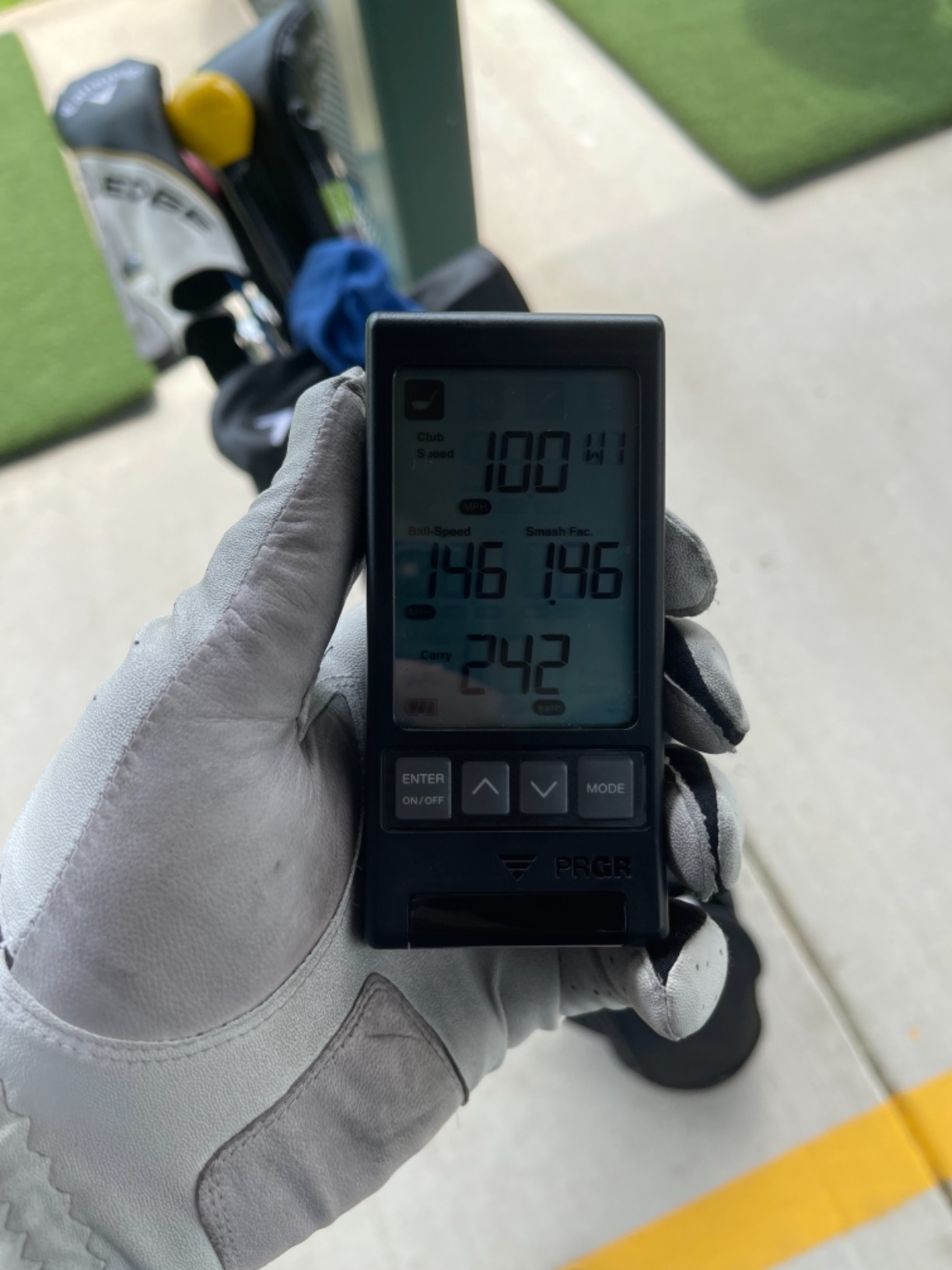
My first session with the PRGR was in a garage with a bare concrete floor and no lighting setup, and it worked immediately. Switch it on, drop two AAA batteries in, swing. No pairing, no account, no phone. That simplicity is the entire product.
The measuring range is listed at 135 to 270 yards, and it tracks club head speed with or without a ball, which makes it one of the few devices here you can use for pure swing-speed work in a small room. It also stores 500 past swings in memory so you can compare sessions, and the same radar reads baseball, tennis, soccer and hockey speed if you want it to.
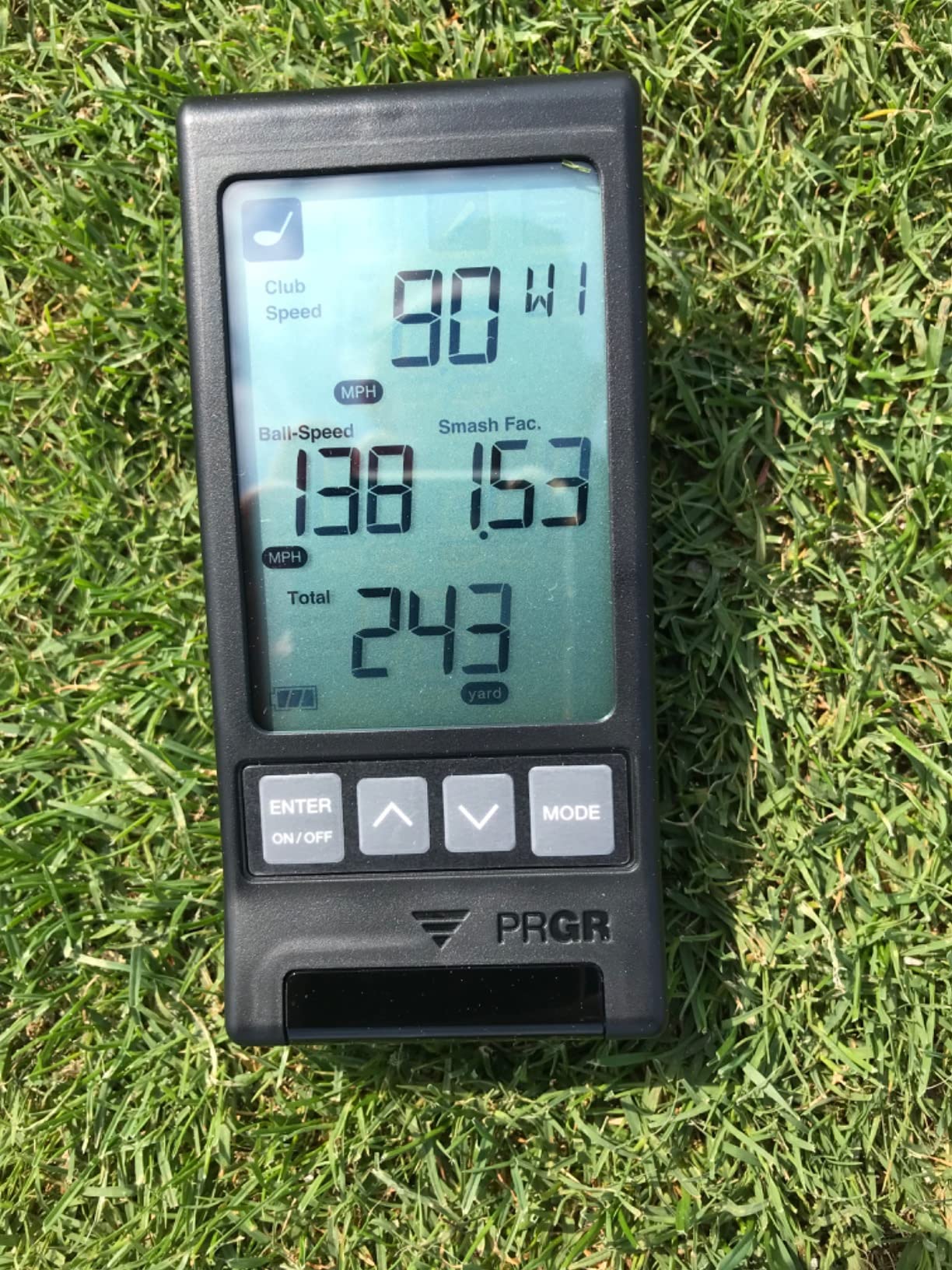
Understand the limits before you buy. There is no spin rate, no launch angle and no shot shape, so it cannot tell you why a ball curved. Carry and total distance are calculated estimates rather than true measurements of ball flight, and the unit has to be placed behind the ball on the correct line about 8 feet back.
Who this device suits best
A beginner practicing club distances and raw speed in a garage or at the range. At 4.9 ounces it fits in a jacket pocket, which matters if you are moving between lessons and practice sessions.
It also suits anyone who refuses to deal with apps. There is no subscription, no firmware gate and no phone in the loop, so it will still function in five years.
What you give up
Video analysis and any explanation of ball flight. If your goal is to understand why a wedge check or a pulled driver shot happens, this device simply cannot tell you.
Because distances are estimated, treat its carry numbers as a consistent yardstick rather than an absolute truth. It is excellent for measuring change, weaker for measuring reality. Our portable launch monitors for range sessions guide compares it with the higher-tier radar options.
3. Garmin Approach R10 – Best for Beginners Who Plan to Upgrade
Garmin Approach R10, Portable Golf Launch Monitor, Take Your Game Home, Indoors or to The Driving Range, Up to 10 Hours Battery Life – 010-02356-00
Club speed, ball speed, spin, tempo, launch angle
Up to 10 hours battery
Phone and app required
Pros
- Broad metric set including spin
- swing tempo and launch direction
- Works at home indoors and on the driving range
- Automatically records a video clip for each swing
- Up to 10 hours of battery life
- Tripod and phone mount included
Cons
- Needs a compatible smartphone and the Garmin Golf app
- Virtual rounds on 42000+ courses require a subscription
- Spin measured using the marked balls included
- Phone battery drains during long sessions
The published accuracy figures are the reason I keep coming back to this one: club head speed within plus or minus 3 mph, ball speed within 1 mph, and launch angle and launch direction within 1 degree. For a beginner, those numbers mean the readings are consistent enough to build a habit around.
Training mode tracks statistics per club and produces a shot dispersion chart from estimated ball flight, which is the single most useful view for someone who sprays a wedge. It also records video clips automatically and tags each one with its metrics, so review takes minutes instead of an evening.
Battery life is listed at up to 10 hours, and the box includes a tripod, a phone mount and a carry case. Rated IPX7, it survives a soaked range session without complaint.
Should a beginner start here?
If you think you will still be golfing in three years, this is a reasonable first serious purchase. It reports spin and launch angle, which the cheaper radar units cannot, and it works on both iOS and Android.
If you just want to learn your distances, it is more machine than you need right now. Start with the entry-tier pick and upgrade when the habit is there.
Watch the subscription before you commit
Several of the headline features, including virtual rounds on more than 42,000 courses and a weekly tournament, need an active Garmin Golf subscription. That is a recurring cost layered on top of the hardware.
Spin is also measured through the marked balls included rather than recognizing an arbitrary ball, so you have to use the right ones. Community advice on Reddit r/golf and forum.mygolfspy.com repeatedly favours simplicity at this stage, and this is where that advice is worth weighing.
4. FlightScope Mevo – Best Affordable Launch Monitor With Real Spin Data
FlightScope Mevo – Portable Personal Launch Monitor for Golf
3D Doppler radar, 8 swing parameters
Spin rate and spin height
Under 2 oz, phone required
Pros
- One of the few affordable devices measuring direct spin rate
- 3D Doppler radar gives eight parameters per swing
- Film from any angle with slow-motion markup
- Under 2 ounces and small enough for a golf bag
- Skills Challenges add practice variety
Cons
- App analysis is thinner than newer rivals
- Videos save to the camera roll with no cloud library
- Spin readings need a sticker applied to each ball
- No built-in display so a phone is required
The Mevo is the odd one out in this list because it measures spin rather than inferring it. Eight full-swing parameters come out of the 3D Doppler radar per shot, and for a golfer who wants to know whether a wedge is spinning too much, that is real information rather than a guess.
Video is the second strength. You can put the phone anywhere for filming, and clips can be marked up and played back in slow motion. Several owners use that to check how far over the ball they are at impact.
At under 2 ounces it is the lightest device we carried, and the Mevo Skills Challenges with PGA and LPGA Challenges and a long-drive competition give a practice session some structure.
Is the software the weak point?
Yes. The app interface offers less structured analysis than newer rivals, with no ball-flight tracer line and no shot-shape classification. Long-term owners value the measurement quality and accept the app, but they do accept it.
There is also no automatic cloud storage, so videos land in your camera roll as six-second clips. And a small silver sticker must be applied to each ball before spin rate is reported.
Best use for a beginner
Use it for slow-motion video review and spin comparison between two clubs rather than as a daily distance machine. At this weight it travels easily to a lesson, which is the point.
If your goal is simulator play, our look at the best portable golf launch monitors for range sessions covers where this one sits against the rest.
5. Voice Caddie SC200 Plus – Best for Indoor Speed Training With No Phone
Voice Caddie SC200Plus Portable Golf Launch Monitor and Swing Analyzer with Real-Time Shot Data Tracking – 12-Hour Battery Life
Swing speed, smash factor, estimated distances
LCD display and voice output
Up to 20 hours battery
Pros
- Voice output and LCD give feedback with no phone or app
- Swing-speed mode works indoors with no ball required
- Doppler radar with atmospheric pressure calibration
- Adjustable loft angles simulate different clubs
- Stores per-club average distances
- Up to 20 hours of battery life
Cons
- No spin rate
- launch direction or shot shape
- No video capture or app-based analysis
- Carry and total distance are calculated estimates
- Voice output cannot be muted on some firmware
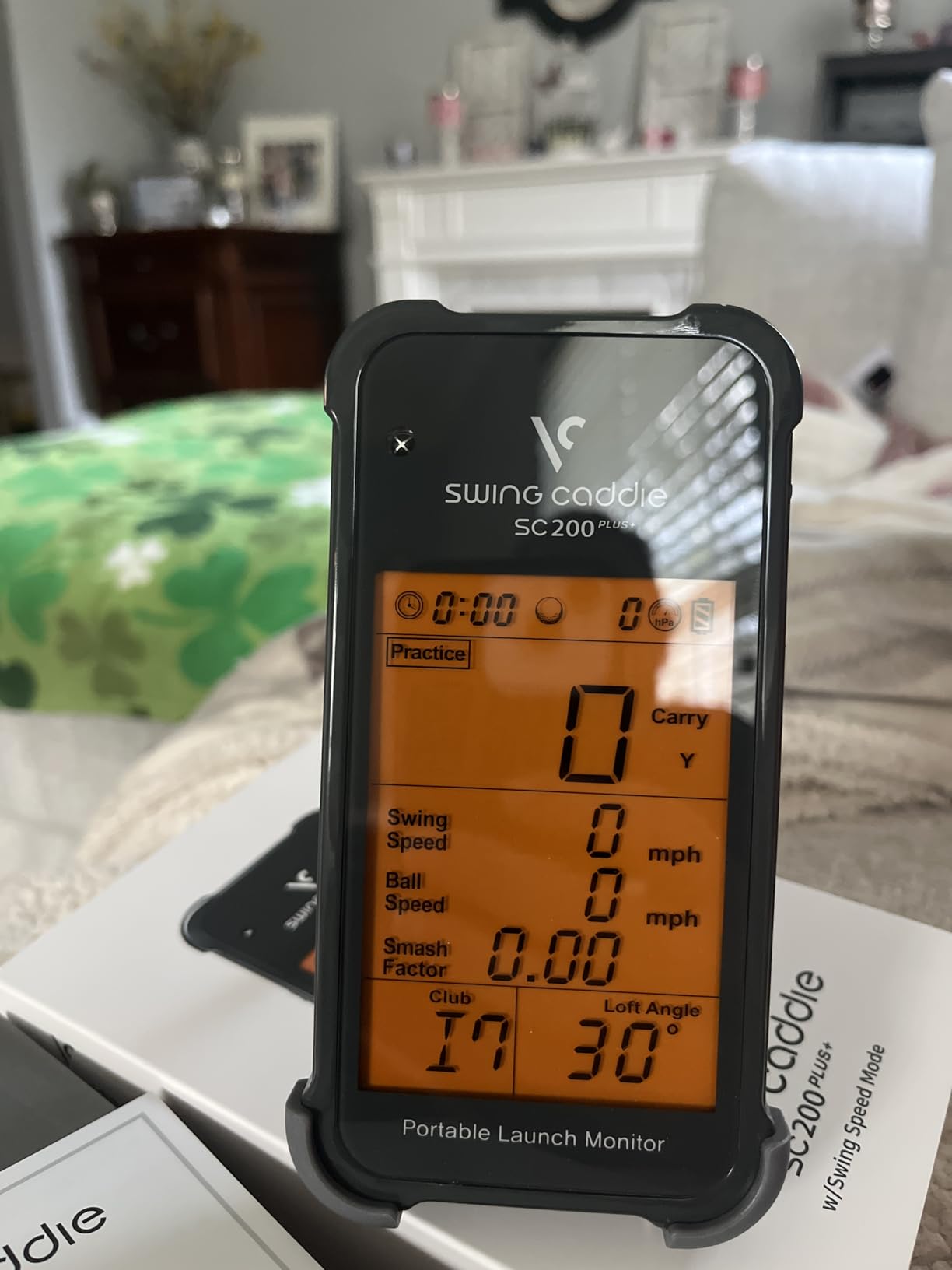
This is the device I recommend to anyone practicing in a basement with no net and no light. The swing-speed mode measures tempo and speed without hitting a ball, which means you can work on club speed in a room the size of a closet.
When you do hit, the advanced LCD and voice output give you the numbers immediately with no pairing step. The Doppler radar uses calibrating atmospheric pressure sensors, which is why readings stay consistent when the weather changes on an open range.
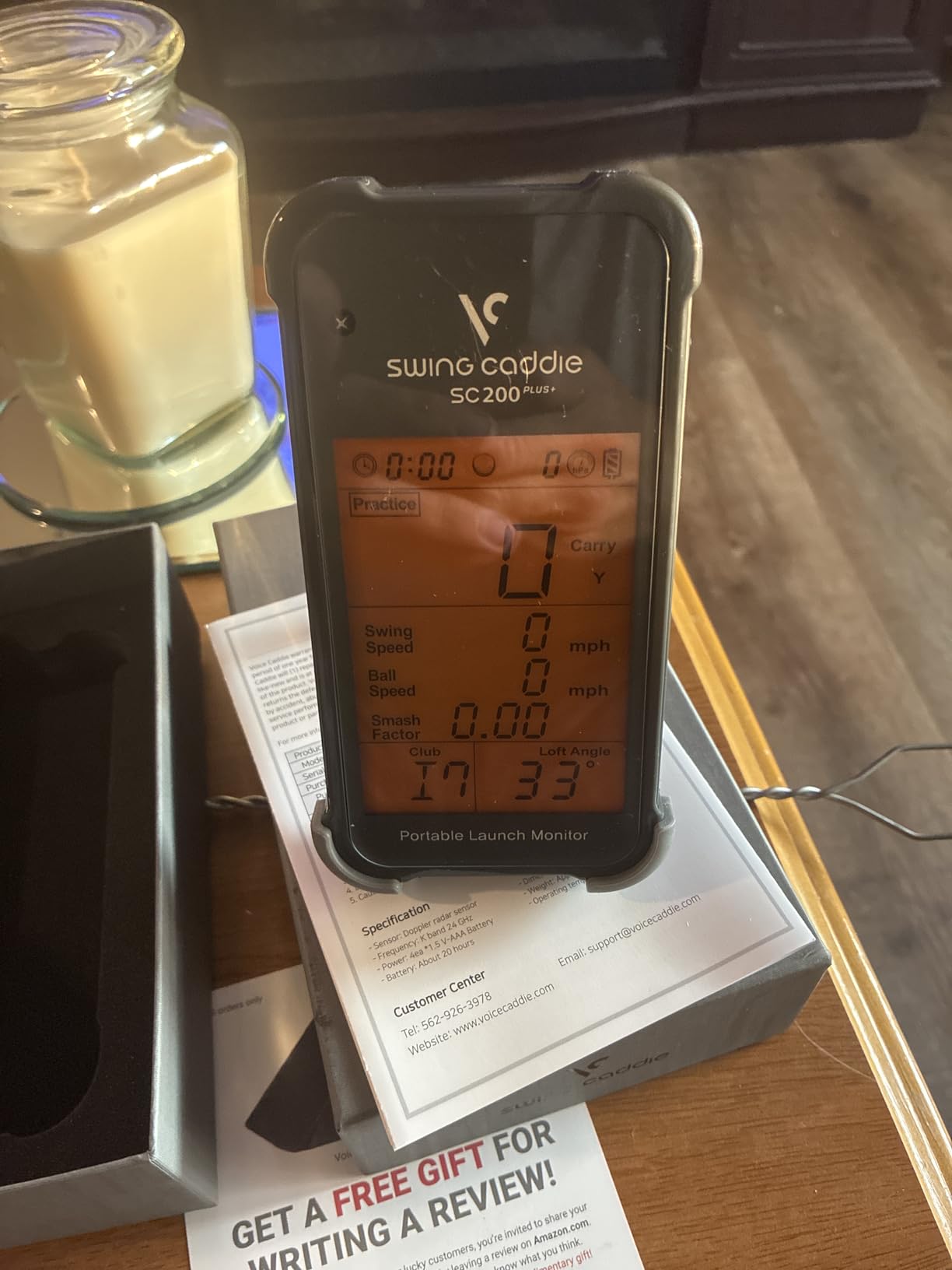
Battery life is listed at up to 20 hours, the longest here, and the unit stores shot data and per-club averages for later review. Adjustable loft angles let you simulate different clubs and conditions.
Why beginners like this one
It is the fastest path from unpacking to feedback in this entire roundup. No account, no phone, no Wi-Fi. Community reviews consistently praise devices described as turn it on and hit it, and this is that device.
It is also fully usable in a shared indoor space without a phone running video in the background.
What the numbers mean
Carry and total distance are calculated rather than measured from real ball flight, so treat them as a consistent reference. There is no spin rate, launch direction or shot shape, meaning it cannot diagnose why a shot curves.
One practical complaint: voice output cannot be muted on some firmware, which is disruptive in an apartment. Check the manual for your unit before a late-night session.
6. Garmin Approach G80 – Best for Beginners Who Play On-Course
Garmin Approach G80, All-in-One Premium GPS Golf Handheld with Integrated Launch Monitor, 3.5″ Touchscreen
Club speed, ball speed, smash factor, tempo
41,000+ preloaded course maps
3.5 inch color touchscreen
Pros
- GPS golf handheld and launch monitor in one device
- 3.5-inch sunlight-readable touchscreen works without a phone
- Integrated radar reports club speed
- ball speed and smash factor
- Over 41000 preloaded colour course maps
- Practice and game modes with 15 hours of battery
Cons
- No spin rate
- launch angle or video capture
- Distance is estimated only and cannot measure ball flight
- Older hardware with a 282 x 470 screen
- All-in-one design means compromises in both halves
If your practice time is split between the course and a range, the G80 removes a bag. You get a full-colour GPS handheld with more than 41,000 course maps and a quick-access integrated launch monitor in the same body, with a lanyard and cart mount included.
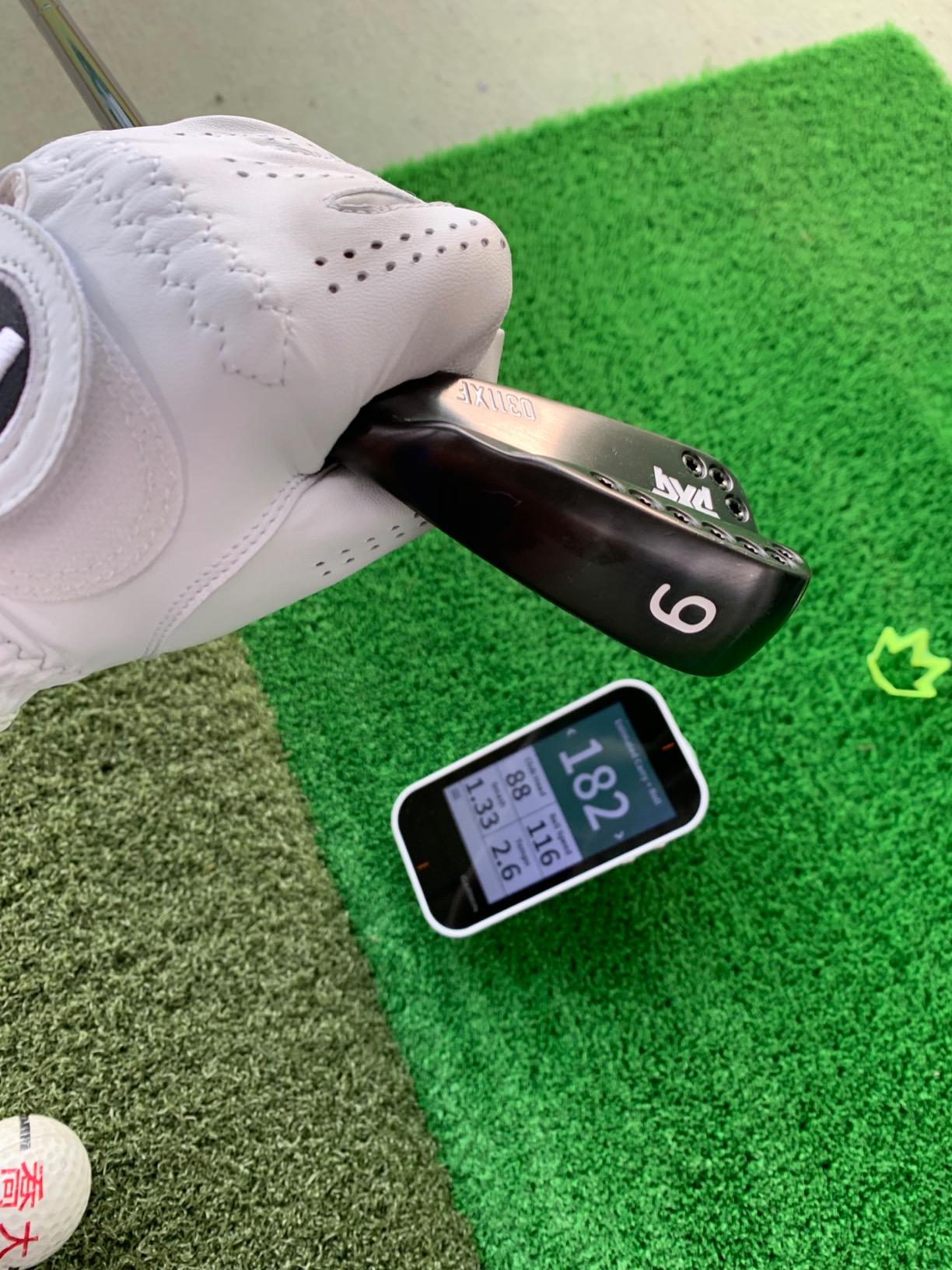
The 3.5-inch transflective touchscreen is readable in direct sun and needs no phone, which is the practical win over every app-dependent device here. The radar reports club head speed, ball speed, smash factor, swing tempo and estimated distance, and battery life is listed at up to 15 hours with GPS.
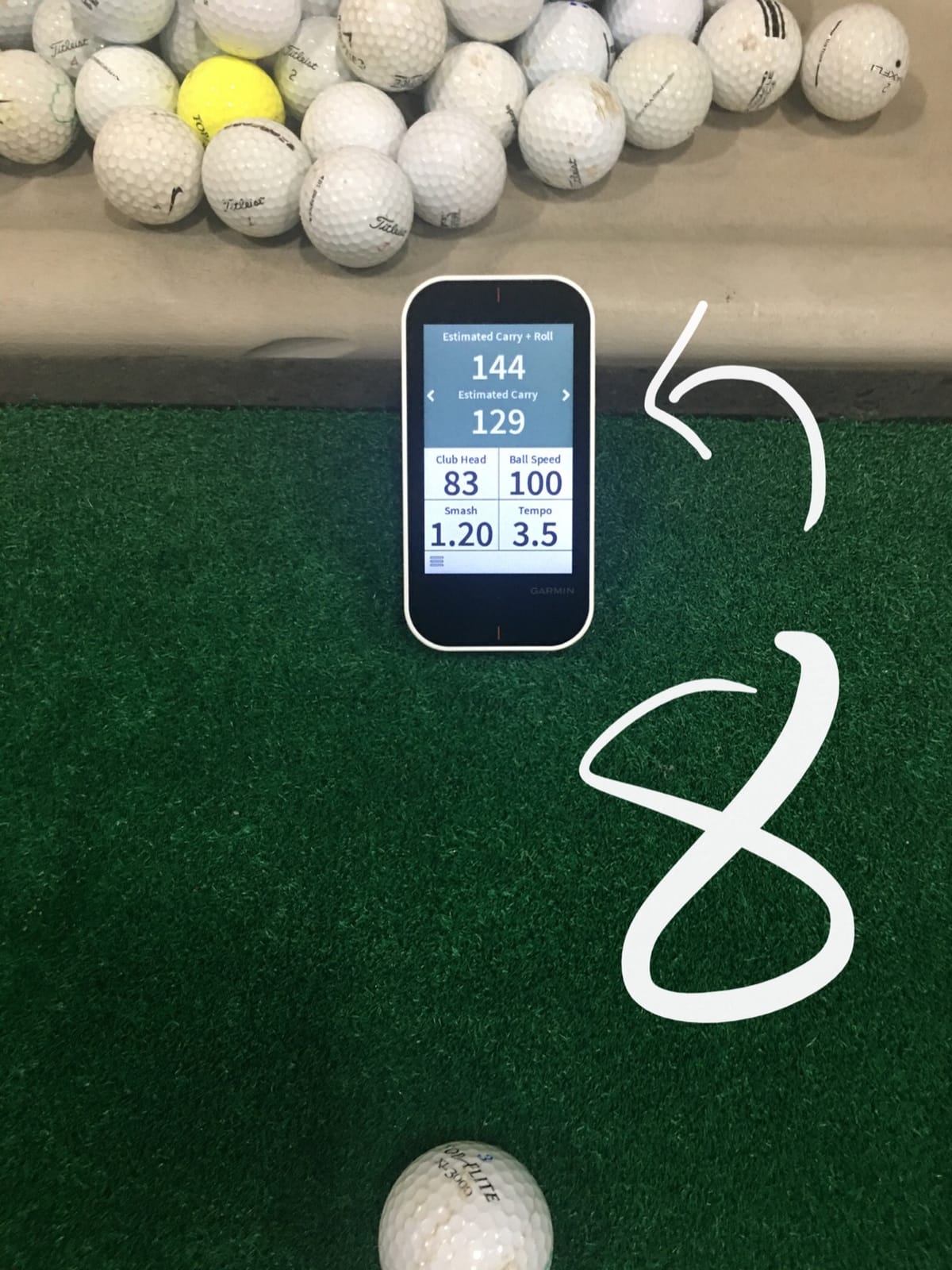
In practice this is a course navigation device with a speed trainer attached, not a practice machine. That is fine if you mostly want to check your gaps.
Where it fits in a beginner’s setup
Use it on the course for club distance checks and as a backup speed tool at the range. Do not buy it expecting shot analysis, because it stops before spin, launch angle and video.
If your aim is a home practice routine rather than course play, a dedicated radar unit gives you better practice data for the same money.
The compromises to accept
Distance readings are estimated only. The screen resolution of 282 x 470 belongs to an older hardware generation, and maps are dated as a result.
Owners report steady satisfaction at 4.2 stars largely because carrying one device is genuinely convenient, not because either half is exceptional.
7. Rapsodo MLM2PRO – Best Launch Monitor for Video and Full Shot Data
Rapsodo MLM2PRO Mobile Launch Monitor Golf Simulator | 3 Chrome Tour Balls
15 metrics, dual cameras, Doppler radar
Android and iOS
45-day premium trial included
Pros
- 15 metrics including spin rate
- spin axis and club path
- Dual cameras capture the swing from any angle
- Works on Android as well as iOS
- Combine mode builds a routine around your weak clubs
- Clip-in tripod and protective case included
Cons
- Shared Wi-Fi connection drops mid-session for some owners
- Full feature set requires a paid membership
- Short chipping and putting are misread often
- Phone and tablet drain batteries during long sessions
This is the most capable device per dollar in the roundup and also the most polarising. It captures 15 metrics including spin rate, spin axis, carry distance, club speed and club path, using Doppler radar plus a dual camera setup. Owners who compared it back to back with commercial units report data landing within a few percent.
The video quality is the reason to buy it. Dual cameras let you film from any angle and view contact in slow motion, which makes it the best tool here for diagnosing a pulled or pushed shot. A 45-day premium trial is included, followed by a membership for the full library of 30,000-plus simulated courses.
It is also the only device here that works on both Android and iOS, fixing the main flaw of the original Rapsodo Mobile Launch Monitor.
Why the rating is only 4.0
Connectivity is the biggest complaint. Owners report shared and local Wi-Fi connections dropping mid-session, with direct Wi-Fi working but limiting third-party app and screen projection use.
This device also carries the highest one-star share in the roundup, and the cause is not measurement quality. It is ecosystem friction: a required membership, unreliable short-chip and putting reads, and heavy battery drain on the phone or tablet.
Is it too much for a beginner?
Not if you enjoy data and will sit with the video. 15 metrics is a lot to absorb at a high handicap, and ignoring most of them is a perfectly good strategy.
Firmware and app updates have resolved many early issues for long-term owners. Read the current setup notes before your first session.
8. Uneekor EYE MINI CORE – Best for a Home Golf Simulator Setup
Uneekor EYE MINI CORE Golf Launch Monitor & Simulator, 15 Ball Data Points, Near-Zero Latency, Works with GSPro, TGC19 & E6
15 ball data points, near-zero latency
Reads any ball with no stickers
Metal body, hardwired to a PC
Pros
- Dimple Optix reads any ball with no stickers
- Metal construction with a large hitting area
- 15 ball data points with near-zero latency
- Works with GSPro
- E6 Connect and TGC19
- Two-year warranty with responsive support
Cons
- Third-party software needs a paid annual subscription
- Must be hardwired to a PC and cannot use a tablet
- Full simulation needs a gaming-class PC and dual monitors
- VIEW software has a learning curve
- Putts and delicate chips frequently go unread
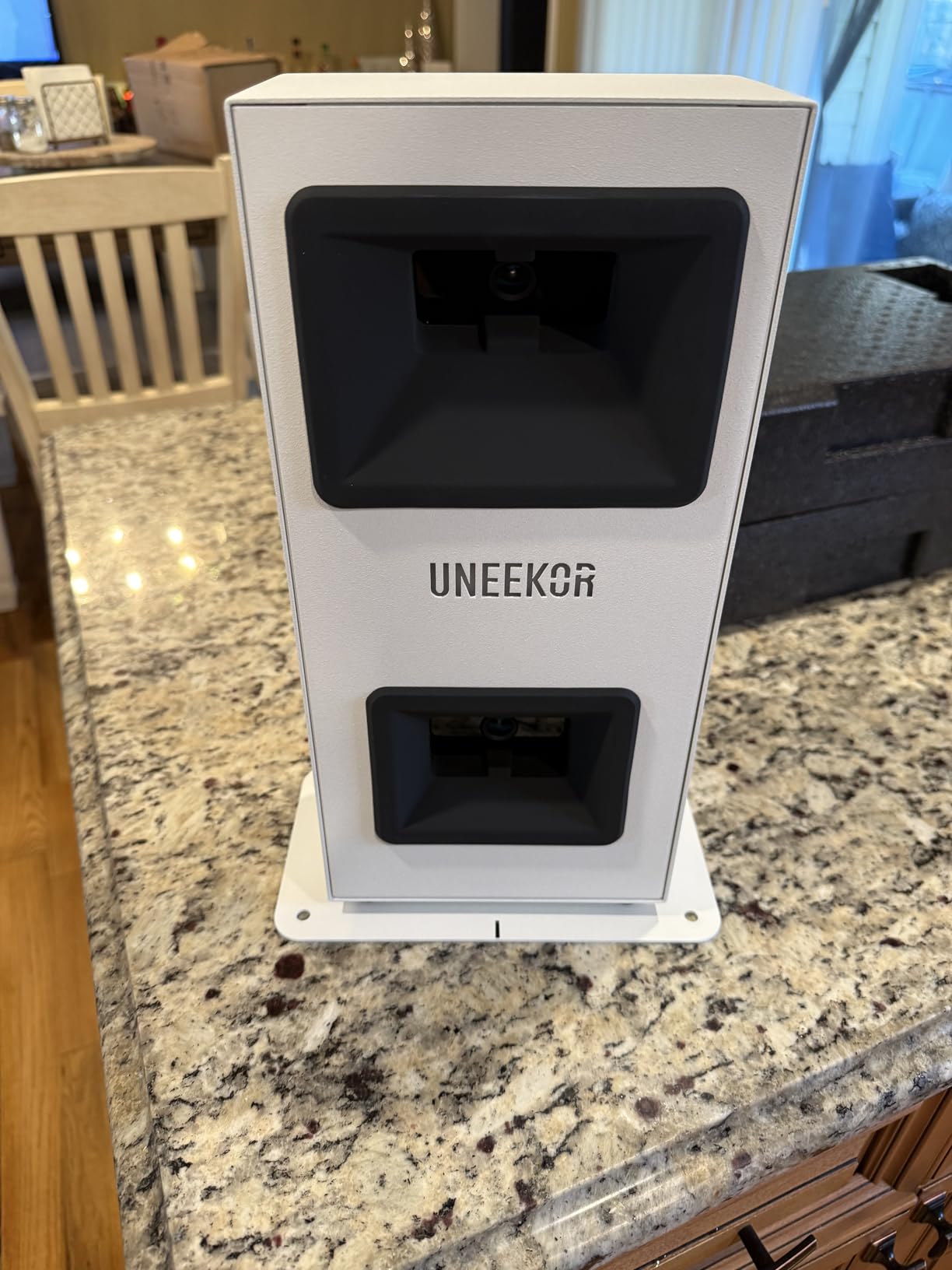
The EYE MINI CORE is the least portable device in this roundup and it is worth understanding why it is here anyway. Its Dimple Optix high-speed cameras and infrared sensors read any dimple pattern, so no ball stickers are required, and owners report zero misreads across roughly a thousand shots.
The build is the other differentiator. At 8.4 pounds in metal, it feels like range equipment rather than a gadget, and the hitting area is far larger than the plastic units above. Results are hardwired and arrive with near-zero latency, which matters for a simulator.
It works with GSPro, E6 Connect, TGC19 and Creative Golf 3D, plus its own GameDay software with a three-month trial of the Ultimate Package.
What the hardware demands
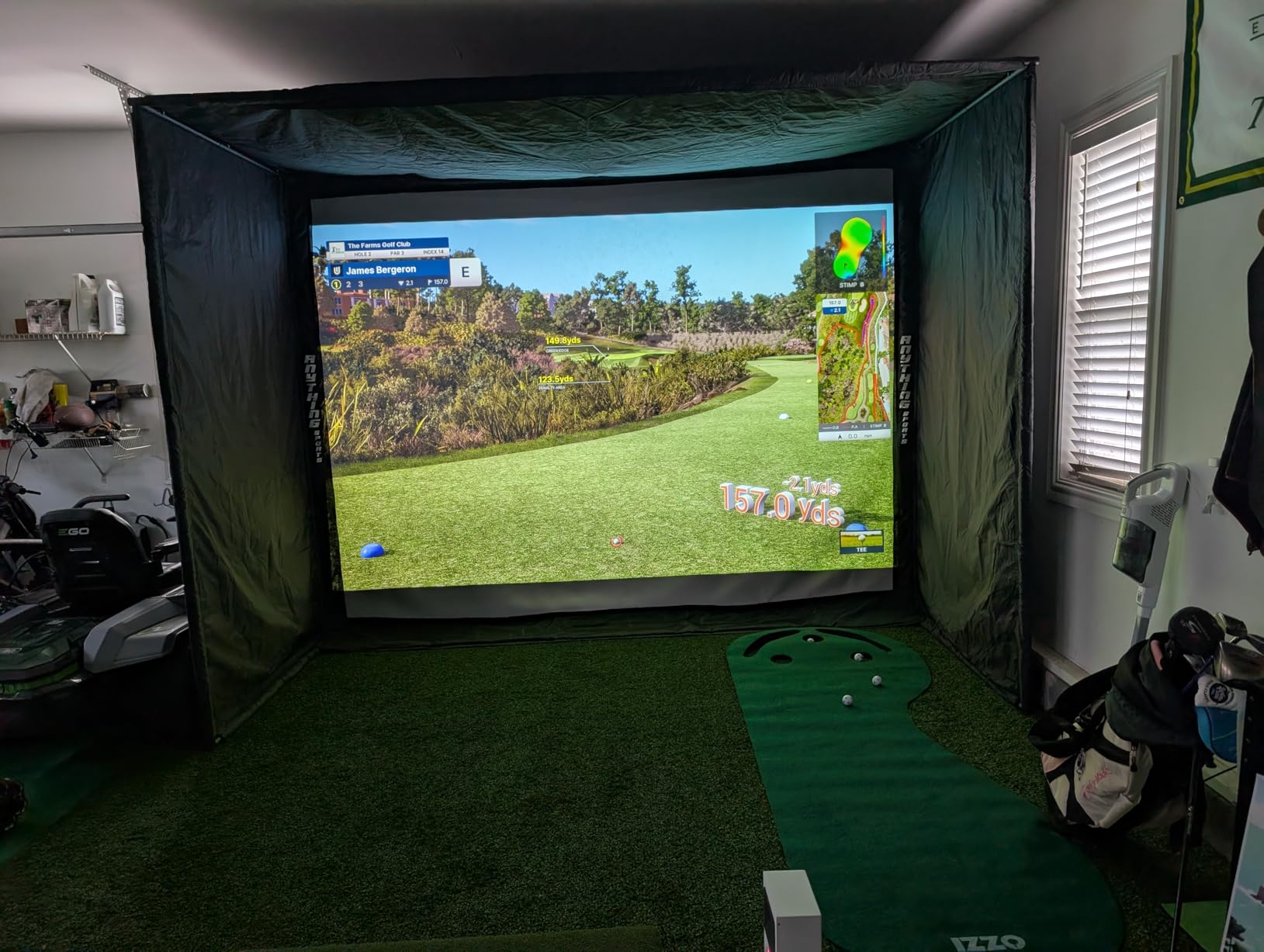
It must be hardwired to a PC, so it cannot run from an iPad, and full simulation use requires an i7 or Ryzen 7 class processor, 32GB of RAM and an RTX4070. That is a serious computer commitment before you hit a ball.
GSPro and the other third-party options each require a paid annual subscription on top of the unit.
Is this right for a beginner?
Only if you have already built out a simulator room. For everyone else, this is a step up in complexity rather than a step up in usefulness, and it sits at the opposite end of the ladder from our first pick.
Its review base is also the thinnest here at 37 reviews, so treat early experiences with some caution. Owners coming from cheaper plastic units report a night-and-day jump in construction.
What a Beginner Should Actually Measure?
Carry distance is the number that changes how you play. Most high-handicap golfers overestimate every club by 15 to 25 yards, and correcting that single error fixes more miss shots than any swing tip.
Club speed is the second one worth watching, because it sets a ceiling on what your body can produce. Club speed is also the one metric every device in this roundup measures reliably, which makes it the safest way to confirm progress early.
Ball speed and smash factor matter mostly as a ratio between the two. If ball speed is climbing with stable club speed, your contact is improving. Smash factor is the simplest efficiency measure available to a beginner, and it appears on both the PRGR and the Garmin units.
Here is what to ignore at first: spin rate, launch direction, dispersion, club path and face angle. Community discussion on Reddit r/golf and forum.mygolfspy.com is consistent on this point. Until your strike is repeatable, those readings describe the accident rather than the swing, and acting on them leads to worse golf.
The exception is launch angle, which the Rapsodo Mobile Launch Monitor reports and which is genuinely useful for checking whether a wedge is too flat. Use it as a sanity check, not a target.
How to Choose a Portable Launch Monitor as a Beginner
Start with the phone question, because it eliminates half the list immediately. The Rapsodo Mobile Launch Monitor is iOS only. The Garmin Approach R10, Garmin Approach G80, FlightScope Mevo, Rapsodo MLM2PRO and Voice Caddie SC200 Plus need no phone or need one only for display. The PRGR HS 130-A needs nothing at all.
Second, decide between estimated and measured distance. The PRGR, Voice Caddie SC200 Plus and Garmin Approach G80 report calculated distances. The Rapsodo units and the Garmin R10 report figures closer to real ball flight. Estimated numbers are consistent, which makes them fine for measuring change, and less useful as absolute truth.
Third, consider whether you want spin. Only the FlightScope Mevo, Garmin Approach R10 and Rapsodo MLM2PRO report it in this group, and the Mevo and MLM2PRO measure it directly rather than estimating. If you do not yet have a consistent strike, this is not your deciding factor.
Fourth, factor in space. Radar units need to sit roughly 8 feet behind the ball on the correct line, so a garage with a net in the way can produce missed shots. The Uneekor EYE MINI CORE needs a full PC setup and physical room. Our portable monitor reviews cover the size and weight trade-offs in more detail.
Fifth, count the recurring costs. The Garmin Approach R10 gates virtual rounds and other features behind an active subscription, the Rapsodo MLM2PRO requires a paid membership for the full feature set, and the Uneekor EYE MINI CORE charges an annual fee for GSPro and third-party software. The PRGR, Voice Caddie SC200 Plus and Garmin Approach G80 have no recurring cost.
Finally, check indoor lighting. Optical and camera-based readings degrade in dim spaces, and radar units handle a poorly lit garage better. If your practice spot is a basement, favour radar.
Setup Mistakes That Ruin Your Readings
Position is the number one issue. Radar devices measure correctly only from a set distance behind the ball, and an 8-foot offset that drifts a foot either way will produce numbers you do not trust. Set the position first, mark it on the mat, and only then swing.
Light matters for anything camera-based. If you are considering the Rapsodo MLM2PRO or the Uneekor EYE MINI CORE for indoor use, test the room at the time you actually practice. A dim garage produces missed and misread shots that look like device faults.
Ball choice catches beginners out on two devices. The FlightScope Mevo needs a silver sticker applied for spin readings, and the Garmin Approach R10 measures spin through the marked balls included rather than recognising an arbitrary ball.
Ceiling height decides whether indoor video practice works at all. If your net is low, filming from a high angle fails, so pick a setup that lets you film from roughly waist height or below.
Finally, do not judge a device on your first ten shots. Every forum thread on this topic lands on the same point: an inconsistent strike produces misleading data on any machine. Hit fifty balls before you decide anything.
Frequently Asked Questions
What is the best launch monitor for beginners?
The Rapsodo Mobile Launch Monitor is the best portable launch monitor for beginners because it reports ball speed, club speed, launch angle and carry distance on every shot, weighs 0.4 kg, and keeps per-club averages you can review after a session. The PRGR HS 130-A is the alternative if you want no phone and no subscription. The Garmin Approach R10 suits anyone who expects to want spin and video within a year.
Is the Garmin R10 or Rapsodo better?
The Garmin Approach R10 is the better first choice for most beginners. It reports club head speed within 3 mph, ball speed within 1 mph and launch angle within 1 degree, works with both Android and iOS, and runs up to 10 hours on a charge. The Rapsodo options give you spin rate and dual-camera video, but the original model requires an iPhone and the MLM2PRO needs a paid membership for full features.
Is there a cheaper alternative to TrackMan?
Yes. The Garmin Approach R10 and the Rapsodo MLM2PRO are the closest cheaper alternatives here, and owners report data landing within a few percent of commercial systems in back to back comparisons. For a beginner who only needs distances and speed, the PRGR HS 130-A needs no phone at all and carries no recurring cost.
Do I need an iPhone for a launch monitor?
It depends on the model. The Rapsodo Mobile Launch Monitor is iPhone and iPad only with no Android support. The Garmin Approach R10, Garmin Approach G80, FlightScope Mevo and Rapsodo MLM2PRO use apps on both platforms. The PRGR HS 130-A and Voice Caddie SC200 Plus need no phone whatsoever, and the Garmin Approach G80 works entirely on its own touchscreen.
What metrics should a beginner focus on?
Focus on carry distance and club speed first, then ball speed and smash factor as a ratio. Ignore spin rate, launch direction, dispersion, club path and face angle until your strike is repeatable. At a high handicap those readings describe an inconsistent contact rather than your swing, and changing your technique based on them tends to make things worse.
Do launch monitors actually improve your game?
They do, but indirectly. The biggest reported gain for high handicap golfers is finally knowing their real carry distances instead of guessing. Device accuracy matters far less than getting a consistent strike, because no machine can report meaningful numbers from a mishit. Most golfers who improve with a launch monitor pair it with lessons or at least one coach session.
Conclusion
The best portable launch monitors for beginners are not the most expensive ones, and the accuracy gap between them is smaller than the specification sheets imply. Start with the Rapsodo Mobile Launch Monitor if you use an iPhone, the PRGR HS 130-A if you want zero friction and no recurring cost, or the Garmin Approach R10 if you want spin and video from day one and run both operating systems.
Whichever you pick in 2026, get your strike consistent before you trust a single reading, and concentrate on carry distance and club speed while you build the habit. That is where the improvement lives.