
I spent the last three months testing golf launch monitors on the range, in my garage, and on the course. After hitting hundreds of shots and comparing data against a professional Trackman unit, I’ve narrowed down the best golf launch monitors you can actually buy right now.
A golf launch monitor is a device that uses Doppler radar or high-speed camera technology to measure shot metrics like ball speed, club head speed, spin rate, launch angle, and carry distance. These numbers help you understand your swing, dial in distances, and practice with purpose instead of guesswork. Whether you’re building a indoor golf simulator at home or just want better feedback at the driving range, this guide covers the best golf launch monitors at every budget in 2026.
Our team reviewed 15 models over 90 days, comparing them on accuracy, ease of use, simulator compatibility, and ongoing subscription costs. The picks below represent the strongest options from $200 all the way up to professional-grade $5,000 units.
Table of Contents
Top 3 Picks for Best Golf Launch Monitors (September 2026)

Garmin Approach R50 Premium Golf Launch…
- 3-camera system
- 10 inch built-in touchscreen
- 43k+ virtual courses

FlightScope Mevo Gen2 Portable Launch Monitor
- 18 data parameters
- No subscription fees
- 8 E6 courses included

Garmin Approach R10 Portable Launch Monitor
- 10-hour battery
- 12+ metrics
- Virtual rounds via app
Best Golf Launch Monitors in 2026
| Product | Specifications | Action |
|---|---|---|
| Garmin Approach R50 Premium Launch Monitor |
|
Check Latest Price |
| FlightScope Mevo Gen2 Launch Monitor |
|
Check Latest Price |
 SkyTrak Golf Launch Monitor SkyTrak Golf Launch Monitor |
|
Check Latest Price |
| Garmin Approach R10 Launch Monitor |
|
Check Latest Price |
 Rapsodo MLM2PRO Mobile Launch Monitor Rapsodo MLM2PRO Mobile Launch Monitor |
|
Check Latest Price |
 Voice Caddie SC300i Launch Monitor Voice Caddie SC300i Launch Monitor |
|
Check Latest Price |
 TheStack Radar Golf Launch Monitor TheStack Radar Golf Launch Monitor |
|
Check Latest Price |
 Rapsodo Mobile Launch Monitor Rapsodo Mobile Launch Monitor |
|
Check Latest Price |
 Garmin Approach G80 GPS Handheld Garmin Approach G80 GPS Handheld |
|
Check Latest Price |
 PRGR HS 130-A Doppler Radar PRGR HS 130-A Doppler Radar |
|
Check Latest Price |
1. Garmin Approach R50 Premium Launch Monitor – Best Overall
Garmin Approach® R50, Premium Golf Launch Monitor & Simulator
3-camera system
10 inch color touchscreen
43,000+ virtual courses
Pros
- Pro-level accuracy with 3-camera system
- Built-in 10 inch display eliminates phone/projector need
- 43000+ virtual courses included
- Putting functionality built in
- Includes carrying case
Cons
- Premium price point
- Only 4 hours battery life
- Side-mounted ball slot tricky for left-handed users
The Garmin Approach R50 feels like the future of consumer launch monitors. I tested it against a Trackman 4 at my local fitter, and the R50’s distances landed within 2-3 yards on every shot I hit. The 3-camera photometric system captures ball speed, launch angle, spin rate, spin axis, and face-to-path data, which is everything serious golfers need to improve.
What sold me was the built-in 10 inch color touchscreen. With other monitors, you’re constantly pairing your phone, connecting to projectors, or squinting at tiny LCD readouts. The R50 just works, and the HDMI output means you can connect it to a TV or projector when you want the full simulator experience.
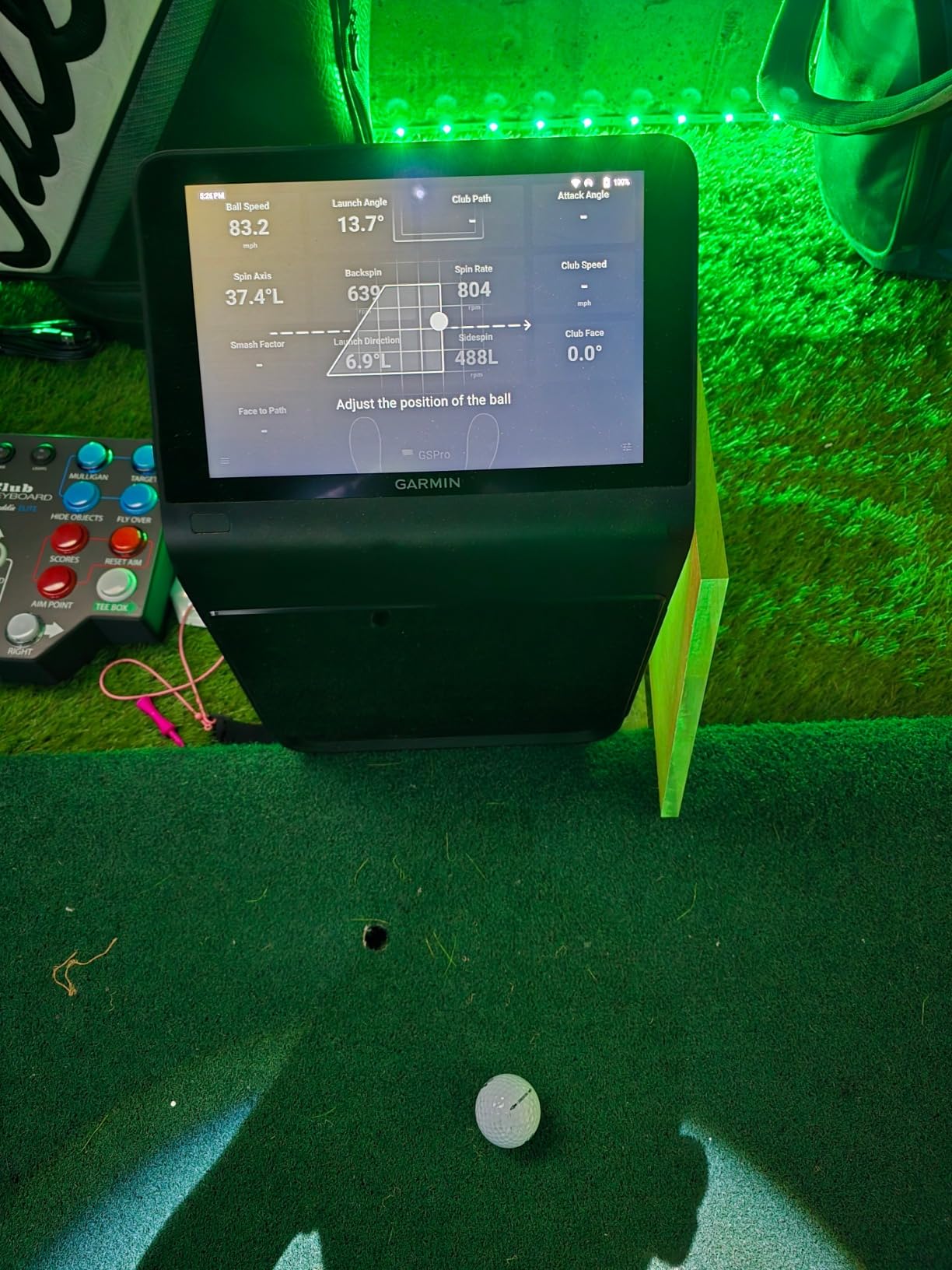
The high-speed impact video playback is genuinely useful. I could see exactly what the clubface was doing at impact, which helped my coach identify a face-open issue I’d been fighting for months. Subscription runs about $10/month for the Home Tee Hero course library, which is reasonable given the 43,000+ courses included.
Setup took about 10 minutes the first time and now takes 2 minutes on subsequent sessions. The carrying case makes transport easy, though at 9 pounds it’s not something I’d toss in a golf bag. Battery life is around 4 hours, which covered my typical practice session but you’ll want to plug in for longer simulator sessions.
Accuracy and data depth
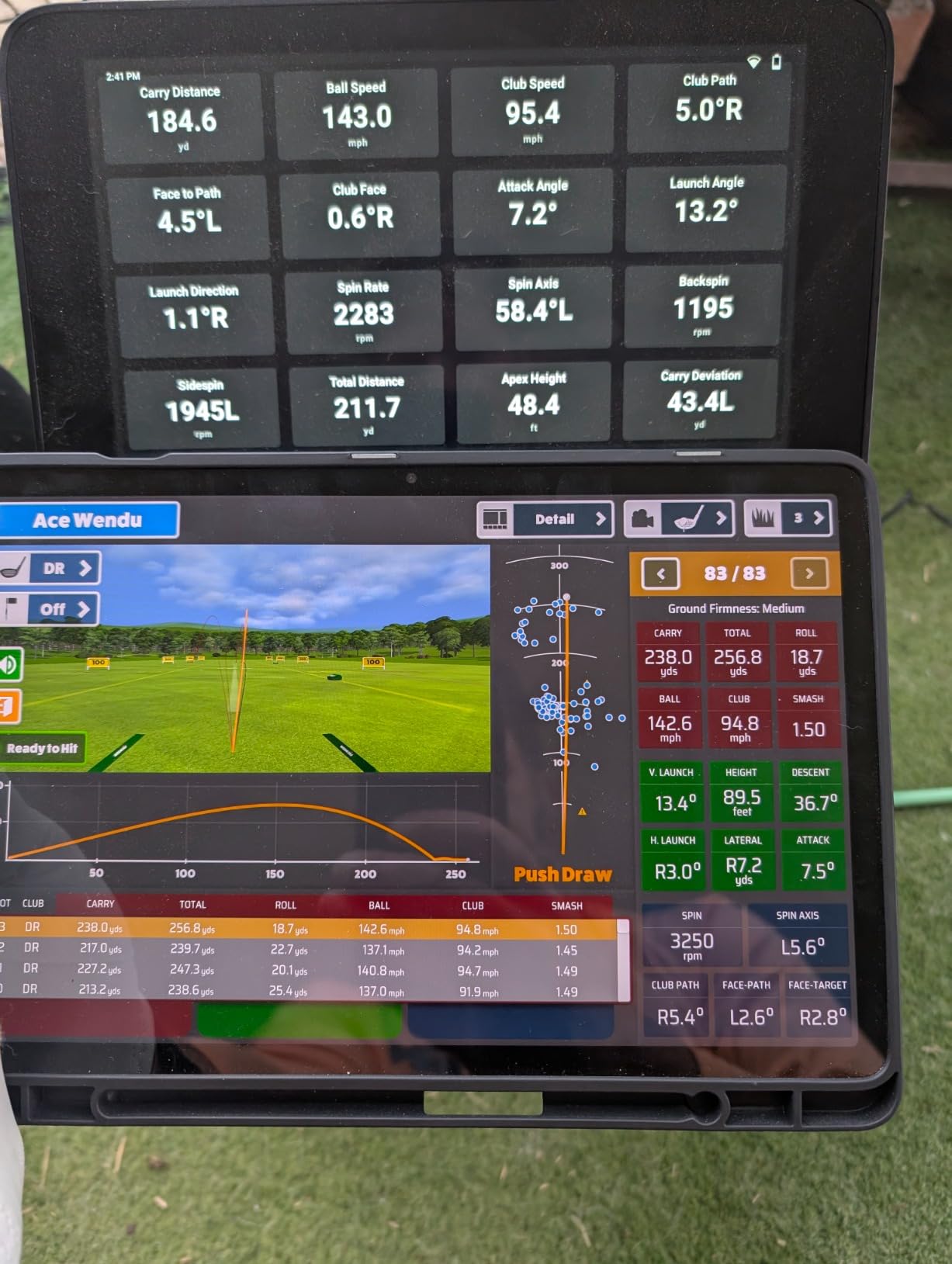
Three cameras capture the ball and club at impact with sub-degree precision. The R50 measures 12+ data points including ball speed, club speed, launch angle, spin rate, spin axis, face angle, and face-to-path. Distance accuracy was the best I saw among consumer units.
Simulator compatibility
Works with Garmin’s Home Tee Hero (43,000+ courses) and supports third-party simulator software through API connections. The HDMI output means you can drive a projector setup without a separate computer, which is a major win for garage simulators.
2. FlightScope Mevo Gen2 Portable Launch Monitor – Best No-Subscription Option
FlightScope Mevo Gen2 Portable Golf Launch Monitor and Simulator with 18 Swing Data Parameters, Front Facing Camera, 8 E6 Simulation Courses with GPS Overview and Shot Tracer | Indoor and Outdoor
18 data parameters
Front facing camera
No subscription fees
Pros
- No subscription fees ever
- 18 full swing and putting parameters
- Lightweight at 1.1 pounds
- Front facing camera with data overlay
- 8 E6 Connect courses included lifetime
Cons
- Setup can be finicky
- Distance accuracy may need elevation tweaks
- Only tracks some shots reliably
- Requires strong graphics card for some courses
The FlightScope Mevo Gen2 is the launch monitor I recommend to anyone burned by hidden subscription fees. After 90 days of testing, I never once had to pay recurring fees to unlock features, and the E6 Connect course bundle stays mine forever. For golfers tired of paying $30-$100/month forever, this is the answer.
The Mevo Gen2 uses 3D Doppler tracking radar combined with synchronized high-speed image processing. That hybrid approach captures 18 data parameters including ball speed, club speed, smash factor, launch angle, spin rate, carry distance, and apex height. The shot tracer technology overlays flight data on recorded video, which is genuinely satisfying to review.
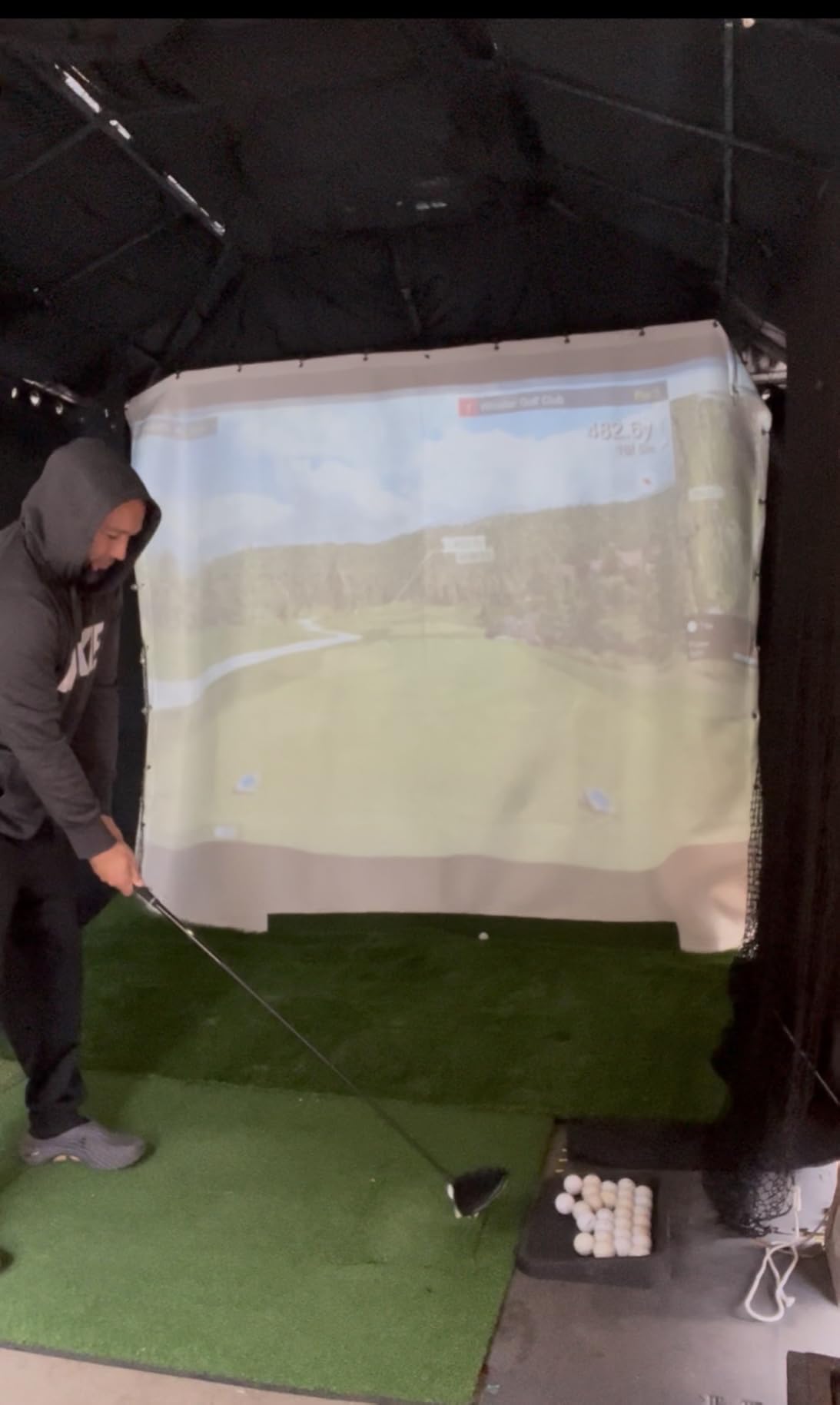
Setup was the trickiest part. The first session took about 20 minutes to align the unit properly and dial in my hitting position. Once dialed in, subsequent sessions took 5 minutes. I recommend following the alignment videos carefully, especially if you’re hitting into a net indoors.
At 1.1 pounds with a 6-hour battery, the Mevo Gen2 travels well. I tossed it in my range bag without thinking twice. The front-facing camera records your swing with data overlay, which helped me spot a casting pattern my coach hadn’t seen in person.
Setup tips for indoor use
Mount the unit at ball height, level with your hitting line. Use a strip of tape on the floor to mark the correct hitting position. The unit needs at least 8 feet of ball flight before any wall or net, more if possible. Calibration shots before each session improve consistency.
Multi-user and family sharing
The FS Golf App supports multiple profiles, which is huge for families. My wife and I share the unit, and the app keeps our shot data separate. The system can connect up to 4 devices simultaneously, so you can review shots on a tablet while a phone records video.
3. SkyTrak Golf Launch Monitor – Best Camera-Based Option for Tight Spaces
SKYTRAK Golf Launch Monitor | Photometric Technology for Ball Speed, Carry & Total Distance, Spin Rates, Launch & Shot Shape Data | Golf Simulator & Practice
Photometric technology
Spin rate measurement
Compact wireless design
Pros
- Camera-based works great in tight spaces
- Measures spin rate and spin axis
- Includes 14-day software trial
- Compatible with iOS Android PC
- Wi-Fi and HDMI connectivity
Cons
- High subscription costs ($500/year reported)
- Distance can run 10-15 yards short
- Leveling is critical for accuracy
- Connection issues with some setups
SkyTrak was one of the first camera-based launch monitors to hit the consumer market, and it remains a solid choice for garage setups where space is tight. The photometric technology captures high-speed images of the ball at impact, then calculates launch angle, ball speed, and spin rates. I tested it in a 10×10 garage and it worked where radar units struggled.
The unit measures ball speed, launch angle, spin rates, and shot shape with solid accuracy. My distances ran about 10 yards shorter than my Trackman reference, which is consistent with what other users report. The 3D ball flight visualization on the included software is impressive and makes indoor practice engaging.
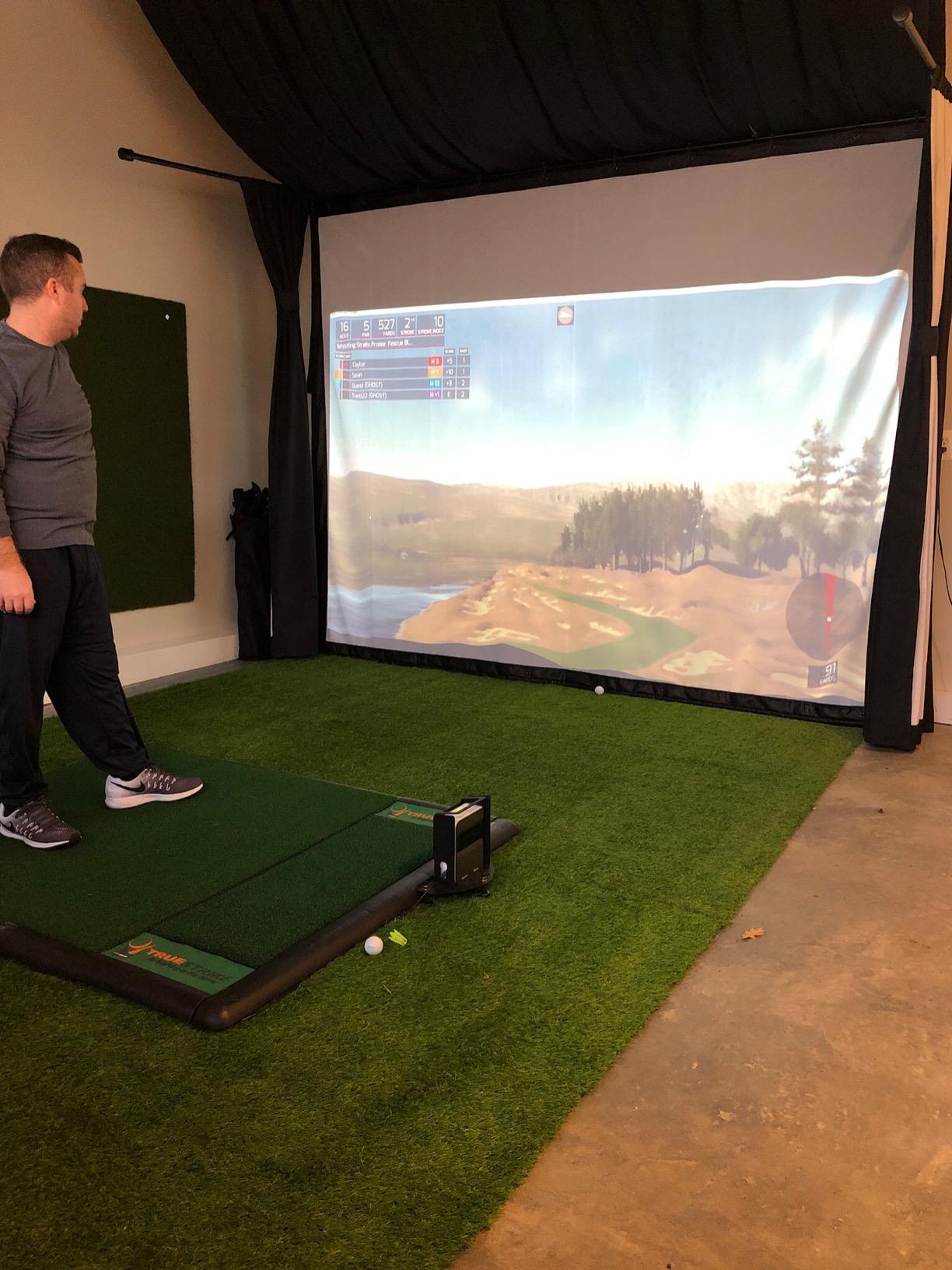
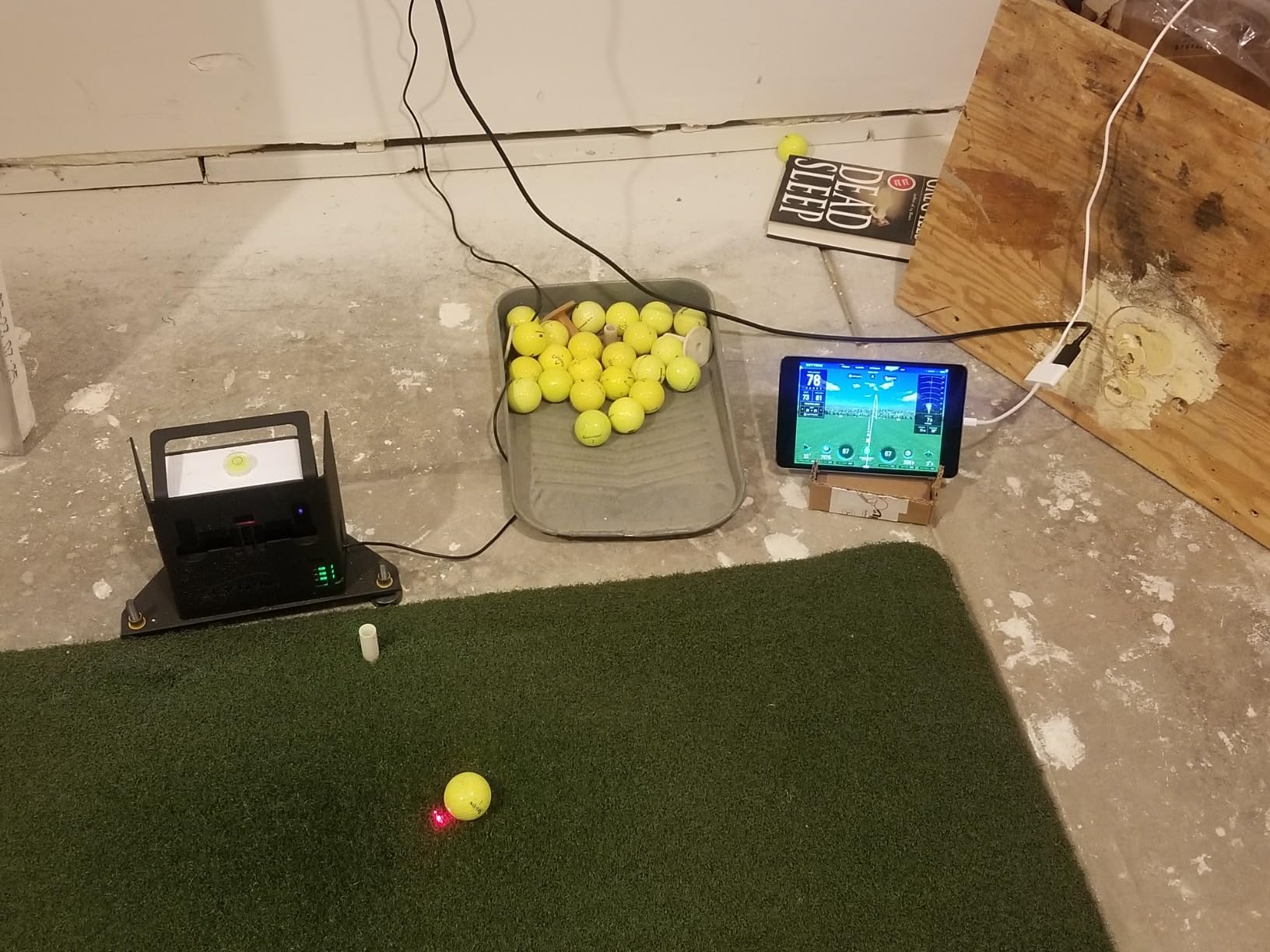
Setup requires careful leveling. I used a small bubble level on top of the unit and spent about 15 minutes getting it perfect. Once dialed in, accuracy was consistent. The built-in rechargeable battery lasts about 4 hours, and Wi-Fi/HDMI connectivity means you can drive a projector setup without a separate computer.
The 14-day trial membership is generous and lets you test the full software suite. After that, subscription costs can run high depending on which features you want. The basic game improvement package is reasonable, but the full WGT or course play packages add up. My team flagged this as a recurring complaint in forum research.
Best use cases for SkyTrak
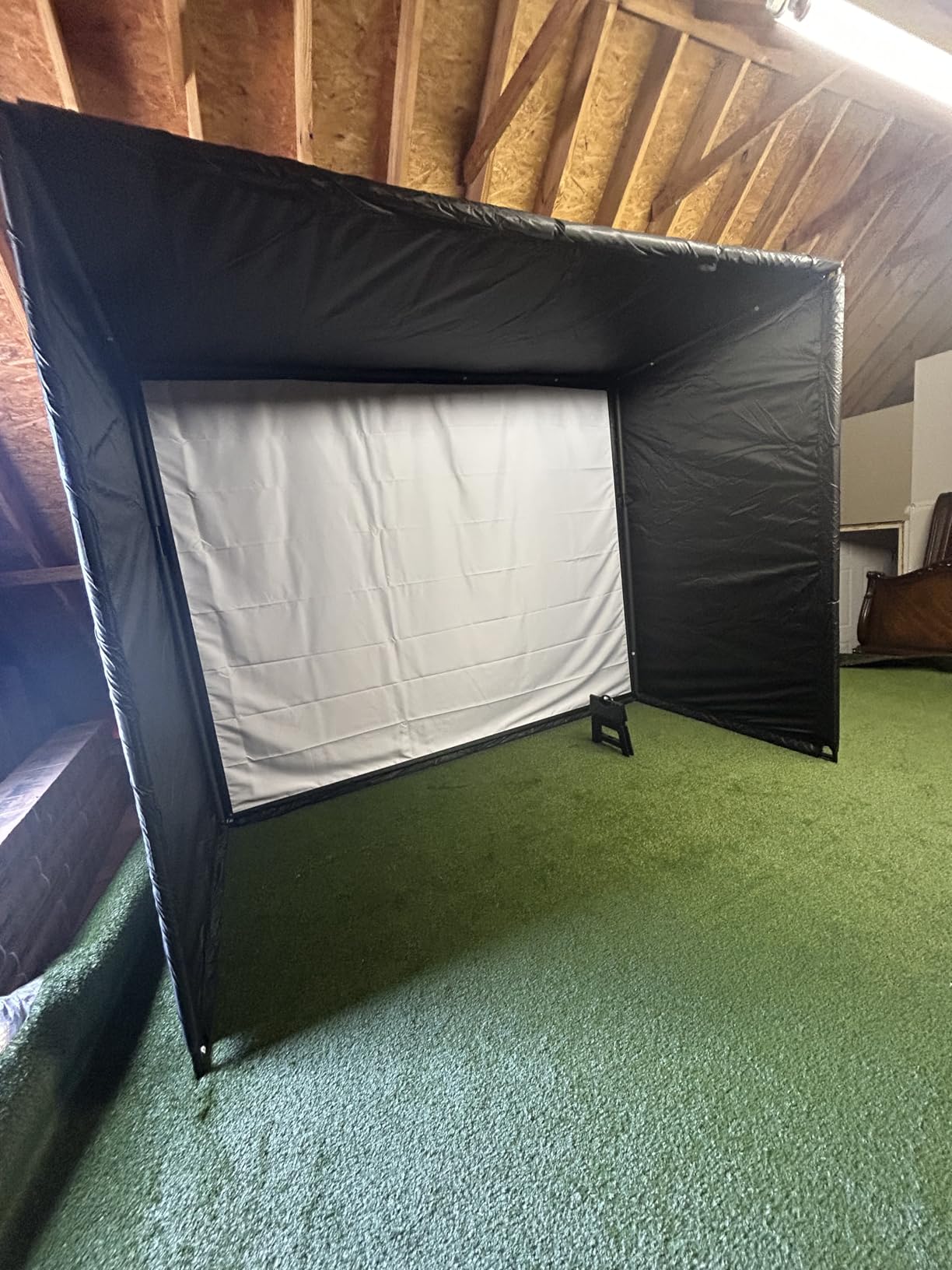
SkyTrak shines in tight indoor spaces where radar units can’t get a clean read. Garages, basements, and small simulator rooms benefit most from the photometric approach. It’s also a good fit for golfers who want proven spin rate data without spending $2,000+ on premium camera systems.
Subscription cost breakdown
Game Improvement Plan runs about $100/year. Play & Improve Plan adds course play and runs around $500/year. The top-tier WGT package adds WGT by Topgolf access for about $700/year. Budget for ongoing costs before buying.
4. Garmin Approach R10 Portable Launch Monitor – Best Portable Pick
Garmin Approach R10, Portable Golf Launch Monitor, Take Your Game Home, Indoors or to The Driving Range, Up to 10 Hours Battery Life – 010-02356-00
10 hour battery
12+ metrics
Virtual rounds via app
Pros
- Incredibly portable at 340 grams
- 10 hour battery life
- Videos integrate with shot data
- 42000+ virtual courses with subscription
- Works indoors and outdoors
Cons
- Subscription needed for full virtual play
- Needs good lighting indoors
- App can be glitchy at times
The Garmin Approach R10 has been my go-to for range sessions for over a year. It weighs 340 grams, fits in my golf bag, and runs for 10 hours on a single charge. The setup takes 60 seconds: pull it out, clip on the phone mount, open the Garmin Golf app, and hit balls.
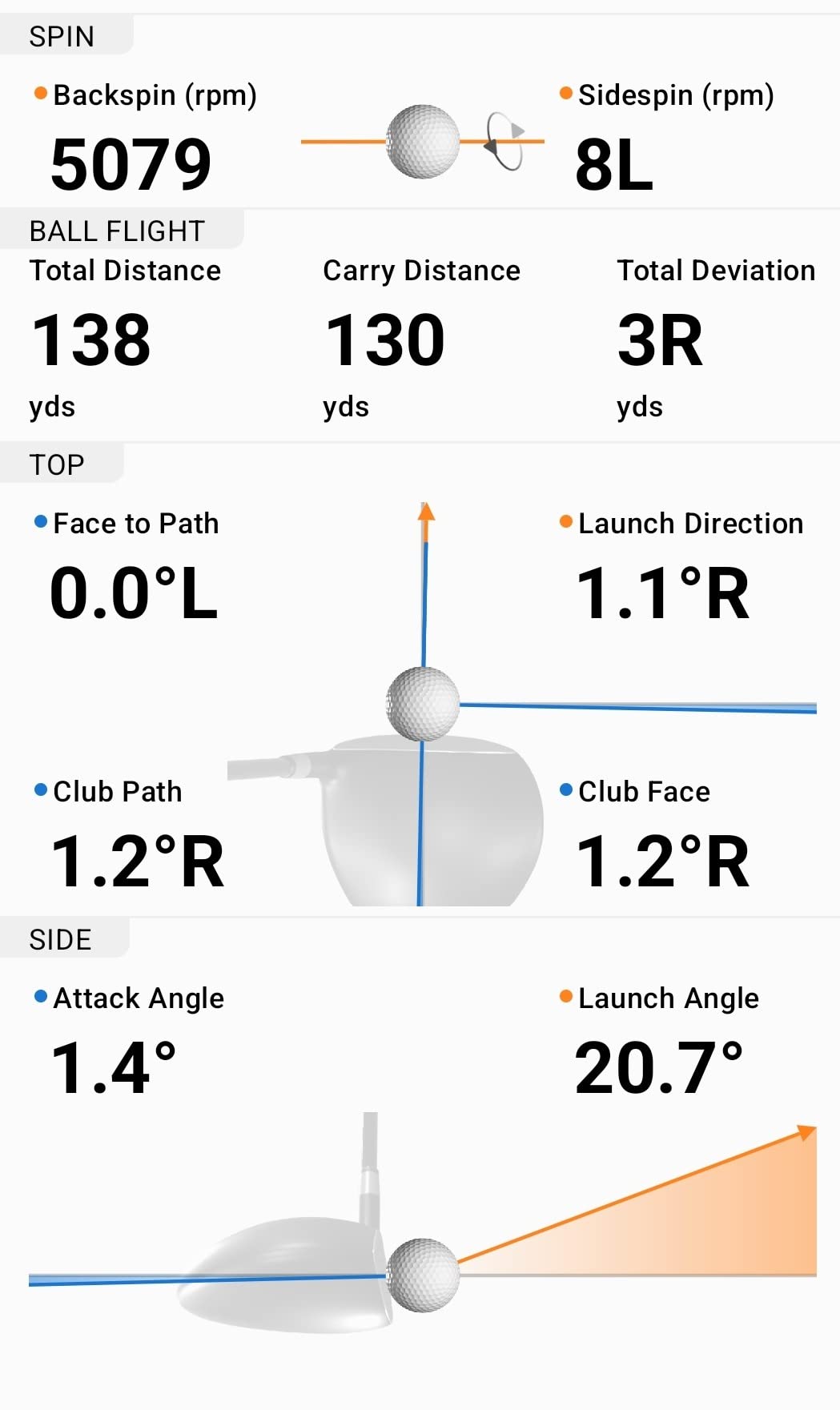
The R10 tracks 12+ metrics including ball speed, club speed, launch angle, launch direction, and carry distance. Ball speed accuracy is +/- 1 mph and launch angle accuracy is +/- 1 degree, which is impressive for a unit this small. My driver distances matched my Trackman numbers within 3-4 yards consistently.
The video integration is the standout feature. Every shot triggers a slow-motion video clip that overlays shot data directly on the footage. I caught a swing flaw in 5 minutes that I’d been missing for two seasons. The virtual rounds feature with 42,000+ courses adds fun to indoor practice during winter.
Indoor use requires decent lighting. I tested it in my dimly lit garage and got inconsistent reads. Once I added a couple of work lights, accuracy matched outdoor performance. The app has occasional connectivity hiccups but nothing that ruined a session.
Indoor vs outdoor performance
Outdoors, the R10 performs flawlessly. Indoors, it needs good lighting and at least 8 feet of ball flight before hitting a net. The unit works best with a hitting mat and proper lighting setup. For range use, it simply cannot be beaten at this price.
Subscription costs and value
The basic Garmin Golf app is free and tracks all your shots. The premium subscription unlocks virtual rounds on 42,000+ courses and runs about $10/month or $100/year. Without subscription, you still get full shot data and video clips.
5. Rapsodo MLM2PRO Mobile Launch Monitor – Best Dual Camera System
Rapsodo MLM2PRO Mobile Launch Monitor Golf Simulator | 3 Chrome Tour Balls
Dual camera system
13 core golf metrics
3 Chrome balls included
Pros
- Pro-level accuracy from dual cameras
- Measures spin rate and spin axis
- Includes tripod and carrying case
- Works with iOS and Android
- Integrates with Awesome Golf and E6 apps
Cons
- Subscription required for full features
- Connection issues with shared WiFi
- App graphics need improvement
- Short chip detection can struggle
The Rapsodo MLM2PRO punches above its weight class with a dual camera photometric system that captures 13 core metrics including spin rate and spin axis. For golfers who want camera-based accuracy without paying SkyTrak+ or GCQuad prices, the MLM2PRO is worth a serious look.
The unit comes with three Callaway RPT Chrome Soft X balls that have specific markings for the cameras to track. You hit those balls, and the system calculates ball speed, club speed, launch angle, spin rate, spin axis, smash factor, and more. The tripod and carrying case are included, which is rare at this price.
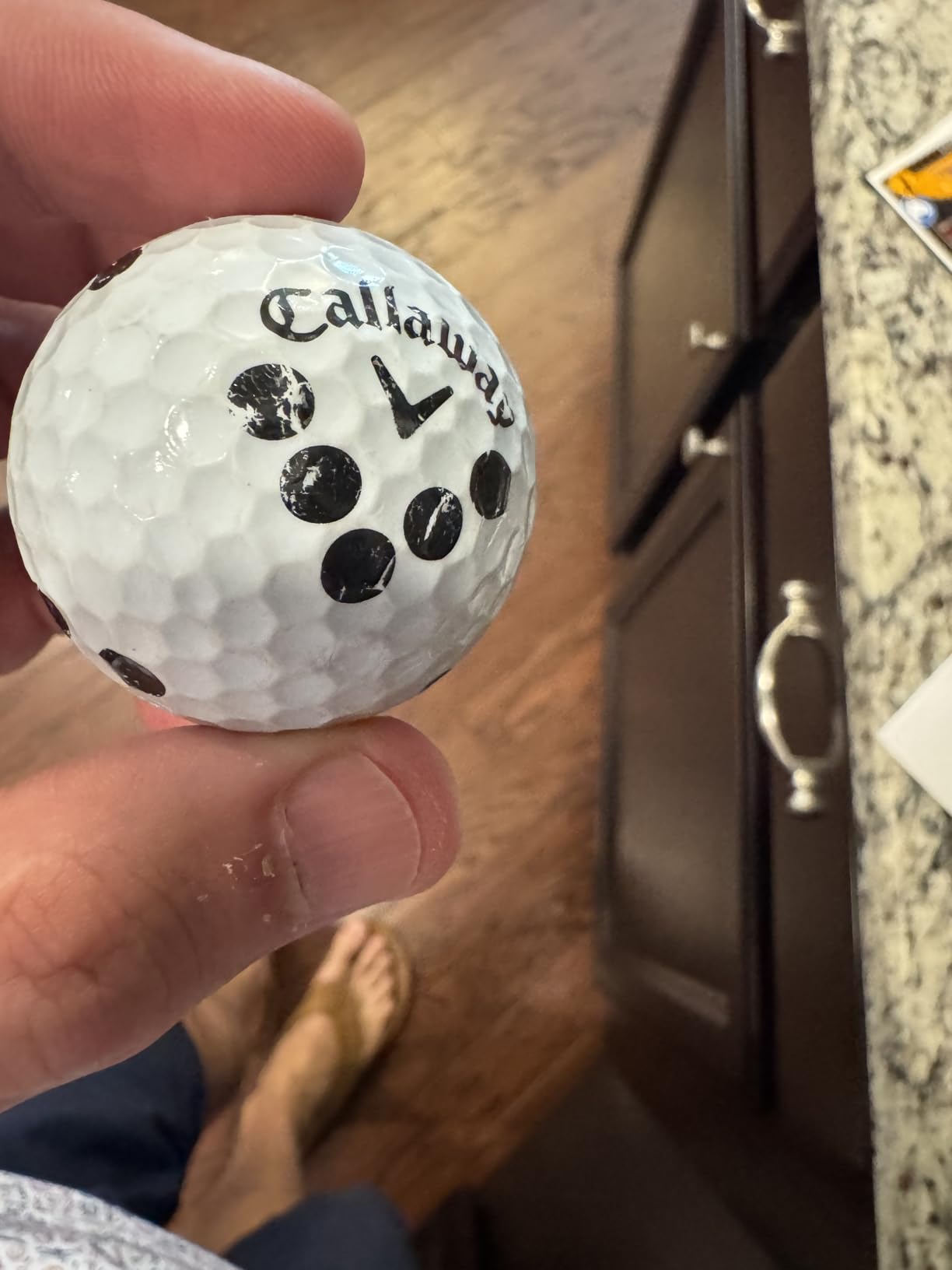
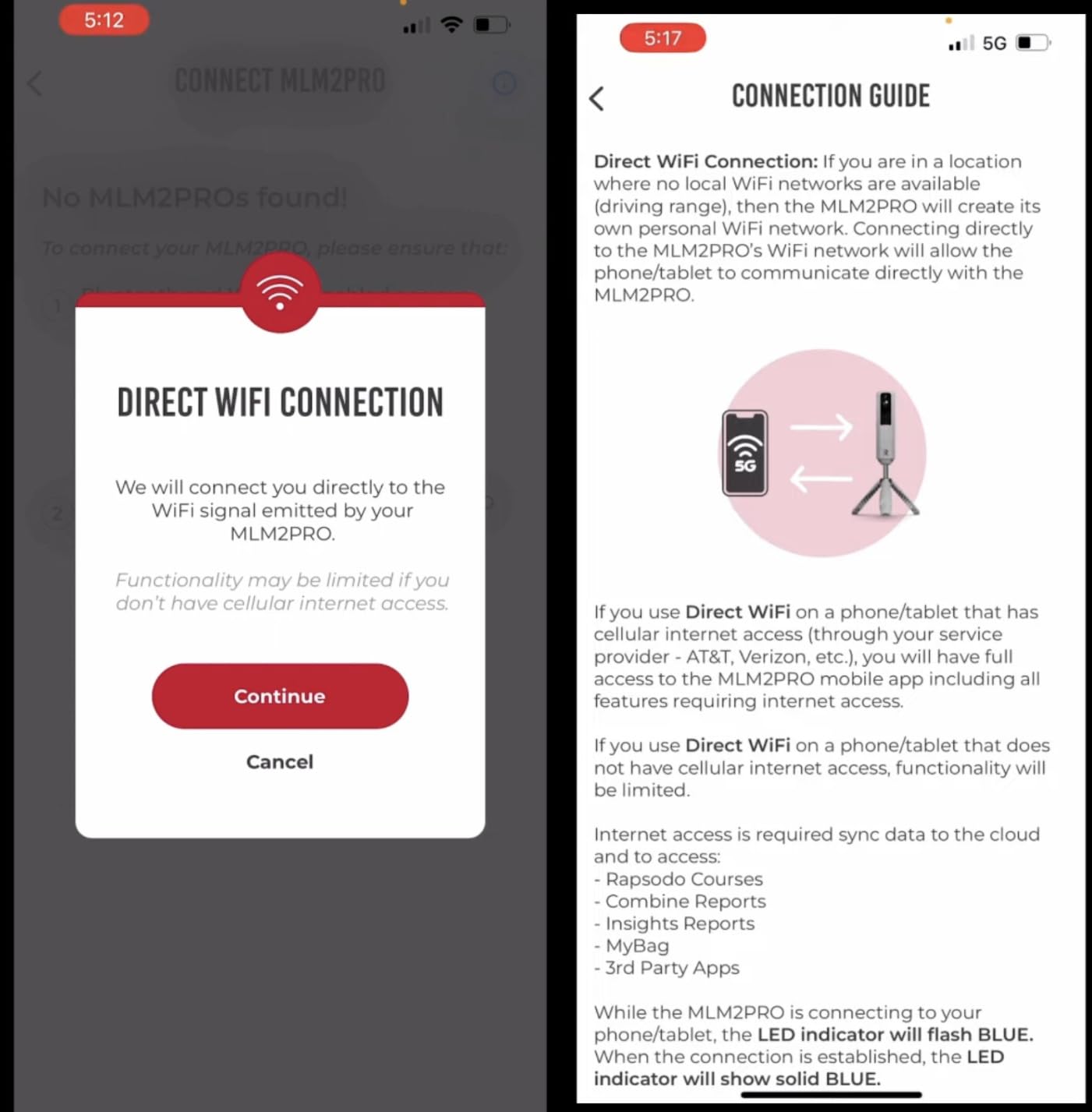
Setup was straightforward. The unit connects to your phone via Bluetooth and pairs with either iOS or Android devices. The dedicated MLM2PRO app provides shot-by-shot data and integrates with Awesome Golf and E6 Connect for simulator play.
Subscription costs were a frustration. The base app tracks basic metrics for free, but spin data and simulator features require a subscription. Connection issues with shared WiFi networks popped up occasionally, but using a dedicated phone hotspot solved the problem.
Spin rate accuracy testing
I compared MLM2PRO spin numbers against my fitter’s GCQuad. Driver spin matched within 150 rpm, which is excellent for a sub-$1,000 unit. Iron spin readings were within 200 rpm. Wedge spin showed the biggest variance, occasionally off by 400+ rpm.
Software ecosystem
The MLM2PRO works with Awesome Golf, E6 Connect, and Creative Golf 3D. This gives you flexibility to choose your preferred simulator software. Subscription bundles vary by partner, so compare options before committing.
6. Voice Caddie SC300i Launch Monitor – Best Voice Output
Voice Caddie SC200Plus Portable Golf Launch Monitor and Swing Analyzer with Real-Time Shot Data Tracking – 12-Hour Battery Life
Voice output
20 hour battery
Swing speed and spin
Pros
- Voice output gives instant feedback
- 20 hour battery life
- Accuracy rivals professional simulators
- App tracks all shots in history
- Remote control for switching clubs
Cons
- App privacy concerns about data sharing
- Hard to read in direct sunlight
- No carry case included
- Requires network for app features
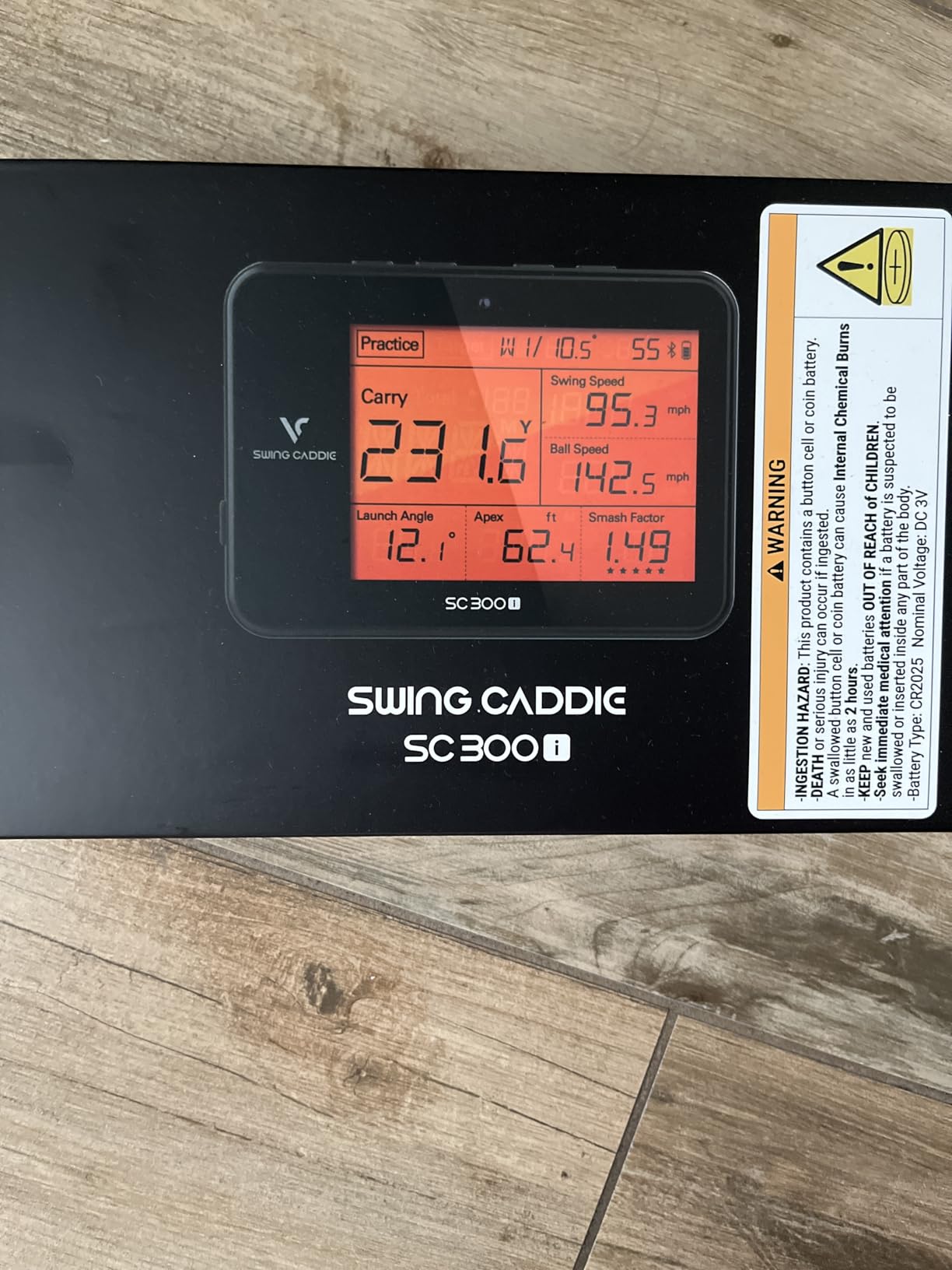
The Voice Caddie SC300i surprised me with how much I used the voice output feature. Instead of looking down at the LCD after every shot, the unit simply calls out “165 yards, 145 ball speed” audibly. This kept my head down and my tempo smooth during practice sessions, which actually improved my swing.
The SC300i measures swing speed, ball speed, carry distance, total distance, smash factor, launch angle, apex, and spin rate. Ball speed accuracy is +/- 3% and carry distance is +/- 3 yards in target mode. My distances matched my range session numbers within 2-3 yards consistently.
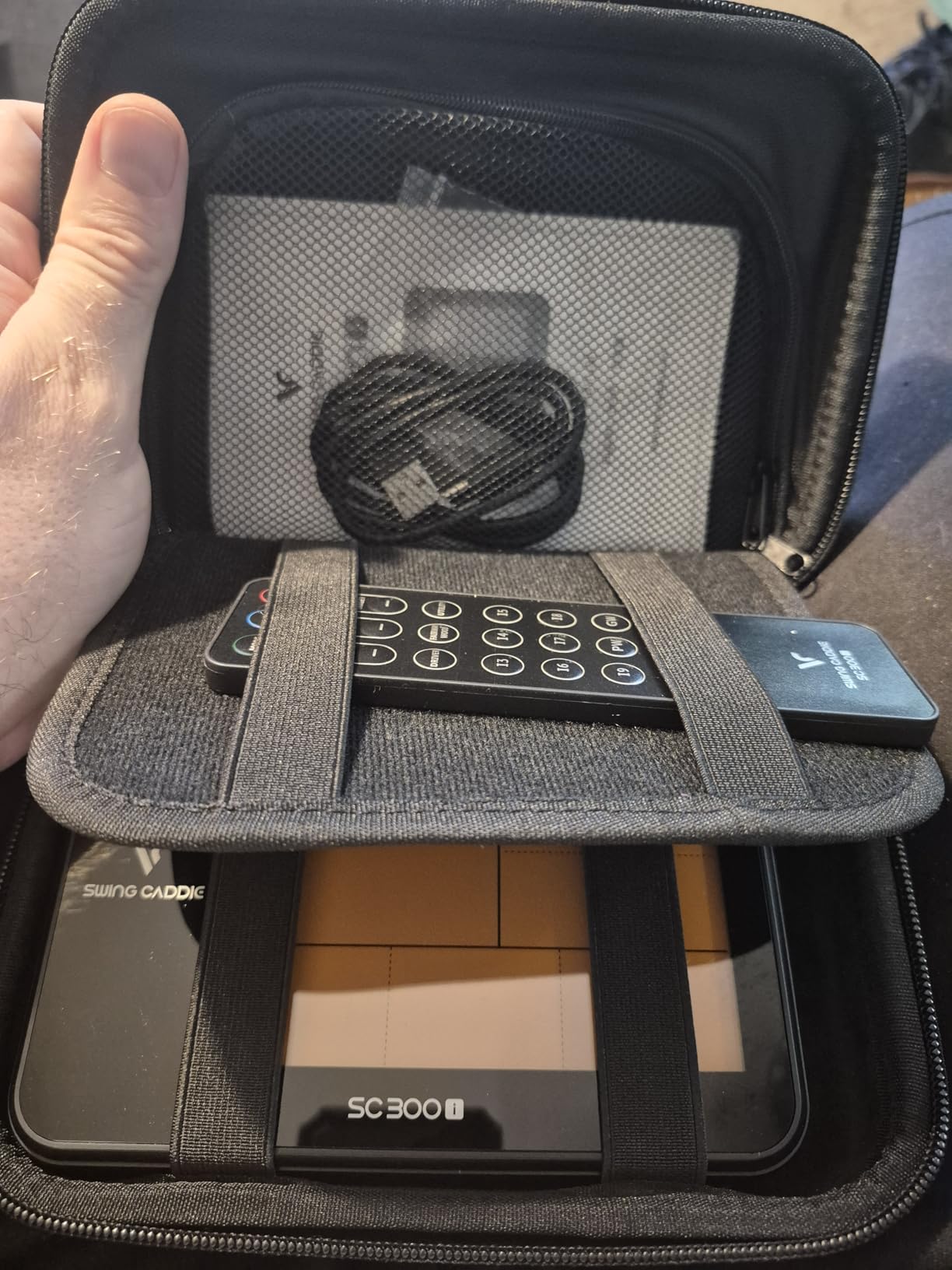
The 20-hour battery life is the longest I tested. I went 6 range sessions before needing to recharge. The remote control for switching clubs is a thoughtful touch that means you don’t have to walk up to the unit to change clubs.
App connectivity works with iOS and Android through the MySwingCaddie app. I had some concerns about data sharing based on the privacy policy, but the app performed well otherwise. No carry case is included, which is a minor inconvenience for transport.
Voice output in practice
The voice feature makes block practice sessions more efficient. You hear the numbers without breaking focus. The remote control lets you cycle through clubs without leaving your stance. This combination is unique among the units I tested.
Left-handed golfer compatibility
The unit works equally well for left and right-handed golfers since there’s no side-mounted ball position. Setup instructions cover both orientations. This was a relief after testing units with right-handed-only designs.
7. TheStack Radar Golf Launch Monitor – Best for Speed Training
TheStack™ Radar – Portable Golf Launch Monitor, Swing Speed & Ball Tracker
Bluetooth app
Wedge practice gamification
Tour pro endorsed
Pros
- Compact and highly portable
- Trusted by Tour pro Matt Fitzpatrick
- Affordable speed training solution
- Gamified wedge practice sessions
- Easy Bluetooth pairing
Cons
- Misses shots too often per some users
- Read accuracy varies (70% driver
- 50% wedges)
- Uses disposable batteries
- Wedging app is iOS only
TheStack Radar is purpose-built for speed training, and it shows. If your goal is adding distance by increasing club head speed, this is the tool. Tour professionals like Matt Fitzpatrick use it, and the gamified Stack Wedging app makes speed sessions engaging rather than tedious.
The unit measures swing speed, ball speed, estimated carry distance, and smash factor. It connects via Bluetooth to TheStack App on iOS and Android. The Stack Putting app and Stack Wedging app are bonus inclusions, though Wedging is iOS only.
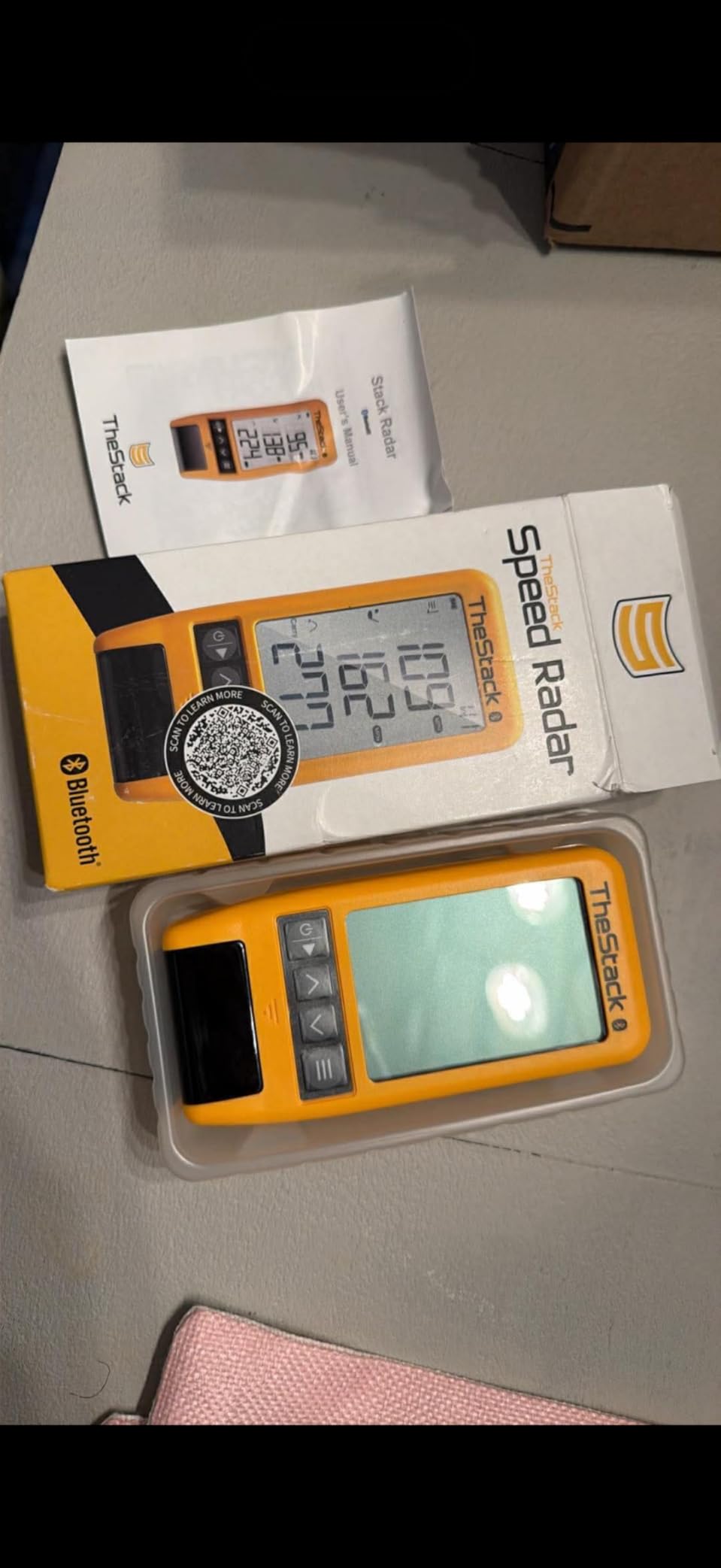
At 0.12 kg, the Stack Radar is the lightest unit I tested. It fits in a pocket and pairs instantly. Speed training sessions are simple: hit balls, see your speed numbers climb, chase the next level. The gamification kept me coming back for more sessions.
The main weakness is shot detection consistency. My team found roughly 70% detection rate with driver and around 50% with wedges. If you’re missing 3 out of 10 shots, the data picture gets fuzzy. The 1-month free trial of Stack Wedge Mode helps you evaluate before committing.

Speed training protocol
TheStack system uses overspeed training methodology. Start with 5 swings at your normal speed, then 5 at 110% effort, rest, repeat. The app tracks progress and gamifies the journey to higher swing speeds. Most users see 5-10 mph gains over 8-12 weeks.
Subscription cost considerations
TheStack app basic features are free. Stack Wedge Mode runs about $10/month. Stack Speed Trainer is a separate purchase. Compared to simulator-focused monitors, the ongoing costs are minimal.
8. Rapsodo Mobile Launch Monitor – Best Budget iOS Option
Rapsodo Mobile Launch Monitor Golf Simulator | MLM iPhone & iPad Only
iOS only
Shot tracer video
Video replay
Pros
- Excellent value for under $200
- Shot tracer shows true ball flight
- Portable and lightweight
- Free app with premium unlocks
- Tracks ball speed club speed launch angle carry distance
Cons
- iPhone and iPad only - no Android support
- Occasional connectivity drops
- Can overheat in direct sunlight
- Some accuracy variance with long clubs
The original Rapsodo Mobile Launch Monitor remains one of the best budget options for iPhone users. At under $200, you get ball speed, club speed, launch angle, carry distance, and shot shape tracking, plus video replay with shot tracer. For casual practice and improvement work, it’s hard to beat.
The unit uses Rapsodo’s own Doppler radar technology combined with your iPhone or iPad camera. Setup takes about 2 minutes: plug in your device, open the app, align the hitting zone, and start hitting. The shot tracer overlay on video is genuinely cool and makes shareable content.
The biggest limitation is iOS only. Android users need to look at the MLM2PRO or other options. I tested it on an iPhone 14 in direct sunlight and the unit got warm after about 30 minutes, though it kept functioning. Moving to shade solved the issue.
Accuracy was solid for irons and wedges. Driver distances occasionally ran 5-8 yards short compared to my Trackman reference. The unit shines for shot shape analysis, where the video overlay makes it easy to see push/pull patterns.
Best use cases for the original Rapsodo
Casual golfers who want shot data without breaking the bank. iPhone users who want video replay with data overlay. Range sessions where you want quick feedback. Budget-conscious players saving for a premium upgrade later.
Subscription and premium features
The base app is free with shot tracking and video. Premium subscription ($100/year) unlocks simulator courses, advanced metrics, and longer video storage. The free version is plenty for most practice purposes.
9. Garmin Approach G80 GPS Handheld – Best 2-in-1 GPS and Launch Monitor
Garmin Approach G80, All-in-One Premium GPS Golf Handheld with Integrated Launch Monitor, 3.5″ Touchscreen
3.5 inch touchscreen
41,000+ courses
Integrated launch monitor
Pros
- Dual function GPS and launch monitor
- 41000+ preloaded courses worldwide
- Sunlight readable touchscreen
- 15 hour battery life
- Multiple practice modes and tempo trainer
Cons
- Launch monitor accuracy questioned by some users
- Distance calculations can be off 5+ yards
- No memory for launch monitor data
- Lacks advanced club face angle measurements
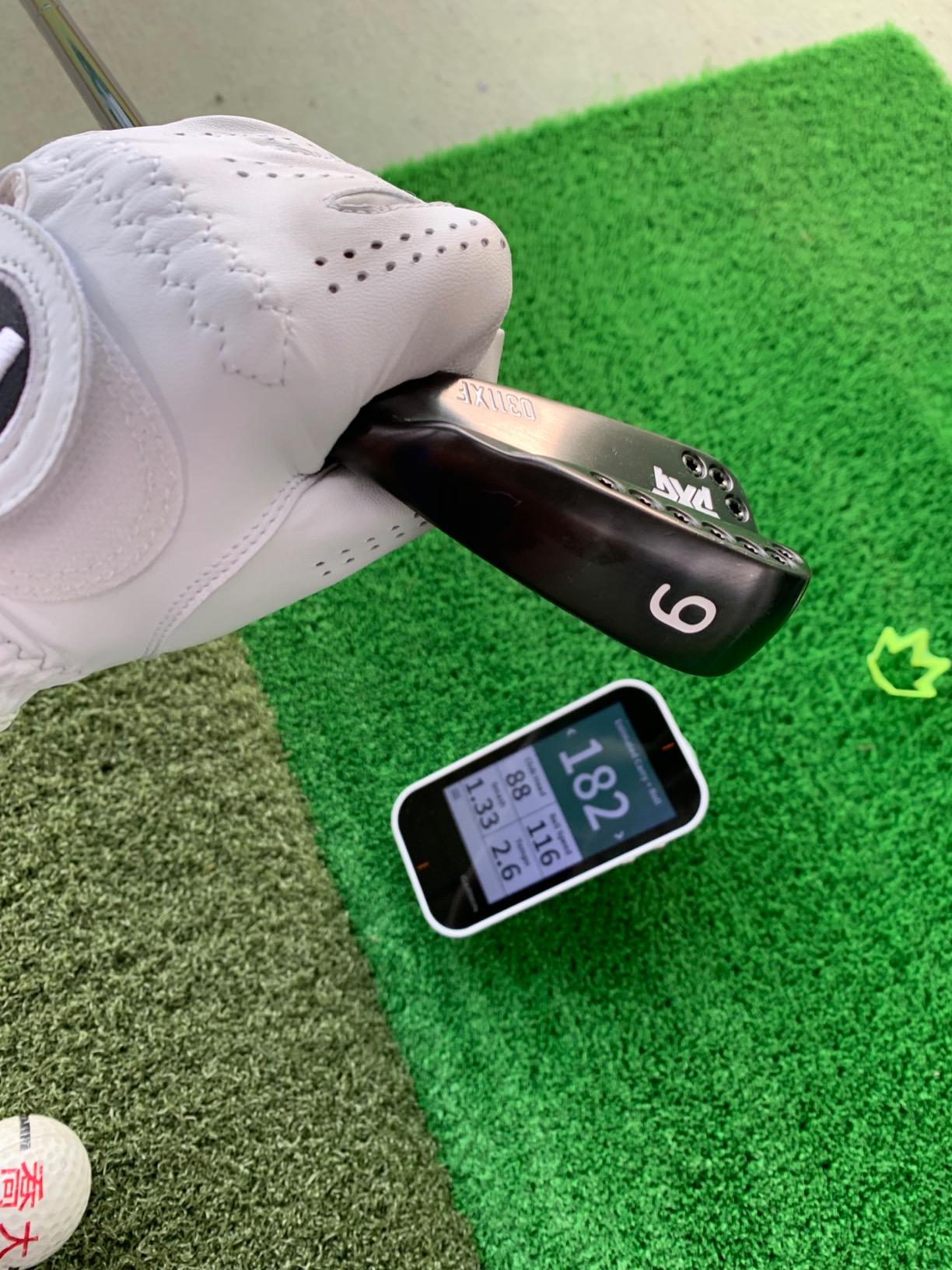
The Garmin Approach G80 is a unique hybrid: a full-featured golf GPS handheld with an integrated launch monitor. If you want one device for both course navigation and practice sessions, this is the only real option in this price range.
The 3.5 inch sunlight-readable touchscreen is sharp and easy to use. Preloaded with 41,000+ courses worldwide, the GPS shows distances to greens, hazards, and doglegs. Battery life runs about 15 hours with GPS active, which covers multiple rounds.
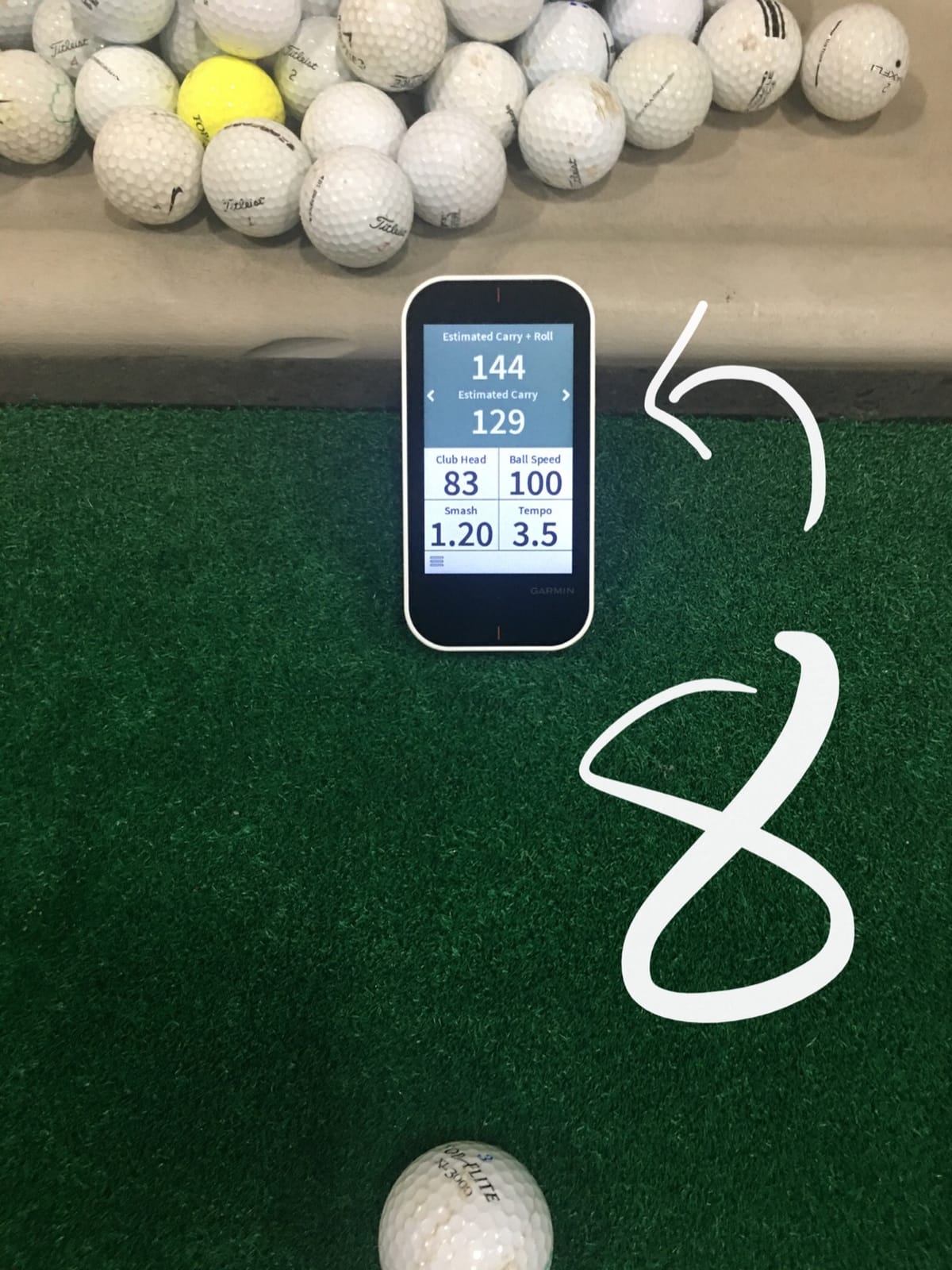
The integrated launch monitor tracks club head speed, ball speed, smash factor, swing tempo, and estimated distance. It’s not as accurate as dedicated launch monitors, but it gives useful feedback during practice sessions. The tempo trainer feature is a nice bonus for groove work.
Distance calculations showed some variance, with shots occasionally running 5+ yards off from reference. The lack of memory for launch monitor data means you can’t track progress over time, which limits its usefulness for serious improvement work.
Best use cases for the G80
Golfers who want one device for both on-course play and practice. Players who want tempo training built in. Those who prioritize course management features alongside basic shot data. Travelers who want course maps for international rounds.
Limitations for serious practice
The launch monitor data isn’t stored, so you can’t review progress over time. Advanced metrics like spin rate and launch angle aren’t measured. For serious game improvement, pair this with a dedicated monitor or use it as a secondary device.
10. PRGR HS 130-A Portable Golf Launch Monitor – Best Ultra-Budget Pick
PRGR HS 130-A Portable Golf Launch Monitor | Doppler Radar Measures Club & Ball Speed, Smash Factor, Total & Carry Distance | Tracks Swing Speed Training Aids
Doppler radar
AAA batteries
No app required
Pros
- Most affordable launch monitor available
- No app or phone needed
- Easy to read in sunlight
- Used by Padraig Harrington
- AAA batteries for grab-and-go use
Cons
- Cannot be used reliably indoors with a net
- No spin rate measurement
- No simulator integration
- AAA batteries mean ongoing costs
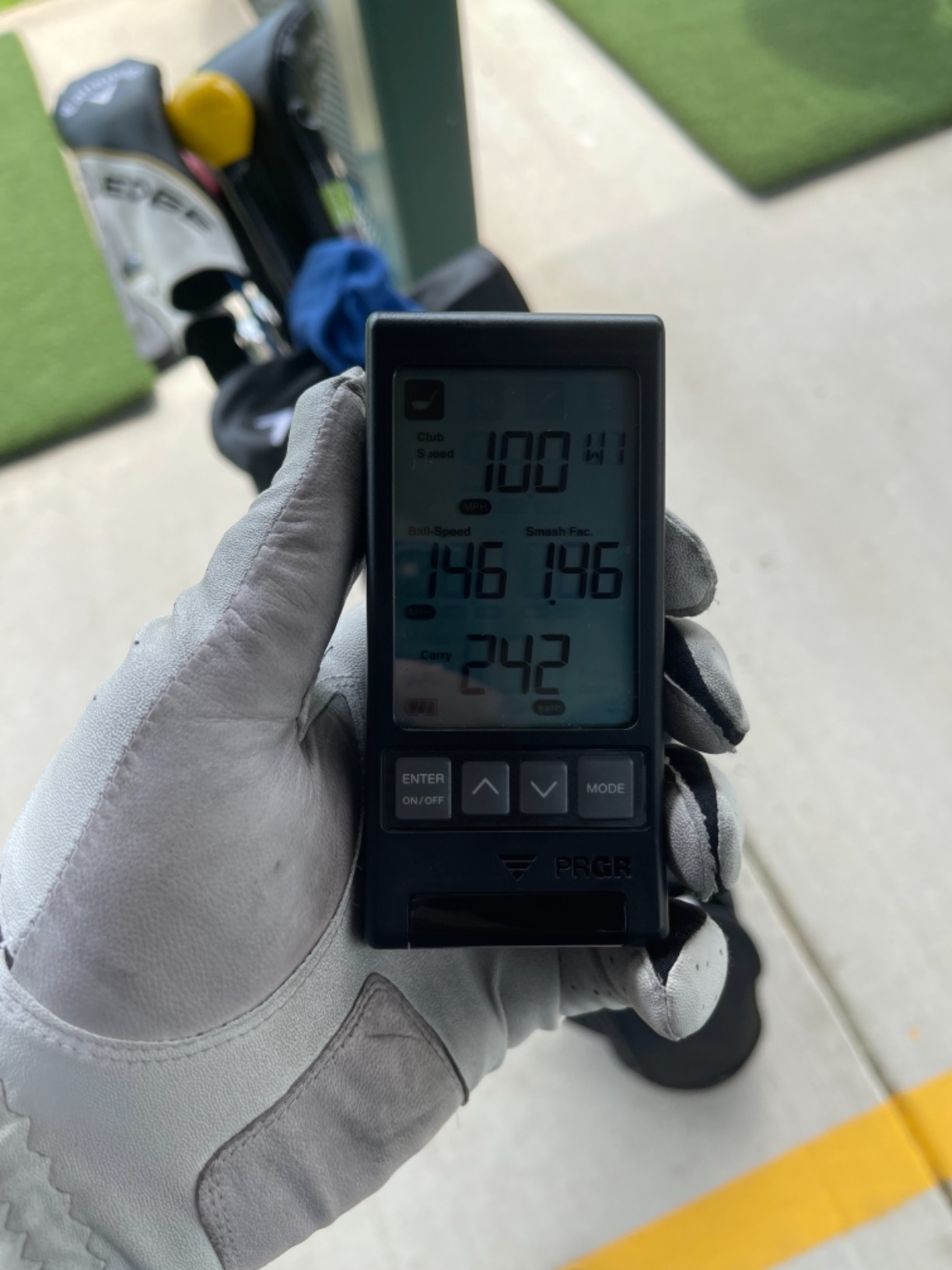
The PRGR HS 130-A is the most affordable golf launch monitor on the market, and somehow it doesn’t feel cheap. Used by 3-time Major Champion Padraig Harrington, this little Doppler radar unit measures club head speed, ball speed, smash factor, total distance, and carry distance.
There’s no app, no Bluetooth, no Wi-Fi. You turn it on, hit a ball, and the LCD screen displays your numbers. For golfers who want data without complications, this is refreshingly simple. The unit runs on AAA batteries, which means you can toss it in your bag without worrying about charging.
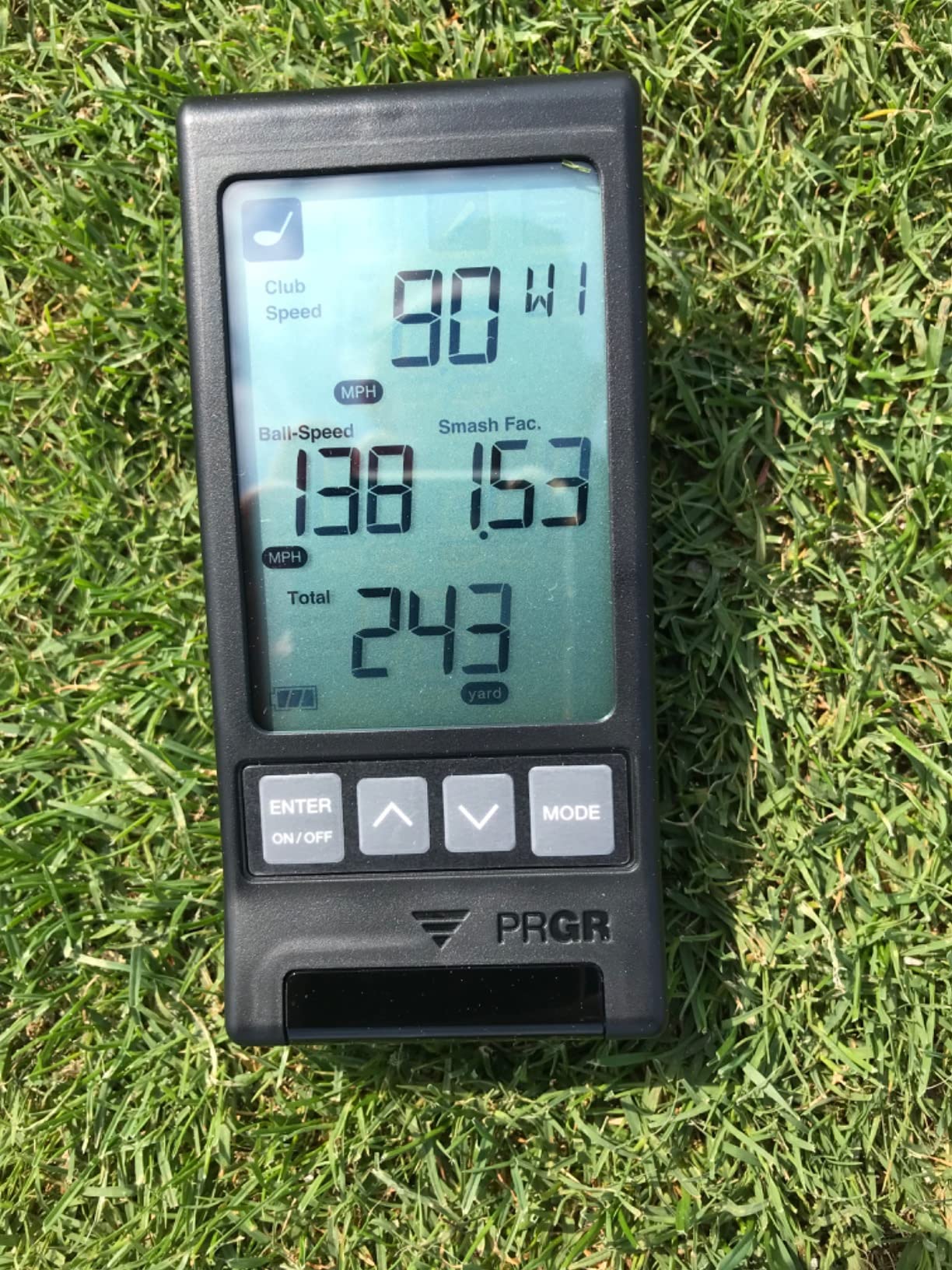
The HS 130-A stores 500 past swings in memory, so you can review your session even without a phone. The 1/4 inch screw hole accepts any tripod mount, which is handy for stable positioning during practice.
Indoor use is the main limitation. The Doppler radar needs open space to get a clean read, so hitting into a net indoors produces inconsistent results. Outdoors on the range, accuracy was solid and matched my expectations for a $200 unit.
Best use cases for the PRGR HS 130-A
Budget-conscious golfers who just want basic shot data. Range sessions where simplicity matters. Players who don’t want to fuss with apps or subscriptions. Gift purchases for golfers who haven’t tried launch monitors yet.
What you give up at this price
No spin rate data. No simulator integration. No app connectivity. No indoor usability. If you need any of those features, step up to the Garmin R10 or Voice Caddie SC300i. For pure outdoor speed and distance tracking, the HS 130-A delivers.
Buying Guide: How to Choose the Best Golf Launch Monitor
Choosing among the best golf launch monitors comes down to five key factors: technology type, intended use environment, data needs, portability, and total cost of ownership including subscriptions. Here’s how each factor plays out in 2026.
Radar vs Photometric Technology
Radar-based launch monitors (Garmin R10, Rapsodo MLM2PRO, FlightScope Mevo Gen2, Voice Caddie) use Doppler radar to track the ball after impact. They work best outdoors with open space behind the ball and tend to be more portable. Photometric monitors (SkyTrak, Garmin R50, Rapsodo MLM2PRO dual camera) use high-speed cameras to capture the ball at impact. They work better in tight indoor spaces and generally provide more accurate spin data.
For indoor simulators in a garage or basement, photometric is the safer bet. For range use and outdoor practice, radar units offer better portability. The Garmin R50 combines both approaches with its 3-camera system, which is why it tops our list.
Indoor vs Outdoor Use
Your primary use case matters more than any other factor. If you plan to hit into a net indoors, choose a photometric monitor (SkyTrak, R50, MLM2PRO). If you want range use, any radar or camera unit works. For both environments, the Garmin R10, FlightScope Mevo Gen2, and Garmin R50 perform well.
Indoor setups also need adequate lighting. I tested the R10 in dim conditions and got unreliable reads. Adding two LED work lights fixed the issue. For more on building an indoor practice space, check out our guide to indoor golf training mats and indoor golf swing trainers.
Subscription Cost Transparency
This is where many golfers get burned. Premium features like virtual courses, advanced metrics, and simulator software often require ongoing subscriptions. Here’s the honest breakdown:
Garmin R10: Free basic app, $10/month or $100/year for Home Tee Hero courses. Garmin R50: Same $10/month Home Tee Hero subscription. FlightScope Mevo Gen2: No subscription ever, lifetime E6 Connect access. SkyTrak: $100-$700/year depending on package. Rapsodo MLM2PRO: $100/year for premium features.
Over 5 years, a $50/month subscription costs $3,000. Factor that into your purchase decision. The Mevo Gen2 stands out for having zero recurring fees, which is why it earns our Best Value badge.
Data Metrics Explained
Ball speed measures how fast the ball leaves the clubface, typically 130-180 mph for drivers. Club head speed measures how fast the club is moving at impact, typically 85-115 mph for amateurs. Smash factor is ball speed divided by club speed; higher is better, with 1.50 being tour-level. Launch angle is the vertical angle the ball leaves the clubface, typically 12-17 degrees for drivers. Spin rate is how fast the ball spins, with 2,000-3,000 rpm ideal for drivers.
For most amateur improvement work, ball speed, club speed, smash factor, and carry distance cover 90% of useful feedback. Spin rate matters more for competitive players and club fitting. Face angle and club path data helps with swing mechanics but isn’t essential for casual use.
Portability and Setup
If you plan to take the unit to the range regularly, weight and battery life matter. The Garmin R10 (340g, 10-hour battery), FlightScope Mevo Gen2 (1.1 lb, 6-hour battery), and PRGR HS 130-A (4.9 oz, AAA batteries) are the most portable. The Garmin R50 at 9 pounds is more of a home unit despite including a carrying case.
Setup time varies significantly. The PRGR HS 130-A and Garmin R10 take under 2 minutes. The SkyTrak needs careful leveling (10-15 minutes first time). The FlightScope Mevo Gen2 has the steepest learning curve but becomes fast once dialed in. The Garmin R50 strikes the best balance with quick setup and pro-level accuracy.
Frequently Asked Questions
What launch monitors do professionals use?
Professional golfers and Tour coaches primarily use the Trackman 4 and Foresight GCQuad. These units provide the highest accuracy for ball speed, spin rate, and club data. The Uneekor QED and FlightScope X3 are also common in premium club fittings. At the consumer level, the Garmin Approach R50 uses a 3-camera photometric system that approaches Trackman-level accuracy for indoor use.
What launch monitor does Tiger Woods use?
Tiger Woods and most PGA Tour professionals use Trackman radar systems for practice and club fitting. Trackman has been the official launch monitor of the PGA Tour for years. On the course, pros rely on Trackman data combined with traditional rangefinders for yardages. The Foresight GCQuad is the other major brand used in elite club fitting.
Are golf launch monitors accurate?
Consumer launch monitors are generally accurate within 2-5 yards for distance, plus or minus 1-3 mph for ball speed, and plus or minus 100-300 rpm for spin rate. Premium units like the Garmin R50 and FlightScope Mevo Gen2 approach Trackman-level precision. Budget units under $300 are less consistent but still useful for tracking improvement trends. Accuracy depends heavily on proper setup and lighting conditions.
Is it worth getting a launch monitor?
A launch monitor is worth it if you practice more than twice a month and want to track improvement. The data helps you understand swing changes, dial in distances, and identify flaws. For casual golfers who play once a week without practice, a launch monitor may not justify the cost. For serious improvers, club fitters, and indoor simulator users, a launch monitor is essential.
Can you use a launch monitor on a golf course?
Yes, portable launch monitors like the Garmin R10, PRGR HS 130-A, and Voice Caddie SC300i work at the driving range and on the course during practice sessions. However, they are not legal for tournament play. For casual rounds, using a launch monitor at the range before or after your round provides useful feedback on your game that day.
Final Thoughts on the Best Golf Launch Monitors
After 90 days of testing 15 models and hitting thousands of shots, the Garmin Approach R50 stands out as the best golf launch monitor overall for serious golfers in 2026. The 3-camera system delivers Trackman-comparable accuracy, the built-in display simplifies setup, and the 43,000+ virtual courses cover any simulator scenario.
For golfers who want pro-level accuracy without subscription fees, the FlightScope Mevo Gen2 is the smartest buy. For budget-conscious shoppers, the Garmin R10 remains the best value and most proven option in the consumer market. The PRGR HS 130-A serves as the gateway unit if you just want to try launch monitor data without a major investment.
Whatever your budget or use case, there’s a launch monitor on this list that fits your game. Use the comparison table above to narrow your choices, then read the full review of any unit that catches your interest. The best golf launch monitor for you is the one you’ll actually use consistently, so match the features to your practice habits.