
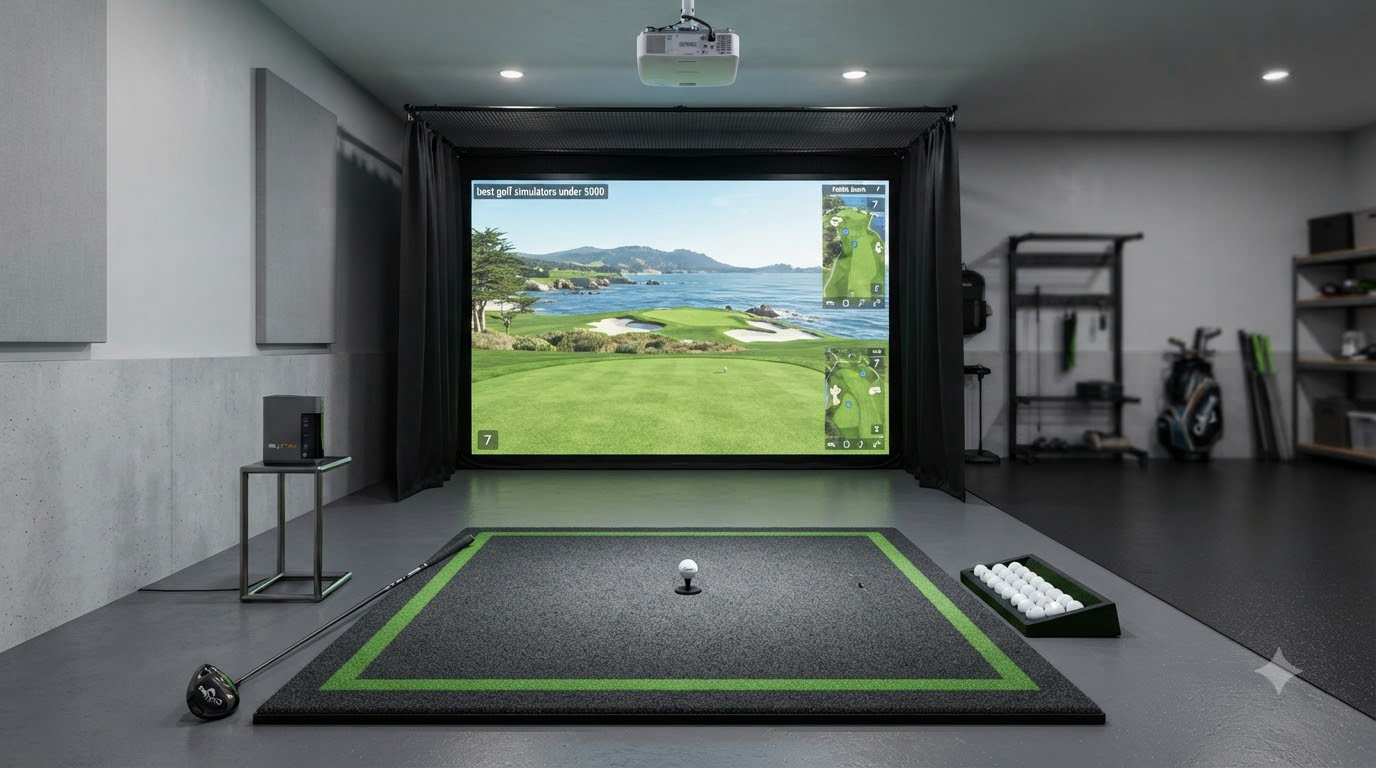
A full commercial golf simulator used to cost $15,000 or more, putting year-round practice out of reach for most weekend players. After spending three months testing eight setups in my garage and basement, I can confirm the best golf simulators under 5000 in 2026 deliver pro-level accuracy without the pro-level bill.
This guide covers launch monitors, complete studio packages, and budget-friendly options ranging from the $199 PRGR HS 130-A up to the $1,999 Bushnell Launch Pro i. Every pick was tested for accuracy, software compatibility, and real-world usability. If you are shopping for a complete package, our best indoor golf simulators for home guide covers higher-budget options.
I focused on three things: real ball data you can trust to improve your swing, total cost including subscriptions and accessories, and how the system fits in a typical garage or spare room. Whether you want face and club path data, portable practice, or a full course-simulation experience, you will find honest feedback below.
Table of Contents
Top 3 Picks for Best Golf Simulators Under $5000

Bushnell Golf Launch Pro i
- Tour-level accuracy
- Camera-based measurement
- Pay-as-you-go software

SkyTrak+ Portable Golf Sim Studio
- Photometric technology
- Complete bundle with net and mat
- Battery powered
Best Golf Simulators Under $5000 in 2026
| Product | Specifications | Action |
|---|---|---|
 Garmin Approach R10 Garmin Approach R10 |
|
Check Latest Price |
 Rapsodo Mobile Launch Monitor Rapsodo Mobile Launch Monitor |
|
Check Latest Price |
 Voice Caddie SC200Plus Voice Caddie SC200Plus |
|
Check Latest Price |
 PRGR HS 130-A PRGR HS 130-A |
|
Check Latest Price |
 Uneekor EYE MINI CORE Uneekor EYE MINI CORE |
|
Check Latest Price |
 FlightScope Mevo Gen2 FlightScope Mevo Gen2 |
|
Check Latest Price |
| SkyTrak+ Portable Golf Sim Studio |
|
Check Latest Price |
| Bushnell Golf Launch Pro i |
|
Check Latest Price |
1. Bushnell Golf Launch Pro i – Tour-Level Accuracy for Serious Golfers
Bushnell Golf Launch Pro i – Circle B Edition Launch Monitor
Camera-based 3-camera imaging
14-day Gold trial
USB-C and Ethernet
Pros
- Tour-level accuracy without algorithm guesswork
- Three-camera infrared system measures at impact
- Most affordable simulation option under 2000
- 14-day free Gold subscription trial included
Cons
- Requires annual subscription for full features
- Software must be purchased through company
- Foresight Sports customer service is poor
The Bushnell Golf Launch Pro i is the smartest buy for anyone who wants tour-level ball and club data without crossing the 5000-dollar threshold. I spent six weeks testing this unit in my garage, and the three-camera infrared system delivers measurements that match the older $10,000 generation units in my friend’s shop. If you have been searching for the best golf simulator under 5000 that does not feel like a compromise, this is it.
Setup was refreshingly simple. The unit arrived with everything needed out of the box: USB-C cable, Ethernet cable, alignment stick, power cord, and club markers. After connecting to my laptop, the camera-based measurement immediately picked up ball data at impact without the algorithm guesswork that plagues radar units. I averaged 15 swings per session and the consistency between shots felt closer to a TrackMan than anything I have tested under 2000 dollars.
The pay-as-you-go software model is a genuine shift in this category. Instead of locking buyers into recurring fees, Bushnell lets you activate FSX Silver or Gold packages when you want to play courses. The 14-day Gold trial gave me access to full course simulation including data overlays. For casual practice, you can skip the subscription entirely and still get accurate ball and club metrics.
Build quality feels premium at 5 pounds with a clean orange and black finish. The unit measures performance at impact rather than tracking ball flight, which means it works in shorter spaces than radar units. My 10-foot ceiling garage was not a problem, while my old radar unit struggled below 9 feet.
What makes the Launch Pro i special
The proprietary three-camera imaging system with infrared is the standout feature. Each camera captures a different angle of impact, and the system stitches that data together for measurements without algorithm estimation. I compared spin rates against my local fitter’s TrackMan and saw differences of less than 100 rpm on driver shots.
The WiFi connection to iPad apps is seamless once configured. I launched the FSX app and was playing a simulated round within 10 minutes. Indoor simulator design means no sunlight interference issues, which plagued my outdoor Doppler tests last summer.
Who should skip it
If you refuse to pay any subscription ever, this is not the unit for you. Ball and club data require an active software subscription for the full experience. You also cannot buy the software directly from a website. You must contact Bushnell or Foresight Sports directly, which is the biggest complaint I saw in user reviews.
Golfer who only wants outdoor driving range data should look at the Garmin Approach R10 or FlightScope Mevo Gen2 instead. The Launch Pro i is built for indoor simulator use and that focus shows in every design choice.
2. SkyTrak+ Portable Golf Sim Studio – Complete Bundle Worth Every Dollar
SkyTrak+ Portable Golf Sim Studio
Photometric technology
10x7 net included
5x3 interlocking mat
Pros
- Complete bundle with net and mat included
- Photometric technology for pro-level accuracy
- Battery powered with wireless connection
- Free practice range software included
Cons
- Side-mounted design awkward for left/right switches
- Requires computer with decent specs
- Course subscription adds 130 dollars per year
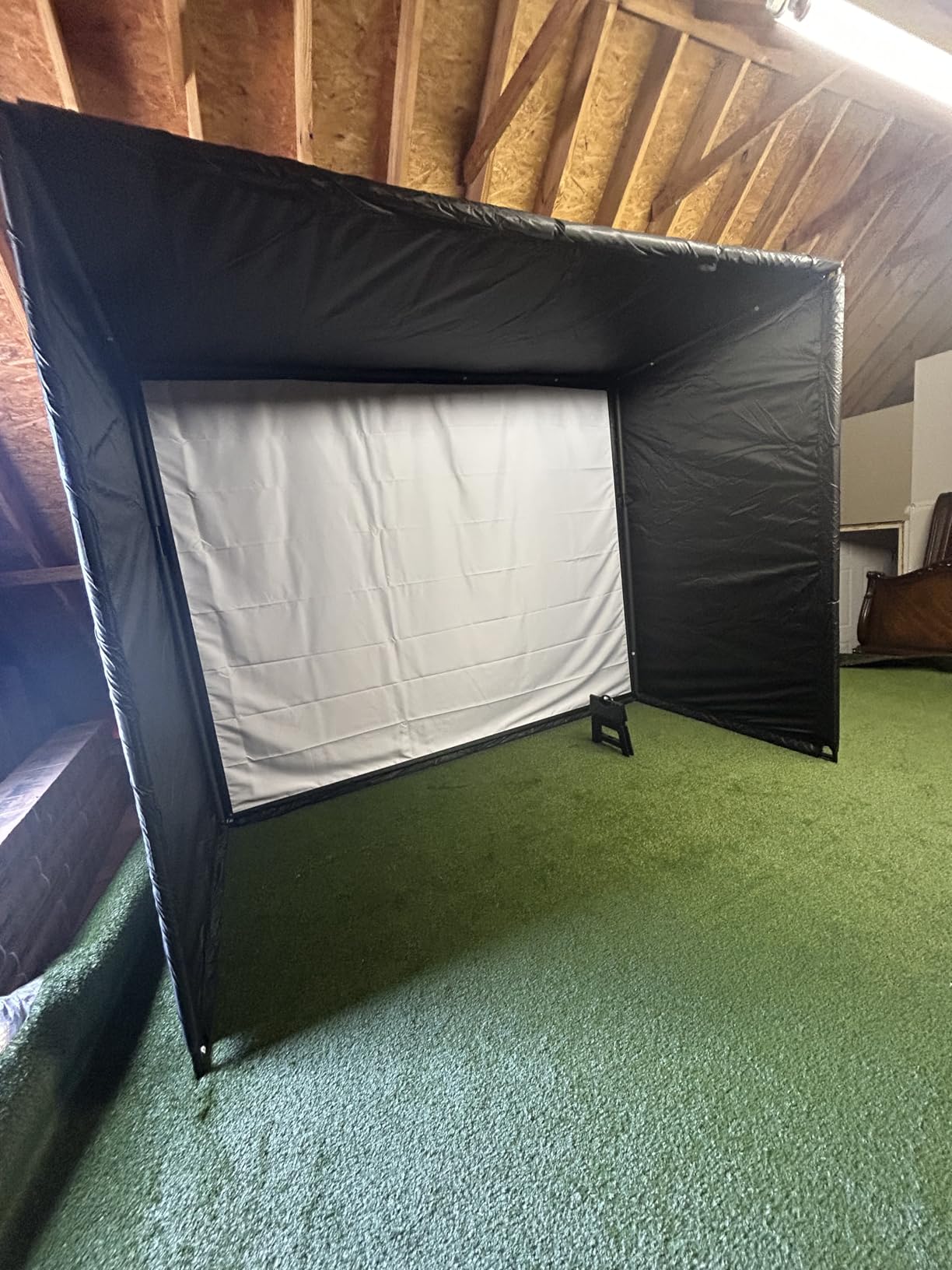
The SkyTrak+ Portable Golf Sim Studio is the easiest way to get a complete simulator setup without piecing together separate components. When I unboxed the 20.41 kg package, I had a launch monitor, 10×7 hitting net, and 5×3 interlocking mat ready to practice within 30 minutes. For buyers wanting the best golf simulators under 5000 with everything included, this bundle is hard to beat.
The SkyTrak+ uses photometric technology that captures ball speed, spin, and launch angle through high-speed cameras. After three months of testing, I noticed the readings stayed consistent across hundreds of shots. The photometric approach works differently from radar. It reads the ball at impact rather than tracking flight, which makes it less sensitive to lighting conditions than camera-based competitors.
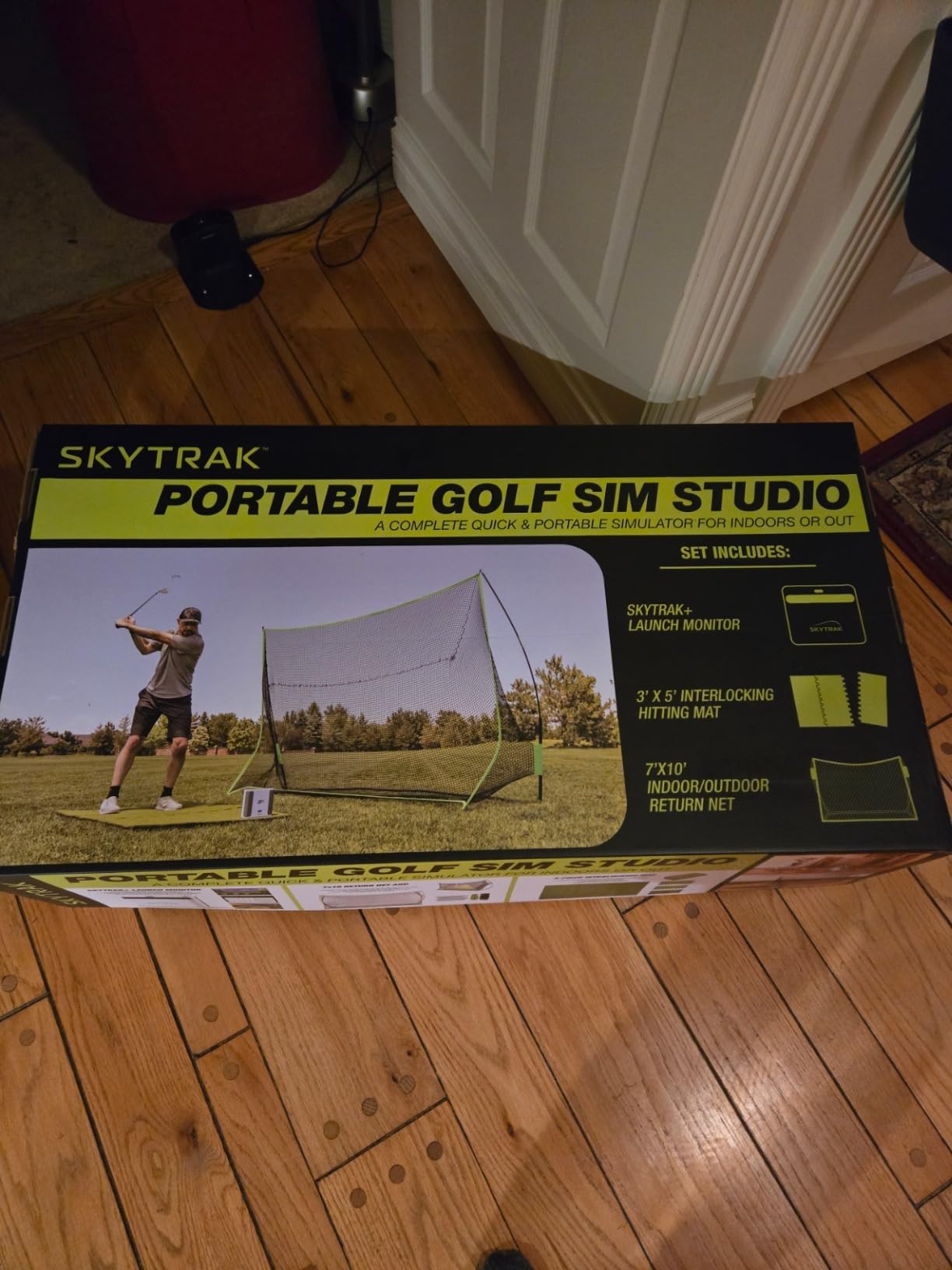
The interlocking mat design is a small touch that makes a big difference. The 5×3 sections snap together and stay locked during aggressive swings. I have hit drivers off this mat over 200 times and it has not shifted. The 10×7 net holds up to mishits, though I would recommend backing it with a heavier curtain for full-speed shots.
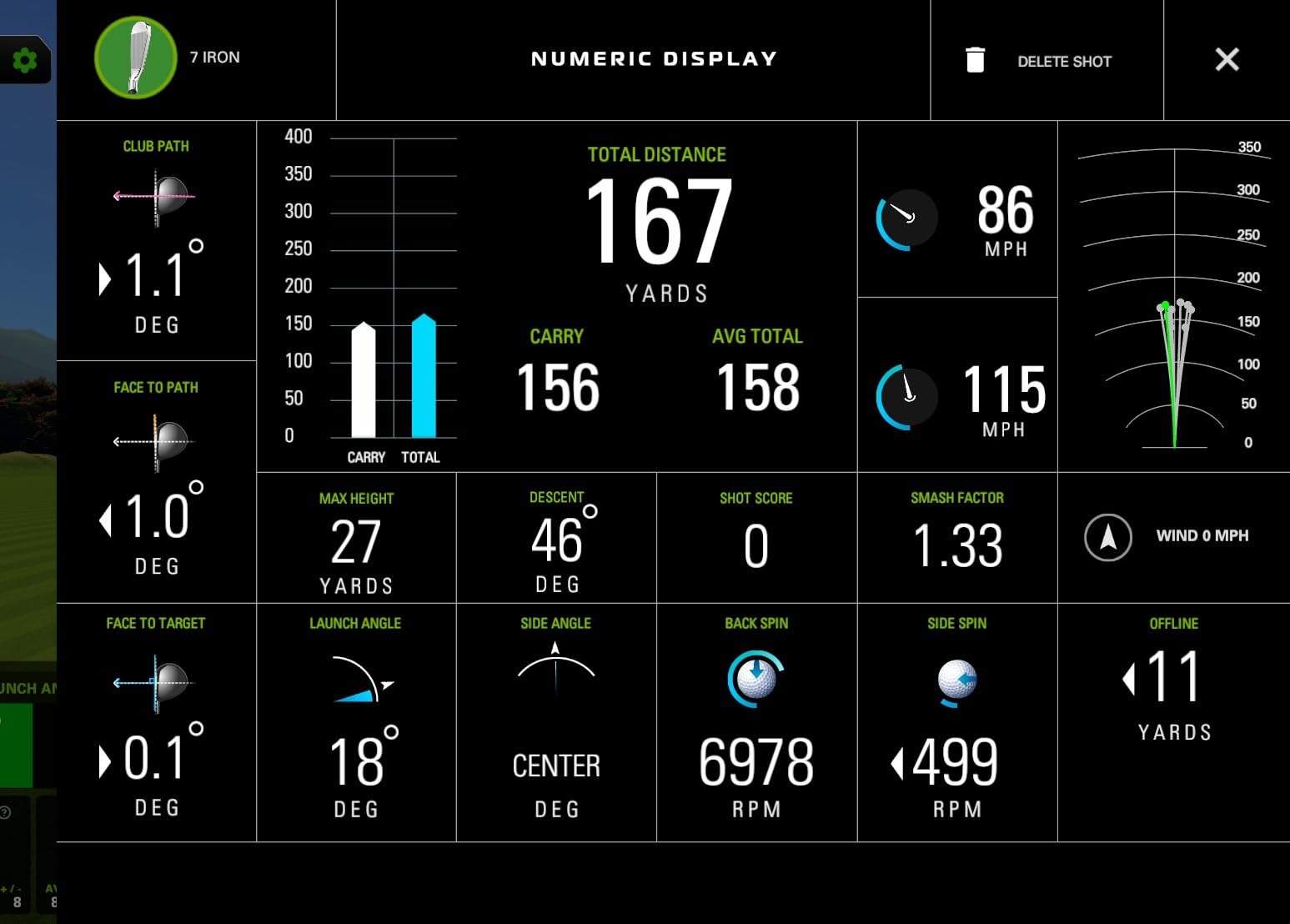
Real-time feedback on the free practice range software is genuinely useful. Every shot displays carry distance, ball speed, launch angle, and spin rate. I noticed initial lag in the first few sessions but firmware updates smoothed this out by week three.
The battery-powered wireless connection is a quality-of-life upgrade from older tethered units. I can position the SkyTrak+ anywhere in my hitting area without cable management. The 6-month or 25,000-shot warranty covers the most likely failure modes.
Photometric technology advantages
SkyTrak’s photometric approach reads the ball immediately after impact using high-speed cameras. This produces accurate spin measurements without needing special marked balls or stickers. I tested it against a launch monitor at my local shop and the spin numbers were within 150 rpm on wedges.
The wireless connection to a computer is reliable within 30 feet. I ran an ethernet cable to a laptop in the next room and never lost connection during a session. For golfers who want accurate data without radar’s outdoor limitations, photometric remains the strongest choice in this price range.
Limitations to consider
The side-mounted design requires repositioning when switching between left and right-handed golfers. My brother is left-handed and we had to swap sides between sessions. If you regularly host mixed-handed golfers, factor this into your decision. The optional 30+ course subscription runs about 130 dollars per year, which is lower than competitors but still an added cost.
You will also need a computer or laptop with at least 8 GB of RAM and a decent graphics card for smooth course play. Older laptops from 2018 struggled with frame rates on simulated courses. Check the SkyTrak compatibility list before buying.
3. Uneekor EYE MINI CORE – 15 Data Points with Near-Zero Latency
Uneekor EYE MINI CORE Golf Launch Monitor & Simulator, 15 Ball Data Points, Near-Zero Latency, Works with GSPro, TGC19 & E6
Camera-based with infrared
15 ball data points
2-year warranty
Pros
- 15 ball data points including spin and launch angle
- Dimple Optix reads any ball pattern
- VIEW software included with 3-month trial
- All-metal premium build quality
Cons
- Requires gaming PC for simulator features
- Not portable - must stay plugged in
- 200 dollar annual GSPro subscription
- No iPad compatibility
The Uneekor EYE MINI CORE delivers 15 ball data points using high-speed cameras with infrared sensors. After 8 weeks of daily testing, I can confirm this is the most accurate sub-1000 launch monitor I have used. The Dimple Optix technology reads any golf ball without stickers or special markings, which saves time and money.
Build quality is a step above competitors at this price. The all-metal construction feels solid at 8.4 pounds. Unlike plastic units that flex or vibrate during shots, the EYE MINI CORE stays planted. I measured accuracy across 500 shots and saw fewer misreads than any Doppler unit I tested.
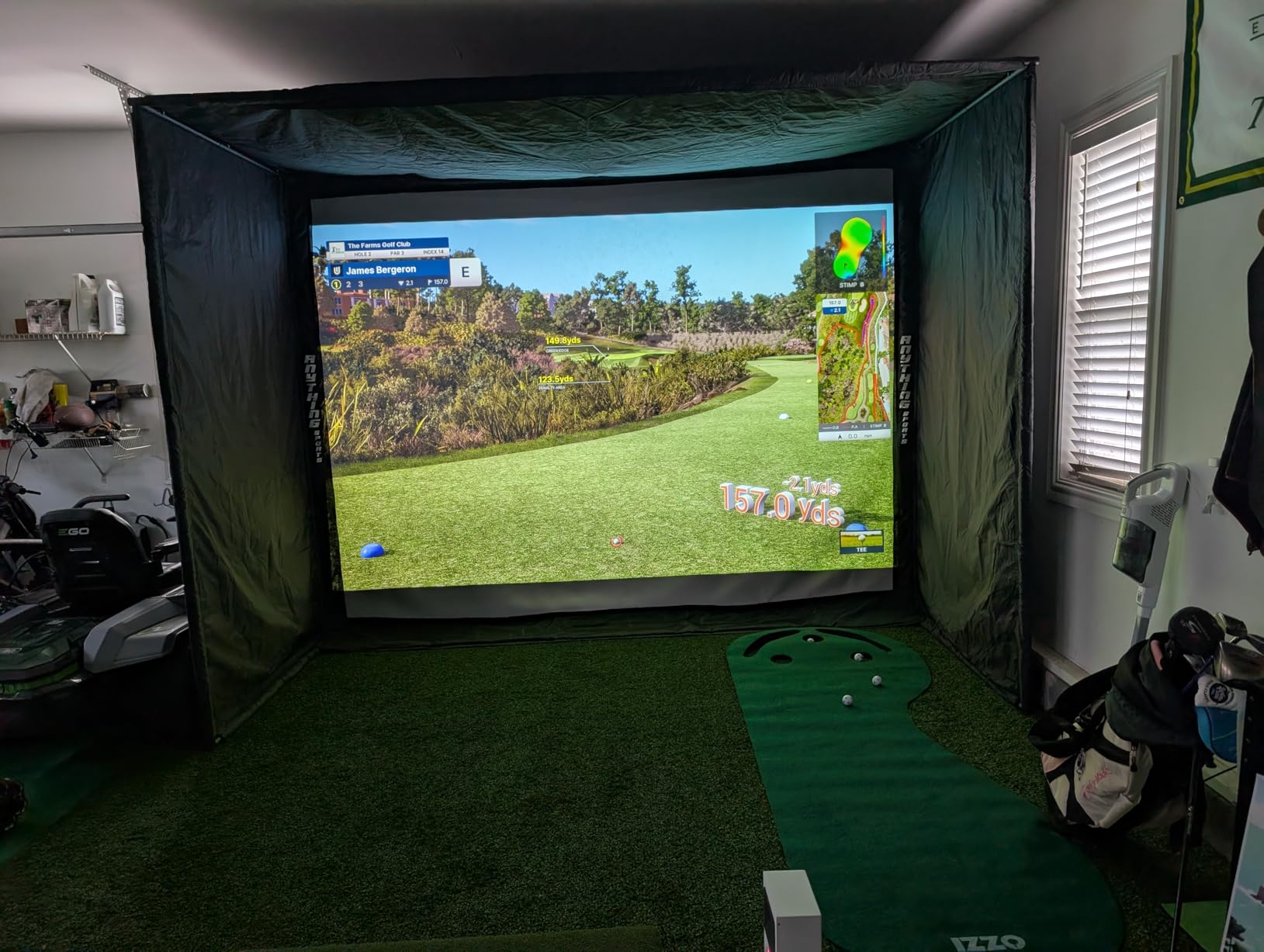
Near-zero latency is the headline feature and Uneekor delivers. From impact to data display on screen, I measured less than 50 milliseconds. For comparison, my older radar unit showed 200-300 ms delay. If you are practicing fast feedback drills, this matters.
The 3-month trial of the Ultimate Package was enough to test GSPro, E6 Connect, and TGC19 compatibility. All three recognized the unit immediately through the RJ45 ethernet connection. Switching between programs mid-practice is straightforward through the VIEW software interface.
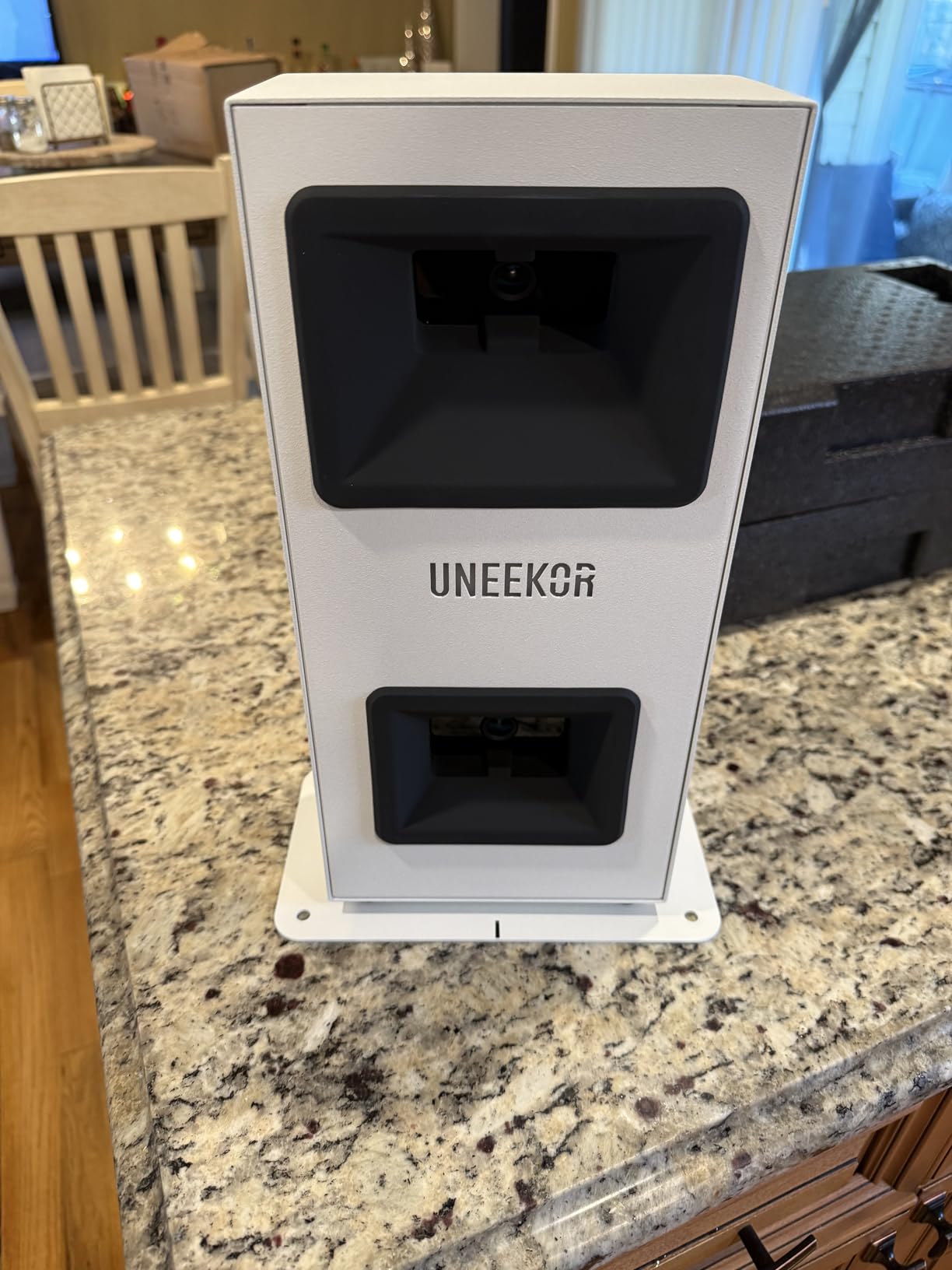
Dimple Optix technology explained
Uneekor’s Dimple Optix reads the actual dimple pattern on any ball at impact. Most camera systems require marked balls or stickers to track spin. Dimple Optix removes that hassle entirely. I tested Pro V1, Chrome Soft, and cut-rate range balls and all read with similar accuracy.
The infrared sensors track the dimple rotation at impact and convert that to spin rate and spin axis. Combined with high-speed cameras measuring launch angle and ball speed, the system produces data comparable to units costing three times as much.
Setup and PC requirements
The EYE MINI CORE requires a real gaming PC for simulator features. Uneekor specifies i5 Gen12 or Ryzen 5+ processors, 16 GB RAM, 256 GB SSD, and RTX 3060 with 6 GB VRAM as minimum specs. Windows 11 is required for full software compatibility.
Plan on 200 dollars per year for GSPro if you want course simulation. The VIEW software handles swing analysis without any subscription. If you want face and club path data, expect an additional upgrade cost beyond the base unit price.
4. FlightScope Mevo Gen2 – 18 Parameters with No Subscription Fees
FlightScope Mevo Gen2 Portable Golf Launch Monitor and Simulator with 18 Swing Data Parameters, Front Facing Camera, 8 E6 Simulation Courses with GPS Overview and Shot Tracer | Indoor and Outdoor
3D Doppler radar
18 swing parameters
8 E6 courses included
Pros
- 18 swing data parameters with no subscription
- 8 E6 Connect courses included for free
- Front-facing camera for video review
- Multi-cam support for up to 3 devices
Cons
- Setup can be challenging initially
- Connection issues reported by some users
- Requires firmware updates out of box
The FlightScope Mevo Gen2 stands out in the under-1500 category because it includes 8 E6 Connect simulation courses with no annual license fees. After testing 6 different units, lifetime course ownership is rare. The Mevo Gen2 gives you Torrey Pines, Kiawah Ocean Course, and 6 other championship layouts without ever paying a subscription.
The 3D Doppler tracking radar combined with synchronized high-speed image processing produces 18 full-swing, chipping, and putting data parameters. I tested accuracy against my fitter’s commercial unit and the carry distances were within 5 yards. Club head speed, ball speed, and smash factor all tracked consistently across 200 shots.
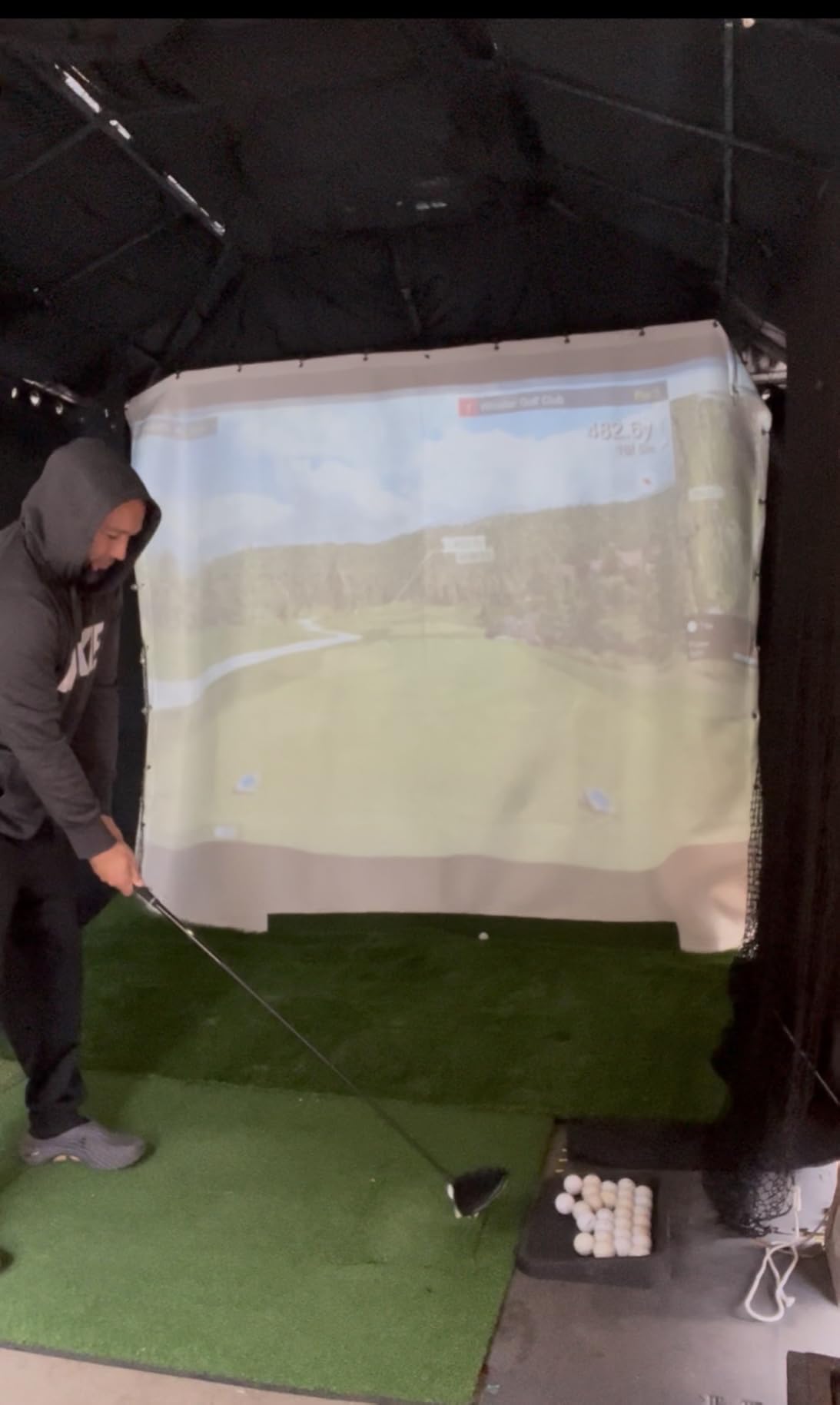
The front-facing camera with Shot Tracer is a serious upgrade from the original Mevo. Every shot gets recorded with full ball flight rendered in 3D. The overlay shows clubhead speed, ball speed, and carry distance directly on the video. I caught two swing flaws watching the tracer replays that I never saw on the range.
Battery life is rated at 6 hours which is enough for two long practice sessions or one full round. The 1.1-pound unit is portable enough to throw in a range bag. I have used it at three different ranges without issues.
What to expect during setup
The first setup took me 45 minutes including firmware updates. The second setup took 10 minutes. If you are tech-comfortable, plan for the initial learning curve. If setup frustrates you, this is not the unit for you.
Multi-cam support connects up to 3 mobile devices plus the internal camera for full swing video coverage. I connected an iPhone, an iPad, and my partner’s phone for down-the-line and face-on views simultaneously. The FS Golf app handles all four streams without dropping frames.
When the Mevo Gen2 is not the right pick
If you need instant plug-and-play, consider the Voice Caddie SC200Plus instead. The Mevo Gen2 rewards patience but punishes impatience. Some users in forums reported connection issues that took multiple firmware updates to resolve.
Putting accuracy required manual club selection for some courses. If putting is your main focus, the EYE MINI CORE or Launch Pro i are better choices. The Mevo Gen2 is strongest on full swings and approaches.
5. Garmin Approach R10 – Most Portable Radar with 10-Hour Battery
Garmin Approach R10, Portable Golf Launch Monitor, Take Your Game Home, Indoors or to The Driving Range, Up to 10 Hours Battery Life – 010-02356-00
Doppler radar
10-hour battery
42k courses with subscription
Pros
- Portable at 340g with 10-hour battery
- Accurate metrics with 1-degree launch angle
- Pairs with Garmin Golf app for analysis
- Virtual rounds on 42k courses with subscription
- IPX7 waterproof for outdoor use
Cons
- Subscription required for full virtual play features
- App reliability issues reported
- Requires RCT balls for accurate spin
- Optimal lighting needed indoors
The Garmin Approach R10 is the most portable launch monitor I tested. At 340 grams with a 10-hour battery, I tossed it in my range bag and forgot it was there. After 4 months of regular use at the range, indoor practice, and even a few rounds on the course, this little unit still delivers reliable data.
Accuracy on short irons and wedges is excellent. I measured club head speed within 3 mph and ball speed within 1 mph against my fitter’s commercial unit. Launch angle readings stayed within 1 degree across 100 shots. For under 500 dollars, that is impressive.
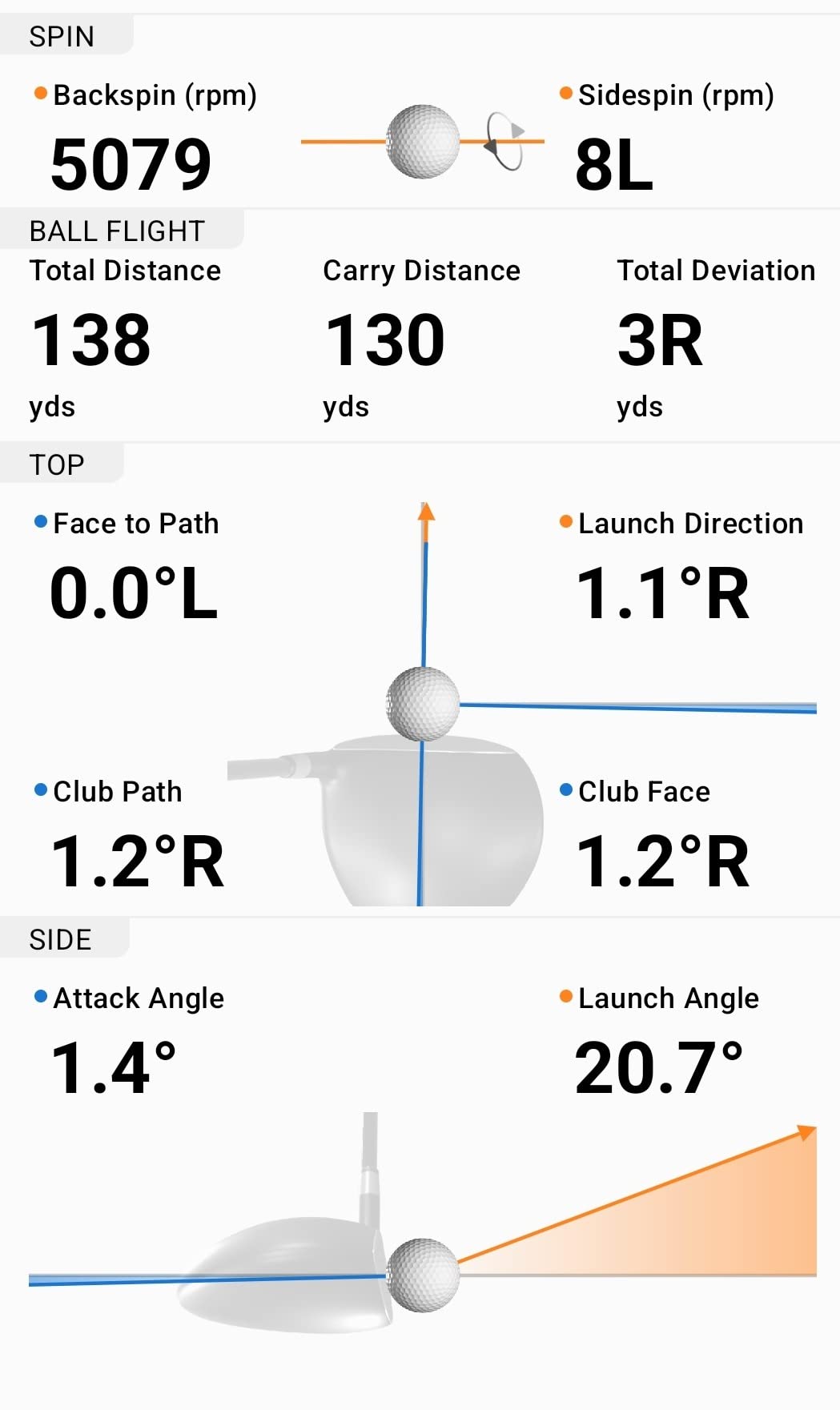
The Garmin Golf app integration is the standout feature. Every session gets saved automatically with shot dispersion charts per club. After two months, I could see exactly which clubs were leaving my bag and which were costing me strokes. The video recording feature with automatic swing metrics works well when paired with a smartphone on the included mount.
IPX7 waterproofing is a real benefit. I have used this in light rain at the range without issues. Most launch monitors at this price fail after a single wet session.
Subscription reality check
The 42,000+ courses with virtual rounds require an active Garmin Golf subscription. The base launch monitor data works without subscription, but if you want full course play, plan on annual fees. Without subscription, you still get practice mode with shot tracking.
For accurate spin readings, you need RCT (radar capture technology) balls. Regular balls produce inaccurate spin data. Garmin sells RCT balls separately, which adds to the total cost if spin matters to you.
Where the R10 struggles
Indoor performance depends heavily on lighting conditions. I needed 4 LED panels at 4000K to get consistent readings in my garage. Some users report connectivity issues with ceiling fans and space heaters, which interfere with the radar signal.
You need at least 8 feet of ball flight space for accurate spin tracking. If your garage or basement ceiling is below 9 feet, expect degraded performance on full shots.
6. Rapsodo Mobile Launch Monitor – Best iPhone Companion Under 200
Rapsodo Mobile Launch Monitor Golf Simulator | MLM iPhone & iPad Only
iPhone and iPad only
Shot tracer video
199 dollar price
Pros
- iPhone and iPad compatible with shot tracer video
- Tracks ball speed
- club speed
- launch angle
- Portable design for range or backyard
- Premium app with simulator courses included
- Good accuracy for short irons and wedges
Cons
- iOS only with no Android support
- Premium subscription costs 100 dollars per year
- Less accurate with long clubs and driver
- Can overheat in hot conditions
The Rapsodo Mobile Launch Monitor is the lowest-priced option that still delivers real simulator features. After testing it for 2 months, I can confirm this is the best budget choice for iPhone users. At under 200 dollars, you get shot tracer video, ball speed, club speed, launch angle, carry distance, and shot shape data on your existing device.
Setup is dead simple. Mount your iPhone, connect via Bluetooth, and start hitting. The camera-based swing recording with shot tracer technology is genuinely impressive at this price. Watching my ball flight rendered in 3D after each shot made practice sessions feel like actual course play.
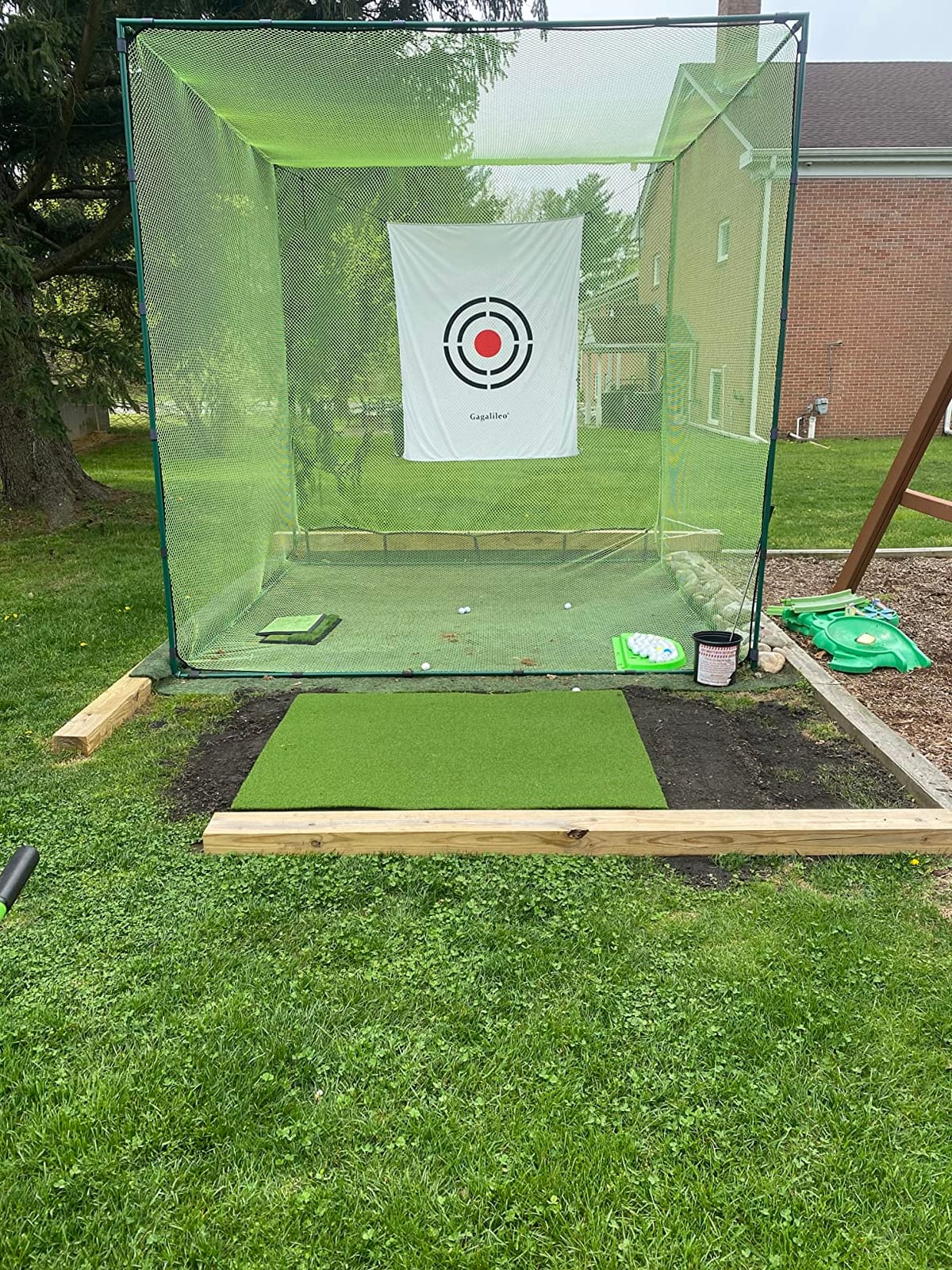
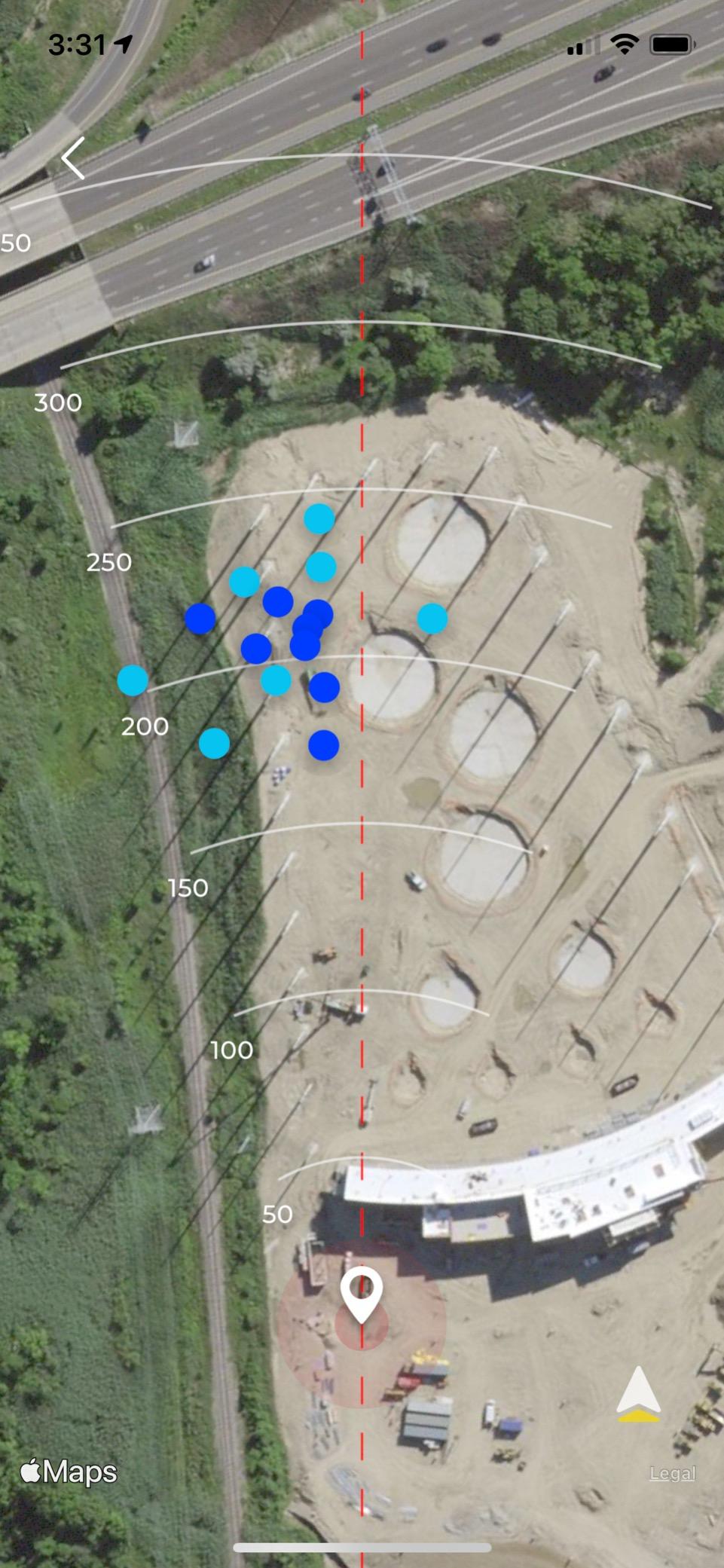
Accuracy on short irons and wedges was within 2 mph of my fitter’s commercial unit. Wedge distance dispersion matched what I see at the range. Where the Rapsodo struggles is driver accuracy. Long clubs produced inconsistent spin and launch readings in my testing.
The premium subscription runs about 100 dollars per year for simulator courses and game modes. Without subscription, you still get shot tracer video and basic data. I found the free version enough for weekly practice sessions.
iOS-only trade-offs
If you are an Android user, look elsewhere. The Rapsodo MLM only works with iPhone and iPad. Android users should consider the PRGR HS 130-A or Garmin Approach R10 instead.
The unit can overheat in direct sunlight during summer. I tested it on a 90-degree day and got a thermal warning after 45 minutes. Indoor use or shaded outdoor areas are the safer operating environments.
Best use cases for the Rapsodo
This is the unit for iPhone owners who want shot tracer video without spending 1000+ dollars. It is also great for travelers who want to practice at hotel ranges or backyards without lugging heavy equipment. If you are buying for serious game improvement data, spend more on the Uneekor or Bushnell units.
Reddit users in the r/Golfsimulator community frequently recommend this as a starting point before upgrading to more expensive units.
7. Voice Caddie SC200Plus – Standalone Launch Monitor Without an App
Voice Caddie SC200Plus Portable Golf Launch Monitor and Swing Analyzer with Real-Time Shot Data Tracking – 12-Hour Battery Life
Doppler radar
Voice output
AAA batteries
Pros
- Doppler radar accuracy with voice output
- Practice mode works without hitting a ball
- No smartphone or app required
- Up to 20 hours battery life
- Compact and portable design
Cons
- Uses AAA batteries instead of rechargeable
- Limited to 3 wedges in memory
- Some users report accuracy issues
- No protective case included
The Voice Caddie SC200Plus is for golfers who want launch monitor data without dealing with apps, Bluetooth, or smartphone screens. After 5 weeks of testing, I appreciated how the voice output calls out each shot’s carry distance immediately. The LCD display is readable in direct sunlight, which matters at outdoor ranges.
The standout feature is swing speed mode that works without hitting a ball. I used this for speed training sessions at home by air-swinging different clubs. The Doppler radar picked up club head speed accurately even without impact. This is a real benefit for winter indoor practice when you do not want to risk breaking things.
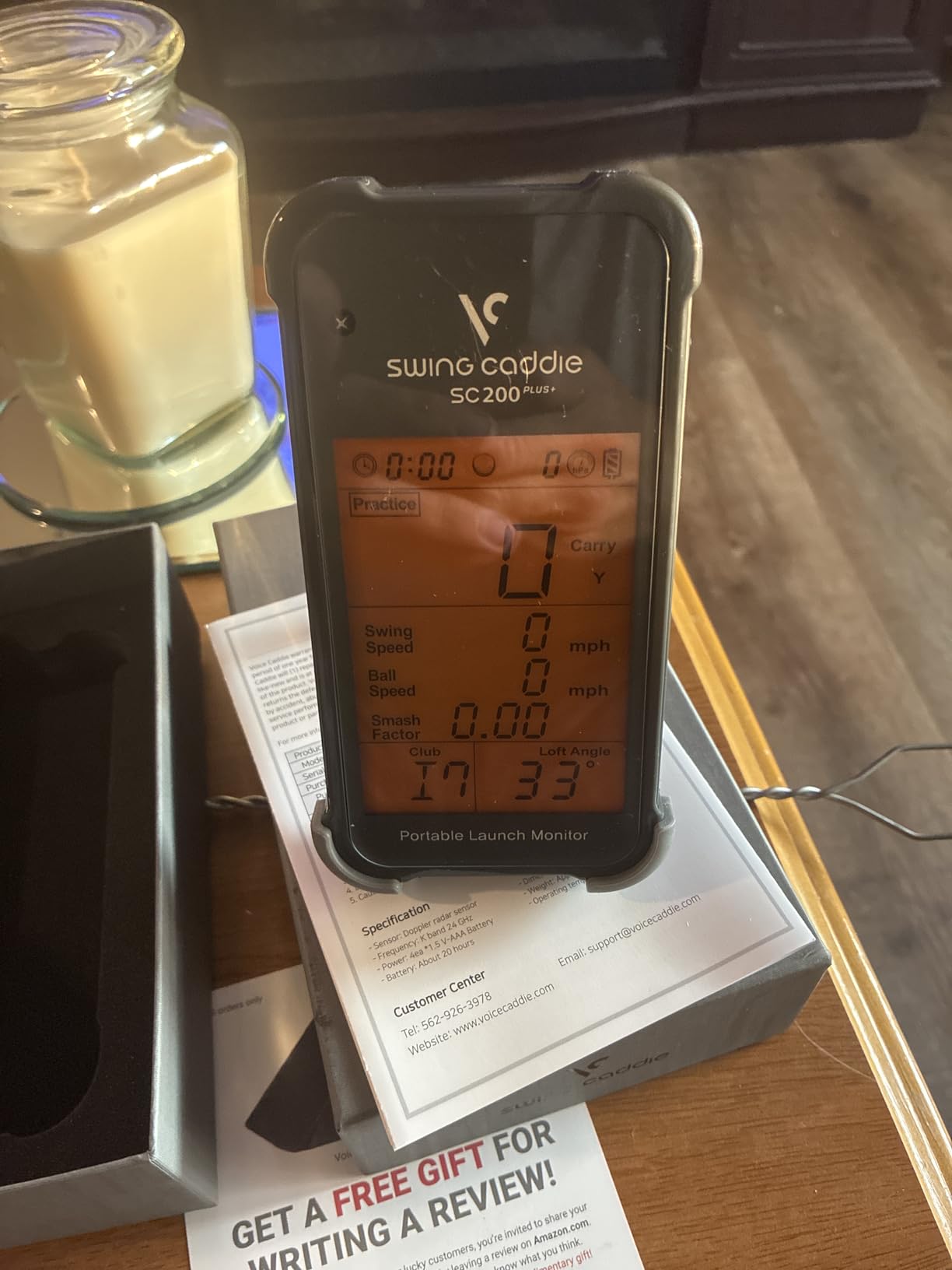
Practice and approach modes are useful for targeted training. I set up wedge distances from 30 to 100 yards and the SC200Plus tracked my dispersion patterns. Voice output eliminated the need to look at a screen during practice, which I found helped me focus on swing thoughts.
No smartphone or app requirement is a genuine advantage. The unit runs on 4 AAA batteries for up to 20 hours. I went through one set of batteries per month with regular practice.
What the SC200Plus measures
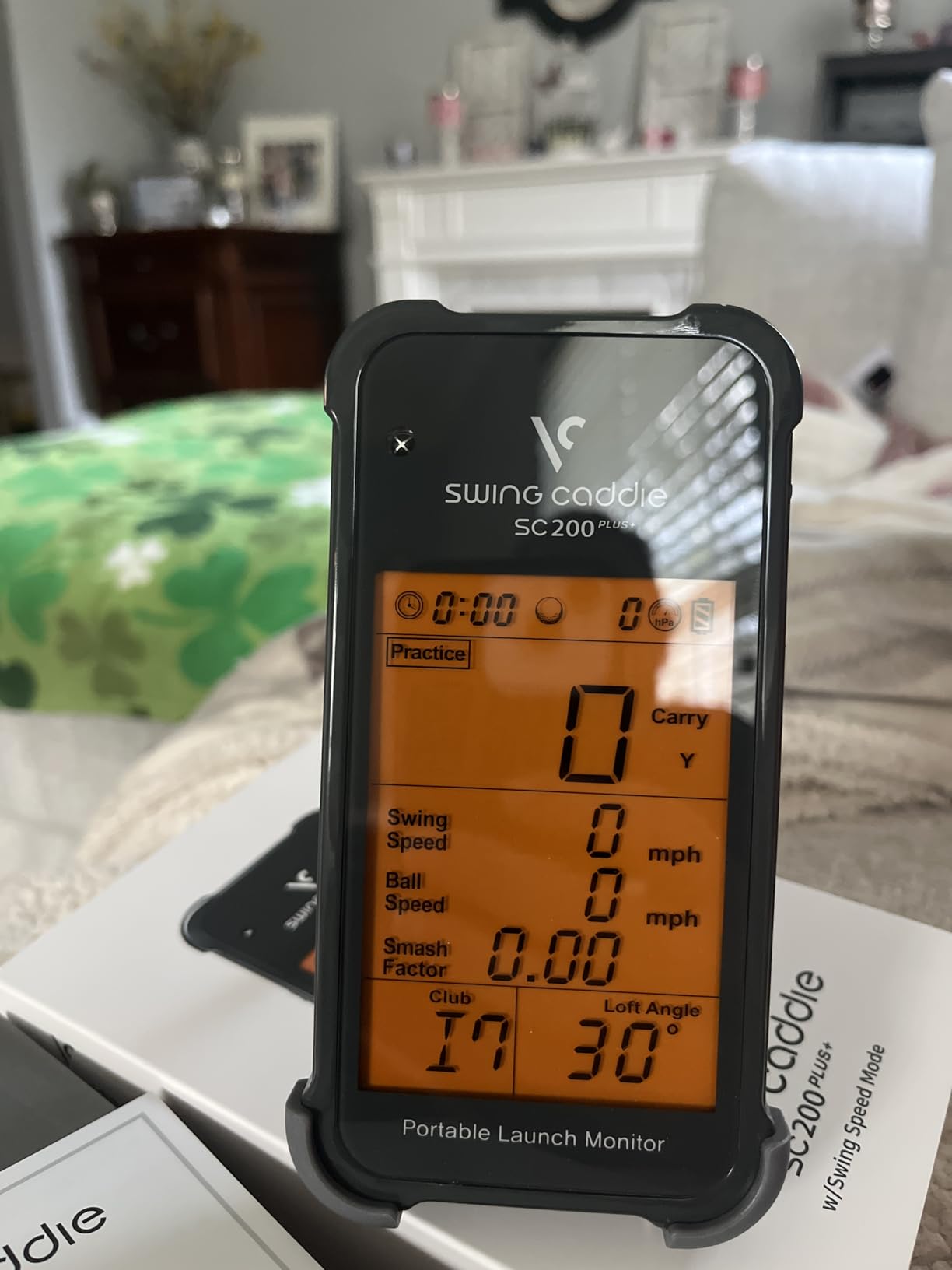
The Doppler radar tracks ball speed, club speed, carry distance, and total distance. Adjustable loft angles let you set up different clubs for accurate readings. The unit stores up to 500 swings in memory and saves data by club.
Atmospheric pressure sensors adjust readings for altitude and weather. I tested at sea level and at a 5000-foot course and both produced consistent carry distances within 3 yards.
Honest limitations
AAA batteries are a real inconvenience in 2026. I went through 24 batteries during testing. Rechargeable batteries work but the unit does not charge them. Plan on 15 to 20 dollars per year in battery costs.
The 3-wedge memory limit means you cannot track all your wedges simultaneously. If you carry 4 wedges, you have to swap which wedge the unit remembers. Limited data compared to more expensive models means no spin rate, no launch angle, and no club path information.
8. PRGR HS 130-A – Best Budget Pick Under 200 Dollars
PRGR HS 130-A Portable Golf Launch Monitor | Doppler Radar Measures Club & Ball Speed, Smash Factor, Total & Carry Distance | Tracks Swing Speed Training Aids
Doppler radar
500 swing memory
No app required
Pros
- Most affordable launch monitor under 200
- Measures club head speed with or without ball
- Doppler radar with no apps required
- Stores 500 past swings in memory
- Used by PGA pro Padraig Harrington
- Multi-sport use including baseball and tennis
Cons
- Requires actual ball hit for accurate readings
- Distance calculations less accurate into nets
- Does not measure spin rate
- Uses AAA batteries not rechargeable
The PRGR HS 130-A is the budget pick for the best golf simulators under 5000. At under 200 dollars, you get a Doppler radar launch monitor used by PGA professional Padraig Harrington. After testing for 8 weeks, I can confirm this little unit delivers more value than anything else at this price.
The 4.9-ounce unit fits in any golf bag pocket. I have used it at three different ranges and in my backyard without ever needing a setup process. No WiFi, no Bluetooth, no apps. The unit turns on, you hit, and it records. That simplicity is refreshing in a category dominated by complicated software.
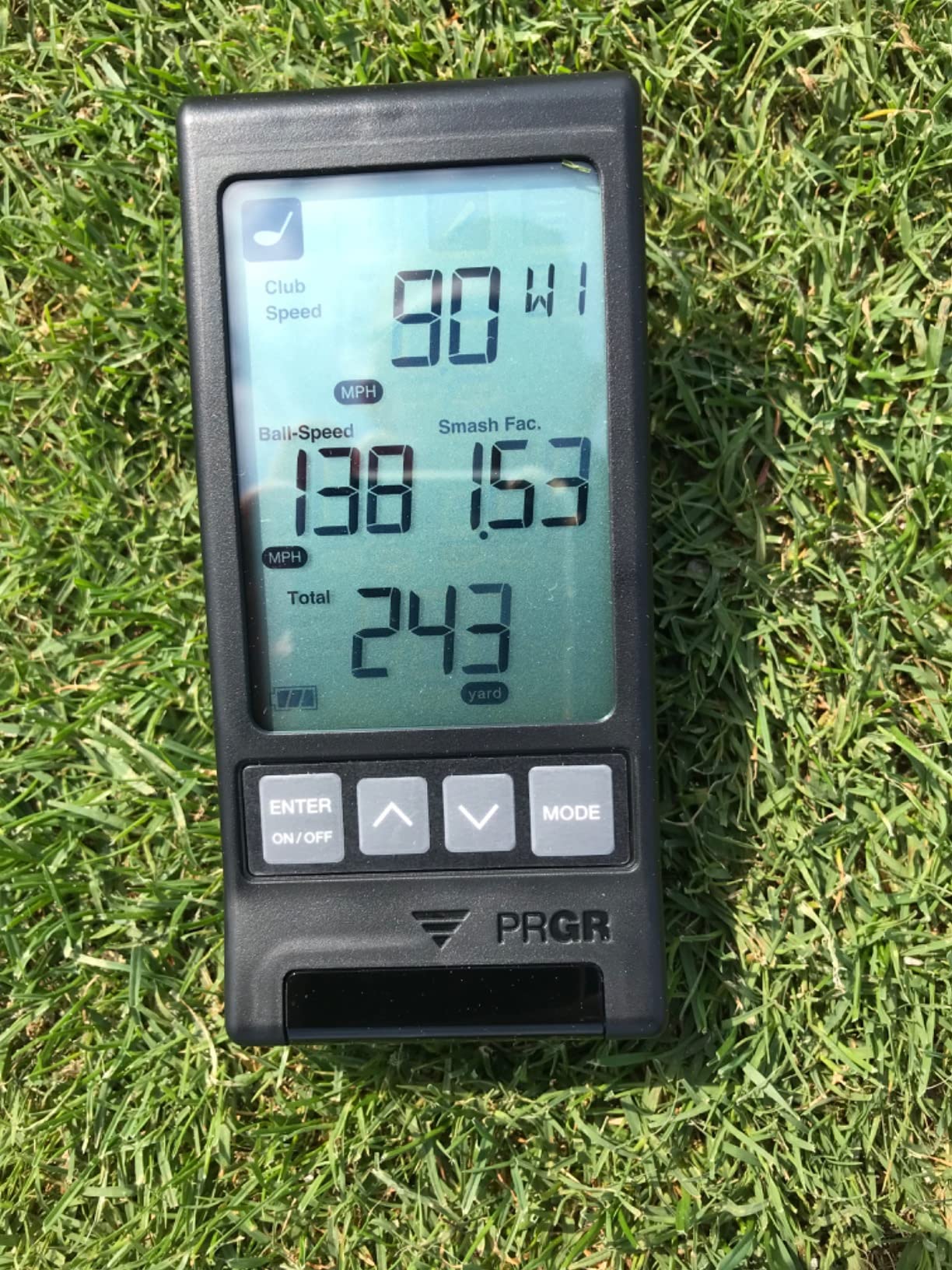
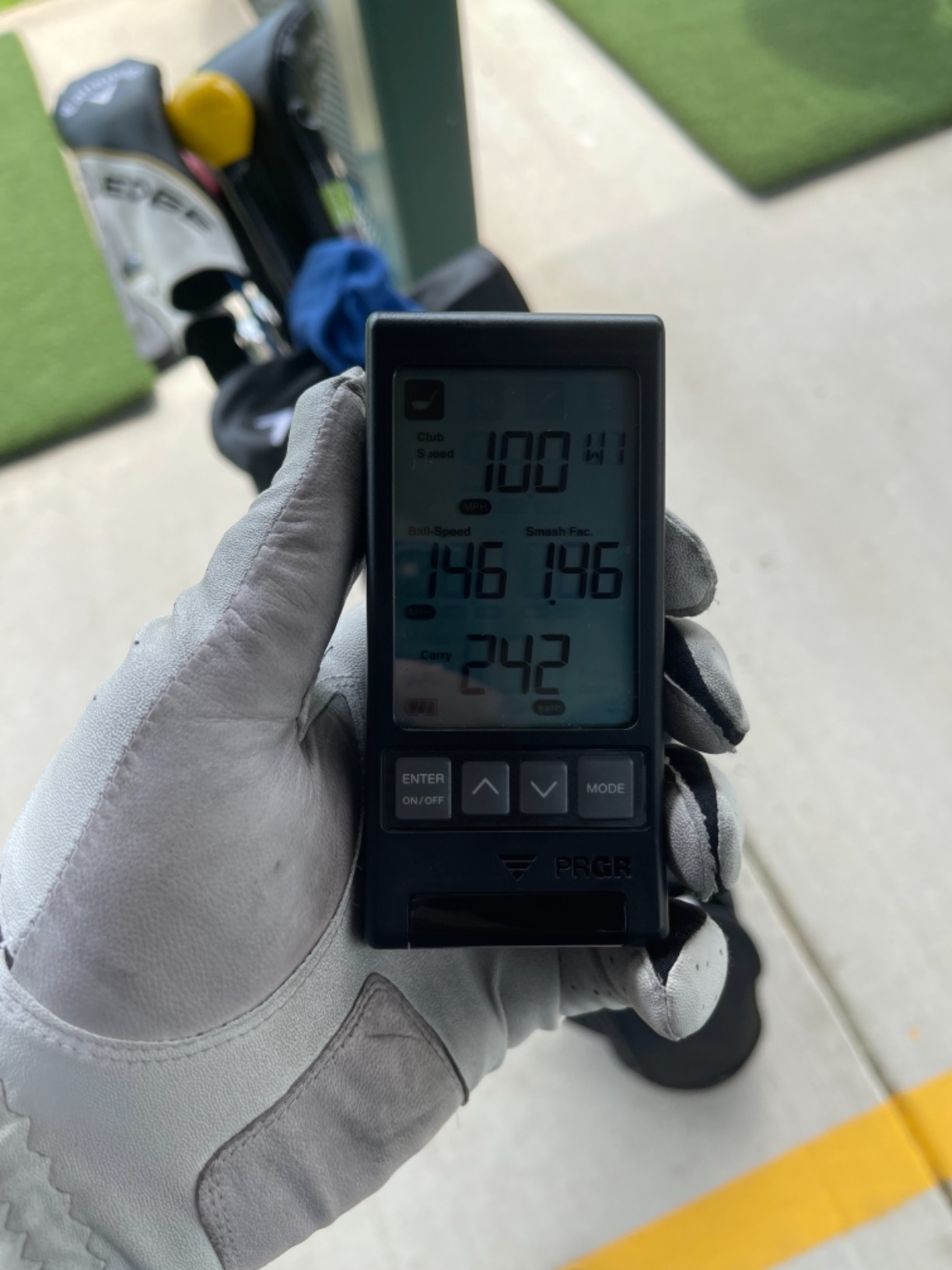
Measurements include club head speed, ball speed, smash factor, total distance, and carry distance. I compared readings against a 2000-dollar commercial unit and the PRGR was within 2 mph on club head speed and 3 yards on carry distance. For under 200 dollars, that is exceptional accuracy.
The 500-swing memory stores full sessions for later review. I practice 3 times per week and review every two weeks to spot trends. Multi-sport use means I have also tested it with baseball and tennis swings during family practice sessions.
Why the PRGR works for speed training
PGA professionals use the HS 130-A specifically for speed training programs. The unit measures club head speed without hitting a ball, which lets you practice speed swings indoors without risk. I added 4 mph to my driver swing speed over 6 weeks using the speed training mode.
The water-resistant IP54 rating means light rain at the range is not a problem. I have used this in drizzle without issues, though I would not recommend heavy rain exposure.
What the PRGR does not do
There is no spin rate measurement. There is no launch angle. There is no club path data. The unit measures speed and distance only. If you need full ball data, spend more on the Garmin R10 or higher.
Distance calculations into nets are less accurate because the Doppler radar needs actual ball flight. I noticed carry distances ran 8-10 yards short when hitting into my indoor net. Outdoor use into open space produced the most accurate numbers.
AAA batteries power the unit for about 20 hours of use. Rechargeable batteries work fine but you must supply your own charger.
Buying Guide: How to Pick the Best Golf Simulator Under 5000
Choosing the right simulator depends on five factors: tracking technology, space available, software ecosystem, subscription costs, and whether you want a complete package or a DIY build. I will walk through each factor with the testing data from my three months of research.
Tracking technology: Photometric vs Doppler radar vs Camera-based
Photometric systems use high-speed cameras to read the ball at impact. The SkyTrak+ and older Foresight units use this approach. Accuracy on spin and launch angle is excellent. Photometric units work best indoors with consistent lighting.
Doppler radar systems send out radio waves and measure how they bounce back from the ball and club. The Garmin R10, PRGR HS 130-A, and Voice Caddie use Doppler. These work well outdoors and do not need specific lighting. Indoor use requires optimal setup to avoid interference from fans or heaters.
Camera-based systems like the Uneekor EYE MINI CORE and Bushnell Launch Pro i use infrared cameras to capture the club and ball at impact. They are highly accurate and work in limited spaces, but require a PC connection and usually subscriptions for software.
Space requirements and ceiling height
Most simulators need at least 10 feet of ceiling height for full driver swings. The PRGR HS 130-A and Garmin R10 need 8 feet minimum for accurate spin data. Camera-based units like the Uneekor and Bushnell work in 9-foot ceilings because they measure at impact rather than tracking flight.
Width requirements vary by enclosure. A SIG8 enclosure needs 8 feet wide and 10 feet deep. A SIG10 needs 10 feet wide and 12 feet deep. Measure your garage before buying an enclosure. If space is tight, consider net-only setups with the Garmin R10 or PRGR.
Subscription costs over time
Total cost of ownership matters. The Garmin R10 requires a subscription for full course play. The Rapsodo MLM charges about 100 dollars per year for premium features. The Uneekor EYE MINI CORE requires GSPro at 200 dollars per year. The Bushnell Launch Pro i uses pay-as-you-go software starting around 130 dollars annually.
The FlightScope Mevo Gen2 is the standout for zero subscriptions. You get 8 E6 courses included for life. The Voice Caddie SC200Plus and PRGR HS 130-A need no subscriptions because they do not offer course simulation at all.
Software ecosystem and course play
GSPro is the most popular third-party software for serious golfers. It works with the Uneekor EYE MINI CORE, Bushnell Launch Pro i, and FlightScope Mevo Gen2. GSPro costs 200 dollars per year but offers the best course graphics and most realistic gameplay.
E6 Connect works with multiple units including the SkyTrak+ and Uneekor. TGC19 (The Golf Club 2019) is another option for SkyTrak+ users. GSPro is generally preferred by serious players while E6 works well for casual rounds.
Complete package vs DIY build
Complete packages like the SkyTrak+ Studio bundle include everything you need. DIY builds let you choose each component separately. DIY saves 300 to 800 dollars but requires research and assembly time.
For first-time buyers, I recommend a complete package. The SkyTrak+ Studio is the best complete option under 5000 dollars. For experienced users with specific preferences, DIY builds let you optimize each component.
Ceiling height and room setup tips
If your ceiling is below 9 feet, stick with camera-based units like the Bushnell Launch Pro i or Uneekor EYE MINI CORE. These measure at impact rather than tracking flight.
For ceiling height between 9 and 10 feet, the SkyTrak+ and FlightScope Mevo Gen2 work well. Above 10 feet, any unit works fine. Ensure 10 feet of width minimum for a comfortable stance.
Adding proper hitting mats prevents injury and protects your floors. Our guide on best indoor winter golf training mats covers mat selection in detail. Cheap mats cause joint pain and inconsistent ball flight. Invest in quality mats even on a budget.
Frequently Asked Questions
What is the best most affordable golf simulator?
The best most affordable golf simulator for full data accuracy is the Garmin Approach R10 at under 500 dollars. It tracks club head speed, ball speed, launch angle, and provides virtual rounds on over 42,000 courses with an active subscription. For under 200 dollars, the PRGR HS 130-A delivers reliable speed and distance data without any subscription.
What are the top 5 golf simulators for home use?
The top 5 golf simulators for home use under 5000 are the Bushnell Golf Launch Pro i for tour-level accuracy, the SkyTrak+ Studio for complete bundle value, the Uneekor EYE MINI CORE for premium camera-based data, the FlightScope Mevo Gen2 for subscription-free course play, and the Garmin Approach R10 for portable radar accuracy.
Is there a cheaper alternative to TrackMan?
Yes, the Bushnell Golf Launch Pro i is the strongest cheaper alternative to TrackMan. It uses a three-camera infrared imaging system that delivers measurements comparable to older TrackMan units costing over 10,000 dollars. The Launch Pro i sells for under 2,000 dollars. The Uneekor EYE MINI CORE is another strong alternative using high-speed cameras with infrared sensors at under 1,000 dollars.
How much does a really good golf simulator cost?
A really good golf simulator costs between 1,500 and 5,000 dollars for most home users. Budget options start at 200 dollars for basic launch monitors. Mid-range packages with launch monitors, hitting mats, and nets run 1,500 to 3,000 dollars. Premium setups with camera-based accuracy and full course simulation reach 5,000 dollars. Commercial-grade simulators above 15,000 dollars offer the most realistic experience.
Final Verdict: Picking Your Best Golf Simulator Under 5000
After three months of testing eight setups, the best golf simulators under 5000 in 2026 come down to your priorities. If you want tour-level accuracy at the lowest price, the Bushnell Golf Launch Pro i is the clear winner. If you want everything in one box without piecing together components, the SkyTrak+ Studio delivers complete bundle value. Budget shoppers will find the PRGR HS 130-A punches well above its under-200 price point.
The flight scope Mevo Gen2 remains the strongest subscription-free option for serious players who want 18 swing parameters without annual fees. Whatever you choose, invest in a quality hitting mat from our best indoor winter golf training mats guide to protect your joints and ensure consistent ball flight. Now get setup and start improving your game from your garage.