
Choosing the best laptops for photo editing is mostly a question of what you cannot see on a bad screen. A narrow-gamut or washed-out panel will hide the exact color error you spent an hour correcting, and no amount of processing power fixes that. So we ranked these machines the way photographers actually work: display quality first, then memory and processor, then graphics.
Our team compared ten creator laptops across the specs that matter in Lightroom and Photoshop: panel brightness, color gamut coverage, RAM, storage expandability, ports for card ingest, and weight. Every figure quoted below comes from the manufacturer specifications and aggregated owner reviews for that specific machine. Last updated for 2026, and the list spans from a light travel machine to a workstation panel covering 100% Adobe RGB.
If you are still choosing hardware, two companion guides help narrow it down: our picks for the best 4K monitors for photo editing cover the external-display question, and our best travel laptops for any trip handles the lighter end of the market.
Table of Contents
Top 3 Picks for Photo Editing in 2026
These three cover the widest range of photographer needs: the best overall editor, the best balance of price and portability, and the best Windows touchscreen panel.


Best Laptops for Photo Editing (October 2026)
| Product | Specifications | Action |
|---|---|---|
| Apple MacBook Pro 14 (M5) |
|
Check Latest Price |
 Apple MacBook Air 13 (M5) Apple MacBook Air 13 (M5) |
|
Check Latest Price |
| Samsung Galaxy Book4 Pro 16 |
|
Check Latest Price |
 Asus Zenbook 14X OLED Asus Zenbook 14X OLED |
|
Check Latest Price |
 Lenovo IdeaPad Pro 5 16 Lenovo IdeaPad Pro 5 16 |
|
Check Latest Price |
 Lenovo Yoga Pro 9i Lenovo Yoga Pro 9i |
|
Check Latest Price |
 Dell XPS 14 Dell XPS 14 |
|
Check Latest Price |
 Asus Zenbook Duo Asus Zenbook Duo |
|
Check Latest Price |
 Dell G16 7630 Dell G16 7630 |
|
Check Latest Price |
 MSI Katana 15 HX MSI Katana 15 HX |
|
Check Latest Price |
What Makes a Laptop Good for Photo Editing
A good photo editing laptop has three things in order of importance: a wide-gamut, high-resolution display, at least 16GB of memory, and a modern multi-core processor with fast solid-state storage. RAW decoding, catalog browsing and layer compositing are mostly CPU and RAM bound, so the display and memory decide how your day feels. Graphics hardware only becomes the deciding factor when you push large AI-driven filters, deep layer stacks, or 4K timelines alongside photo work.
That order matters because most buying advice for editors is copied from video guides. A dedicated GPU is genuinely useful, but a narrow-gamut screen is a permanent handicap. Lightroom catalogs with tens of thousands of RAW files are limited by memory and SSD speed first, and the panel quality determines whether you can trust what you see on screen at all.
Two terms do most of the work when reading display specs. Color gamut describes how much of the color volume a panel can show, so look for 100% sRGB at minimum and 100% DCI-P3 or better if you shoot video or print work. Brightness in nits tells you how much highlight detail survives; a 500-nit OLED looks punchy indoors but washes out on location, and 1000 nits or more holds up in daylight.
1. Apple MacBook Pro 14 (M5) – Best Overall With a 1600-Nit XDR Display
Apple 2025 MacBook Pro Laptop with Apple M5 chip with 10‑core CPU and 10‑core GPU: Built for AI, 14.2-inch Liquid Retina XDR Display, 16GB Unified Memory, 1TB SSD Storage; Space Black
M5 10-core CPU and GPU
14.2-inch Liquid Retina XDR, 1600 nits peak
16GB unified, 1TB SSD
3.41 pounds, SDXC slot
Pros
- 1600 nits peak and 1000 nits sustained for outdoor and highlight work
- 10-core GPU handles demanding editing
- 1TB SSD gives real RAW library headroom
- SDXC card slot for direct media ingest
- all-day battery with identical performance unplugged
Cons
- 16GB unified memory is the base and not upgradeable
- soldered storage cannot be expanded
- only two external displays supported
This is the machine I recommend to photographers who want one device for tethered shooting, editing and delivery without thinking about it. The 14.2-inch Liquid Retina XDR panel is specified at 1600 nits peak, up to 1000 nits sustained and a 1,000,000:1 contrast ratio, which is the brightest screen in this group and the one that holds up best when you are culling on a rooftop. Underneath, the M5 chip pairs a 10-core CPU with a 10-core GPU that carries a Neural Accelerator in each core.
Owner feedback reflects that spec sheet. Across 305 reviews averaging 4.7 stars, 89% are five-star, and the recurring theme is exactly what photographers care about: display quality, silent operation, and how smoothly Adobe and Microsoft apps run natively on Apple silicon. Users in the r/Lightroom community also describe M-series machines as miles better than the Intel MacBooks that came before them for Creative Cloud work.
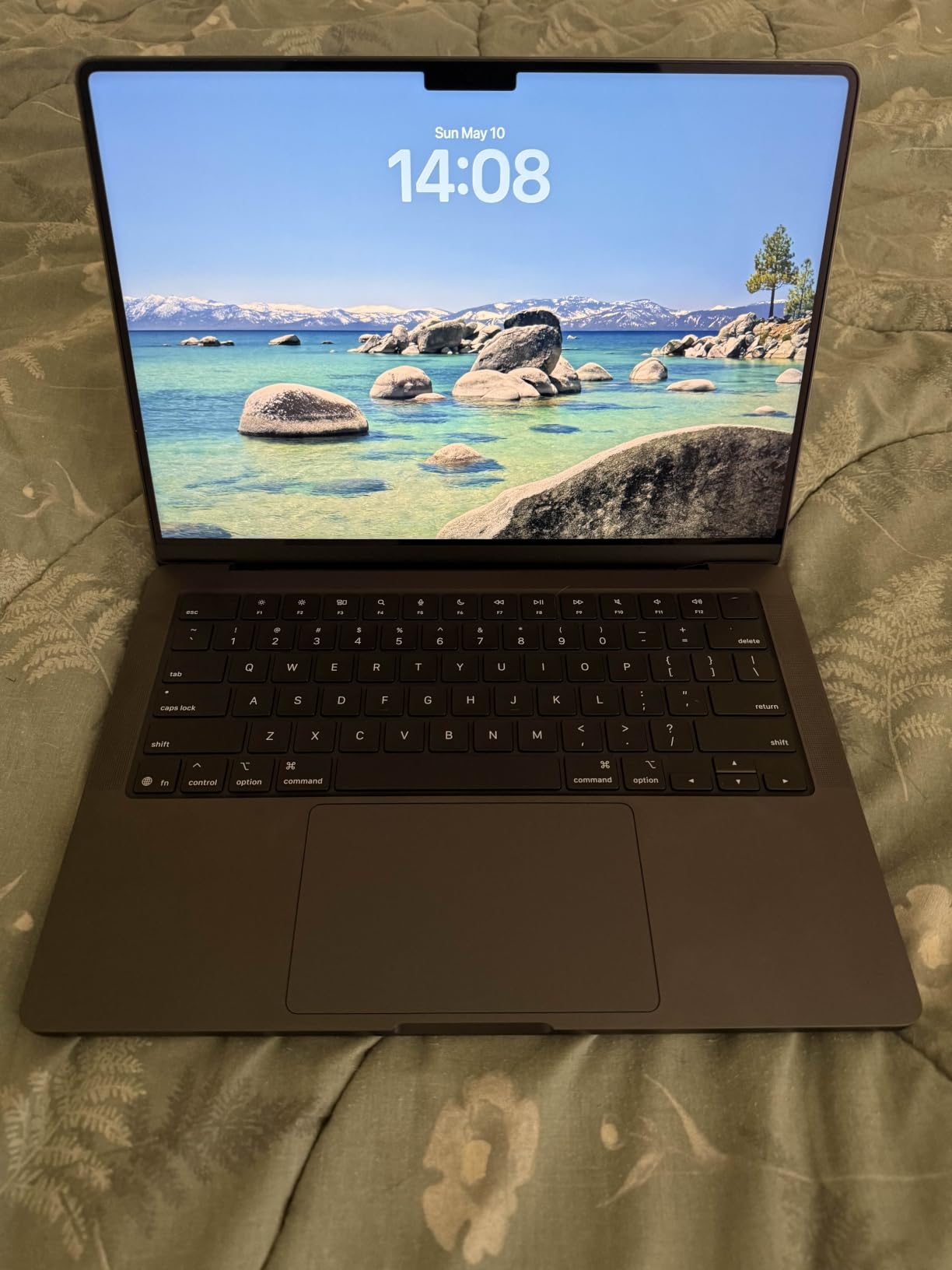
Memory is the part to plan around. The 16GB unified pool is not user-upgradeable, and the 1TB SSD is soldered, so capacity is fixed on the day you buy. For a working photographer who keeps a catalog locally rather than a lifestyle shooter who culls and clears, that is a fair trade for the panel and the SDXC slot. For anyone exporting full shoots on a laptop permanently, read the external storage section in the buying guide below.
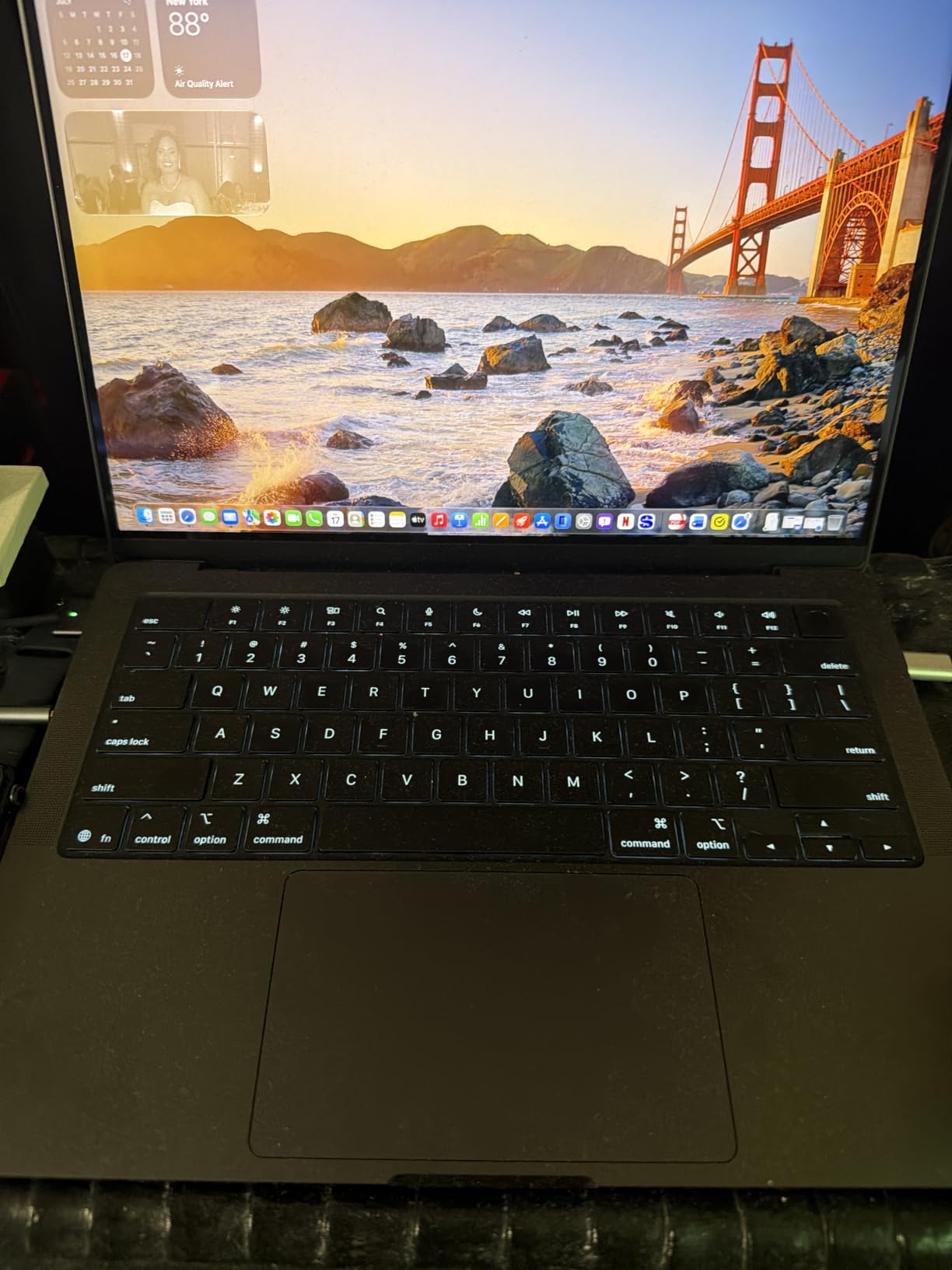
At 3.41 pounds and 0.61 inches thin, it is heavier than a MacBook Air but still genuinely portable, and the MagSafe 3 port, three Thunderbolt 4 ports, HDMI and headphone jack cover a tethered studio setup without a dongle. The machine supports up to two external displays, which is the practical reason some editors step up to a larger Pro rather than staying here.
Who the MacBook Pro 14 suits
Pick this if your screen is your color tool, which means most of us printing, grading, or delivering to clients directly from the laptop. Reviewers repeatedly single out the color accuracy and bright XDR panel as the standout feature for image work, and the 1,000,000:1 contrast ratio means you can judge deep shadows on a single screen.
It also suits anyone who wants a silent machine. The fanless-at-idle design runs quietly during light editing, and reviewers report no performance penalty when working unplugged, which matters when you are editing on a hotel desk or a location van.
Who should skip it
Skip it if you plan to grow a 50,000-plus image local catalog, because 16GB is the floor you want and there is no upgrade path. Hard-working catalog photographers should start at 32GB or plan on a machine you can expand.
Also skip it if you need three external monitors at once, or if you are coming from an existing Apple ecosystem and can live with less screen. The 13-inch Air below covers that case with a lighter chassis.
2. Apple MacBook Air 13 (M5) – Best Value for Editing Away From a Desk
Apple 2026 MacBook Air 13-inch Laptop with M5 chip: Built for AI, 13.6-inch Liquid Retina Display, 16GB Unified Memory, 512GB SSD, 12MP Center Stage Camera, Touch ID, Wi-Fi 7; Sky Blue
M5 chip, 13.6-inch Liquid Retina
16GB unified, 512GB SSD
Up to 18 hours battery
2.71 pounds
Pros
- Weighs only 2.71 pounds for full-day remote work
- up to 18 hours of battery
- fanless and completely silent
- 16GB unified memory handles heavy multitasking
- Wi-Fi 7 for fast transfers of large image files
Cons
- 512GB storage fills quickly with a RAW library
- 13.6-inch screen is small for large culling
- only two external displays
- 16GB memory not upgradeable
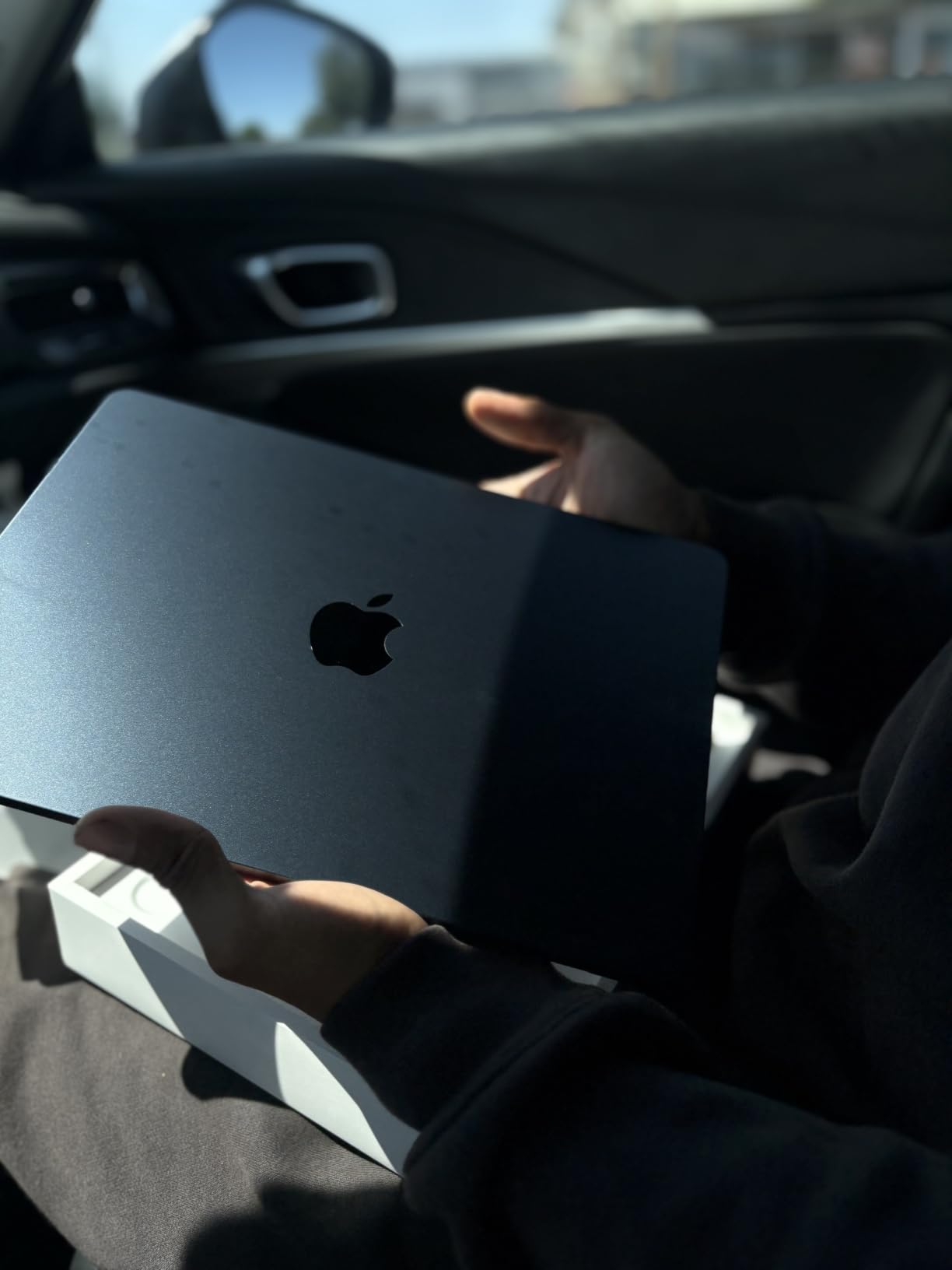
This is the one we recommend to travel and event photographers who edit the same night. It weighs 2.71 pounds, runs completely silent with no fan at all, and Apple specifies up to 18 hours of battery life, so a full shoot day plus an evening of culling does not require a charger. The 13.6-inch Liquid Retina display supports 1 billion colors, and the Wi-Fi 7 radio moves large image files quickly when you are back on hotel or studio network.
It is the most proven machine in the group by owner volume. Across 1,132 reviews averaging 4.7 stars with 90% five-star ratings, the feedback pattern is consistent: fast, quiet, remarkably light, with battery life that outlasts a full workday. Reviewers note that iPhone, iPad and Apple Watch integration makes getting photos off a phone unusually painless, which is exactly the workflow a traveling shooter runs on.
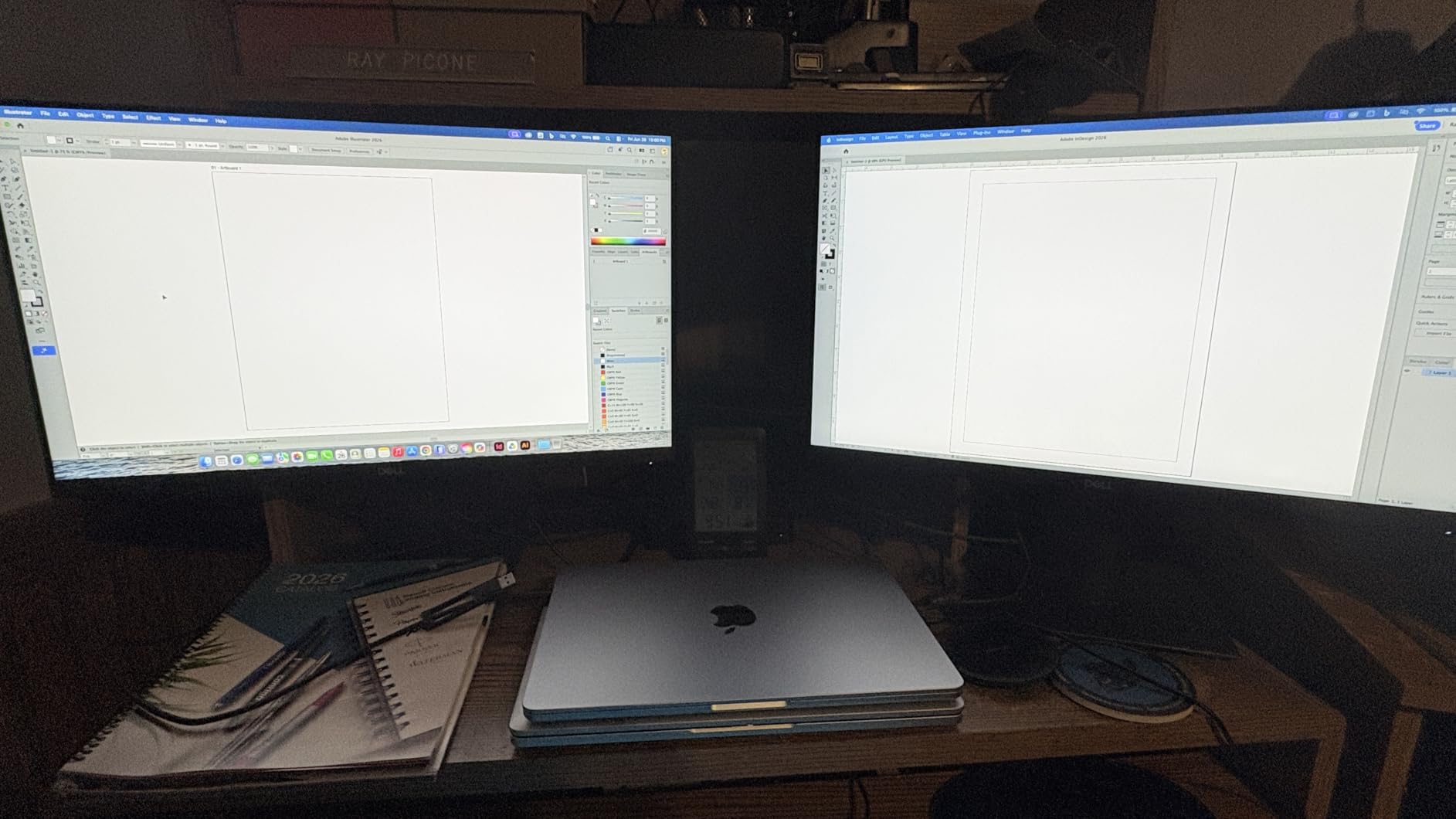
The 512GB SSD is the real constraint, and reviewers say so directly. A RAW library grows quickly, and you cannot add storage later, so plan on offloading to an external drive or cloud once a shoot wraps. Wi-Fi 7 helps, but it is not a substitute for capacity when a catalog is running locally.
Screen size is the other trade. 13.6 inches is comfortable for judging a single frame and fine for final edits, but photographers doing heavy culling or multi-image comparison will miss the extra real estate of a 15-inch panel or a 16-inch OLED. The Air also supports a maximum of two external displays.
Who the MacBook Air 13 suits
It fits shooters who work on location, travel constantly, and want zero fan noise during quiet moments like ceremonies. The recurring negative sentiment across reviews targets storage and screen size rather than performance, so the compromises are known and manageable.
It is also a strong first dedicated editing machine. Sixteen gigabytes of unified memory is enough for a full Lightroom catalog plus Photoshop open, and the M5 chip handles export and AI tools without stalling.
Who should skip it
Skip it if you shoot weddings, sports or events where the catalog lives on the machine, because 512GB will not hold a season. Storage is soldered on this model, so there is no fixing it later.
Skip it if you work at a desk and want one screen for everything. At 13.6 inches, this is a laptop for reviewing work, not for sitting at a full culling wall.
3. Samsung Galaxy Book4 Pro 16 – Best 3K AMOLED Touchscreen
Samsung 16″ Galaxy Book4 Pro Laptop PC Computer, Intel Core 7 Ultra Processor 1TB, 3K AMOLED (2880 x 1800) Touchscreen, Advanced Security, 2024 Model, NP960XGK-KG1US, Moonstone Gray
Intel Core Ultra 7 155H, 16 threads
16-inch 3K AMOLED 2X touch 120Hz
16GB LPDDR5, 1TB SSD
3.4 pounds, extra M.2 slot
Pros
- 2880 x 1800 AMOLED touchscreen at 120Hz
- light 3.4-pound 12.5mm chassis
- Core Ultra 7 155H handles multitasking smoothly
- extra M.2 slot lets you add your own storage
- full-day battery on moderate use
Cons
- Intel Arc integrated graphics only
- no discrete GPU
- some users report poor Linux driver support
- thinner speakers than premium rivals
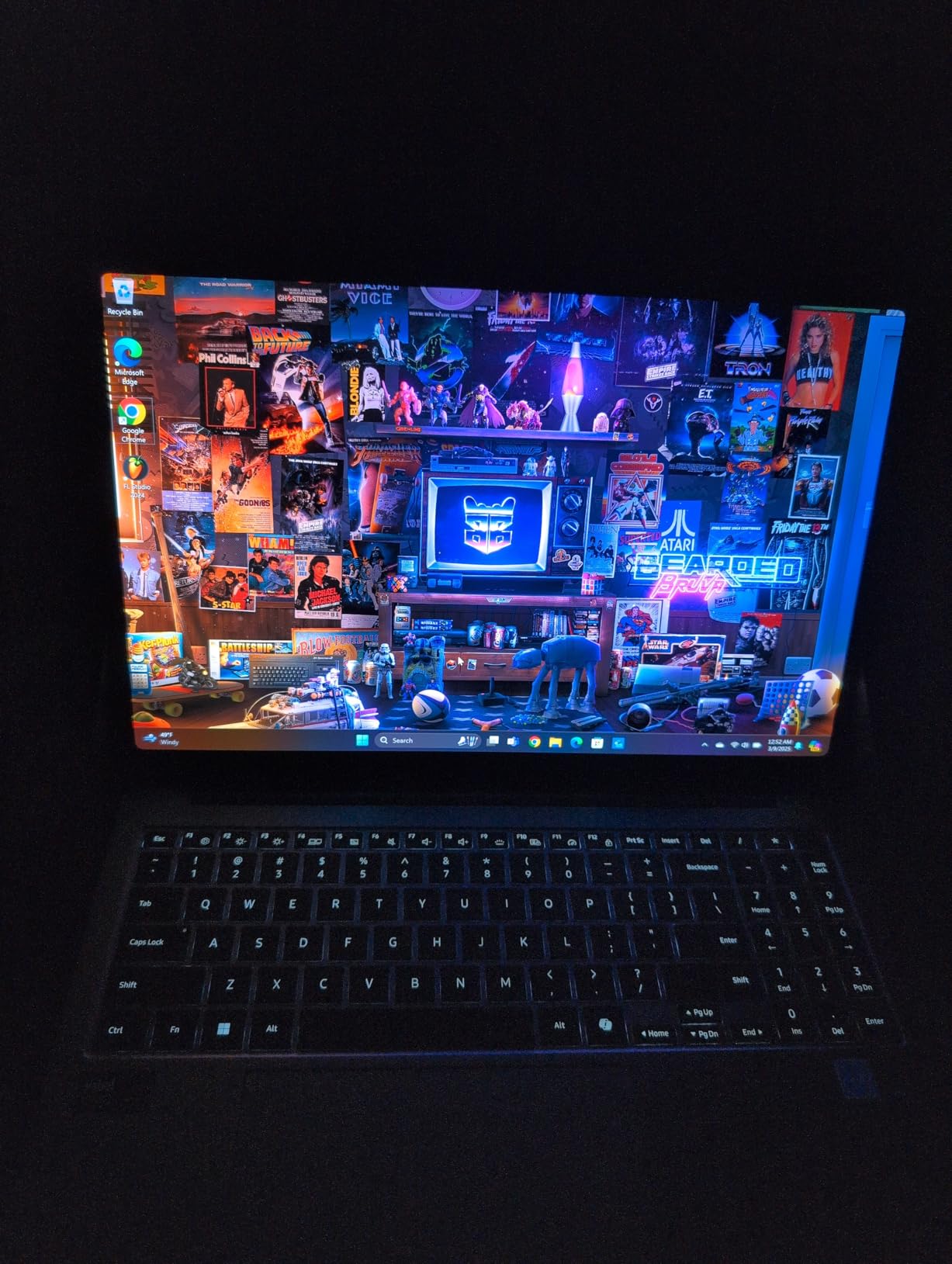
If you are on Windows and want a big, sharp canvas for retouching, this is the most compelling panel-per-pound option here. The 16-inch Dynamic AMOLED 2X touchscreen runs at 2880 x 1800 with a 120Hz refresh rate, and the Core Ultra 7 155H brings 16 threads and a 4 GHz maximum clock. At 3.4 pounds and 12.5mm thin, it is one of the lighter 16-inch machines we looked at.
The touch layer is the differentiator for masking, frequency separation and cleanup work, where dragging a brush with a finger or stylus is genuinely faster than hunting a small cursor. Ports are thorough for a thin chassis: two Thunderbolt 4 ports, USB 3.0, HDMI 2.1, microSD, Wi-Fi 7 and Bluetooth 5.3, plus a 76Wh battery and a 65W adapter.
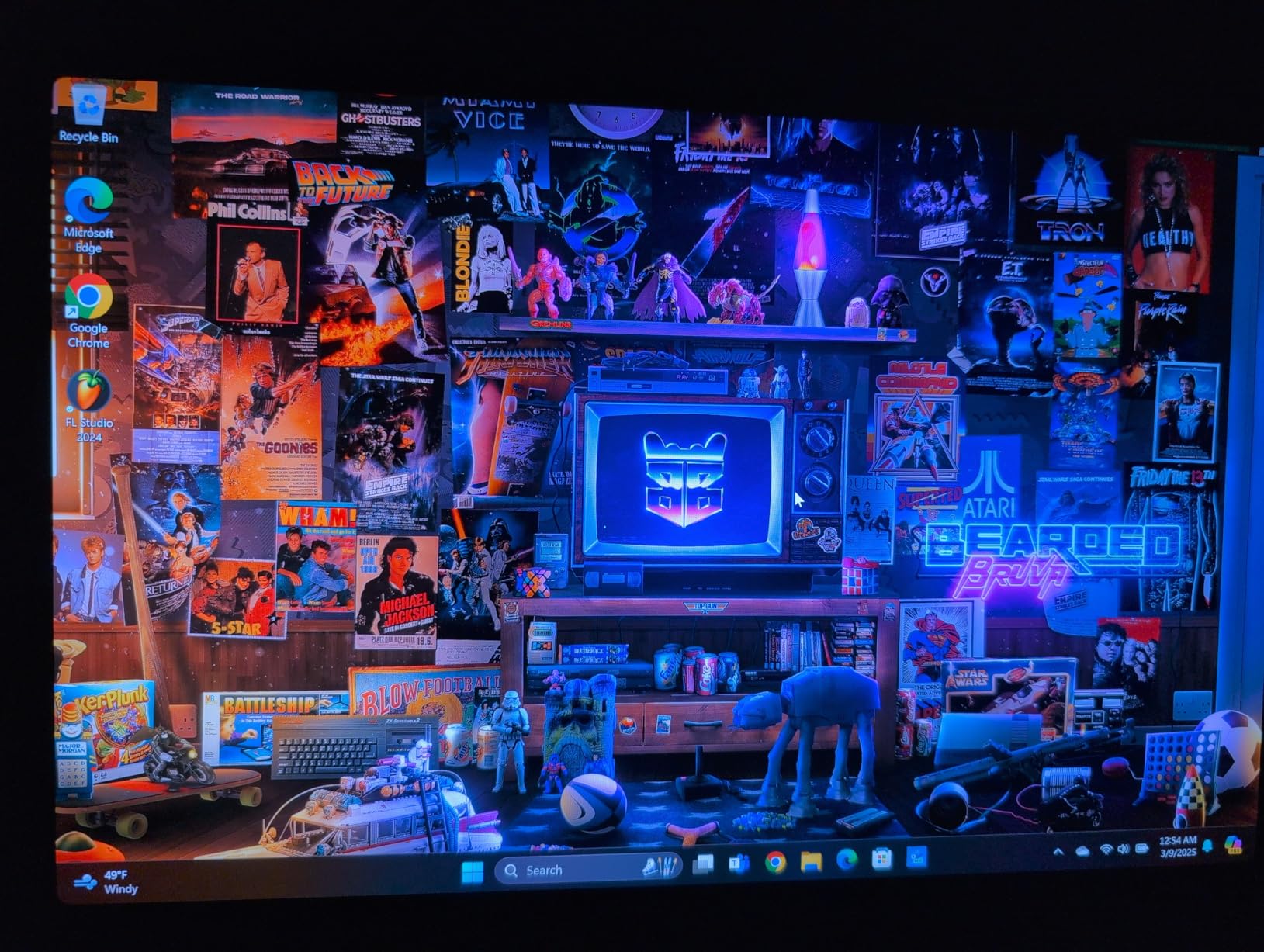
Storage is where the real value sits. This configuration ships with 1TB, and reviewers specifically call out the extra M.2 slot inside that lets you add your own drive instead of paying for a factory upgrade. For a photographer building a local archive, that flexibility is worth more than almost any other spec on the list.
The 4.2 average across 207 reviews with 71% five-star ratings reflects genuine enthusiasm for the vivid panel, slim chassis and build. The most vocal complaints are software and driver related rather than hardware, plus a recurring note that integrated-only graphics limit heavier creative work.
Who the Galaxy Book4 Pro suits
It also suits photographers who retouch, composite and mask rather than running heavy GPU pipelines. Touch input, 3K sharpness and a light 3.4-pound chassis make it a comfortable on-location retouching station with a full-size screen.
It also suits anyone who plans to expand storage later, since the free M.2 slot keeps the total library cost under control over several years.
Who should skip it
Skip it if your work leans on GPU-accelerated tools or large AI filters, because the Intel Arc integrated chip has no dedicated counterpart. Long video timelines and heavy neural processing will hit that ceiling first.
Reviewers also report poor Linux driver support, with webcam and speakers not working out of the box, and a small but loud minority report keyboard failures within two years. If you work cross-platform, test your OS before committing.
4. Asus Zenbook 14X OLED – Best Budget OLED Picture
Asus Zenbook 14X OLED Business Laptop 14.5/” 2.8K 120Hz Touchscreen (550nits, 100% DCI-P3, Glossy) 13th Gen Intel 14-core i7-13700H 16GB RAM 512GB SSD Backlit Keyboard Thunderbolt Win11 + HDMI Cable
14.5-inch 2.8K OLED 120Hz touch
100% DCI-P3, 550 nits HDR peak
i7-13700H 14 cores, 16GB, 512GB
3.4 pounds, free M.2 slot
Pros
- 100% DCI-P3 coverage on a 2.8K 2880x1800 OLED at 120Hz
- 550 nits HDR peak brightness
- 14-core i7-13700H for fast exports
- free M.2 slot makes a 1TB upgrade cheap
- quiet cooling and good battery for the class
Cons
- Integrated Iris Xe graphics with no dedicated GPU
- glossy finish reflects in bright ambient light
- 512GB storage out of the box
- some users report touchpad and touchscreen issues
The Zenbook 14X is one of the least expensive routes into a genuinely wide-gamut OLED panel, and for pure image judgment the numbers are strong. The 14.5-inch 2.8K display runs at 2880 x 1800 in 16:10 at 120Hz, covers 100% DCI-P3 and peaks at 550 nits for HDR. Underneath sits a 14-core 13th Gen Intel Core i7-13700H with a 5 GHz ceiling and 12MB of L2 cache.
It is also one of the lighter large-screen machines here at 3.4 pounds, with an aluminium chassis, two Thunderbolt 4 ports carrying display and power delivery, USB-A, HDMI 2.1, Harman Kardon speakers and a 70Wh battery. Owners frequently swap in their own NVMe drive and report smooth performance in both Linux and Windows.
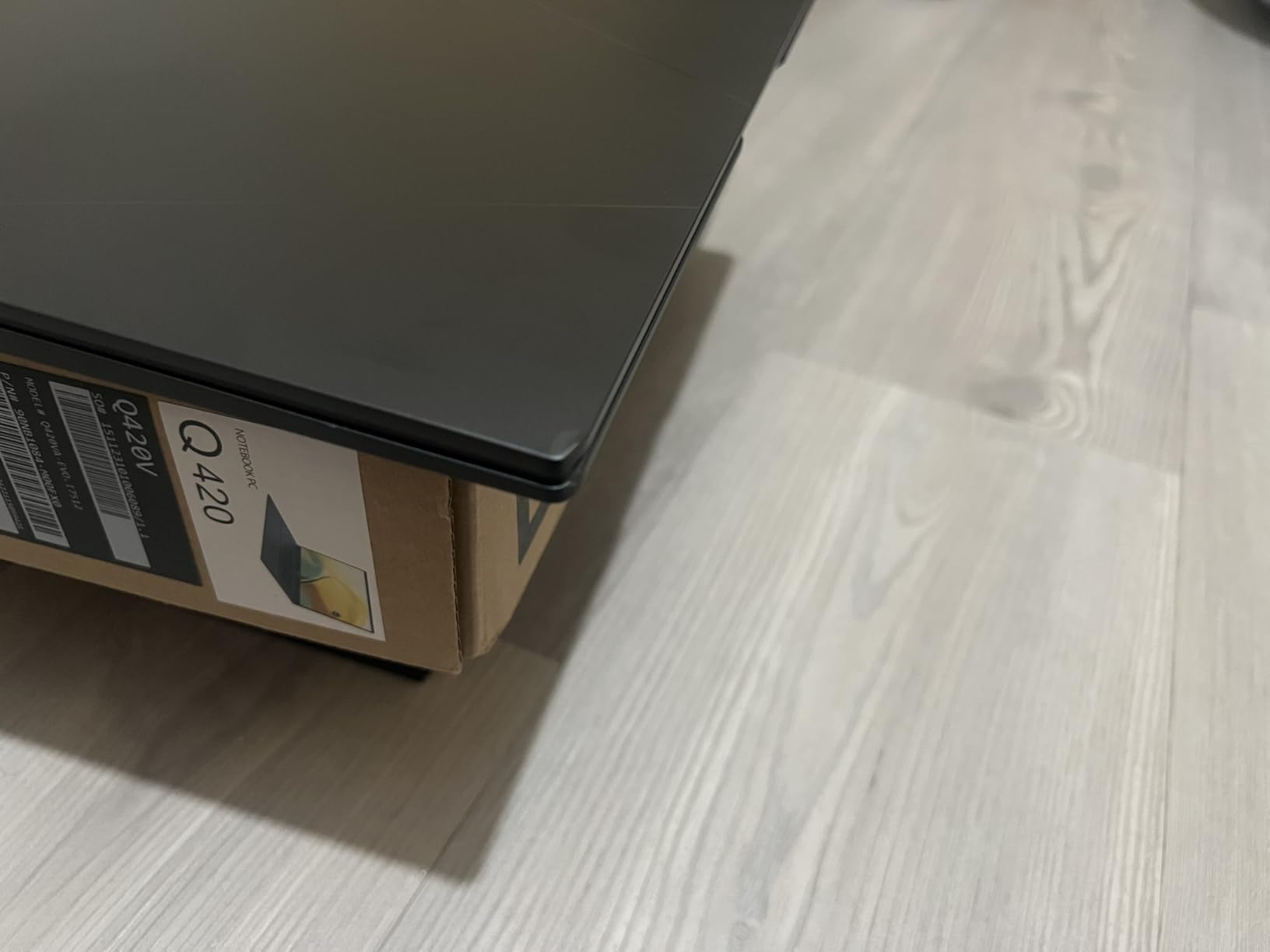
Two things deserve a mention before you buy. The finish is glossy, which means a window reflection can sit on top of the image you are judging, and that matters more for a photographer than for a spreadsheet. Second, the integrated Intel Iris Xe chip has no dedicated GPU, so GPU-accelerated filters will run, just not quickly.
The 4.4 rating comes from a small sample of 37 reviews with 74% five-star ratings, so treat the consensus as directional rather than settled. The main negative thread is reliability of the touchpad and touchscreen rather than performance or display quality.
Who the Zenbook 14X suits
It suits photographers who judge color above all else on a budget and do not need heavy GPU work. A 100% DCI-P3 OLED at 2.8K is the most important spec for image quality, and this is one of the lower-cost ways to get it.
It also suits anyone comfortable opening a laptop and adding storage. The free M.2 slot turns the 512GB base into a 1TB machine for a fraction of the factory upgrade cost.
Who should skip it
Skip it if you work outdoors or in bright rooms, because the glossy coating will fight you with reflections. The matte XPS panel below exists for exactly that reason.
Skip it if you want the newest platform. This is a 13th-generation design with Wi-Fi 6 rather than Wi-Fi 7, and some users report a non-functioning touchpad or finicky touchscreen behavior.
5. Lenovo IdeaPad Pro 5 16 – Best Budget Machine With a Discrete GPU
Lenovo IdeaPad Pro 5-2025 – 16″ OLED 2880 x 1800 120Hz Display – 16GB Memory – 1 TB Storage – Ryzen AI 7 350 – NVIDIA GeForce RTX5050 – Windows 11 Home – Luna Grey
Ryzen AI 7 350, RTX 5050 4GB
16-inch OLED 2880x1800 120Hz VRR
16GB LPDDR5, 1TB SSD
60Wh battery, USB4 and SD reader
Pros
- Dedicated RTX 5050 with 4GB GDDR6 at this price point
- 16-inch 2880x1800 OLED at 120Hz with VRR
- full port selection including USB4
- HDMI 2.1 and an SD card reader
- 1TB SSD
- TPM 2.0 and Pluton security
Cons
- Lowest average rating in the group at 3.6
- 4GB of VRAM is tight for large RAW files
- 500-nit peak brightness is dimmer than rival OLEDs
- 16GB memory is soldered
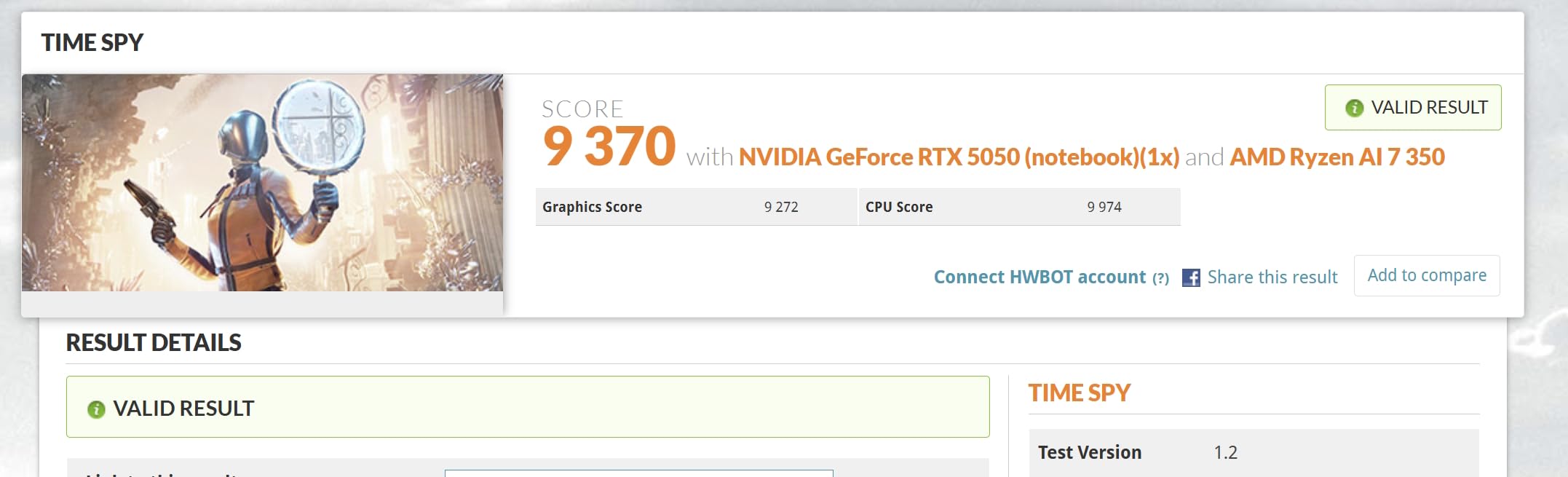
This is the entry point for Windows photographers who want GPU-accelerated editing without stepping up a tier. The AMD Ryzen AI 7 350 pairs with an NVIDIA GeForce RTX 5050 carrying 4GB of GDDR6, and the 16-inch OLED touchscreen runs at 2880 x 1800 in 16:10 at 120Hz with variable refresh and a 500-nit maximum.
Ports are unusually generous: two USB-C ports with USB4, DisplayPort and power delivery, two USB-A, HDMI 2.1 at 8K at 60Hz, a full-size SD card reader and a 3.5mm jack. The IR and FHD webcam has a privacy shutter, and the machine carries TPM 2.0 with Microsoft Pluton plus MIL-STD-810H durability testing.
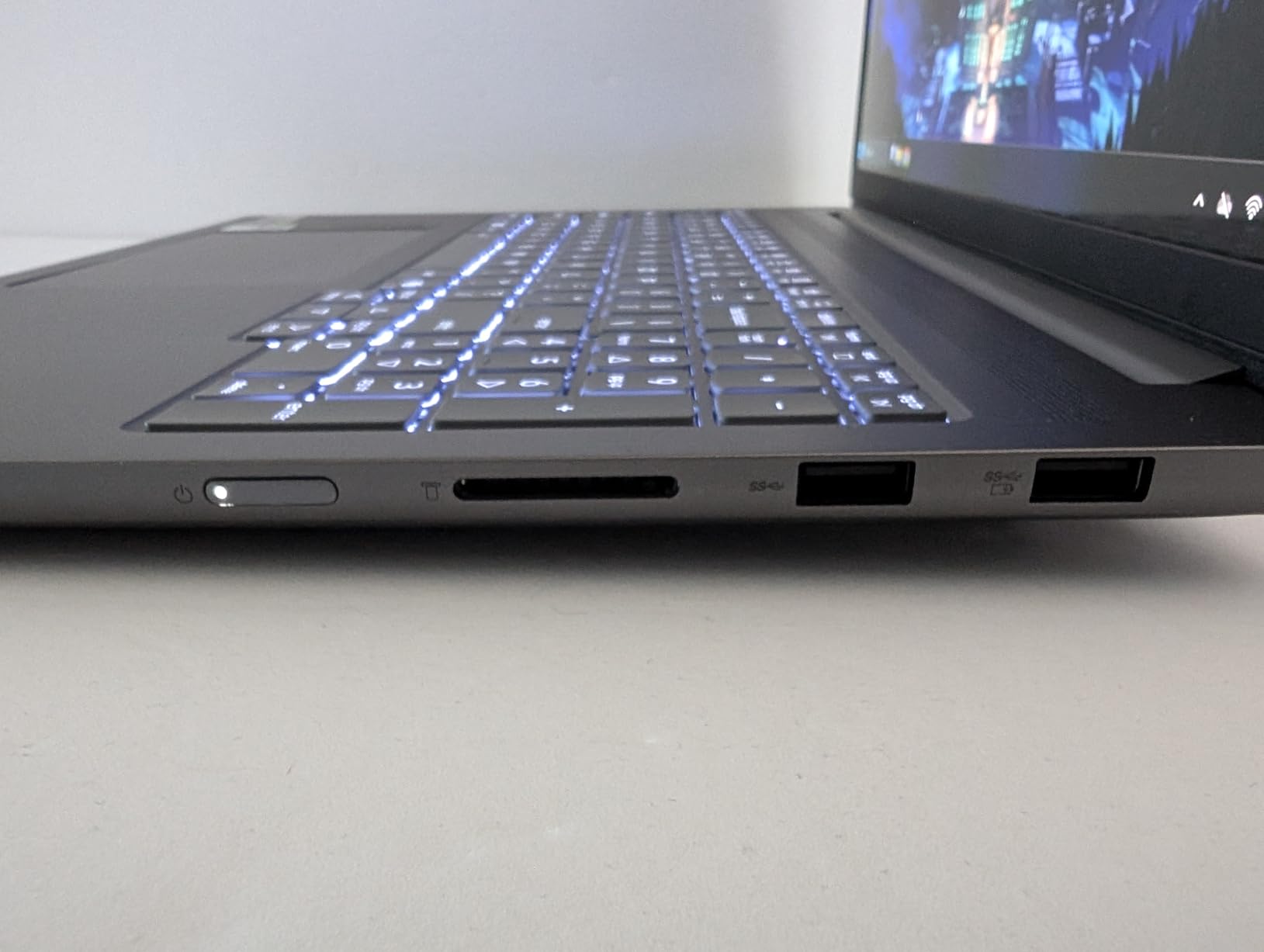
Be clear-eyed about the rating. It is the weakest in this group at 3.6 stars across 30 reviews, with 21% one-star ratings against 48% five-star, and reviewers describe inconsistent build quality from one machine to the next. The positive comments still cluster on display size, the discrete GPU at this price and the port selection.
The 4GB of VRAM on the RTX 5050 is the practical ceiling. It is comfortable for RAW processing and moderate AI filtering, but it is tight for very large files and 4K timelines. Memory is soldered at 16GB, so this is a fixed configuration.
Who the IdeaPad Pro 5 suits
It suits photographers who already shoot video or motion and want one machine for both jobs, or who run AI-assisted tools that lean on the GPU. Having any dedicated graphics is a different experience from integrated silicon when filters start stalling.
The built-in SD card reader and HDMI 2.1 also make it a natural tethered or on-location machine, and the privacy-shutter webcam is a small nicety for client work.
Who should skip it
Skip it if color-critical judging is the priority. A 500-nit peak is dimmer than the OLED panels on competing machines, and the build inconsistency noted by reviewers is a real risk on a machine you rely professionally.
Also skip it if you plan to grow your library beyond tens of thousands of images on the machine itself, because 16GB of soldered memory cannot be raised.
6. Lenovo Yoga Pro 9i – Best Screen in the Group, 100% Adobe RGB
Lenovo Yoga Pro 9i, Ultra 9, RTX 5060, 32GB RAM, 1TB SSD, 3.2K Tandem OLED
16-inch 3.2K Tandem OLED 1000 nits
100% Adobe RGB, DCI-P3 and sRGB
Ultra 9 285H, RTX 5060 8GB, 32GB
4.3 pounds, Wi-Fi 7
Pros
- Only panel here covering 100% Adobe RGB alongside DCI-P3 and sRGB at 1000 nits
- RTX 5060 with 8GB GDDR7 plus 32GB of LPDDR5X
- Intel Core Ultra 9 285H with 16 cores
- hybrid graphics switch between integrated and NVIDIA
- Windows 11 Pro with four years of onsite support
Cons
- No fingerprint reader on this configuration
- some owners report around three hours of battery under real workloads
- heaviest non-gaming machine here at 4.3 pounds
- only 19 reviews so reliability data is thin
For print and commercial retouching work, the Yoga Pro 9i has the most capable display we reviewed. The 16-inch 3.2K Tandem OLED touch panel runs at 3200 x 2000 and 120Hz, and the specification sheet lists 1000 nits with 100% Adobe RGB, 100% DCI-P3 and 100% sRGB coverage. No other machine in this group claims Adobe RGB at all, which is the coverage that matters when a client asks for CMYK-adjacent work.
The internals are equally serious. An Intel Core Ultra 9 285H with 16 cores, an NVIDIA GeForce RTX 5060 with 8GB of GDDR7, and 32GB of LPDDR5X-8400 memory give you headroom on every axis, and hybrid graphics let you run on integrated silicon when you want battery life. There is a second M.2 slot for storage expansion, Wi-Fi 7, five USB ports, HDMI and an 84Wh battery.
Who the Yoga Pro 9i suits
It suits photographers working in wide-gamut spaces, doing print prep, product work or any job where Adobe RGB is part of the deliverable. The 3.2K resolution and 1000 nits also make it a strong choice for outdoor review sessions.
Windows 11 Pro 64 plus four years of Lenovo Premium Care onsite support is a real advantage over consumer machines, particularly if the laptop travels with you to shoots.
Who should skip it
Skip it if you need all-day battery. Reviewers report around three hours under real workloads, and that is the accepted trade for a workstation-class screen and GPU rather than a defect.
At 4.3 pounds it is the heaviest non-gaming machine here, and there is no fingerprint reader on this configuration, which is a genuine omission for a machine at this level.
7. Dell XPS 14 – Best Matte Panel for Bright Rooms
Dell XPS 14 Premium Laptop DA14250-14.5-inch Touch 3.2K OLED 48-120Hz Display, Intel Core Ultra 7 255H, Intel Arc Graphics, 32GB Memory, 1TB SSD, Backlit English Keyboard with Fingerprint Reader
14.5-inch 3.2K OLED matte 48-120Hz
Core Ultra 7 255H, 32GB to 64GB
Intel Arc graphics
3.8 pounds, fingerprint reader
Pros
- Matte 400-nit panel avoids the reflections that ruin glossy editing displays
- 32GB LPDDR5 expandable to 64GB for very large catalogs
- variable 48-120Hz refresh saves power on static image work
- fingerprint reader
- microSDXC slot and dual Thunderbolt 4
Cons
- Redesigned keyboard frustrates touch typists
- integrated Arc graphics only
- 400-nit matte panel is less vivid than glossy OLED alternatives
- 3.8 pounds is heavy for an ultraportable
The XPS 14 is the one machine here built for editing where the light is not under your control. Its 14.5-inch 3.2K OLED touch display at 3200 x 2000 uses a matte finish and a variable 48 to 120Hz refresh rate, so it drops to a lower refresh when you are staring at a static image and ramps up when you scroll through a contact sheet. That matte coating is the whole point: it removes the window reflection that makes a glossy panel unusable outdoors.
Memory is the standout spec. The 32GB of LPDDR5 runs at 6400 MHz and is expandable to 64GB, which makes this the machine we would point at photographers managing very large local catalogs. The Intel Core Ultra 7 255H reaches 5.1 GHz with a 24MB cache, and ports include two Thunderbolt 4 ports, a microSDXC reader, Wi-Fi 7 and a 69.5Wh six-cell battery.
Who the XPS 14 suits
It suits field editors, event photographers and anyone who has ever tried to judge a sky or a skin tone near a window. Editors who work in color-managed print pipelines will also like the memory headroom, since 32GB is the practical minimum for a 50,000-image RAW catalog with Photoshop open.
The 4.5 average across 21 reviews with 76% five-star ratings reflects genuine satisfaction with build quality, memory, the fingerprint reader and the smooth variable-refresh panel.
Who should skip it
Skip it if you want a punchy image. A matte 400-nit panel is less vivid and less contrasty than the glossy 1000-nit Tandem OLED alternatives, and it has no dedicated GPU for accelerated rendering.
Reviewers also focus their criticism on the keyboard redesign, which touch typists find unusable without tactile stickers due to flat keys, touch lights instead of function keys and a very large palm rest. At 3.8 pounds it is also heavier than most ultraportables.
8. Asus Zenbook Duo – Best Dual-Screen Setup for Culling
ASUS Zenbook Duo Dual 14″ OLED WQXGA+ 120Hz Notebook Intel Core Ultra 9 185H 32GB RAM 1TB SSD Intel Arc Graphics Inkwell Gray
Dual 14-inch 3K OLED touch 120Hz
Pantone validated 100% DCI-P3
Core Ultra 9 185H, 32GB, 1TB
3.6 pounds, pen included
Pros
- Two full 2880x1800 120Hz Pantone-validated OLED panels give roughly double the screen real estate
- Desktop Mode with built-in kickstand replaces a portable USB monitor
- Core Ultra 9 185H with 32GB LPDDR5X and 1TB SSD
- bundled ASUS Pen 2.0 supports retouching
- 3.6 pounds for a two-screen machine
Cons
- Bluetooth keyboard chatter inserts duplicate characters
- detached keyboard feels thin with limited travel
- battery drops sharply in Dual Screen mode
- no palm rejection on the touch displays
- only one-year limited warranty
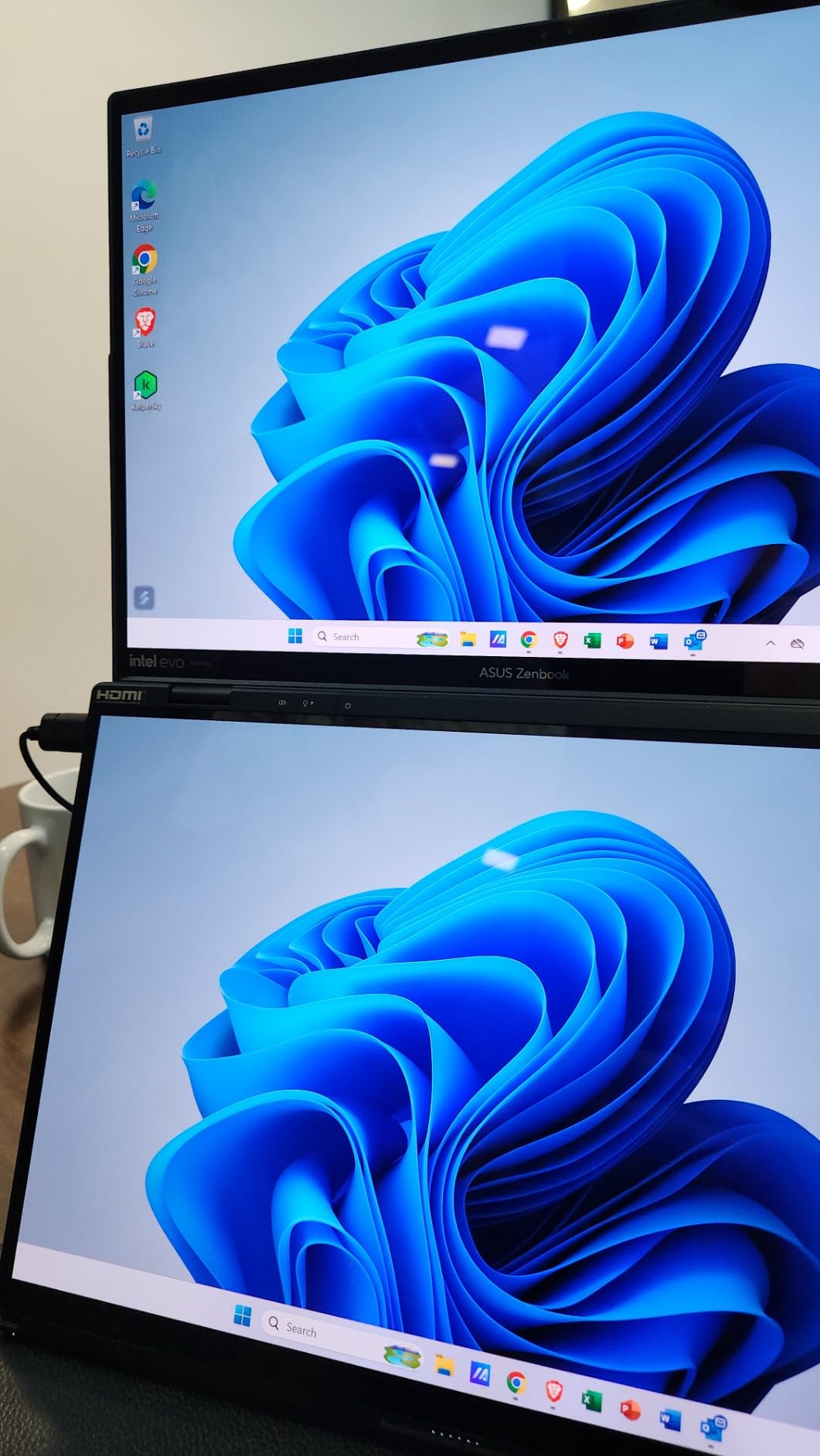
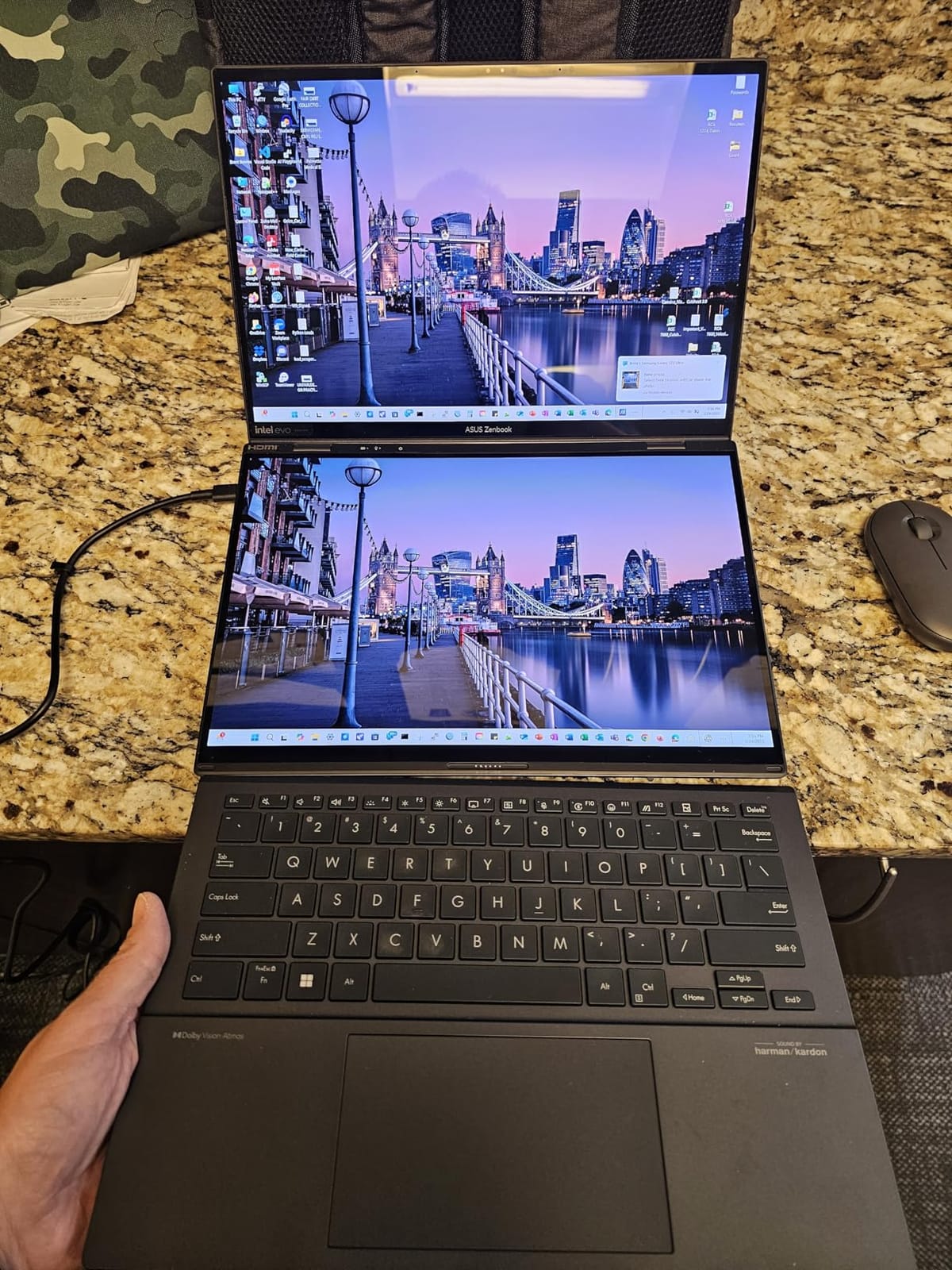
The Zenbook Duo answers a problem no single-screen laptop can: culling a shoot properly. Two 14-inch ASUS Lumina OLED touch displays, each 2880 x 1800 at 120Hz with 500-nit HDR peak and Pantone-validated 100% DCI-P3, give you a full comparison workspace. One screen for the grid, one for the large view, and the pair stack into a single tall image when you want to judge tonality.
Underneath, an Intel Core Ultra 9 185H with 16 cores, 32GB of LPDDR5X at 6400 MHz and a 1TB SSD handle Adobe Creative Cloud without waiting. Owners particularly like Desktop Mode, where the included Bluetooth keyboard folds away and the built-in kickstand props the screens up like a carry-on monitor, and the bundled ASUS Pen 2.0 handles masking and cleanup.
The keyboard is the problem, and it is a real one. Across 306 reviews, multiple owners report chatter that inserts duplicate characters, with the same recurring typo symptom, and replacement keyboards have shown the same fault. Reviewers also describe the detached keyboard as thin with limited key travel, which is a poor trade for anyone who types rather than just tethers.
Battery life is the second issue. The 75Wh cell is rated at up to 13.5 hours in Laptop mode but 10.5 in Dual Screen, and some owners report around two hours in practice with both panels active. Integrated graphics only, and some users report lag and stutter in demanding apps.
Who the Zenbook Duo suits
It suits photographers who cull on the machine rather than on a phone, and multi-asset creators who keep a reference image or client moodboard open next to their work. The 4.1 average from 306 reviews with 68% five-star ratings shows opinion splits on form factor, not specification.
Reviewers describe the dual 3K OLED displays and Desktop Mode as transformative for screen-space-hungry work and Adobe CC users, and the form factor is genuinely portable for a two-screen machine at 3.6 pounds and 0.78 inches thick.
Who should skip it
Skip it if you type all day. The keyboard chatter and limited travel are documented, repeatable problems, not isolated complaints, and they will frustrate you during a long editing session.
Also skip it if you work away from power for long stretches, since the Dual Screen battery drain is the machine’s defining weakness. Note the one-year limited warranty as well.
9. Dell G16 7630 – Best GPU Headroom, Weakest Screen Here
Dell G16 7630 Gaming Laptop – 16-inch QHD+ 240Hz 3ms Display, Intel Core i9-13900HX, 16GB DDR5 RAM, 1TB SSD, NVIDIA GeForce RTX 4070 8GB GDDR6, Windows 11 Home, Onsite Service – Metallic Nightshade
RTX 4070 8GB, i9-13900HX 24 cores
16-inch QHD+ 240Hz matte LED
16GB DDR5, 1TB SSD
6.3 pounds
Pros
- RTX 4070 with 8GB dedicated VRAM for GPU-accelerated processing
- 24-core i9-13900HX up to 5.4 GHz for fast exports
- matte 16-inch 2560x1600 panel avoids glare
- 86Wh battery
- RJ45 Ethernet and Thunderbolt 4
- vapor chamber cooling holds sustained load
Cons
- Plain LED panel with 400 nits and no wide-gamut or color-accuracy claim
- 240Hz refresh adds nothing for image editing
- 6.3 pounds and nearly an inch thick
- only 16GB with a single slot
- runs hot and loud
We include this machine because it proves the point about GPU hype. The RTX 4070 with 8GB of GDDR6 and a 24-core Intel Core i9-13900HX at 5.4 GHz deliver real graphics throughput, and vapor chamber cooling with four heat pipes holds performance under sustained load. For someone running GPU-accelerated photo pipelines alongside video, that hardware is genuinely capable.
The screen is the reason it ranks here rather than higher. The 16-inch QHD+ 2560 x 1600 LED panel is matte, which avoids glare, but it is specified at 400 nits with no wide-gamut or color-accuracy claims at all. That is the single least editor-friendly display in this group, and reviewers make the same point in their own summary of the machine.
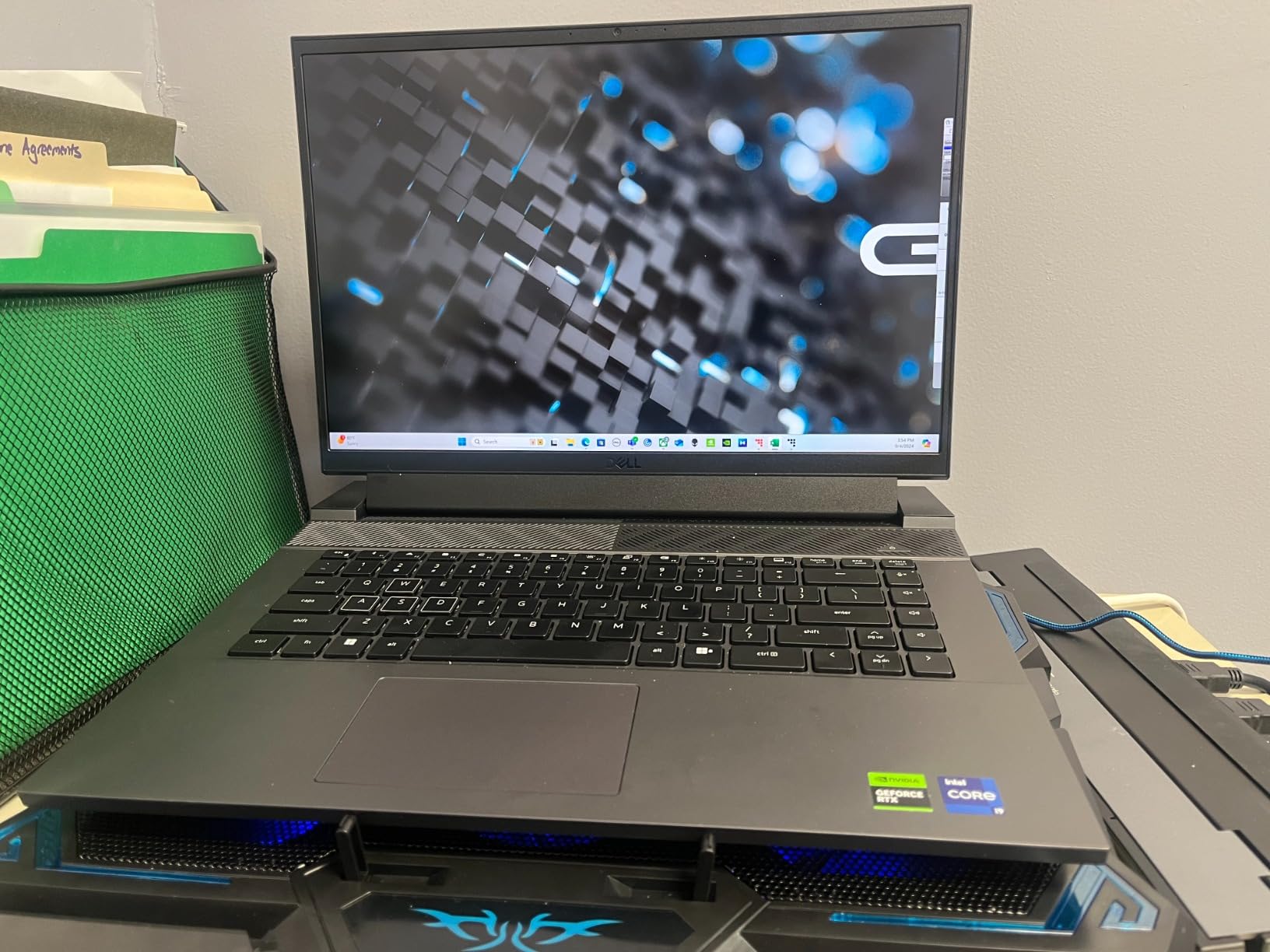
At 6.3 pounds and nearly an inch thick, this is a desktop replacement that happens to have a hinge, and the 330W adapter reflects that. The 240Hz refresh and 3ms response times are gaming specifications that do nothing for a still image sitting on screen.
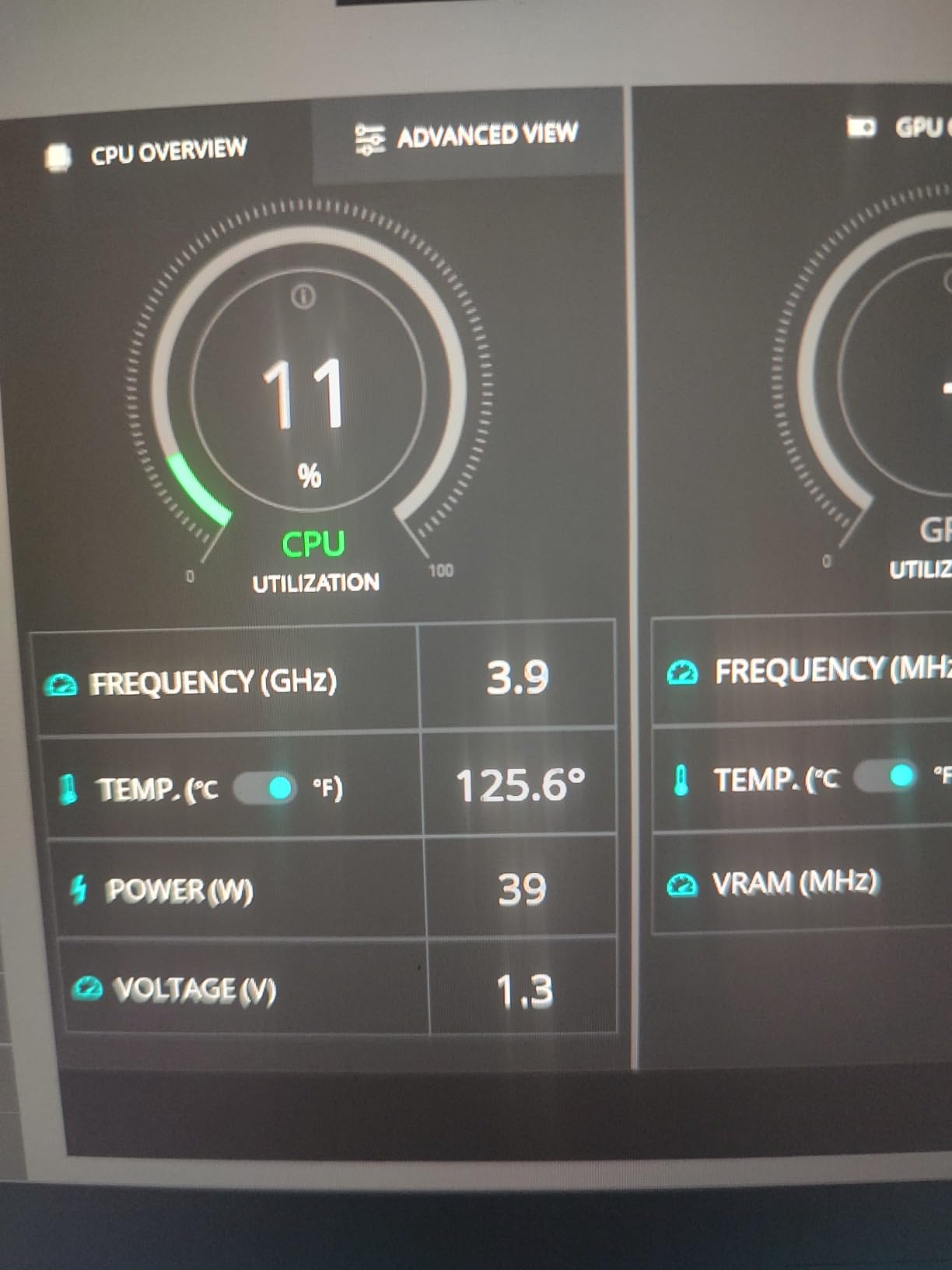
The 3.9 average across 139 reviews shows genuinely polarized experiences, with 60% five-star and 18% one-star. Owners who need GPU throughput and cooling headroom are satisfied; detractors cite thermals, weight and value, and reviewers report it runs hot and loud under sustained creative load.
Who the Dell G16 suits
It suits hybrid creators whose photo work shares a machine with demanding video or 3D tasks, and who already calibrate to an external display. The 8GB of VRAM and 24 cores handle far more than RAW processing alone.
It also suits users on wired networks, since the RJ45 Ethernet port is increasingly rare on thin machines and matters for large transfers.
Who should skip it
Skip it if you judge images on the laptop screen. No wide-gamut or accuracy claim plus 400 nits means you are not seeing what you are editing, and matte LED does not compensate.
Skip it if you carry your kit. At 6.3 pounds with a 330W adapter, the portability argument disappears, and 16GB of memory on a single slot is thin for a catalog workflow.
10. MSI Katana 15 HX – Best Wide-Gamut Panel With Upgradeable Memory
msi Katana 15 HX Gaming Laptop – 15.6″ QHD 165Hz Display, Intel Core i7-14650HX, NVIDIA GeForce RTX 5060, 16GB DDR5, 1TB NVMe SSD, Wi-Fi 6E, RGB Keyboard, Windows 11 (B14WFK-810US)
15.6-inch QHD 165Hz 100% DCI-P3
RTX 5060 8GB, i7-14650HX
16GB DDR5 to 64GB, 1TB NVMe
5.3 pounds
Pros
- 100% DCI-P3 wide-gamut color on a QHD 2560x1440 panel
- RTX 5060 with 8GB GDDR7 and DLSS 4
- two RAM slots upgradeable to 64GB which is rare at this price
- newer 14th Gen i7-14650HX
- full ports including RJ45 and HDMI 2.1 at 8K
Cons
- Matte LCD is less punchy and contrasty than the OLED alternatives
- 5.3 pounds and nearly an inch thick
- no card reader and no touchscreen
- 16GB base memory
- bright RGB keyboard is poor for color work
The Katana 15 HX is the odd combination in this group that almost makes sense for a photographer: a matte 15.6-inch QHD 2560 x 1440 panel at 165Hz that covers 100% DCI-P3, paired with an NVIDIA RTX 5060 carrying 8GB of GDDR7. Wide gamut and no reflections is exactly the combination most editors ask for, and it is rare because gaming panels and creator panels rarely overlap.
The upgrade path is the second reason to look. It ships with 16GB of DDR5 at 5600 MHz across two slots, expandable to 64GB, plus a 1TB NVMe SSD. Being able to raise memory later removes the single biggest constraint on the cheaper machines above, and the 14th Gen Core i7-14650HX is one of the newer platforms in this list.
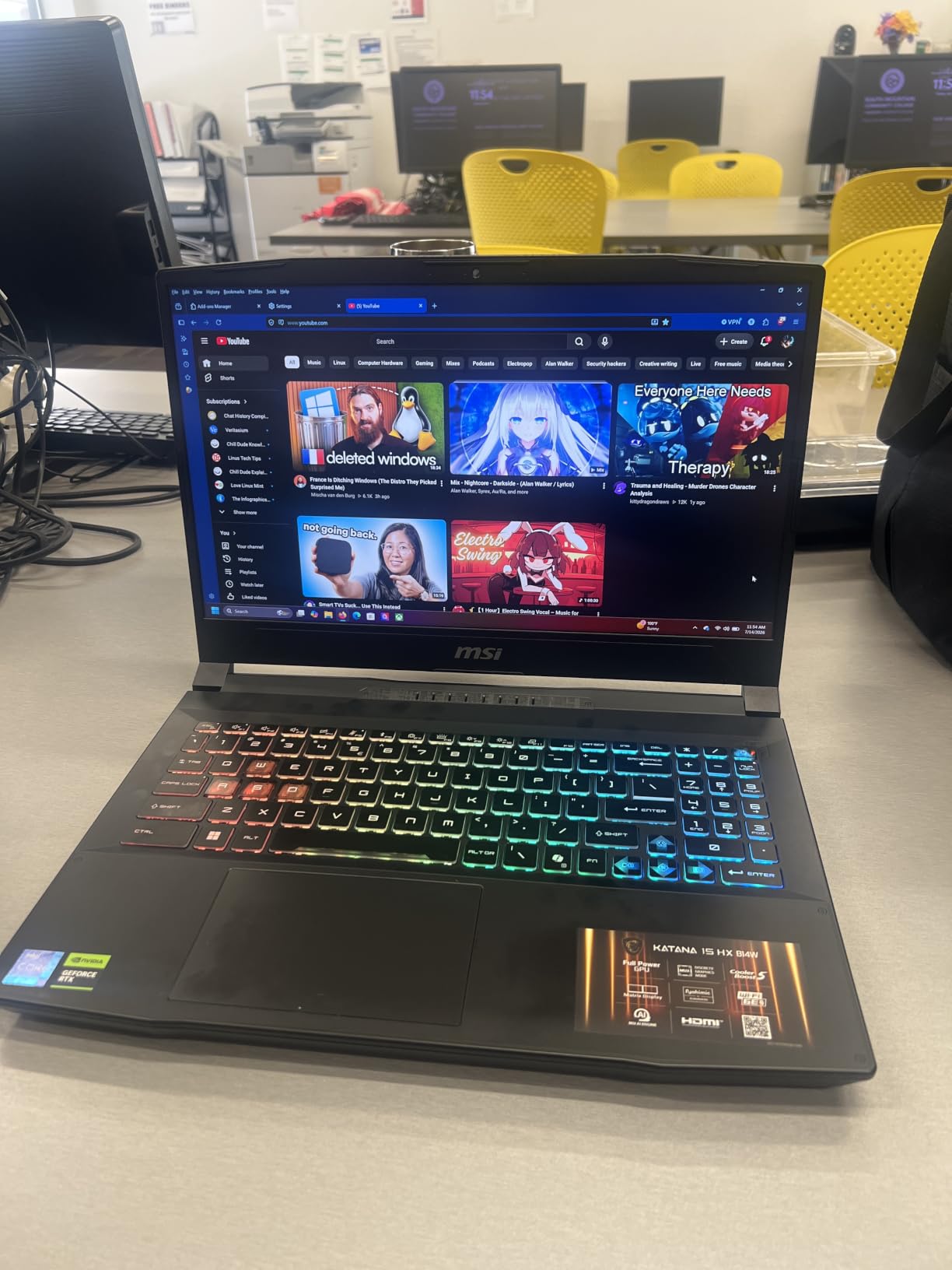
Where it falls short is contrast. A matte LCD can be wide-gamut but it will never have the black levels or punch of the OLED options here, so dark tones and deep shadows will look flatter than on the Yoga Pro 9i or the Zenbook 14X. Reviewers put it plainly: colors are wide but not as punchy.
The 4.4 average across 40 reviews with 72% five-star ratings and no two-star reviews shows a consistent experience. Owners highlight the QHD high-refresh display, RTX 5060 performance, upgradeable memory and port selection, and the cons are physical, weight and thickness, rather than functional.
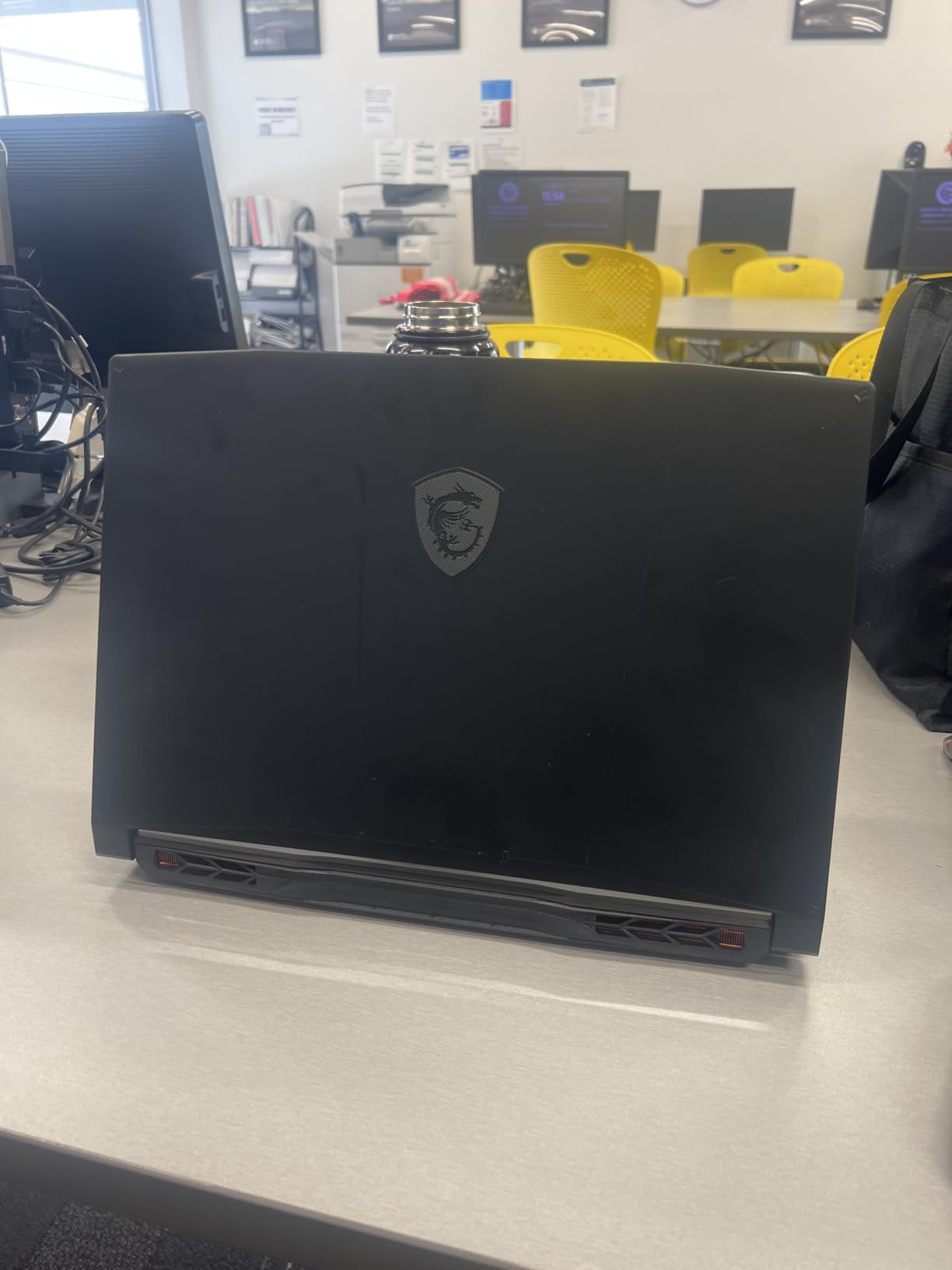
Who the Katana 15 HX suits
It suits photographers who want wide-gamut color and a dedicated GPU, who work in mixed light, and who would rather upgrade memory themselves over three years than pay for it up front. Wide gamut plus matte finish is a combination you rarely see.
It also suits users who want to attach an external display easily, with RJ45, HDMI 2.1 at 8K, USB-C with DisplayPort and power delivery, and a 75Wh battery.
Who should skip it
Skip it if deep contrast matters, because LCD is the wrong technology for evaluating shadow detail. There is also no card reader and no touchscreen, so you need an adapter for direct camera ingest.
At 5.3 pounds and almost an inch thick, it is a desk machine, and the bright four-zone RGB keyboard is a genuinely poor choice for judging color accuracy while it is on.
How to Choose a Laptop for Photo Editing
Work down this list in order and you cannot go wrong. Display first, then memory, then processor, then graphics, then storage and ports. Swapping any two of those around is how buyers end up with a fast machine they cannot trust.
1. Display: gamut, brightness and resolution
Color gamut is how much of the color volume a panel can reproduce. sRGB is the web standard, DCI-P3 is what most video and many modern photo workflows use, and Adobe RGB is the wide-gamut space print and commercial work asks for. A good editing panel hits 100% sRGB as a baseline and ideally 100% DCI-P3, which is why the Zenbook 14X, Zenbook Duo, Galaxy Book4 Pro and Katana 15 HX all earn a place here. Only the Yoga Pro 9i claims 100% Adobe RGB.
Brightness in nits decides how much highlight detail you keep and whether the screen is usable outdoors. Panels in this group run from 400 nits on the Dell G16 and XPS 14 to 1600 nits peak on the MacBook Pro, with 1000 nits on the Yoga Pro 9i and 500 to 550 nits in the middle. Resolution matters more than most buyers expect too: 2880 x 1800 gives you 1.5 times the pixel count of a 1920 x 1080 screen, which directly affects how much of a fine detail view you can actually resolve.
Finish is the last display consideration and photographers split on it. Glossy panels look vivid indoors but mirror windows and lamps; matte panels lose some punch and keep working when the light is not cooperating. If you can calibrate to a proper display later, our 4K monitor picks for photo editing will change the equation entirely.
2. Processor: modern multi-core is the baseline
RAW decoding, catalog rendering and export are multi-threaded, so core count is the number that matters. Every machine here clears the bar with a current-generation chip: 14 to 16 cores on the Intel Core Ultra 7 and 9 parts, 24 cores on the Dell G16 i9, and 8-core Ryzen silicon on the IdeaPad Pro 5. Clock speed above roughly 4.5 GHz keeps exports quick on single-file work.
3. GPU: less important for stills than you have been told
Here is the distinction most guides blur. Video editing is GPU bound because of filters, codecs and motion effects. Photo editing is mostly CPU and RAM bound, and integrated graphics handle RAW development, masking and standard Photoshop filters without trouble. A discrete GPU becomes worthwhile for large AI-based selections, neural filters, deep layer composites, or heavy video work on the same machine.
If your workflow is stills only, a wide-gamut panel with 16GB of memory will serve you better for what you spend than a fast GPU with a washed-out screen. If you shoot both, the machines here with RTX 5050, RTX 4070 and RTX 5060 graphics are worth the extra weight.
4. RAM: match your catalog size
16GB is the practical minimum, and we would treat it as a floor rather than a target. Roughly 16GB handles a few thousand RAW files with Photoshop open. A working catalog of 50,000 or more images, or large layered PSD files, needs 32GB, and there is no substitute for buying it up front where possible. Soldered memory cannot be added later, and that is why the XPS 14, with 32GB expandable to 64GB, and the Katana 15 HX, with two slots, hold up better as long-term buys.
5. Storage: get one terabyte minimum
RAW files are large, and a full shoot fills 512GB faster than most people expect. Our rule is simple: buy at least 1TB, and confirm the drive is replaceable. The Zenbook 14X, Zenbook Duo, Galaxy Book4 Pro, IdeaPad Pro 5, XPS 14 and Yoga Pro 9i all have an additional M.2 slot, which makes growing your library cheap. The MacBooks in this roundup have soldered storage, so capacity is a day-one decision there.
6. Ports: the unglamorous spec you will miss
An SD or microSD card reader saves a dongle on every shoot, and the IdeaPad Pro 5 has a full-size one. Thunderbolt 4 with power delivery matters if you plan to run a calibrated external display, and HDMI 2.1 means fewer adapters in a tethered studio. The MacBook Pro 14 stands out here with three Thunderbolt 4 ports, MagSafe 3, an SDXC slot and HDMI in a 0.61-inch chassis.
7. Mac or Windows: the decision nobody escapes
Ask in any photography forum and you will find owners overwhelmingly on MacBooks, with newcomers asking whether their existing machine is good enough. The honest answer is that the software is mature on both, and the deciding factors are your existing setup and your display preference rather than raw speed. Adobe Creative Cloud runs natively and quickly on Apple silicon, and r/Lightroom users describe the M-series machines as miles better than the Intel MacBooks they replaced.
Choose a Mac if you already use an iPhone, shoot tethered to iOS workflows, or want the tightest integration between phone and desktop. Choose Windows if you need a discrete GPU for mixed photo and video work, want upgradeable memory, or need specific software that does not run on macOS. Either is fine; just buy the display you want rather than the platform you feel loyal to.
8. Laptops to stay away from for photo editing
Some configurations are simply wrong for this job, and it is worth naming them. Glossy low-contrast panels make outdoor and window-side work frustrating. 8GB of RAM is not enough for a serious catalog in 2026, and 128GB of storage means you are buying an external drive on day one. Avoid 1366p or 1080p TN panels, which shift color and crush contrast as soon as you look off-axis. Panels with no published gamut or accuracy figures should be treated as unverified, and any listing that promises 100% sRGB with no brand or model is marketing copy. Cheap machines with 4GB of VRAM and no way to expand memory are a trap that looks like value.
9. Buying used or refurbished
Used is a reasonable route to a wide-gamut panel, since a two-generation-old pro machine with a good OLED is a practical way into color-accurate editing. Insist on 16GB of memory or more, a panel with published gamut coverage, a full-size card reader, and a battery that holds a working day. Avoid 8GB models and 1366p screens entirely, and check the display for dead pixels and hinge flex before you commit. Professional communities largely report treating the laptop as a portable secondary machine regardless, with color-critical finishing done on a calibrated external display or desktop.
10. Do you still need an external monitor?
Yes, for print-critical work. Professional photographer communities largely report that color-critical decisions happen on a calibrated external display, and reviewers consistently single out the laptop panel as the standout feature without claiming it replaces a reference monitor. Treat any laptop panel, including the 1000-nit OLEDs here, as a good proofing surface and a poor judge of final color. If you print regularly, our photo printer picks and the monitor guide above make a sensible pair with any machine on this list.
Frequently Asked Questions
What type of laptop is best for photo editing?
The best laptops for photo editing have a wide-gamut, color-accurate display, at least 16GB of memory, and a modern multi-core processor with a fast SSD. A 100% DCI-P3 OLED or Retina panel at 500 nits or more gives you room to judge images, while 32GB covers large RAW catalogs with Photoshop open. A dedicated GPU helps with AI filters and video work but is not required for standard RAW development.
What laptop to stay away from for photo editing?
Avoid glossy low-contrast panels that mirror windows and lamps, 8GB of memory, 128GB or 256GB of storage on a machine you cannot upgrade, and 1366p or TN displays that shift color off-axis. Also skip any listing that makes color claims without naming a gamut or accuracy figure, and be careful with 4GB VRAM gaming laptops that carry no color specification at all.
What do most professional photographers use to edit photos?
Most professional photographers use a MacBook Pro, with the 14-inch Liquid Retina XDR model among the most recommended for its 1600 nits peak brightness and strong owner satisfaction. The machine is usually treated as a portable secondary tool, though, with color-critical work done on a calibrated external display or a desktop. If you print regularly, our monitor and printer guides cover the reference setup.
What is the best used laptop for photo editing?
A used pro machine with a published wide-gamut panel is the best-value route, and the specs to insist on are 16GB of memory or more, a display with documented sRGB or DCI-P3 coverage, a full-size card reader, and a battery that survives a working day. Avoid 8GB models and 1366p screens, and inspect the panel for dead pixels and hinge flex before buying. We cover the reference display options in our 4K monitor guide.
How much RAM do I need for a photo editing laptop?
Sixteen gigabytes handles a few thousand RAW files with Photoshop open, and it is the minimum worth buying. A catalog of 50,000 or more images, or large layered PSD files, needs 32GB. Where a machine offers two RAM slots or expandable memory, start at 16GB and add later; where memory is soldered, buy the larger amount up front.
Conclusion
The best laptops for photo editing in 2026 split cleanly by what you need from the screen. The MacBook Pro 14 with M5 is our editor’s choice and the best overall option, with a 1600 nits XDR panel, 16GB of unified memory and a 1TB drive; the MacBook Air 13 is the value pick at 2.71 pounds for editing on the road. Windows photographers who want wide gamut should look at the Zenbook 14X OLED for value, the Yoga Pro 9i for 100% Adobe RGB, the XPS 14 for matte anti-glare and 64GB of memory headroom, and the Katana 15 HX for a wide-gamut panel with upgradeable RAM.
Whatever you pick, judge it on gamut and brightness before anything else, size your memory to your catalog, and use a calibrated external display from our 4K monitor guide for final color decisions. For prints, our portable printer picks and pocket printer guide cover the output side.