
The best laptops in this budget tier in 2026 are not the thin, glamorous machines most buyers picture when they set a ceiling. They are practical clamshells with 8GB of memory, a 128GB or 256GB drive and a low-power chip, and the gap between a good one and a frustrating one comes down to a handful of decisions you can make before you spend anything.
Our team has been reading the spec sheets, the buyer questions and the owner feedback across this tier for weeks. What the pattern shows is a market that has split into three groups: cheap Windows laptops, Chromebooks built purely for the browser, and older business-grade machines coming back through the refurb channel. Each group answers a different need, and picking the wrong one is the single most common reason a sub-500 dollar laptop disappoints.
This guide covers eight machines that hold up to that scrutiny, from an entry-level Chromebook to a 16-inch laptop that runs a Core i5. We also spell out the specs worth accepting and the ones worth walking away from, because at this price a single bad component choice can cost you more than the machine itself. Prices and configurations shift constantly, so treat every number here as a snapshot rather than a promise, and check the current listing before you commit.
Table of Contents
Top 3 Picks for the Best Budget Laptops (October 2026)
Three picks cover most readers. The Acer Aspire 3 is the one we come back to for a reason: the largest review base in the group, a full HD panel and a backlit keyboard on a machine that stays cool through a long session. The HP 15.6 touchscreen wins on storage and touch input, and the HP Chromebook 14 is the cheapest machine here that we would actually recommend to anyone.

Acer Aspire 3 A315-24P
- 15.6 inch Full HD IPS display
- AMD Ryzen 3 7320U quad-core
- 8GB LPDDR5 and 128GB NVMe SSD
- Backlit keyboard

HP 15.6 Touchscreen Laptop
- 15.6 inch HD touchscreen
- AMD Ryzen 3 7320U with 8 threads
- 8GB LPDDR5 and 256GB NVMe SSD
- 12 hour stated battery

HP Chromebook 14
- 14 inch anti-glare display
- Intel Celeron N4120 quad-core
- 14 hour stated battery
- Chrome OS with Android apps
Best Laptops Under $500 (October 2026)
Every pick below sits inside the ceiling we set for this guide, and the differences between them are structural rather than cosmetic. Memory, storage type, display resolution and upgrade access are the columns that actually predict whether a machine will feel fast in year two.
| Product | Specifications | Action |
|---|---|---|
| Acer Aspire 3 A315-24P |
|
Check Latest Price |
| HP 15.6 Touchscreen Laptop |
|
Check Latest Price |
| HP Chromebook 14 |
|
Check Latest Price |
 Lenovo 14 inch FHD Touchscreen Chromebook Lenovo 14 inch FHD Touchscreen Chromebook |
|
Check Latest Price |
 Acer Aspire Go 15 AG15-32P Acer Aspire Go 15 AG15-32P |
|
Check Latest Price |
 Dell 15.6 Core 3 100U Dell 15.6 Core 3 100U |
|
Check Latest Price |
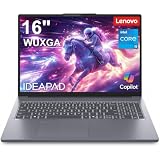 Lenovo 16 inch IdeaPad Slim 3 i5 Lenovo 16 inch IdeaPad Slim 3 i5 |
|
Check Latest Price |
 HP 14 inch 16GB Windows Pro Bundle HP 14 inch 16GB Windows Pro Bundle |
|
Check Latest Price |
1. Acer Aspire 3 A315-24P – the balanced all-rounder
acer Aspire 3 A315-24P-R7VH Slim Laptop | 15.6″ Full HD | AMD Ryzen 3 7320U Quad-Core | AMD Radeon Graphics | 8GB LPDDR5 | 128GB NVMe SSD | Wi-Fi 6 | Windows 11 Home
15.6 inch Full HD IPS
AMD Ryzen 3 7320U quad-core
8GB LPDDR5 onboard
128GB NVMe SSD
Pros
- Full HD IPS matte panel with narrow bezels
- Backlit keyboard for low-light typing
- Quad-core Ryzen 3 7320U up to 4.1 GHz
- Acer TNR camera with PurifiedVoice noise reduction
- Stays cool through long work sessions
Cons
- 8GB of LPDDR5 is soldered with no upgrade path
- Noticeably loud fan in quiet rooms
- 128GB storage fills up quickly
The Aspire 3 is the machine we kept coming back to while putting this list together. With more than four and a half thousand ratings behind it, it is by far the most scrutinised laptop in this group, and the feedback is unusually consistent: owners buy it for school or office work, it handles that work, and they come back a year later still using it. That consistency matters more than any single benchmark at this price.
Ryzen 3 7320U is a quad-core part that boosts to 4.1 GHz, and paired with LPDDR5 memory it stays responsive across a dozen browser tabs, a document and a video call at the same time. It is a fan-cooled machine, which explains both the cooling praise and the noise complaints, but the 48 watt-hour battery is rated at 11 hours, which is enough for a full day if you are not streaming video constantly.
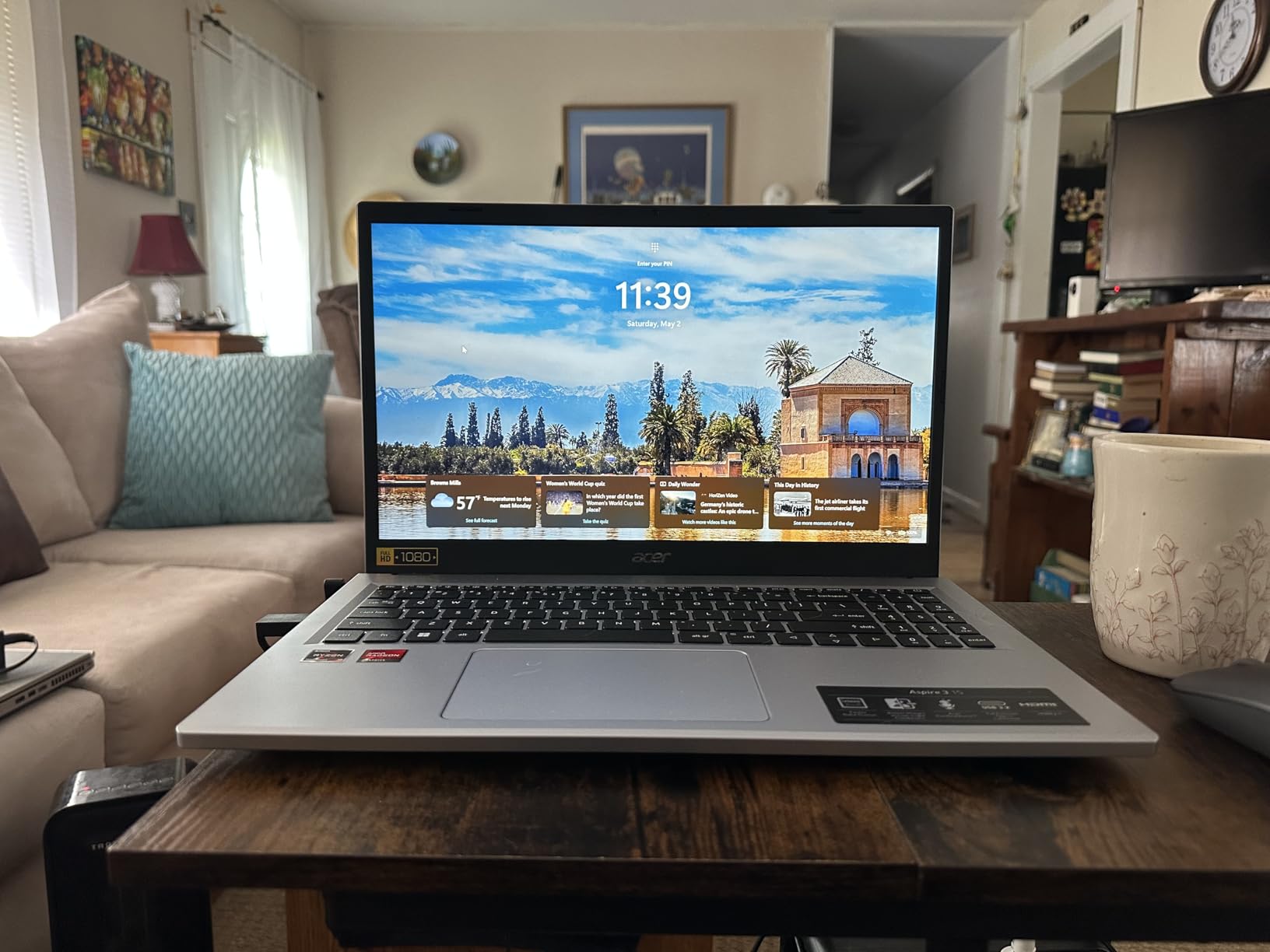
Two details separate this from the cheaper Windows options. The 15.6-inch display is a genuine 1920 x 1080 IPS panel with a matte finish, so it stays readable in a bright classroom and avoids the washed-out look of glossy budget screens. The keyboard is backlit, which reviewers mention often because almost nothing in this price bracket offers it, and Acer includes a TNR webcam with PurifiedVoice noise reduction for calls.
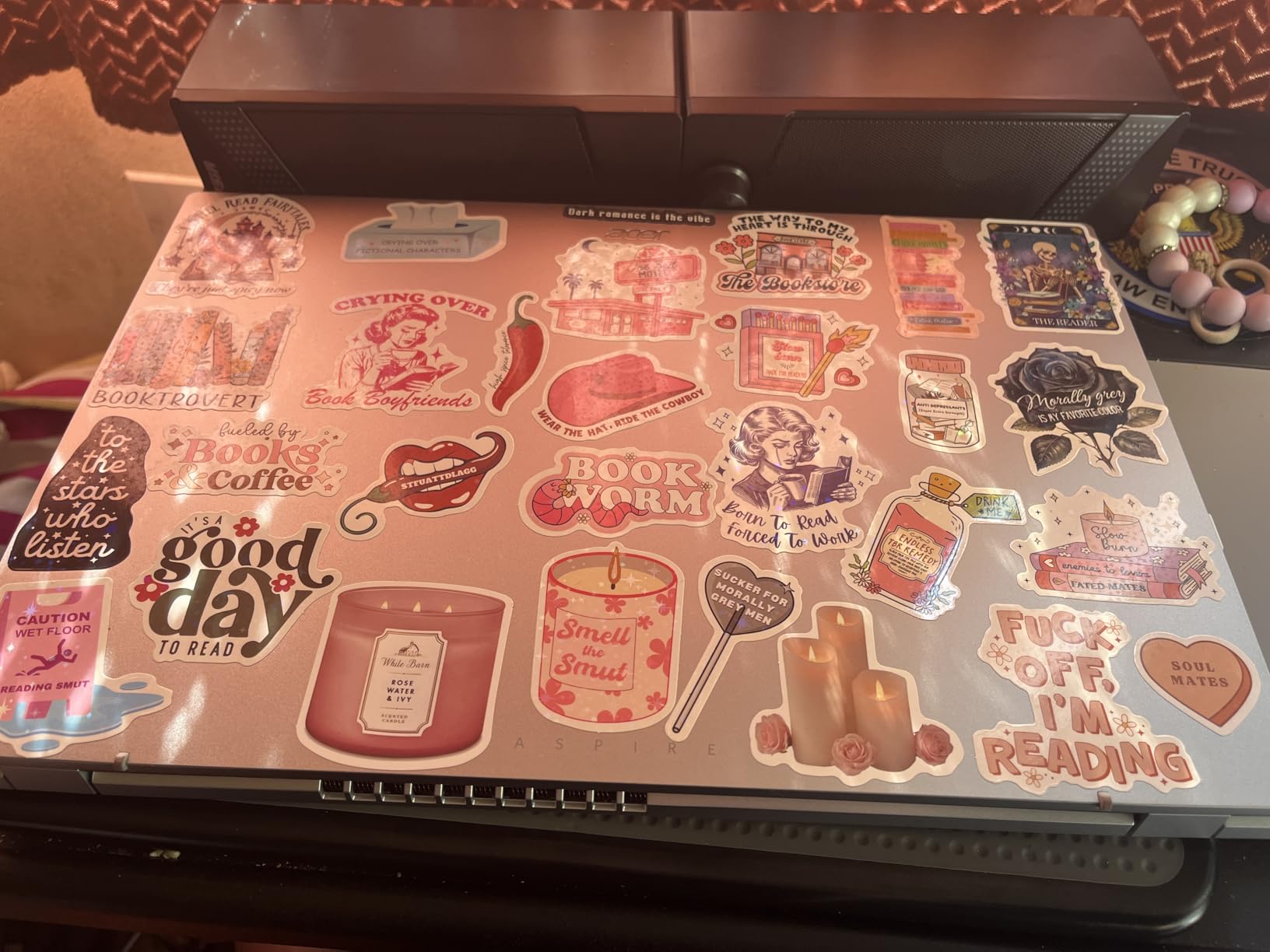
At 3.9 pounds and 0.74 inches thick, it is not the lightest 15-inch laptop you can carry, but the weight is well distributed and the footprint fits most backpacks. Owners also report that the machine stays cool through long sessions, which matters if you plan to leave it running while it works through a queue of downloads or updates.
Why the Aspire 3 suits a four-year school cycle
The 8GB of LPDDR5 is the number that should give you pause, and it is fixed to the board with an 8GB ceiling. In practice, 8GB handles a browser-heavy workload well enough for school, and the memory type is fast even though the capacity is not generous. If your plan involves dozens of tabs, a video editor or a development environment, this is not the machine.
The 128GB NVMe drive is a genuine SSD, so boot and load times are quick, but 128GB disappears fast once Windows, a browser and a streaming app are installed. Budget for a cloud account or an external drive from day one. Reviewers also flag Windows 11 S mode in the box, which blocks installing anything outside the Microsoft Store until you switch it off, and the panel is dimmer than the price suggests it should be.
Where a different pick makes more sense
Skip this machine if you need a touchscreen, a numeric keypad for long data entry, or any kind of gaming headroom. If you want the same display quality but a fast-charge USB-C port and the option to add memory later, the Aspire Go 15 is the closer fit, and if the budget stretches slightly the Dell 15.6 gives you 512GB and a 120Hz panel instead of a 60Hz one.
2. HP 15.6 Touchscreen Laptop – the everyday Windows value pick
HP 15.6 inch Laptop, HD Touchscreen Display, AMD Ryzen 3 7320U, 8 GB RAM, 256 GB SSD, AMD Radeon Graphics, Windows 11 Home, Natural Silver, 15-fc0399nr
15.6 inch HD touchscreen
Ryzen 3 7320U quad-core 8 threads
8GB LPDDR5
256GB PCIe NVMe SSD
Pros
- Touchscreen makes note-taking and scrolling easy
- 256GB NVMe drive has real headroom
- 12 hour stated battery
- 3.5 pound chassis with numeric keypad
- Wi-Fi 6 and Bluetooth 5.3
Cons
- 1366 x 768 panel rather than Full HD
- 8GB of LPDDR5 is soldered
- Windows updates install slowly
This is the machine we recommend to anyone who wants Windows, wants to touch the screen occasionally, and refuses to run out of storage. The 256GB NVMe drive is double what most of the group offers, and at 3.5 pounds it is one of the lighter 15-inch Windows laptops in the comparison, which matters more than the raw number suggests when you are carrying it across campus every day.
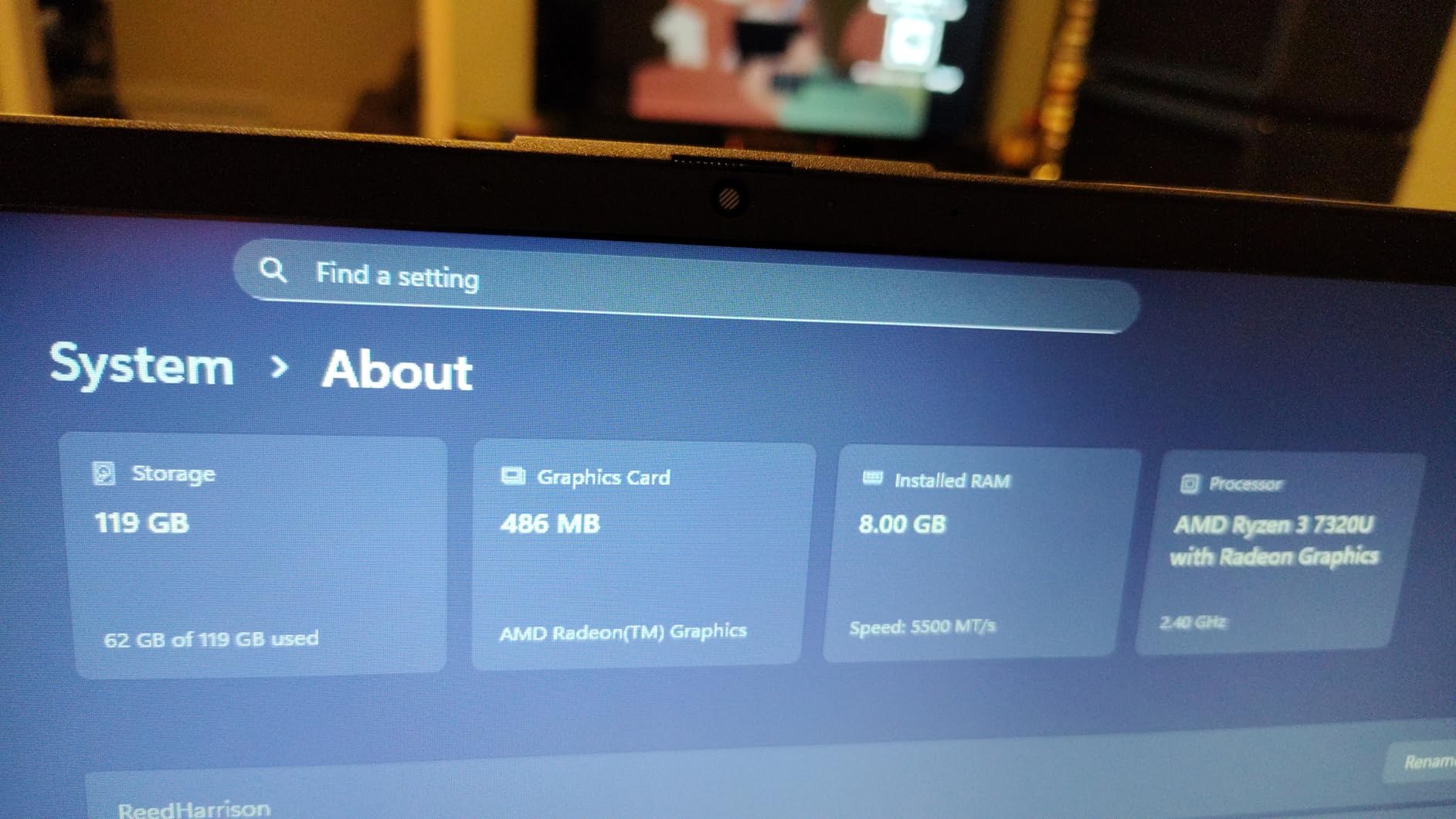
It uses the same Ryzen 3 7320U quad-core processor as our top pick, with 8 threads and a boost to 4.1 GHz, paired with 8GB of LPDDR5-5500 memory. Owners report that it handles schoolwork, browsing, streaming and documents without stuttering, and the 12 hour stated battery covers a full school day with room to spare.
The touchscreen is the feature buyers single out most often. It is a 1366 x 768 capacitive panel at 250 nits with micro-edge bezels and anti-glare treatment, which is responsive enough for scrolling and pinning notes but is not a panel you would edit photos on. Color coverage sits at 62.5 percent of sRGB, so colors look flatter than on the Acer’s 1080p panel.
The full-size keyboard includes a numeric keypad, which is rare at this size and price and genuinely useful if you handle invoices or a lot of data entry. HP includes a 720p True Vision webcam with a dual array microphone, Wi-Fi 6, two USB-A ports, a data-only USB-C port and HDMI 1.4b.
What the 256GB drive changes in daily use
Storage headroom is the quiet advantage here. With 128GB, an operating system update plus a handful of applications can leave you clearing space weekly. With 256GB you can install a full software suite, keep a large offline media library and still have room for a semester of coursework without touching a cloud drive.
The compromises are real, though. The touchpad sits close to the keyboard and owners report it is hypersensitive enough to move the cursor while typing, and a few mention the cursor becoming hard to see over clickable elements. The 45 watt AC plug is also mounted next to a USB port, which can block access to it depending on the cable angle.
Who should pick a different machine
If display sharpness matters to you, move up to a 1080p panel. If you want memory you can add later, the Acer Aspire Go 15 exposes both a memory slot and a free M.2 connector. And if you plan to install non-Microsoft software straight out of the box, this one runs full Windows 11 Home, so there is no S mode switch to flip first.
3. HP Chromebook 14 – the cheapest machine worth buying
HP Chromebook 14 Laptop, Intel Celeron N4120, 4 GB RAM, 64 GB eMMC, 14″ HD Display, Chrome OS, Thin Design, 4K Graphics, Long Battery Life, Ash Gray Keyboard (14a-na0226nr, 2022, Mineral Silver)
14 inch anti-glare display
Intel Celeron N4120 quad-core
4GB DDR4
64GB eMMC flash
Pros
- 14 hour stated battery covers a full day
- 3.2 pound metal-style chassis
- Three USB ports plus HDMI
- HP Fast Charge adds about half charge in 45 minutes
- Fast boot times on flash storage
Cons
- 4GB of RAM and 64GB of eMMC is the bare minimum
- 1366 x 768 panel
- ChromeOS only with no Windows desktop software
When a budget gets very tight, the usual advice is to buy a tablet with a keyboard. This Chromebook is the better answer for anyone whose work happens in a browser. ChromeOS handles web apps, Android apps from the Play Store and cloud documents with no setup, and the 14 hour stated battery is the longest figure anywhere in this comparison.
With more than three thousand ratings behind it, the owner feedback here is consistent: people buy it as a school or travel device, love the battery, and accept the memory limitation because they never try to run heavy software on it. The Celeron N4120 is a quad-core chip rated to 3.8 GHz with Intel UHD Graphics 600, which streams 4K content without trouble.
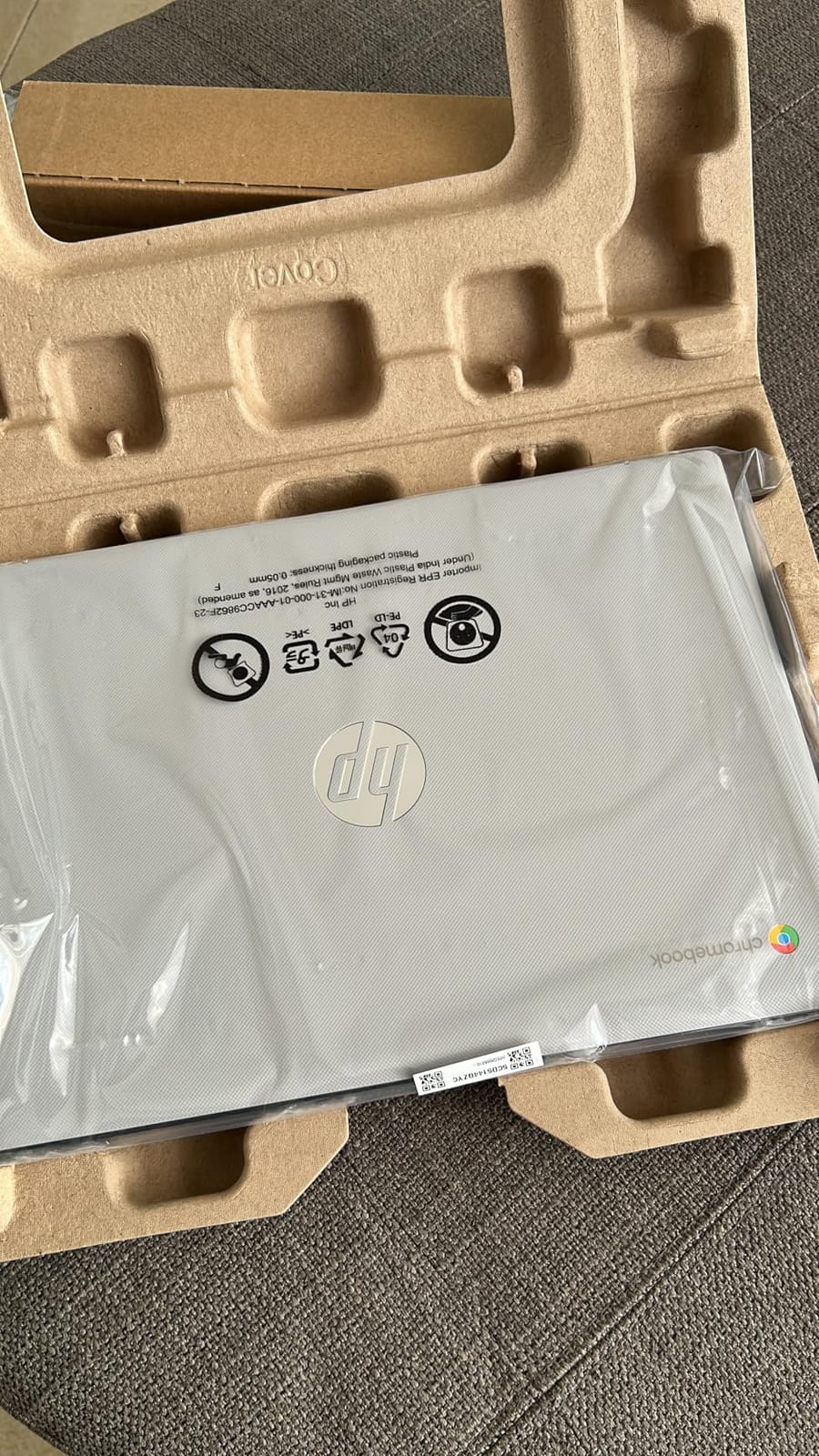
At 3.2 pounds and 0.7 inches thick with a 14-inch anti-glare panel, it is easy to carry and easy to read in daylight. It also includes HP Fast Charge, which restores roughly half the battery in about 45 minutes, so a short break at a library between classes is enough. The model carries a one-year limited hardware warranty with 90 days of technical support.
Connectivity is straightforward: three USB ports, HDMI and a headphone jack, with 802.11ac Wi-Fi and Bluetooth. That older Wi-Fi standard is one of the few things that feels dated, and it is worth checking your network before committing if you are in a dense wireless environment.
What 4GB of RAM and 64GB actually mean here
This is the one pick in the list where the minimum spec is genuinely the limit, so set your expectations correctly. A browser with a dozen tabs, a video call and a music app running at once is enough to make it feel sluggish, and 64GB of eMMC fills up once you start saving files locally. Owners who treat it as a web-first device with cloud storage report no problems at all.
The 1366 x 768 panel is the other ceiling. It is fine for reading, documents and streaming, but text looks coarser than a 1080p screen, and there is no touchscreen or backlit keyboard. If you want a sharper panel at a similar weight, the Lenovo Chromebook in the next section is the direct comparison.
When a Chromebook is the wrong shape of tool
Choose something else the moment your work involves desktop software that does not run in a browser or the Play Store, or if you need to install Linux, run a virtual machine or do any real file work outside Google Drive. In that case the Acer Aspire 3 or the HP 15.6 touchscreen are safer buys, and the Dell 15.6 is the pick if storage headroom matters most.
4. Lenovo 14 inch FHD Touchscreen Chromebook – the lightest option
Lenovo Flagship Chromebook, 14” FHD Touchscreen Slim Thin Light Laptop Computer, 8-Core MediaTek Kompanio 520 Processor, 4GB RAM, 64GB eMMC, WiFi 6,Chrome OS, Abyss Blue
14 inch 1920 x 1080 IPS touch
MediaTek Kompanio 520 octa-core
4GB DDR4
64GB eMMC with M.2 slot
Pros
- Crisp 1080p IPS touchscreen at 250 nits
- Lightest chassis here at 2.9 pounds
- Backlit keyboard with 13.5 hour stated battery
- 720p webcam with a physical privacy shutter
- One M.2 slot for extra storage
Cons
- 4GB of RAM and 64GB of eMMC
- Touchpad is slow and sometimes unresponsive
- Only a 90-day warranty
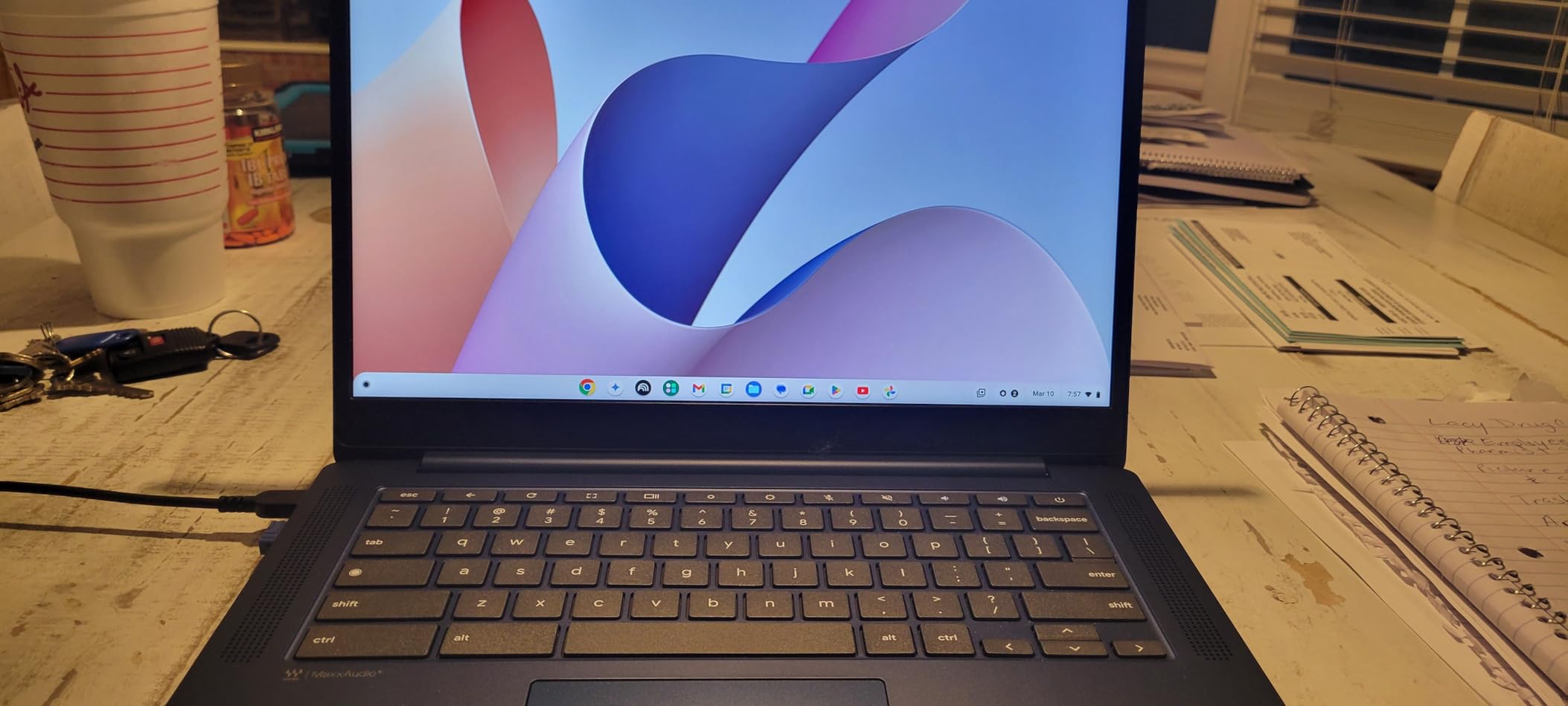
This Lenovo Chromebook answers the one complaint every owner of a cheaper Chromebook shares: the display. Where the budget norm is a 1366 x 768 panel, this machine carries a 1920 x 1080 IPS touchscreen at 250 nits, with wide viewing angles and noticeably better color clarity for streaming and photo viewing.
It is also the lightest laptop in this comparison at 2.9 pounds, and the octa-core MediaTek Kompanio 520 is built for efficiency rather than peak speed. The 13.5 hour stated battery, a backlit keyboard and a 720p webcam with a physical privacy shutter make it a genuinely pleasant carry-everywhere device.
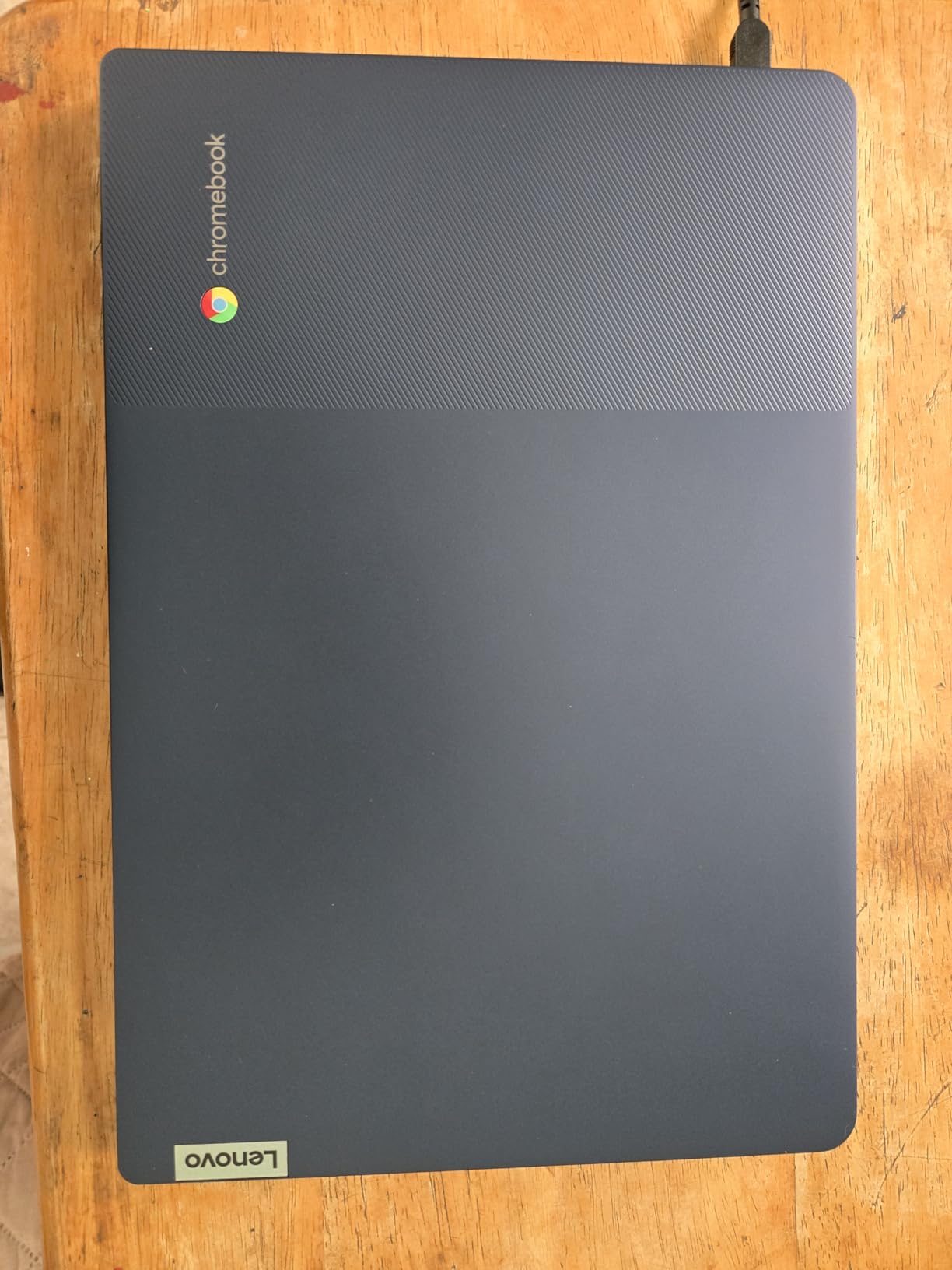
Port selection is better than the HP Chromebook’s, with one USB-A, one USB-C, a microSD card reader and a headphone and microphone combo jack. Wi-Fi 6 with Bluetooth 5.1 is a step up from the older standard on the previous pick, and the two 1.5 watt speakers are tuned for video and calls.
There is one upgrade path worth knowing about: the technical data lists an available M.2 slot, so a larger drive can be added even though the 64GB of eMMC on board is fixed. That single connector is unusual at this price and turns the storage ceiling from permanent into an inconvenience.
Why the 1080p touchscreen changes the experience
Screen resolution is the difference between a device you tolerate and one you enjoy. At 1080p on a 14-inch panel, text in documents, spreadsheet cells and web pages is crisp enough that you stop noticing the screen, and the IPS panel means colors stay consistent when you tilt the lid toward a window or a lamp.
The 4GB of memory is the catch, and owners report lag once many apps or browser tabs are open together. The touchpad is the other recurring complaint, described as delayed or missing finger movements, so a mouse or a trackpad-capable phone is worth carrying. There is also only a 90-day warranty, which is the shortest coverage in this group and the one detail we would want improved.
Where the cheaper HP Chromebook makes more sense
If you are purely browsing, streaming and working in Google tools, the HP Chromebook 14 has more ports, a longer stated battery and a full year of warranty instead of 90 days, usually for less money. Pick the Lenovo when screen quality, weight and the option to add storage matter more than warranty length and raw battery headroom.
5. Acer Aspire Go 15 AG15-32P – the one you can upgrade later
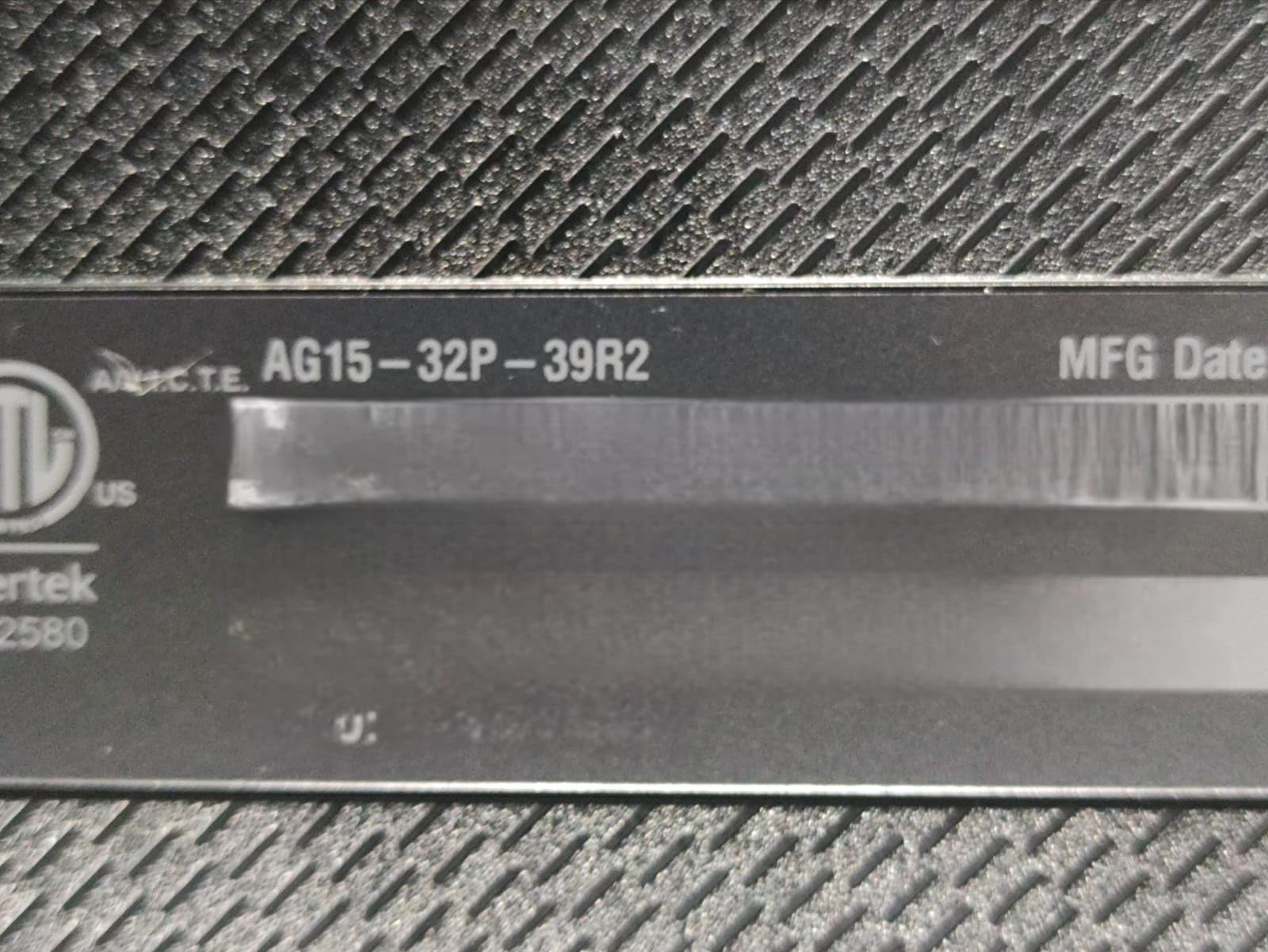
acer Aspire Go 15 AI Ready Laptop | 15.6″ FHD (1920 x 1080) IPS Display | Intel Core 3 Processor N355 | Intel Graphics | 8GB DDR5 | 128GB UFS | Wi-Fi 6 | Windows 11 Home in S Mode | AG15-32P-39R2
15.6 inch 1080p IPS
Intel Core 3 N355 octa-core
8GB DDR5 to 16GB
128GB UFS plus M.2 slot
Pros
- Memory is not soldered and can reach 16GB
- Empty M.2 slot accepts a much larger SSD
- 15.6 inch 1080p IPS narrow-bezel display
- Two full-function USB-C ports with charging
- 12.5 hour stated battery
Cons
- 128GB onboard storage is very tight
- S mode restricts software until you switch it off
- Sluggish during Windows 11 updates
This is the pick for anyone who thinks ahead. The 8GB of DDR5 sits in a real memory slot rather than being soldered to the motherboard, and the technical data lists an available M.2 connector in addition to the 128GB of onboard UFS storage. Owners routinely recommend adding a drive and bumping memory, and we agree that this is the machine in the group most likely to still feel current in four years.
Under the hood is an octa-core Intel Core 3 N355 with a 6MB cache, running to 3.9 GHz with Intel integrated graphics. It is not a fast chip, and owners report it feels noticeably slow during Windows 11 updates, but for documents, browsing, email and streaming it delivers without drama.
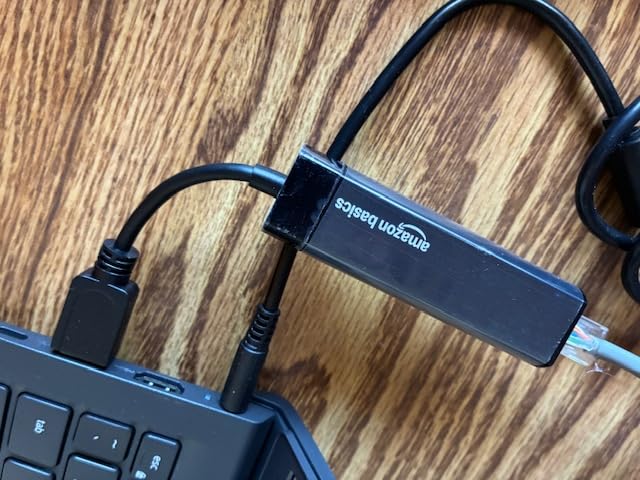
The display is a 15.6-inch 1920 x 1080 IPS LCD at 60Hz with narrow bezels and Acer BluelightShield, and reviewers single out both screen quality and sound for streaming, drawing and casual games. Ports are unusually good for the tier: two USB-C 3.2 Gen 2 ports that handle data, DisplayPort and charging up to 45 watts, two USB-A ports, HDMI 2.1 and a Kensington lock slot.
Battery life is rated at 12.5 hours from a 48 watt-hour cell, and the fast-charging USB-C ports mean you can top up from the same cable that charges your phone. The machine is 3.8 pounds, Energy Star certified and EPEAT Gold registered, and Acer includes a one-year international travelers warranty.

What the upgrade path is really worth
Adding a 256GB or 500GB NVMe drive in the empty M.2 slot and moving the existing data across solves the tightest problem on this machine for a small outlay. Doubling the memory to 16GB handles the multitasking complaints head-on, because the current limit is not processing power but memory pressure during updates and with many applications open.
Buying the storage later is the reason this machine ranks above more powerful rivals here. Just remember it runs Windows 11 Home in S mode out of the box, so switch that off before installing anything outside the Microsoft Store, and note the USB-C fit is described as very snug, which is worth checking against the thickness of your cable.
Who should buy a different pick
If you want the same upgrade freedom with far more storage from day one and a faster chip, the Dell 15.6 gives you 512GB and a six-core Core 3 100U. If you want more speed without opening a chassis, the Lenovo 16-inch Core i5 is the most capable machine in this guide. This Acer is for buyers who plan to treat the first year as a starting point.
6. Dell 15.6 Core 3 100U – the storage and service pick
Dell 15.6 Laptop, FHD, Intel Core 3 100U, 8 GB RAM, Windows 11 Home
15.6 inch 1920 x 1080 120Hz IPS
Intel Core 3 100U six-core
8GB DDR4 slot to 16GB
512GB SSD
Pros
- 512GB SSD needs no cloud juggling
- 120Hz anti-glare 1080p panel
- Memory slot allows an upgrade to 16GB
- Lifted hinges and numeric keypad aid typing
- One-year onsite hardware service
Cons
- 8GB of DDR4 is modest for heavy multitasking
- Heaviest chassis in the group at 4.2 pounds
- No touchscreen
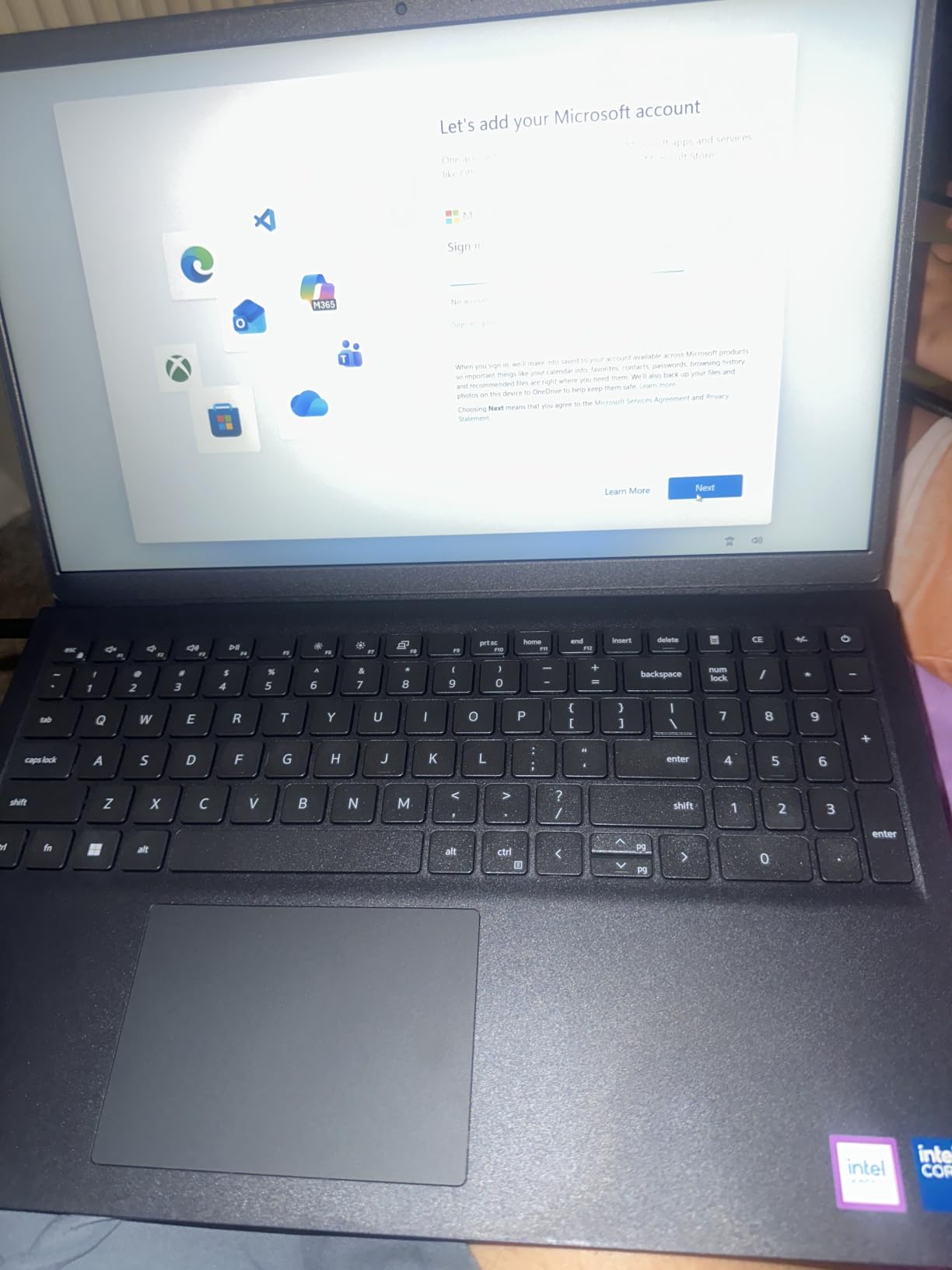
Storage is the headline here. A 512GB SSD alongside 8GB of DDR4 in a single memory slot is a combination you normally find well above this budget, and it means you can install the full Microsoft Office suite, a creative app or two, and still have room for years of files. The display is the other differentiator: a 1920 x 1080 anti-glare IPS panel running at 120Hz.
The six-core Intel Core 3 100U boosts to 4.7 GHz with a 10MB cache, which is the highest clock speed in this comparison, and it handles multitasking and everyday office productivity well. Ports are generous for the price with HDMI, three USB ports, an SD card slot and a headphone jack, plus Wi-Fi 6 and Bluetooth 5.3.
Typing comfort gets more attention than usual here. Dell lifted the hinges so the keyboard sits at a natural angle, and the layout includes a full-size keyboard with a separate numeric keypad and a calculator hotkey, which is a genuine advantage over the slimmer machines in this list. ComfortView software filters blue light for long reading sessions.
The warranty is the differentiator most people miss. Rather than mail-in coverage, this configuration includes one year of Basic Onsite Service after remote diagnosis, which means a technician comes to you for covered hardware problems. The 41 watt-hour battery is smaller than the Acer and HP units, and there is no touchscreen.
Why 512GB and 120Hz matter more than raw speed
At this tier, the failure mode is rarely a processor that is too slow. It is running out of storage, then losing time to cloud syncing and manual cleanup, or a display that makes ordinary scrolling feel unpleasant. A 512GB drive removes the first problem for most buyers indefinitely, and a 120Hz panel makes scrolling and window movement visibly smoother than the 60Hz standard elsewhere in this list.
The 8GB of memory remains the limitation, and it is upgradeable to 16GB through the single DDR4 slot at 2666MHz. Integrated Intel UHD Graphics mean modern games and GPU-accelerated work are out of reach, so this is a productivity machine rather than a creative or gaming one.
Who should look elsewhere
At 4.2 pounds this is the heaviest machine we tested, and it is not the right choice if you carry your laptop daily or work from cafes and airports. For a lighter build with a similar display, the Acer Aspire Go 15 is 3.8 pounds, and for true portability the Lenovo Chromebook is 2.9 pounds. Buyers who want a faster chip and more memory out of the box should look at the Lenovo 16-inch.
7. Lenovo 16 inch IdeaPad Slim 3 i5 – the most capable machine here
Lenovo 16″ FHD+ Premium Performance Laptop, i5-13420H, 16GB RAM, 512GB SSD
16 inch 1920 x 1200 IPS
Intel Core i5-13420H 8-core
16GB DDR5 to 40GB
512GB Gen4 NVMe SSD
Pros
- Only Core i5 in the group with 12 threads
- 16GB DDR5 expandable to 40GB
- 512GB PCIe Gen4 NVMe storage
- 1.68kg aluminium chassis with 16 inch panel
- TPM 2.0 and a camera privacy shutter
Cons
- Color gamut is only 45 percent NTSC
- Webcam does not support Windows Hello
- Only 122 ratings so far
This is the outlier in the guide. Everything else in this price bracket runs a Core 3, a Ryzen 3 or a Celeron, and here is an eight-core Core i5-13420H with 12 threads boosting to 4.6 GHz, 16GB of DDR5 memory and a 512GB PCIe Gen4 NVMe drive. Owners use it for music production, writing and light gaming, and the feedback is strongly positive across the board.
The trade is size. A 16-inch WUXGA 1920 x 1200 IPS panel at 300 nits is bigger and brighter than anything else here, and the 1.68kg aluminium chassis with MIL-STD-810H durability testing feels like a step up in build quality. You give up some portability relative to a 14-inch machine, but not much.
What a Core i5 actually unlocks at this budget
The i5-13420H is a performance-tier part, and the practical difference shows up in exactly the tasks the other picks struggle with: larger spreadsheet workloads, photo editing, video encoding, running a development environment or several heavier applications at once. The 16GB of DDR5 at 4800MHz can be expanded to 40GB, and the Gen4 NVMe drive is roughly an order of magnitude faster than the eMMC and UFS storage in the cheaper models.
Security features are unusually good for the money, with TPM 2.0 firmware encryption, a physical camera privacy shutter and a TUV Rheinland low blue light certification. Ports cover two USB-A, one USB-C with power delivery and DisplayPort, HDMI 1.4 and an SD card reader. The panel tops out at 45 percent NTSC though, so media colors look muted even though the resolution and brightness are good.
Why the thin review history deserves attention
This machine carries the fewest ratings in the comparison at 122, which tells you the listing is newer rather than worse, and one owner reported a panel that went permanently black within three months. The webcam also does not work with Windows Hello face login, so you will sign in with a password or PIN instead. If a short warranty and a thin support history make you nervous, the Dell 15.6 with onsite service is the steadier choice.
8. HP 14 inch 16GB Windows Pro bundle – the Pro bundle pick
HP 14″ Laptop 2025 Business Student Slim Computer, Lifetime MS Office, Copilot AI, Quad-Core Intel CPU, 16GB RAM, 628GB Storage (128GB UFS+500GB Ext), MarxsolAccessory, Wi-Fi 6, Win 11 Pro, Silver
14 inch 1366 x 768 anti-glare
Intel Processor N150 quad-core
16GB DDR4
128GB UFS plus 500GB external
Pros
- 16GB of DDR4 is double most machines in this group
- Bundled 500GB external drive and 6-in-1 USB-C hub
- Lifetime Microsoft Office 2024 included
- Windows 11 Pro adds encryption and isolation
- Light 3.2 pound 14-inch chassis
Cons
- 1366 x 768 panel is the weakest here
- Intel N150 is an entry-level chip
- Only 128GB of fast internal storage
The headline number here is 16GB. That is double the memory in most of this guide, and on a Windows machine it is the difference between a machine that stays responsive with a dozen windows open and one that starts swapping to disk. The Intel N150 is a modest quad-core chip, so the extra memory is doing the heavy lifting, but for office work, research and light multitasking it pays off.
The bundle is unusually generous. Alongside the laptop you get a 500GB external drive, a 6-in-1 USB-C docking station hub, a wireless mouse, an HDMI cable, a USB extension cord, a mouse pad and lifetime Microsoft Office 2024, which removes the software cost most students hit in their first term.
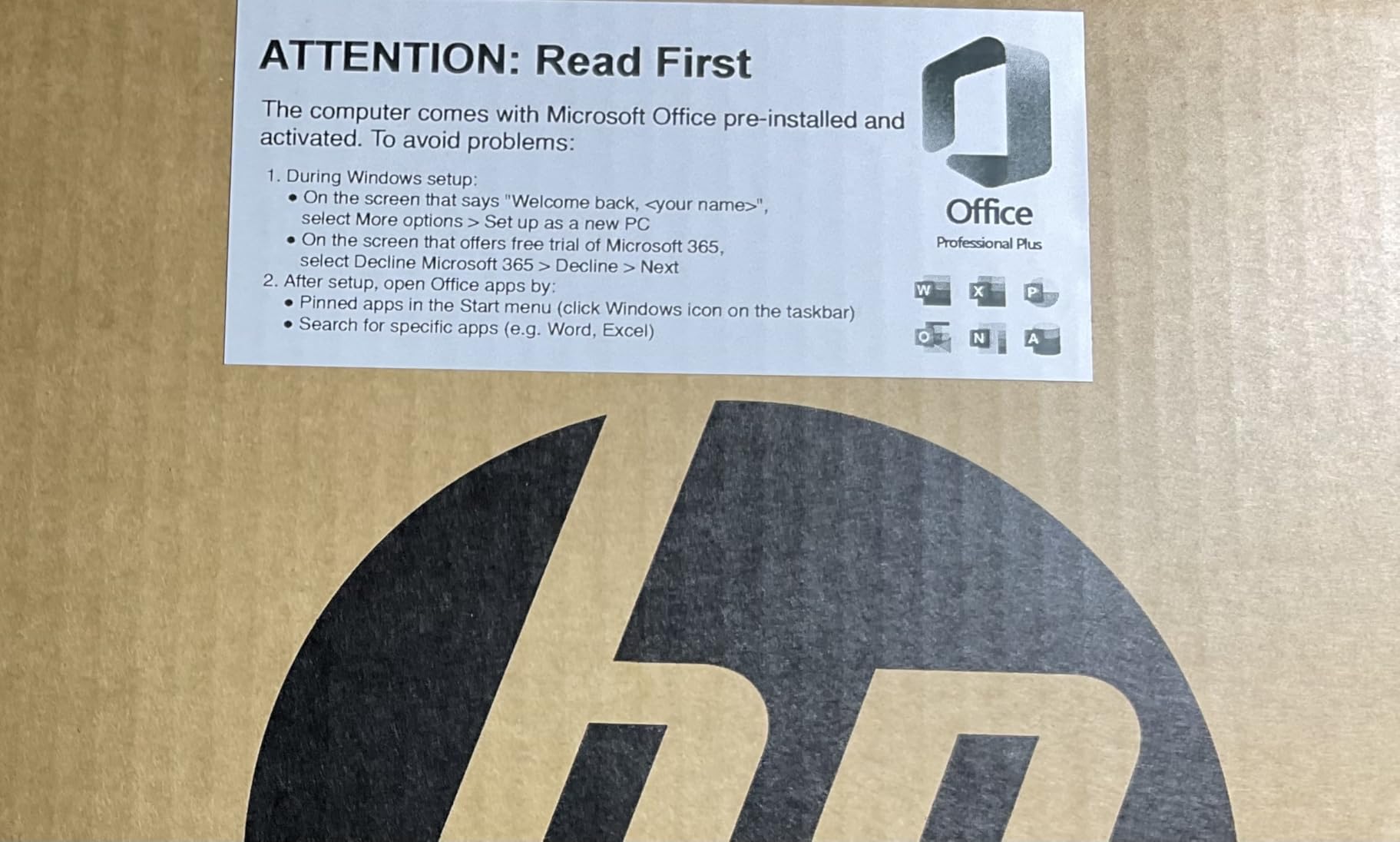
Windows 11 Pro is another quiet advantage over the Home editions elsewhere in this list, adding hardware-based isolation, encryption and malware protection. The chassis is 3.2 pounds with a slim near-bezel-less 14-inch design, and it comes in several colors including Natural Silver, Rose Gold, Sky Blue and Willow Green.
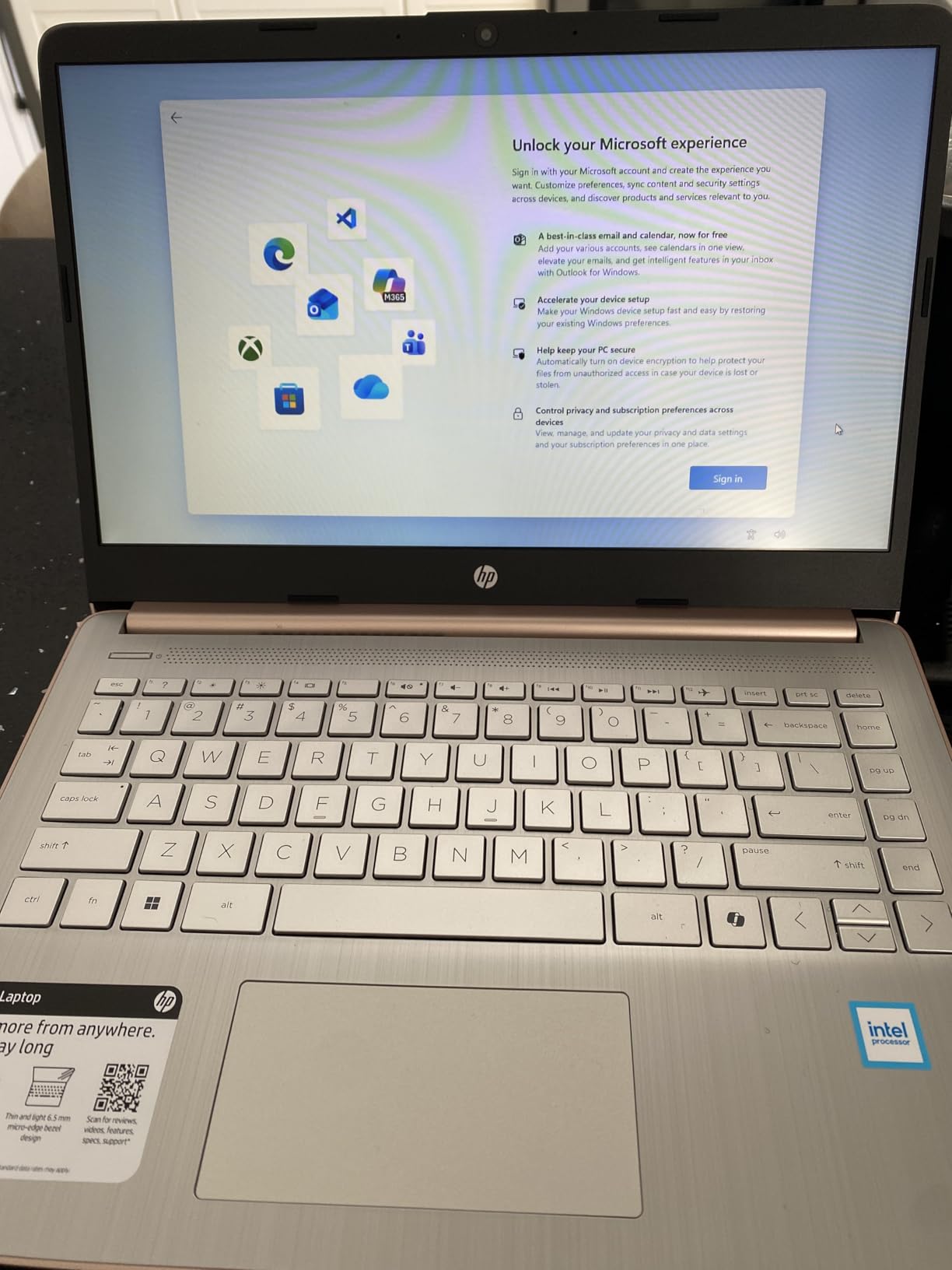
The display is where the compromises show. It is a 1366 x 768 anti-glare LED panel at 60Hz, the lowest resolution here, and only 128GB of UFS is built in, with the rest of the capacity sitting on the external drive. A 720p True Vision webcam and Wi-Fi 6 round out the connectivity, including a USB-C port and a media card reader.
Whether 16GB of RAM on a modest chip is a good trade
It is, if your workload is memory-bound rather than processor-bound. Research, writing, spreadsheets, browser-heavy coursework and remote work all benefit far more from having 16GB available than from a faster core, and the bundled Office license and external drive remove three separate first-week expenses. The N150 handles those tasks competently even though it will not handle video editing or modern games.
Two cautions. The external drive is a genuine workaround for the small internal capacity but adds a cable to your daily carry, and the bundle packaging can make it unclear exactly what is included. Confirm the accessory list and warranty terms on the listing before you order, because third-party bundles vary in what they actually include.
Where another pick fits better
If display sharpness matters, the Acer Aspire 3 and the Dell 15.6 both give you 1920 x 1080 panels, and the Lenovo 16-inch adds 16GB of faster DDR5 with a far stronger processor. If you want the memory without the bundle ambiguity, the Lenovo 16-inch is the cleaner route to 16GB. This HP is the pick when the total package matters more than any single specification.
How to Choose a Laptop on a Fixed Budget
At this price the decision comes down to a short list of structural questions, and answering them in order saves you from buying a machine that is wrong for your work in a way the marketing will not reveal. Here is the framework we use, and the rules are strict on purpose because there is very little margin for a bad component at this budget.
Accept these specs, walk away from the rest
Eight gigabytes of RAM is the minimum you should accept and there is no point going below it. Four gigabytes is fine only in a dedicated web-first Chromebook used for a single task at a time, and it will feel slow the moment you open a second video call. Sixteen gigabytes is the aspirational target and, as one pick in this list shows, it is possible at this budget, usually by accepting a weaker processor or a lower resolution screen in exchange.
For storage, 128GB is the floor and 256GB is where breathing room starts. eMMC and UFS storage are flash-based and boot quickly, but they are slower than NVMe drives and less expandable. Watch for soldered memory: if the 8GB is fixed to the board, you are buying a four-year machine with no upgrade path, which is a meaningful risk when memory prices have been moving all year.
ChromeOS or Windows, and what Core 3 and N-series mean
Choose ChromeOS if your work happens in a browser, in Google tools or in Android apps. It is faster, it updates itself, it has no maintenance overhead and it typically lasts longer on weaker hardware. Choose Windows if you need desktop software, games, local file management or any program that is not in an app store. Do not buy a Windows machine expecting Chromebook simplicity, and do not buy a Chromebook expecting to run desktop software later.
The processor names at this price are marketing more than specification. A Core 3 N355 is a modern eight-core chip but a low-power one, roughly equivalent to a mid-range laptop from a few years ago. An Intel N-series chip such as the N150 is the entry level and is fine for documents and browsing but not much else. A Ryzen 3 quad-core sits in between and is the sweet spot for Windows work. If a listing does not name the chip, treat that as a warning rather than a neutral detail.
Display, battery and graphics reality
A 1080p panel should be your minimum, and 720p is a skip signal unless the machine is a Chromebook you will use mainly for reading and video. Brightness matters too: 250 nits is workable indoors and dim for a sunny room, so if you plan to work in bright spaces, weight brightness over any other display upgrade.
Battery life is the one area where budget laptops genuinely have an advantage, and the figures in this group range from 11 to 14 hours. That is often better than machines costing twice as much, because the low-power processors simply do not draw much. Treat weight as the second battery decision: anything above 4 pounds stops being a carry-everywhere machine.
On graphics, be realistic. Every machine in this guide uses integrated graphics, so modern games and GPU-accelerated work are out of reach. Light games, video streaming and photo editing are fine. If gaming matters to you, a refurbished machine with a discrete graphics card is the realistic route, and we would rather tell you that than have you discover it after delivery.
Where to look for the best price
Budget laptop pricing moves constantly, and the gap between a list price and a street price can be large enough that a nominally expensive machine is often cheaper somewhere else. Set alerts at your two or three preferred retailers, compare the same model number rather than the marketing name, and check a price-tracking history before treating any number as a deal. Back-to-school and holiday windows are when the deepest cuts appear, and manufacturer refurbished pages regularly undercut retail by a wide margin on business machines.
Buyers often ask whether budget hardware is ever the wrong move, and the honest answer is that you should step up a tier if you need a discrete GPU, more than 512GB of storage, a display above 1080p, or a machine that will still feel fast in five years. Within those limits, the machines here are genuinely capable. We use the same value-first method in our other budget guides, including our guides to the best automatic watches under 500 dollars and the best kayaks under 500 dollars.
New or Refurbished: Why an Older Business Laptop Wins on Value
The most common answer we see in buying communities is also the one least represented in editorial roundups, and it is worth taking seriously. A refurbished business-grade machine such as a Lenovo ThinkPad T14 or T15, a Dell Latitude or an HP EliteBook is built from better materials, runs a faster processor and offers replaceable memory and storage, and it often lands inside the same ceiling as a new budget laptop.
The trade is warranty length and uncertainty. A new machine here typically carries a one-year warranty, and the Lenovo Chromebook in this guide carries only 90 days, so a refurb with a one-year warranty through the manufacturer can be comparable. What to check is battery health, because that is the component most worn out by the previous owner, the remaining warranty on the specific unit, and whether the seller states the condition plainly rather than describing it as new. For a learner expecting to keep a machine for four years, the build quality argument usually wins.
Frequently Asked Questions
What is the best laptop to buy for 500 dollars?
The Acer Aspire 3 A315-24P is the strongest all-round choice at this budget, with a 15.6 inch 1920 x 1080 IPS display, a quad-core Ryzen 3 7320U, a backlit keyboard and more than four thousand owner ratings. If you want more storage, the HP 15.6 touchscreen model doubles the drive to 256GB, and if you plan to upgrade later the Acer Aspire Go 15 exposes both a memory slot and a free M.2 connector.
Is 500 dollars a good price for a laptop?
Yes for browsing, documents, video calls, streaming and schoolwork, and that is exactly the workload these machines handle well. It is not enough for gaming, video editing or software development, and you should expect 8GB of memory and 128GB or 256GB of storage, a low-power processor and mostly plastic construction. If you need any of those excluded tasks, plan to spend more or consider a refurbished business laptop with a faster chip.
What are the most reliable laptops under 500 dollars?
Reliability at this price tracks the review volume and the warranty, so we look for machines with thousands of ratings and at least a one-year warranty rather than a single spec. The Acer Aspire 3, the HP 15.6 touchscreen and the HP Chromebook 14 all carry large review bases, and the Dell 15.6 adds one-year onsite service. Brand matters less than build type: business-grade chassis outlast plastic consumer shells.
What laptop should I stay away from?
Walk away from any listing that does not name the processor, from anything with 4GB of memory outside a single-purpose Chromebook, and from machines whose memory is soldered with no stated maximum. At this budget, an unnamed chip, a 720p panel and a one-year warranty with mail-in-only service are all reasonable, but a missing processor name is not.
Can you upgrade RAM on a budget laptop?
Sometimes, and it depends entirely on the design. The Acer Aspire Go 15 lists 8GB of DDR5 in a slot that accepts up to 16GB, and the Dell 15.6 has a single DDR4 slot that also reaches 16GB. Several cheaper models, including the Acer Aspire 3 and the HP 15.6 touchscreen, use soldered LPDDR memory that cannot be replaced, so check that line in the specification before you buy.
Bottom Line: Which Budget Laptop Should You Buy
Buy the Acer Aspire 3 for the best balance of build, display and proven reliability. Choose the HP 15.6 touchscreen if storage and touch input matter most, the HP Chromebook 14 or Lenovo Chromebook if your work lives in a browser, the Acer Aspire Go 15 if you intend to upgrade, the Dell 15.6 if you want 512GB and onsite service, and the Lenovo 16-inch if you need real processing power.
Whichever route you take, check the current configuration and price before ordering, because these lineups change often. And if your work does not fit inside this ceiling, an older business-grade machine may give you more than a new one will.