
An audio interface is the box that turns your guitar’s analog signal into digital audio your computer can record, and turns playback back out to your speakers or headphones. For a guitar specifically, the spec that decides everything is the instrument input: a guitar pushes a weak, high-impedance (Hi-Z) signal, and if that signal hits a line-level input it arrives thin, quiet and lifeless. Most general audio interface roundups rank by microphone preamps and podcast features. This one ranks the best audio interfaces for guitar recording by the instrument path first.
So do you need an audio interface to record your guitar at all? If you are tracking electric guitar through amp sims, miking a cabinet, or recording acoustic guitar with a condenser, yes — a real interface gives you a preamp with real gain, an AD/DA converter that runs at 24-bit/192kHz, and a headphone path for playing along while you record. Phones and laptops record, but the built-in input is a line-level socket that flattens a guitar signal and adds handling noise. Our full audio interface roundup covers the podcast and streaming side; this one is narrower and guitar-specific.
We tracked electric guitar DI, acoustic mic and amp-sim workflows across all ten units here, and read what guitarists report on r/Guitar, Gearspace, TheGearPage and the Sound On Sound forum about each of them. The ranking criteria are: a genuine Hi-Z or JFET instrument input, enough preamp gain for a passive pickup, converter resolution, enough inputs for the session you actually record, and monitoring behaviour that stays playable under amp sims. Prices shift constantly, so every card below carries a check button rather than a number.
Table of Contents
Top 3 Picks for Guitar Recording Interfaces in 2026

IK Multimedia iRig 2
- 1 megohm Hi-Z instrument input
- 48kHz via TRRS
- 1/4 inch amp out for live rigs

Behringer UMC202HD
- Midas preamps with instrument switching
- 24-bit/192kHz conversion
- Metal chassis

M-Audio M-Track Solo
- Dedicated 1/4 inch TS instrument input
- 48kHz class-compliant USB
- USB/Direct zero-latency switch
Best Audio Interfaces for Guitar Recording in 2026
All ten boxes below are ranked in order, with the instrument input as the deciding factor. Scan the features column first: if your guitar plugs into a dedicated 1/4 inch jack or a switchable combo input, that box already has what a guitar needs.
| Product | Specifications | Action |
|---|---|---|
| IK Multimedia iRig 2 |
|
Check Latest Price |
| M-Audio M-Track Solo |
|
Check Latest Price |
 M-Audio M-Track Duo M-Audio M-Track Duo |
|
Check Latest Price |
 IK Multimedia iRig HD 2 IK Multimedia iRig HD 2 |
|
Check Latest Price |
| Behringer UMC202HD |
|
Check Latest Price |
 PreSonus AudioBox 96 25th Anniversary PreSonus AudioBox 96 25th Anniversary |
|
Check Latest Price |
 Focusrite Scarlett Solo 4th Gen Focusrite Scarlett Solo 4th Gen |
|
Check Latest Price |
 MOTU M2 MOTU M2 |
|
Check Latest Price |
 Audient iD4 MKII Audient iD4 MKII |
|
Check Latest Price |
 Universal Audio Volt 2 Universal Audio Volt 2 |
|
Check Latest Price |
1. IK Multimedia iRig 2 – the guitar interface that needs no computer
IK Multimedia iRig 2 portable guitar audio interface, lightweight audio adapter for iPhone and iPad with instrument input and headphone/amplfier outs
1 megohm Hi-Z instrument input
48kHz via TRRS
1/4 inch amp out
Thru switch for clean signal
Pros
- Plug and play with an adjustable gain dial
- Adds a 1/4 inch amp output for feeding a real amp
- Thru switch keeps a 100 percent analog clean path
- Pocketable and light at 3.53 ounces
Cons
- TRRS connection caps out at 48kHz
- Mono single channel with no stereo capture
- Newer Apple devices need a USB-C to 3.5mm adapter
The iRig 2 is the one here that skips the computer entirely, and with 11822 reviews behind it, that is not a niche trick. The 1 megohm instrument input is a real Hi-Z path, and the gain dial sits right on the box, so you can capture a DI straight into a phone app, a tablet, or a laptop without touching a single driver.
What impressed me most is the 1/4 inch amp output. That turns the same cable into a live rig piece: guitar into the iRig 2, out into a practice amp or a pedalboard, with the processed/thru switch letting you pick between the amp sim and a clean 100 percent analog signal for a tuner or a field recorder.
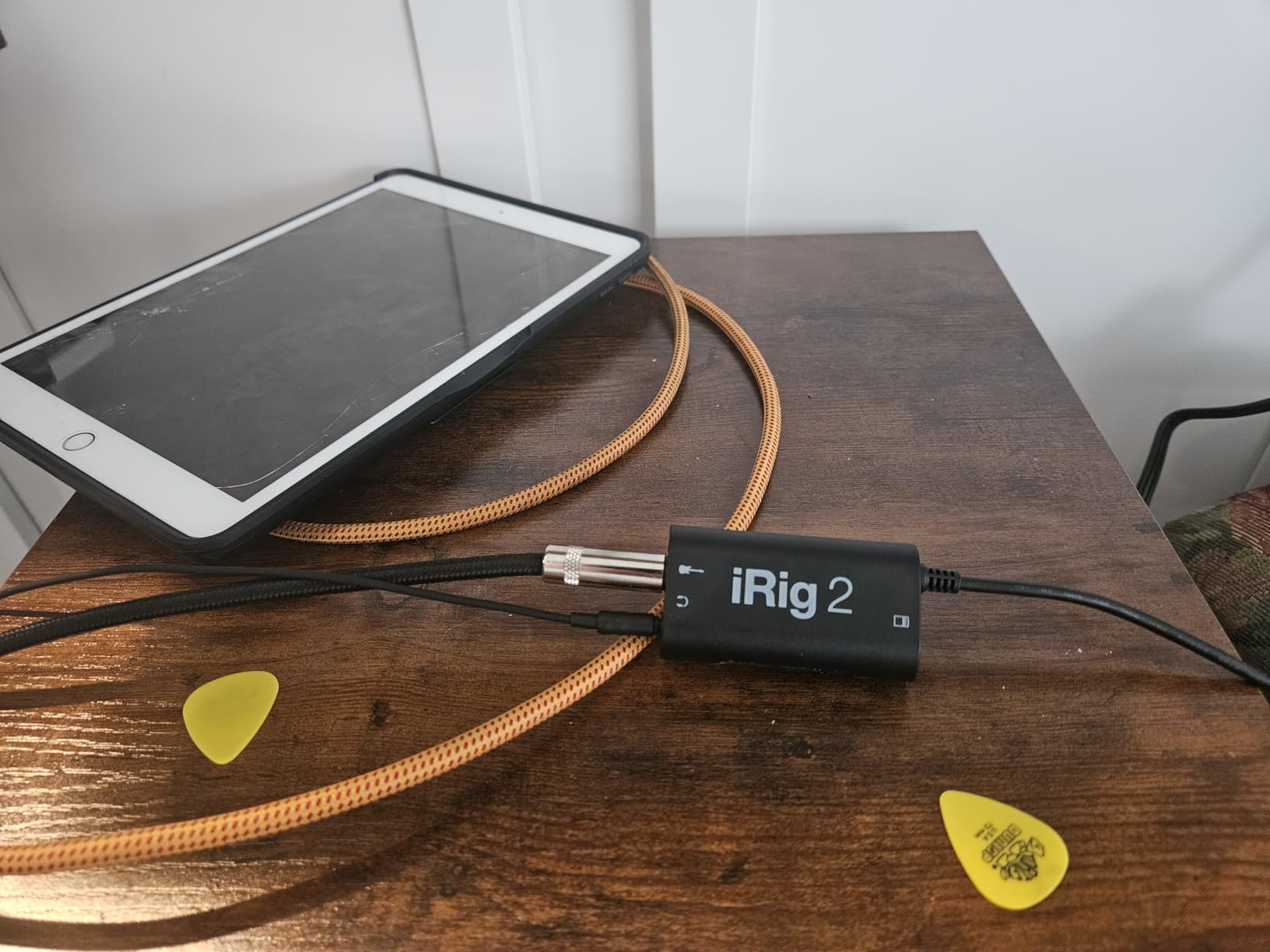
Owners consistently praise the instant setup and the gain control, and the reviews settle at 4.4 stars with 71 percent five-star ratings. The limits are equally consistent: the 3.5mm TRRS path only reaches 48kHz, the capture is mono only, and current iPhones need an adapter.
For a guitarist who wants ideas captured in five seconds rather than five minutes, this is the most direct instrument-to-audio path on the list, and it pairs with AmpliTube CS for a full practice and tracking rig. If you want to see how it fits into a wider starter setup, our practice amp guide covers the amp end of the chain.
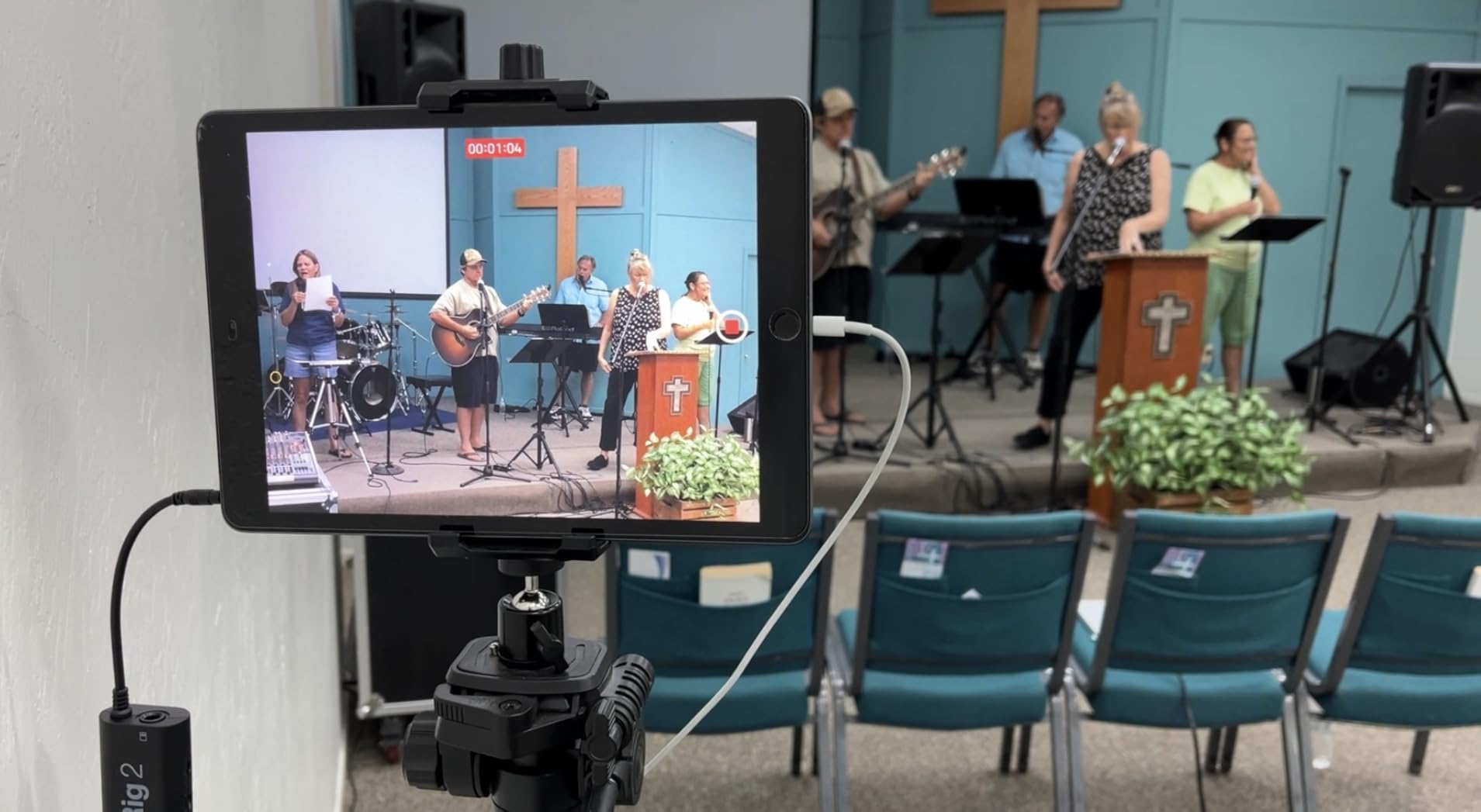
Who it suits
Songwriters capturing riffs on a phone in a room with no power outlet, and players who want a silent amp sim for late-night practice. The amp out means it doubles as an interface for a real pedalboard too.
It is also the honest answer for anyone recording demos before committing to a desktop interface, because the signal chain is short enough that there is little to regret later.
Where it falls short
48kHz mono capture is a ceiling, not a choice, and stereo amp sims are out of reach. If your project needs two inputs at once, this box physically cannot do it.
Desktop-focused listeners report the tone trails dedicated computer interfaces, and Windows use is weaker than iOS with reports of added noise.
2. M-Audio M-Track Solo – the lowest-cost clean DI path
M-AUDIO M-Track Solo USB Audio Interface
Dedicated 1/4 inch TS instrument input
Combo XLR/line with phantom power
48kHz
Driverless USB class
Pros
- Driverless USB class operation on Mac PC and Linux
- Dedicated 1/4 inch TS instrument input with phantom power
- USB/Direct switch for clean zero-latency monitoring
- Includes Ableton Live Lite and MPC Beats
Cons
- Only one input channel so no simultaneous multi-track
- USB Type-B rather than USB-C
- Gain pot taper jumps from quiet to hot
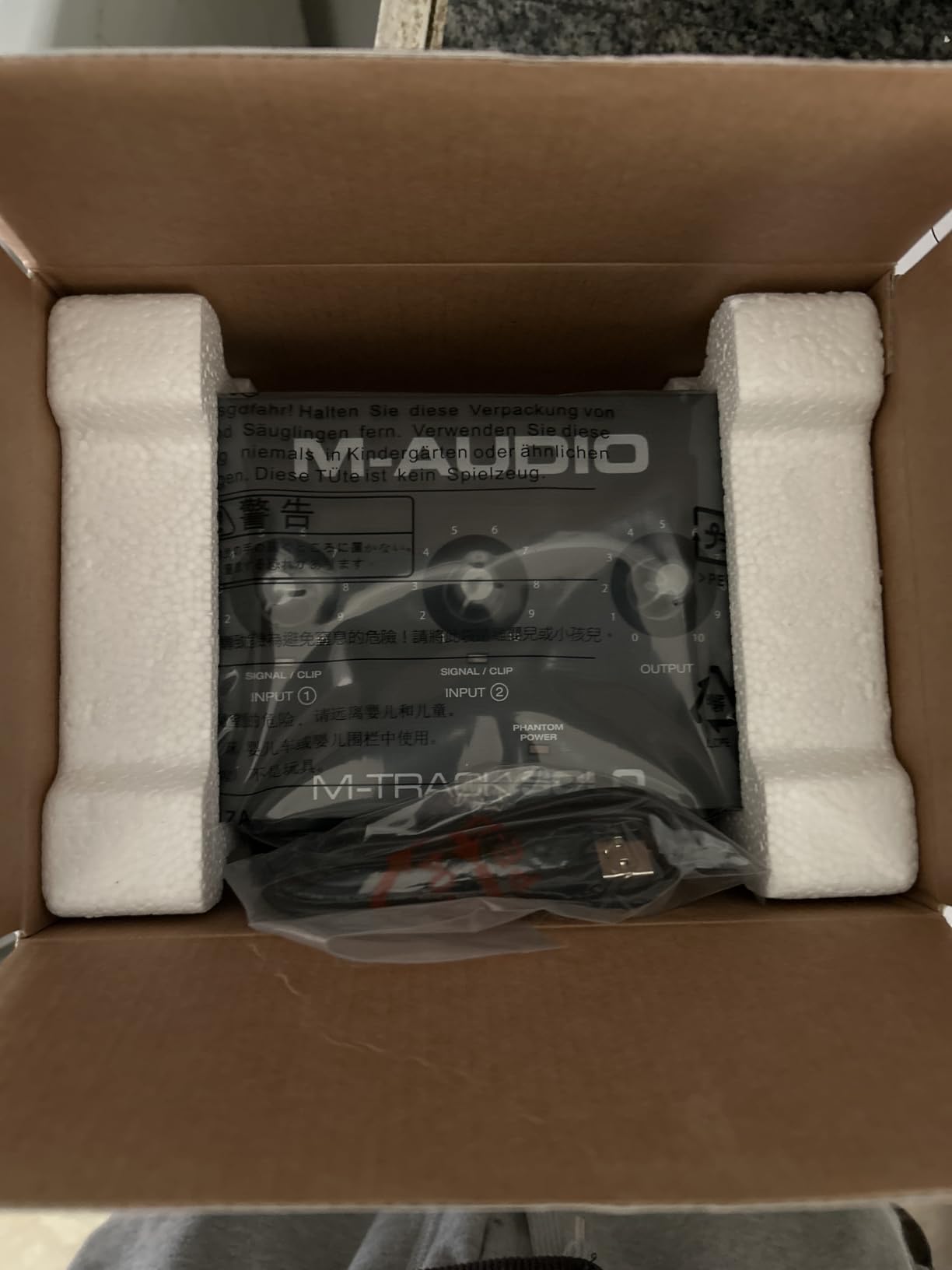
The Solo gives you what a guitar actually needs: a dedicated unbalanced 1/4 inch TS instrument input with a 1 megohm impedance, separate from the combo XLR and line jack. That separation matters. You are not fighting a mic preamp or a phantom-power switch to get a usable guitar level, and guitarists report clean electric captures with usable low latency.
It is class-compliant, so it runs on Mac, PC and Linux with no driver hunting. The USB/Direct switch gives you true zero-latency monitoring, and the Crystal preamp handles a condenser if you decide to mic an acoustic or a vocal alongside the DI later.
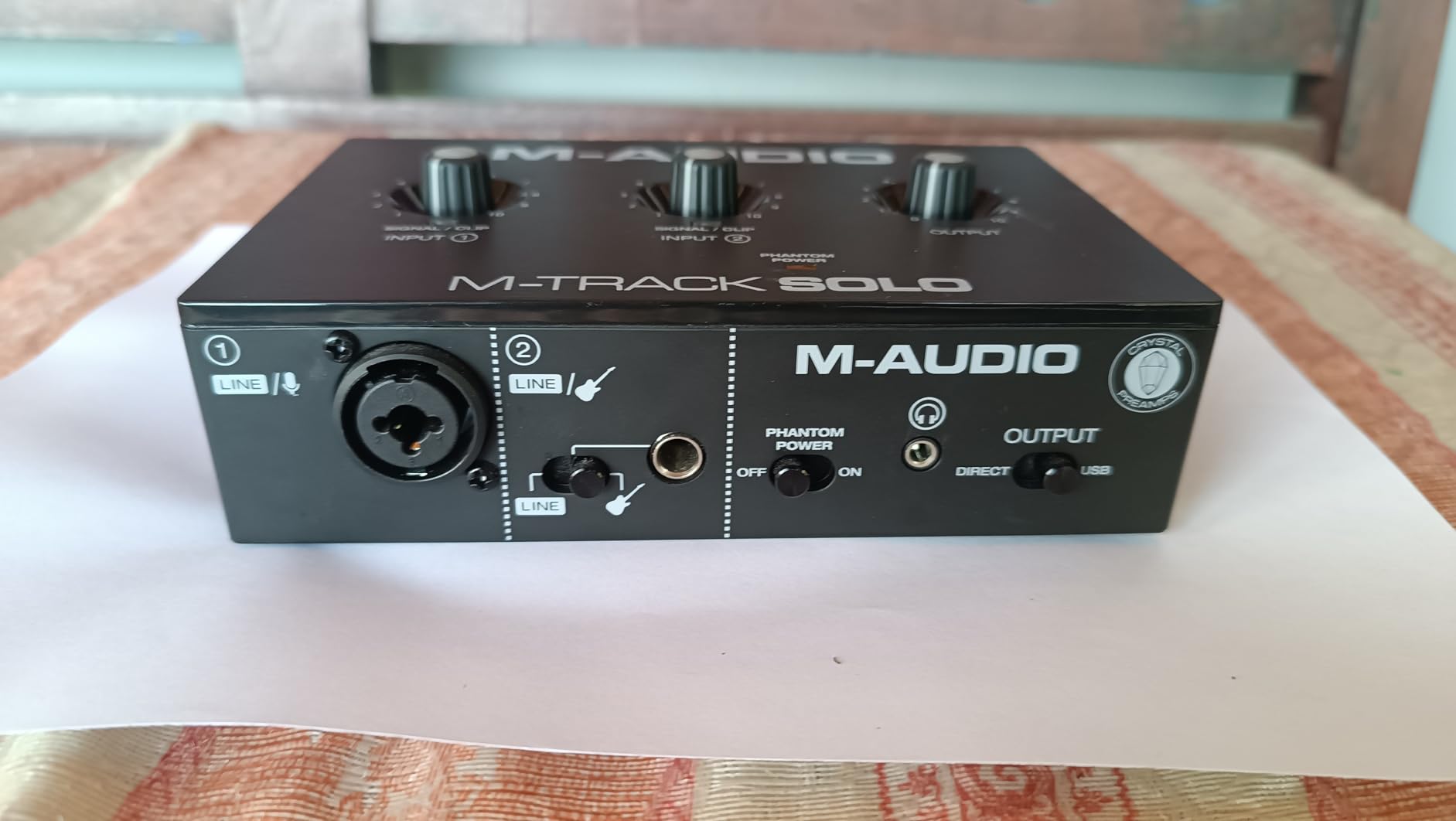
With 7751 reviews at 4.3 stars, the Solo has one clear job: capture one guitar, well, at the lowest sensible cost. Ableton Live Lite and MPC Beats are bundled, so the software side of the session is solved on day one.
The recurring complaints are consistent across reviews: one channel only, mono line inputs, an uneven gain taper near maximum, and a USB-B connector that will not fit a modern laptop without a cable. The plastic chassis also slides when you move a cable, which is a small thing that annoys you daily.
Who it suits
A guitarist recording riffs, loops and song ideas alone, who wants a proper instrument input and direct monitoring without paying for features they will never open. The 48kHz ceiling is fine for demos.
It is also a good first box for someone whose only other input need is a condenser mic for an acoustic later on.
Where it falls short
One input channel means guitar plus vocal at the same time is not happening without a splitter. The gain taper makes quiet passages and loud ones harder to set than they should be.
The 48kHz/16-bit ceiling and the USB-B plug are both dated choices in a 2026 buying decision, so check what cable your machine needs before you commit.
3. M-Audio M-Track Duo – guitar and mic in the same take
M-AUDIO M-Track Duo USB Audio Interface
Two combo XLR/line/instrument inputs
Phantom power on both
48kHz
Driverless on Mac Windows and Linux
Pros
- Two combo inputs capture guitar and mic at the same time
- Clean low-noise circuits with no hiss at high gain
- USB/Direct switch delivers latency-free monitoring
- Driverless setup on Mac Windows and Linux
Cons
- Phantom power section is under-driven for condenser mics
- Gain and monitor pots have a poor taper near maximum
- 48kHz/16-bit ceiling
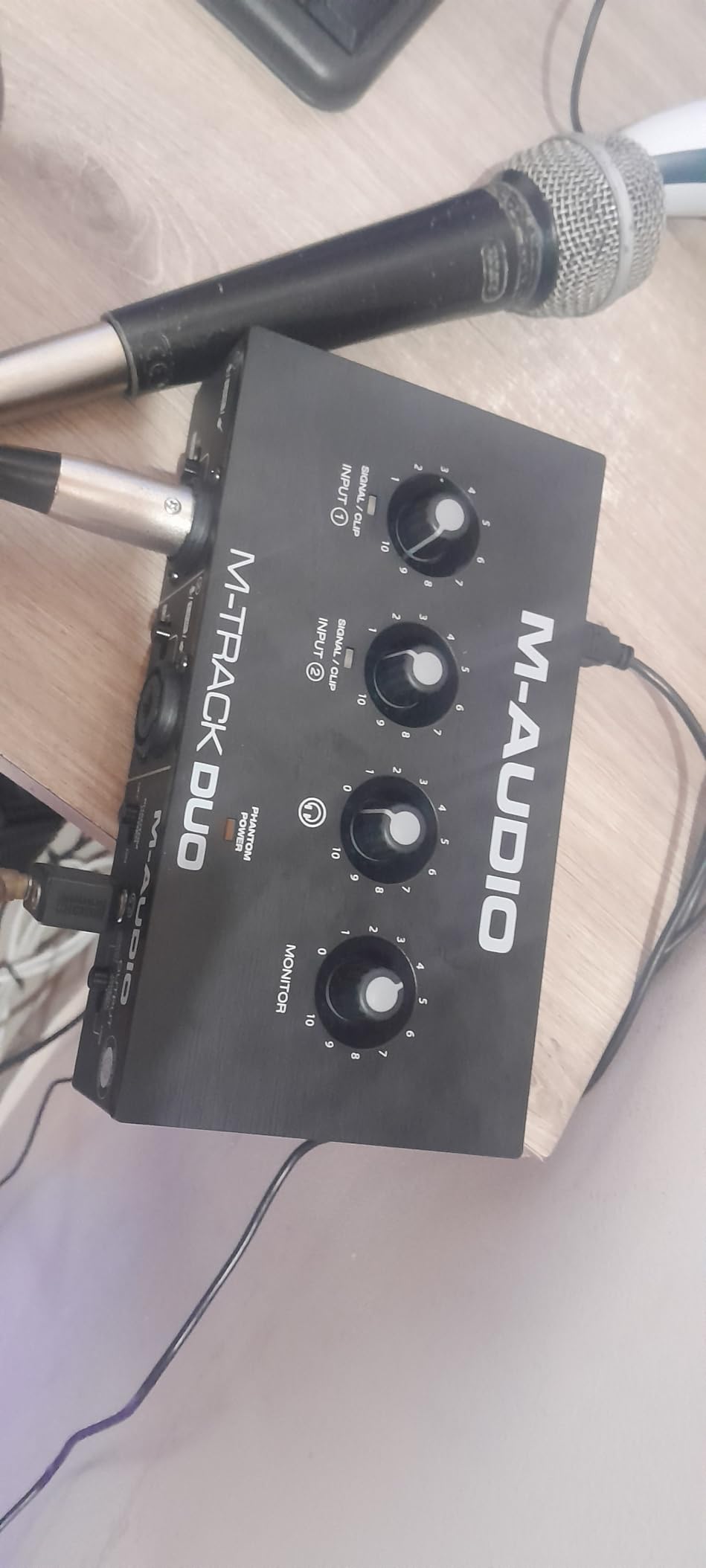
The Duo is the Solo plus a second combo input, and that single change is the whole point for a guitarist. Both channels take XLR, line or instrument level, so you can track a DI and a mic, or two mics, in the same pass. A guitarist writing songs at home usually wants a scratch vocal captured on the same take as the guitar, and this is where a two-input box starts earning its place.
Reviews praise the clean, low-noise circuits with no audible buzz or hiss at high gain, and the USB/Direct switch for latency-free monitoring. At 4.4 stars across 6539 reviews with 73 percent five-star ratings, it is widely used for demos, songwriting and dual-source sessions.
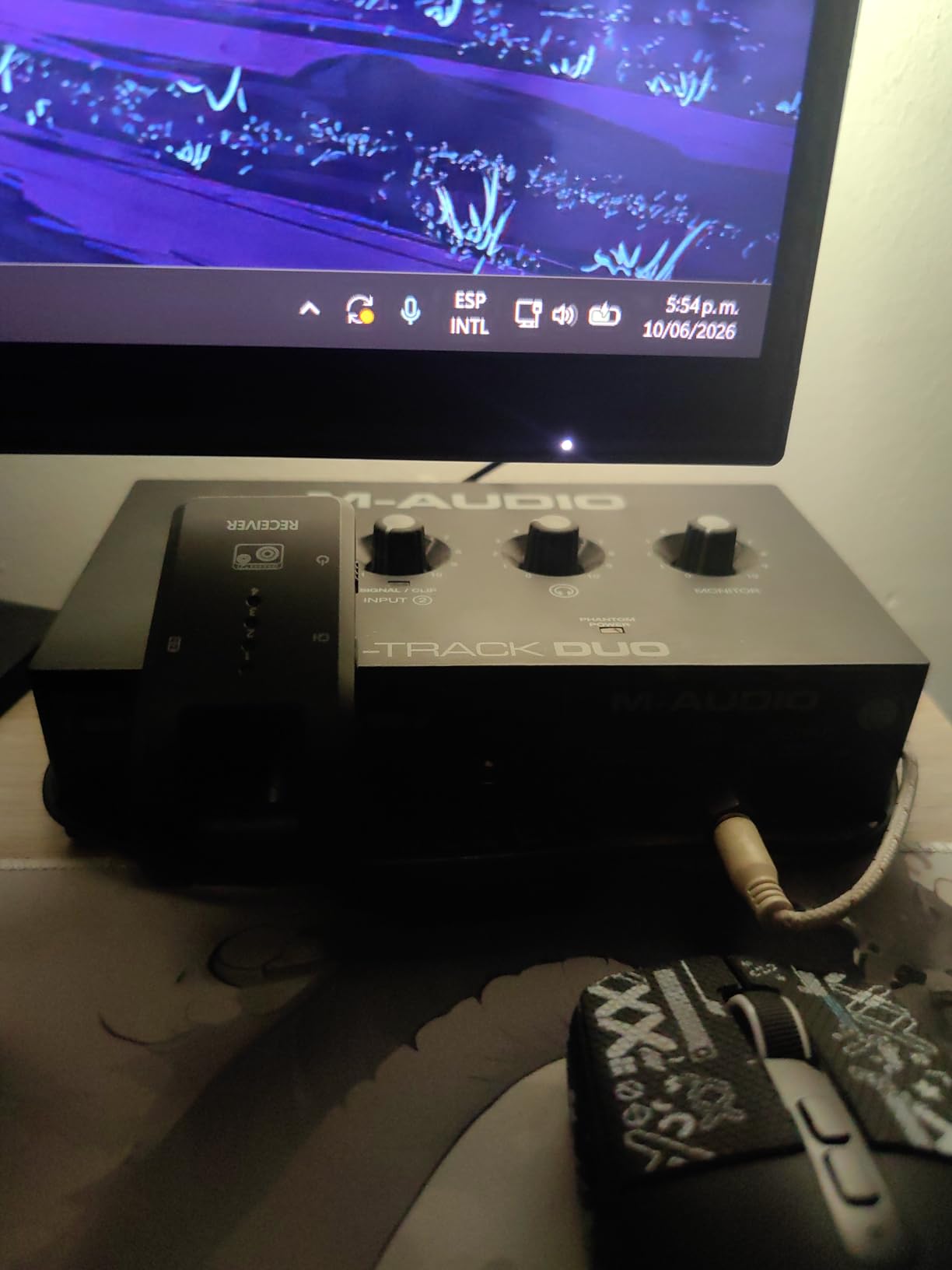
The equal complaints are the pot taper, which jumps sharply near maximum, and the phantom power section, which is under-driven for condenser microphones. If you plan to mic an acoustic with a large-diaphragm condenser, that is worth testing before you buy.
The chassis is light plastic with foam feet that slide across a desk, and the top-mounted knobs are awkward to reach in a dim room. For a permanent desk install, a weighted metal box feels better every time.
Who it suits
Writers who lay a guitar part and a guide vocal down together, and anyone rehearsing a duo arrangement at home without a second interface. Two real inputs remove the need for a splitter entirely.
It is compact enough to tuck under a monitor stand, which matters more than it sounds in a small room.
Where it falls short
The under-driven phantom power is the real limit for acoustic and vocal work, since a condenser that cannot reach full level forces you to gain up in software.
The 48kHz/16-bit ceiling and the same uneven pot taper as the Solo keep it aimed at demos and songwriting rather than finished records.
4. IK Multimedia iRig HD 2 – the strongest mobile amp sim rig
IK Multimedia iRig HD 2 guitar audio interface for iPhone, iPad, Mac, iOS and PC with USB-C, Lightning and USB cables and 24-bit, 96 kHz music recording
1/4 inch Hi-Z input with adjustable gain
96kHz/24-bit conversion
FX/Thru amp out
AmpliTube and TONEX SE
Pros
- Low latency relative to other emulating tools
- 96kHz/24-bit capture
- FX/Thru switch blends processed and clean signal
- Unlocks amp cab and pedal models in AmpliTube
Cons
- Extra amp packs in AmpliTube are paid content
- Experienced users find the tone trails desktop interfaces
- Windows use is weaker than iOS
The iRig HD 2 is the version of the iRig 2 idea built for players who want to actually finish tracks on a phone or tablet. The instrument input is 1/4 inch Hi-Z with an adjustable gain preamp, and conversion runs at 24-bit/96kHz, a real step up from the TRRS unit.
Latency is the headline. Users report it feels immediate under amp sims, which is the single thing that decides whether mobile amp-sim practice is usable or frustrating. The FX/Thru switch lets you dial processed and clean signal together without riding two separate level controls, and it works as an amp output for a live rig too.

At 4.4 stars from 3878 reviews, with 70 percent five-star ratings, the pattern is clear: people love it for silent practice and tracking on iOS. The bundle includes unlockable content in AmpliTube and AmpliTube 4 for Mac and PC.
Two things to weigh. Additional amp packs inside AmpliTube are paid content, and the app takes learning time if you have never used it. Experienced listeners also report the tone trails a dedicated desktop interface, which is what you would expect from a pocket unit.
Who it suits
Players who want a complete amp-sim practice, demo and tracking rig in a pocket, and iOS users specifically, where the software experience is strongest. Silent late-night playing is the use case owners mention most.
The included USB-C and Lightning cables mean it connects to current hardware without hunting for the right adapter.
Where it falls short
Windows performance is weaker, with reports of interference with other audio devices and added noise. If your DAW lives on a PC, factor that in.
The build is extremely light and drags when an instrument cable is attached, and some revisions have a fragile connector that worries owners who move it constantly.
5. Behringer UMC202HD – the value pick with 192kHz conversion
Behringer UMC202HD Audiophile 2×2, 24-Bit/192 kHz USB Audio Interface with Midas Mic Preamplifiers | For Recording Microphones and Instruments
Two combo inputs with instrument level switching
Midas-designed preamps
24-bit/192kHz
Impact-resistant metal chassis
Pros
- Midas-designed preamps deliver a clean studio-grade signal
- 24-bit/192kHz conversion gives real headroom
- Metal chassis feels far more durable than plastic competitors
- Works with Pro Tools Ableton Live and Cubase
Cons
- Stereo 1/4 inch TRS outputs instead of balanced XLR monitor outputs
- Bus-powered so headphone volume is limited
- Bundled software is minimal next to Focusrite and MOTU
The UMC202HD is the one unit here that gives a guitarist both a proper preamp and a converter that is not the weak link, at a price that undercuts most of the desktop boxes on this list. Both combo inputs switch to instrument level, so a guitar and a mic can both sit in the chain, and the Midas-designed preamps are widely praised as clean and studio grade.
Conversion runs at 24-bit/192kHz, which gives more headroom than most entry interfaces and means an amp sim has real material to work with. A Direct Monitor select and a headphone level control cover the tracking side of the job. Its 4.6 stars come from 3371 reviews with 79 percent five-star ratings.
The metal chassis is the under-rated part. It is 1.2 pounds of impact-resistant metal with real feet, so it stays put and survives a rehearsal room, and it does not slide when you move a cable. Gearspace threads on bass and guitar DI keep naming the UMC202HD as more than adequate, which is the correct read.
Monitor outputs are unbalanced stereo 1/4 inch TRS rather than balanced XLR, so long cable runs to monitors can pick up hum. The bus-powered design also caps headphone volume, which is a limitation when you are mixing quietly at midnight.
Who it suits
Guitarists who want converter resolution and gain to stop being the weak link before they spend on a nicer amp sim or better DI. It is also the sturdiest box to move between a home room and a rehearsal space.
If you already run Pro Tools, Ableton Live or Cubase, the bundled software requirement is a non-issue because you are not relying on it.
Where it falls short
Unbalanced monitor outputs and bus-powered headphone limits are the two hardware ceilings. Neither stops recording, but both show up in a finished mix.
The software bundle is minimal compared with Focusrite or MOTU, so a beginner starting from a blank folder gets less scaffolding here than with some rivals.
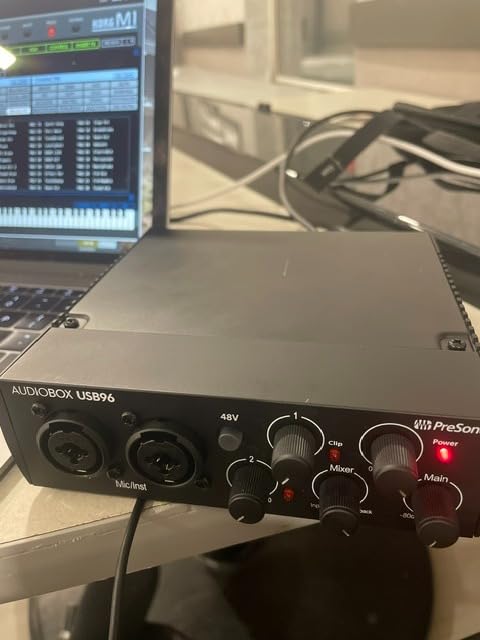
6. PreSonus AudioBox 96 25th Anniversary – the most software in the box
PreSonus AudioBox 96 25th Anniversary USB Audio Interface
Two high-headroom instrument inputs
Class-A mic preamps
Mixer control blending
24-bit/96kHz over USB 2.0
Pros
- High-headroom instrument inputs suited to guitar and bass direct recording
- Two Class-A mic preamps for vocals and acoustics
- Mixer control blends live input with playback for zero-latency monitoring
- Bus-powered over USB 2.0 so it travels
Cons
- USB 2.0 Type A-to-B rather than USB-C
- Phantom power is global rather than per-channel
- Modest preamp gain for quiet sources
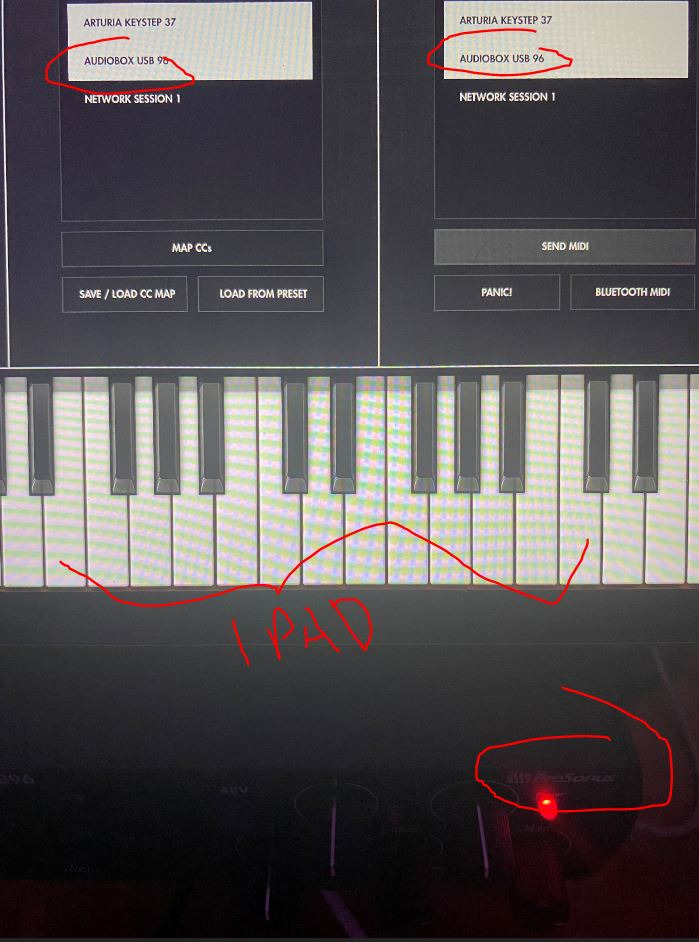
The AudioBox 96 is built around a claim that matters to guitarists: high-headroom instrument inputs. Two high-headroom instrument inputs handle guitar, bass and line-level sources, and the two Class-A mic preamps cover a condenser for acoustic guitar or a vocal without a second box.
The mixer control is the detail I would point a first-time buyer at. It creates a custom blend between live input and playback, so you can play along with a backing track and still hear yourself with no monitoring delay. It is one of the more flexible zero-latency blends in this group.
On the software side it is hard to argue with the value. Studio One Artist, Ableton Live Live Lite and the Studio Magic plug-in suite are all included on registration, which for a beginner means a working DAW, a working plug-in set and a working recording chain out of the box.
At 4.3 stars across 3168 reviews with 71 percent five-star ratings, it is dependable rather than thrilling. The USB 2.0 Type A-to-B connection is the dated part, and phantom power is global rather than per channel, so you cannot power one condenser without powering both inputs.
Who it suits
Beginners who want the entire chain on day one: interface, DAW, plug-ins. The bus-powered design also means one cable and no power brick, which suits a laptop-based mobile session.
Acoustic guitarists recording with a condenser alongside a DI benefit from the two high-headroom instrument paths.
Where it falls short
Preamp gain is modest, so ribbon microphones and other genuinely quiet sources need an outboard booster. For an electric guitar DI that is a non-issue; for an acoustic ribbon pairing it is a real limit.
USB 2.0 and the Type B connector are worth checking against your machine before you buy, since newer laptops may not include the port at all.
7. Focusrite Scarlett Solo 4th Gen – the songwriter’s favourite
Focusrite Scarlett Solo 4th Gen USB-C Audio Interface
One XLR mic preamp and one Hi-Z instrument input
120dB dynamic range
24-bit/192kHz
Air mode
Pros
- Clear warm preamps suited to vocals and guitar direct input
- 120dB dynamic range from Focusrite flagship converters
- Air mode adds presence and harmonic drive to guitars
- Strong clean headphone amp with clear gain metering
Cons
- Single input channel cannot record two sources at once
- Some Windows users report low gain with dynamic mics on Focusrite drivers
- Includes a USB A-to-C cable rather than C-to-C
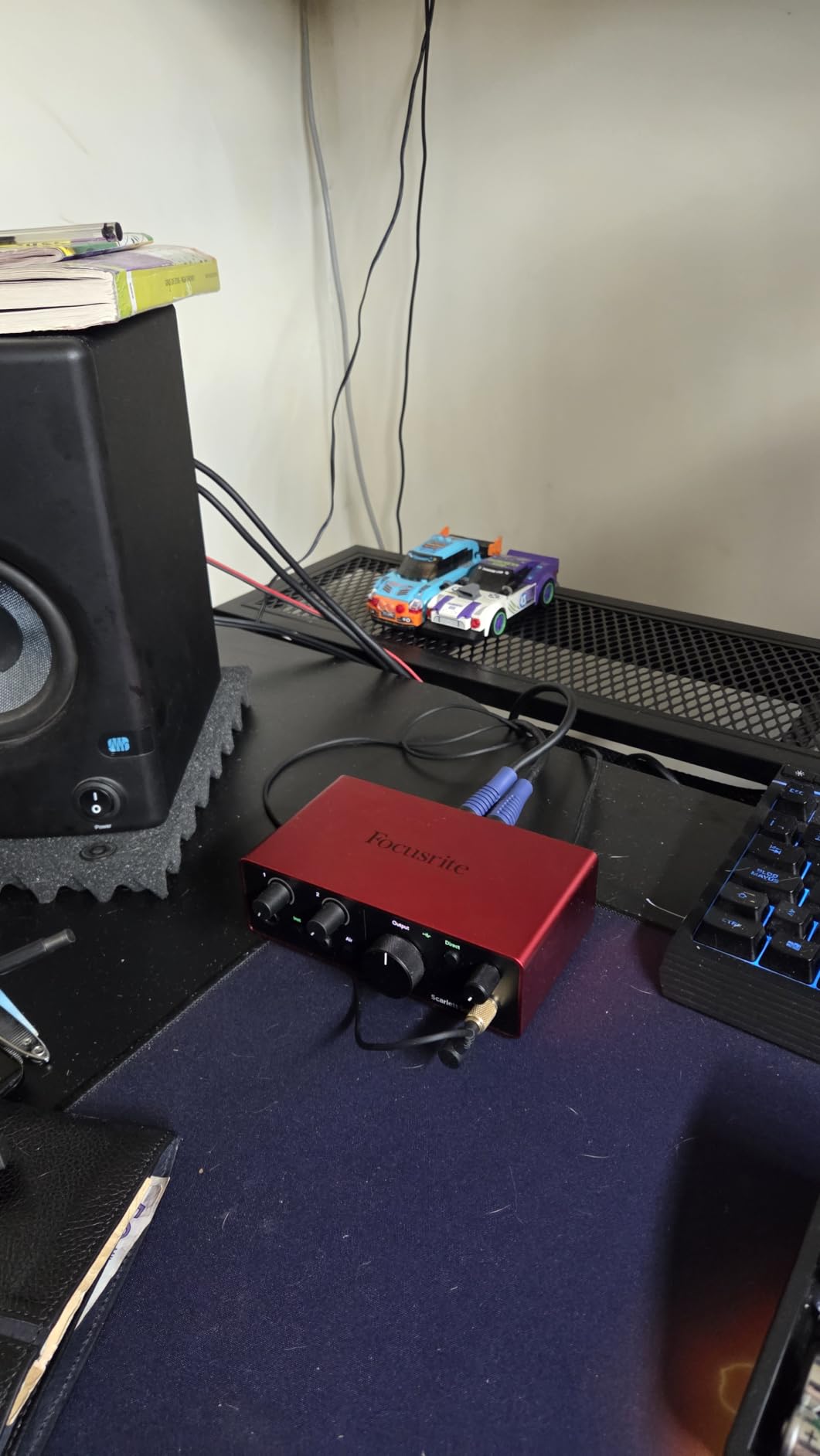
The Scarlett Solo is the best-selling unit in Computer Recording Audio Interfaces, and for a guitarist the reason is simple: one XLR mic preamp plus one Hi-Z instrument input, both excellent. Guitarists on r/Guitar keep the brand anxiety simple with a Scarlett, and for a one-guitar workflow that instinct holds up.
Conversion is 120dB of dynamic range at 24-bit/192kHz, using the same converters Focusrite puts in its flagship interfaces, and the converters are what an amp sim reacts to. Air mode adds presence and harmonic drive to guitars and vocals from a single button, which is a fast way to make a DI sit forward in a mix.
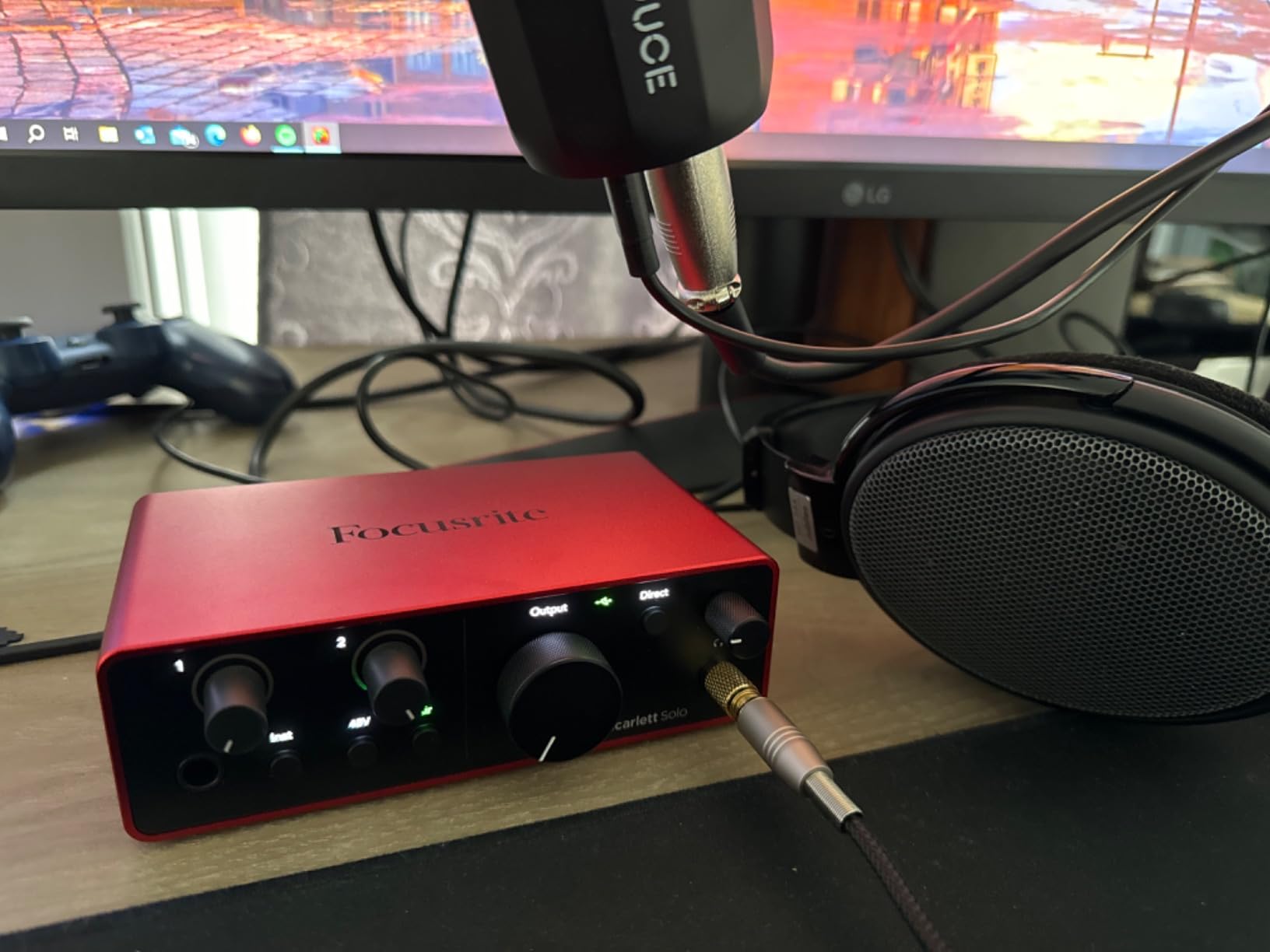
Monitoring is close to zero latency, and the headphone amp is strong and clean with a halo ring meter plus Auto Gain and Clip Safe, so a passive guitar pickup is hard to clip accidentally. At 4.6 stars from 2765 reviews with 80 percent five-star ratings, it is the most popular pick here by volume.
It is also the smallest. A single input channel means no full band and no guitar-plus-vocal take without a second unit or a splitter, and some Windows users report low gain with dynamic microphones on Focusrite drivers, which matters less for guitar DI but matters if you also sing.
Who it suits
A songwriter who records one guitar at a time, wants a near-zero monitoring path, and will layer overdubs rather than track live. The meter and Auto Gain features keep levels honest without a lot of gain riding.
It is also the easiest recommendation to justify, because the review volume means support, firmware and accessory ecosystems are all well established.
Where it falls short
One channel is the defining limit, and anyone recording a duo arrangement will hit it immediately. Windows driver gain complaints are the other recurring note.
The included cable is USB A-to-C rather than C-to-C, so a modern laptop may need its own cable, and loopback is there if you also stream.
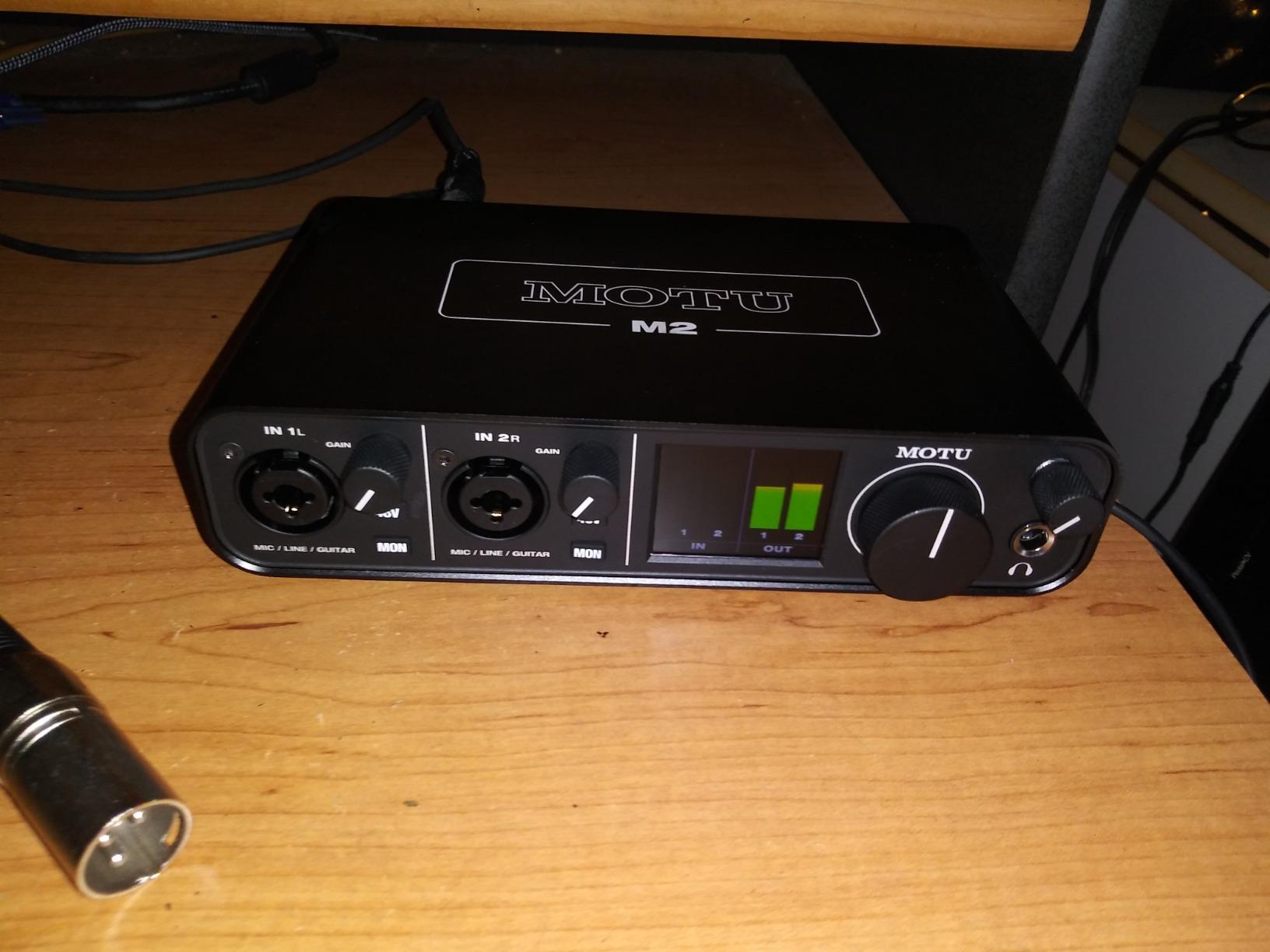
8. MOTU M2 – two preamps and hardware monitoring
MOTU M2 USB-C Audio Interface
2-in/2-out with two preamps
Hardware monitoring
24-bit/192kHz
USB-C with 6GB bundled content
Pros
- Two preamps track guitar and vocal or mic at the same time
- 192kHz/24-bit conversion with a transparent low-noise signal
- Hardware monitoring for reliable low-latency tracking
- Generous library of bundled software and loop content
Cons
- Headphone output cannot be controlled independently from monitor outputs
- No MIDI or digital I/O compared with larger MOTU interfaces
- Bundled software requires registration and a learning curve
The M2 solves the problem that stops a lot of single-channel boxes early. Two preamps and 2-in/2-out means a guitar DI and a vocal, or a mic, captured at the same time with no splitter and no second purchase. That is the setup most home songwriters actually grow into within a year.
Hardware monitoring is the reason it has a badge here. Amp-sim latency is the number one complaint in guitar forums, and a hardware monitor path that does not depend on the software buffer is the most direct fix available in a two-channel box. Conversion is 24-bit/192kHz with a transparent, low-noise signal, and there is over 6GB of bundled content for macOS, Windows and iOS.
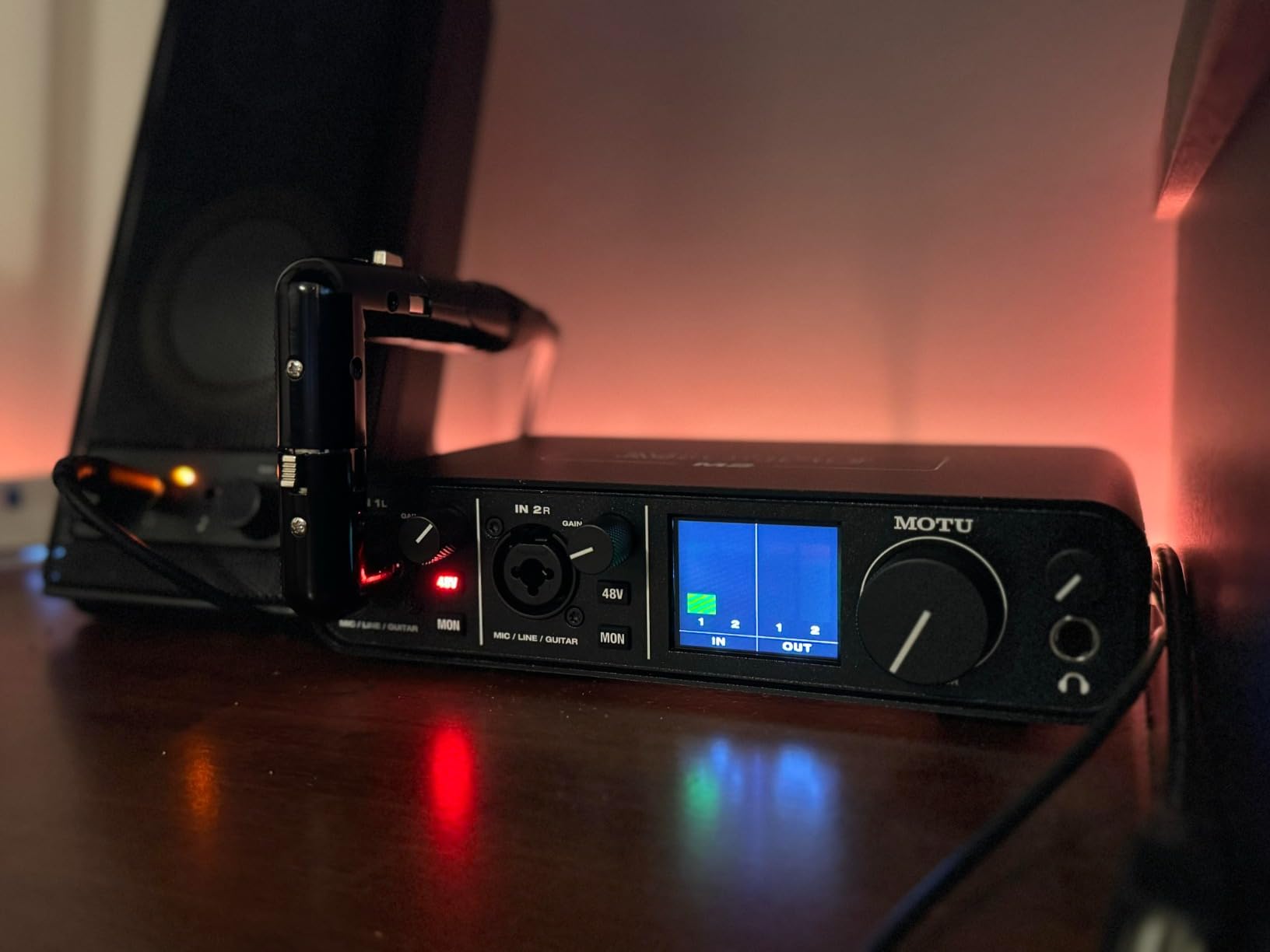
At 4.6 stars from 1568 reviews with 83 percent five-star ratings, it is the most highly rated per review of the desktop units here. Owners highlight accurate monitoring and clean preamps as the standouts.
Two constraints. The headphone output cannot be balanced independently from the monitor outputs, which makes late-night monitoring fiddly, and there is no MIDI or digital I/O at all, so it cannot grow through ADAT the way a bigger MOTU would.
Who it suits
Guitarists who record a guitar and a guide vocal in one pass and play through a real amp sim while tracking. Hardware monitoring keeps that playable rather than apologetic.
The two-year warranty and the bundled content library make it a good first desktop box that will not need replacing at the next tier.
Where it falls short
The shared headphone and monitor control is the annoyance you will feel most. There is also no MIDI or digital expansion, so a future stereo pair of condenser mics needs a different box.
The bundled software needs registration and has a learning curve, which can blunt the first-day experience for a new user.
9. Audient iD4 MKII – the JFET instrument input guitarists ask for
Audient Audio Interface iD4 MKII, Class A Console Microphone Preamp (High Speed USB-C, Monitor Mix and Monitor Panning Function, 2 Headphone Outputs, Mac/PC/iOS Compatible), Black
JFET instrument input
Audient ASP8024 HE Class-A preamp
Monitor mix control
96kHz maximum
Pros
- Class-A console preamp delivers a distinctly musical guitar tone
- JFET instrument input adds harmonic distortion that suits electric guitar
- All-metal housing gives durability and desk stability
- Two headphone outputs for a second performer or engineer
Cons
- Single mic preamp means no true dual-source tracking
- 96kHz maximum sample rate
- Only one instrument input so guitar plus mic needs an external DI
The iD4 MKII is the answer to the JFET question, and it is the only unit in this roundup with a discrete JFET instrument input rather than a switched impedance on a mic preamp. Guitarists single out that input as giving warmer, more musical capture than entry alternatives, and it pairs naturally with high-gain tones because the added harmonic content is the point rather than an artefact.
The microphone preamp comes from Audient’s high-end ASP8024 HE console, so the vocal and acoustic side of a session is in good company too. The monitor mix and monitor panning controls let you place a source in the stereo field, which helps when a DI and an acoustic need to sit in different places.
At 4.6 stars from 1469 reviews with 83 percent five-star ratings, the reputation is doing the work. The all-metal housing is a genuine upgrade in feel, at 740 grams it stays put, and the high-speed USB-C connection with an improved power supply means one cable on Mac, PC and iOS.
The catch is layout. There is one mic preamp and one instrument input, so a true stereo or dual-source take is not possible without an external DI or a splitter. The 96kHz maximum is below what the class leaders offer, and the bundled software is modest next to a Focusrite or MOTU package.
Who it suits
Electric guitarists who care how the DI itself sounds, especially on humbuckers and high-gain settings, and players who want one box that handles a vocal well without a second preamp purchase.
Two headphone outputs also make it practical for a second performer, which matters if anyone in the room sings while you play.
Where it falls short
One instrument input is the hard limit. Guitar plus microphone at the same time needs an external DI, and that is the exact scenario the MOTU M2 solves natively.
96kHz maximum and a modest software bundle mean it is a tone-first choice rather than a features-first one.
10. Universal Audio Volt 2 – Vintage preamp mode for a warm DI
Universal Audio Volt 2 USB Audio Interface
UA 610 preamp emulation with Vintage mode
24-bit/192kHz conversion
2-in/2-out with MIDI I/O
LUNA bundle
Pros
- Vintage mode delivers a warm 610-style tone that flatters guitar direct input
- Excellent DAC and conversion quality with no audible interference under load
- Fast largely driverless setup over USB-C
- Solid build and low latency with a large free UAD plug-in bundle
Cons
- Preamp gain is low for quiet dynamic microphones
- Only two LEDs for level metering
- Cannot blend direct input against computer playback
The Volt 2 takes a different approach to guitar tone: instead of a neutral instrument input, it gives you an emulation of Universal Audio’s classic 610 preamp, with a Vintage mode that colours the signal on purpose. Users consistently report that it flatters electric guitar direct input, and it is a fast way to add character before an amp sim adds more.
Conversion is 24-bit/192kHz with a DAC reviewers describe as excellent, with no audible electrical interference even under system load, and it is a largely driverless USB-C setup. Two inputs, two outputs and MIDI I/O make it one of the more flexible two-channel boxes here, and LUNA plus the free UAD plug-ins cover the software side.
Who it suits
A guitarist who finds a perfectly clean DI too sterile and wants a preamp character baked in before the amp sim, plus anyone who needs MIDI alongside two audio channels.
Solid build, a compact footprint and low latency make it a good travelling and rehearsal-room unit.
Where it falls short
Preamp gain is on the low side, especially for quiet dynamic microphones, so vocal tracking with a dynamic mic is the weak spot rather than guitar DI. Only two LEDs for metering makes gain staging fiddly without a meter.
It also cannot balance the direct input against computer playback when using direct monitoring, and iOS use needs the external Volt power supply plus a Lightning to USB Camera Adapter. With 748 reviews it is the least battle-tested unit here, so read the recent owner comments before committing.
Direct Input vs Mic-ing Your Amp vs Re-Amping: Pick Your Path First
Choosing the best audio interface for recording guitar parts starts before the hardware, with the recording path. This is the question guitarists ask most often in forum threads, and the answer depends on what your amp actually offers. Start with these three paths, then match the interface to it.
1. Direct input with an amp sim. The guitar goes into the Hi-Z instrument input, the interface feeds the DAW, and amp and cabinet simulation handle the rest. It is the most flexible path for writing and the easiest to iterate on, and it is why a genuine Hi-Z or JFET input is the top criterion in this roundup.
2. Microphone the cabinet. Your amp runs loud, a mic sits on the grille, and the signal enters through an XLR mic preamp. It needs 48V phantom power for a condenser and enough headroom to handle a loud source, and it captures every cabinet and mic choice as part of the tone. On TheGearPage, an SM57 with a condenser is the standard cab-miking kit.
3. Re-amping. You record a clean DI, then send that file back out through a loadbox and a real amplifier. TheGearPage threads praise modelling units such as the Quad Cortex and Kempers for providing a usable direct out, and this is the path for anyone who wants a real amp involved.
4. Amps with no direct out. A tube amp without a clean feed forces path two. If you own a vintage-style amp in this category, a microphone and a mic preamp are not optional extras, they are the recording path, and the interface needs at least one good XLR input to handle it.
A reactive loadbox plus a cabinet impulse response sits between paths one and three, and is the approach some guitarists use to capture a real amp without the volume. Whichever path you choose, the interface has to suit it: an XLR-forward box for cab miking, a Hi-Z-forward box for DI, and enough inputs to run the path alongside a mic or a second guitar.
Hi-Z, JFET, or a Separate DI Box?
Is guitar Hi-Z or low-Z? A guitar is a Hi-Z instrument. Passive pickups put out a weak signal, typically somewhere in the hundreds of millivolts, and they expect a high-impedance load. A microphone input is designed for the opposite: a low-impedance source at a predictable line level. Plug a guitar straight into a mic XLR with no impedance switching and you get a thin, quiet, dull recording, which is why every guitar-appropriate interface here either has a dedicated 1/4 inch instrument input or a switch to instrument level on a combo jack.
What should you use Hi-Z inputs for? Guitar, bass, and any other electric instrument with a pickup, and the outputs of a pedalboard. What a Hi-Z input does is present the high impedance the instrument expects, so the full signal lands on the converter instead of collapsing into it.
Does a DI box affect sound quality? Yes, and the Sound On Sound forum debate on passive versus active DI versus a Hi-Z switch is worth reading for the engineering detail. Engineers there argue the guts of the guitar DI inside an interface materially affect tone and how amp sims feel to play, and TheGearPage echoes that interface DI design changes how amp sims respond.
Where a separate DI is worth buying: a passive DI is cheap, adds almost nothing to the noise floor, and lets you split one guitar feed to an amp and a DAW at the same time without a box. Where it is not needed: if your interface has a genuine Hi-Z or JFET input, the sound difference on a basic amp sim is small enough that reviewers and forum consensus treat either route as adequate.
One practical warning from the forums: watch for interfaces where only one channel accepts a true instrument level signal. If you plan to record two guitars, two DI tracks, or a guitar DI alongside a mic, that limitation surfaces the day you start the session.
Recording Acoustic Guitar: Pickup, Condenser, and 48V Phantom Power
Acoustic guitar is the case where a guitar-specific ranking shifts. There is no DI to capture, so the instrument input is irrelevant and the question becomes mic preamp quality, gain, and whether the box can handle a condenser at all.
Condenser microphones need 48V phantom power, which every unit on this list provides. Phantom power is what makes a large-diaphragm condenser usable, and it also means a ribbon microphone, which needs no power at all, still works with most of these boxes. If you plan to run a ribbon or a genuinely quiet dynamic, check the preamp gain: the AudioBox 96 and the Volt 2 are the two here whose gain is described as modest.
Two-input boxes earn their place for acoustic work. A guitar with a pickup recorded through the instrument input plus a condenser on the soundhole gives you a rhythm take and a lead take in one pass, and the MOTU M2, the M-Track Duo and the UMC202HD all do that natively. Our guitar amp guide covers the other end of an acoustic signal chain.
How to Choose an Audio Interface for Guitar Recording
1. Count the inputs you need, not the ones you might need. One input covers a solo guitar. Two covers a guitar plus a vocal, or a DI plus a condenser on an acoustic. Three or more is for tracking a duo or a small band, and only one unit on this list reaches that. Forum consensus on r/Guitar is that a two-channel box plus a good mic is what most home sessions actually require.
2. Check the instrument input type. A dedicated 1/4 inch TS instrument input is the cleanest option, followed by a switchable combo input. Be careful with units where only one channel takes instrument level, because that constrains every session you will ever want to record.
3. Look at preamp gain, not just preamp praise. A passive guitar pickup needs real gain. Ribbon microphones and quiet dynamics need considerably more, and the two boxes here with the most modest gain are the ones that need a closer look if your sessions are mic-led.
4. Judge converter resolution where an amp sim can use it. 24-bit/192kHz conversion gives amp sims more headroom to work with than a 48kHz ceiling. It does not automatically sound better on a clean DI, but it does matter once cabinet simulation and high-gain processing are in the chain.
5. Test the monitoring path under load. Amp-sim latency is the top complaint in guitar forums. Hardware monitoring, a USB/Direct switch, or a monitor mix control all shorten the round trip, and playing through a 10ms delay is the fastest way to abandon a workflow.
6. Check the connection type against your machine. USB-C is the modern default, and USB 2.0 Type A-to-B or Micro-USB units need a cable you may not own. Mobile workflows also need to know whether the interface draws bus power or demands an external supply.
7. Consider driver stability and OS longevity. A recurring forum complaint is an interface that stops working after an operating system update. Class-compliant USB class operation is the most portable answer, and a multi-year warranty is a reasonable proxy for how long the manufacturer intends to support the box.
8. Decide how much software you actually need. Some units bundle a DAW, a plug-in suite and loop content, some bundle almost nothing, and the iRig models lean on AmpliTube instead. Judge this by whether you will use it, not by the headline value of the bundle.
Frequently Asked Questions
What is the best audio interface for guitar recording?
For most guitarists the Focusrite Scarlett Solo 4th Gen is the easiest recommendation: one Hi-Z instrument input, 120dB of dynamic range at 24-bit/192kHz, and near-zero-latency monitoring for amp sims. If you need to record a guitar and a vocal at once, the MOTU M2 or the M-Audio M-Track Duo give you two real inputs. If you want the instrument path itself to shape the tone, the Audient iD4 MKII has a genuine JFET input.
Do I need an audio interface to record my guitar?
If you are tracking electric guitar through amp sims, miking a cabinet, or recording acoustic guitar with a condenser, yes. A computer or phone input is a line-level socket that flattens a guitar signal and adds handling noise. An interface gives you a preamp with real gain, 24-bit/192kHz conversion, and a headphone path so you can play while you record.
What should I use Hi-Z inputs for?
Use a Hi-Z instrument input for electric guitar, bass and the output of a pedalboard. A passive guitar pickup produces a weak, high-impedance signal that expects a high-impedance load. A microphone XLR input is designed for low-impedance sources at line level, so a guitar plugged into one without switching arrives thin, quiet and dull.
Does a DI box affect sound quality?
It can, and the Sound On Sound forum debate on passive versus active DI versus an interface Hi-Z switch covers the engineering detail well. A passive DI adds almost nothing to the noise floor and lets you split one guitar feed to an amp and a DAW. If your interface already has a genuine Hi-Z or JFET input, the difference on a basic amp sim is small enough that most forum readers treat either route as adequate.
Do you need a DAW for amp sims?
For software-based amp sims, yes, because the sim runs as a plug-in inside a DAW. The interface only converts the signal and hands it to your computer. The exceptions are hardware modelling units with a touchscreen and their own amp and cab models, where no computer is required at all.
What is the best audio interface for multiple inputs?
The MOTU M2 is the strongest two-input option here for guitarists: two preamps, 2-in/2-out, hardware monitoring and 24-bit/192kHz conversion, so you can track a guitar DI and a vocal or a mic in the same pass. The M-Audio M-Track Duo is the budget equivalent, and the Behringer UMC202HD covers the same need with 192kHz conversion and a metal chassis.
Final Verdict
Start with how you actually record. One guitar, no computer and no power outlet, and the IK Multimedia iRig 2 is the best audio interface for guitar recording because it removes every step between the pickup and the file. Two channels on a desk, and the MOTU M2 gives you the cleanest path to a guitar-plus-vocal take. Everything in between is a question of taste: the Audient iD4 MKII if the DI should sound warmer, the Focusrite Scarlett Solo 4th Gen if you want the most popular, best-supported box in the category, and the Volt 2 if you want preamp character before the amp sim.
Check the current price and review count on each card before you commit, and read our pedalboard roundup if the plan is to track through your pedals as well. Whatever you pick, make sure the guitar goes into a genuine instrument input. Everything else on this list is preference.