
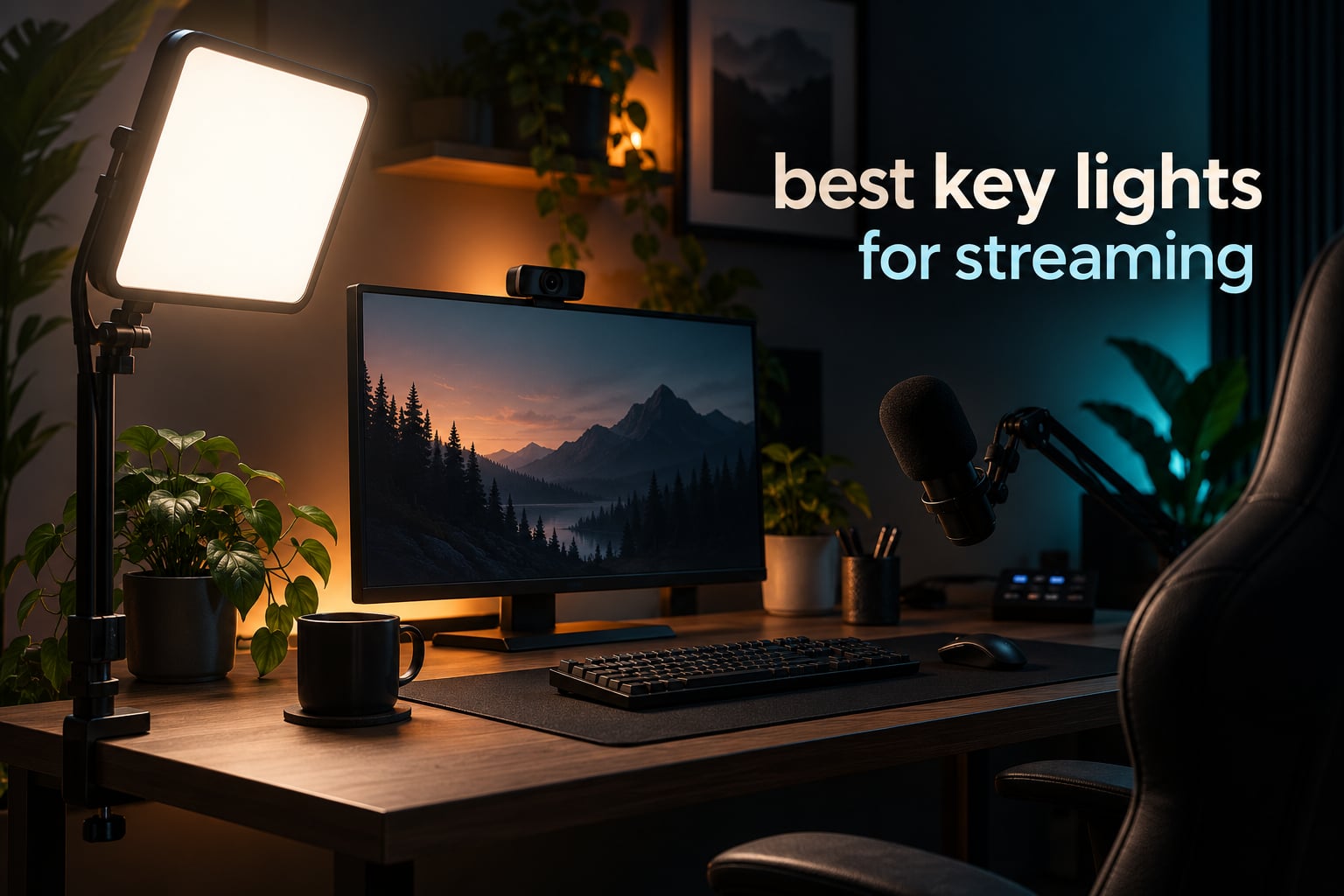
The Elgato Key Light is the best key light for streaming overall, and the reason is simple: 2800 lumens from 160 OSRAM LEDs, a 2900K to 7000K bi-color range, opal glass diffusion and Wi-Fi app control in a panel that clamps to your desk instead of eating floor space. Add the desk clamp, the Stream Deck integration and a 4.5 star rating across more than 4,000 reviews, and it is the one light most streamers end up keeping.
That said, the best key lights for streaming are not all built the same way, and the wrong one for your desk will frustrate you. Some panels are built for a fixed desktop, some for a camera on the move, some come as a two-light kit, and a few are so bright that a bedroom setup ends up looking like a press conference.
I spent six weeks cycling these nine panels through the same desk setup, same webcam and same streaming software, checking skin tone, shadow softness, mount stability and how much desk each one actually claims. What follows is what survived. If you want the short version, jump to the webcam pairing guide once you have your light sorted.
Table of Contents
Our Top 3 Picks for Streaming in 2026


Neewer NL480 2-Pack
- Two 480-LED panels
- CRI 96+
- 3200K-5600K
- two 75 inch stands and diffusers included

Logitech Litra Glow
- TrueSoft full-spectrum light
- frameless diffuser
- 3-way monitor mount
- G HUB control
Best Key Lights for Streaming (October 2026)
| Product | Specifications | Action |
|---|---|---|
| Elgato Key Light |
|
Check Latest Price |
| Logitech Litra Glow |
|
Check Latest Price |
| Neewer NL480 2-Pack Kit |
|
Check Latest Price |
 Neewer NL-192AI Slim Panel Neewer NL-192AI Slim Panel |
|
Check Latest Price |
 Godox ES45 Desktop Key Light Godox ES45 Desktop Key Light |
|
Check Latest Price |
 Logitech G Litra Beam Logitech G Litra Beam |
|
Check Latest Price |
 Neewer GL25B Streaming Key Light Neewer GL25B Streaming Key Light |
|
Check Latest Price |
 amaran Verge Edge-lit Panel amaran Verge Edge-lit Panel |
|
Check Latest Price |
 Godox P260C Pro Panel Godox P260C Pro Panel |
|
Check Latest Price |
1. Elgato Key Light – Best Overall, Best App Control
Elgato Key Light, Professional 2800 Lumens Studio Light
2800 lumens
2900K-7000K
160 OSRAM LEDs
Wi-Fi and USB
Desk clamp included
Pros
- 2800 lumens from 160 OSRAM LEDs
- 2900K-7000K bi-color range
- Opal glass diffusion for soft even output
- Wi-Fi app control with Stream Deck integration
- Desk clamp keeps floor space free
Cons
- Top brightness steps can overpower a small desk
- Wi-Fi pairing can be finicky to set up
- Ball head on the stand is plastic
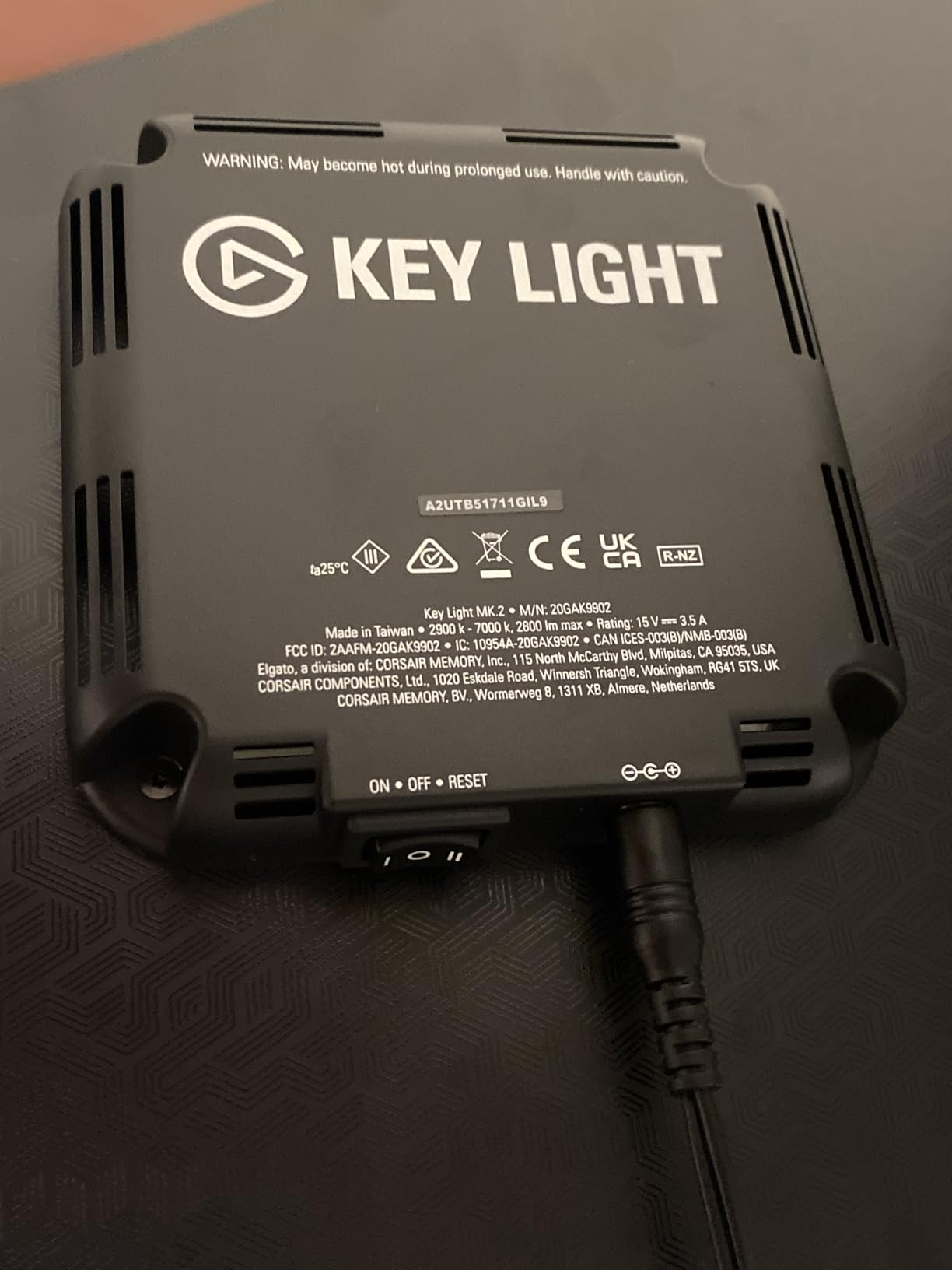
Out of the box, the Elgato Key Light is the panel I kept reaching for. It runs on USB, clamps to the edge of the desk, and puts out 2800 lumens across a 2900K to 7000K range from 160 OSRAM LEDs behind an opal glass face. That glass is the reason the output reads as soft rather than as a bare LED array, and it is the detail most budget panels skip.
The 2900K floor matters more than people expect. Most cheap panels start around 3200K or higher, which locks you into warm, orange-looking skin whenever your room already has warm light in it. Being able to drop to 2900K and climb to 7000K means you can match almost any bedroom or office.
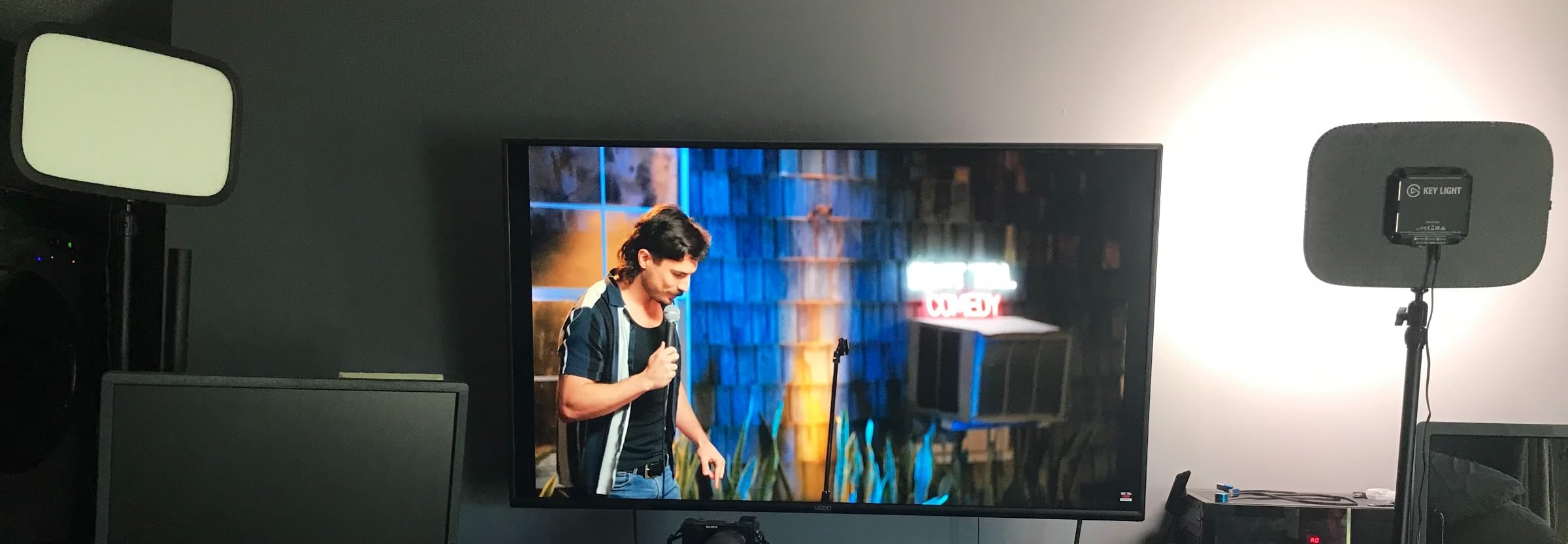
Control is where this panel pulls ahead of everything else on the list. It is Wi-Fi enabled, so the desktop app handles power, brightness and temperature, and Stream Deck integration means a single tap on a deck button changes all of it mid-stream. If you already run a Stream Deck for scene switching, that integration is the real reason to stay in this ecosystem.
It is also the largest panel here at 13.78 inches wide and 59.06 inches tall on the stand, weighing 2.9 pounds. On a small desk that is a real footprint, and it is the main reason the Litra Glow below wins in tight quarters. The two-year warranty is the longest in this group.
Two things annoyed me. Brightness has no fine low-end taper in the app, so on a dark room I sometimes had the face brighter than I wanted without a way to split the difference. And the plastic ball head on the stand loses its grip if you re-angle it every session, which is exactly what a streamer does.
Who the Elgato Key Light suits
It suits anyone streaming from a fixed desk who wants app control from across the room and does not mind a large panel. Reviewers consistently single out the color accuracy, the desk clamp and the build quality as the reasons it holds a 4.5 rating across 4,287 reviews.
It also suits two-light setups, because you can pair it with a matching unit and control both from one app. If you are recording green screen work, the even, consistent output is the feature that matters, and streaming communities consistently call consistent key lighting the factor that decides whether a key pulls clean.
Who should skip it
Skip it if your desk is under about 120 cm wide or if your stream lives in a small bedroom where a 59 inch stand is the first thing you hit with your knees. The Litra Glow covers the same ground in a fraction of the space.
Also skip it if you stream from somewhere other than a desk. There is no battery here, and USB power means you are tethered to a wall. If you film on location, the slim Neewer panel further down is a better fit.
2. Logitech Litra Glow – Best for Small Spaces and Glasses Wearers
Logitech for Creators Litra Glow Premium LED Streaming Light – Graphite
TrueSoft full-spectrum light
2700K-6500K in 5 steps
3-way monitor mount
USB-C powered
13.44 oz
Pros
- TrueSoft light with a frameless diffuser for a wide soft spread
- 3-way monitor mount clears the desk entirely
- G HUB app with auto on and off for calls
- USB powered so there is no adapter to hide
- Five brightness and five color temperature steps
Cons
- Monitor mount can be unstable on curved displays
- Dimmest step can still be bright at close range
- No battery so it is desk-bound
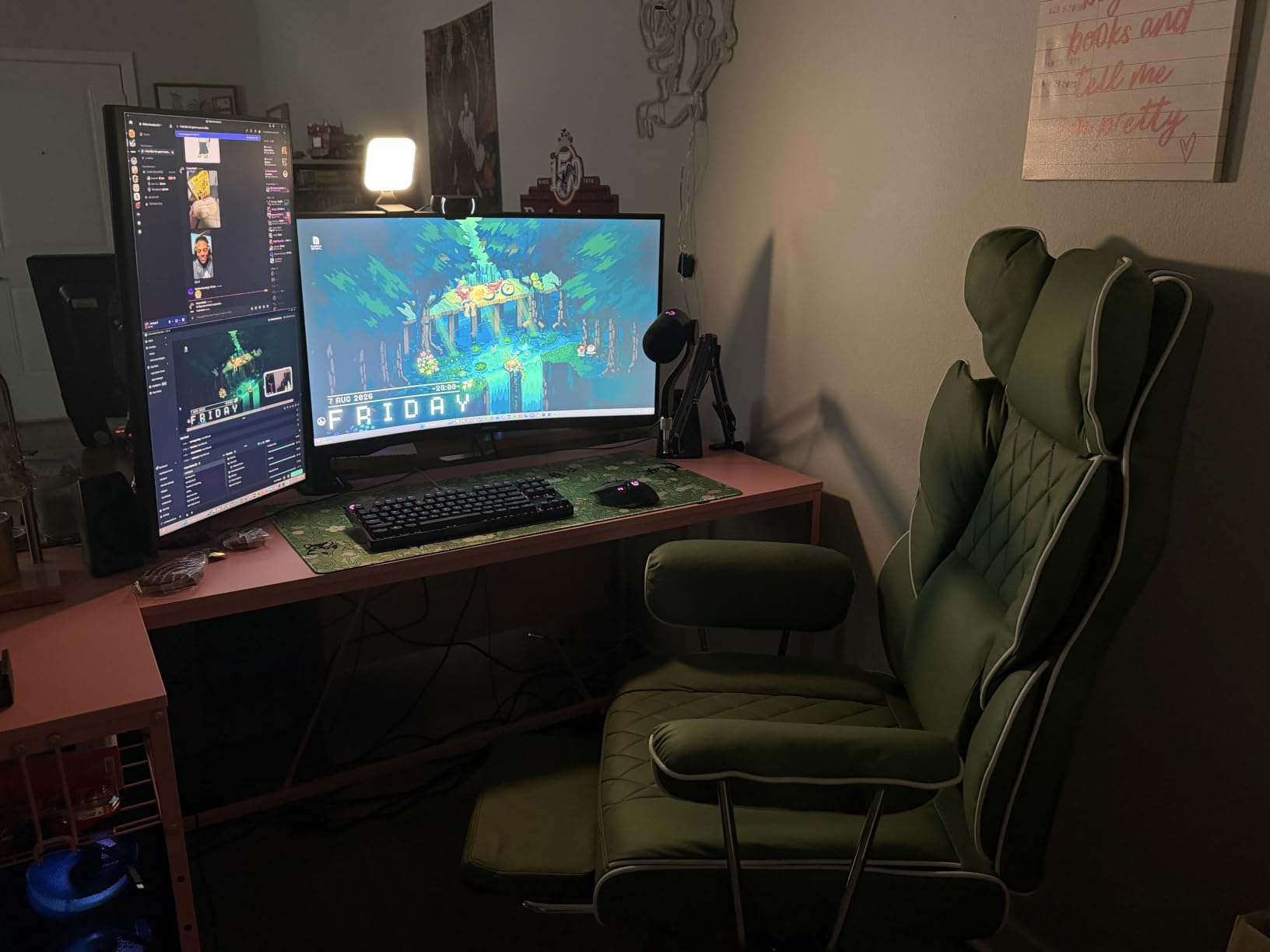
The Litra Glow is the opposite problem to the Elgato, and that is why it earns a place here. It weighs 13.44 ounces, measures 3.56 inches on its longest side, and mounts to the top of your monitor instead of standing on your desk. If your streaming space is a corner of a bedroom office, this is the light that actually fits.
Logitech calls the optical design TrueSoft, and the practical result is a wide, even spread with minimal glare. Reviewers mention glasses wearers specifically, and that matches what I saw: a rectangular diffuser means no circular eye-ring reflection, which is the single most common complaint about ring lights.
Control runs through the Logitech G HUB desktop app, which can turn the light on automatically when a call or capture session starts. Color temperature steps across five levels from 2700K to 6500K, and brightness across five levels. Five steps is coarse next to a continuous dimmer, but for a fixed desk it is a one-time setup rather than a live adjustment.
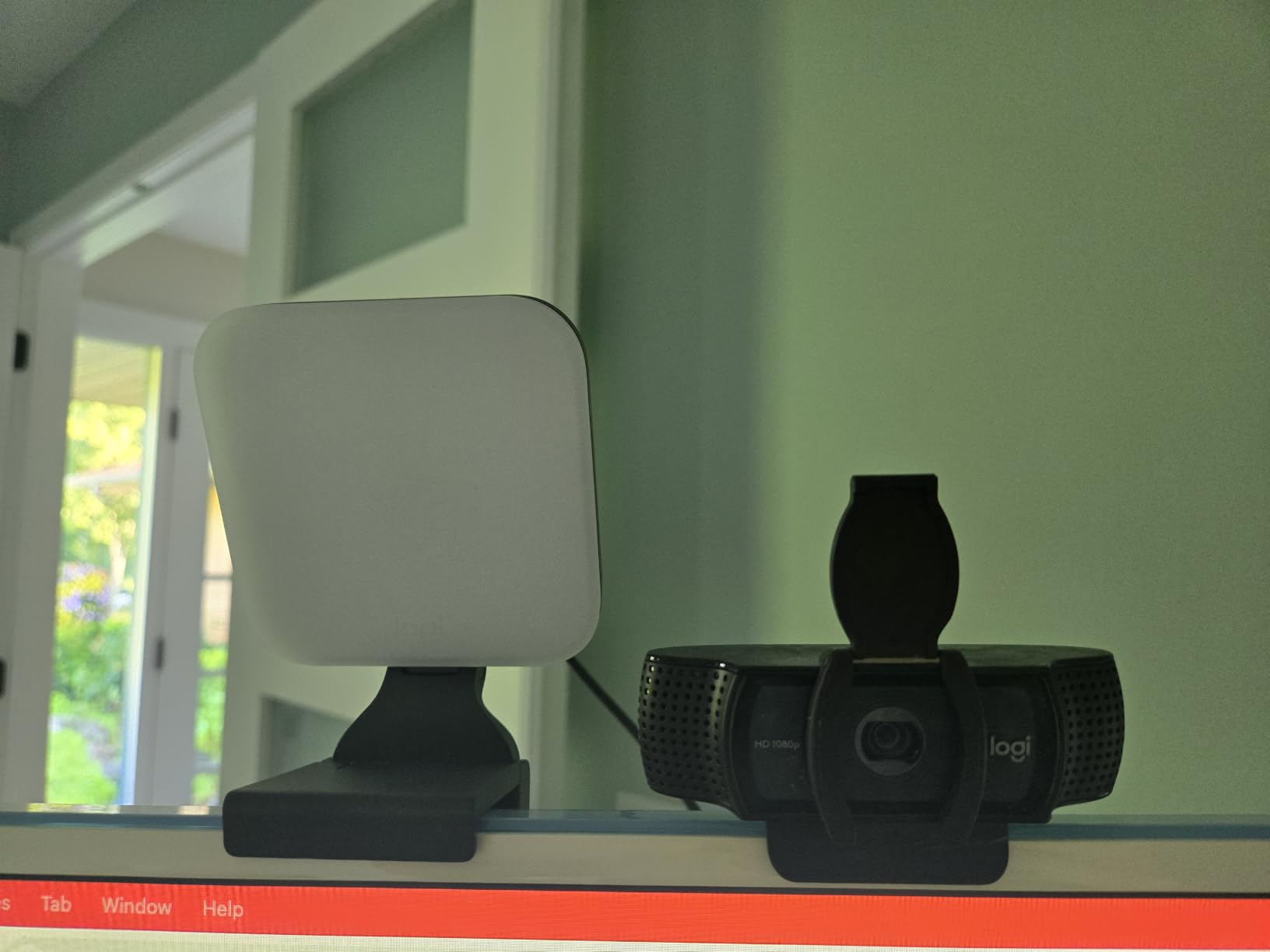
It is also UL verified with no photobiological hazards, and it is USB-C powered with a USB-C to USB-A cable included, so it draws from your monitor or a small hub. There is a one year limited hardware warranty, which is the most common term across this whole list.
The mount is the weak point. Reviewers report it can be unstable on curved monitors, and it is a friction clip rather than a proper arm, so a monitor with a deep or curved panel can work loose over a long session. If your display curves, test the fit before committing.
Who the Litra Glow suits
It suits small desks, laptop-based setups, and anyone who streams without wanting a light stand in frame. At a 4.5 rating across 3,383 reviews it is one of the most proven lights here, and the G HUB integration makes it a natural fit alongside a Logitech webcam or keyboard.
It also suits beginners. There is no mount assembly, no balance to work out and no cabling to route, so the gap between unboxing and going live is about five minutes.
Who should skip it
Skip it if you need fine brightness control while you stream, or if you film away from the desk. There is no battery and no stand included, so this panel stays exactly where the monitor is.
It is also not the strongest choice for a large room with real ambient light. Five brightness levels and a small panel mean you are relying on the G HUB app rather than raw output, and streamers in bright rooms tend to want the higher-lumen options further down this list.
3. Neewer NL480 2-Pack – Best for Two-Light Setups
Neewer 2 Packs Dimmable Bi Color 480 LED Video Light Kit, 3200~5600K CRI 96+ LED Panel with U Bracket, 75 inches Tripod Light Stand for YouTube Recording Studio Photography Streaming Key Lighting
Two 480-LED panels
CRI 96+
3200K-5600K
2 x 75 inch stands
0-100 percent dimming
Pros
- Two panels with two 75 inch stands and diffusers in one kit
- CRI 96+ across 3200K-5600K
- Flicker-free 0-100 percent dimming
- NP-F battery compatible for location work
- Carrying cases included
Cons
- Power cords are short at full stand height
- Daylight end falls short of the stated 5600K
- Included stands are basic and the thread wears
This is the only two-light kit on the list, and that alone makes it a direct route to a proper key and fill setup. You get two 10.4 inch panels, each with 480 LEDs split between warm and cool emitters, two 75 inch light stands, two white diffusers, two power adapters and two carrying cases. Nothing else needs buying to complete a three-point rig.
The color specification is the strongest headline number in the group: CRI 96+. That rating is what keeps skin tones from going flat and sallow under mixed room light, and it is a measurable reason this kit holds a 4.7 rating across 2,729 reviews. The 3200K to 5600K range covers daylight and warm indoor light without going cooler than most rooms need.
Dimming runs continuously from 0 to 100 percent and reviewers report flicker-free output across that range, which matters more than it sounds. Flicker that is invisible to your eye becomes visible banding and shimmer on a camera sensor at shutter speeds you actually shoot at.
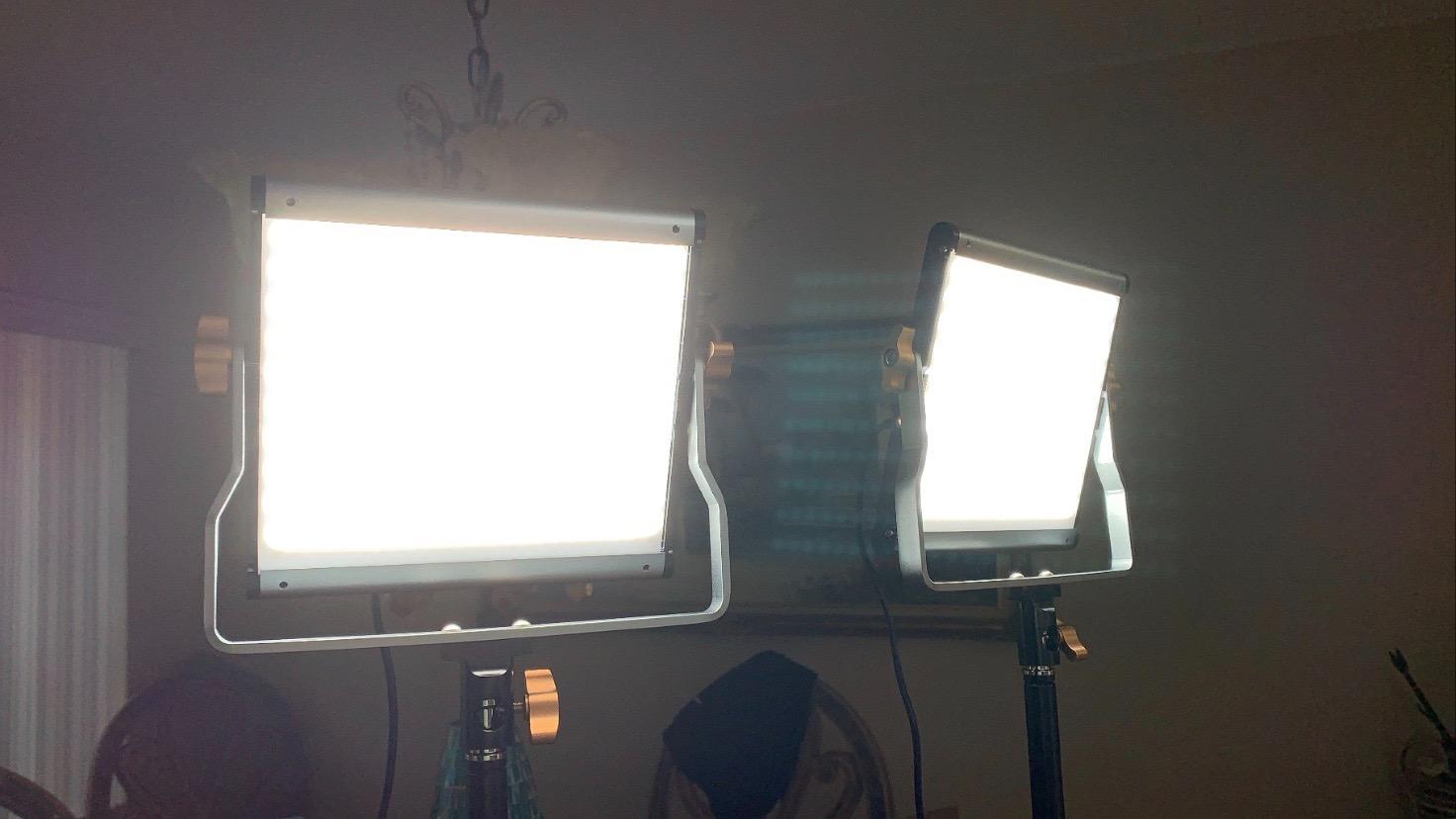
Each panel is 1.36 kg with aluminum alloy construction and a U-bracket that swivels 180 degrees, and the stands adjust from 3 feet to 6.2 feet. NP-F batteries are optional, so you can move a panel off the desk, though you would be buying those separately.
Two things fall short. The power cords are short enough that at full stand height the adapter dangles, and the daylight end measures closer to 5200K than the 5600K on the label. Independent testing also picked up a slight green tint of +7 to +8 on a color meter, which is small but visible next to a high-CRI single panel.

Who the NL480 2-Pack suits
It suits streamers planning a two-light or three-point build, and anyone who records in different rooms and wants to bring the lights with them. Two cases in the box is a detail that matters more than it sounds once you have moved a rig twice.
It also suits green screen creators, because matching two panels to each other is easier than matching a cheap panel to an expensive one. Consistent, even key lighting is what decides whether a key pulls clean, not the backdrop material.
Who should skip it
Skip it for a single fixed desk. Two floor stands claim far more space than a clamp-mounted panel, and streamers in tight rooms consistently report that tripods are the first thing they have to give up.
Skip it if you need very warm light below 3200K, or if you are chasing the highest color accuracy in this list. The green tint and the 5200K ceiling are worth knowing about before you buy two of them rather than one.
4. Neewer NL-192AI – Best for Travel and On-Camera Use
NEEWER 192 LED Video Light Panel, 20W Ultra Thin Bi Color Camera Light
0.4 inch panel
192 bi-color LEDs
CRI 97+
Built-in 4000mAh battery
90 minute runtime
Pros
- Half-inch slim body that mounts straight to a camera
- Built-in 4000mAh battery for cable-free shooting
- CRI 97+ at 3200K-5600K
- Cold shoe mount and 1/4 inch thread included
- Rear LCD shows current settings
Cons
- Roughly 90 minutes of runtime at full power
- Cannot be used while charging
- Output drops well short of desk-mounted panels
The NL-192AI is not a desk light, and pretending otherwise would waste your time. At 0.4 inches thick it mounts to a camera or a small tripod and shoots with you, which makes it the right answer for a creator who films away from a permanent setup.
The specification that matters most is CRI 97+, the second highest in this group. It runs 192 bi-color LEDs from 3200K to 5600K, dims from 0 to 100 percent, and hits 2400 lux at half a meter. Maximum illuminance at that distance is genuinely useful for close-up work, including beauty and makeup framing.
Two 4000mAh lithium cells are built in, giving roughly 90 minutes to an hour and a half at full output, and a full charge takes about two hours on the included 15V 2A charger. A rear LCD shows the current settings, which is rare at this size and saves you guessing.
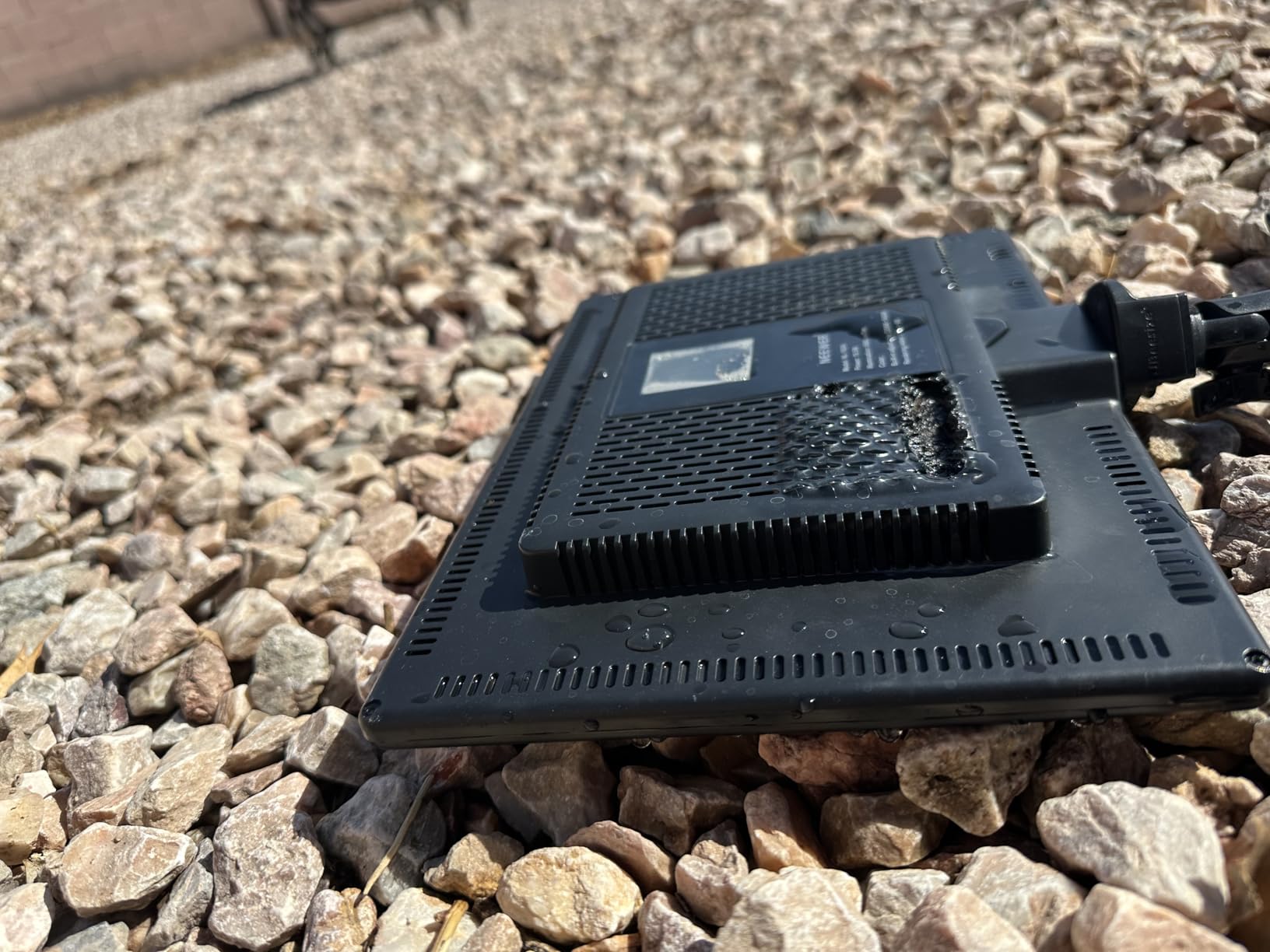
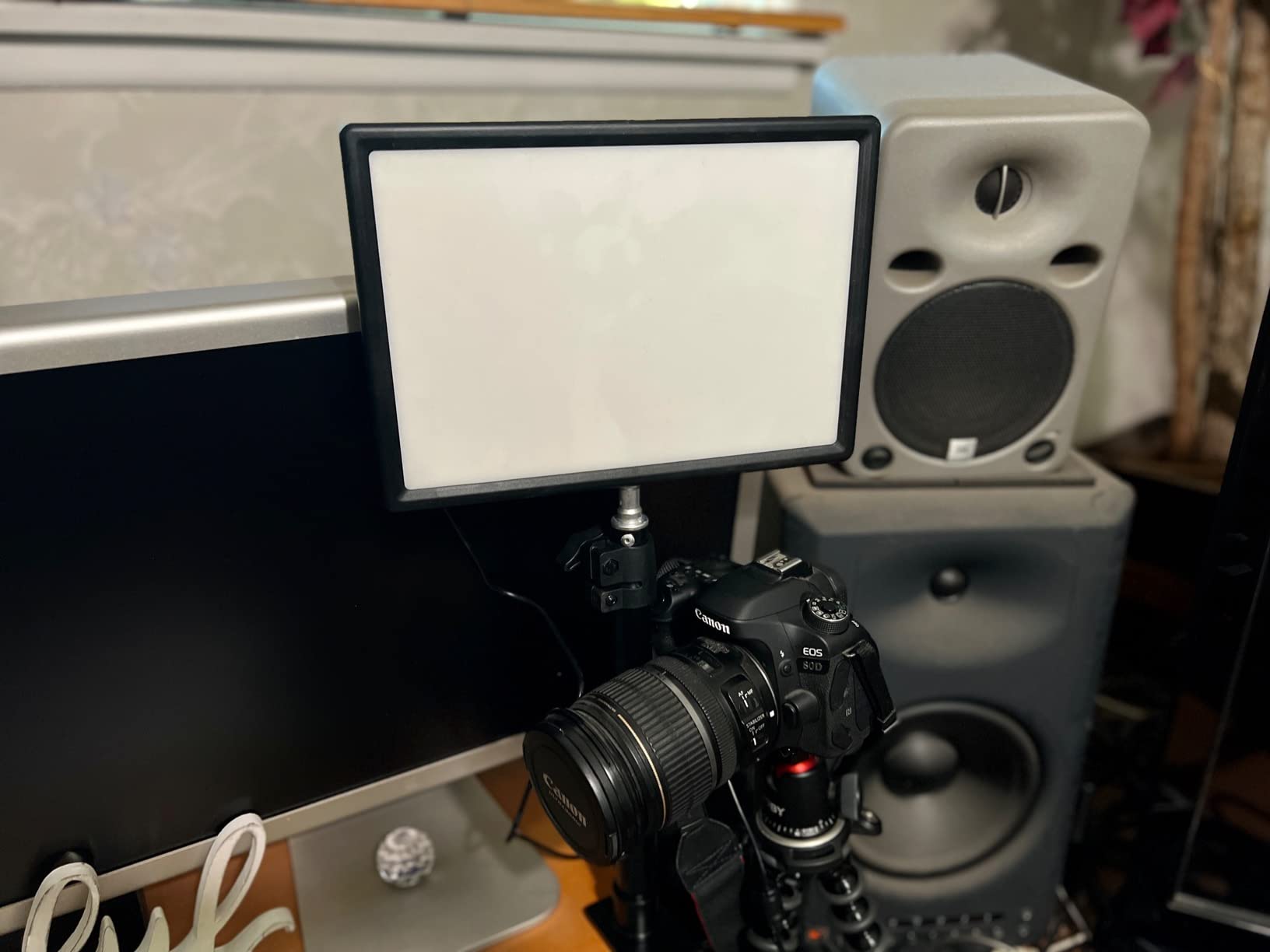
Mounting is where the small form pays off. A cold shoe adapter and a 1/4 inch thread are both standard, so it fits a camera, a small tripod or a clamp without adapters. The panel measures 10.55 by 7.4 inches and weighs 1 kg, which is light enough to stay on camera without upsetting a compact setup.
The limits are honest ones. You cannot run it while it charges, so a long shoot means swapping or pausing. And 2400 lux at half a meter simply will not light a room, so treat it as a portable fill or a travel key rather than a streaming desk panel.
Who the NL-192AI suits
It suits mobile creators, travel vloggers and anyone shooting short-form vertical video away from home. It also works as a second light on a camera rig when your main panel is already committed to the desk.
At a 4.6 rating across 695 reviews it holds up well, and the CRI 97+ rating makes it a strong choice for close-up work where skin texture is the whole point of the shot.
Who should skip it
Skip it as your main streaming light. Ninety minutes of runtime and a 2400 lux ceiling will not carry a two-hour stream, and there is no AC option to fall back on mid-session.
Also skip it if you want app control. It has an LCD and physical adjustment, but no connected app or wireless control, which puts it behind every desk panel on this list.
5. Godox ES45 – Best for Clamp-Only Desks
Godox ES45 Desktop LED Key Light for Streaming&Video Calls, Soft Dimmable
Edge-lit 14.4 inch panel
2800K-6500K
Bluetooth app control
Magnetic remote
Clamp stand
Pros
- Edge-lit panel delivers very soft glare-free output
- Magnetic 2.4G remote recharges on the panel itself
- 2800K-6500K with 0-100 percent dimming
- Clamp stand routes cables under the desk
- App can drive several units at once
Cons
- Bluetooth only with no Wi-Fi option
- Clamp needs a desk up to 2 inches thick
- 14.4 inch panel is small for wide rooms
The Godox ES45 solves a specific problem better than anything else here: a desk with no floor space and no good place to put a stand. It ships with an extendable clamp stand that grips desks up to 2 inches thick, so the whole assembly lives on the desktop and the cable drops straight down behind it.
The light itself is an edge-lit 14.4 inch panel, which is why reviewers describe the output as exceptionally soft and glare-free. Edge lighting pushes the LEDs to the perimeter and lets the diffuser do the work, so you get an even wash across the face of the panel with no visible hot spots. Reviewers also report flicker-free output that reduces eye strain in long sessions.
Color temperature runs 2800K to 6500K with 0-100 percent dimming, and control comes from the Godox Light app over Bluetooth plus a magnetic 2.4G remote. The remote docks on the panel and recharges while it sits there, which removes the one thing that usually goes missing from a wireless remote.
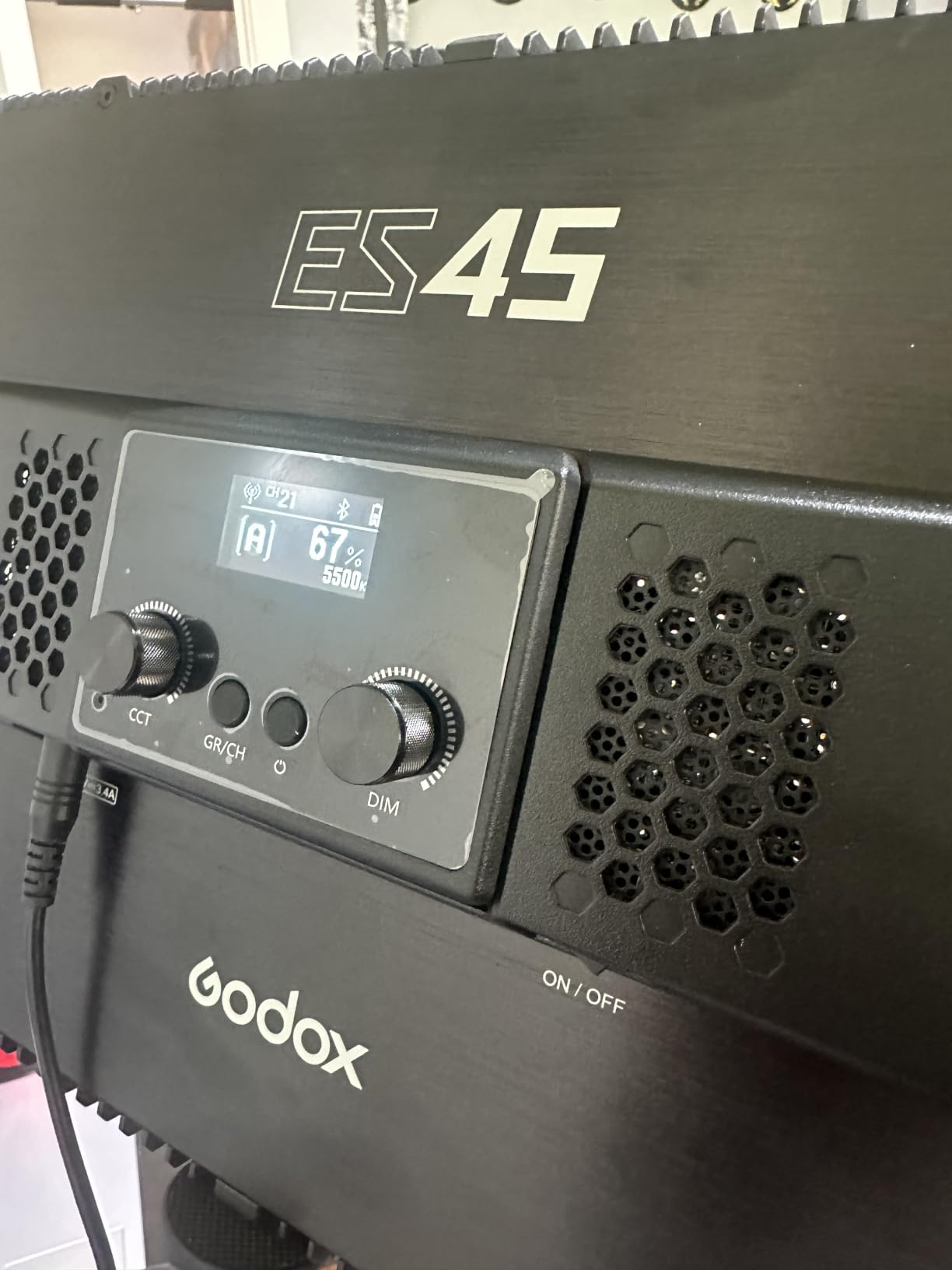
You can also control several ES45 units from the same app through channels, which makes a two-light expansion straightforward. The panel is corded electric with the adapter included, and it runs silently.
The trade-offs are the ones you would expect from a Bluetooth-only design. There is no Wi-Fi, so control depends on the app being connected rather than on your network. And a 14.4 inch panel is compact, which is ideal at 18 inches from your face and inadequate at three feet in a bright room.
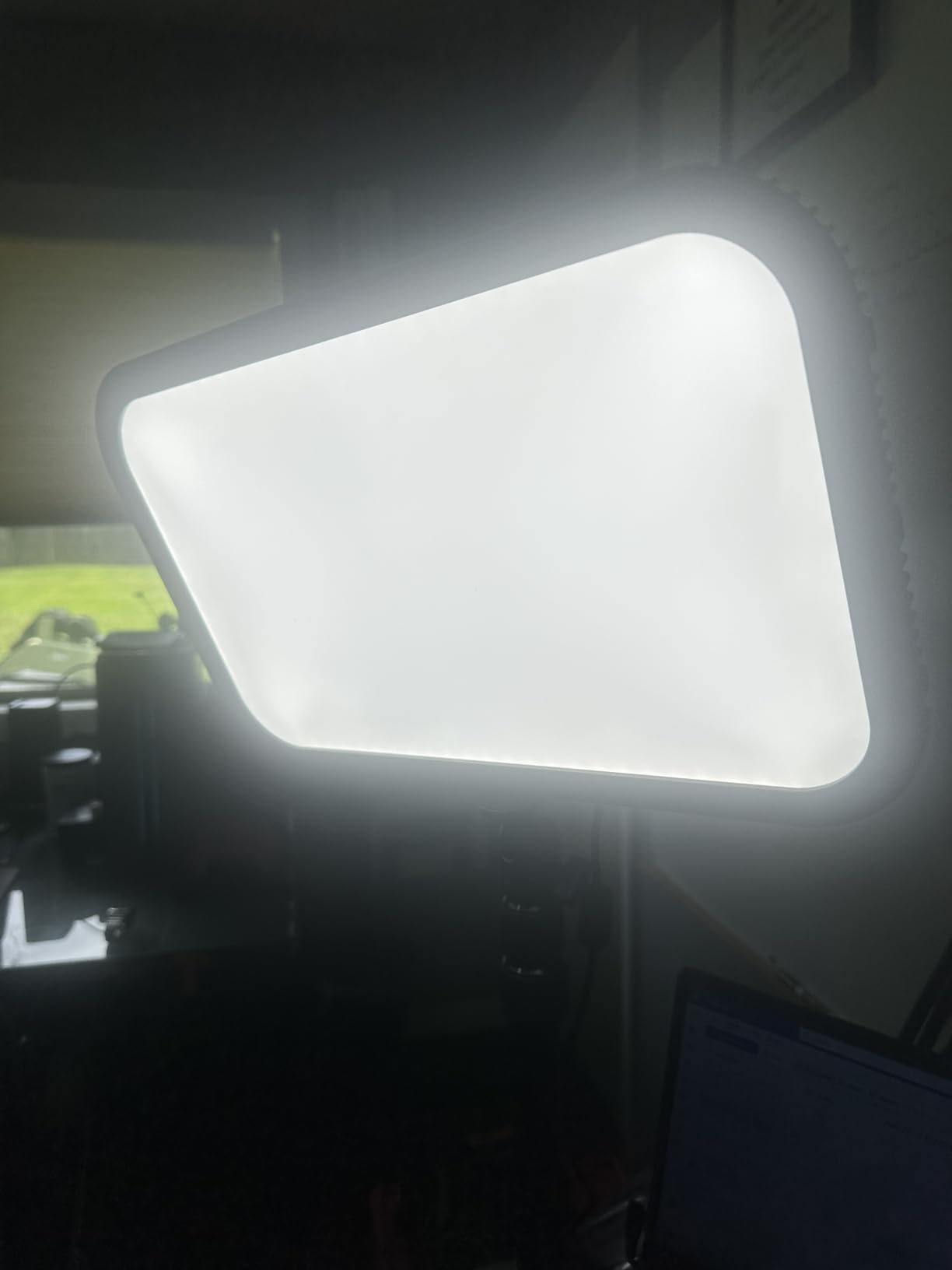
Who the Godox ES45 suits
It suits desk-only setups, especially home offices where a tripod would block a walk path. The clamp keeps the desktop usable, and the under-desk cable routing is cleaner than anything else in this group.
It also suits anyone who wants two lights without a second app. Add a second unit and the app drives both, which is a real workflow win on a Stream Deck or a scene-change setup.
Who should skip it
Skip it if your desk is thin, curved or has a modesty panel that blocks the clamp. The stand is designed for a flat top up to 2 inches and does not have a fallback base.
Skip it if you want Wi-Fi reliability. Bluetooth-only control means no control at all when the app disconnects, and unlike the Elgato there are no physical knobs on the panel as a backup.
6. Logitech G Litra Beam – Best for the G HUB Ecosystem
Logitech G Litra Beam Premium LED Gaming Light with TrueSoft – Graphite
TrueSoft light
2700K-6500K
Vertical or horizontal
G HUB over USB and Bluetooth
3 mount points
Pros
- Runs vertically or horizontally for very different coverage
- G HUB presets with auto on and off for calls
- Three mount points make repositioning easy
- Bluetooth and USB connectivity both included
- UL tested for all-day use
Cons
- Included stand is too short for taller monitors
- Tilt adjustment is extremely stiff
- Includes a USB-C to USB-A cable only
The Litra Beam is the bar-shaped sibling to the Glow, and its shape is the whole story. Because it is a bar rather than a square, you can stand it vertically for tall, narrow coverage across your face, or lay it horizontally for a wide wash across a desk. Few panels on this list give you that choice.
Light quality uses the same TrueSoft full-spectrum approach as the Glow, rated for cinematic color accuracy, with a 2700K to 6500K range and adjustable brightness. It is UL tested for all-day use, which is a reasonable thing to look for if you stream long sessions.
Control is on-board buttons, USB and Bluetooth through the G HUB app, with presets you can customize and an auto-on feature for calls. The three-way adjustable stand offers three mount points, and the weighted base keeps it steady, which matters because a bar balanced on a narrow base can creep across a desk.
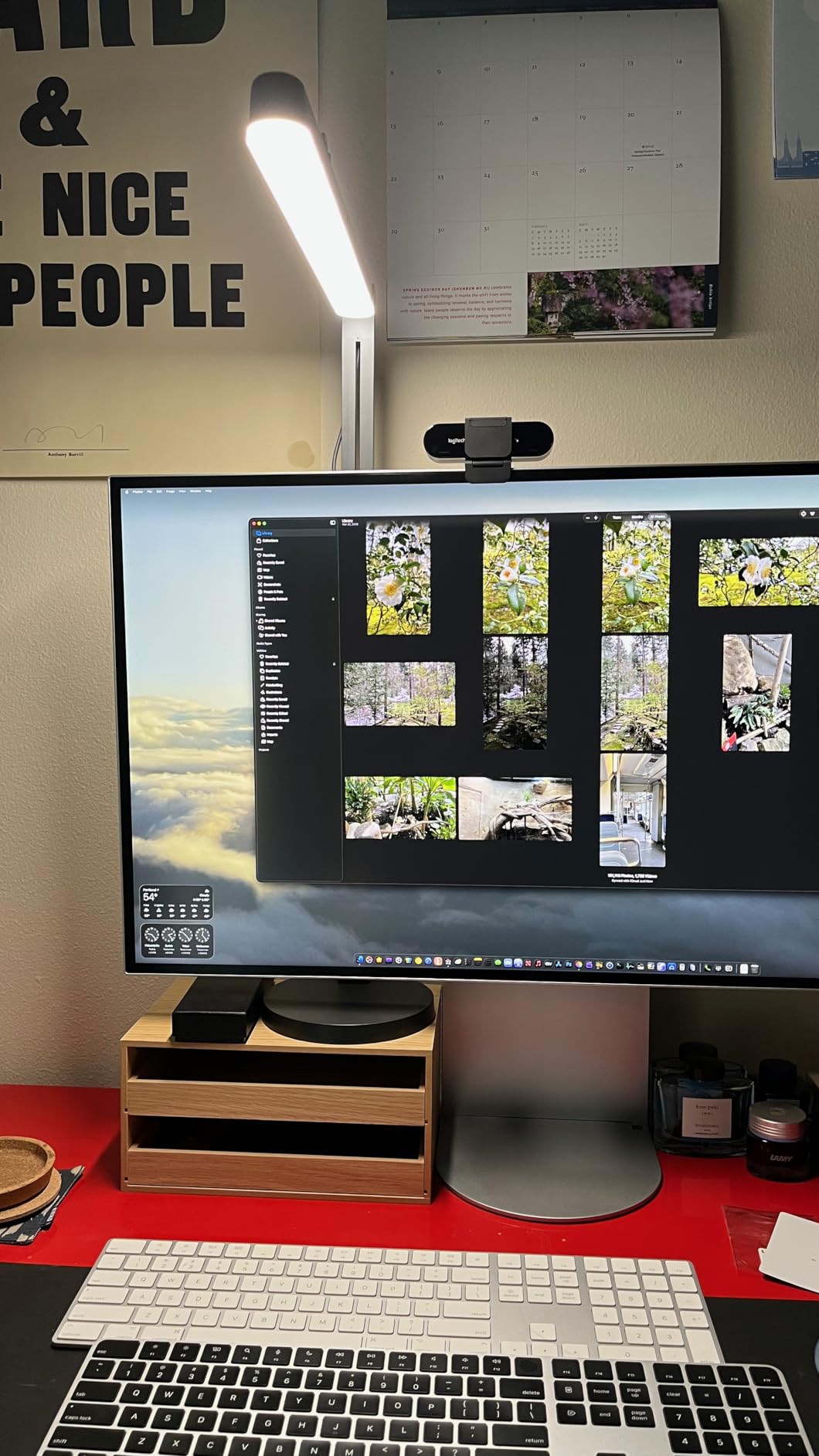
At a 4.4 rating across 162 reviews the light quality is not in question. The stand is. Reviewers repeatedly report that the included stand is too short for taller monitors, and that the tilt adjustment is extremely stiff enough to need real force to move.
Two smaller annoyances: the included cable is USB-C to USB-A only, with no C-to-C option or adapter, and Bluetooth pairing can be finicky on Windows. Reviewers also find the auto-call lighting feature unreliable, which undercuts the main reason to buy a connected light in the first place.
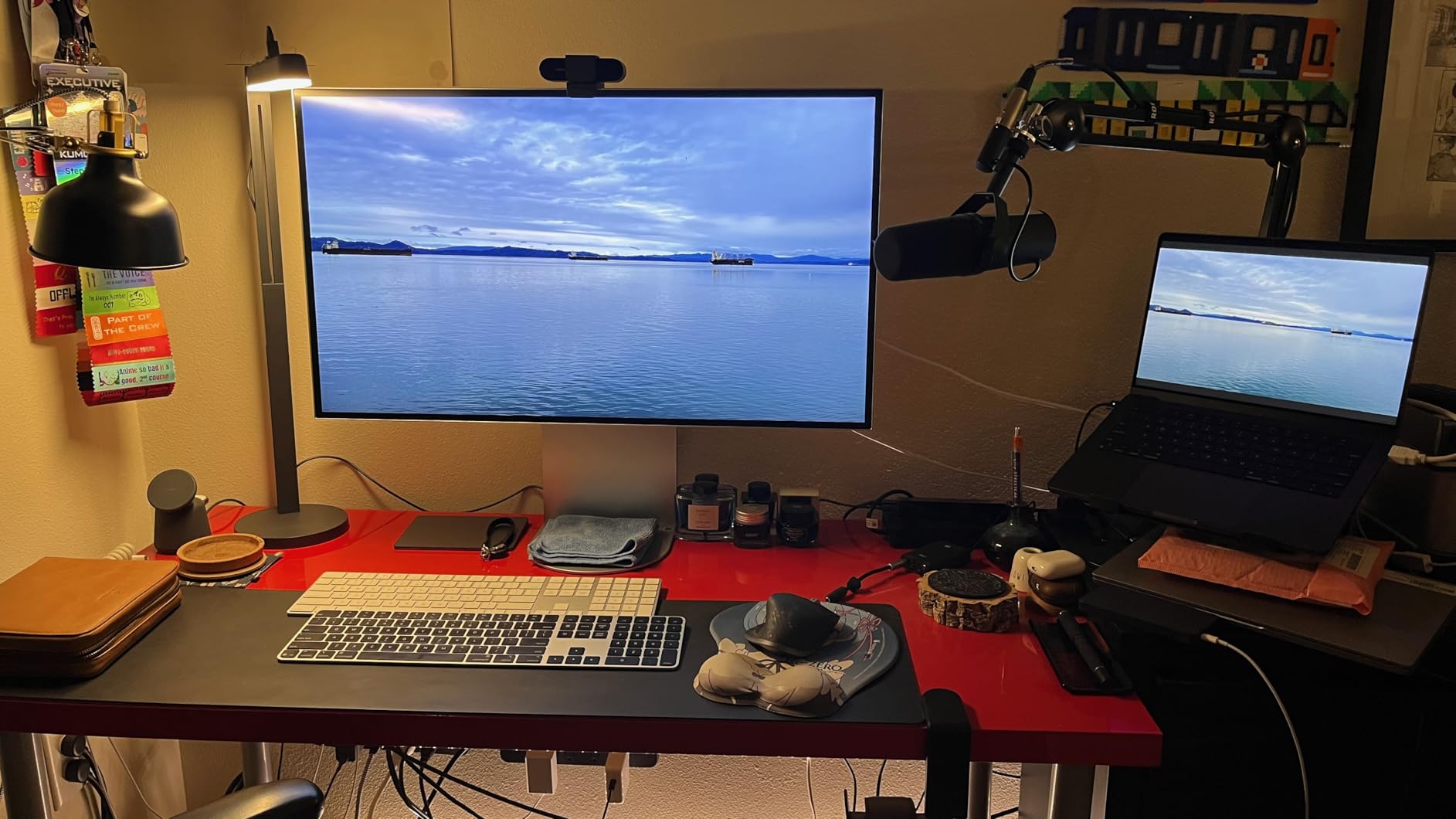
Who the Litra Beam suits
It suits creators already running Logitech peripherals through G HUB, who want one app for keyboard, mouse, webcam and light. In that situation the app integration is worth more than the stand, and the vertical orientation is genuinely useful in a narrow space.
It also suits anyone who wants a wide horizontal wash rather than a focused face light, particularly for desk shots where you want the whole workspace visible.
Who should skip it
Skip it if your monitor sits high. The stand height is the most common complaint in reviews, and solving it means buying another mount, which erodes the value of buying a light with a stand included.
Skip it if you need fine manual adjustment. There are no front-facing knobs, so every change goes through software, and the tilt joint is stiff enough that you will reposition it once and leave it.
7. Neewer GL25B – Best for Color Accuracy
NEEWER 25W 12.9″ Streaming Key Light with Desk Stand/2.4G Remote, GL25B
CRI 98+
2900K-7000K
2300 lux at 0.5m
2.4G remote included
Fanless cooling
Pros
- Highest CRI in this group at 98+ with a 2900K-7000K range
- Fanless design stays silent while you stream
- 2.4G remote plus app control that works without internet
- 2300 lux at half a meter from a compact 12.9 inch panel
- Desk clamp with extendable stand and ball head
Cons
- Desk clamp only with no tripod in the box
- App control needs the USB transmitter plugged in
- Ball head needs tightening over time
If your priority is how skin looks on camera rather than app features, the GL25B is the pick. Its CRI rating of 98+ is the highest in this roundup, paired with a 2900K to 7000K range, the widest span on the list. That combination is what keeps faces from going sallow under mixed room light.
It also solves the fan noise problem properly. The panel is fanless, using thermally conductive materials and edge vents instead, so there is no fan hum to pick up on your microphone during a long stream. On a quiet recording that difference is significant.
Control is unusually flexible. You get an RT100 2.4G remote in the box plus PC and Mac app control through a USB transmitter, and the app works without an internet connection, so a network drop does not take your lighting settings with it.
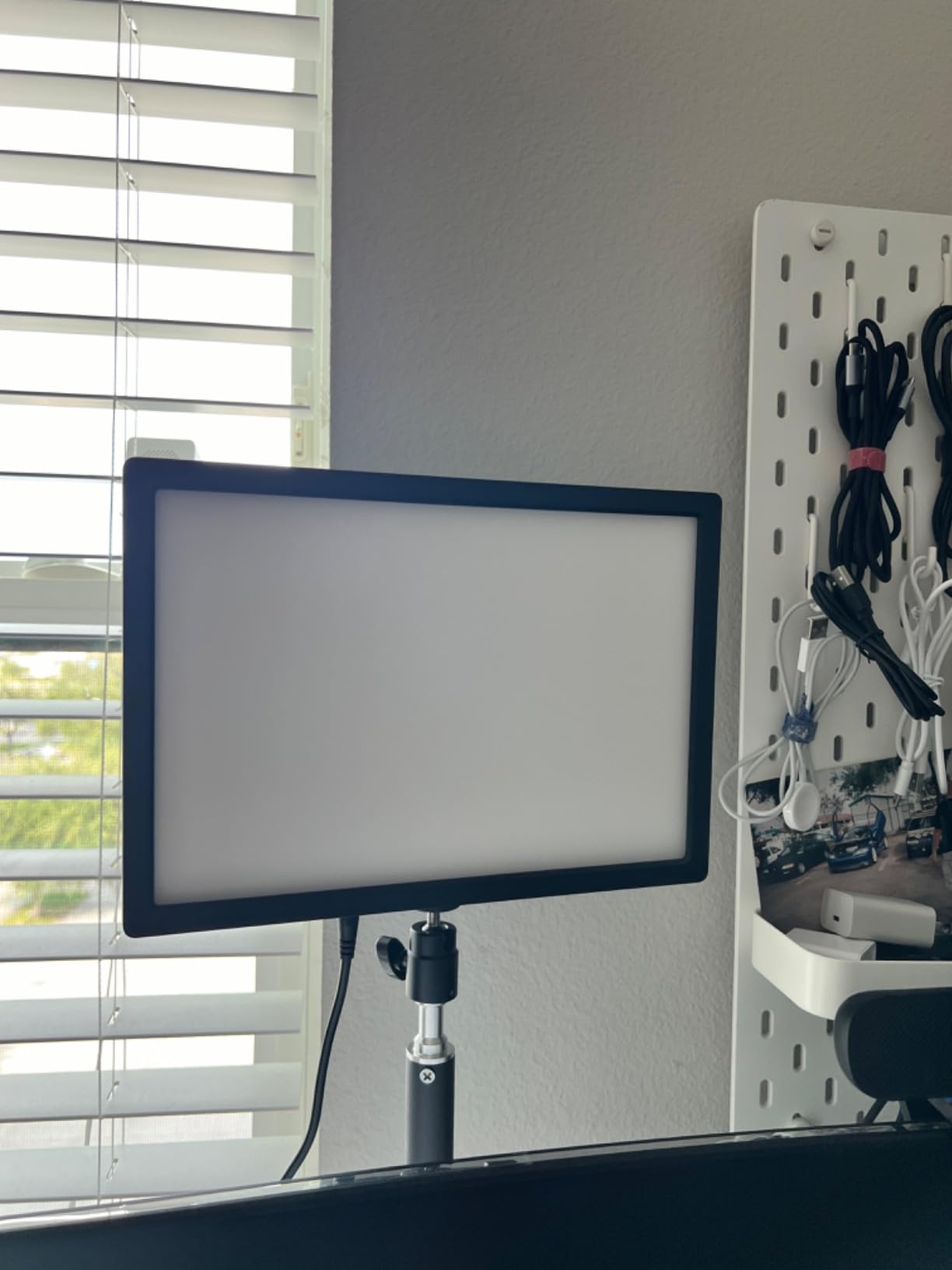
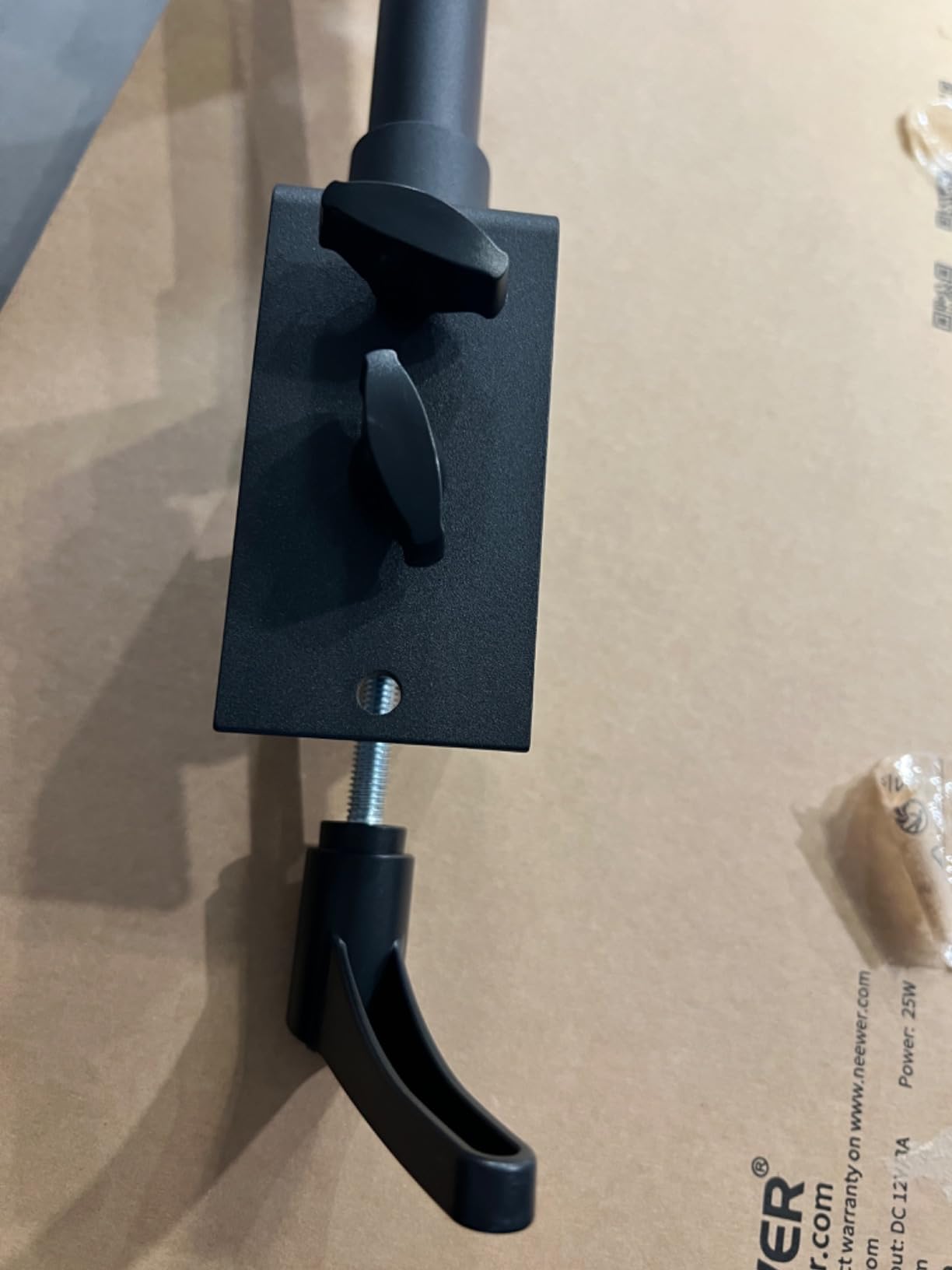
Output is 2300 lux at half a meter from 176 LEDs behind a diffuser panel, using edge-lit technology for a soft, glare-free wash. The 12.9 inch panel measures 10.6 by 7.4 by 1.5 inches and weighs 0.71 kg, and the desk clamp includes an extendable stand with a ball head.
The mounting is the limitation. It ships as a desk clamp only, with no tripod or stand included, and the alternate mounting accessories are sold separately. So if you want to move this panel off the desk for a different angle, you are buying another piece before you start.
Who the GL25B suits
It suits creators whose channel is about a face: beauty, skincare, tutorials, talking-head YouTube. At a 4.7 rating across 197 reviews it is the highest-rated panel in this group, and reviewers single out the CRI and the silent cooling as the standouts.
It also suits podcast-style setups and video calls, where the light sits close and fan noise would be obvious. A one-year manufacturer warranty is included.
Who should skip it
Skip it if your setup is not desk-based or if you need to reposition light frequently. The clamp-only mount means every angle change is a clamp adjustment, and reviewers note the ball head needs retightening as it settles.
Skip it if you want a panel you can pick up and walk with. There is no battery option, so this light stays where the desk is.
8. amaran Verge – Best for Eye Comfort
amaran Verge Bi-Color Edge-lit Rectangular Panel,26W Soft LED Video Light
26W edge-lit panel
RG0 rated
2700K-6500K
USB-C PD power
100 g panel weight
Pros
- RG0 certified for eye safety with low blue light output
- Flicker-free edge-lit diffusion
- Front knobs plus app and Stream Deck control
- USB-C PD power with a 30W adapter included
- Weighs just 100 g for easy repositioning
Cons
- No readout screen so the app is needed for exact settings
- Mounting accessories sold separately
- Desktop app can feel clunky
The amaran Verge is the one to look at if you sit in front of a light for six hours a day. It is RG0 certified, flicker-free, low glare and low blue light, which puts it in a different class from panels that simply do not publish an eye-safety rating at all.
It is also an Aputure-made panel running 26W over USB-C PD, with a 30W adapter in the box. That single-cable approach is genuinely useful in a tight desk because it removes the brick-and-cable arrangement most panels need, and it pairs cleanly with a USB-C hub.
Control is the strongest part of the design. There are front-facing physical knobs for the things you adjust mid-stream, plus a desktop app and a Stream Deck plugin, and seven lighting effects for when you want background color rather than pure key lighting. Bluetooth handles the wireless side.
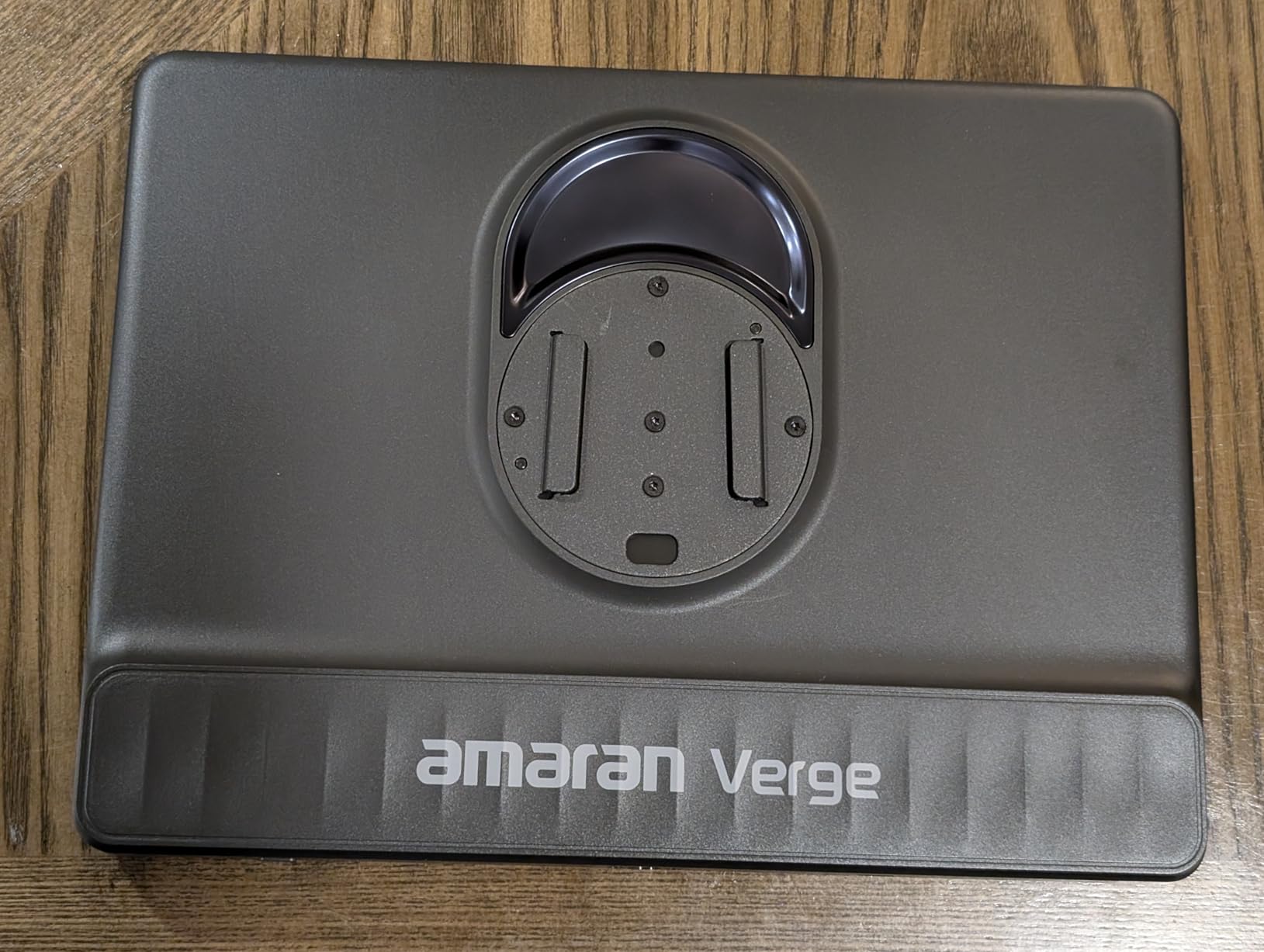
The main annoyance is the absence of a readout. The Verge Max has a display, this one does not, so getting an exact color temperature or brightness value means opening the app. Reviewers also note that the minimum 1 percent brightness can still be too bright in a genuinely dark room, which is a real limitation for late-night streams.
Mounting is a 1/4-20 inch screw thread, and the desk stand, desk clamp and stand adapter are all sold separately. So the 100 g panel is easy to move once mounted, but you have to choose a mount first. The app itself is described as clunky, and the warranty is one year.
Who the amaran Verge suits
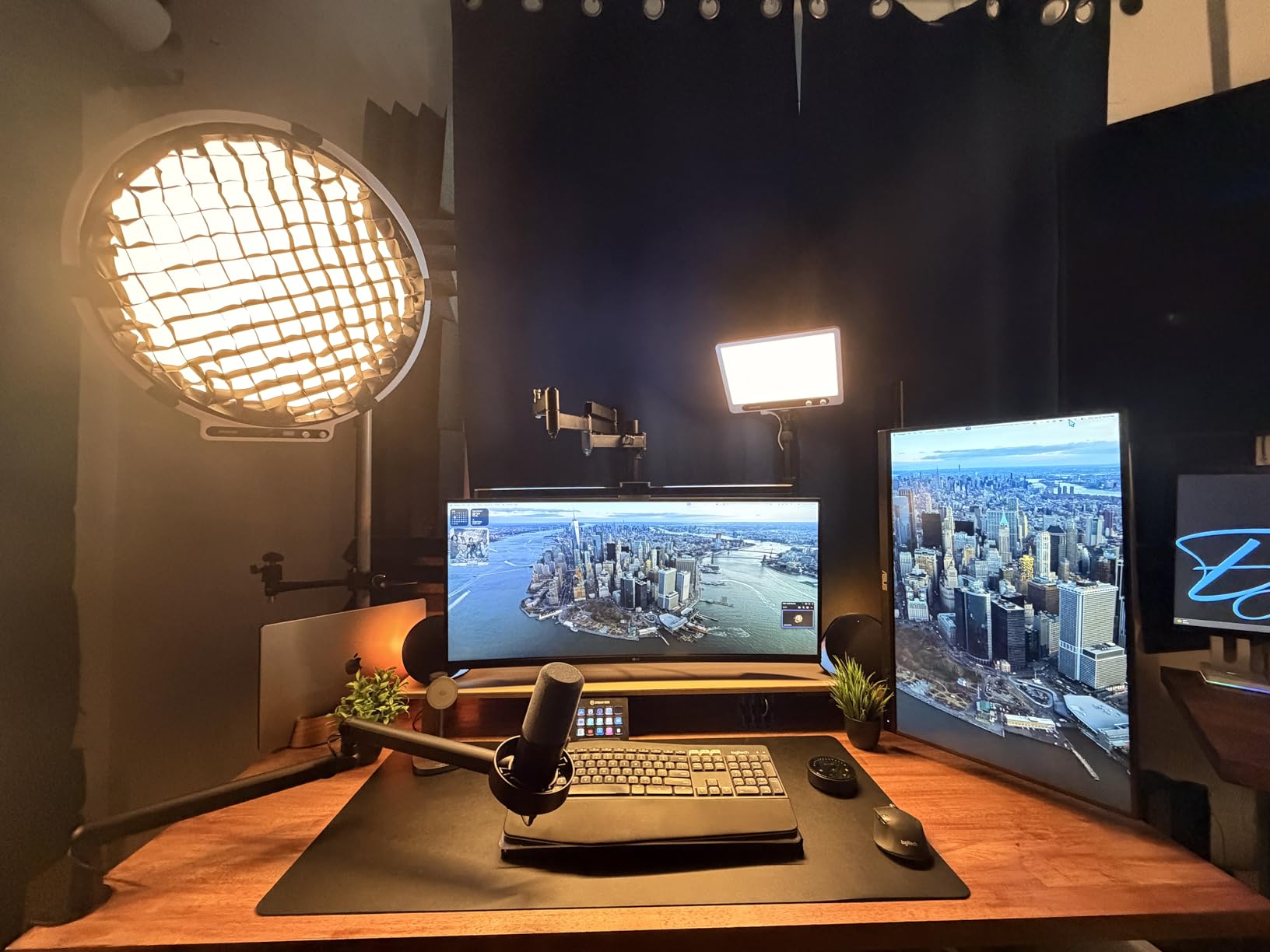
It suits long-session streamers and anyone sensitive to flicker or blue light, since RG0 certification and a flicker-free panel are unusual claims at this level. It also suits Stream Deck users who want lighting on the same button layout as everything else.
It suits small desks in a different way than the Litra Glow. USB-C PD means one cable and no power brick, which is often the real constraint in a corner setup. At a 4.6 rating across 91 reviews, the early numbers are strong but still building.
Who should skip it
Skip it if you need to read exact values at a glance, or if you want to fine-tune color temperature without opening software. The knobs are there; the feedback is not.
Skip it if you are not comfortable buying a mount separately. It is the one item in this roundup that does not come with a way to hold it up, and that changes the total setup effort for a first-time streamer.
9. Godox P260C Pro – Best for High Output
Godox P260C Pro LED Video Panel Light 45W Bi-Color 2800K- 6500K with NFC Automatic Pairing and APP Control
45W output
2800K-6500K bi-color
NFC app pairing
DC, battery or USB-C power
1032 g panel
Pros
- 45W output is the highest here for bright rooms
- 2800K-6500K bi-color with a side-emitting diffuser
- Runs from DC
- NP-F battery or USB-C
- NFC pairs to the app without a menu dive
Cons
- NP-F batteries not included
- Regional plug compatibility reported by some users
- Heavier than desk-only panels
The P260C Pro is the bright-room answer. At 45W it out-powers every other panel here, and if your streaming space has a window you cannot block or a ceiling light you cannot turn off, raw output is what separates a clean image from a dim one.
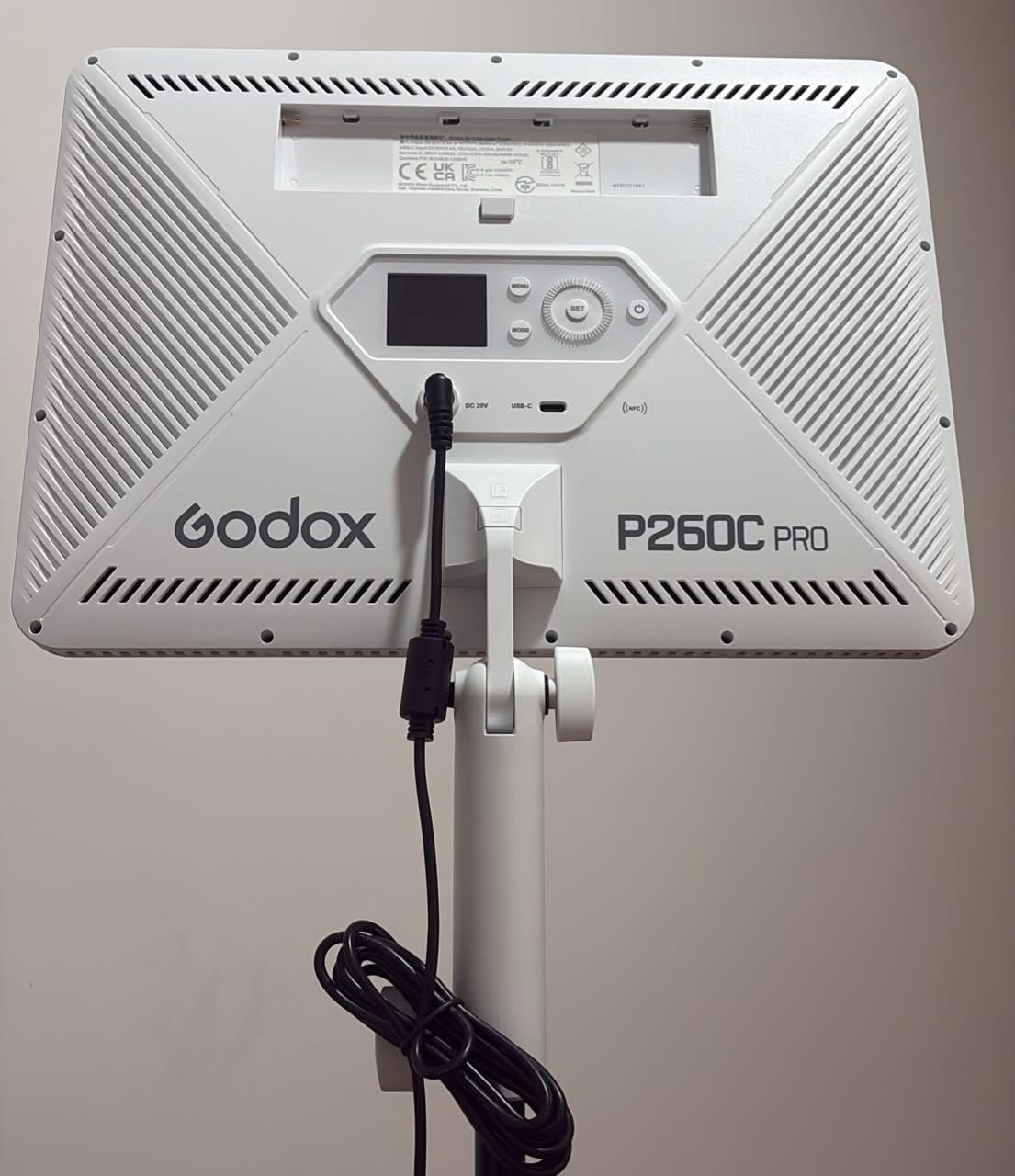
The design is side-emitting with an enhanced diffuser, which softens what would otherwise be a harder, more directional source. Color temperature runs 2800K to 6500K bi-color, and the detachable handle gives you a handheld option for moving the light around a small studio.
Power is the standout flexibility: DC adapter, NP-F lithium battery or USB-C, so the same panel works on a desk, on location or tethered. NFC auto-pairing means tapping the panel to your phone puts it in the Godox Light app without a settings menu.
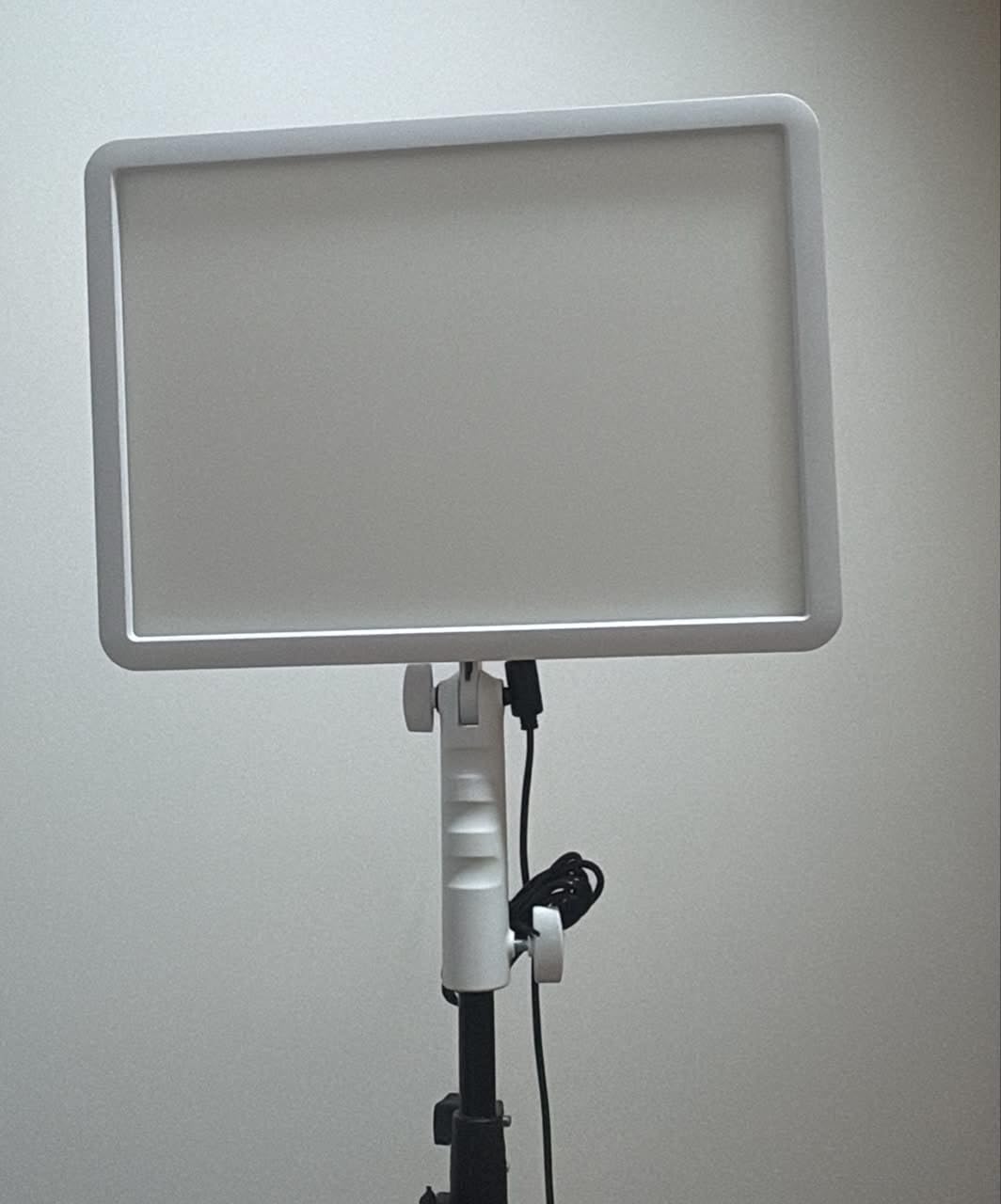
At 1032 g without the handle, and 1200 g with it, this is a panel you place rather than one you carry casually. It measures 12.91 by 12.72 by 1.65 inches, operates silently, and comes with a one year warranty.
The catch is that the batteries are not included. Reviewers also report regional plug compatibility issues, and one user raised durability concerns about the tripod attachment. At a 4.4 rating across 79 reviews, it is the least proven light here, so treat the review count as part of the decision.
Who the Godox P260C Pro suits
It suits streamers in bright rooms, anyone building toward a small studio, and creators who move between a desk setup and location shoots without swapping lights. The three power options are the reason, and there are few panels that offer all three.
It also suits multi-light rigs, since the Godox app covers both this panel and the smaller ES45 on the desktop, so one app can run a desk light and a room light together.
Who should skip it
Skip it if your setup is a small desk. You do not need 45W at 18 inches from your face, and the weight will make fine repositioning a chore rather than a quick adjustment.
Skip it if buying batteries separately is not in your plan, or if you want the strongest track record. With 79 reviews it is the least established pick in this roundup, and the plug compatibility reports are worth checking against your region.
How to Choose a Key Light for Streaming
Start with CRI, because it is the only spec here that describes how your face will look rather than how bright the panel is. A CRI of 95 or above is good; 97 or above is excellent and close to the point of diminishing returns. Three panels in this list rate 96 or higher, and the difference between a CRI 90 panel and a CRI 98 panel is immediately obvious on camera.
Next, color temperature. The numbers mean how warm or cool the light looks: around 2700K to 3200K is warm and flattering, 4000K to 4500K is neutral, and 5600K is daylight. A wide range matters more than any single value, because it lets you match the light to your room rather than fighting it. The white-paper test is the fastest way to dial it in: hold a sheet of white paper to your camera and adjust until it looks white, not orange or blue.
Brightness is where room size decides everything. A bedroom or small home office is comfortable with roughly 2300 to 2800 lumens at desk distance, which is where most of this list sits. A shared room with a window open pushes you toward the higher-output panels, and a dedicated studio means you are adding fill and background lights rather than buying one brighter key.
Diffusion is the spec people underrate. Edge-lit panels push the LEDs to the edge of the frame and let a diffuser spread the light, which is why they read as soft and produce less glare on glasses. A bare LED array without a diffuser is cheaper but far more likely to give you a hard shadow and a visible hotspot.
Flicker deserves a test before you commit, because it is invisible in the room and obvious on a recording. Point your camera at the panel, drop your shutter speed and watch the footage. Banding and shimmer mean the panel is using pulse-width modulation at a frequency your sensor can see.
Finally, think about the mount and the control. Tripods claim floor space, desk clamps need a flat top up to around 2 inches thick, and monitor mounts take zero desk space but depend on your display shape. On control, Wi-Fi app control is the most flexible and the most fragile, Bluetooth is simpler with a shorter range, and a 2.4G remote or physical knobs is the most reliable when the network drops. Once your light and microphone are settled, the rest of the desk follows.
Frequently Asked Questions
What type of lighting is best for streaming?
A diffused LED panel used as a key light is the best type of lighting for streaming. Place it about 45 degrees off your camera axis so the light wraps your face and softens under-eye shadows. Add a fill light on the opposite side at half brightness and a backlight behind you if you want to separate yourself from a dark wall.
Is the Elgato Key Light worth it?
For a fixed desk setup, yes. It delivers 2800 lumens across a 2900K-7000K range with opal glass diffusion, Wi-Fi app control, Stream Deck integration and a desk clamp, and it holds a 4.5 rating across 4,287 reviews. If your desk is very small or you need to travel with your light, a more compact panel suits you better.
What is the best budget key light for streaming?
The Logitech Litra Glow is the strongest first key light for most beginners: TrueSoft full-spectrum light, a frameless diffuser, a 3-way monitor mount and G HUB control, at 13.44 ounces with no stand to assemble. If you want two lights instead of one, the Neewer NL480 2-Pack gives you a key and fill with stands and diffusers included.
What is the best color temperature for streaming?
Around 5600K matches daylight and keeps skin tones neutral, while 3200K gives a warmer look. Rather than guessing, hold a sheet of white paper to your camera and adjust the panel until the paper looks white to your eye. Most panels in this roundup cover 2700K to 7000K or wider, so you have room to match your room.
Should I use a ring light or a key light?
Use a key light for streaming. A ring light is a key light shaped like a donut, and the circle reflects in your glasses as an eye-ring halo that reads as amateur on camera. Ring lights still make sense for very close beauty shots where that reflection lands off to the side, but for face cam framing a rectangular panel wins.
Do I need a key light, a fill light and a backlight?
No. Most streamers need one well-placed key light to fix the majority of visible problems such as grain, harsh shadows and mixed color casts. Add a fill light when your shadow side is still too dark, and a backlight or hair light when you are silhouetted against a dark wall. Streamers building green screen setups should prioritize even, consistent key lighting because it decides whether the key pulls clean.
The Bottom Line: Which Key Light Should You Buy?
The Elgato Key Light is our pick for the best key lights for streaming in 2026. The 2800 lumens, 2900K to 7000K range, opal glass diffusion and Wi-Fi app control cover everything a streamer needs from a single panel, and the desk clamp keeps it off your floor.
Pick the Logitech Litra Glow if your desk is small or you wear glasses, the Neewer NL480 2-Pack if you want a key and fill in one box, and the Neewer GL25B if color accuracy matters more to your channel than app features.
Whichever you choose, set it at 45 degrees, match the temperature to your room, and turn it on before you go live. It is the fastest visible upgrade a new streamer can make.