
If you print anything regular, the Epson EcoTank ET-2800 is the pick worth watching most during Prime Big Deal Days, because its refillable tanks get you up to 7500 color pages from one set of ink and it carries by far the largest review base of the ten here. Canon MegaTank G3270 covers the same ground for less if you want a color all-in-one, and the Brother DCP-L2640DW is the one to look at when a scanner and a 50-page feeder matter more than color.
Prices and offers shift through the event, so the buttons below are the place to check where each model sits today. Amazon’s Prime Big Deal Days sale runs October 6-7, 2026, and most offers need a Prime membership, with a free trial counting.
Table of Contents
Our Top 3 Picks for Best Amazon Prime Big Deal Days Printer Deals in 2026

Epson EcoTank ET-2800
- Refillable ink tanks
- Up to 7500 color pages per ink set
- Wi-Fi and USB
- Flatbed scanner

Canon MegaTank G3270
- Refillable MegaTank system
- Up to 7700 color pages per ink set
- Wireless print copy scan
- 1.35 inch LCD

Brother DCP-L2640DW
- 36 ppm monochrome laser
- Automatic duplex
- 50 page document feeder
- Dual-band Wi-Fi and Ethernet
The ET-2800 wins on running cost and on how much ink is sitting in the box when it arrives. Canon G3270 does the same job with a slightly deeper body and a 1.35-inch screen, while the Brother DCP-L2640DW trades color output entirely for speed, duplex and scanning.
Best Amazon Prime Big Deal Days Printer Deals Compared
| Product | Specifications | Action |
|---|---|---|
| Epson EcoTank ET-2800 |
|
Check Deal Price |
| Canon MegaTank G3270 |
|
Check Deal Price |
| Brother DCP-L2640DW |
|
Check Deal Price |
 Brother HL-L2405W Brother HL-L2405W |
|
Check Deal Price |
 Canon PIXMA TS6520 Canon PIXMA TS6520 |
|
Check Deal Price |
 HP LaserJet M209dw HP LaserJet M209dw |
|
Check Deal Price |
 Canon PIXMA TR160 Canon PIXMA TR160 |
|
Check Deal Price |
 Brother HL-L2480DW Brother HL-L2480DW |
|
Check Deal Price |
 HP LaserJet Pro 3101sdw HP LaserJet Pro 3101sdw |
|
Check Deal Price |
 HP Envy 6155 HP Envy 6155 |
|
Check Deal Price |
How We Chose
Ten printers were compared on the specs that decide ownership: printer type, duplex, pages per minute, maximum paper size, tray capacity, connectivity and weight. Ratings and owner-review themes came from Amazon listings, checked on October 2026. Running-cost signals, warranty length and consumable type decided the ranking as much as speed did.
1. Epson EcoTank ET-2800: Best for Cheap Ink at Volume
Epson EcoTank ET-2800 Wireless Color All-in-One Supertank Printer – Black
Type: Color ink tank
Duplex: None
Speed: 10 ppm
Max paper: 8.5 x 14 in
Weight: 11.4 lb
Pros
- Cartridge free tanks cut per page ink cost
- Up to two years of ink in the box
- Sharp color output at 5760 x 1440 dpi
- Wi-Fi and USB with a flatbed scanner
Cons
- No automatic duplex
- Epson warns third party ink can affect warranty coverage
- Wide body at nearly 23 inches
If your printing is heavy enough that ink cost starts to feel like a second utility bill, this is the model to watch during the sale. Epson quotes up to 4500 black pages or 7500 color pages from one ink set, and the box ships with enough ink to cover roughly two years of normal home use.
Owners consistently point to one thing: they stop thinking about ink. That is the whole appeal of a cartridge-free system here, where one bottle set is said to equal about 90 individual cartridges.
Output is sharp for photos and documents, topping out at 5760 x 1440 dpi in color, and it prints 4×6 and 5×7 paper natively. The 100-sheet tray is the smallest in this group of ink tanks, so plan refills if you batch big jobs.
The trade-off is duplex printing. This unit is simplex only, so double-sided documents mean flipping the stack by hand, which is why families that print worksheets every week often look at the Canon PIXMA TS6520 instead.
Owners also flag the footprint. At nearly 23 inches wide, it is one of the broader bodies here, so measure a desk shelf before committing rather than after.
Epson’s own warning is worth reading twice: the company recommends genuine ink, and says third-party fluid can cause damage the limited warranty will not cover. Owners who stocked up on cheaper bottles report mixed results on print head longevity.

Against the Canon MegaTank G3270, the difference is ink yield and body size rather than capability. Both refill by bottle and both scan; the ET-2800 claims a longer black yield and a wider body, while Canon’s page numbers are slightly higher on color.
2. Canon MegaTank G3270: Best Value Ink Tank
Canon MegaTank G3270 All-in-One Wireless Color Printer
Type: Color ink tank
Duplex: None
Speed: 11 ppm
Max paper: 8.5 x 14 in
Weight: 13.2 lb
Pros
- Up to 7700 color pages per ink set
- Print copy and scan with wireless setup
- Handles square and envelope media
- Borderless printing and Energy Star
Cons
- Single sided printing only
- Deep 21.9 inch body
- Some Canon app connection hiccups at setup
Buy this if the ET-2800 appeals but the footprint worries you. The G3270 does the same refillable-ink job in a body a little shallower, and Canon quotes higher page yields: up to 6000 black and white pages and 7700 color pages from a single set of inks.
It handles more odd paper than most rivals, including square formats and envelopes, which matters if you make cards or labels at home. Printing is 11 ppm black and 6 ppm color, a touch quicker than the Epson on both counts.
Paper handling tops out at 100 sheets and legal size, the same as the ET-2800. Neither model in this pair auto-duplexes, so treat double-sided printing as a manual job.
The 1.35-inch square LCD gives you ink levels and a basic menu without opening an app. Owners like wireless setup being quick once the printer is on the network.
The recurring complaint is Canon’s app during first-time configuration, with connection hiccups reported by a share of buyers. It usually resolves, but budget a few extra minutes and have the Wi-Fi password to hand.
Compared with the Epson EcoTank ET-2800, this is the pick if page yield per ink set and media flexibility matter more than duplex printing or desk width. If duplex is on your list, step to the Canon PIXMA TS6520 instead.
Reviews average 4.1 stars across more than 5000 ratings, with roughly two thirds at five stars and a small group of one-star reviews tied to setup rather than print quality. That split is normal for a refillable ink machine and worth weighing against the Epson’s much larger review base.
3. Brother DCP-L2640DW: Most Versatile for Small Business
Brother DCP-L2640DW Wireless Compact Monochrome Multi-Function Printer, Copy, Scan, Duplex, Mobile Printing
Type: Mono laser
Duplex: Automatic
Speed: 36 ppm
Max paper: 8.5 x 14 in
Weight: 25 lb
Pros
- 36 ppm monochrome output
- 50 page automatic document feeder
- Automatic duplex halves paper use
- Dual-band Wi-Fi plus Ethernet and USB
- 250 sheet tray
Cons
- Monochrome only
- On-printer menus are described as cumbersome
- Heavy at 25 pounds
When the job is contracts, invoices and packing slips, a monochrome laser changes the economics entirely. At 36 ppm with automatic duplex and a 50-page feeder, this Brother handles a busy desk without a cartridge swap in sight.
Toner also does not dry out the way ink can if a machine sits unused for weeks. That reliability is the reason most buyers on printer forums push laser for document volume, and it is the reason this model suits a shared office.
Scanning runs up to 23.6 ipm in black, and the flatbed handles anything the feeder will not. The 250-sheet tray is the joint largest here, which keeps refills rare.

Owners rate build quality and long-term reliability highly, and several reviews highlight the low cost per monochrome page. The trade-offs are physical: at 25 pounds and 16.1 inches wide, it wants a proper stand rather than a floating shelf.
The control panel menus draw complaints as cumbersome compared with the mobile app, so most owners manage it from a phone. Firmware setup has a rough edge too, since the network configuration password comes from a printed report.
Where it differs from the Brother HL-L2480DW is the interface, not the engine. Same 36 ppm and same 250-sheet tray; the HL adds a 2.7-inch touchscreen and cloud scan targets that this one reaches only through the app.

Among monochrome lasers for a home office that also needs to copy and scan, this is the balanced middle of the three Brother options in the list. If you never scan, the cheaper HL-L2405W gives you the same toner family in a smaller body.
4. Brother HL-L2405W: Best for Home Office Laser
Brother HL-L2405W Wireless Compact Monochrome Laser Printer with Mobile Printing, Black & White Output | Includes Refresh Subscription Trial(1), Works with Alexa
Type: Mono laser
Duplex: Manual
Speed: 30 ppm
Max paper: 8.5 x 14 in
Weight: 15.1 lb
Pros
- Clean install with no forced apps
- 30 ppm monochrome output
- Compact 14 inch wide body
- 250 sheet tray plus manual feed slot
Cons
- Manual duplex only
- Print only with no scanner
- QR code setup is fiddly for some
This is the small-desk laser. At 14 by 14 inches and 7.2 inches tall it fits a home office corner that would swallow the DCP-L2640DW, and it still runs at 30 ppm with a 250-sheet tray.
Owners single out the install experience, describing no bundled bloatware, no forced terms and no apps pushed without asking. For a first laser printer that matters more than it sounds.
Duplex is manual here, which is the price of the smaller chassis. You flip the stack yourself for double-sided pages, so it suits a single user rather than a shared room.

Setup is the weak point. A visible minority of owners describe QR code onboarding, serial number entry and dashboard registration as unnecessarily long, so allow yourself an unhurried first session with the manual nearby.
There is no scanner or copier in this body, print only, which is exactly why it costs less than its multifunction siblings. If you need to scan a receipt once a week, check whether that justifies the DCP-L2640DW.
Against the HP LaserJet M209dw, the tradeoff is duplex and setup help. HP auto-duplexes and weighs less at 11.2 pounds; this Brother has the larger 250-sheet tray and a cleaner install reputation.

One more thing owners watch: once the toner runs out completely, the machine stops rather than limping along. Third-party cartridges may also register unreliably, so keep a genuine TN830 or TN830XL in mind for continuity.
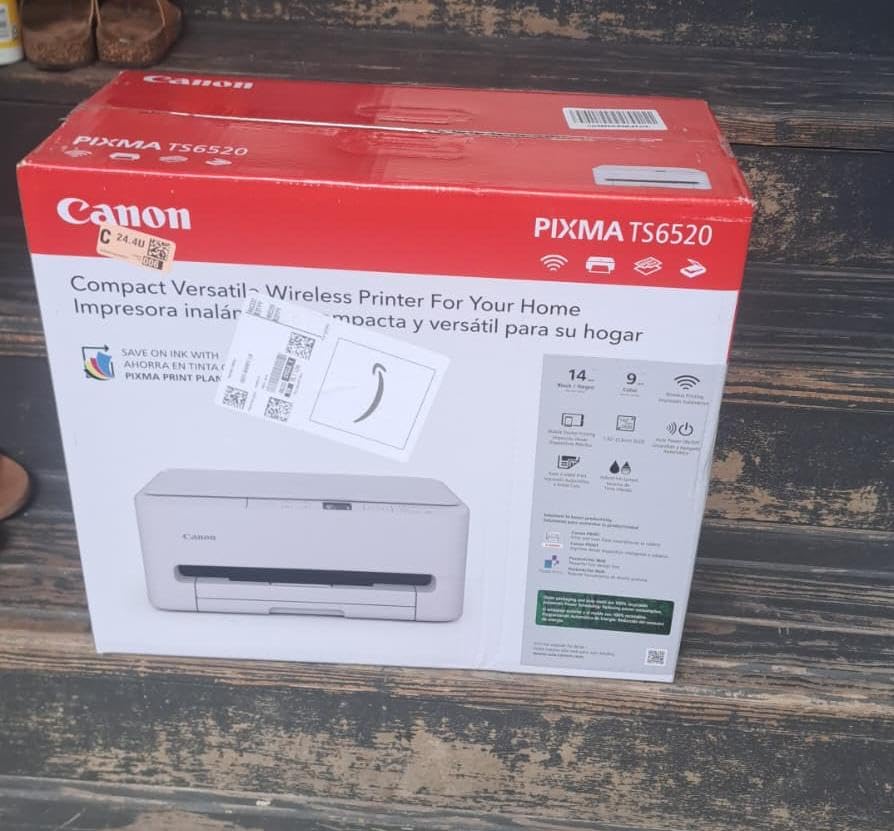
5. Canon PIXMA TS6520: Budget Pick
Canon PIXMA TS6520 Wireless Color Inkjet Printer, Duplex Printing, Copier/Scanner, 1.42″ OLED Display, Compact, White
Type: Color inkjet
Duplex: Automatic
Speed: 14 ppm
Max paper: 8.5 x 11 in
Weight: 15.4 lb
Pros
- Automatic duplex at an entry price
- 14 ppm black and 9 ppm color
- Three year manufacturer warranty
- Borderless printing and OLED status screen
Cons
- Two cartridge system links black and color
- Letter size only with no legal support
- Ink use runs higher on draft settings
Few printers manage automatic two-sided printing at this money, and this is the one in the list that does while staying a full color all-in-one. At 14 ppm black and 9 ppm color it is also the quickest inkjet here.
The flatbed scanner and copier sit alongside the printer, and a 1.42-inch monochrome OLED shows ink levels at a glance. Dual-band Wi-Fi and USB cover both a router and a direct cable.
Owners frequently mention the three-year manufacturer warranty, which is longer than the one-year cover on the ink tanks and most of the lasers in this list. That is a real advantage for a machine bought on a tight budget.
The catch is the two-cartridge hybrid ink system. Black and color are not independent, so a single black page can pull on the color cartridge, which is where owners report ink use running higher than expected in draft mode.
Maximum media size is Letter only, so legal-size documents or long banners are out. If you print formatted posters, the inkjet printers for photos roundup covers the models built for that job.
Compared with the Epson EcoTank ET-2800, this machine is cheaper to buy and slower to run over two years. Pick it when the purchase is the constraint, not the ink.
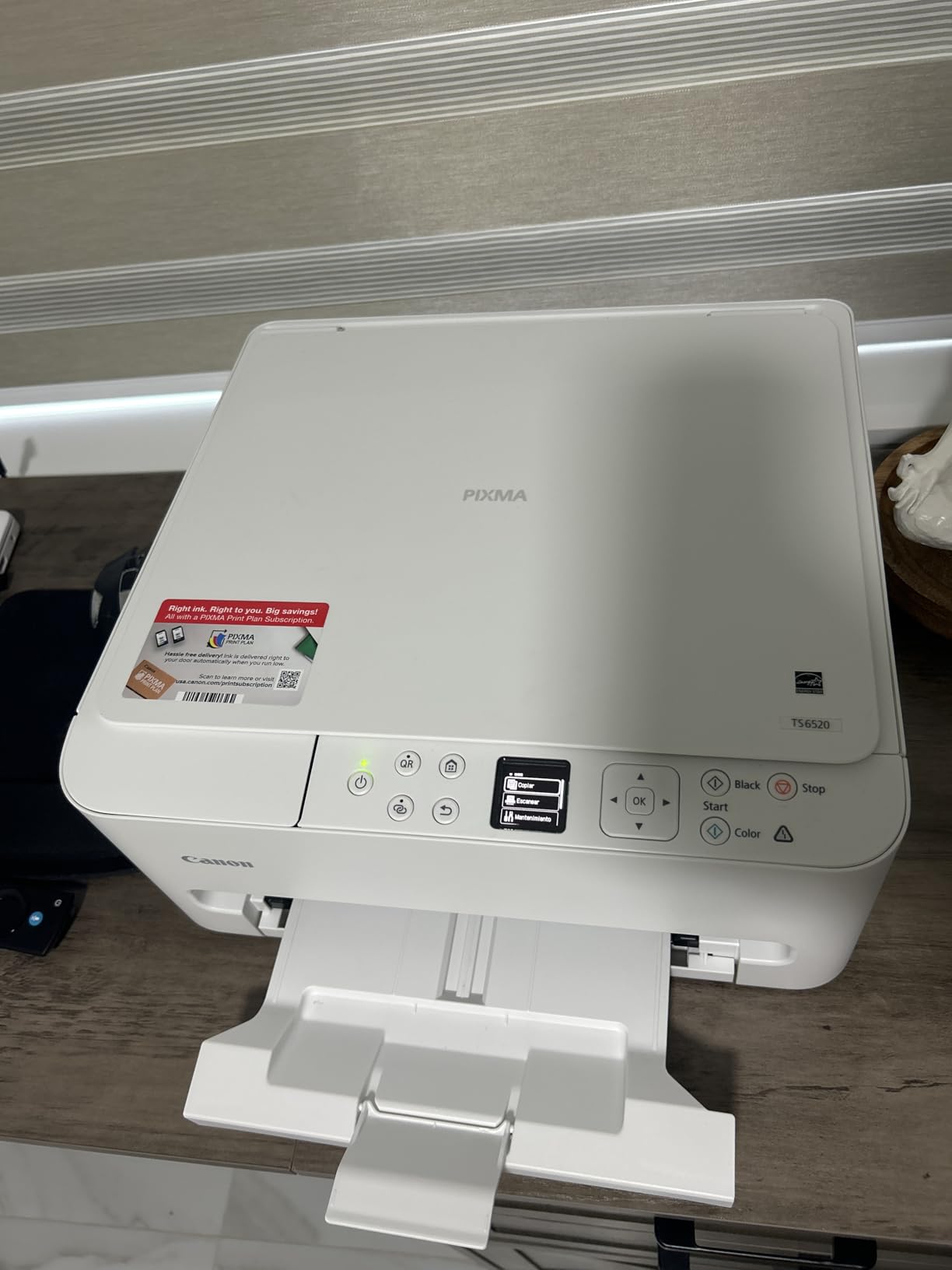
Reviewers rate it 4.2 stars on close to 2000 ratings, the strongest mix in the Canon inkjet group, with around 70% five stars. The shared cartridge and modest paper handling are the caveats owners mention most.
6. HP LaserJet M209dw: Best for Small Teams
HP LaserJet M209dw Wireless Printer, Print, Fast speeds, Easy Setup, Mobile Printing, Best-for-Small Teams, Instant Ink Eligible
Type: Mono laser
Duplex: Automatic
Speed: 30 ppm
Max paper: 8.5 x 14 in
Weight: 11.2 lb
Pros
- 30 ppm single sided and 19 ipm two sided
- Dual-band Wi-Fi with self-reset recovery
- Light 11.2 pound body
- Built-in network security features
Cons
- Print only with no scanner
- Some wireless setup errors reported
- Manual feed jams on very thin media
HP quotes up to 19 images per minute two-sided, a duplex rate none of the other picks here publish, with 30 ppm single-sided behind it. For a two or three person team printing reports all day, that is the number that matters.
The body is small at 13.98 inches wide and 11.2 pounds, lighter than both Brother multifunction lasers here. Dual-band Wi-Fi includes a self-reset that detects and clears connection problems on its own, which owners say works better than expected.
Security features are built in for a shared network printer, and the high-yield toner swaps without tools. Maximum paper size is 8.5 x 14 inches with a 150-sheet tray.
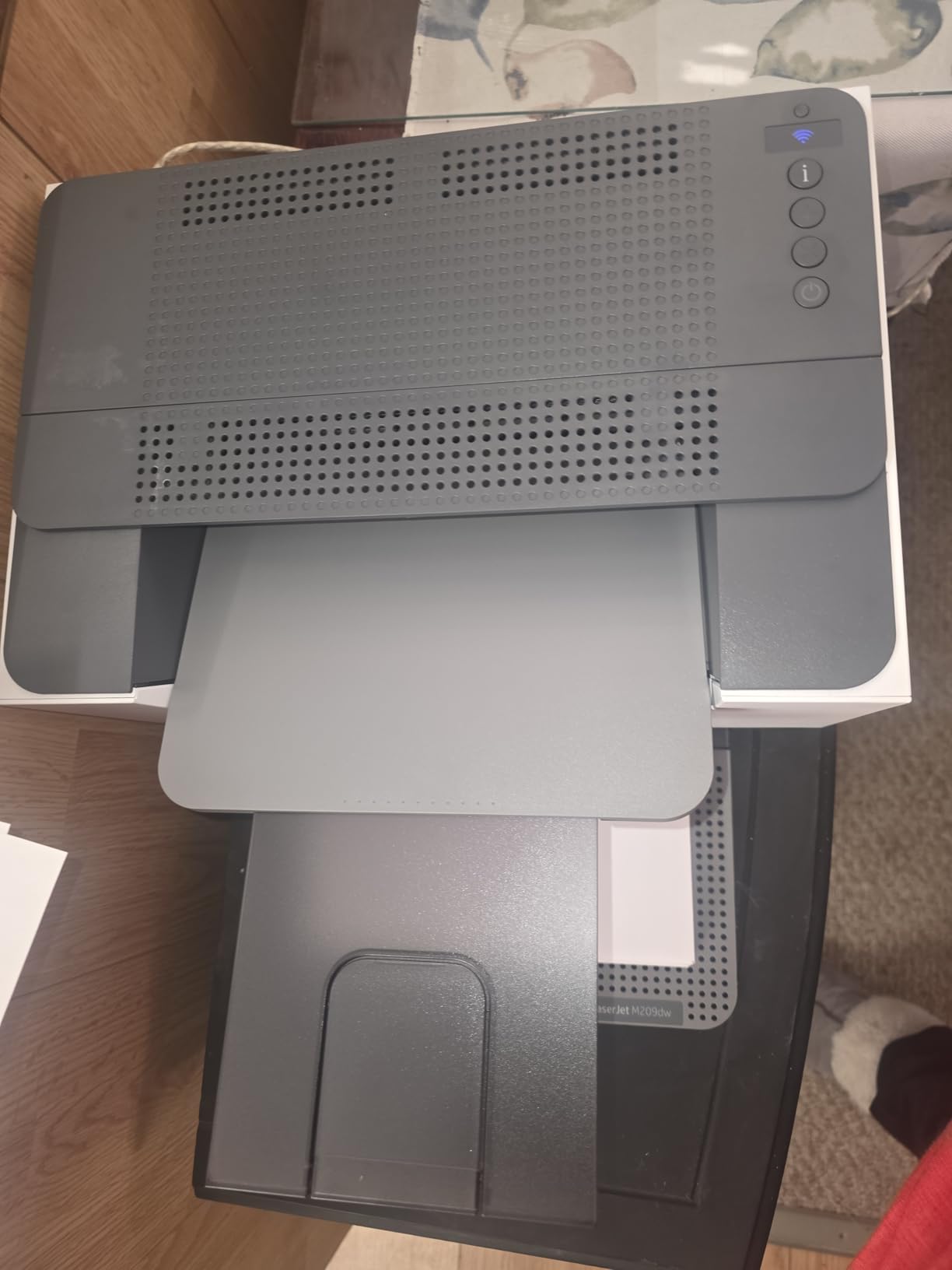
It is print only, so no scanning or copying. Teams that need a feeder for signed paperwork should look at the HP LaserJet Pro 3101sdw instead, which adds a 50-page ADF and a 250-sheet tray.
Owners report wireless setup errors that sometimes push them to a wired or USB connection, plus occasional error codes that clear with a restart. The manual feed slot also jams on very thin media such as vellum.
Measured against the Brother HL-L2405W, HP wins on automatic duplex and self-repairing Wi-Fi while Brother wins on tray size and a cleaner first-run install. Either serves a home office printing contracts.
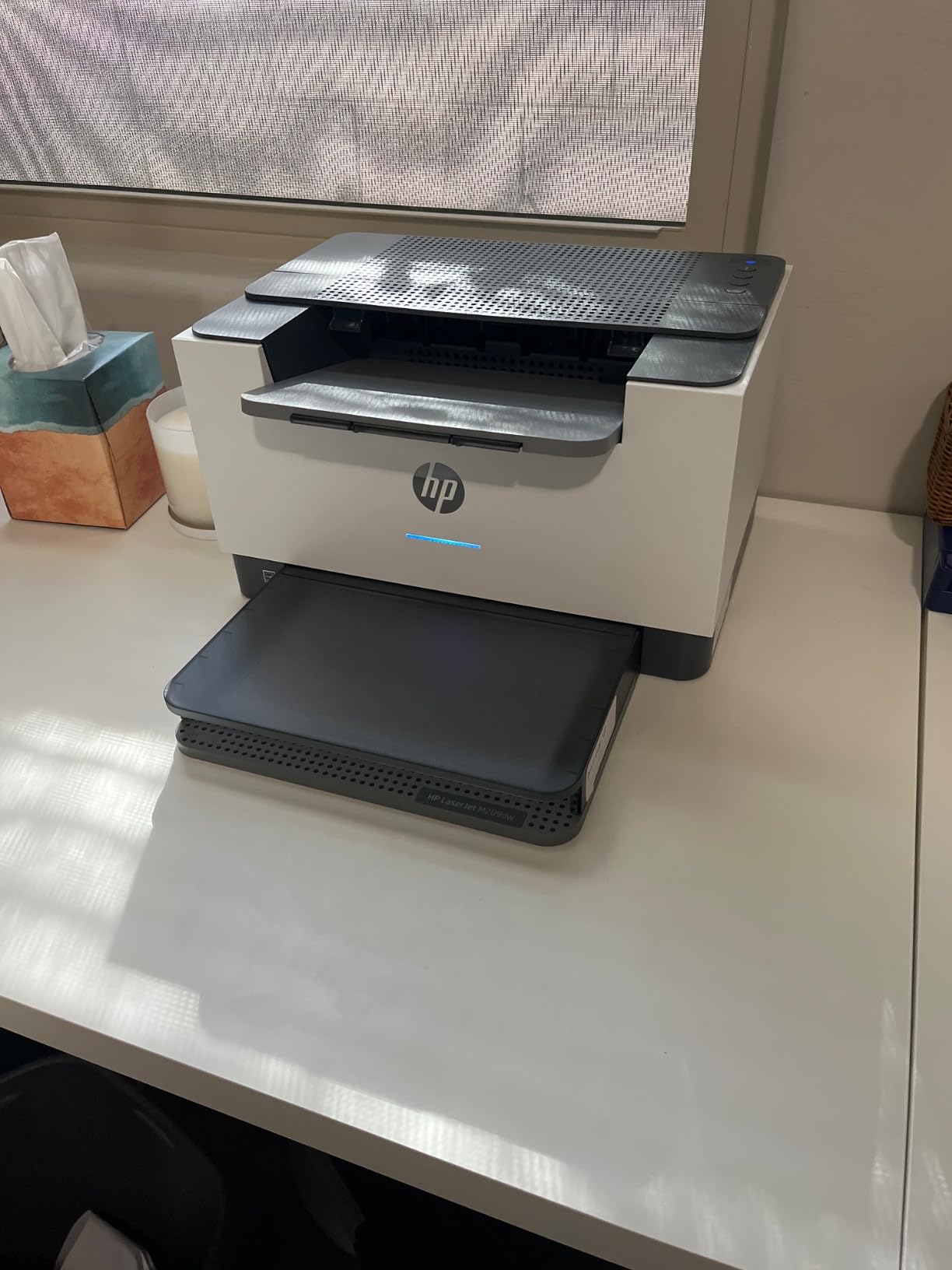
Rating sits at 4.2 stars across roughly 1400 ratings, with about 69% at five stars. One documented hardware failure inside two months of light use sits in the reviews, and HP support is the part owners mention least warmly.
7. Canon PIXMA TR160: Best for Travel
Canon PIXMA TR160 Color Wireless Portable Printer
Type: Color inkjet
Duplex: None
Speed: 9 ppm
Max paper: 8.5 x 11 in
Weight: 4.5 lb
Pros
- Weighs 4.5 pounds and is 2.6 inches thick
- 5 color hybrid ink system with borderless photos
- Wireless direct works without a router
- USB Type-C and a 1.44 inch OLED
Cons
- Simplex only
- Print only with no scanner
- Smallest tray here at 50 sheets
- Standard cartridges raise travel running cost
This is the lightest pick in the list by a wide margin, and the only one built to go in a bag. At 4.5 pounds and 2.6 inches thick, it is a genuinely portable printer rather than a small printer.
Wireless direct mode connects without a router, which solves the hotel or campus problem neatly, and the physical interface is USB Type-C. A 1.44-inch OLED shows ink levels and status without a computer.
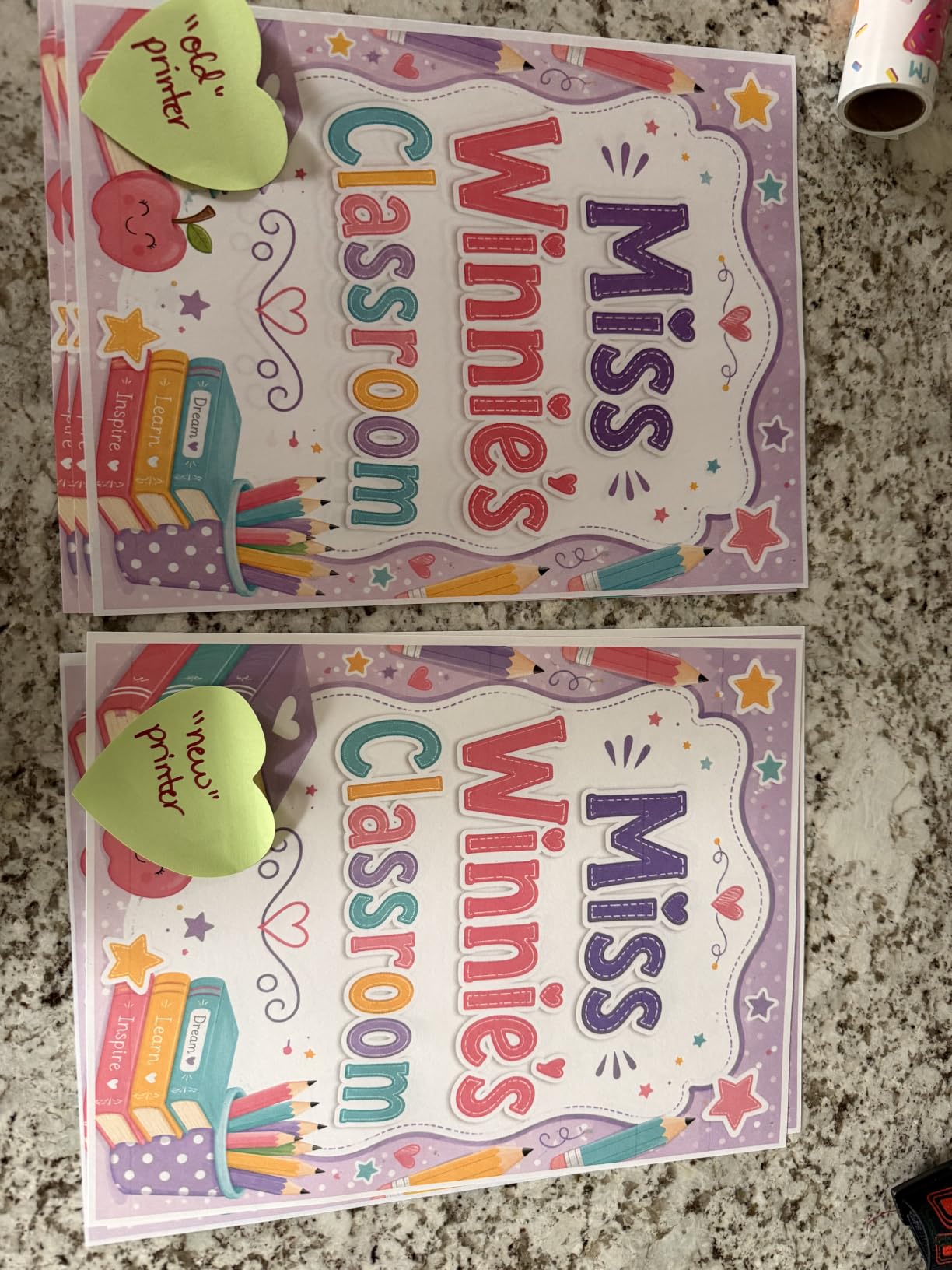
Photo quality is the surprise. The five-color hybrid ink system handles square and borderless output, and the 4800 x 1200 dpi maximum suits school projects and travel prints rather than gallery work.
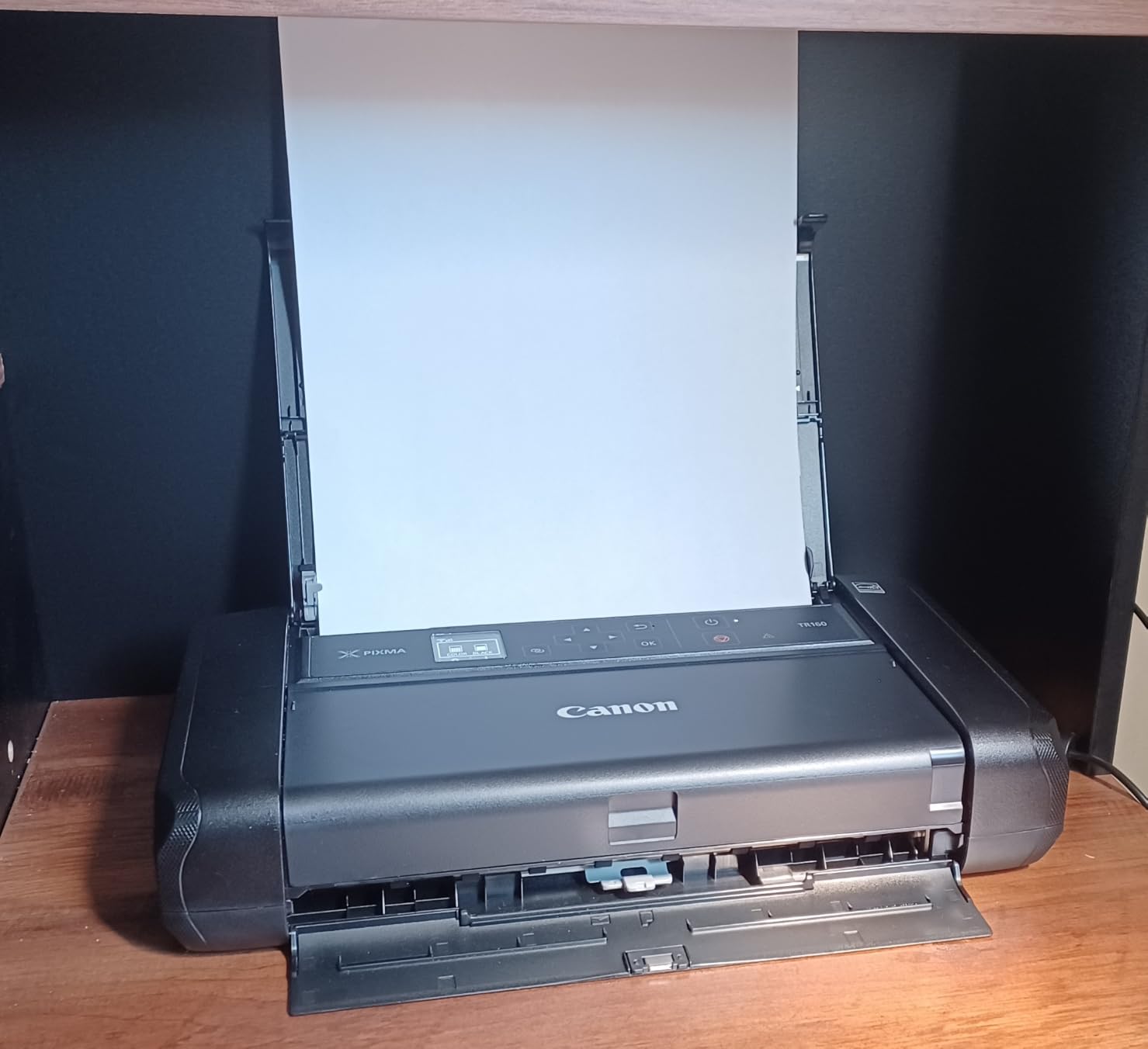
The compromises are honest ones. It is simplex only, print only, and the 50-sheet tray is the smallest here, so it is a companion device rather than a desk workhorse.
It also uses standard inkjet cartridges, which means the running cost per page is the highest of the ten on a long job. Owners treat it as a backup for occasional printing away from home.
Compared with the HP Envy 6155, which is a full all-in-one with duplex and a color touchscreen, the TR160 gives up features and gains something no other pick has: a form factor that fits in a carry-on.
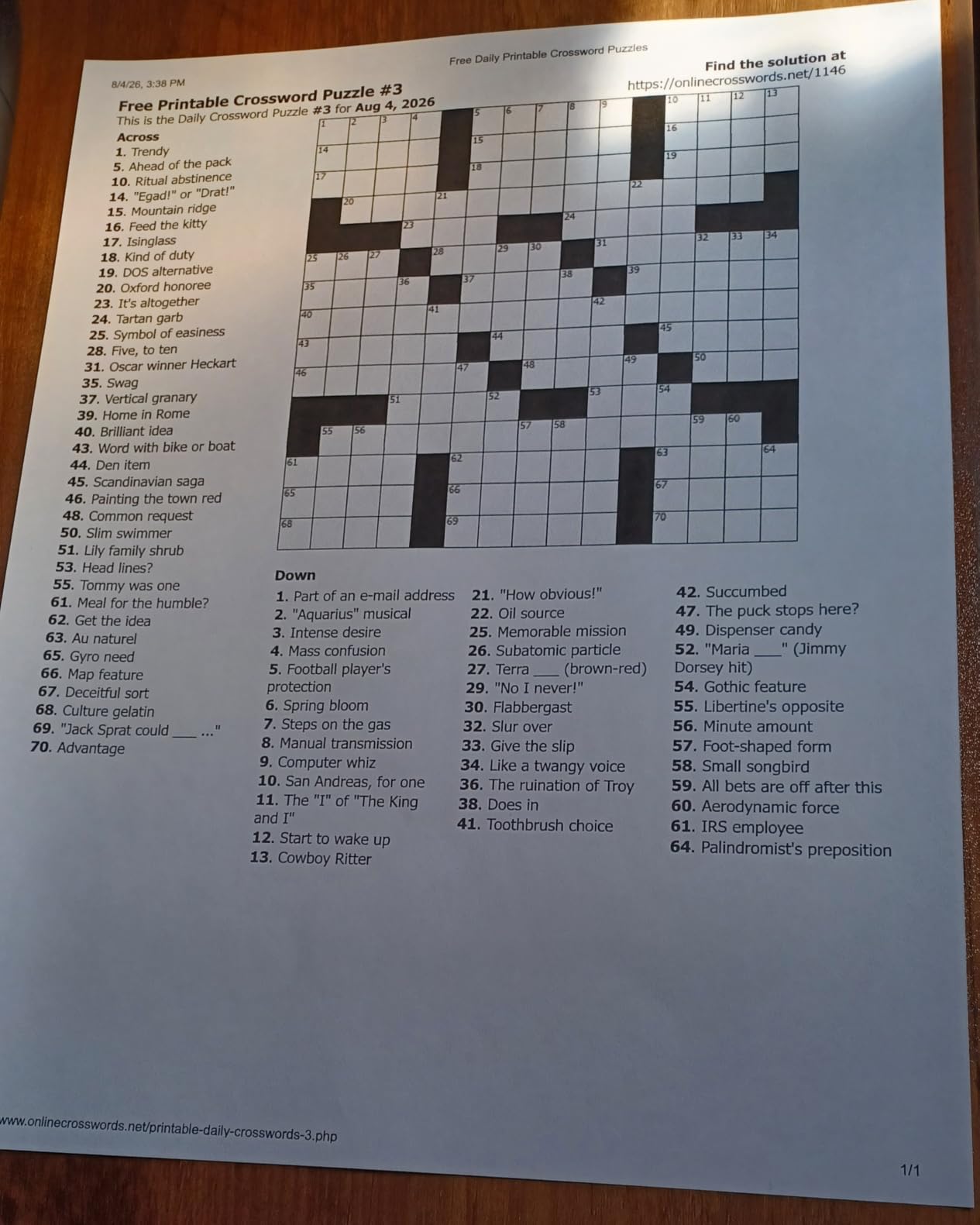
Ratings average 4.2 stars over roughly 785 reviews, the smallest review base in the list, so read the owner notes with that in mind. Portability and photo output are what reviewers praise most.
8. Brother HL-L2480DW: Best for Touchscreen Control
Brother HL-L2480DW Wireless Compact Monochrome Multi-Function Laser Printer with Copy and Scan, Duplex, Mobile, Black & White | Includes Refresh Subscription Trial(1), Works with Alexa
Type: Mono laser
Duplex: Automatic
Speed: 36 ppm
Max paper: 8.5 x 14 in
Weight: 22.2 lb
Pros
- 2.7 inch touchscreen with cloud print and scan targets
- 36 ppm with automatic duplex
- 250 sheet tray plus manual feed
- Accurate toner level reporting
Cons
- Monochrome only
- Setup is tricky until network config is understood
- One unresolved firmware support case reported
The reason to pick this Brother over the DCP-L2640DW is the 2.7-inch touchscreen. It handles print-from and scan-to targets including Google Drive, Dropbox and OneNote without opening an app first.
Underneath, the core is the same proven engine: 36 ppm monochrome, automatic duplex, a flatbed scanner and a 250-sheet tray. Print quality is rated at 1200 x 1200 dpi with low operating noise.
Owners mention accurate toner level reporting as a small daily pleasure, and one reviewer notes the machine can handle a run of 360 copies before it stops.

Setup is the caveat, described as tricky until the network configuration makes sense. It is a touchscreen that rewards a bit of patience rather than a machine that works instantly out of the box.
At 22.2 pounds and 16.1 inches wide, it is one of the larger bodies here and shares a footprint with the HP LaserJet Pro 3101sdw, which is a useful size comparison when you are measuring desk space.
It sits alongside the DCP-L2640DW rather than above it. Choose the touchscreen model for cloud workflow and quiet output; choose the other for the ADF, faster scanning and a lower purchase point.

Ratings of 4.5 stars on about 630 reviews put it level for the highest-rated pick in the list, with 75% at five stars. Owners single out print quality and cost per page; the recurring complaint is initial setup complexity.
9. HP LaserJet Pro 3101sdw: Best for Scan and Copy Volume
HP LaserJet Pro MFP 3101sdw Wireless Black and White All-in-One Laser Printer, Office Printer, Duplex, Best-for-Small Teams (9D2X4F)
Type: Mono laser
Duplex: Automatic
Speed: 35 ppm
Max paper: 8.5 x 14 in
Weight: 23.1 lb
Pros
- 77 percent five star share of ratings
- 50 sheet ADF plus 250 sheet tray
- Self-healing Wi-Fi after outages
- 7 second first page and quiet running
Cons
- Requires HP chip cartridges
- HP Smart software criticized as buggy
- Cold startup time is slow
This is the pick when paperwork arrives in stacks. A 50-sheet automatic document feeder plus a 250-sheet input tray means a box of signed forms goes through without anyone touching it twice.
Output runs up to 35 ppm black with a 7-second first page, and a single run can reach 999 copies. Scan to email and cloud print targets are built in, alongside Ethernet, USB and AirPrint.
HP’s self-healing wireless reconnects on its own after a power outage or a network drop, which owners report working as advertised in small offices sharing one router.

The toner policy is the thing to read before you buy. HP states the printer works only with cartridges carrying HP chips, and firmware updates can enforce that, so aftermarket toner is not an option here.
HP Smart is the second common complaint, described as bug-prone and prone to showing the printer offline when it is not. The wireless itself holds up better than the app does, in owner accounts.
It is also one of the heavier units here at 23.1 pounds and 16.5 inches wide, and owners note a long cold startup. Set it on a side table or a low cabinet rather than at desk height.

The 4.5-star average comes with 77% five stars and only 6% one star, the strongest rating mix of the ten picks here. Against the Brother DCP-L2640DW, HP gives up toner flexibility but gains the ADF and that self-repairing wireless.
10. HP Envy 6155: Best for Home Color
HP Envy 6155 Wireless All-in-One Color Inkjet Printer, Print, Scan, Copy, Duplex Printing Best-for-Home, 3 Month Trial of Instant Ink Included, AI-Capable (C2WR7A) Portobello
Type: Color inkjet
Duplex: Automatic
Speed: 10 ppm
Max paper: 8.5 x 11 in
Weight: 11.2 lb
Pros
- 2.4 inch color touchscreen panel
- Duplex plus scan and copy in one body
- HP AI strips web page clutter before printing
- Uses at least 60 percent recycled plastic
Cons
- Chip-locked HP cartridges
- 10 ppm is slow for bulk jobs
- No document feeder
- Instant Ink becomes a paid monthly plan
Color home printing with a touchscreen is rare at this end of the market, and the 2.4-inch color panel here is bigger than the monochrome screens on most rivals. Status, ink levels and settings are readable from a chair.
It prints, scans and copies with automatic duplex, a 100-sheet input tray and borderless photo output at 4800 x 1200 dpi. HP AI strips ads and formatting junk out of web pages and emails before they reach the paper, which owners like more than expected.
Dual-band Wi-Fi self-corrects connection problems, and the body is made with at least 60% recycled plastic.
Two ownership details deserve a close read. The printer is intended for cartridges with original HP chips, and a three-month Instant Ink trial turns into a paid monthly subscription unless you cancel it.
Speed is modest at 10 ppm black and 7 ppm color, and there is no document feeder, so multi-page scans mean lifting each sheet. Maximum media size is Letter.
For a household that mostly prints recipes, reports and the occasional photo, that trade is reasonable. For volume, the Canon PIXMA TS6520 duplexes faster at 14 ppm and carries a three-year warranty.
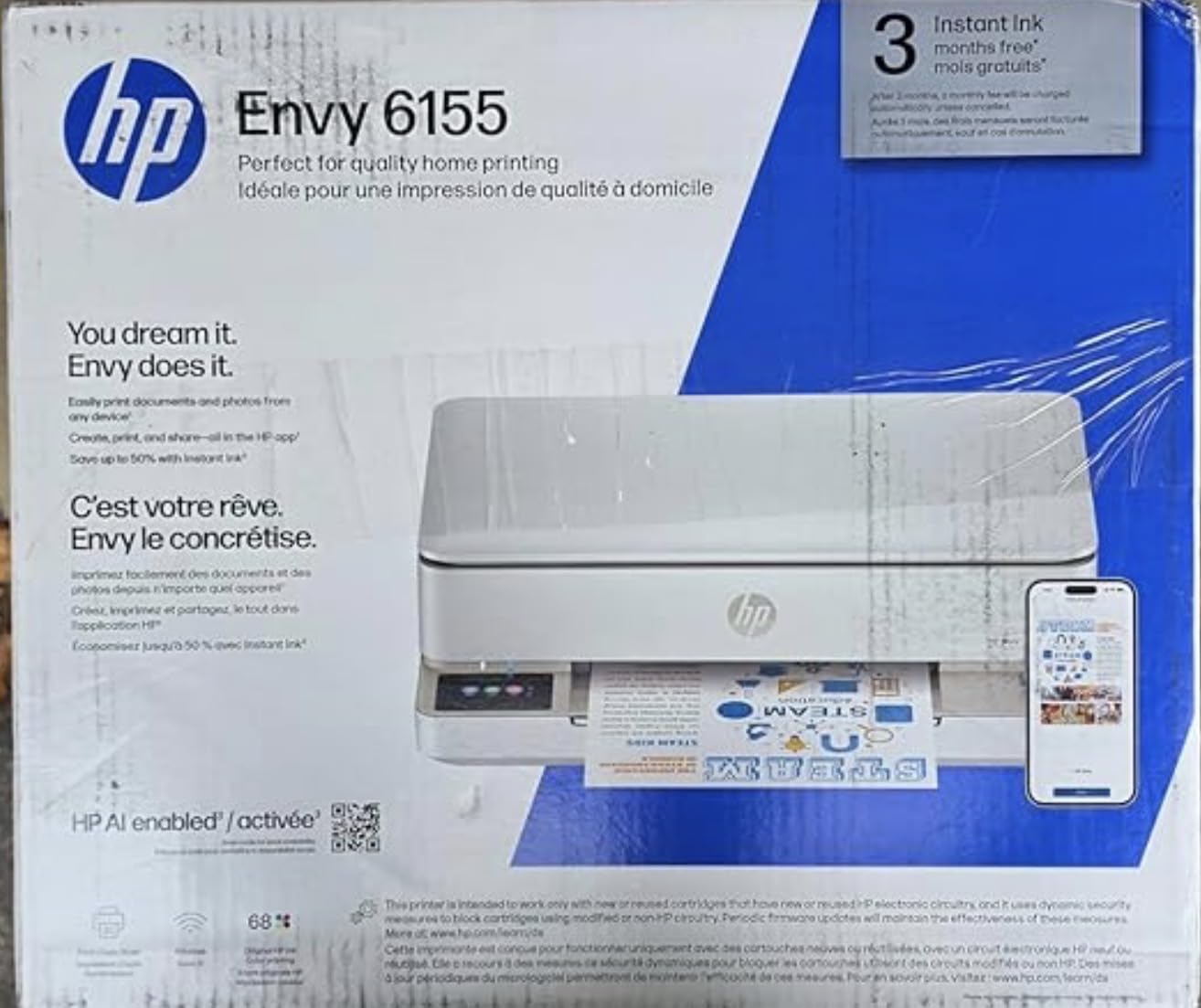
Ratings of 4.2 across a little over 400 reviews make this the thinnest review base here, so treat the owner notes as directional. What comes up most is appreciation for the touchscreen and HP AI, and frustration with locked cartridges and modest speed.
How to Choose Printers During Prime Big Deal Days
Inkjet or Laser
Text-heavy work points to laser, color and photo work points to inkjet, and running cost is what usually settles it. Our monochrome laser printers guide covers the toner side in depth, including which Brother and HP models avoid cartridge problems.
Rule of thumb: above roughly 200 pages a month, a laser printer’s toner economics win. Below that, an ink tank machine gives you color and a scanner for the outlay of a cartridge printer.
Print Speed and Monthly Volume
Pages per minute matter only above about 20 ppm, and only for sustained jobs. First-page times matter more for a one-at-a-time desk, where a 7 to 8.5 second start is the number you feel.
Match volume to the tray. A 100-sheet tray suits occasional printing; a 250-sheet tray suits a team that should not refill mid-stack.
Print Quality and Paper Handling
Resolution figures on their own tell you very little. Look instead at borderless support, legal-size handling, the media formats accepted, and whether duplex is automatic or manual.
If color is on the roadmap, the color laser printers roundup covers models that handle color without cartridge costs. For posters, plans and oversized sheets, wide-format printers are the only real answer.
Connectivity and Printer Setup
Dual-band Wi-Fi is worth paying for in a house with 2.4GHz and 5GHz networks both running. Ethernet and USB still matter for offices, and wireless direct mode helps when there is no router at all.
Check the app before you commit. HP Smart, Brother Mobile Connect and the Canon PRINT app all handle setup differently, and owner reviews repeatedly single out Wi-Fi registration as the most common early frustration.
Ink Costs and Long-Term Ownership
Cost per page decides this purchase far more often than the sticker does. An ink tank set quoted at 7500 color pages and a high-yield toner cartridge are very different commitments two years from now.
Two ownership flags to check on any listing: whether the printer blocks non-branded cartridges, and whether a free trial converts to a monthly subscription. Both appear in owner complaints for the HP models in this list.
How to Shop Printer Deals During the Sale
Confirm the exact model number, because printer series names repeat across years and the tray, screen and bundled toner can differ between them. Check whether the listing includes ink bottles or a toner starter cartridge, and whether the unit is new, renewed or an open-box return.
Look at who sells and who ships the item, since a third-party seller and Amazon fulfillment mean different return terms. For a printer-and-ink bundle, the bundle contents are listed in the box section, and that is where the page yields are stated.
Most offers during the event need a Prime membership, with a free trial counting, and the offer terms can change through the two days. Compare the current figure against the manufacturer’s own store before committing, since some models are priced better directly.
- Match the technology to the workload: laser for documents, ink tank for mixed color
- Confirm the exact model number and the media it accepts
- Check consumable compatibility and cartridge locking before buying
- Read the box contents to confirm ink or toner is included
- Verify who sells and ships the listing and what the return terms are
- Compare the current figure with the manufacturer store and keep the receipt
Frequently Asked Questions
When does Amazon Prime Big Deal Days run, and do I need a Prime membership?
Amazon Prime Big Deal Days runs October 6-7, 2026. Most offers need a Prime membership, and a free trial counts. Offers can change through the event, so check the listing before you buy.
Which printer should most homes buy during the sale?
For most homes the Epson EcoTank ET-2800 is the safest pick, because refillable tanks keep ink cost low and it arrives with enough ink to cover about two years of normal use. Households that want a smaller body should look at the Canon MegaTank G3270 instead.
Should I buy an inkjet or a laser printer for occasional home use?
For occasional home use, an inkjet is usually the better fit, since color output and scanning come standard. A laser printer earns its place when you print documents most days and rarely need color, because toner does not dry out between uses.
Is an all-in-one printer worth it if I mostly print documents?
An all-in-one is worth it if you ever scan or copy, since those functions are otherwise a separate device or a phone app. If you never scan, a print-only laser such as the Brother HL-L2405W costs less and takes up less desk space.
How do I tell whether a printer deal is a printer-and-ink bundle?
Open the listing and look for a bundled items section that names ink bottles, toner cartridges or a starter cartridge. If the box list only shows cables, manuals and software, you will be buying the printer with empty or minimal supplies.
Which printer in this list is cheapest to run per page?
The refillable ink tank models, the Epson EcoTank ET-2800 and the Canon MegaTank G3270, quote the highest page yields per ink set, so they cost the least per page once you own them. The Canon PIXMA TR160 uses standard cartridges and works out most expensive per page.
Final Verdict: Best Amazon Prime Big Deal Days Printer Deals
Buy the Epson EcoTank ET-2800 if you print often in color or black and want ink cost to stop mattering. Buy the Canon MegaTank G3270 as the budget-friendly alternative, with similar running economics in a slightly different body.
For a household full of worksheets and school projects, our roundup of all-in-one printers for families goes deeper on duplex and paper handling. A small office should take the Brother DCP-L2640DW for its 50-page feeder, and a team handling paperwork should take the HP LaserJet Pro 3101sdw.
Choose the HP Envy 6155 for color with a touchscreen, the Canon PIXMA TR160 for travel, the HP LaserJet M209dw for fast two-sided work in a tight space, and the Brother HL-L2480DW when a touchscreen and cloud scanning matter more than purchase price. Check the current figure on the button before you commit, then buy during the event and keep the receipt.