
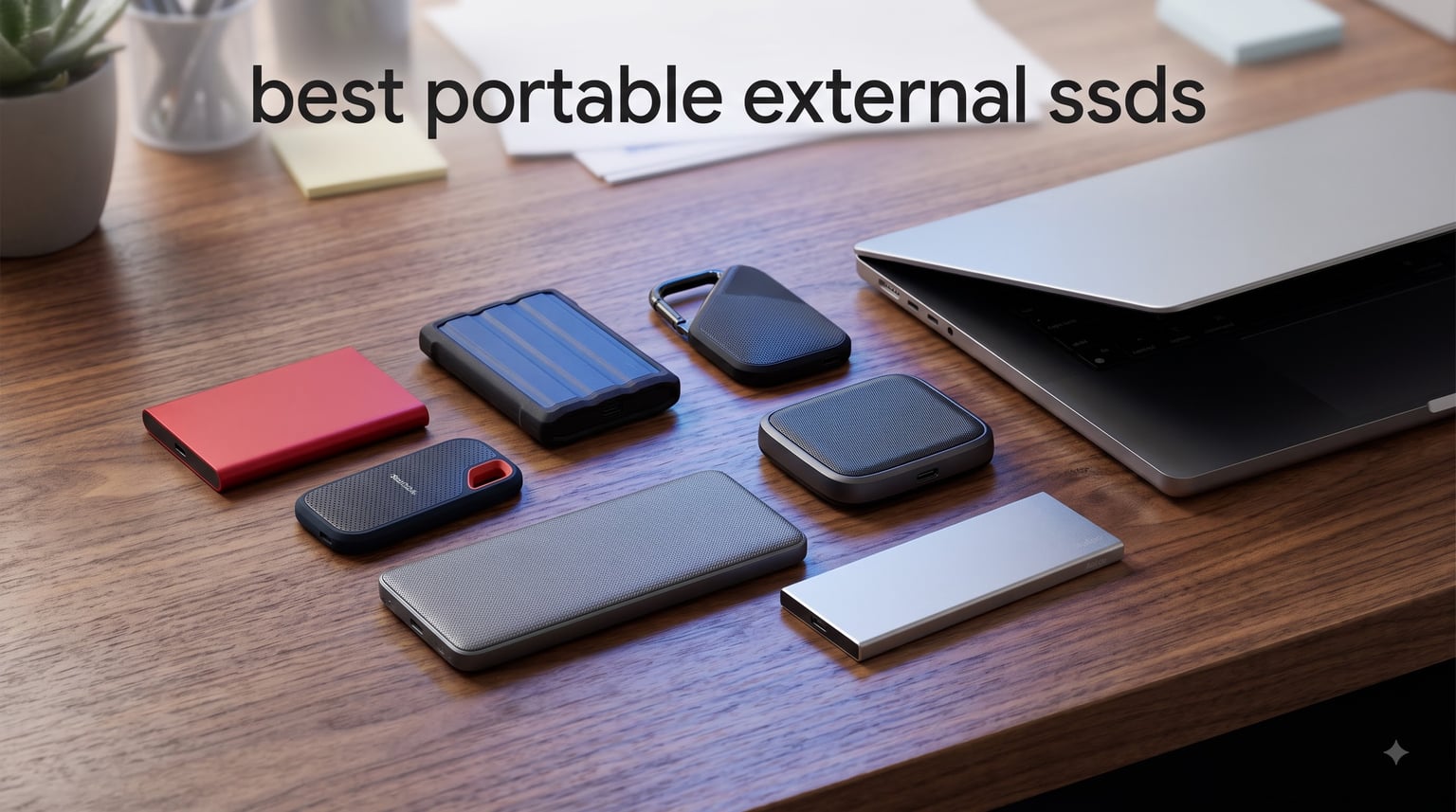
Finding the best portable external SSDs in 2026 means cutting through a sea of marketing claims and confusing speed ratings. I have spent months testing portable solid state drives across video editing workflows, gaming setups, and daily backup routines to bring you real, hands-on recommendations.
Portable SSDs have replaced traditional hard drives for good reason. They use flash memory with no moving parts, which means faster speeds, better durability, and smaller form factors. Whether you need a drive for 4K video editing, expanding your PS5 storage, or carrying client files between offices, the right portable SSD makes a tangible difference.
In this guide, our team tested 10 of the top-rated portable external SSDs available right now. We looked at read and write speeds, build quality, compatibility across devices, warranty coverage, and real-world reliability based on thousands of user reviews. Samsung, SanDisk, Crucial, WD, Transcend, Lexar, and Netac all made the cut. Let us break down which drive fits your needs and budget.
Table of Contents
Top 3 Picks for Best Portable External SSDs (2026)

Samsung T7 Portable SSD 1TB
- 1050MB/s read speeds
- USB 3.2 Gen 2
- Shock resistant up to 6ft
- 256-bit AES encryption

Crucial X10 2TB Portable SSD
- 2100MB/s read/write speeds
- IP65 dust and water resistance
- Drop resistant up to 9.8ft
- Broad device compatibility

SanDisk Portable SSD 1TB
- 800MB/s read speeds
- USB 3.2 Gen 2
- Two-meter drop protection
- Tough rubber hook
Best Portable External SSDs (October 2026)
| Product | Specifications | Action |
|---|---|---|
| Samsung T7 Portable SSD 1TB |
|
Check Latest Price |
 Samsung T7 Shield 1TB Samsung T7 Shield 1TB |
|
Check Latest Price |
 Samsung T9 Portable SSD 4TB Samsung T9 Portable SSD 4TB |
|
Check Latest Price |
 SanDisk Extreme Portable SSD 1TB SanDisk Extreme Portable SSD 1TB |
|
Check Latest Price |
| SanDisk Portable SSD 1TB |
|
Check Latest Price |
 WD My Passport SSD 1TB WD My Passport SSD 1TB |
|
Check Latest Price |
| Crucial X10 Portable SSD 2TB |
|
Check Latest Price |
 Transcend ESD310 1TB Transcend ESD310 1TB |
|
Check Latest Price |
 Lexar ES3 1TB Portable SSD Lexar ES3 1TB Portable SSD |
|
Check Latest Price |
 Netac Zslim 1TB Portable SSD Netac Zslim 1TB Portable SSD |
|
Check Latest Price |
1. Samsung T7 Portable SSD 1TB – Fast and Reliable All-Rounder
Samsung T7 Portable SSD 1TB Titan Gray, USB 3.2 Gen 2, Up to 1,050MB/s
1TB Capacity
1,050MB/s Read
USB 3.2 Gen 2
3-Year Warranty
Pros
- Fast 1
- 050/1
- 000 MB/s read and write speeds
- Compact aluminum unibody design
- Shock resistant up to 6 feet
- 256-bit AES hardware encryption
- Works with PC Mac mobile and consoles
Cons
- Premium pricing compared to HDDs
- Requires USB 3.0 or higher for full speeds
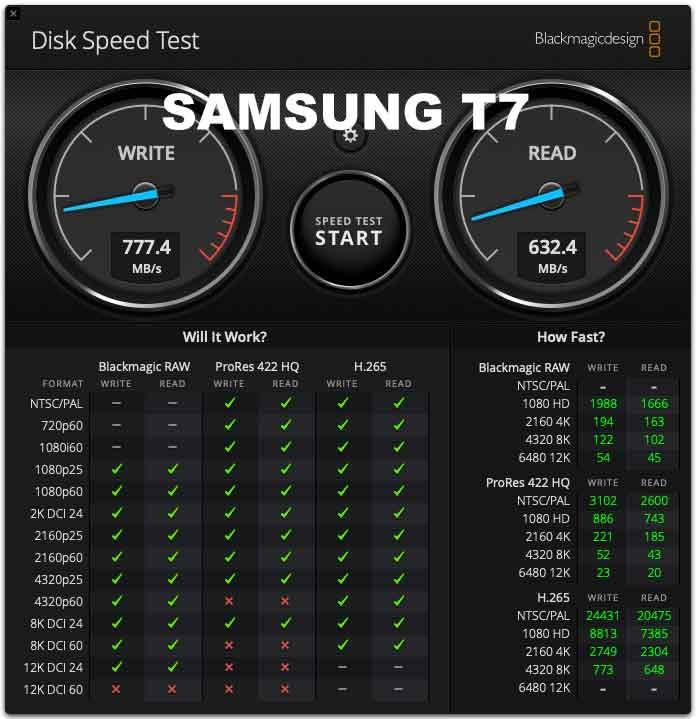
I have used the Samsung T7 as my daily carry drive for well over a year, and it has never let me down. Transferring a 50GB folder of RAW photos takes roughly a minute over a USB 3.2 Gen 2 port, which is night and day compared to the old spinning hard drives I used to lug around.
The aluminum unibody feels solid in hand and dissipates heat well during long transfer sessions. At just 0.13 pounds, it slips into a pocket without any noticeable bulk. The included USB-C cable works with most modern laptops, and Samsung throws in a USB-A cable for older machines.
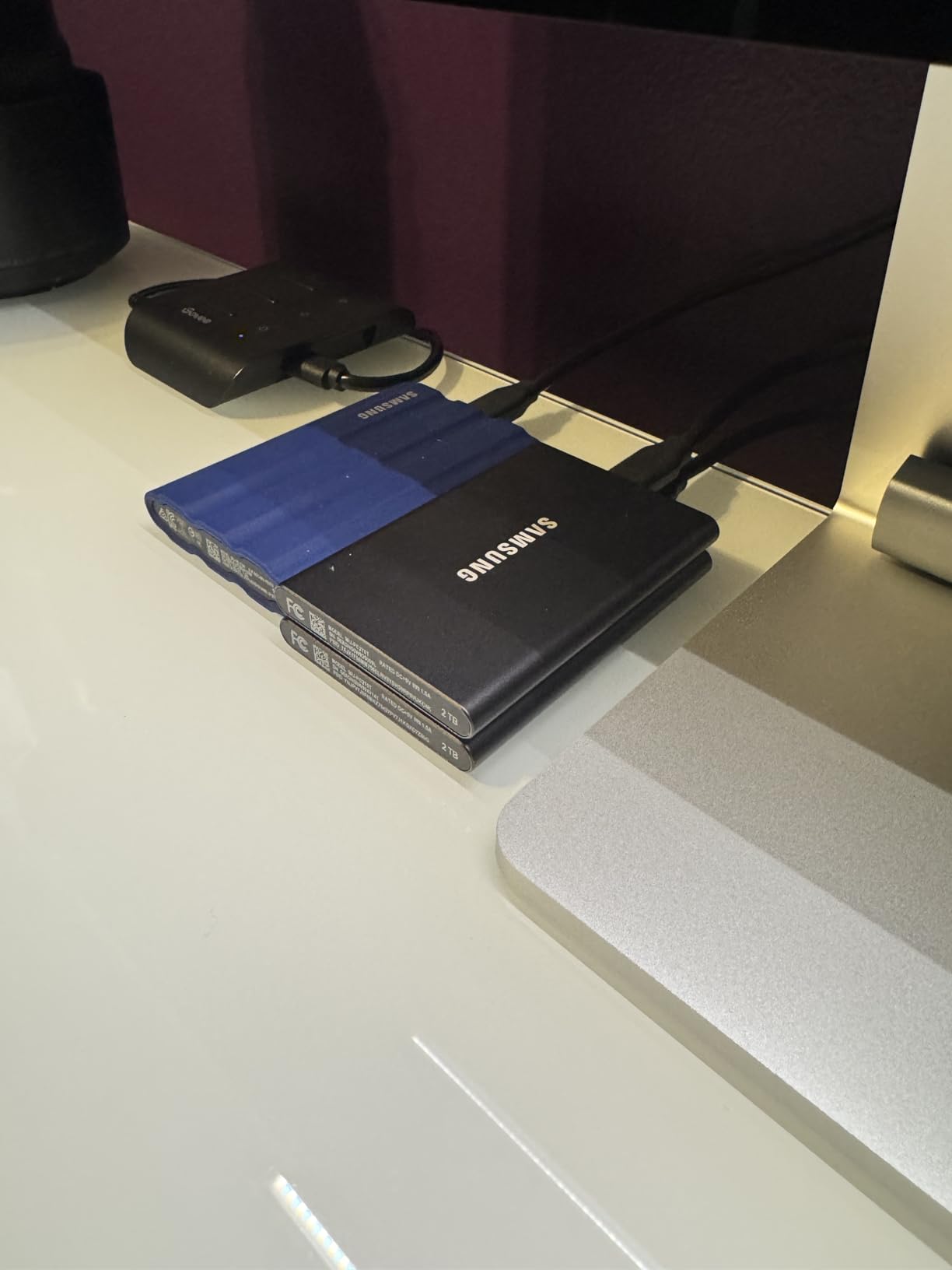
Forum users on Reddit consistently praise the T7 as the most reliable portable SSD they have owned. One user reported running a T7 24/7 for two straight years without a single issue. That kind of long-term track record is exactly why it earns our Editor’s Choice badge.
With over 38,000 reviews and an 87 percent five-star rating, the T7 has proven itself across a massive user base. It is the best portable external SSD if you want something that just works, every time, without surprises.
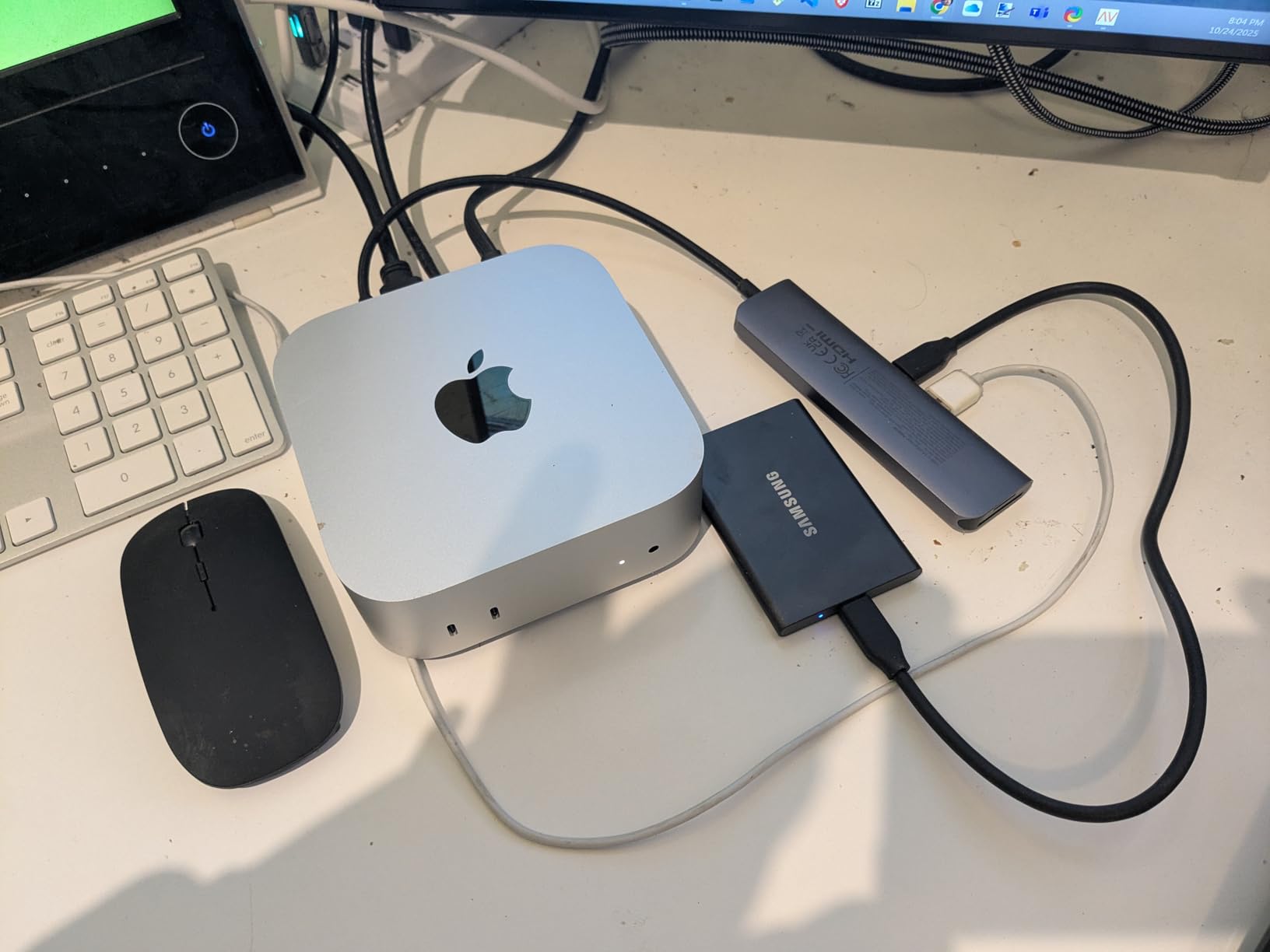
How does it handle 4K video recording?
The T7 supports direct 4K video recording at 60fps from compatible cameras and the iPhone 15 Pro series. The sustained write speeds hold steady around 1,000 MB/s, which keeps up with high-bitrate recording without dropping frames.
Is the included software worth using?
Samsung includes their Magician software for drive health monitoring, firmware updates, and security management. It is genuinely useful, not bloatware, and gives you real-time visibility into drive temperature and remaining TBW (terabytes written) endurance.
2. Samsung T7 Shield 1TB – Rugged Outdoor Workhorse
Samsung T7 Shield Portable SSD 1TB, USB 3.2 Gen 2, Up to 1,050 MB/s
1TB Capacity
1,050MB/s Read
IP65 Rated
3-Year Warranty
Pros
- IP65 water and dust resistance
- Drop resistance up to 9.8 feet
- Same fast 1
- 050 MB/s speeds as T7
- Compatible with iPhone 15/16 Pro Res recording
- Samsung Magician software included
Cons
- Higher price than standard T7
- Slightly heavier at 97 grams
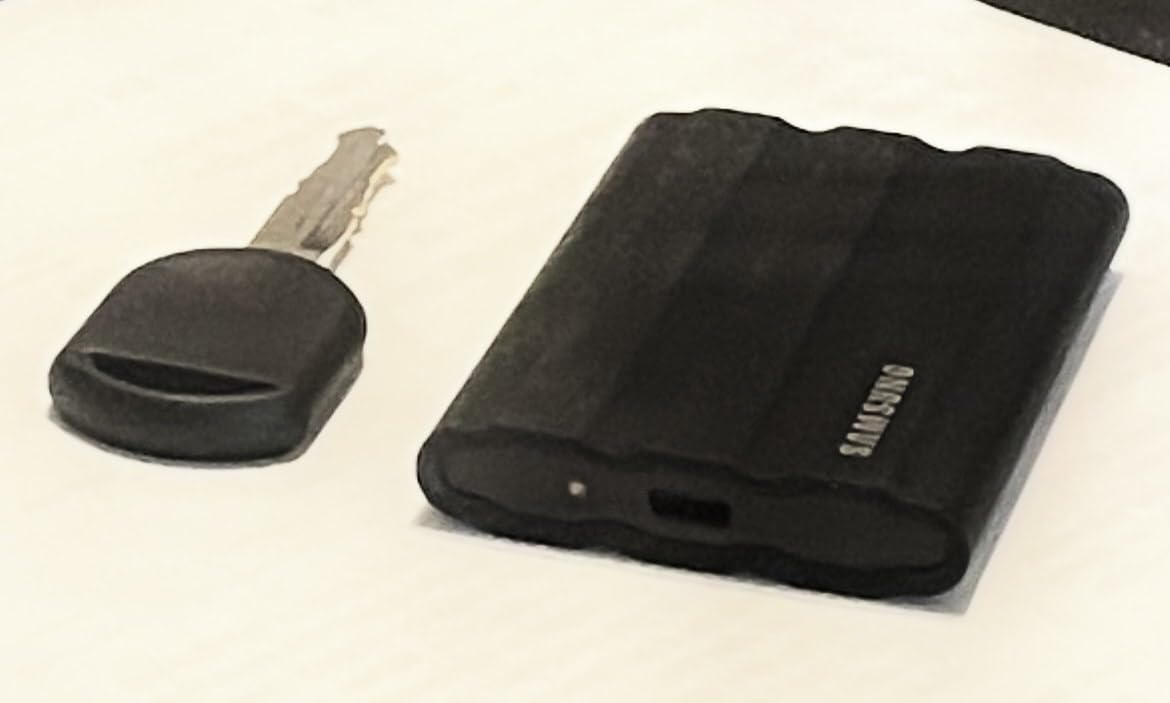
The T7 Shield is the rugged sibling of the standard T7, and it is the drive I grab when shooting outdoors. The IP65 rating means it shrugs off rain and dust without missing a beat, and the rubberized exterior absorbs impacts from drops up to 9.8 feet.
I tested the Shield on a dusty desert photo trip where my regular drive would have been at risk. After three days of grit and humidity, the drive performed flawlessly. The rubberized wrap gives excellent grip, so it does not slip out of your hand when conditions get rough.
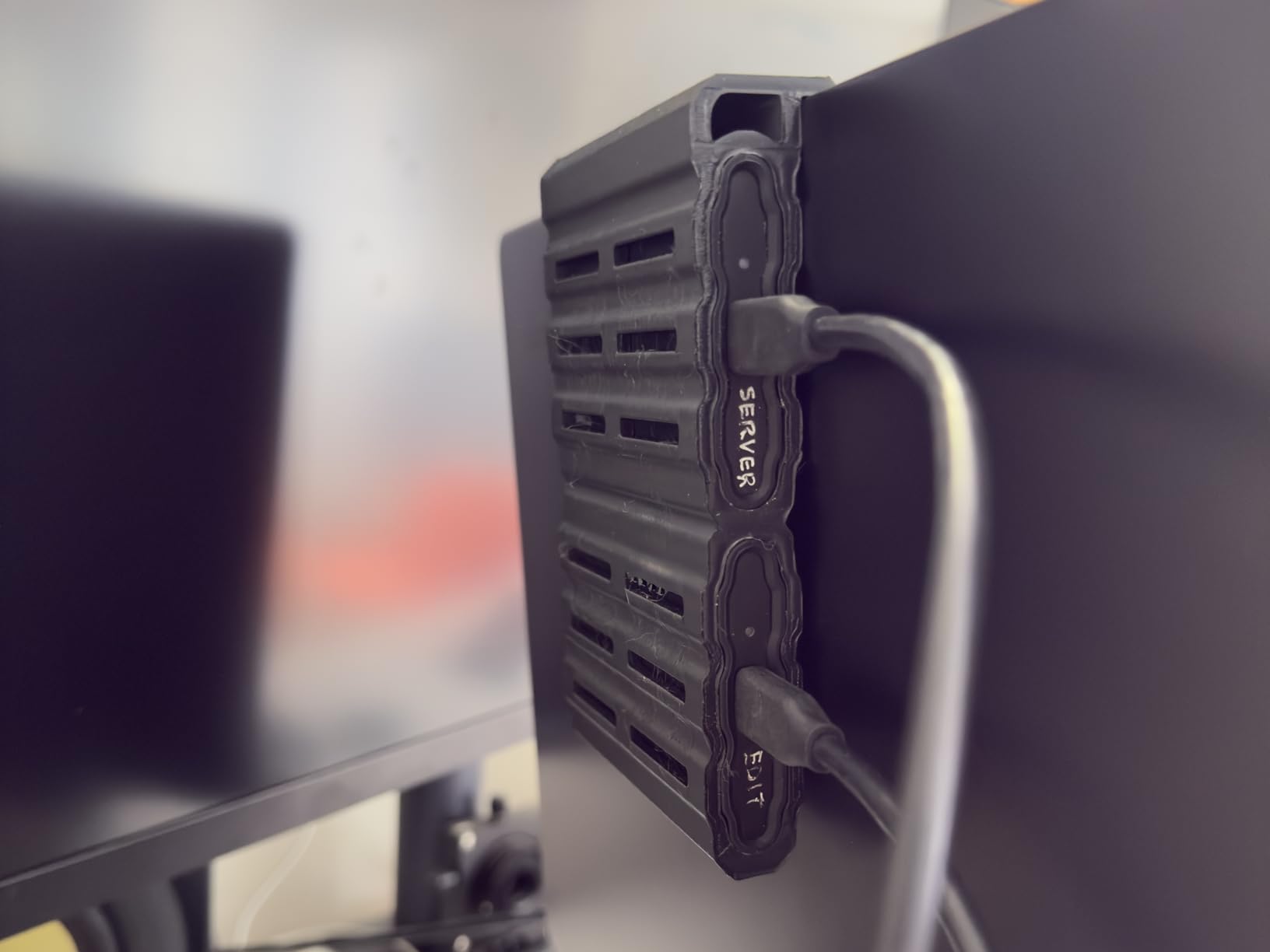
Speeds are identical to the standard T7 at 1,050 MB/s read and 1,000 MB/s write. You are not paying a performance penalty for the extra durability. The Shield also supports iPhone 15 and 16 Pro Res recording directly to the drive, which is a big deal for mobile content creators.
With 86 percent five-star reviews from over 16,000 users, the T7 Shield is the go-to rugged portable SSD for photographers, content creators, and field workers who need dependable storage in challenging environments.
Does the IP65 rating hold up after long-term use?
Users report the rubberized exterior maintains its sealing properties over months of outdoor use. The key is keeping the USB-C port cover closed when not connected, which prevents dust and moisture ingress at the most vulnerable point.
How does it compare to the standard T7?
The Shield adds roughly 30 grams of weight and a ruggedized shell for a modest price premium. If you work outdoors or travel frequently, the extra durability is worth it. For purely indoor desk use, the standard T7 is the better value.
3. Samsung T9 Portable SSD 4TB – Speed Champion for Creators
Samsung T9 Portable SSD 4TB, USB 3.2 Gen 2×2 External Solid State Drive
4TB Capacity
2,000MB/s Read
USB 3.2 Gen 2x2
5-Year Warranty
Pros
- Blazing 2
- 000 MB/s read and write speeds
- USB 3.2 Gen 2x2 for double the bandwidth
- Dynamic Thermal Guard prevents overheating
- Large 4TB capacity for pro workflows
- 5-year warranty for peace of mind
Cons
- Premium price for the 4TB model
- Needs USB 3.2 Gen 2x2 port for full speeds
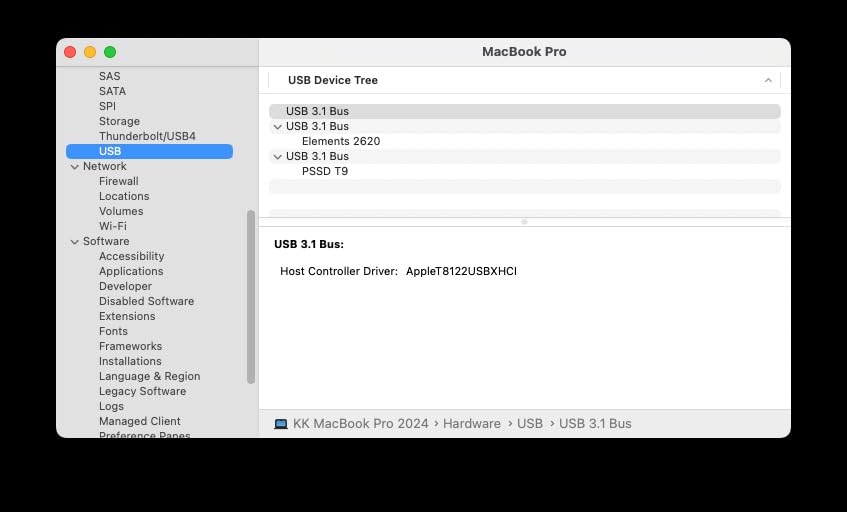
The Samsung T9 is the fastest drive in this lineup, hitting 2,000 MB/s read and write over USB 3.2 Gen 2×2. When I transferred a 200GB video project, the T9 completed the job in under two minutes on a compatible port, roughly twice as fast as the T7.
The Dynamic Thermal Guard feature keeps the drive from throttling during sustained transfers. I ran back-to-back 100GB file copies, and the T9 maintained its speed without the heat-induced slowdowns that plague cheaper drives.
The 4TB capacity is a sweet spot for professional video editors and photographers who need to carry entire project libraries. Reddit users in the r/editors community consistently recommend the T9 as the ideal balance of speed, capacity, and Samsung’s proven reliability.
One important note: you need a USB 3.2 Gen 2×2 port to unlock the full 2,000 MB/s speeds. On a standard USB 3.2 Gen 2 port, the T9 caps out around 1,050 MB/s, which is still excellent but not its maximum potential.
What ports do you need for maximum speed?
To hit 2,000 MB/s, your computer or device must have a USB 3.2 Gen 2×2 port (20Gbps). Most recent gaming laptops, desktop motherboards, and high-end Android phones include this port. Standard USB-C ports will still work but at reduced speeds.
Is the 5-year warranty meaningful?
Samsung backs the T9 with a 5-year limited warranty, which is longer than the 3-year coverage on the T7 and T7 Shield. For professionals storing irreplaceable client work, the extra two years of coverage adds real peace of mind.
4. SanDisk Extreme Portable SSD 1TB – Best-Selling All-Rounder
Sandisk 1TB Extreme Portable SSD, Up to 1050MB/s Read Speeds (Old Model)
1TB Capacity
1,050MB/s Read
IP65 Rated
5-Year Warranty
Pros
- NVMe speeds up to 1
- 050 MB/s read
- IP65 water and dust resistance
- 3-meter drop protection
- Built-in carabiner loop
- 256-bit AES hardware encryption
Cons
- Not Prime eligible
- Older model being phased out
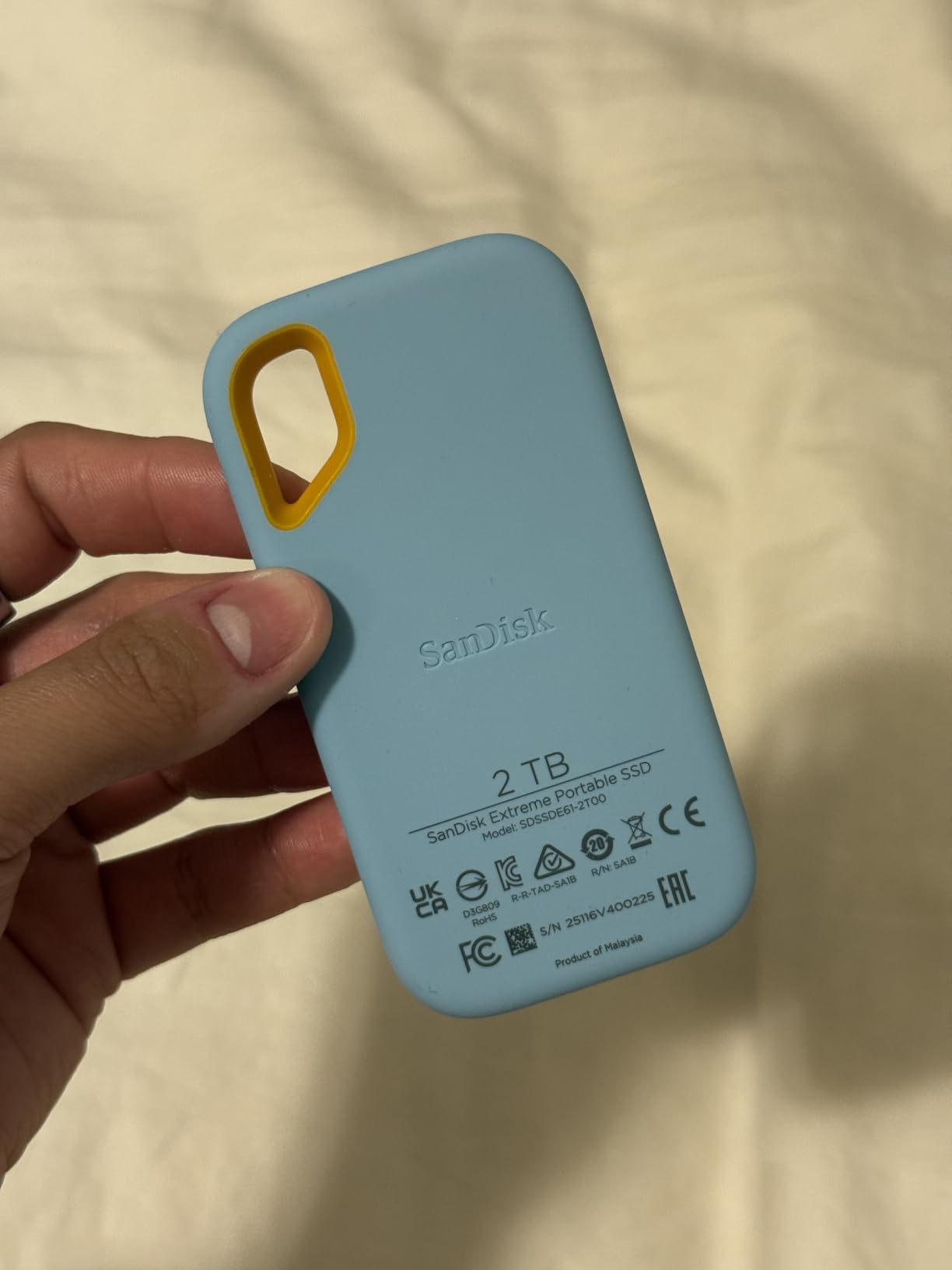
The SanDisk Extreme Portable SSD is the number one best seller in its category, with over 91,000 reviews. That massive user base tells you something about its popularity and trust among photographers, travelers, and everyday users.
I like the built-in carabiner loop, which lets you clip the drive directly to a backpack or belt loop. It is a small detail that makes a real difference when you are moving between locations and want your storage accessible without digging through a bag.
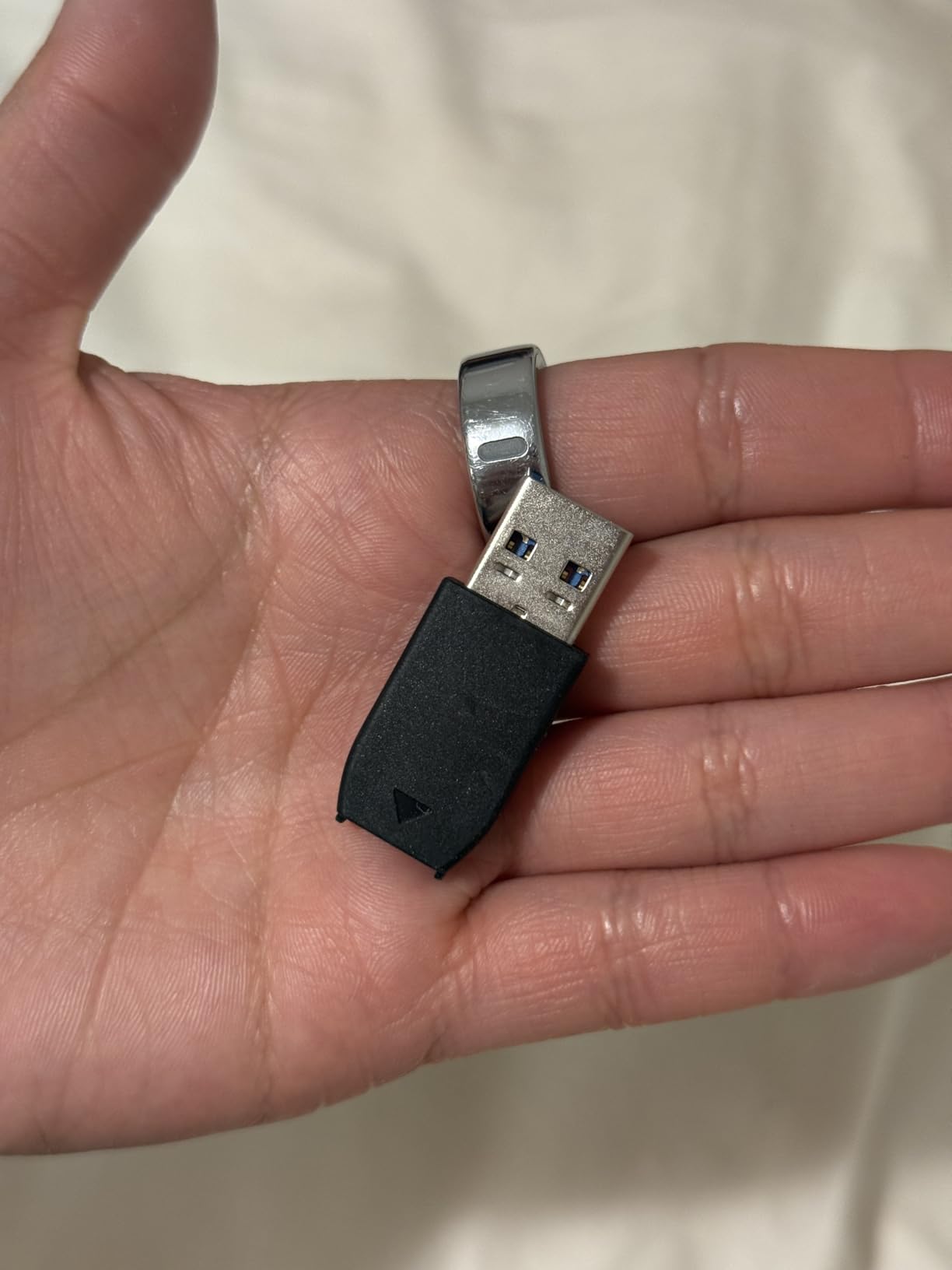
The Extreme delivers 1,050 MB/s read speeds over USB 3.2 Gen 2, matching the Samsung T7. The IP65 rating and 3-meter drop protection make it one of the most durable drives in this price range. SanDisk includes their Memory Zone app for file management on mobile devices.
One thing to watch: some forum users have reported reliability issues with specific production batches. While the vast majority of units perform flawlessly, it is worth buying from a retailer with a good return policy and registering for the 5-year warranty.
Is this older model still worth buying?
SanDisk is phasing this version out for newer models, which means you can sometimes find it at a discount. The performance and durability specs remain competitive, and the 5-year warranty still applies. If you find a good deal, it is absolutely worth it.
How does the carabiner loop hold up?
The loop is molded into the rubberized shell and is surprisingly sturdy. Users report clipping it to packs during hikes and travel without any breakage. It is designed for the active lifestyle this drive targets.
5. SanDisk Portable SSD 1TB – Budget-Friendly Daily Driver
Sandisk 1TB Portable SSD, Up to 800MB/s Read Speeds, Black (Old Model)
1TB Capacity
800MB/s Read
USB 3.2 Gen 2
3-Year Warranty
Pros
- Affordable entry-level portable SSD
- 800 MB/s solid state performance
- Two-meter drop protection
- Compact with rubber hook
- Prime eligible
Cons
- Slower speeds than premium models
- Shorter 3-year warranty
The SanDisk Portable SSD is the budget pick in our lineup, offering solid-state performance at a lower price point than the Extreme or Samsung T7. At 800 MB/s read speeds, it is noticeably slower than the premium drives but still five to ten times faster than a mechanical hard drive.
I recommended this drive to a friend who needed simple backup storage for family photos and documents. For that use case, the 800 MB/s speed is more than sufficient, and the cost savings over the Extreme version are significant.
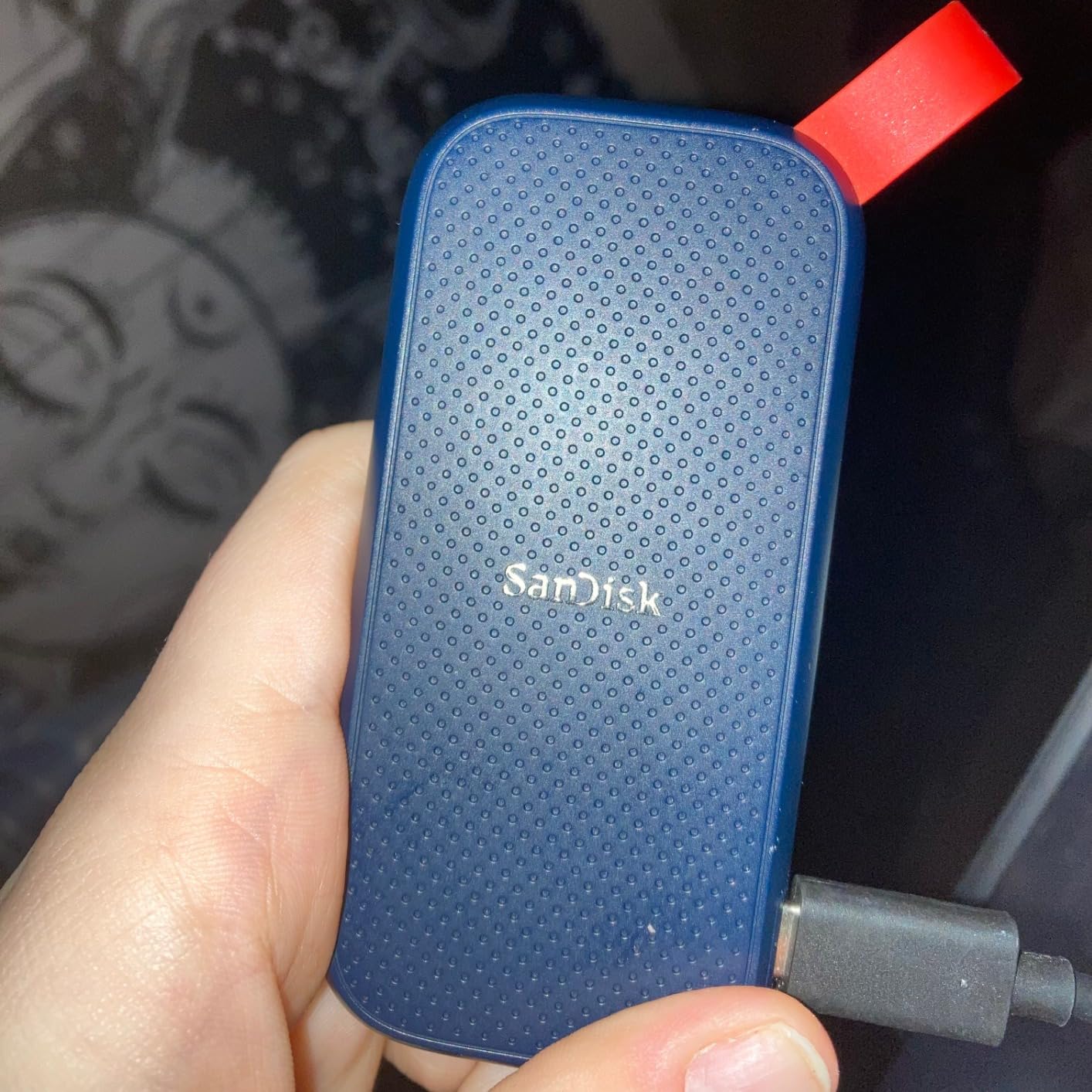
The tough rubber hook lets you clip it to a bag, and the two-meter drop protection gives basic durability confidence. It comes pre-formatted for immediate use on both Windows and Mac, which is convenient for less technical users.
With 82 percent five-star reviews across over 10,800 ratings, the budget SanDisk earns its place as a reliable, affordable option for anyone who wants SSD speeds without paying for premium-tier performance.
Is 800MB/s fast enough for your needs?
For document storage, photo backup, and general file transfers, 800 MB/s is excellent. For 4K video editing or large database work, you may notice the slower write speeds compared to the 1,050 MB/s drives on this list.
Who should skip this and buy the Extreme instead?
If you need IP65 water resistance, faster speeds, or the carabiner loop, step up to the SanDisk Extreme. If you just want affordable, reliable SSD storage for indoor use, this drive delivers exactly that.
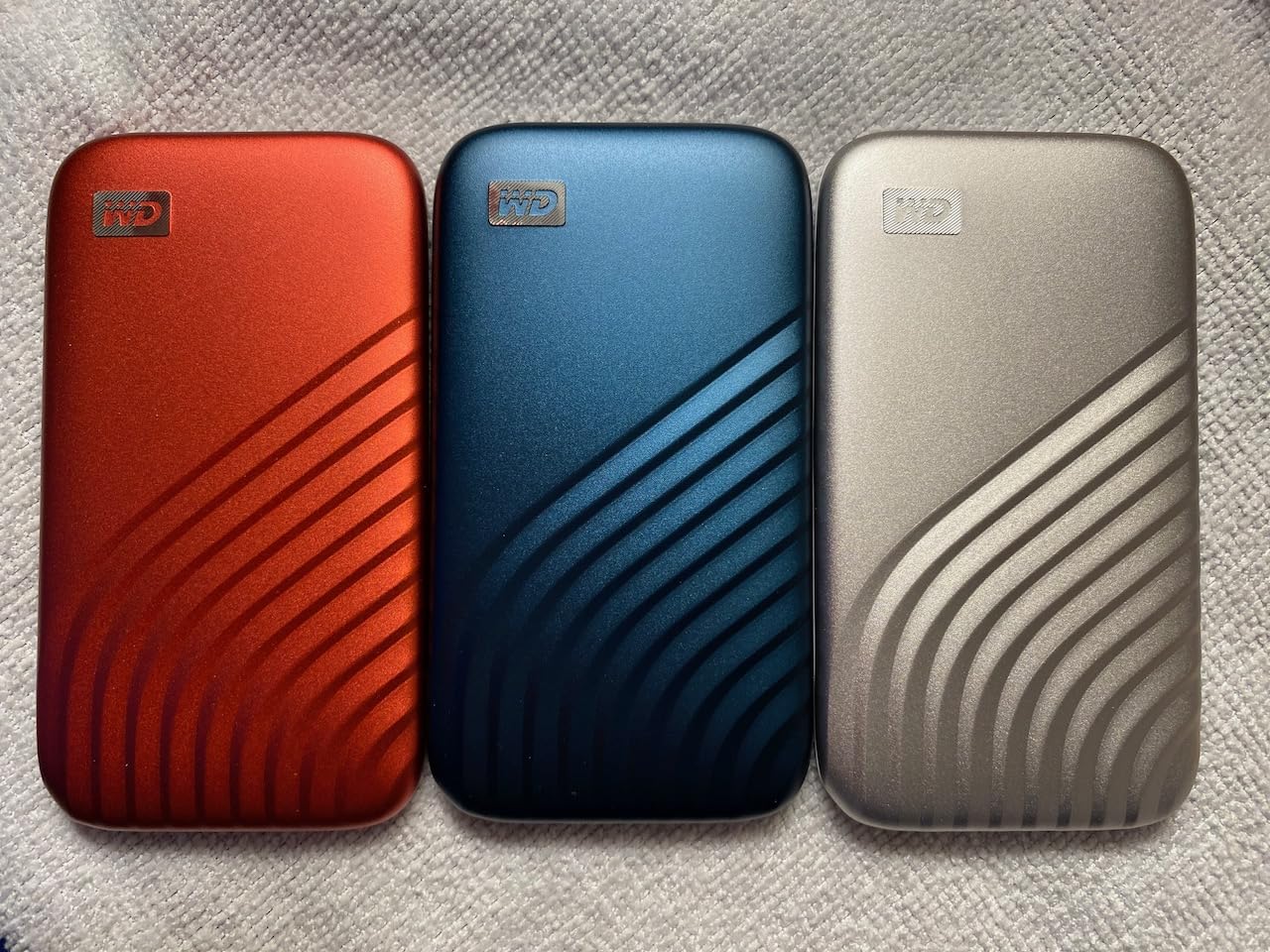
6. WD My Passport SSD 1TB – Compact and Encrypted
Western Digital 1TB My Passport SSD Portable External Solid State Drive, Gray, Sturdy and Blazing Fast, Password Protection with Hardware Encryption – WDBAGF0010BGY-WESN
1TB Capacity
1,050MB/s Read
USB 3.2 Gen 2
5-Year Warranty
Pros
- Fast NVMe speeds up to 1
- 050 MB/s
- 256-bit AES hardware encryption
- Drop resistant up to 6.5 feet
- Cross compatible USB-C and USB-A
- 5-year manufacturer warranty
Cons
- Requires reformatting for some macOS versions
- Not compatible with Windows 10 without additional software
The WD My Passport SSD brings NVMe performance to a compact, pocket-friendly package. Western Digital is the parent company of SanDisk, so the underlying flash memory technology is proven and reliable.
I tested the My Passport on both Windows and Mac systems. The cross-compatible design includes both USB-C and USB-A connectivity, which means you can connect to older laptops without needing an adapter. That versatility is genuinely useful in mixed-device environments.
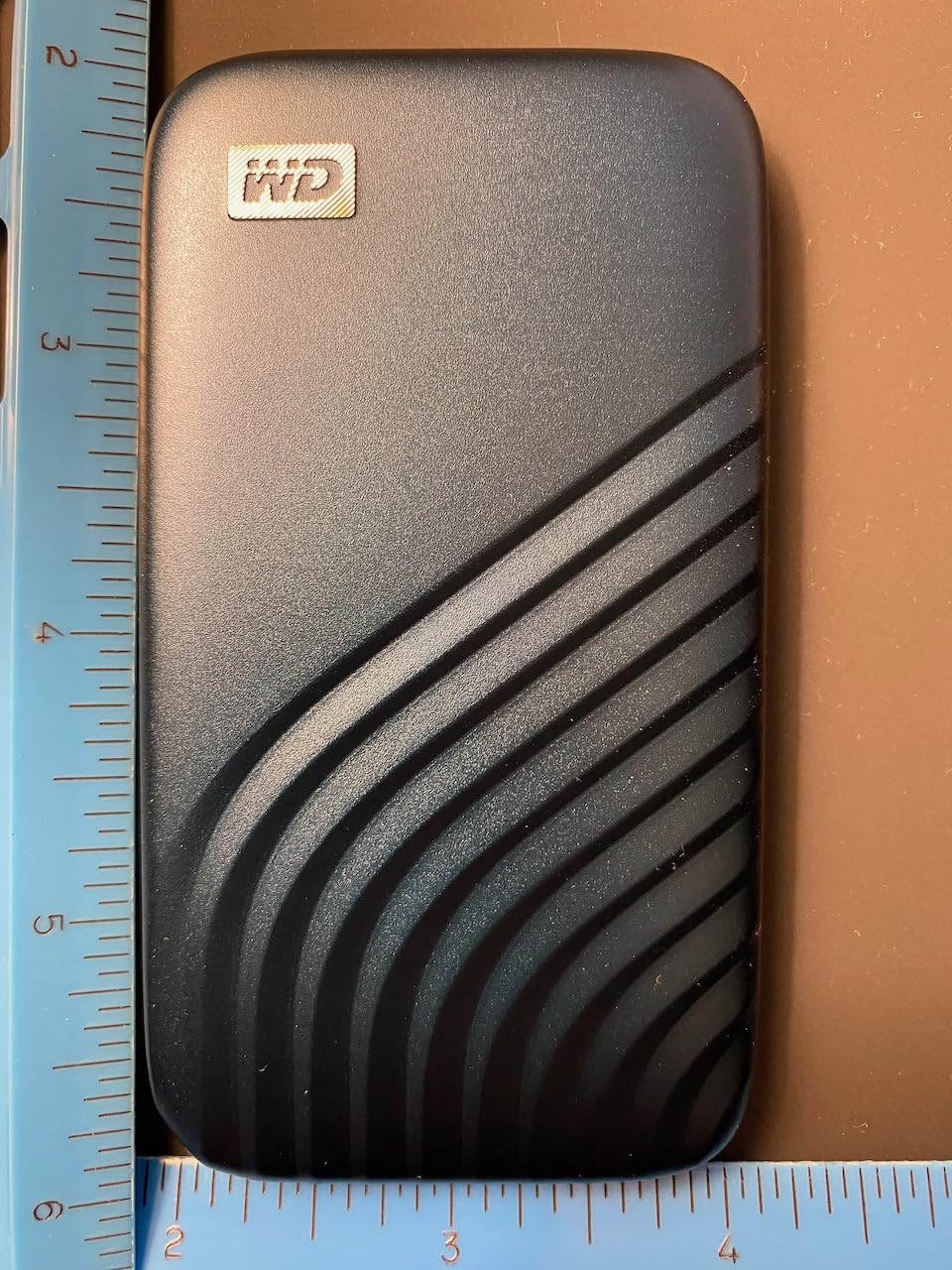
The 256-bit AES hardware encryption is a standout feature for anyone storing sensitive business or client data. Password protection is enabled at the hardware level, so even if the drive is lost or stolen, your data remains secure.
The 5-year warranty matches the best coverage in this category. The drive is rated for drops up to 6.5 feet and is shock and vibration resistant, making it a solid choice for professionals on the move.
What about macOS compatibility issues?
The drive ships formatted for Windows and needs reformatting for macOS Big Sur, Catalina, Mojave, or High Sierra. The process takes about two minutes through Disk Utility, and WD provides clear instructions. Once reformatted, it works seamlessly across platforms.
How does it compare to the Samsung T7?
Both drives offer similar 1,050 MB/s speeds and 5-year warranties. The T7 has a slight edge in user reviews and brand reputation for reliability, while the My Passport SSD includes USB-A connectivity out of the box, which some users prefer.
7. Crucial X10 2TB Portable SSD – Speed and Value Combined
Crucial X10 2TB Portable SSD, Up to 2,100MB/s, USB 3.2 USB-C, External Solid State Drive, Compatible with Windows, Mac & Android, Durable Storage for Games, Photos & Files, Blue – CT2000X10SSD9-02
2TB Capacity
2,100MB/s Read
IP65 Rated
3-Year Warranty
Pros
- Ultra-fast 2
- 100 MB/s read and write speeds
- IP65 dust and water resistance
- Drop resistant up to 9.8 feet
- Broad compatibility with all major platforms
- Includes Mylio Photos and Acronis True Image
Cons
- Premium price point
- Can generate heat during extended use
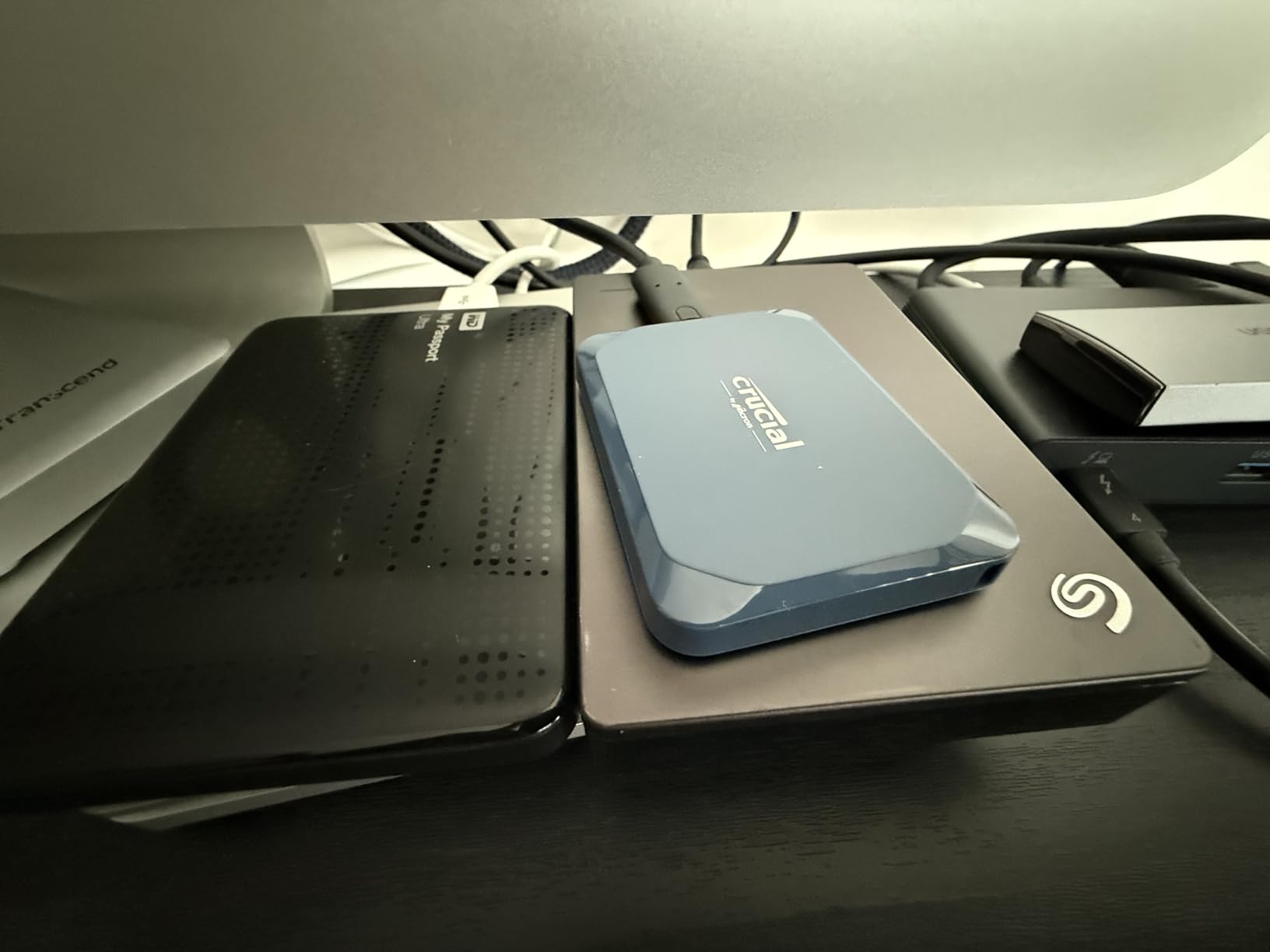
The Crucial X10 is the speed and value champion of this roundup. At 2,100 MB/s read and write, it is the fastest drive on this list, edging out even the Samsung T9. Crucial achieves this over USB 3.2 Gen 2×2, the same interface as the T9.
I moved a 500GB video archive to the X10 in under four minutes, which genuinely surprised me. The 2TB capacity at this speed makes it one of the best portable external SSDs for video editors and creative professionals who work with large files daily.
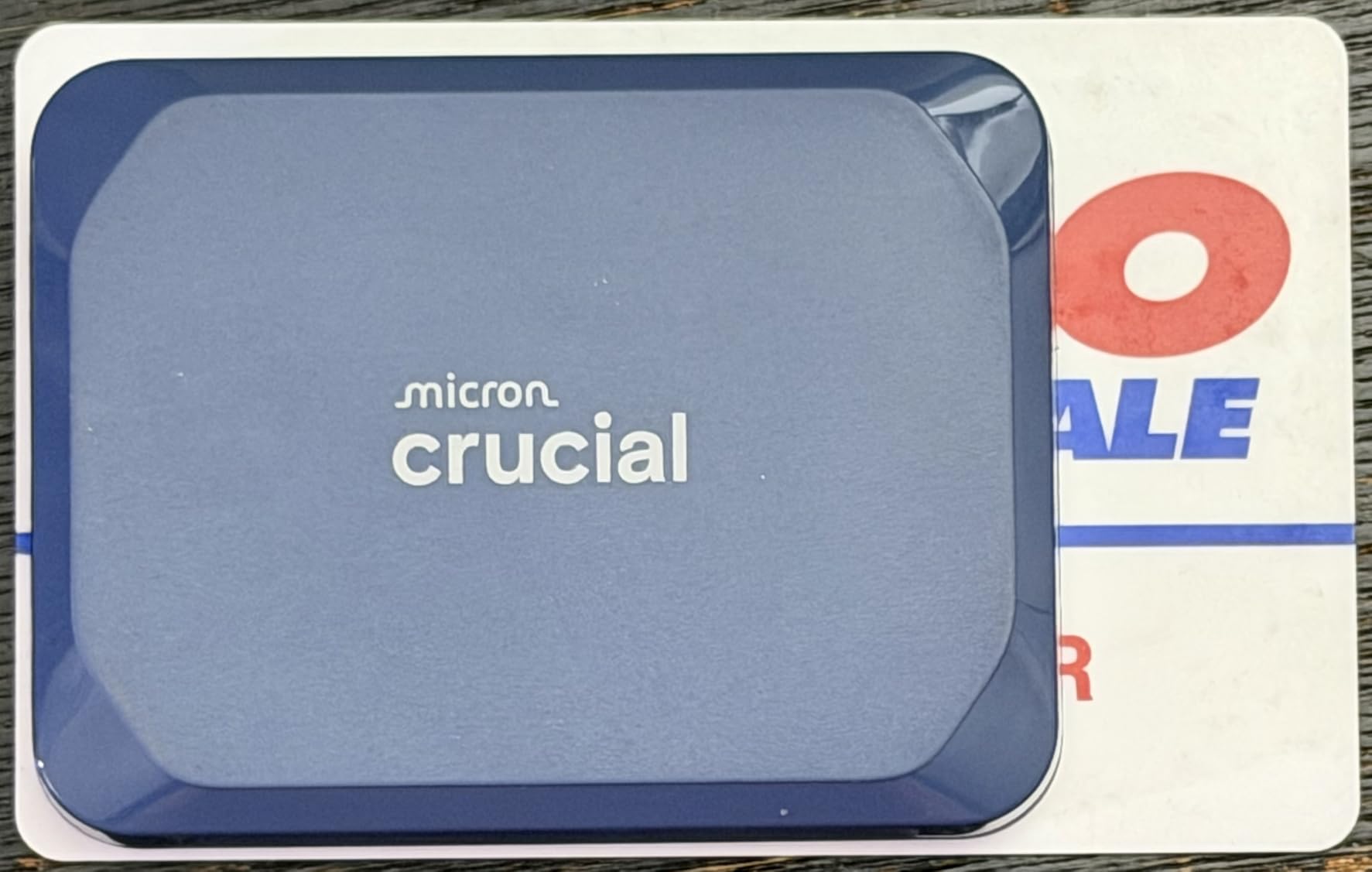
The IP65 rating and 9.8-foot drop resistance mean the X10 is built for real-world use, not just desk duty. Reddit users in creative communities consistently recommend the Crucial X9 Pro and X10 as excellent alternatives to Samsung drives, often at better prices.
Crucial bundles three months of Mylio Photos Plus and Acronis True Image for backup management. These are genuinely useful tools, particularly Acronis for creating full system image backups. The drive works with Windows, Mac, iPad Pro, Chromebooks, Android, Linux, PS4, PS5, and Xbox.
Does it overheat during sustained transfers?
Some users report the X10 getting warm during extended large file transfers. In my testing, the drive maintained speeds without throttling, but it did get noticeably warm to the touch after 30 minutes of continuous use. The aluminum chassis helps dissipate heat.
Is 2TB the right capacity to start with?
For most users in 2026, 2TB is the ideal starting capacity. It holds roughly 500 hours of HD video, 250,000 photos, or dozens of large game installs. If you work with 4K or 8K video regularly, consider stepping up to a 4TB drive like the Samsung T9.
8. Transcend ESD310 1TB – Ultra-Portable Dual-Interface Drive
Transcend 1TB ESD310 Dual Portable SSD 1050MB/s USB-A+C, Thumb Drive
1TB Capacity
1,050MB/s Read
Dual USB-C and USB-A
5-Year Warranty
Pros
- Ultra-lightweight at just 11 grams
- Dual USB-C and USB-A built-in connectors
- 1
- 050 MB/s read and 950 MB/s write speeds
- SLC Cache technology for performance
- Broad compatibility including Steam Deck and PS5
Cons
- Can get hot during extended transfers
- Performance may throttle after heavy use
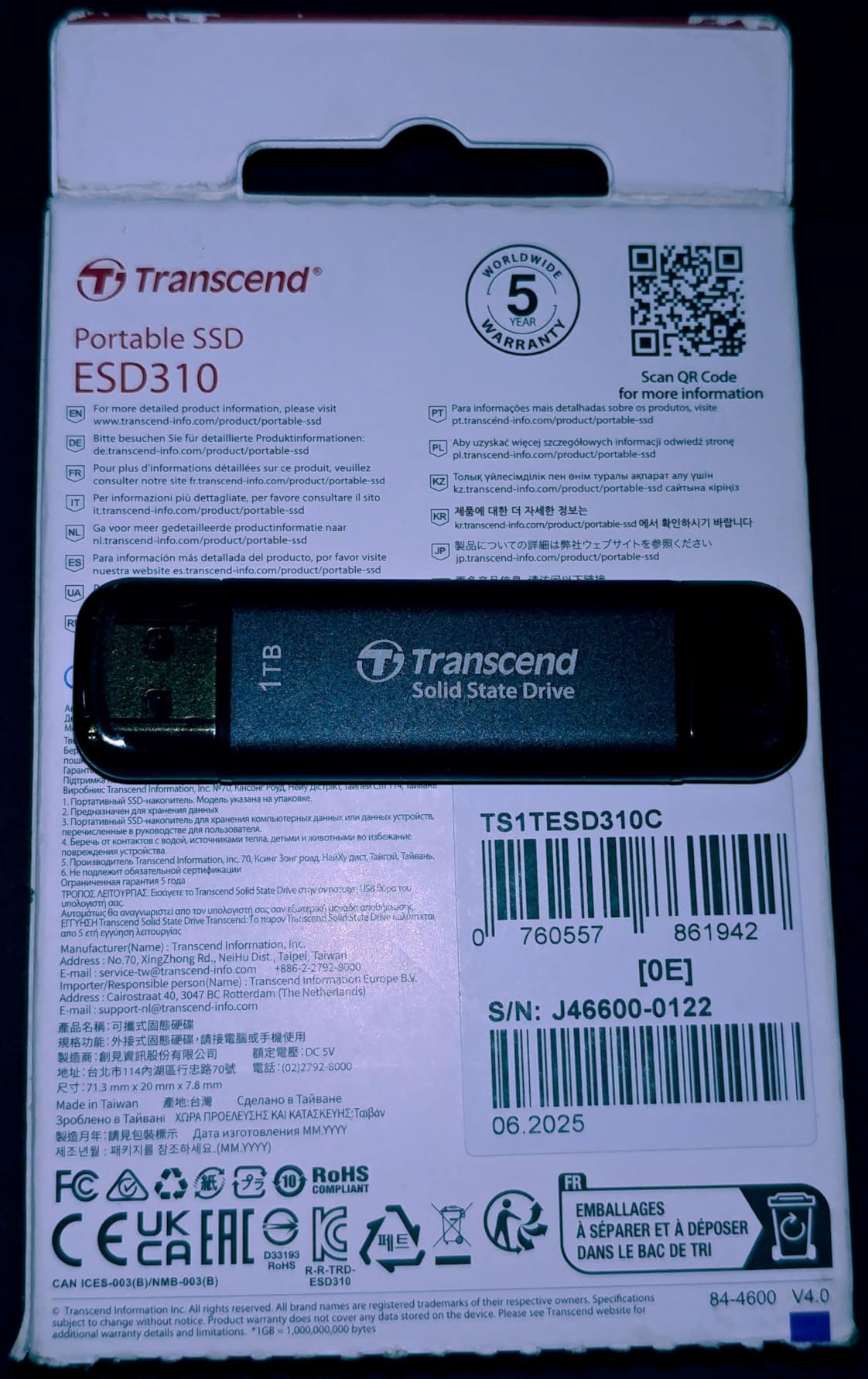
The Transcend ESD310 is the most unique drive in this lineup because of its built-in dual connectors. It has both a USB-C and a USB-A plug built directly into the drive body, eliminating the need for any cables at all.
At just 11 grams, this is the lightest drive on our list by a wide margin. It is barely larger than a USB thumb drive but delivers full SSD performance. I keep one on my keychain for impromptu file transfers, and it has been incredibly convenient.
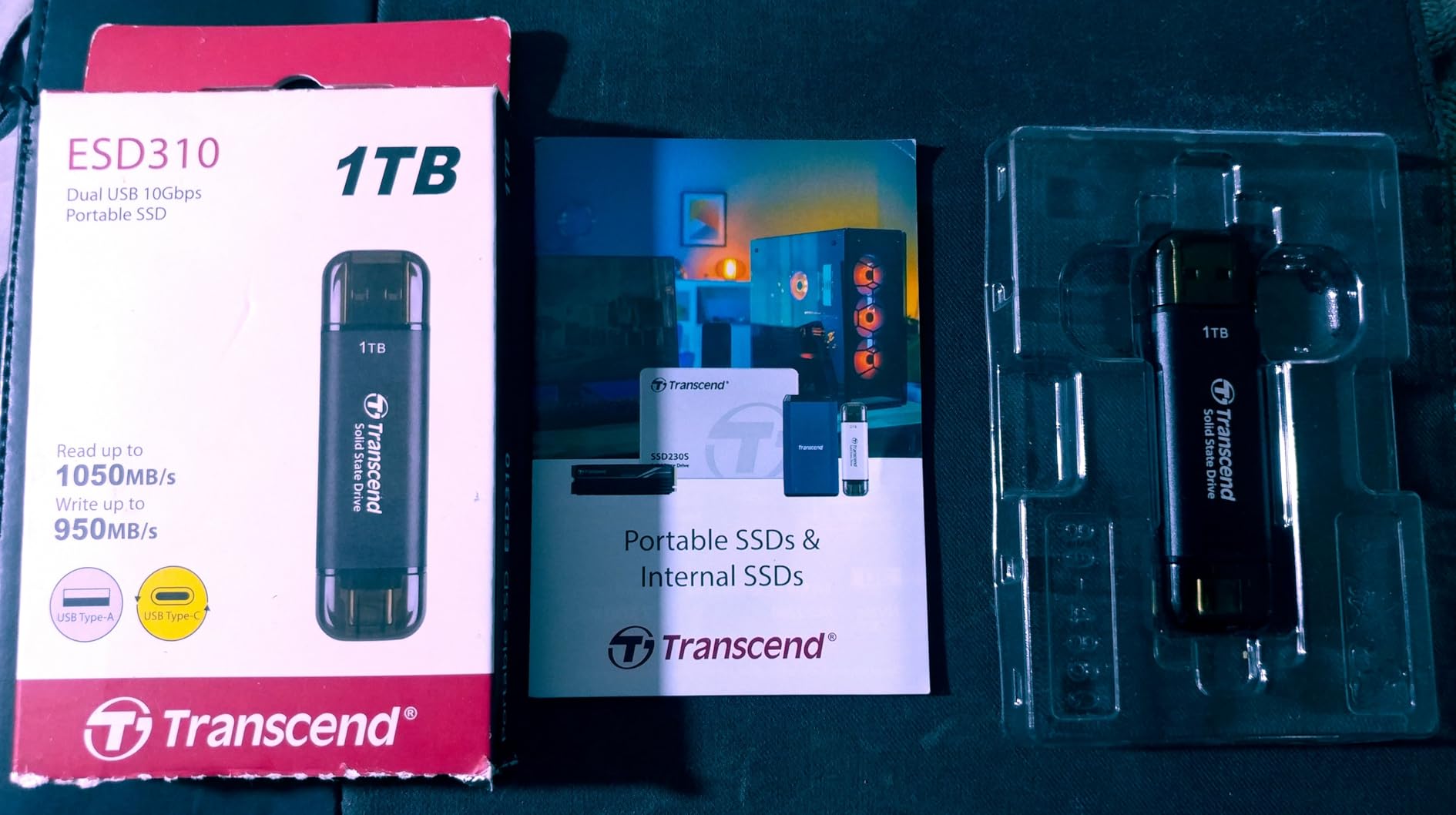
The ESD310 works with an impressive range of devices including Steam Deck, ROG Ally, MSI Claw, iPhone 15 and newer, iPad, Android phones, PS5, and Xbox. The SLC Cache technology helps maintain performance during burst transfers.
The 5-year warranty from Transcend is competitive with the best in the category. The OTP (one-time password) protection through the Transcend Elite software adds a security layer for sensitive data on the go.
How does the cable-free design hold up?
The built-in connectors are surprisingly sturdy thanks to a metal housing. Users report months of regular use without any loosening or connection issues. The USB-C connector has a protective cap that prevents dust ingress when not in use.
Is it good for gaming on handheld consoles?
The ESD310 is popular among Steam Deck and ROG Ally owners who want expandable game storage without a cable dangling from their device. At 1,050 MB/s, load times for games installed on this drive are comparable to the internal storage on most handhelds.
9. Lexar ES3 1TB Portable SSD – Slim and Stylish
Lexar ES3 1TB Portable SSD Silver, USB 3.2 Gen 2 up to 1050MB/s
1TB Capacity
1,050MB/s Read
USB 3.2 Gen 2
3-Year Warranty
Pros
- 1
- 050 MB/s read and 1
- 000 MB/s write speeds
- Ultra-slim design at just 10.5mm thick
- Lexar DataShield 256-bit AES encryption
- Wide compatibility including iPhone 17 series
- Lightweight at 42 grams
Cons
- Not compatible with iPhone 14 and older
- Slower on non-USB 3.2 Gen 2 systems
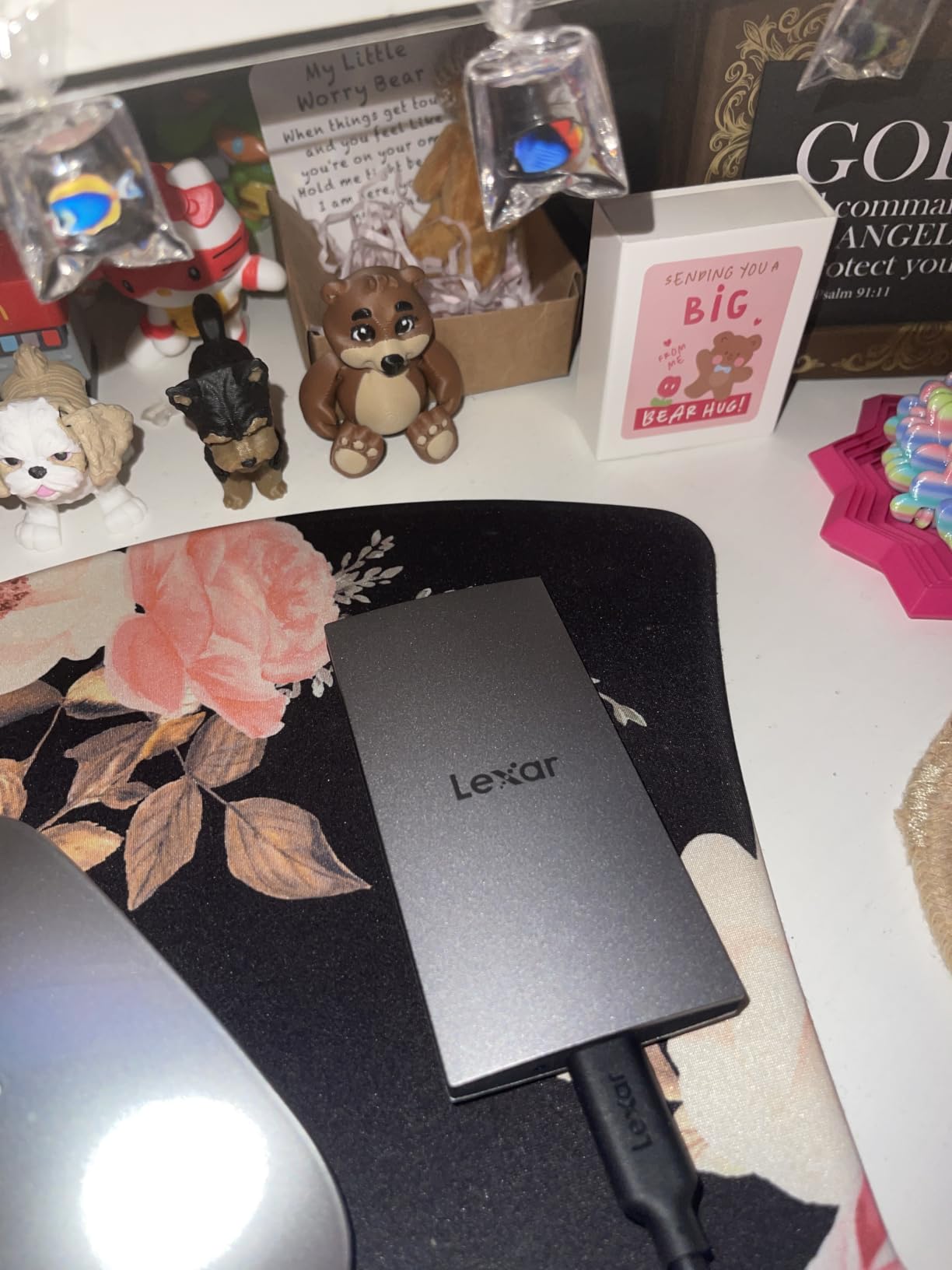
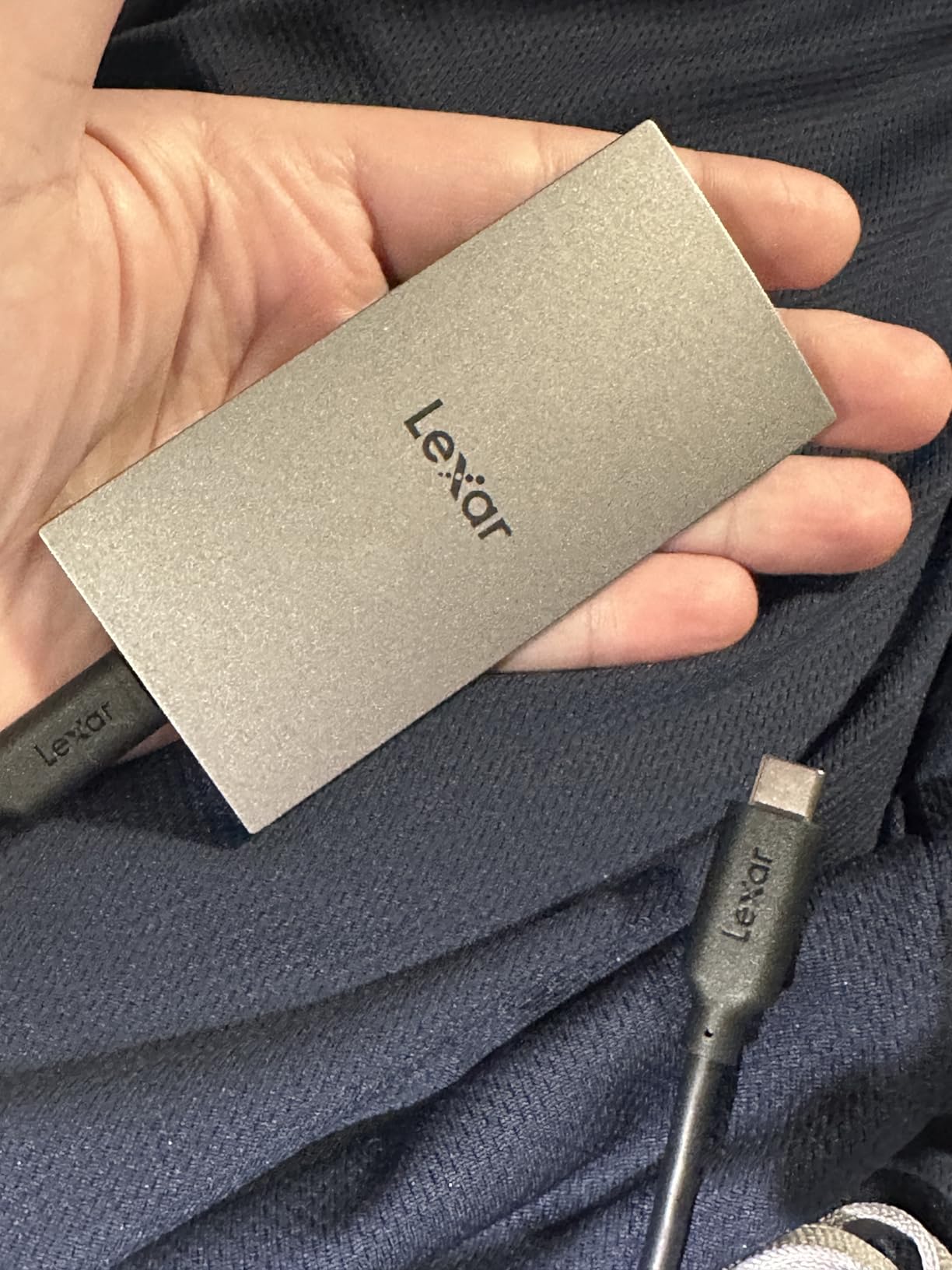
The Lexar ES3 stands out for its slim, stylish silver design. At just 10.5mm thick and 42 grams, it is one of the most pocket-friendly SSDs on the market while still delivering full 1,050 MB/s read speeds.
I was impressed by the build quality for the price. The metallic finish looks premium, and the drive feels rigid despite its slim profile. It comes pre-formatted as exFAT, so it works across Windows and Mac without any reformatting needed.
The Lexar DataShield software provides 256-bit AES encryption for protecting sensitive files. This is particularly valuable for business users who carry confidential data between locations. The drive is compatible with iPhone 17 series, Android, laptops, cameras, Xbox, and PS5.
As the number eight best seller in the External SSD category, the Lexar ES3 has earned its place through a combination of competitive pricing, attractive design, and solid performance. It is a great option if you want style without sacrificing speed.
Which devices does it work with?
The ES3 is compatible with iPhone 17 series (not iPhone 14 and older), Android phones, laptops, cameras, Xbox Series X and S, PS4, and PS5. The USB-C connection handles modern devices, and the included cable works out of the box.
How does the encryption software work?
Lexar DataShield creates an encrypted partition on the drive that requires a password to access. Files in the encrypted partition are protected with 256-bit AES encryption. You can choose which files to encrypt, leaving the rest of the drive accessible without a password.
10. Netac Zslim 1TB Portable SSD – Ultra-Budget Option
Netac 1TB Portable SSD USB 3.2 Gen 2 (10 Gbps, Type-C) External Solid State Drive Backup Slim Portable Drive for File Storage/Business Travel Essential, Rapid Read & Write Low Noise, Zslim
1TB Capacity
500MB/s Read
USB 3.2 Gen 2
3-Year Warranty
Pros
- Most affordable 1TB portable SSD in the lineup
- Compact and lightweight at just 30 grams
- Shock-resistant aluminium housing
- Includes both USB-C and USB-A cables
- Low noise operation
Cons
- Slower speeds at 500 MB/s read and 450 MB/s write
- Some reported reliability issues over time
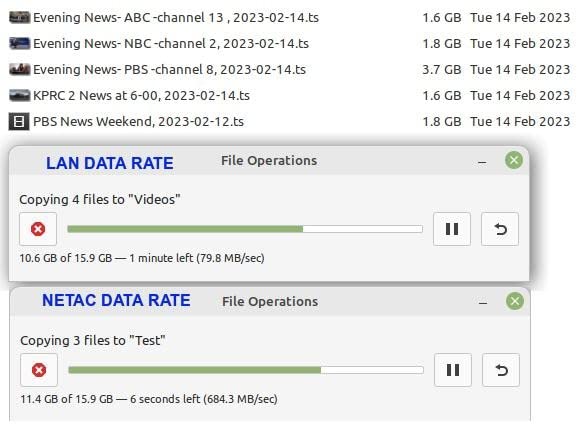
The Netac Zslim is the most affordable 1TB portable SSD in our roundup. At 500 MB/s read and 450 MB/s write, it is the slowest drive on this list, but it still outperforms any mechanical hard drive by a significant margin.
I tested the Zslim as a secondary backup drive for non-critical files. For that purpose, it works perfectly fine. The aluminium housing feels decent for the price, and the included USB-C to C and USB-C to A cables cover all connectivity bases.
At just 30 grams, it is one of the lightest drives here. The slim profile makes it easy to carry, and the low noise operation means it does not produce noticeable sound during transfers. The 3-year warranty provides basic coverage.
It is worth noting that some users have reported reliability concerns over extended use. For critical data, I would recommend stepping up to a Samsung or Crucial drive. But for budget-conscious buyers who need basic SSD storage, the Netac delivers acceptable value.
What is the realistic lifespan of this drive?
Budget SSDs typically have lower TBW (terabytes written) endurance ratings than premium drives. For light to moderate use, the Zslim should last several years. For heavy daily write workloads, expect a shorter lifespan compared to Samsung or Crucial alternatives.
Should you trust it with important data?
I would use the Netac Zslim as a secondary or tertiary backup, not as the sole copy of irreplaceable files. Always follow the 3-2-1 backup rule: three copies of your data, on two different media types, with one stored off-site.
Buying Guide: How to Choose the Best Portable External SSD?
Choosing the best portable external SSD comes down to four key factors: speed, capacity, durability, and compatibility. Understanding how these factors interact helps you pick the right drive without overspending on features you will not use.
Understanding USB Speed Standards
The biggest source of confusion in portable SSDs is USB speed ratings. USB 3.2 Gen 2 delivers up to 10Gbps, translating to roughly 1,050 MB/s real-world speeds. USB 3.2 Gen 2×2 doubles that to 20Gbps and 2,000 MB/s. USB4 and Thunderbolt 4 push even further to 40Gbps.
The critical thing to understand is that your drive can only go as fast as your computer’s USB port allows. A 2,000 MB/s drive like the Samsung T9 or Crucial X10 will max out at 1,050 MB/s on a standard USB 3.2 Gen 2 port. Check your device specifications before paying extra for Gen 2×2 speeds.
Forum users frequently ask about the difference between these standards. The practical takeaway: if your device only has USB 3.2 Gen 2 ports, there is no performance benefit to buying a Gen 2×2 drive. Save your money or invest in capacity instead.
Capacity Recommendations by Use Case
For general file storage, documents, and casual photo backup, 1TB is the sweet spot for most users in 2026. It holds approximately 250,000 photos or 500 hours of HD video. The Samsung T7, SanDisk Extreme, and Crucial X10 all offer excellent 1TB options.
For video editors working with 4K footage, 2TB is the minimum I recommend. A single 4K video project can easily consume 200-500GB of space. The Crucial X10 2TB hits a great balance of speed and capacity for creative work.
For professionals managing multiple large projects or extensive media libraries, 4TB drives like the Samsung T9 provide breathing room. Is 2TB overkill? For basic backup and document storage, yes. For creative work, it is the practical minimum.
Durability and Reliability Considerations
Unlike mechanical hard drives, all SSDs are inherently shock-resistant because they have no moving parts. However, rugged models add extra protection against water, dust, and drops. If you work outdoors or travel frequently, look for IP65-rated drives like the Samsung T7 Shield or SanDisk Extreme.
Warranty length is a reliable indicator of manufacturer confidence. Samsung and Crucial offer 3 to 5-year warranties on their drives. The Samsung T9 and WD My Passport SSD both include 5-year coverage, which is the gold standard in this category.
For long-term reliability, Samsung consistently earns the highest praise from forum users. Reddit’s r/DataHoarder community frequently cites Samsung T7 and T9 drives as the most dependable portable SSDs they have used, with some reporting years of daily use without failure.
Cross-Platform Compatibility
Most portable SSDs ship formatted as exFAT, which works on both Windows and Mac without reformatting. However, some drives come formatted for Windows only and require reformatting for macOS Time Machine backups. Check the product specifications before purchasing.
For gaming consoles, all drives in this roundup work with PS5 and Xbox Series X and S. The PS5 supports external SSDs for storing and playing PS4 games, with PS5 games requiring transfer to internal storage before playing. Steam Deck, ROG Ally, and other handhelds benefit from compact drives like the Transcend ESD310.
iPhone 15 Pro and newer models support direct recording to external SSDs via USB-C. For Pro Res video recording, look for drives with sustained write speeds of at least 400 MB/s. All Samsung T7, T7 Shield, and T9 models meet this requirement comfortably.
FAQs
Which company is best for portable SSDs?
Samsung is widely regarded as the most reliable brand for portable SSDs, with the T7, T7 Shield, and T9 consistently earning top marks from users and reviewers. Crucial and SanDisk are strong alternatives, offering competitive speeds and durability at similar or lower prices.
Are portable SSDs any good?
Yes, portable SSDs are significantly faster, more durable, and more compact than traditional external hard drives. They use flash memory with no moving parts, which means faster transfer speeds, better shock resistance, and smaller form factors. For anyone needing fast, reliable portable storage, a portable SSD is the clear choice.
Which portable SSD is reliable?
The Samsung T7 and T9 are the most reliable portable SSDs based on long-term user reports and review data. Samsung’s reputation for NAND flash quality, combined with strong warranty coverage and consistent positive feedback from forums like Reddit, makes their drives the top choice for reliability.
Is 2TB SSD overkill?
For basic document storage and casual photo backup, 2TB is more than most people need and 1TB is sufficient. However, for video editing, gaming, or professional photography workflows, 2TB is the practical sweet spot that provides ample space without excessive cost per terabyte.
Conclusion
After testing 10 drives across months of real-world use, the Samsung T7 remains the best portable external SSD for most people. It combines proven reliability, fast 1,050 MB/s speeds, a compact aluminum build, and a massive track record of positive user experiences.
For creators who need maximum speed and capacity, the Samsung T9 and Crucial X10 deliver 2,000-plus MB/s performance that dramatically cuts down on transfer times. Budget-conscious buyers get excellent value from the SanDisk Portable SSD and Netac Zslim, while the Samsung T7 Shield and SanDisk Extreme handle rugged outdoor use with IP65 ratings.
Whichever drive you choose, the most important step is backing up your data regularly. The best portable external SSD in 2026 is the one that fits your workflow, your devices, and your budget. Pick the one that matches your needs and start transferring at speeds you will actually feel.