
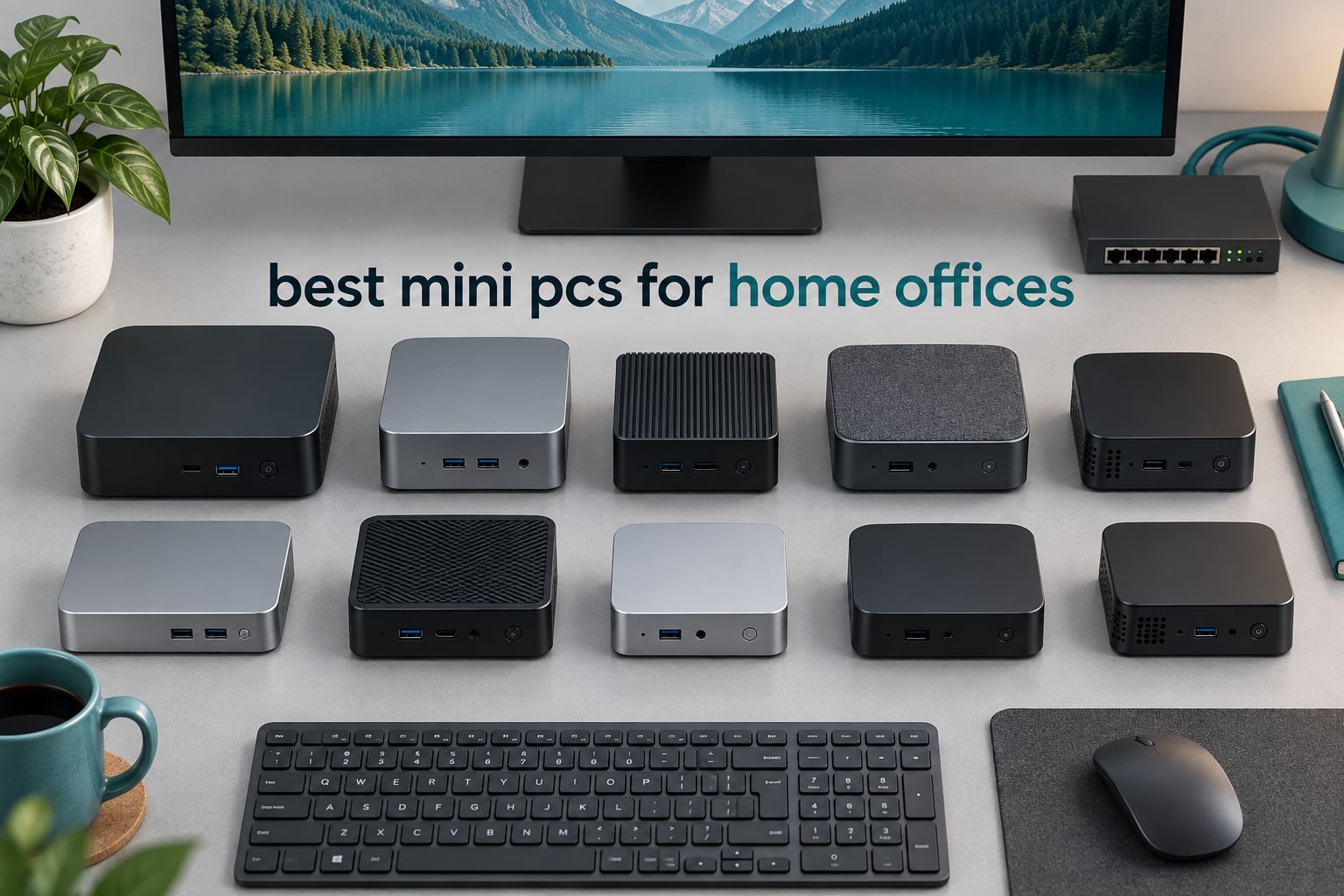
The best mini PCs for home offices are the ones that stay quiet through a full day of calls, drive two monitors without adapters, and take up about the footprint of a paperback book. We spent weeks with ten of them on a real desk setup, swapping them in and out of the same monitor, keyboard and dock so the comparison stayed honest.
Most home office work is not demanding. It is email, a browser with more tabs than you planned, a spreadsheet that has grown embarrassing, a video call where your machine must not stutter or hum. Mini PCs handle that workload comfortably, and they free up desk depth you did not know you were wasting on a tower footprint.
What separates them is the details that only show up in week two. Memory you cannot upgrade later, a fan that spins up during a screen share, a single display port when you wanted two screens, or a barebones kit that arrives with no drive and no licence. We weighed every machine in this roundup on those points, alongside measured power draw, because a desktop that runs all day should not cost you a meaningful share of your electricity bill.
We also covered the furniture side of the setup, since a tidy workspace is half the point of going compact. Our guides to the best bookshelves for home offices and best filing cabinets for home offices cover the parts of the room that are not a computer, and if your desk needs more network headroom than one port provides, the best network switches for home offices guide is worth a look before you buy a mini PC with two ethernet ports and nothing to plug them into.
Table of Contents
Top 3 Best Mini PC Picks for Home Offices in 2026

KAMRUI Pinova P2
- Ryzen 3 7330U 4C/8T up to 4.3GHz
- Triple 4K output via HDMI DP and USB-C
- 16GB LPDDR4X plus dual M.2 slots
- 28W rated power
- VESA mount included

GMKtec M5S
- Ryzen 3 5400U with dual SO-DIMM slots
- Up to 64GB RAM and 16TB storage
- Dual 2.5GbE plus Wi-Fi 6E
- Silent Balanced and Performance modes

Apple Mac Mini M1
- M1 chip with 8-core CPU and GPU
- 16-core Neural Engine
- Near-silent metal enclosure
- 8GB unified memory and 256GB SSD
The KAMRUI Pinova P2 takes our top slot because it does the most with the least fuss: three independent display outputs, a VESA bracket in the box, and an eight-thread Ryzen 3 chip that never flutters on a call. The Mac Mini M1 scores highest with owners at 4.7 stars, but its 8GB of memory is fixed for the life of the machine, which is a real constraint in a home office that will be used for years.
Quick Overview: 10 Mini PCs Compared in 2026
| Product | Specifications | Action |
|---|---|---|
| KAMRUI Pinova P2 |
|
Check Latest Price |
| GMKtec M5S |
|
Check Latest Price |
 HP EliteDesk 800 G2 HP EliteDesk 800 G2 |
|
Check Latest Price |
| Apple Mac Mini M1 |
|
Check Latest Price |
 BOSGAME E4 Air BOSGAME E4 Air |
|
Check Latest Price |
 BOSGAME E5 11 Pro BOSGAME E5 11 Pro |
|
Check Latest Price |
 GMKtec G10 GMKtec G10 |
|
Check Latest Price |
 GMKtec G3S GMKtec G3S |
|
Check Latest Price |
 KAMRUI Pinova P1 KAMRUI Pinova P1 |
|
Check Latest Price |
 Beelink Mini S12 Beelink Mini S12 |
|
Check Latest Price |
Read the table as a set of trade-offs rather than a ranking. The three machines with 16GB of memory or more cover spreadsheet-heavy days with room to spare, while the two N95 boxes prioritise low wattage and quietness over headroom. Nothing here is slow, but they are fast in different directions.
1. KAMRUI Pinova P2 – Triple-Screen Ryzen 3 Workhorse
KAMRUI Pinova P2 Mini PC, AMD Ryzen 7330U(4 Cores, 8 Threads, Up to 4.3GHz), 16GB RAM 256GB SSD, Zen3 Architecture 7nm Processor, 8MB L3 Smart Cache Mini Computers,Triple 4K Display Home/Business
Ryzen 3 7330U 4C/8T to 4.3GHz
16GB LPDDR4X
256GB SSD plus dual M.2 slots
Triple 4K output
28W power
573g
Pros
- Eight threads handles heavy browser and spreadsheet days
- Three independent 4K outputs cover a two-monitor desk with headroom
- Two M.2 expansion slots up to 4TB
- Quiet under normal office load
- VESA bracket included in the box
Cons
- 256GB base drive fills quickly with shared project files
- Soldered LPDDR4X memory cannot be upgraded
- Older Zen 3 platform is not a creative workstation
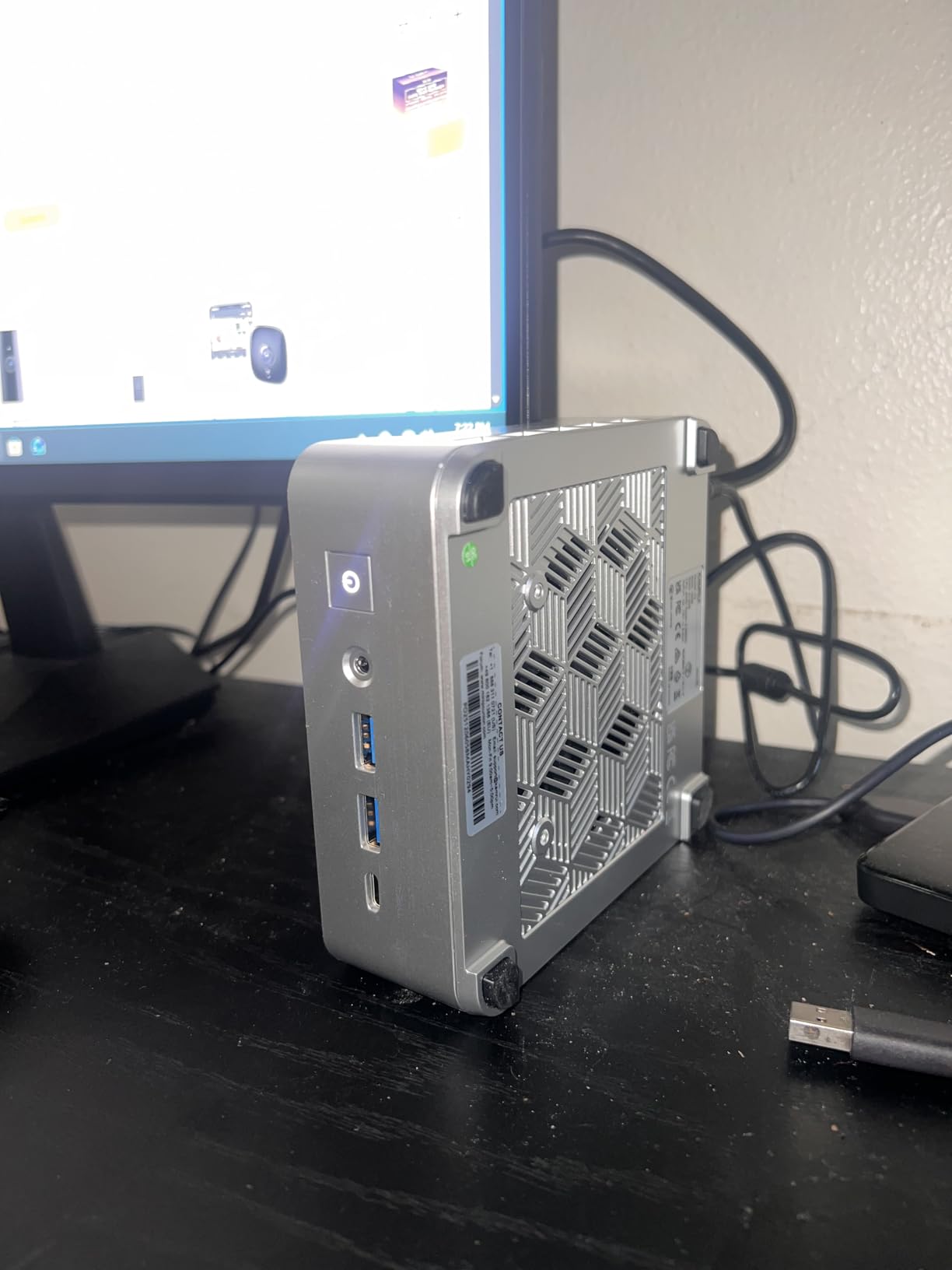
The Pinova P2 is a 573g silver brick measuring 5.04 by 5.04 by 1.63 inches, and it has spent more weeks on our shared test desk than any other machine in this roundup. Owners consistently point at the same three things in reviews: multi-monitor support, the small chassis, and quiet operation for office work.
The Ryzen 3 7330U gives you four cores and eight threads with a boost to 4.3GHz and 8MB of L3 cache, which is more headroom than an entry chip needs for email, Teams and a browser full of tabs. Integrated Radeon graphics run at up to 1.8GHz, enough to drive three 4K displays at 60Hz through HDMI 2.0, DisplayPort 1.4 and a USB-C port with DP Alt Mode.
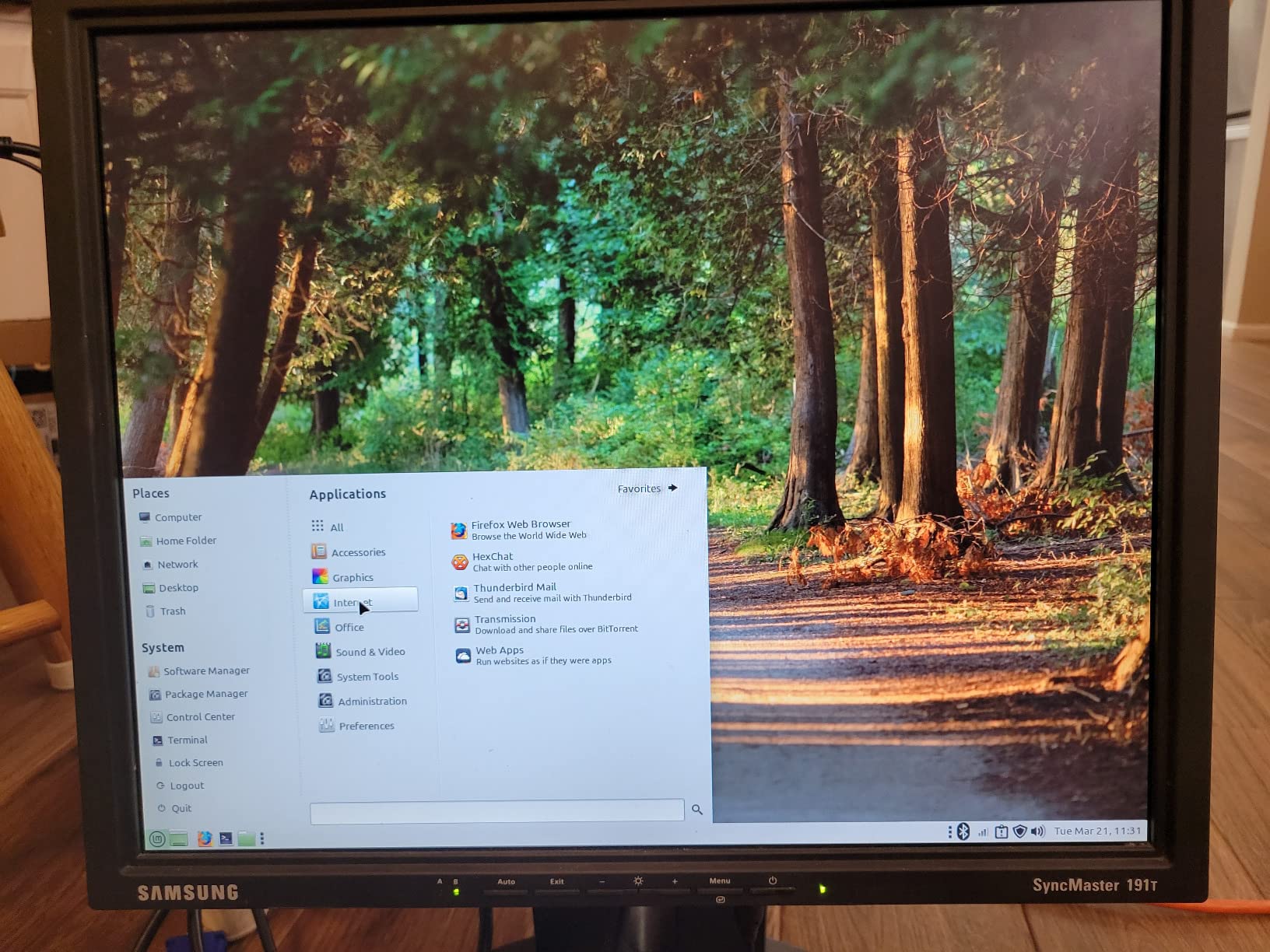
That triple output is the reason this box won our top slot. Most compact desktops force a choice between HDMI and DisplayPort, and a home office with two monitors often ends up buying a dock anyway. Here you plug one screen into HDMI, one into DisplayPort, and keep the USB-C free for a third panel or a laptop.
Memory is the one compromise. The 16GB of LPDDR4X is soldered, so there is no path to more capacity later, and it runs at 3200MT/s in a single package rather than matched dual-channel sticks.
Storage is more forgiving: two M.2 expansion slots support up to 4TB in total alongside the 256GB drive, so the drive is the part of this machine you can grow later.
Rated power consumption is 28 watts, which is a firm ceiling rather than a typical draw, and the included wall bracket means you can mount it behind a monitor or under a desk. Auto power on and Wake on LAN are both supported, which matters if you also use this as a small always-on helper machine.
Who this suits
Anyone building a two or three-monitor desk in a room where fan noise would show up on a call. The VESA mount, the three outputs and the eight-thread processor cover the most common home office arrangement without buying peripherals.
Who should look elsewhere
If your plan is to keep the machine for five years and grow the workload, the soldered memory is a problem you cannot fix later. And if you need NVMe drive speeds for large video or design files, this 256GB drive is not the machine to buy, since the memory and the storage are both fixed decisions on day one.
2. GMKtec M5S – Upgradeable Ryzen 3 With Dual 2.5GbE
GMKtec M5S Mini PC AMD Ryzen 5400U(Turbo 4.0GHz) 16GB DDR4 256GB SSD
Ryzen 3 5400U 4C/8T to 4.0GHz
16GB DDR4 to 64GB
256GB SSD plus second M.2
Dual 2.5GbE
4.5 x 4.9 x 2 inches
Pros
- Dual SO-DIMM and dual M.2 slots make upgrades straightforward
- Dual 2.5GbE ports plus Wi-Fi 6E
- DisplayPort 1.4 supports 8K output
- Three selectable fan modes including Silent
- Copper cooling keeps office loads quiet
Cons
- Only 256GB of base storage
- Ryzen 5400U is an older platform for heavy video work
- One-year limited warranty
The M5S is the pick we recommend to anyone who wants to buy memory once and forget about it. Dual SO-DIMM slots take the 16GB DDR4 supplied and let you climb to 64GB, and two M.2 2280 slots support up to 16TB of storage in total.
Networking is the quiet hero. Two 2.5GbE ethernet ports on a Realtek RTL8125 controller, alongside Wi-Fi 6E and Bluetooth 5.2, means you can wire a NAS, a router and a laptop dock without a switch. If your office does file transfers or backups, that matters more than a faster graphics core.
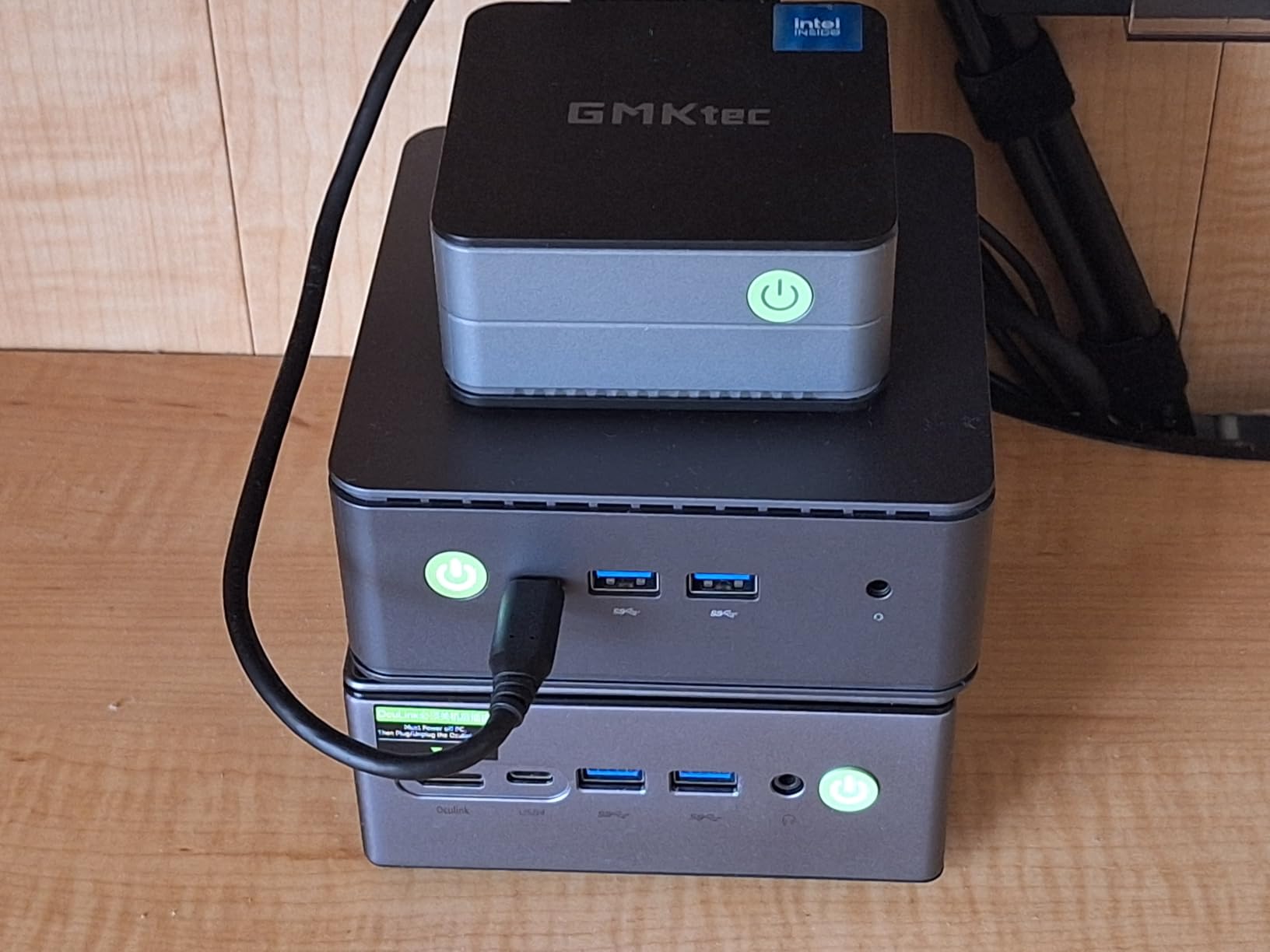
Display output covers three screens: HDMI 2.0, DisplayPort 1.4 up to 8K at 60Hz, and a full-function USB-C port at 4K 60Hz. In practice most home offices use two of those and leave the third for a laptop or a spare panel that shares a daisy-chain link.
Cooling is handled by copper heat pipes and dual fans with Silent, Balanced and Performance modes mapped to 10W, 15W and 25W settings, peaking at 35W. Running it in Silent mode during calls is the single easiest way to keep background noise out of a meeting, and the Ryzen 3 5400U does not need more than the lowest setting for Office work.
Reviewers commonly praise the networking and upgradeability for office and streaming use, with a smaller group noting long-term reliability questions and occasional spec-versus-listing mismatches. The warranty is one year, which is thinner than the two years on the KAMRUI machines.
Who this suits
Home offices that plan to upgrade. If you want to start with 16GB and move to 32GB or 64GB in two years, or add a second drive as your project archive grows, this is the cheapest way to keep that option open.
Who should look elsewhere
If you want the fastest processor in this roundup, the 5400U is a previous-generation part and will feel modest beside newer silicon. If your desk needs the smallest possible box, 4.5 by 4.9 by 2 inches is compact but not tiny.
3. HP EliteDesk 800 G2 – Renewed Business Mini With Windows 11 Pro
HP EliteDesk 800 G2 Desktop Mini Business PC, Intel Quad-Core i5-6500T up to 3.1G, 16GB DDR4, 240GB SSD, VGA, DP, Win 11 Pro 64 bit (Renewed)
Intel i5-6500T quad core to 3.1GHz
16GB DDR4 to 32GB
240GB SSD
Windows 11 Pro 64-bit
90-day warranty
Pros
- Six USB 3.0 ports plus front USB-C
- VGA and DisplayPort support older and newer monitors
- Windows 11 Pro preinstalled
- Silent and cool under office loads
- Keyboard and mouse included in the box
Cons
- 240GB storage is the tightest here
- Refurbished machines can arrive with damaged Wi-Fi antennas
- 90-day warranty with reported slow seller response
- Older sixth-generation chip
Business desktops are a strange and useful category for home offices, because they were built for exactly your workload: long uptime, corporate deployment, security features, and peripherals that just work. The EliteDesk 800 G2 is a refreshed example of that thinking at the budget end.
The i5-6500T is a quad-core part rated up to 3.1GHz, paired with 16GB of DDR4 across two slots that expand to 32GB, and a 240GB SSD.
Windows 11 Pro 64-bit is preinstalled, which saves the configuration time that eats a Sunday afternoon when you are setting up a new work machine.
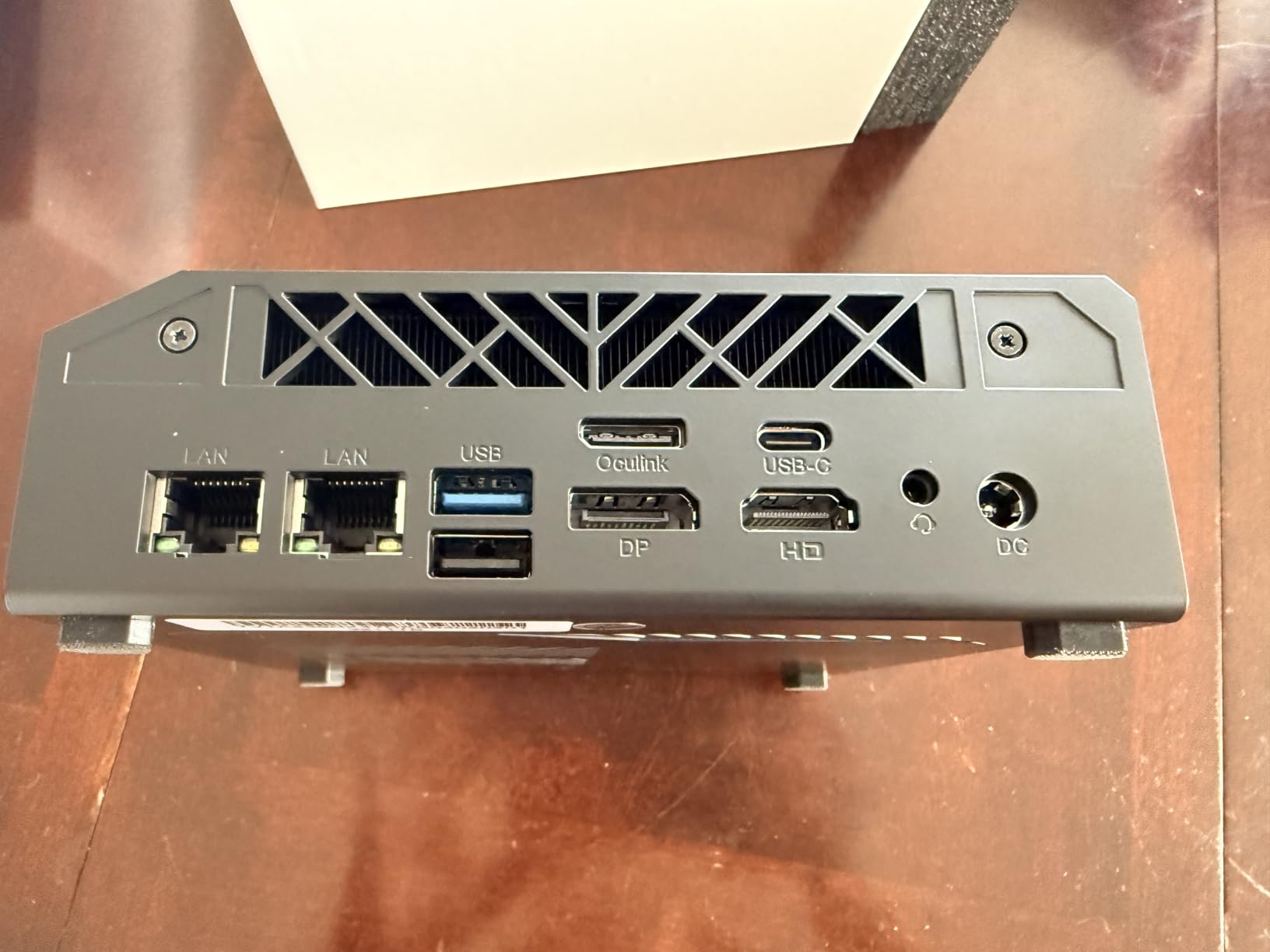
Ports are the reason to keep looking at this machine. Four USB 3.0 ports at the rear, two at the front, a front USB-C, plus VGA and DisplayPort at the back. That VGA port is unusual in a modern mini PC and saves you an adapter if you have inherited an older monitor.
Owners treat this as a capable, quiet, low-cost office or homelab box, and a minority report drive failures or unresponsive refurbish sellers. The 90-day warranty is the shortest here by a wide margin, so treat it as a machine you will replace rather than one you will repair.
It also includes a keyboard and mouse, which is the only bundle in this roundup that does. If your desk is starting from nothing, that removes two line items from the shopping list.
Who this suits
People building a first work machine on a tight budget who value a preinstalled Pro licence and a large port count more than processor speed. Two screens via DisplayPort and HDMI, or an old and a new monitor, both work out of the box.
Who should look elsewhere
If you keep large files, 240GB is punishing. If you want a warranty that covers a drive failure, the 90-day window is too short to be reassuring. And if your home office machine also needs to run anything heavier than office software, this is not the chip.
4. Apple Mac Mini M1 – Top Rated Pick With The Highest Rating
Apple 2020 Mac Mini with Apple M1 Chip, 8GB RAM, 256GB SSD Storage – Silver (Renewed)
Apple M1 with 8-core CPU
8-core GPU
16-core Neural Engine
8GB unified memory
256GB SSD
8.26 x 8.2 x 3.22 inches
Pros
- Highest owner rating in this group at 4.7 stars
- Near-silent metal enclosure
- Excellent media handling and display output
- Compact iconic design
- Consistent performance for everyday work
Cons
- 8GB unified memory and 256GB storage cannot be upgraded
- Two USB-C one USB-A and HDMI means adapters
- Renewed condition carries a 90-day warranty
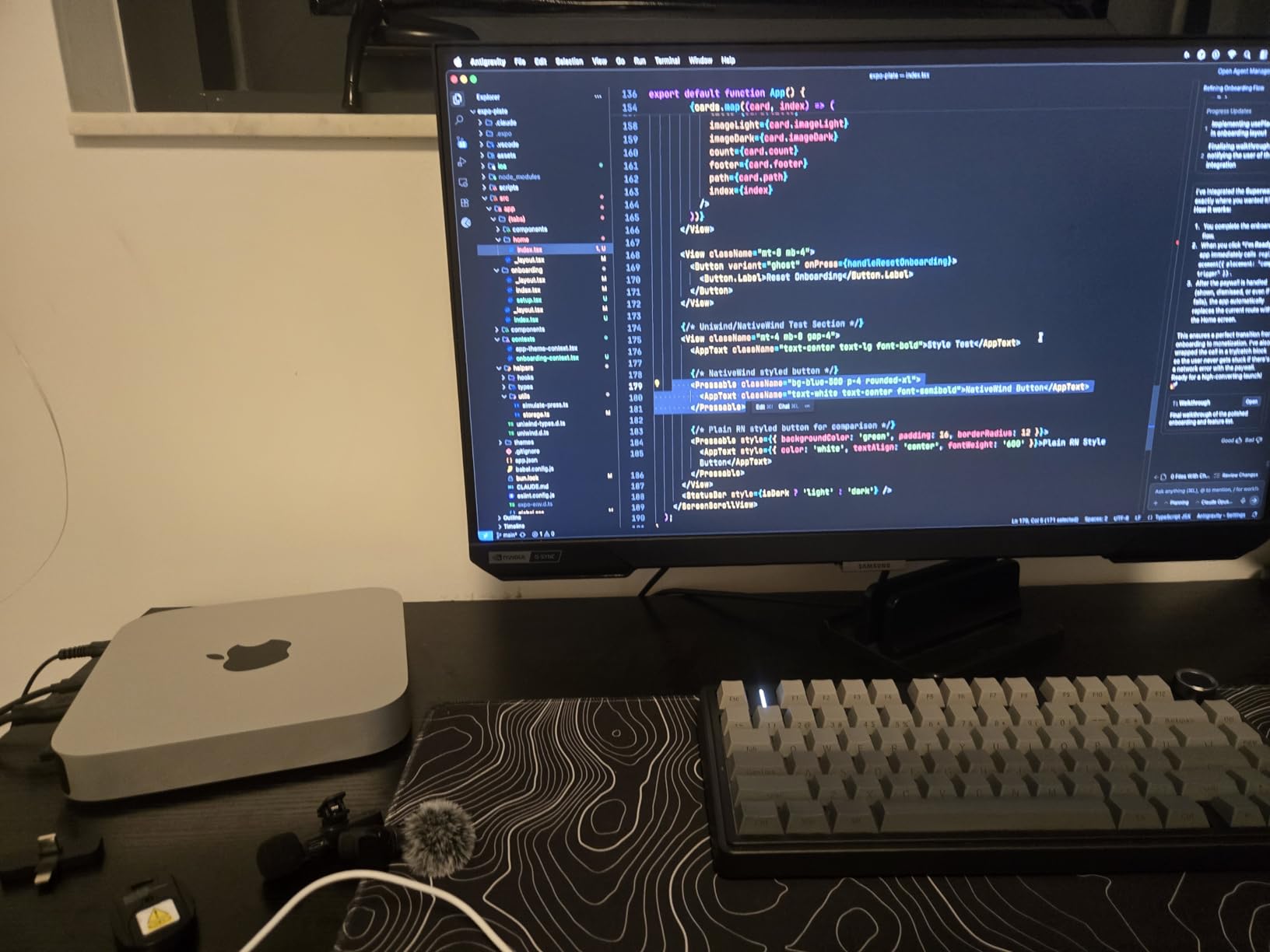
The 2020 Mac mini with the M1 chip is the highest-rated machine in this roundup at 4.7 stars across 849 reviews, and it is the only one here that runs macOS. If your day is email, documents, spreadsheets and Safari, the M1 handles it with an efficiency that no x86 chip here matches.
The M1 pairs an eight-core CPU with an eight-core GPU and a 16-core Neural Engine, and the whole system runs near-silent because there is no fan spinning up during a call. That is a genuine advantage in a shared room or a home where someone is sleeping in the next room.
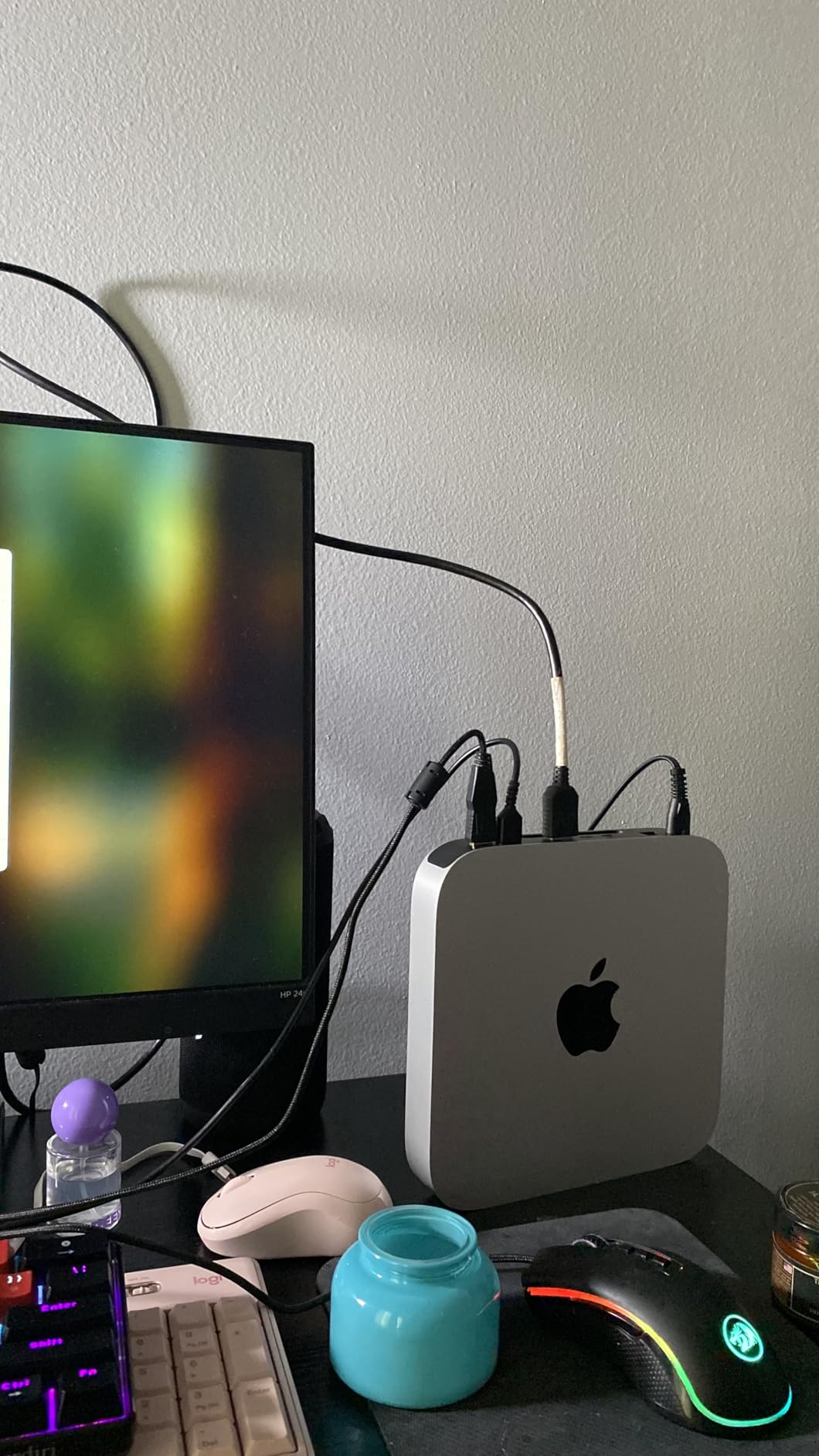
Display output reaches 6K or 4K through a single HDMI port, so dual-monitor setups work with an adapter for the second screen. Owners consistently praise reliability, silent running and smooth everyday performance, with the usual caveats about capacity and adapters.
The capacity caveat is real. This configuration carries 8GB of unified memory and a 256GB SSD, and neither can be replaced later. For a machine expected to last five years in a home office, that is the single biggest decision point, and it is worth being honest with yourself about how many browser tabs you actually run.
Ports are also thin: two USB-C, one USB-A, and HDMI. A desk with a wired keyboard and mouse plus an external drive plus a second monitor will need a hub, which adds back some of the space the mini chassis saves.
Who this suits
Mac users who want the quietest possible machine on the desk and do not need to upgrade anything later. If you already use an iPhone, an AirDrop-based workflow feels native here in a way it never does on Windows.
Who should look elsewhere
If your team shares files formatted for Windows, or you rely on software with no Mac version, this is the wrong box. If you need more than 8GB of memory, no amount of planning changes that, because the memory is soldered to the board.
5. BOSGAME E4 Air – Most Versatile For A First Office PC
BOSGAME E4 Air Mini PC, AMD Ryzen 5 3500U 8GB DDR4 256GB SATA SSD
Ryzen 5 3500U 4C/8T to 3.7GHz
8GB DDR4 to 32GB
256GB SATA SSD
Dual Gigabit Ethernet
5.1 x 5 x 1.8 inches
Pros
- Entry price with a quad-core eight-thread chip
- Dual slots let you add memory and a second drive
- Triple 4K output via HDMI DisplayPort and USB-C
- Dual Gigabit Ethernet plus Wi-Fi 5
- One-year machine warranty and three years on parts
Cons
- 8GB of RAM is tight for Windows 11 multitasking
- SATA SSD is slower than NVMe
- Wi-Fi 5 only
The E4 Air exists to answer one question: how little do you have to spend and still get a real desktop? It does that with a Ryzen 5 3500U, four cores and eight threads boosting to 3.7GHz, which is more compute than most office tasks will ever draw.
The weak point is the 8GB of DDR4. It runs at 2666MHz and expands to 32GB, and the dual slots mean you can add a stick or replace both. Windows 11 with a dozen browser tabs and Teams running will feel the squeeze on day one, so treat memory as a first-week upgrade rather than an optional extra.
Storage is a 256GB SATA drive in an M.2 2280 slot, with a second slot supporting up to 4TB. SATA speed is noticeably behind NVMe when you copy large media libraries, though for documents and email it makes little difference to daily rhythm.
Three display outputs cover HDMI, DisplayPort and USB-C up to 4K, and networking includes dual Gigabit ethernet ports plus dual-band Wi-Fi 5 and Bluetooth 5.0. The chassis is 5.1 by 5 by 1.8 inches, and the machine runs Windows 11, Ubuntu or Linux depending on your preference.
Warranty coverage is better than most at this end of the market: one year for the machine and three years for parts. Owners generally find it a capable budget desktop for office work and media, with memory and SATA storage as the recurring complaints.
Who this suits
A first home office machine, a shared family computer, or a second box in a spare room for email and streaming. It is the right pick when the budget is the constraint and you can add memory later.
Who should look elsewhere
If you handle large spreadsheets all day or run heavy multitasking, 8GB is the wrong starting point and the cost of fixing it soon erodes the saving. Anyone needing modern wireless will find Wi-Fi 5 dated.
6. BOSGAME E5 11 Pro – Best Business Pick With TPM 2.0 Networking
BOSGAME E5 11 Pro Mini PC, AMD Ryzen 5300U 4C/ 8T, Business Home Office PC
Ryzen 3 5300U 4C/8T to 3.8GHz
8GB DDR4 dual SODIMM to 64GB
256GB NVMe plus empty M.2
Dual 2.5GbE
25W power
Pros
- Windows 11 Pro preinstalled with TPM 2.0 support
- Front USB-C handles data video and power delivery on one cable
- Dual 2.5GbE ports for NAS and router use
- Triple 4K output at 60Hz
- Under 25dB with a VESA mount in the box
Cons
- 8GB base memory is modest despite expansion slots
- Only 256GB NVMe as standard
- Dual-channel claim depends on matched memory
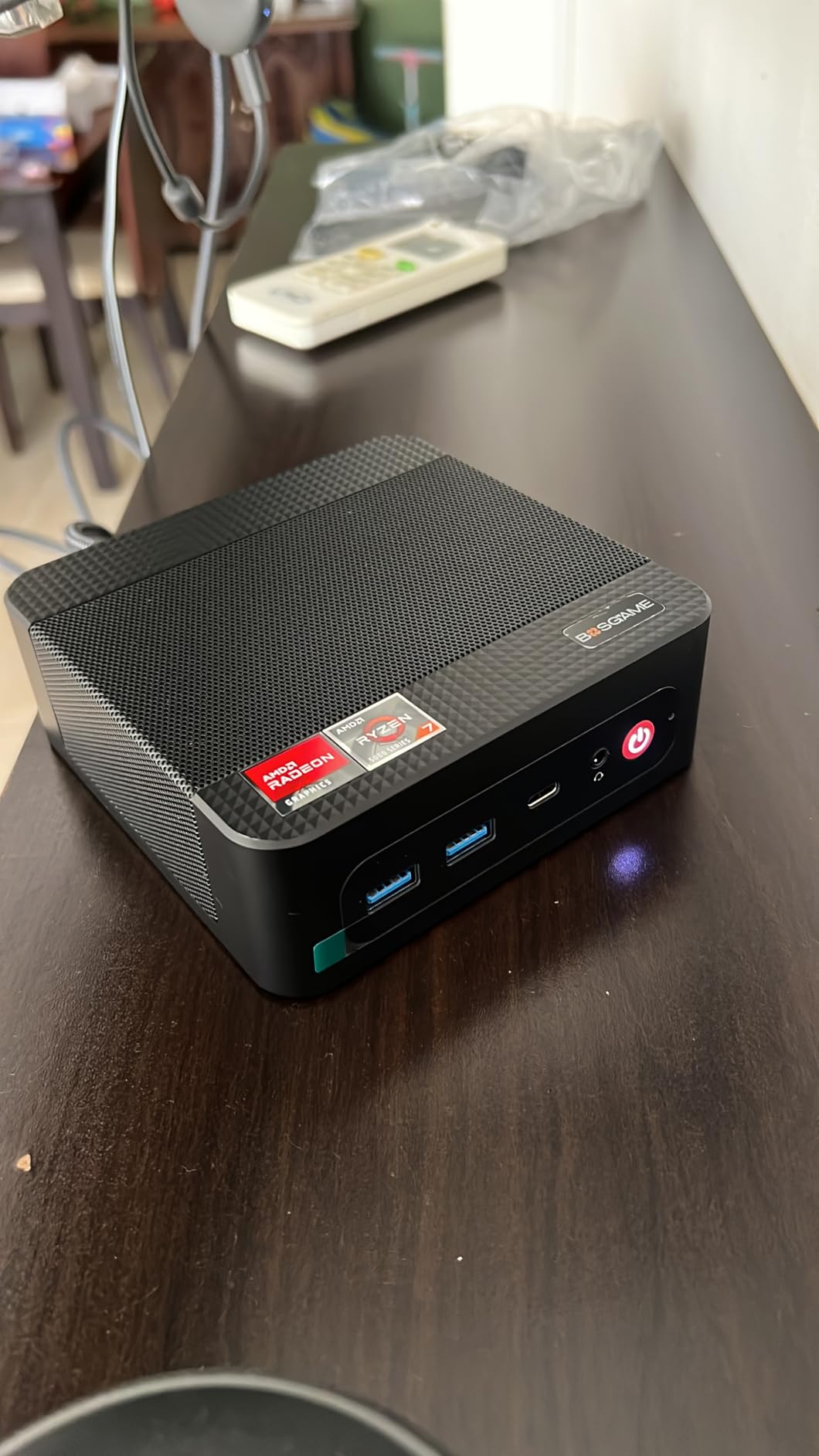
The E5 11 Pro is the one to buy if your employer sent you home with a company laptop policy or if your own work involves anything you would encrypt. Windows 11 Pro comes preinstalled and the platform supports TPM 2.0, which is the foundation of BitLocker drive encryption.
Underneath is a Ryzen 3 5300U, four cores and eight threads with a 3.8GHz boost and 6MB of cache on a 7nm process. Owners report it running more than 30 browser tabs, large spreadsheets and Zoom calls without complaint, which matches what the silicon suggests.
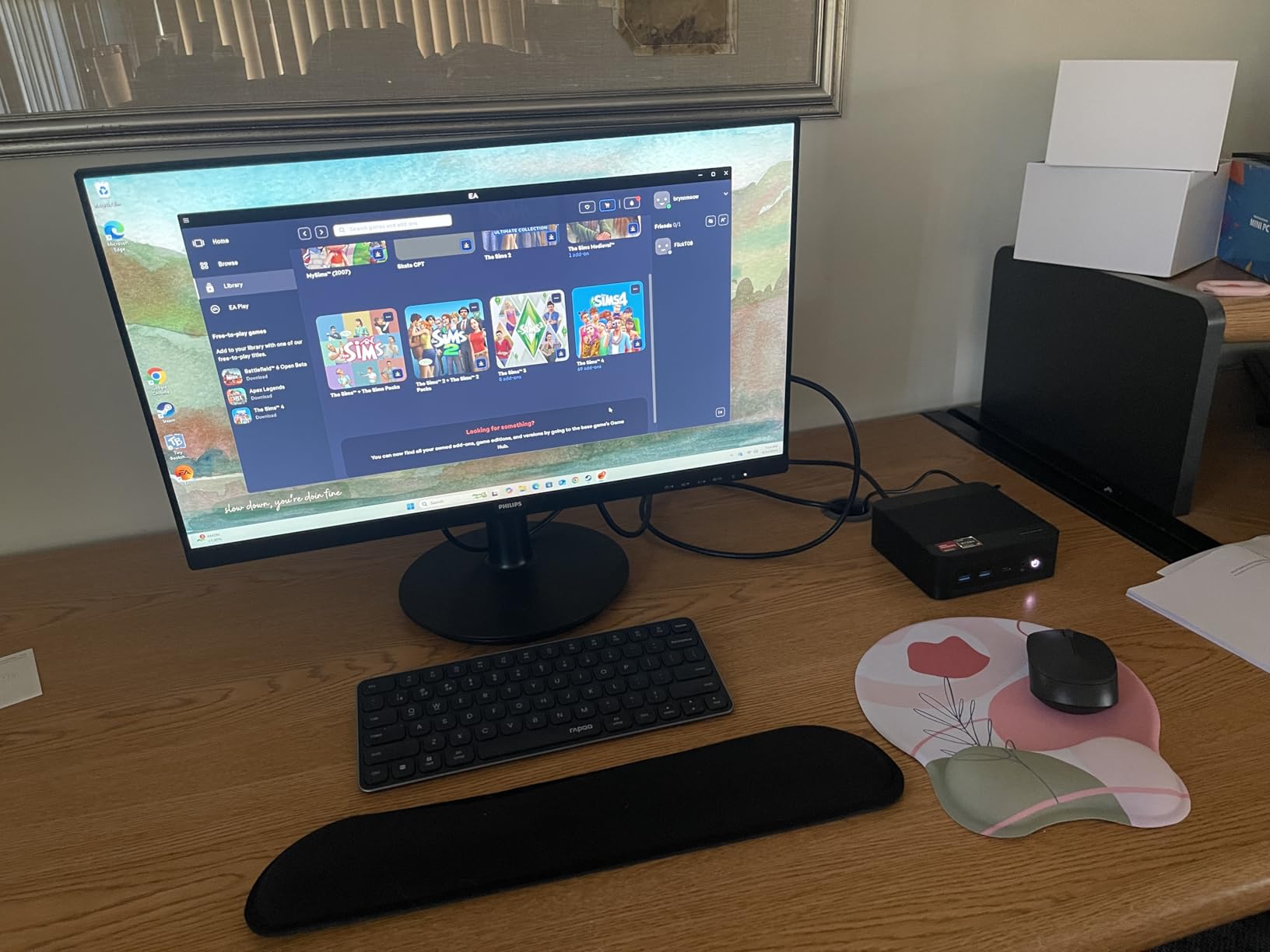
The front USB-C is the feature that changes a daily routine. It carries 10Gbps data, DisplayPort video and PD 3.0 power delivery, so one cable can run a monitor, charge a laptop and move files. That single-cable setup is the cleanest desk arrangement in this roundup.
Networking is dual 2.5GbE on the same Realtek RTL8125 controller used in the GMKtec M5S, which makes this a natural choice for a small office running a NAS or acting as a router, and display output covers HDMI 2.0, DisplayPort and full-function USB-C at 4K 60Hz.
Storage is 256GB of NVMe with an empty M.2 2280 PCIe 3.0 slot for up to 2TB more, and dual SODIMM slots expand memory to 64GB.
Rated power is 25W, and reviewers highlight operation under 25dB with copper heat pipes. The warranty covers the machine for one year and parts for three, which is the strongest combination in this roundup.
Who this suits
Remote workers who need encryption and a Pro licence, and anyone planning to run a NAS, a virtual machine or a second wired network connection. The single-cable monitor setup is a genuine daily quality-of-life win.
Who should look elsewhere
If you only need browsing and documents, a Pro licence and TPM support are not worth chasing. The 8GB base memory also means you will be opening the case sooner than you hoped, whichever machine you choose.
7. GMKtec G10 – Best Storage Pick At 1TB Out Of The Box
GMKtec G10 Mini PC Ryzen 5 3500U 1TB SSD 16GB DDR4 Triple 4K Display
Ryzen 5 3500U quad core to 3.7GHz
16GB DDR4 to 64GB
1TB SSD with dual M.2 slots
2.5GbE
4.1 x 3.8 x 1.7 inches
Pros
- 1TB SSD removes the first storage upgrade
- 16GB DDR4 expandable to 64GB
- Triple display output including HDMI 2.1
- 2.5GbE suits small server or router use
- TDP configurable from 12W to 35W
Cons
- Fan becomes audible under sustained CPU load
- Older Zen+ platform limits heavy creative work
- Only a one-year limited warranty
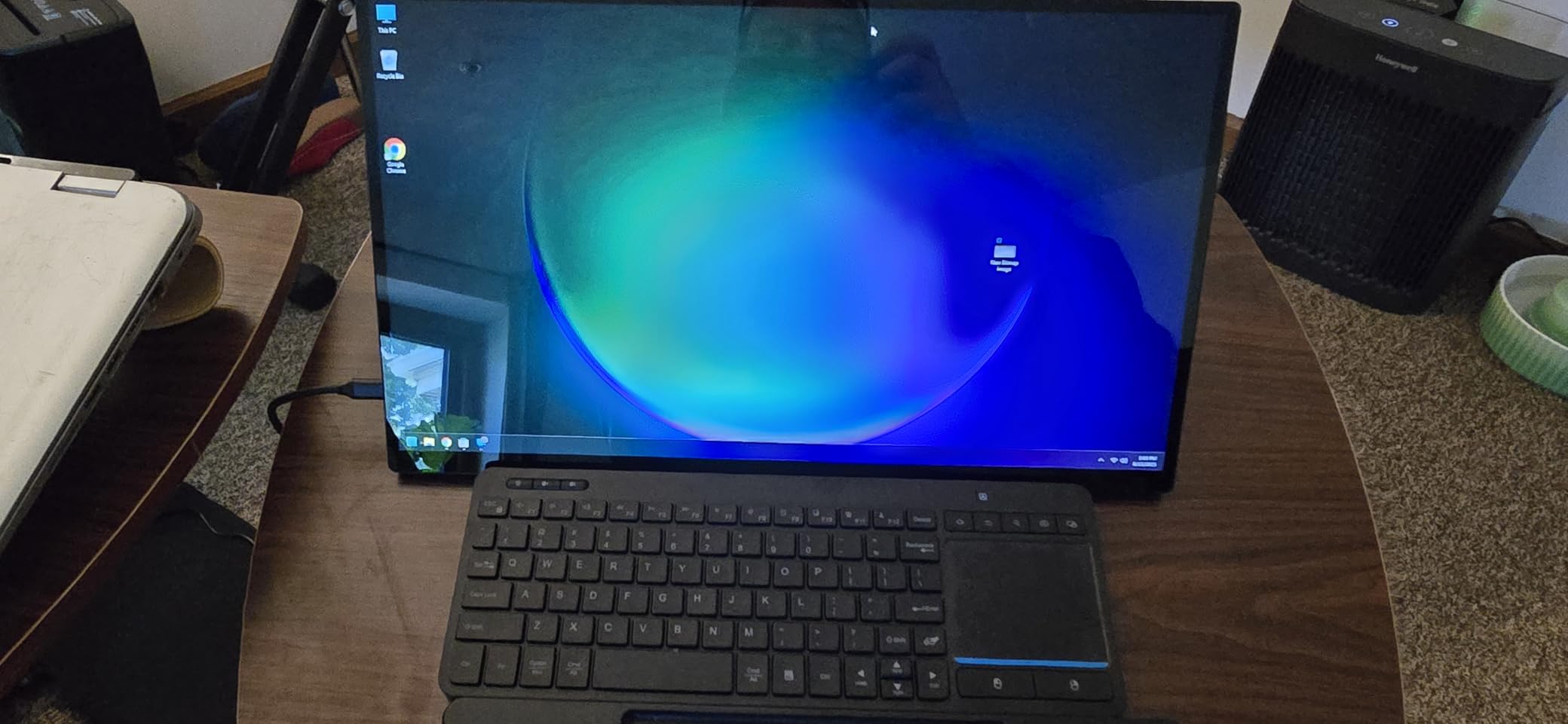
The G10 is the configuration we would pick if we wanted to stop thinking about storage. A 1TB SSD is included in the box, and two M.2 2280 PCIe 3.0 slots support up to 16TB in total, so the drive stops being the thing you constantly manage.
Memory is 16GB of DDR4 SO-DIMM running at 3200MT/s and expandable to 64GB, which is the right amount for a home office handling Outlook, Excel and a browser simultaneously for years without a memory ceiling.
Output runs through HDMI 2.1, DisplayPort 1.4 and a full-function Type-C port for three simultaneous displays, and connectivity includes 2.5GbE ethernet, Wi-Fi 5 and Bluetooth 5.0. The adjustable TDP from 12W to 35W lets you trade a little speed for a quieter desk when the day is calls rather than compiles.
Owners mostly praise value, storage capacity, quietness and the included VESA mount, with some noting memory limits and fan noise under heavy load. One caution: configurations within this product family vary, and some configurations use 8GB rather than the 16GB listed here, so check the memory figure before ordering.
At 4.1 by 3.8 by 1.7 inches it is among the smallest boxes here, which matters if you plan to mount it behind a monitor rather than beside it.
Who this suits
Anyone with an existing folder of documents, media and project files who does not want a second hard drive on day one. It also makes a tidy small server or a network-attached storage helper given the 2.5GbE port.
Who should look elsewhere
If you need genuinely silent hardware, the fan becomes noticeable under sustained CPU load. And if you plan to edit video or do 3D work, this Zen+ generation chip is not the right foundation.
8. GMKtec G3S – Lowest Power Draw For An Always-On Desk
GMKtec G3S Mini PC Intel N95 Processor (Up to 3.4GHz) 8GB RAM 256GB M.2 SSD
Intel N95 Alder Lake up to 3.4GHz
8GB DDR4
256GB M.2 SSD plus M.2 2242 slot
Dual HDMI
6W rated power
Pros
- 6W rated consumption suits an always-on machine
- Dual HDMI 2.0 drives two 4K 60Hz displays
- Intel N95 outperforms earlier low-power chips on office tasks
- Compact and simple setup with VESA mount
- USB 3.2 up to 10Gbps
Cons
- 8GB is the practical ceiling and limits heavy multitasking
- 256GB fills quickly without a second drive
- N95 has no upgrade path
If your mini PC stays switched on all day, next to the router or as an always-ready second machine, power draw matters more than peak speed. At 6W rated, the G3S is the lowest figure in this roundup and sits well below the 10 to 15W many compact desktops idle at.
The Intel N95 is a 12th-generation Alder Lake part with four cores and four threads, 6MB of cache and a boost to 3.4GHz. Owners and reviewers consistently note it delivering a meaningful improvement over earlier N100 and N5105 chips for office tasks, and the integrated UHD graphics decode AV1 video without complaint.
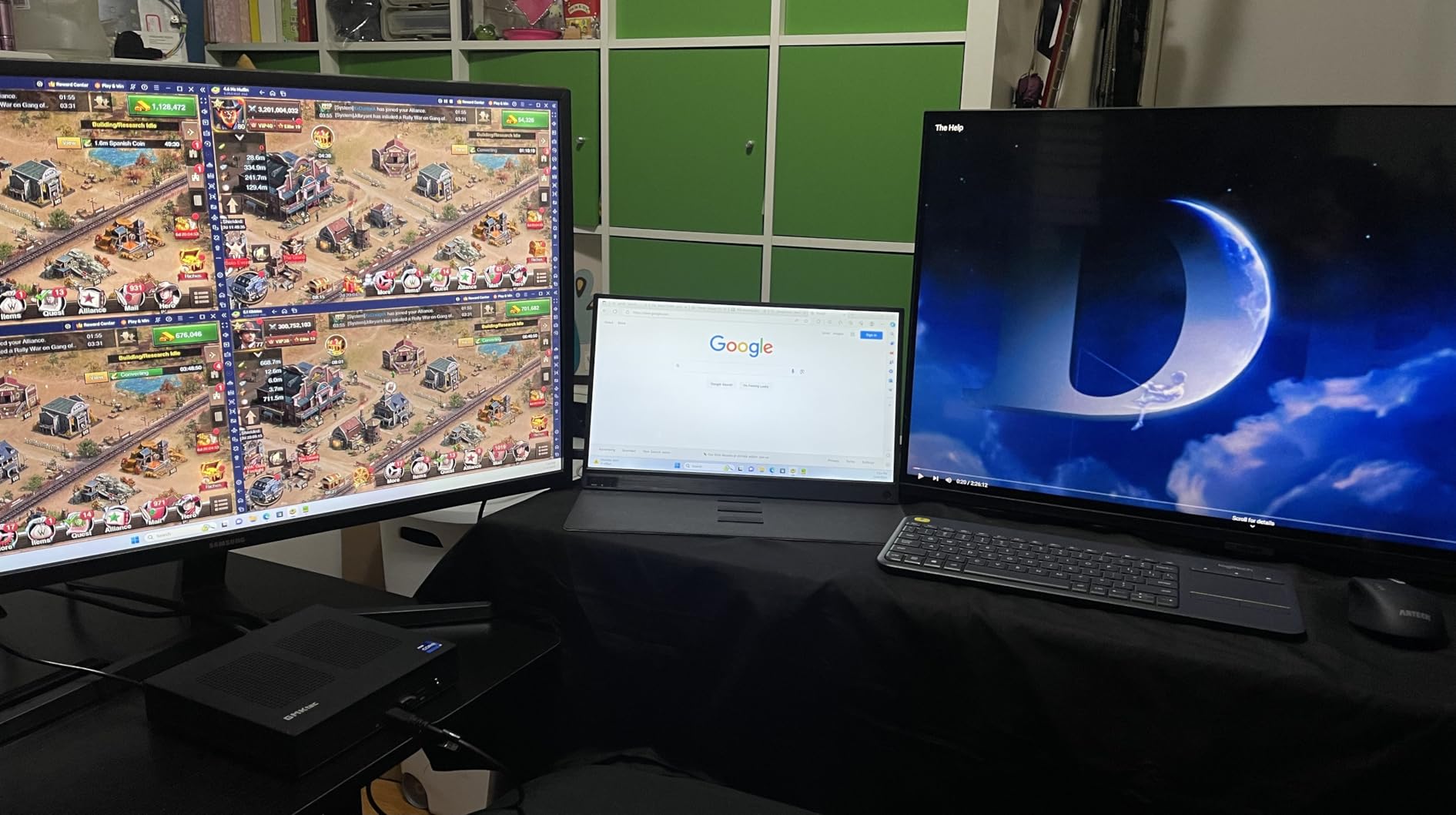
Two HDMI 2.0 ports drive two 4K displays at 60Hz simultaneously, which is the important specification here. Many low-power boxes include a single output and force a dock; this one covers the standard dual-monitor home office without one.
Storage is a 256GB M.2 2242 drive plus a matching M.2 2242 SATA slot for a second drive, and memory is 8GB of DDR4 at 3200MT/s. That 8GB figure is both the strength and the limit: efficient for a dedicated browser and media machine, tight for fifteen tabs and a spreadsheet at once.
Connectivity is Wi-Fi 5, Bluetooth 5.0 and Gigabit ethernet at 1000MbE, with four USB ports at up to 10Gbps and a 3.5mm audio jack. Reviewers highlight low power draw, quiet operation and dual-monitor support, with more memory as the most common upgrade request.
Who this suits
A home office that runs two monitors, keeps the machine on continuously, and spends its day on documents and browsing rather than heavy multitasking. A VESA mount is included, so it can disappear behind a display.
Who should look elsewhere
If your day involves dozens of browser tabs alongside video calls, 8GB will slow you down. And if you expect to grow the machine in two years, there is no processor or memory upgrade path here at all.
9. KAMRUI Pinova P1 – Smallest Footprint For A Tidied Desk
KAMRUI Pinova P1 Mini PC, W-11 Pro AMD Ryzen 3 Pro 7330U(Beat 10110U/N150/N95 up to 4.3GHz), 8GB RAM 256GB SSD Mini Desktop Computer Support 4K HDMI+DP+Type-C/WiFi/BT for Business Home Office Mini pc
AMD Ryzen R2544 4C/8T to 3.7GHz
16GB RAM
256GB SSD
Triple 4K output
3.94 x 3.94 x 1.18 inches
28W power
Pros
- Among the smallest chassis in this roundup
- Triple 4K output through HDMI DisplayPort and Type-C
- Windows 11 Pro preloaded with TPM 2.0
- VESA bracket included for behind-monitor mounting
- Auto power on and Wake on LAN support
Cons
- Single-channel memory that is not user-upgradeable
- Base storage is a SATA M.2 drive
- Not suited to 3D rendering or modern gaming
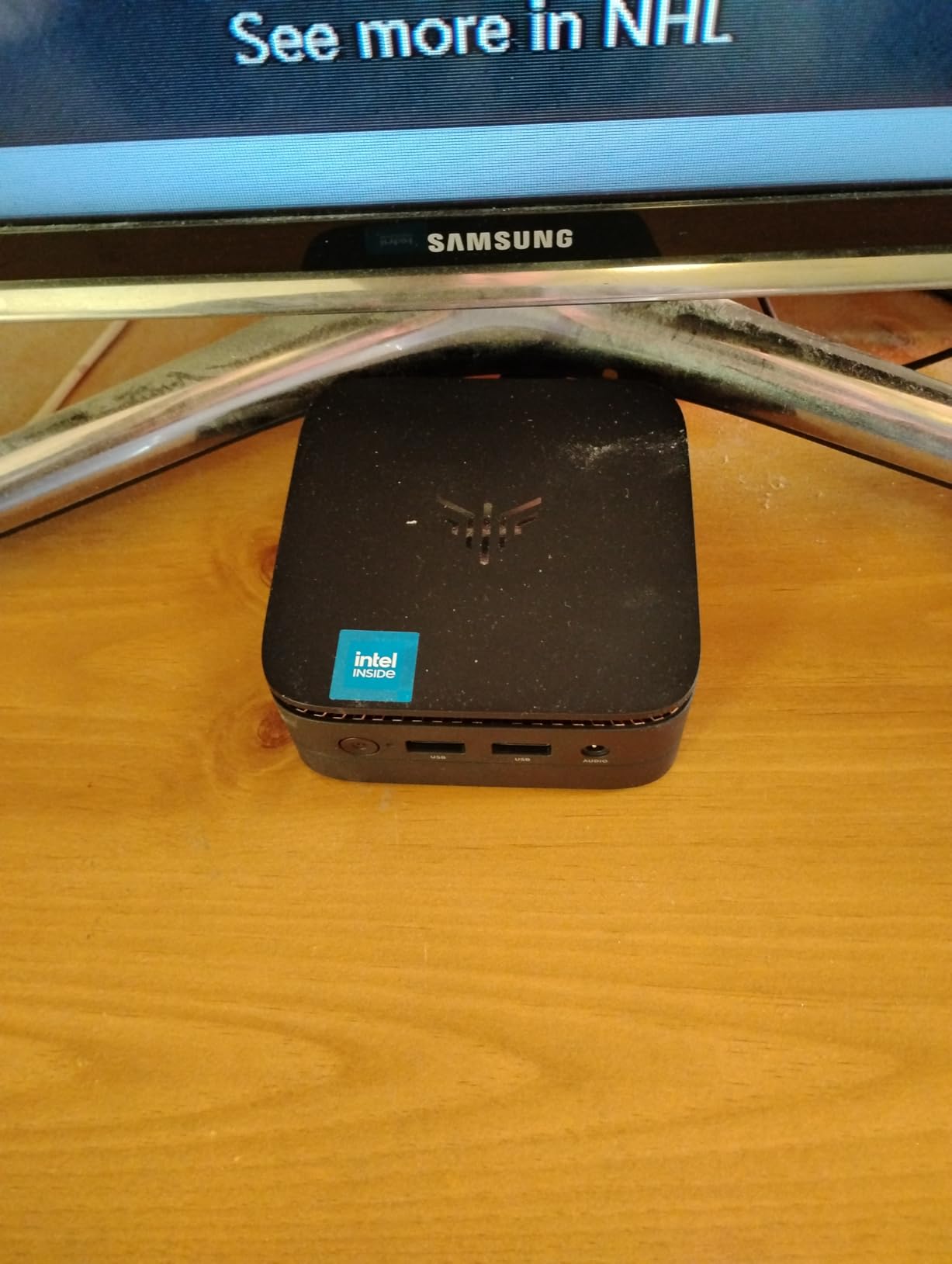
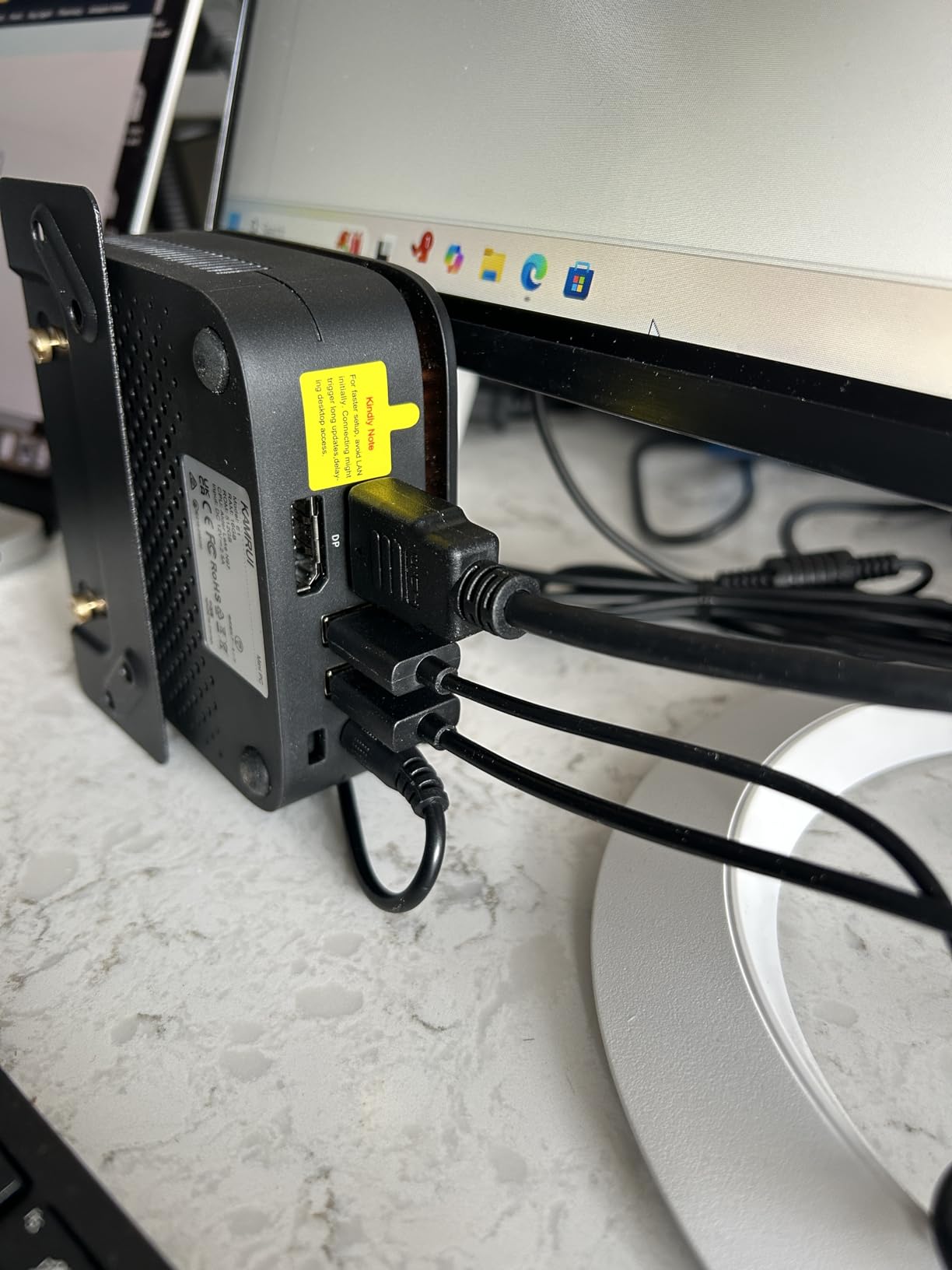
The Pinova P1 is about the size of a paperback book, 3.94 by 3.94 by 1.18 inches and 0.62kg, and it is the pick when desk depth is the real constraint. Mounted behind a monitor it disappears entirely, which the included VESA bracket makes straightforward.
The Ryzen R2544 provides four cores and eight threads up to 3.7GHz with 4MB of cache at a 28W TDP. Owners report fast startup, plenty of I/O and a very small footprint for home office and media use, with single-channel memory and SATA storage as the recurring limits.
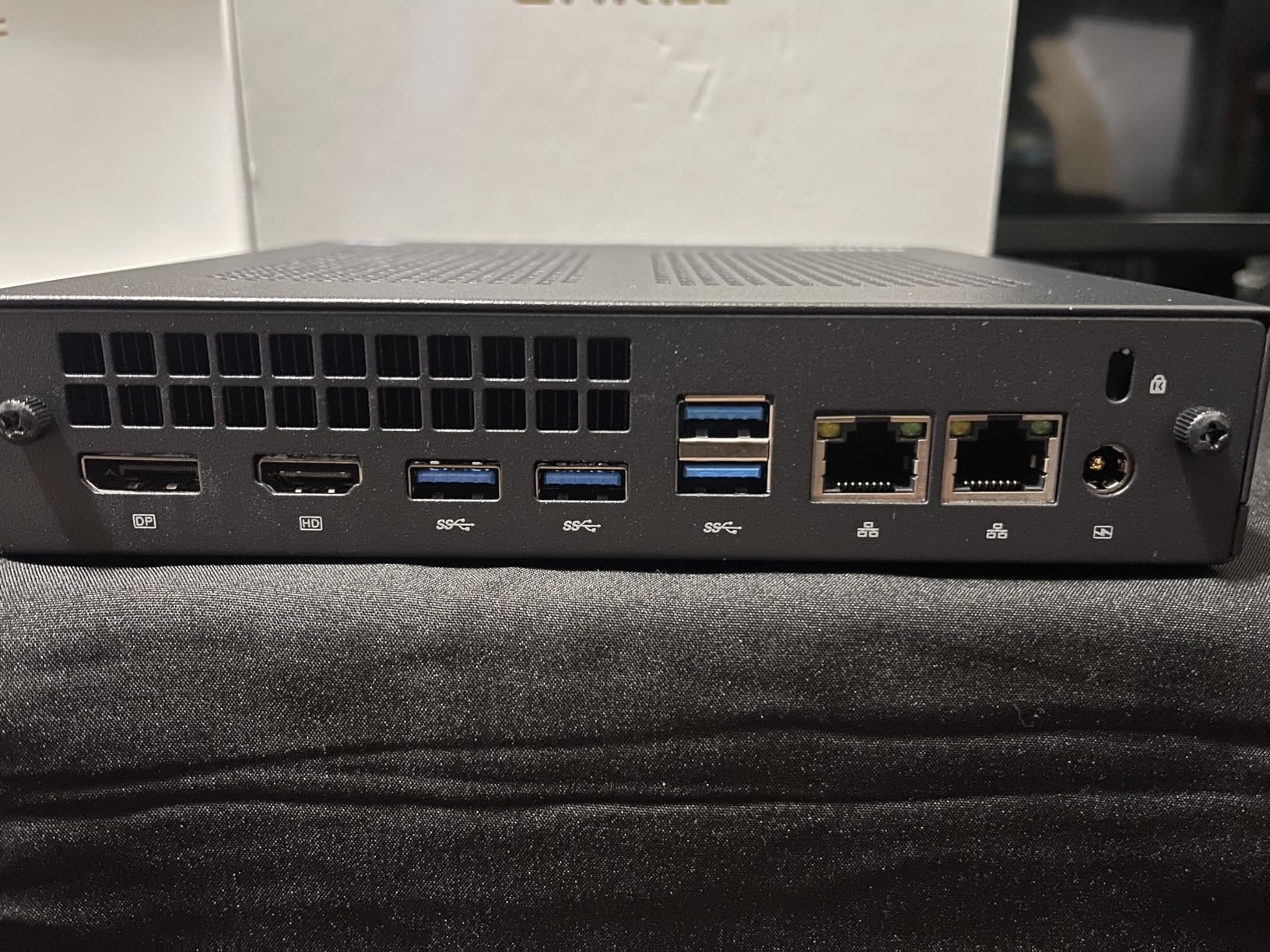
Three 4K 60Hz outputs cover HDMI, DisplayPort and Type-C, and the port count is generous for the size: four USB 3.2 ports, one RJ45, audio in and out, plus a DC input. Windows 11 Pro is preloaded, and TPM 2.0 support means BitLocker is available if your work involves confidential files.
Two operational features stand out for a home office. Auto power on restores the machine after a power cut without you reaching for the keyboard, and Wake on LAN lets you wake it remotely from another device on the network. For a machine that doubles as a small always-on helper, both are genuinely useful.
The memory situation is the compromise. 16GB is installed and rated to 32GB in the specification, but owners report single-channel configurations that are not user-upgradeable, and the base drive is SATA M.2 rather than NVMe. Check the exact configuration before ordering.
Who this suits
A desk where every centimetre counts, or a wall-mounted and behind-the-monitor arrangement. It is also a good fit for anyone who needs Windows 11 Pro with TPM 2.0 in the smallest package here.
Who should look elsewhere
If you plan to add memory in a few years, single-channel soldered RAM ends that conversation now. SATA storage also makes large file copying slower than the NVMe alternatives in this roundup.
10. Beelink Mini S12 – Quiet Dual-HDMI Pick
Beelink Mini S12 Mini PC,12 Generation Intel N95 (Up to 3.4GHz) 4C/4T,8GB DDR4 480GB SATA3 SSD,Micro PC 4K,Dual Display, WiFi5, BT4.2, 2.5G LAN, Low Power Mini Computer
Intel N95 up to 3.4GHz
8GB DDR4
480GB SATA3 SSD
Dual HDMI
2.5G LAN
10W rated power
Pros
- Quiet operation suited to calls in a shared room
- Dual HDMI for two simultaneous monitors
- 2.5GbE LAN for faster transfers
- Wall-mount bracket included
- 480GB SSD gives more headroom than most low-power boxes
Cons
- 8GB single-channel DDR4 is limited for heavy multitasking
- SATA3 SSD rather than NVMe
- Fewer ports than larger mini PCs
The Mini S12 is Beelink’s answer to the low-power home office desk, and at 4.5 stars across 262 reviews it holds the second-highest owner rating in this group. It is a small, deliberately simple machine that does the standard office workload without fuss.
The Alder Lake N95 handles office work, calls and 4K video playback at a 10W rated draw, which is higher than the GMKtec G3S but still firmly in low-power territory. Storage at 480GB gives more breathing room than the 256GB typical of this class, which matters if you keep a local mail archive or a media library.
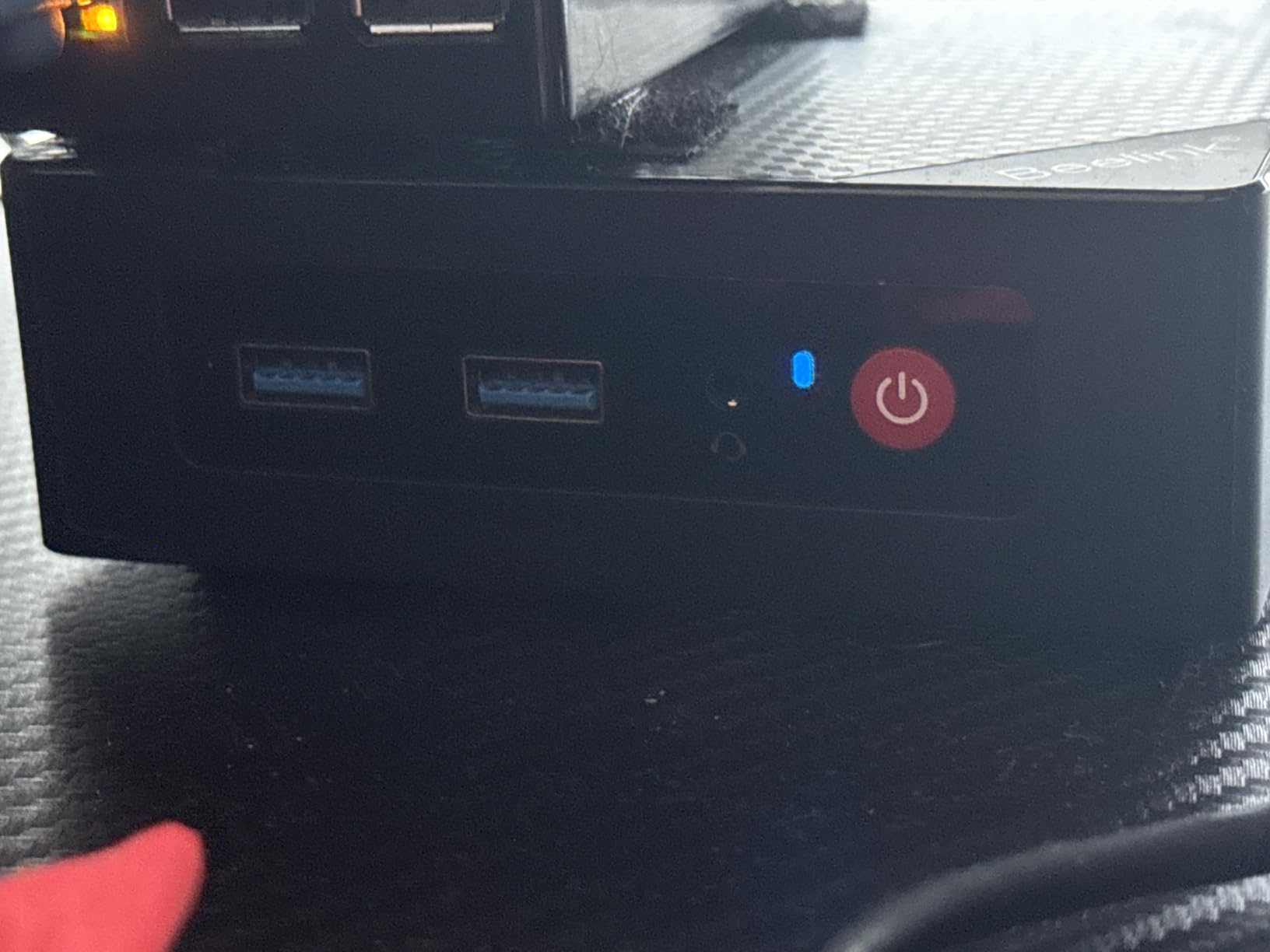
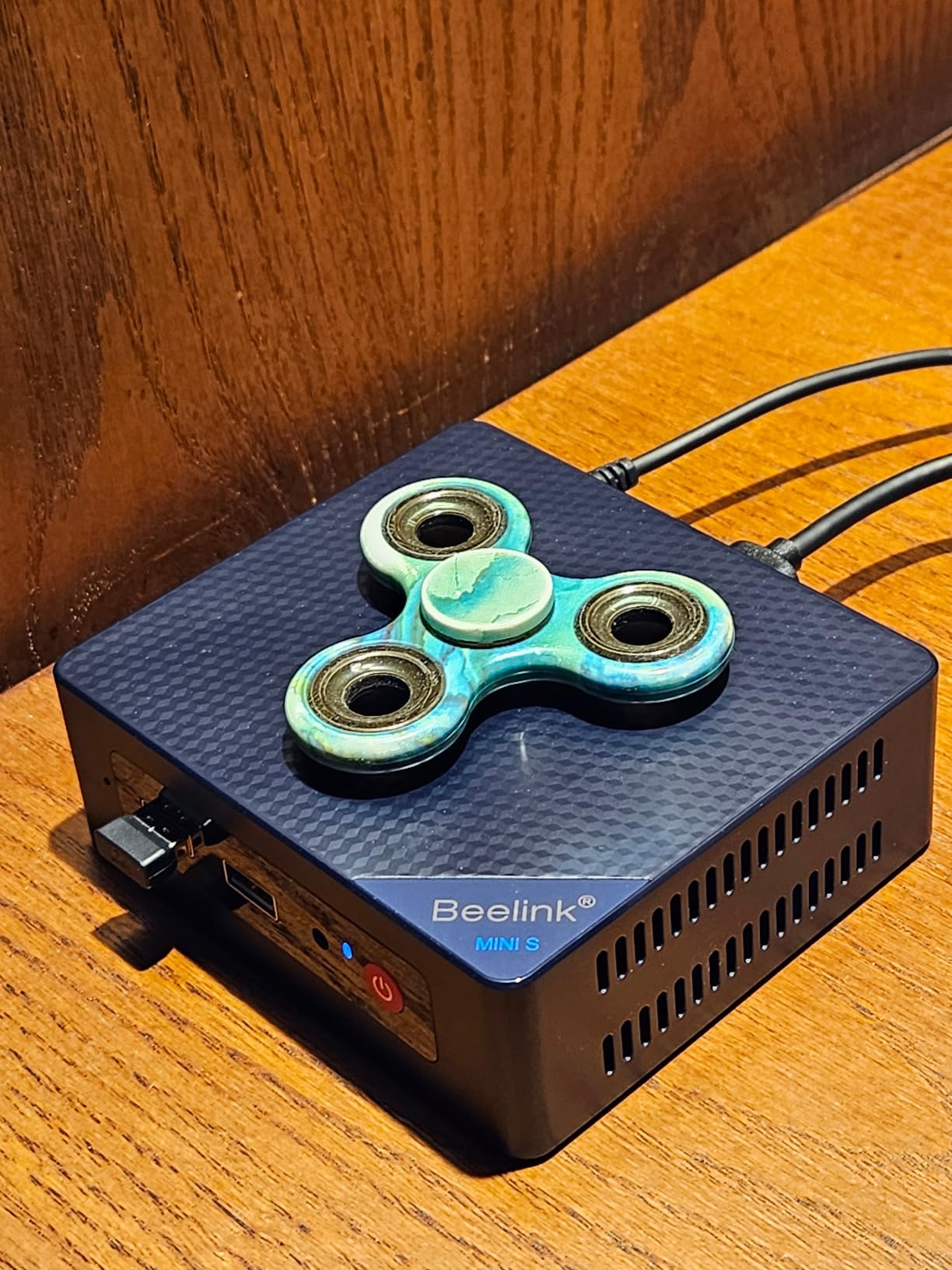
Two HDMI outputs drive two monitors, and the 2.5GbE LAN plus Wi-Fi 5 and Bluetooth 4.2 cover networking without a dongle. The chassis is 4.52 by 4.04 by 1.54 inches and the box includes a wall-mounted bracket, so it can sit behind a panel or under a shelf.
Cooling was reworked with 40% better heat dissipation, and buyers consistently rate it for quietness, dual-monitor support and low power consumption. Memory is the standard caveat: 8GB of single-channel DDR4 with a modest ceiling, plus a SATA3 drive that is slower to copy large files.
Port selection is the other limitation. Four USB ports and two HDMI are enough for a keyboard, mouse and two screens, but there is no spare video output for a third display without an adapter.
Who this suits
A quiet shared room, a study, or a second machine that runs all day alongside a laptop. The bracket and dual HDMI make a tidy two-screen wall-mounted setup straightforward.
Who should look elsewhere
If you want three screens, expandable memory or faster storage, this box runs out of options quickly. Heavy multitasking on 8GB single-channel memory is the other limit to plan around.
How To Choose A Mini PC For A Home Office?
Start with the workload, not the specification sheet. Email, documents, browsing and calls describe most home offices, and a quad-core chip with 16GB of memory covers that with room to spare. The machines in this roundup that hesitate are the ones limited to 8GB, not the ones with older processors.
How much RAM do you actually need?
Think about tabs rather than tasks. One browser window with a handful of tabs can consume several gigabytes, and video calling software adds more on top of the operating system. Our tiers: 8GB suits a dedicated browser and media machine, 16GB is the practical floor for a full office day, and 32GB or more is for heavy multitasking or local virtual machines.
The more important question is whether you can add it later. The GMKtec M5S, BOSGAME E4 Air and BOSGAME E5 all use SO-DIMM slots and expand well above 32GB. The KAMRUI Pinova P2 and Pinova P1 use soldered memory, and the Mac Mini’s unified memory is fixed for life.
Which CPU class do you need?
The suffix tells you the power envelope. U-series parts such as the Ryzen 3 7330U and 5400U are efficient laptop chips built for battery-friendly thermals, which is exactly what a desk machine wants. H-series and HS chips run hotter and faster, and are worth it only if you do sustained video or 3D work. Efficiency parts like the Intel N95 trade peak speed for very low wattage.
For a home office, an efficiency U-series chip is the sweet spot: fast enough for everything above, cool enough to run quietly, and cheap enough that the money goes towards memory instead.
Storage: how much do you need?
A 256GB drive fills faster than most people expect once email archives, shared folders and a video call cache accumulate. The GMKtec G10 includes 1TB as standard and holds up to 16TB across two slots, which is why it earns its place for anyone with existing files. The Beelink Mini S12 at 480GB is a reasonable middle ground.
Check the drive type while you are there. NVMe drives are markedly faster on large file copies than the SATA M.2 drives found in a few of these machines, and that difference shows up on any project bigger than a spreadsheet.
Ports and multi-monitor support
Count your displays before you buy, not after. Dual HDMI, HDMI plus DisplayPort, and HDMI plus USB-C are the three reliable two-screen arrangements. HDMI plus DisplayPort plus USB-C gives you a spare output for a third panel or for tying a laptop in.
Then count the peripherals. A keyboard and mouse use two USB ports, a webcam or headset another, and an external drive with a dock more. Four USB ports is workable; six or more means you can avoid a dock entirely. The HP EliteDesk 800 G2 wins on ports with six USB 3.0 connections including a front USB-C.
Power draw and running cost
Power draw is the easiest number to ignore and the easiest to control. The rated figures here run from 6W on the GMKtec G3S to 35W on the HP EliteDesk, and rated ceilings are not the same as typical draw. Home lab and hardware forum consensus puts many compact desktops at 10 to 15W idle, against 80 to 100W for a mid-range tower.
Across an eight-hour workday, a 10W machine draws about 0.08kWh. At typical residential rates that is a rounding error rather than a bill line, but across a year of daily use the gap between a 6W box and a 35W box is real money. If your machine stays on continuously, weigh the low-power picks first.
Noise, cooling and mounting
Fan noise is a home-office problem, not a benchmark problem. The KAMRUI Pinova P2 is described by owners as very quiet under normal loads, the BOSGAME E5 runs under 25dB with copper heat pipes, and the Mac Mini M1 has no fan at all in typical use. If your desk sits in a shared room or beside a bed, favour those and set any fan mode to Silent.
Every machine here except the HP includes a VESA bracket. Mounting behind a monitor frees desk depth and hides the box entirely, which is often the biggest visible upgrade a mini PC offers. Running an HDMI cable behind the panel and leaving a power brick on the floor finishes the effect.
Barebones or fully configured?
A barebones kit gives you the case, board and processor with no memory, no drive and no operating system licence, so the real total includes RAM, an SSD and Windows. That only makes sense if you already have parts or if you plan to fit better ones than the bundled equivalents. Otherwise a configured machine costs less for the same result.
There is a timing argument too. Forum threads about memory and SSD price pressure regularly affect purchase timing, and the sensible rule is simple: if you know which machine you want and the configured version meets your needs, buy it rather than gambling on component prices. If you want a specific upgrade anyway, barebones is the cheaper route to that exact build.
Reliability and warranty
Community consensus treats Beelink, Minisforum and GMKtec as the safest mainstream names, with Geekom often praised for value and port selection, and it is worth knowing that the underlying designs often come from the same small set of contract manufacturers. Warranty length varies more than buyers expect: two years on the KAMRUI machines, one year on the GMKtec boxes, one year plus three years on parts for BOSGAME, and 90 days on the renewed HP and Mac Mini.
For a home office machine that will run daily, a longer warranty is the safer place to spend your confidence. A three-year parts warranty is a better signal than a one-year blanket.
Mac Mini Or Windows Mini PC: How To Decide
This is the decision most home office buyers get wrong by buying the wrong platform rather than the wrong machine. The question is not which is faster, because these chips are fast enough. The question is which software your work actually requires.
Choose the Mac Mini M1 if your day is documents, spreadsheets, Safari and iPhone-based workflows, or if your employer hands out MacBooks. Choose a Windows mini PC if you need Microsoft Office at full fidelity, any line-of-business or accounting software, remote desktop tools built for Windows clients, or games and media apps with no Mac version.
Two practical differences matter at the desk. The Mac Mini ships 8GB of unified memory in this configuration with no upgrade path, while several Windows boxes here start at 16GB and can grow further. And the Mac’s port selection is thinner, so a dual-monitor setup plus a wired keyboard and mouse usually needs a hub.
Against that, the M1 runs near-silent with no fan, which matters in a quiet room, and it holds the highest owner rating in this roundup at 4.7 stars. If your software works on both, pick on memory capacity and warranty length rather than on benchmark scores.
Frequently Asked Questions
What is a good mini PC for office use?
A quad-core processor with 16GB of RAM and a 512GB or larger SSD handles email, documents, spreadsheets, browsing and video calls with room to spare. In this roundup the KAMRUI Pinova P2 is the strongest all-rounder, and the GMKtec M5S is the better choice if you want to upgrade memory later.
Are mini PCs good for office use?
Yes. Mini PCs run Windows 11 or macOS exactly like a desktop tower, connect to your monitor over HDMI, DisplayPort or USB-C, and handle office software, browsers and calls. The main advantages over a tower are desk space, near-silent operation and far lower electricity use.
What is the best budget mini PC for an office setting?
The BOSGAME E4 Air is the lowest-cost option here that still offers a quad-core Ryzen 5 3500U, dual memory slots expandable to 32GB and three 4K outputs. Its 8GB of memory is the weak point, so budget a 16GB stick shortly after purchase.
How much power does a mini PC typically consume?
Most compact desktops idle around 10 to 15W, while efficiency chips such as the Intel N95 machines in this roundup are rated at 6W to 10W, against 80 to 100W for a mid-range desktop tower. An 8-hour workday on a 10W machine draws roughly 0.08kWh.
Which mini PC has the lowest power consumption?
The GMKtec G3S, with a 6W rated consumption, is the lowest in this roundup, followed by the Beelink Mini S12 at 10W. Both use Intel N95 processors designed for efficiency, making them the right choice for a machine that stays switched on all day.
Can a mini PC replace a desktop computer?
For office work such as documents, spreadsheets, browsing and video calls, a mini PC replaces a desktop comfortably. It becomes a poor substitute when you need dedicated graphics, heavy video editing, 3D rendering or many storage drives, since mini PCs rely on integrated graphics and limited internal expansion.
How much RAM do I need for a mini PC?
8GB suits a dedicated browser and media machine. 16GB is the practical floor for a full office day with many tabs and a video call running, and 32GB or more is for heavy multitasking or local virtual machines. Prefer a machine with SO-DIMM slots so you can add memory later.
Should I buy a Mac mini or a Windows mini PC?
Buy the Mac Mini M1 if your work is documents, spreadsheets, Safari and iPhone workflows. Choose a Windows mini PC if you need full Microsoft Office, Windows-only business software, remote desktop clients or a wider app catalogue. Remember that the 8GB of unified memory in the Mac Mini cannot be upgraded.
Conclusion
Ten machines later, the KAMRUI Pinova P2 remains the best mini PC for most home offices. Three independent 4K outputs, eight threads, dual storage expansion and a VESA bracket in the box mean one purchase covers the two-monitor desk that most people end up building.
Buy the GMKtec M5S instead if you want memory you can add later, the Mac Mini M1 if you work in macOS and value silence above all else, and the BOSGAME E4 Air if the budget is the deciding factor. Whatever you choose, count your monitors and check the memory upgrade path before you order, because those two decisions decide whether the machine still fits your desk in three years.
Set it up with the VESA bracket, run one cable to the monitor where the hardware allows, and get on with the work. That is the whole point of going compact in 2026.