
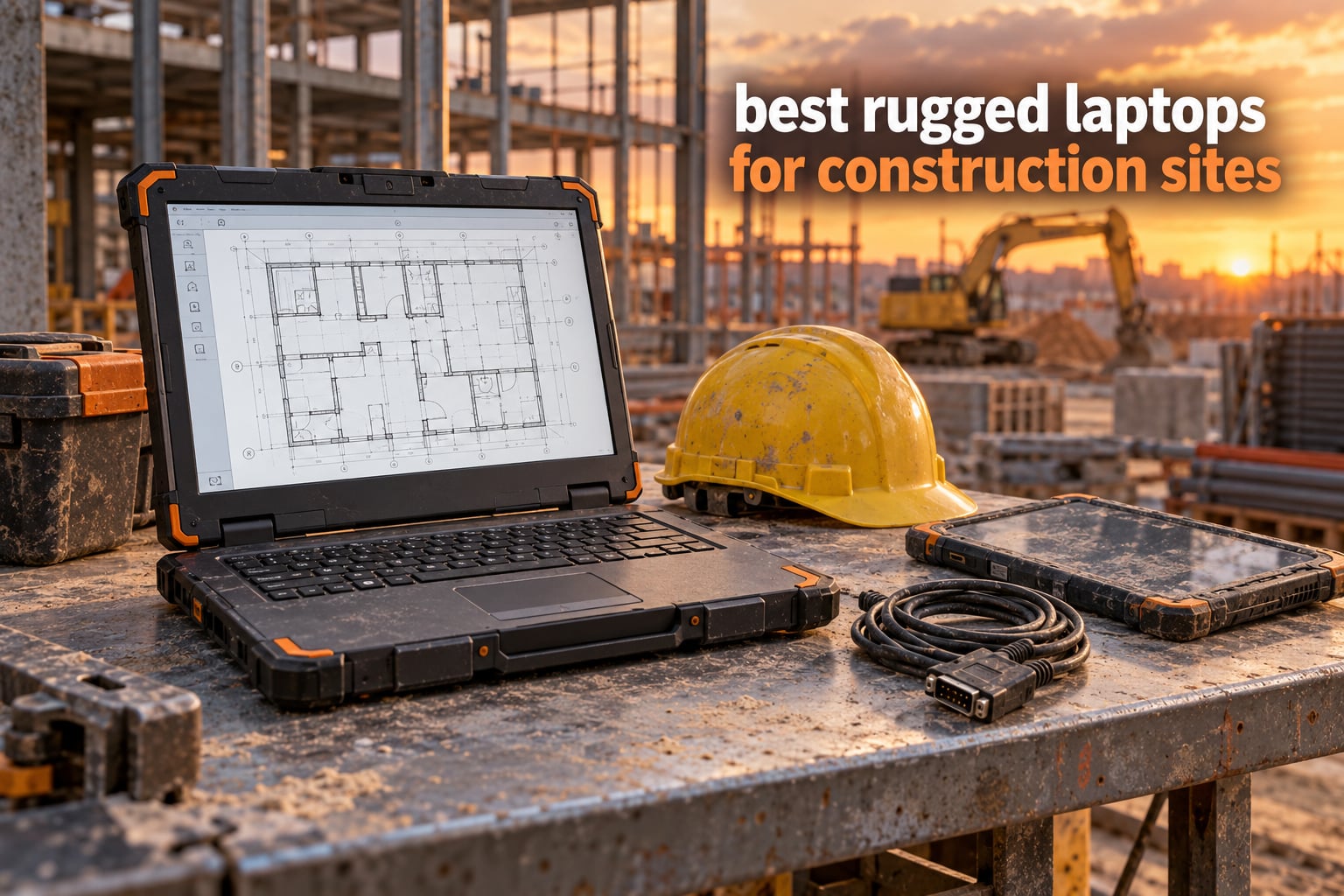
The best rugged laptops for construction sites share four specs that a normal business laptop simply cannot fake: a MIL-STD-810H tested chassis, an IP65 or higher ingress seal, a sunlight-readable display rated at 1000 nits or more that accepts gloved input, and hot-swappable or dual batteries that carry a full shift away from a site trailer. Those four thresholds are what separate a device built for concrete dust, rain, truck beds, and six-foot drops from a thin consumer machine in a rubber sleeve.
We spent weeks comparing twelve of these machines side by side, reading verified owner reviews, and mapping each one to the job it actually does on site. What follows covers everything from a 2.6 pound Chromebook for punch lists to a 7.7 pound fully rugged notebook rated to keep working between minus 29 and 60 degrees Celsius.
One thing we noticed immediately: the community treats Panasonic Toughbook as the default answer, and there is a reason for that. Forum regulars who deploy these machines for electrical and utility crews report the same pattern over and over, that the magnesium frame, sealed port doors, and shock-mounted drive survive years of abuse that would end a consumer laptop in weeks. Our own site covers that same logic for gear that has to survive the truck and the trail, from rugged dry bags to rugged portable SSDs, which matters more on a job site than most buyers expect.
Table of Contents
Top 3 Best Rugged Laptops for Construction Sites in 2026
Our three headline picks cover the widest range of real site work, from checklist apps in a hard hat to a bright screen at midday on a steel deck.


Panasonic Toughbook CF-33 MK1
- 1200 nit touch display
- IP65 and 4-foot drop rated
- 4G LTE and GPS
Rugged Laptop Comparison: All 12 Models in 2026
Every machine below is a rugged construction laptop in some sense, but they sit at very different points on the durability and price scale. Here is the full lineup in one place before we get into the details.
| Product | Specifications | Action |
|---|---|---|
| ASUS Chromebook C203XA |
|
Check Latest Price |
| Dell Latitude Rugged 5414 |
|
Check Latest Price |
| Panasonic Toughbook CF-33 MK1 |
|
Check Latest Price |
 Dell Latitude 5420 Rugged Dell Latitude 5420 Rugged |
|
Check Latest Price |
 MUNBYN IRX16 MUNBYN IRX16 |
|
Check Latest Price |
 Getac K120 Getac K120 |
|
Check Latest Price |
 Panasonic Toughbook CF-31 MK6 Panasonic Toughbook CF-31 MK6 |
|
Check Latest Price |
 Panasonic Toughbook FZ-55 MK1 Panasonic Toughbook FZ-55 MK1 |
|
Check Latest Price |
 Dell Latitude Rugged 5430 Dell Latitude Rugged 5430 |
|
Check Latest Price |
 ASUS BR1102FGA ASUS BR1102FGA |
|
Check Latest Price |
 Getac B300 G7 Getac B300 G7 |
|
Check Latest Price |
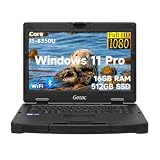 Getac S410 G3 Getac S410 G3 |
|
Check Latest Price |
1. ASUS Chromebook C203XA – Best Overall Rugged Laptop for Site Checklists
ASUS Chromebook C203XA Rugged & Spill Resistant Laptop, 11.6″ HD, 180 Degree, MediaTek Quad-Core Processor, 4GB RAM, 32GB eMMC, MIL-STD 810G Durability, Dark Grey, Education, Chrome OS, C203XA-YS02-GR
MIL-STD 810G
11.6 inch anti-glare HD
Up to 10 hour battery
2.6 lb
Pros
- MIL-STD 810G chassis with spill-resistant keyboard
- Lightest machine here at 2.6 lb
- Up to 10 hour battery life
- 180 degree hinge for flat-lay review sessions
Cons
- Only 4GB RAM and 32GB eMMC storage
- Chrome OS limits desktop software options
- Older 810G revision rather than 810H
The C203XA is not a fully sealed magnesium machine, so it will never satisfy an IP65 requirement. What it does deliver is a MIL-STD 810G tested body, a spill-resistant keyboard, a rubber safety grip, and a 180 degree hinge that lets it lie flat on a truck bed or a stack of rebar for a plan review with the crew standing around it. At 2.6 pounds it is by far the lightest device in our lineup, and that matters more than any spec once you are on step four of a steel stair at hour eleven.
Reviewers repeatedly describe surviving drops, spills, and heavy rough handling, and the battery reaching the end of a working day without a charger. Chrome OS boots fast, updates itself, and keeps its built-in protections current, which removes a whole layer of IT overhead for a superintendent who just needs to open Procore or Autodesk Construction Cloud, mark up a photo, and file a daily report. If your crew lives in web apps, this is the machine we would buy first.
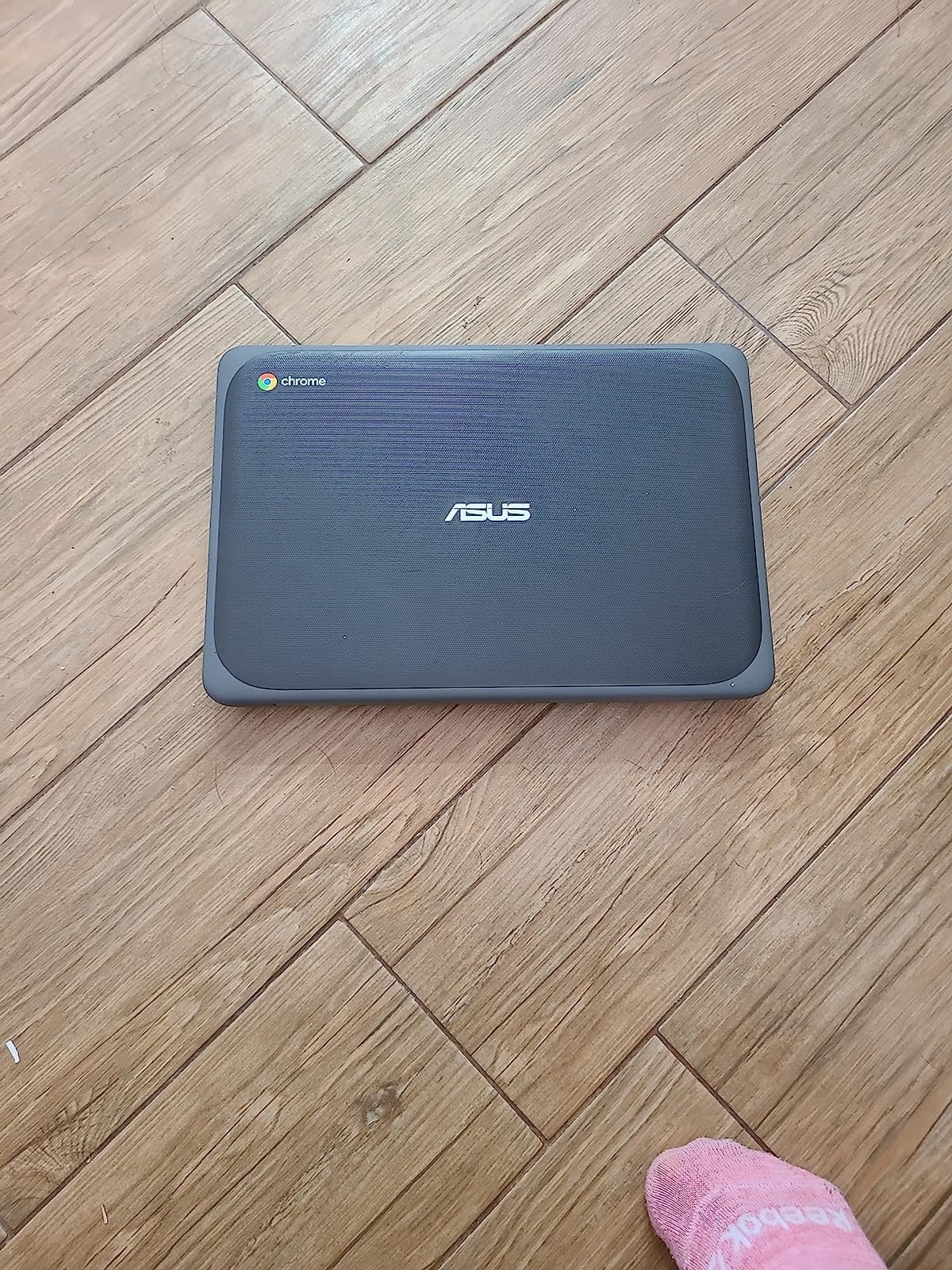
The honest limits are storage and software. 4GB of LPDDR3 memory and 32GB of eMMC leave very little room for large local file sets or heavy multitasking, and Microsoft 365 desktop applications run only in their limited online versions on Chrome OS. Owners also report occasional lag and sensitivity to weak Wi-Fi signal strength, which is a real problem on a site where the trailer is the only reliable access point.
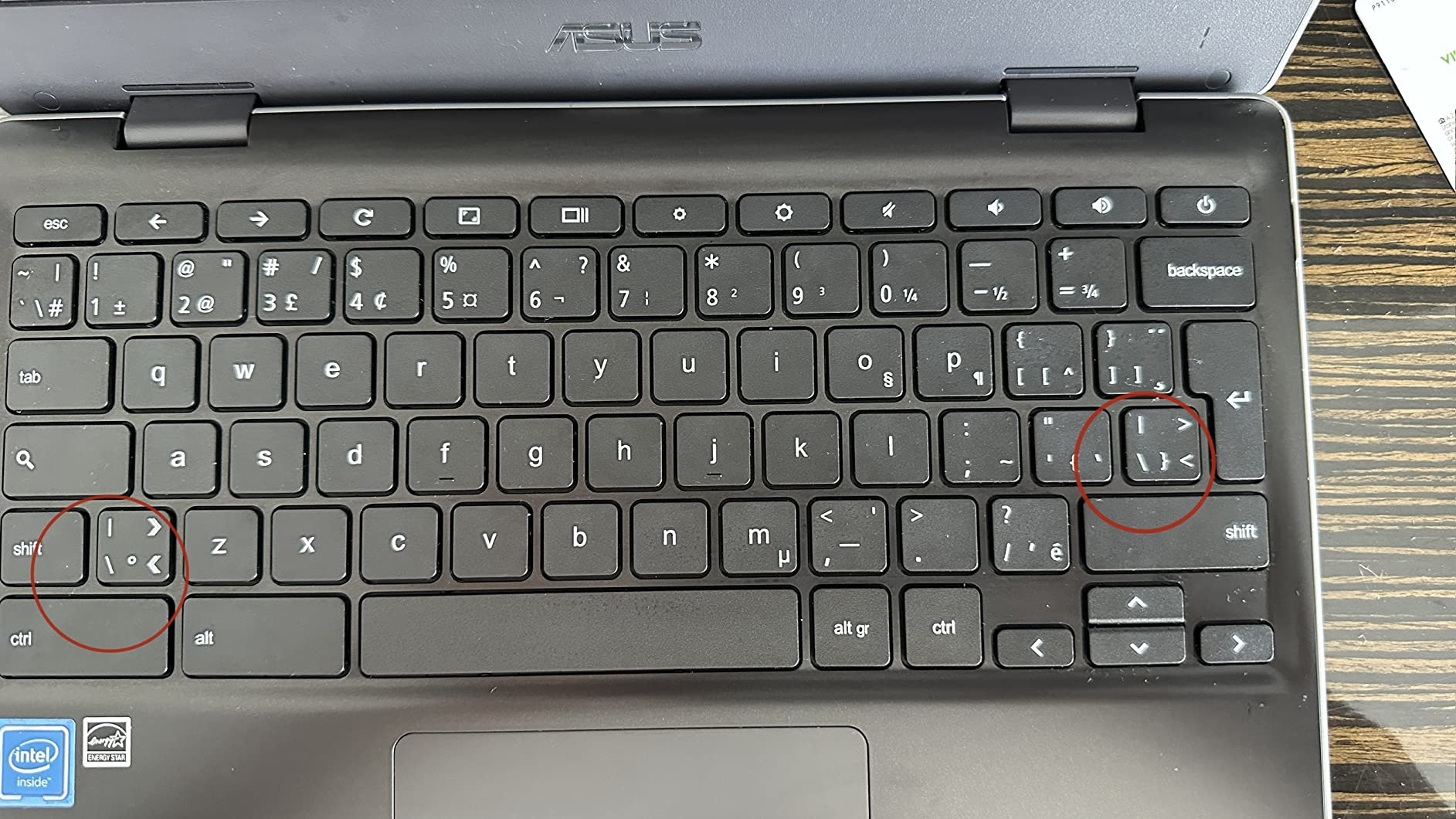
Port selection is minimal, too: one USB-C, one USB-A, and HDMI. If your workflow needs a wired network, a second monitor, or a barcode scanner, budget for a dock. Our testing view is that the C203XA earns its place as the punch-list and daily-log device for inspectors and assistants, not as the machine a BIM coordinator opens Revit on.
When the C203XA is the right call
Reach for this Chromebook when the work is web-based, the crew is mobile, and the device will be carried all day. It is a natural fit for safety inspectors walking a punch list, site admins logging deliveries, and anyone who needs a screen that survives a dusty environment without costing nearly as much as a fully rugged machine.
The battery claim is one of the strongest verified figures in this roundup: up to 10 hours on a charge. That comfortably covers a shift without a site charger, and for crews working remote sites with no grid power, it removes a whole category of problem.
When to choose something else
Do not buy this for CAD, BIM, or any heavy local project files. 32GB of eMMC and 4GB of RAM will frustrate anyone running AutoCAD, Revit, or Bluebeam markup on a native Windows install, and the 11.6 inch 1366 by 768 anti-glare panel is fine indoors but will not hold up in direct sun the way a 1000 nit panel does.
It is also not sealed against water or fine concrete dust. If the machine lives near a concrete pour or a trench, a genuinely sealed IP65 model is the safer purchase.
2. Dell Latitude Rugged 5414 – Best Value Fully Rugged Chassis
Dell Latitude Rugged 5414 Laptop | 14″ 1366×768 HD | Core i5-6300U – 512GB SSD Hard Drive – 16GB RAM | 2 cores @ 3 GHz Win 11 Pro Black (Renewed)
Fully rugged coated shell
i5-6300U dual-core
16GB DDR4 and 512GB SSD
14 inch HD
Pros
- Genuine fully rugged chassis with protective coating
- 16GB RAM and 512GB SSD for field data
- Working serial port plus SD and USB connectivity
- Battery commonly reported at 80 to 90 percent of new capacity
Cons
- Heavy and bulky for handheld field use
- 6th generation dual-core processor is slow under load
- Renewed cosmetic condition varies
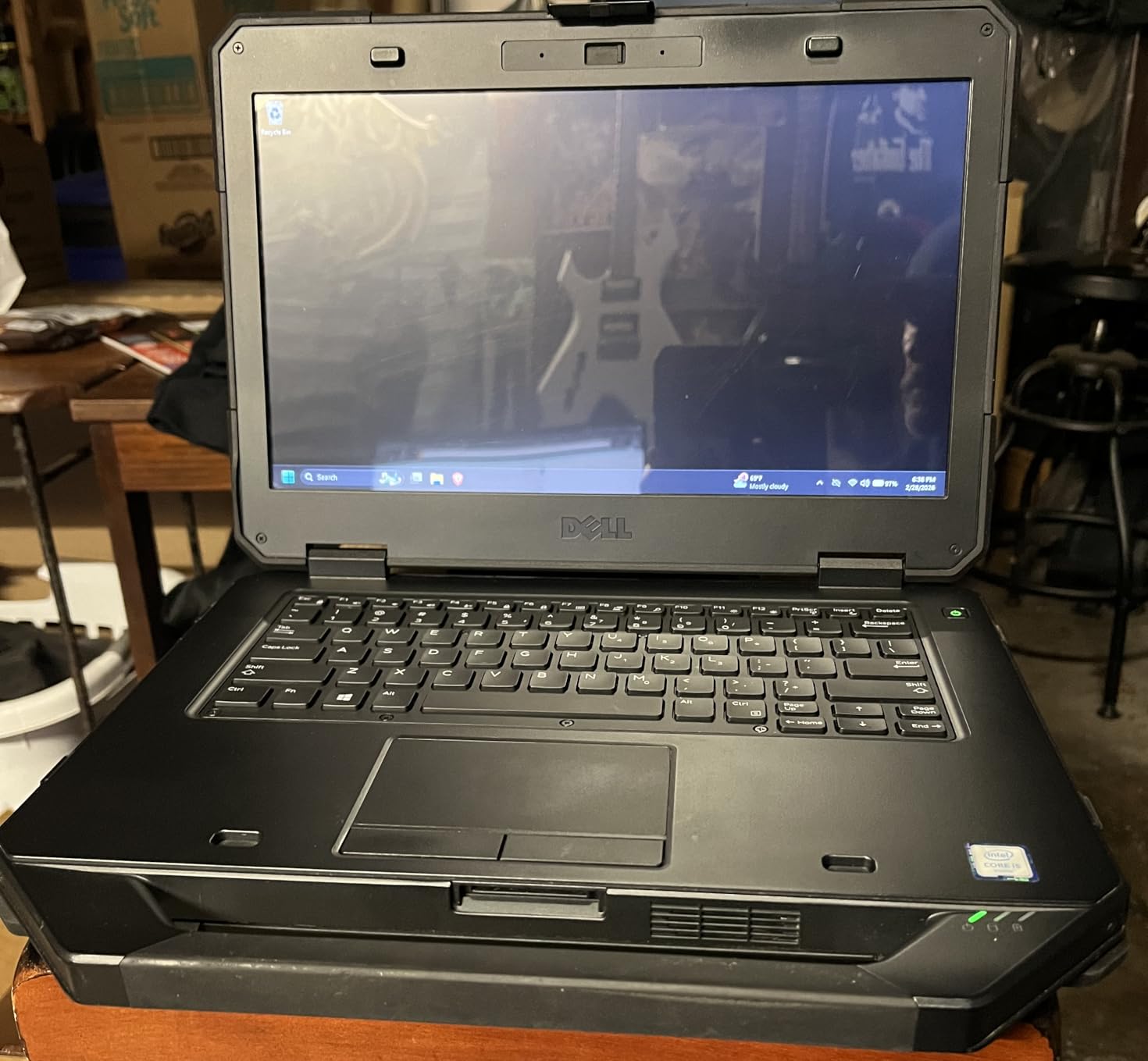
The Latitude Rugged 5414 is one of the older fully rugged designs still doing real work in the field, and owners treat it as the budget entry point into a sealed magnesium chassis. The all-around protective coating holds up to drops without damage according to verified buyers, and the machine carries 16GB of DDR4 memory and a 512GB SSD, which is generous storage for site paperwork, markups, and survey exports.
What sets it apart from a cheap semi-rugged box is the legacy connectivity. Verified owners specifically call out a working serial port alongside USB and SD, and that single connector decides whether you can talk to a total station, a GPS receiver, or a PLC without carrying a dongle. Surveyors and utility electricians told us repeatedly that missing legacy ports, not processing power, is the reason they get stuck with dongles on newer slim machines.
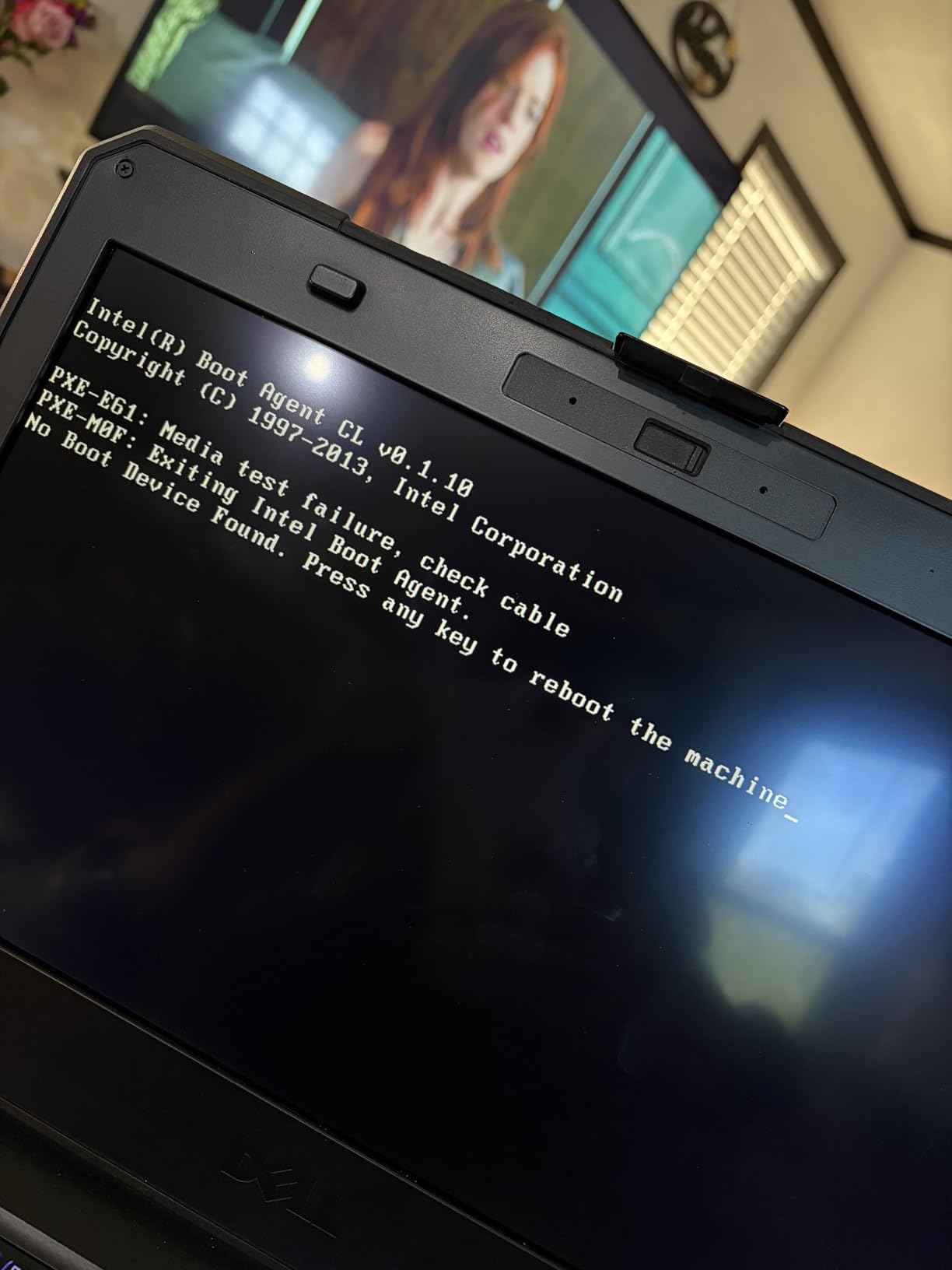
The compromises are all age-related. The 6th generation Core i5-6300U is a dual-core part at 3 GHz, and owners describe it plainly as slow for CPU-intensive workloads, which rules out heavy Revit sessions. Battery life is modest under sustained heavy load, so crews running a full day of continuous processing should plan around a spare pack.
Because this is a renewed configuration, cosmetics vary and the warranty is short. One fleet manager described deploying refurbished 5414 machines to an electrical subcontractor for a six-month data center build with only one keyboard issue across four months, covered by the refurbisher. That is a reasonable outcome, but it depends on the seller, so inspect on arrival.
Who the 5414 fits
This is the pick for electricians, low-voltage contractors, and surveyors who need a sealed chassis and a serial port more than they need a fast processor. It also makes a sensible second or third device in a mixed fleet for crews doing punch lists or equipment checks in the field.
Buyers consistently report the battery arriving in good condition, often at 80 to 90 percent of new capacity. That is the single most useful thing to verify when you receive a renewed unit, because battery health is what determines whether it makes it through a shift.
Where it falls short
Never buy this machine for a BIM coordinator or a design engineer. Dual-core performance on an older platform will feel sluggish the moment a large Revit model or a point cloud is opened, and there is no discrete graphics option to help.
The chassis is also described as very heavy and bulky, which is uncomfortable over a ten to twelve hour shift even if the machine itself is durable. If your team is constantly on foot, a lighter semi-rugged option is kinder to the shoulders.
3. Panasonic Toughbook CF-33 MK1 – Brightest Field Display in the Lineup
Panasonic Toughbook CF-33 MK1 Rugged Laptop, 12-in i5, 16GB 512GB (Renewed)
1200 nit 12 inch QHD touch
IP65 and MIL-STD-810G
4G LTE and GPS
6.1 lb with keyboard
Pros
- Exceptionally bright 1200 nit anti-reflective QHD touchscreen
- True fully rugged IP65 and 4-foot drop rating
- 4G LTE with dedicated GPS and a Nano-SIM slot
- Rich port set including Ethernet serial VGA HDMI and SDXC
Cons
- Weight climbs to about 6.1 lb with the keyboard base
- 7th generation i5-7300U is dated for heavy workloads
- Stylus is not included and renewed warranty is 90 days
The CF-33’s defining feature is the 12 inch 2160 by 1440 QHD touchscreen rated at 1200 nits with an anti-reflective finish. That is tied for the brightest panel in this group, and reviewers single it out as genuinely readable in direct sunlight, which is the condition that makes most site laptops unusable at midday. The resolution is also far higher than the 1024 by 768 panels still common on older fully rugged machines.
Everything else is built for a working day away from an office. The chassis carries an IP65 dust and water seal and a MIL-STD-810G certification with a 4-foot drop rating, and connectivity covers Wi-Fi 5, Bluetooth 4.1, 4G LTE, and a dedicated u-blox GPS receiver. Ten ports including two Ethernet, two HDMI, VGA, serial, SDXC, and a Nano-SIM slot mean that survey crews can hook up a total station and a data collector without hunting for adapters.
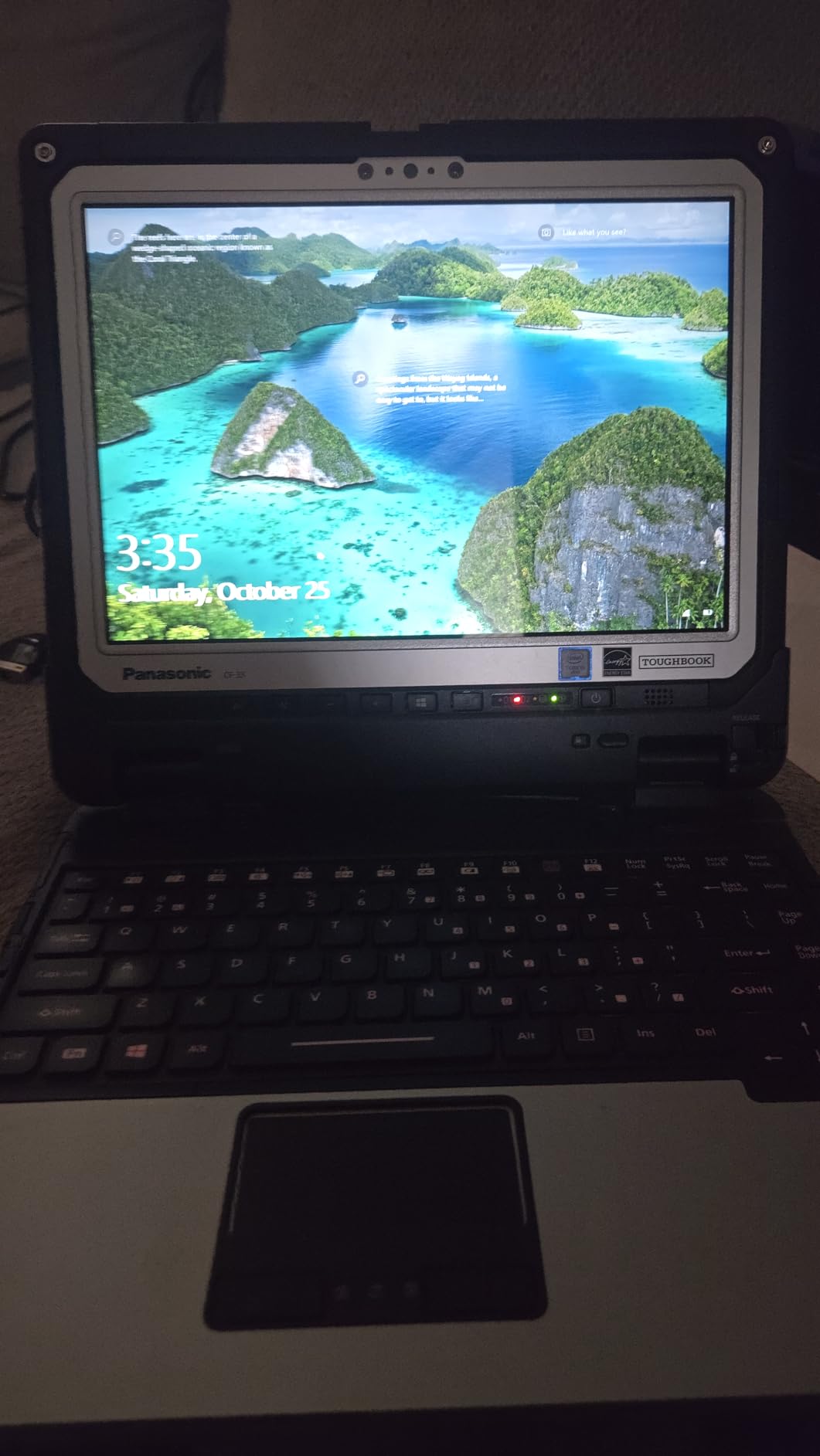
The convertible 2-in-1 form is the part we like most on inspection work. Detach the keyboard and you have a 3.4 pound tablet that is far easier to hold one-handed while photographing a crack in a slab or pointing at conduit routing in a ceiling. Two 22Wh batteries and an AC adapter ship in the box, which is generous for a renewed machine.
The drawbacks are all generational. The 7th generation i5-7300U is old enough that modern software will feel heavy, and attaching the premium keyboard base pushes the machine to roughly 6.1 pounds, which is a real load over a long shift. Owners also note that the stylus is not included despite stylus support being advertised, and the listing indicates a fresh Windows install is needed.
Best for outdoor viewing and inspection
Choose the CF-33 when screen readability in direct sun is the deciding factor, or when your inspector wants a full laptop for plan review and a tablet for photographing conditions. The 1200 nit panel with anti-reflective coating is the safest answer to glare we found in this roundup.
Field crews that need offline positioning will appreciate the dedicated GPS and the LTE modem with a Nano-SIM slot, since a site trailer is rarely the only place connectivity exists.
Where it disappoints
Do not expect modern multitasking performance from a 7th generation chip. Anyone running complex Revit models or large assembly files will feel the limit, and the 16GB of DDR4 helps but does not compensate for the processor generation.
Renewed units carry only a 90 day limited warranty, and the missing stylus is an easy cost to avoid by confirming what is in the box before you commit.
4. Dell Latitude 5420 Rugged – Best Rugged Laptop for CAD and BIM Work
Dell Latitude 5420 Rugged Laptop, 14 FHD (1920 x 1080) Touchscreen, Intel Core 8th Gen i7-8650U, 32GB SDRAM RAM, 1TB SSD, AMD Radeon RX 540, Windows 11 Pro (Renewed)
1000 nit FHD touch
i7-8650U quad-core
32GB RAM and 1TB SSD
Radeon RX 540 2GB
Pros
- Only fully rugged option here with discrete Radeon RX 540 graphics
- 32GB RAM and 1TB SSD for large project files
- 1000 nit outdoor-readable FHD touchscreen
- Serial port SIM slot and gigabit Ethernet included
Cons
- About 4.9 lb so it is bulky for all-day handheld use
- 8th generation platform with unofficial Windows 11 support
- Renewed warranty is only 90 days
Everything else in the fully rugged tier runs integrated graphics, which is the bottleneck that stops a field engineer from opening a complex Revit model on site. The Latitude 5420 Rugged is the one machine here with a discrete AMD Radeon RX 540 carrying 2GB of its own VRAM, and paired with 32GB of SDRAM and a 1TB SSD it has the headroom for point clouds, large assemblies, and GPU-accelerated design software.
The display is the other reason this machine earns its place. A 14 inch 1920 by 1080 WVA embedded touch panel rated at 1000 nits keeps markup and drawings visible in bright conditions, and the full port set includes an SD slot, a SIM slot, a serial port, RJ-45 gigabit Ethernet, HDMI, USB-C 3.0, and three USB-A ports. A removable primary SATA storage bay adds further flexibility.
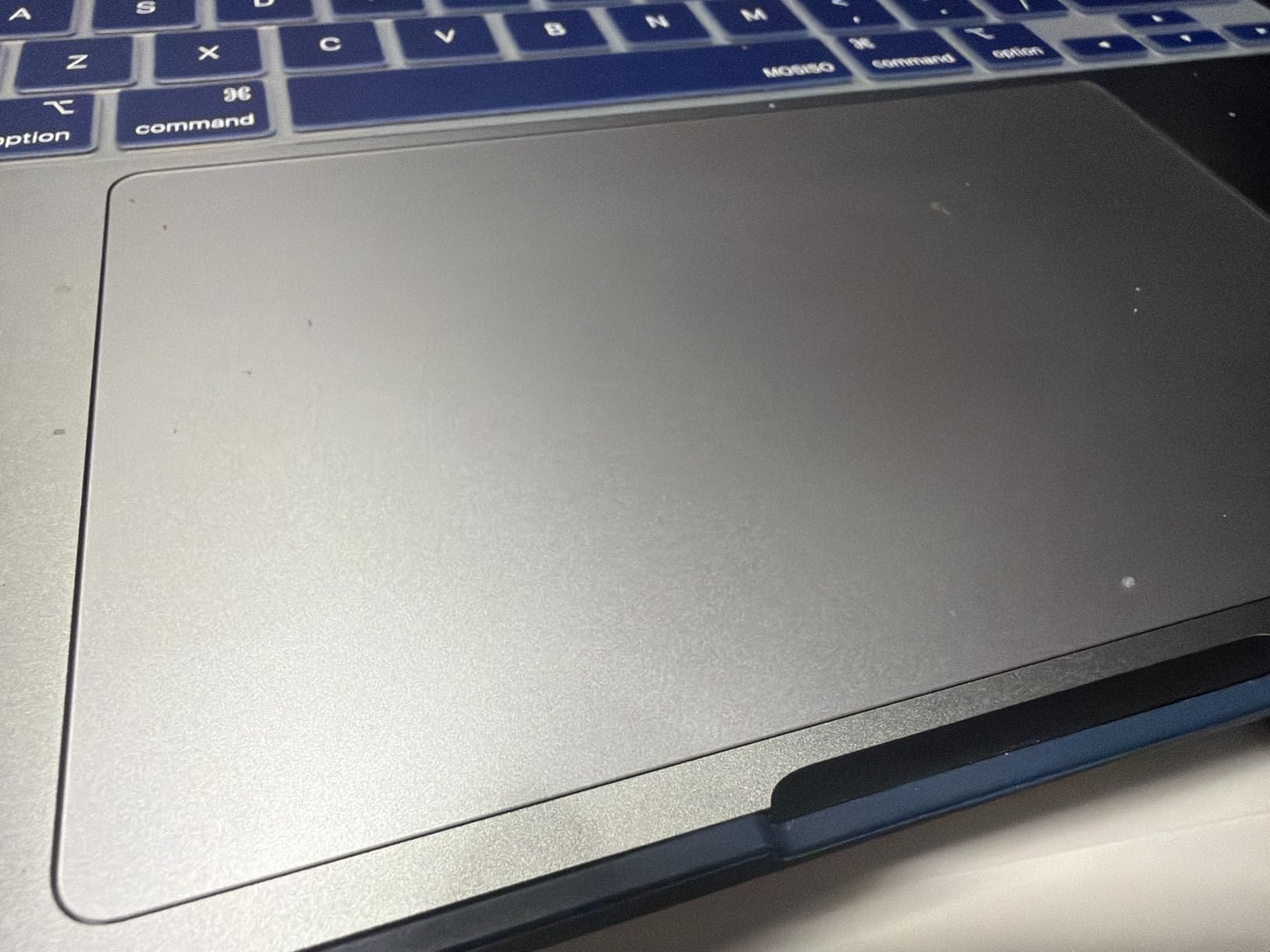
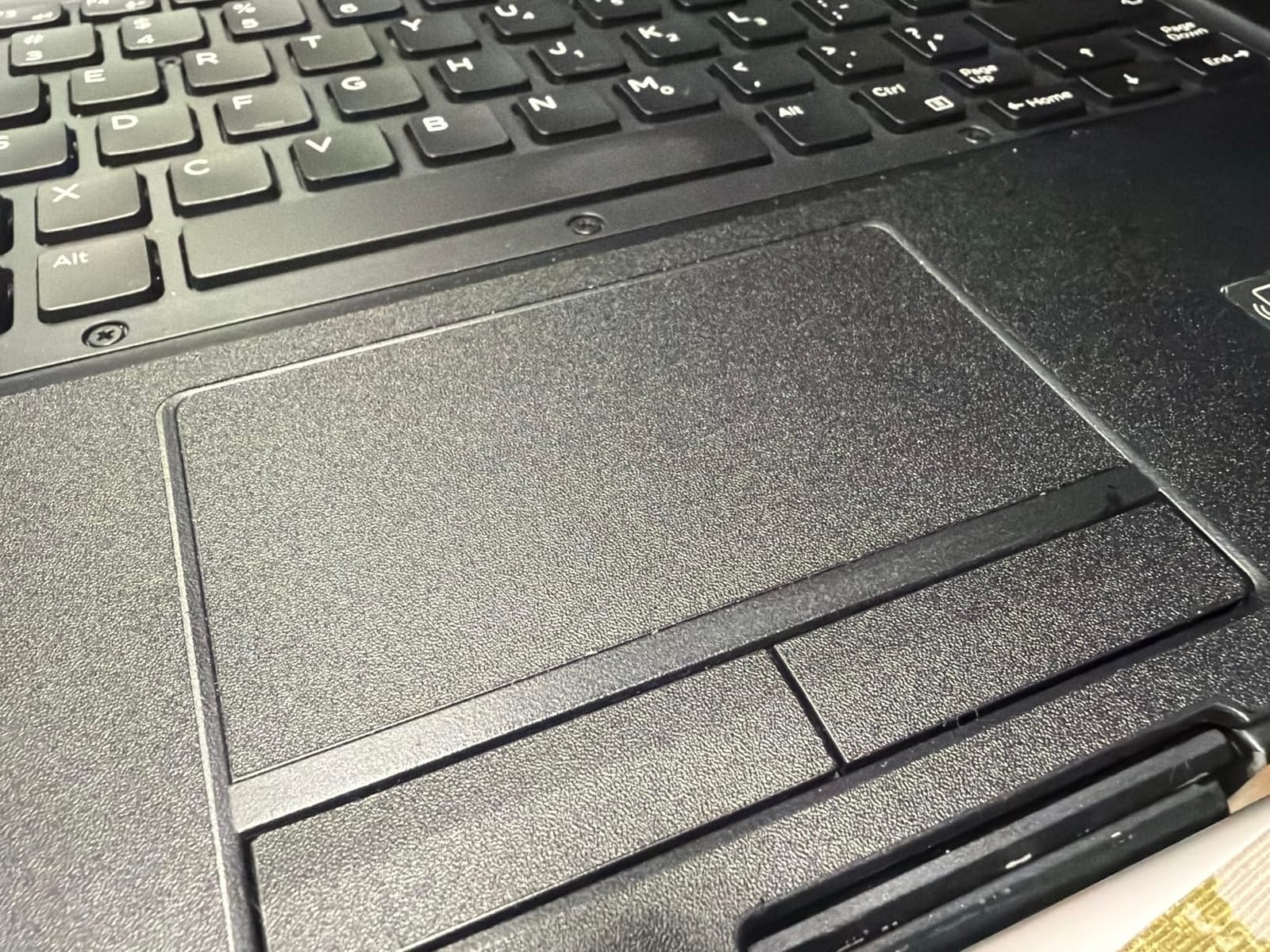
Buyers prize the combination of high memory, generous storage, and a genuinely bright outdoor touchscreen, and they like the backlit keyboard for early starts and low-light trailer work. Reviewers report it handles design and field software without complaint, which is more than we can say for most of the older platforms in this roundup.
The trade-offs are predictable for a machine of this age and class. It weighs about 4.9 pounds, which is heavy for extended handheld use, and the 8th generation i7-8650U is an older platform whose Windows 11 support is not officially validated. The renewed configuration carries a 90 day warranty, and the average rating includes an 18 percent one-star share that mostly reflects condition variance.
Best for design and engineering work
This is the pick for BIM coordinators, field engineers, and anyone who needs real GPU-accelerated performance inside a sealed chassis. Between the discrete Radeon card and 32GB of memory, it is the only machine here we would trust with a large model in a trailer with no reliable internet.
The serial port and SIM slot also make it a good fit for crews running survey equipment alongside design software, which is where most rugged alternatives force a dongle.
Where it disappoints
Weight is the honest drawback. At roughly 4.9 pounds plus the charger, it is one of the heavier machines here, and carrying it through a full shift without a vehicle will be noticed. Budget for a padded bag with a shoulder strap rather than carrying it by hand.
Also plan for replacement planning. A 90 day warranty on a renewed unit means any failure past the first quarter is on you, so pair it with accidental damage coverage if the machine goes to a site rather than an office.
5. MUNBYN IRX16 – Best Rugged Laptop on Modern Processing
MUNBYN Rugged Laptop IRX16, 15.6″ Windows 11 Pro, Intel i5-1235U, 16GB DDR5+512GB Replaceable SSD, Wi-Fi 6, 1000 Nits Sunlight Readable, IP65 Waterproof Laptop, Rugged Computer, 2Y Protection(New)
1000 nit 15.6 inch FHD
12th gen Core i5 and DDR5
IP65 and MIL-STD-810H
4G LTE and Wi-Fi 6
Pros
- Newest platform here with 12th gen i5 and 16GB DDR5
- IP65 and MIL-STD-810H certified construction
- 1000 nit sunlight-readable 15.6 inch display
- Built-in 4G modem Wi-Fi 6 fingerprint reader and camera privacy switch
Cons
- No separately sold batteries so hot-swapping claim is undercut
- No published repair parts program
- Some owners report roughly two hour real battery life
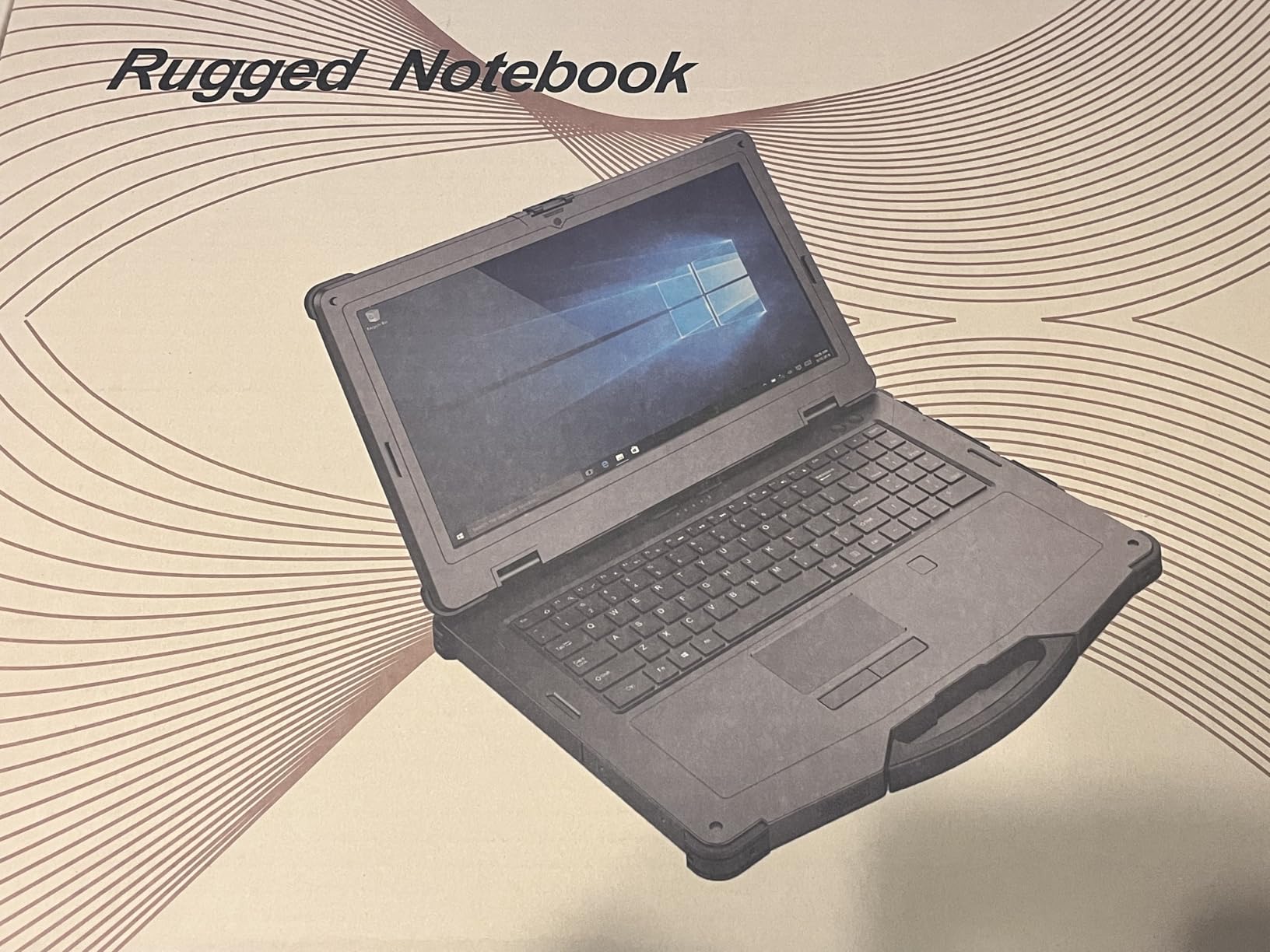
The IRX16 is the only new-build machine in this roundup, and it runs the most current platform here. It is what we would spec for a crew whose work is AutoCAD, SolidWorks, or GIS rather than checklist apps. A 12th generation Intel Core i5-1235U reaching 4.4 GHz with 16GB of DDR5 at 4800 MHz and a user-replaceable 512GB SSD that can be upgraded to 4TB is a genuinely modern platform, and no refurbisher touched it.
The durability claims hold up in review. Field technicians working in electrical and industrial service confirm IP65 and MIL-STD-810H certification, a 1000 nit sunlight-readable 15.6 inch 1080p display, and solid port selection with a built-in 4G modem. The 15.6 inch screen is the largest in the lineup, which makes it the best choice for plan review with a whole crew looking over your shoulder.
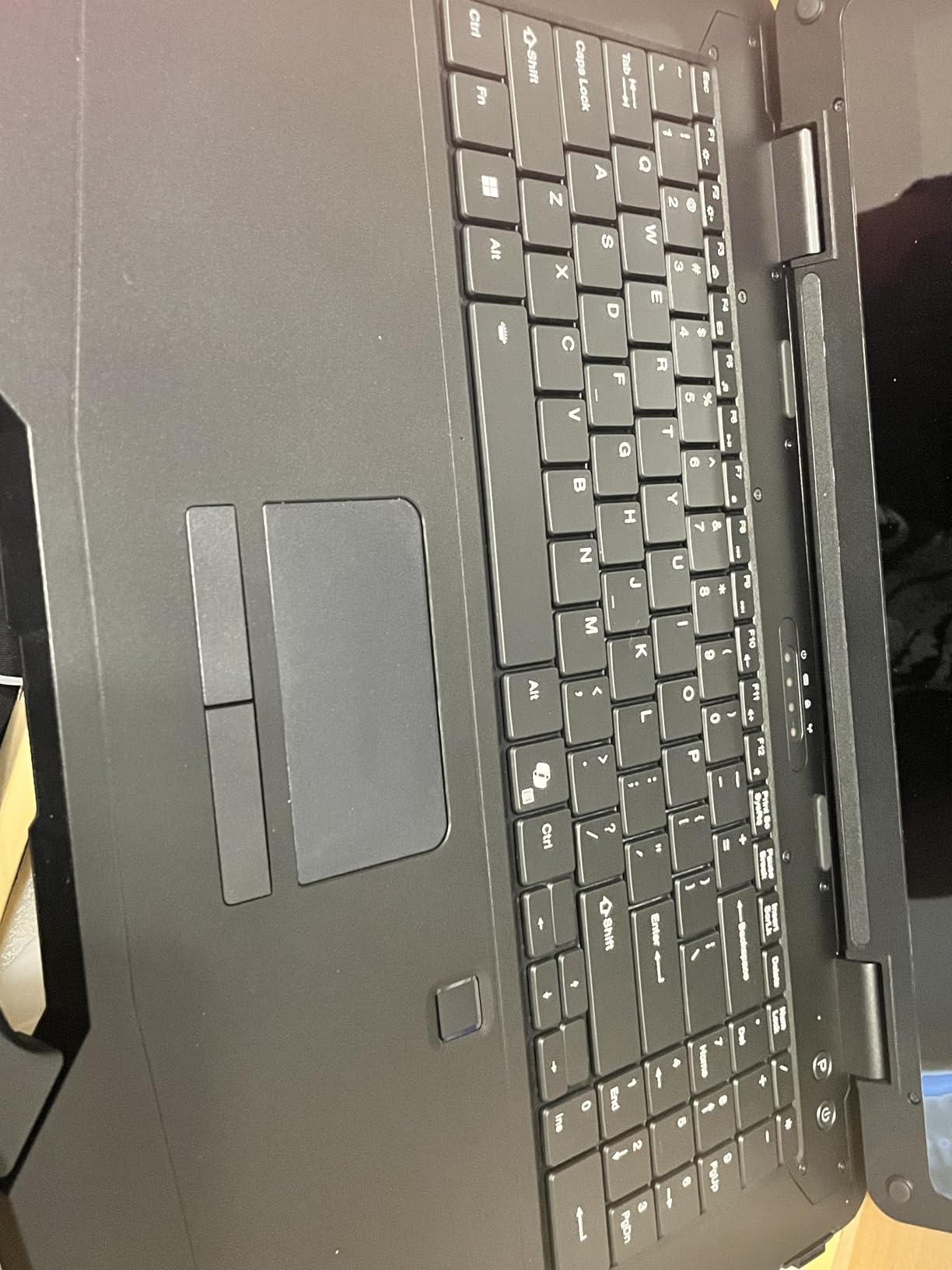
Extras that matter on site are present: a backlit keyboard, a numeric keypad for quantity takeoffs, a fingerprint reader, and a physical camera privacy switch. A two year manufacturer warranty is longer than anything else in this group, and reviewers describe customer service as responsive.
The serviceability story is where it falls apart. There are no separately sold batteries, which directly undercuts the hot-swappable claim the category is built on, and there is no published repair parts program, so a failed board reportedly means returning the machine to the manufacturer. Some owners report real battery endurance around two hours rather than a full shift, which we consider the single biggest practical problem.
Best for crews running modern design software
Pick the IRX16 when processing power matters more than repairability, which describes most BIM coordinators and MEP designers working on current Autodesk or Dassault software. It is also the natural choice for a company standardizing on new hardware rather than a mixed refurbished fleet.
Wi-Fi 6, Bluetooth 5.1, and the built-in 4G modem mean a solo worker can stay online in a building under construction without depending on the trailer router.
Where it disappoints
Battery life is the honest weakness. Owners reporting roughly two hours of real use cannot carry a shift, and with no field-replaceable battery available, the workaround is a second charging cable rather than a hot swap.
Serviceability is the other concern. When something fails, you have limited paths to fix it locally, and with only three USB ports on a 15.6 inch chassis, peripheral-heavy work needs a hub. Buyers also raise questions about long-term product availability, which matters if you plan to replenish this model in two years.
6. Getac K120 – Best Budget 2-in-1 Convertible
Getac K120 Rugged 2in1 12.5″ FHD Touchscreen Laptop Computer, 8th Gen Quad Core i5-8250U, 16GB DDR4 RAM, 512GB SSD, Backlit Keyboard, HDMI, Windows 11 Pro (Renewed)
Convertible 2-in-1 chassis
12.5 inch FHD touch
i5-8250U with 16GB RAM
4G LTE and 4 USB 3.0
Pros
- Genuinely ruggedized construction per owners
- Convertible form factor works for both tablet and laptop workflows
- 16GB RAM and 512GB SSD give decent headroom
- Programmable front buttons and stylus support
Cons
- Renewed units may arrive without drivers utilities or a working stylus
- Battery discharge reported as short as two hours on some units
- 90 day warranty only
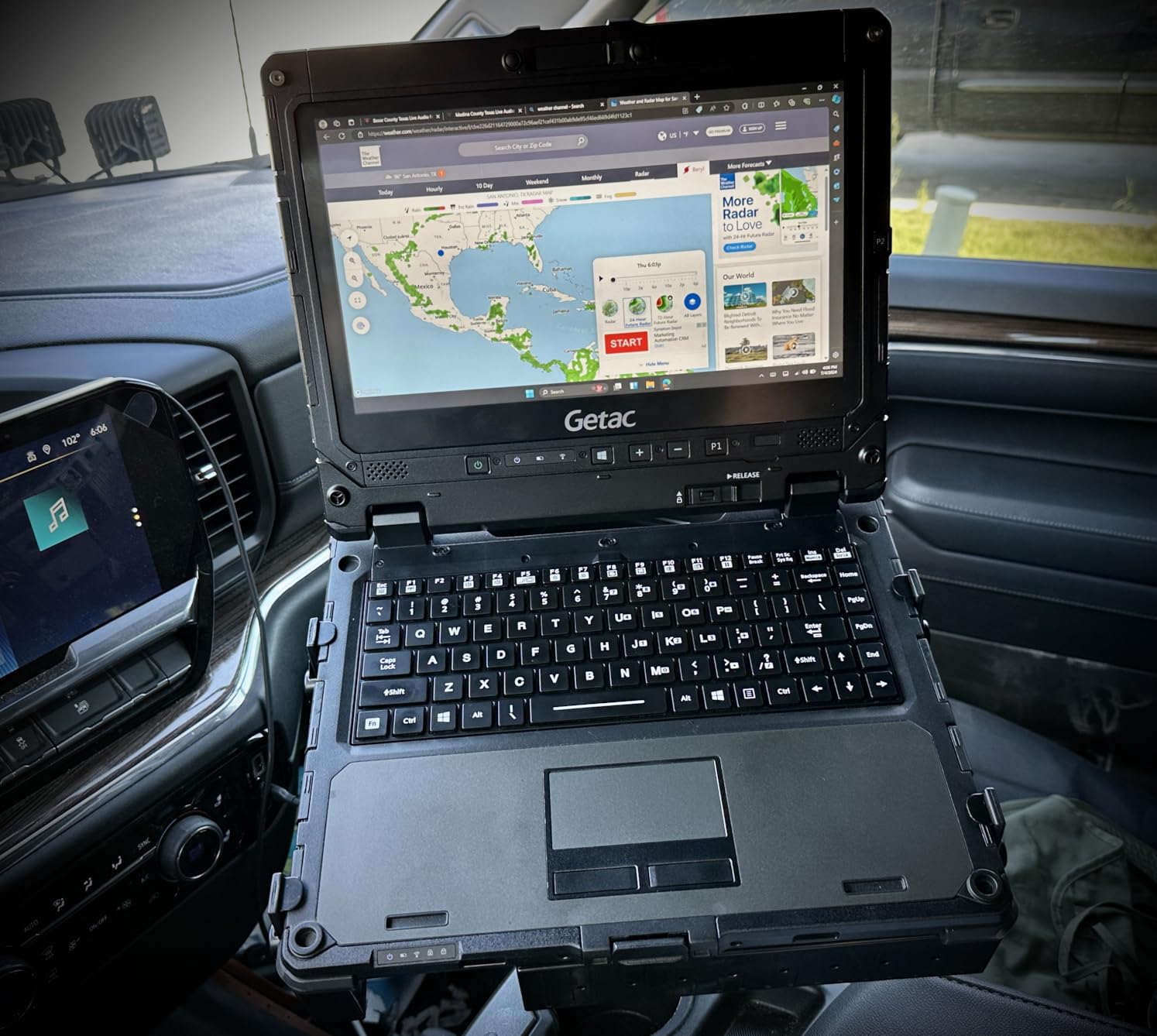
The K120 offers one of the most versatile form factors in the lineup, and owners consistently say the ruggedized construction more than fulfills the requirement for a field device. Fold the 12.5 inch 1920 by 1080 FHD touchscreen back and you have a tablet for photo documentation and markup; attach the backlit keyboard and you have a workable machine for email and daily reports. Sixteen gigabytes of RAM and a 512GB SSD give it more headroom than its age suggests.
Connectivity is better than most rugged convertibles at this level: four USB 3.0 ports, HDMI, Ethernet, Wi-Fi, Bluetooth, and 4G LTE, plus programmable front buttons that you can map to frequently used tools in the field. The capacitive touchscreen responds to stylus input well and is one of the more pleasant panels to write on with a glove tip.
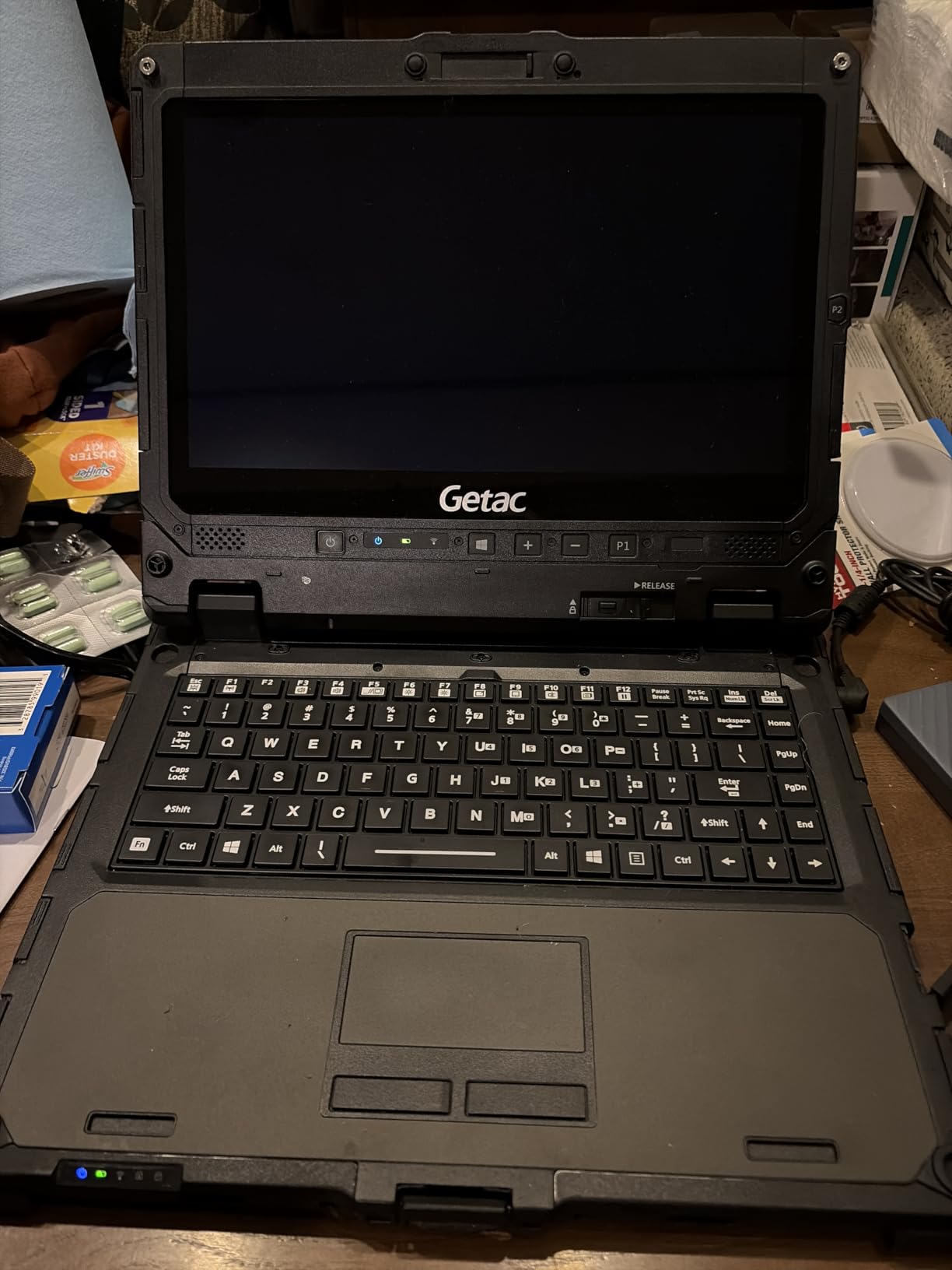
The problem is almost entirely about condition and setup, not design. Renewed units may arrive without Getac utilities, drivers, a working stylus, or functional programmable buttons, and getting full features operational can require real technical skill. That setup cost per machine is exactly what bites when you order fifteen of them.
Reviewers also report battery discharge as short as two hours on some units, and specific hardware faults including screen failures, non-working keyboard rows, mismatched power cables, and cosmetic wear. With a 3.6 average and a 90 day warranty, this is the machine we would treat as a single-user purchase rather than a fleet default.
Best for inspectors who switch between tablet and laptop
The K120 fits safety inspectors and QA technicians who spend most of the day photographing conditions on a tablet and then need a keyboard for paperwork in the trailer. The convertible hinge is more durable than the 360 degree designs on consumer machines, and owners confirm the build feels rugged rather than merely rugged-styled.
Programmable front buttons are genuinely useful once configured, letting a worker launch a camera or a mark-up tool without navigating menus through a dusty screen.
Where it disappoints
Buying these without a technical plan is the main mistake we see. Forum IT staff consistently warn that refurbished units arriving without manufacturer utilities mean driver setup time on every single machine, and a fleet of fifteen turns that into days of wasted IT hours.
Buy one first, restore it fully, confirm the stylus and buttons work, and only then consider ordering more.
7. Panasonic Toughbook CF-31 MK6 – Best for Security and Compliance Work
Panasonic Toughbook CF-31 MK6 Core i7-7600U 2.80GHz vPro, 13.1″ XGA Touch, 32GB RAM, 512GB SSD, Intel Wi-Fi, Bluetooth, TPM 2.0, 4G LTE, dGPS, DVD, Emissive Backlit Keyboard, Windows 11 Pro (Renewed)
MIL-STD-810G and 461F with IP65
13.1 inch 1200 nit touch
Hot-swappable battery
TPM 2.0
Pros
- Holds a 4.8 average from 13 ratings with 89 percent five-star feedback
- Certified to MIL-STD-810G and MIL-STD-461F with IP65 sealing
- TPM 2.0 smartcard reader and Kensington slot for controlled sites
- Hot-swappable battery plus 4G LTE dedicated GPS and pass-through antennas
Cons
- 7th generation i7-7600U is an older platform
- XGA 1024 by 768 resolution is low by modern standards
- Renewed warranty is 90 days and review volume is small
The CF-31 MK6 is the machine to buy when your laptop is going onto a controlled or public site. It is certified to MIL-STD-810G, MIL-STD-461F, and IP65, which means it is tested not only for shock, vibration, water, dust, and sand, but also for electromagnetic compatibility. That second standard matters when your work happens near high-voltage lines, substation equipment, or live bus bars, where an unprotected laptop is a real problem rather than an inconvenience.
The security stack is equally serious for compliance-driven buyers: TPM 2.0 for hardware-rooted trust, an insertable smart card reader for government and public works authentication schemes, and a Kensington security slot for physical locking. A 1080p-grade emissive backlit keyboard supports night and low-light operations, and the connectivity list covers 4G LTE, dedicated GPS, and dual pass-through antennas for vehicle-mounted use.
At 4.8 with 89 percent five-star feedback across 13 ratings, owners consistently praise the genuine military-grade build, the 1200 nit CircuLumin touchscreen that stays readable in full sunlight, and the hot-swappable lithium-ion battery that keeps the machine running across a shift without downtime.
Best for controlled and public works sites
Choose the CF-31 when smart card login, TPM-backed encryption, or electromagnetic certification is a contractual requirement rather than a preference. Public works agencies and utilities running near live infrastructure are the obvious fits, and the dual pass-through antennas make it a natural partner with a vehicle mount in an equipment cab.
The hot-swappable battery is the feature crews mention most often as the reason to stay with this platform, since a swap in seconds avoids losing an active job when a pack degrades.
Where it disappoints
The panel is the weak point. A 13.1 inch XGA 1024 by 768 touchscreen is noticeably soft next to the 1080p and QHD screens on several cheaper machines here, and reading dense drawings on it is a compromise.
The 7th generation i7-7600U is also an older platform, and with only 13 reviews behind the 4.8 rating, long-term reliability of a specific renewed unit is less well documented than the number suggests. The 90 day warranty adds that uncertainty.
8. Panasonic Toughbook FZ-55 MK1 – Best Balanced Field Laptop
Panasonic Toughbook FZ-55 MK1 Rugged Laptop,14-in i7, 16GB, 512GB (Renewed)
MIL-STD-810H and IP53
14 inch 1000 nit FHD touch
i7-8665U vPro with 16GB
48Wh battery and 4G LTE
Pros
- Current 810H revision rather than the older 810G
- 14 inch 1080p touchscreen rated up to 1000 nits
- 8th gen i7-8665U vPro handles multitasking smoothly
- 48 watt-hour battery plus stylus and AC adapter in the box
Cons
- IP53 sealing is a step below IP65 for washdown work
- 8th generation processor is not current
- 90 day warranty and only 13 ratings to judge by
The FZ-55 is the semi-rugged machine that most project managers and superintendents will actually be happy carrying. It carries a MIL-STD-810H certification, which is the current revision rather than the older 810G found on much of the renewed inventory, and a 14 inch 1920 by 1080 touchscreen rated up to 1000 nits. That combination of modern certification and a bright 1080p panel is unusual in a semi-rugged body.
Inside, an 8th generation Core i7-8665U vPro reaching 4.8 GHz turbo with 16GB of DDR4 and a 512GB M.2 SSD handles multitasking smoothly, and reviewers report no complaints there. The 48 watt-hour battery is a large single pack, which is what you want when the machine spends the day away from the trailer.
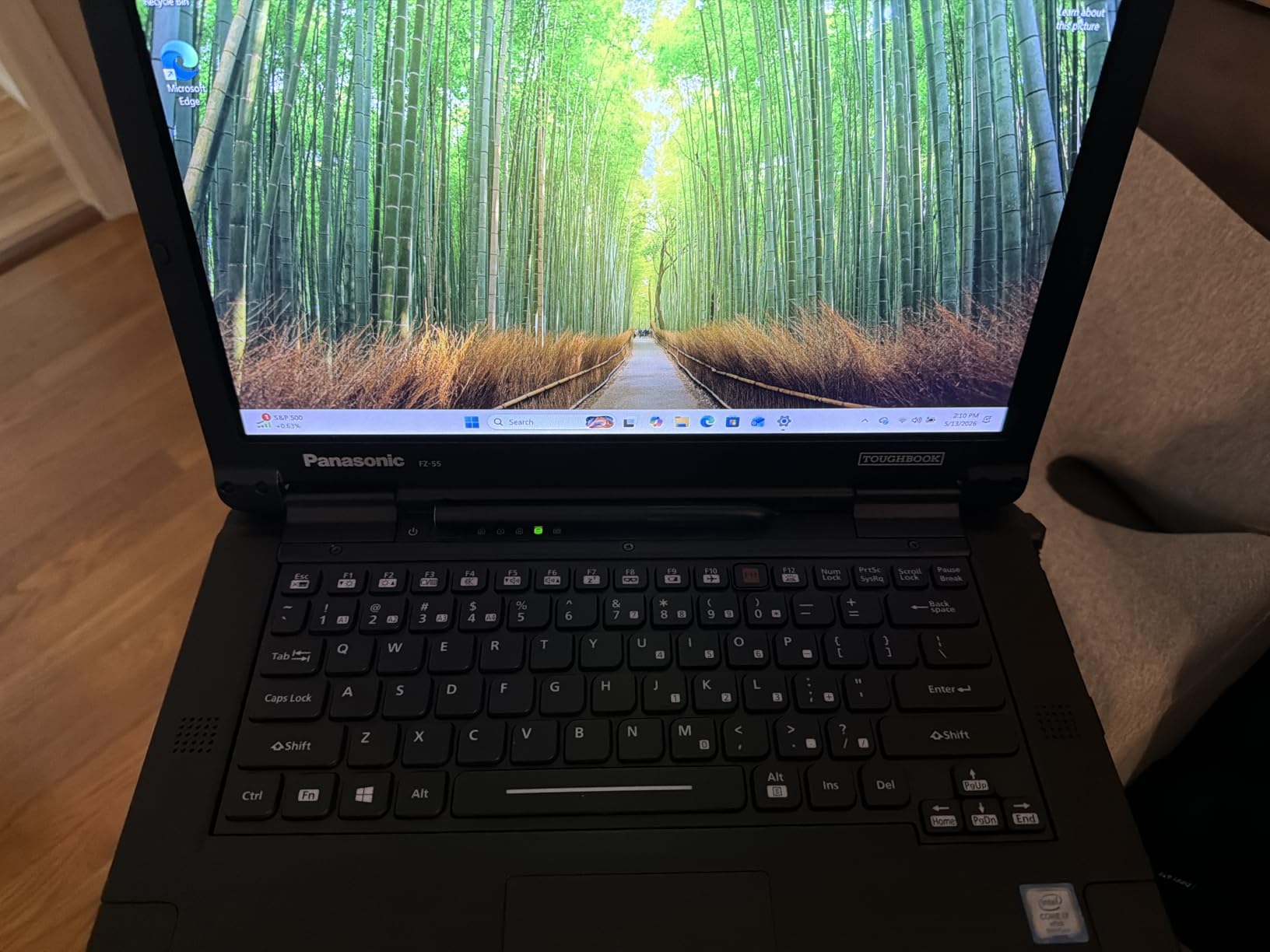
Security and connectivity are well handled for a semi-rugged chassis: a 1080p webcam with a physical privacy cover, an infrared camera with Windows Hello, a docking connector, a Nano-SIM slot, 4G LTE multi-carrier, and gigabit Ethernet. The stylus pen and a 100 to 240V AC adapter both ship in the box, which saves a trip to the supply store.
The important caveat is the IP53 rating. That protects against dust and splash, which covers most site work, but it does not protect against the water jets or heavy washdown that an IP65 machine handles. If your device works near a concrete pour, a washdown bay, or an open trench in wet weather, this is not the machine for that task.
Best for daily carry and site office work
Choose the FZ-55 for a superintendent or project manager who spends part of the day at a desk and part of the day walking a site. It is light enough for a full shift, bright enough for a plan table, and fast enough for email, scheduling, markups, and video calls from a trailer.
The vPro platform also matters if your company uses Active Directory and device management policies, since that is what distinguishes it from a consumer-grade machine wearing a rugged shell.
Where it disappoints
The 810H rating is about the chassis, not the seals. Reviewers note plainly that IP53 sealing sits a step below the IP65 rating of fully rugged models, so this is not the right pick for washdown, mud, or trench work.
The processor is solid but not current, and the small review base of 13 ratings plus a 90 day warranty means you are buying on the strength of the platform rather than a long owner history.
9. Dell Latitude Rugged 5430 – Best Rugged Laptop with the Newest Processing
Dell Latitude Rugged 5430 Laptop (2022) | 14″ 1920×1080 FHD | Core i5-1145G7-512GB SSD Hard Drive – 16GB RAM | 4 cores @ 4.4 GHz Win 11 Pro Black (Renewed)
11th gen quad-core i5
14 inch 1100 nit touch
16GB DDR4 and NVMe SSD
Windows 11 Pro
Pros
- Runs the most current platform here with an 11th gen quad-core i5
- 1100 nit FHD touchscreen is among the brightest panels here
- 512GB PCIe NVMe SSD plus a spare M.2 slot
- Windows 11 Pro with Active Directory and BitLocker
- Battery rated up to 10 hours
Cons
- Renewed configuration carries only a 90 day warranty
- Only 9 reviews so the rating rests on a small sample
- Integrated graphics only with no discrete GPU option
The Latitude Rugged 5430 is a 2022 generation machine. An 11th generation Core i5-1145G7 with four cores, boosting from 2.6 GHz to 4.4 GHz with 8MB of L3 cache, paired with 16GB of DDR4 at 3200 MHz and a 512GB PCIe NVMe drive, is a specification that will not embarrass anyone running markups or light design work.
The display is the standout. A 14 inch 1920 by 1080 FHD touchscreen rated up to 1100 nits is among the brightest panels here and sits on a matte or anti-glare finish, which cuts reflections on a sunny site. Connectivity is modern and complete: Thunderbolt and USB-C, dual USB-A, HDMI, RJ-45 Ethernet, Wi-Fi, and Bluetooth 5.2, with an additional M.2 slot for future expansion.
Best for crews who want current-generation performance
Pick the 5430 when you want a rugged-looking machine that behaves like a recent business laptop. Windows 11 Pro with Active Directory and BitLocker makes it easy to fold into an existing corporate standard, and the battery is rated up to 10 hours.
The NVMe drive and spare M.2 slot mean storage can be expanded without replacing the machine, which helps when project archives grow over a multi-year deployment.
Where it disappoints
Graphics performance is the limitation. Integrated graphics share system RAM, which reduces what is available for graphics-heavy work, and there is no discrete GPU option on this configuration. Anyone opening heavy 3D models will notice the ceiling.
Confidence is also limited by the evidence. Only 9 reviews sit behind the 4.7 rating, and the renewed configuration carries a 90 day warranty, so treat it as a single-machine purchase rather than the foundation of a fleet.
10. ASUS BR1102FGA – Best Entry-Level Rugged 2-in-1
ASUS BR1102FGA 11.6″ 2-in-1 Rugged & Spill Resistant Touchscreen Laptop, Intel Celeron N100, 4GB RAM, 288GB Storage(128GB SSD+160GB Docking Station Set), UHD Graphics, WiFi 6, Webcam, Win 11 Pro, Gray
360 degree 2-in-1 hinge
Celeron N100 with 4GB RAM
11.6 inch HD touch
Spill-resistant keyboard
Pros
- Rugged spill-resistant convertible with a durable 360 degree hinge
- Windows 11 Pro at an accessible entry price
- Good port selection with dual USB-A dual USB-C HDMI and RJ-45
- Light at 3 lb with Wi-Fi 6
Cons
- Lowest rated machine here at a 3.0 average with a 31 percent one-star share
- Celeron N100 and 4GB RAM are entry-level specifications
- HD 1366 by 768 display is low resolution
The BR1102FGA makes a genuine argument: if you need a spill-resistant, rugged-styled convertible running Windows 11 Pro, you can get one for a fraction of the cost of an IP65 sealed machine. The 360 degree hinge is described as durable, the keyboard resists spills, and the port selection for such a small machine is genuinely generous with two USB-A, two USB-C, HDMI, an audio jack, and RJ-45 Ethernet.
At 3 pounds with an 11.6 inch anti-glare touchscreen and Wi-Fi 6, it is easy to carry all day. The bundle also includes a 7-in-1 docking station with 128GB of storage, a 32GB microSD card, and cables, which softens the small internal capacity of 128GB plus 4GB of DDR4 memory.
Best for light-duty site tasks
Choose this machine for assistants, students on a construction management program, or anyone who needs a durable tablet-laptop for forms, checklists, email, and document viewing without a large outlay. The anti-glare screen is usable indoors and in shade, and Windows 11 Pro means familiar software rather than a web-only environment.
The included dock makes it practical as a semi-permanent trailer machine too, since you can connect a monitor and peripherals when it is not out in the field.
Where it disappoints
Performance is the honest ceiling. A Celeron N100 with 4GB of RAM is an entry-level specification, and 4GB is not enough for comfortable multitasking once you open multiple browsers and a scheduling tool. The HD 1366 by 768 display is also low resolution for reading drawings.
Reliability feedback is the bigger concern. The 3.0 average across 7 reviews comes with a 31 percent one-star share and another 18 percent at two stars, meaning more than a third of the feedback is negative. We would not put this in front of a crew that depends on it daily.
11. Getac B300 G7 – Toughest Sealed Chassis for Harsh Conditions
Getac B300 G7 13.3″ Rugged Touch Laptop Corei5 16GB RAM 512GB SSD(Renewed)
MIL-STD-810G and 461F with IP65
13.3 inch XGA 700 nit touch
Dual RS232 ports
-29C to 60C
Pros
- Fully sealed IP65 chassis with 461F electromagnetic certification
- Dual RS232 serial ports plus VGA HDMI and gigabit Ethernet
- Operating range of minus 29 to 60 degrees Celsius
- 16GB DDR4 and 512GB SSD handled field and surveying work
Cons
- Heaviest machine here at 7.7 lb
- 700 nit panel is dimmer than most competitors
- XGA 1024 by 768 resolution is low
When the conditions are extreme rather than merely rough, the Getac B300 G7 is the machine built for them. It is fully rugged with MIL-STD-810G and MIL-STD-461F certification and IP65 sealing, and it carries a stated operating range of minus 29 to 60 degrees Celsius. For winter road work, northern sites, or plant environments where temperature swings are severe, that published range is a meaningful guarantee rather than a marketing phrase.
The legacy connectivity is the standout. Two RS232 serial ports alongside three USB 3.0, VGA, HDMI, gigabit Ethernet, a docking connector, and audio in and out means this machine can drive a total station, a data collector, and a legacy printer from one device. The verified owner report describes 16GB of DDR4 and a 512GB SSD handling fieldwork and surveying applications without complaint, on a 4 core i5-8350U reaching 3.6 GHz.
Best for extreme temperature and legacy instrument work
Pick the B300 G7 for survey crews, industrial maintenance, and winter operations where instruments still speak serial and the environment swings hard. The published temperature envelope is something we could not match from any other machine in this roundup.
It also suits vehicle use, since the docking connector allows a fixed mount in an equipment cab and dual pass-through style antenna options matter when the machine lives in a truck.
Where it disappoints
At 7.7 pounds, this is the heaviest machine here by a wide margin. It is a device you mount or set down, not one you carry across a site all day, and we would not assign it to a walking inspector.
The 700 nit touchscreen is also dimmer than almost everything else we tested, and XGA resolution is dated. The single verified review behind the 5.0 rating is encouraging but thin evidence, and the 30 day warranty is the shortest on offer.
12. Getac S410 G3 – Best Lightweight Carry for Daily Site Rounds
Getac S410 G3 Semi-Rugged Laptop Core i5-8365U 16GB RAM 512GB SSD(Renewed)
Semi-rugged IP52 chassis
14 inch FHD LED display
i5-8365U with 16GB RAM
Thunderbolt 4 and 5.3 lb
Pros
- Lighter at 5.3 lb than the fully rugged Getac models
- 14 inch 1920 by 1080 FHD display beats the XGA panels on older rugged machines
- Thunderbolt 4 plus two USB 3.2 Gen2 Type-A ports
- Operating range of minus 29 to 63 degrees Celsius
Cons
- IP52 protects against dust and splash only not immersion
- Semi-rugged shell is less protected than a fully sealed chassis
- Brightness and sunlight readability are not stated by the manufacturer
The S410 G3 is the middle path in the Getac range and, for a lot of site work, the most comfortable machine to carry. At 5.3 pounds it is noticeably lighter than the fully rugged models on the shelf above it, and it still carries MIL-STD-810G compliance with a stated 1.2 meter drop resistance and a minus 29 to 63 degree Celsius operating range. That is real protection for a machine that spends its day in a vehicle and on foot.
The display is where this generation shines. A 14 inch 1920 by 1080 FHD LED panel is a genuine step up from the 1024 by 768 screens still standard on fully rugged designs from the same era, and it makes reading a drawing or a schedule in a trailer noticeably easier. Connectivity is modern too, with Thunderbolt 4 over USB-C, two USB 3.2 Gen2 Type-A ports, USB 2.0, HDMI, VGA, gigabit Ethernet, and a Kensington lock slot.
Best for someone on their feet all day
Choose the S410 G3 for supervisors, site managers, and sales engineers who do rounds rather than working inside a machine enclosure. The 16GB of DDR4 and 512GB SSD handled office and multitasking workloads without lag in the verified owner report, which is what most of these users actually need.
The FHD panel is also the reason we would pick it over a heavier fully rugged machine for a superintendent whose job is markups, emails, and daily reports rather than instrument connectivity.
Where it disappoints
IP52 is a splash rating, not a water immersion rating, and semi-rugged construction is less protective than a fully sealed chassis. If the device will see mud, washdown, or being dropped in a wet trench, look elsewhere.
Getac does not state brightness or sunlight readability for this panel, which is a meaningful omission when you buy for outdoor use. The warranty is also listed only as a limited warranty with no length given, and a single review is not enough to judge long-term behaviour.
How to Choose a Rugged Laptop for a Construction Site?
The forum question that comes up more than any other is simple: what should we buy fifteen of. The honest answer is that the durable machines in this list are not interchangeable, and a mixed fleet matched to roles will outperform a single-model fleet for less total money. Here is the framework we use to sort it out.
MIL-STD-810H versus 810G, and why the revision matters
MIL-STD-810H is the current revision of the US military’s environmental engineering test method for laboratory equipment. It replaced 810G, which tightened several test profiles and added conditions around humidity, salt fog, and contamination. For a construction buyer, the practical difference is narrower than the marketing suggests: both revisions test drop, vibration, and temperature resistance, and neither guarantees your specific device survived a truck bed for three years.
One caveat deserves repeating because it appears in almost every forum discussion. There is no independent certification body that audits these claims; manufacturers test to the standard and self-certify the result. A MIL-STD rating tells you what a device was tested to, not what will happen to your unit. Treat it as evidence of build quality, in the same way people cite the certification itself as the reason a cheap case cannot replicate the magnesium frame, sealed port doors, and shock-mounted storage.
Decoding IP ratings against real site conditions
The first digit of an IP rating measures solid particle protection and the second measures liquid ingress. IP53 gives limited dust protection and protection against spray from any direction. IP54 adds a splash rating. IP65 means dust-tight with protection against water jets. IP66 adds powerful water jets, IP67 allows temporary immersion, and IP68 is continuous immersion at a manufacturer-specified depth.
For most active sites, IP65 is the practical floor. Anything lower leaves you exposed when a worker rinses off a boot or a rainstorm drives sideways through an open structure. Move up to IP66 or IP67 only if you work around washdown bays, marine structures, or drainage and pump stations. And remember that the rating covers a closed, sealed machine, not a machine with an open port door.
Sunlight readability and the 1000-nit threshold
A standard consumer panel sits between 250 and 400 nits, which is unreadable outdoors. The practical threshold for construction work is 1000 nits, and our lineup spans from 700 nits on the Getac B300 G7 to 1200 nits on both Toughbook models. Pair brightness with an anti-reflective or matte finish, because a bright glossy panel in direct sun can still wash out, and gloves add another problem entirely.
Battery strategy for a twelve-hour shift
Three approaches exist. Hot-swappable batteries, as on the Toughbook CF-31, let you swap a spare pack in seconds and keep the job running. Dual battery configurations, as on the CF-33 with its two 22Wh packs, roughly double the working day without an interruption. High-capacity single packs, like the 48 watt-hour cell in the Toughbook FZ-55, are simplest but have no recovery plan when the pack degrades.
Be suspicious of hot-swap claims on machines you cannot buy a spare battery for. That complaint is the most common one logged against the MUNBYN IRX16 in our reviews, and it is exactly the kind of gap that only shows up after the unit is in the field.
Fully rugged versus semi-rugged, and what about gloves
A fully rugged machine is sealed, magnesium-bodied, and rated IP65 or above, typically weighing 5 to 7.7 pounds with the keyboard attached. A semi-rugged machine, like the Toughbook FZ-55, uses a magnesium-alloy chassis with rubber bumpers and partial sealing, typically at a lower weight and a lower ingress rating. Business-rugged designs add a rugged-styled shell and a MIL-STD claim without sealing.
On touch input, resistive panels respond to any object including gloves but feel dated; capacitive panels feel far better but need a conductive touch point, which a bare finger provides and a leather glove does not. Hybrid capacitive-resistive panels exist for exactly this reason. Test with the crew’s actual gloves before ordering fifteen machines, because glove-touch failures on cheaper panels are routinely discovered only after a fleet has already shipped.
Matching machines to job roles
Project managers and superintendents need a bright screen and long battery for rounds and markups, which points to the Toughbook FZ-55 or the ASUS C203XA for web-based work. Field engineers and BIM coordinators need real processing power and memory, which points to the Dell Latitude 5420 Rugged with its discrete Radeon RX 540, or the MUNBYN IRX16 for newer builds. Safety inspectors benefit from a convertible tablet form, which makes the Toughbook CF-33 or the Getac K120 the natural choice. Equipment operators working in a cab need legacy ports and mounting, which points to the Getac B300 G7 with dual RS232.
Surveyors and utility technicians should insist on a real serial port and, where work happens near live infrastructure, the MIL-STD-461F certification carried by the Toughbook CF-31 MK6. Nobody should be assigned to a trench without IP65 sealing.
Buying refurbished: what to check on arrival
Most of this lineup is renewed inventory, and the warranty on those units ranges from 30 to 90 days. Forum fleet managers report wide variance in condition, with refurbished units frequently arriving without manufacturer utilities and drivers, which creates real setup time per machine. Before accepting a delivery, test every port, confirm the screen has no dead rows, check that the keyboard registers across all keys, verify the battery reports sensible capacity, and confirm the serial port or LTE module works if the job depends on it.
Deployment tiers for a mixed fleet
The pattern that keeps coming up is three tiers rather than one. Budget web-based machines for assistants and inspectors, mid-tier semi-rugged models with bright panels for superintendents doing rounds, and fully rugged sealed machines with legacy ports and hot-swappable batteries for engineers and operators. Buying every machine at the top tier wastes money on the majority of users who work from a trailer, and buying everything at the bottom tier means replacing keyboards and screens every year.
That leads to the question buyers ask on every site. Site protection equipment deserves the same care, and our guides to heated construction safety helmets and field accessories cover the rest of the kit. A laptop that survives the site is useless if the worker carrying it does not.
Frequently Asked Questions
Which rugged laptop is best for field work?
The Toughbook CF-31 MK6 is the strongest all-round field machine we reviewed, carrying IP65 sealing, MIL-STD-810G and MIL-STD-461F certification, a 1200 nit touchscreen, a hot-swappable battery, and TPM 2.0 with a smart card reader. For lighter field work where you carry the device all day, the Toughbook FZ-55 offers a brighter 1080p panel and a lighter carry at the cost of full IP65 sealing.
Do I need a fully rugged or semi-rugged laptop?
Choose fully rugged if the device lives near concrete pours, trenches, washdown bays, mud, or vehicle-mounted use, since those require IP65 sealing and a magnesium chassis. Choose semi-rugged if the laptop moves between a site office and outdoor rounds rather than into harsh conditions, since you get a lighter body, a brighter 1080p panel, and a larger battery for less money.
Why are Toughbook laptops so expensive?
The premium buys engineering a case cannot replicate: a magnesium-alloy chassis with rubber corner bumpers, sealed port doors, a shock-mounted SSD, tested drop and vibration performance, and high-brightness displays with digitizers that accept gloved input. That engineering also carries down into fleet costs, because rugged units typically stay in service for five to seven years where consumer laptops fail on site within months.
What specs do I need for CAD or BIM software on a construction laptop?
You need a modern quad-core processor, at least 16GB of RAM, an NVMe SSD of 512GB or more, and integrated or better graphics for light markups. For heavy Revit or point-cloud work, add a discrete GPU; the Dell Latitude 5420 Rugged in this roundup is the only fully rugged model with one, carrying an AMD Radeon RX 540. Integrated graphics are acceptable for Bluebeam and Autodesk Construction Cloud use.
What are the drawbacks of rugged laptops?
The main drawbacks are weight, cost, and slower processors. Fully rugged machines run 5 to 7.7 pounds, which is felt over a long shift, and most older or renewed models pair an older Intel generation with a bright panel rather than current performance. Buyers also report short warranties on renewed units, missing manufacturer utilities on arrival, and batteries that degrade faster than the chassis.
What is the difference between IP65 and IP67?
Both ratings are dust-tight; the difference is liquid protection. IP65 protects against water jets from any direction, which covers most site rain, spill, and washdown conditions. IP67 goes further and allows temporary immersion in water for up to 30 minutes at a stated depth, which matters only for drainage, marine, or pump-station work rather than ordinary construction exposure.
Which Rugged Laptop Should You Buy in 2026?
After comparing all twelve, our best rugged laptops for construction sites split cleanly by role. The ASUS Chromebook C203XA is the pick for most crews because it is the lightest, the best reviewed by a wide margin at 928 ratings, and it handles web-based site work on a single charge all day. The Toughbook CF-31 MK6 is the strongest field machine, with IP65 sealing, electromagnetic certification, a 1200 nit screen, and a hot-swappable battery.
For design work, pick the Dell Latitude 5420 Rugged, the only fully rugged model here with a discrete Radeon RX 540 and 32GB of RAM. For new-build projects with modern software, the MUNBYN IRX16 is the only current-generation option, provided you can live with its battery. And for anyone whose people carry a computer across a site all day, the Toughbook FZ-55 balances a bright 1080p panel against a weight they can actually carry.
Before you order fifteen machines, buy one, test it with your actual gloves in actual sun, and confirm the ports your instruments need. Check each unit on arrival, because most of this lineup is renewed with a warranty measured in weeks rather than years. Use the current price listings above to compare, then pick the tier that matches the role rather than the tier that matches the budget.