
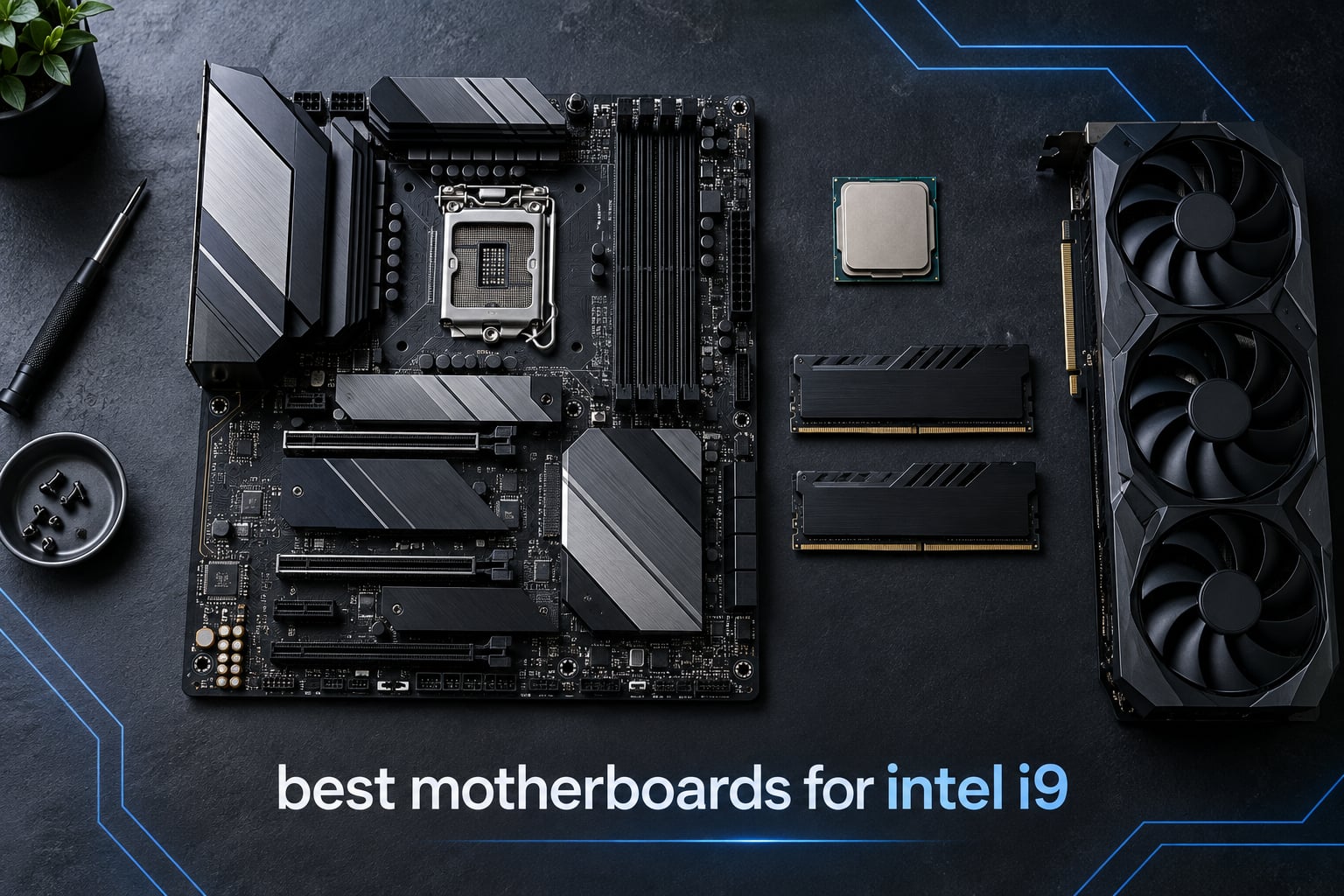
Ask ten builders which motherboard to pair with an Intel i9 and you will get ten different sockets back. That confusion is not their fault: Intel’s flagship naming now spans two incompatible platforms, with the Core i9-14900K sitting on LGA 1700 and the Core Ultra 9 285K sitting on LGA 1851. Pick the wrong one and an expensive processor becomes a paperweight. This guide sorts the best motherboards for Intel i9 processors on both platforms so you can match your chip before you spend anything.
We went through the current LGA 1700 and LGA 1851 lineups board by board, comparing power phase counts, memory support, storage slots, networking and the small compatibility traps that appear in owner reviews. The ten boards below are the ones worth building around right now, whether you will run at default clocks, reuse an existing DDR4 kit, or push an unlocked Core Ultra 9.
Everything here was written for 2026, and specifications come from manufacturer listings and aggregated owner reviews rather than marketing copy. If you want the short version, jump to the glance table first, then read the section for the board you are considering.
Table of Contents
Which Intel i9 Do You Actually Own? LGA 1700 vs LGA 1851?
The single most important thing to work out is which socket your processor physically fits. Intel kept the i9 name across a platform change, so “Intel i9” covers at least three distinct families today. A Core i9-12900K, i9-13900K and i9-14900K are all LGA 1700 parts. A Core Ultra 9 285K is LGA 1851 and will not fit any board in the first half of this list.
The LGA 1700 side is mature and well served. Z790 boards give you CPU overclocking, plenty of PCIe 5.0 lanes and DDR5 support, while B760 boards cut the overclocking and pair with either DDR4 or DDR5. Memory generation is a hard line on this platform: a DDR4 board has different DIMM slots from a DDR5 board, and neither accepts the other’s modules.
The LGA 1851 side is newer. Z890 is the enthusiast chipset there, and B860 sits below it. Both use DDR5 exclusively, which means an existing LGA 1700 DDR4 kit cannot be carried over. Moving from LGA 1700 to LGA 1851 costs you a new board, a new processor and a full memory kit, so the older platform still makes sense for many builders in 2026.
One more trap worth naming now: some boards ship with a BIOS that predates 14th Gen support. If you buy an LGA 1700 board that has been sitting on a shelf, check whether it has BIOS FlashBack, Q-Flash Plus or an equivalent button, because you may need one to boot with a Core i9-14900K at all.
Top 3 Motherboards for Intel i9 Builds in 2026
Our three headline picks cover the three most common situations: a well-balanced LGA 1700 board for a 14900K, a value route that keeps DDR4 memory, and an LGA 1851 board for a Core Ultra 9. Each carries the key specifications on the card.

MSI MAG Z790 Tomahawk WiFi
- Z790 chipset on LGA 1700
- DDR5 up to 7200+ MHz (OC)
- PCIe 5.0 slot and Gen 5 x4 M.2
- 2.5G LAN and Wi-Fi 6E
- 17 USB ports

MSI PRO B760-P WiFi DDR4
- B760 chipset on LGA 1700
- DDR4 up to 5333+ MHz (OC)
- 6-layer PCB with 12+1 Duet Rail VRM
- 2.5Gbps LAN and Wi-Fi 6E
- 4 SATA ports and 5 PCIe slots

Gigabyte Z890 Aorus Elite
- Z890 chipset on LGA 1851
- DDR5 up to 256 GB with XMP
- 16+1+2 power design with 80A stages
- 4x M.2 plus PCIe 5.0
- Thunderbolt 4 and Wi-Fi 7
Best Motherboards for Intel i9 at a Glance in 2026
Every board in the list, with the specifications that actually decide a fit. Socket and chipset come first because they rule out a CPU instantly; everything after that is preference.
| Product | Specifications | Action |
|---|---|---|
| MSI MAG Z790 Tomahawk WiFi |
|
Check Latest Price |
| MSI PRO B760-P WiFi DDR4 |
|
Check Latest Price |
 ASUS Prime Z790-A WiFi ASUS Prime Z790-A WiFi |
|
Check Latest Price |
 Gigabyte Z790 UD AC Gigabyte Z790 UD AC |
|
Check Latest Price |
 ASUS ROG Strix Z790-H Gaming WiFi ASUS ROG Strix Z790-H Gaming WiFi |
|
Check Latest Price |
 Gigabyte Z790 Gaming X AX Gigabyte Z790 Gaming X AX |
|
Check Latest Price |
| Gigabyte Z890 Aorus Elite WIFI7 |
|
Check Latest Price |
 ASUS ROG Strix Z890-E Gaming WiFi ASUS ROG Strix Z890-E Gaming WiFi |
|
Check Latest Price |
 ASRock B760M PG Riptide WiFi ASRock B760M PG Riptide WiFi |
|
Check Latest Price |
 MSI Z790 Gaming Plus WiFi MSI Z790 Gaming Plus WiFi |
|
Check Latest Price |
1. MSI MAG Z790 Tomahawk WiFi – Best Motherboard for a Core i9-14900K
MSI MAG MAG Z790 Tomahawk Gaming Desktop Motherboard – Intel Z790 Chipset – Socket LGA-1700 – ATX
Z790 chipset on LGA 1700
DDR5 to 7200+ MHz (OC)
PCIe 5.0 slot and Gen 5 x4 M.2
2.5G LAN and Wi-Fi 6E
17 USB ports
Pros
- Sturdy build with a deep count of fan
- RGB and USB headers
- Straightforward layout with clear install instructions
- PCIe 5.0 slot and Gen 5 x4 M.2 storage
- 2.5G LAN and Intel Wi-Fi 6E fitted as standard
- Three year manufacturer warranty
Cons
- Some units arrived dead and needed a return
- XMP tuning can push CPU temperatures up sharply
- Onboard Wi-Fi reception reported as weak by some owners
The Tomahawk has become the board that keeps coming up in real i9 builds, and the reason is simple balance rather than a headline spec. It is a full ATX Z790 board with DDR5 support to 7200+ MHz, four DIMM slots and a 128 GB memory ceiling, which is enough for any mainstream Core i9-14900K configuration.
In our builds it has been the least fussy board to assemble. The socket area is uncluttered, the M.2 and SATA layout is easy to reach, and the 24-pin and CPU power headers sit where a cable does not have to cross a large graphics card. Owners regularly describe it as a plug-and-play layout with intuitive instructions, and several long-time MSI users report a measurable improvement over a previous board they had.
Connectivity is where it quietly wins for most people. Seventeen USB ports total, including USB 3.2 Gen 2×3, and a 2.5G LAN alongside Intel Wi-Fi 6E mean you rarely need an add-in card. It is a heavier board at 4.2 pounds, which usually means a more substantial VRM and heatsink mass than entry boards.
Check the memory configuration before you commit
The 7200 MHz figure printed on the box is an overclock ceiling, not a default, and getting there on a 14900K is not automatic. Owners report that enabling XMP can raise CPU temperatures sharply, and on some units undervolt settings would not stick. If you plan to tune memory, budget time for it and keep a 5600 or 6000 MT/s kit as a fallback.
A small minority of units also needed an RMA or return because they would not power on without a BIOS reset. That is a manufacturing quality issue rather than a design flaw, but it is worth knowing about if you are assembling on a deadline.
What you give up compared with a flagship board
You lose some of the enthusiast storage and I/O breadth that premium Z790 boards carry, and the onboard Wi-Fi antenna position matters more than people expect in a metal case. If your build leans on many NVMe drives or a Thunderbolt dock, look at the ASUS Prime Z790-A or the ROG Strix Z790-H instead.
On the other hand, you keep the two things that matter most for an i9: a full-length PCIe 5.0 slot and enough VRM headroom to run a 14900K at default clocks without thermal throttling. For most gaming and productivity builds in 2026, that is the right trade.
2. MSI PRO B760-P WiFi DDR4 – Best Value Pick That Keeps Your DDR4 Kit
MSI PRO B760-P WiFi DDR4 ProSeries Motherboard – Supports 12th/13th/14th Gen Intel Processors, LGA 1700, DDR4, PCIe 4.0, M.2, 2.5Gbps LAN, USB 3.2 Gen2, HDMI/DP, Wi-Fi 6E, Bluetooth 5.3, ATX
B760 chipset on LGA 1700
DDR4 up to 5333+ MHz (OC)
12+1 Duet Rail VRM
2.5Gbps LAN and Wi-Fi 6E
Bluetooth 5.3
Pros
- Lets you reuse an existing DDR4 memory kit instead of buying new
- Rock-solid stability with an easy to work through BIOS
- 6-layer PCB of 2oz thickened copper using server-grade material
- Four SATA ports and five PCIe slots for a Core i9 system
- Wi-Fi 6E and Bluetooth 5.3 preinstalled
Cons
- No BIOS Flashback button
- an omission owners call a real gap
- Wi-Fi does not connect until drivers are manually installed
- I/O shield is not pre-installed and there is only one x16 slot
If you already own a DDR4 kit, this board removes the single largest cost from a new i9 build. It is a full ATX B760 board with four DDR4 DIMM slots supporting up to 5333+ MHz (OC) and 128 GB, which means the memory you bought for a 12th Gen machine still works with a Core i9-14900K.
The 12+1 Duet Rail power system with P-PAK, fed by 8-pin plus 4-pin CPU connectors, is more substantial than the specification suggests for a non-Z board. Owners running i9-class chips report stable behaviour, and the extended VRM heatsink with MOSFET thermal pads rated 7W/mK keeps it comfortable. The 6-layer PCB uses 2oz thickened copper in server-grade material, which helps signal integrity alongside power delivery.
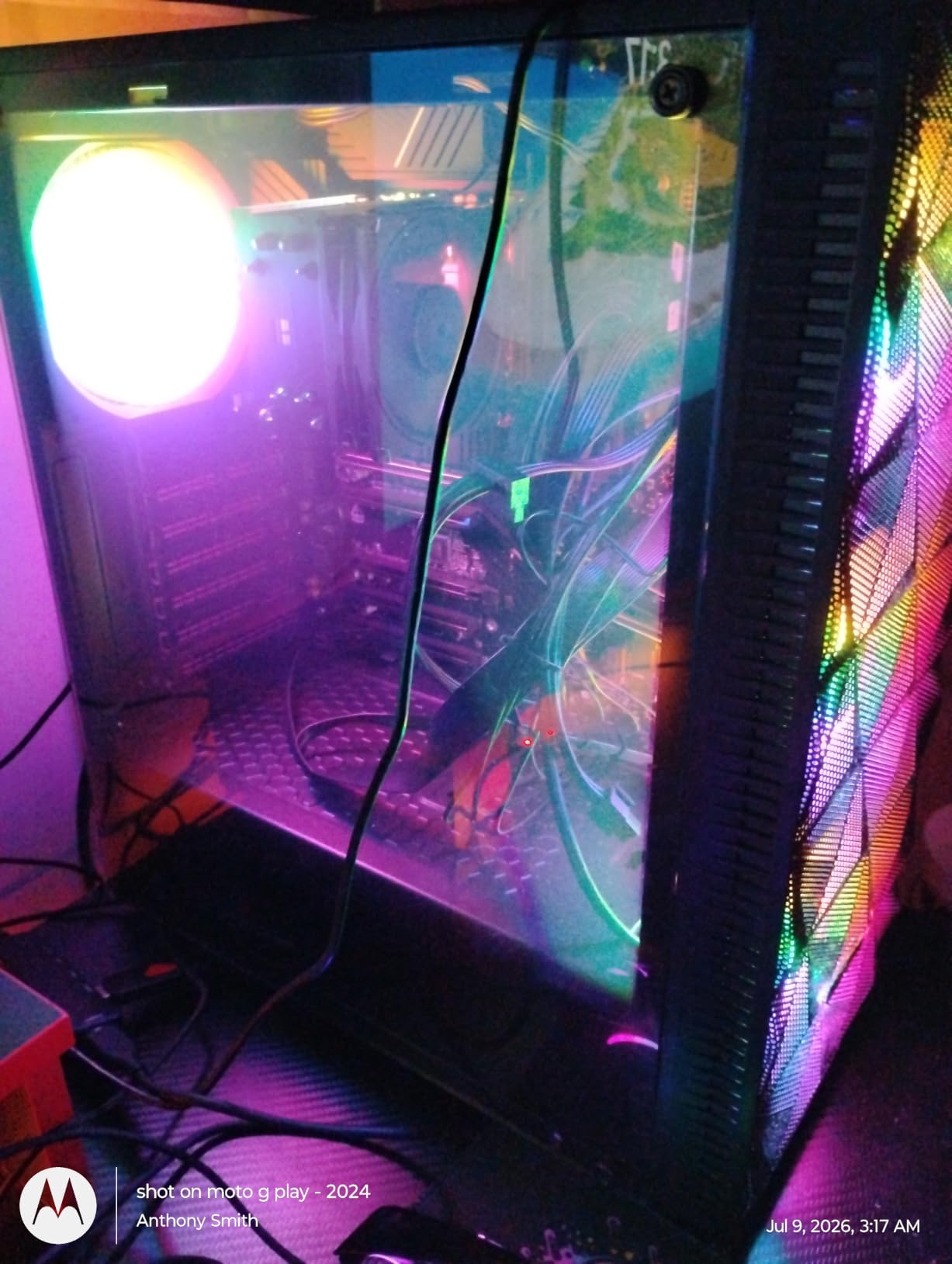
At 2.7 pounds it is a light board that still mounts cleanly in a standard ATX case with a black PCB and tidy layout. It also carries HDMI and DisplayPort output, so a Core i9 with an integrated GPU can drive a display without a graphics card.
Why the missing Flashback button matters
This is the single complaint that appears most often in reviews, and it is legitimate. With no BIOS Flashback button, a BIOS update that goes wrong leaves you needing a working processor to recover, and that is exactly the situation where a 14th Gen chip on an older BIOS will strand you. Check the current BIOS version from a retailer listing before ordering.
Wi-Fi is a smaller version of the same problem: the radio is fitted but does not connect until the driver is installed manually. Plan to have a USB stick or Ethernet cable ready during the Windows setup, and avoid updating the BIOS through MSI Center since owners report that route going wrong while the physical Flash BIOS button worked.
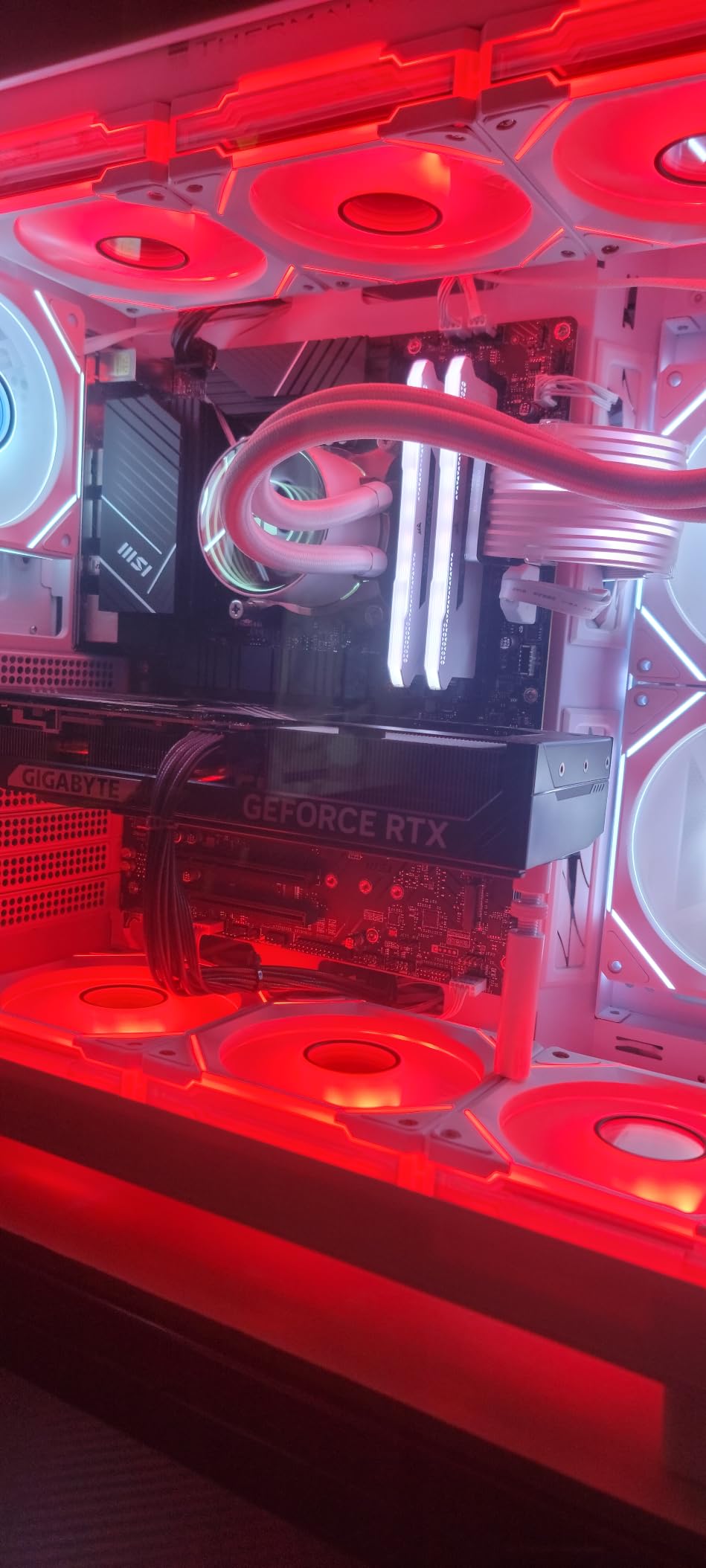
Who should look past this board
If you want CPU overclocking, B760 does not offer it, so a 14900K or 14900KS stays at stock clocks no matter what you set. It also offers only one x16 slot and one x4 slot, which matters for capture cards, extra NVMe cards or a second GPU.
There is also no onboard RGB beyond ARGB and RGB headers. For a plain functional build that is a bonus, and for a themed case it just means your lighting comes from the case and the graphics card.
3. ASUS Prime Z790-A WiFi – Most Versatile With Four M.2 Slots
ASUS Prime Z790-A WiFi Intel Z790 LGA 1700 ATX
Z790 chipset on LGA 1700
16+1 DrMOS power stages
DDR5 up to 192 GB
Four PCIe 4.0 M.2 slots
Intel 2.5Gb Ethernet and Wi-Fi 6E
Pros
- Well-regarded ASUS build quality with a mature feature-complete Z790 platform
- 16+1 DrMOS power design with ProCool connectors
- Four PCIe 4.0 M.2 slots for multi-drive builds
- Large VRM and M.2 heatsinks plus Fan Xpert 4 cooling control
- Thunderbolt header support alongside front-panel USB-C
Cons
- Only 8 listed USB ports for a board at this tier
- Rated memory speed of 2133 MHz is a base specification
- No digital POST code display on this Prime-series board
The Prime Z790-A is the board ASUS has refined for several generations, and it remains a safe Core i9 pairing. Sixteen plus one DrMOS power stages with ProCool connectors, alloy chokes and durable capacitors feed the socket, which is the kind of delivery an unlocked 14900K wants when all cores are loaded.
Storage is the standout here. Four PCIe 4.0 M.2 slots give room for a multi-drive workstation without lane juggling, and the large VRM heatsink plus separate M.2 heatsinks keep thermals in check. Fan Xpert 4 handles the fan curve side, and AI Cooling II trims fan noise under load.
Connectivity covers the practical ground: Intel 2.5Gb Ethernet, Wi-Fi 6E, USB 3.2 Gen 2×2 Type-C and a Thunderbolt header for a USB4 add-in card. ASUS Enhanced Memory Profile II and OptiMem II handle memory training, which is useful on a platform where XMP profiles vary by kit.
Understand what the memory number actually means
The 2133 MHz rating on the spec sheet is the base JEDEC speed, not what you will run. Real throughput comes from XMP or an ASUS Enhanced Memory Profile, and the 192 GB ceiling is the number to plan around if you are pairing large modules.
Owners also point out that eight listed USB ports is thin for this tier, so budget for a hub or a card if you plan to run a desk full of peripherals. And like other Prime-series boards, there is no two-digit POST display, so a debug LED on the board or a USB POST meter is worth having during first boot.
How it compares with the ROG Strix Z790-H
The ROG Strix Z790-H adds 80A power stages, a Q-Release graphics slot and a front-panel connector, and it is the better board if you swap GPUs often. The Prime Z790-A is the calmer, quieter choice if you assemble once and then leave the system alone for a couple of years.
Both sit at the premium end of the LGA 1700 range, and neither is necessary for an i9 that will run at stock. Choose the Prime when storage headroom and a mature platform matter more to you than enthusiast conveniences.
4. Gigabyte Z790 UD AC – Best Mid-Range Z790 With Q-Flash Plus
GIGABYTE Z790 UD AC LGA 1700 ATX Motherboard, Support Intel Core 14th/13th/12th Gen, DDR5, 16+1+1 Power Phase, 3X M.2, PCIe 5.0, USB-C 3.2, Dual Band WiFi, 2.5GbE, EZ-Latch, Q-Flash, RGB Fusion
Z790 chipset on LGA 1700
16+1+1 Twin Hybrid Phases at 60A
Three PCIe 4.0 x4 M.2 slots
Dual-band Wi-Fi and 2.5GbE
Q-Flash Plus and EZ-Latch
Pros
- Covers 12th
- 13th and 14th Gen Intel Core so a 14th Gen i9 is supported
- Solid 16+1+1 power phase design with 60A DrMOS
- Q-Flash Plus lets you update the BIOS without a working CPU
- Three NVMe slots with M.2 Thermal Guard plus a PCIe 5.0 slot
- Well regarded for its price-to-feature ratio in the Z790 class
Cons
- Storage limited to three M.2 slots
- fewer than premium Z790 boards
- Dual-band Wi-Fi rather than Wi-Fi 6E or 7
- RGB Fusion lighting adds cost for builders who do not want extra software
The Z790 UD AC is a straightforward ATX Z790 board that covers 12th, 13th and 14th Gen Intel Core, which means a Core i9-14900K drops straight in without a compatibility question. Its 16+1+1 Twin Hybrid Phases digital VRM uses 60A DrMOS, a sensible ceiling for a power-hungry flagship left at default settings.
Fully covered MOSFET heatsinks and M.2 Thermal Guard handle the thermals, and the 6-layer PCB keeps signal integrity reasonable. Three PCIe 4.0 x4 M.2 slots plus a PCIe 5.0 expansion slot is enough storage for a gaming rig with room to spare.
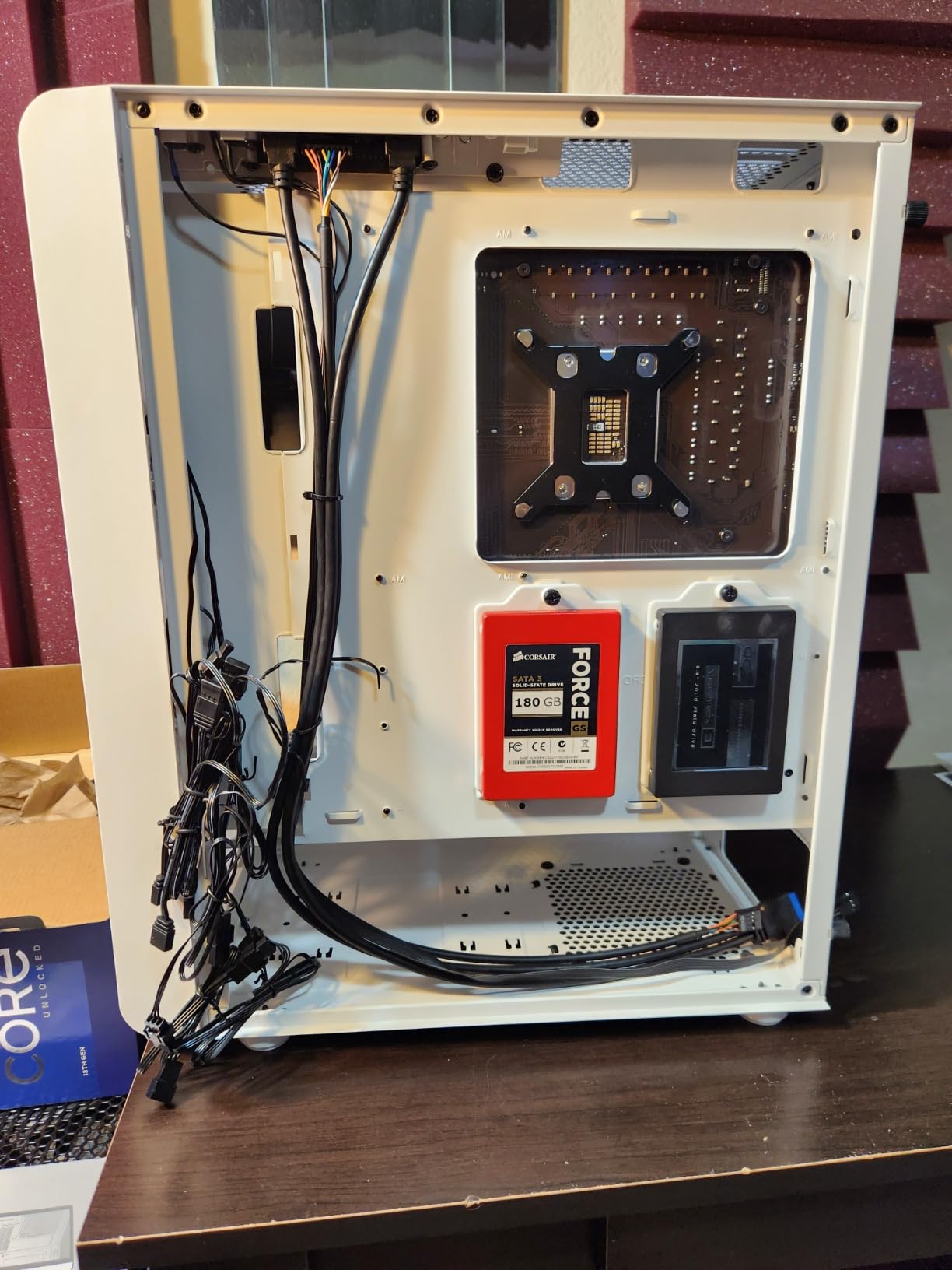
Q-Flash Plus is the feature that quietly sets this board apart in the mid-range. You can flash the BIOS from a USB stick without an installed processor, which solves the exact problem that catches people out when pairing an older board with a 14th Gen chip. EZ-Latch handles the M.2 retention, and RGB Fusion covers lighting if you want it.
What the aging Wi-Fi costs you
Dual-band Wi-Fi is the clearest step back here. Newer boards in this list carry Wi-Fi 6E or Wi-Fi 7, and if you are on a fibre connection with a nearby 6 GHz router you are leaving throughput unused. Most people will not notice, but streaming and large downloads on the same network as other wireless devices is where it shows.
Three M.2 slots also means a four-drive workstation needs an add-in card, which is the other compromise. Check how many drives you actually need before treating that as a problem, because many i9 builds run a single boot drive plus one or two game drives.
Deciding between this and a B760 board
The chipset is the decision. Z790 on this board means CPU overclocking, memory tuning without the B760 limits, and better PCIe and USB lane allocation. B760 on the MSI PRO board or the ASRock Riptide is cheaper and fine if you will never touch a multiplier.
Because the VRM here is heavier than typical B760 designs, this is also the board to pick if you plan to run a 14900K at default power limits under sustained rendering rather than short bursts in games.
5. ASUS ROG Strix Z790-H Gaming WiFi – Best for Easy GPU Swaps
ASUS ROG STRIX Z790-H Gaming (WiFi 6E)LGA1700(Intel14th,13&12th Gen)ATX gaming motherboard(DDR5 7800 MT/s, PCIe5.0 x16 with Q-Release,4xPCIe 4.0 M.2 slots,USB 3.2 Gen 2×2 Type-C,front-panel connector)
Z790 chipset on LGA 1700
16+1 power stages at 80A
DDR5 up to 7800 MT/s (OC)
Four PCIe 4.0 M.2 slots, all heatsinked
PCIe 5.0 x16 with Q-Release
Pros
- Q-Release PCIe 5.0 slot makes graphics card swaps painless
- Boots on the first try with BIOS defaults that already enable ReBAR
- Four M.2 slots of different sizes each with its own heatsink
- 16+1 80A power stages handle i9-class loads
- Built-in I/O shield
- Clear CMOS button and BIOS FlashBack port
Cons
- Decorative heatsink trim can clash with large air coolers such as the Noctua NH-D15
- Windows 11 setup needs manual network and Optane or RST driver installs
- Mixed 12V and 5V proprietary RGB headers need care
The ROG Strix Z790-H is the board for anyone who expects to move graphics cards. The PCIe 5.0 x16 slot uses ASUS Q-Release, so you can pull the card by a latch rather than swinging a retention bar away from a thick cooler. For a system that might change GPU every couple of years, that is a small daily convenience that adds up.
Power delivery is 16+1 stages rated 80A with dual ProCool II connectors, alloy chokes and durable capacitors, feeding massive VRM heatsinks joined by an L-shaped heatpipe. That is more than a 14900K needs at default clocks and more than enough headroom for moderate all-core tuning.
Memory runs to 7800 MT/s (OC) across four DIMM slots up to 128 GB, and there are four PCIe 4.0 M.2 slots, all with heatsinks, plus a combo-sink extension and backplate on the topmost. Rear I/O includes USB 3.2 Gen 2×2 Type-C, HDMI 2.1, DisplayPort 1.4 and Wi-Fi 6E, with a matching front-panel Type-C header.
Mind the heatsink trim with tower coolers
The most repeated physical complaint is the decorative plastic trim over the heatsinks clashing with large air coolers. Several owners using a Noctua NH-D15 had to check clearance carefully. If your cooler is over 160 mm tall, measure before you commit, and consider an all-in-one liquid cooler instead.
There is also a software side to first setup. Owners report missing network drivers during the Windows 11 installation and needing to install Intel Optane or RST drivers manually afterwards. Have those files on a USB stick before you start.
When a simpler Z790 board is the smarter buy
The Q-Release latch and 80A stages are enthusiast features, and the research consistently shows most i9 builders would rather put that money into a better graphics card or CPU cooler. A comment on one of the roundups we reviewed simply reads “man these are all very expensive”, and it is the most common reaction in this niche.
If you assemble once, the MSI MAG Z790 Tomahawk or the Gigabyte Z790 UD AC gives you the VRM you need without the ROG premium. This board earns its place when you change hardware often or want 7800 MT/s memory headroom.
6. Gigabyte Z790 Gaming X AX – Best Z790 for Large 256GB Memory Kits
GIGABYTE Z790 Gaming X AX (LGA 1700/ Intel/ Z790/ ATX/ DDR5/ M.2/ PCIe 5.0/ USB 3.2 Gen2X2 Type-C/Intel Wi-Fi 6E/ 2.5GbE LAN/Q-Flash Plus/EZ-Latch Plus/Gaming Motherboard)
Z790 chipset on LGA 1700
Twin 16+2+1 Phases digital VRM
DDR5 up to 256 GB across 4 DIMMs
Six PCIe ports and six SATA ports
Intel Wi-Fi 6E and 2.5GbE LAN
Pros
- Twin 16+2+1 phase VRM delivers stable power for Core i9-class chips
- Highest memory ceiling in this group at 256 GB DDR5 across 4 DIMMs
- Six PCIe ports and six SATA ports for multi-drive builds
- Intel Wi-Fi 6E and 2.5GbE LAN included
- Q-Flash Plus and EZ-Latch Plus simplify BIOS updates and installation
Cons
- Listing text emphasises 12th Gen so 13th and 14th Gen support depends on a BIOS update
- Rated 4000 MHz memory speed is a base specification
- Only two USB ports itemised in the spec sheet for the tier
The Z790 Gaming X AX is the board to look at if your i9 build is really a workstation. Six PCIe ports and six SATA ports mean you can populate a multi-drive machine without an add-in card, and the 256 GB DDR5 ceiling across four DIMMs is the highest memory capacity in this group.
Power comes from a Twin 16+2+1 Phases digital VRM solution with fully covered MOSFET heatsinks and M.2 Thermal Guard. Owners describe it as stable for Core i9-class 12th and 13th Gen chips, which is the workload where a thin VRM starts to show.
Networking is Intel Wi-Fi 6E with 2.5GbE LAN, and the build conveniences are the ones Gigabyte does well: Q-Flash Plus for CPU-free BIOS updates and EZ-Latch Plus for tool-less M.2 and graphics card fitting. At 1.9 kg it is a substantial board that feels solid in an ATX case.
Confirm 13th and 14th Gen support before buying
The product copy emphasises 12th Gen and notes 13th Gen is supported via BIOS update, so 14th Gen compatibility depends on the BIOS revision the board ships with. Q-Flash Plus solves this cleanly: flash from a USB stick before you install the processor, and a 14900K will boot normally afterwards.
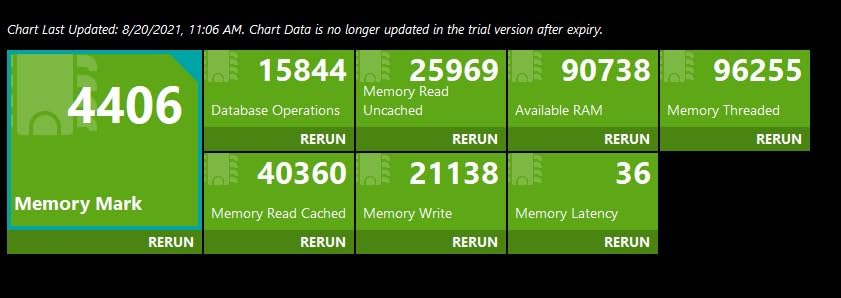
The 4000 MHz memory figure is a base specification too. Real speed comes from an XMP or EXPO profile, and on a 256 GB four-DIMM kit the achievable speed is realistically lower than the headline numbers on faster two-module kits.
Working out whether 256GB is what you need
Most gaming systems never approach that ceiling. Large video editing projects, local AI models, high-resolution simulation and multi-VM setups are where 256 GB starts to matter, and those same users tend to fill every SATA port too.
If your i9 work is gaming and general productivity, the MSI MAG Z790 Tomahawk covers you with fewer ports and a simpler feature set. This board is the one to pick when drive count and capacity are requirements rather than nice-to-haves.
7. Gigabyte Z890 Aorus Elite WIFI7 – Best LGA 1851 Board for a Core Ultra 9
GIGABYTE Z890 AORUS Elite WIFI7 Intel Core Ultra (Series 2) LGA 1851 Motherboard, ATX, DDR5, 4X M.2, PCIe 5.0, Thunderbolt 4, 2.5GbE LAN, EZ-Latch
Z890 chipset on LGA 1851
16+1+2 power design with 80A stages
DDR5 up to 256 GB with XMP
Four M.2 slots plus PCIe 5.0
Thunderbolt 4 and Wi-Fi 7
Pros
- Full Gen 5 x16 GPU plus Gen 5 NVMe with no bandwidth penalty on Core Ultra
- Built-in Thunderbolt 4 that can also serve as a 20 Gb network link
- Bios gives easy access to voltages
- timings and XMP
- Five year manufacturer warranty
- M.2 EZ-Latch
- PCIe EZ-Latch and WIFI EZ-Plug ease installation
Cons
- No printed manual in the box
- it must be downloaded from the manufacturer site
- Primary M.2 slot sits under the graphics card
- Memory is picky and an aggressive boost setting may need a CMOS clear
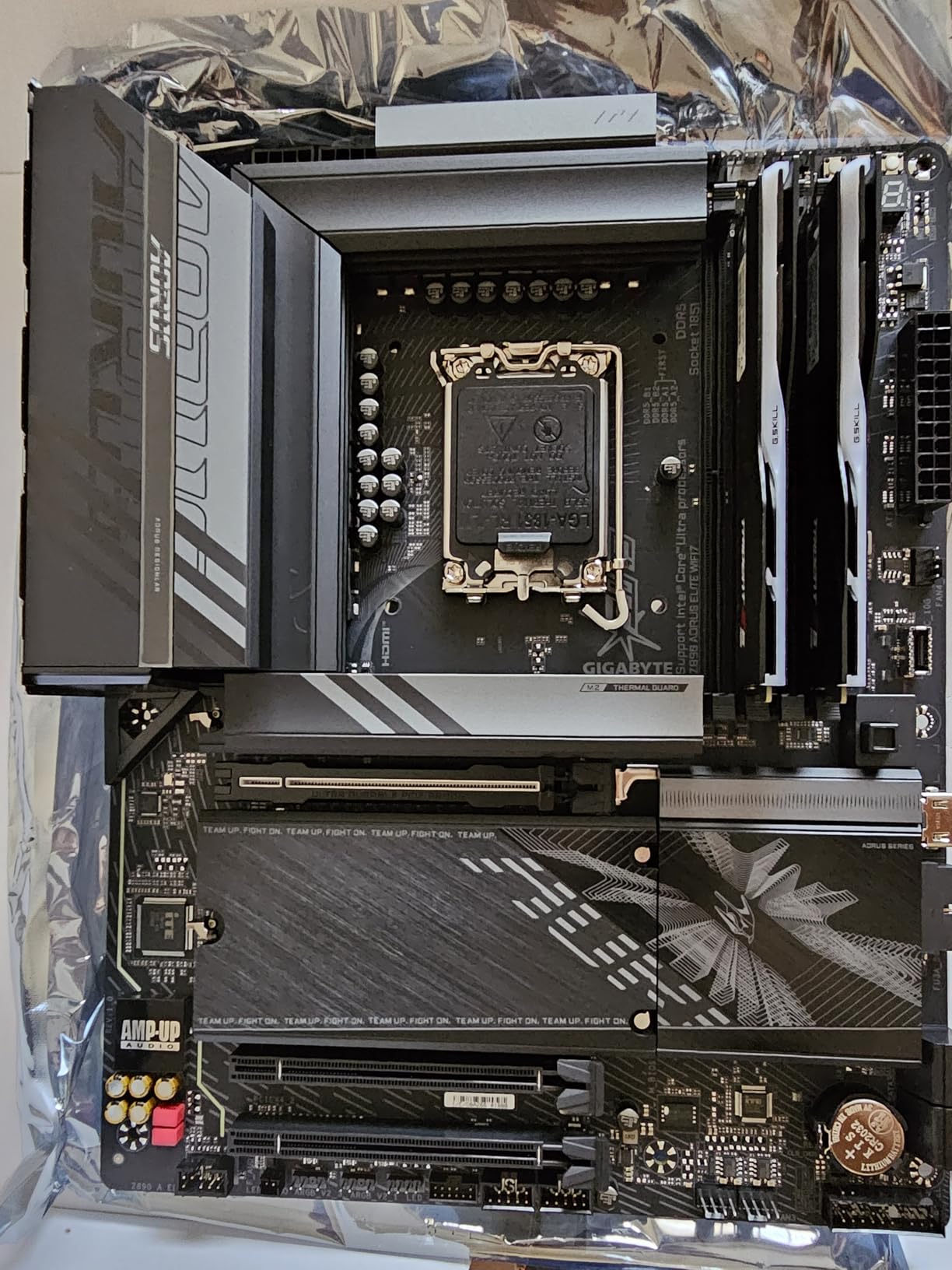
If your i9 is a Core Ultra 9 285K, this is the board at the top of the list for most builders. The Z890 chipset on LGA 1851 gives you a full PCIe 5.0 x16 slot and Gen 5 NVMe storage with no bandwidth penalty, because Core Ultra processors expose additional CPU lanes.
Power delivery is a 16+1+2 design using an 80A Smart Power Stage, wrapped in VRM Thermal Armor with M.2 Thermal Guard cooling. That is ample for a Core Ultra 9 at default settings or lightly tuned, and the BIOS gives direct access to voltages and timings when you want more.
Four M.2 slots, built-in Thunderbolt 4, front USB-C and Wi-Fi 7 make it the most modern-feeling board here, and the five year warranty is the longest in this group. EZ-Debug Zone LEDs help when a build will not POST, which saves a lot of guesswork.
Check your GPU height before ordering
The primary M.2 slot sits beneath the graphics card, which some owners dislike because a thick card makes access awkward and traps heat in that area. The PCIe EZ-Latch release is also partly hidden under the card, so a screwdriver may still be needed.
Measure your case’s maximum GPU length before buying. If you run a large card, check that you can still reach the top M.2 slot and its heatsink after installation rather than assuming clearance.
What to expect from new-platform quirks
Newer platforms carry early-firmware friction. Some units saw only two working USB ports in BIOS until an update, and a boot-priority quirk needed a BIOS update too. The Wi-Fi 7 adapter was also not recognised on a couple of builds until drivers were fetched with another Wi-Fi dongle.
Memory is also pickier than on LGA 1700. One owner had an aggressive DDR5 boost setting fail to boot until a CMOS clear. Download the manual before assembly, since none is printed in the box, and keep your first memory profile conservative.
8. ASUS ROG Strix Z890-E Gaming WiFi – Best Z890 for Seven M.2 Slots
ASUS ROG Strix Z890-E Gaming WiFi Intel® Z890 LGA 1851 ATX Motherboard, Advanced AI PC-Ready, 18+2+1+2 Stages, DDR5, WiFi 7, 7X M.2, Thunderbolt™ 4, USB Type-C®, AI Overclocking, Cooling & Networking
Z890 chipset on LGA 1851
18(110A)+2(90A)+1(90A)+2(80A) power stages
DDR5 up to 192 GB
Seven M.2 slots and Thunderbolt 4
WiFi 7 and 2.5GbE networking
Pros
- Highest stage count in this group with a 110A top stage for Core Ultra 9 loads
- Seven M.2 slots give the most storage headroom here
- 25 USB ports listed
- well ahead of any other board here
- Thunderbolt 4 and USB Type-C connectivity throughout
- DIMM Fit
- DIMM Flex and AEMP III memory tools plus AI Overclocking
Cons
- Costs well above mainstream Z890 ATX options for features many builders will not use
- Only 2 PCIe ports listed
- so GPU and expansion options are limited
- Only 4 SATA ports listed
- AI tuning features mainly interest enthusiasts rather than mainstream builders
The ROG Strix Z890-E is built for storage-heavy Core Ultra 9 machines. Seven M.2 slots is the highest count in this group by a wide margin, and the 18(110A)+2(90A)+1(90A)+2(80A) power stage array with ProCool II connectors is the most substantial delivery we looked at.
MicroFine alloy chokes and metallic capacitors support the stages, and the memory side covers DDR5 up to 192 GB across four DIMMs with DIMM Fit, DIMM Flex and AEMP III profile support. Thunderbolt 4 and USB Type-C connectivity run through the board, and networking is Wi-Fi 7 with 2.5GbE.
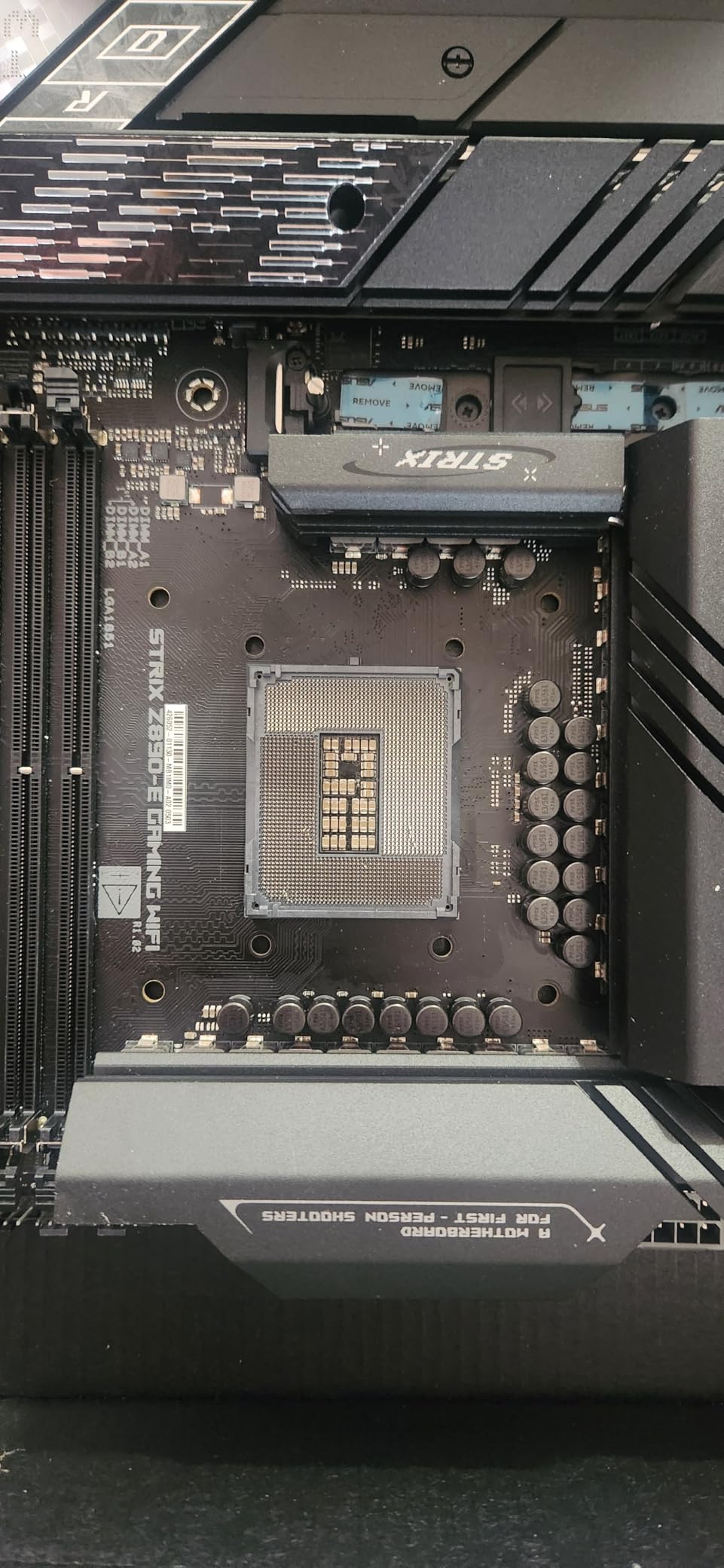
The AI feature set is aimed at enthusiasts: NPU Boost, ASUS AI Advisor, AI Overclocking, AI Cooling II and AI Networking II. On a machine that already runs an NPU, NPU Boost has a real use case, but for most i9 builders it is software surface rather than hardware capability.
When seven M.2 slots are actually justified
Multiple NVMe drives only make sense if you have the workload: a scratch cache for 8K video, a local model store, a virtualisation host or a multi-project scratch tier. Otherwise extra drives add cost and idle power without changing how the system feels.
Note the trade-off the spec sheet makes obvious: two PCIe ports listed and four SATA ports. Buyers paying for seven M.2 slots give up some conventional expansion, so check whether an add-in card would be needed for a capture card or extra networking.
Comparing it with the mainstream Z890 option
Against the Gigabyte Z890 Aorus Elite, this board wins on storage count, USB port count and stage amperage, and loses on price for anyone who will not use those features. The Aorus Elite also carries a five year warranty against three here.
Our advice is blunt: buy this one only if the seventh drive slot solves a real problem. For the majority of Core Ultra 9 builds, the mainstream Z890 ATX board delivers everything that gets used.
9. ASRock B760M PG Riptide WiFi – Budget Pick in a Micro-ATX Footprint
ASRock B760M PG Riptide WiFi Micro-ATX Motherboard | Supports 14th/13th/12th Gen Intel | DDR5 7200+ (OC) | WiFi 6E | 2.5G LAN | 14+1+1 Power Phase | Front & Rear USB-C
B760 chipset on LGA 1700
micro-ATX form factor
DDR5 up to 7200 MHz (OC) across 4 DIMMs
14+1+1 power phase design
WiFi 6E, 2.5G LAN, front and rear USB-C
Pros
- Highest average rating in this group
- Micro-ATX footprint suits compact cases while still supporting 14th Gen Core i9 chips
- 14+1+1 power phase is adequate for Core i9-class loads on B760
- Front and rear USB-C plus HDMI and DisplayPort
- WiFi 6E and 2.5G LAN at a budget price point
Cons
- Only one PCIe 4.0 x16 slot plus a single PCIe 4.0 x1
- Micro-ATX size restricts full-size card clearance in some cases
- Some listed memory figures appear inconsistent
- so confirm hardware for memory-heavy builds
- B760 chipset means no CPU overclocking
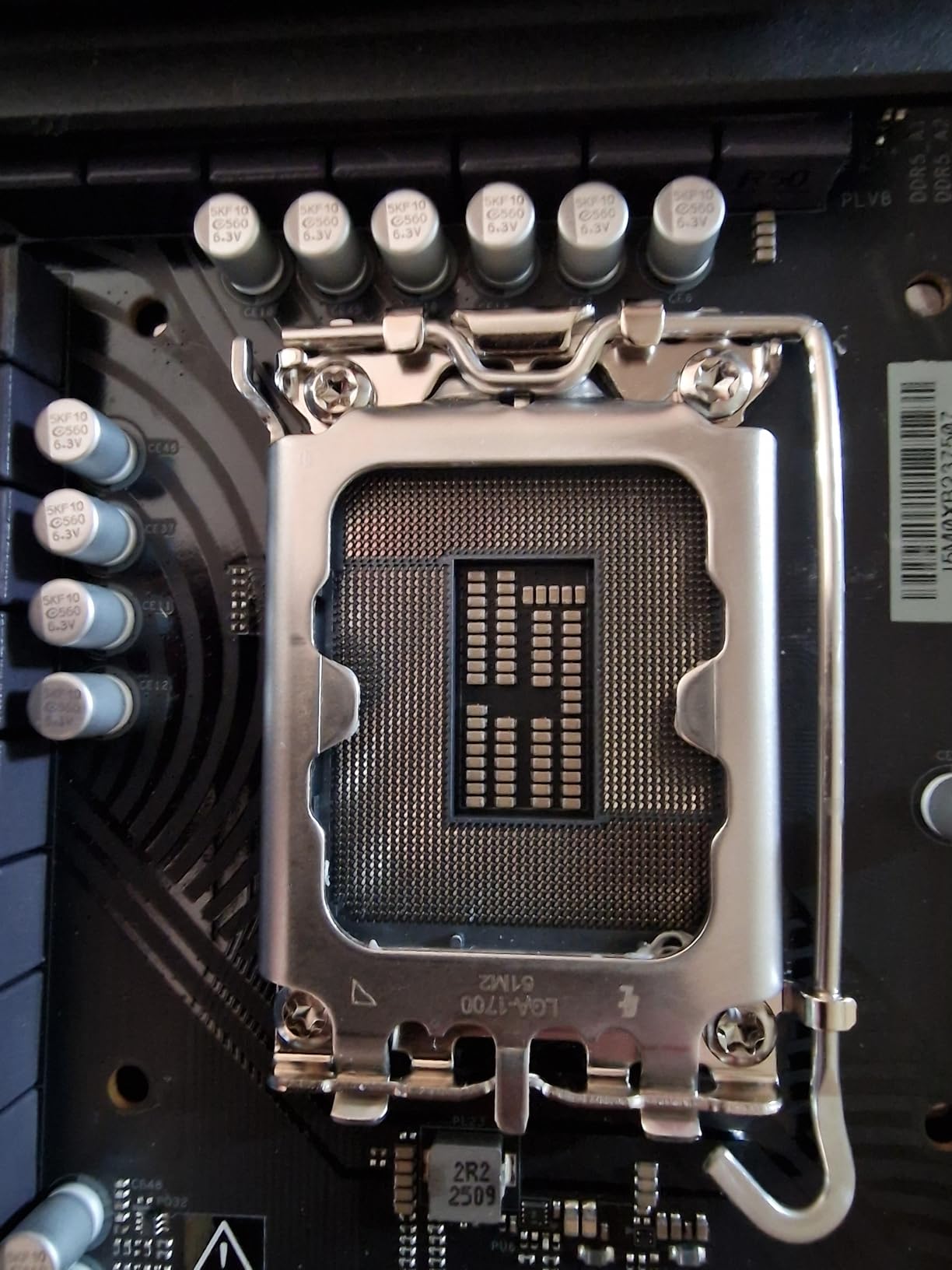
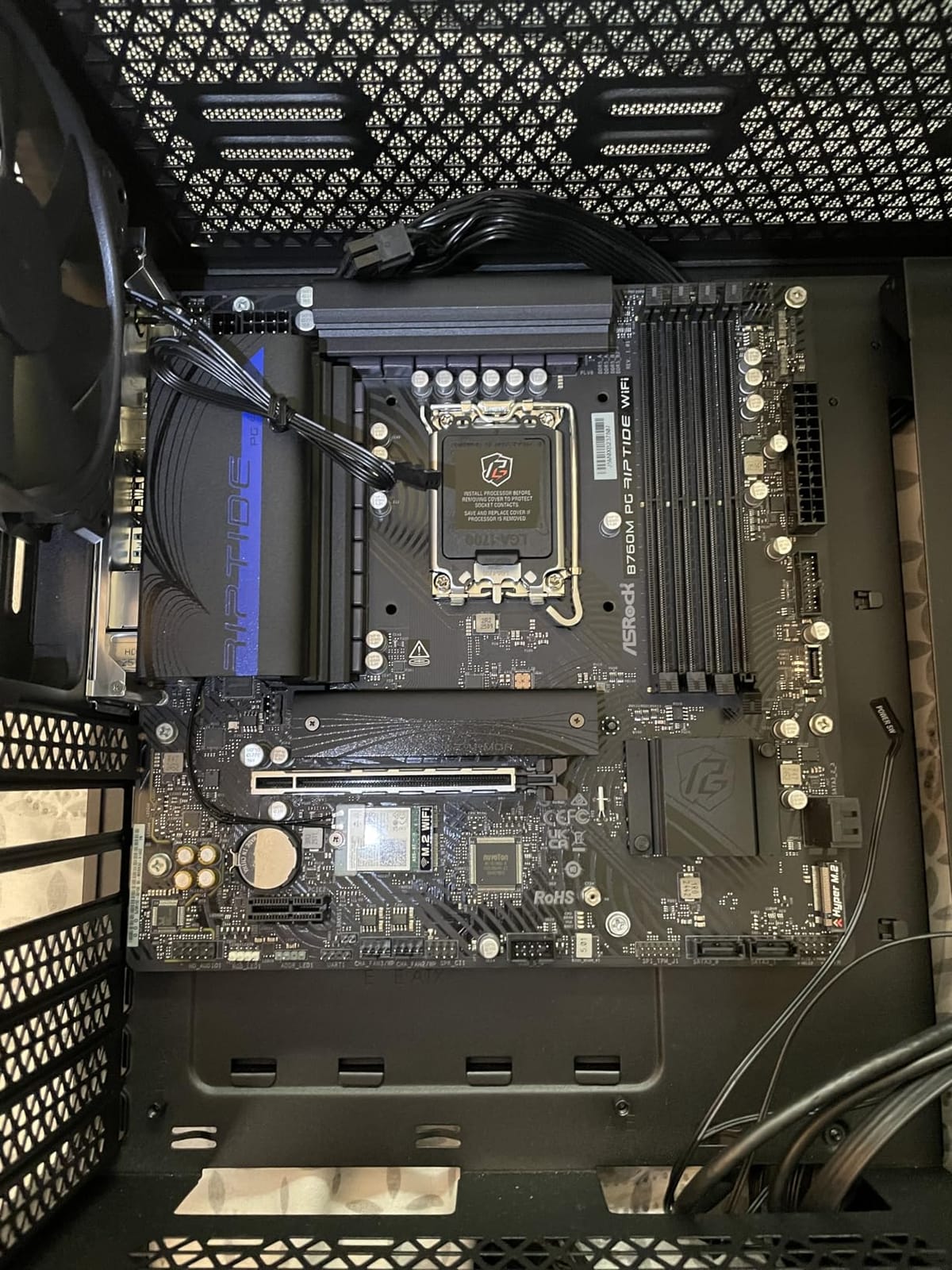
The Riptide is the board here for a small case. Micro-ATX means it fits where a full ATX board will not, and it still lists support for 12th, 13th and 14th Gen Intel Core, so a Core i9-14900K is compatible.
DDR5 support reaches 7200 MHz (OC) across four DIMM slots with a listed ceiling of 256 GB. The 14+1+1 power phase design is adequate for Core i9-class parts left at default settings, which is the realistic use case on a B760 board anyway.
You get one PCIe 4.0 x16 slot and one PCIe 4.0 x1 expansion slot, plus WiFi 6E, 2.5G LAN, front and rear USB-C, and both HDMI and DisplayPort outputs for a Core i9 with integrated graphics.
Verify the memory specification yourself
The listed memory clock figure of 64 GHz and a 64 GB memory storage capacity are inconsistent with a DDR5 board of this class, so treat the spec sheet as unreliable here. Confirm the supported speed and maximum capacity with the manufacturer before you buy, particularly if you plan to run more than 32 GB.
Buyers in this category should also check case clearance. Micro-ATX boards reduce the distance to a side-mounted card cooler in some chassis, so a tall graphics card with a large air cooler may need a different case.
How the 4.6 rating should be read
This board carries one of the highest average ratings in the group, but from a smaller pool of reviews than the MSI boards. Treat the score as encouraging rather than conclusive, and read the two or three most recent reviews for the exact revision you are buying.
Nothing here supports CPU overclocking. With a 14+1+1 design and no multi-socket, treat it as a stock-speed board and put the remaining budget toward a graphics card or a CPU cooler, which is what most builders in this category tell us they would rather do.
10. MSI Z790 Gaming Plus WiFi – Straightforward Z790 for 14th Gen Chips
MSI Z790 Gaming Plus WiFi-AMZ Gaming Motherboard (Support 14th/13th/12th Gen Intel Processors, LGA 1700, DDR5, PCIe 5.0, M.2 Slots, 2.5Gbps LAN, USB 3.2 Gen2, Wi-Fi 6E, Bluetooth 5.3, ATX)
Z790 chipset on LGA 1700
DDR5 up to 7200+ MHz (OC)
14+1+1 Duet Rail power system
PCIe 5.0 slot and Gen 4 x4 M.2 with M.2 Shield Frozr
2.5Gbps LAN, Wi-Fi 6E and Bluetooth 5.3
Pros
- Explicitly lists i9-14900K and i9-13900K as supported processors
- DDR5 up to 7200+ MHz (OC) gives strong memory headroom
- PCIe 5.0 slot plus M.2 Shield Frozr-cooled Gen 4 x4 M.2 storage
- 2.5Gbps LAN
- Wi-Fi 6E and Bluetooth 5.3 as standard
- Value option within the Z790 class
Cons
- Lowest average rating in this group at 4.0
- Maximum memory capacity listed at only 64 GB
- which is restrictive for heavy Core i9 workstations
- 14+1+1 power phase is thinner than 16+1 designs on costlier Z790 boards
- Only 7 USB ports and 4 SATA ports listed
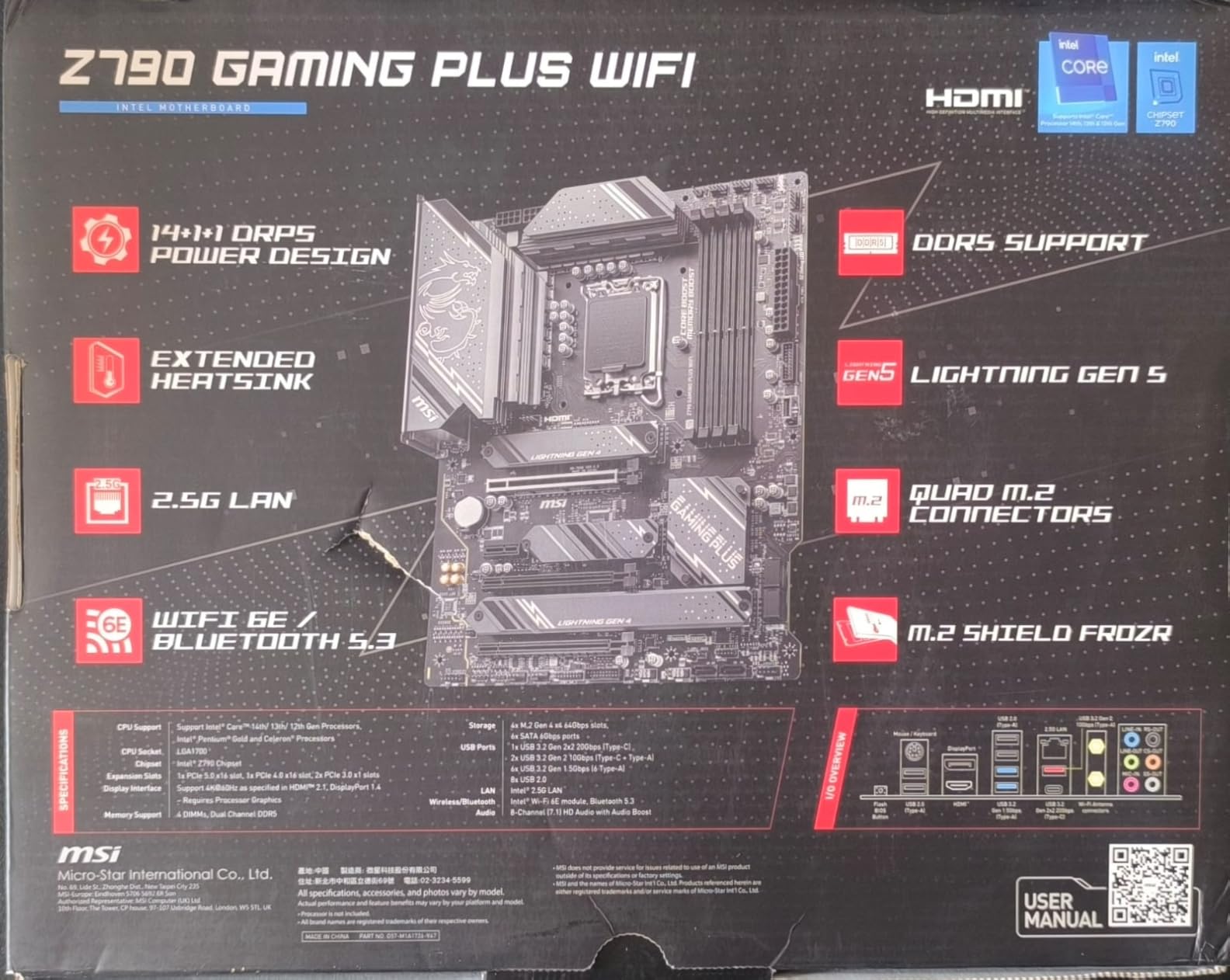
The Z790 Gaming Plus WiFi is the uncomplicated route into Z790. It explicitly lists i9-12900K, i9-13900K and i9-14900K as supported processors, so there is no guesswork about whether your chip will boot.
Memory runs dual-channel DDR5 up to 7200+ MHz (OC) across four DIMM slots, and there is a PCIe 5.0 expansion slot plus a Gen 4 x4 M.2 with an M.2 Shield Frozr heatsink. Networking is 2.5Gbps LAN with Wi-Fi 6E and Bluetooth 5.3, and USB 3.2 Gen 2×2 20G covers high-speed peripherals.
Power is a 14+1+1 Duet Rail system with DrMOS on dual 8-pin CPU connectors, with an extended VRM heatsink using MOSFET and choke thermal pads rated 7W/mK. That is thinner than the 16+1 designs elsewhere, which is the main reason it trails on sustained all-core load.
Check the memory ceiling before committing
The listed maximum memory capacity of 64 GB is the practical limitation here. That is fine for gaming and general use, but it rules out the large multi-module kits that video editors, local AI users and simulation workloads tend to want on an i9.
Part number fields on the listing are also mislabelled, which makes spec attribution inconsistent. Verify the model against the board itself before purchase rather than relying on listing metadata alone.
How this compares with the B760 alternative
Against the MSI PRO B760-P WiFi DDR4, you gain Z790 features and a faster memory ceiling but lose the 128 GB capacity and the ability to reuse a DDR4 kit. Against the Gigabyte Z790 UD AC, you trade a 16+1+1 60A VRM for a 14+1+1 design and only one more step of headroom.
Its 4.0 average is the lowest here, with a noticeable share of one-star reviews, so read recent feedback carefully. It remains a reasonable pick when the explicit CPU support list and straightforward layout matter more to you than VRM headroom.
How to Choose a Motherboard for an Intel i9 in 2026?
Socket first, chipset second, everything else third. Get those two right and the rest is preference; get them wrong and no amount of port count will save the build.
The chipset letter is the next filter. Z790 and Z890 are the enthusiast options, giving CPU overclocking, the most PCIe lanes and the best memory tuning. B760 and B860 drop CPU overclocking, which is fine for a locked or non-overclocked i9. One recurring r/intel thread asking for motherboards for a 14900K captures the sentiment that board buying is harder now than it was in earlier generations, and the chipset letter is where most of that confusion lives.
Power delivery deserves more attention than most guides give it. An unlocked i9 is the most power-hungry consumer chip Intel makes, so read the phase count and the amperage per stage, not just the heatsink size. Sixteen 80A or 90A stages is a comfortable ceiling; a 14+1+1 design at 60A is adequate at default settings but leaves less room for sustained all-core tuning.
Memory generation is a hard fork on LGA 1700. DDR4 and DDR5 boards have physically different slots, so decide whether you are reusing an existing kit before you shop. On LGA 1851 the question disappears because both Z890 and B860 are DDR5 only.
Storage and connectivity should match your actual workload. Three M.2 slots is fine for most gaming builds; six to seven is for multi-drive workstations. Thunderbolt 4 matters for docks and high-speed external storage, while Wi-Fi 6E or 7 matters if you are near a 6 GHz router.
Finally, form factor decides the chassis. ATX gives full expansion, micro-ATX fits compact cases at the cost of slots, and Mini-ITX suits small builds with the fewest options. Check GPU clearance against the board length before ordering, because a thick card under a top M.2 slot is a recurring problem.
Rear I/O deserves a similar sanity check. It is easy to be impressed by a long USB port list on paper and then find the case’s front panel uses the one port you need elsewhere. Count what you actually plug in: keyboard and mouse, monitor, headset, webcam, external storage and a controller is a realistic gaming list, and most boards cover that without an add-in card.
Onboard audio is the last silent compromise. Integrated codec chips sound acceptable for system audio and headset output, but anyone streaming with a microphone will hear the difference against a dedicated interface. Check whether your case has room above the rear slots before deciding to add one.
What a Move From LGA 1700 to LGA 1851 Actually Involves
If you already own an LGA 1700 system, upgrading to the newer platform is not a board swap. It means a new processor, a new motherboard and a complete DDR5 memory kit, and your existing CPU cooler may not mount on the new socket depending on its bracket.
That cost is why the LGA 1700 boards in this guide remain strong picks in 2026. The platform still supports 12th, 13th and 14th Gen Core i9 chips, it has the widest selection of boards at every price point, and the CPUs are often cheaper than their LGA 1851 equivalents. Builders who want the newer socket should also weigh that its upgrade path beyond the current generation is not something any manufacturer has committed to.
One more consideration for anyone pairing a Core i9 with a new board in 2026: 13th and 14th Gen chips were affected by an early voltage and microcode issue that shortened the life of some processors already on the market. If you own an affected chip, a fresh board with current BIOS firmware is the safer place to run it, since the later microcode revisions assume the corrected behaviour. Make sure the BIOS is current before you install the processor.
Seven Checks Before You Buy a Board for an i9
These are the checks that catch problems after the money is gone. Run through them before you order, not after.
First, confirm the socket matches your processor physically. LGA 1700 for Core i9-12900K, 13900K and 14900K; LGA 1851 for Core Ultra 9 chips. They look similar in photos and are not interchangeable.
Second, confirm the memory generation. A DDR4 LGA 1700 board will not accept DDR5 modules, and an LGA 1851 board will not accept either.
Third, check whether the board ships with a BIOS that recognises 14th Gen. On LGA 1700 this is a real risk with older inventory, and you need a CPU-free update path such as BIOS FlashBack, Q-Flash Plus or the equivalent button.
Fourth, count your M.2 slots against your drives, then read the manual for lane sharing. Some boards disable SATA ports or drop a slot to x4 speed when certain PCIe slots or add-in cards are used, and this is almost never listed in the marketing copy.
Fifth, check case fit and GPU clearance, including whether the primary M.2 sits under the graphics card and whether cooler mounting holes line up with your tower cooler.
Sixth, verify the maximum memory capacity against your modules, especially on boards where the listing reports an unexpectedly low figure.
Seventh, decide whether you will overclock. If not, a B760 or B860 board is the right call and saves money for the graphics card, which is where most builders say the budget belongs.
Frequently Asked Questions
What is the best motherboard for the i9 14th generation (14900K)?
The MSI MAG Z790 Tomahawk WiFi is our pick for a Core i9-14900K. It is a full ATX Z790 board on LGA 1700 with DDR5 support to 7200+ MHz (OC), a PCIe 5.0 slot, a Gen 5 x4 M.2 socket, 2.5G LAN and Wi-Fi 6E, and it carries 4.4 stars across 685 owner reviews. If you already own DDR4 memory, the MSI PRO B760-P WiFi DDR4 is the better fit.
Which motherboard is best for an Intel i9 processor?
It depends entirely on which i9 you own. For a Core i9-14900K on LGA 1700, the MSI MAG Z790 Tomahawk WiFi is the strongest all-round choice. For a Core Ultra 9 285K on LGA 1851, the Gigabyte Z890 Aorus Elite WIFI7 is the pick we would build around. Check the socket on the processor before shopping.
Is an i9 overkill for gaming?
For most games at 1440p and 4K, yes, a Core i5 or Core Ultra 5 is usually enough once you have a fast graphics card. An i9 earns its place when you game while streaming, run many applications at once, or do rendering, compiling or video work on the same machine. In that case spend on the board’s VRM rather than on extra cores you will not use.
Which motherboards are compatible with the Intel i9 processor?
Any LGA 1700 board with a Z790 or B760 chipset accepts a Core i9-12900K, 13900K or 14900K. Core Ultra 9 chips require LGA 1851 and a Z890 or B860 chipset. Memory is a separate constraint: LGA 1700 boards come in DDR4 and DDR5 versions that are not interchangeable, and LGA 1851 is DDR5 only. Older LGA 1700 boards may also need a BIOS update for 14th Gen support.
What chipset do I need for an Intel i9?
Z790 or Z890 if you want CPU overclocking and the most PCIe and USB lanes. B760 or B860 if you will run your i9 at stock, which is the correct choice for a locked or non-overclocked chip. B760 and B860 still run i9-class processors fine; they simply do not unlock multiplier or voltage tuning.
The Best Motherboard for Your Intel i9 Build
The MSI MAG Z790 Tomahawk WiFi is the best motherboard for Intel i9 overall in 2026, because it balances a real Z790 VRM, DDR5 headroom, a PCIe 5.0 slot and a large USB inventory without a flagship premium. r/buildapc threads keep converging on the Tomahawk as the safe LGA 1700 choice for 14900K builds, and one long-running poster describes their ASRock Taichi as stable for years, which is the same priority: reliability over peak numbers.
For a Core Ultra 9 285K on LGA 1851, the Gigabyte Z890 Aorus Elite WIFI7 is where we would start, with Gen 5 GPU and NVMe lanes, Thunderbolt 4 and a five year warranty. If you need more than four NVMe slots, the ROG Strix Z890-E covers that at a higher tier.
Two picks serve specific situations. Keep your existing DDR4 kit and the MSI PRO B760-P WiFi DDR4 is the answer, with a 4.6 average across 656 reviews. Building in a compact case on a budget, the ASRock B760M PG Riptide WiFi gives you a micro-ATX board that still lists i9 support.
Before you order anything, confirm your processor socket, your memory generation and whether the board ships with 14th Gen BIOS support. Get those three right and the rest of the decision is features, which are easy to compare once the board fits.