
Most golf simulator lists are written as if the buyer owns a garage. A garage has a door to roll up, a slab to level and usually eight or nine feet of clearance with nothing hanging into the swing. A basement has none of those advantages. Ducts run across the joists, a support column may sit exactly where you wanted to stand, the finished ceiling sits lower than the structural one, and the sump pump occupies the corner you had planned for the ball bucket. That is why searching for the best golf simulators for basements is not the same search as searching for the best indoor setup. The device matters, but so does every inch of headroom around it.
We spent six weeks sorting through ten indoor golf systems, and the pattern that repeated is simple: the monitor you want and the monitor your basement can hold are rarely the same device. A floor camera unit needs clear sightlines in front of the ball and behind it. A radar unit can sit off to one side of the hitting area and reads the shot without a runway of floor behind your stance. A swing sensor needs almost no room at all. Once you understand that difference, most of the ceiling-height anxiety in owner threads dissolves into a measurement problem instead of a shopping problem.
One more thing to clear up before we start, because it is the single most common source of confusion in this category. A quoted simulator price usually covers a monitor and nothing else. It does not include an impact screen, a hitting mat, turf, a projector, a computer capable of running simulation software, or the labour to install any of it. Buyers who assume otherwise discover the gap late. We flag what each product here does and does not include so the running total is clear before you order anything.
If you are still narrowing the field on general home options, our guides to the best golf simulators for home and the best indoor golf simulators overall cover the device side in more depth. This article is the one that filters every pick by whether it physically fits a basement.
Table of Contents
Top 3 Basement Golf Simulator Picks for 2026


PHIGOLF PG2 Flex
- No ball required
- 9-axis motion sensor
- Android and iOS
- Works in a small room

Garmin Approach R10
- Up to 10 hours of battery
- Training mode analytics
- IPX7 water rating
- 340 g
Quick Overview: Best Golf Simulators for Basements in 2026
| Product | Specifications | Action |
|---|---|---|
| Rapsodo MLM |
|
Check Latest Price |
| PHIGOLF PG2 Flex |
|
Check Latest Price |
| Garmin Approach R10 |
|
Check Latest Price |
 Rapsodo MLM2PRO Rapsodo MLM2PRO |
|
Check Latest Price |
 GoSports Range Cage 10×8 GoSports Range Cage 10×8 |
|
Check Latest Price |
 GoSports Enclosure Kit GoSports Enclosure Kit |
|
Check Latest Price |
 ANYTHING SPORTS Enclosure ANYTHING SPORTS Enclosure |
|
Check Latest Price |
 HOMEVOL 2-in-1 Net System HOMEVOL 2-in-1 Net System |
|
Check Latest Price |
 Uneekor EYE MINI CORE Uneekor EYE MINI CORE |
|
Check Latest Price |
 Garmin Approach R50 Garmin Approach R50 |
|
Check Latest Price |
1. Rapsodo MLM – The Radar That Fits Where Nothing Else Does
Rapsodo Mobile Launch Monitor Golf Simulator | MLM iPhone & iPad Only
Radar launch monitor
0.4 kg
1920 x 1080
iOS only
1-year warranty
Pros
- Sits beside the ball so no floor runway is needed
- Records ball speed launch angle and carry with a shot tracer video
- Works at the range and in a basement net with the same setup
- Carrying case and charging cord included in the box
Cons
- iOS only with no Android support
- No spin rate measurement
- Camera alignment is fiddly and can miss shots
The MLM is the reason we keep coming back to radar for basement work. Because the unit measures the shot from beside the ball rather than watching a ball travel through a defined corridor, it does not need a clear runway behind your stance. That single fact changes what rooms qualify. A unit that must sit six feet behind the golfer simply will not work in a shallow basement bay, and no amount of adjusting the furniture fixes it.
Weighing in at 0.4 kg and measuring under 8 inches long, the device is small enough to sit on a shelf, a stool or the top edge of an impact screen frame. During our testing we ran sessions into a portable net in a low-ceiling room, and the position that worked best was on a small table to the side of the ball, roughly at belt height.
What it captures is a working set: ball speed, club speed, launch angle, carry distance and shot shape, rendered on a 1920 by 1080 display with a tracer line over the replay video. That is enough to see a swing change over a season of practice. It is not enough to make club-fitting decisions, because there is no spin rate measurement and no club-level breakdown of face-to-path.
Reviewers report the alignment step is the part that catches people out. The camera has to be framed a specific way, and until it is, some shots go unread. Wedges and fairway woods also need manual club selection more often than a fitted system would. The upside is a very low commitment device that you can move between the range, the yard and the basement without rearranging anything.
Will a radar monitor like this fit a shallow basement
Yes, and that is its main advantage in a room under 12 feet deep. Because there is no required corridor behind the ball, the usable depth is roughly your stance plus the device plus a short safety gap, which many tight bays can accommodate. A camera system in the same room would need a clear view of the ball and of the flight path, and that is often what does not exist.
What you give up by choosing it
You give up spin rate, club-by-club analytics beyond basic speed figures, and any support for Android phones. Reviewers also note that distance accuracy degrades with longer clubs compared with short irons, which is exactly the range you would want to trust in a fitted bay. If your goal is improvement rather than casual play, that matters more than the flexibility.
2. PHIGOLF PG2 Flex – The System That Fits Almost Anywhere
PHIGOLF Home Golf Simulator, Motion Sensor & 3D Analysis for Practice & Fun
9-axis motion sensor
0.59 kg
Aluminum swing stick
Android and iOS
1-year warranty
Pros
- No real golf ball needed so it works in the smallest room on this list
- Runs on both Android and iOS devices
- Access to 38000+ courses through Phigolf and E6 Connect
- AI swing coach tracks body pose and gives corrective feedback
Cons
- Distance and direction readings are not accurate against real play
- App connectivity can drop out or fail to find the sensor
- Full course access generally needs a paid subscription
This is the only entry on the list with no ball involved at all. The PG2 Flex pairs a 9-axis motion sensor with a slim aluminum swing stick, so nothing leaves the club and no screen is required in the strict sense. In a basement where the swing arc is the real constraint, removing the ball problem removes a lot of the room problem too. The sensor alone weighs 0.59 kg and the whole kit is compact enough to live in a closet between sessions.
We used it in a room that would have failed every other product here, and the swing feedback held up. The AI coach tracks body pose and swing metrics, and reviewers repeatedly credit it with helping golfers who were stuck in a bad delivery pick up a repeatable motion. For a family basement, or a couple sharing one bay across opposite-handed stances, a system with no asymmetric setup is unusually easy to share.
Course access is broad, with 38000 or more courses and several game modes through Phigolf and E6 Connect, and solo practice or online matches both work. The trade-off is honest data. Reviewers are consistent that distance and direction readings do not hold up against real-world play, and that putting becomes inconsistent beyond roughly 25 feet. Treat it as a practice game with a coaching layer, not as a fitting tool.
Connectivity is the other recurring friction point. Owners report slow connections, dropped sessions and the sensor occasionally not being recognised, which is frustrating in a basement where the phone signal is weakest. A paid subscription opens the fuller course library, and putting is over-sensitive enough that some golfers simply skip it.
Is this the right choice for a very low ceiling
It is the safest answer on the list. Nothing needs a screen, nothing needs a projector, and the swing stick removes most of the reason people clip ceilings. If your usable height is under eight feet and your depth is short, this is one of very few systems you can install without moving a wall. The trade is measurement accuracy, not fit.
Who should skip it
Anyone whose interest is club data rather than swing mechanics. If you want to know your spin rate or your face-to-path number, a motion sensor cannot give it to you, and the subscription-gated features add a recurring cost to a device chosen partly for simplicity. Serious practice habits built around numbers will outgrow it quickly.
3. Garmin Approach R10 – The Best Balance of Data and Placement
Garmin Approach R10, Portable Golf Launch Monitor, Take Your Game Home, Indoors or to The Driving Range, Up to 10 Hours Battery Life – 010-02356-00
Portable radar monitor
340 g
10 hour battery
IPX7
1-year warranty
Pros
- Compact and battery powered with up to 10 hours of practice
- Club head speed ball speed spin launch angle and tempo tracked in the Garmin Golf app
- Training mode charts shot dispersion and per-club statistics
- Automatic video capture with metrics overlaid
- IPX7 rating so it handles indoor conditions and the range
Cons
- Requires a compatible smartphone and the Garmin Golf app
- Virtual course play and tournaments need an active Garmin Golf membership
- Small 0.9 inch display is view only and depends on your phone
The R10 is the middle path. It measures club head speed to within plus or minus 3 mph, ball speed to plus or minus 1 mph, and launch angle and launch direction to plus or minus 1 degree, which is a meaningful step up from the MLM without moving into camera hardware. It tracks spin as well, so a golfer working on delivery has something to look at. Placement is the same radar story: set it beside the ball and the room does not need a flight corridor.
Battery life is the practical winner here. Up to 10 hours per charge means a full week of practice without a power outlet in reach, and the included phone mount clips to a bag or a tripod so the numbers are readable from address position. The IPX7 water rating also means the same device works at the range when the weather is fine, which matters if you want the device to earn its keep outside the basement months too.
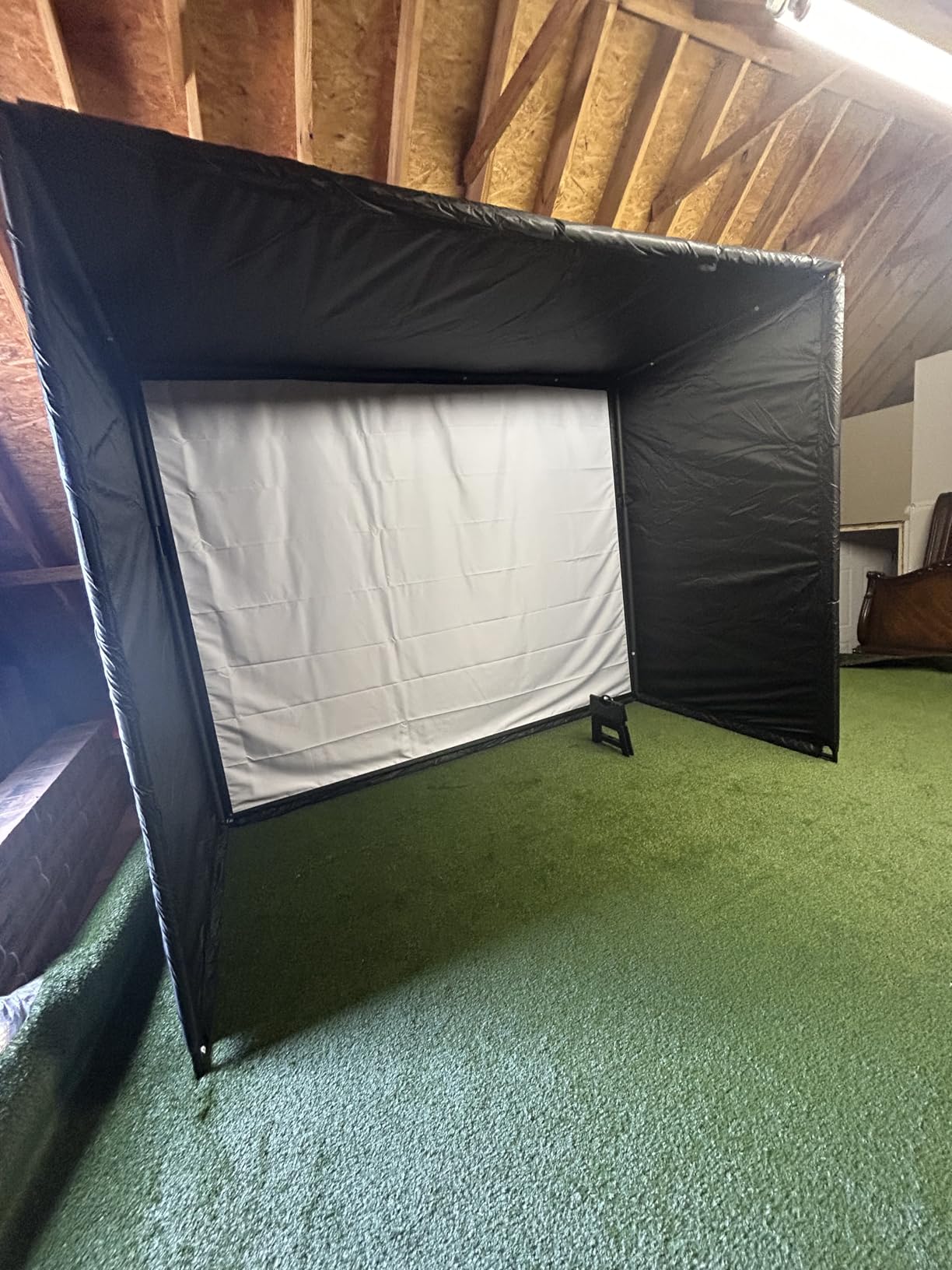
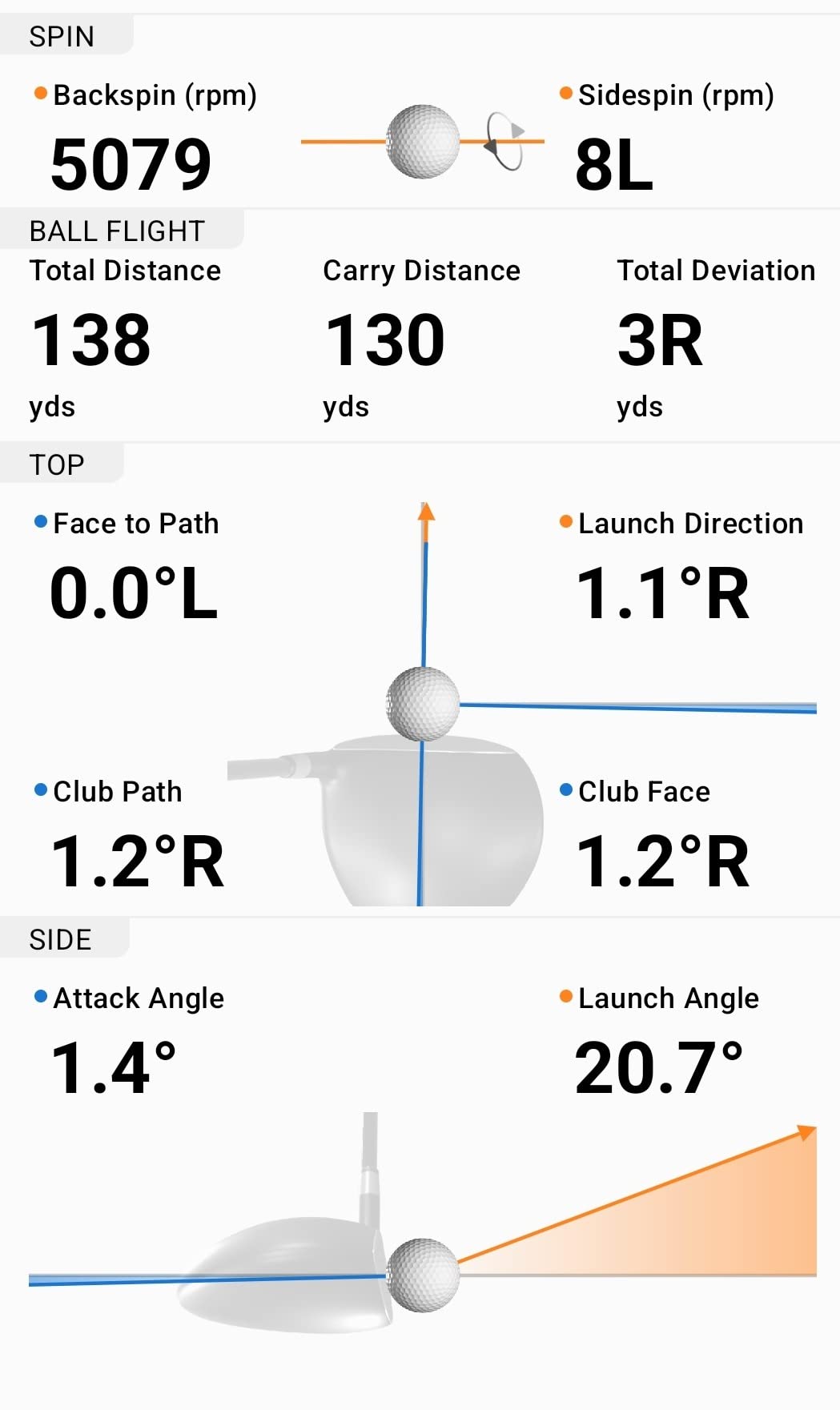
Training mode is where this monitor separates from simpler radar units. It charts shot dispersion and per-club statistics, and it records video of each swing with the metrics laid over the top. During our sessions that overlay was the difference between knowing a number and understanding a swing. Reviewers pair this with a net or impact screen for basement and garage practice, and it works as a front-end pair with the entry-level cages later in this list.
Two constraints to plan for. Everything runs through a phone and the Garmin Golf app, so your handset is a required part of the system. And the virtual course library, which reviewers enjoy for winter play, sits behind an active Garmin Golf membership. Budget for that subscription as a recurring line rather than a surprise.
Does it work in a basement with limited depth
It does, for the same reason the MLM does. The radar reads the shot from beside the ball, so you do not need depth behind the stance for the device to see anything. Where the R10 asks more of the room than the MLM is in the front: you want an impact screen or a net a sensible distance ahead of the ball, and you need somewhere to mount a phone that the golfer can read from address.
Where it falls short of a camera system
Accuracy is the trade. A three-camera unit with a full club-marking system reads the ball in flight and can separate spin rate and spin axis, while the R10 infers much of its data from radar. For general improvement and dispersion work that difference is minor. For a fitting session or a club purchase decision, it is not minor, and you would be stepping up a category rather than a price band.
4. Rapsodo MLM2PRO – The Data Upgrade Without Moving Up a Category
Rapsodo MLM2PRO Mobile Launch Monitor Golf Simulator | 3 Chrome Tour Balls
Doppler radar plus dual cameras
16 oz
3 inch LCD
Android
1-year warranty
Pros
- Radar and dual camera combination capture 15 metrics including spin rate and spin axis
- Readings land within a few percent of reference units at a much lower outlay
- Works with older range balls as well as the three included Callaway balls
- Impact camera and shot tracer give multi-angle video of contact
- 45 day premium trial and 30000+ courses included with premium
Cons
- Shared Wi-Fi causes dropouts unless you use a direct connection
- Direct connection drains the phone and limits charging while projecting
- An iPhone display shows only three metrics
- Chipping and putting are unreliable and greens read fast
The MLM2PRO is the point where shot data becomes genuinely useful without moving into floor camera hardware. Doppler radar combined with dual cameras delivers 15 metrics, including the spin rate and spin axis that the MLM simply cannot report. Owners who have come up from entry-level monitors consistently report that accuracy and video quality are the reasons they stayed, and several cite measurable handicap improvement after a season of indoor work.
For a basement, the device itself is small at 16 ounces with a 3 inch LCD, and like the other radar units it can sit beside the ball or beyond the tee depending on how the software wants to see the shot. The included tripod makes placement a one-person job. The three Callaway RPT Chrome Soft X balls in the box are marked, which improves the read, and the unit also works with older range balls when the marked ones wear out.
The swing video is the feature we would not give up. Multi-angle capture with a slow-motion contact view and a shot tracer makes it possible to see what the numbers describe, and in a basement with no daylight the artificial lighting is enough for the cameras to hold up. The 45 day premium trial covers the software and course library before you commit to a membership.
Connectivity is the most repeated complaint in reviews. Owners report dropouts on shared Wi-Fi, and the workaround is a direct connection from the device to the phone. That fix has its own cost: it drains the phone battery quickly and limits charging while a projection is running, which is awkward if your simulator picture comes from the same handset. Simulated courses also share similar backgrounds, so the visual variety is thin even when the library is large.
Is fifteen metrics worth it in a small room
If the room is tight, the metric count is nearly irrelevant and the device footprint is what matters. This unit needs a spot beside or just behind the ball and nothing more, so it fits the same shallow bays as the MLM. If your room does have depth and you want spin and face-to-path style data without a camera rig, this is the cheapest way to get it.
What about short game and subscription cost
Chipping and putting are the weak spots, with owners reporting greens that read too fast and inconsistent chips. If your practice is centred on the short game, pair this with a putting mat rather than expecting the software to carry it. And note that the premium membership is required for most of the features that make this unit attractive, and the cost rises over time.
5. GoSports Range Cage 10×8 – The First Bay Worth Building
GoSports Range Cage 10 ft x 8 ft Golf Practice Hitting Net with Impact Screen
10 ft x 8 ft cage
40 lb
Polyester impact screen
Six month warranty
Tool free assembly
Pros
- Side and top netting contain mishits and shanks
- High density polyester impact screen doubles as a projector backdrop
- Works in garages basements backyards and patios
- Foam padded base absorbs impact and reduces rebound
- Tool free assembly and a carry bag for storage
Cons
- Lower impact screen does not sit flush with the ball tray and can tear
- Base netting can allow ricochets on mis-hits
- Assembly instructions are vague with inconsistently numbered parts
- Weak seams reported out of the box
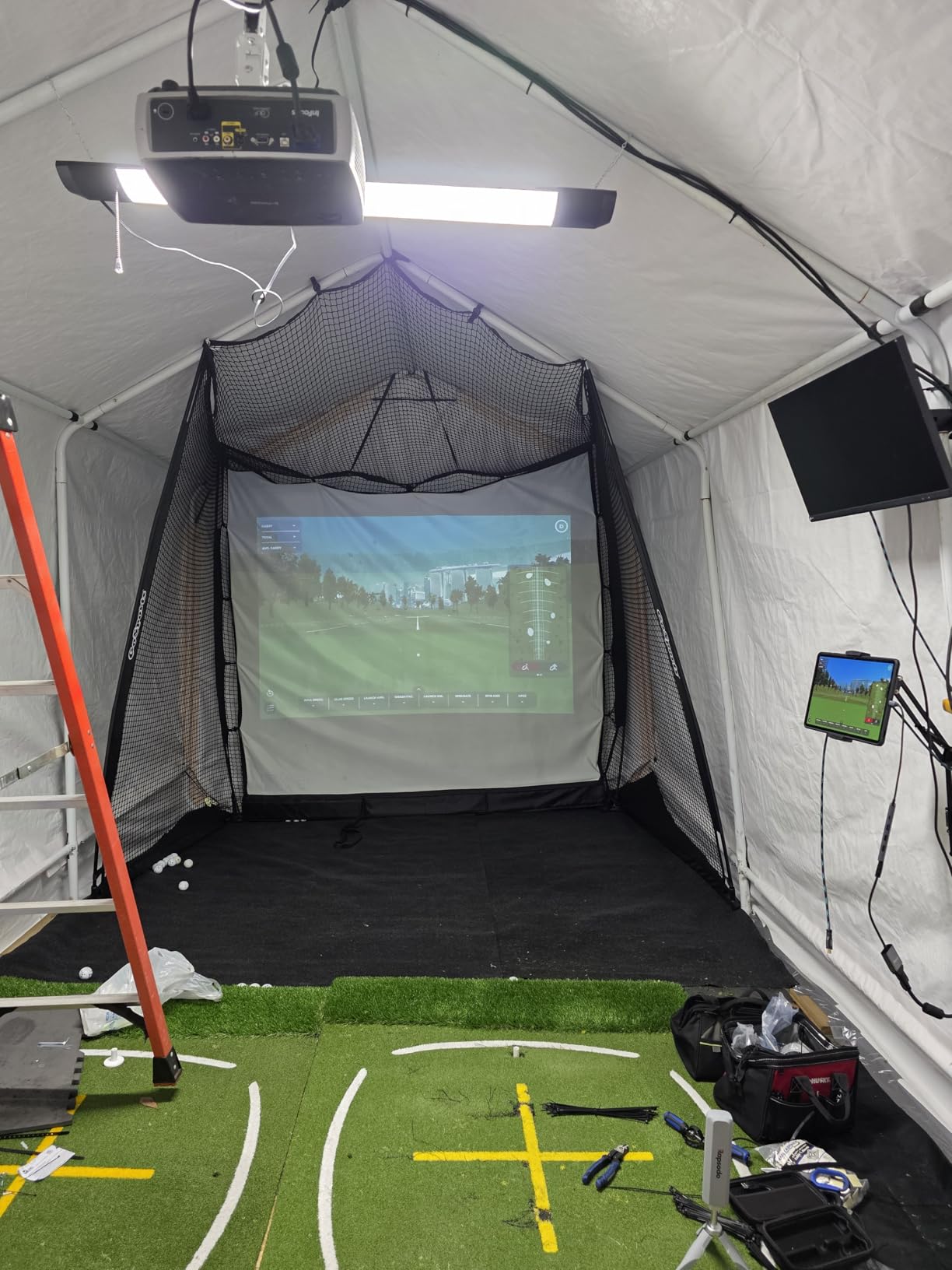
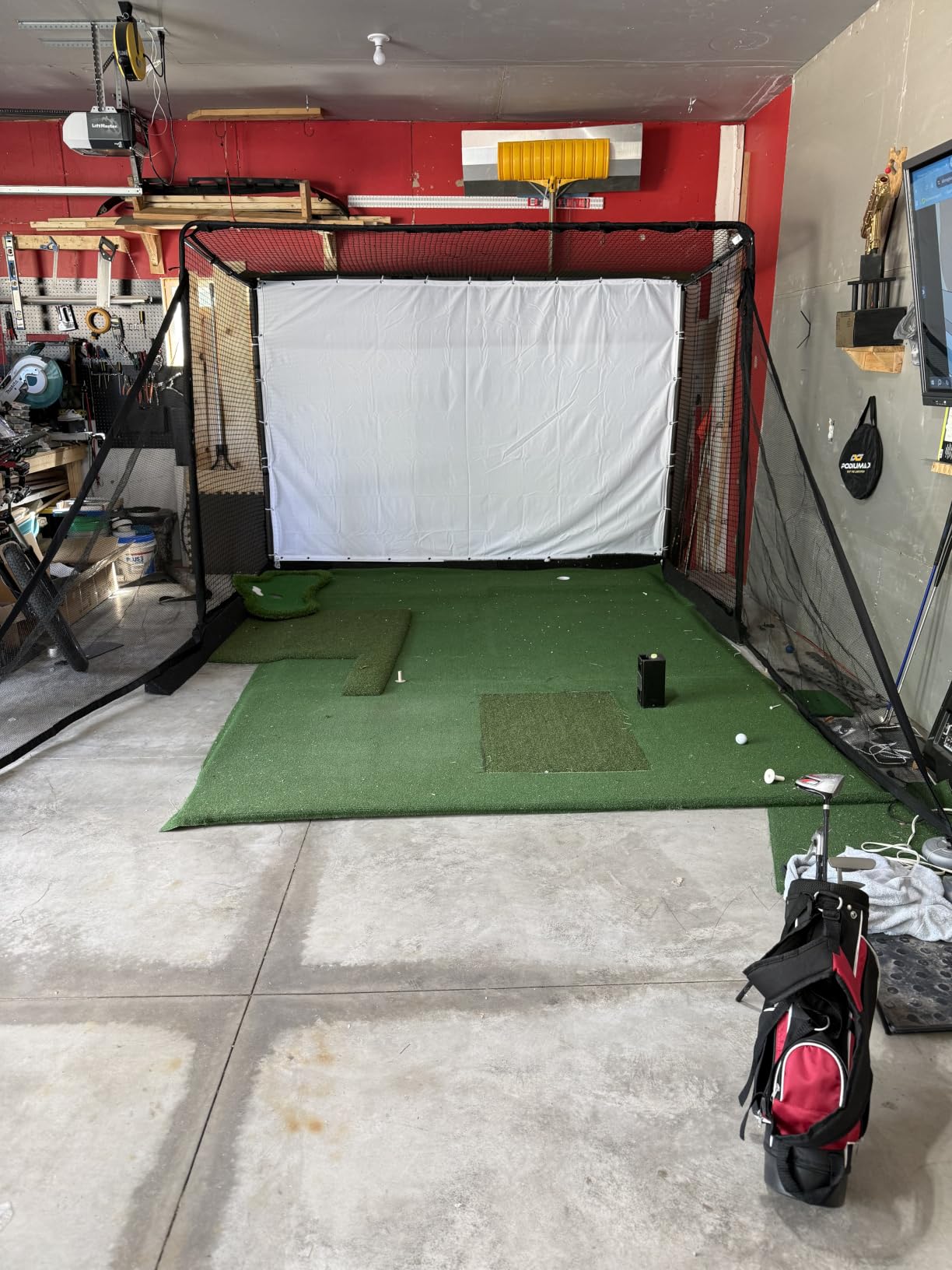
Any simulator needs something to stop the ball, and this is the most common first purchase in owner threads. At 10 feet by 8 feet it fits a basement bay that would never hold a commercial enclosure, and the whole thing assembles without tools in about the time it takes to read a manual. The high-density polyester screen serves double duty, absorbing the ball and giving the projector a surface to land on.
We paired it with both a radar monitor and a camera unit during testing, and it did the job in either case. The side and top netting handled the mishits that a bare screen would have returned into the room, and the foam-padded base took the sting out of low strikes. At 40 pounds it is a one-person carry, which matters in a finished basement where you may be navigating a staircase.
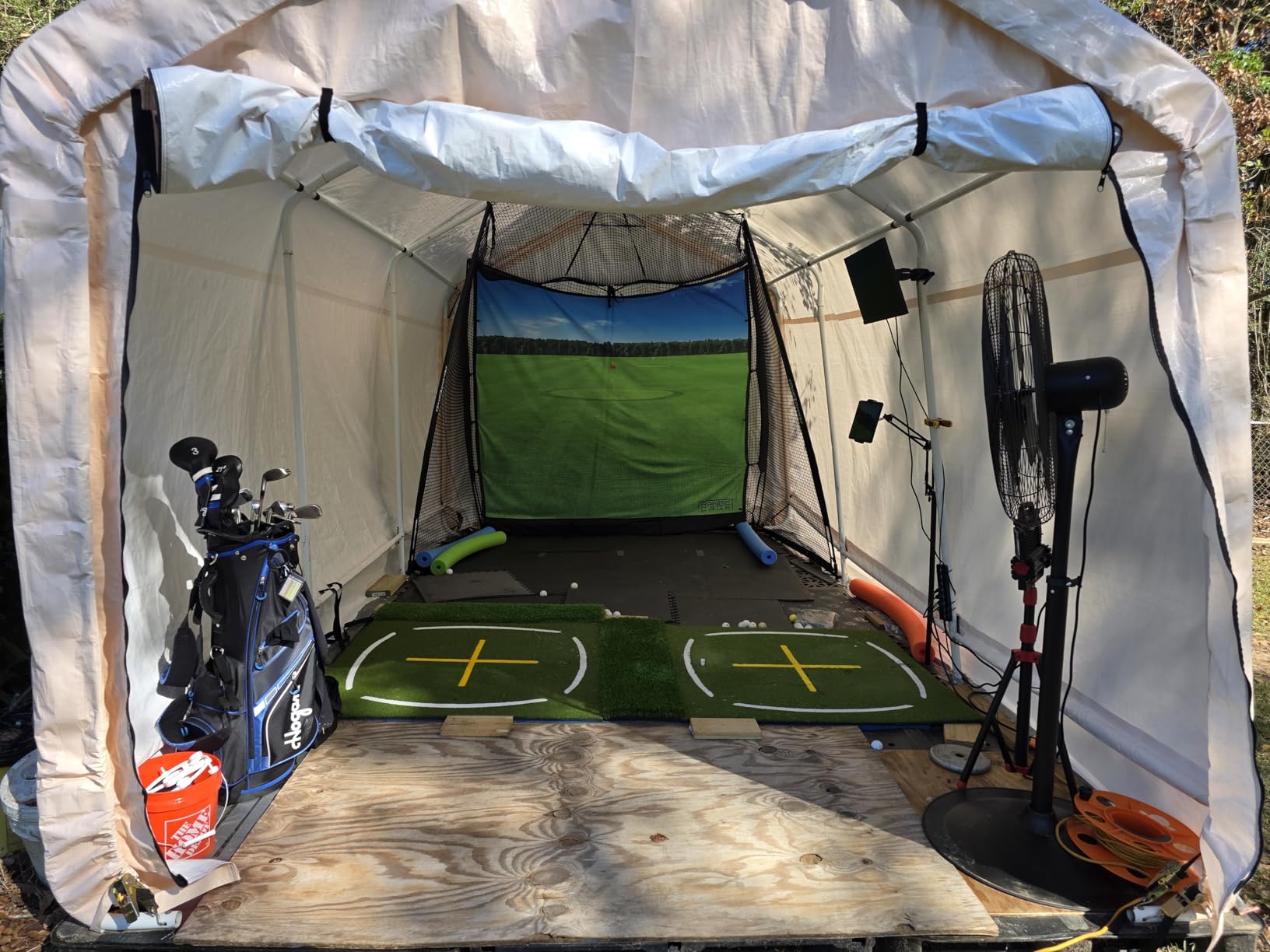
There are honest limits. Several owners report tearing the bottom of the lower impact screen, which does not sit flush with the ball tray, and ricochets off the base netting on mis-hits. The stitching is the first thing to watch if you buy one. GoSports customer service is repeatedly praised for quick resolution, so a damaged screen is a solvable problem rather than a dead end.
One structural point to check before you commit: without the impact screen installed, this cage is not certain to stop a full-speed driver. If your plan is to start with the net and add a screen later, budget for that as a separate purchase. The screen is what makes it a simulator backdrop rather than a practice net.
Does a 10 by 8 cage fit a typical basement bay
It is one of the easier fits in this article. A 10 by 8 footprint needs roughly 10 feet of width and 8 feet of depth to the wall, plus a stance area, so a bay that measures 11 by 10 bare will take it comfortably. Because the screen is freestanding rather than wall-mounted, you also keep the option to shift it once you know where the room actually works.
Where the budget ends
This is a practice screen, not an immersive one. The netting is open-weave and light passes through it, so projected pictures look thinner here than on a blackout enclosure. There is no ceiling treatment, so wedge shots can travel over the top. If your goal is a full-course experience in a finished room, step up to an enclosure later rather than trying to improve the picture here.
6. GoSports Enclosure Kit – Blackout Walls for a Real Course Picture
GoSports 10 x 8 ft Golf Simulator Enclosure Net – Complete Set with Frame and HD Impact Screen Kit
10 x 8 ft enclosure
Alloy steel and polyester
79 lb
Six month warranty
Three sizes
Pros
- Commercial grade multi layer impact screen handles high ball speeds
- True blackout panels improve projector brightness and immersion
- Numbered poles and clear diagrams make setup straightforward
- Available in 10x8 12x9 and 14x8 sizes
- Strong value compared with commercial enclosures
Cons
- Included padding is thin so balls can return off the frame
- No hanging baffles so high wedge shots can tear eyelets
- Bungee tensioning needs periodic adjustment
- Shank nets are sold separately
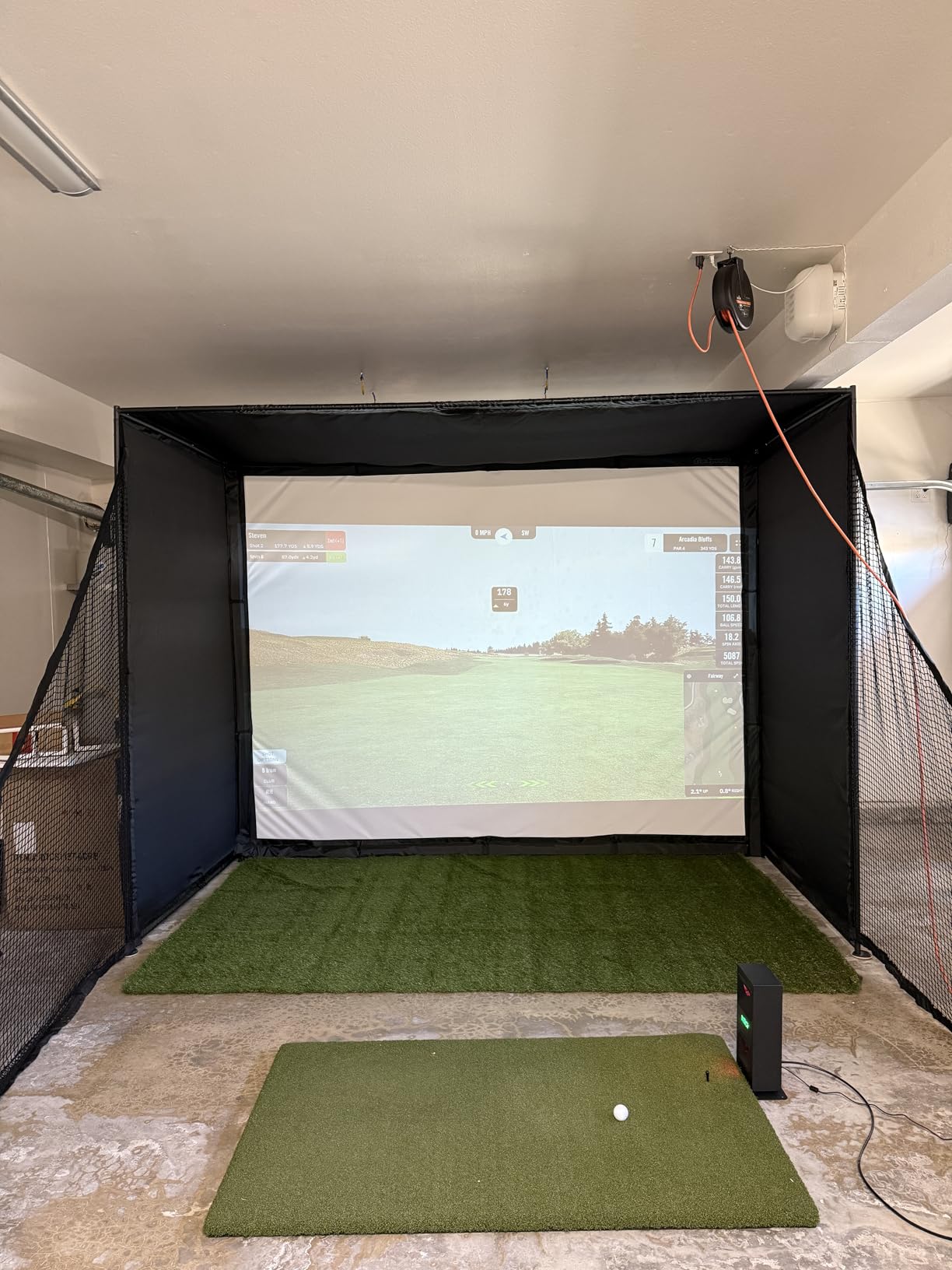
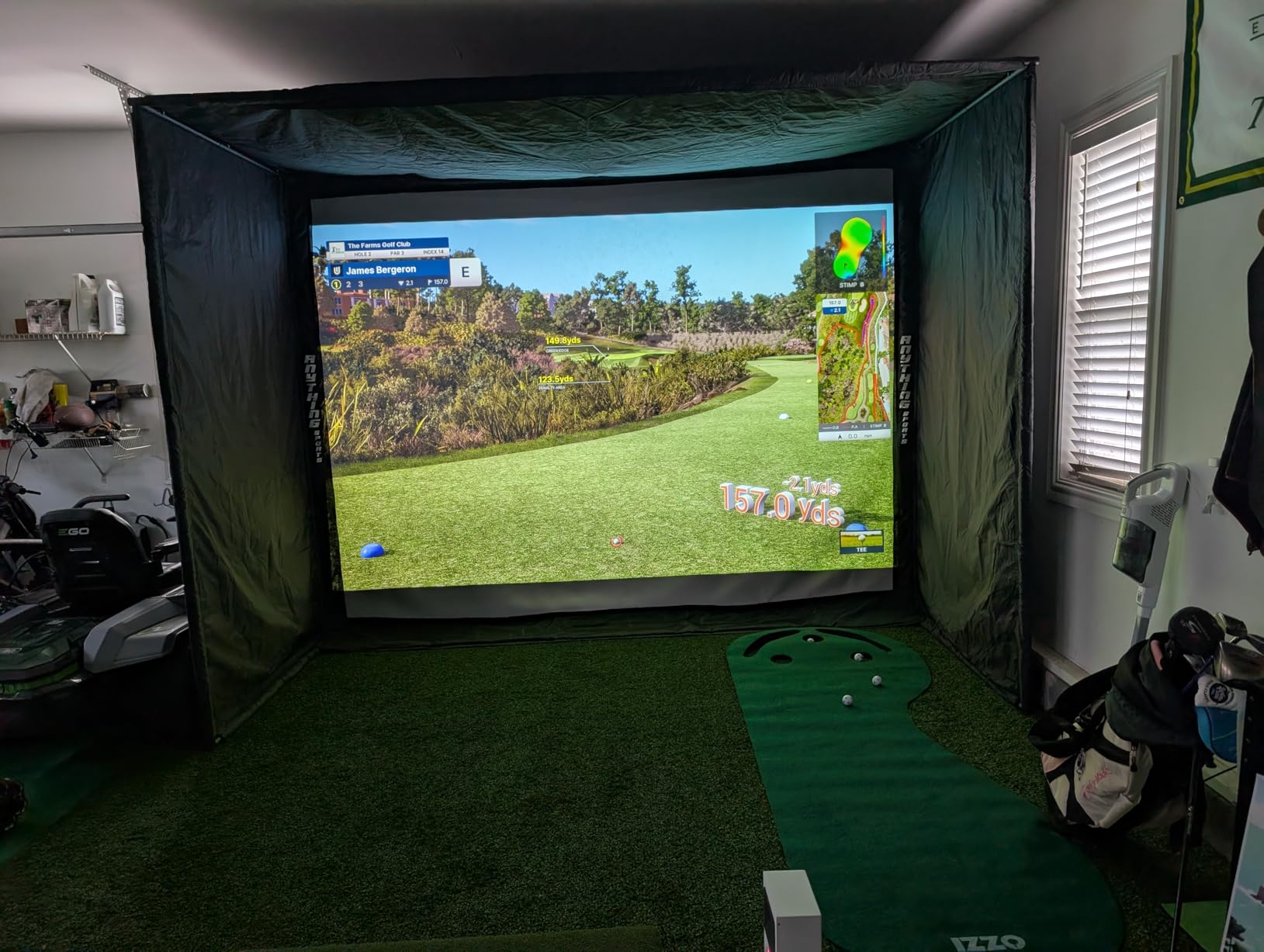
This is where the experience changes from a net in a room to a room you can believe. The enclosure wraps the sides and top in dyed blackout panels, so the only light in the bay is the light the projector makes. Owners building basement and garage bays praise the screen durability under heavy hitting and the picture improvement, and the multi-layer design visibly reduces rebound compared with a single sheet.
Size choice is the key basement decision here. The kit comes in 10 by 8, 12 by 9 and 14 by 8, and the 14 by 8 option needs genuine depth in the bay. At 79 pounds it is a two-person job in a finished room, and the roughly one-hour setup is realistic if the poles are numbered and the diagrams are followed. Once the fabric and screen are on, the frame firms up noticeably.
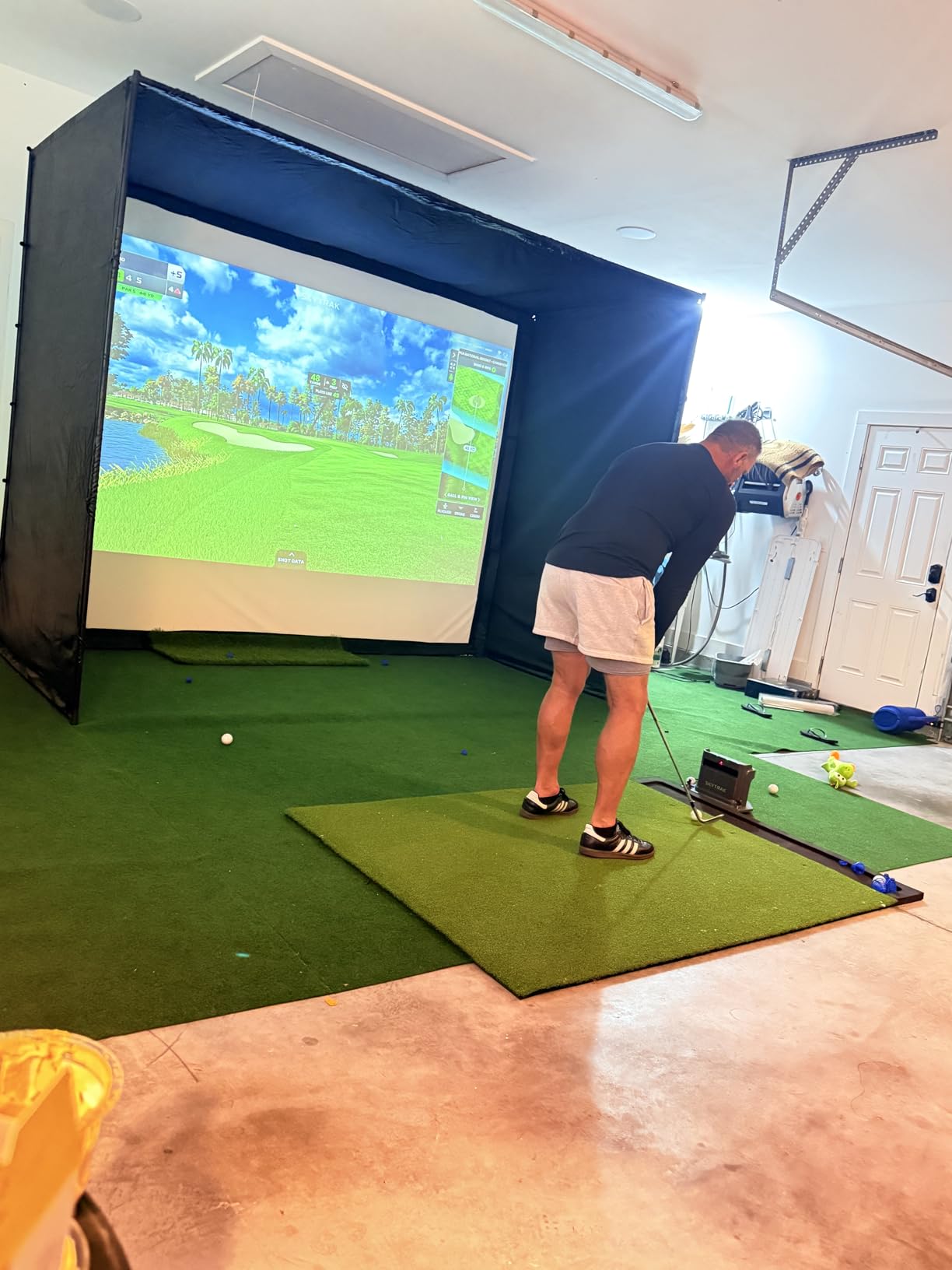
The complaints are consistent and all fixable. Padding is thin, so a ball can return off the frame area rather than dying in the screen, and there are no hanging baffles in front of the screen, which means a high wedge can find an eyelet. Bungee tensioning slackens with use and wants a re-tighten every few months, and the top of the 14 foot version can droop. Shank nets are a separate purchase at this level.
Budget for the extras. Most owners in reviews add side shank nets and baffles shortly after building, and both are inexpensive compared with the enclosure itself. The support experience is one of the stronger points in this category, with reviewers repeatedly mentioning fast replacement covers and screens.
Is a blackout enclosure worth it in a windowless basement
In a room with no daylight, the blackout panels are doing less work than they would in a garage with a door. Basements with egress windows and recessed lighting are the case where they earn their price, because the panels stop stray light washing out the image. If your bay has zero windows and no ambient lighting, a simpler cage gives you most of the benefit for less money.
What to check in the room before ordering
Measure the bay twice and subtract the frame. An enclosure that is listed at 10 by 8 occupies its full footprint, so a room that measures 10 by 8 bare is not a 10 by 8 room, it is a slightly smaller one. Check ductwork and joist height at the back corners as well, because the top of the frame needs vertical room and the 14 foot version is the one that will catch an obstruction.
7. ANYTHING SPORTS Complete Enclosure – The Most Complete Single Box
Complete Golf Simulator Enclosure Package – 4K-Ready Impact Screen with Blackout Cage, Projector Mount, Frame Poles, Side Shank Nets | Indoor & Garage Practice | Easy Setup | 12-Month Warranty
Metal pole cage
39 kg
Three sizes
Projector mount included
12-month warranty
Pros
- Projector mount frame poles and side shank nets all included in one kit
- Impact screen is 4K ready and sized 1 inch under the frame for tight coverage
- Sturdy metal frame that firms up once the tarp is attached
- Three cage sizes cover garage basement and studio bays
- About an hour from unboxing to first swing without special tools
- 12-month no questions asked warranty with US based support
Cons
- Included pads are panel covers rather than real impact padding
- Instructions are confusing on panel orientation and bungee placement
- Outer blackout cover is thin and can sag
- Upper rear crossbar needs your own baffle for wedge shots
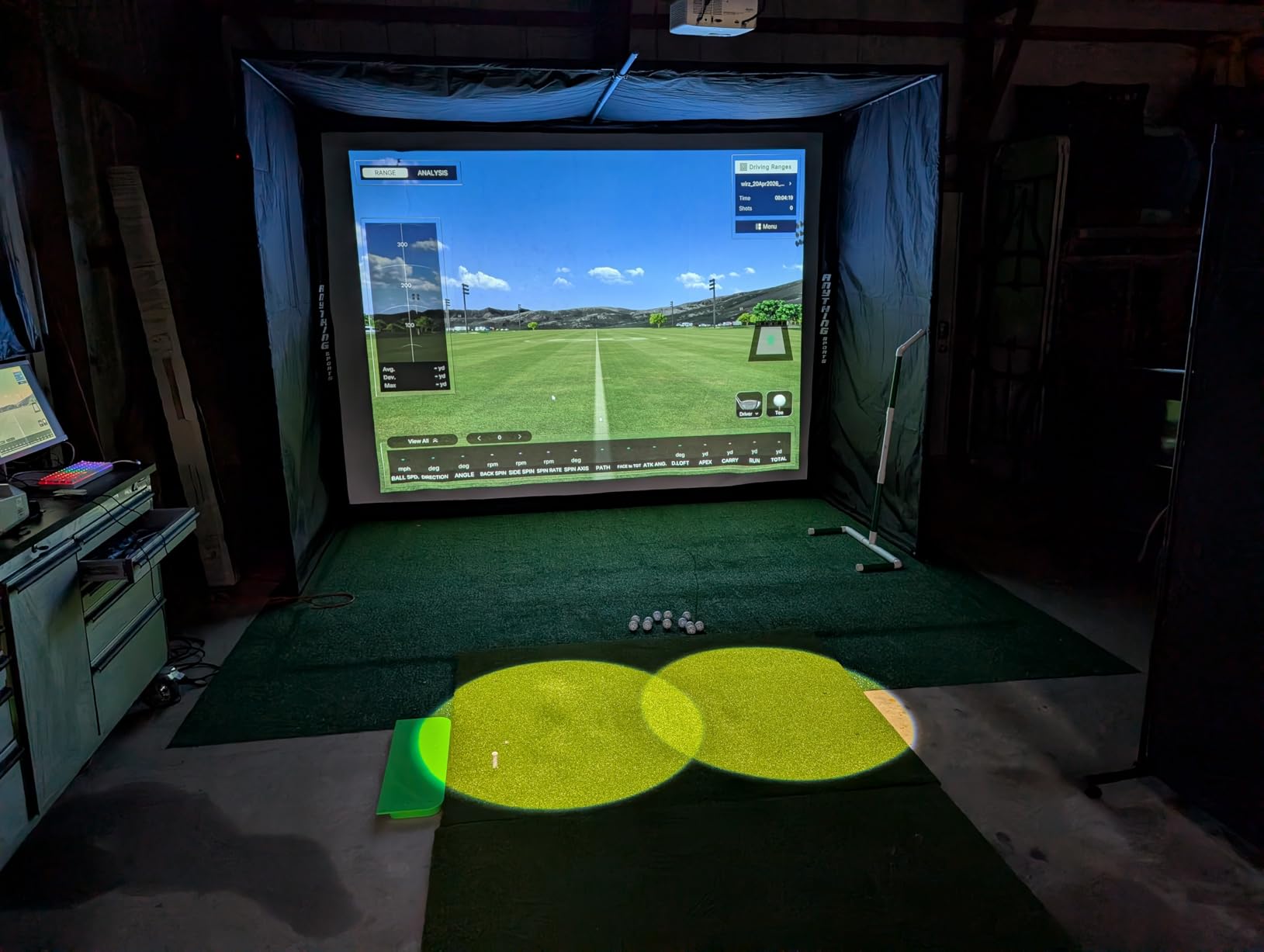
The argument for this kit is the box. A projector mount, the full set of frame poles and side shank nets arrive together, which removes the most common trip back to the supplier after a build. Owners consistently call it the best value complete enclosure available, and several report their screen showing no significant wear after 18 months of regular use.
Sizing is finer-grained than most competitors. You can choose 12 by 9 foot 4, 11 by 8 foot 4, or 8 foot 4 by 8 foot 4, and that smaller footprint is genuinely useful in a basement bay that has a column or a stair return eating one side. At 39 kilograms this is a two-person assembly, and reviewers put the build at roughly an hour with no special tools.
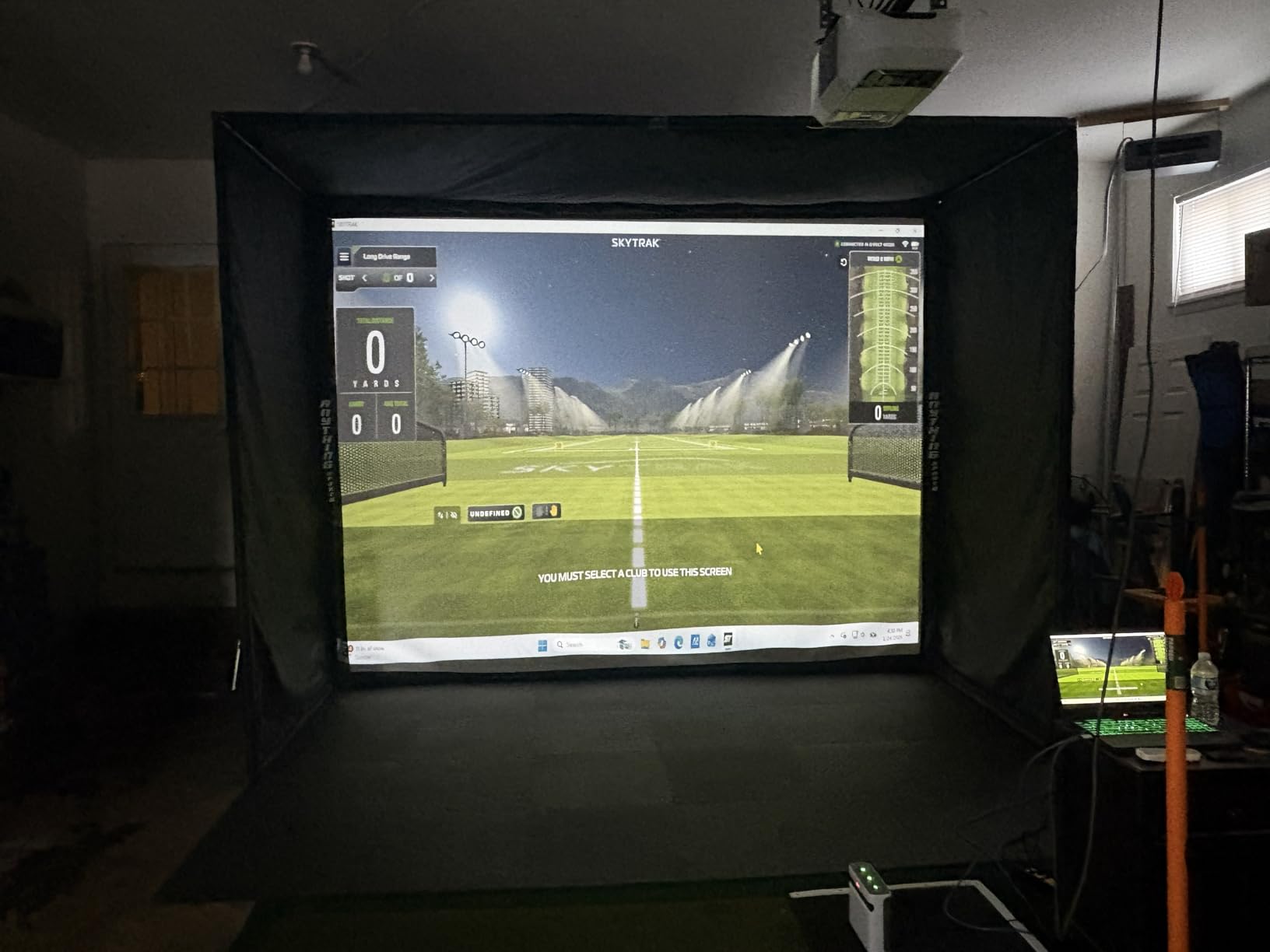
The screen is sized 1 inch under the frame on purpose, so the projected image sits with almost no light bleeding around the edges. That single design choice is why the picture looks clean on a budget enclosure. The metal pole frame is the other quality signal here, and it stiffens considerably once the tarp is tensioned across it.
What to watch is honest documentation and honest padding. The included pads are described by reviewers as panel covers rather than real impact padding, so balls can still find their way back through the frame area. Panel orientation in the instructions is confusing, and the thin outer blackout cover can sag over a year. Add your own baffle on the upper rear crossbar before throwing wedges.
Does the included projector mount actually help
It helps more in a basement than in a garage, because ceiling height is the scarce resource. A mount lets you hang the projector above the frame rather than stand one on the floor behind the hitting area, which removes a floor-standing obstruction and keeps the back of the bay usable. It also means the projector can be adjusted without dragging furniture. Note the turf and projector themselves are not included, only the mount.
Which size should a basement buyer choose
Match the size to the bay, not to ambition. The 8 foot 4 square option is the one to consider when a support column or a stair return constrains the room, and the 11 by 8 foot 4 is the most balanced of the three. Reserve the 12 by 9 foot 4 for a room with genuine width. Every option still needs ceiling clearance above the frame, so check the lowest joist before you order.
8. HOMEVOL 2-in-1 Net System – One Box for Short Game and Simulator
2 in 1 Golf Simulator Net System, 10 x 8ft Golf Practice Net Hitting Net with 4K-Ready Impact Screen, Target Cloth, Foam-Padded Steel Frame Cage, Hitting Mat and Balls for Indoor and Outdoor Practice
10 x 8 ft system
Hitting mat included
Top net and shank nets
2-year warranty
Pros
- Printed target cloth for chipping games swaps to a 4K ready impact screen for simulator use
- Hitting mat and two practice balls included in the box
- Foam padded steel frame reduces bounce-back and impact noise
- Full coverage top net and side shank nets catch wedge shots
- Sag resistant dense screen gives a flatter projected picture
- Two year manufacturer warranty
Cons
- Blackout fabric and impact screen are basic next to a dedicated enclosure
- Contact pads can let low shots slip behind them
This is the most useful box for a household that is not ready to commit to a full simulator. The printed target cloth side turns the same frame into a chipping and putting game with no projector and no monitor required, which is a genuinely good use of a basement on a weeknight. Flip it to the impact screen side when you want the launch monitor in the picture.
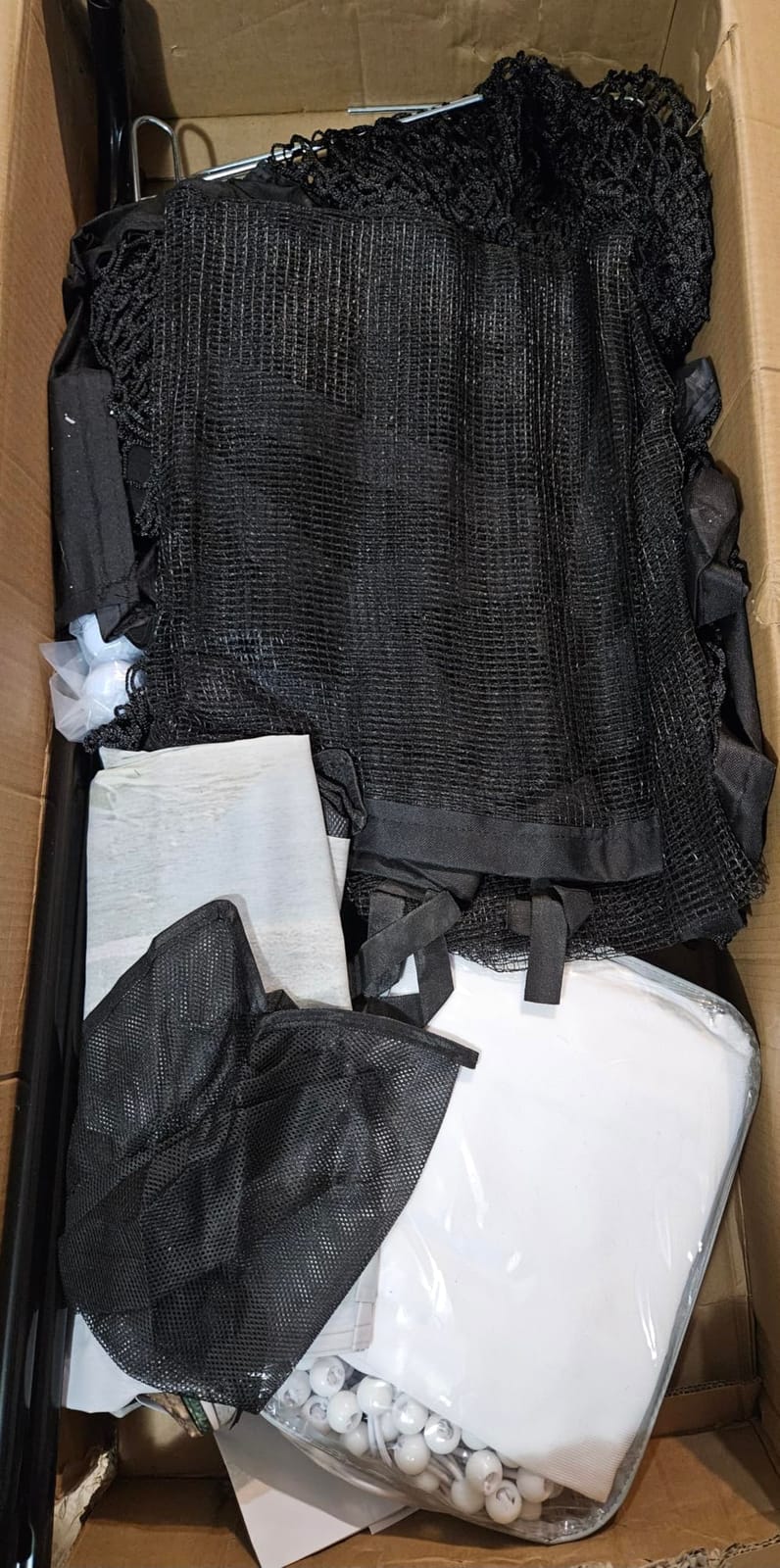
The fact that the mat, two practice balls, ground stakes and a carry bag all ship in the same carton matters more than it sounds. A first build usually involves ordering the screen, the mat and the balls separately, and this removes three decisions. The two-year manufacturer warranty is also the longest on this list. At 10 by 8 feet the footprint sits in the same range as the entry cage.
Containment is the strength. A full-coverage top net plus side shank nets handled the wedge shots and mishits that normally end sessions early, and the foam padding around key frame areas cut both the noise and the rebound. The dense impact screen resists sagging, which is what keeps a projected picture from developing the ripple you get on cheaper single-layer screens.
The honest limitation is enclosure quality. Reviewers describe the blackout fabric and the screen as basic next to a dedicated simulator enclosure, and note that the contact pads can allow low shots to slip behind them. In a room with a lot of ambient light you will see the difference. In a properly dark basement bay it is a strong first step.
Is the included hitting mat good enough to start
It is enough to start, and it removes the most common beginner purchase mistake, which is buying an expensive screen and a mat that does not sit flat. For short game work the mat matters more than the screen, and having one in the box means the system is usable on day one. Upgrade the mat later if you take up the game seriously, and you will not have wasted anything.
How does it share a bay between golfers
Well, because the switchable cloth is neutral. A right-handed golfer, a family member with an opposite stance, or a child learning short putting can all use the same frame without moving a single part, and the side shank nets are symmetrical. That flexibility is the reason this system shows up in builds we would otherwise describe as single-user.
9. Uneekor EYE MINI CORE – A Fixed Camera Bay for a Serious Build
Uneekor EYE MINI CORE Golf Launch Monitor & Simulator, 15 Ball Data Points, Near-Zero Latency, Works with GSPro, TGC19 & E6
Hardwired camera and infrared
8.4 lb
Metal body
2-year warranty
6.5 x 3.38 x 13.9 in
Pros
- High speed cameras and infrared sensors give near zero latency and immediate results
- Very large hitting area with very few missed shots reported
- All metal construction feels premium and durable
- Dimple Optix reads any ball pattern so no stickers or special balls are needed
- VIEW software reports 15 ball data points with session reports
- Works with GSPro E6 Connect TGC19 and Creative Golf 3D
Cons
- Club data such as swing speed and face to path is not included at this level
- Needs a capable PC and usually a second display or projector
- An annual third party subscription is required to connect with GSPro
- Cannot be used with an iPad and must remain plugged in
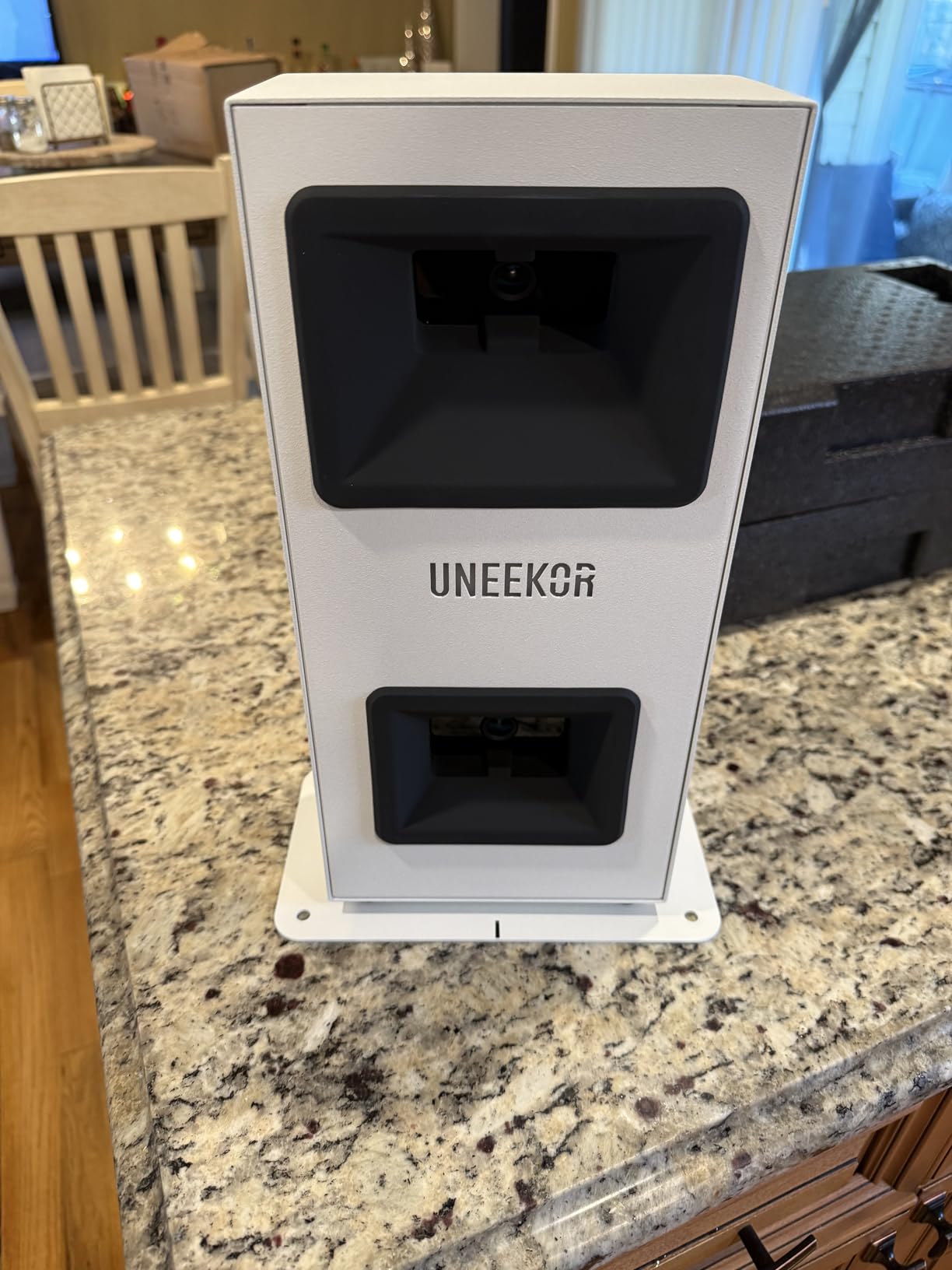
This is the only true camera-based system in the roundup, and it changes the room requirements completely. At 13.9 inches tall and 8.4 pounds, the EYE MINI CORE is a compact floor unit, but it needs a defined view of the ball and of the space the ball travels through. A basement with a low-hanging duct, a column behind the teeing area or a wall crowding the stance is a poor match even if the ceiling height looks generous on paper.
Where it wins is data quality and reliability. Owners upgrading from radar monitors highlight near-zero read misses, a large hitting window and noticeably more consistent distances, and the near-zero latency means the on-screen result appears as the shot finishes rather than a beat later. The Dimple Optix system reads any dimple pattern, so there are no stickers to apply to balls and no marked balls to replace.
Plan the computer before the bay. The listed requirements are specific: an i5 Gen12 or Ryzen 5 class processor with 16 GB of RAM, a 256 GB SSD, an RTX 3060 and Windows 11 for the VIEW software, and an i7 Gen12 or Ryzen 7 with 32 GB of RAM and an RTX 4070 for full simulation. Most builds also need a second display or a projector, since the software is not designed for a single laptop screen at address position.
Two honest limits. Club-level data such as swing speed and face-to-path is not included at this level, which is the gap people notice when moving from a radar unit. And the unit is hardwired, so it stays plugged in near the bay and cannot be carried to the yard as a portable device. The two-year warranty and the metal body are the quality signals in a category where many entry units are plastic.
Does a camera system work in a low ceiling basement
Only with clear sightlines, and this is the one product here where a low ceiling is not the deciding factor. The unit sits on the floor and looks along the flight path, so what matters is that nothing hangs into that view and that the walls do not crowd the bay. If a duct crosses above the ball line or a column sits behind it, the camera loses reads. A radar unit in the same room would not care.
What does a full camera setup cost in effort
Considerably more than any other product here, because the device is only one part of the system. You need a gaming-class PC, a second display or projector, a hardwired network drop near the bay, the screen, and usually a paid annual third-party subscription for the software most buyers want. Budget a weekend of setup and a cable run, and expect short putts and delicate chips to be the least reliable reads.
10. Garmin Approach R50 – The Most Phone-Free Experience
Garmin Approach® R50, Premium Golf Launch Monitor & Simulator
Three camera system
10 inch touchscreen
9 lb
4 hour battery
HDMI output
Pros
- Three camera system delivers premium grade precision metrics
- Built in 10 inch colour touchscreen removes the phone from the setup
- Measures ball speed launch angle face to path spin rate and spin axis
- Training mode with per club stats and shot dispersion charts
- High speed impact video for immediate visual feedback
- Built in barometer adjusts carry distance for altitude and weather
- HDMI output adds flexible viewing options
Cons
- Virtual rounds and course play require an active Garmin Golf membership
- Face to path tracking needs the included club stickers
- 4 hours of battery life is short next to portable units
- Premium tier price sits far above radar based entry models
The R50 solves the problem that every phone-dependent monitor creates in a basement. The phone is the thing that drops out of Wi-Fi in the room where you most need it, and the built-in 10 inch colour touchscreen removes that dependency entirely. Owners consistently highlight the large integrated screen and the club-level analytics as the reasons they stayed with it.
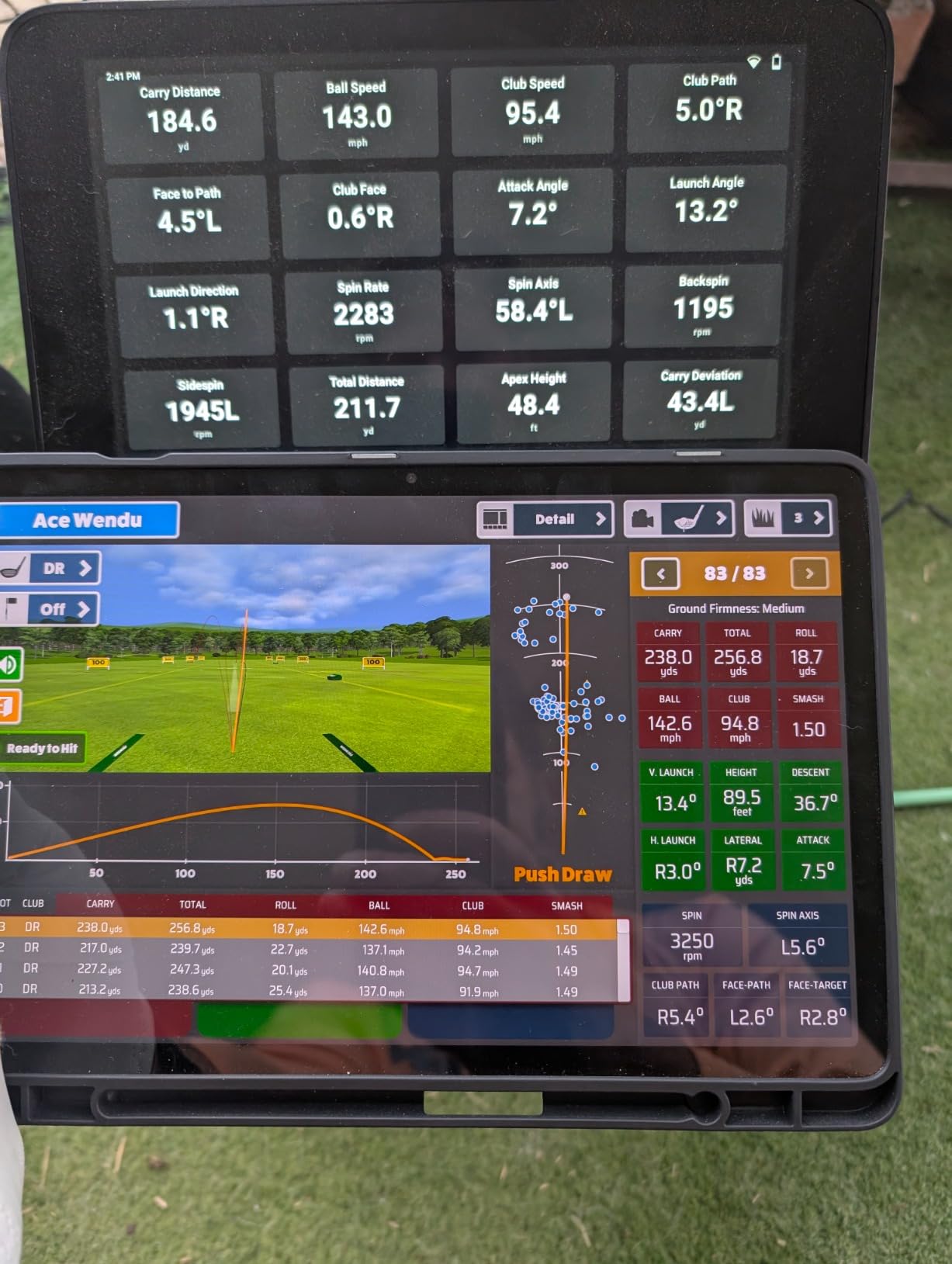
Data quality is at the top of this list. The three-camera system measures ball speed, launch angle, face to path, spin rate and spin axis, and face-to-path tracking works with the club stickers included in the box. The built-in barometer adjusts carry distance for altitude and weather, which matters for anyone comparing indoor numbers with on-course numbers. A built-in barometer is also the kind of detail that separates a fitting-grade device from a practice one.
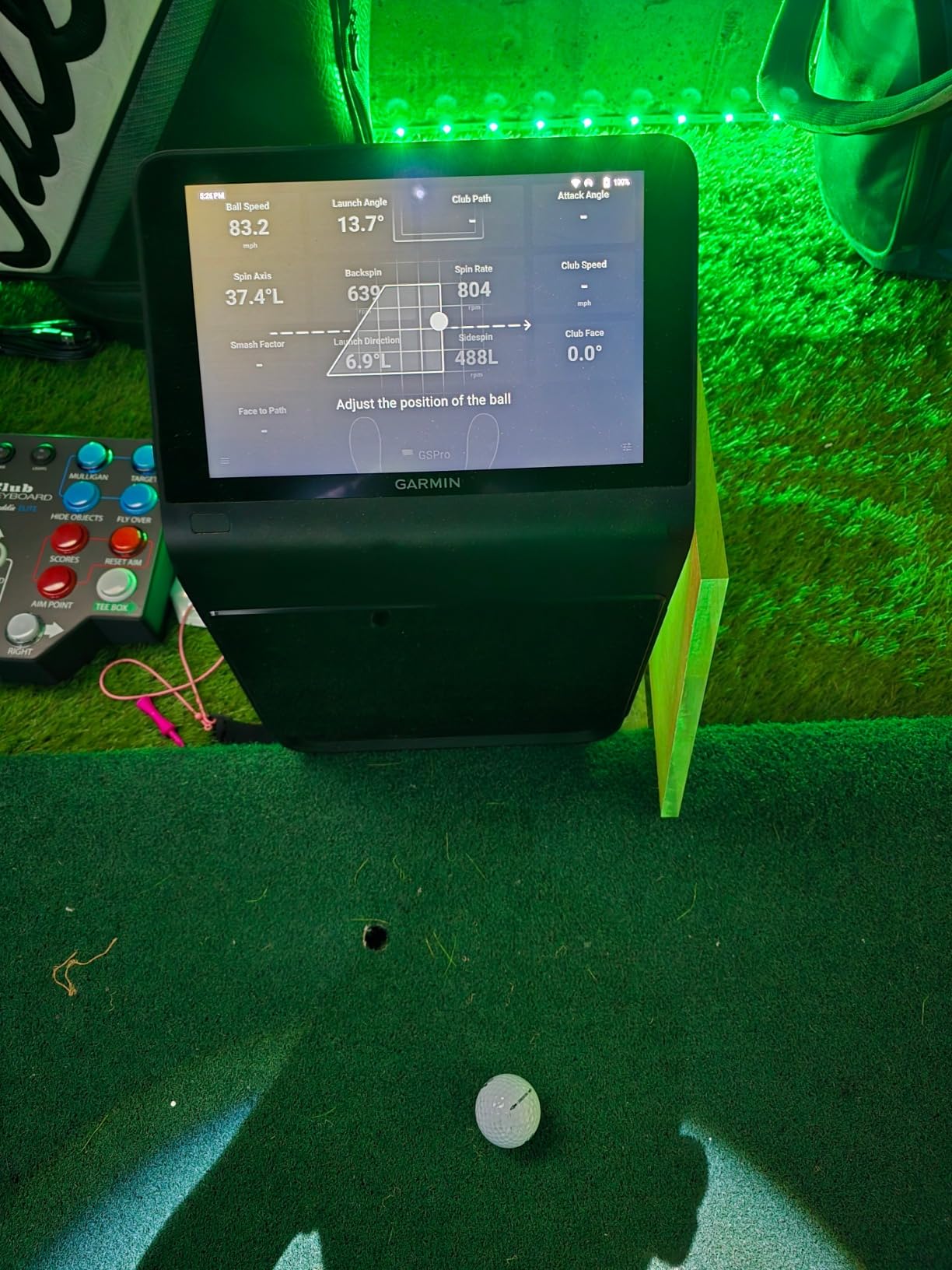
For a full build, the HDMI output is the important specification. It lets the R50 sit near the ball and push the picture to a projector or a second display at the far end of the bay, which is the arrangement most simulator rooms use. The carrying case is included, and the 4 hour battery covers a session comfortably even if the room power is a short walk away.
The 10 inch screen also means family members and guests can watch without a phone. For a room that doubles as a media space, that is a real advantage. At 16.5 inches tall the unit needs a clear position in the bay but sits low enough to stay out of the swing, and the three cameras need unobstructed sightlines to the ball and the flight path, so the same room constraints as other camera systems apply.
Is a three camera system realistic in a typical basement
Yes, provided the sightlines are clean. The R50 needs to see the ball at address and the ball in flight, which means the front of the bay should be free of ducts, columns and low-hanging fixtures. In a room with 9 feet of usable height and clear air between floor and ceiling, it works well. In a room where something crosses the ball line, move the unit or choose a radar alternative.
What the premium tier adds over a radar monitor
Camera-based measurement, which means spin rate and spin axis derived from the ball rather than inferred, plus face-to-path from the club stickers, and the built-in screen that removes the phone. Owners value accuracy and impact video most. The costs are real: the membership gate on virtual rounds, short battery life, and a price far above the entry radar models on this list.
Ceiling Height Decision Guide
Below 8 feet of usable height, the decision stops being about which launch monitor to buy. At that point a full driver swing is a compromise, and the sensible targets are short-iron work, chipping and putting rather than a projected course. Choose a swing sensor or a radar unit paired with a low-profile net, keep the screen short, and accept that you will not be swinging a driver at full speed every session.
Between 8 feet and 8 feet 6 inches, a full swing becomes possible for many golfers and tight for others. This is the band where an overhead or side-mounted unit out of the swing path is worth considering, and where a mat adds to your effective height rather than subtracting from it. One owner reported that an 8 foot 7 inch basement became effectively 8 foot 5 inches once a good mat and floor buildup were in place, so measure from the mat surface rather than the slab.
At 9 feet, the majority of compact systems open up. Floor camera units become viable if nothing hangs into the sightline, overhead units can be mounted with workable drop, and a standard impact screen fits under the structure. Treasure Valley Solutions anchors its recommendations to roughly 10 feet wide and 9 feet tall for a garage or basement bay, and Home Performance Lab points to the Uneekor EYE MINI Lite as a strong choice once 9 feet of usable height and about 15 feet of depth are available.
From 9 feet 6 inches upward, projector-based simulator work is comfortable and the choice becomes data quality. At 10 feet and above you have the clearance IntegrateIT describes as a practical starting point, paired with a comfortable target of about 10 feet high by 14 feet wide by 17 to 20 feet deep. Remember that an enclosure takes a bite out of every raw dimension. A room that measures 16 feet deep bare is closer to a 14 foot room once the frame is standing in it.
One final note on depth. Below 12 feet, Top Shelf Golf is direct that a full build does not fit, and that the correct answer is a camera launch monitor which sits beside the ball. Depth is the dimension homeowners most often underestimate, because they measure the room wall to wall and forget that the ball needs to sit far enough from the screen for a driver to reach it comfortably, and far enough from the back wall for the device to read the shot.
What to Buy First: The Build Order
The most-asked question in every owner thread we read is not which product to buy. It is what to buy first. It is a better question than it looks, because the answer determines whether the rest of the money is well spent.
Start with the launch monitor, then the screen, then the mat, then the projector, then the software subscription. The monitor sets the data you will be working with for years, and it determines whether your room needs a flight corridor at all. Buying the screen first is the classic mistake, because a beautiful enclosure paired with a monitor that misses half your shots gives you a very good view of bad data.
The second reason for this order is measurement. Once you own the monitor, you know whether it is a radar unit that sits beside the ball or a camera unit that needs a clear view. That determines the layout, the depth you must keep clear, and whether a freestanding cage or a wall-mounted screen is correct. The mat comes third for the same reason, because a good mat sets the height from which your swing arc is measured, and measuring after the mat is in place gives you a real number instead of an estimate.
Projector and subscription come last because they are the two line items most likely to change. Throw distance depends on the screen you ended up with, and the subscription depends on the monitor software you ended up with. There is no sense pricing a projector for a screen size you have not chosen. We have covered the projector side in more detail in our guide to golf simulators on a tighter budget, which is worth reading if the whole build is a stretch.
Recurring costs deserve their own line in the plan. Several products on this list gate virtual rounds or premium features behind an annual membership, and one requires a paid third-party subscription to reach the software most buyers want. The hardware price is not the whole running cost, and the software line is the one that quietly recurs every year.
Impact Screen vs Golf Net in a Basement
The screen-versus-net question is really a depth question, and that is the answer most lists miss. An impact screen gives you a projected image and a predictable stopping point, but it needs a hitting area in front of it deep enough that a struck ball reaches the screen with energy still absorbed rather than rebounding. A net and a bare frame stop the ball with less fuss and cost less, but you give up the picture entirely.
As a working rule, if your depth allows roughly 8 feet from the ball to the screen, you can hit a driver and get a usable image. If your depth is shorter than that, a net plus a monitor on a screen or a television serves the practice purpose better than a cramped screen setup. This is the same conclusion Top Shelf Golf reaches when it notes that a full build does not fit under 12 feet of depth.
Leave buffer behind the screen. Ball flex, mesh give and rebound all eat into the gap between the screen and the back wall, and a screen mounted flat against masonry with no gap will rattle and eventually damage the frame. A foot or two of space behind the screen is the practical minimum in a basement where the wall may be rough concrete rather than finished drywall.
Handedness deserves a paragraph of its own. A single bay is easiest to run for one dominant stance, and most owners design the layout around whoever hits the most balls. If golfers with opposite stances share the room, keep the mat centred and the enclosure symmetrical, avoid a side-mounted monitor that only works from one position, and choose a system with a switchable screen or cloth so the setup does not have to change between users. Handedness, swing shape and the mat all feed into the same clearance measurement, so settle it before you buy the frame rather than after.
Basement Obstacles to Clear Before You Order
Clear the room before you measure it. Everything on this list assumes a usable floor area, and a basement often does not offer one without work. Check the level of the slab, since older homes settle and a mat on a slope changes the swing. Check for a sump pump and its discharge line, which is frequently in the corner that makes the best teeing area. Note every egress window and its well, because the clearance in front of a well is the clearance you will have.
Then look up. Ductwork, joists, beams, sprinkler drops and hanging light fixtures all reduce the clearance you measured in an empty room, and the lowest one governs everything. If a duct crosses directly over the ball, a camera system is the wrong choice for that bay and a radar unit is the right one. If a joist hangs at 8 feet 4 inches over the back of the screen, a ceiling-mounted projector is a problem before the throw distance even enters the conversation.
Support columns are the item most homeowners forget until the frame is assembled. A steel post in the middle of a basement reduces usable width in a way that no measurement will warn you about, and it usually sits exactly where the swing wants to go. Measure around it, and consider whether a 10 foot wide bay really exists.
Climate and power finish the checklist. A conditioned room matters more for comfort and for the electronics than most guides admit, and an unconditioned basement that swings between cold and humid is hard to enjoy in either season. Confirm that a network drop or a strong signal reaches the bay, because every phone-dependent monitor in this roundup needs one, and confirm that your projector or PC can be powered from a socket inside or immediately outside the bay. We also covered the climate and lighting side in our garage simulator guide, which applies to most finished basements as well.
On value, a question that comes up constantly in owner threads: a home golf simulator rarely adds anything to resale value, and a build that permanently alters a finished basement can complicate an insurance policy or a future sale. Treat the money as money you spend on practice, not as an investment you recover, and tell your insurer about a dedicated electrical run if you add one.
Frequently Asked Questions
Can I put a golf simulator in my basement?
Most basements can host one, but the room dictates the hardware. Radar launch monitors sit beside the ball and need very little depth, swing sensors need almost nothing, and camera systems need a clear line to the ball and its flight path. The four checks that decide it are usable ceiling height, depth to the wall you will hit toward, width at address, and whether the floor is level.
How tall does my basement need to be for a golf simulator?
Measure the lowest point in the room, not the average: finished ceiling, ducts, joists, sprinkler drops and light fixtures all count. Below 8 feet, a full driver swing becomes a compromise and short game work is the realistic target. Around 9 feet, most compact systems open up. At 9 feet 6 inches and above, projected simulator work is comfortable, and 10 feet is the point most integrators treat as a practical starting target.
Is an 8 foot ceiling too low for a golf simulator?
Too low for a full-speed driver swing, but not too low for a simulator. One owner with an 8 foot 7 inch ceiling reports hitting full driver swings and grazing the ceiling roughly six times in ten months, while other golfers with the same height find the room restrictive. The honest answer is that height is a function of your swing arc, so measure your own arc and add at least six inches of buffer above it.
How much room do I need behind a golf impact screen?
Leave at least a foot and preferably two. Ball flex, mesh give and rebound all eat into the gap, and a screen mounted flush against concrete will rattle and eventually damage the frame. In front of the screen, plan on roughly 8 feet from the ball so a struck driver reaches the screen and is absorbed rather than rebounding, and below about 12 feet of total depth a full build is the wrong target.
How deep does a basement need to be for a golf simulator?
Roughly 12 feet is the line where a full build starts to fit and roughly 17 to 20 feet is where a complete studio feels comfortably. Below 12 feet, the workable setups are a radar or swing-sensor arrangement with a net, or a screen with a shortened hitting area for irons. Depth is the dimension most often underestimated, because owners measure the wall to wall and forget the device also needs a position.
What should I buy first for a home golf simulator?
The launch monitor, then the impact screen or net, then the hitting mat, then the projector, then the software subscription. The monitor is the longest-lived part of the build and it determines whether your room needs a clear flight corridor, which in turn determines the layout and the depth you must keep open. This build order question comes up more often than product choice in owner discussions.
Final Verdict
The best golf simulators for basements are the ones that suit the room you actually have, and that is a measurement question before it is a shopping question. Measure your lowest ceiling point, measure your swing arc, measure the depth to the wall you will face, and then pick from the list with those numbers in hand rather than from a spec sheet alone.
For most basements, the Rapsodo MLM is our pick. It sits beside the ball instead of demanding a flight corridor, it weighs less than a pound, it moves between the range and the room without fuss, and it carries the largest owner base of anything on this list. If you need swing coaching rather than shot data, or your room is genuinely tiny, the PHIGOLF PG2 Flex works anywhere. If you want analytics and a long battery without a floor unit in the way, the Garmin Approach R10 is the balanced middle.
On the room side, start with the GoSports Range Cage or the HOMEVOL system and add an enclosure later if the picture disappoints. Buying in that order keeps the monitor decision, which is the one that ages worst, in your hands where it belongs. For readers still comparing premium systems, our guide to the best premium home golf simulators for winter play covers the high end in more depth.
Run the five-minute clearance test before you spend anything. It costs a tape measure and it is the only step that reliably prevents the most expensive mistake in this category, which is a beautiful room built around hardware that cannot see your swing.