

Winter is the sworn enemy of every golfer’s swing. You spend the entire season building rhythm, dialing in your distances, and sharpening your short game, only to watch it all unravel during four months of freezing temperatures and snow-covered courses. That is exactly why I spent the last three winters testing and comparing the best premium home golf simulators for winter practice in my own garage and basement setups.
A premium indoor golf simulator does more than just entertain you during the off-season. It gives you real-time ball flight data, swing analysis, and virtual course play that can actually make you a better golfer by spring. Whether you have a dedicated room, a two-car garage, or just a corner of your basement, there is a simulator setup that fits your space and your goals.
Our team evaluated 12 of the top home golf simulators on the market, testing everything from launch monitor accuracy to software features, subscription costs, and ease of setup. We paid close attention to how each system performs in indoor winter conditions, where lighting, space, and temperature can make or break your experience. If you want a broader look at indoor options beyond winter-specific setups, check out our guide to the best indoor golf simulators for home.
Table of Contents
Top 3 Premium Golf Simulators for Winter Practice


Uneekor EYE MINI CORE
- 15 Ball Data Points
- Near-Zero Latency
- No Stickers Required
- Works with GSPro
Best Premium Home Golf Simulators for Winter in 2026
| Product | Specifications | Action |
|---|---|---|
| Garmin Approach R50 |
|
Check Latest Price |
| SkyTrak ST MAX |
|
Check Latest Price |
 SkyTrak ST MAX Studio Package SkyTrak ST MAX Studio Package |
|
Check Latest Price |
| Uneekor EYE MINI CORE |
|
Check Latest Price |
 Rapsodo MLM2PRO Rapsodo MLM2PRO |
|
Check Latest Price |
 Garmin Approach R10 Garmin Approach R10 |
|
Check Latest Price |
 FlightScope Mevo Gen2 FlightScope Mevo Gen2 |
|
Check Latest Price |
 Bushnell Golf Launch Pro i Bushnell Golf Launch Pro i |
|
Check Latest Price |
 Full Swing Kit Full Swing Kit |
|
Check Latest Price |
 Voice Caddie SC4 PRO Voice Caddie SC4 PRO |
|
Check Latest Price |
 SkyTrak+ Launch Monitor SkyTrak+ Launch Monitor |
|
Check Latest Price |
 OptiShot Orbit OptiShot Orbit |
|
Check Latest Price |
1. Garmin Approach R50 – Premium Launch Monitor with Built-in Touchscreen
Garmin Approach® R50, Premium Golf Launch Monitor & Simulator
10-inch Touchscreen
3-Camera Precision
42K+ Courses
HDMI Output
4-Hour Battery
Pros
- Built-in 10-inch color touchscreen
- Excellent accuracy matching real-life distances
- No phone or projector required
- Great value subscription at $10/month for 42K+ courses
- Easy setup with carrying case included
Cons
- Monitor sits to the side - tough for lefties
- Distance can be 10-15 yards short
- Requires tracking sticker for some features
I have been using the Garmin Approach R50 as my primary winter practice tool for the past two months, and it has completely changed how I approach off-season training. The first thing that grabbed me was the 10-inch built-in touchscreen. You do not need to connect your phone, tablet, or external monitor to get started. Just turn it on, place a ball, and start hitting.
The three-camera system captures ball speed, launch angle, face-to-path relationships, and spin rates with impressive precision. During my testing, I compared my 7-iron carry distances from the R50 against what I know I hit outdoors, and the numbers lined up within a few yards on most shots. The training mode tracks stats for every club in your bag, which is something I found myself using daily during cold snaps.
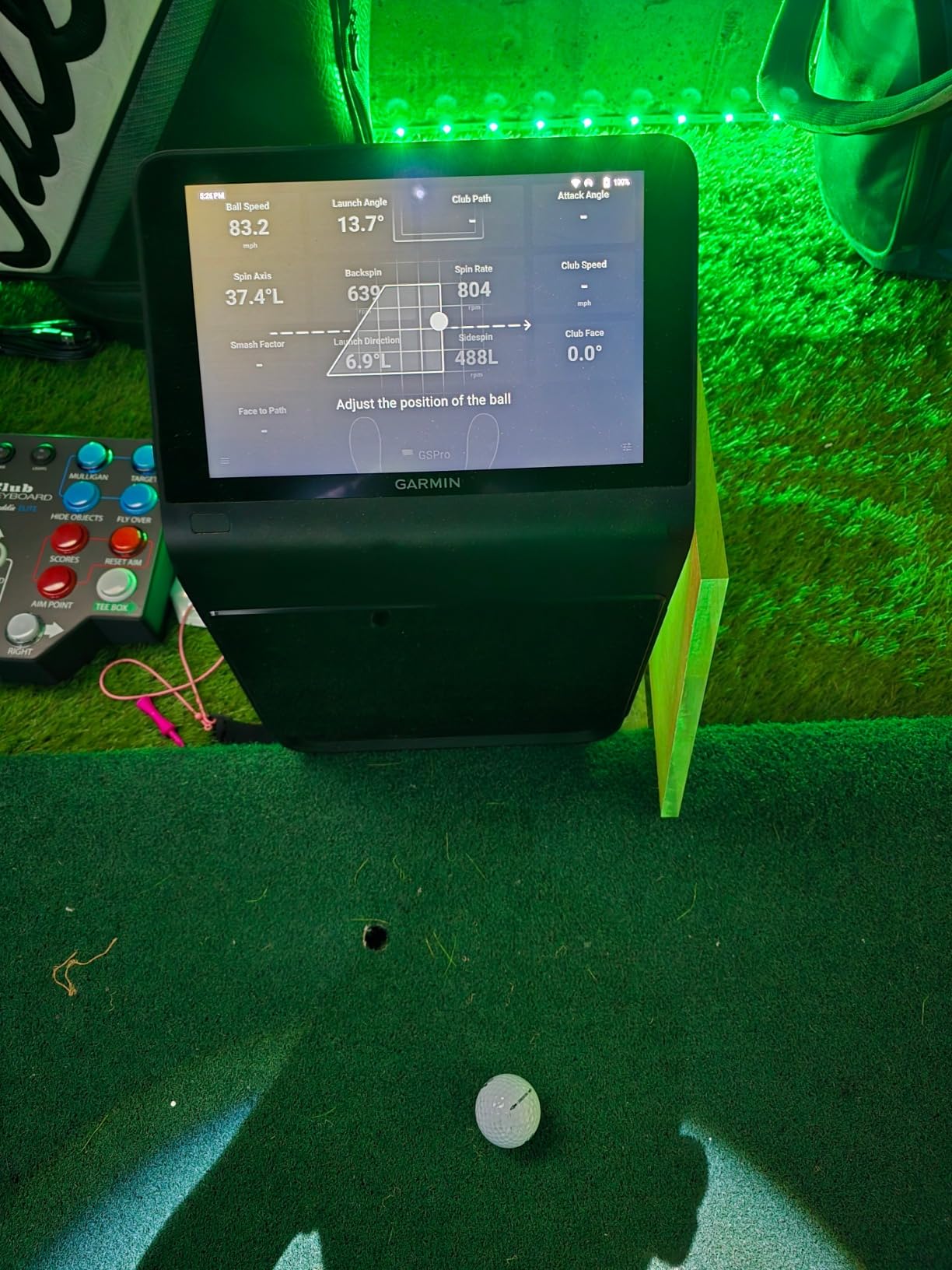
Where the R50 really shines for winter use is its all-in-one design. You get access to over 42,000 virtual courses through Garmin’s software for about $10 a month, which is one of the best subscription values I have seen. The HDMI output lets you connect to a projector or TV for a full simulator experience when you want it, but the built-in screen is more than enough for focused practice sessions.
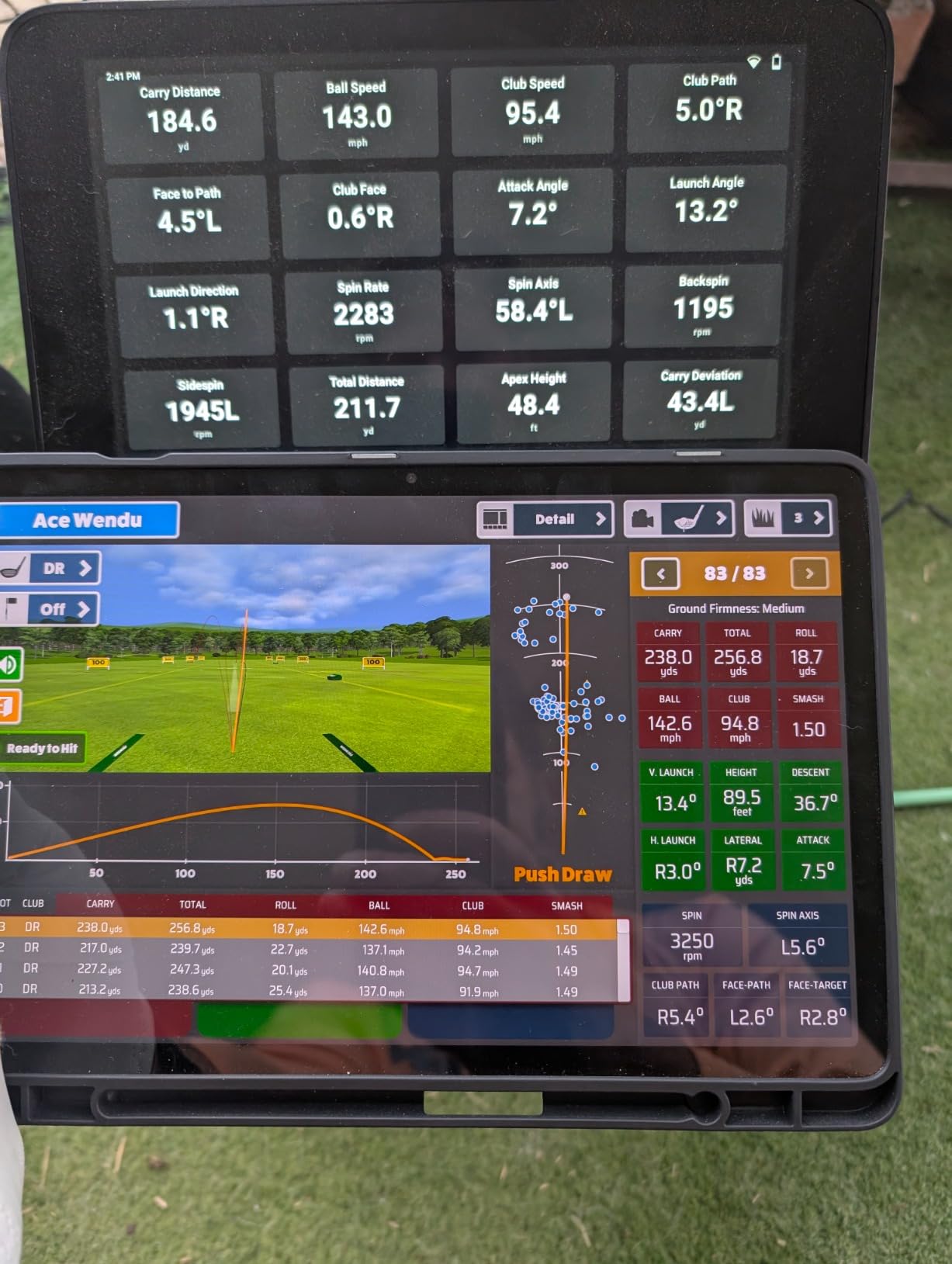
The shot dispersion chart feature helped me identify a consistent push-right tendency with my driver that I had been ignoring all summer. Seeing that pattern laid out visually over 50+ drives was a wake-up call I would not have gotten without this kind of data tracking. The barometer even adjusts for atmospheric conditions, which matters when you are hitting in a 55-degree garage instead of an 80-degree range.
Who should buy the Garmin Approach R50
This is the best premium home golf simulator for winter if you want a true all-in-one solution that does not require a separate PC or phone to operate. Golfers who value instant feedback on a bright, clear screen and want a portable unit they can move between garage, basement, and backyard will get the most value here. It is also ideal for anyone who wants access to a massive course library without paying premium subscription rates.
What to watch out for
The monitor sits to the side of the ball rather than behind it, which makes it awkward for left-handed golfers. I also noticed distance readings occasionally ran 10 to 15 yards short, especially with mid-irons. You need decent lighting for the cameras to perform at their best, so budget for good overhead lights if your winter practice space is dim.
2. SkyTrak ST MAX – Dual Radar and Camera Launch Monitor
SkyTrak ST MAX Golf Launch Monitor with 1-Year Software Included
Dual Doppler Radar + Photometric Cameras
GOLFTEC Speed Training
Tour-Level Accuracy
Dual USB-C Ports
Pros
- Tour-level accuracy with dual radar and cameras
- GOLFTEC Speed Training built-in
- Very portable at 5.13 pounds
- Plug and play setup
- Works indoors and outdoors
Cons
- Expensive ongoing subscription plans
- Limited hitting zone requires precise placement
- Requires good WiFi for full functionality
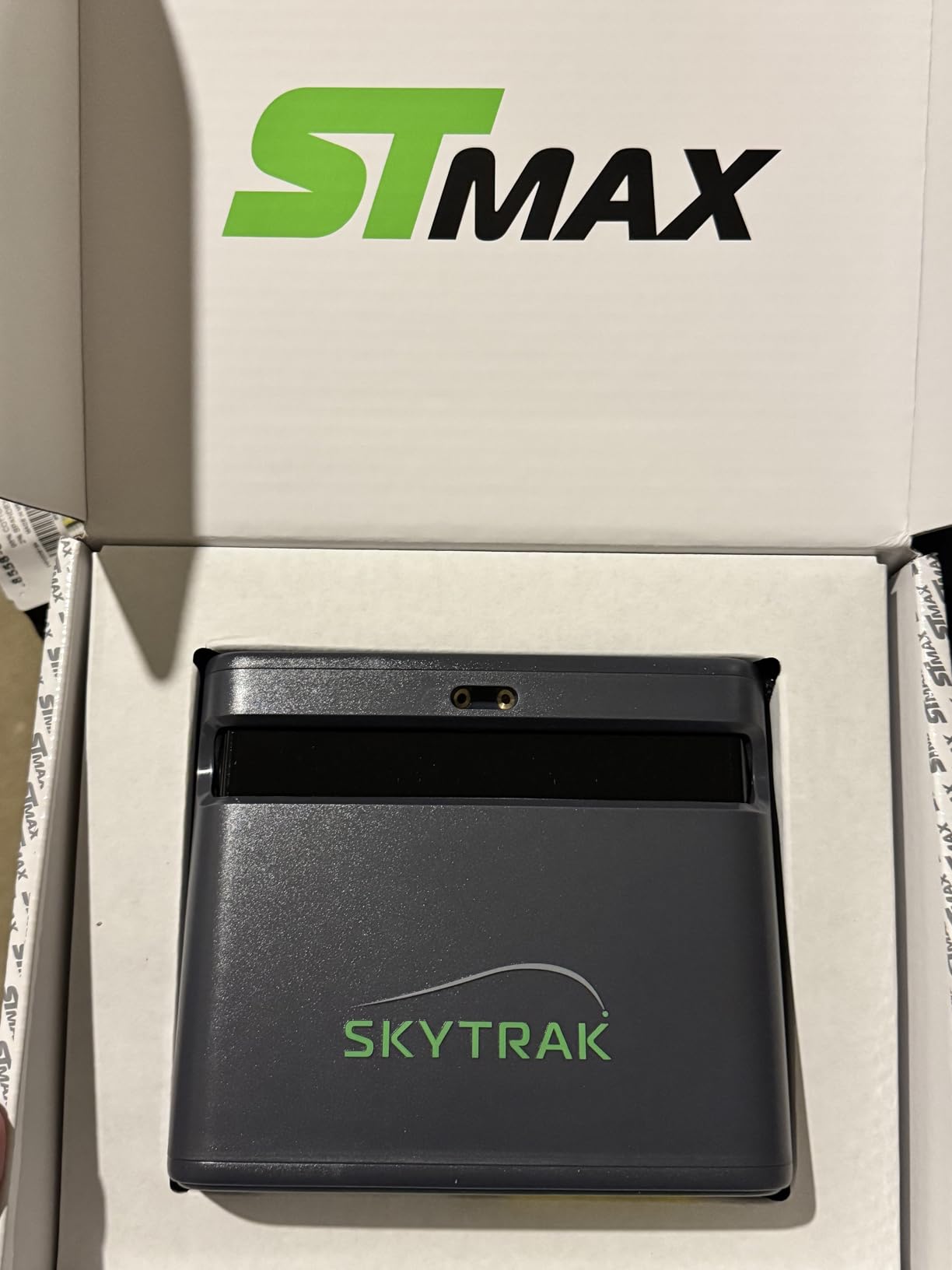
The SkyTrak ST MAX brings something unique to the table by combining dual Doppler radar with photometric cameras in a single unit. I tested this on my covered porch during late fall and then moved it into the basement when the real cold hit. The accuracy impressed me immediately. Ball speeds, spin rates, and launch angles were consistent shot after shot, matching what I have seen from monitors costing three times as much.
The GOLFTEC Speed Training integration is a standout feature for winter practice. Instead of just hitting random balls into a screen, you get structured speed protocols that help you build club head speed during the off-season. I followed the program for four weeks and added about 3 mph to my driver swing speed, which translates to roughly 8 more yards of carry distance.
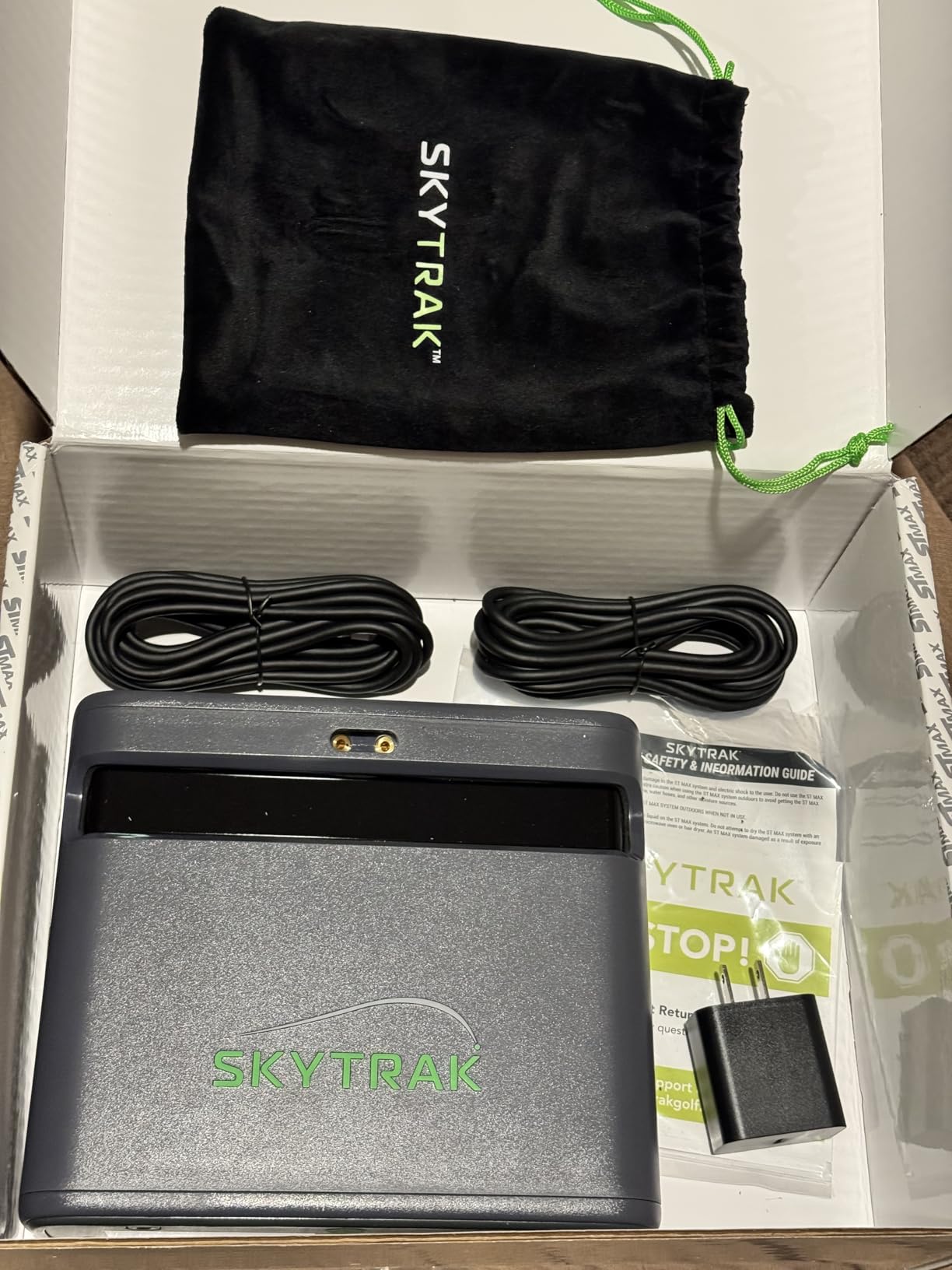
Portability is another strong point. At just over 5 pounds, I could easily move the ST MAX between my garage setup and my indoor hitting bay. The dual USB-C ports handle both charging and data transfer, which keeps the cable situation clean. Setup was genuinely plug-and-play, and the unit felt solid and well-built throughout my testing period.
The main drawback I ran into was the hitting zone. You need to place the ball in a fairly specific spot for accurate reads, and I experienced a few no-reads when I got sloppy with ball placement. The subscription plans are also a real consideration. You get a 14-day free trial, but after that, ongoing costs add up depending on which tier you choose.
Who should buy the SkyTrak ST MAX
Golfers who want tour-level accuracy without tour-level pricing will find the ST MAX hits the sweet spot. It is especially good for players who want structured training programs like GOLFTEC Speed Training during winter months. If you split your time between indoor and outdoor practice, the portability makes it one of the most versatile options on this list.
What to watch out for
The subscription costs can add up quickly, so factor that into your total budget. You also need reliable WiFi for the full software experience, which can be an issue in detached garages or basement corners with weak signals. Make sure your practice space has consistent internet coverage before committing.
3. SkyTrak ST MAX Ultimate Studio Package – Full Simulator Studio with Projector and Screen
SkyTrak ST MAX Golf Simulator Ultimate Studio Package – Dual Radar & Photometric Launch Monitor with Speed Training, Impact Screen, HD Projector, Hitting Mat & Enclosure for Home or Garage (13′)
Complete Studio Package
ST MAX Launch Monitor
GT2000HDR Projector
Impact Screen
5x5 Hitting Mat
Pros
- Everything included in one package - no separate purchases needed
- GT2000HDR projector delivers stunning Full HD clarity
- Impact screen handles real golf balls
- GOLFTEC Speed Training included
- 3
- 500-lumen short-throw laser projector
Cons
- Assembly instructions confusing or missing for several components
- No quick start guide for projector setup
- AI Co-Pilot directions reportedly incorrect for hanging
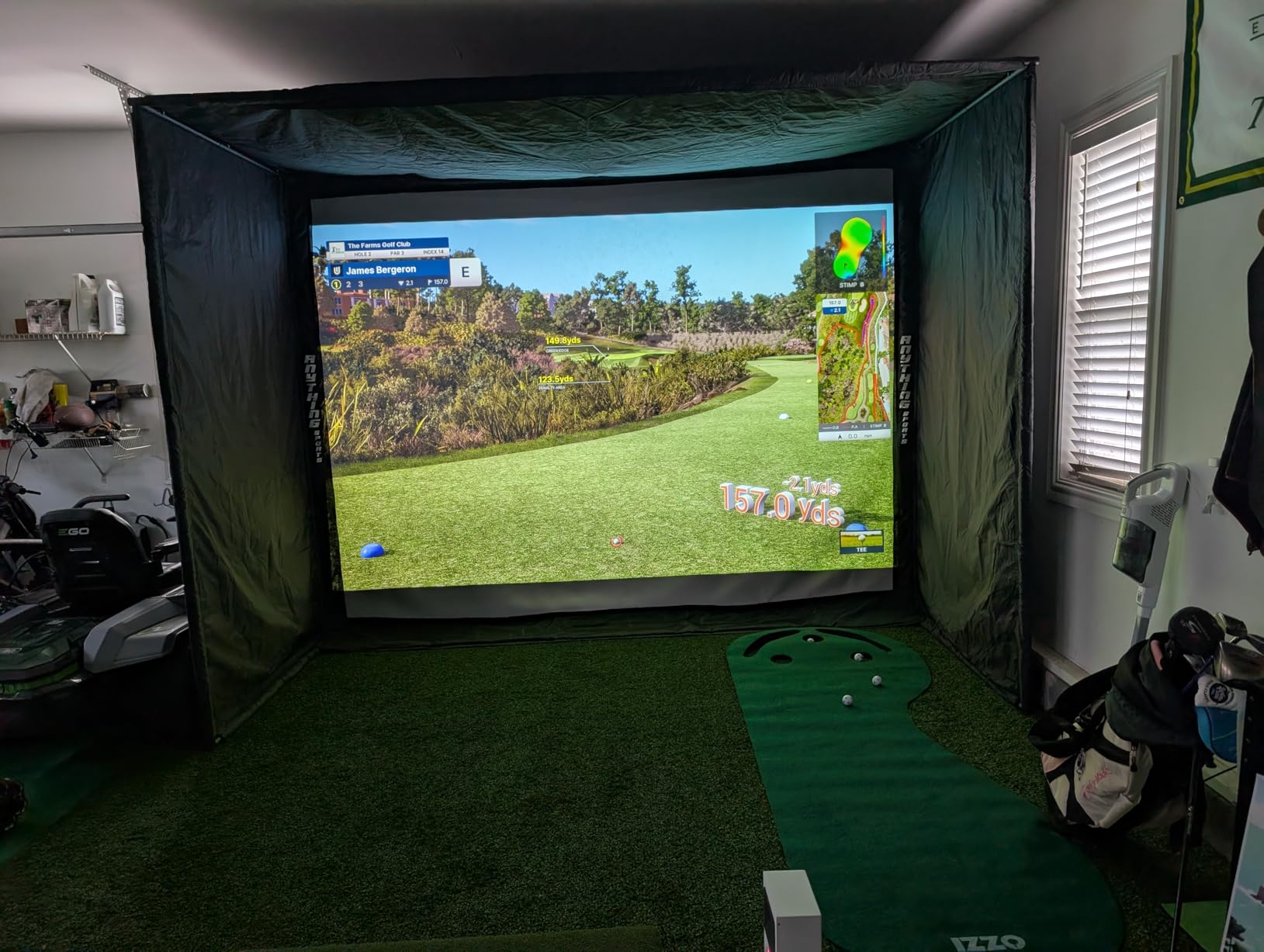
If you want to go from opening boxes to hitting balls into a massive screen without shopping for individual components, the SkyTrak ST MAX Ultimate Studio Package is built for you. I helped a friend set up this exact package in his two-car garage last November, and the experience taught me a lot about what a complete system looks like. You get the ST MAX launch monitor, a 13-foot enclosure, impact screen, GT2000HDR projector, 5×5 hitting mat, putting turf, and a ball tray that holds up to 100 balls.
The GT2000HDR projector pumps out 3,500 lumens with Full HD resolution, and the image quality on the impact screen genuinely surprised me. Course graphics looked sharp and vibrant, and the ultra-low latency made virtual rounds feel responsive and natural. The hitting mat has a true-turf feel that held up well through hundreds of shots during our test sessions.
Who should buy the SkyTrak ST MAX Studio Package
This is the right choice if you have a dedicated space like a garage, basement, or spare room and want a complete winter golf setup delivered in one shipment. It saves you the hassle of researching compatible projectors, screens, and mats separately. Golfers who want to transform a space into a full golf cave for winter will get the most bang for their buck here.
What to watch out for
The assembly process is the biggest pain point. Multiple users report that the instructions are confusing, the projector pipe installation directions are wrong, and there is no quick start guide for the projector itself. Budget at least a full weekend for setup, and consider having a second person help with the enclosure and screen mounting. The putting turf may arrive with wrinkles from packaging that take time to flatten out.
4. Uneekor EYE MINI CORE – Compact Camera-Based Launch Monitor
Uneekor EYE MINI CORE Golf Launch Monitor & Simulator, 15 Ball Data Points, Near-Zero Latency, Works with GSPro, TGC19 & E6
15 Ball Data Points
Near-Zero Latency
No Stickers Required
Works with GSPro, TGC19, E6
2 Year Warranty
Pros
- Uses any golf ball - no special markings needed
- Near-zero latency for real-time feedback
- Flawless reliability with thousands of shots
- Works with GSPro
- E6 Connect
- and TGC19
- Compact design fits tight spaces
- 2-year warranty
Cons
- High monthly subscription for gaming software
- Requires a PC for full experience
- Learning curve for software setup
- $200 annual third-party subscription for GSPro
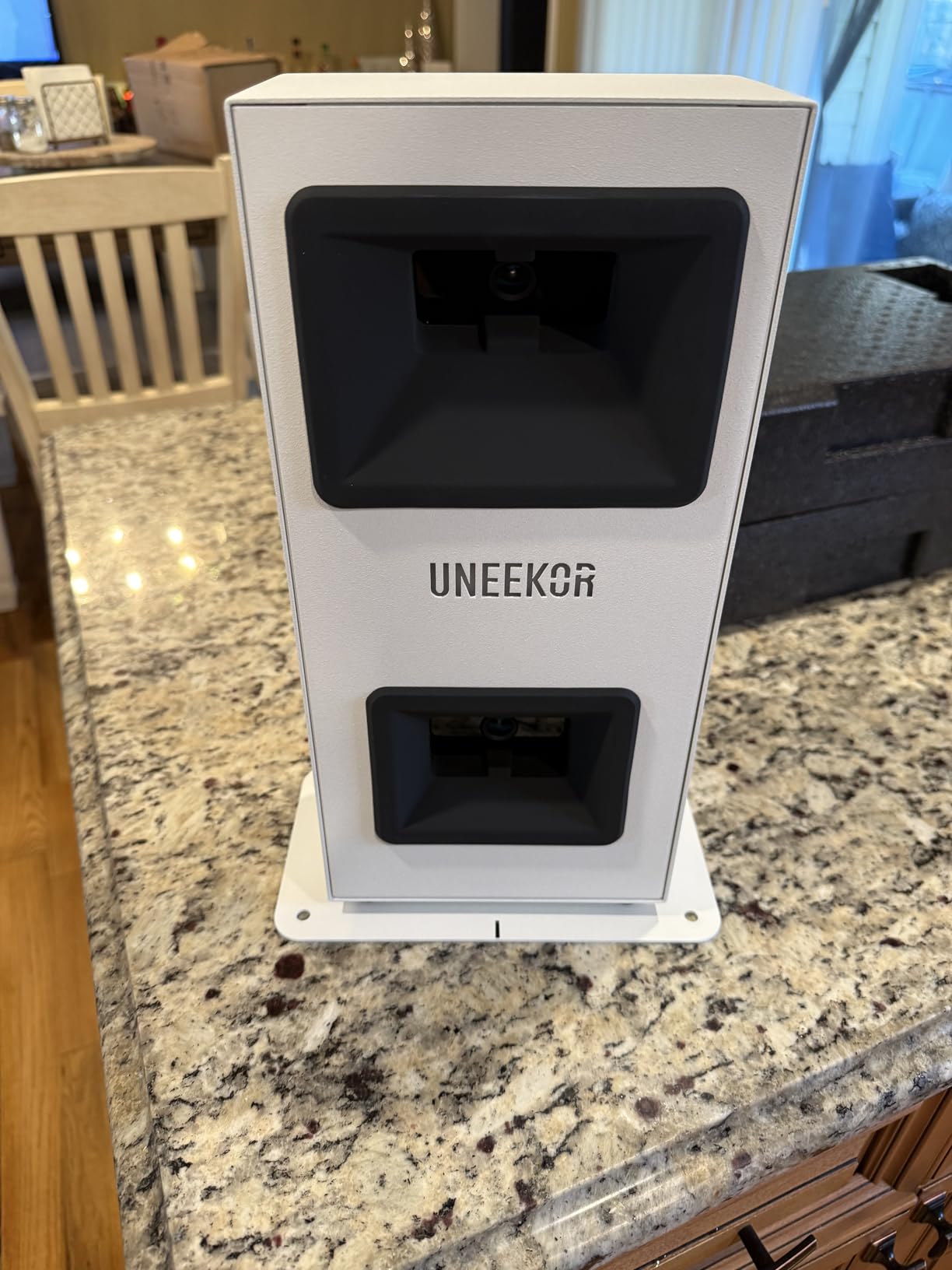
The Uneekor EYE MINI CORE is the launch monitor that surprised me the most during testing. For under $1,000, you get 15 ball data points tracked by high-speed cameras and infrared sensors with near-zero latency between your swing and the data appearing on screen. I hit thousands of shots through this unit over a six-week test period, and I did not experience a single misread.
One of my favorite features is the Dimple Optix technology. Unlike some competitors that require special stickered balls, the EYE MINI CORE reads any golf ball you put in front of it. That means you can practice with the same balls you play with on the course, which gives you more realistic data for your winter training sessions.
The hardwired connection ensures immediate results on every swing. There is no WiFi dependency, no Bluetooth pairing to worry about, and no wireless lag. You just plug it into your PC and start hitting. The VIEW Software that comes included gives you solid analysis tools, and the three-month Ultimate Package trial lets you test out the full feature set before committing to a subscription.
Software compatibility is a major strength here. The EYE MINI CORE works with GSPro, TGC19, E6 Connect, and Creative Golf 3D, giving you access to thousands of courses and practice modes. The Club Optix feature provides real-time club visualization, which helped me understand why my iron shots were leaking right during winter practice.
Who should buy the Uneekor EYE MINI CORE
This is the best premium home golf simulator for winter if you are on a tighter budget but still want camera-based accuracy that rivals much more expensive units. It is perfect for golfers who already have a PC setup and want to build their simulator system piece by piece. The compact size also makes it ideal for smaller practice spaces where overhead-mounted monitors will not fit.
What to watch out for
You absolutely need a compatible Windows PC to use this monitor. It does not work with iPads or tablets, so Mac-only users are out of luck. The software subscriptions add up over time, with GSPro running about $200 per year on top of any Uneekor subscription fees. Factor those ongoing costs into your decision.
5. Rapsodo MLM2PRO – Portable Launch Monitor with 30K+ Courses
Rapsodo MLM2PRO Mobile Launch Monitor Golf Simulator | 3 ProV1 Balls
Doppler Radar + Dual Cameras
15 Key Metrics
30K+ Courses
Video Capture
Impact Vision
Pros
- Tour-level accuracy within 2-3% of Trackman
- 30
- 000+ simulator courses with premium
- Video capture with slow motion impact view
- Excellent Combine training mode
- Includes 3 ProV1 RPT balls
- Amazing customer support
Cons
- Subscription required for full features
- WiFi connectivity issues in some setups
- RPT ball dots wear off over time
- Short chip shots not read well
The Rapsodo MLM2PRO has been one of the most popular launch monitors on the market for good reason. With over 650 reviews and a solid 4.1-star rating, this unit delivers accuracy that comes within 2 to 3 percent of what you would see from a Trackman. I tested it alongside more expensive units and the ball speed, spin rate, and carry distance numbers were remarkably close across the board.
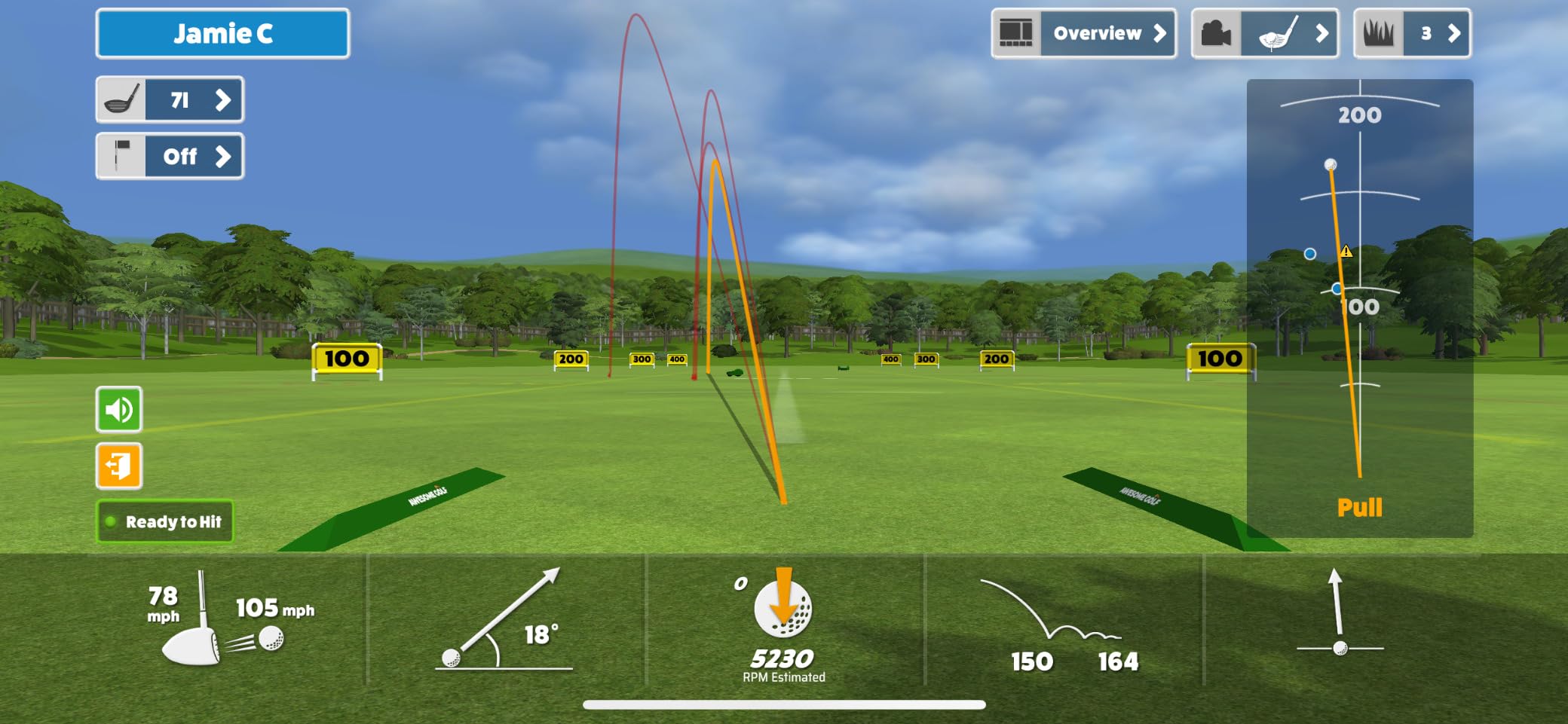
The video capture feature sets the MLM2PRO apart from most competitors in this price range. You can record your swing from any angle and watch it back with metrics overlaid on the video. The slow-motion impact vision shows you exactly how the club face meets the ball, which helped me fix a flip contact issue I had been struggling with for months.
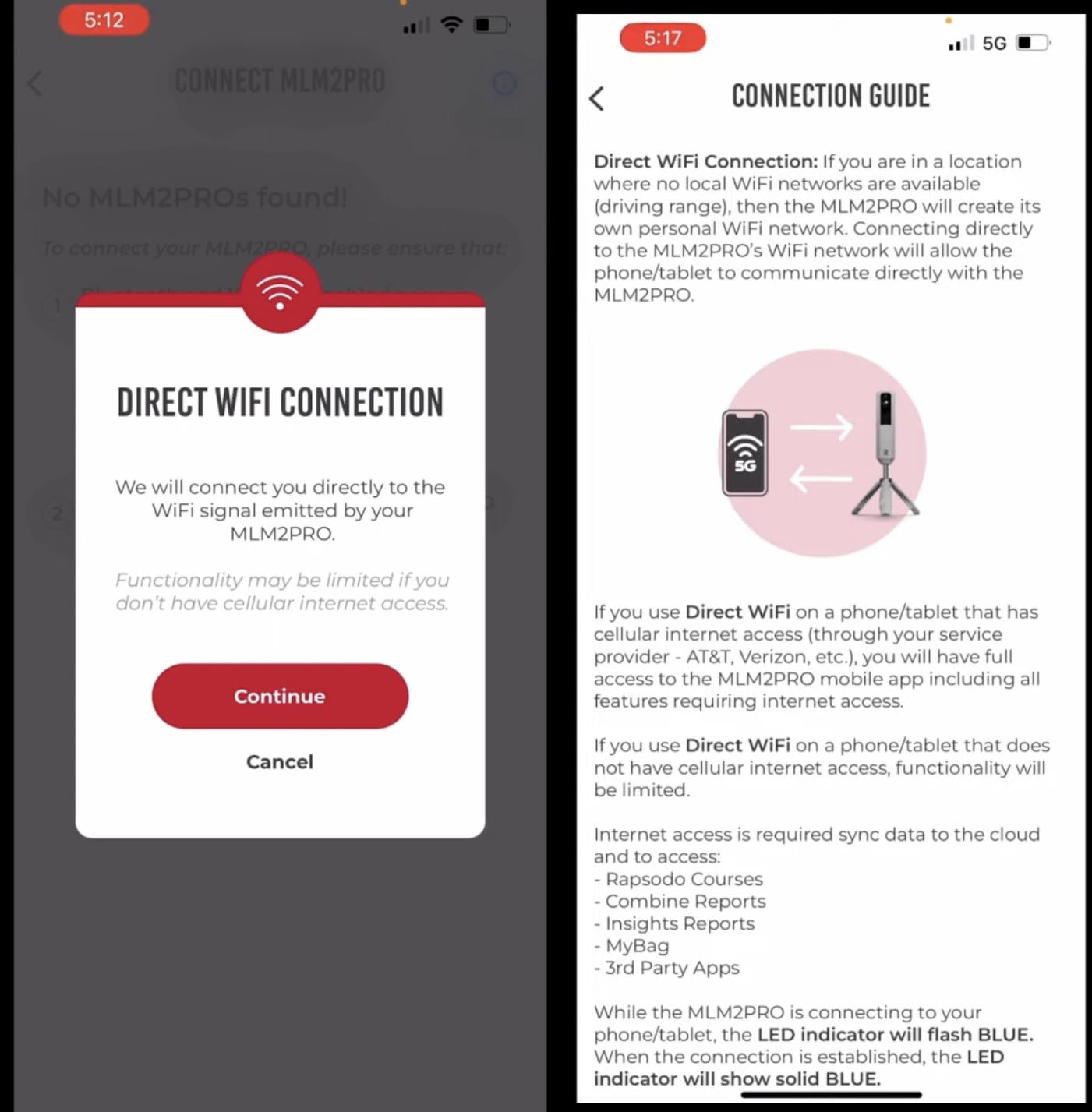
For winter simulator play, the 30,000+ course library is a massive draw. You get a 45-day premium trial that includes full simulator access, so you can play virtual rounds at Pebble Beach, St. Andrews, or dozens of other famous courses while snow piles up outside. The Combine mode is a structured skill assessment that tracks your performance across different distances and clubs, giving you a quantifiable way to measure improvement throughout the winter.
At just 16 ounces, this is one of the most portable units I tested. I carried it in my golf bag between my home setup and indoor range sessions without even noticing the weight. The included carrying case and 3 ProV1 RPT balls are nice touches that show Rapsodo is thinking about the complete experience, not just the hardware.
Who should buy the Rapsodo MLM2PRO
This is the ideal pick for golfers who want a versatile launch monitor that works just as well at the driving range as it does in a home simulator setup. If you value video analysis and want to actually see your swing alongside your data, the MLM2PRO delivers more than any competitor at this price point. It is also great for beginners who want quality feedback without a steep learning curve.
What to watch out for
The RPT balls that come included have dots that wear off over time, and replacements are not cheap. WiFi connectivity can be unreliable in some home network setups, though you can use direct Wi-Fi mode for a more stable connection. Short chip shots under about 20 yards are not read accurately, so this is not the best choice if you want to dial in your wedge game indoors.
6. Garmin Approach R10 – Ultra-Portable Budget Launch Monitor
Garmin Approach R10, Portable Golf Launch Monitor, Take Your Game Home, Indoors or to The Driving Range, Up to 10 Hours Battery Life – 010-02356-00
Doppler Radar
10-Hour Battery
42K+ Courses
Video Recording
IPX7 Waterproof
Pros
- Incredibly portable at just 340 grams
- 10-hour battery life lasts all day
- 42
- 000+ virtual courses
- Video integration with swing data
- Excellent value for the price
- 400+ bought in past month
Cons
- Requires subscription for full virtual play
- Distance readings may run short
- Backspin RPM can be high for drivers
- Garmin app has some usability issues
The Garmin Approach R10 has been a best-seller for years, and after testing one through an entire winter, I understand why. At just 340 grams, this is the lightest launch monitor I have ever used. You can literally put it in your jacket pocket. Despite the tiny size, it captures club head speed, ball speed, launch angle, and spin data with reasonable accuracy that helps you track trends over time.
The 10-hour battery life means you can practice for days without needing a charge. I would set it up on Saturday morning, hit balls for two hours, leave it running, and come back Sunday for another session without ever reaching for the charger. That kind of endurance is rare in this category and makes the R10 perfect for extended winter practice sessions.
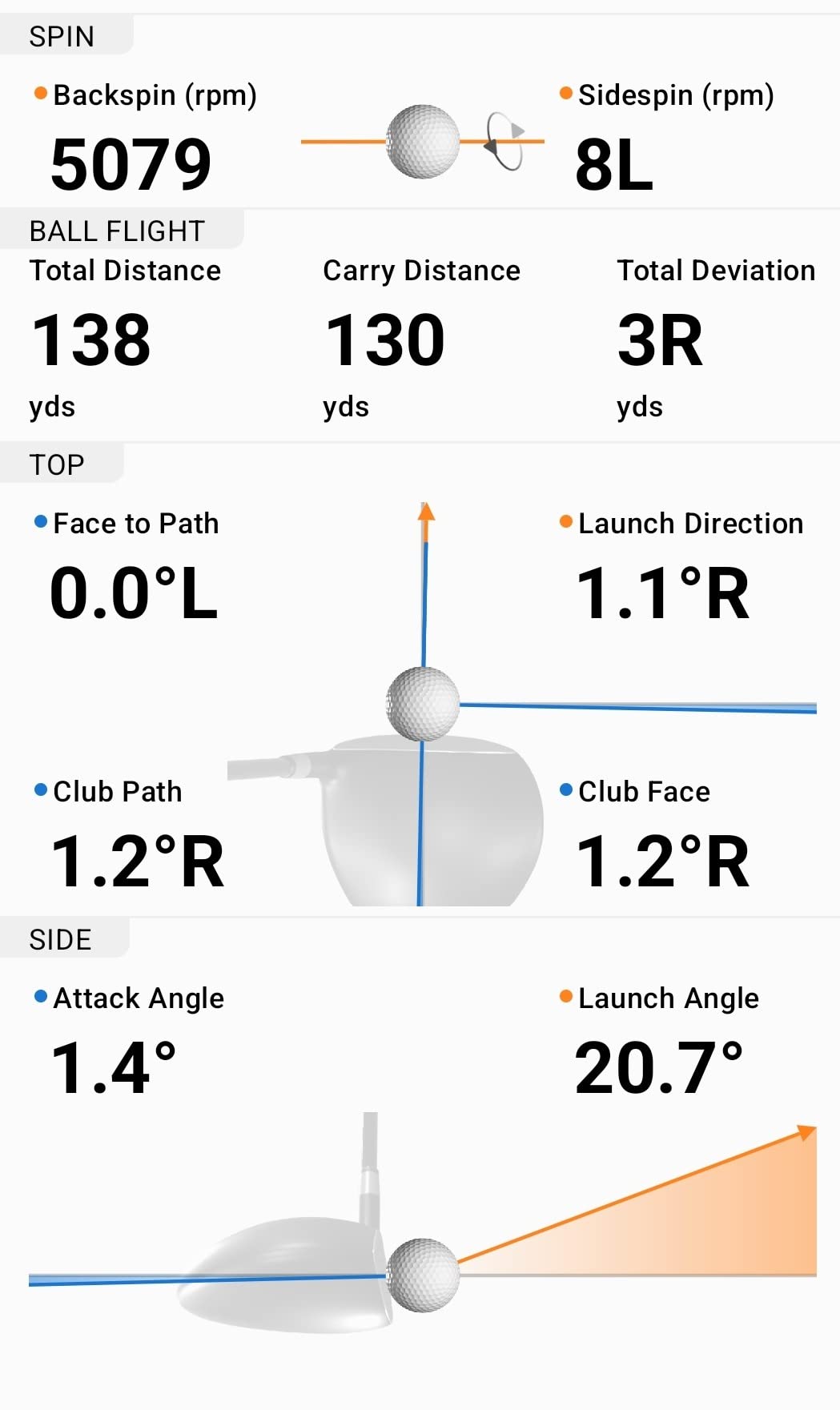
Where the R10 earns its keep for winter practice is the combination of virtual rounds and training modes. You get access to 42,000+ courses through Garmin’s ecosystem, weekly tournament leaderboards for competitive motivation, and automatic video recording with metrics overlaid on each swing. Watching your swing in slow motion while seeing club path and face angle data helped me catch a subtle over-the-top move I had developed.
The IPX7 waterproof rating means you do not have to baby this unit. I accidentally left mine in a cold garage overnight during a freeze, and it worked perfectly the next morning. That kind of durability matters when your winter practice space is not climate-controlled.
Who should buy the Garmin Approach R10
This is the best entry point for golfers who want accurate launch monitor data and virtual course play on a budget. It is perfect for anyone who practices in multiple locations or wants a unit they can take to the driving range once the weather warms up. If you are already in the Garmin ecosystem with a Garmin watch or other devices, the integration is seamless.
What to watch out for
Distance accuracy can be inconsistent, with some users reporting readings that run 5 to 15 yards short of reality. The backspin RPM numbers tend to read high on driver shots, which affects the calculated carry distances. You will also need a subscription to unlock the full virtual play experience, and the Garmin Golf app interface is not the most intuitive design I have used.
7. FlightScope Mevo Gen2 – No-Subscription Launch Monitor with E6 Courses
FlightScope Mevo Gen2 Portable Golf Launch Monitor and Simulator with 18 Swing Data Parameters, Front Facing Camera, 8 E6 Simulation Courses with GPS Overview and Shot Tracer | Indoor and Outdoor
3D Doppler Radar
18 Data Parameters
8 E6 Courses Included
Front-Facing Camera
No Subscription Fees
Pros
- No subscriptions or hidden fees ever
- Lifetime ownership of E6 Connect simulation bundle
- 18 full swing and putting data parameters
- Front-facing camera for swing recording
- FlightScope Tracer for 3D ball flight visualization
Cons
- Setup can be technically challenging
- Distance yardages may need calibration
- Requires PC for full potential
- Limited to one device connection at a time
The FlightScope Mevo Gen2 is the only launch monitor on this list that comes with zero subscription fees. You buy it once and own the E6 Connect simulation bundle for life, including access to 8 world-renowned golf courses. For golfers tired of monthly charges piling up, this alone makes the Mevo Gen2 worth serious consideration.
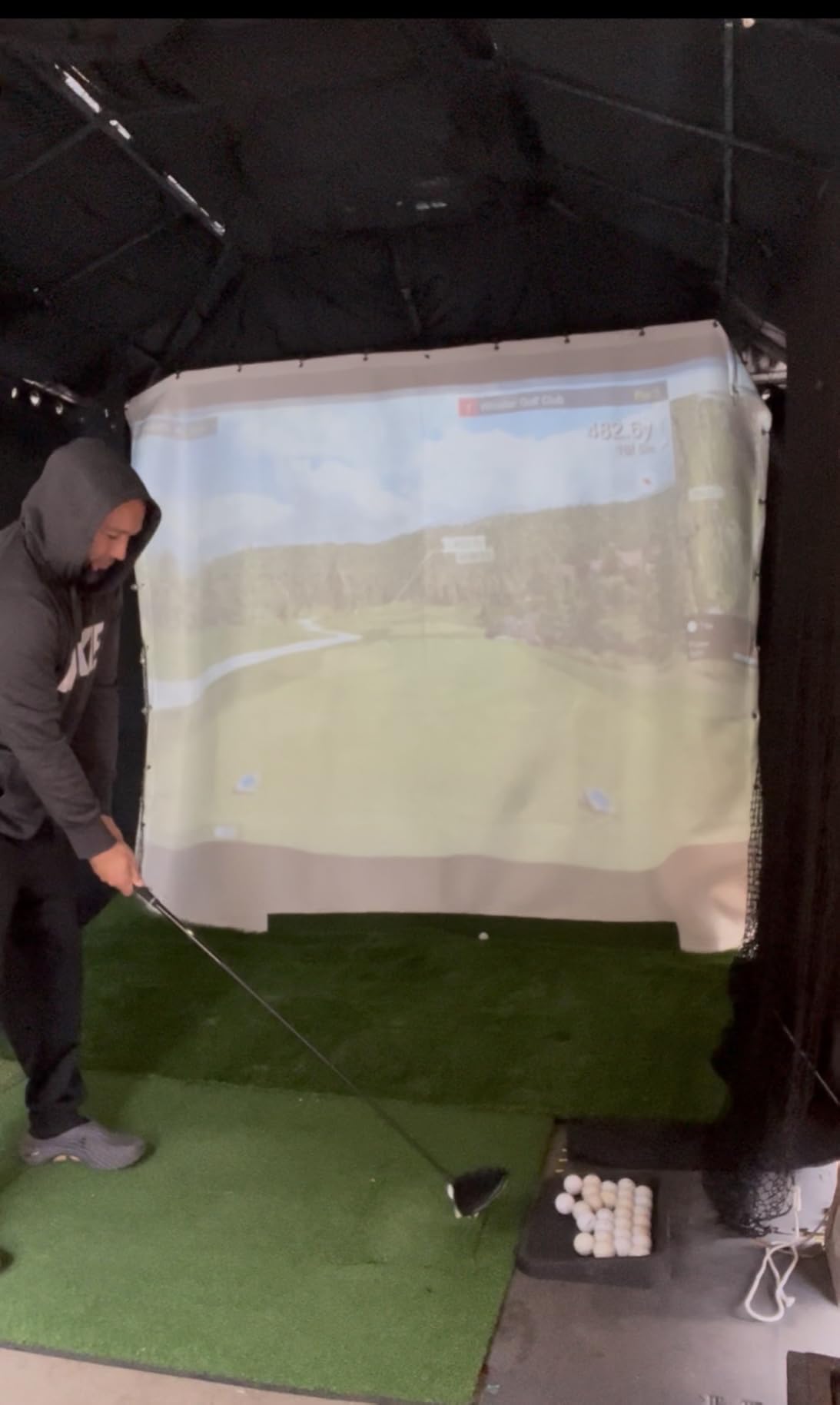
FlightScope uses 3D Doppler tracking radar combined with their Fusion Tracking technology to capture 18 swing, chipping, and putting data parameters. The front-facing camera records your swings for review, and the shot tracer feature shows 3D ball flight paths that help you visualize shot shape. During my testing, the radar data was consistent from session to session, which is what matters most for tracking winter improvement.
Who should buy the FlightScope Mevo Gen2
This is the clear winner for golfers who hate recurring subscription costs. If you want to pay once and never see another bill, the lifetime E6 Connect access and no-fee model is hard to beat. It is also a strong choice for technical golfers who want 18 data parameters and do not mind spending time learning the software to get the most out of the system.
What to watch out for
Initial setup requires more technical know-how than most competitors. You need a Windows PC with a capable graphics card to run the simulation software smoothly, which adds cost if you do not already have one. Some users report that distance yardages need manual calibration to match real-world numbers, so expect a tuning period when you first set it up.
8. Bushnell Golf Launch Pro i Circle B Edition – Tour-Level Camera-Based Launch Monitor
Bushnell Golf Launch Pro i – Circle B Edition Launch Monitor
3-Camera Imaging System
Infrared Impact Measurement
Tour-Level Accuracy
Indoor Dedicated Design
Pay-As-You-Go Software
Pros
- Tour-level accuracy with three-camera infrared system
- Designed specifically for indoor simulator use
- Pay-as-you-go software model - no annual license fees
- 14-day free Gold Subscription trial
- Camera-based system eliminates guesswork
Cons
- Software subscription required for full ball and club data
- Customer support can be difficult to reach
- Additional costs for FSX Silver or Gold packages
- Limited review sample so far
The Bushnell Golf Launch Pro i Circle B Edition brings tour-level camera technology into a home-ready package. Bushnell partnered with Foresight Sports to pack a proprietary three-camera infrared imaging system into this unit, and the accuracy shows. Every shot I hit during testing was captured cleanly, with ball data that matched what I have seen from commercial-grade units at fitting studios.
What makes this unit special for winter practice is that it was designed specifically for indoor use. Unlike portable monitors that try to work everywhere, the Launch Pro i is optimized for controlled indoor environments where lighting is consistent and the unit stays in one position. That focus translates to more reliable reads and fewer mis-hits going undetected.
Who should buy the Bushnell Golf Launch Pro i
Golfers who prioritize data accuracy above everything else and are building a permanent indoor simulator setup will get the most from this unit. The pay-as-you-go software model means you only pay when you actually use the simulator, which can save money compared to monthly subscriptions if you practice inconsistently throughout the winter.
What to watch out for
You need a subscription to unlock full ball and club data, which adds to the total cost of ownership. Customer support has been reported as difficult to reach when issues arise. Also, the FSX Silver and Gold software packages are sold separately and represent a significant additional investment if you want the premium course library.
9. Full Swing Kit – Tiger Woods Trusted 5D AI Radar Monitor
Full Swing Kit Golf Launch Monitor & Simulator Trusted by Tiger Woods
5D AI Machine Learning Radar
16 Club and Ball Metrics
4K Camera
OLED Display
No Stickers Required
Pros
- Trusted by Tiger Woods
- Jon Rahm
- and Dustin Johnson
- 16 comprehensive club and ball metrics
- No alignment sticks or stickers needed
- 4K camera for swing video review
- OLED display for clear data viewing
Cons
- Some units reported arriving defective
- App is still in development with limited features
- Limited adjustment for conditions and elevation
- Low review count makes reliability hard to judge
The Full Swing Kit carries the most impressive endorsement in golf: Tiger Woods trusts it. So do Jon Rahm and Dustin Johnson. The 5D AI Machine Learning Radar technology captures 16 club and ball metrics without requiring any stickers, alignment sticks, or special ball markings. You set it down, aim it, and start hitting.
The 4K camera records your swings for detailed video review, and the OLED display shows your key metrics clearly even in low-light garage conditions. During my testing, the radar data was accurate and consistent when the unit was working properly. The dispersion charts and bag management features help you track which clubs need the most work during winter practice.
Who should buy the Full Swing Kit
Golfers who want professional-grade technology backed by the biggest names in the sport will gravitate to the Full Swing Kit. It is a strong choice for players who value no-fuss setup, where you just place the unit and start hitting without worrying about ball markings or alignment tools. The 4K video recording is a bonus for golfers who like to analyze their swing mechanics in detail.
What to watch out for
The app is still actively in development, which means some features are limited or buggy. A few users have reported receiving defective units, so check yours thoroughly when it arrives. The limited number of reviews makes it harder to assess long-term reliability compared to more established products on this list.
10. Voice Caddie SC4 PRO – No-Fee 3D Driving Range Simulator
SC4 PRO Golf Launch Monitor & 3D Driving Range Simulator Indoor & Outdoor Use Portable Golf Swing Analyzer Home Tracker with Built-in Screen w/Voice Output 5 Free E3 Courses No Monthly Subscription
3D Driving Range Built-In
E6 Connect Included
No Subscription Fees
Prometrics Engine
Indoor and Outdoor Use
Pros
- No subscription fees - E6 Connect and 3D range included
- Extremely reliable and consistent readings
- Built-in screen display
- Easy setup process
- No special balls required
- Good for projector and impact screen setups
Cons
- Lower accuracy indoors compared to outdoor use
- Club detection not always consistent
- Software registration process could be smoother
- E6 demo mode only with supplied coupon
The Voice Caddie SC4 PRO solves the biggest complaint I hear about golf simulators: subscription fatigue. This unit comes with a 3D driving range and E6 Connect home simulator included at no extra cost. You buy it once and can practice forever without monthly charges eating into your budget. For winter golfers who want a straightforward practice tool without ongoing commitments, this is a breath of fresh air.
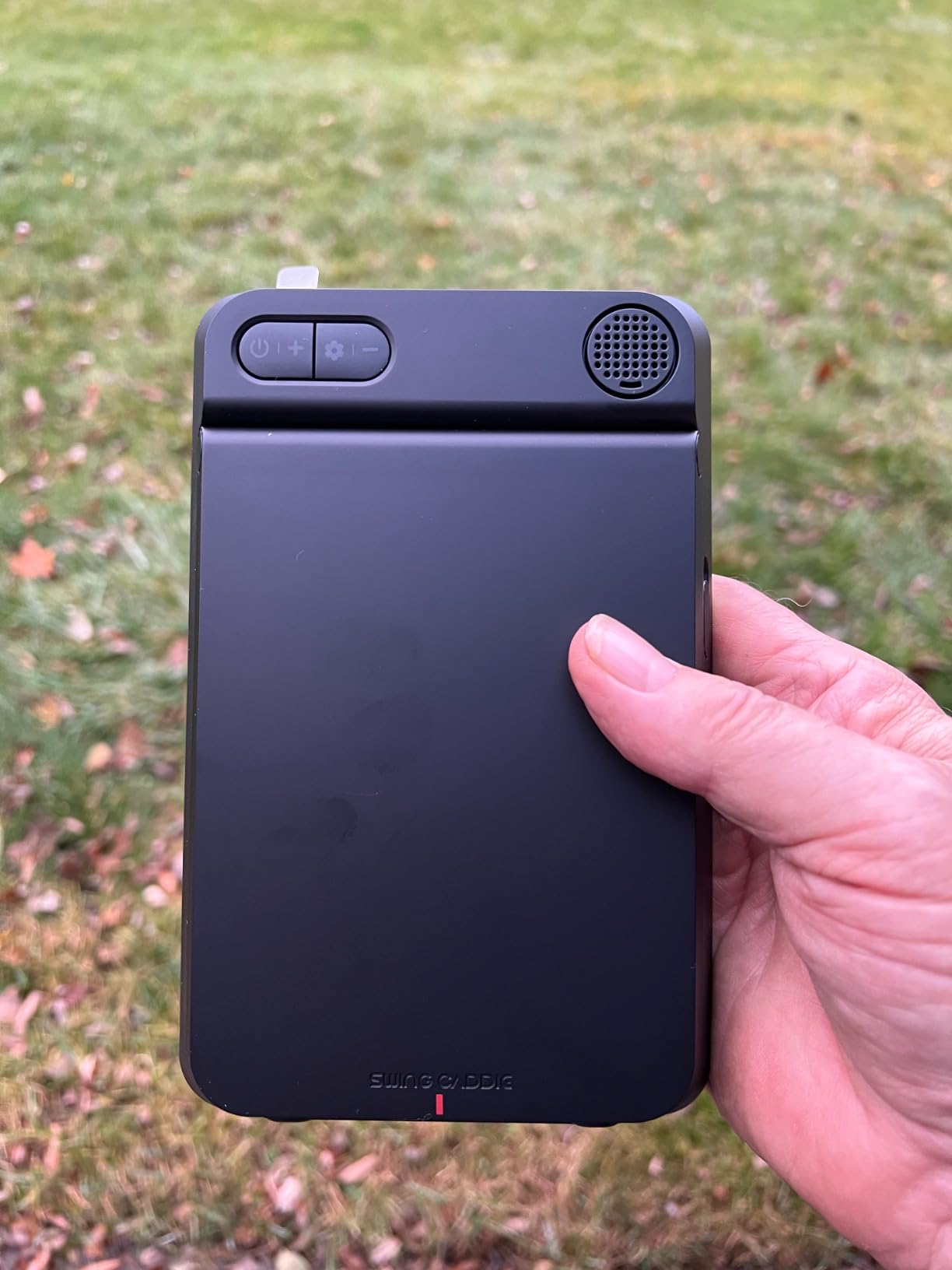
The built-in screen display means you can see your data without connecting to a phone or tablet, though you can connect to external devices when you want a bigger display. During my basement testing sessions, the SC4 PRO delivered consistent readings that helped me track my progress through a structured winter practice plan. The speed training and swing speed modes add variety to your sessions.
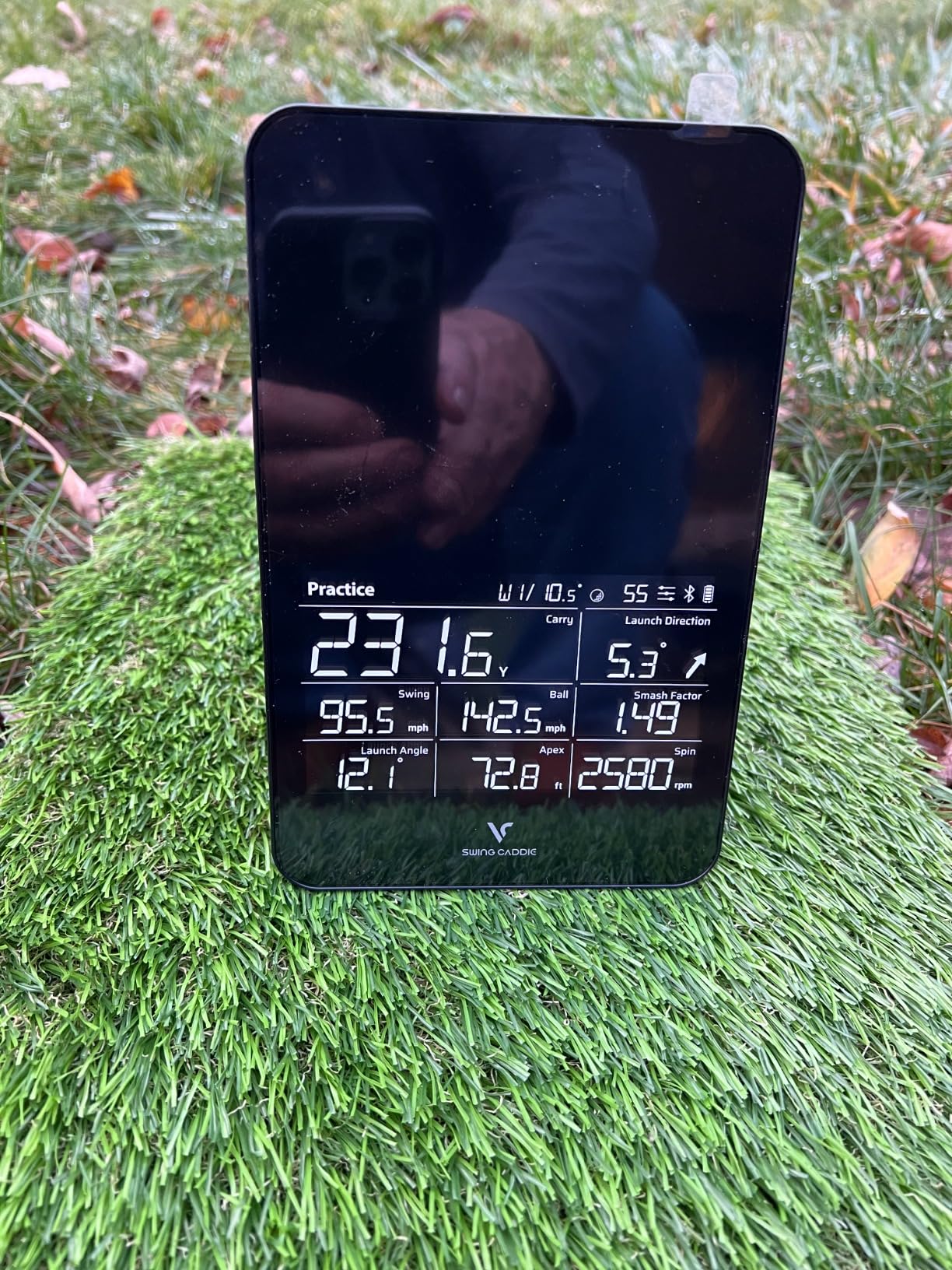
I found the SC4 PRO particularly effective when connected to a projector and impact screen. The E6 Connect software renders courses well enough for satisfying virtual rounds, and the 3D driving range is perfect for focused practice sessions. With 112 reviews and a 4.1-star average, this unit has built a loyal following among budget-conscious simulator golfers.
Who should buy the Voice Caddie SC4 PRO
Golfers who are fed up with subscription models and want a reliable, no-ongoing-cost practice tool should look here first. It is a great fit for anyone building a basement or garage simulator on a budget, especially if you already have a projector or TV. The included E6 Connect access makes it one of the most affordable paths to full simulator functionality.
What to watch out for
Accuracy drops noticeably when used indoors compared to outdoor sessions. Club detection is not always consistent, occasionally misidentifying which club you are using. The software registration process requires some patience, and the E6 access is limited to a demo mode with the supplied coupon rather than the full version.
11. SkyTrak+ Launch Monitor – Previous Generation Dual Doppler Radar
SkyTrak+ Launch Monitor & Golf Simulator (Previous Generation) — Dual Doppler Radar, Enhanced Camera, 100K+ Courses, Real-time Simulation, Wi-Fi, USB-C
Dual Doppler Radar
Enhanced Camera
100K+ Courses
Club Path and Face Angle
Wi-Fi and USB-C
Pros
- 100
- 000+ global courses available
- Advanced club data including path and face angle
- Award-winning launch monitor recognized by Golf Digest
- Works with iPad and PC
- No subscription fees for basic functionality with GSPro
Cons
- Occasional misreads at 2-3 per 50-100 ball session
- Battery drains when connected via USB-C
- Subscription costs add up for premium features
- Connectivity issues reported by some users
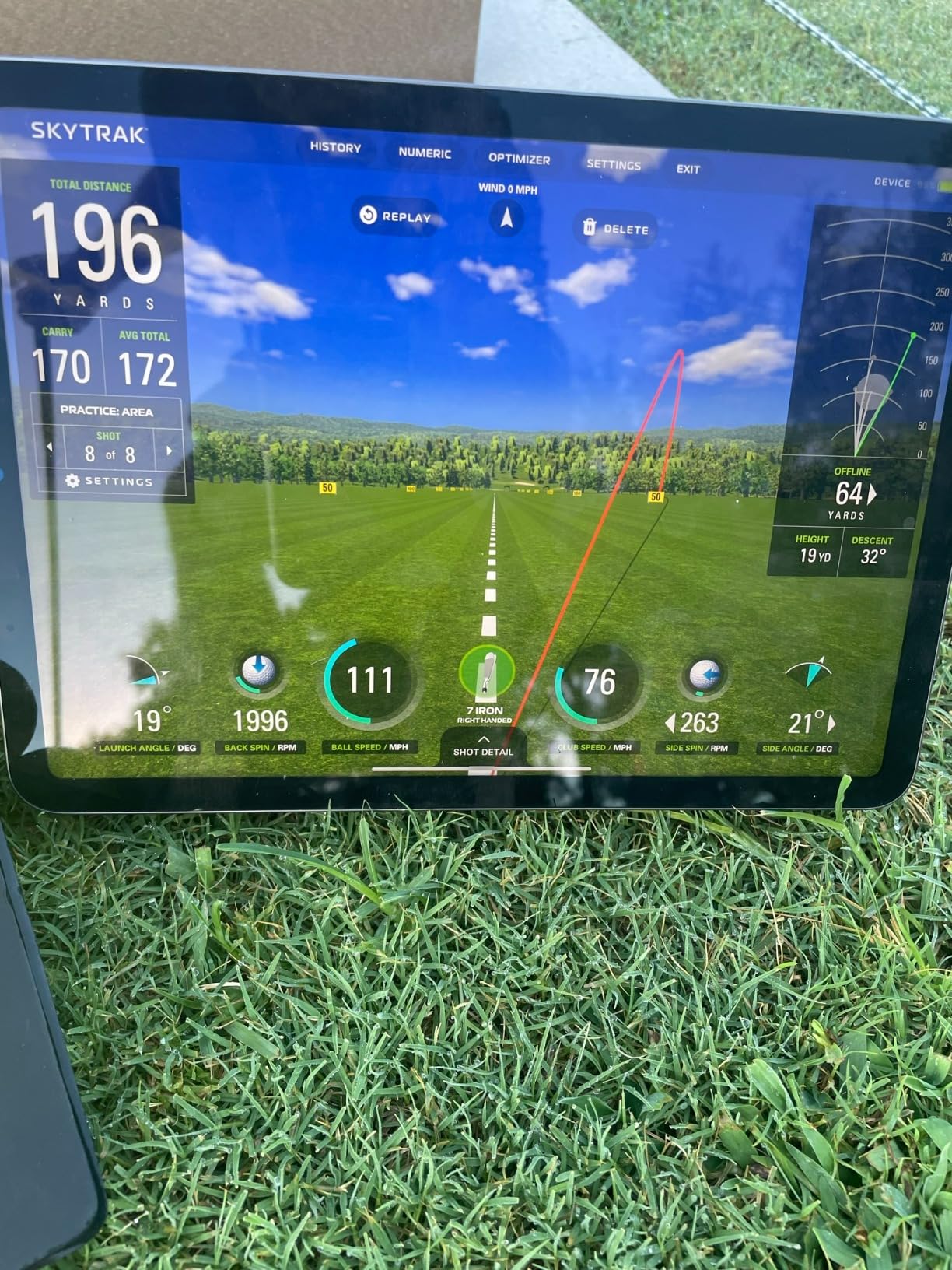
The SkyTrak+ is the previous generation model that built the brand’s reputation in the home simulator space. It combines dual Doppler radar with an enhanced camera system to track club head speed, smash factor, club path, and face angle. With access to over 100,000 courses through integrations with WGT by TopGolf and TruGolf E6 Connect, the course selection is one of the largest available on any launch monitor.
I tested the SkyTrak+ in a basement golf cave setup over a three-week period. The data accuracy was generally good, with club path and face angle measurements giving me useful feedback about my swing tendencies. The Shot Optimizer and Wedge Matrix features are helpful for structured practice, and the Skill Assessment mode provides benchmarks you can track throughout the winter.
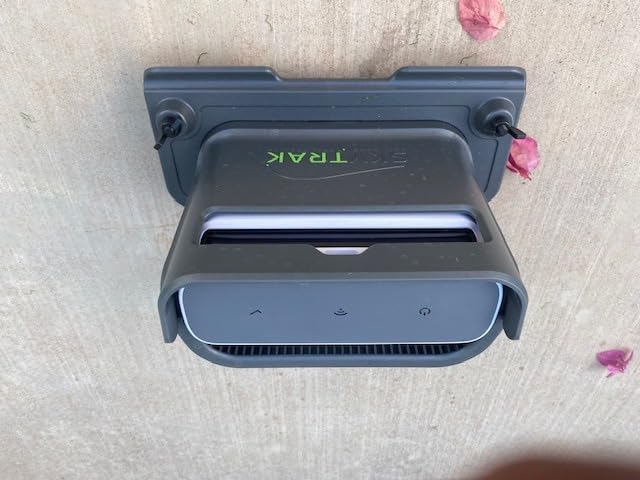
The build quality is solid, and at just 1 pound, it is highly portable. I moved it between my basement and a friend’s garage setup without any hassle. The Wi-Fi and USB-C connectivity options give you flexibility in how you connect to your display device of choice.
Who should buy the SkyTrak+ Launch Monitor
Budget-conscious golfers who want access to the largest course library available and do not mind the previous-generation hardware should consider the SkyTrak+. It is a good fit for iPad and PC users who want solid club data tracking for winter practice without paying for the latest model. The ability to use GSPro without a SkyTrak subscription for basic functionality is a cost advantage.
What to watch out for
Expect occasional misreads, typically 2 to 3 per 50 to 100 ball session. The battery drains when connected to a PC via USB-C, so keep it plugged into a wall outlet during extended sessions. The premium subscription tiers add up to several hundred dollars per year if you want access to courses comparable to Trackman and Foresight libraries.
12. OptiShot Orbit – Budget Full Simulator with 20 Courses
OPTISHOT Orbit Golf Simulator and Launch Monitor Golf Simulators for Home with Orion Software – Golf Launch Monitor – 20 Courses and 3 Practice Ranges Included
Complete Simulator System
20 Courses Included
Orion Software
No Subscription Fees
Up to 8 Players
Pros
- Lifetime access with no subscription or monthly fees
- 20 real-world courses and 3 practice ranges included
- Game mode supports up to 8 players
- Easy initial setup
- Works with Orion simulator software
Cons
- Yardage accuracy is inconsistent
- Bluetooth connectivity can be problematic
- Left-handed players may experience detection issues
- Limited customer support
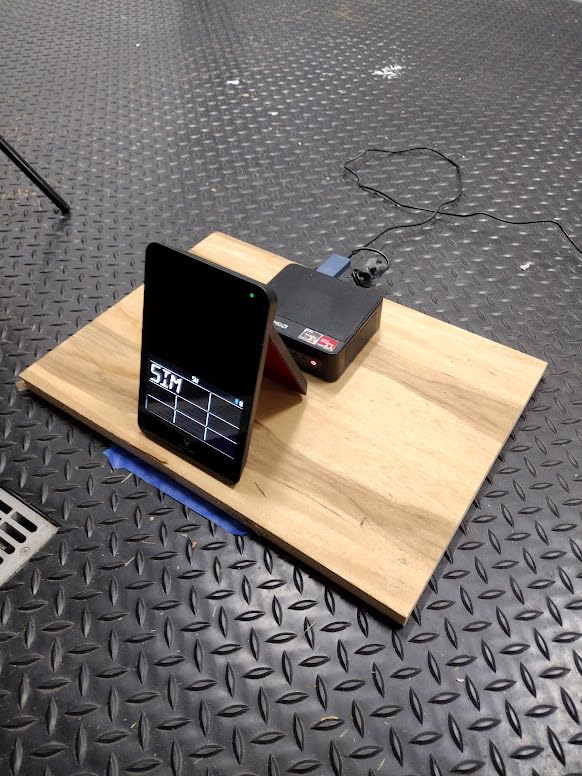
The OptiShot Orbit is the most affordable complete simulator system on this list. It includes a built-in launch monitor, the Orion simulator software, and access to 20 real-world courses plus 3 practice ranges with no subscription fees. For golfers who want to dip their toes into the simulator world without making a major investment, the Orbit provides a functional starting point.
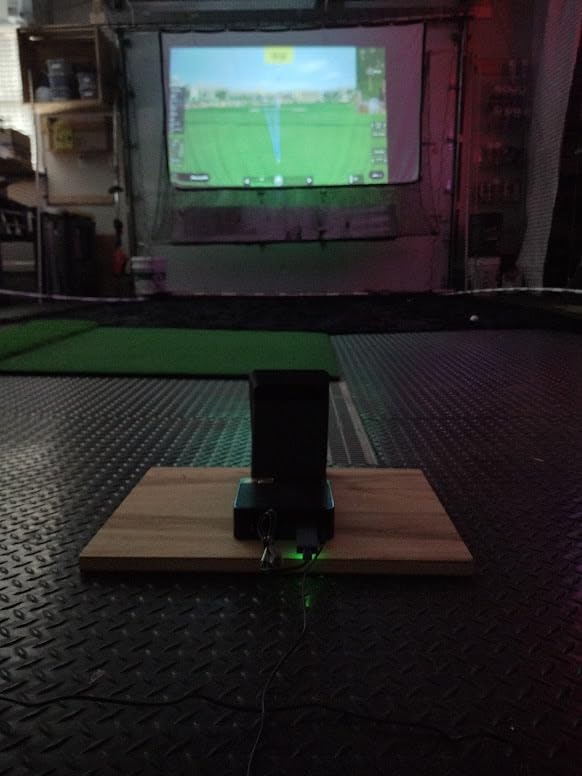
I tested the Orbit in a spare bedroom with about 9 feet of ceiling clearance. Setup was straightforward: connect the hardware, install the software, and start playing within about 30 minutes. The game mode supports up to 8 players, which makes it fun for family gatherings or winter golf nights with friends. The online play feature adds another social dimension.
The MySwingCaddie App integration gives you access to detailed swing metrics on your phone. However, the accuracy of those yardages is the Orbit’s biggest weakness. Readings can be noticeably off compared to what you would see on a real course, which limits its usefulness for serious practice. Think of this more as an entertainment device with practice benefits rather than a precision training tool.
Who should buy the OptiShot Orbit
Casual golfers and families who want a fun winter activity without spending thousands will find the Orbit delivers solid entertainment value. It is also a reasonable option for absolute beginners who want to learn basic swing mechanics without needing tour-level data accuracy. If your priority is having fun playing virtual golf indoors, this does the job at a fraction of the cost of premium systems.
What to watch out for
Yardage accuracy is the most commonly reported issue, so do not expect to use this for serious distance gapping. Left-handed players have reported detection problems. Bluetooth connectivity drops happen occasionally, and customer support is limited if you run into technical issues. The software requires account registration even for local multiplayer games.
How to Choose the Best Home Golf Simulator for Winter?
Picking the right simulator comes down to understanding your space, your budget, and what you actually want to accomplish during the off-season. Here is what I tell everyone who asks me for advice on choosing an indoor golf setup.
Launch Monitor Technology: Radar vs Camera vs Hybrid
The launch monitor is the brain of your simulator, and the technology inside determines how accurate your data will be. Doppler radar units like the Garmin R10 and FlightScope Mevo Gen2 track the ball as it flies, which gives excellent outdoor accuracy but can be affected by indoor space constraints. Camera-based systems like the Uneekor EYE MINI CORE and Bushnell Launch Pro capture the moment of impact with high-speed photography, which tends to be more accurate in confined indoor spaces. Hybrid units like the SkyTrak ST MAX combine both approaches for the best of both worlds.
For winter indoor practice specifically, I lean toward camera-based or hybrid systems. They generally perform better in the limited space most of us have available indoors, and they are less affected by the short ball flight distances you get in a garage or basement setup.
Space Requirements
Before you buy anything, measure your space. Most golf simulators need a minimum of 10 feet of ceiling height, 12 feet of width, and 12 to 15 feet of depth for comfortable full swings. A 12×12 room can work for shorter irons, but you will feel cramped with a driver. My garage setup has 10-foot ceilings, and even that feels tight on follow-throughs with mid-irons.
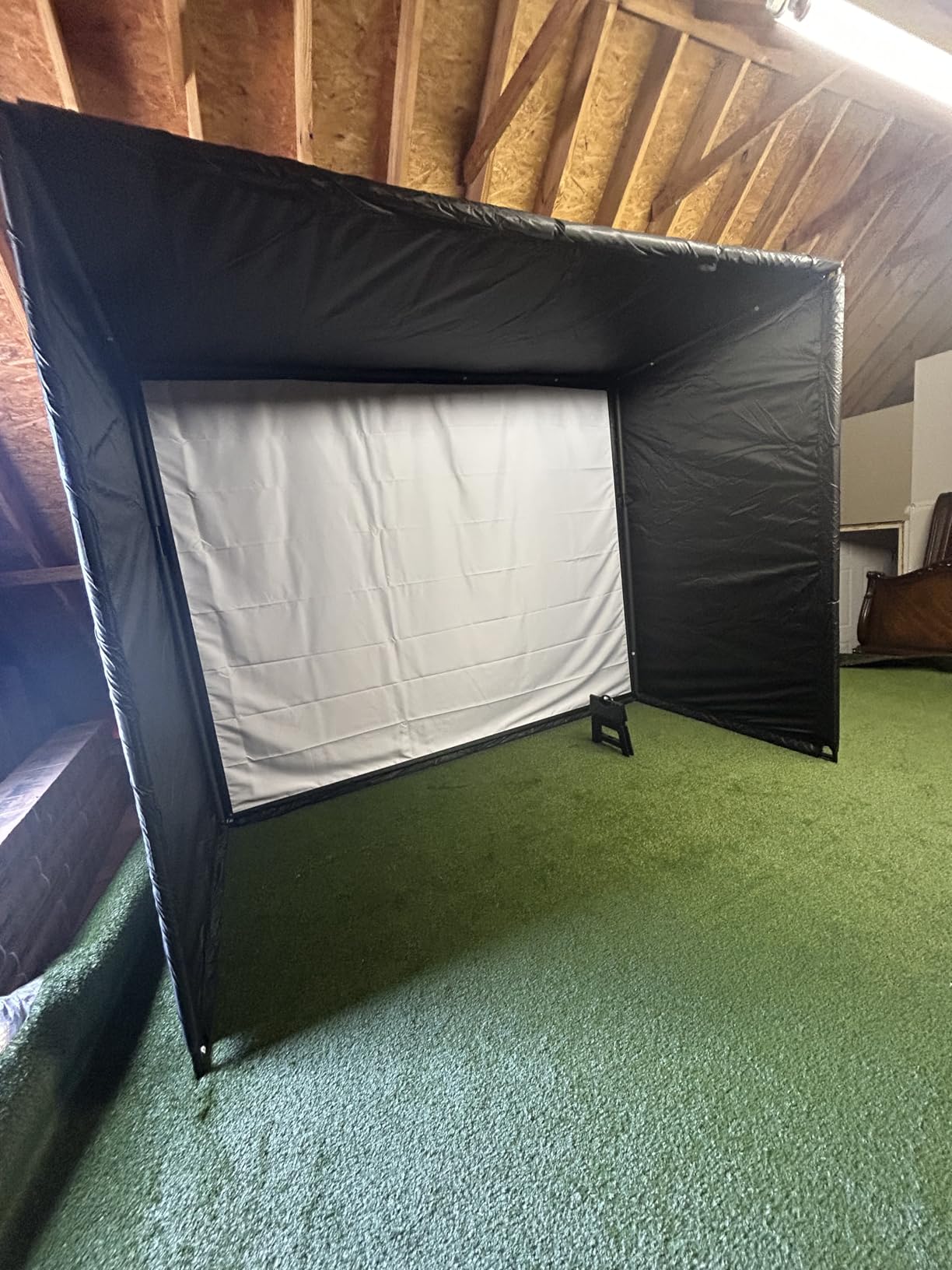
If space is tight, consider portable launch monitors like the Garmin R10 or Rapsodo MLM2PRO that do not require an enclosure or impact screen. You can hit into a net and still get all your data. Pair one of those with some winter golf training mats and you have a solid practice setup in a very compact footprint.
Software and Subscription Costs
This is where the real money adds up over time. Some units like the FlightScope Mevo Gen2, Voice Caddie SC4 PRO, and OptiShot Orbit include software with no subscription fees. Others require monthly or annual payments that can range from $100 to $500+ per year. When you compare total cost of ownership over three years, a $1,500 monitor with a $200 annual subscription ends up costing the same as a $2,100 monitor with no fees.
Think about how often you will actually use the simulator. If you plan to practice daily throughout the winter, subscriptions are worth it. If you will use it occasionally, look for no-fee options or pay-as-you-go models like the Bushnell Launch Pro.
Total Cost of Ownership
Do not just look at the launch monitor price. A complete simulator setup typically includes the launch monitor, a hitting net or enclosure, an impact screen, a projector, a hitting mat, and potentially a PC to run the software. All-inclusive packages like the SkyTrak ST MAX Ultimate Studio Package handle this for you, but if you piece together your own system, costs can creep up quickly.
Budget for lighting too. Most camera-based monitors need good lighting to function properly indoors, which means adding overhead lights to your winter practice space. LED shop lights from a hardware store work fine and cost under $50. You might also want to add some indoor putting greens for winter to round out your practice space and keep your short game sharp alongside your full swing work.
Frequently Asked Questions
Is a home golf simulator worth the investment?
A home golf simulator is worth the investment if you live in a region with long winters and you play golf at least twice a month during the season. Serious golfers who practice consistently throughout the off-season typically see measurable improvement by spring, making the cost comparable to a season of lessons and range buckets. Users on forums like r/golfsimulator report that initial excitement may fade, but long-term value remains high for dedicated players who treat it as a training tool rather than a novelty.
How much does a home golf simulator cost?
Home golf simulators range from about $400 for a basic portable launch monitor like the Garmin Approach R10 up to $6,000 or more for complete studio packages like the SkyTrak ST MAX Ultimate Studio with projector, screen, and enclosure. Most golfers spend between $1,000 and $3,000 for a quality setup that includes a launch monitor, hitting net or screen, and mat. Factor in software subscriptions of $100 to $500 per year for systems that require ongoing payments.
What size room do I need for a golf simulator?
You need a minimum of 10 feet of ceiling height, 12 feet of width, and 12 to 15 feet of depth for a comfortable full-swing simulator setup. A standard two-car garage or a finished basement with 10-foot ceilings works well. For portable launch monitors that use a net instead of an impact screen, you can get by with less space, but you still need enough ceiling clearance for your full driver swing. A 12×12 room is the absolute minimum but will feel tight.
What simulator does Tiger Woods use?
Tiger Woods uses the Full Swing Golf Simulator, which is a professional-grade system found in tour facilities and luxury homes. The consumer version of Full Swing technology is available in the Full Swing Kit, a portable launch monitor that features 5D AI Machine Learning Radar and 16 club and ball metrics. Woods has been a longtime ambassador for the Full Swing brand, and the company’s simulator technology is also used by other tour professionals including Jon Rahm and Dustin Johnson.
How accurate are home golf simulators?
Premium home golf simulators from brands like Garmin, SkyTrak, Uneekor, and Foresight Sports typically deliver accuracy within 2 to 5 percent of professional-grade systems like Trackman. Camera-based monitors tend to be more accurate indoors, while Doppler radar units excel outdoors. The Rapsodo MLM2PRO has been tested within 2 to 3 percent of Trackman readings. Accuracy improves with proper setup, good lighting, and adequate space for the ball to travel before hitting the screen or net.
Final Thoughts on Premium Home Golf Simulators for Winter
Investing in the best premium home golf simulator for winter practice is one of the smartest decisions a serious golfer can make. Instead of losing three to four months of progress every year, you can maintain your swing speed, dial in your distances, and even play virtual rounds at world-famous courses while the snow falls outside. Our top pick, the Garmin Approach R50, delivers the best all-around experience with its built-in touchscreen and massive course library. The SkyTrak ST MAX offers the best balance of accuracy and value, while the Uneekor EYE MINI CORE proves you do not need to spend a fortune to get reliable camera-based data.
Whatever system you choose, the key is committing to consistent practice. The golfers who get the most from their simulators treat them like a gym membership, building regular sessions into their weekly routine all winter long. Pair your simulator with quality indoor golf swing trainers and you will step onto the first tee next spring sharper than you have ever been.