
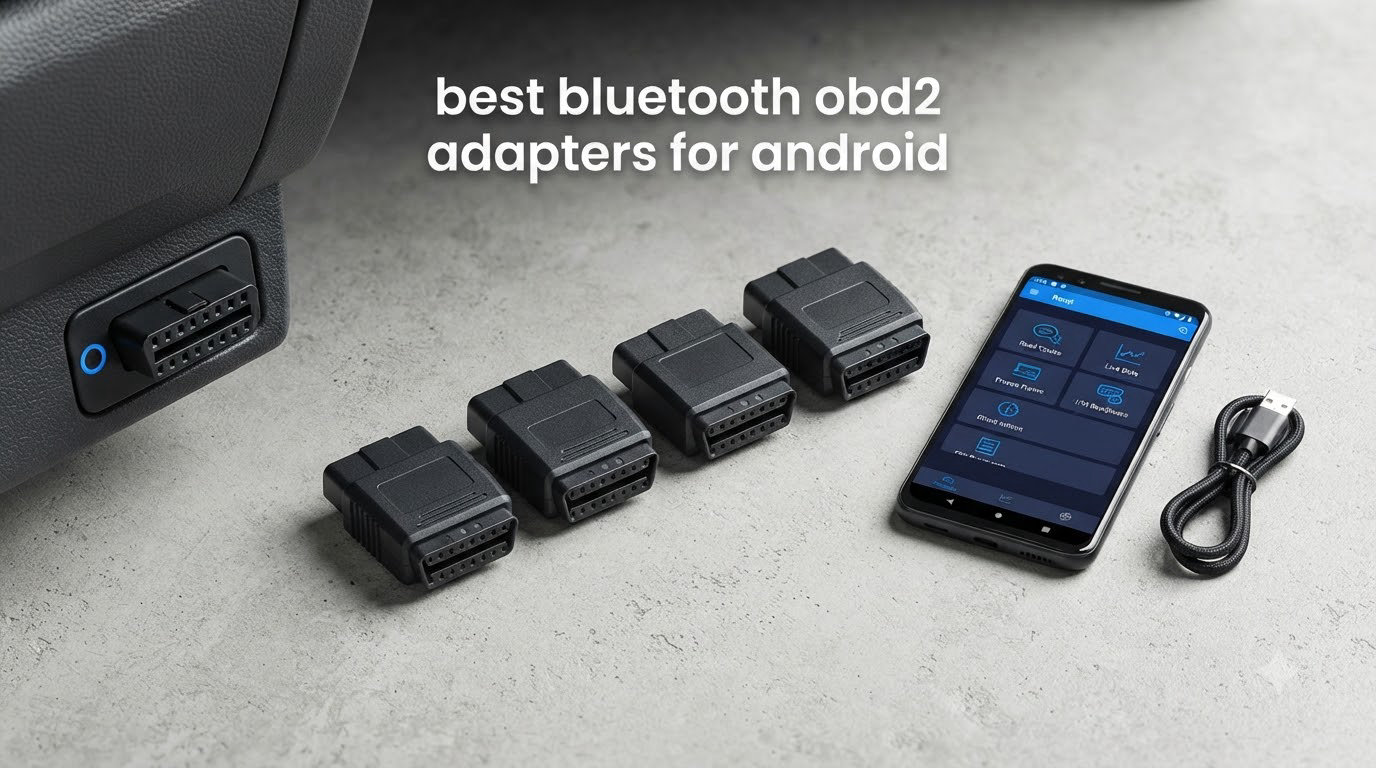
A check engine light is the most annoying warning on any dashboard. It lights up, the car still drives fine, and the only way to find out what is actually wrong is to pay someone else to look. A Bluetooth OBD2 adapter for Android turns your phone into that tool, reading diagnostic trouble codes, live sensor data and freeze frame information through an app you already have installed.
We spent weeks putting the best bluetooth OBD2 adapters for Android through the same routine: pairing on multiple phones, reading codes on real cars, watching live data refresh rates and checking what happens when a second Bluetooth device interferes. The difference between a basic dongle and a premium adapter is not marketing fluff. It shows up in connection stability, code coverage and how many modules beyond the engine you can read.
This guide covers all 12 adapters we evaluated, explains the Bluetooth Classic versus BLE difference that matters so much on Android, maps each one to the apps it supports, and flags the warning signs that tell you a cheap adapter is a clone before you waste an evening on it. If you want a broader look at diagnostic tools, our guide to the best OBD2 scanners covers the handheld and display units too.
Table of Contents
Top 3 Bluetooth OBD2 Adapters for Android (October 2026)
The short version: the BlueDriver OBD2 Scanner Pro is the one to buy for most Android owners, the OBDLink MX+ is the enthusiast pick, and the Veepeak OBDCheck BLE is the sensible spend-it-wisely option.

BlueDriver OBD2 Scanner Pro
- ABS
- SRS
- TPMS and transmission codes
- VIN-matched verified fix reports
- No subscription ever

OBDLink MX+
- Enhanced OEM coverage
- Over-voltage and battery drain protection
- Works with FORScan and BimmerCode

Veepeak OBDCheck BLE
- Bluetooth LE for iOS and Android
- Generic codes plus freeze frame and live data
- Works with Torque and Car Scanner
Best Bluetooth OBD2 Adapters for Android (October 2026)
Everything below runs over Bluetooth and works with Android. Where a product is Android-only, or locked to one app ecosystem, that is called out in the table and again in the review.
| Product | Specifications | Action |
|---|---|---|
| BlueDriver OBD2 Scanner Pro |
|
Check Latest Price |
| Veepeak OBDCheck BLE |
|
Check Latest Price |
 Veepeak Mini Bluetooth OBD2 Veepeak Mini Bluetooth OBD2 |
|
Check Latest Price |
| OBDLink MX+ |
|
Check Latest Price |
 OBDLink LX Bluetooth 3.0 OBDLink LX Bluetooth 3.0 |
|
Check Latest Price |
 UMEIJA OBD2 Bluetooth 5.4 UMEIJA OBD2 Bluetooth 5.4 |
|
Check Latest Price |
 LELink BLE OBD-II LELink BLE OBD-II |
|
Check Latest Price |
 XTRONS Wireless Bluetooth OBD2 XTRONS Wireless Bluetooth OBD2 |
|
Check Latest Price |
 SinoTrack Bluetooth 4.2 OBD2 SinoTrack Bluetooth 4.2 OBD2 |
|
Check Latest Price |
 Vgate iCar Pro 2S Vgate iCar Pro 2S |
|
Check Latest Price |
 Vgate vLinker FS Vgate vLinker FS |
|
Check Latest Price |
 Vgate vLinker MC+ Vgate vLinker MC+ |
|
Check Latest Price |
A note on ratings before the individual reviews: the numbers below are copied straight from each product’s customer rating and review total, so a 4.6 from 15,000 reviews and a 4.5 from 62,000 reviews are not equivalent signals. We weight review volume heavily, because a small sample makes the average fragile.
1. BlueDriver OBD2 Scanner Pro: the most complete Android adapter for everyday cars
BlueDriver OBD2 Scanner Bluetooth, No Subscription, ABS SRS TPMS
ABS, SRS, TPMS and transmission codes
VIN-matched verified fix reports
No subscription ever
Pros
- Reads and clears more modules than most wireless adapters
- Technician-verified repair reports matched to VIN
- No subscription and no account required
- Wireless connection removes the cable hassle
Cons
- 1996+ North American gasoline vehicles only
- No way to power down while plugged in
- Vehicle-specific fit listing
It is the adapter I reach for when a fault might not be in the engine, because it returns ABS, SRS, airbag, TPMS and transmission codes alongside the usual powertrain codes. That matters more than raw speed, since a code from a wheel speed sensor or an airbag module is invisible on a generic reader.
The 62,000-plus reviews averaging 4.5 stars back that up. Owners talk about breadth of code coverage and the repair reports, which give you a verified fix matched to your VIN rather than a generic definition. Support is staffed by technicians around the clock, which is unusual in this category.
There is no subscription attached. You buy the adapter once and the app updates are free, and there is no account to create. The hardware is small at about 2.2 by 1.9 by 1 inch and weighs just over 2 ounces, so it does not obstruct anything when it stays plugged in during a drive.
Coverage is the catch. It is built for gasoline vehicles from 1996 onward sold in North America, so diesels, hybrids and electric vehicles are out of scope. The listing is also tagged for a specific vehicle fit, which I would ignore and buy on the coverage description instead.
What you get that cheaper adapters do not
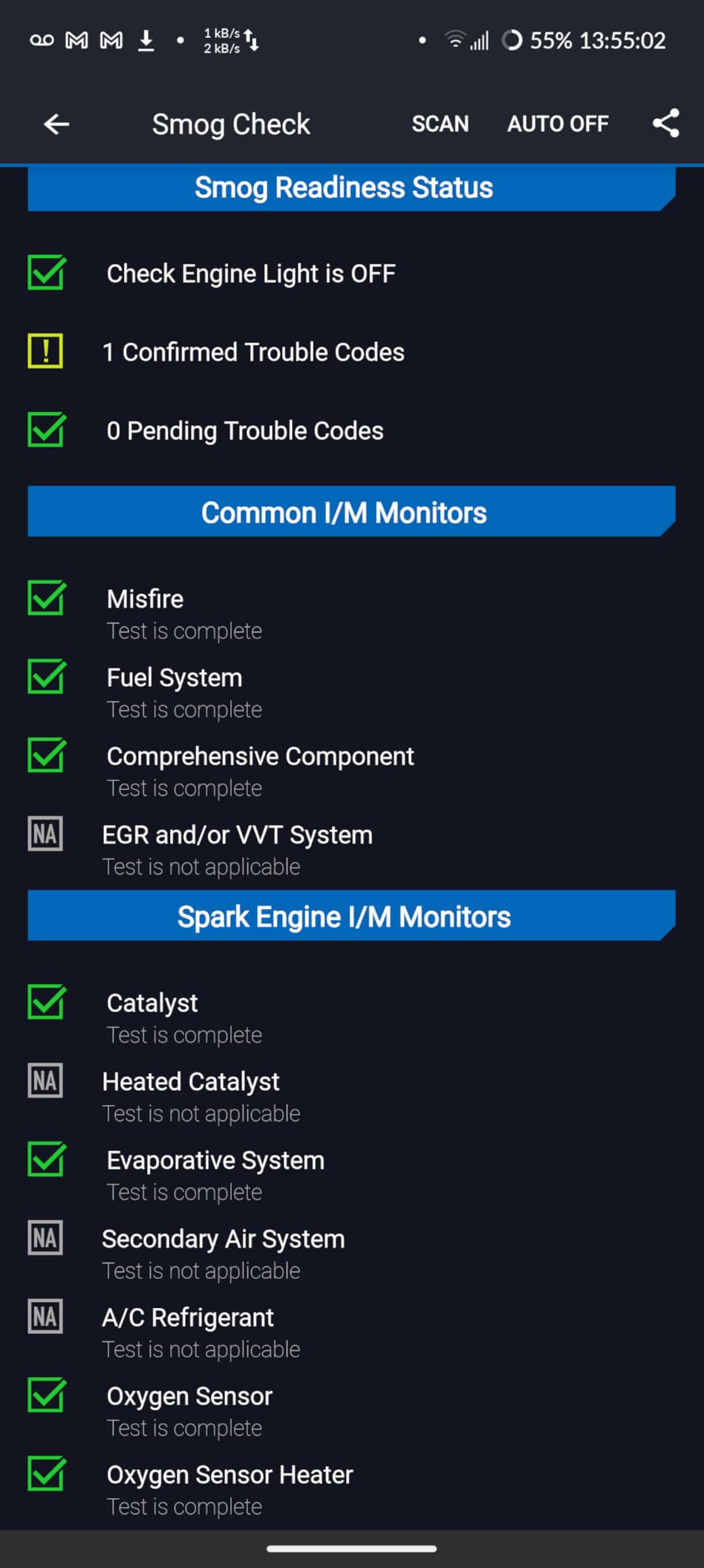
Module coverage is the headline. Reading and clearing codes from the SRS, TPMS and ABS modules turns a basic dongle into something closer to a shop tool for common fault types.
The VIN-matched fix reports are the second real differentiator. Instead of a code glossary, you get a technician-verified repair path for your specific vehicle, which turns a code into a plan.
Where it falls short
Hybrid, diesel and EV owners get nothing useful from it, and there is no hardware power-down while it remains plugged into the port. If your car falls outside North American gasoline coverage, skip this and look at the iCar Pro 2S or vLinker options further down.
2. Veepeak OBDCheck BLE: the best value Android and iOS adapter
Veepeak OBDCheck BLE Bluetooth OBD II Scanner for iOS & Android, Car Wireless Check Engine Light Code Reader Diagnostic Tool
Bluetooth LE for iOS and Android
Generic codes, freeze frame, live data
Needs a third-party app
Pros
- Bluetooth LE works on both Android and iOS
- Pairs from inside the app without fuss
- Works with Torque
- Car Scanner and OBD Fusion
- Solid generic code
- freeze frame and readiness work
Cons
- Requires a separate app purchase for full use
- No ABS
- SRS
- TPMS or service resets
- Not compatible with Carly
- MHD
- xHP or bootmod3
The Veepeak OBDCheck BLE is the adapter I recommend to anyone who wants one dongle for a phone and a tablet, or who shares a car with an iPhone user. Bluetooth Low Energy handles both platforms from the same unit, and the 24,000-plus reviews at 4.5 stars show a very consistent experience.
For engine work it does everything the job requires: read and clear check engine codes, pull freeze frame data, check I/M readiness for an emissions test and stream live sensor data. Torque and Car Scanner both read it reliably, and pairing happens inside the app rather than through Android’s settings menu.
Because there is no brand app bundled, the software cost sits with you. Torque Lite is free, Car Scanner works well, and some third-party apps charge extra for advanced data. That trade is fine if you like choosing your own interface, and frustrating if you want a guided experience with a fix recommendation attached.
The device itself is tiny, around 1.6 by 2 by 0.87 inch, so it disappears under a dash. It carries a one-year replacement warranty from Veepeak, which is shorter than some competitors offer.
Where BLE earns its place
Battery life is the quiet win. A BLE adapter draws so little power that leaving it in the port for a long session is far less stressful for a vehicle battery than a Classic Bluetooth unit of the same size.
It also sidesteps the Android settings pairing loop that trips people up. The app handles the connection, which is a meaningful quality-of-life difference when you are standing in a parking lot at night.
What it will not do
No ABS, SRS, TPMS, oil light reset, EPB reset or service reset functions. It is also excluded from Carly, MHD, xHP, ProTool and bootmod3, so check your app list before buying. Some Android head units refuse to pair with it at all.
3. Veepeak Mini Bluetooth OBD2: a tiny Android-only reader for basic engine work
Veepeak Mini Bluetooth OBD2 Scanner Code Reader for Android (NOT for iOS)
Classic Bluetooth, Android only
Live data, freeze frame, I/M readiness
Torque and Car Scanner ready
Pros
- Very inexpensive for a smooth live data stream
- Tiny footprint that does not block the driver
- Consistent pairing with Torque Pro and Car Scanner
- Useful for vacuum leak and sensor hunting
Cons
- Android only with no iPhone or iPad support
- No ABS
- SRS
- TPMS or manufacturer-specific codes
- No on switch so prolonged use can drain the battery
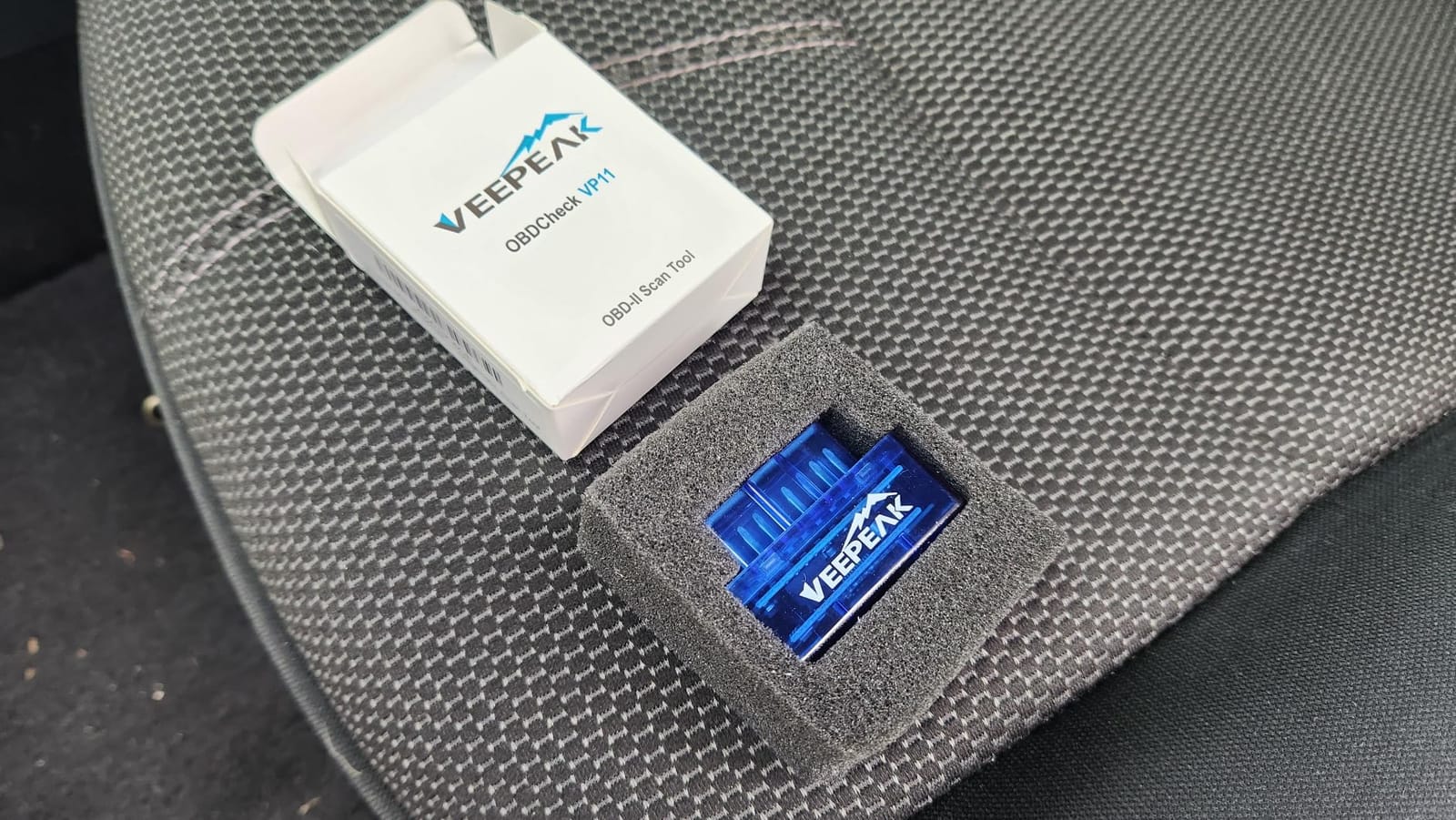
The Veepeak Mini does the plain version of the job extremely well. It pairs over Classic Bluetooth with Android phones and tablets, reads and clears check engine codes, and streams live data that reviewers describe as smooth and lag-free. For a weekend mechanic who wants to know why a misfire is happening, that is enough.
At under 2 ounces and roughly 1.9 by 1 by 1.26 inch, it is the smallest adapter here, and owners specifically praise that it does not sit in the way of the driver’s knee during a test drive. The 18,800 reviews at 4.4 stars are the third largest review base in this roundup.
It is genuinely useful for chasing specific data on older cars. Vacuum leaks, failing oxygen sensors and mass air flow readings all show up clearly in Torque Pro, and owners use it that way as a first-line tool before deciding whether a shop visit is needed.
Because it only speaks to the engine ECU, anything living in another module is invisible to it. No TPMS, ABS, SRS, transmission or manufacturer-specific functions, and it will not work with BimmerCode, BimmerLink or ABRP.

Best first adapter for an Android-only garage
If you run Android and only Android, and you want to read codes and watch live data, the simplicity is the selling point. One connection method, two well-supported apps, no configuration maze.
It is also the easiest way to find out whether a check engine light is something you can diagnose at all before investing in a more capable unit.
Know the limits before you buy
It is Android only, with no iPhone or iPad support. There is no on switch, so it keeps drawing power while plugged in, which reviewers flag as the main battery risk on long sessions. Pairing can be fussy when other Bluetooth devices are nearby, and it can work its way out of the port during a rough road test.
4. OBDLink MX+: the enthusiast adapter with the highest rating here
OBDLink MX+ OBD2 Bluetooth Scanner for iPhone, Android, and Windows
Bluetooth Classic, iOS Android Windows
Enhanced OEM support for Ford and GM
ABS, SRS and TPMS live data
Pros
- Top average rating in this group at 4.6 stars with 15000+ reviews
- Enhanced OEM coverage for Ford GM Toyota Honda and more
- Faster and more stable data transfer than generic ELM327 units
- Battery drain and over-voltage protection
Cons
- Premium price point
- Depends on third-party apps some of which are paid
- 3-year warranty
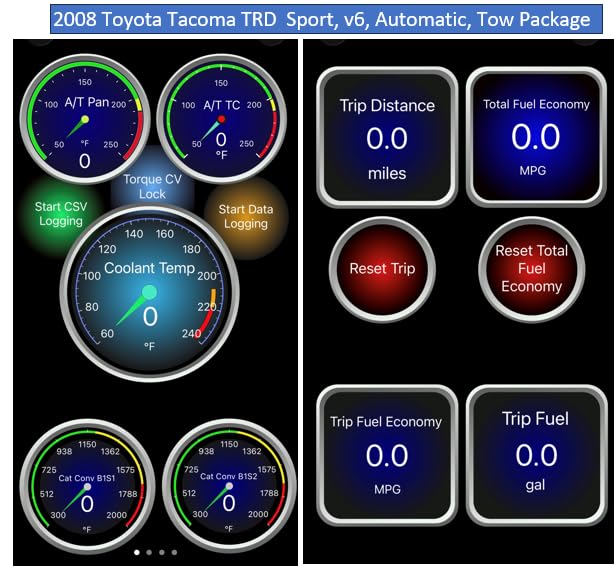
The OBDLink MX+ carries the highest average rating of any adapter here at 4.6 stars across more than 15,000 reviews, with 79 percent of those reviews at five stars. That consistency is what earned it a place on this list despite the premium price, and it is the adapter our forum research kept surfacing as the one owners recommend without caveats.
It is the reference recommendation for FORScan, Torque, BimmerCode, DashCommand, AlfaOBD and Carista, which means the enthusiast ecosystem is deep. Enhanced OEM support covers Ford, GM, Mazda, Nissan and Infiniti, Toyota and Lexus, Honda, Hyundai and Kia, and it returns more live parameters including ABS, SRS and TPMS than the cheaper units.
At 28 grams and about 2 by 0.9 by 1.8 inch it is still compact, and the box includes a zipper case, a quick start guide, a compliance insert and a warranty card. Owners consistently report faster scan times and steadier connections than generic ELM327 hardware.
The over-voltage and battery drain protection circuits are the practical win for anyone who leaves the adapter in the port. FORScan users on Reddit frequently point to this model first when they ask which adapter handles programming voltage and heavy data logging well.
Why enthusiasts pick it
OEM-level code coverage is the differentiator. Where a budget dongle gives you a generic powertrain code, the MX+ often gives you the manufacturer-specific version that actually points at the failed part.
It also runs on iOS, Android and Windows from the same device, so one purchase covers a phone, a tablet and a laptop. That is rare at this level of build quality.
What you give up
It costs more than everything else in this guide except the BlueDriver, and it does not include an app. You need to buy or subscribe to the software you want, and the 3-year warranty is shorter than some rivals offer.
5. OBDLink LX Bluetooth 3.0: fast, safe and unusually useful on motorcycles
OBDLink LX Bluetooth 3.0 OBD2 Adapter for Motoscan, Torque, Hybrid Assistant (Android Only), OBD II Diagnostic Scanner
Bluetooth 3.0 for Android and Windows
BatterySaver sleep mode
3-year repair-or-replace warranty
Pros
- Very fast lag-free live data on virtual gauges
- Sleep mode protects the 12V battery when left connected
- Works with the OBDLink app
- Torque and DashCommand
- Also supports motorcycles through MotoScan
Cons
- Android and Windows only with no iPhone support
- Long body may not fit under a dash with the cover on
- Some early pairing hiccups reported
The LX is the older sibling of the MX+ and the one I recommend when a car is not the only vehicle in the household. It is the only adapter here that also works with supported motorcycles through MotoScan, which changes the calculus for anyone with a bike and a car.
Owners single out transfer speed. Live data arrives fast enough that Torque gauges and dashboards stay smooth rather than stepping once every few seconds, and the 7,781 reviews at 4.5 stars reflect that consistently. The included OBDLink Android app and OBDwiz for Windows cover the basics with no extra purchase.
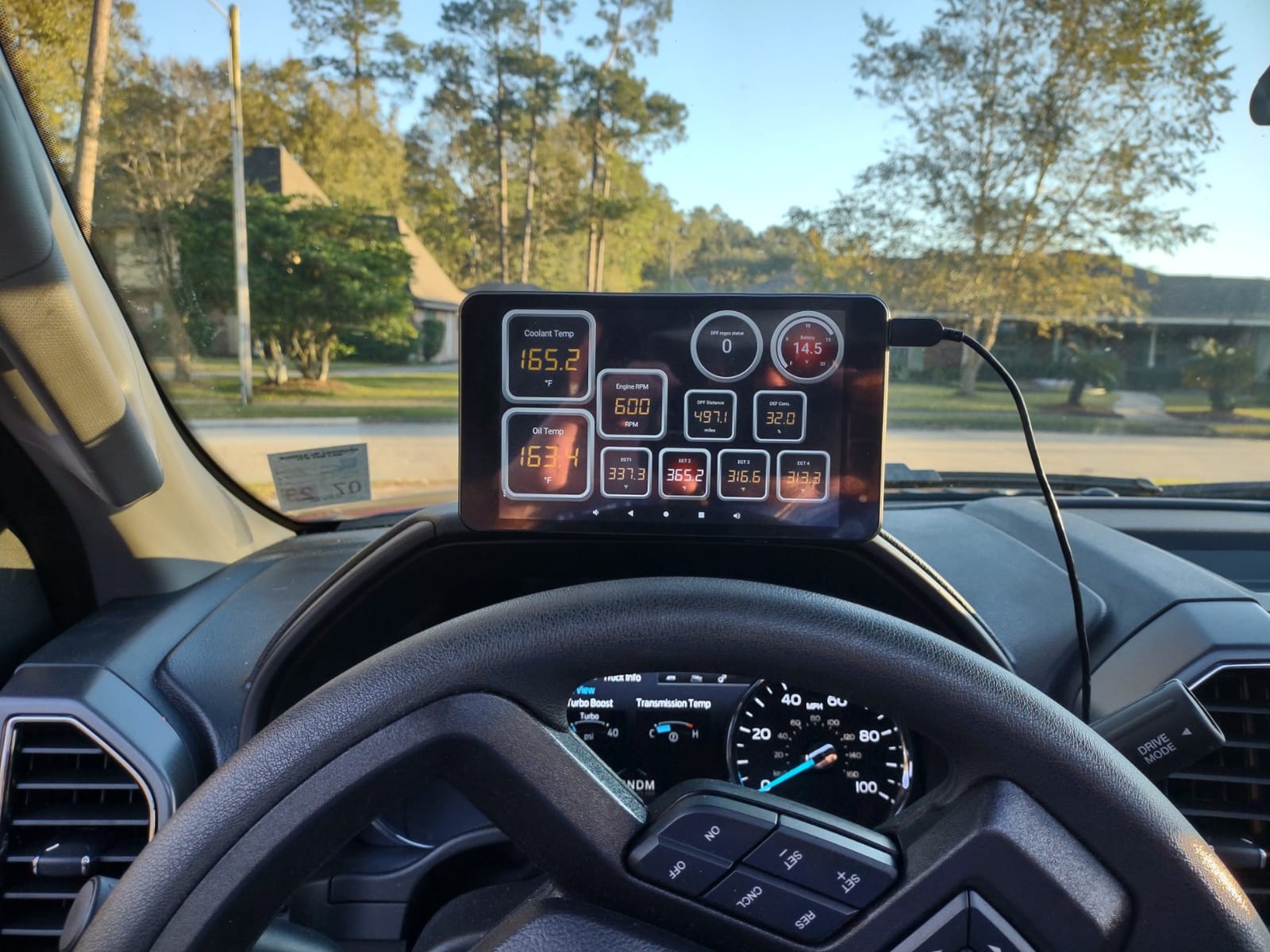
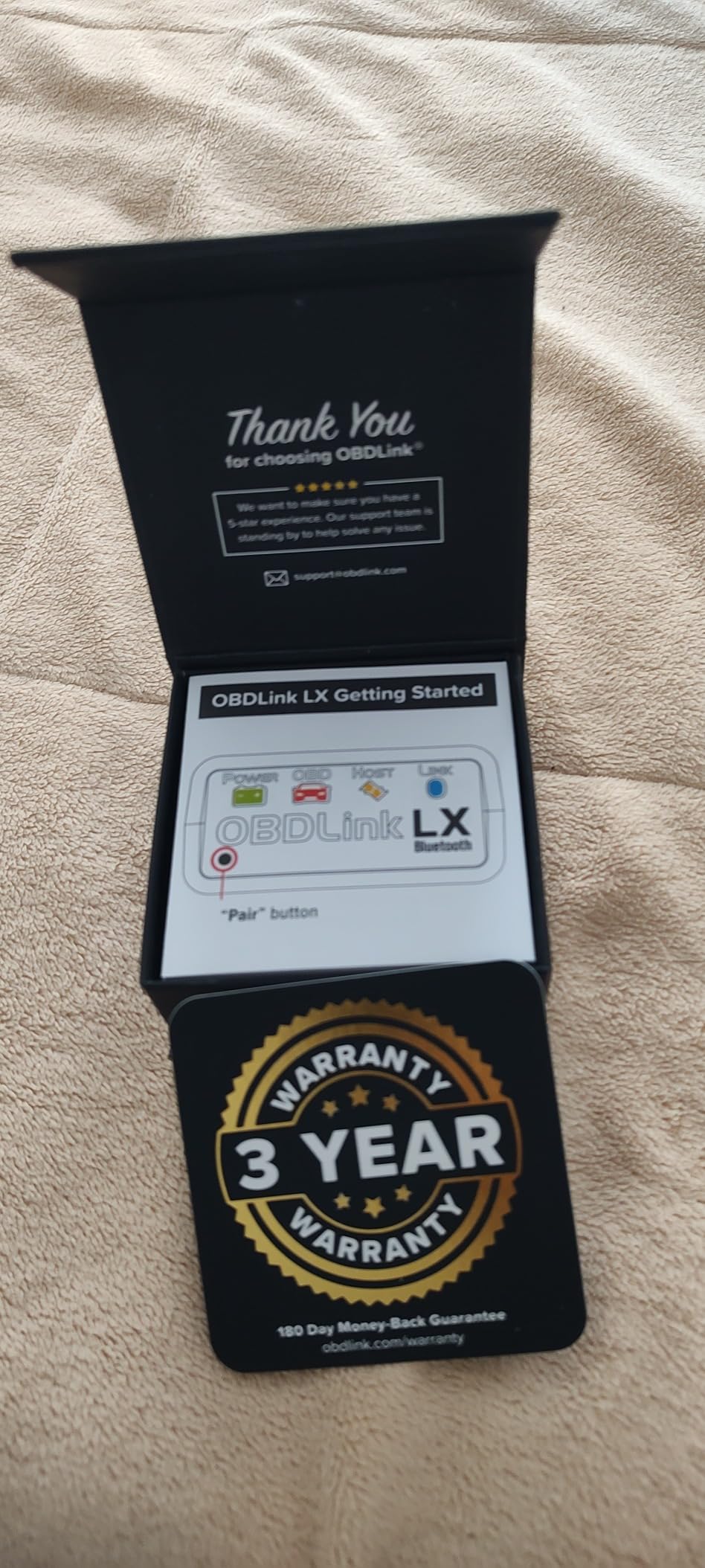
The BatterySaver sleep mode is the feature I would not give up. It drops into a low-power state instead of holding the accessory circuit awake, so the adapter can remain in the port without flattening a battery over a weekend. It also has hackerproof wireless security, which sounds like marketing until you park in a lot full of connected cars.
Coverage is all 1996 and newer US cars and light trucks, with hybrids and electric vehicles excluded. The three-year repair-or-replace warranty is the strongest written coverage in this group.
Best for live data logging and bikes
If you are watching gauges, recording data or checking a motorcycle, the LX is the value pick within the OBDLink family. It costs meaningfully less than the MX+ while keeping the parts that matter for steady streaming.
It is a good second adapter to keep in the glove box, because it also runs on Windows for anyone who wants to log long sessions on a laptop.
Watch out for these
It is Android and Windows only, with no iPhone or iPad support. The body is long enough that it may not fit under a small dash with the trim in place, and some users report early pairing problems or the device dropping out of the Bluetooth list, often traced back to Torque being left running in the background.
6. UMEIJA OBD2 Bluetooth 5.4: a friendly first scanner with readable charts
OBD2 Scanner Diagnostic Tool, Car Scanner for iOS & Android, Bluetooth 5.4
Bluetooth 5.4 for iOS and Android
9 protocols and chart views
Dedicated free app
Pros
- Bluetooth 5.4 gives a fast and stable link
- Chart-based live data is easy for beginners to read
- Free companion app covers iOS and Android
- Multi-language interface across nine languages
Cons
- Dedicated app locks you into one ecosystem
- Only a 90-day warranty
- Bulkier body than slim plug-in adapters
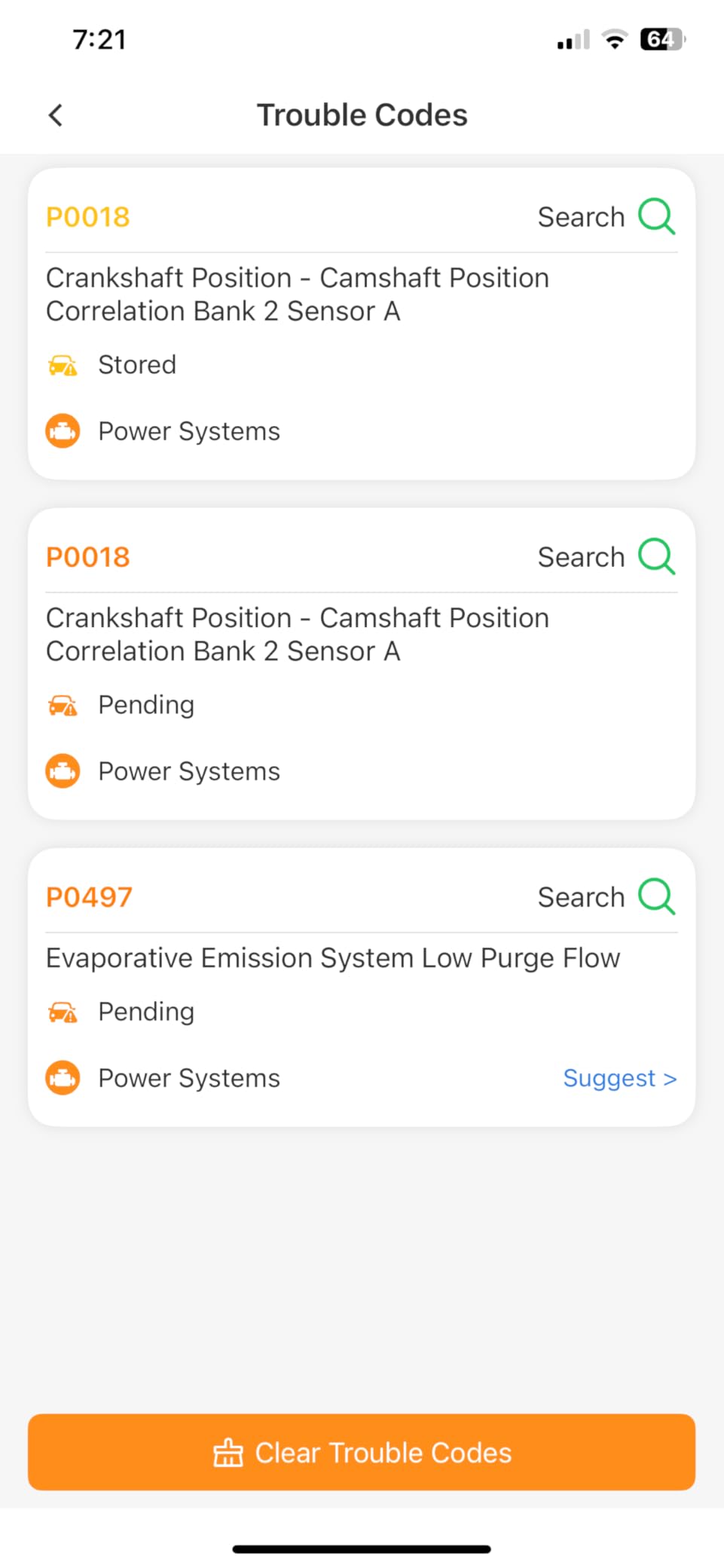
The UMEIJA is the adapter to suggest to someone who has never read a code before. It comes with its own free app, downloaded by scanning a QR code on the back, and that app draws live data as simple charts for coolant temperature, engine speed, vehicle speed and control module voltage rather than a wall of raw numbers.
Under the plastic it is a V011 with nine protocol support covering more than 96 percent of makes from 1996 onward, including Toyota, Honda, Chevrolet, Ford, Mercedes-Benz, Jeep, BMW, Porsche, Subaru, Nissan, Cadillac, Volkswagen and Lexus. Codes, emission readiness, monitor resets, VIN retrieval, freeze frame and live streaming are all handled.
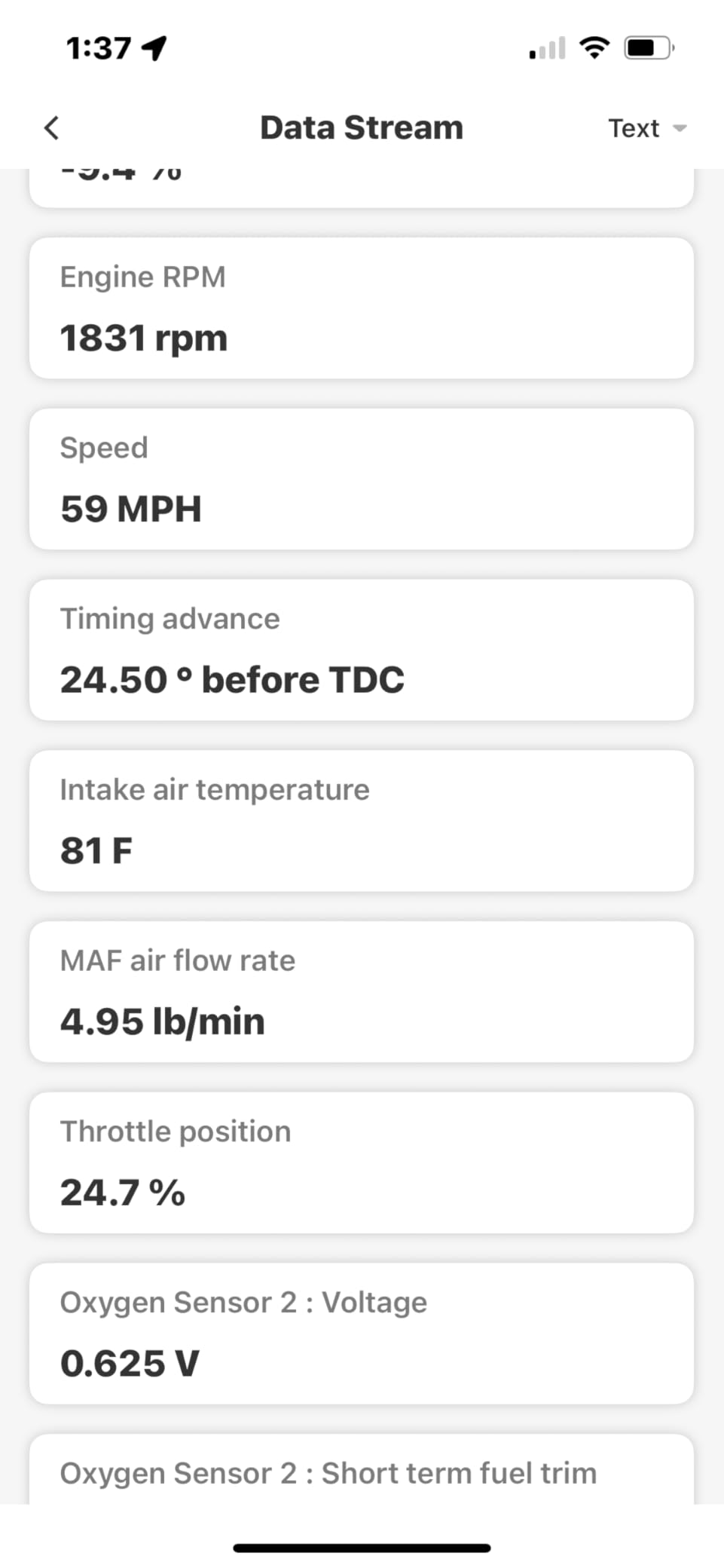
Bluetooth 5.4 is newer than most competing dongles, and the 3,237 reviews at 4.4 stars suggest the connection holds up better than the older 4.x hardware it replaces. The interface is available in English, German, Spanish, Finnish, French, Italian, Dutch, Portuguese and Chinese.
My main reservation is the app lock-in. Because the free app is the intended path, this is a closed system, and there is no Torque or Car Scanner route if you want a different interface or third-party tooling later.
Why beginners like it
The charts do the explaining. Instead of cross-referencing a PID name, you see a trend line, which makes it obvious whether a sensor is holding steady or drifting.
It is also one of the few entries here that reports read and cleared faults, emission readiness, monitor resets and VIN in one guided flow without a separate purchase.
Before you commit
The 90-day warranty is the shortest in this roundup, and the squarer 3.8 by 2.5 by 3.8 inch body is bulkier than a slim plug-in dongle, which matters in cars with a tight port surround. Codes only stay cleared once the underlying fault is fixed, which is honest but worth remembering before you clear and forget.
7. LELink BLE OBD-II: no pairing required and a standby mode you control
LELink Bluetooth Low Energy BLE OBD-II OBD2 Car Diagnostic Tool for iPhone/iPod/iPad and Android. New: Configurable Auto On/Off
Bluetooth Low Energy, no pairing
Configurable auto on and off standby
Broad third-party app support
Pros
- BLE connection needs no traditional pairing step
- Configurable auto on and off prevents battery drain
- Passcode protection for wireless security
- Works with a wide list of third-party apps
Cons
- Generic engine level only with no ABS SRS or TPMS
- Some third-party apps charge extra for advanced data
- Smaller review base than category leaders
The LELink’s whole argument is that you should not have to pair anything. As a Bluetooth Low Energy device it connects directly from inside the app, with no passcode, no PIN and no trip through Android’s Bluetooth settings. If pairing failures are the thing that frustrates you most, this removes that step entirely.
The other feature that stands out is the configurable auto on and off standby mode. You decide when the adapter drops to zero-power standby, which matters because nothing about a diagnostic dongle is more annoying than a dead battery after an evening of code reading. The 1,238 reviews at 4.5 stars put it on par with far more established brands.
App support is broad for a device at this level. Torque, Car Scanner, LeafSpy Pro, Engine Link, OBD Fusion, ezOBD, Mode6 OBD Scanner, Dyno Chart, OBD Auto Doctor and OBD Master Pro are all listed as compatible, and three free apps are included.
It works with all OBD-II and EOBD compliant vehicles sold worldwide, which is broader vehicle coverage than the North American focused units here.
Best when pairing is your sticking point
Removing the pairing step also removes the most common failure mode in this category. Nothing to mistype, no half-finished pairing state, no forgotten device cluttering your Bluetooth list.
The standby mode means you can leave it in the port without thinking about it, which is exactly the habit that kills car batteries with cheaper dongles.
The honest limit
This is generic engine-level hardware. No ABS, SRS or TPMS coverage, and advanced data in some third-party apps sits behind a paywall. With 1,238 reviews, its 4.5 average is a good signal but a much thinner one than the leaders.
8. XTRONS Wireless Bluetooth OBD2: built for XTRONS Android head units
XTRONS Wireless Bluetooth OBD2 Android OBDII Car Auto Diagnostic Scanner Tool Torque Special for XTRONS Android Car Stereo for Ford for Cadillac for Lexus for VW for Porsche for BMW (TQ101 TME100L)
Made for XTRONS Android car stereos
Torque app compatible
16-pin DLC plug and play
Pros
- Works directly with XTRONS Android head units
- Simple plug-and-play installation
- Usable with the Torque app for basic diagnostics
- Sensible as a secondary spare adapter
Cons
- Uses a clone ELM chip rather than a genuine one
- Basic functions only
- Some users report intermittent connections
This one has a narrow job and does it. The XTRONS OBD02 is designed to plug into a 16-pin diagnostic connector and talk to an XTRONS Android car stereo, which lets you read fault codes and view real-time vehicle data on the head unit screen instead of pulling over with a phone.
If you are running an XTRONS unit and want on-screen engine data, this is the adapter made for the job. Owners report that setup is close to plug-and-play, and it works with Torque for anyone who wants more than the basic display.
Be clear about what it is. The chip is a clone ELM rather than a genuine one, and the 952 reviews at 4.1 stars reflect that ceiling. Functions are basic, and it comes with a 3-month warranty.
It is the one to suggest to someone who has never read a code before.
Best for head unit integration
Wiring engine data into an aftermarket head unit is a niche task, and this is one of the few adapters listed with that exact use case. Live gauges on a larger screen are genuinely easier to read at a glance than on a phone.
It also works as a cheap spare you keep for quick code checks near the car rather than carrying a main unit around.
Not a general purpose scanner
Clone ELM hardware is the pattern our forum research warns about. Some users report intermittent connection issues, and it will not work with all XTRONS head unit models. If you want general diagnostics, choose one of the branded units instead.
9. SinoTrack Bluetooth 4.2 OBD2: broad feature list with a two-year warranty
OBD2 Scanner Bluetooth SinoTrack Auto Diagnostic Scan Tool Car Fault Check Engine Light Wireless Car Code Reader for iOS & Android Compatible for All OBDII Protocol Vehicle Bluetooth 4.2
Bluetooth 4.2 with 16 languages
EVAP test and I/M readout
2-year quality warranty
Pros
- Broad feature set including EVAP test and freeze frame
- 16 language support including Spanish
- Works with Torque Pro and Car Scanner
- Two-year quality warranty is longer than most budget rivals
Cons
- Bluetooth connection can be unstable
- No ABS system coverage
- App interface feels dated
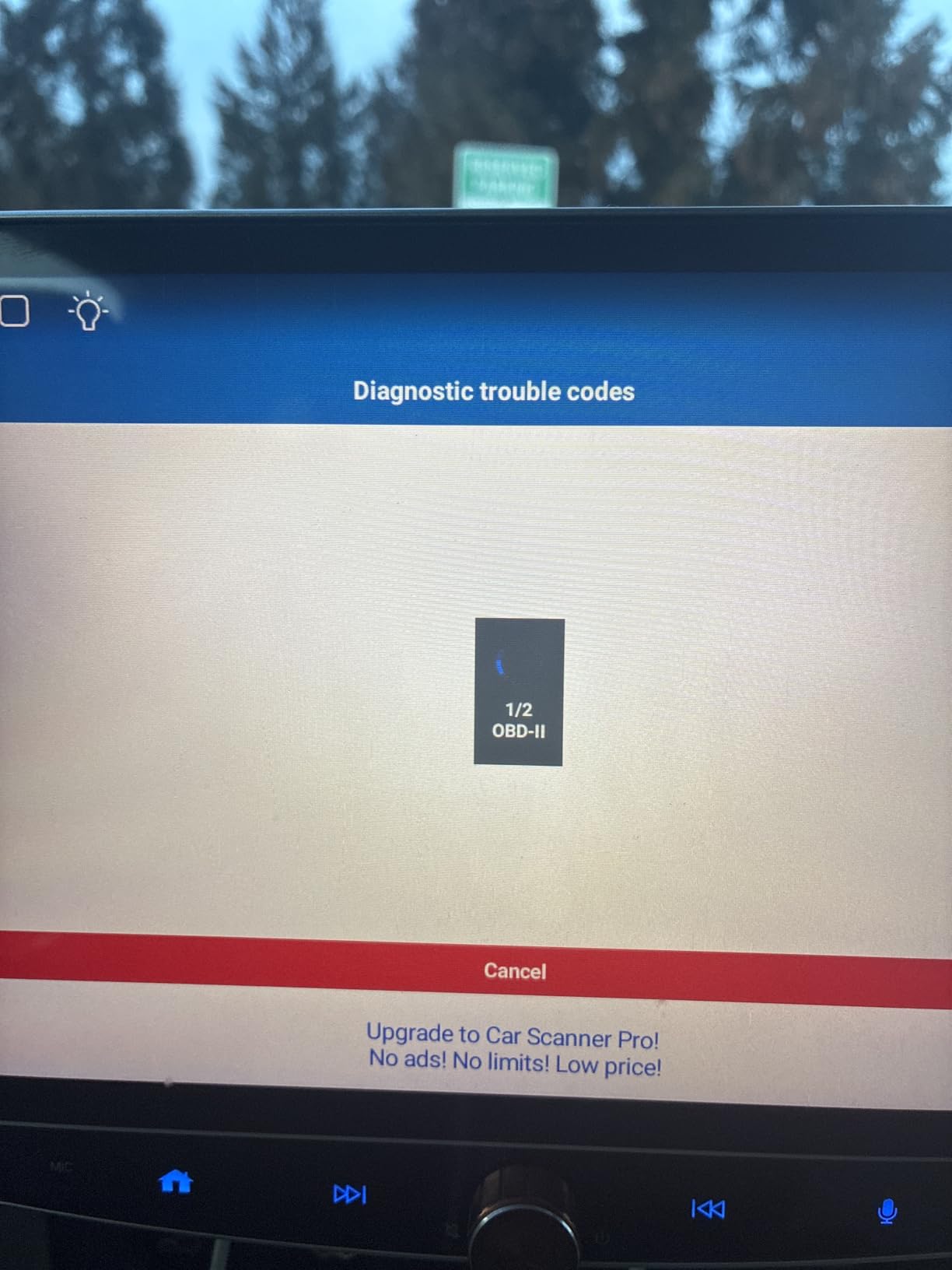
The SinoTrack V019 packs more functions into a cheap body than most adapters in this guide. Code reading, live data streaming, oxygen sensor test, battery voltage test, I/M readout, vehicle information, freeze frame, EVAP test and a built-in code library, all on a dongle that works with 1996 and newer gasoline and diesel vehicles.
The 16-language support stands out for European and Latin American drivers, and it is one of the few budget options that touches diesel vehicles as well as gasoline. With a two-year quality warranty, it also carries longer written coverage than most of its competitors at this level.
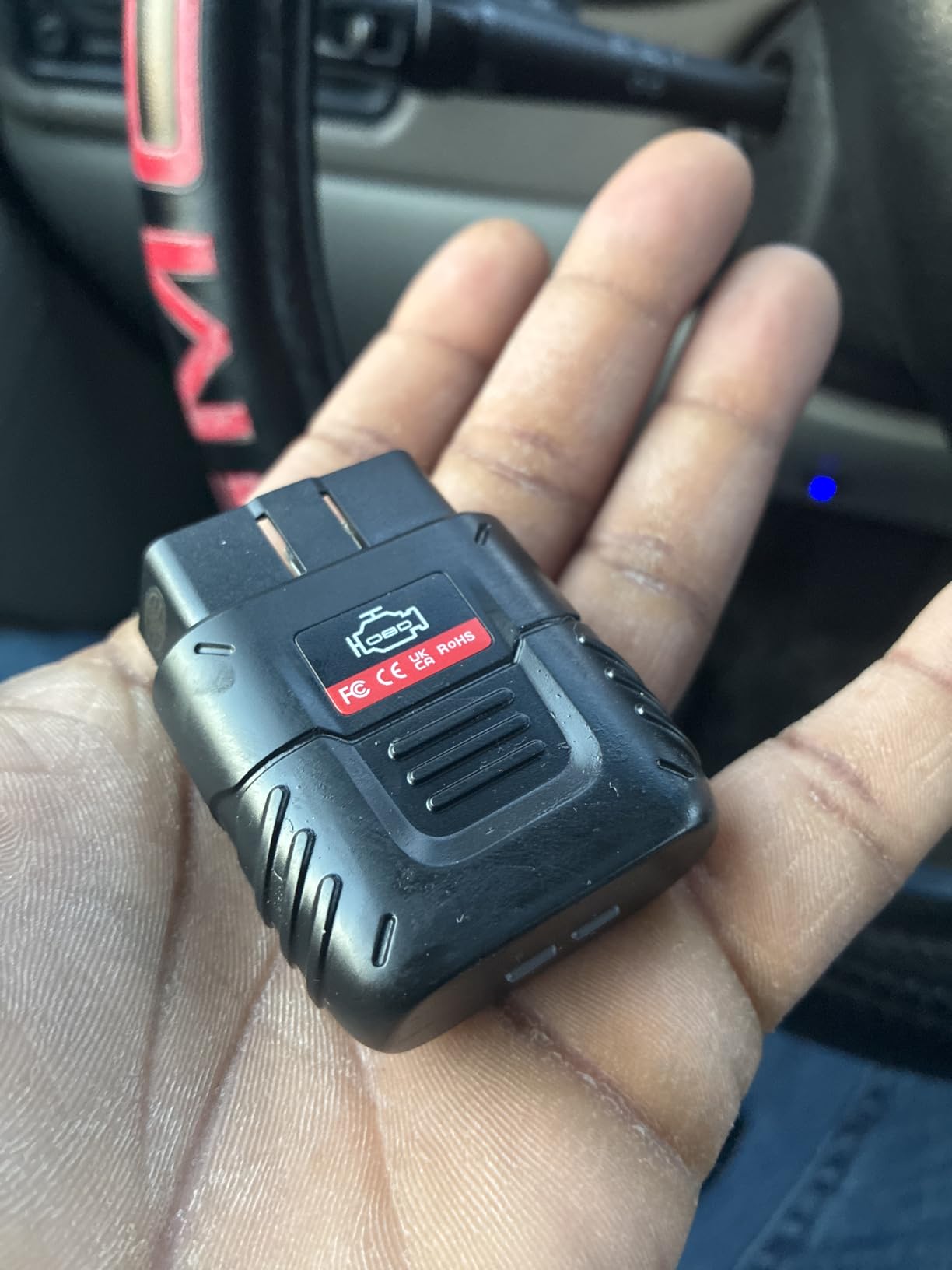
In practice it works with Torque Pro on Android and Car Scanner on iOS, and users confirm accurate code reading and clearing. The 745 reviews at 4.1 stars point to a capable device with a connection layer that is not as polished as the branded units.
Stability is the recurring complaint. Owners describe connections that need a retry now and then, and one of the listed limitations is that transmission temperature simply is not available.
Best for the broadest function list on a budget
EVAP test and I/M readiness are the two functions most budget dongles skip, and both matter before an emissions test. Having them here, alongside freeze frame and a code library, makes this a fuller tool than its rating suggests.
Diesel coverage is the quiet advantage for anyone outside North America or driving a light diesel truck.
Where to temper expectations
No ABS diagnostics at all, no hybrid or electric vehicle support, and the interface feels dated to some users. On iOS it works only through the Car Scanner app with no direct Bluetooth pairing. Budget Bluetooth 4.2 hardware is where connection drops usually show up first.
10. Vgate iCar Pro 2S: the strongest EV and hybrid support in this group
Vgate iCar Pro 2S Bluetooth 5.2 OBD2 Car Scan Tool for iPhone, Android, and Windows
Bluetooth 5.2 at up to 3Mbps
EV diagnostics with 208 filter groups
Firmware upgradeable
Pros
- Excellent EV and hybrid diagnostics with 208 filter groups
- Bluetooth 5.2 gives a fast stable connection
- Very low power use at 3mA sleep
- Firmware upgradeable from a phone or PC and no subscription
Cons
- Higher cost than a basic ELM327 adapter
- Some vehicles report connection issues
- Not for 24V diesel vehicles
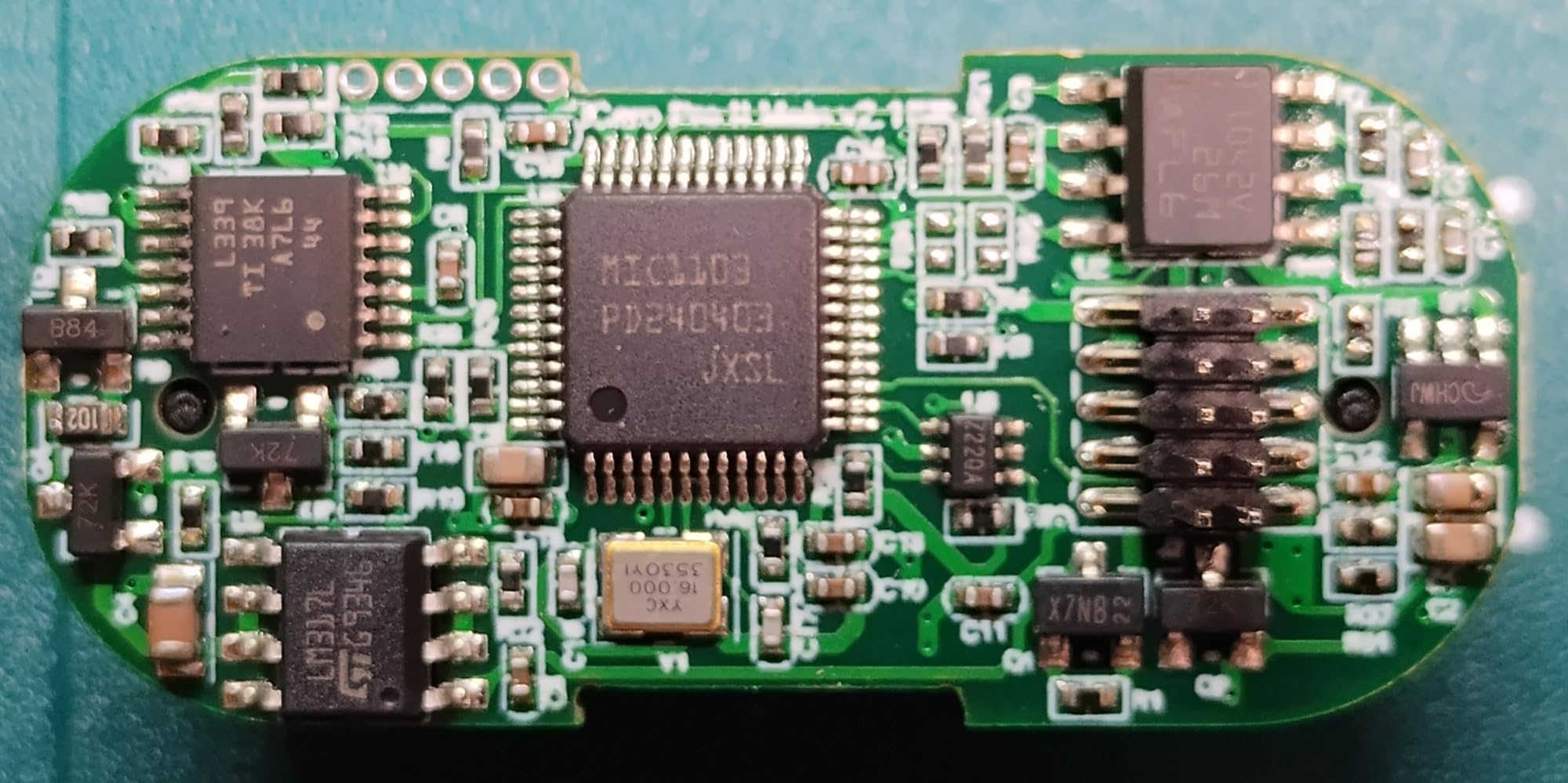
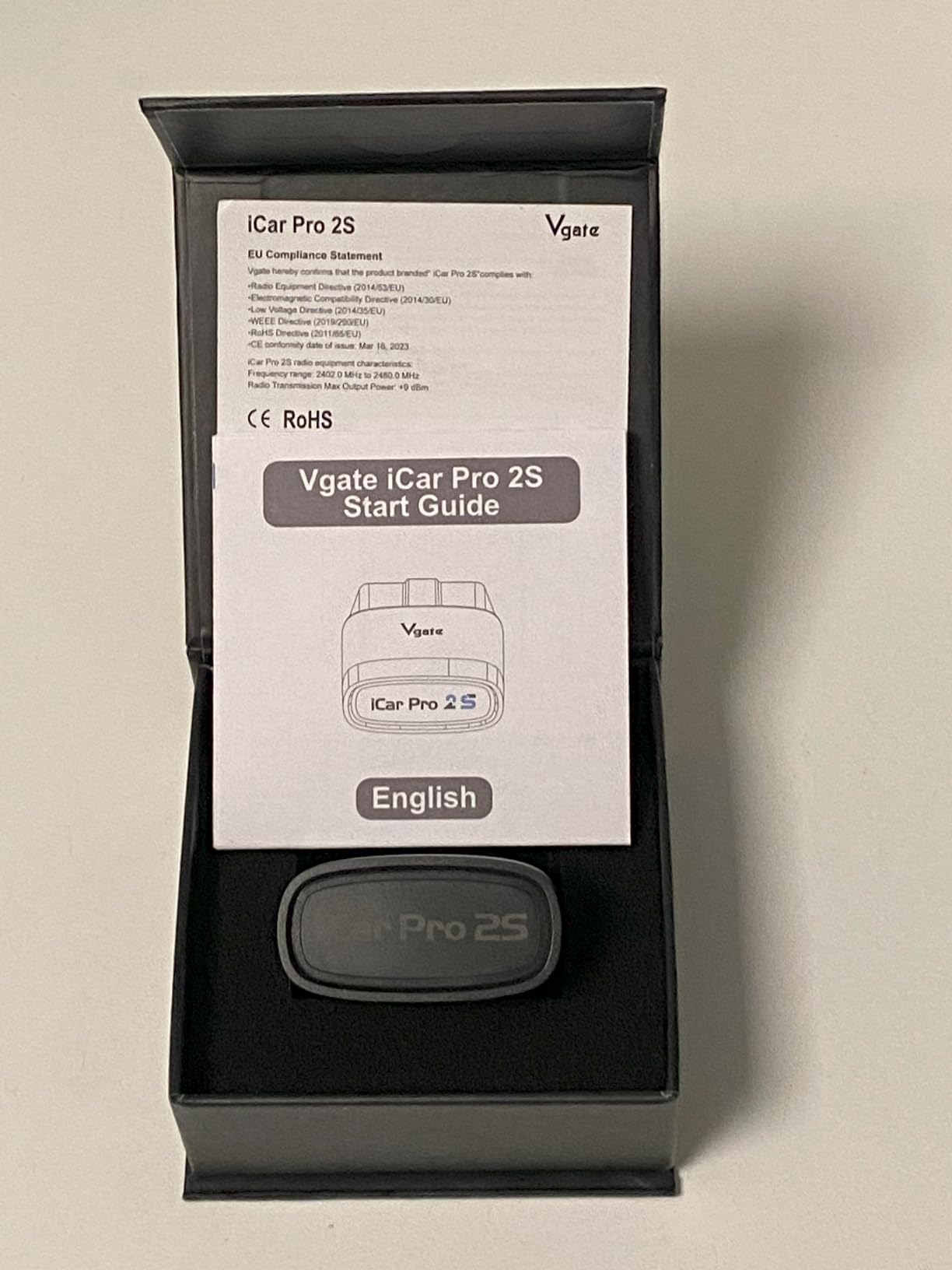
Almost every adapter in this roundup is built around a combustion engine, and the iCar Pro 2S is the exception. It supports up to 208 groups of pass, block and flow control filters for EV diagnostics, which is a category of its own rather than a checkbox.
On the connection side it runs Bluetooth 5.2 with data transfer up to 3Mbps and draws 3mA in sleep with auto sleep and remote wake-up. Torque, Car Scanner, Dr. Prius, OBD JScan and BimmerCode are all listed as compatible, firmware upgrades are free, and there is no login or subscription to manage.
The 4.6 average rating is the joint second highest here, matching the OBDLink MX+, but it rests on 404 reviews rather than thousands. Treat that as encouraging rather than conclusive. Owners with hybrid and EV vehicles consistently point to the filter groups as the reason their purchase worked.
It also covers 12V light diesel up to 6.5 tonnes, plus US domestic, Asian and European vehicles from 1996 onward, and carries a two-year warranty.
Best for electrified vehicles
If your car has a battery pack, a charge port or a hybrid drivetrain, most of this list becomes a paperweight. The filter group support here is what makes the difference on battery and hybrid modules.
Firmware being upgradeable from the phone matters over time, because new vehicle protocols appear and a fixed firmware version quietly falls behind.
Two caveats
It is not built for 24V diesel systems, which rules out heavy commercial vehicles. Some owners report connection issues on specific vehicles, and on Android the BLE service shows up labelled as iOS, which is cosmetic but confusing the first time you see it.
11. Vgate vLinker FS: MS-CAN and SW-CAN for Ford and GM owners
Vgate vLinker FS Bluetooth OBD2 Diagnostic Scan Tool, OBDII Car Code Reader for iOS, Android & Windows
MS-CAN and SW-CAN channels
FORScan 18V programming output
Up to 3Mbps data transfer
Pros
- MS-CAN and SW-CAN reach Ford and GM proprietary networks
- FORScan Lite programming with 18V output
- Handles 12V and 24V systems
- Gold-plated pins and free firmware upgrades
Cons
- Bluetooth stability issues reported
- Steep learning curve with a complex setup
- Many of the advanced apps are Android only
The vLinker FS exists for one reason: MS-CAN and SW-CAN. Those are the proprietary high-speed channels used on Ford and GM vehicles, and a standard OBD-II dongle simply cannot reach them. If you own one of those brands and want module-level access, this is the hardware that opens the door.
It also provides an 18V programming voltage output for FORScan Lite, which is what makes configuration work possible on certain Ford modules. Data transfer runs up to 3Mbps with 4K byte OBD requests, and it handles both 12V and 24V automotive systems at 28mA operating and 3mA in sleep.
Physical details matter here. The gold-plated OBD pins improve contact reliability in a port that gets hot and vibrated, and pairing is done by pressing the black button on the body rather than fumbling through a phone menu. Firmware upgrades are free through the manufacturer, with a two-year warranty.
It is among the smallest bodies in this roundup at about 2.4 by 1.8 by 0.9 inch, though at 3.2 ounces it is one of the heavier units here. That extra bulk buys the CAN hardware.
Best for Ford and GM diagnostic depth
MS-CAN and SW-CAN are where the interesting modules live on those brands. ABS, SRS, body control and some manufacturer-specific modules simply do not respond on a standard CAN-only adapter.
The 18V FORScan Lite output is the second reason enthusiasts pick it, since it covers a category of work no phone app alone can do.
The learning curve is real
Owners describe the setup as complex, especially on Windows with FORScan, and some report Bluetooth stability issues. Many of the advanced apps involved are Android only, and iOS compatibility varies between them. With 368 reviews, treat this as a specialist purchase rather than a safe general recommendation.
12. Vgate vLinker MC+: a compact coding-focused adapter with wide app support
Vgate vLinker MC+ Bluetooth OBD2 Car Scan Tool for iOS, Android, Windows
SW-CAN and MS-CAN channels
ELM327, ELM329 and STN command sets
24mA active, 3mA sleep
Pros
- Broad command set support across ELM327
- ELM329 and STN
- SW-CAN and MS-CAN for GM and Ford networks
- High data throughput suited to coding tasks
- Compact body at about 2 by 1.7 by 0.9 inch
Cons
- Firmware updates require contacting the manufacturer
- Uses BLE 4.0 rather than the newer 5.2
- Setup complexity reported by some owners
The vLinker MC+ is the coding and long-session adapter. Data throughput is tuned for programming and configuration work rather than quick code reads, and the command set compatibility spans ELM327, ELM329 and STN, which is what lets it serve both old and new software.
It carries SW-CAN and MS-CAN alongside the five standard OBD-II protocols, and unlike the original vLinker MC this version has full iOS support as well as Android and Windows. The 1,404 reviews at 4.5 stars give it a solid track record, and owners value the small footprint at about 2 by 1.7 by 0.9 inch that does not intrude on legroom.
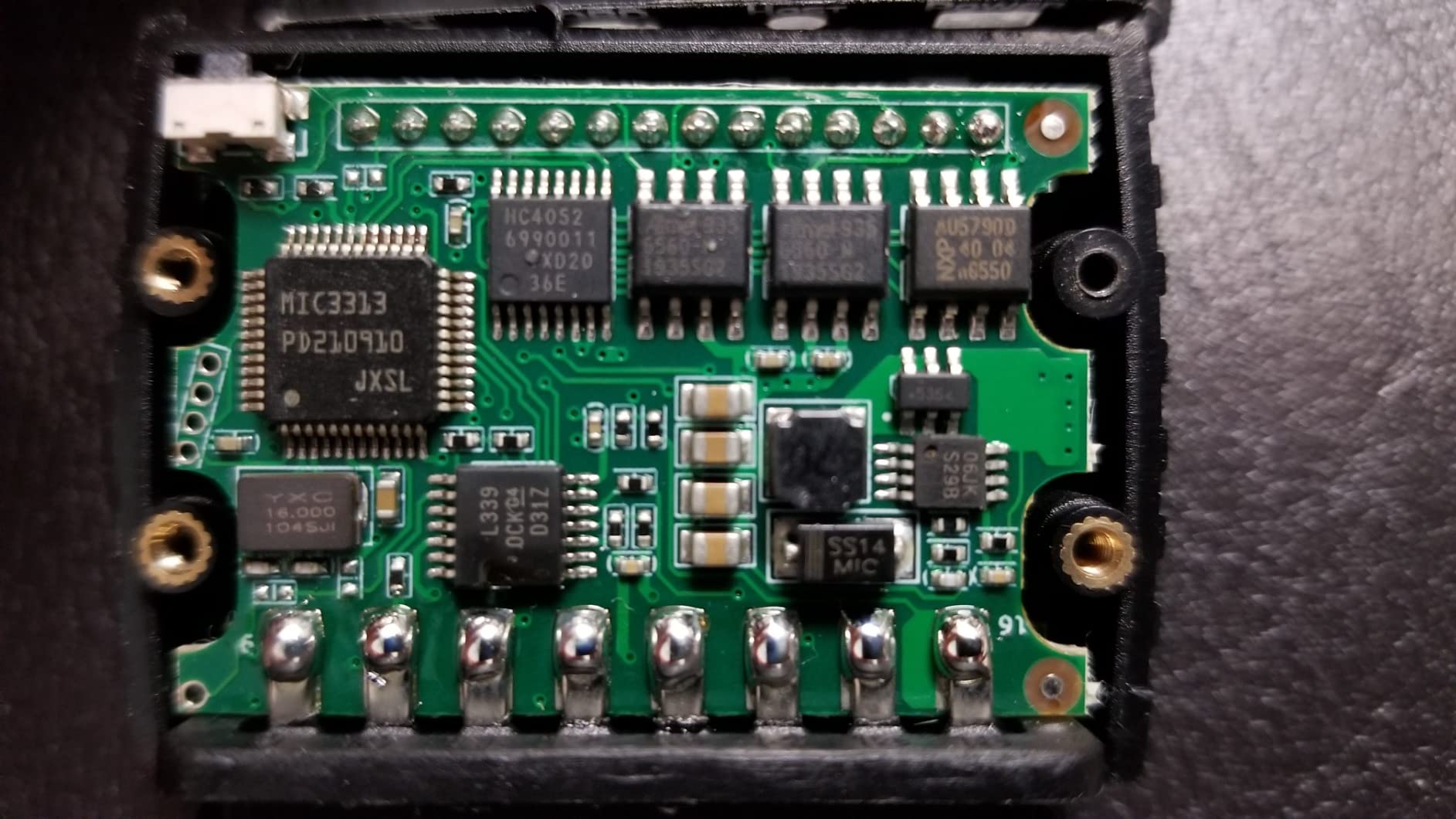
Power draw is low for an adapter doing real work: 24mA operating and 3mA in sleep. For a device that might spend an hour attached to a car during a coding session, that is a meaningful difference against budget hardware.
It is a favourite among the enthusiast crowd on forums for programming and configuration tasks, where the extra throughput and the multi-protocol command set actually earn their place.
Best for coding and configuration work
Throughput and command set breadth are the reasons to choose it. When a task involves writing values or holding a long session, a faster link and STN compatibility reduce the odds of a failed transfer.
Full iOS support also makes it a rare option for a household that mixes Android phones and Apple hardware without buying two adapters.
Where it holds back
Firmware updates are not self-service here; you contact the manufacturer instead of downloading them, which is a real drawback when a protocol fix lands. It also runs BLE 4.0 rather than the 5.2 in the newer iCar Pro 2S, and some owners describe the setup as complicated. Check your intended app before ordering.
Bluetooth Classic vs BLE: what actually changes on Android
Bluetooth Classic is the original Bluetooth profile and requires a pairing step with a passcode, typically 1234. Bluetooth LE, also called Bluetooth Low Energy or Bluetooth 4.0, uses a different radio profile that draws far less power and, on most modern adapters, connects from inside the app without pairing.
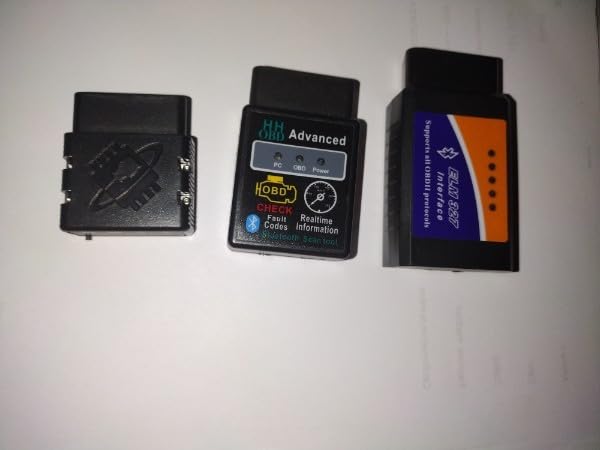
Classic generally offers higher sustained throughput, which is why enthusiasts who log data at high rates still lean toward it. The OBDLink MX+ and LX, and the Veepeak Mini, all use Classic. On the other hand, the developers of the Car Scanner app advise Android users toward Classic for speed and reliability while preferring Wi-Fi, which is a view worth weighing against your own phone.
BLE wins on power. LELink, the Veepeak OBDCheck BLE and the newer Bluetooth 5.x units such as the iCar Pro 2S and the UMEIJA all use LE, and their sleep currents of 3mA mean you can leave them in the port far more comfortably. Android pairing problems are also less common, because the app handles the connection rather than the system settings menu.
One Android-specific trap deserves its own warning. Google Pixel owners report pairing failures more often than users on other phones, and multi-device conflicts are the most common cause. If your car has a head unit that is actively connected over Bluetooth, your phone, and possibly a passenger phone, all competing for the same adapter, connection drops follow. Turning off the head unit Bluetooth before you pair is the single fix that resolves most of these cases.
App Compatibility: which Android app works with which adapter
Almost every adapter in this roundup works with at least one well-known third-party app, and that is what keeps the total cost down. Torque Pro and Car Scanner ELM OBD2 are the two broadest: both read the BlueDriver, both Veepeak models, the OBDLink units, the LELink and all three Vgate adapters.
Car Scanner ELM OBD2 comes from the developer who documents bad adapters in detail, and it is a solid default for generic engine work on OBDLink, Vgate and Veepeak hardware. Torque Pro is the choice for custom dashboards, gauges and long data logging sessions.
The enthusiast apps are narrower. The OBDLink MX+ is the recommended adapter for FORScan, BimmerCode, DashCommand, AlfaOBD and Carista. The Veepeak OBDCheck BLE lists compatibility with OBD Fusion, BimmerCode, BimmerLink, OBD JScan and Dr. Prius, and explicitly excludes Carly, MHD, xHP, ProTool and bootmod3.
Track use runs through RaceChrono and similar logging tools, and the forum consensus in our research points to OBDLink hardware as the reliable choice there. The vLinker FS and MC+ are the picks for programming, and the XTRONS adapter is aimed at head-unit display rather than phone apps entirely.
There is a category of buyer we cannot recommend anything to: a subscription-gated app with no trial and no free tier, paired with hardware that only works with that app. Our research found owners disappointed by exactly that pattern. Check whether the adapter works with a free or one-time-purchase app before you commit.
How to choose a Bluetooth OBD2 adapter for Android
Start with your vehicle, not the price. Most of these units cover 1996 and newer North American gasoline cars. If you drive a diesel, a hybrid, an EV, a European or Asian import, or a pre-1996 vehicle, the shortlist changes completely. The SinoTrack touches light diesel, the Veepeak BLE and iCar Pro 2S handle hybrid and EV more deeply, and none of them cover a 1995 or older car.
Second, decide which modules matter. If the light on your dash is the check engine light, any of the twelve will do. If it might be a TPMS, ABS or airbag fault, you need module coverage and you need an app that reads those modules. That is the gap between a basic dongle and the BlueDriver or the OBDLink MX+.
Third, be honest about the app. Proprietary app ecosystems are free but limited. Third-party apps are flexible but may cost money per app or per subscription. If you want repair reports and guided fixes without paying annually, the BlueDriver is the clearest fit. If you want to bring your own interface, anything with a wide app list works.
Fourth, check the connection type against your phone. Classic Bluetooth for throughput and universal app support, BLE for battery life and simpler pairing. If you have a Pixel or a head unit that stays connected, BLE is the safer choice because there is less to go wrong in the pairing step.
Finally, look at warranty length and firmware access. Two to three years of written coverage and a manufacturer who publishes firmware updates both signal a company that expects to still be around. A 90-day warranty, as on the UMEIJA, and firmware updates that require emailing the manufacturer, as on the vLinker MC+, are the two clearest quality signals in this group.
Connecting and troubleshooting a Bluetooth OBD2 adapter on Android
Pairing failure is the number one problem, and it is usually a settings issue rather than a hardware fault. Start by turning the ignition to on or start the engine, plug the adapter firmly into the OBD-II port, and let it sit for thirty seconds before touching the phone. Many adapters do not advertise until they have drawn power from the vehicle.
On Android, the app generally needs to trigger the connection rather than the Bluetooth menu. Open Torque or Car Scanner, set the connection type to the right profile, then let the app scan. If the app asks for a passcode, 1234 is the standard for Classic Bluetooth devices.
If it connects but returns no data from the ECU, the adapter is talking to the phone and not to the car. Check that the ignition is on, that the adapter is fully seated with the latch or screw tightened, and that the vehicle actually uses a standard 16-pin OBD-II port. Reset the app, restart Bluetooth on the phone, and pair again in a clean state.
For drops mid-session, close every other app that might be holding the link. Torque left running in the background is a named cause of OBDLink devices disappearing from the Android Bluetooth list. On cars with a head unit, disconnecting the head unit’s Bluetooth before pairing solves most multi-device conflicts, and it is worth trying before you conclude the adapter is faulty.
One more habit protects your battery. Adapters without a sleep or auto-off mode, including the Veepeak Mini, draw power the whole time they are plugged in. Pull it when you park, or choose a unit with a standby mode such as the LELink or the OBDLink LX.
Our broader testing notes on the hardware side are in our best OBD2 scanners guide, and if you are still choosing a phone to run all of this, our Android smartwatch picks cover pairing reliability with car head units and other accessories.
Frequently Asked Questions
What is the best Bluetooth OBD2 app for Android?
Car Scanner ELM OBD2 is the strongest all-round choice, pairing quickly with almost every adapter in this guide and offering clear guidance for beginners. Torque Pro is the better pick for custom dashboards, gauges and long data logging sessions. If you own an OBDLink MX+ or LX, the free OBDLink app covers basics without any extra cost.
What is the best OBD2 software for Android?
It depends on the task. For reading and clearing codes with guided explanations, Car Scanner ELM OBD2 works well. For customisable dashboards and data logging, Torque Pro leads. Enthusiasts working on Ford, GM or BMW diagnostics should look at FORScan, BimmerCode and Carista, which pair best with the OBDLink MX+ and the vLinker adapters.
Which Bluetooth OBD2 adapter is best for Android?
The BlueDriver OBD2 Scanner Pro is the best all-round adapter for Android, covering 1996 and newer North American gasoline cars and reading engine, ABS, SRS, airbag, TPMS and transmission codes with no subscription. The OBDLink MX+ is the stronger enthusiast option, and the Veepeak OBDCheck BLE is the best value pick.
Is OBDLink MX+ better than BlueDriver Pro?
For pure hardware quality, OEM-level code coverage and support for FORScan and BimmerCode, the OBDLink MX+ is better, and it holds the highest average rating in this group at 4.6. The BlueDriver wins on out-of-the-box usability: it covers ABS, SRS, TPMS and transmission codes, includes VIN-matched verified fix reports and has no subscription at all.
Why will my OBD2 adapter not connect to my Android phone?
Turn the ignition on first so the adapter powers up and starts advertising, then wait thirty seconds. Connect from inside the app rather than the Android Bluetooth menu, and select the correct profile, Bluetooth Classic or BLE. If a head unit is connected over Bluetooth, turn its Bluetooth off to clear the multi-device conflict, and close any app still holding the connection.
What Bluetooth type should I choose for an Android phone?
Choose Bluetooth Classic for higher throughput and universal app support, which suits data logging and enthusiast apps. Choose Bluetooth LE for lower power draw, easier pairing and better battery safety when the adapter stays in the port. If pairing has been a problem on your phone, particularly a Pixel, BLE removes the pairing step entirely.
Can a Bluetooth OBD2 adapter read codes on a hybrid or EV?
Most of these adapters are built around a combustion engine, so hybrid and EV support is limited. The Veepeak OBDCheck BLE offers app-dependent EV and hybrid support, and the Vgate iCar Pro 2S is the strongest option with up to 208 groups of pass, block and flow control filters for EV diagnostics. The OBDLink LX explicitly excludes hybrid and electric vehicles.
Do I need a subscription to use a Bluetooth OBD2 adapter?
The adapter and the app are separate decisions. The BlueDriver, OBDLink, Vgate and Veepeak units have no subscription requirement, and they work with apps like Torque Pro or Car Scanner that you buy once or use free. Some third-party apps unlock advanced data behind a paid upgrade, and proprietary ecosystems are the main place ongoing costs appear.
Conclusion: the best Bluetooth OBD2 adapter for Android in 2026
After putting all twelve through their paces, the BlueDriver OBD2 Scanner Pro remains the best Bluetooth OBD2 adapter for Android for most people, because it is the only one that reads ABS, SRS, TPMS and transmission codes, hands you verified repair reports, and never asks for a subscription. The 62,000-plus reviews at 4.5 stars are the strongest evidence in the category.
Buy the OBDLink MX+ instead if you are into enthusiast software such as FORScan or BimmerCode, or if you want the fastest, most stable link and enhanced OEM coverage. Pick the Veepeak OBDCheck BLE for the best balance of cost and capability, the iCar Pro 2S if you own a hybrid or EV, and the vLinker FS if you need Ford and GM module access through MS-CAN and SW-CAN.
Whatever you choose, verify the adapter works with an app you already use before you order, and read our troubleshooting notes above the first time it refuses to connect.