
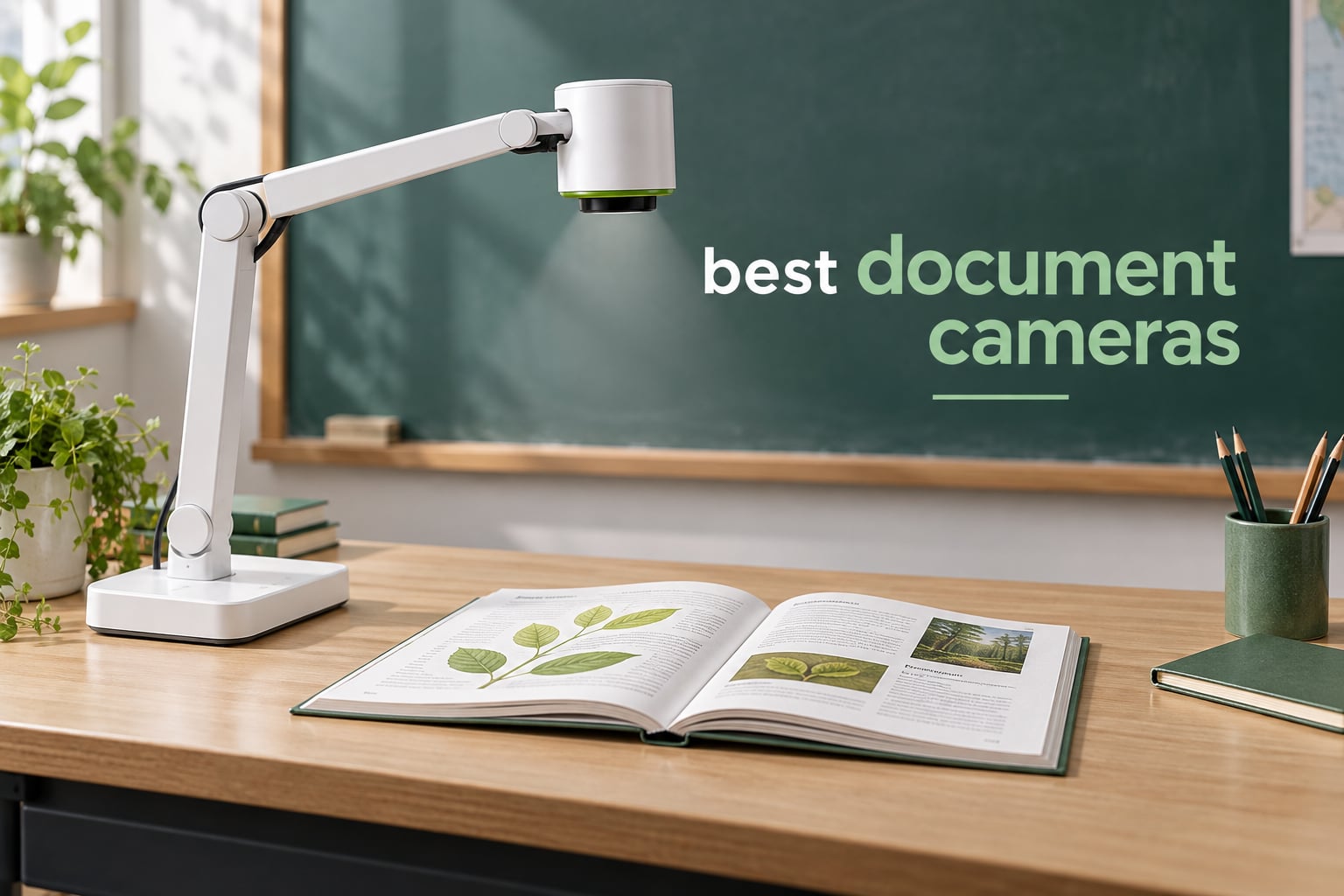
A document camera, also called a visualiser, visualizer, doc cam, overhead camera or document imager, is a camera on an adjustable arm that shoots straight down at whatever sits beneath it and sends that image to a screen, a whiteboard, or a video call. After weeks of putting eight of them through the same classroom routine, the IPEVO V4K came out on top of our best document cameras list: it focuses fast, holds small print sharp, and gets out of the way when you are not using it. If you want the short version of everything below, the IPEVO V4K is the one we would buy first, the INSWAN INS-1 is the strongest all-rounder once you add a light, and the IPEVO VZ-R is the only model here that projects to a television with no computer in the room at all.
Three questions decide which of the best document cameras on the market is right for you. Are you feeding a computer or driving a display directly? How much of the page has to fit under the lens at once? And how much are you moving the unit around between rooms? Get those answers straight and most of the shortlist narrows itself within a minute.
We have covered adjacent capture gear in the past, including our guides to the best portable document scanners for travel and the best portable document scanners for business travel, because teachers routinely ask the same question about both: what is the least fussy way to turn paper into a clean image.
Table of Contents
Top 3 Picks for the Best Document Cameras in 2026

IPEVO V4K 8MP USB Document Camera
- 8MP CMOS sensor
- 3264 x 2448 stills
- 30 fps live video
- Works as a webcam on Mac PC Chromebook

INSWAN INS-1 8MP Document Camera
- Built-in LED with brightness control
- 14.72 x 11 inch viewing area
- Macro focus from 3.9 inches
- Bundled Documate annotation software

IPEVO VZ-R HDMI and USB 8MP
- Works with or without a computer
- 3x optical plus 12x digital zoom
- Built-in LED and Ambarella SoC
- Glass fibre reinforced stand
The V4K earns the top slot on the strength of its review volume and its consistency rather than any single headline spec. The INS-1 is the joint-highest rated model in the group, and the VZ-R earns its place because HDMI passthrough solves a problem that none of the other seven can.
The Best Document Cameras at a Glance in 2026
| Product | Specifications | Action |
|---|---|---|
| IPEVO V4K 8MP USB Document Camera |
|
Check Latest Price |
| INSWAN INS-1 8MP Document Camera |
|
Check Latest Price |
 THUSTAR 8MP 4K USB Document Camera THUSTAR 8MP 4K USB Document Camera |
|
Check Latest Price |
 PAKOTOO 5MP USB Document Camera PAKOTOO 5MP USB Document Camera |
|
Check Latest Price |
 kitchbai 4K USB Document Camera kitchbai 4K USB Document Camera |
|
Check Latest Price |
 PAKOTOO 8MP USB Document Camera PAKOTOO 8MP USB Document Camera |
|
Check Latest Price |
 INSWAN INS-2 13MP 4K Document Camera INSWAN INS-2 13MP 4K Document Camera |
|
Check Latest Price |
| IPEVO VZ-R HDMI and USB 8MP |
|
Check Latest Price |
Every model above connects over USB, which is worth understanding before you read further. USB is what makes them portable and driver-free on a Chromebook, but it also means a computer has to be in the loop. Only the IPEVO VZ-R breaks that rule, and the difference matters more than any other single spec on this list.
1. IPEVO V4K – Best Overall Document Camera
IPEVO V4K Ultra High Definition 8MP USB Document Camera — Mac OS, Windows, Chromebook Compatible for Live Demo, Web Conferencing, Distance Learning, Remote Teaching, Green
8MP CMOS
3264 x 2448 stills
30 fps live
USB, no light
Folds flat
Pros
- Fast autofocus and clean colour in dim rooms
- 13.46 x 10.04 inch capture area
- Multi-jointed head rotates about 250 degrees
- 1.3 pound body that folds into a drawer
- Doubles as a webcam in Zoom Teams and Meet
Cons
- No built-in light source
- Bundled Point 2 Point software is awkward to size
- Short included USB cable
The IPEVO V4K is the unit we kept reaching for first, and the reason is restraint. It does one job, streams 30 fps, and stays out of the way. At 1.3 pounds and roughly 11 inches tall, it lives in a drawer and comes out when you need it rather than occupying permanent desk space, which matches the “stays out of the way when not needed” preference teachers express in forum threads about classroom hardware.
Its 8MP CMOS sensor captures stills up to 3264 x 2448 and streams live video at 30 fps at full HD, dropping to 15 fps for the highest resolution stills. That combination is what keeps a printed worksheet legible at the back of a room, and it is the reason the V4K is the default answer to what is the best document camera for teachers.
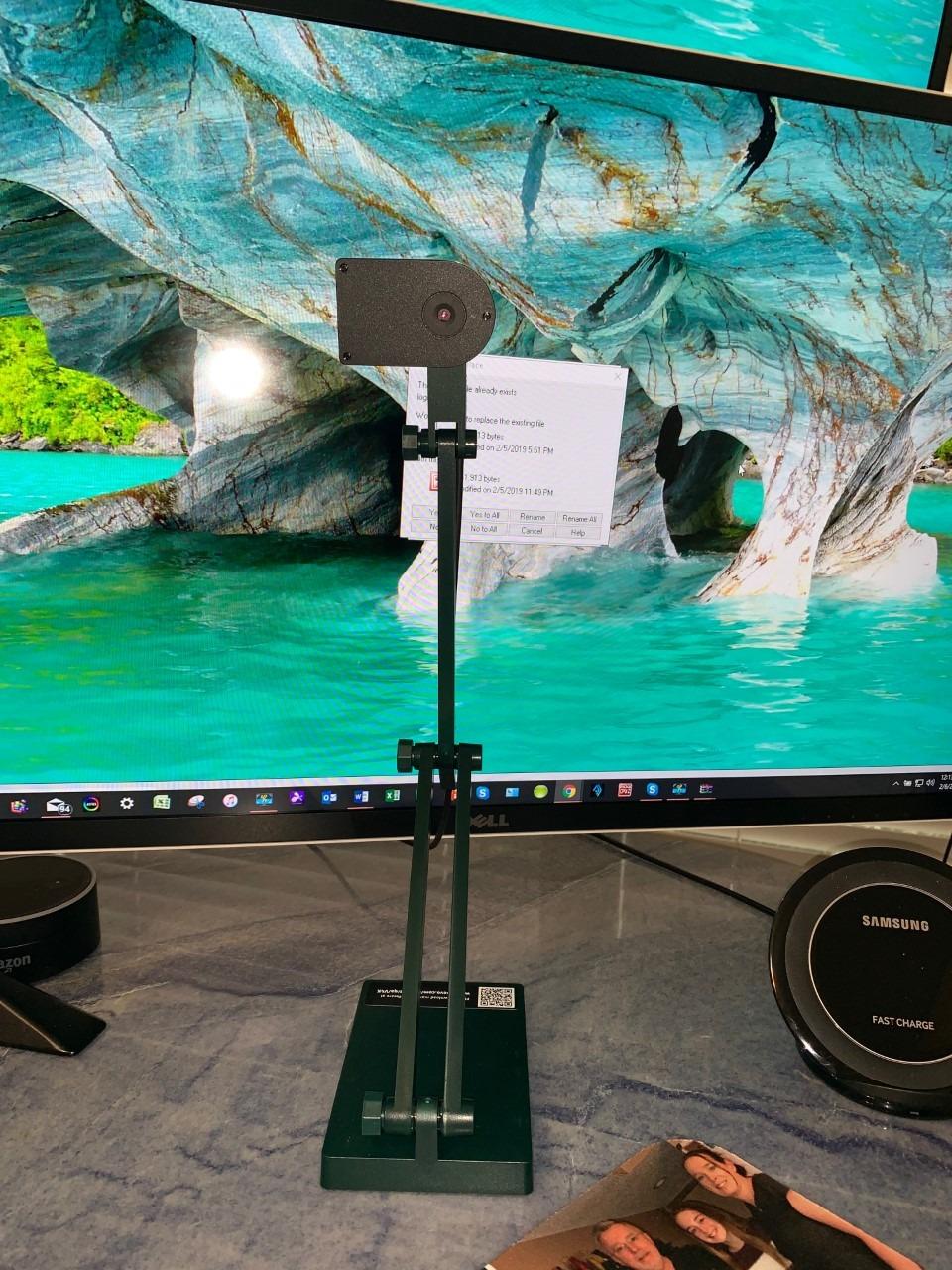
The multi-jointed head rotates through roughly 250 degrees, so you can swing it up to a smartboard, down at a desk, or sideways into a microscope without taking the base apart. The maximum shooting area of 13.46 by 10.04 inches covers a full sheet with room to spare, and reviewers consistently point to a low learning curve for basic use compared with institutional Elmo units.
Exposure and focus controls are both available in single and continuous modes, which is rare at this level. It registers as a standard camera on Mac, Windows and Chromebook, so it works as a secondary webcam and a capture source for live teaching streams without a driver.
What the IPEVO V4K gets right in a real classroom
It needs no learning curve to be useful. Unplug it, plug in a USB cable, choose the camera in your conferencing app, and you are live. For a teacher covering a hybrid lesson, that simplicity is worth more than a feature list, and it is the reason this unit carries the largest review base in the group at more than 3800 ratings.
The 250-degree rotating head is the feature nobody mentions in spec tables but everybody notices on day one. A single unit can serve a teacher who projects from the front of the room and from the back at the same student’s table, and it is why the V4K shows up in the equipment lists we see shared for multi-level classrooms.
Where the IPEVO V4K falls short
There is no built-in light. In a dim room you are dependent on classroom lighting, and contrast drops noticeably. Teachers in r/ArtEd describe exactly this problem with older units, where fine pencil work washes out or disappears into shadow, and the fix is a lamp rather than a camera change.
The bundled Visualizer and Point 2 Point software has a noticeable learning curve, and several users find it awkward when you resize the window. The included USB cable is also short for a lab bench where the computer sits some distance from the stage. Budget for a longer cable, and treat the software as optional rather than essential.
2. INSWAN INS-1 – Top Rated Document Camera With a Built-in Light
INSWAN INS-1 Classic USB Document Camera/Webcam, 8MP, Built-in LED, Mic
8MP Sony sensor
30 fps at 3264 x 2448
Built-in LED
USB
Macro to 3.9 inches
Pros
- Joint-highest rating in the group with 78 percent five-star reviews
- Built-in LED plus anti-glare sheet handles tough lighting
- Seven-segment brightness control and image flip
- 14.72 x 11 inch viewing area
- Documate software with annotation and recording
Cons
- No hardware or optical zoom
- Thin documentation for the software tools
- Macro and software zoom need a little practice
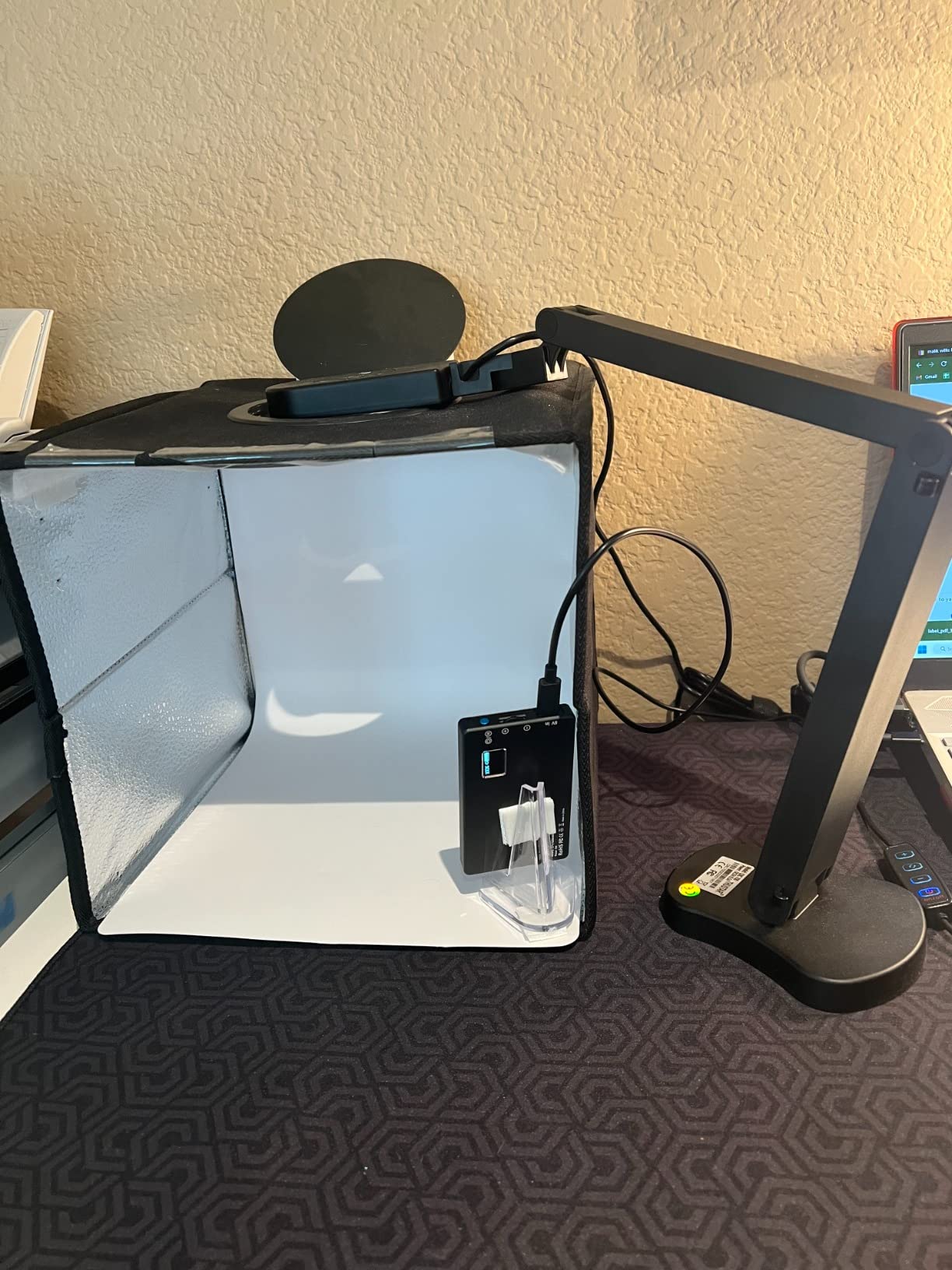
The INSWAN INS-1 is the top-rated pick in this group for good reason. It pairs a Sony 8MP sensor with a built-in LED, and that single combination removes the two problems that shape every review of a cheaper doc cam.
The light is the headline. Seven-segment brightness control lets you dial illumination down to the level that keeps a pencil line visible instead of blowing it out, and an anti-glare sheet is included in the box for reflective paper and laminated worksheets. In our testing the INS-1 handled a dim room better than the other models we streamed to a laptop.
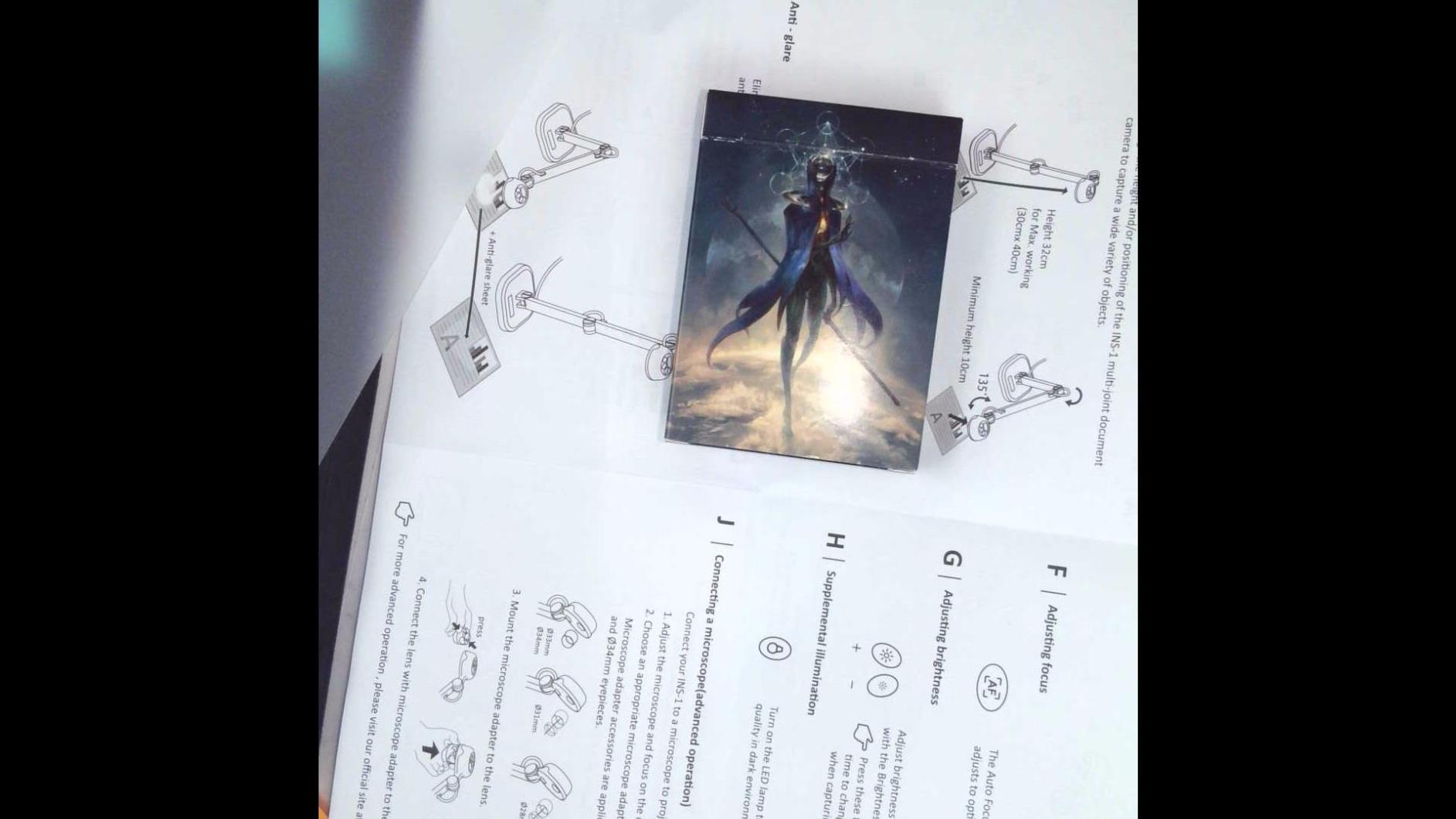
Streaming runs at 30 fps up to 3264 x 2448 with an 8MP Sony sensor, autofocus works down to a 10 cm macro range, and the multi-joint arm gives a 14.72 by 11 inch viewing area, a generous stage for a desktop unit. Owners call out the wide capture area and the bundled Documate software as the two standouts, and the software adds digital zoom, annotation, hue adjustment and video recording.
It is also cross-platform in the way teachers actually need. INSWAN lists Chromebook 38 and higher, Mac 10.11 and higher, and Windows 7 through 10 as supported, which covers the three device families most classrooms run on.
Why the INSWAN INS-1 is a top-rated choice in this group
It solves the lighting problem properly rather than assuming your classroom is bright. That matters most for the two uses teachers tell us they value most, showing light handwriting to the whole room and demonstrating a science experiment on a desk, both of which depend on even illumination at a low enough level to preserve detail.
The arm is also more generous than its size suggests. A 14.72 by 11 inch viewing area means you can frame a full A4 sheet, a double-page spread, or a student portfolio laid out flat, without propping the unit on a box. Combined with the bundled software, this is the most complete package you can get without moving up a tier.
Where the INSWAN INS-1 falls short
There is no hardware zoom. Magnification means extending the arm or using the 16x digital zoom in Documate, and digital zoom crops the sensor rather than gathering more light, so fine text softens as you push it. If you need to fill a screen with a small object, this is not the tool.
The documentation is thin, so the Documate tools take time to discover, and some software controls have a real learning curve. Plan ten minutes with the software before a lesson rather than during one. The microphone is adequate rather than good, so use your headset when conferencing.
3. THUSTAR 8MP – Best for Wide A3 Capture and Optical Zoom
THUSTAR 8MP Document Camera & Webcam 4K with Dual Microphones, USB Visualiser A3-Size, 3-Level LED Lights, Image Invert Function, Fold, for Live Demo, Distance Education -Windows, macOS and Chrome OS
8MP sensor
4K video capture
2.0x optical zoom
Three-level ring lamp
A3 coverage
Pros
- One of only two models here with true optical zoom at 2.0x
- Three-level LED ring lamp with 10-step brightness
- One-touch autofocus that holds on moving objects
- Folds flat and includes a joint-tension screwdriver
- Two-year manufacturer warranty
Cons
- Included USB-C adapter failed for one Mac user
- No bundled document software for cropping or rotation
- Body is bulkier and taller than most rivals
The THUSTAR 8MP is the value pick with the most unusual feature at this level, because it is one of only two models here with genuine optical zoom, at 2.0x. Optical zoom gathers light rather than cropping pixels, so a magnified specimen or a circuit board stays sharper than anything the digital zoom options can manage at the same magnification.
Its second strength is the ring lamp. Fourteen LEDs arranged in a ring around the lens, with three brightness levels and 10-step brightness buttons, reduce the shadow problem that plagues document cameras with a single side light. Owners cite the adjustable ring light and A3 coverage most often as the reason they recommended it.
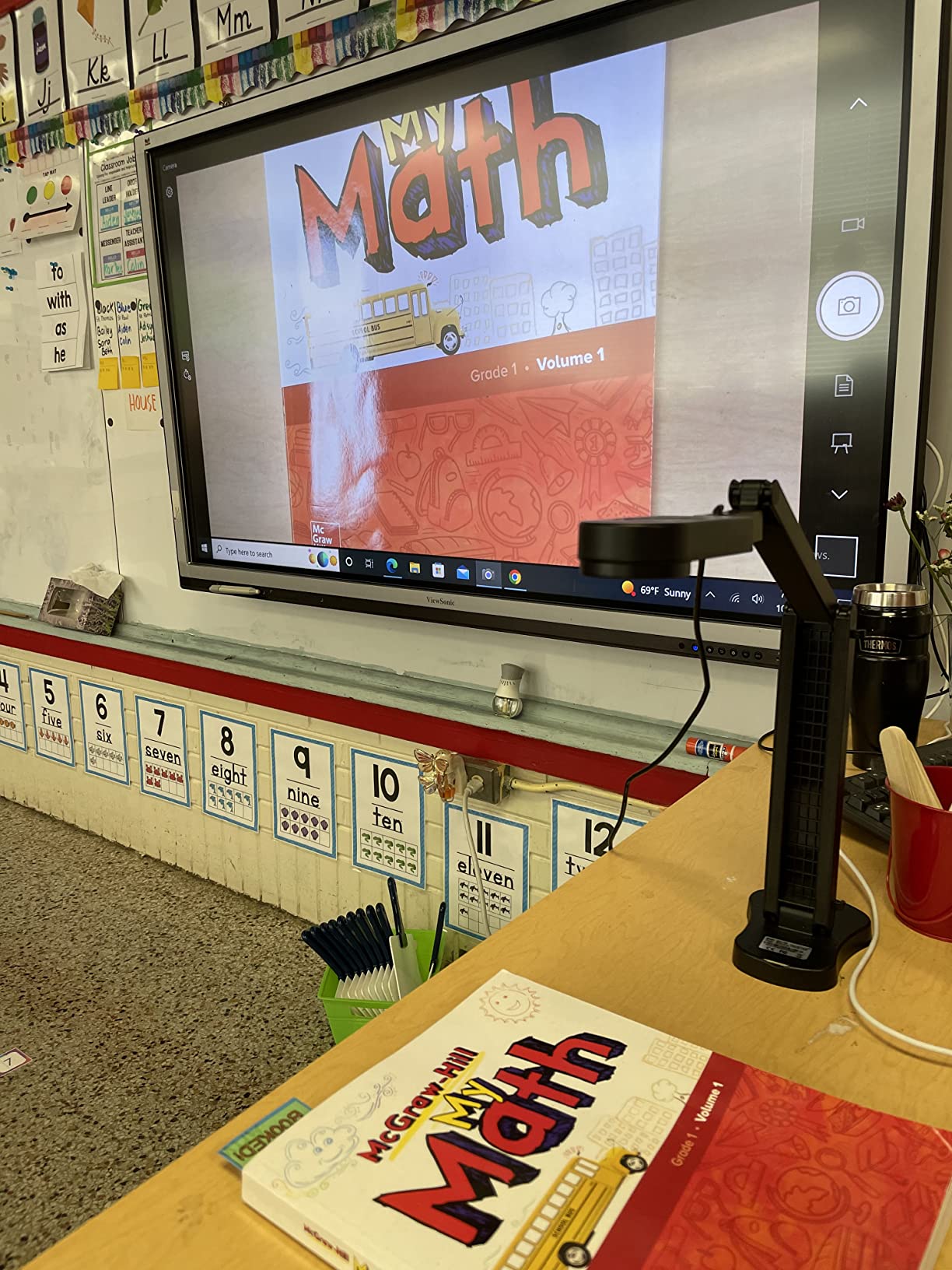
Capture area covers a full A3 sheet at 16.5 by 11.6 inches, and the arm swivels 180 degrees horizontally and vertically. One-touch autofocus held steady in our test even with an object moving under the lens, which is exactly the behaviour you want for a live demonstration rather than a static page.
Drivers install automatically on Windows, Mac and Chromebook, and the listed compatibility set includes Google Meet, Microsoft Teams, Zoom, OBS, SeeSaw and Camtasia, which covers both live teaching and recorded lesson content.
What the THUSTAR 8MP handles well
Science demonstrations and hardware work. Optical zoom plus a three-level ring lamp is the pairing you want when the subject is small, three-dimensional, and lit from an angle. A2 and A3 pages also fit without the reframing that a letter-only stage forces on you, which the AI Overview layer of this search results calls out as a real limitation on narrower units.
It folds flat for storage, and the base includes a small screwdriver for tightening the arm joints, which tells you something about how the product is meant to be used. A two-year manufacturer warranty is also longer than the one-year coverage on several models here.
Where the THUSTAR 8MP falls short
There is no bundled document software, so cropping, straightening and rotation have to happen in an external image editor. If your workflow depends on producing clean scans of student work during the lesson, you will want a separate tool for that. One Mac user also found the included USB-C adapter did not work and bought another, so check the cable situation early.
The microphones are mediocre, as they are on most document cameras, and the body is bulkier and taller than competing models, which matters if you share one desk. The LED ring is also not as bright as you might expect from fourteen diodes, and adding light in a dim room can create glare on glossy paper.
4. PAKOTOO 5MP – Best Budget Document Camera
PAKOTOO USB Document Camera for Teachers, Webcam/Doc Camera for Classroom with A3 Format, 3-Level LED Lights, Image Invert, Fold, Dual mic for Mac OS, Windows, Zoom, OBS Work with Distance Learning
5MP sensor
1080p video
Three-level LED fill light
USB-C
Hose-style arm
Pros
- Hose-style flexible arm reaches almost any angle
- Three-level LED plus five-step exposure rescues poor lighting
- Hardware image mirroring and inversion for video chats
- Folds flat and weighs only 420 grams
- Works with Windows Mac Chromebook Zoom Teams Meet and OBS
Cons
- 5MP sensor is less crisp on fine print than 8MP rivals
- You must select USB Camera manually instead of true plug-and-play
- No zoom and no HDMI output
The PAKOTOO 5MP is the lowest-cost route into document camera ownership that does not feel like a mistake, and for teachers buying out of pocket it is the honest starting point. A hose-style flexible arm, a three-level LED fill light, and a 420 gram folding body give you most of what a lesson actually requires.
The arm is the reason to buy it. It bends into almost any angle, which means you can mount it low over a desk to catch a 3D object, a circuit, or a student’s handwriting without propping anything up. Reviewers specifically value the adjustable arm and the folding design at this level, and the A3 maximum capture size is generous for the tier.
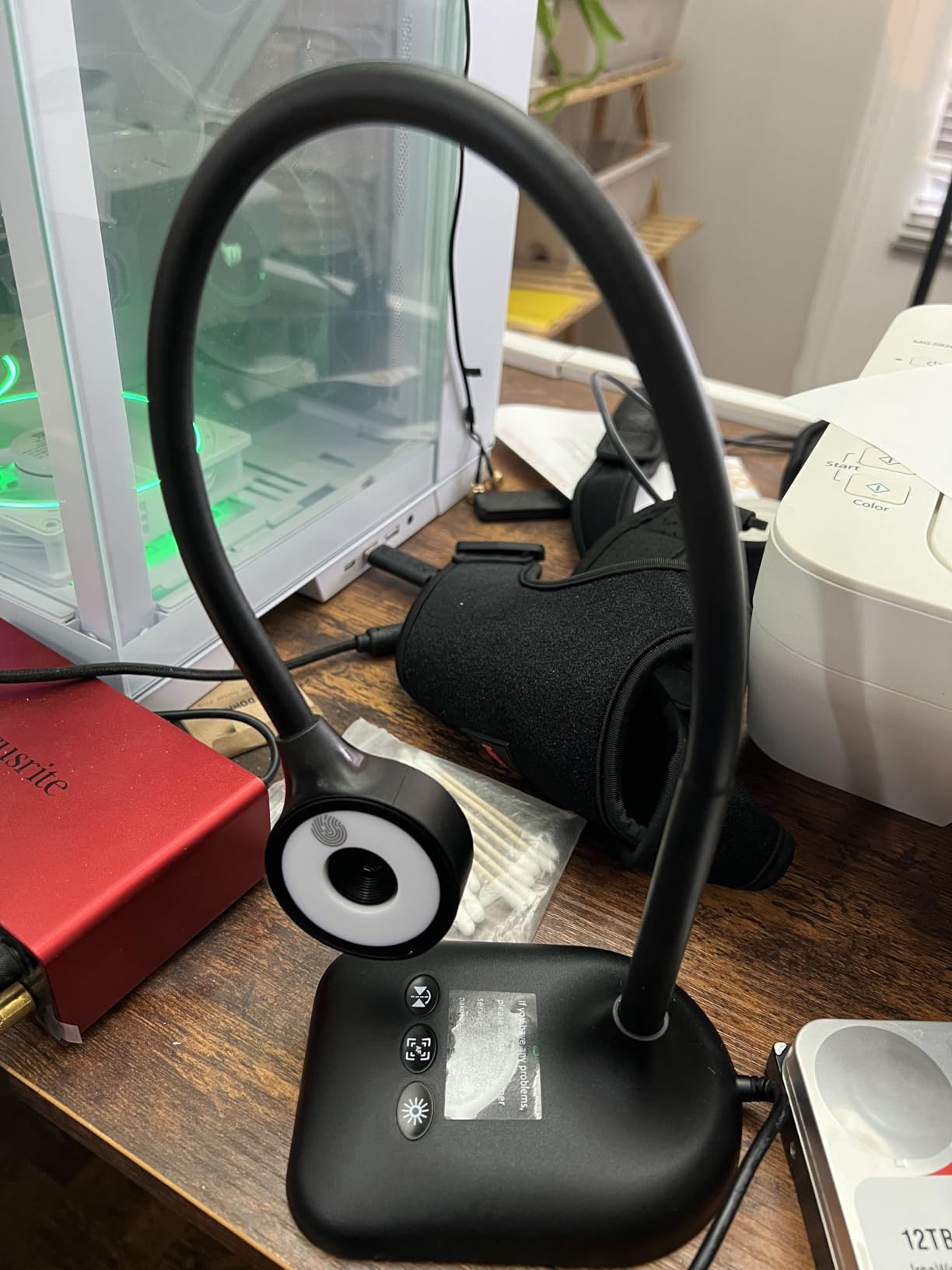
Lighting controls are three brightness levels on the LED plus five steps of exposure adjustment, which is the combination that rescues a dim room in practice. Hardware image mirroring and inversion let you flip the feed for video chats and remote teaching without touching software, and one-press autofocus handles the repositioning between a page and an object.
It connects over USB-C and lists Windows, Mac and Chromebook support, along with Zoom, Teams, Google Meet, TikTok and OBS, so the same model works live and recorded.
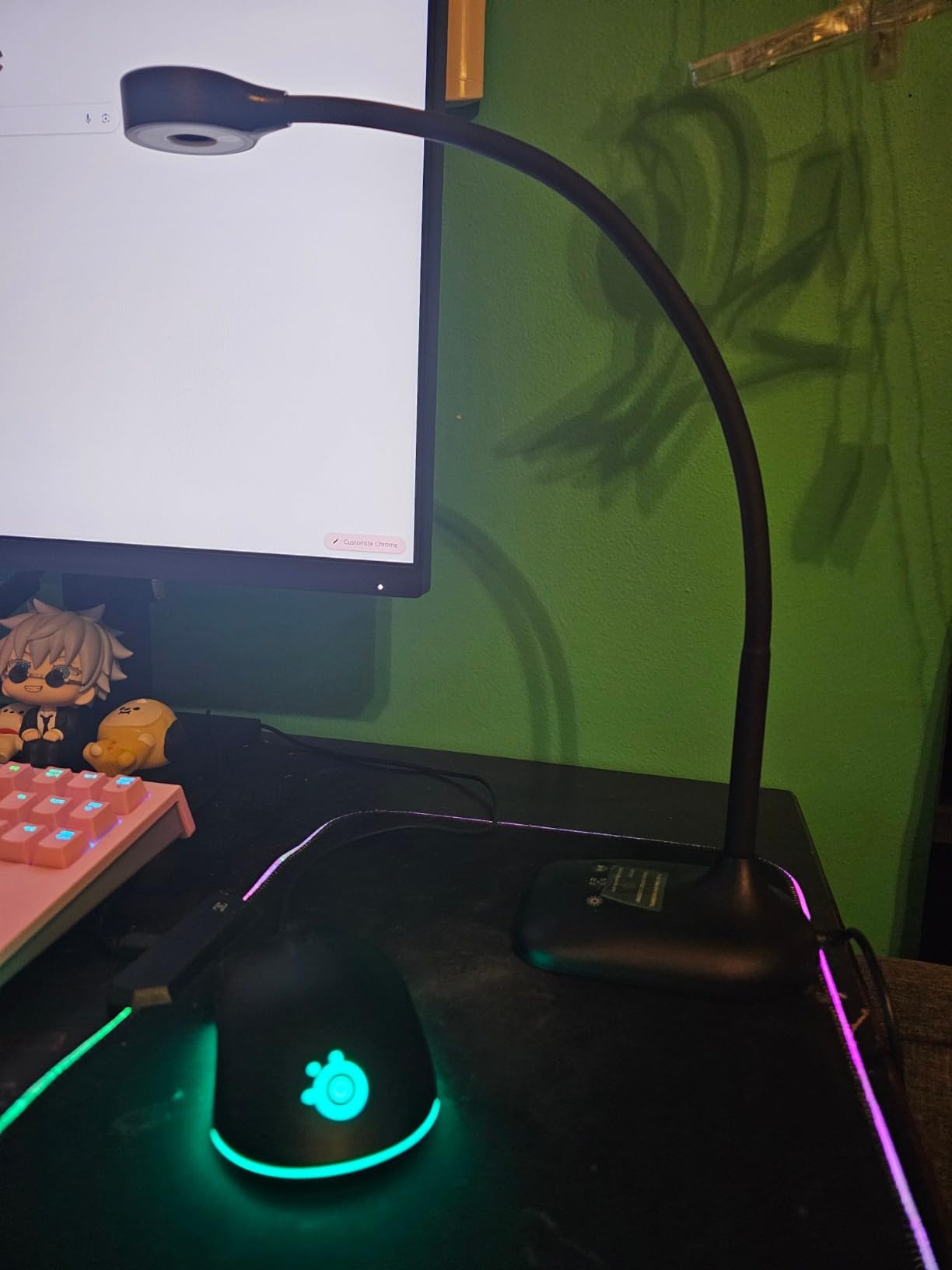
Who the PAKOTOO 5MP suits
A single teacher who needs to show work, demonstrate materials and tutor one student at a time, and who moves between rooms. At this weight it goes into a bag without a case, which matters when the device lives on a trolley rather than a desk.
It is also a reasonable first purchase for a family setting up a home teaching space, or for anyone who wants a folding visualiser for occasional use without committing desk space. Just know what you are buying, which is a good live teaching camera rather than a scanning device.
Where the PAKOTOO 5MP falls short
The 5MP effective sensor is lower than the 8MP competitors, and fine print is visibly less crisp. A 1080p stream is fine for a worksheet on a screen but will not hold up when you zoom into a line of 9pt type for a struggling reader, which is one of the most common reasons teachers reach for a doc cam in reading intervention.
It is also not true plug-and-play. You have to select USB Camera manually in the system camera menu every session, and some buyers report connection interruptions when the cable is jostled near the head. There is no zoom and no HDMI support at all, so this model cannot drive a display directly.
5. kitchbai 4K – Best for Instant USB-C Setup
4K USB Document Camera for Teacher, 8MP Webcam & Visualiser for A3 Size with Dual Microphones, 3-Level LED Light, Image Invert, Foldable for Live Demo, Work with Windows, macOS and Chrome OS
8MP sensor
2448P at 30 fps
Three-level LED
Image invert buttons
USB-C
Pros
- Genuinely plug-and-play on Windows Mac and Chromebook
- 8MP sensor keeps small handwriting and printed tables readable
- Dual microphones mean no extra desk mic
- Holds position through a multi-joint arm
- Folds into a compact footprint
Cons
- Autofocus only fires when the on-device button is pressed
- Minimal zoom and no panning so framing needs physical moves
- Flip and rotate settings reset after power cycling
The kitchbai 4K is the answer to the Chromebook question, because it is one of the few models here that behaves like a webcam the instant you connect it. Windows 7 through 11, Mac 10.11 and higher, and Chromebook 38 and higher are all listed as supported, and a USB-C cable is in the box.
Image quality is stronger than its tier suggests. The 8MP sensor streams 2448P at 30 fps, and reviewers treat this as a capable replacement for institutional units, praising sharpness on small handwriting and printed tables. That is the same 8MP sensor class as the IPEVO V4K.
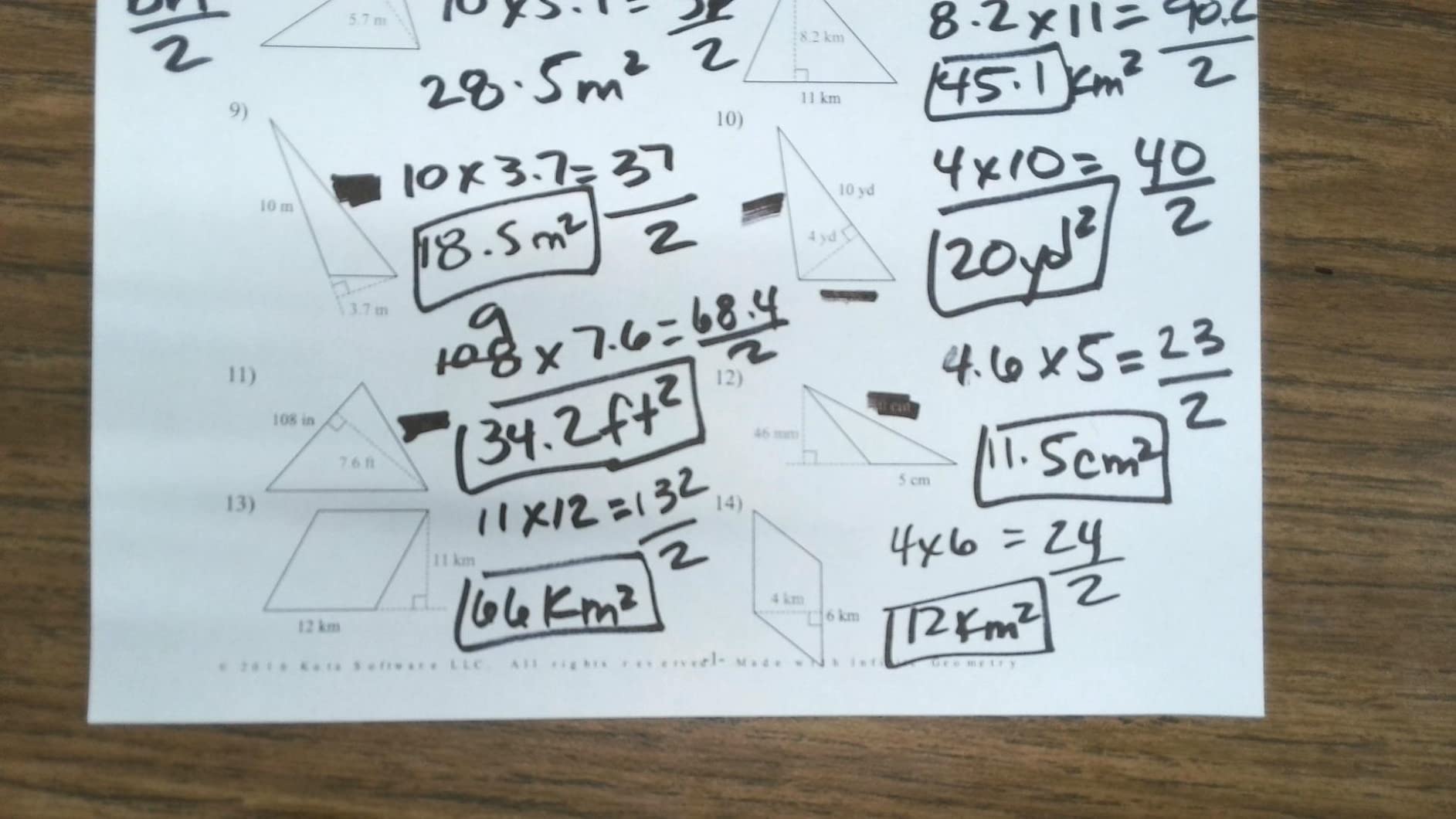
Three brightness levels plus a flip-top light help you control glare, hardware inversion buttons handle mirrored output without software, and the foldable multi-joint arm covers A3 paper. Dual silicon microphones mean a lesson stream works without a separate desk mic, which matters for anyone recording a mini-lesson for a flipped classroom.
Macro capture runs from 10 cm to infinity, so close work on a specimen or a student’s portfolio is within reach.
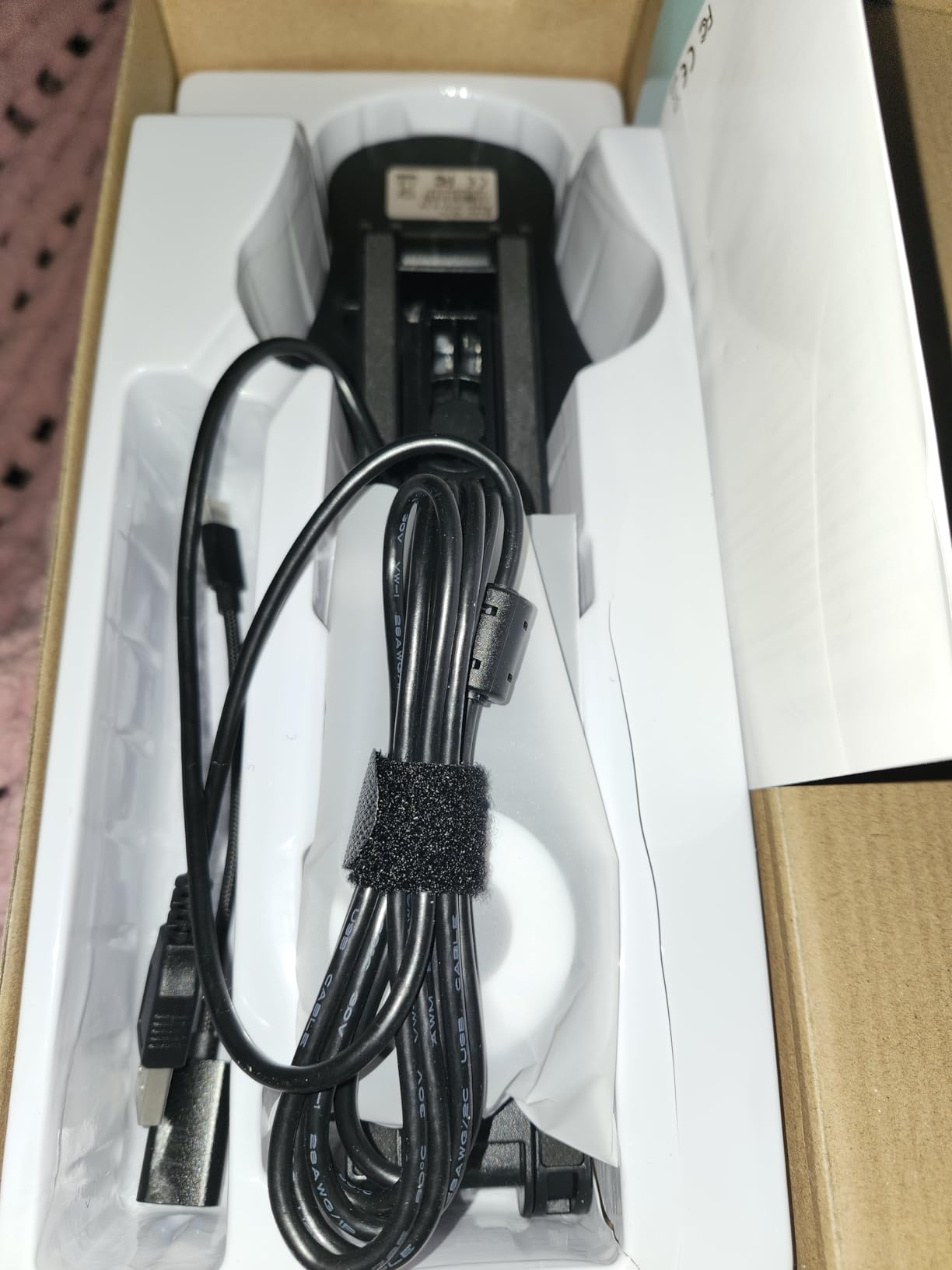
What the kitchbai 4K does out of the box
Connect it and go. In a room where the computer is a shared Chromebook cart or a loaner laptop, the absence of a setup ritual removes a real barrier. No vendor app to install, no driver to hunt down, no window to resize, which is the opposite of the bundled-software experience on the IPEVO V4K.
The arm also holds position between adjustments better than several similarly priced rivals, and the whole unit folds into a compact footprint for drawer storage. It is a good fit for a classroom that treats the document camera as a shared resource rather than a personal one.
Where the kitchbai 4K falls short
Autofocus only triggers when you press the on-device focus button, so it must be re-focused after every move. That single design choice is the dominant complaint in the reviews, and it adds friction to a fast-paced demonstration. Plan to press the button rather than assuming the camera hunts.
Zoom is minimal and there is no panning, so changing framing means physically moving the arm. There is also no bundled software, which means you rely on the operating system camera app. The base shifts slightly when you press the flip or rotate buttons, and those settings reset after a power cycle, so re-check orientation at the start of a session rather than mid-lesson.
6. PAKOTOO 8MP – Best for Travel and Fold-away Storage
PAKOTOO 8MP USB Document Camera for Teachers and Classroom for A3 A4 Size with Dual Mic, 3-Level LED Light, Up and Down, Left and Right Image Inversion, for Distance Teaching & Learning
8MP sensor
2448P output
A3 capture
Three brightness and ten exposure steps
0.8 kg
Pros
- Folds flat and travels in a carry-on bag
- Ten exposure steps plus three brightness levels cover dim rooms
- Integrated dual microphones are clear enough for Zoom
- Works with HP Smart and other scanning software
- Hardware image reversal needs no software
Cons
- Base wobbles while writing on paper
- Not plug-and-play since USB Camera must be selected manually
- Included USB-A to USB-C cable failed on one Mac
- No zoom and no HDMI
- Not compatible with iPad
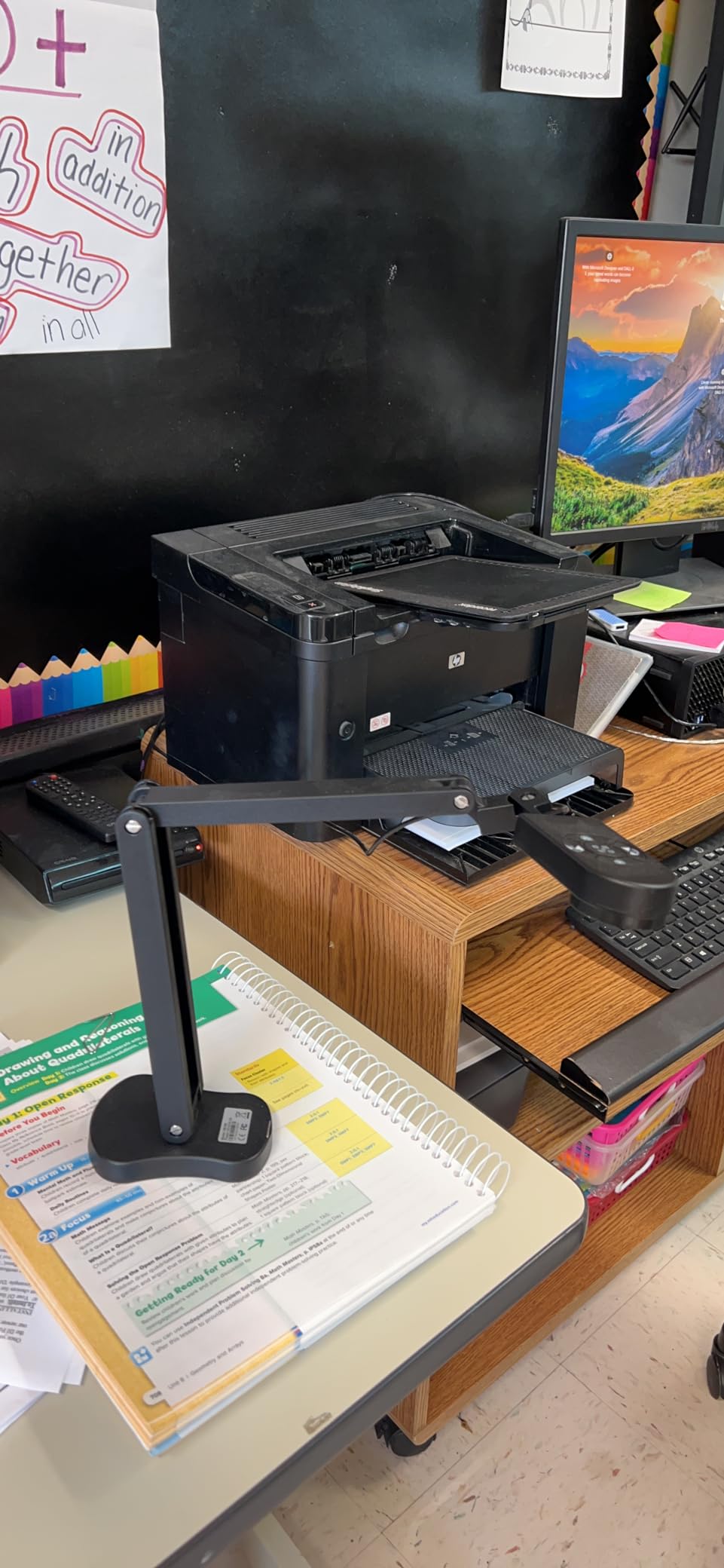
The PAKOTOO 8MP is the one to buy if the camera lives in a bag rather than on a desk. It folds flat, weighs 0.8 kg, and folds down to a profile that travels in a carry-on, which is the honest test of whether a teaching device is portable.
The imaging is solid for its tier, with an 8MP 2448P sensor producing clear detail on notes, diagrams and receipts. Several buyers use it as a compact scanner replacement, and the fact that it works with HP Smart and similar scanning software makes that a realistic workflow rather than a workaround.
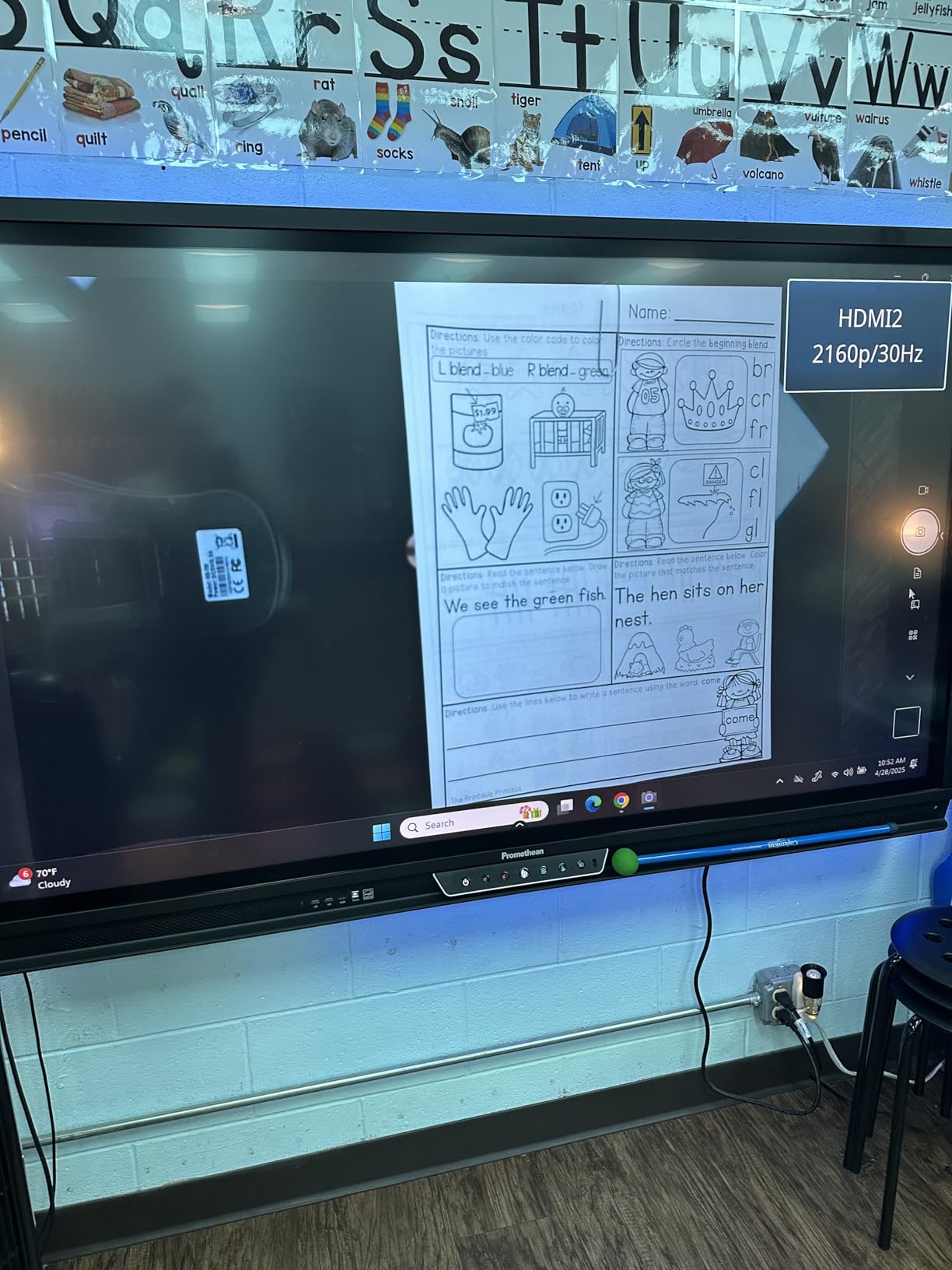
Lighting controls are unusually granular: three brightness levels plus ten exposure adjustment steps, and a selfie fill-light mode. The multi-joint arm reaches A3 size at 16.5 by 11.6 inches and captures both flat and three-dimensional objects, with macro as close as 3.94 inches. Hardware image reversal works in both directions without software.
The integrated dual microphones are clear enough for Zoom client meetings without an external mic, which reviewers single out in a category where microphone quality is usually a complaint.
Why the PAKOTOO 8MP travels well
A folding design and light weight are what make a document camera usable across a school day rather than in one room. Teachers who cover three classrooms, run a tutoring table in a library, or teach across a campus need something that packs away in under a minute, and this is the pick built for that.
The exposure controls also make it a good fit for shared, differently-lit spaces, which is exactly the problem a fixed-installation model hides. Dim room in the morning, bright room in the afternoon, same camera.
Where the PAKOTOO 8MP falls short
The critical reviews focus on hardware rather than imaging. The stand is not fully stable and wobbles while writing on paper, which is a problem for a device whose main job is showing writing. The connection also drops if the cable is jostled near the camera head, and one Mac user found the included USB-A to USB-C cable did not work at all.
You must also select USB Camera manually in the system menu rather than getting true plug-and-play, and some examples of this model had autofocus that hunted until the cable was unplugged. There is no zoom, no HDMI output, and no iPad compatibility, so this is a USB-only camera for Windows, Mac and Chromebook.
7. INSWAN INS-2 – Best for 4K Artwork and Specimens
INSWAN INS-2 UHD 4K 13MP Document Camera, Built-in LED, Mic, A3 Capture
13MP Sony sensor
True 4K at 3840 x 2160
16x digital zoom
Built-in LED
A3 capture
Pros
- 13MP sensor captures true 4K for artwork and two-page spreads
- Built-in LED plus anti-glare sheet for reflective paper
- Dual-mode autofocus clears reliably on demand
- Heavy stable base allows one-handed repositioning
- Documate adds annotation whiteboard tools recording and OCR
Cons
- Focus softens in low light
- Images take a moment to stabilise when moved
- Brightness buttons change camera sensitivity rather than LED output
- Text scanning in Documate performs poorly on high-contrast pages
The INSWAN INS-2 is the resolution pick. Its 13MP Sony sensor records genuine 4K at 3840 x 2160, and that extra headroom is what lets you fill a large display with a single sheet of artwork, a two-page spread, or a specimen without visible loss of detail. Art teachers and hobbyists notice the difference immediately.
It keeps the INS-1 strengths and upgrades them. The built-in LED and included anti-glare sheet manage reflective paper and dim rooms, macro capture works as close as 3.9 inches, and the 16x digital zoom range covers electronics, jewellery and microscope work.
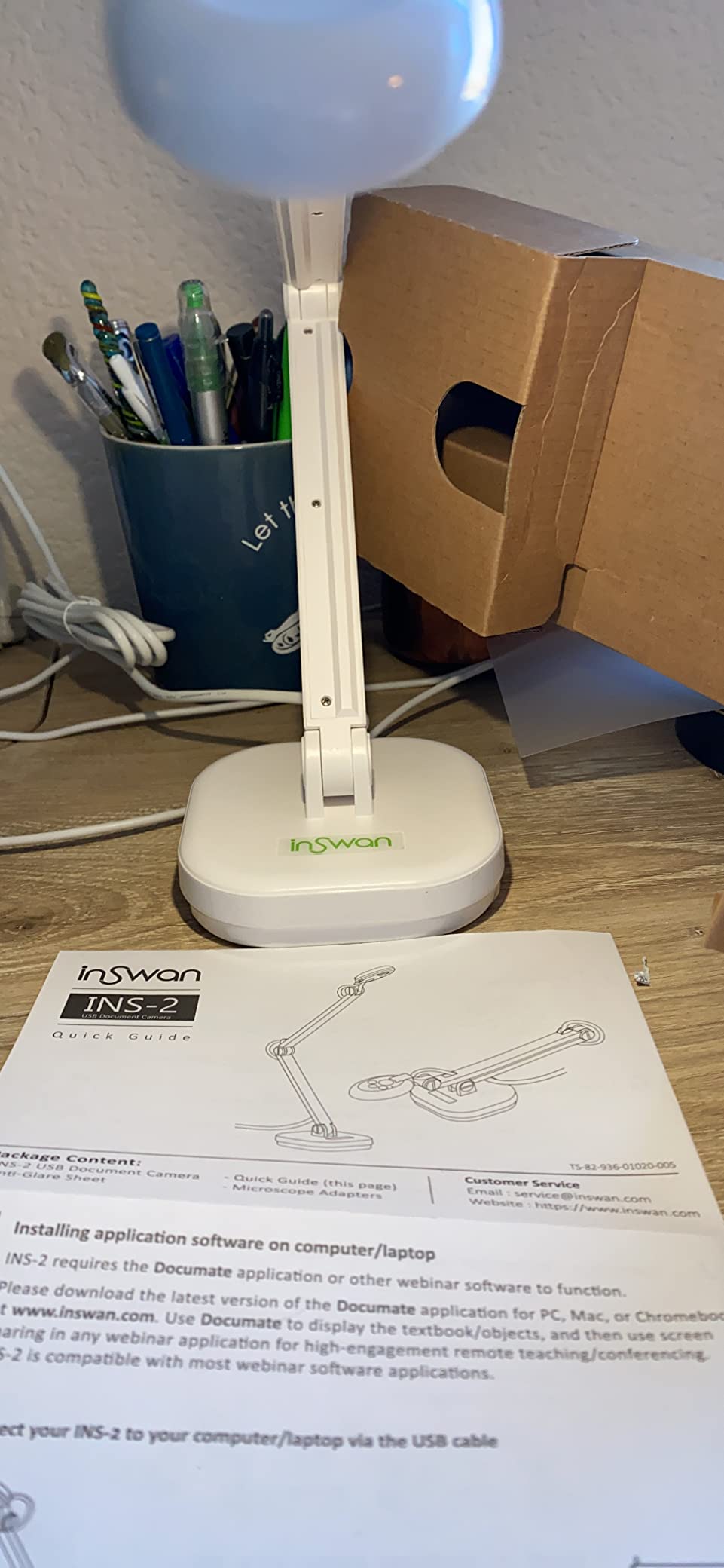
The base is heavy at 2.3 pounds, and that is a feature rather than an inconvenience. Reviewers repeatedly credit the stable base with allowing one-handed repositioning of the arm, which removes the wobble that undermines close-up work on small objects.
Documate adds annotation, whiteboard tools, video recording and OCR, and the unit is genuine UVC plug-and-play across Windows, Mac, iPad and Chromebook. A 14-month warranty is listed, slightly longer than the one-year coverage common on other models here.
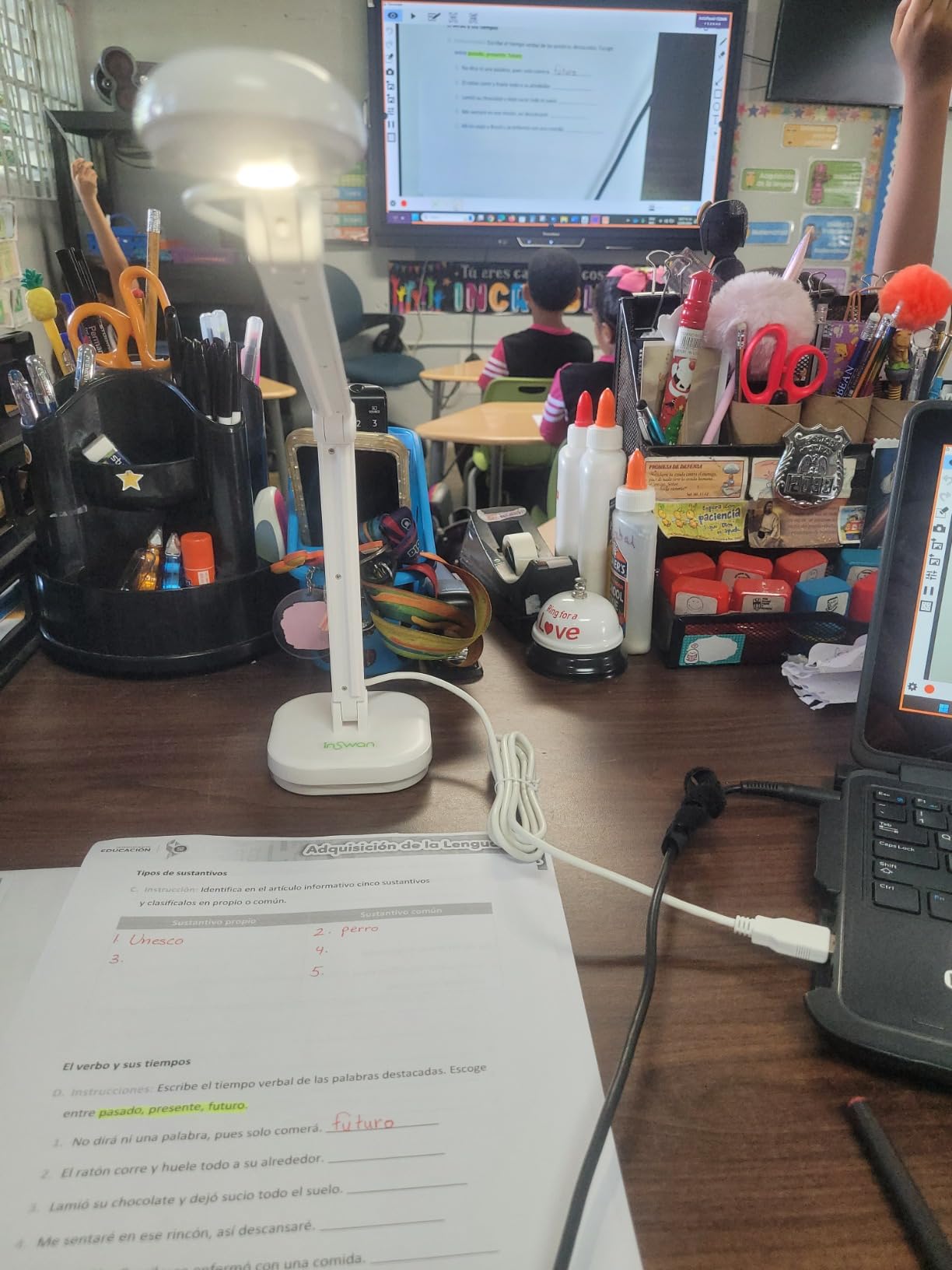
What the INSWAN INS-2 resolves at 4K
Large and three-dimensional work. When you are showing a portfolio, a project, a plant, or a small mechanical part on a big screen, the 13MP sensor holds the edges crisp where an 8MP stream softens them. For a single-to-one tutoring session on a laptop, that gap narrows, which is why this earns its place in an art or science room rather than a general classroom.
It is also the strongest choice on this list for teaching from an iPad, since UVC plug-and-play is listed for that device alongside the usual three platforms.
Where the INSWAN INS-2 falls short
Focus softens in low light, and the camera struggles to hold detail in a dim room despite the LED. Some owners also report the unit shaking or drifting out of focus, and images take a moment to stabilise when you move a document under the lens, which is a real cost in live demonstration.
The brightness buttons are confusingly labelled, because they change camera sensitivity rather than LED brightness, so the result is not what the control suggests. There is no physical power switch, and the text-document scanning mode in Documate performs poorly on high-contrast pages, so use it for annotation rather than archiving.
8. IPEVO VZ-R – Best for HDMI Projection Without a Computer
IPEVO VZ-R HDMI/USB Dual Mode 8MP Visual Communication Tool for Real-time Projection, Distance Learning, Web conferencing, Video Recording, Live Demos — Works with and Without a Computer,Green
HDMI and USB
8MP Sony CMOS with Ambarella SoC
3x optical plus 12x digital zoom
Built-in LED
Pros
- Projects directly to a TV or projector with no computer in the room
- 82 percent five-star reviews
- Fast focus and low noise from the Ambarella SoC
- Tactile on-body buttons adjust the image without software
- Glass fibre reinforced stand for heavy daily use
Cons
- HDMI cable and wall power adapter are not included
- Priciest model in this group
- Bulky stand suits a fixed setup more than portable teaching
The IPEVO VZ-R is the answer to the question that shows up most often in teacher forums: how do I switch between my laptop and the document camera on the board without replugging anything? Dual-mode HDMI and USB means you can drive a television, monitor or projector directly, and it also functions as a webcam for third-party conferencing software when a computer is in use.
That dual mode is the whole point. In a room with no computer at all, a USB-only camera is a paperweight, and the top result for that HDMI question on the teacher forum is a thread of people trying to solve exactly this. The VZ-R solves it out of the box.
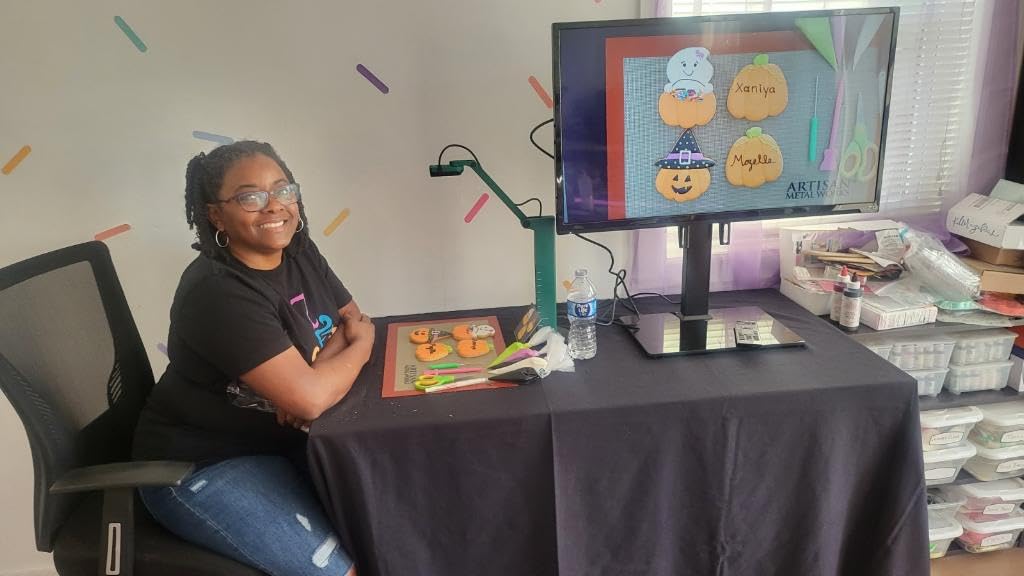
Optics are ahead of the rest of this list: 3x optical zoom plus 12x digital, with manual exposure control. The 8MP Sony CMOS sensor is paired with an Ambarella SoC, which is what delivers fast focus, low noise and strong colour reproduction. Capture area reaches 10.6 by 18.9 inches in 16:9, and USB mode goes up to 3264 x 2448 while HDMI mode delivers 1920 x 1080.
Build is a genuine strength. The glass fibre reinforced GVX-5H stand is designed for heavy daily use, tactile buttons on the body let you adjust the live image without opening software, and the swiveling head and multi-joint stand handle different heights and orientations. Reviewers rate build quality, fast focus and the freedom of HDMI direct output as the consistent positives.
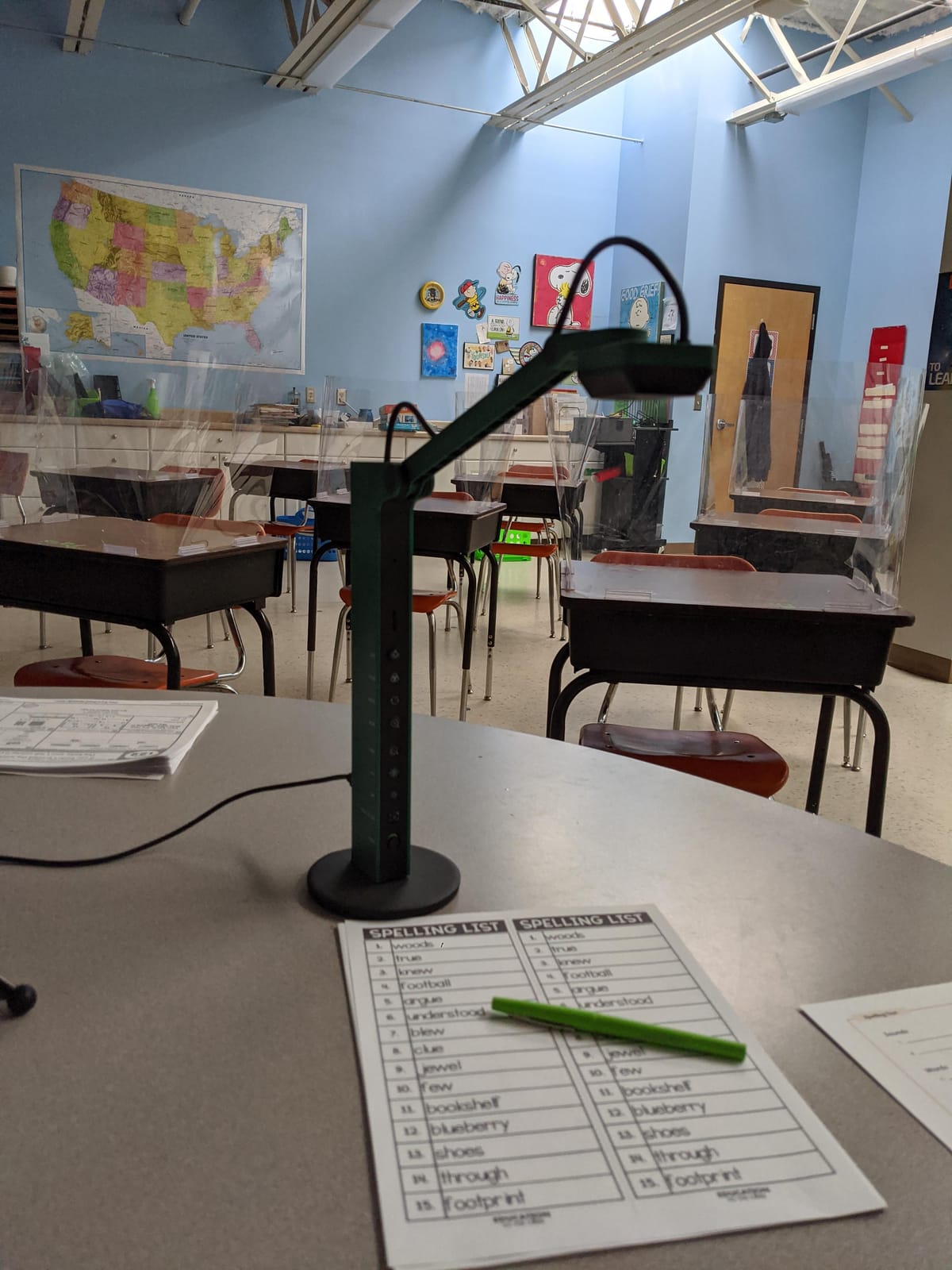
Why the IPEVO VZ-R removes the computer from the lesson
A fixed room with a wall-mounted display and no computer in the space is entirely workable with this model. Plug HDMI into the display, press the button on the camera head, and your worksheet is on screen. No laptop, no login, no software, and no delay while a machine boots. For lecture halls, libraries, and shared teaching spaces that already have a display, this is the cleanest option here.
It also has a top-weighted rating in the set, with 82 percent five-star reviews. The combination of build, focus speed and the LED is what reviewers respond to, and a built-in light means it works in a dim lecture room where ceiling projection would be useless.
Where the IPEVO VZ-R falls short
The HDMI cable and the wall power adapter are not included, and both have to be bought separately. That is an unpleasant surprise on a first unboxing, and it is the single most repeated friction in the reviews for this model.
It is also by far the priciest model in this group, and the stand is bulky for a desk, so it suits a fixed installation more than portable teaching. If your teaching is laptop-based and you never need to drive a display directly, you are paying for capability you will not use, and a USB model from the earlier sections is the more rational purchase.
What Teachers Actually Do With a Document Camera
The hardware matters less than the routine, so here is what these devices are genuinely used for in classrooms, tutoring rooms and homes.
Showing student work at full size. A page that would be illegible from the third row becomes readable on the display, which turns a quick correction into a teaching moment for the whole class. Art and portfolio review depends on the same function with larger sheets.
Modelling handwriting and worked examples. Writing under the lens as students watch is the use that most justifies the purchase, and it is where exposure control earns its keep, because a badly lit page erases the pencil detail you are trying to teach.
Reading aloud and language work. Picture books, phonics materials and running text on a worksheet are all easier to follow when every learner, remote included, sees the same page at once.
Science demonstrations and specimens. A microscope adapter is included with both INSWAN models, and optical zoom on the THUSTAR helps here more than resolution alone does. Hands-on work needs light control and a low working distance.
Recording mini-lessons for a flipped classroom. Every USB model in this list streams to a recorder such as OBS, Camtasia or SeeSaw, which turns the same device into lesson production equipment.
Live tutoring and one-to-one sessions. Used as a webcam, a document camera gives a tutor a second view, so a student can hold up their work without leaving the frame. The IPEVO V4K, INSWAN INS-2 and kitchbai 4K all register as standard cameras for this.
How to Choose a Document Camera: Connection, Zoom and Capture Area
Ignore the megapixel number for a moment. Three decisions do more to determine whether you are happy with your purchase than any other spec, and all three are settled before you compare sensors.
USB-only, HDMI passthrough or wireless: pick the connection first
A USB-only document camera needs a computer. It appears as a webcam, and that is excellent in a room where you teach from a laptop, and useless in a room with a display and no machine. Seven of the eight models here are USB-only for exactly this reason, and it is the constraint behind most of the complaints you see online about doc cams that will not work properly.
HDMI passthrough means the camera can drive a projector or television directly, so a teacher can flip between the document camera and a laptop source mid-lesson without touching a cable. This is what the IPEVO VZ-R does, and it is the reason that thread exists on r/Teachers in the first place. If your room has a wall-mounted display and no computer, this is not an optional upgrade.
Wireless models stream over Wi-Fi to a laptop, tablet or display and often run on a battery, which suits rooms with no fixed cable. None of the eight we tested are wireless, so treat that as a category to research separately rather than a checkbox on this list.
A related decision: does it need vendor software? Users are explicit that they want to avoid doc cams that connect to a laptop and then only function inside specific software. Every pick here registers as a standard UVC camera, so Zoom, Microsoft Teams and Google Meet see them as an ordinary webcam. Bundled tools are a bonus for annotation, not a gate you pass through.
Optical zoom beats digital zoom every time
Optical zoom moves the lens and gathers more light. Digital zoom crops the sensor and interpolates, so magnified text gets softer and noisier exactly when you need it sharpest. Only two models here offer real optical zoom: the THUSTAR 8MP at 2.0x, and the IPEVO VZ-R at 3x optical plus 12x digital, while the INSWAN units offer 16x digital only.
For worksheets and printed pages, zoom matters little. For electronics, jewellery, circuit boards, insects and fine motor work, it matters a great deal, which is why art and science teachers should prioritise it over raw resolution.
Capture area decides what fits under the lens
Capture area is how much of the page fits in a single frame. The IPEVO VZ-R reaches 10.6 by 18.9 inches, the INSWAN INS-1 covers 14.72 by 11 inches, the IPEVO V4K reaches 13.46 by 10.04 inches, and the THUSTAR, kitchbai and PAKOTOO 8MP models all cover a full A3 sheet at 16.5 by 11.6 inches. The PAKOTOO 5MP also reaches A3 through its flexible arm.
A letter-only stage looks fine on a spec sheet and then frustrates you the first time you lay out a two-page spread or a newspaper clipping. If you teach primary, share student work often, or review art portfolios, buy for A3. The extra stage size costs nothing but a slightly larger arm.
LED brightness and exposure control, not raw lumens
More LED is not automatically better. The forum complaint that recurs most often is a camera that is too bright to show fine pencil detail, and the fix is exposure control rather than a brighter lamp. Look for stepped brightness levels, manual exposure, and ideally an anti-glare sheet in the box.
The INSWAN INS-1, with seven-segment brightness and an anti-glare sheet, gave us the most control over a dim room. The INSWAN INS-2 adds resolution but softens in low light, so its LED does less work than its spec suggests. The IPEVO V4K has no light at all, so it depends entirely on your room.
Software dependency is the one thing to check before checkout
Confirm the camera appears as a standard webcam in your conferencing tool, that autofocus is continuous rather than button-triggered, and that the included cable suits your ports. Both PAKOTOO models require you to select USB Camera manually each session, and two models in this group come with a cable that one buyer found did not work at all.
Also consider the warranty for a shared device. Coverage ranges from one year on several models to a two-year manufacturer warranty on the THUSTAR and a listed 14 months on the INSWAN INS-2. A longer warranty is worth something on equipment that gets moved, folded and knocked daily.
Document Camera vs Flatbed Scanner: Which One You Actually Need
If your goal is a clean file, a flatbed wins. If your goal is showing a page live to a room or a call, a document camera wins. The two tools answer different questions, and the mistake is expecting a document camera to be a scanner.
A document camera produces a live feed, which is the entire point. You hold a page, write on it, and rotate a specimen in front of a class or a remote audience. A flatbed produces a still image with far better edge quality and colour accuracy, and it can handle bound documents and fragile items that a moving arm could tear.
The overlap is scanning. Several buyers of these models do use a document camera as an ad hoc scanner, and cameras that work with HP Smart or similar software make that workable for receipts and single pages. Reviewers of the INSWAN INS-2 note its text scanning performs poorly on high-contrast pages, which is the honest limit of that approach.
If your work is documents travelling rather than documents being shown, our guides to the best portable document scanners for travel and the best portable document scanners for business travel cover that side properly.
USB-C, Chromebooks and Using a Document Camera as a Webcam
Most classrooms now run Chromebooks, and the compatibility story for document cameras is better than most buying guides suggest. These cameras are UVC devices, which means the operating system treats them as a standard camera, so no driver installation and no vendor app are required on Chrome OS, macOS or Windows.
The catch is physical. Chromebooks and modern Mac laptops ship with USB-C ports, and most document cameras ship with a USB-A cable. That means an adapter, and a thin adapter on a desk arm that gets moved is a source of the connection dropouts described in the reviews of both PAKOTOO units. The kitchbai 4K ships USB-C natively and behaved as the most genuinely plug-and-play model we tested, so it is the safest Chromebook choice at this tier.
Two models need a manual step: both PAKOTOO units require you to select USB Camera in the system camera menu each session. That is a thirty-second habit, but it catches out people who are already running late.
As for using a document camera as a webcam, the answer is yes for most USB models in meetings, and no for anything else. The feed appears as a normal camera in Zoom, Teams, Meet and OBS, which covers online tutoring, remote teaching and recording a lesson while looking down at your desk. Flipping a camera to show a page is fast. It is still not a substitute for a webcam when you need to film yourself, and it is not a substitute for a scanner when you need a file.
Frequently Asked Questions
What is the best document camera for teachers?
The IPEVO V4K is the best overall document camera, with an 8MP CMOS sensor, 30 fps streaming, a 250-degree rotating head and true plug-and-play operation on Mac, Windows and Chromebook. Teachers who work in dim rooms should add the INSWAN INS-1 instead, because its built-in LED and seven-segment brightness control handle poor lighting better. Teachers whose room has a display and no computer need the IPEVO VZ-R for HDMI passthrough.
Is a document camera better than a scanner?
It depends entirely on the job. A document camera is built to show a page, a specimen or a piece of student work live to a room or a video call, which a scanner cannot do. A flatbed scanner produces cleaner still images, handles bound and fragile documents better, and is the right tool for archiving. If you need both, buy the document camera for teaching and keep the scanner your district already owns for filing.
Do document cameras work with Chromebooks?
Yes. All eight models here are UVC devices, so Chrome OS treats them as a standard camera with no driver and no vendor software. The practical issue is the connector rather than the software, since most models come with a USB-A cable and Chromebooks use USB-C. The kitchbai 4K includes USB-C natively, while both PAKOTOO models also require you to select USB Camera manually each session.
Can a document camera replace a webcam?
For meetings and lessons, yes. Connect a USB document camera and it appears as an ordinary camera in Zoom, Microsoft Teams, Google Meet and OBS, so you can show a worksheet, your desk, or a student’s work while teaching. The INSWAN INS-2 also lists iPad support. It will not film you the way a webcam does, and it will not produce a scanned file, so keep both purposes in mind.
What resolution do I need for a document camera?
An 8MP sensor is the practical sweet spot, because it holds 9pt print and light pencil readable when blown up to the back of a room. The PAKOTOO 5MP at 5MP is usable but visibly softer on fine print. Move up to 13MP and true 4K, as on the INSWAN INS-2, when you routinely display large artwork, two-page spreads or small specimens rather than single worksheets.
Are document cameras worth it?
For most teachers who own or share one, yes. Teachers in classroom forums describe them as one of the few pieces of classroom technology they use every single day, because modelling handwriting, sharing student work and demonstrating a science experiment all require a live feed. The models that disappoint are the ones that lag, blow out pencil detail, or need vendor software. Weight autofocus speed, exposure control and USB compatibility above brand name.
The Best Document Camera Verdict for 2026
After working through the same routine on all eight, the IPEVO V4K is the best document camera of 2026 for the widest range of teachers, because it focuses quickly, holds print sharp, and takes up almost no space. Add the INSWAN INS-1 if your rooms are dim, the THUSTAR 8MP if you teach science or hardware, and the IPEVO VZ-R if your display has no computer behind it.
Before you check out, answer one question: does a computer sit between this camera and your screen? If yes, any USB model here will work and the IPEVO V4K is the safe answer. If no, you need HDMI passthrough, and that single requirement narrows the list to one model. Everything else on your list is preference.
Use the buttons below for current pricing, and check that the box includes a cable long enough for your setup.