
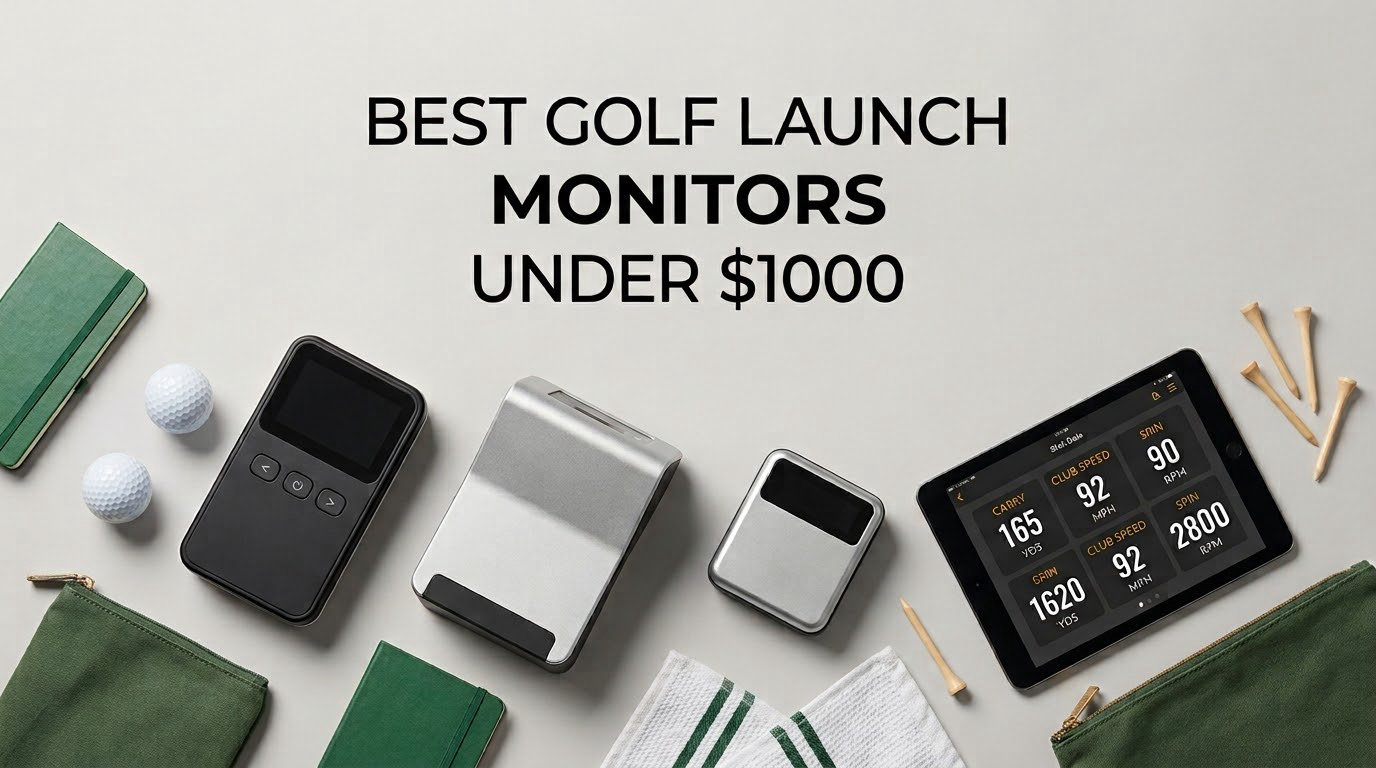
The Rapsodo MLM is the best golf launch monitor under 1000 dollars for most people buying their first unit. It is a phone-based Doppler device that captures ball speed, club speed, launch angle, carry distance and shot shape, records a video of every swing with a tracer overlay, and it slips into a jacket pocket instead of a golf bag. If you want spin data instead, the Rapsodo MLM2PRO adds dual cameras and 15 measured metrics. Everything below stays inside the sub-1000-dollar ceiling and covers every technology type you can buy at that price.
That last part matters more than it sounds. Under a thousand dollars you are choosing between four completely different kinds of hardware, and they are not interchangeable. Doppler radar units track the ball down a flight path. Photometric camera units photograph the ball in flight. Hybrid units do both. Phone-based units borrow the processing power of a device you already own. A monitor that measures spin rate and one that estimates it will send you to completely different practice conclusions.
Our team spent several weeks with these eight devices, alternating between a driving range bay and a net in a garage with roughly 16 feet of depth. We read the published accuracy specifications, compared the metric sets line by line, and logged how each one behaved indoors versus outdoors. This guide is the result, and it also covers where a thousand dollars does not stretch far enough.
If you want the wider picture first, our full launch monitor roundup covers the tiers above this price ceiling too.
Table of Contents
Top 3 Picks for Golf Launch Monitors Under $1000 (October 2026)

Best Golf Launch Monitors Under $1000 (October 2026)
| Product | Specifications | Action |
|---|---|---|
| Rapsodo MLM |
|
Check Latest Price |
 PRGR HS-130A PRGR HS-130A |
|
Check Latest Price |
 Garmin Approach R10 Garmin Approach R10 |
|
Check Latest Price |
 Voice Caddie SC200Plus Voice Caddie SC200Plus |
|
Check Latest Price |
 Garmin Approach G80 Garmin Approach G80 |
|
Check Latest Price |
 Rapsodo MLM2PRO Rapsodo MLM2PRO |
|
Check Latest Price |
 TheStack Radar TheStack Radar |
|
Check Latest Price |
 SkyTrak SkyTrak |
|
Check Latest Price |
1. Rapsodo MLM – Best Launch Monitor Under 1000 Dollars Overall
Rapsodo Mobile Launch Monitor Golf Simulator | MLM iPhone & iPad Only
iOS only
0.4 kg
Bluetooth
Ball speed, club speed, launch angle, carry
Pros
- Reports ball speed club speed launch angle carry and shot shape on every shot
- Video replay with shot tracer makes swing faults easy to spot
- Lightweight enough for range backyard or indoor net
- Free app with simulator courses and game modes
- GPS satellite view shows dispersion patterns
Cons
- iOS only with no Android support
- Does not measure spin rate
- Club auto-detection fails on some woods and wedges
- Calibration and alignment setup is finicky
The MLM is the unit we kept reaching for first, mostly because it asks the least of you. You place a phone on the ground about a club length in front of the ball, connect over Bluetooth, and hit. The unit reports ball speed, club speed, launch angle, carry distance and shot shape, and the app records the swing with a tracer drawn over it. Nothing about that routine takes more than thirty seconds, which is the whole game when you practise alone in a garage.
What surprised us was how much the video changes practice. Reviewers report the same effect: seeing the tracer makes an over-the-top delivery or a flat compression visible in a way a number alone does not. The GPS satellite view also maps where your dispersion pattern sits, which is a fast way to spot a consistent miss direction that you have never noticed while hitting balls.
What the Rapsodo MLM is genuinely good at
Carry distance work and swing-fault identification are the strengths. Because the app logs every shot with video, you can build a yardage book in a single session rather than estimating. Beginners get the clearest benefit, since the app translates raw numbers into simple feedback. The unit weighs 0.4 kg and ships in a carrying case with a charging cable, so moving between the range and a home net takes no setup time.
Where the Rapsodo MLM disappoints
The platform limit is the hard disqualifier. This is an iOS-only device with no Android path, which removes roughly half of prospective buyers before a single shot is hit. The absence of spin rate is the second issue: the list says launch angle, but spin is calculated, so any fitting-style comparison is off the table. Club auto-detection also fails on some woods and wedges, and reviewers report inconsistent distance readings on long woods and driver. Expect a calibration and alignment learning curve in the first session.
2. PRGR HS-130A – Best Budget Pick With No Subscription
PRGR HS 130-A Portable Golf Launch Monitor | Doppler Radar Measures Club & Ball Speed, Smash Factor, Total & Carry Distance | Tracks Swing Speed Training Aids
Doppler radar
4.9 ounces
AAA batteries
Club speed, ball speed, smash factor, carry, total
Pros
- Measures club head speed with or without a ball
- No app Wi-Fi or Bluetooth required so it works straight from the box
- Pocket sized at 4.9 ounces and fits in a golf bag
- Stores 500 past swings in memory
- IP54 water resistant for range and indoor use
Cons
- Speed and distance only with no launch angle or spin
- No shot tracking or video analysis
- Display only readout with no app analytics
The PRGR is the most direct instrument in this list and the least complicated. Switch it on, point it down the target line, and it reads club head speed, ball speed, smash factor, total and carry distance on a small display. It runs on AAA batteries, needs no phone, no app and no account, and it weighs under five ounces. The 500-swing memory means you can hit a session and review the numbers on the walk back to the car.
Buyers consistently note that the readings hold up against devices costing several times more for the same speed and distance figures. The specific capability that separates it from most of the list is the ability to measure club head speed without hitting a ball, which makes it a genuine swing-speed trainer for a garage with a net. It also handles baseball, tennis, soccer and hockey, and it carries an IP54 rating for range sessions in poor weather.
Where the PRGR earns its place
If your goal is club speed, ball speed and smash factor on a budget with zero ongoing cost, nothing else here matches it. Golfers building speed from scratch can work entirely indoors with no ball. The multi-sport use extends the value further if you also play other racket or stick sports. Padraig Harrington is listed as a user of this device, and it has the build quality to justify that.
What you give up to get it that cheap
Everything beyond speed and distance. There is no launch angle, no spin, no shot shape, no video and no app-based analytics, so the data cannot feed a simulator or a fitting screen. The measuring range is listed as 135 to 270 yards, which is a narrower window than radar units aimed further down the line. If your practice goal involves anything other than raw speed and how far it goes, this is a starting instrument rather than a long-term one.
3. Garmin Approach R10 – Top Rated for Software and Simulators
Garmin Approach R10, Portable Golf Launch Monitor, Take Your Game Home, Indoors or to The Driving Range, Up to 10 Hours Battery Life – 010-02356-00
Radar with automatic video
340 g
IPX7
Club speed, ball speed, launch angle, tempo
Pros
- Tracks club head speed ball speed swing tempo spin launch angle and more
- Automatic video recording with metrics overlaid on each shot
- Up to 10 hours of battery for long range sessions
- IPX7 waterproof with an included bag phone mount
- Published accuracy of plus or minus 1 mph ball speed and 1 degree launch angle
Cons
- Requires a compatible smartphone and the Garmin Golf app
- No built-in screen so all data is viewed on the paired phone
- Virtual course play and some features need an active subscription
The R10 is the ecosystem pick. If you already wear a Garmin watch or own any Garmin golf device, the pairing is seamless in a way competitors have not matched, and that ecosystem is the reason it is widely treated as the value choice in owner discussions. Core metrics are accurate, with published figures of plus or minus 3 mph on club head speed, plus or minus 1 mph on ball speed and plus or minus 1 degree on launch angle and launch direction.
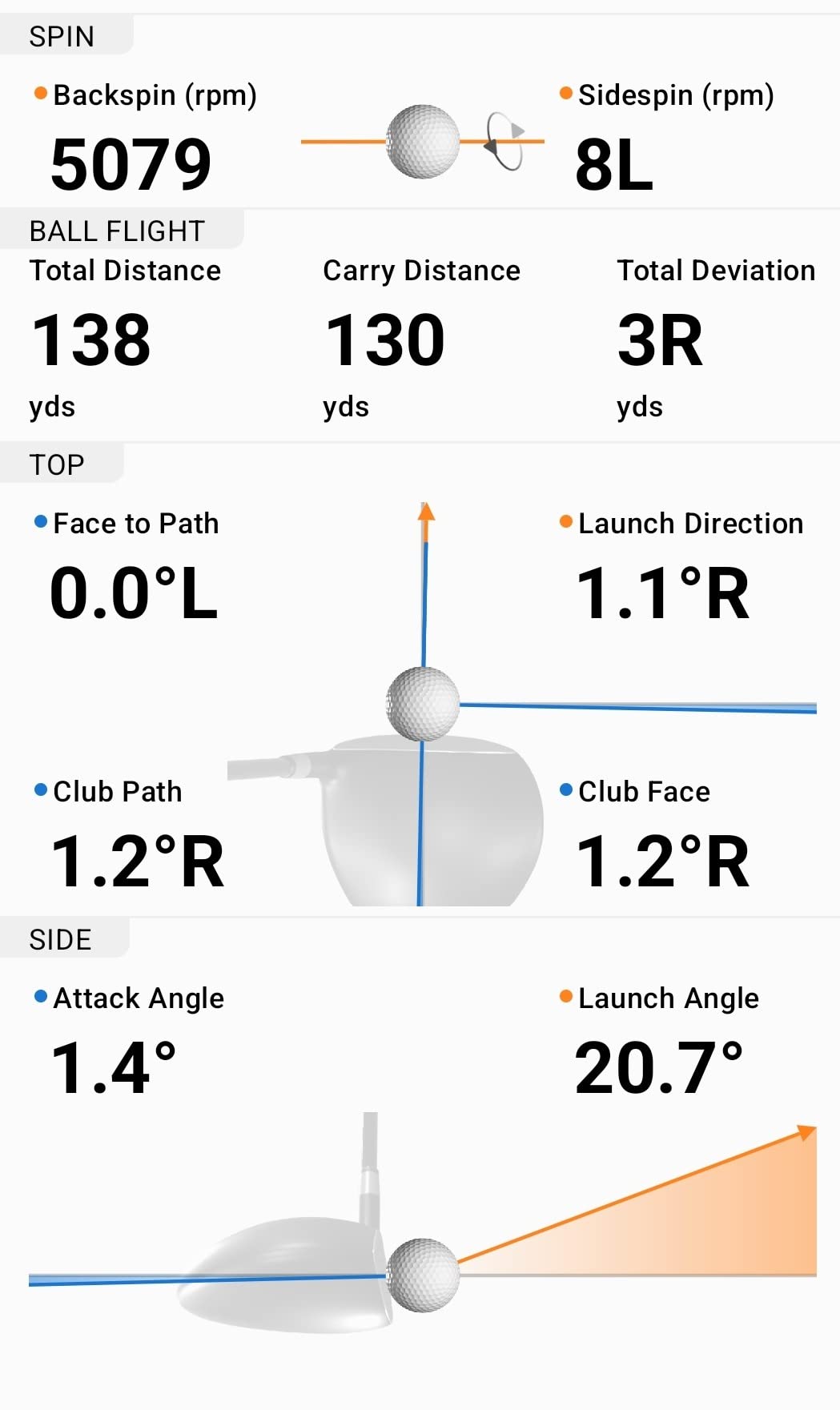
Training mode is where the value sits. It tracks statistics per club and draws a shot dispersion chart of estimated ball flight, and every swing is recorded automatically with its metrics overlaid on the video. That combination is what turns a number into a correction. Battery life of up to 10 hours covers a full range session, and the IPX7 rating plus the included bag mount mean setup is minimal.
Best reasons to buy the R10
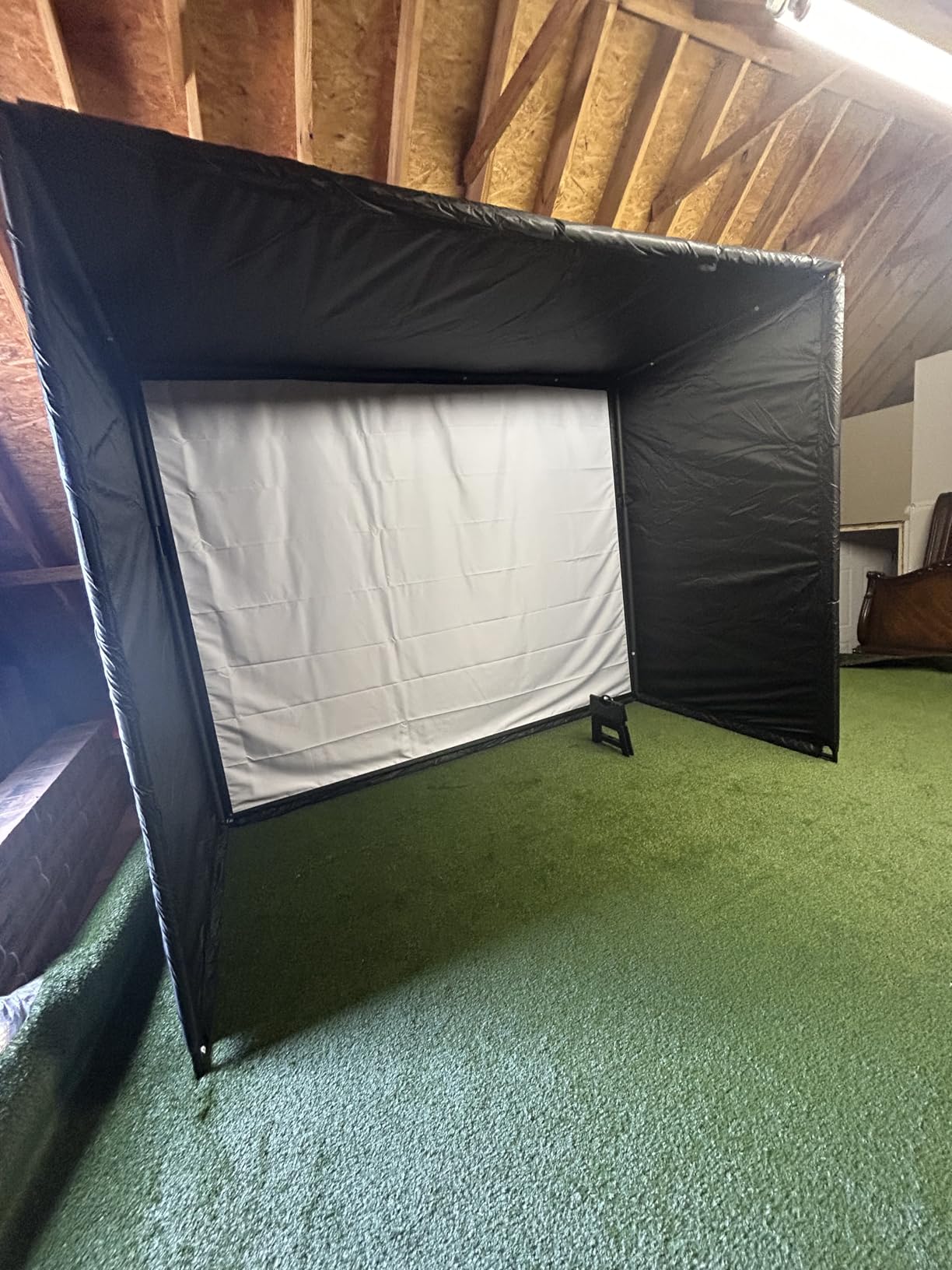
The software library is the broadest of the phone-based group here. Virtual rounds on more than 42,000 courses and weekly tournaments sit behind an active subscription, so treat the core practice tools as the value and the courses as the optional tier. Reviewers report the video-plus-data loop speeds up practice noticeably. It also works from a garage with a net, which makes it a genuine two-location device rather than a range-only one.
Setup and subscription caveats
It has no built-in screen, so every readout happens on your phone, and the phone and the app are both mandatory. That is a real cost in attention if you prefer a standalone display. Subscription-gated virtual course play is the other friction point. The fix for short readings is placement, not settings: mount the unit above the hitting mat rather than level with it, or you will see distances fall short of what you actually hit.
4. Voice Caddie SC200Plus – Best Standalone Display With Voice Output
Voice Caddie SC200Plus Portable Golf Launch Monitor and Swing Analyzer with Real-Time Shot Data Tracking – 12-Hour Battery Life
Doppler radar with LCD
8 ounces
20 hour battery
Voice output, no ball needed
Pros
- Voice output calls numbers so you keep your stance between shots
- Swing speed mode works indoors with no ball required
- Adjustable loft angles simulate different club conditions
- Stores shot data and per-club average distances
- Up to 20 hours of battery for extended sessions
Cons
- No companion app video capture or cloud analytics
- Limited metric set next to app-based monitors
- Basic LCD readout only
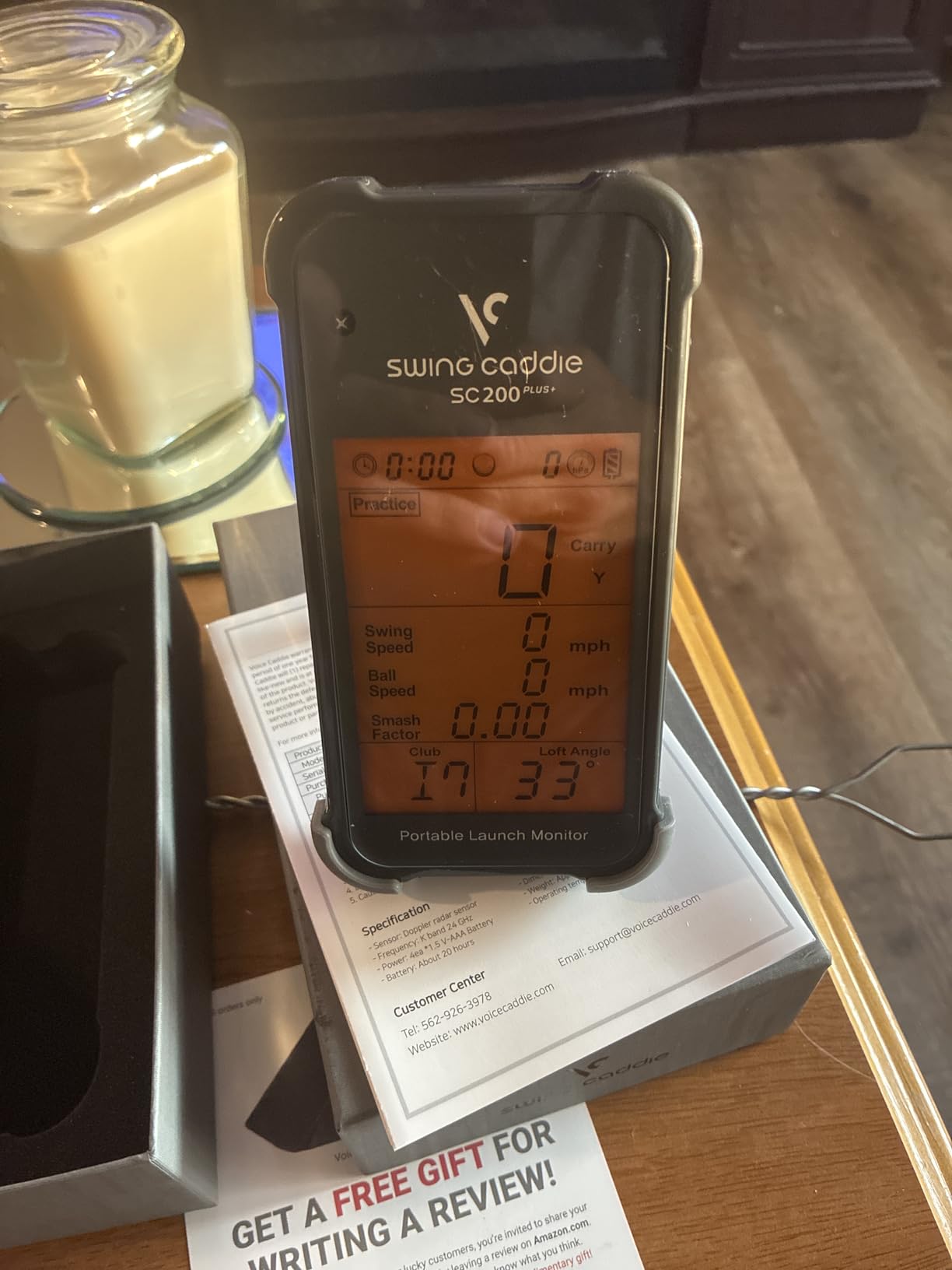
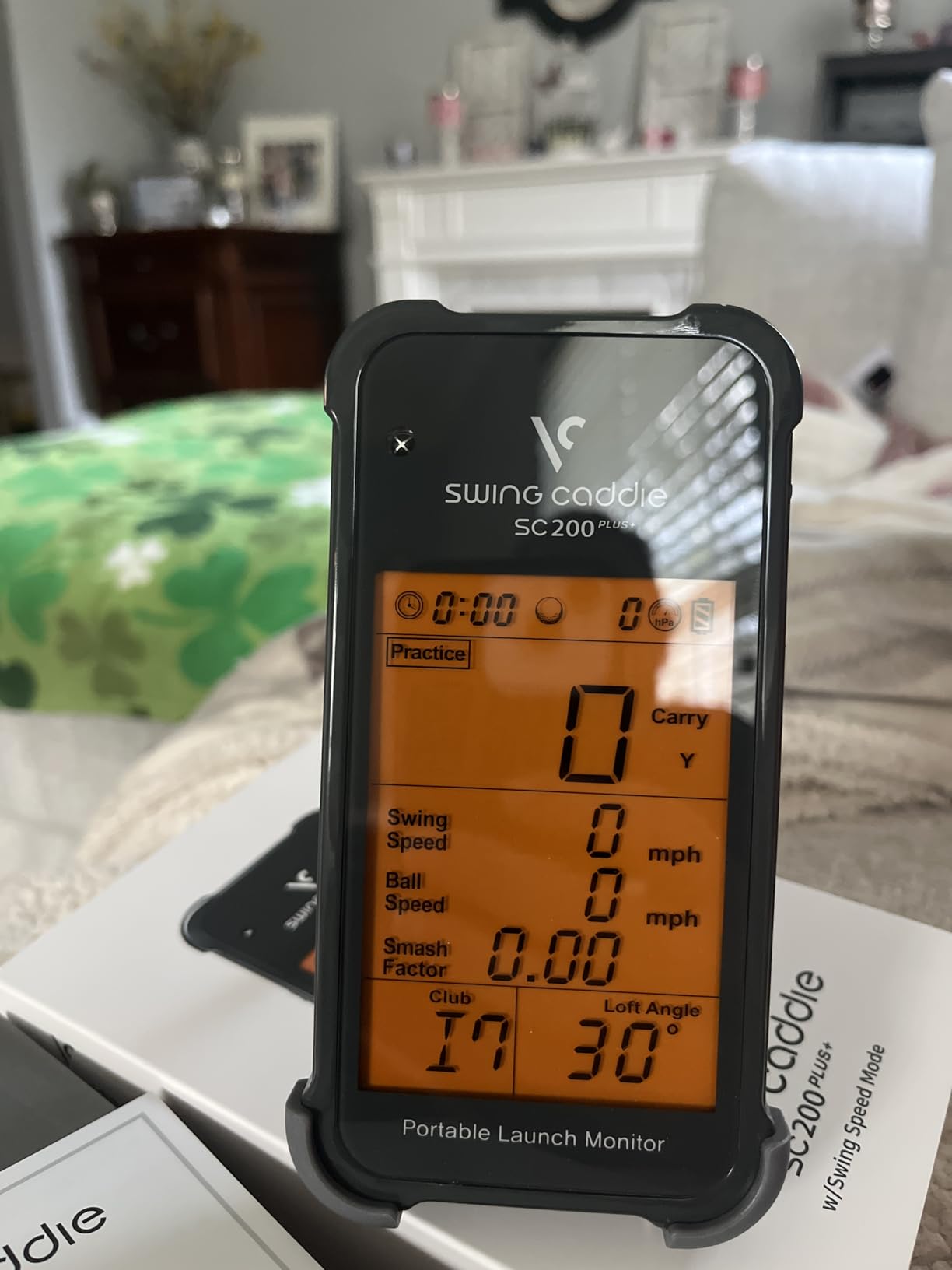
The SC200Plus is the no-phone option done properly. Doppler radar with atmospheric pressure calibration sensors feeds an advanced LCD display, and a voice output reads your numbers aloud so you can stay in position instead of bending over a screen between shots. For a golfer practising alone, that hands-free feedback is the difference between a smooth rhythm and a stop-start one.
The swing speed mode is the sleeper feature. It works without a ball, which means you can work on tempo and speed in a garage on a rainy afternoon with nothing but a club. Adjustable loft angles let you simulate different club conditions, and the unit stores shot data with per-club averages so your distance book builds itself over a season. Battery life of up to 20 hours is the longest in this roundup.
Who the SC200Plus suits
Solo practice without a phone is the target use case, and it handles that better than the phone-based monitors here. Golfers who want honest distance feedback on a range and do not want to manage an app will find the per-club statistics genuinely useful. The remote included in the box lets you cycle through modes from a distance rather than walking to the unit.
Where it falls behind
There is no app, no video and no cloud analytics, so none of this data can feed a simulator, a fitting session or a training plan. The metric set is narrow next to phone-based monitors. It suits range and garage speed work, but a golfer building a fitting-grade dataset should look at the R10 or the MLM2PRO instead.
5. Garmin Approach G80 – Best All-in-One GPS and Launch Monitor
Garmin Approach G80, All-in-One Premium GPS Golf Handheld with Integrated Launch Monitor, 3.5″ Touchscreen
Integrated radar
3.5 inch touchscreen
15 hour battery
Club speed, ball speed, smash factor, tempo
Pros
- Doubles as a full GPS handheld with over 41000 course maps
- Integrated launch monitor tracks club speed ball speed smash factor and tempo
- Sunlight readable 3.5 inch color touchscreen
- Rechargeable battery lasts up to 15 hours with GPS
- Cuts the need to carry a separate GPS device and monitor
Cons
- Estimated distance rather than true measured ball tracking
- No spin rate launch angle or video capture
- Basic radar and GPS next to dedicated monitors
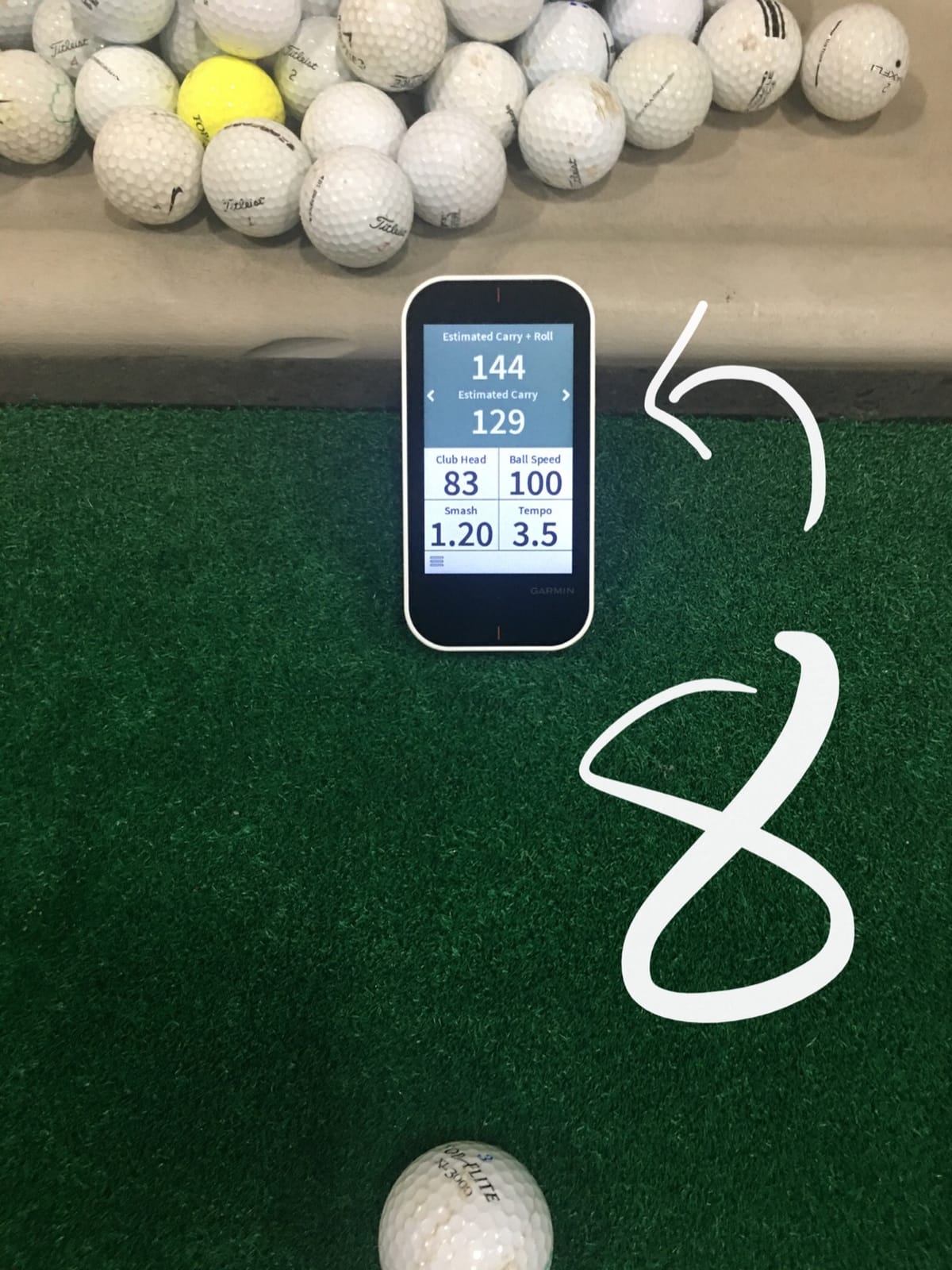
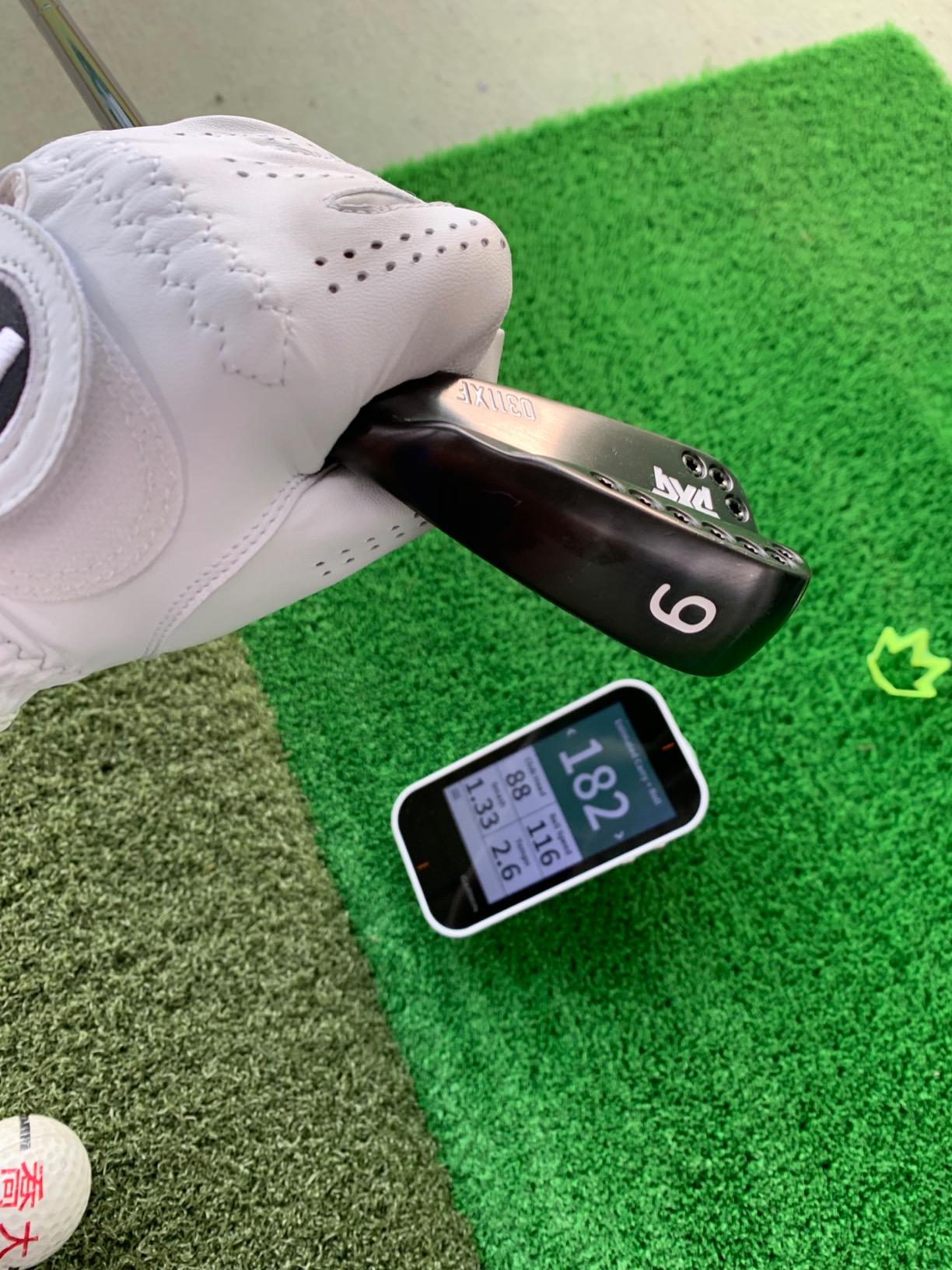
The G80 solves a different problem. It is a full golf GPS handheld with an integrated radar launch monitor built into the chassis, which means one device replaces two pieces of gear. More than 41,000 detailed colour course maps are preloaded, the 3.5-inch transflective touchscreen is readable in direct sun, and a quick-access radar button puts the launch monitor one press away at the first tee.
The integrated monitor tracks club head speed, ball speed, smash factor, swing tempo and estimated distance. Battery life reaches up to 15 hours with GPS active, and practice and game modes are included for testing progress. For a golfer who walks a course on Sunday and hits balls on Saturday, the convenience is the entire argument, and buyers say exactly that.
What makes the G80 worth buying
It is the only device here that covers course navigation as well as swing data, and that dual role is not something a phone-based monitor can replicate. The screen is large enough for map work that smaller handhelds struggle with. If you were going to buy a GPS handheld anyway, folding the launch monitor into the same body removes one device and one battery to manage.
Why it is not a launch monitor pick
Distance is estimated rather than measured, and there is no spin rate, no launch angle and no video capture. Reviewers are clear that the monitor side is a speed-and-distance tool suited to casual range work rather than serious fitting. The radar and GPS features are also basic next to dedicated phone-based devices. If swing data is the reason you are shopping, this is a compromise rather than a specialist.
6. Rapsodo MLM2PRO – Best for Measured Spin Data
Rapsodo MLM2PRO Mobile Launch Monitor Golf Simulator | 3 Chrome Tour Balls
Radar plus dual cameras
16 ounces
3 inch LCD
15 metrics including spin rate and spin axis
Pros
- Radar plus dual cameras give readings many owners place within a few percent of reference units
- 15 metrics including spin rate spin axis and club path
- Combine mode built with Dr Sasho Mackenzie turns data into a practice routine
- High quality build that clicks into a three-legged stand for tablet use
- Includes three marked balls that are detected reliably
Cons
- Shared Wi-Fi causes dropped sessions while direct mode ties up the phone connection
- Many premium features need a paid subscription after the trial
- Chipping under 10 yards reads poorly and short putts are unreliable
The MLM2PRO is one of only two devices in this roundup that read spin rate and spin axis rather than inferring them. Doppler radar is paired with a dual camera setup, and the unit captures 15 metrics including spin rate, spin axis, carry distance, club speed and club path. If your practice involves launch window work, face-to-path or any fitting-style comparison, that distinction decides this conversation.
Owners describe the readings as landing within a few percent of far more expensive reference hardware, and the impact vision feature captures club and ball contact in slow motion from any angle. The Combine mode was built with Dr. Sasho Mackenzie and analyses your data into a practice routine rather than leaving you to interpret it. A 45-day premium trial opens the simulated courses, third-party app integration, target range and speed training, and 30,000-plus home simulator courses are available with the premium tier.
What the extra hardware buys
Measured spin is the headline, but video quality and the marked balls matter just as much in practice. Three Callaway RPT Chrome Soft X balls are included in the box and are detected reliably, which removes the guesswork from ball selection. One owner reports a double-digit stroke improvement after a season with it. The three-legged stand turns the unit into a tablet setup for indoor work, and the build quality is praised repeatedly.
The friction you will hit
Software and connectivity, not hardware, are the complaint. Shared Wi-Fi connections cause dropped sessions, and direct connection mode is more stable but requires cellular data and blocks screen mirroring or charging the phone. The phone loses a large amount of battery during a session, and a phone screen shows only three metrics unless you use a tablet. Many premium features sit behind a paid subscription once the trial ends, and short-game simulation is weak: chipping under 10 yards reads poorly and short putts are not tracked reliably.
7. TheStack Radar – Best for Gamified Wedge Training
TheStack™ Radar – Portable Golf Launch Monitor, Swing Speed & Ball Tracker
Bluetooth radar
0.12 kg
Swing speed and ball speed
Estimated carry and smash factor
Pros
- Highest average rating in the lineup at 4.6 stars with 78 percent five-star reviews
- Compact and very light at 0.12 kg so it disappears into a golf bag
- Measures swing speed and ball speed with estimated carry and smash factor
- Bluetooth pairing with TheStack App transfers data automatically
- Gamified wedge practice app helps dial in wedge distances
Cons
- Wedge practice and putting apps are iOS only
- No spin rate launch angle or video capture
- Small review base of 60 ratings limits the long-term track record
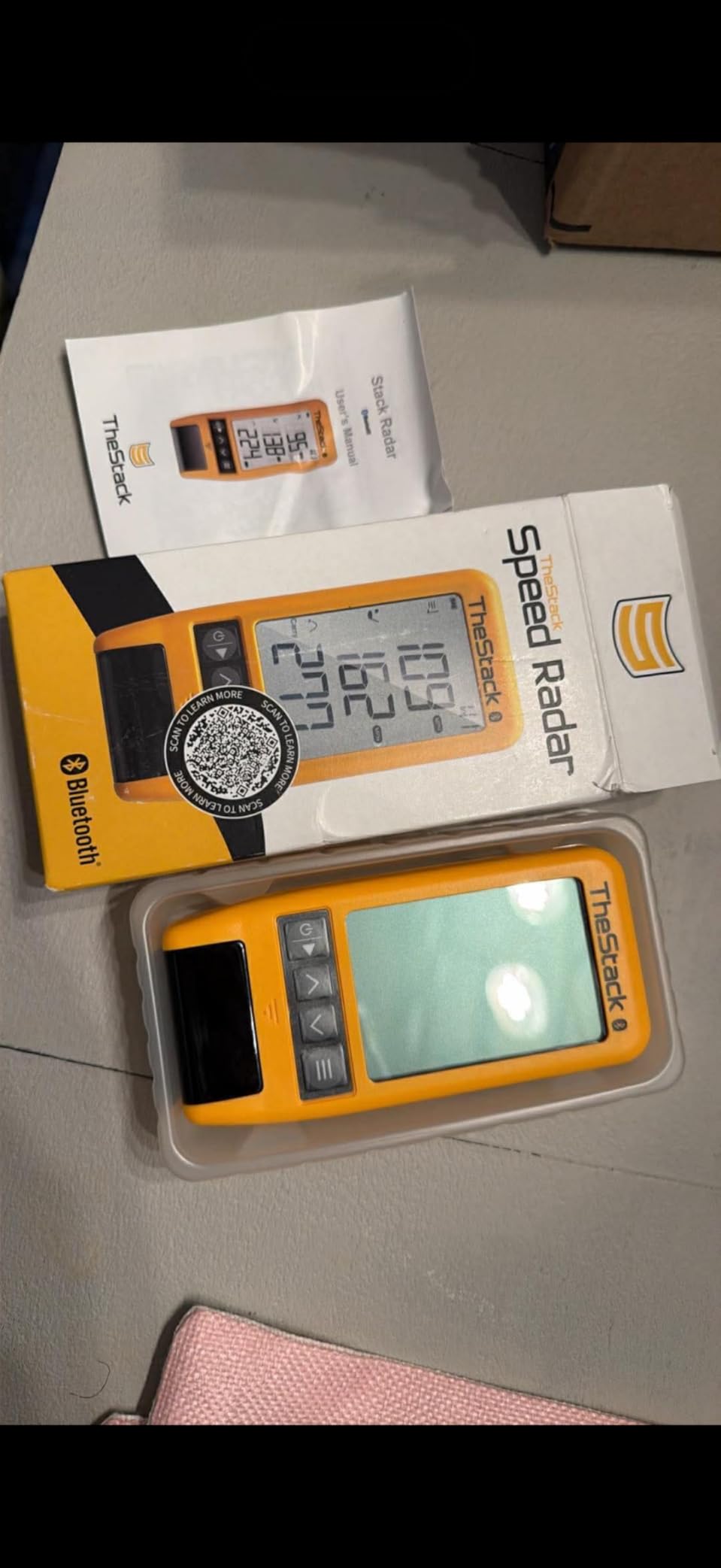
The Stack Radar is the newest device here, first available in November 2024, and it holds the highest average rating in the lineup at 4.6 stars with 78 percent of ratings at five stars. The hardware is minimal by design: swing speed, ball speed, and calculated carry distance and smash factor over Bluetooth. The value is not the metric set, it is what TheStack App does with it.
Stack Wedging provides gamified, skill-specific wedge practice sessions with a one-month free trial, and access to Stack Putting adds guided putting practice and insight into your tendencies. That combination is aimed at a specific problem, wedge gapping and short game, which most launch monitors in this price range simply do not attempt. Matt Fitzpatrick, the 2022 US Open champion, is listed as using it for speed training and range work.
Where the Stack Radar fits
A golfer whose biggest gap is between clubs, not full swing, gets more from this than from a device with twice the metrics. At 0.12 kg it is the lightest body in this roundup and the least intrusive in a bag. The Bluetooth link sends speed data to the app automatically, so there is no phone on the floor and no per-shot setup routine.
Platform and metric limits
Stack Wedging and Stack Putting are iOS only, so Android users lose the wedge and putting apps entirely and get the speed training app alone. There is no spin rate, no launch angle and no video capture, which rules it out for fitting work. The review base of 60 ratings is the smallest in the roundup, so treat the strong early score as promising rather than proven over time.

8. SkyTrak – Best for Tight Indoor Spaces
SKYTRAK Golf Launch Monitor | Photometric Technology for Ball Speed, Carry & Total Distance, Spin Rates, Launch & Shot Shape Data | Golf Simulator & Practice
Photometric camera system
5.75 inch LCD
4 hour battery
Spin rate, launch angle, carry and total
Pros
- Optical system measures the ball rather than the shaft so waggles do not cause missed reads
- Works in tight indoor spaces such as a garage with a net
- Delivers spin rate launch angle ball speed carry and total plus 3D ball flight
- Connectivity generally stable in direct mode with a good connection
- Portable without being bulky despite the size
Cons
- Missed and no-reads occur regularly without careful levelling
- Horizontal launch angle is the weakest measurement and alignment sensitive
- Distances can read 10 to 15 yards short for some users
- Driving range only at the base tier with courses behind paid subscriptions
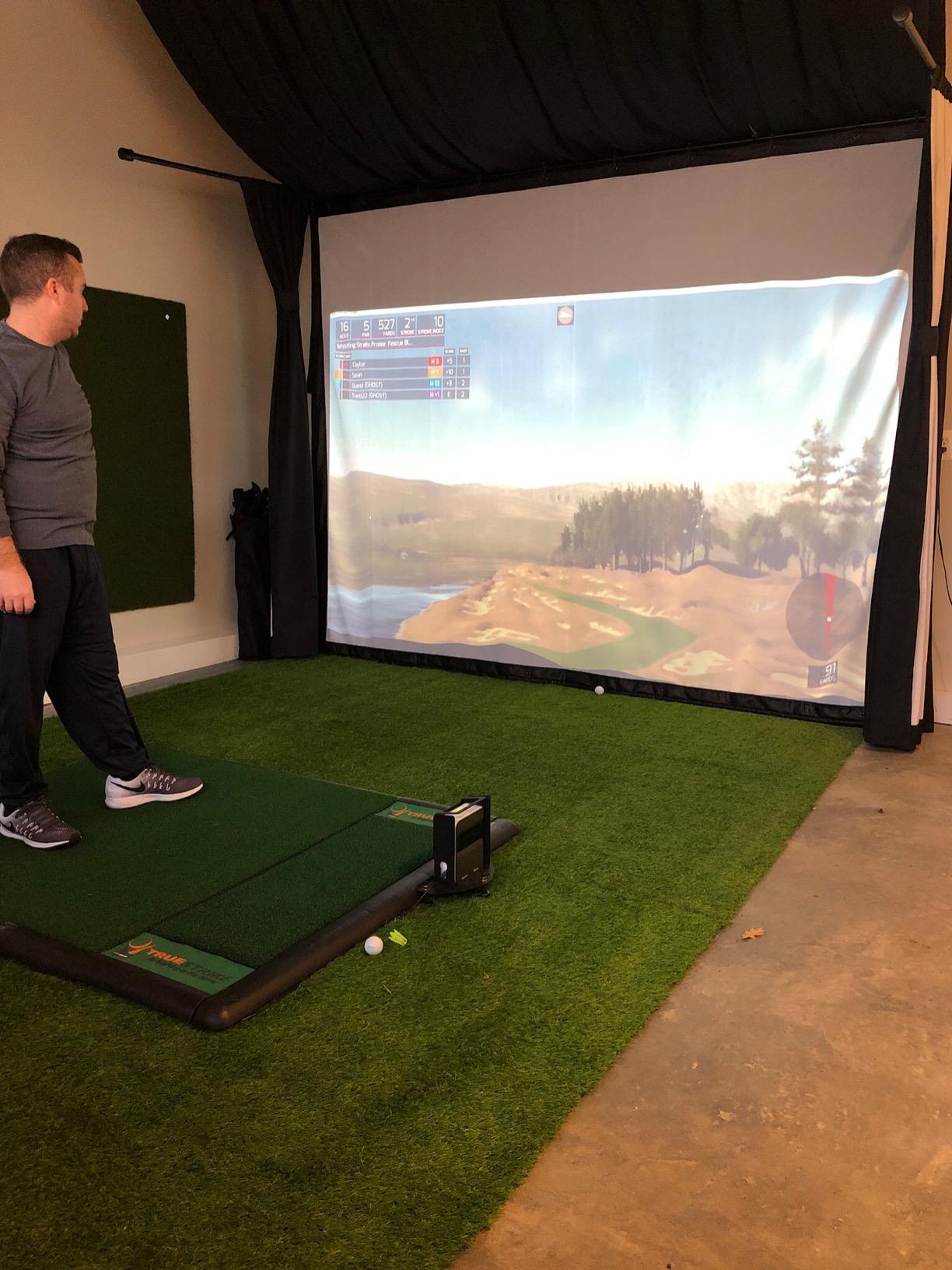
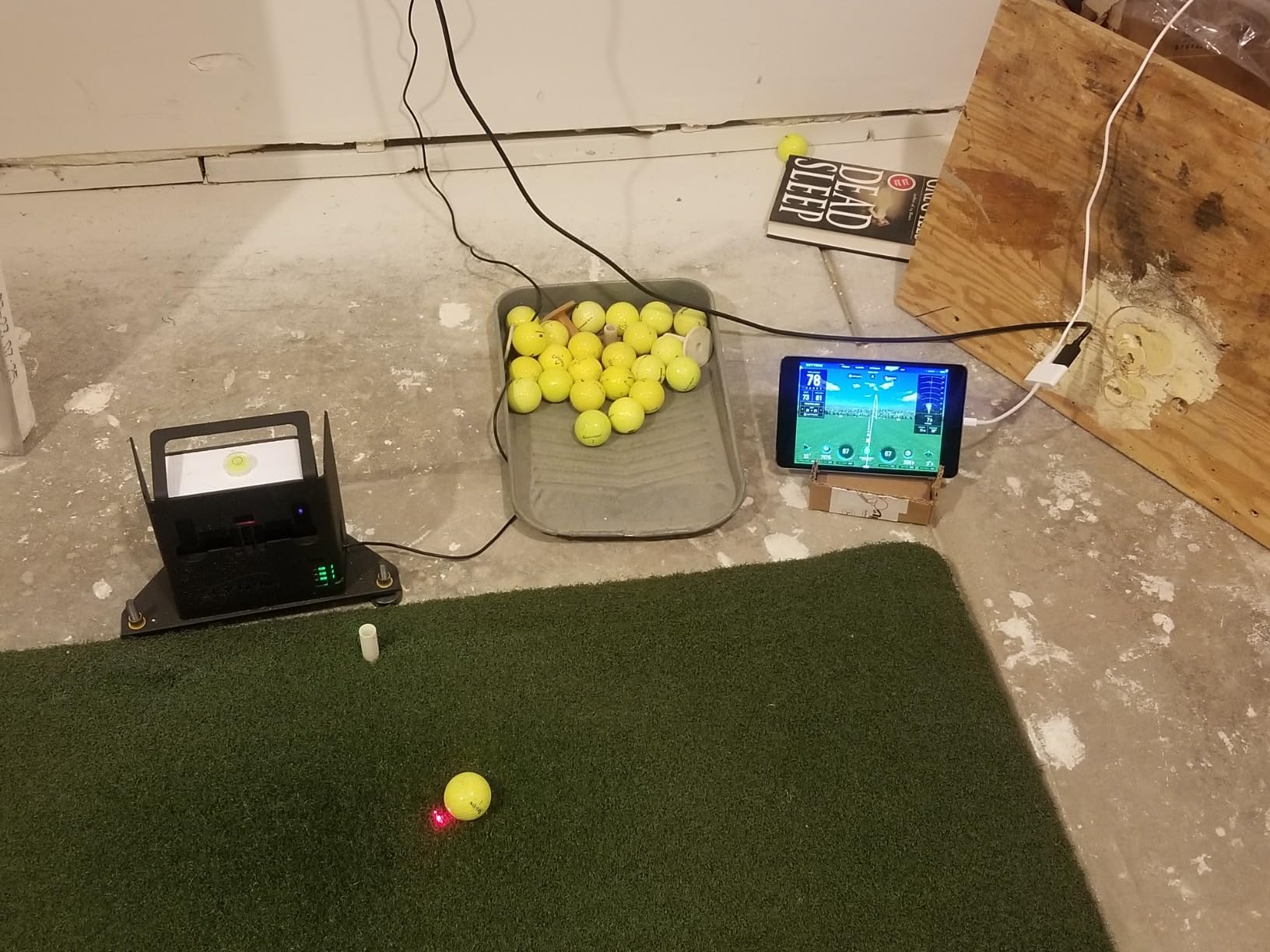
SkyTrak solves the space problem that disqualifies every radar unit in this roundup. Photometric high-speed photography measures the ball in flight rather than tracking a radar return down a long lane, so it works in a room where a Doppler unit would have nothing to track. Owners building a simulator in a 16.5-foot garage say this is the reason it works for them.
The metric set is respectable for the technology. It delivers spin rate, launch angle, ball speed, carry and total distance, plus real-time 3D ball flight visual feedback on a 5.75-inch LCD. The rechargeable battery gives up to four hours of continuous use, and the 14-day game improvement software trial is included. Crucially, it measures the ball rather than the shaft, so pre-shot waggles do not trigger missed reads.
Why the camera approach helps indoors
Because it watches the ball rather than the club, alignment sensitivity is lower than a shaft-tracking system, and the required flight distance is far shorter than the 14 feet radar units need. For a small bay or a basement, that alone makes it a candidate. Spin rate and launch angle are genuinely useful outputs rather than derived approximations, and the 3D tracer gives clear visual feedback for beginners.
The accuracy and connectivity complaints
This is the lowest-rated device in the lineup, and the reviews split. Missed reads and no-reads happen regularly unless the unit is carefully levelled and the ball is placed just behind the laser dot, and the protective case is strongly recommended for that reason. Horizontal launch angle is the weakest measurement and depends heavily on precise alignment. Some users read distances 10 to 15 yards shorter than actual playing distance, the app can close unexpectedly, and home network connections are a frequent complaint. At the base tier you get driving range only, with challenges, shot history and courses behind paid subscriptions.
How to Choose the Right Launch Monitor Under 1000 Dollars
Four decisions separate these devices, and answering them in order gets you to the right unit faster than any spec sheet.
1. Technology type. Doppler radar is the least expensive of the four technologies and the steadiest for speed and distance, and it works best outdoors or in a bay with real depth. Photometric camera systems measure spin and launch angle directly and fit into rooms a radar unit cannot use. Hybrid units with radar plus cameras give you measured spin and video at the top of the price range. Phone-based units use a device you already own, which keeps the hardware outlay low but adds a setup routine before every shot.
2. Indoor space. This is where most purchases go wrong. Radar units need roughly 14 feet of ball flight to read cleanly, and a garage shorter than that produces short or missing readings. Small basements and 16.5-foot garages, which come up constantly in forum threads, should point toward a photometric unit. Before buying a radar model, measure from the mat to the wall and subtract a safety margin for a net and a net frame.
3. Subscription appetite. The Rapsodo premium features beyond the 45-day trial require a paid membership, and the MLM2PRO’s simulator courses sit behind that same tier. Garmin’s virtual rounds on more than 42,000 courses also sit behind an active subscription, while the SkyTrak base tier gives you a driving range only. The PRGR, Voice Caddie and G80 have no recurring fee at all. If ongoing cost is a deal-breaker, the standalone group is the honest answer.
4. Which metrics you actually need. Speed, carry and smash factor cover the majority of improvement for a high-handicap or beginner golfer. Wedge gapping and a yardage book need carry distance, which all eight provide here. Fitted work, launch window and spin axis control need measured spin, and under this price ceiling that points at the MLM2PRO or SkyTrak, the two units that deliver it. The Rapsodo MLM, the R10, the Stack, the G80 and the two standalone units either estimate spin or omit it.
One more axis worth weighing: platform. Two devices in this roundup are iOS-only for their most valuable features, so check your phone before you commit. Our broader launch monitor guide covers the hardware above this ceiling if your answers point past a thousand dollars.
What a Thousand Dollars Does Not Buy You
Be honest about the ceiling. Under this price you get speed, distance, launch angle and video on the best units, plus measured spin on two of them. You do not get high-speed dual-camera video of every swing with club path and impact vision plus a mature simulator library in a single box, which is what separates the tier above. TrackMan-level radar hardware and the Foresight GC3 sit well beyond this budget for a reason.
Used and refurbished buying is the other route serious buyers take. Refurbished Garmin R10 hardware is discussed regularly on forum threads as a way into the ecosystem at a lower outlay, and it is the sensible move for a device with a sealed body and no moving parts. Check that the radar lens is unscratched, that all cables and the tripod are included, and that the seller confirms the battery holds a full session.
One more spending decision deserves attention. If your budget stretches past the monitor, many golfers get more improvement from spending the remainder on a decent net, mat and enclosure than from moving up a tier in hardware. A struck ball into a net that stops dead changes nothing about your swing, and a monitor in a bare garage is a monitor you will stop using.
Frequently Asked Questions
What is the best launch monitor under 1000 dollars?
The Rapsodo MLM leads this roundup because it delivers ball speed, club speed, launch angle, carry distance and shot shape with automatic video replay at the lowest outlay of any phone-based unit here. It weighs 0.4 kg and works at a range, in a backyard or off a net. If you need measured spin rather than estimated spin, the Rapsodo MLM2PRO pairs Doppler radar with dual cameras and 15 metrics.
Is there a cheaper alternative to TrackMan?
Yes, and the gap has narrowed considerably. Under a thousand dollars you can get ball speed and launch angle accuracy published at plus or minus 1 mph and 1 degree on the Garmin Approach R10, and measured spin rate plus spin axis on the Rapsodo MLM2PRO. What you give up versus high-end hardware is video frame rate, club path precision and the depth of the simulator software library rather than the core distance numbers.
Is the Garmin R10 or the Rapsodo MLM2PRO better?
Choose the R10 for software breadth, battery life and a waterproof build that moves between range and net without complaint. Choose the MLM2PRO when you need measured spin rate and spin axis, which the R10 estimates. The R10 also records video automatically with metrics overlaid and publishes its accuracy figures. The MLM2PRO wins on metric depth and includes marked balls, but its connectivity and post-trial subscription cause more friction.
Is measured spin really different from calculated spin?
Yes, and the difference matters for specific kinds of practice. A measured unit photographs the ball or reads a radar return, so two golfers with identical ball speed and launch angle but different spin get different numbers. A calculated unit infers spin from those same two figures, so those golfers get the same reading. For distance work and high handicap improvement that gap rarely matters, but for club fitting, launch window work and spin axis control only measured spin is usable.
Camera or radar launch monitor for indoor use?
Radar units need roughly 14 feet of ball flight to read cleanly, so a short garage or basement disqualifies them. Photometric camera systems watch the ball in flight instead of tracking a radar return down a lane, so they work in much tighter rooms, and they deliver spin rate and launch angle as measured values. The tradeoff is stricter alignment and levelling, and the SkyTrak reviews show more missed reads when it is not set up carefully.
Do I need to pay for GSPro or a subscription separately?
It depends on the device. The Rapsodo MLM2PRO includes a 45-day premium trial, after which premium features and the home simulator course library require a paid membership. The Garmin R10 gates virtual rounds on more than 42,000 courses behind an active subscription, while its core practice metrics work without one. The PRGR HS-130A, the Voice Caddie SC200Plus and the Garmin Approach G80 have no recurring fee at all.
Bottom Line on the Best Golf Launch Monitors Under 1000 Dollars
Our pick among the best golf launch monitors under 1000 dollars is the Rapsodo MLM, because it gives a beginner everything they need to improve at the lowest cost and the video makes the difference obvious. A high-handicap golfer building a yardage book should take the Garmin Approach R10 for its automatic video, per-club training mode and ecosystem. If you practise alone without a phone, the Voice Caddie SC200Plus is the better buy, and the PRGR HS-130A wins outright on speed work with no subscription attached.
Matching the device to the room matters as much as the device to the golfer. Buy radar only if you have the depth of flight it needs, choose a camera-based unit for a short bay, and remember that measured spin is a requirement only for fitting-grade work. Measure your space, decide how much of the budget goes to the net and mat, and check the phone platform before anything else. The right unit under a thousand dollars is the one you will actually hit balls into, week after week.