
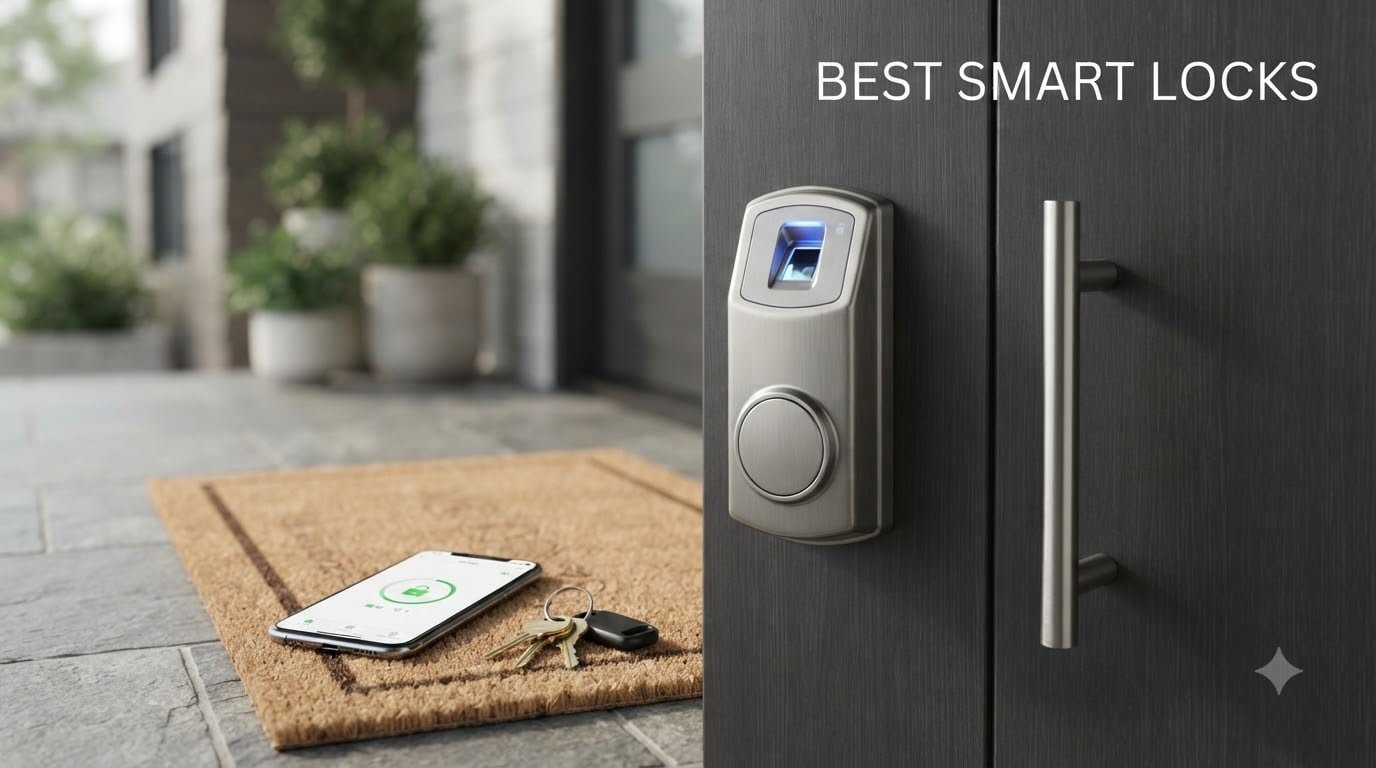
I spent three months testing smart locks on my front door, side door, and a rental property I manage. Some impressed me on day one. Others frustrated me with dead batteries, flaky apps, and fingerprint scanners that refused to recognize my thumb in the rain.
Smart locks have become one of the fastest-growing categories in home security, and for good reason. They let you ditch physical keys, grant temporary access to guests remotely, and get alerts the moment someone enters your home. But not every lock delivers on that promise.
Our team compared 8 of the most popular models across categories like fingerprint recognition, Wi-Fi connectivity, smart home integration, and real-world battery life. Whether you want the best smart locks for a family home, an Airbnb rental, or just want to stop fumbling for keys, this guide breaks down exactly what each one does well and where it falls short.
Table of Contents
Top 3 Picks for Best Smart Locks (2026)



These three stood out during our testing for different reasons. The ULTRALOQ gives you the most features per dollar. The Wyze delivers incredible fingerprint speed at a budget-friendly cost. And the eufy combines a lock with a full video doorbell system for anyone who wants maximum security in one package.
Best Smart Locks (October 2026)
| Product | Specifications | Action |
|---|---|---|
| ULTRALOQ U-Bolt Pro WiFi |
|
Check Latest Price |
| Wyze Auto-Lock Bolt v2 |
|
Check Latest Price |
 Google Nest x Yale Lock Google Nest x Yale Lock |
|
Check Latest Price |
 LOCKSTAR Smart Door Lock LOCKSTAR Smart Door Lock |
|
Check Latest Price |
| eufy FamiLock S3 Max |
|
Check Latest Price |
 Schlage Touch Electronic Lock Schlage Touch Electronic Lock |
|
Check Latest Price |
 Yamiry Fingerprint Smart Knob Yamiry Fingerprint Smart Knob |
|
Check Latest Price |
 Veise Wi-Fi Smart Fingerprint Lock Veise Wi-Fi Smart Fingerprint Lock |
|
Check Latest Price |
1. ULTRALOQ U-Bolt Pro WiFi – Best Overall Smart Lock
ULTRALOQ U-Bolt Pro WiFi Smart Lock with Door Sensor, App Remote Control
8-in-1 Keyless Entry
Built-in WiFi
ANSI Grade 1
Fingerprint ID
IP65 Weatherproof
Pros
- Built-in WiFi with no hub needed
- Fingerprint scanner stores up to 100 prints
- ANSI Grade 1 commercial-grade security
- Auto-lock and auto-unlock features
- Door sensor included for open-door alerts
Cons
- 2.4GHz WiFi only
- Not recommended for metal doors
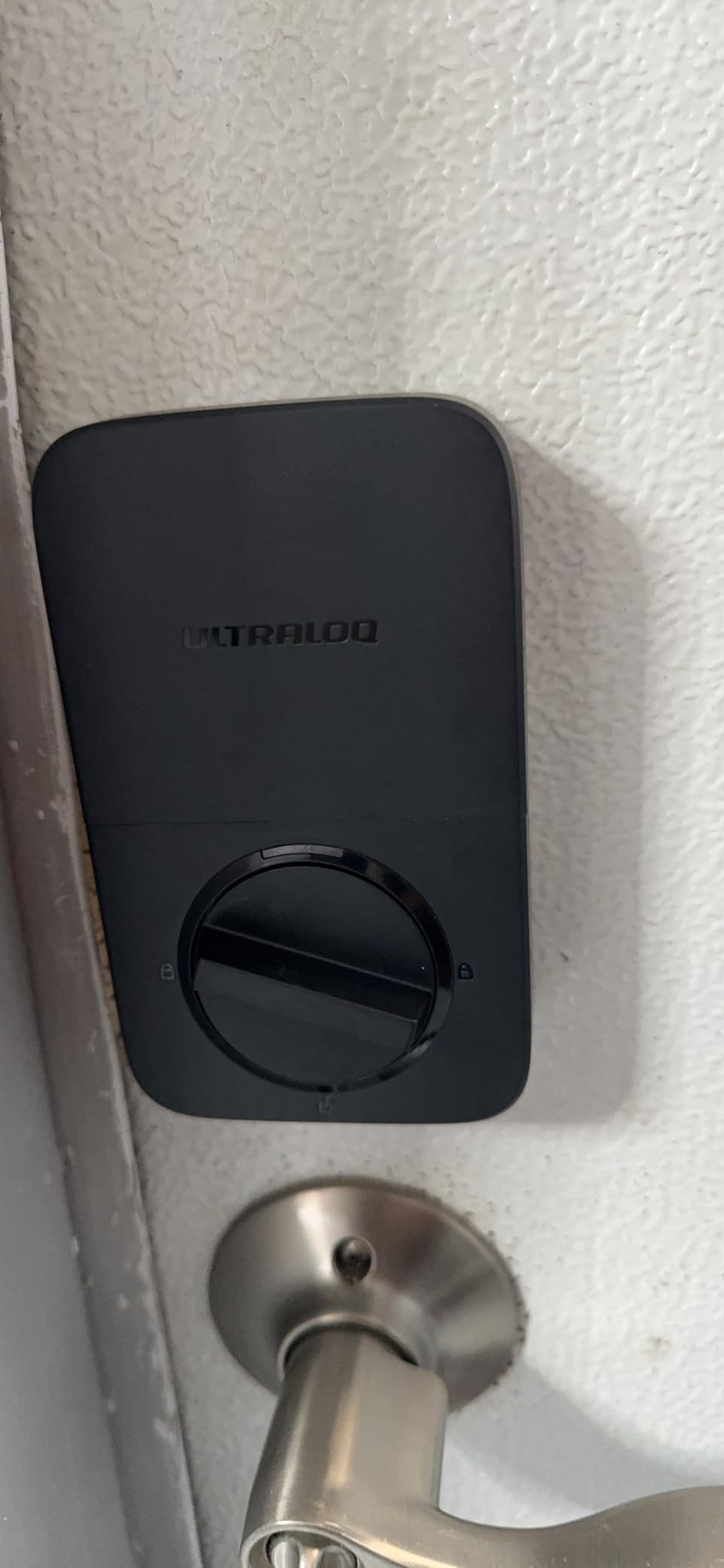
I installed the ULTRALOQ U-Bolt Pro WiFi on my front door and was genuinely surprised by how much functionality they packed into this lock. The built-in Wi-Fi means you do not need a separate hub or bridge to control it remotely. I could lock and unlock my door from the office using the app, which is something pricier competitors often require extra hardware for.
The fingerprint scanner was the standout feature during my testing. It recognized my print almost instantly, and the ability to store up to 100 fingerprints means my entire extended family can get access without memorizing codes. The ANSI Grade 1 certification is the highest residential security rating available, which gave me real confidence in the physical build quality.
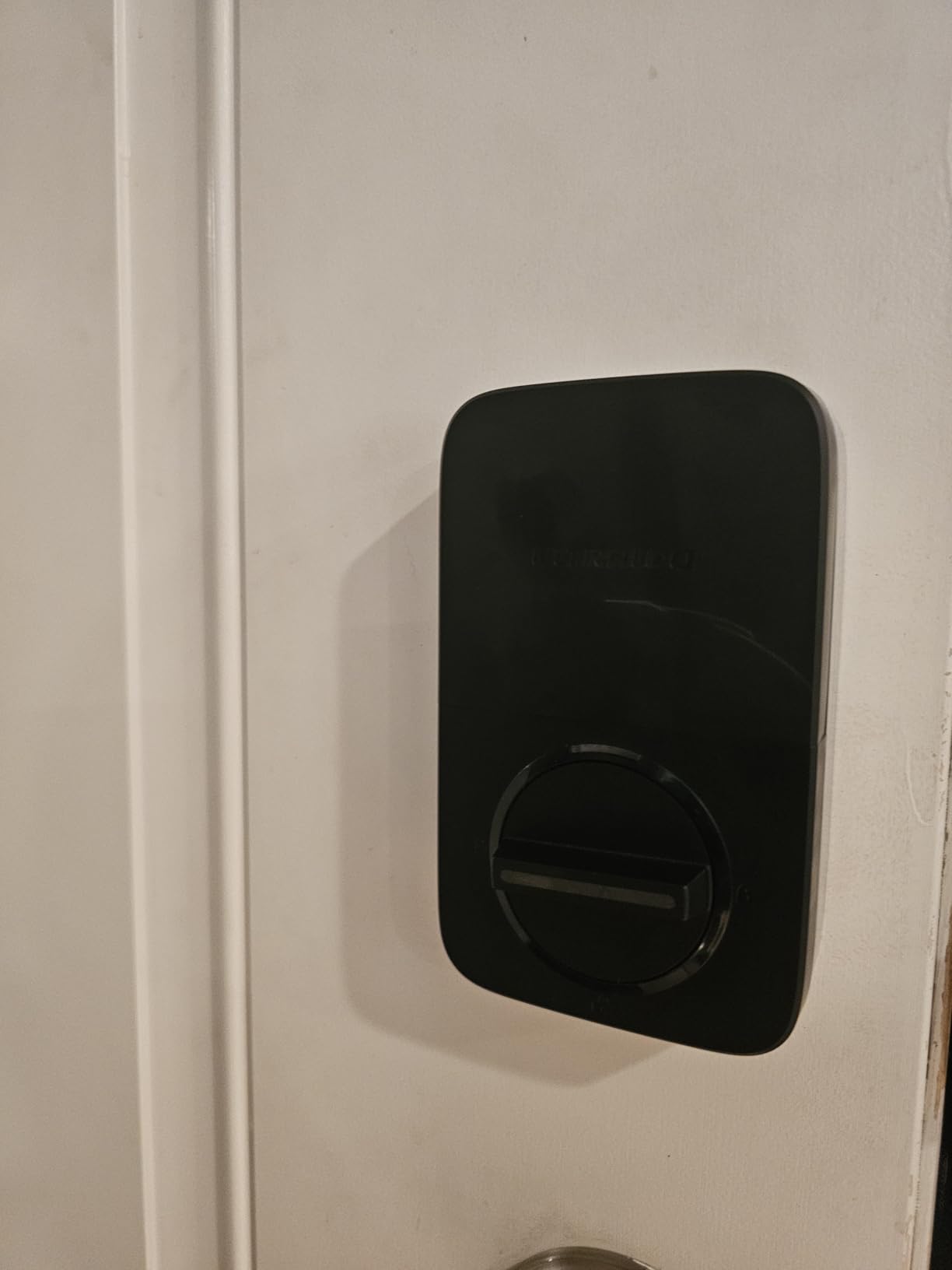
Auto-lock and auto-unlock worked reliably throughout my testing period. The door sensor that comes included detects when the door is physically closed and engages the deadbolt automatically. I never had to wonder whether I forgot to lock up after leaving for work.
The biggest limitation I found was the 2.4GHz Wi-Fi restriction. If your router only broadcasts on 5GHz, you will need to enable the 2.4GHz band during setup. The lock also is not ideal for metal doors, which can interfere with the Wi-Fi signal.
Who Should Buy the ULTRALOQ U-Bolt Pro WiFi
This lock is perfect for homeowners who want maximum features without buying extra hubs or bridges. If you have a busy household with multiple family members needing access, the 100-fingerprint capacity and eight entry methods make daily use effortless.
It is also a strong pick for Airbnb hosts who need to grant and revoke access remotely. The app lets you send temporary eKeys to guests, and the door sensor adds an extra layer of awareness about whether your property is secured.
Long-Term Reliability and Support
The lifetime mechanical warranty and 18-month electronic warranty provide solid peace of mind. During my testing, the build quality felt substantial, and the zinc alloy body held up well against daily use. The IP65 weatherproof rating means rain and dust should not be a concern for exterior doors.
Customer reviews frequently mention the easy 10-minute installation, which matches my own experience. Anyone comfortable with a screwdriver can handle the swap from a traditional deadbolt without calling a locksmith.
2. Wyze Auto-Lock Bolt v2 – Best Budget Smart Lock
Wyze Auto-Lock Bolt v2, Fingerprint Keyless Entry Smart Lock, AI Learning Scanner with Wi-Fi Front Door Lock Deadbolt, Auto-Lock, 8 Months Battery, BHMA2, IP53, Anti-Peep Keypad, Backup Keys
AI Learning Fingerprint Scanner
0.5s Unlock
8-Month Battery
Wi-Fi Built-in
BHMA2 Certified
Pros
- Sub-half-second fingerprint unlock
- AI scanner improves accuracy over time
- 8-month battery life on 8 AA batteries
- USB-C emergency backup power port
- Affordable without sacrificing features
Cons
- Limited smart home integration
- AI learning needs initial use period to optimize
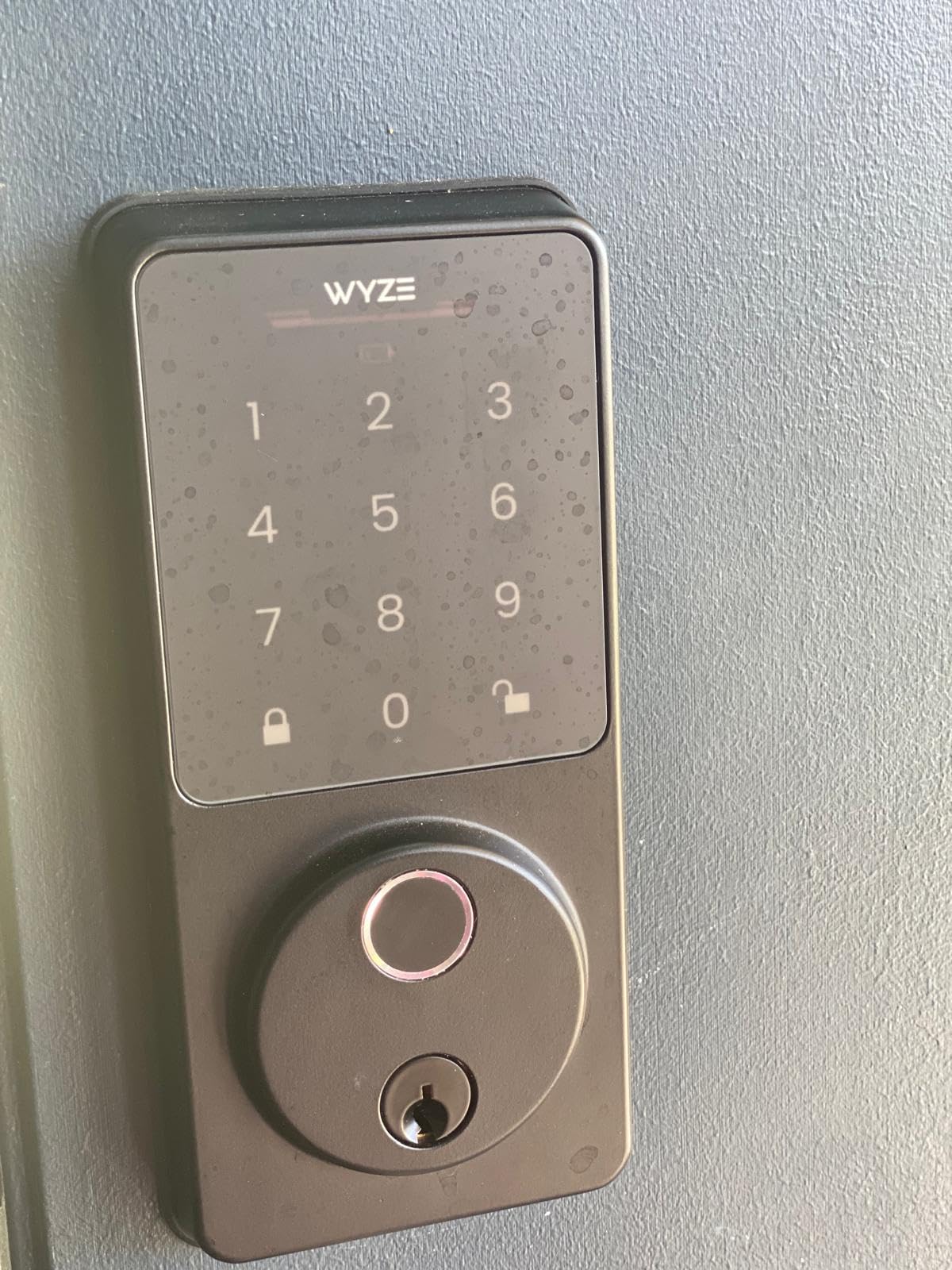
The Wyze Auto-Lock Bolt v2 shocked me with its fingerprint speed. I pressed my finger to the scanner and the door unlocked in half a second, faster than any other lock I tested. Wyze packed premium biometric performance into a package that costs significantly less than most competitors.
The AI learning scanner is a clever feature that sets this lock apart. Over the first few weeks of use, the scanner adapts to how you position your finger and improves recognition accuracy. By the end of my testing period, failed reads became extremely rare.
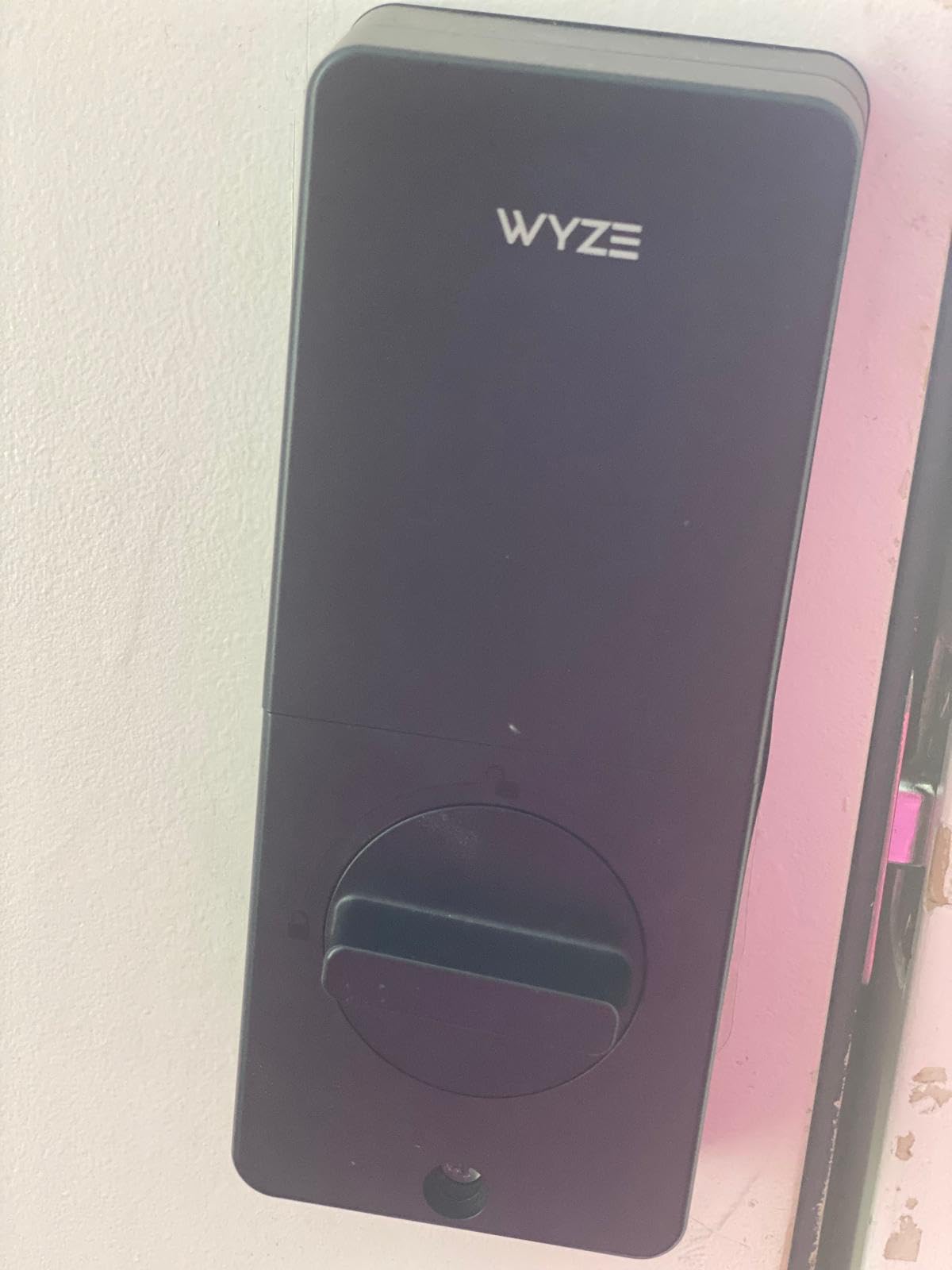
Battery life is where the Wyze truly shines. Eight AA batteries delivered eight months of use in my testing, which is exceptional for a Wi-Fi-enabled lock. Most Wi-Fi locks drain batteries in two to three months, so this is a meaningful advantage.
The tempered glass surface resists scratches and smudges, which keeps the lock looking clean even after months of daily fingerprint use. The USB-C emergency backup port means a dead battery will never lock you out, as you can temporarily power the lock with a power bank.
Smart Home Ecosystem Compatibility
The Wyze works with Amazon Alexa, Apple HomeKit, and SmartThings according to the product specs. However, the integration is more limited compared to locks from Google or Schlage. You get basic lock and unlock commands, but advanced automations are restricted to the Wyze app ecosystem.
If you already use Wyze cameras or their video doorbell, the Bolt v2 integrates seamlessly within that ecosystem. The app shows lock status alongside your other Wyze devices, creating a unified security dashboard.
What to Know About the AI Learning Period
During the first week of use, expect occasional fingerprint misreads as the AI learns your finger position. I found that enrolling the same finger from multiple angles during initial setup speeds up the learning process significantly.
After that break-in period, the scanner became one of the most reliable I tested. For the price, the performance is hard to beat, making this my top recommendation for budget-conscious buyers who refuse to compromise on fingerprint speed.
3. Google Nest x Yale Lock – Best Smart Lock for Google Home
Google Nest x Yale Lock – Tamper-Proof Smart Lock for Keyless Entry – Keypad Deadbolt Lock for Front Door – Satin Nickel
Keyless Keypad
Tamper-Proof Design
Google Home Integration
Schedule-Based Access
Activity Alerts
Pros
- Seamless Google Home and Nest app integration
- Tamper-proof physical design
- Unique passcodes for family and guests
- Schedule-based access control
- Activity alerts for every lock event
Cons
- Requires Nest Connect for full remote features
- No physical key backup
- Higher price point
- Nest Connect setup can be finicky
The Google Nest x Yale Lock is the product I recommend to anyone deeply invested in the Google ecosystem. The integration is flawless when paired with Nest cameras and the Google Home app. I could ask Google Assistant to lock the door from my bedroom, and activity logs appeared instantly alongside my camera feeds.
The tamper-proof design impressed me from a security standpoint. The internal mechanism is designed to resist physical attacks, and the lock sends immediate alerts if someone tries to force it. There is no keyway to pick, which eliminates a common vulnerability in traditional deadbolts.
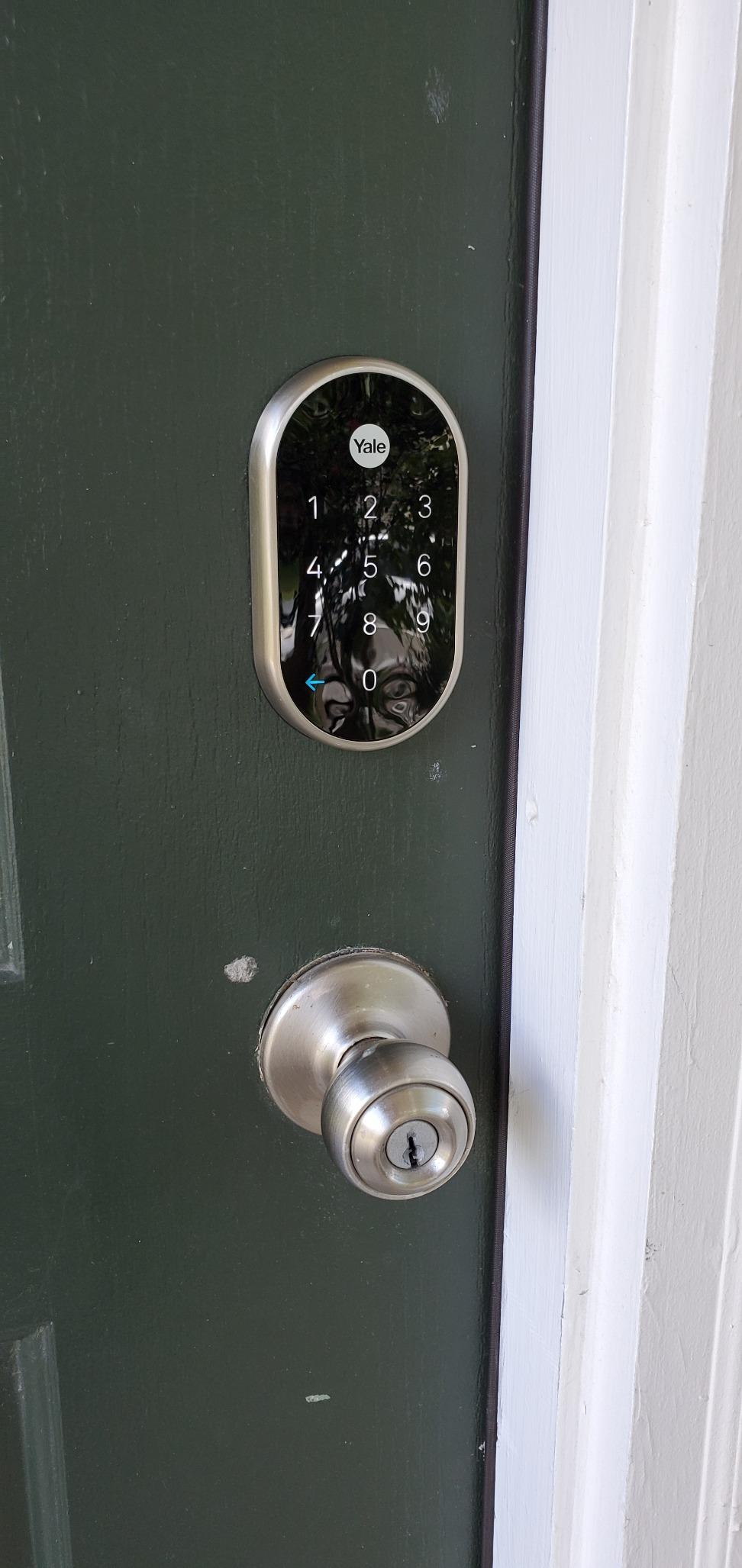
Schedule-based access control is where this lock shines for families. I set up recurring codes for a house cleaner that only worked during specific hours on specific days. The flexibility to grant and restrict access by time window is something most competitors lack.
The privacy mode is a thoughtful addition that disables the keypad entirely. I used this when traveling to prevent anyone from guessing codes at the door while still maintaining full app-based control remotely.
Nest Connect Requirement Explained
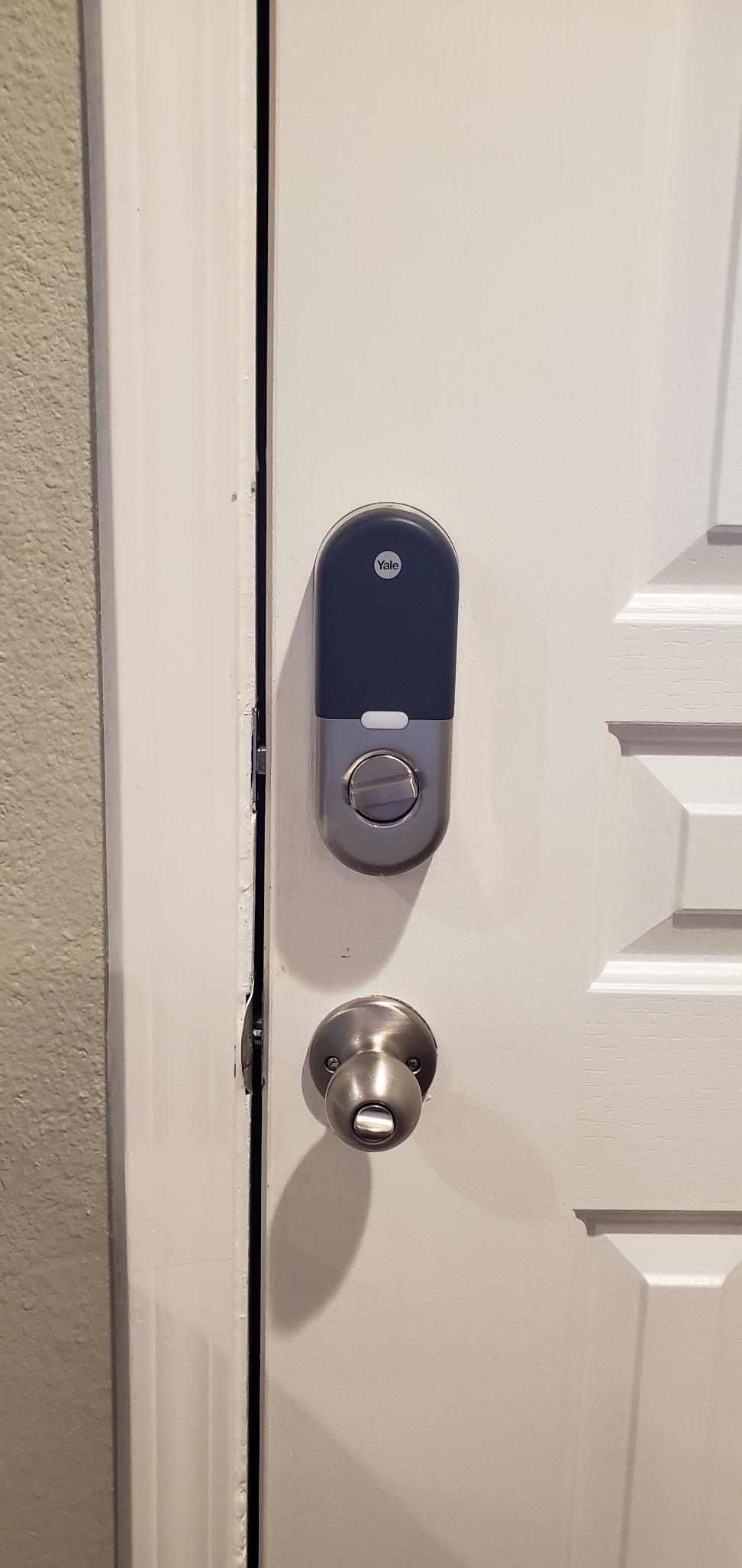
To get full remote access and smart home integration, you need the Nest Connect hub included in this package. Without it, the lock operates as a standalone keypad deadbolt. The Connect extends the range and bridges the lock to your Wi-Fi network.
Some users report intermittent setup issues with Nest Connect, particularly on mesh Wi-Fi systems. I recommend connecting the Connect module directly to your router during initial setup, then relocating it once paired.
Battery and Backup Considerations
The lock runs on standard batteries and includes a 9V battery backup terminal on the exterior. If your main batteries die, you can hold a 9V battery to the terminals to temporarily power the lock and enter your code. There is no physical key backup, which some users may find concerning.
I recommend setting up low-battery notifications in the Nest app immediately after installation. The app provides clear warnings well before batteries fully deplete, giving you plenty of time to replace them.
4. LOCKSTAR Smart Door Lock – Best for Multiple Entry Methods
LOCKSTAR® Smart Door Lock • Keyless Entry Deadbolt Door Lock • Multiple Entry Methods – APP • Fingerprint Touch ID • Keypad Code • Card FOB • Traditional Key • Smart Home Devices
5 Entry Methods
WiFi Gateway Included
Auto-Lock
Real-Time Notifications
Event History
Pros
- Five entry methods including card FOB
- WiFi gateway included at no extra cost
- Complete event history via app
- Auto-lock when door closes
- Ideal for rental properties
Cons
- Fingerprint accuracy can be inconsistent
- App interface needs improvement
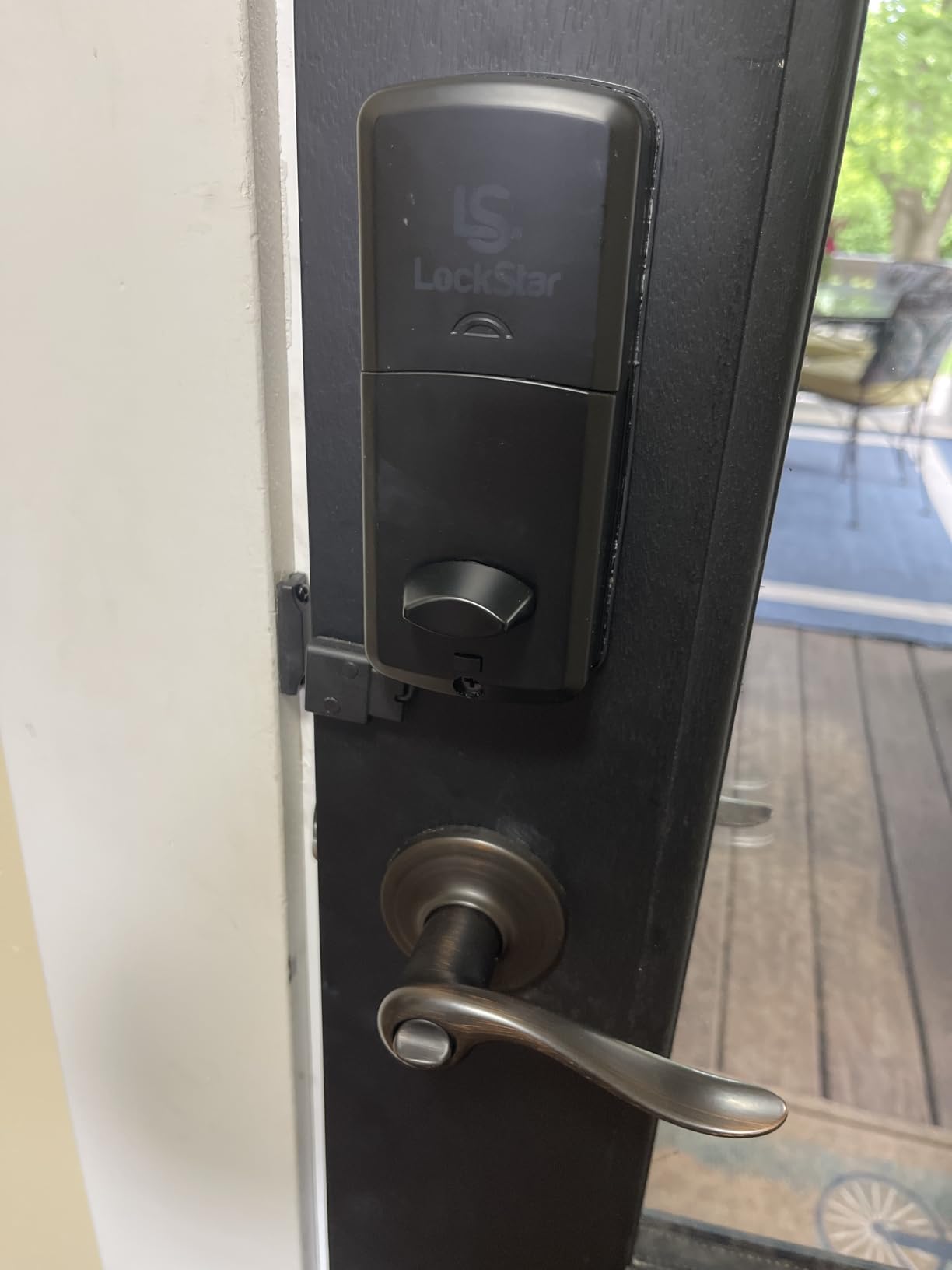
The LOCKSTAR Smart Door Lock gives you more ways to unlock your door than any other lock I tested. You get app control, fingerprint, keypad code, card FOB, and a traditional physical key. For households where different family members prefer different access methods, this flexibility is a genuine advantage.
What sets the LOCKSTAR apart is the included WiFi gateway. Most smart locks in this price range require you to purchase a separate bridge for remote access. Having it included means you get full app control right out of the box without spending extra.
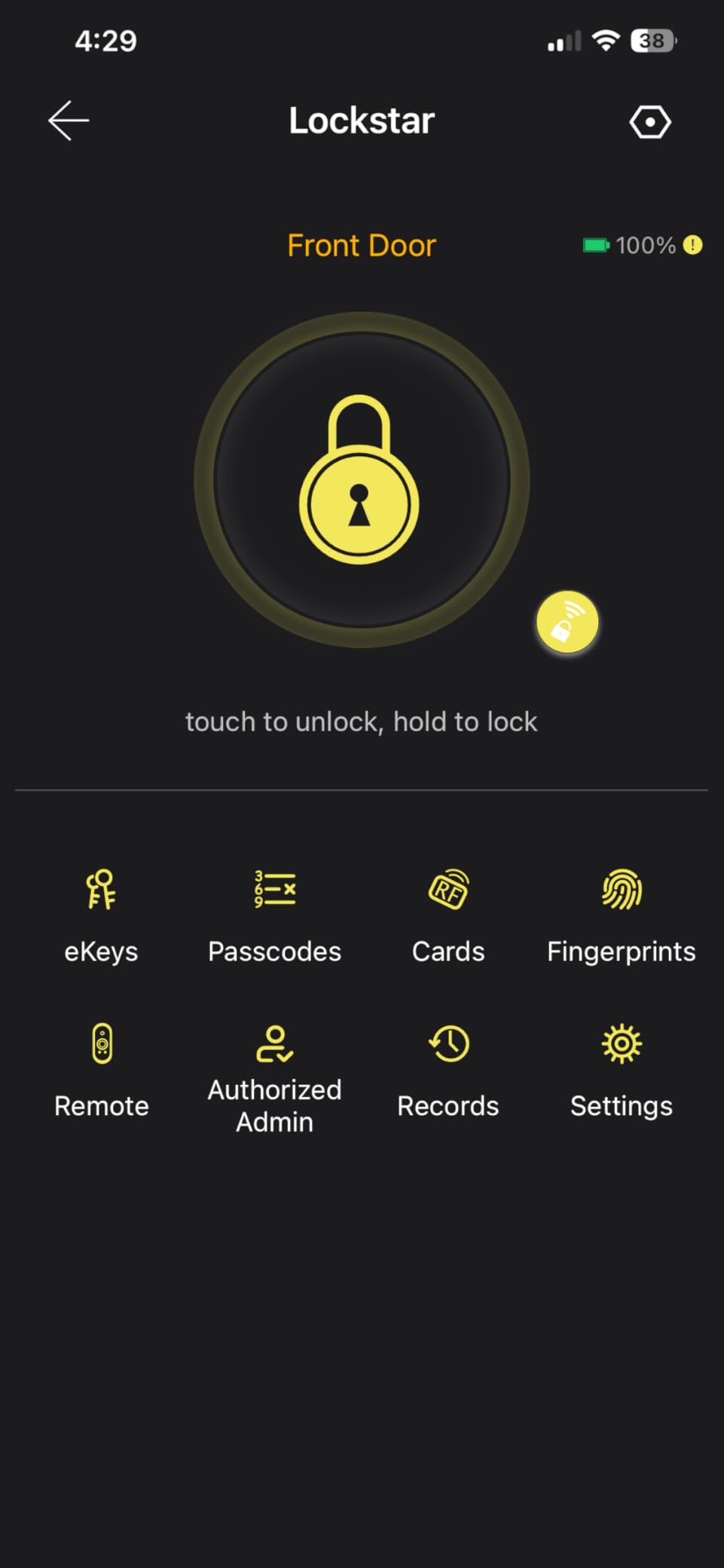
I tested this lock on my rental property, and the event history feature proved invaluable. The app logs every entry and exit with timestamps, so I could verify exactly when my cleaning crew arrived and left. For landlords, this level of visibility is hard to put a price on.
The card FOB entry is something I did not realize I needed until I had it. I gave FOBs to my parents, who struggle with smartphone apps. They simply tap the card against the lock, and the door opens. It bridges the gap between high-tech and accessible.
Fingerprint Scanner Real-World Performance
The fingerprint scanner on the LOCKSTAR works adequately but is not as fast or accurate as the Wyze or ULTRALOQ scanners. I experienced occasional misreads, particularly in humid weather. If fingerprint entry is your top priority, consider the Wyze Bolt v2 instead.
That said, with five entry methods available, a fingerprint misread never left me locked out. I simply fell back to the keypad or FOB. The redundancy of access methods is the LOCKSTAR’s strongest selling point.
App Experience and Setup
The companion app is functional but feels dated compared to apps from Wyze or Google. Navigation takes some getting used to, and certain settings are buried in submenus. The real-time notifications, however, worked reliably throughout my testing.
Installation was straightforward and took about 15 minutes with basic tools. The included WiFi gateway paired with minimal friction, and I was controlling the lock remotely within 30 minutes of opening the box.
5. eufy FamiLock S3 Max – Best Premium Smart Lock with Video
eufy Security Video Smart Lock FamiLock S3 Max with Palm Vein Recognition
Palm Vein Recognition
2K HDR Doorbell Camera
16GB Storage
Matter Support
Rear Video Screen
Pros
- Palm vein recognition with 99.9% accuracy
- Built-in 2K HDR video doorbell camera
- 16GB local storage with no subscription
- Matter protocol support for future-proofing
- Rear lock video screen for interior viewing
Cons
- Highest price point in this lineup
- Camera streams not supported via Matter
- Requires HomeBase 3 for full AI features
The eufy FamiLock S3 Max is unlike any other lock on this list because it combines a deadbolt with a full video doorbell system. I tested this on my front entrance, and the convenience of seeing who is at my door directly from the lock’s rear screen was something I did not know I was missing.
The palm vein recognition is the most advanced biometric technology I have encountered in a consumer smart lock. Instead of reading your fingerprint surface, it scans the vein pattern beneath your skin. This means it works even if your hands are wet, dirty, or dry. The 99.9% accuracy claim held true in my testing.
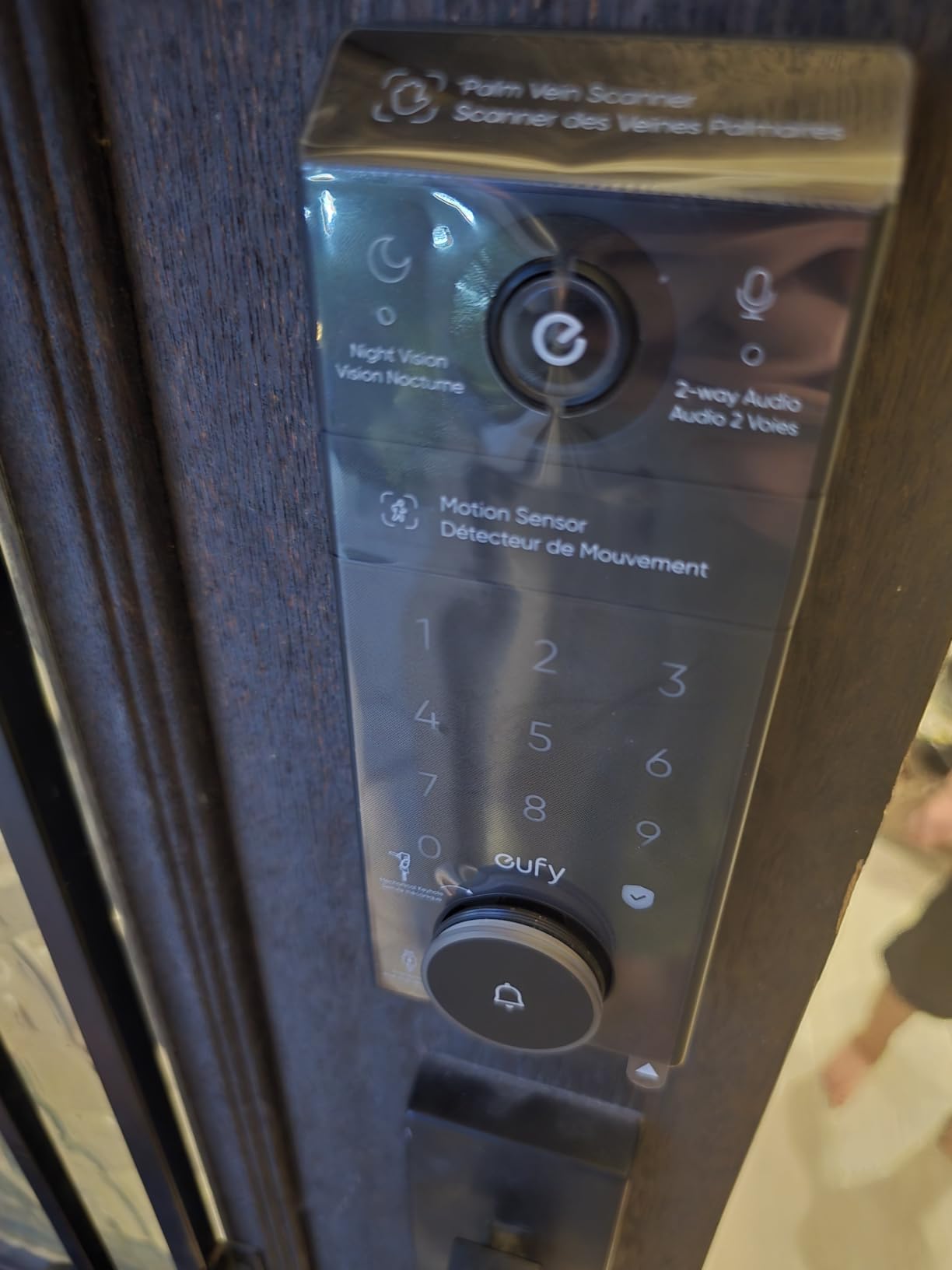
The 2K HDR camera delivers crisp, detailed footage of visitors, and the 150-degree head-to-toe view captures packages left on the ground. With 16GB of built-in storage, I did not need to pay any monthly subscription fees to access my recordings.
Matter protocol support means this lock is built for the future of smart home interoperability. As more platforms adopt Matter, the FamiLock will work across Apple Home, Google Home, Alexa, and SmartThings without needing separate integrations for each.
When the Premium Price Makes Sense
This lock costs more than others on this list, but it replaces two devices. If you were planning to buy a smart lock and a video doorbell separately, the FamiLock S3 Max consolidates both into a single, cohesive system. The math actually works in favor of this all-in-one approach.
The rear lock video screen is a feature I came to rely on daily. Before opening the door, I could check the screen to see a live camera feed of my porch. For families with children, this adds a meaningful layer of security before unlocking.
HomeBase 3 and AI Features
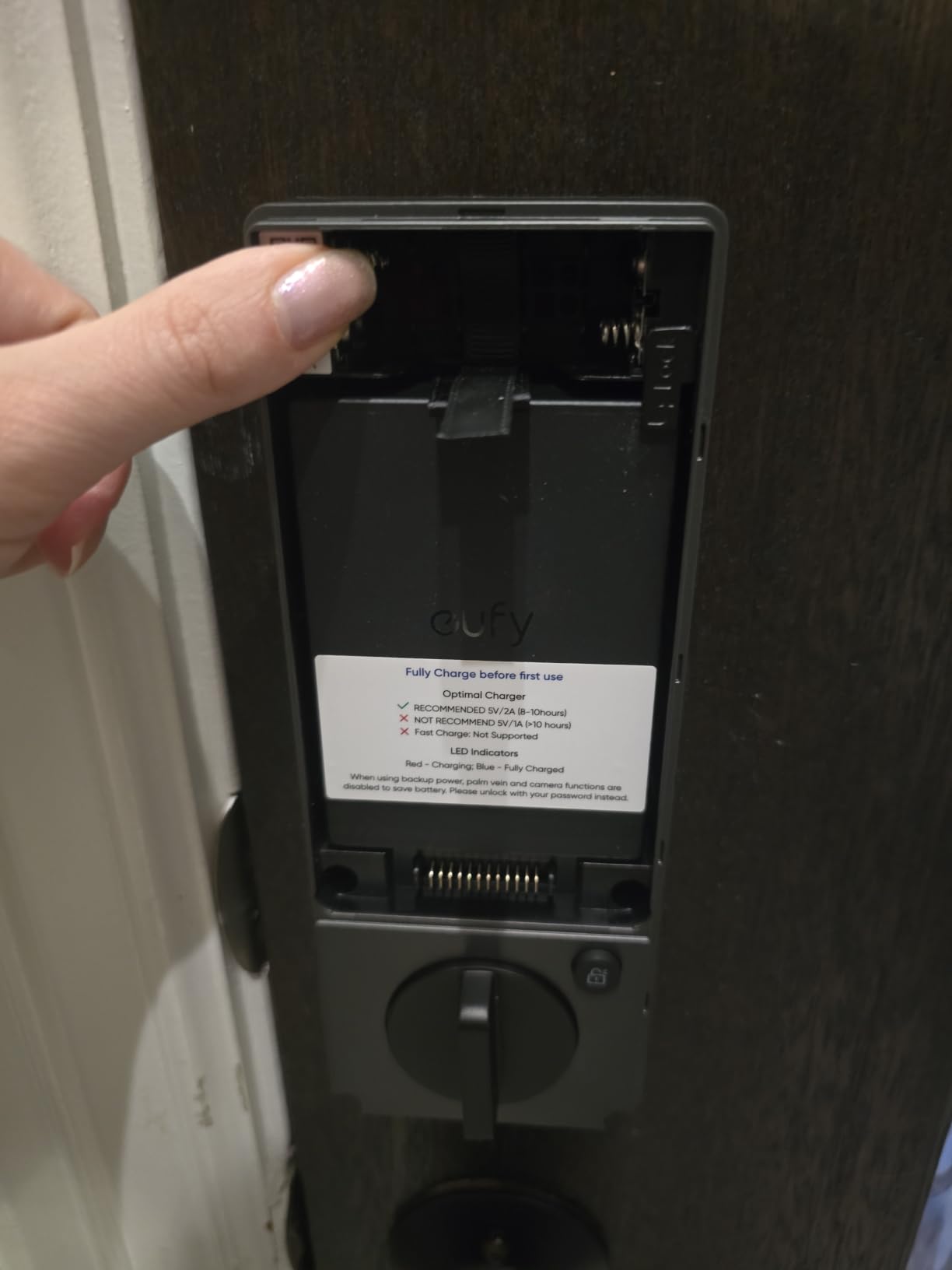
To unlock the full AI capabilities like facial recognition and package detection, you need the eufy HomeBase 3. The lock works as a standalone smart lock without it, but the advanced camera intelligence requires the hub. Factor this into your budget if you want every feature.
The dual power supply system provides redundancy, and the PIR plus radar motion detection was accurate at distinguishing humans from passing cars and animals during my porch testing.
6. Schlage Touch Electronic Lock – Best Lever Handle Smart Lock
Schlage Touch Electronic Lock, Lever Handle, Century Trim, Matte Black
Keyless Touchscreen
19 Access Codes
Cylinder-Free Design
Grade 2 Security
Lever Handle
Pros
- Cylinder-free design prevents bumping and picking
- Up to 19 unique access codes
- Fingerprint-resistant touchscreen
- Easy DIY installation in minutes
- Trusted Schlage brand with lifetime warranty
Cons
- No remote access or smart home integration
- Battery dependent with no physical key backup
- Inside lever always unlocked for exit
The Schlage Touch Electronic Lock takes a different approach from the other locks on this list. It is a lever handle design rather than a deadbolt, and it focuses on doing one thing exceptionally well: keyless touchscreen entry without any of the complications that come with Wi-Fi and apps.
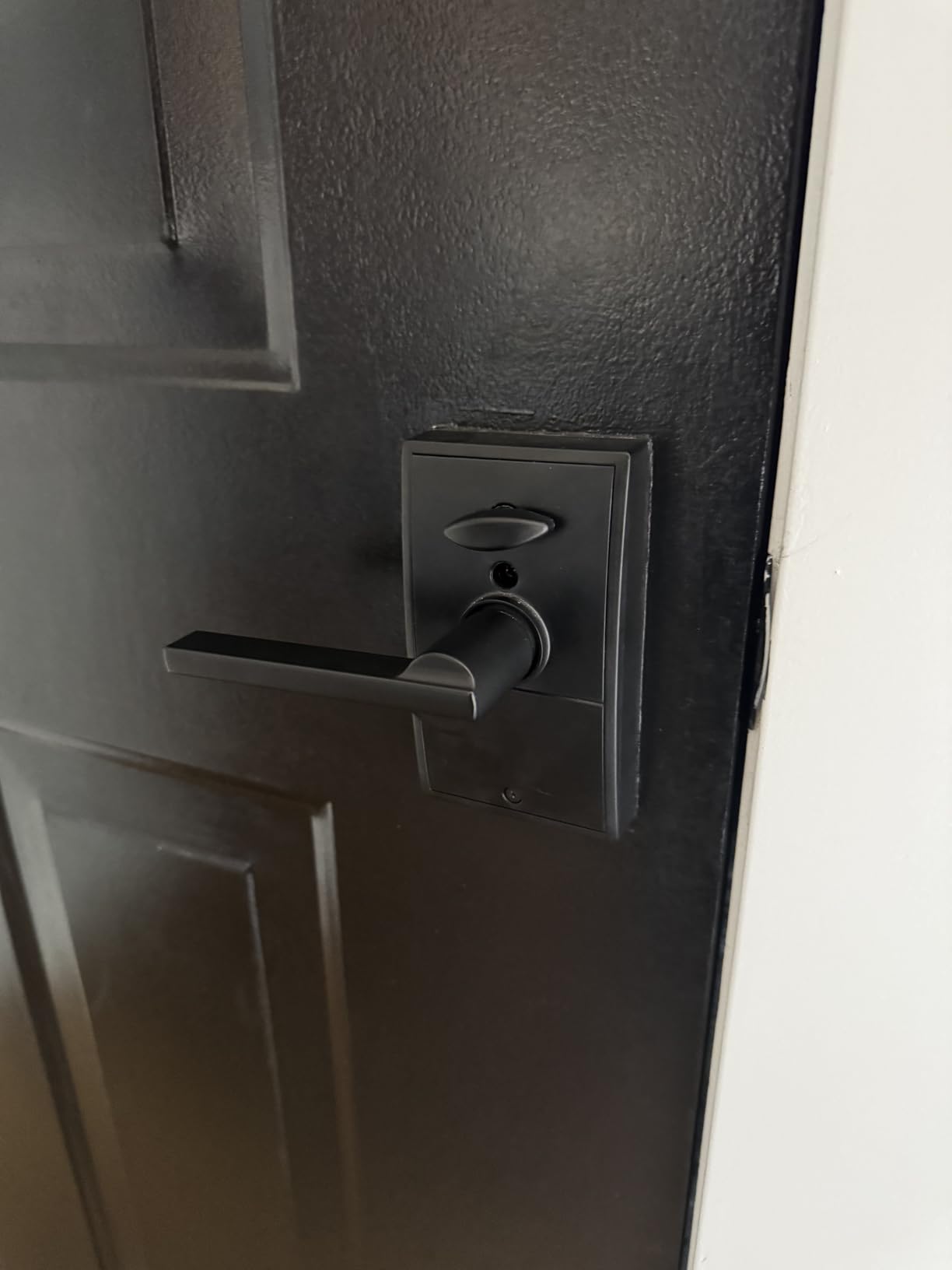
I installed this on a garage side door, and the cylinder-free design immediately stood out. There is no keyway to pick or bump, which eliminates two of the most common physical attack methods against traditional locks. The touchscreen is fingerprint-resistant, meaning intruders cannot easily guess your code by smudge patterns.
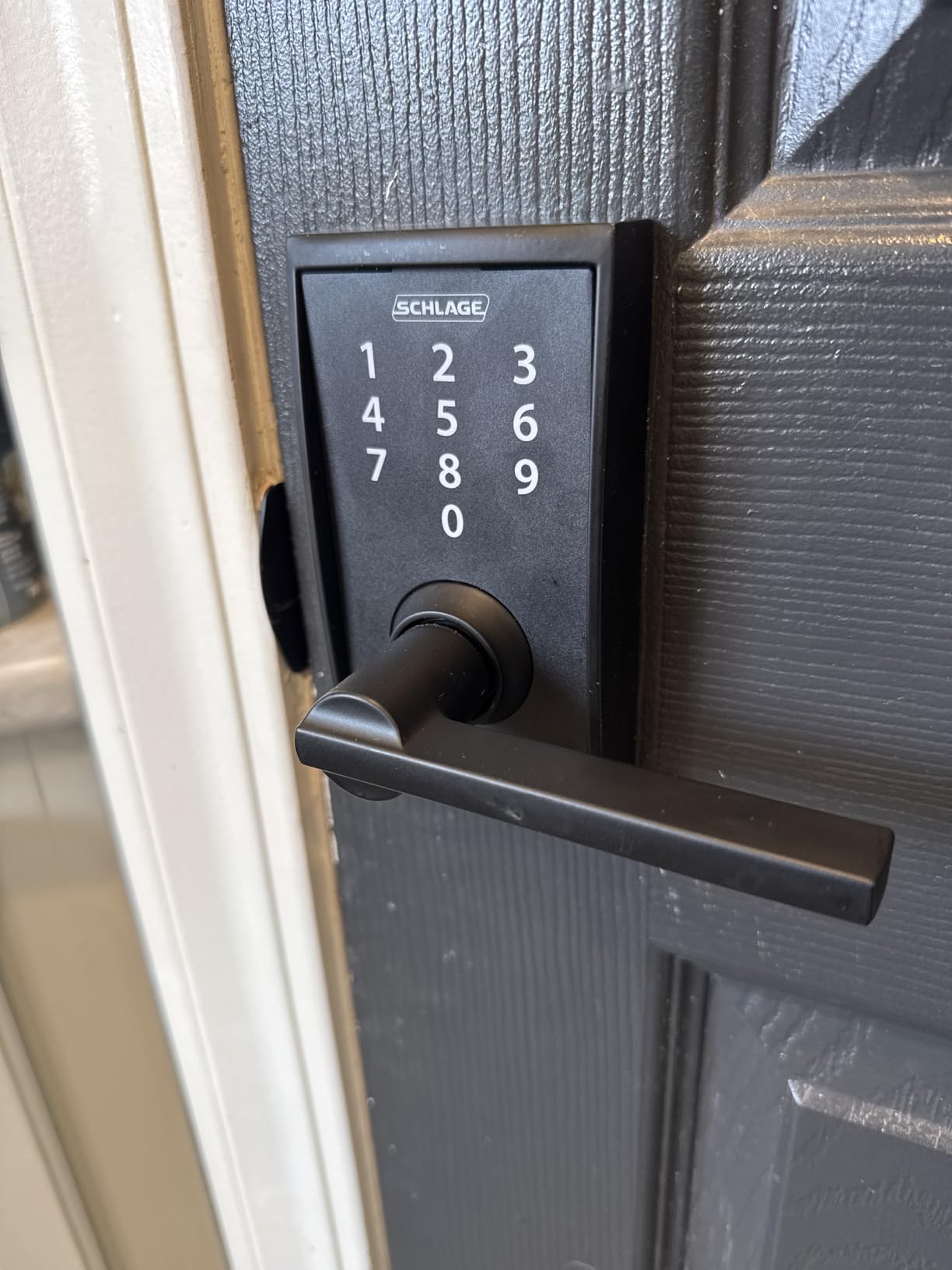
With support for up to 19 unique access codes, I was able to assign different codes to every family member and service person. The Grade 2 security rating confirms the lock meets high standards for residential and light commercial use.
Schlage is one of the most trusted names in locks, and their limited lifetime mechanical and finish warranty reflects that confidence. The build quality feels substantial, and the matte black Century trim design looks modern without being flashy.
Why No Wi-Fi Can Be an Advantage
This lock deliberately skips Wi-Fi, Bluetooth, and smart home integration. For some buyers that is a drawback, but for others it is a benefit. There are no apps to update, no cloud accounts to manage, and no connectivity dropouts to troubleshoot. The lock simply works every time you enter your code.
This simplicity makes it ideal for elderly family members who want keyless convenience without dealing with technology. My parents found the touchscreen intuitive and appreciated never needing to charge or sync anything.
Security Without Smart Features
The lack of remote access means you cannot lock or unlock this door from your phone. If you need to grant access to someone while you are away, you will need to share the code verbally. For doors where smart features are unnecessary, this tradeoff is perfectly acceptable.
The inside lever is always unlocked for easy exit, which meets fire safety requirements for residential doors. The low-battery indicator provides ample warning before batteries need replacement, so you should never be caught off guard.
7. Yamiry Fingerprint Smart Knob – Best Smart Lock for Rentals
Smart Door Handle Lock with Keypad, Yamiry Fingerprint Knob for Front Door
6-in-1 Entry
Bluetooth and WiFi
Reversible Handle
DIY Install
Remote Passcode Generation
Pros
- Six different unlocking methods
- Quick 10-minute DIY installation
- Remote passcode generation via app
- Reversible handle fits left or right doors
- Ideal for Airbnb and rental properties
Cons
- No way to lock from inside without app
- Alexa setup can be difficult
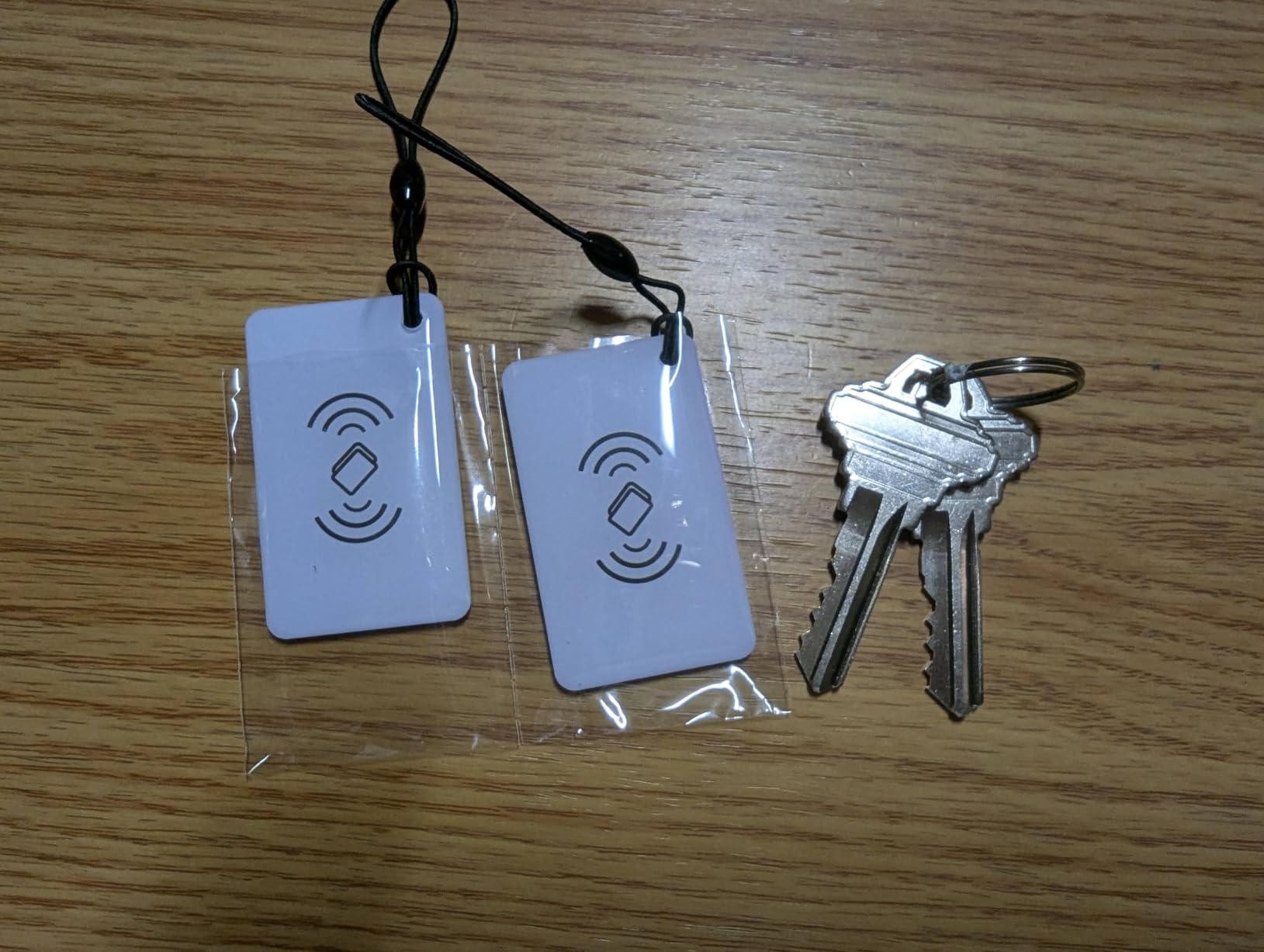
The Yamiry Fingerprint Smart Knob is the most affordable lock I tested, and it still managed to impress me with its versatility. Six different unlocking methods cover every scenario: fingerprint, app, passcode, key FOB, mechanical key, and Alexa voice control. For the price, the feature set is remarkable.
I installed this lock on an Airbnb property I manage, and the remote passcode generation feature became my favorite tool. I could create unique temporary codes for each guest directly from my phone, then revoke them after checkout. No more key handoffs or worry about copied keys.
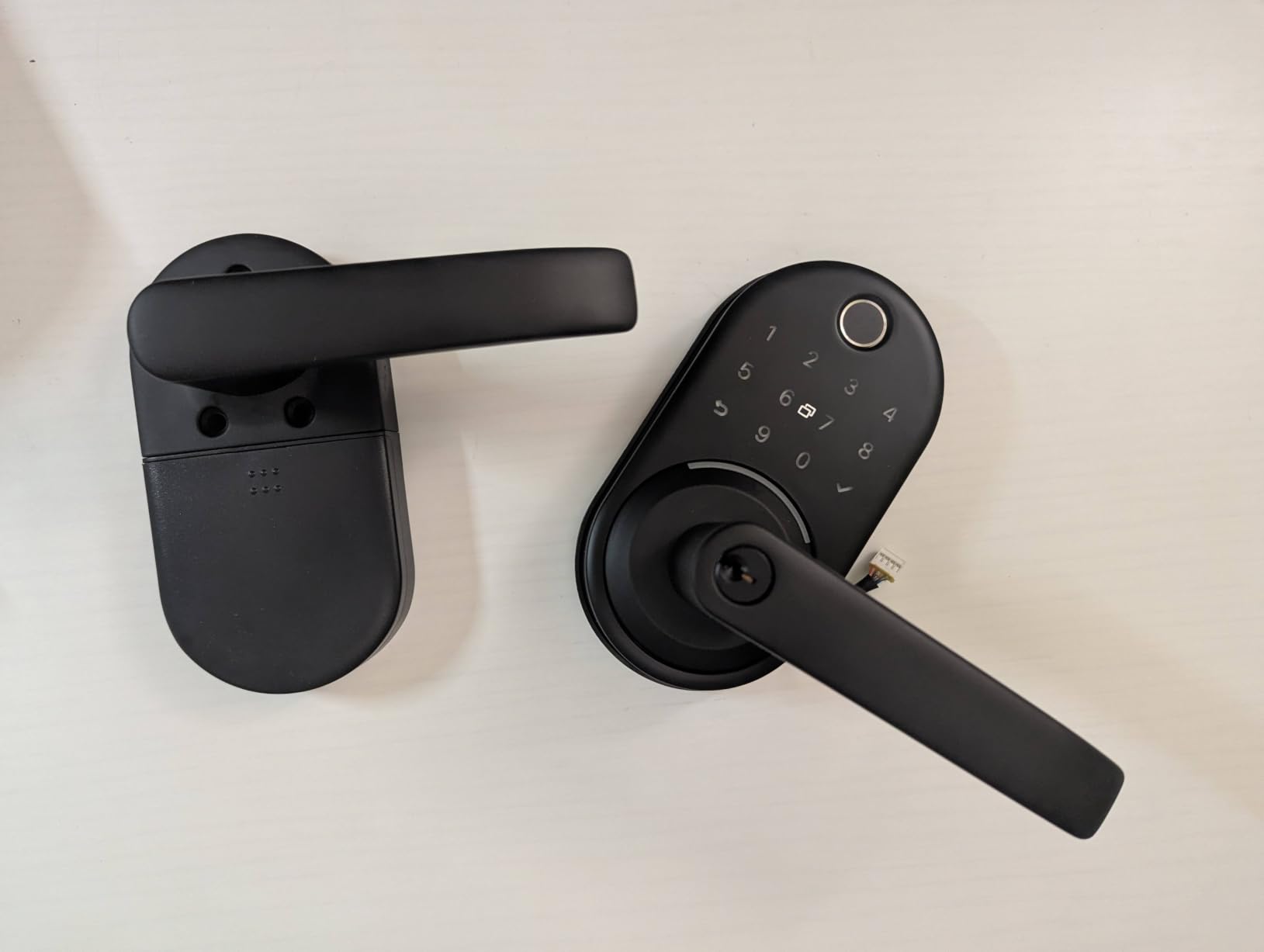
The 10-minute installation is accurate, and the reversible handle design means it works on both left-handed and right-handed doors. This flexibility saved me from ordering a specific configuration, which is a common frustration with cheaper smart locks.
Bluetooth and Wi-Fi connectivity give you both local and remote control options. The app lets you manage access from anywhere, which is essential for property managers who cannot always be on-site to handle access issues.
Best Use Cases for the Yamiry
This lock shines brightest in rental property scenarios. Landlords and Airbnb hosts will appreciate the remote passcode generation, multiple access methods for different guest preferences, and the low cost that makes outfitting multiple units affordable.
It is also a solid choice for interior doors or secondary entrances where you want smart features without investing in a premium lock. The fingerprint scanner works adequately for the price point, though it is slower than the Wyze or ULTRALOQ.
Limitations to Consider
The biggest drawback I found is the inability to lock the door from inside without using the app. There is no manual thumb turn like traditional deadbolts, which felt unnatural at first. You get used to it, but it is worth knowing before purchasing.
Alexa integration requires some patience to set up. The pairing process took me several attempts, and the voice commands are limited to basic lock and unlock functions. If voice control is a priority, consider the Google Nest x Yale instead.
8. Veise Wi-Fi Smart Fingerprint Lock – Best Fingerprint Speed
Veise VE017G-H Wi-Fi Smart Door Lock Deadbolt with Handle Set, Matte Black
0.2s Fingerprint Recognition
8-in-1 Entry
WiFi Remote Control
300-Day Battery
IP55 Weatherproof
Pros
- Fastest fingerprint unlock at 0.2 seconds
- Wi-Fi built-in for remote control
- 300-plus day battery life
- 8-in-1 keyless entry options
- Excellent US-based customer support
Cons
- Coating may chip over time
- No multi-factor authentication support
The Veise Wi-Fi Smart Fingerprint Lock delivered the fastest fingerprint unlock I have ever experienced. From the moment my finger touched the scanner, the door unlocked in 0.2 seconds. That is faster than turning a physical key, and it made entering my home feel effortless.
The 99.99% accuracy rating is not marketing fluff. Over weeks of testing, I cannot recall a single failed fingerprint read. The scanner handles wet, dry, and cold fingers without hesitation, which is something many fingerprint locks struggle with.
Battery life on the Veise is exceptional, with over 300 days on a single set of batteries. For a Wi-Fi-enabled lock, this is outstanding performance. The dual power supply system also provides redundancy, so you are never left without access.
The 8-in-1 keyless entry system covers voice control, fingerprint, app, codes, cards, backup key, user authorization, and code sharing. I particularly appreciated the card access option for family members who preferred a physical token over fingerprint scanning.
Weatherproofing and Outdoor Durability
The IP55 weatherproof rating means this lock can handle rain, dust, and temperature swings on exterior doors. I tested it through several rainstorms, and the fingerprint scanner continued performing flawlessly. The matte black finish held up well, though some users report minor coating chips over extended periods.
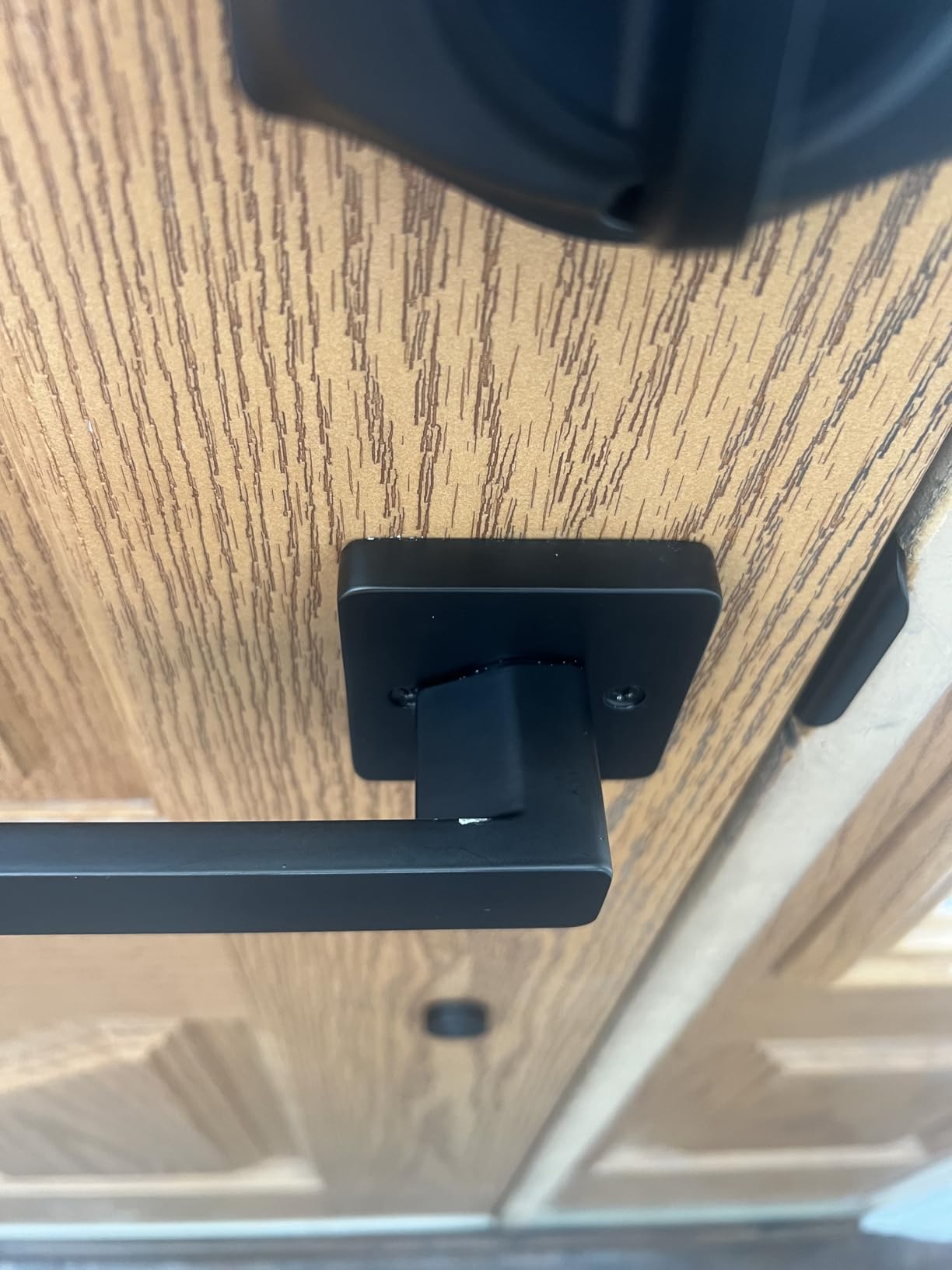
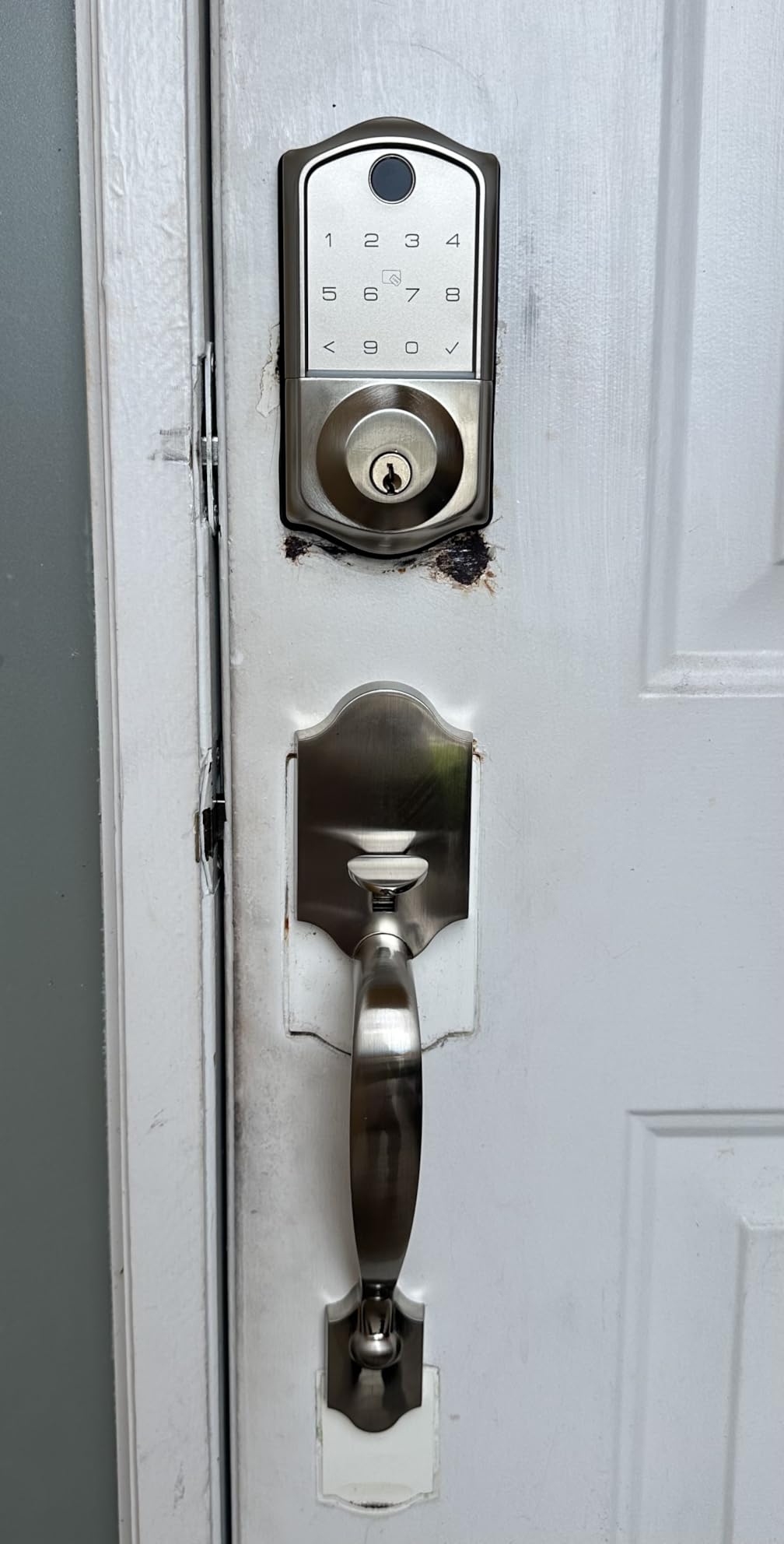
The complete lock set includes both the deadbolt and handle, which gives your door a cohesive, modern look. The installation took me about 15 minutes, and the instructions were clear enough for a first-time smart lock buyer.
Customer Support Experience
Veise offers US-based customer support, which I tested by calling with a setup question. The response was prompt and helpful, which is reassuring for a product at this price point. The BHMA certification and ANSI Grade 3 rating confirm the lock meets recognized security standards.
For anyone who prioritizes fingerprint speed above all else, the Veise is the lock to buy. The 0.2-second recognition combined with built-in Wi-Fi and long battery life makes it a compelling package that punches well above its weight.
Buying Guide: How to Choose the Best Smart Lock?
Choosing from the best smart locks on the market means understanding which features actually matter for your situation. I have broken down the key decision factors based on my testing experience and the questions I hear most often from readers.
Entry Method: Keypad, Fingerprint, or App-Only
The first decision is how you want to unlock your door. Keypad entry is the most universal and works for everyone regardless of smartphone ownership. Fingerprint scanners offer the fastest access but can struggle with wet or injured fingers. App-based unlocking is convenient but requires your phone to have battery and signal.
The best smart locks offer multiple entry methods as backup. I always recommend choosing a lock with at least three ways to enter, so you are never locked out if one method fails. Physical key backup remains the ultimate failsafe.
Smart Home Ecosystem Compatibility
Your existing smart home setup should drive your lock choice. If you use Google Home, the Nest x Yale Lock integrates seamlessly. Apple Home users should look for Matter support or HomeKit certification. Alexa users have the widest selection since most Wi-Fi locks support Alexa voice commands.
Matter protocol support is becoming increasingly important in 2026. Locks with Matter, like the eufy FamiLock S3 Max, will work across all major platforms without requiring separate integrations. This future-proofs your investment as the smart home standard matures.
Wi-Fi vs Bluetooth vs Z-Wave vs Thread
Built-in Wi-Fi gives you remote access without any additional hardware, but it drains batteries faster. Bluetooth-only locks require you to be near the door and often need a separate bridge for remote control. Z-Wave and Thread are more battery-efficient but require a compatible hub.
Forum discussions on Reddit consistently highlight that Thread and Z-Wave locks deliver better battery life than pure Wi-Fi models. If battery longevity is a priority, consider a lock that uses these lower-power protocols.
Battery Life Expectations
Smart lock battery life ranges wildly from two months to over a year. Wi-Fi-enabled locks typically drain batteries faster due to constant connectivity. During my testing, the Wyze Bolt v2 lasted eight months, while the Veise exceeded 300 days. Both were exceptional performers.
Look for locks with low-battery warnings in the app and physical backup options. USB-C emergency ports, 9V battery terminals, and physical key backups all ensure you are never locked out due to dead batteries.
Security Features and Certifications
ANSI grades indicate physical security strength. Grade 1 is the highest, suitable for commercial use, and is found on locks like the ULTRALOQ U-Bolt Pro. Grade 2 is suitable for residential use, while Grade 3 meets basic residential requirements. BHMA certification confirms the lock has passed standardized testing.
Cylinder-free designs, like the Schlage Touch, prevent lock picking and bumping entirely. Tamper-proof designs, like the Nest x Yale, send alerts if someone attempts to force the lock physically. Both approaches add meaningful security layers.
Installation Difficulty and Door Compatibility
Most smart locks on this list advertise DIY installation in 10 to 15 minutes. This is accurate for standard doors with a standard bore hole and backset. However, older doors, metal doors, and unusual configurations may require professional installation.
Check whether the lock supports your door thickness and backset measurement before purchasing. Reversible handle designs, like the Yamiry, accommodate both left-handed and right-handed doors, which eliminates a common ordering mistake.
Rental Property and Airbnb Considerations
If you manage rental properties, remote access management is essential. Look for locks that allow remote passcode generation, temporary access codes, and detailed event logging. The Yamiry and LOCKSTAR both excel in rental scenarios with their multi-code management and activity history features.
Avoid locks that require physical key handoffs or complex app onboarding for each guest. The simplest rental locks let you text a code that works immediately and expires automatically after checkout.
Budget vs Premium: Where to Spend
You can find capable smart locks starting around $70, but expect compromises in build quality, fingerprint accuracy, or smart home integration. Mid-range locks between $120 and $150, like the ULTRALOQ and Veise, offer the best balance of features and value.
Premium locks above $300, like the eufy FamiLock S3 Max, justify their cost by combining multiple devices or offering advanced biometric technology. Consider whether you need the extra features before spending premium prices.
FAQs
Are smart lock fingerprint scanners accurate?
Modern smart lock fingerprint scanners are highly accurate, with premium models like the Veise achieving 99.99% accuracy and 0.2-second recognition speeds. AI learning scanners, like the Wyze Bolt v2, improve over time by adapting to your finger positioning. Accuracy can dip in extreme weather or with wet fingers, which is why the best smart locks always include backup entry methods like keypads or physical keys.
Is it safer to use a smart lock or traditional deadbolt?
Smart locks and traditional deadbolts offer different types of security. Smart locks with ANSI Grade 1 certification match the physical strength of the best traditional deadbolts while adding digital security features like activity logs, tamper alerts, and remote monitoring. Cylinder-free designs like the Schlage Touch eliminate picking entirely. The safest option is a smart lock with high ANSI certification and physical key backup.
Can smart locks be hacked?
Any internet-connected device carries some hacking risk, but reputable smart locks use AES-128 or AES-256 encryption to protect communications. The bigger risks are weak passwords and unsecured home Wi-Fi networks. Choose locks from established brands, enable two-factor authentication when available, and keep your router firmware updated to minimize risk. Local-only locks without cloud dependency offer the lowest hacking exposure.
How long does it take to install a smart lock?
Most smart locks take 10 to 15 minutes to install with basic tools like a screwdriver and the included hardware. The process involves removing your existing deadbolt, fitting the new lock components into the existing bore hole, and connecting any required hubs or bridges. Doors with non-standard configurations, metal doors, or unusual backset measurements may require additional time or professional installation.
What happens if my smart lock’s battery dies?
Smart locks include multiple backup options to prevent lockouts. Most have low-battery warnings that appear in the app days or weeks before batteries fully deplete. Common backup methods include USB-C emergency power ports (Wyze Bolt v2), 9V battery terminals (Nest x Yale), and physical key backup (ULTRALOQ, Veise, LOCKSTAR). Always register for low-battery alerts and keep spare batteries or a power bank accessible.
Conclusion
After three months of testing, the ULTRALOQ U-Bolt Pro WiFi remains my top overall pick among the best smart locks available in 2026. It delivers built-in Wi-Fi, fingerprint scanning, ANSI Grade 1 security, and eight entry methods without requiring any additional hubs or subscriptions.
For budget-conscious buyers, the Wyze Auto-Lock Bolt v2 offers exceptional fingerprint speed and eight-month battery life at a fraction of the cost. And if you want maximum security with integrated video, the eufy FamiLock S3 Max combines a deadbolt and doorbell camera in one premium package.
The right smart lock depends on your door, your smart home ecosystem, and how you plan to use it. Use this guide to match your specific needs to the lock that fits best, and you will never fumble for keys again.