
If you want one card that handles 4K timelines, GPU effects and fast exports without drama, the GIGABYTE GeForce RTX 3060 Gaming OC 12G is the best graphics card for video editing in 2026 for most editors. Its 12GB of GDDR6 is unusual at this level, and it carries the most owner feedback of any card we examined.
That is not the whole picture. Video editing punishes cards in a very specific way, and the spec that matters most is VRAM, not raw gaming performance. A card can be twice as fast in a 3D benchmark and still stall your timeline if it runs out of frame buffer.
We went through ten current cards, read the owner feedback on each, and compared memory capacity, media engine features, thermals and physical size. This guide covers the best graphics cards for video editing across budget, mid-range and flagship tiers, plus the three questions that decide most purchases: how much VRAM you need, which encoder ships on the card, and whether your editing software actually uses it.
Before you commit, it is worth checking the rest of your rig too. Storage speed quietly shapes how long an edit feels, so our picks for external SSDs for video editing and monitors for video editing pair well with any of the cards below.
Table of Contents
Top 3 Picks for Video Editing in 2026
Three cards cover most of what people ask for. The RTX 3060 12G wins on verified owner satisfaction, the RTX 5060 Ti 16GB wins on the memory-versus-thermals balance, and the Radeon RX 9070 XT wins on frames per dollar.



10 Best Graphics Cards Compared Side by Side in 2026
Everything below in one place: memory, memory type, and the feature that decides whether the card suits your edit. The cards appear in the same order as the reviews that follow.
1. GIGABYTE GeForce RTX 3060 Gaming OC 12G Review: The Most Proven Editing Card Here
GIGABYTE GeForce RTX 3060 Gaming OC 12G (REV2.0) Graphics Card, 3X WINDFORCE Fans, 12GB 192-bit GDDR6, GV-N3060 Video Card
12GB GDDR6
192-bit memory
1837 MHz
3x WINDFORCE fans
PCIe x16
Pros
- 12GB VRAM gives real headroom for 4K timelines
- Triple fan cooler stays stable under sustained load
- Second gen RT and third gen tensor cores
- Output up to 7680 x 4320
Cons
- Older 30-series encoding throughput
- Triple fan body is longer than dual fan rivals
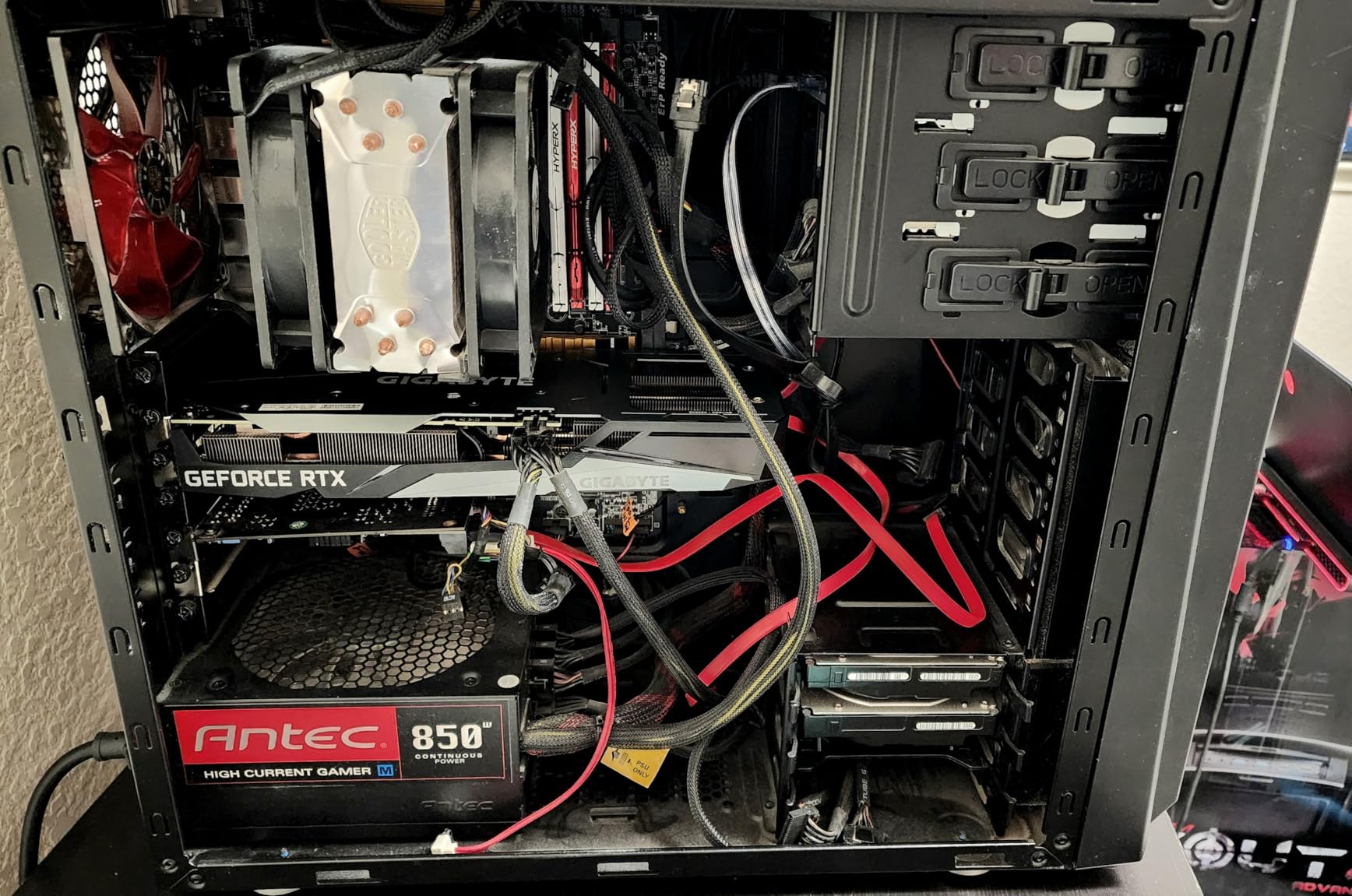
I kept coming back to this card because of one number: 3162 written reviews, more than three times the count of anything else in this list. When a product has that much owner feedback, the pattern of complaints stops being guesswork. Across those reviews the same thing comes up again and again, which is that 12GB of memory is what makes 4K timelines and stacked effects behave.
The memory sits on a 192-bit interface at 15000 MHz effective, and the card runs at 1837 MHz. That is an older architecture than the Blackwell parts further down this list, so raw encoding throughput and AI performance are not going to lead the field. For timeline work, though, capacity is the constraint that bites, and 12GB keeps the door open for longer.
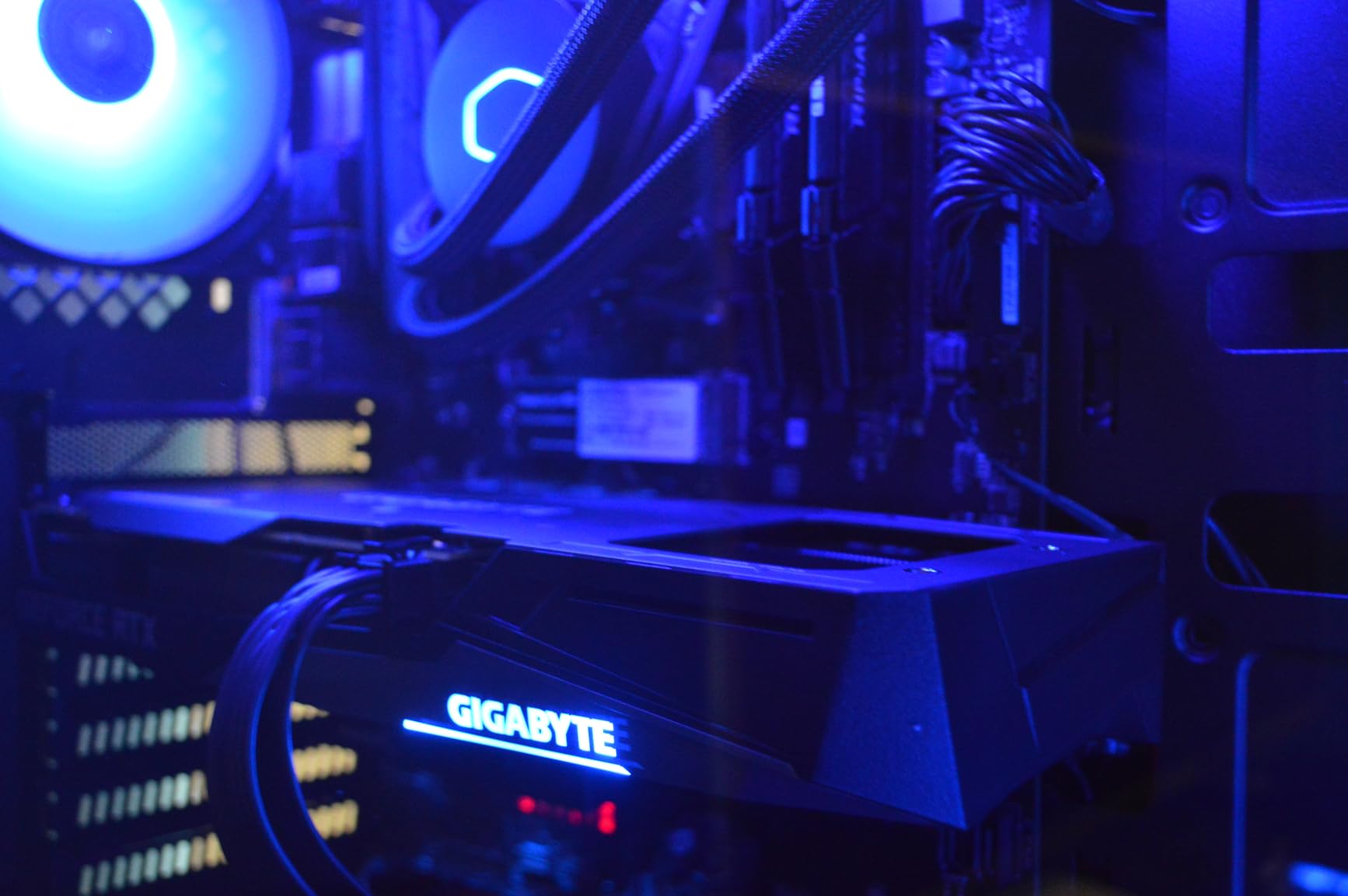
Thermally it is a calm card. Three WINDFORCE fans move air across a 12GB board and owners report stable temperatures through long sessions, which is exactly the duty cycle an export queue puts on a card. It also drives displays up to 7680 x 4320, so it fits an 8K reference monitor without a converter in the chain.
The catch is physical. At 11.1 inches long with three fans, it is bulkier than the dual-fan alternatives in the same class. Measure your case clearance and the distance to the front drive cages before you commit, particularly in a compact build.
How it handles a busy 4K timeline
Multi-stream 4K playback, a Lumetri grade and a handful of GPU-accelerated effects is the workload where 12GB earns its place. The card holds real-time playback on projects that make 8GB cards stutter, and the headroom matters most when you stack adjustment layers rather than when you import.
Export speed is the other half. Ampere generation hardware encoding is one step behind the newest encoder generation, so a pure render benchmark will favour newer cards, but on a normal project the difference is far smaller than the difference between dropping frames during the edit and not dropping them.
Who should skip it
If your work is AI-heavy, or you need the newest codec pipeline, the 30-series part is behind. Reviewers also flag the encoding path as the weak spot compared with current-generation parts, and the card is an older platform in a list where several competitors carry newer silicon.
Physical fit is the other reason to pass. Three fans and an 11.1 inch body is manageable but not universal, and in a small case a 9 inch dual-fan card with the same memory is easier to place.
2. ASUS Dual GeForce RTX 5060 Ti 16GB Review: The Best Memory Balance of the Mid-Range
ASUS Dual GeForce RTX 5060 Ti 16GB GDDR7 OC Edition Gaming Graphics Card
16GB GDDR7
767 AI TOPS
2632 MHz OC
9 inch 2.5-slot
Single 8-pin
Pros
- 16GB VRAM is rare at this tier
- Compact 9 inch 2.5-slot design runs cool and quiet
- Single 8-pin power keeps builds simple
- Low 180W class draw
Cons
- Factory overclock is only about 30 MHz
- Narrow 128-bit bus for the class
- A clean driver install is often needed first
This is the card I would put in a new mid-range editing build. 16GB of GDDR7 on a 128-bit bus yields roughly 448 GB/s of bandwidth, which is enough to keep 1440p and 4K output fed without the memory starvation that makes cheaper cards stutter. The memory capacity is the headline and everything else supports it.
Thermals are the surprise. Owners report temperatures in the low 60s under full load and roughly a third the noise of the card they replaced. A large cooler relative to the chip means the fans barely spin during grading and export, which matters more for editing than it does for gaming.
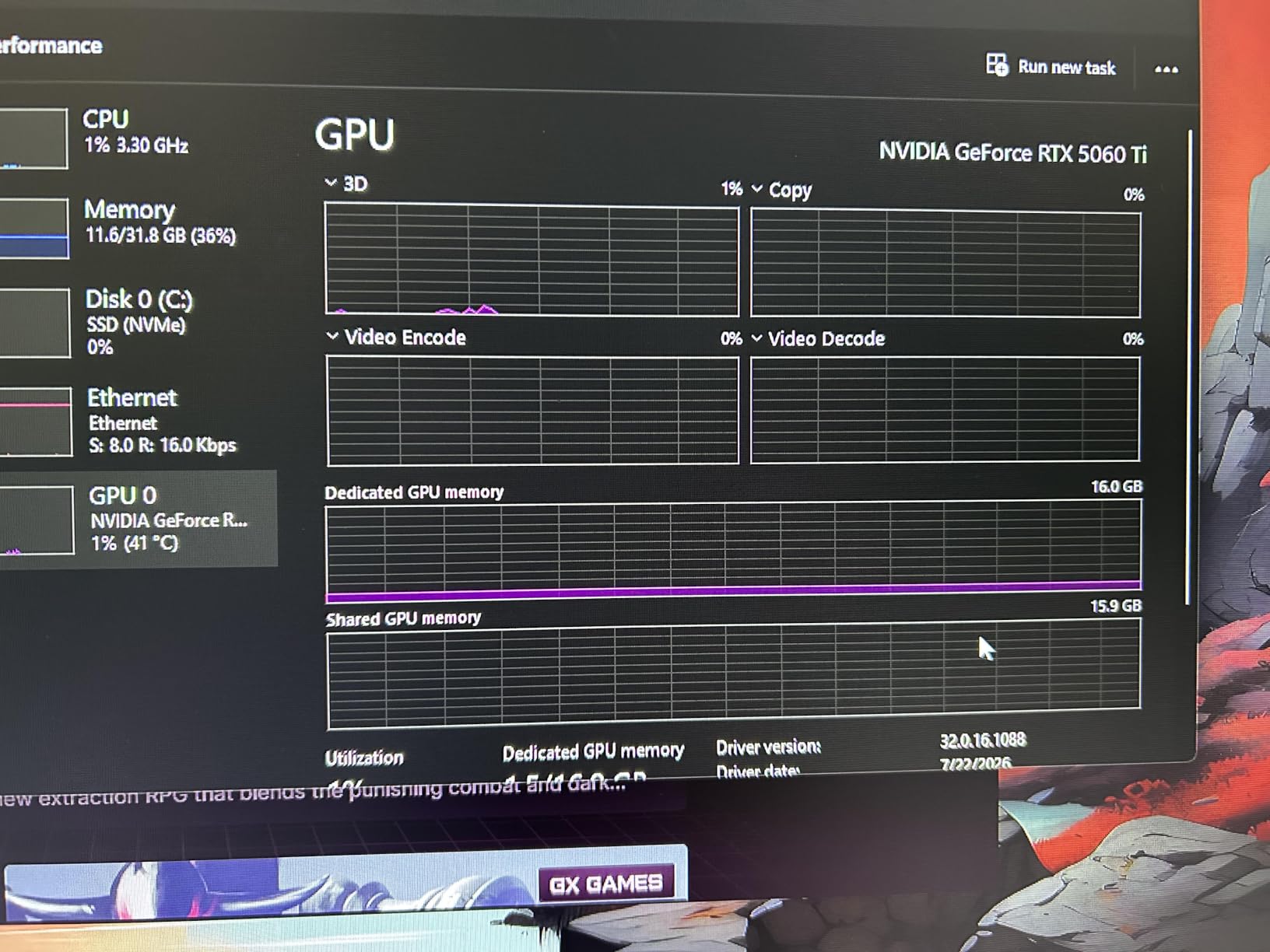
Blackwell brings DLSS 4 and 767 AI TOPS, and the AI figure is more relevant to editors than it looks. Generative fill, noise reduction and upscaling tools lean on tensor throughput, and one owner reported their DLSS-driven benchmark score jumping from roughly 12,000 to 34,000 with the new architecture.
The board is a 9 inch, 2.5-slot design with dual ball fan bearings rated for roughly twice the lifespan of sleeve-bearing units, plus a dual BIOS switch between Quiet and Performance profiles. In a small form factor case, this is one of the few 16GB cards that simply fits without planning.
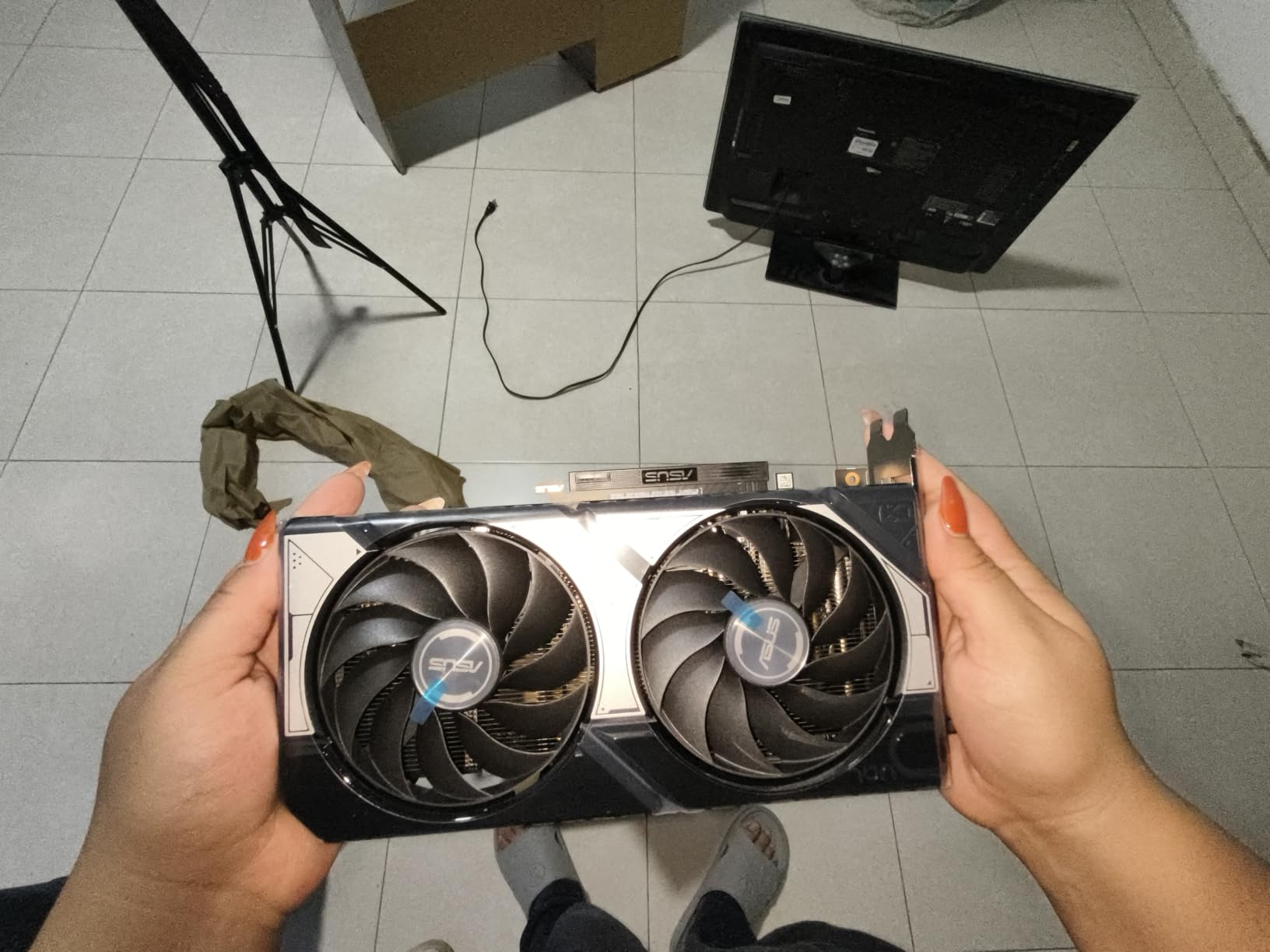
What 16GB actually buys you on a 4K project
Sixteen gigabytes is the point where memory stops being the limiting factor for most professional 4K work. You can keep 4K source at full resolution, run a real grade, and still have room for stacked GPU effects, power windows and motion graphics on the same timeline without the memory warnings that prompt a restart.
It also future-proofs you against codecs you have not met yet. Higher-bit-depth 4:2:2 sources and multi-cam projects eat memory quickly, and a card with no headroom degrades quality rather than failing outright, which is far more disruptive mid-edit.
Where the compromises are
The OC Edition label overstates things. The factory overclock is roughly 30 MHz, about a 1 percent bump, so treat this as a well-cooled standard card and tune it yourself if you want more. The 128-bit bus is narrow for the class even with fast GDDR7, which shows up in sustained multi-stream throughput rather than in export time.
Several owners also report needing a clean driver install with DDU before the card behaves, and that the dual BIOS profiles behave nearly identically on this model. Budget ten minutes for setup before you judge it.
3. GIGABYTE Radeon RX 9070 XT Gaming OC 16G Review: The Best Frames-per-Dollar Option
GIGABYTE Radeon RX 9070 XT Gaming OC 16G Graphics Card, PCIe 5.0, 16GB GDDR6, GV-R9070XTGAMING OC-16GD Video Card
16GB GDDR6
2600 GHz memory
3060 MHz
PCIe 5.0
Triple 8-pin power
Pros
- 16GB buffer removes 4K memory warnings
- Strongest performance-per-dollar consensus in the set
- Cool and quiet in many builds
- Handles 4K playback and high resolution media
Cons
- Runs warm with a high edge-to-junction delta
- Three 8-pin connectors complicate cable reuse
- Noisier at full load and during shader compilation
The consensus around this card is unusually strong. Multiple owners independently describe it as the value pick of the current generation, and several replaced an RTX 3080 or a 7900 XT and came away reporting better frame pacing. For an editor, the relevant part is the 16GB frame buffer, which is where owners say the memory warnings and stutter finally stopped.
Memory runs at 2600 GHz on a 16GB GDDR6 configuration and the card boosts to 3060 MHz. It is the number one ranked card in Computer Graphics Cards in the data we worked from, and it holds 4K settings across large libraries and drives 1440p at high refresh rates in the titles owners test.
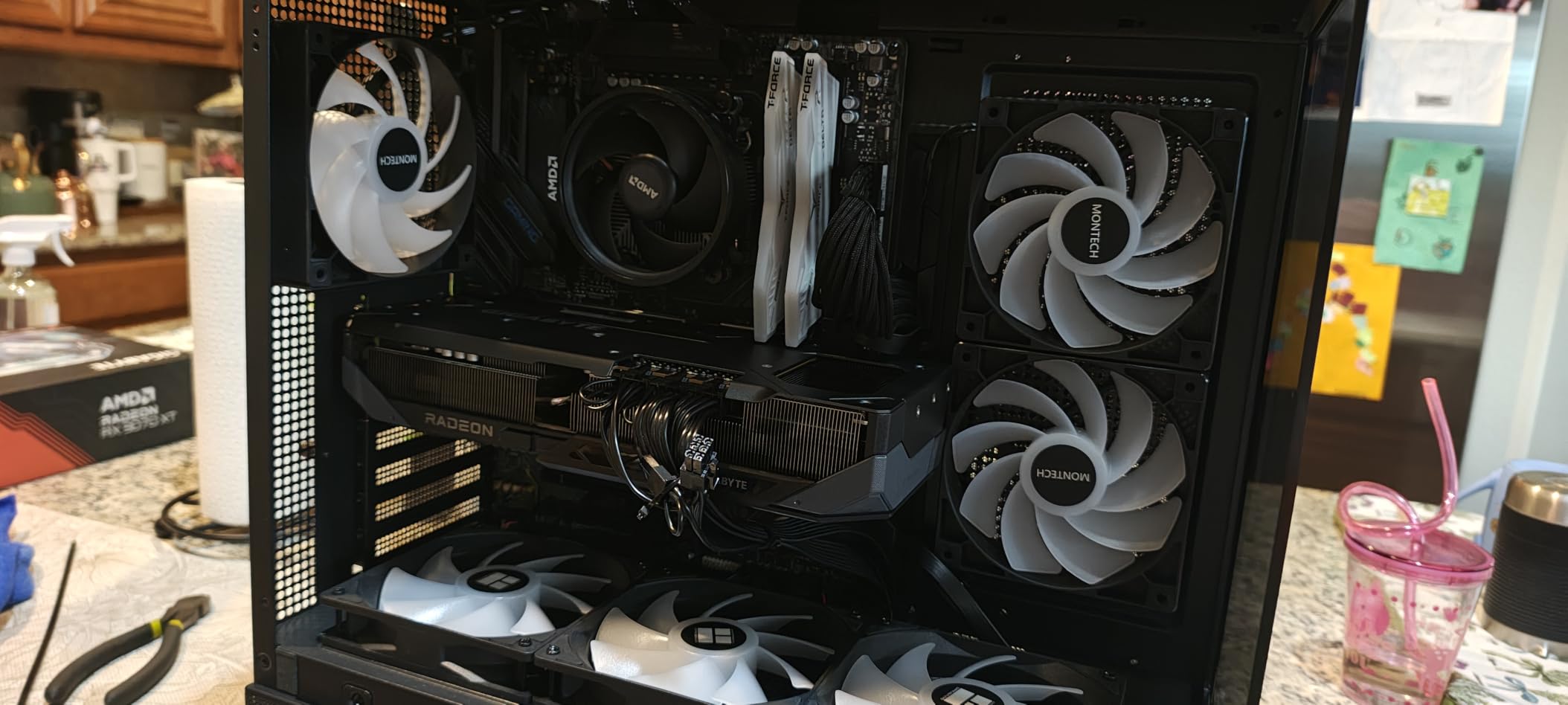
The hardware side of video work is where AMD has closed the gap. Resolve and Premiere both use the card well for timeline playback, colour grading and effects, and the open compute path means plugin developers have a mature target. Where Nvidia still leads is third party AI tooling, which tends to be written against CUDA first.
Amd also ships server-grade thermal conductive gel under the WINDFORCE cooling system, with Hawk fans and a vapour chamber style heatsink. Owners who replaced older high-end cards report the swap came with lower temperatures, though not everyone agrees, and that is where the main criticism sits.
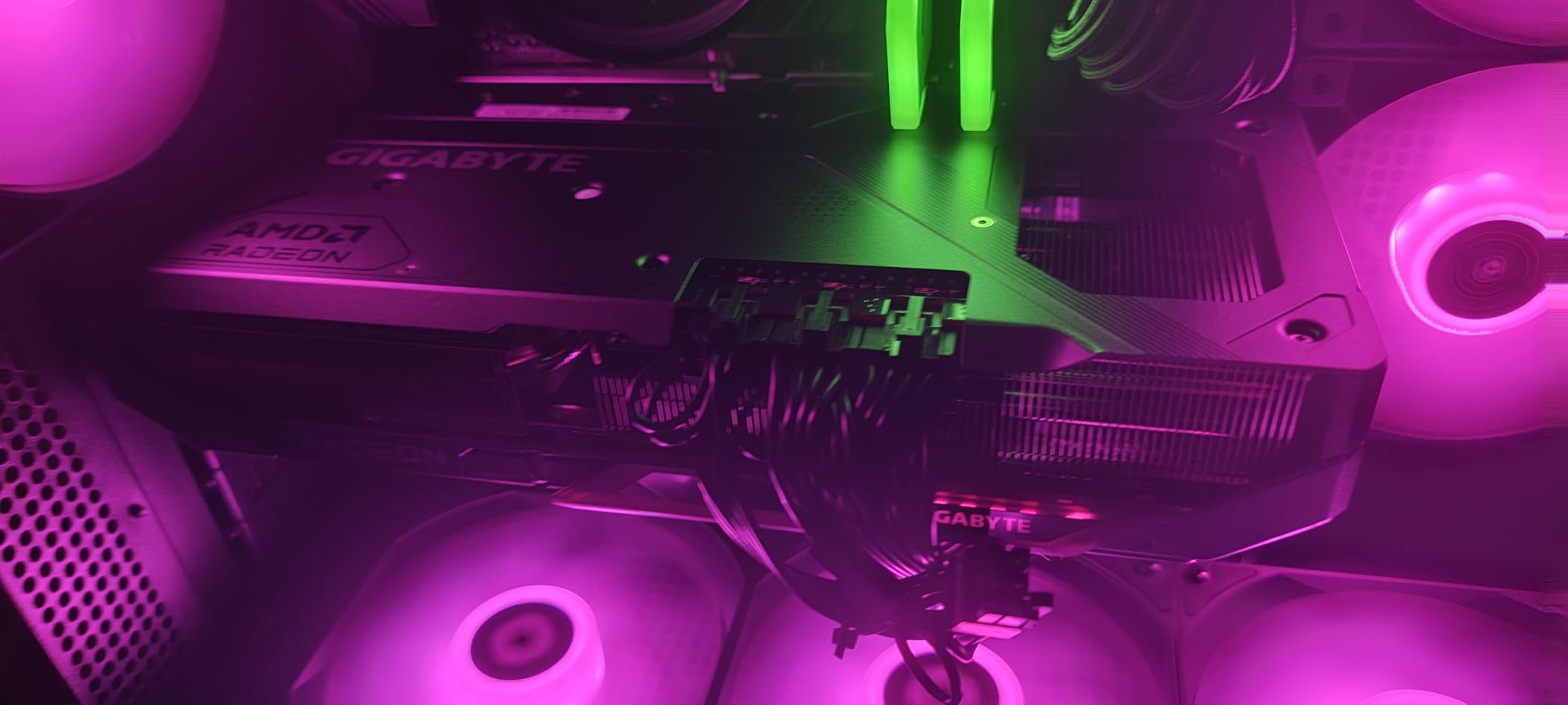
When an AMD card is the smarter buy
The arithmetic is simple. A 16GB frame buffer is the same pool of memory you would pay a large premium for on the Nvidia side, and for grading-heavy or effects-heavy 4K work that memory is what keeps the timeline real-time. If your budget stretches to this tier but not much beyond, this is where it goes.
It is also the right pick for editors who work across multiple applications. Colour grading, Resolve’s node-based compositor and 3D work all scale well here, and the card does not need software-specific tuning to perform.
The practical drawbacks to plan around
It runs warmer than some partner cards, and owners cite a high edge-to-junction delta that can need undervolting in a warm room. The three 8-pin power connectors are the annoyance most often flagged, because reusing cabling from a one or two connector card means running three separate leads.
It is also noticeably noisy at full load and during shader compilation, and the driver software is less intuitive than Nvidia’s for some users. None of that touches edit quality, but all of it touches the room you sit in.
4. GIGABYTE GeForce RTX 5070 Ti AERO OC 16G Review: The Best Non-Flagship Memory Setup

GIGABYTE GeForce RTX 5070 Ti AERO OC 16G Graphics Card, 16GB 256-bit GDDR7, PCIe 5.0, WINDFORCE Cooling System, GV-N507TAERO OC-16GD Video Card
16GB GDDR7 on 256-bit
2600 MHz
PCIe 5.0
Triple fan
13.46 inches
Pros
- Best memory configuration outside the flagship tier
- Stays around 50-58 degrees under full load
- Large cooler keeps fans quiet during export sessions
- Real overclock headroom past 3200 MHz
Cons
- Very large at 13.46 inches
- Ball bearings click faintly when spinning down
- RGB limited to the card logo
Sixteen gigabytes of GDDR7 on a 256-bit interface is the best memory configuration in this list that does not carry flagship pricing. That wide bus matters: it is what keeps sustained multi-stream throughput healthy when you are playing back several 4K streams while rendering a grade.
The cooling is the story owners repeat. Multiple reports put it in the 50 to 58 degree range under full load and describe it as very quiet inside a case, with fans that rarely spin up except during heavy work. For an editing machine that runs for hours, that is a genuine advantage over cards that ramp up the moment a render starts.
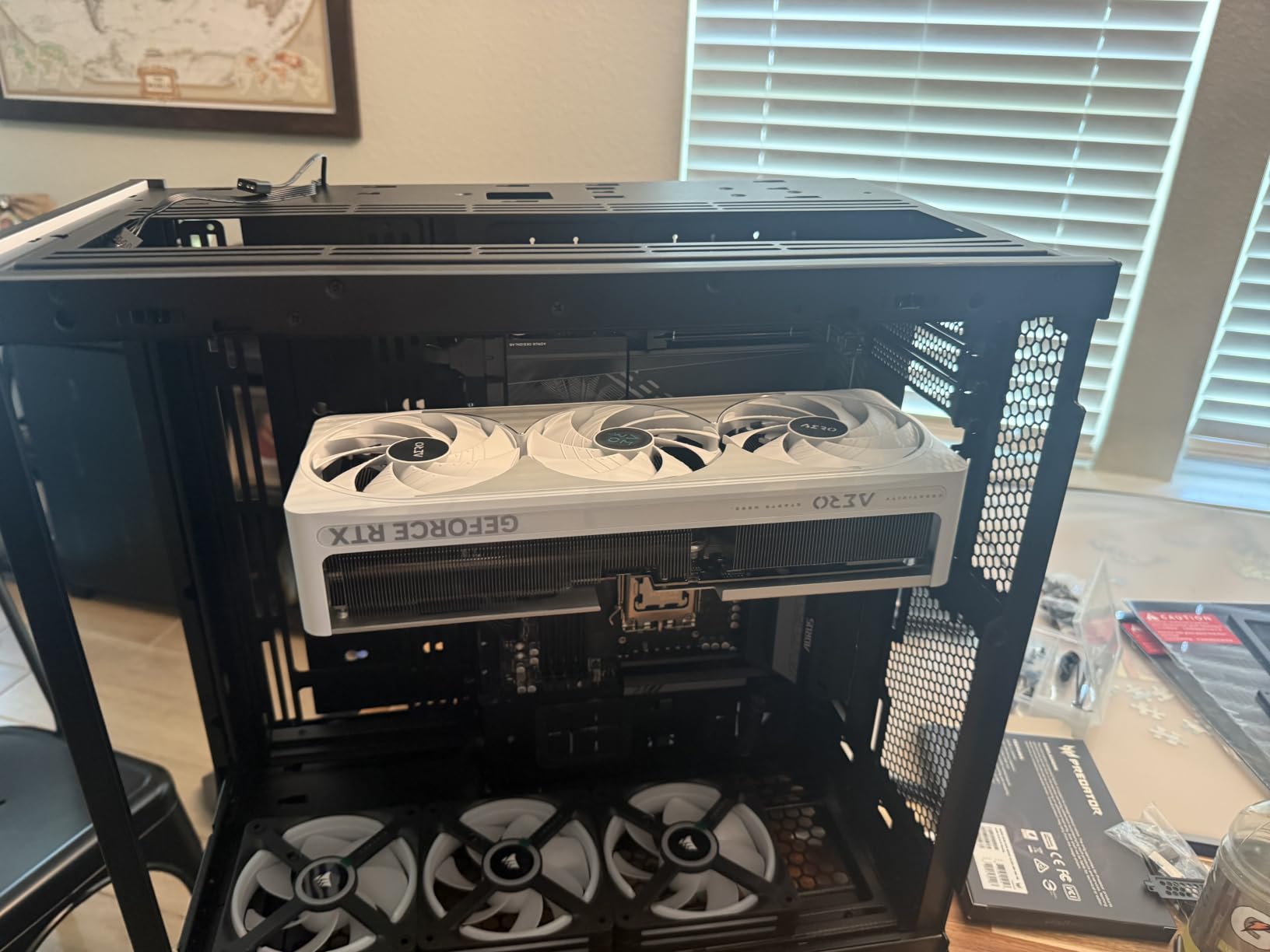
Blackwell architecture brings DLSS 4, and one owner reports 4K path tracing at 80 plus frames with DLSS enabled against 40 to 60 without. That gap is less central to editing than to gaming, but the tensor throughput underneath it also serves AI-based denoise and upscale work.
There is real tuning headroom too. One owner reached 3200 MHz on this card, and others report near identical performance from undervolting at much lower temperatures, which is the preferable route for a card that will sit under load for hours a day.
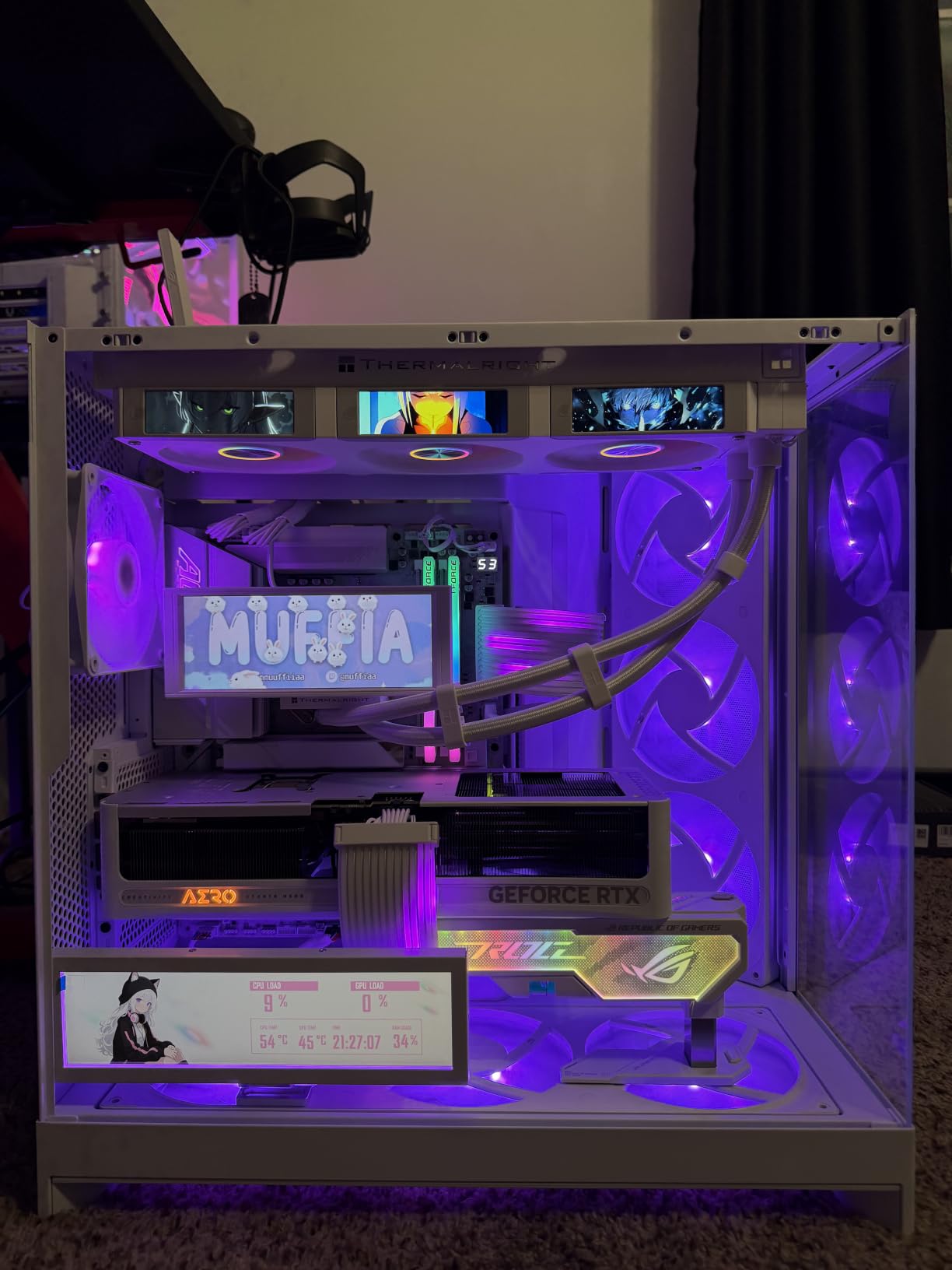
Why the bus width matters more than the clock
Editing workloads are memory-bound far more often than they are compute-bound. When you scrub a 4K timeline, the card is pulling frames from VRAM, and a narrow bus has to sustain that pull across every stream. A 256-bit interface with GDDR7 gives you headroom that a 128-bit card of the same capacity cannot match once you go past a couple of streams.
The practical symptom of a narrow bus is not a crash. It is dropped frames, a preview that stutters during a transition, and a grade that takes longer to settle. Those are exactly the small delays that make a long edit session feel slow, and they rarely show up in a gaming benchmark.
Check your case before anything else
At 13.46 inches this is the second-largest card in the list, and owners flag physical size as the recurring practical warning. A card this long will not fit many mid-size cases, and a vertical GPU mount in a compact chassis usually rules it out entirely. Measure first, order second.
Two smaller complaints: the fan ball bearings produce a faint click when they spin down to idle, and the RGB is limited to the card logo with no lighting on the fans. Neither affects the work.
5. MSI GeForce RTX 5090 32G SUPRIM SOC Review: The Only Card Here With 32GB

MSI GeForce RTX 5090 32G SUPRIM SOC Graphics Card VD8997
32GB GDDR7
2565 MHz
PCI Express
SUPRIM SOC factory OC
8pin x4 to 16pin adapter
Pros
- Largest frame buffer in the list by a wide margin
- Newest NVENC generation for hardware encoding
- Factory-overclocked premium-binned SUPRIM SOC design
Cons
- Weakest rating in the set at 4.0 from 42 reviews
- Enormous at roughly 2.84 kg so check clearance
- Very high total system power draw
Thirty-two gigabytes is the reason to look at this card and the only reason. It is the largest frame buffer in the list by a wide margin, and frame buffer is what determines whether an 8K timeline, a heavy VFX comp or a large multilayer project can stay real-time.
The architecture brings the newest NVENC generation for hardware-accelerated encoding, and the SUPRIM SOC variant is a factory-overclocked, premium-binned design that leaves headroom above the reference card. The box includes an 8pin x4 to 16pin conversion connector and a VGA support stay, both of which hint at how much hardware is involved.
That hardware is where the caution comes from. At roughly 2.84 kg this is a genuinely enormous card, and the total system power draw is high enough that a case and power supply upgrade is a realistic part of the purchase. A sag bracket and careful slot planning are not optional extras at this size.
I want to be straight about the evidence here. This listing carries 42 written reviews and a 4.0 average, with an unusually high 18 percent one-star share, which is the weakest rating profile in our set. The written feedback volume on the model line is a more reliable signal than the small sample here, but you should know that you are buying on specification rather than on owner testimony for this particular card.
For 8K multicam, heavy compositing or 3D pipelines the 32GB buffer simply cannot be matched by anything else in this list. If your work does not need that headroom, a 16GB card will serve you better and leave room in the budget.
Which projects genuinely need 32GB
The short answer is 8K source, long timelines, and any workflow that keeps source, proxies and graded output in memory at the same time. Multi-cam 8K is the clearest case, because each stream multiplies the memory you are holding, and a 16GB card reaches its ceiling faster than most people expect.
Heavy VFX and 3D rendering are the other two. Large simulation caches and particle systems allocate in VRAM, and when the card runs out the software falls back to system RAM over PCIe, which is dramatically slower and is the classic cause of a workstation that feels like it has stalled.
Why most editors should not buy this
Because the memory is the only thing it does that nothing else here does. If your work is 4K with a moderate number of effects, a 16GB card performs the same work and leaves budget for faster storage or a better monitor, which improves the edit more directly.
The power and size requirements are the practical blockers. You need a top tier power supply, a case with room, and tolerance for a machine that draws heavily. For a studio that rents machine time only when rendering, that is defensible. For a single desk, it is overkill.
6. Sparkle Intel Arc B580 Titan OC 12GB Review: The AV1 Transcoding Specialist

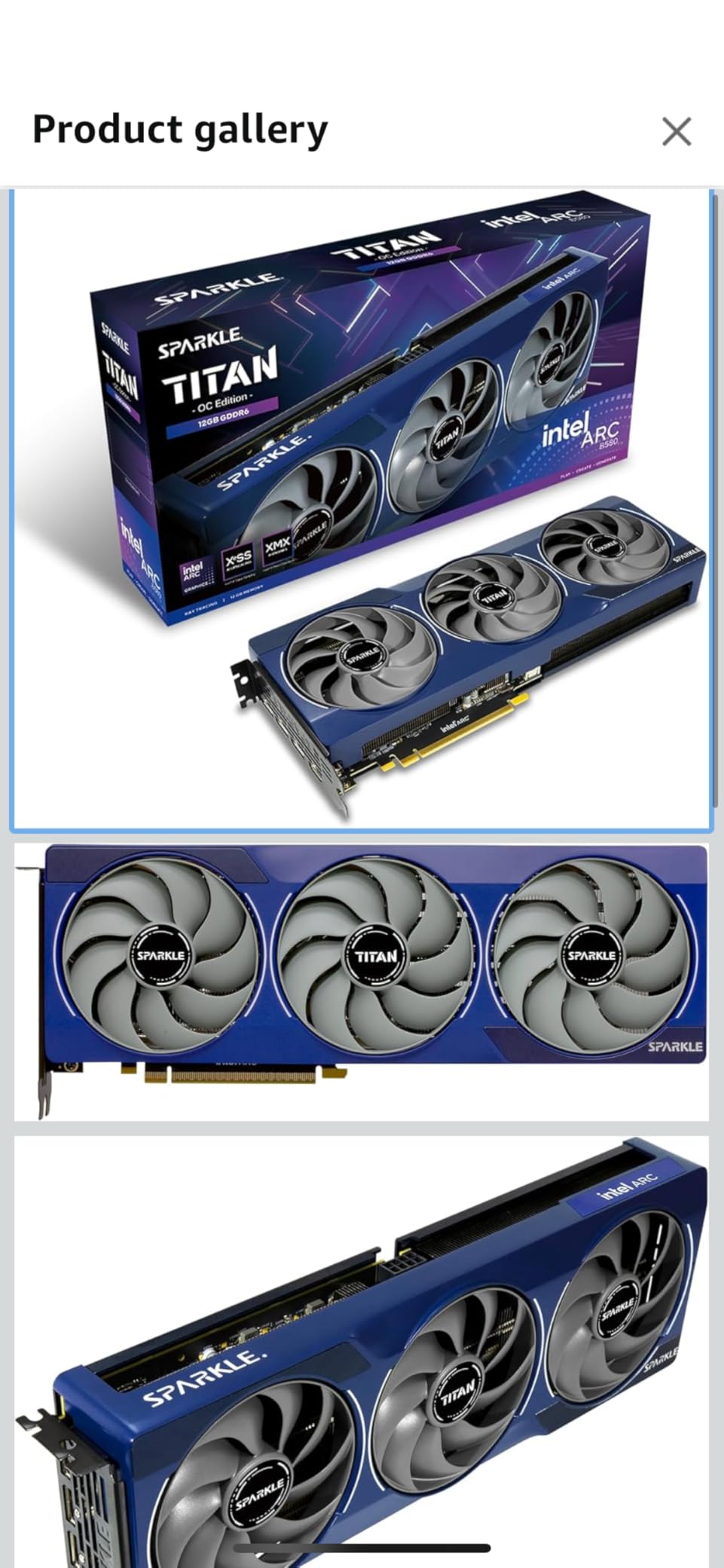
Sparkle Intel Arc B580 Titan OC, 12GB GDDR6, Torn Cooling 2.0, Axial Fan, Breathing Light, Metal Backplate, SB580T-12GOC
12GB GDDR6
2760 MHz OC
PCIe x8
1x HDMI 2.1 and 3x DisplayPort 2.1
3 year limited warranty
Pros
- AV1 encode and decode described as the best in its class
- 12GB of VRAM suits creative work
- Xe Matrix Extensions with PyTorch and XPU support
- Stays cool with measured readings in the high 50s
Cons
- Driver maturity is the main complaint
- No VR support
- Raster performance trails comparable Radeon cards
This is the one card in the list where owners explicitly name video editing as the reason they bought it. AV1 encode and decode is described as the best on the market, and several owners bought the card specifically for transcoding and general video work rather than for games.
Memory is 12GB of GDDR6 running at 19 GHz effective with a 2760 MHz OC boost clock, which is a more useful configuration for an editor than the 8GB parts at similar money. Dual media engines handle regular video and general transcoding reliably, and Xe Matrix Extensions with native PyTorch and XPU support open the card to AI work outside gaming.
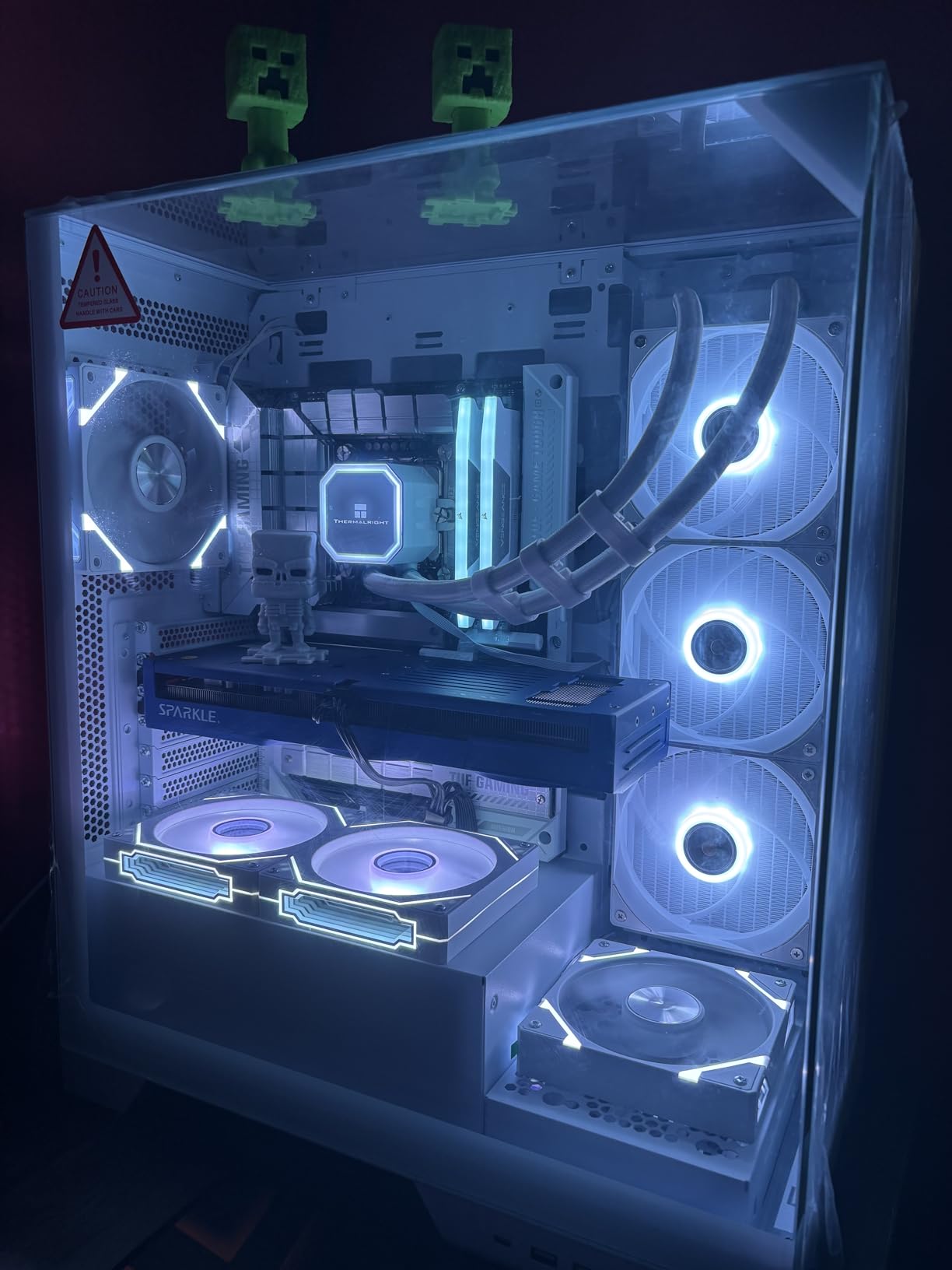
Thermals are excellent. One owner measured a 59 degree average and another saw 60 to 65 degrees at full fan speed, which is a well-behaved card under sustained encode work. The TORN Cooling 2.0 design, metal backplate and card sag bracket are all present, and owners single out the build quality.
It is also thinner and smaller than most three-fan designs at 12.4 inches, which helps in cases where a large card will not fit. The card is listed with a 3840 x 2160 maximum resolution, so it is not the choice for an 8K reference display.
When AV1 hardware support changes your workflow
AV1 matters more each year because it is the delivery codec more platforms are moving toward. A card with strong AV1 encode and decode turns transcoding from a long background task into something you can do while you keep working, and that is the practical difference on a deadline.
The Xe Matrix Extensions and native PyTorch support are the same silicon pointed at a different job. If you run local upscaling, denoise or segmentation models, the XPU path is there and the card is one of the more approachable ways to test it.
What to sort out before installing it
Driver maturity is the caveat owners return to most. Some needed registry tweaks and adjusted Timeout Detection and Recovery settings, which is the sort of setup work that should not be necessary and currently is. Drivers improve with each update, so expect to spend a little time at first launch.
There is no VR support, one owner flags explicitly as a reason to avoid the card, and raster performance trails comparable Radeon cards, so it is weaker if the same machine also games. The maximum listed output of 3840 x 2160 is another limit worth knowing.
7. ASRock Intel Arc B570 Challenger 10GB OC Review: The Practical Intel Pick

ASRock Intel Arc B570 Challenger 10GB OC GDDR6 Graphics Card, 2600 MHz GPU, 19 Gbps Memory, Dual Fan, Metal Backplate, HDMI 2.1a, DisplayPort 2.1, 0dB Cooling
10GB GDDR6 on 160-bit
2600 MHz GPU at 19 Gbps
3x DisplayPort 2.1
Single 8-pin
0dB cooling
Pros
- About 380 GB/s of bandwidth
- more than an RTX 4060 or RX 7600
- Dual media engines with AV1 and HEVC encode and decode
- 0dB Silent Cooling keeps it quiet under load
- Single 8-pin connector
Cons
- Older motherboards need Resizable BAR and 4G decoding enabled
- Some driver crashes need a CMOS reset
- Intel drivers still maturing against Nvidia and AMD
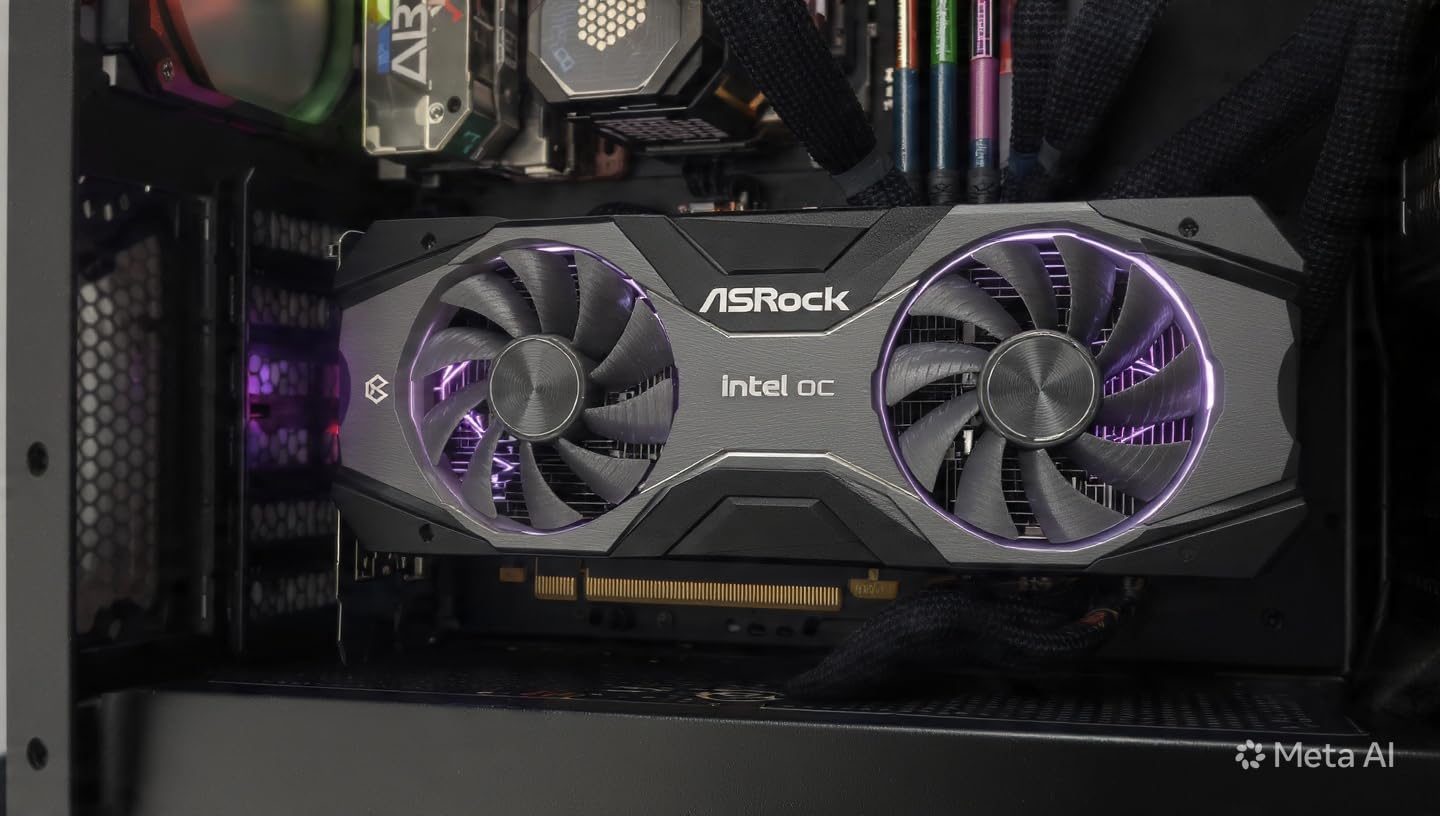
Ten gigabytes on a 160-bit bus works out to roughly 380 GB/s of bandwidth, which owners consistently point to as more than an RTX 4060 or an RX 7600 delivers. That is the honest reason to choose this over a slightly larger Intel card, and the reason owners call it the value pick of the current mid-range.
For video the dual media engines are the headline, handling AV1 and HEVC encode and decode. DisplayPort UHBR support drives 4K 144Hz monitors without issues, and 0dB Silent Cooling stops the fans entirely at idle. One owner reports the card idling at 400 MHz and 18 to 21 W, holding 45 to 56 degrees at zero fan RPM while streaming and driving three monitors.
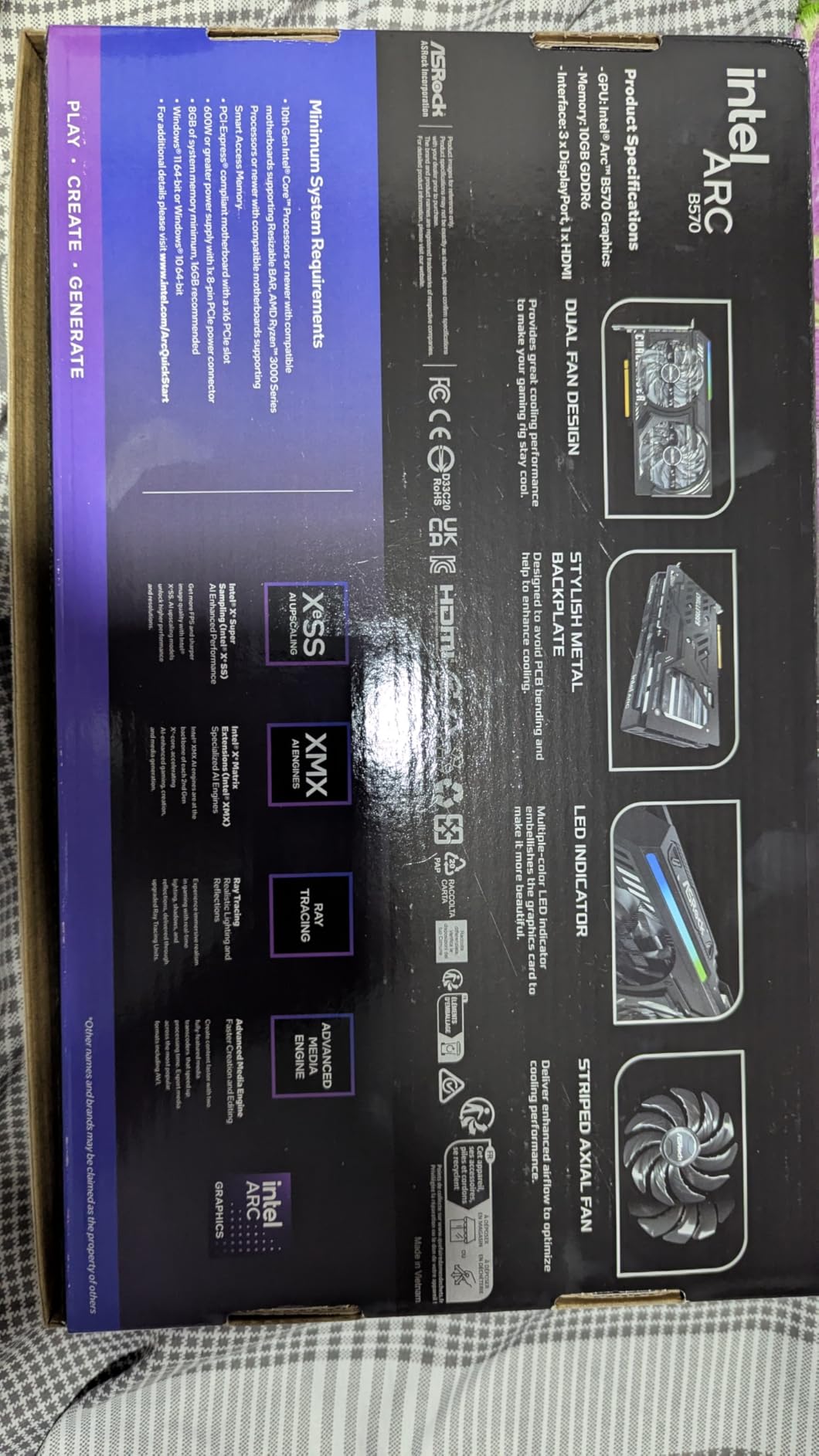
Power delivery is refreshingly simple with a single 8-pin connector, and the metal backplate adds rigidity against GPU sag. DirectX 12 Ultimate support and Xe Matrix Extensions cover AI acceleration and upscaling, which is the same compute path the larger B580 exposes in a different package.
It is also a two-fan card at 0.99 kg, so it is easier to cool and to fit than the three-fan designs higher in this list. In a build that is already thermally tight, that is worth more than a small difference in gaming performance.
How the 10GB buffer compares for 4K editing
Ten gigabytes sits between the 8GB cards and the 12GB and 16GB parts, and that middle position is genuinely useful. It is enough for 4K timelines with a solid stack of effects and colour work, and it will not exhaust on a moderately complex project the way an 8GB card does.
Where you will feel the limit is 8K source or a very heavy effects stack. At that point you want 12GB or more. For 4K editing as the primary workload, 10GB with 380 GB/s of bandwidth is a sensible balance rather than a compromise.
The BIOS step you should not skip
Some older motherboards need Resizable BAR and 4G decoding enabled in the BIOS before the card performs correctly. This is the single most common issue in the owner feedback, and it is a five-minute fix that changes the experience entirely if you know to expect it.
A few owners also report driver-related crashes and hardware-accelerated streaming problems that need a CMOS reset, and Intel’s drivers are still maturing against Nvidia and AMD. A Ryzen 5 5500 class or faster processor is about the minimum pairing to avoid bottlenecking the card.
8. ASUS Dual GeForce RTX 3050 6GB Review: The Cheapest Way Into Hardware Encoding

ASUS Dual GeForce RTX 3050 6GB GDDR6 OC Edition Gaming Graphics Card
6GB GDDR6
1500 MHz OC
2-slot 7.9 inch
HDMI output
Max 3840x2160
Pros
- Lowest cost entry to an RTX card with hardware AV1 encoding
- 2-slot short design fits small chassis
- IP5X dust resistance and stainless steel bracket
- Third gen tensor cores with DLSS
Cons
- Only 6GB of VRAM
- the smallest buffer here
- Older NVENC generation and no AI TOPS figure
- 128-bit bus constrains multi-stream throughput
With 1116 written reviews and an 83 percent five-star share, this is the second most examined card in the list and the least ambiguous. Owners treat it as a budget step up into an RTX card with hardware AV1 encoding, which is a real capability that a lower tier often lacks entirely.
The Ampere streaming multiprocessors deliver 2x FP32 throughput over the preceding generation, with second generation RT cores and third generation tensor cores supporting DLSS. For editing, the practical value is the hardware encoder and the decode path rather than the shader throughput.
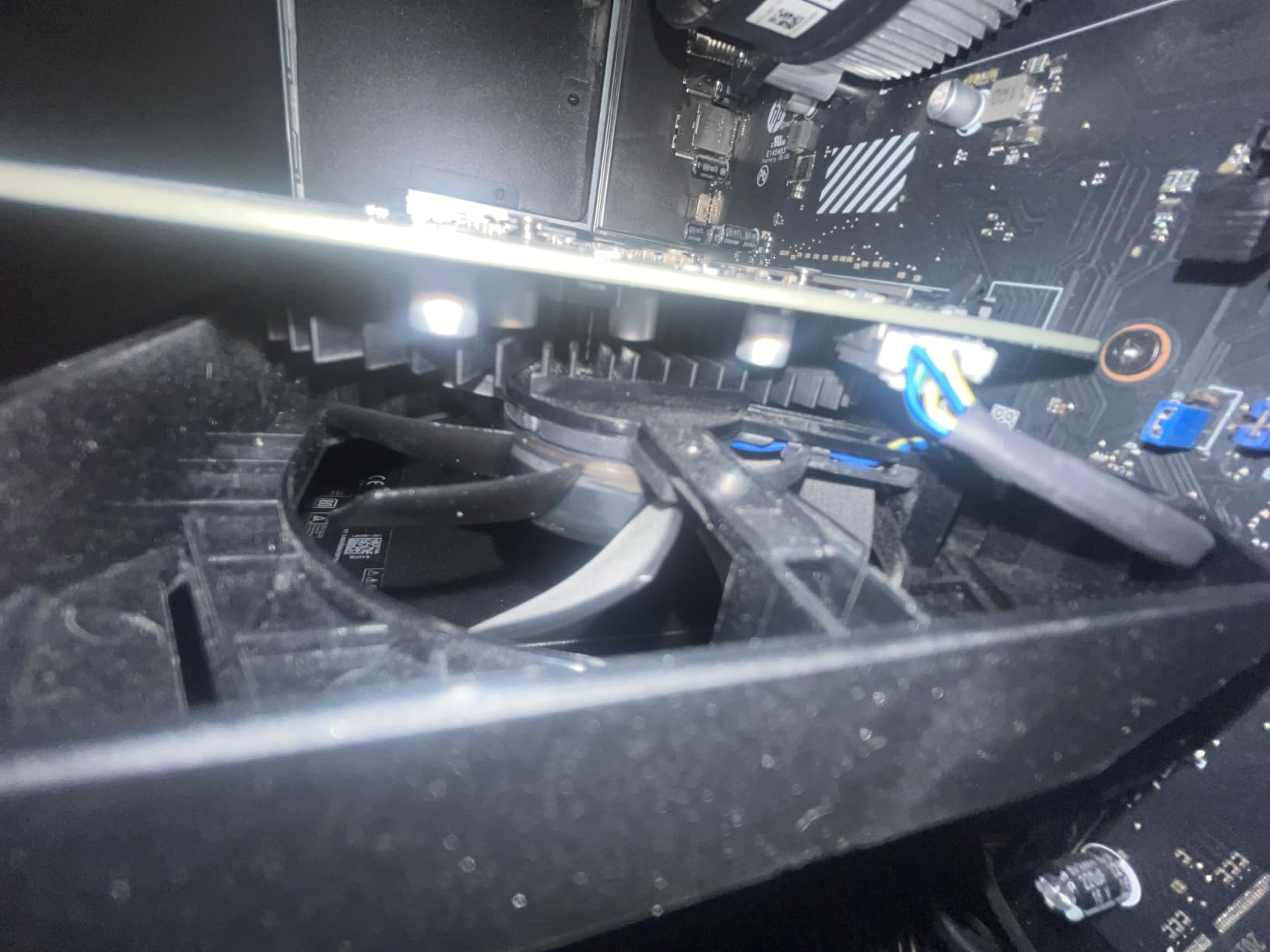
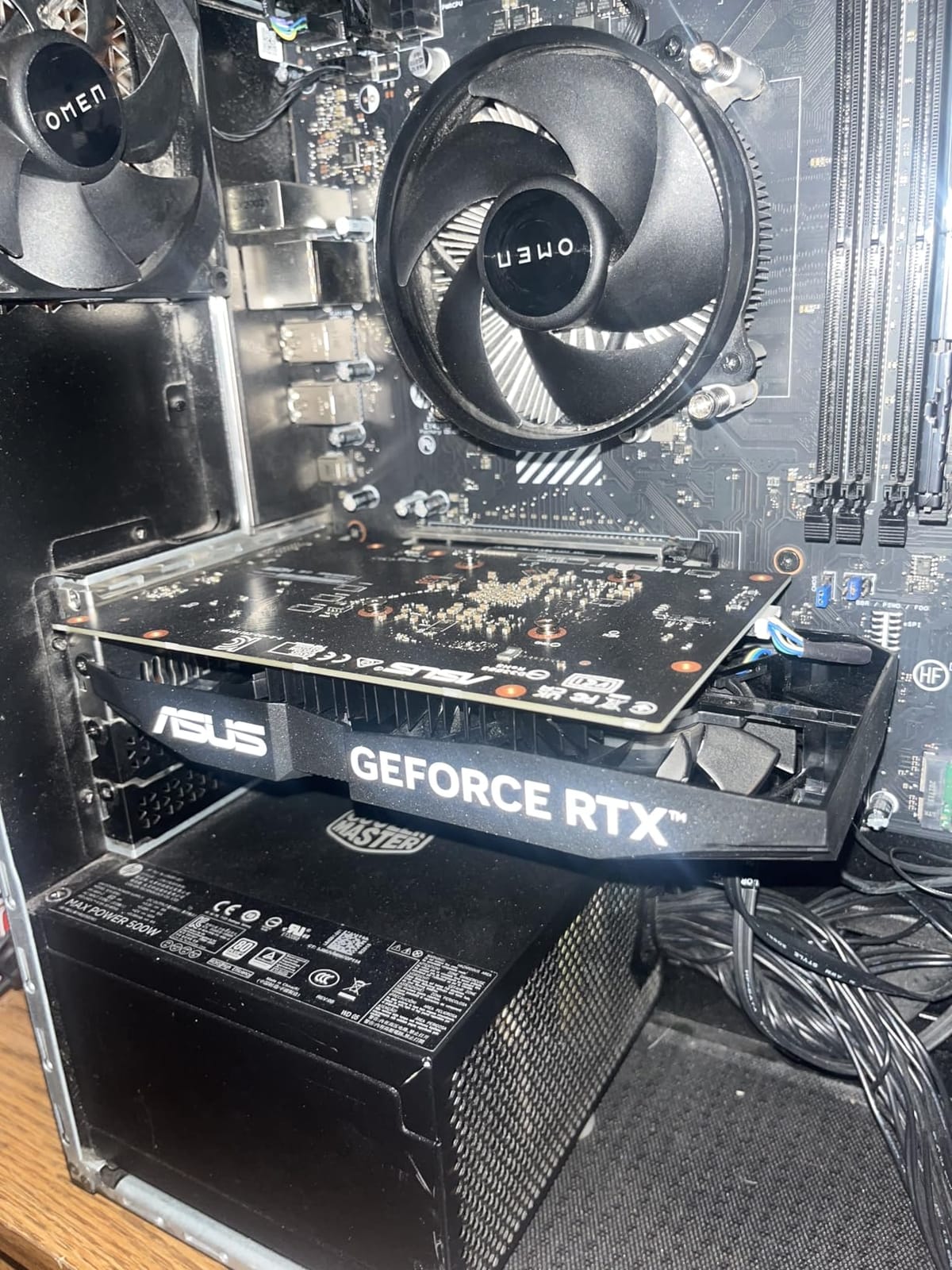
Size is the genuine strength. At 7.9 inches and 2 slots with a weight of 14.4 ounces, it is the easiest card in the list to fit, and 0dB-class fans and a short length mean it works in cases where a modern dual-fan card simply will not go. The IP5X dust resistance and stainless steel bracket are nice touches at this level.
It is also the only card in the list with a listed maximum output of 3840 x 2160, below the 7680 x 4320 support of the others. That is a real limit if you own an 8K reference display.
Where 6GB runs out
Six gigabytes is the smallest frame buffer in this list and it is the reason this card sits where it does. A 4K timeline with a few effects is fine. A 4K timeline with a full Lumetri grade, several GPU-accelerated transitions and long media offline is where you will see memory warnings, stutter and a fallback to system memory.
If your work involves 4:2:2 10-bit source or multiple 4K streams at once, treat 6GB as the floor rather than the goal. Consider this card the entry point, and plan to move up to 10GB or 12GB when the projects get heavier.
Who it works for and who it does not
It suits students, hobbyists and 1080p editors who want hardware encoding and an Nvidia card without a large outlay. It is also the safest small form factor option here, with a short body and no need for extra power connectors.
Skip it for 8K, for 3D and VFX work, or for anyone whose time is billed by the hour. The older encoder generation also means no AI TOPS figure, so local AI tooling will not get the same lift a Blackwell card provides. Within a tight budget it is a sensible stop, not a destination.
9. ASRock Intel Arc A580 Challenger 8GB OC Review: A Wide Bus on a Small Budget

ASRock Intel Arc A580 Challenger 8GB OC Graphics Card, Intel Xe HPG Architecture, 8GB GDDR6, PCIe 4.0, Dual Fans, 0dB Silent Cooling, DisplayPort 2.0
8GB GDDR6 on 256-bit at 16 Gbps
2000 MHz OC
PCIe 4.0 x16
2.4-slot
4 displays
Pros
- Wide 256-bit interface at the lowest cost in the list
- 384 XMX engines for AI acceleration
- Metal backplate and 0dB Silent Cooling
- Drives four displays at up to 7680x4320
Cons
- Needs 2x 8-pin connectors and a recommended 650W supply
- 8GB limits heavier creative timelines
- Older Xe HPG architecture and 16 Gbps memory
Eight gigabytes of GDDR6 on a 256-bit interface at 16 Gbps is a memory configuration that reads well on paper, and at the lowest cost in the list it is a genuine budget creator card. Owners frame it that way, with the AV1-capable media engine and the 8GB buffer as the reasons to buy.
The 384 XMX engines provide AI acceleration that is relevant to content creation workloads, and the card supports up to four simultaneous displays at up to 7680 x 4320. DirectX 12 Ultimate, OpenGL 4.6 and Xe Super Sampling round out a modern feature set.
Thermally it behaves. Dual striped axial fans with 0dB Silent Cooling stop completely at low temperatures, and the metal backplate with Super Alloy components is solid construction for the tier. At 790 g and 2.4 slots it is a manageable physical footprint.
That is the interesting part of this card. A 256-bit bus at 16 Gbps gives a theoretical bandwidth that sits close to much more expensive 128-bit GDDR7 parts, which is exactly the axis that matters for timeline playback.
Is 8GB enough for 4K editing
For a 4K timeline with a moderate layer count, yes. Eight gigabytes will hold 4K media, playback and a reasonable grade without complaint. It is also enough for proxy workflows, where the edit runs on lightweight proxies and the full resolution media only appears at export.
It becomes tight with heavy effects stacks, large motion graphics canvases and 4:2:2 10-bit source. Resolve in particular is the application editors most often report struggling on low-VRAM cards, so if Resolve is your tool, budget for 10GB or more.
The power caveat is real
This card needs 2x 8-pin PCIe power connectors and a recommended 650W power supply, which is a demanding requirement for an entry-level part and the most cited practical caveat in the feedback. Confirm your supply has the spare connectors and the headroom before ordering.
Remember also that Xe HPG is an older architecture than the Xe2-HPG cards in this list, and 16 Gbps memory is dated next to 19 Gbps parts. If you can stretch to a 10GB Xe2 card, the extra memory and newer silicon are worth the step up.
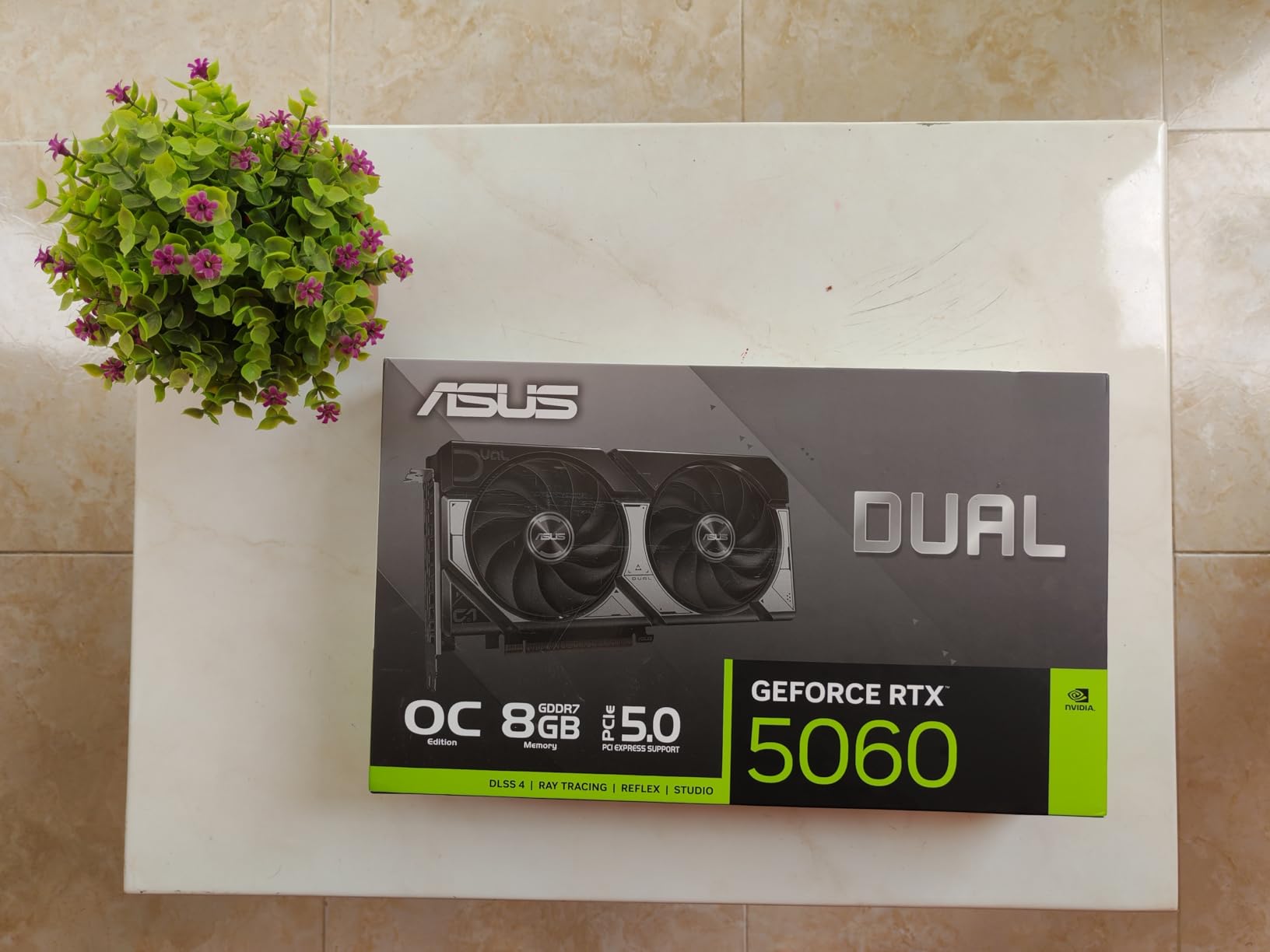
10. ASUS Dual GeForce RTX 5060 8GB Review: The Compact Blackwell Option

ASUS Dual NVIDIA GeForce RTX 5060 8GB GDDR7 OC Edition (PCIe 5.0, 8GB GDDR7, DLSS 4, HDMI 2.1b, DisplayPort 2.1b, 2.5-Slot Design, Axial-tech Fan Design, 0dB Technology), 3 Year Warranty
8GB GDDR7
2535 MHz default and 2565 MHz OC
623 AI TOPS
2.5-slot dual fan
SFF-Ready
Pros
- DLSS 4 upscaling and frame generation
- GDDR7 on PCIe 5.0 lifts bandwidth over the previous 128-bit card
- 2.5-slot SFF-Ready design clears adjacent slots
- 0dB technology keeps it silent at idle
Cons
- 8GB of VRAM is the ceiling and widely considered too low
- Some owners report audio crackle at 44.1kHz and above
- Not the quietest under sustained full load
Owners are split on value here, and the reason is the same number every time: 8GB. The card itself is praised for efficiency, build quality and DLSS 4, and nearly every reviewer names the memory as the limiting factor. Treat it as a build-quality card first and a capacity card second.
GDDR7 on PCIe 5.0 delivers a real bandwidth and latency uplift over the previous generation 128-bit card, and the Blackwell architecture brings DLSS 4 upscaling and frame generation, which reviewers repeatedly single out. AI performance is listed at 623 AI TOPS, which is lower than the 16GB 5060 Ti but meaningful for local AI tooling.
Power draw is a genuine strength. At 150W class there is plenty of thermal headroom for a manual overclock, and the card fits a modest power supply without an upgrade. Native DisplayPort 2.1b on three ports plus HDMI 2.1b covers multi-monitor editing setups, including a high resolution grading reference alongside a timeline display.
It also hits 7680 x 4320 maximum output, so an 8K reference monitor is within reach. The 2.5-slot dual fan design is SFF-Ready, which means it clears adjacent slots and cable runs in a crowded chassis, and 0dB technology keeps the fans stopped at idle on the desktop.
Where 8GB stops being enough
Eight gigabytes forces settings cuts in memory-heavy work and constrains larger creative canvases, which is the honest limitation here. A 1080p or 4K timeline with light effects runs comfortably. The moment you add a full grade, long footage and a stack of GPU-accelerated transitions, the card is negotiating rather than editing.
Because GDDR7 is fast, an 8GB card feels more responsive than an 8GB GDDR6 one. That latency advantage masks the capacity limit for a while, and then stops masking it. For a 4K professional, the 16GB 5060 Ti is the version of this card worth having.
Small problems worth knowing
Some owners report audio crackle at 44.1kHz or higher sampling rates, which matters directly to an editing rig with audio tracks. It is not universal, but it is a specific enough symptom that you should test your own setup rather than assume.
It is also not the quietest card under sustained full load compared with larger triple-fan coolers, since the thermal headroom comes partly from accepting more fan speed when the work ramps up. The factory OC edition and 2565 MHz OC mode are genuine, which is unusual at this tier.
Nvidia vs AMD vs Intel for Video Editing in 2026
Nvidia is the default answer for a reason, and the community consensus explains it better than any spec sheet. On r/buildapc, the most repeated line across editing threads is that you will generally want to go with an Nvidia card because so much software uses CUDA and OpenCL, and CUDA is generally superior. That sentiment has not changed with Blackwell.
The practical version of that argument is plugin support and AI tooling. Effects vendors write for CUDA first, colour and finishing tools tend to expose more on Nvidia hardware, and every local AI package from upscaling to denoise assumes CUDA. If you run those tools, the Nvidia cards in this list are the lower-risk choice.
AMD competes on a different axis: memory per dollar. The Radeon RX 9070 XT 16G gives you a 16GB frame buffer and broad application performance, and on Resolve and Premiere work owners report it holding up well. The same threads also note the honest counterweight, that NVENC and editing performance are generally better on Nvidia cards even when the price favours AMD.
Intel sits in the middle and is the most interesting story for video specifically. The AV1 encode and decode on the Arc B580 is described as the best in its class, with Xe Matrix Extensions and XPU support for local AI work, and the B570 offers 10GB at a bandwidth that outclasses some more expensive cards. The gap is driver maturity, which owners repeatedly flag and which improves with each update.
My read after working through all ten: choose Nvidia if your software stack includes effects plugins or AI tools, AMD if your budget stretches to 16GB and your work is timeline and grade heavy, and Intel if AV1 handling and value per gigabyte matter more than the maturity of the driver stack.
How to Choose a Graphics Card for Video Editing?
Start with VRAM, because it is the number that decides whether your timeline plays back or stutters. Below is the rule of thumb we use, and it has not needed adjusting across the generations we have tested.
1080p editing with light effects: 6GB is enough. 8GB gives you room to grow.
4K single-stream editing: 8GB works for a moderate project. 10GB or 12GB is the comfortable level, and 16GB removes the ceiling entirely.
4K multi-stream, colour grading, or heavy effects: 12GB minimum, 16GB preferred. This is where Resolve and After Effects users feel memory pressure first.
8K source and multicam: 16GB at minimum, 24GB or 32GB for long multicam timelines and heavy compositing.
System RAM is not VRAM. This comes up constantly in buyer questions and the two are not interchangeable. System RAM holds your media cache and your application. VRAM holds the frames the card is actively decoding, processing and rendering. When VRAM runs out, the card does not stop working, it falls back to system memory over PCIe, which is far slower and shows up as stutter and long export stalls. 32GB of system RAM is a sensible pairing with any card in this list, but it does not substitute for frame buffer.
Next, look at the media engine rather than the shader cores. Your card decodes compressed footage during playback and encodes your export. Decode performance decides whether you can scrub 4K media smoothly. Encode performance decides how long you wait at the end. NVIDIA ships NVENC, AMD ships VCN, Intel ships its own encoder, and all three handle H.264 and HEVC while AV1 support varies. The Arc B580 and Arc B570 both list AV1 encode and decode capability, which is a genuine advantage for delivery workflows.
Memory bus width is the third axis, and it is the one most lists skip. A wide bus sustains throughput across multiple streams. A 256-bit card with GDDR6 beats a 128-bit card with GDDR7 on sustained multi-stream work, which is why the RX 9070 XT 16G and the RTX 5070 Ti 16G are the two cards here we would call memory-configured rather than merely memory-equipped.
Then check the physical and electrical side, because this is where builds fail. Measure case clearance against the card length. Several cards in this list exceed 12 inches and the RTX 5070 Ti at 13.46 inches will not fit many mid-size cases. Count your power connectors. The RX 9070 XT uses three 8-pin leads, the Arc A580 needs two 8-pin connectors and a recommended 650W supply, while the RTX 5060 Ti and the Arc B570 each use a single 8-pin. Note the total system draw rather than the card draw, and check the PSU has headroom for the rest of the machine.
Finally, ask whether you need a dedicated card at all. If you are editing 1080p with a few cuts, an integrated GPU or an APU may genuinely be enough, and the money is better spent on a faster drive or a better monitor. A dedicated card earns its place the moment you touch 4K, use Resolve, grade, run effects or want hardware encoding. If you are still weighing the rest of the system, our picks for laptops for video editing and 4K monitors cover the cases where a different part of the build is the real bottleneck.
How We Picked These Cards
Every card in this list was judged on the same four things: usable VRAM, media engine capability, sustained thermal behaviour under long export sessions, and physical practicality. Owner feedback carried real weight, because performance claims on a product page are marketing and a thousand independent reports are not.
We read the owner reviews on each listing and looked for repeated patterns rather than isolated complaints. Where a limitation appears across many reviews, we put it in the cons. Where reviewers independently reach the same positive conclusion, that is where the recommendation comes from. We did not measure export times ourselves, so we have not invented any.
Prices change constantly, so every card here links to a live check rather than a number in the text. Read the current figures on the product page before you order, and weigh them against the memory tier we have assigned to each card.
Frequently Asked Questions
What GPU is needed for 4K video editing?
For a single-stream 4K timeline with moderate effects, 8GB of VRAM is workable. For 4K multi-stream, colour grading or heavy effects, 12GB is the minimum and 16GB removes the ceiling. 8K source and multicam work need 16GB at minimum. Memory bandwidth matters as much as capacity, so a wide memory bus outranks a narrow one at the same gigabyte count.
Is the RTX 5060 good for editing?
It depends on the memory. The 8GB version is fine for 1080p work and light 4K editing, and owners rate the card highly for build quality, low power draw and DLSS 4. But 8GB is widely considered too low for memory-heavy editing, so for professional 4K work the 16GB RTX 5060 Ti is the version worth buying.
Is AMD or Nvidia better for video editing?
Nvidia generally leads on software support. Effects plugins and AI tools are written against CUDA first, and NVENC encoding is widely considered the more capable option. AMD competes on memory per dollar, with the Radeon RX 9070 XT offering a 16GB frame buffer that handles 4K timelines and grading well. If your work is timeline and grade heavy, AMD offers more VRAM for the money.
Do you need a powerful GPU for video editing?
Only if your footage demands it. 1080p editing with a few cuts can run on integrated graphics. The moment you work in 4K, use DaVinci Resolve, apply GPU effects, grade or want hardware encoding, a dedicated card with at least 8GB of VRAM removes the playback stutter and cuts export times. The most common buyer mistake is overspending on a flagship for 1080p work.
Is 32GB of RAM enough for 4K video editing?
Yes, 32GB of system RAM is a sensible pairing with any card in this list, but it does not replace VRAM. System RAM holds your media cache and applications. VRAM holds the frames the card is actively decoding and rendering. When VRAM runs out, the card falls back to system memory over PCIe, which is much slower and appears as stutter and long export stalls.
Is an Intel Arc card good for video editing?
The media engine is the reason to look. The Arc B580 is described by owners as having the best AV1 encode and decode in its class, and the B570 adds 10GB of memory at roughly 380 GB/s of bandwidth. The catch is driver maturity, which owners flag repeatedly, plus BIOS steps like enabling Resizable BAR and 4G decoding on older motherboards.
The Verdict
The GIGABYTE GeForce RTX 3060 Gaming OC 12G remains the best graphics card for video editing in 2026 for most people, because 12GB of memory and 3162 owner reviews add up to a card we can recommend with more confidence than any other here. If your timeline is heavier than that, move up to the ASUS RTX 5060 Ti 16GB or the Radeon RX 9070 XT 16G, and step to 32GB only when 8K or multicam work is genuinely on your desk.
Check your case length, count your power connectors, and pick the card whose memory tier matches your actual footage rather than the tier your timeline ambitions suggest.