
Learning to DJ changed the way I listen to music forever. I still remember the first time I beatmatched two tracks on a cheap controller in my bedroom and felt that click when the beats locked together. That moment hooked me, and it started with picking the right gear.
If you are looking for the best DJ controllers for beginners in 2026, you have more great options than ever before. Manufacturers like Pioneer DJ, Numark, Hercules, and Roland have built controllers specifically designed to teach you the fundamentals while keeping things affordable. The challenge is figuring out which one matches your goals and budget.
Our team spent weeks comparing 10 of the most popular beginner controllers on the market. We looked at jog wheel quality, software compatibility, learning features, build construction, and real user feedback from forums like r/Beatmatch and DJTechTools. Every controller on this list earned its spot through hands-on evaluation and community consensus.
Whether you want a club-standard layout that builds transferable skills or a compact controller you can toss in a backpack, we have a recommendation for you. Let us walk you through every option so you can start mixing with confidence.
Table of Contents
Top 3 Picks for Best DJ Controllers for Beginners in 2026

Pioneer DJ DDJ-FLX4
- Club-standard layout
- Serato DJ Lite included
- Works with iOS and Android
- 16 performance pads
- Streaming service support

Numark Mixtrack Pro FX
- Built-in 24-bit audio interface
- 6-inch jog wheels
- 6 quick-launch FX
- 8 performance pads per deck
- Streaming support

Numark DJ2GO2 Touch
- Ultra-portable design
- Touch capacitive jog wheels
- On-board audio interface
- Serato DJ Lite included
- 4 pad modes
Best DJ Controllers for Beginners (September 2026)
| Product | Specifications | Action |
|---|---|---|
| Pioneer DJ DDJ-FLX4 |
|
Check Latest Price |
 Hercules DJControl Inpulse 500 Hercules DJControl Inpulse 500 |
|
Check Latest Price |
 Numark Mixtrack Platinum FX Numark Mixtrack Platinum FX |
|
Check Latest Price |
| Numark Mixtrack Pro FX |
|
Check Latest Price |
 Hercules DJControl Inpulse 300 MK2 Hercules DJControl Inpulse 300 MK2 |
|
Check Latest Price |
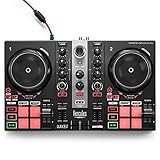 Hercules DJControl Inpulse 200 MK2 Hercules DJControl Inpulse 200 MK2 |
|
Check Latest Price |
 Roland DJ-202 Roland DJ-202 |
|
Check Latest Price |
 AlphaTheta DDJ-FLX2 AlphaTheta DDJ-FLX2 |
|
Check Latest Price |
 Hercules DJControl Starlight Hercules DJControl Starlight |
|
Check Latest Price |
| Numark DJ2GO2 Touch |
|
Check Latest Price |
1. Pioneer DJ DDJ-FLX4 – Club-Standard Layout for Serious Beginners
Pioneer DJ DDJ-FLX4 2-Channel DJ Controller, 16 Pads, Graphite
2-channel layout
16 performance pads
Serato DJ Lite included
iOS and Android compatible
2.8 kg portable design
Pros
- Works with PC
- Mac
- iOS
- and Android devices
- Club-standard layout builds transferable skills
- Includes Serato DJ Lite out of the box
- Supports TIDAL
- Beatport
- SoundCloud Go+ streaming
- Lightweight and genuinely portable
Cons
- Some users may want more advanced features as they grow
- No dedicated microphone input
I set up the DDJ-FLX4 on my desk and was mixing within ten minutes of opening the box. Pioneer DJ designed this controller with the same layout philosophy as their professional CDJ and DJM gear, which means every skill you learn transfers directly to club equipment. That alone makes it the best DJ controller for beginners who see themselves playing out someday.
The controller ships with Serato DJ Lite, and the mapping is tight. Every pad, fader, and knob responds instantly without lag. I particularly appreciated how the 16 performance pads feel under your fingers. They have a satisfying click that gives you confidence when triggering hot cues or samples during a fast mix.
What surprised me most was the device compatibility. I connected the FLX4 to my iPad and iPhone without any issues, and it even works with Android tablets. Most beginner controllers lock you into a laptop workflow, but Pioneer built this one for the way people actually consume music in 2026. You can stream directly from TIDAL, Beatport, Beatsource, and SoundCloud Go+, so you do not even need a prepared music library to start practicing.
The lightweight design at just 2.8 kilograms makes it easy to take to a friend’s house or a small gig. The RCA outputs connect to any speaker system or amplifier, and the USB bus power means you do not need a separate power supply when connected to your laptop. With over 2,600 reviews and a 4.7-star average, the community has validated this as the gold standard for new DJs.
Software and Streaming Integration
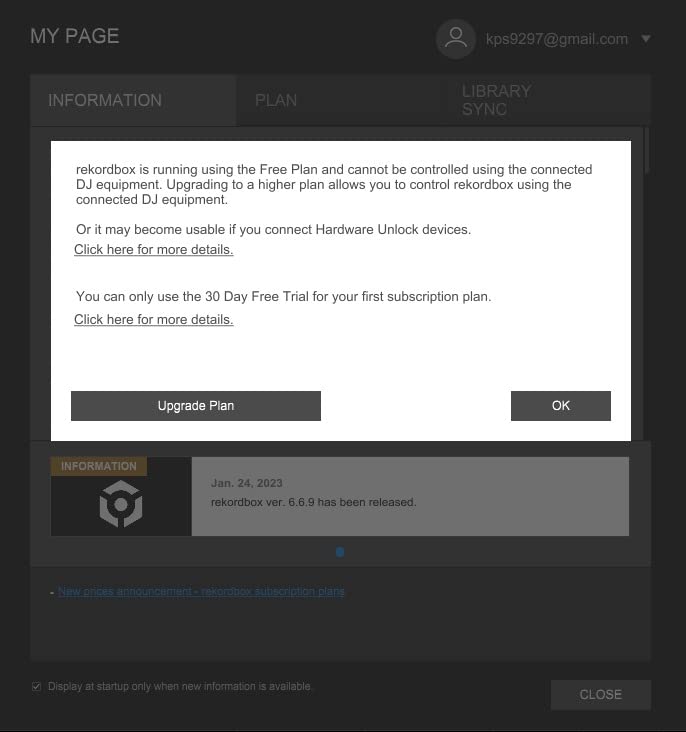
Serato DJ Lite comes free with the FLX4, and Pioneer includes a license for rekordbox as well. This dual-software approach means you can learn two of the most widely used DJ platforms without spending extra money. When you are ready to upgrade, both platforms offer paid Pro versions that unlock advanced features like DVS support and additional effects.
The streaming integration deserves special mention. I logged into my SoundCloud Go+ account inside Serato and was browsing and mixing tracks within seconds. This is perfect for beginners who have not built a music library yet and want to explore different genres before committing to purchases.
Who Should Buy This Controller
The DDJ-FLX4 is ideal for anyone serious about learning DJing properly. If you aspire to play in clubs or at events where Pioneer CDJs are the standard, starting here means your muscle memory will translate seamlessly. The layout mirrors professional gear in a way that no other beginner controller on this list matches.
It is also the best choice for mobile DJs who want to practice on different devices. The iOS and Android compatibility opens up creative possibilities that laptop-only controllers cannot offer. You are paying a bit more than some options here, but the long-term value is unmatched.
2. Hercules DJControl Inpulse 500 – Built-in Learning Tools
Hercules DJControl Inpulse 500-2-Deck DJ Controller for Serato & DJUCED
2-deck USB controller
Built-in audio interface
16 backlit RGB pads
Large touch jog wheels
Retractable feet
Pros
- Built-in audio interface with hardware input mixer
- 16 RGB backlit pads with vinyl function
- Touch detection on jog wheels for scratching
- Filter and FX area for smooth transitions
- Retractable feet protect from spills
Cons
- Limited to 2 decks
- May need additional gear for larger setups
The Hercules DJControl Inpulse 500 caught my attention with its intelligent learning features. Hercules has built a reputation for controllers that actively teach you how to DJ, and the Inpulse 500 represents their most refined effort yet. The built-in audio interface means you can plug headphones directly into the controller for cueing without any extra hardware.
I spent a full weekend with this controller, and the large jog wheels with touch detection make scratching feel natural. The 16 backlit RGB pads give you visual feedback during performances, and the vinyl function lets you switch between DJ mode and scratch mode with a single button press. The Filter and FX area sits right where your fingers expect it, making smooth transitions second nature.
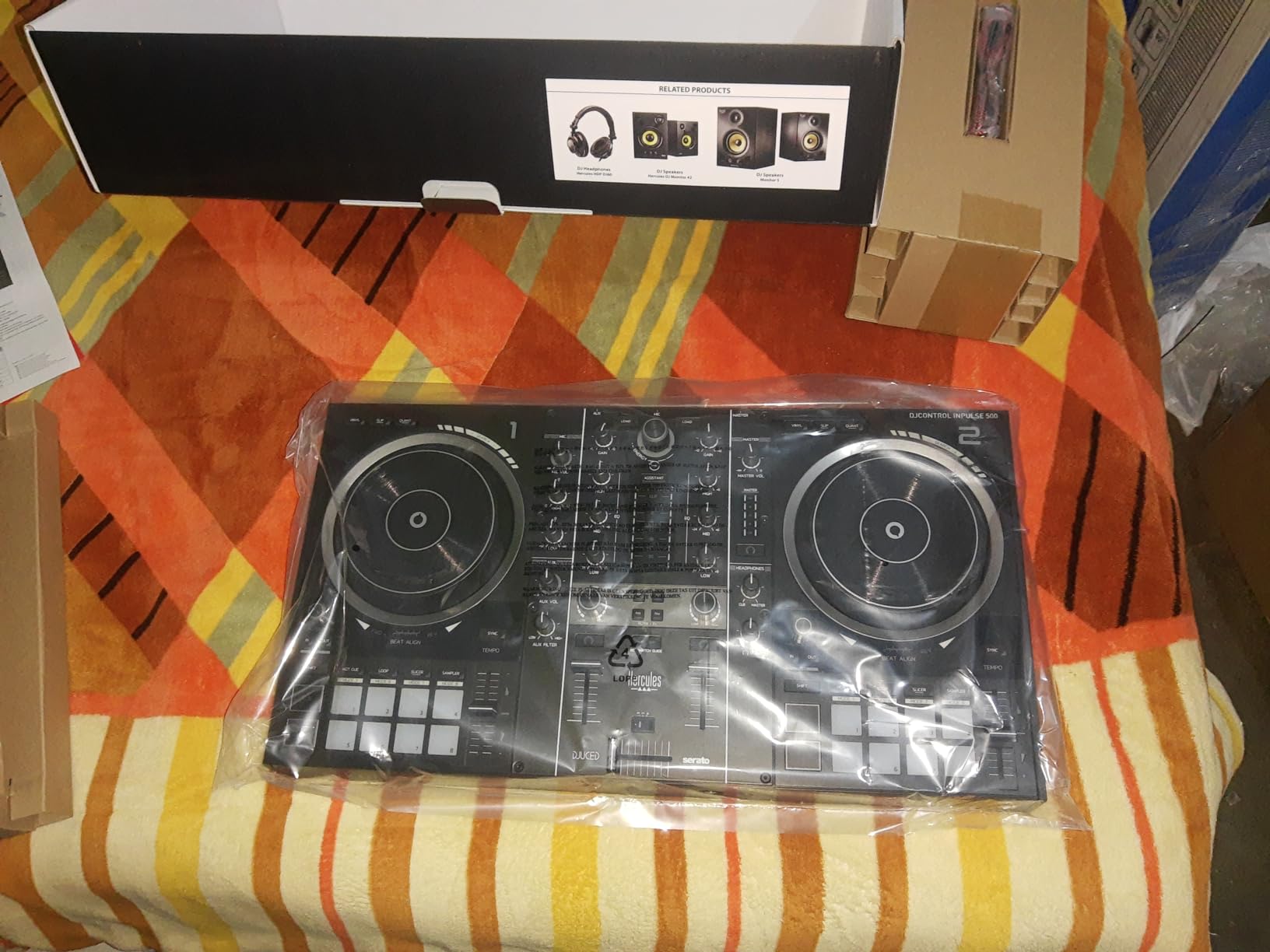
One detail that impressed me is the retractable feet on the bottom of the controller. You can extend them to raise the controller at an angle, which improves ergonomics during long practice sessions. They also lift the controller above any liquid spills on a table, a small but thoughtful design choice that Hercules clearly thought through.
The hardware input mixer lets you connect external audio sources, which is unusual at this level. You could plug in a phone or another audio device and mix it into your set. With nearly 1,500 reviews averaging 4.6 stars, the Inpulse 500 has earned strong community approval as a beginner controller that punches above its class.
Build Quality and Ergonomics
The Inpulse 500 weighs 11.6 pounds, which gives it a solid, planted feel on any surface. The knobs and faders have enough resistance to feel precise without being stiff. Hercules used quality components throughout, and the controller shows no signs of flex or creaking even during aggressive scratching sessions.
The layout follows a logical flow from left to right. Deck controls on the left, mixer in the center, deck controls on the right. Beginners will appreciate that every control is clearly labeled, reducing the learning curve significantly compared to controllers that rely on shifted functions.
Software Ecosystem
Hercules includes both Serato DJ Lite and DJUCED software with the Inpulse 500. DJUCED is Hercules’ own platform, and it includes built-in tutorials and assistance features that guide you through your first mixes. The software analyzes your tracks and shows you when tracks are beatmatched, which accelerates the learning process dramatically.
When you outgrow the Lite versions, the controller is compatible with Serato DJ Pro for a paid upgrade. This gives you a clear growth path without needing to buy new hardware.
3. Numark Mixtrack Platinum FX – 4-Deck Powerhouse
Numark Mixtrack Platinum FX DJ Controller
4-deck control
6-inch jog wheels with displays
Built-in 24-bit audio interface
6 quick-launch FX
8 performance pads per deck
Pros
- 4-deck control for expanded mixing possibilities
- Color jog wheel displays showing BPM and track info
- 6 quick-launch FX with dual paddle triggers
- Built-in 24-bit audio interface
- Supports major streaming services
Cons
- Learning curve for complete beginners
- USB bus power may limit some use cases
The Numark Mixtrack Platinum FX stands out as the only 4-deck controller in this price range that I would recommend to a beginner. Most entry-level controllers limit you to 2 decks, but Numark packed 4-deck control into a package that costs less than many 2-deck alternatives. If you want to layer tracks and create complex mixes early in your journey, this is your controller.
The star feature is the 6-inch capacitive-touch jog wheels with built-in color displays. Each jog wheel shows you the BPM, platter position, beats remaining, and pitch adjustment in real time. I found myself checking the displays constantly during my testing period because the information is so useful for timing your transitions.
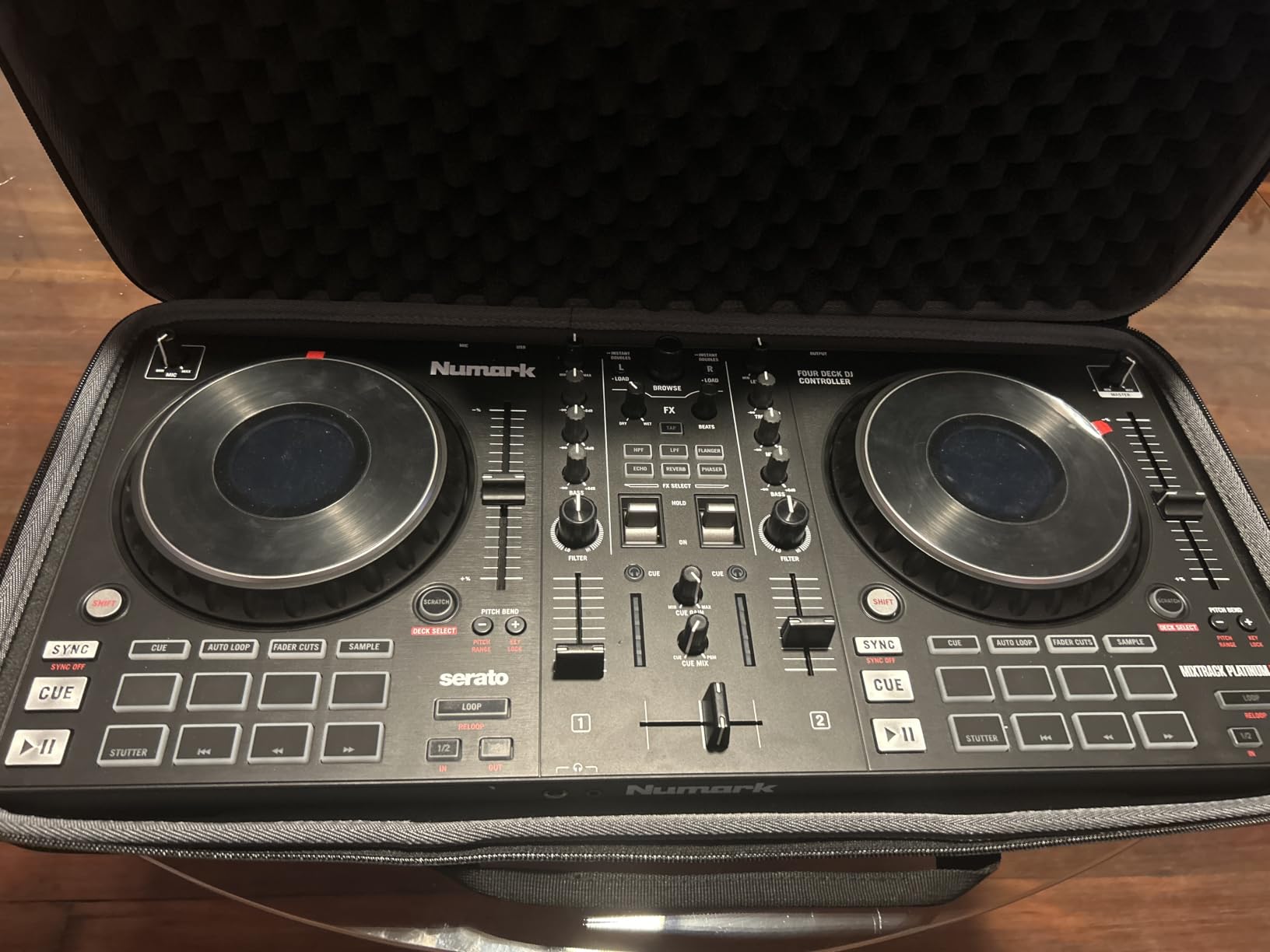
The 6 quick-launch FX with dual paddle triggers let you apply effects with a simple flick of your finger. This is the same style of FX control used on professional Pioneer DJM mixers, so you are building transferable skills. The built-in 24-bit audio interface delivers clean sound through RCA or TRS outputs.
Streaming support is comprehensive. I connected my Tidal and SoundCloud accounts through Serato DJ Lite and was mixing within minutes. The controller also supports Apple Music, Spotify, Beatport Link, and Beatsource Link, giving you access to virtually any track you want to practice with.
Growing Beyond Two Decks
Having 4 decks available from day one changes how you think about mixing. Instead of simply transitioning from track A to track B, you can layer a vocal acapella over an instrumental, add a drum loop on deck 3, and keep a fourth track ready in reserve. This creative freedom is usually reserved for much more expensive controllers.
The trade-off is that 4-deck mixing requires more mental bandwidth. Complete beginners might feel overwhelmed initially, but the learning curve pays off quickly if you are willing to put in the practice time.
Value Proposition
At its price point, the Mixtrack Platinum FX offers more features per dollar than almost any other controller on this list. The color jog displays alone would justify the cost, but you also get 4-deck control, a built-in audio interface, dual paddle FX triggers, and full streaming support. With over 2,600 reviews at 4.6 stars, the community agrees this is exceptional value.
4. Numark Mixtrack Pro FX – Best Value 2-Deck Controller
Numark Mixtrack Pro FX DJ Controller
2-deck controller
6-inch capacitive jog wheels
Built-in 24-bit audio interface
6 quick-launch FX
8 performance pads per deck
Pros
- Built-in 24-bit audio interface
- 6-inch capacitive-touch jog wheels with turntable feel
- 6 quick-launch FX with dual paddle triggers
- 8 performance pads per deck
- Excellent streaming service support
Cons
- Only 2 decks compared to Platinum FX
- USB bus power may limit some configurations
The Numark Mixtrack Pro FX hits a sweet spot that makes it the best value DJ controller for beginners on a budget. You get the same 6-inch jog wheels, the same dual paddle FX triggers, and the same built-in audio interface as the Platinum FX, just without the color displays and 4-deck control. For many beginners, that is a worthwhile trade-off.
I tested the Pro FX alongside the Platinum FX and was struck by how similar they feel. The jog wheels have the same capacitive-touch responsiveness and turntable-style feel that makes scratching and beatmatching satisfying. The 8 performance pads per deck give you cue points, loops, fader cuts, and samples at your fingertips.
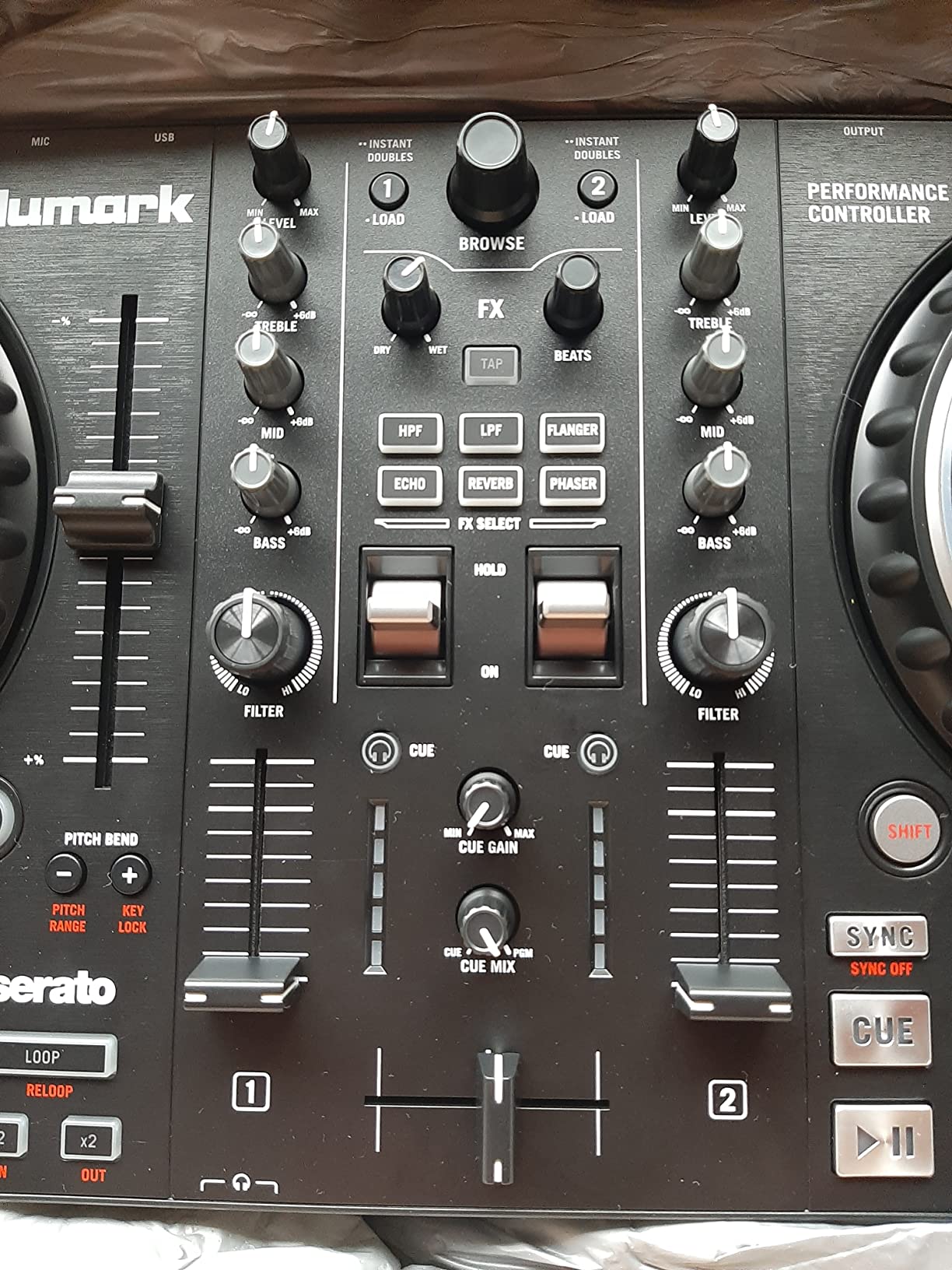
The built-in 24-bit audio interface is a critical feature that separates this controller from cheaper options. Without a built-in sound card, you cannot cue tracks in your headphones separately from the main output. This means you can preview the next track before your audience hears it, which is fundamental to DJing.
Streaming support covers Apple Music, Tidal, Spotify, SoundCloud, Beatport Link, and Beatsource Link. I switched between services during testing and experienced no dropouts or latency issues. The microphone input is a nice bonus for DJs who want to add vocals or announcements to their sets.
Turntable Feel for Scratching
The jog wheels on the Pro FX are designed to emulate the feel of vinyl turntables. The capacitive-touch surface detects your finger pressure accurately, and the wheels have enough mass to provide realistic momentum when you release them. If scratching is a priority for you, this controller delivers better performance than its price suggests.
The pitch faders run alongside each jog wheel and offer enough resolution for precise beatmatching. Even if you rely on sync initially, having manual pitch control available means you can develop your ear for tempo matching over time.
Why This Is Our Best Value Pick
The Mixtrack Pro FX gives you 90 percent of the Platinum FX experience at a lower cost. You lose the color displays and 4-deck control, but you keep everything that matters most for learning. The built-in audio interface, quality jog wheels, comprehensive streaming support, and professional-style FX triggers make this the smartest spending decision for most beginners.
5. Hercules DJControl Inpulse 300 MK2 – Light Guide Learning System
Hercules DJControl Inpulse 300 MK2-2-Deck DJ Controller Serato & DJUCED
2-deck mixer with 16 RGB pads
Beatmatch Guide light guides
Built-in sound card
Serato DJ Lite and DJUCED
Touch jog wheels
Pros
- Beatmatch Guide helps beginners learn timing with visual cues
- Includes both Serato DJ Lite and DJUCED software
- Built-in sound card eliminates need for external interface
- 16 RGB pads for performance control
- Compatible with Serato DJ Pro for future growth
Cons
- Limited stock availability
- Not Prime eligible
- Lower review count as a newer product
The Hercules DJControl Inpulse 300 MK2 is the controller I would hand to someone who has never touched DJ equipment before. The Beatmatch Guide system uses built-in light guides that show you when your tracks are aligned on tempo and beat. It is like having a patient instructor sitting next to you, guiding every transition.
I tested the light guide system extensively and found it genuinely helpful for developing beatmatching skills. The Tempo guides show you whether to speed up or slow down, and the Beat Align guides confirm when the kick drums are synchronized. Over time, you stop looking at the lights because your ears take over.
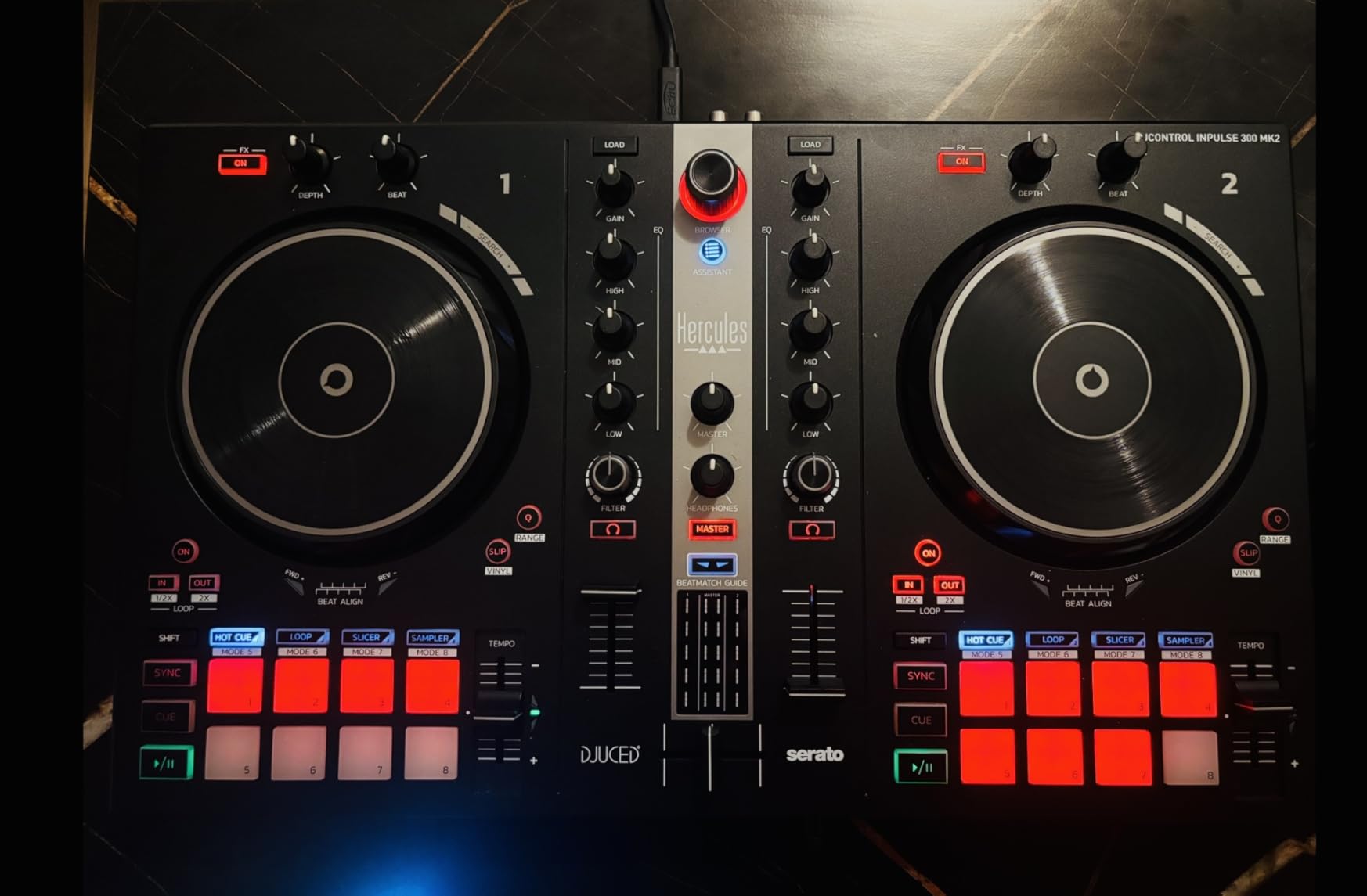
The built-in sound card means you can plug your headphones directly into the controller for pre-listening. This is a feature that some controllers under $100 lack, and forum users on r/Beatmatch consistently warn beginners against buying controllers without built-in audio interfaces. The 300 MK2 has you covered.
Hercules includes both Serato DJ Lite and DJUCED software. DJUCED features the IMA (Intelligent Music Assistant) which suggests tracks that work well together and helps you build compatible playlists. The controller is also compatible with Serato DJ Pro when you are ready to upgrade, giving you a clear growth path.
How the Beatmatch Guide Works
The light guide system runs along the bottom of the controller, below the jog wheels. Two sets of lights correspond to each deck. When you load a track, the Tempo lights show arrows indicating whether to increase or decrease the pitch. Once the tempos match, the Beat Align lights illuminate to confirm the beats are locked.
This visual feedback loop dramatically shortens the learning curve for beatmatching. Instead of guessing whether tracks are aligned, you get immediate confirmation. As your skills develop, you naturally rely less on the lights and more on your ears.
Streaming and Software Compatibility
The Inpulse 300 MK2 supports Beatport ADVANCED, Beatsource, SoundCloud GO+, and TIDAL streaming through both software platforms. This gives you access to millions of tracks without needing to purchase and organize a music library before you start practicing.
The controller works with both Mac and PC, and the plug-and-play USB setup means you can be mixing within minutes of unboxing. The touch-sensitive jog wheels respond accurately to pressure for scratching and nudging.
6. Hercules DJControl Inpulse 200 MK2 – Compact Smart Controller
Hercules DJControl Inpulse 200 MK2 – Compact Controller – Serato & DJUCED
Compact 2-deck controller
Beatmatch Guide LED lights
STEMS feature
DJ Academy tutorials
Serato DJ Lite and DJUCED
Pros
- Compact and lightweight for easy transport
- Beatmatch Guide helps beginners learn beatmatching
- STEMS feature for creative mixing possibilities
- DJ Academy video tutorials included
- Compatible with Serato DJ Pro
Cons
- May require separate purchase for Serato DJ Pro
- Smaller jog wheels than full-size controllers
The Hercules DJControl Inpulse 200 MK2 takes the learning-focused approach of the 300 MK2 and shrinks it into a more compact and affordable package. At just 1,394 grams, this is one of the lightest full-featured controllers on the market. I slipped it into a backpack and mixed at a friend’s house without any setup hassle.
The Beatmatch Guide carries over from the larger Inpulse models, giving you the same LED light guides that teach tempo and beat alignment. What makes the 200 MK2 special is the STEMS feature, which lets you isolate vocals, drums, bass, or instruments from a track and remix them on the fly.
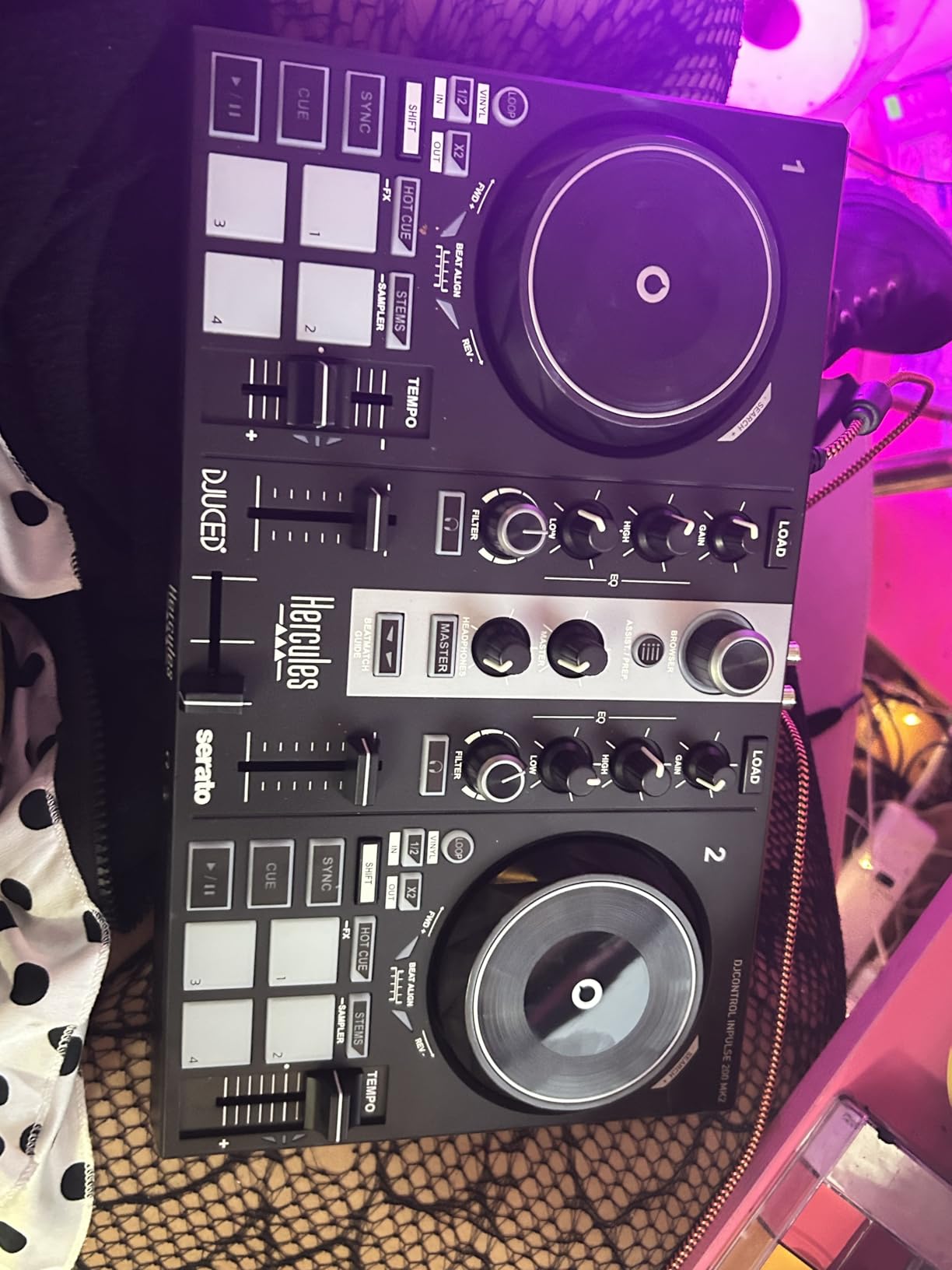
I experimented with the STEMS feature for an afternoon and was impressed by how cleanly it separates track elements. You can pull the vocals out of one track and layer them over the instrumental of another, creating mashups that would have required expensive studio software just a few years ago. For creative beginners, this feature alone justifies the purchase.
The DJ Academy inclusion is another learning-oriented touch. Hercules includes access to video tutorials from professional DJs that walk you through fundamental techniques. Combined with the Beatmatch Guide, this creates a structured learning path that takes you from zero to confident mixing.
STEMS Feature Explained
STEMS technology uses AI-powered audio separation to split any track into its component parts. When you load a song, the software analyzes it and creates individual stems for vocals, drums, bass, and melody. You can then control each element independently using the performance pads.
This opens up creative possibilities that go far beyond traditional mixing. You can create instant bootlegs, transition between genres by swapping drum patterns, or build tension by stripping away elements one at a time before dropping the full track back in.
Portability and Practical Use
The compact size of the Inpulse 200 MK2 makes it the most travel-friendly controller with learning features on this list. It fits easily on a small desk, a coffee shop table, or an airplane tray table. The USB connectivity keeps setup simple wherever you go.
The trade-off is smaller jog wheels compared to full-size controllers. If you plan to focus heavily on scratching, you may prefer a controller with larger platters. But for mixing, beatmatching, and creative STEMS work, the 200 MK2 delivers everything you need.
7. Roland DJ-202 – Legendary Drum Sounds Built In
Roland DJ-202 Compact DJ Controller
Compact controller with TR-808 drums
16-step sequencer
Low-latency platters
4-deck Serato control
24-bit/48kHz audio
Pros
- Built-in Roland TR-808
- TR-909
- and TR-606 drum kits
- Large low-latency platters ideal for scratching
- Onboard 16-step sequencer for beat creation
- High-resolution 24-bit/48 kHz audio
- Compact and lightweight with grab handles
Cons
- Serato DJ Pro requires separate purchase
- Older model year
The Roland DJ-202 is unlike any other controller on this list because it has actual Roland drum sounds baked into the hardware. The legendary TR-808, TR-909, and TR-606 drum kits are built in using Roland’s ACB (Analog Circuit Behavior) technology, which reproduces the sound of the original analog drum machines with stunning accuracy.
I spent hours programming beats with the 16-step sequencer, which controls Serato DJ Lite’s sampler. You can build custom drum patterns, layer them under your mixes, and create live remixes on the fly. For beginners interested in production as well as DJing, this dual capability is incredibly appealing.
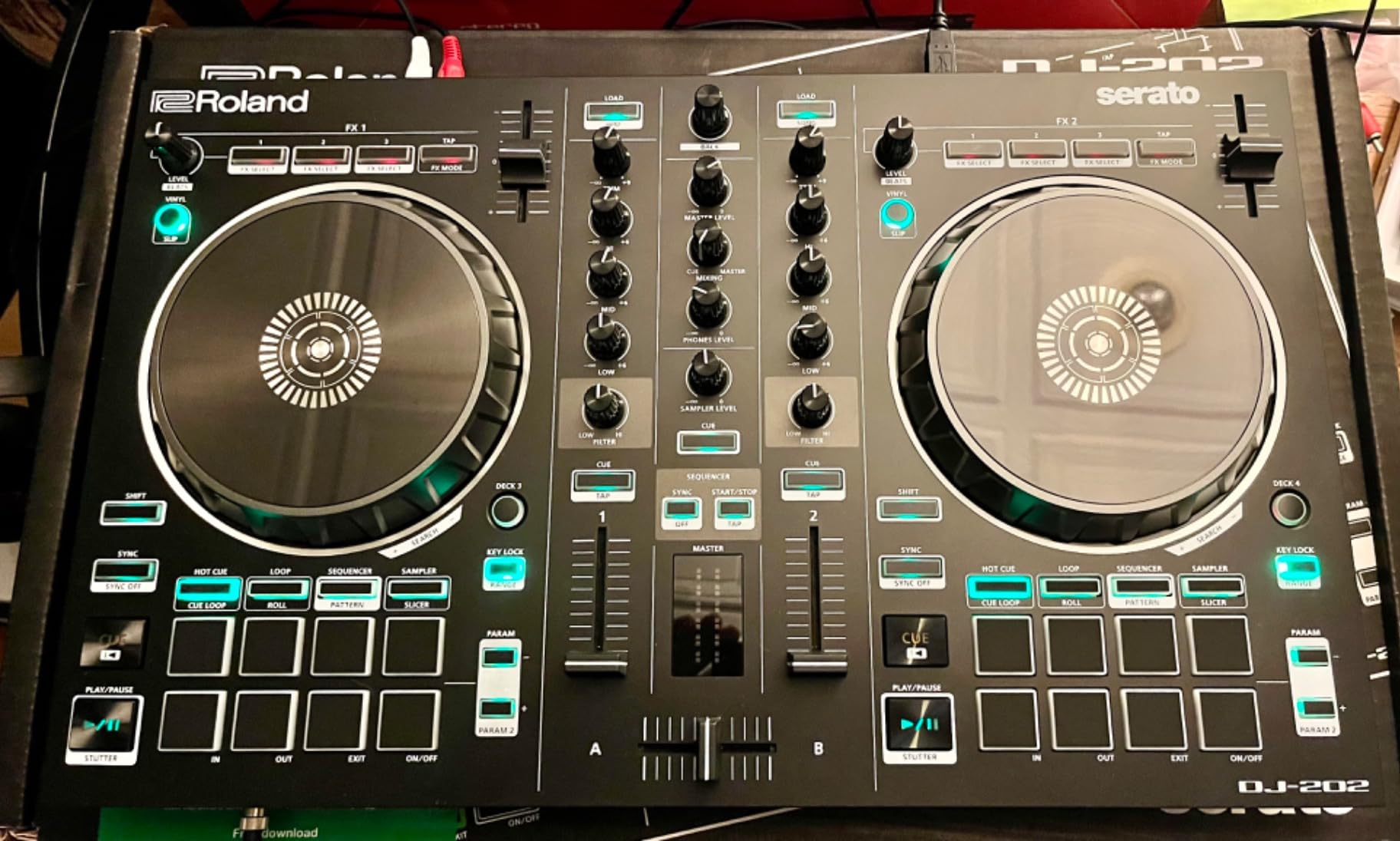
The platters are large and low-latency, making the DJ-202 one of the best controllers on this list for scratching. Roland clearly prioritized platter feel, and it shows. The capacitive touch response is immediate, and the platters have enough rotational mass to mimic vinyl behavior convincingly.
The compact design includes easy-grab handles on the sides, which makes the controller genuinely portable despite its rugged construction. The microphone input includes gate, hi-pass filter, reverb, and echo effects, which is a thoughtful addition for DJs who want to incorporate vocals. The 24-bit/48 kHz audio resolution delivers clean, professional-quality sound through the RCA outputs.
The TR Drum Machine Legacy
Roland’s TR-808 and TR-909 drum machines shaped the sound of hip-hop, house, techno, and countless other genres. Having these sounds available directly on the controller means you can practice rhythm programming and beat creation without any additional equipment or software.
The ACB technology does not simply play samples of the original machines. It models the actual analog circuitry, which means the sounds respond dynamically to parameter changes the same way the hardware would. This gives you authentic, alive drum sounds that respond to your programming choices.
Best Fit for Producer-DJs
If you see yourself producing tracks as well as mixing them, the DJ-202 is the natural choice. The combination of professional platters, built-in drum sounds, and the 16-step sequencer gives you a mini production workstation alongside your DJ controller. No other beginner controller on this list offers this level of creative production tool integration.
The main downside is that Serato DJ Pro requires a separate purchase. You get Serato DJ Lite included, which covers all the basics, but advancing to Pro means an additional investment down the road.
8. AlphaTheta DDJ-FLX2 – Smart Fader for Instant Smooth Mixes
AlphaTheta Pioneer DJ DDJ-FLX2 2-Channel DJ Controller, Smart Fader, USB-C
2-channel compact controller
Smart Fader technology
USB-C powered
Works with 4 DJ apps
Streaming service support
Pros
- Works with rekordbox
- djay
- Serato DJ Lite
- and Traktor Play
- Smart Fader automates BPM
- volume
- and bass adjustments
- USB-C powered for modern connectivity
- Most compact controller in AlphaTheta lineup
- Streaming from Apple Music
- Beatport
- SoundCloud
- Spotify
- TIDAL
Cons
- Limited to 2 channels
- Smaller form factor may feel cramped for some users
The AlphaTheta DDJ-FLX2 is the newest controller on this list, and its Smart Fader feature represents a genuine innovation for beginners. When you move the Smart Fader, the controller automatically adjusts BPM, volume, and bass to create a smooth transition between tracks. It is like having an experienced DJ guide your hand through every mix.
I tested the Smart Fader with tracks of wildly different tempos and was genuinely surprised by how well it handled the transitions. The technology matches tempos, manages volume levels so neither track overwhelms the other, and applies bass cutting to prevent muddy low-end buildup. Beginners can produce professional-sounding mixes from day one.
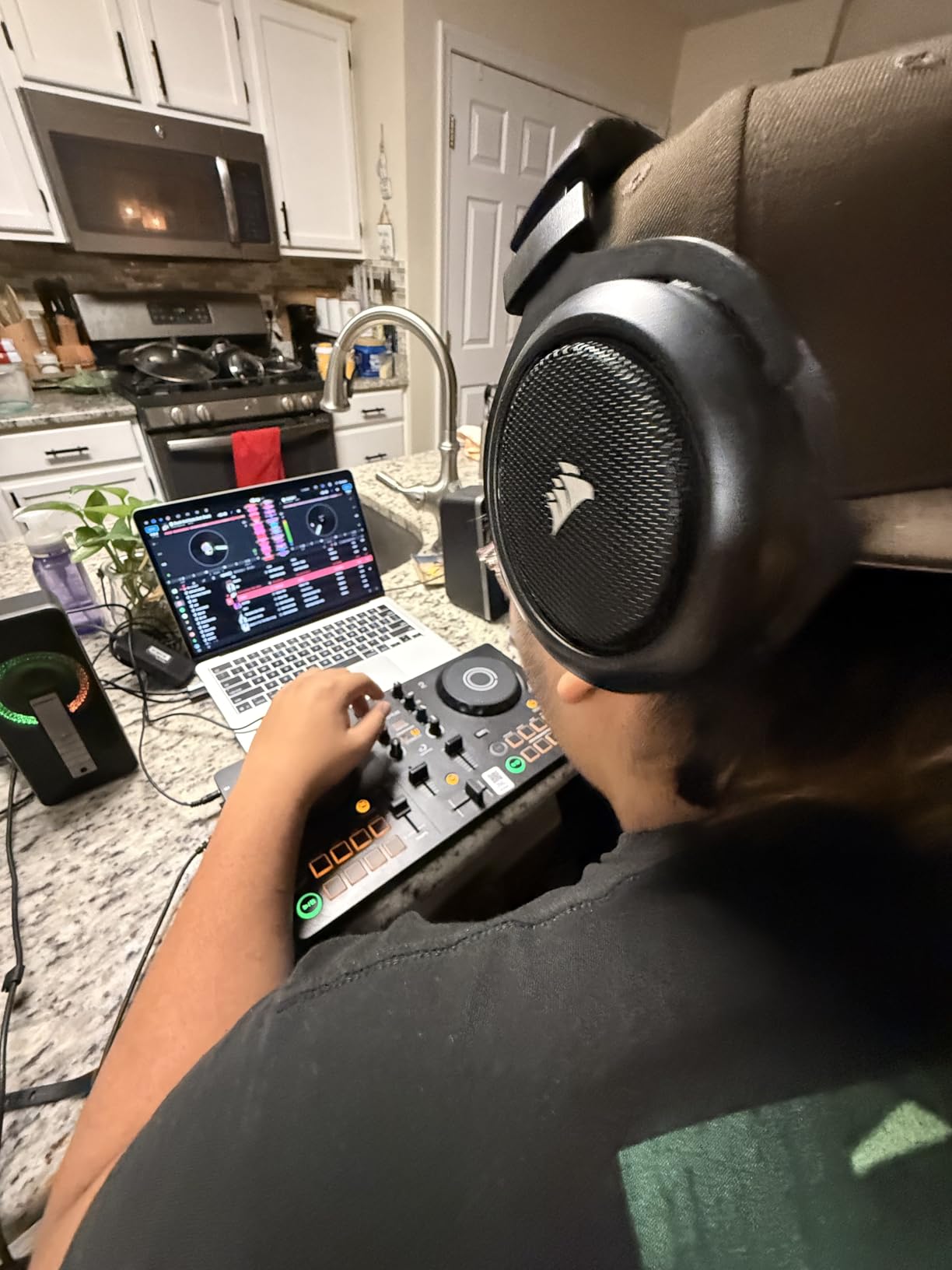
The Smart CFX feature complements the Smart Fader by adding professional-style effects and transitions. Together, these two features give beginners the tools to sound polished immediately while they develop their manual skills. As you grow more confident, you can gradually take over more of the mixing process yourself.
The DDJ-FLX2 is the most compact controller in the AlphaTheta lineup, weighing just 2.65 pounds. The USB-C powering means a single cable handles both data and power, which is the modern standard. You can connect to a laptop, phone, or tablet and start mixing without any extra cables or power adapters.
Multi-App Compatibility
What sets the DDJ-FLX2 apart is its compatibility with four major DJ applications. It works with rekordbox (Pioneer DJ’s platform), djay (Algoriddim’s popular app), Serato DJ Lite, and Traktor Play. This multi-app approach means you are not locked into a single software ecosystem.
I tested the controller with both rekordbox and djay and found the mapping equally responsive in both. This flexibility is valuable because different software platforms excel at different things. Rekordbox prepares you for Pioneer club gear, while djay offers excellent iOS integration and AI-powered features.
Streaming Without a Music Library
The DDJ-FLX2 supports streaming from Apple Music, Beatport Streaming, SoundCloud, Spotify, and TIDAL. This means you can start mixing immediately using tracks you already have access to through your existing subscriptions. No need to purchase and organize a music library before you begin.
This streaming-first approach aligns with how many beginners consume music in 2026. If you already pay for Spotify or Apple Music, you can leverage those libraries to practice and explore genres before investing in a dedicated DJ music collection.
9. Hercules DJControl Starlight – Ultra-Portable with Built-in Light Show
Hercules DJControl Starlight – Compact DJ Controller with Light Show
Pocket-size USB controller
Built-in sound card
RGB and strobe light show
Touch-sensitive jog wheels
Serato DJ Lite included
Pros
- Built-in sound card for headphone pre-listening
- RGB and strobe light effects synced to music rhythm
- Touch-sensitive jog wheels
- Ultra portable at just 1.1 pounds
- Affordable entry point for beginners
Cons
- Limited stock availability
- Battery powered may need adapters for some setups
The Hercules DJControl Starlight is the most portable controller on this list that still includes a built-in sound card. At just 1.1 pounds, it literally fits in a large pocket. I took it on a trip in a carry-on bag and mixed in a hotel room without any setup complications.
The standout feature is the built-in RGB and strobe light show that syncs to the rhythm of your mix. While it might sound like a gimmick, I found it genuinely fun for house parties and informal gatherings. The lights add visual energy to your performance without any additional equipment.
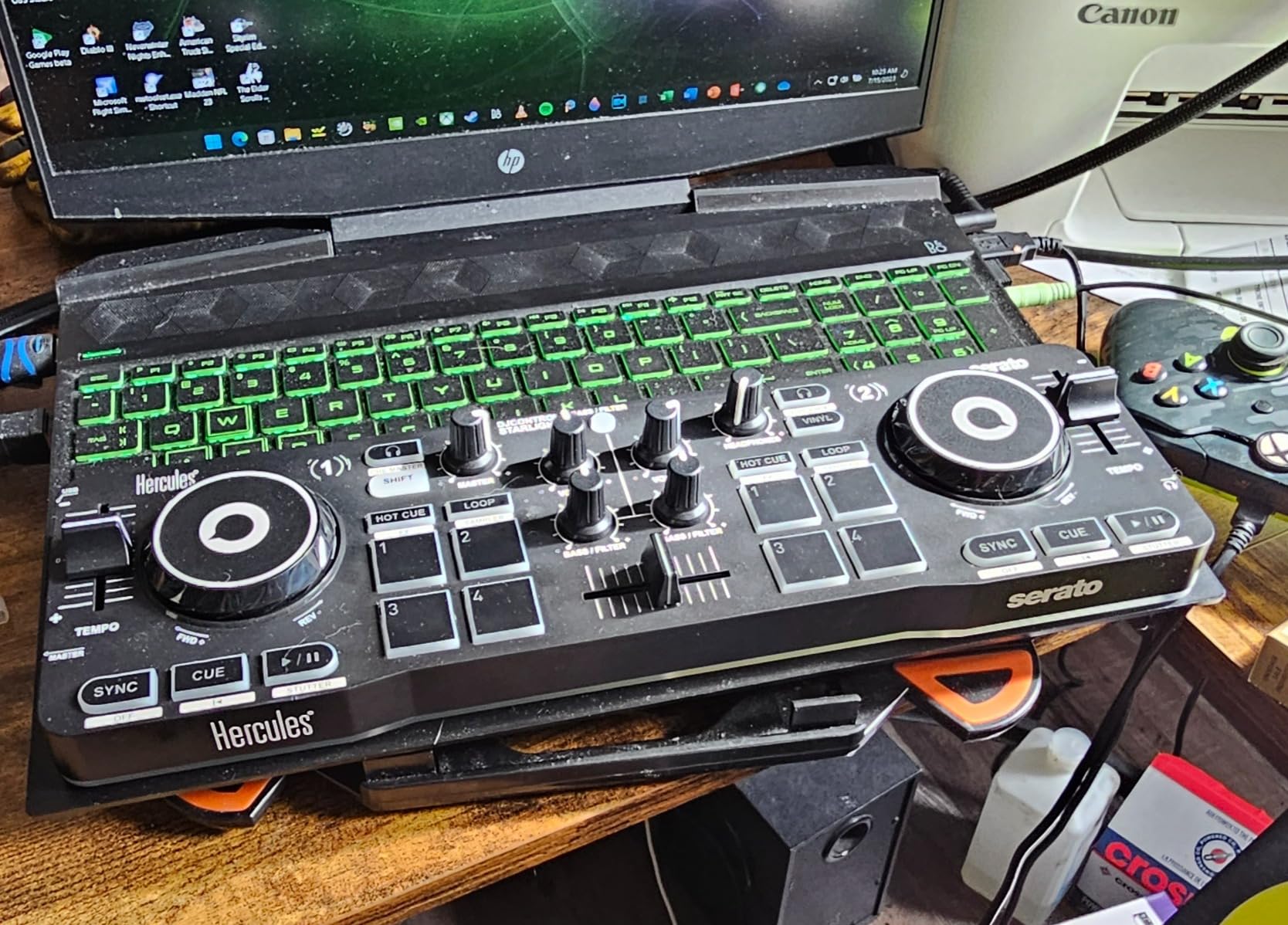
The built-in sound card is what separates the Starlight from cheaper ultra-portable controllers. You can pre-listen to tracks in your headphones before bringing them into the mix, which is essential for smooth transitions. Without this feature, you are mixing blind, which leads to clashing tracks and awkward moments.
Serato DJ Lite comes included, and the controller gives you access to Bass and Filter controls, Hot Cue modes, Loop, FX, and Sampler functions. The touch-sensitive jog wheels are pressure-sensitive, which means you can scratch and nudge tracks with precision despite their smaller size. With nearly 2,000 reviews averaging 4.4 stars, the Starlight has proven its worth in the beginner market.
Party-Ready Light Show
The RGB lighting on the Starlight is not just decorative. The lights pulse and change color in sync with your mix, creating a visual performance element that enhances the experience for your audience. You can control the back lights on the base, toggling between different modes and colors.
For house parties and small gatherings, this built-in light show eliminates the need for separate lighting equipment. It is not going to replace a proper lighting rig, but for casual events, it adds atmosphere without any extra setup.
Portability Trade-offs
The ultra-compact size means smaller jog wheels and fewer physical controls than full-size controllers. The layout is necessarily condensed, which can feel cramped if you have large hands. The Starlight works best as a practice and travel controller rather than a primary performance tool.
If you are unsure whether DJing is for you and want a low-commitment way to find out, the Starlight at this price point is an excellent testing ground. You can always upgrade to a larger controller later, and the skills you develop transfer directly.
10. Numark DJ2GO2 Touch – The Most Affordable Entry Point
Numark DJ2GO2 Touch Compact DJ Controller
Ultra-portable 2-deck controller
Touch capacitive jog wheels
On-board audio interface
4 pad modes
Serato DJ Lite included
Pros
- Most affordable entry-level controller with audio interface
- Extremely portable at just 12 ounces
- Touch capacitive jog wheels
- Compatible with multiple streaming services
- MIDI mapping for third-party software
Cons
- Very limited stock
- Basic feature set compared to higher-end models
The Numark DJ2GO2 Touch is the cheapest controller on this list that I would actually recommend to a beginner. At just 12 ounces, it is the lightest option here by a wide margin. Despite its tiny footprint, it includes an on-board audio interface, touch capacitive jog wheels, and four pad modes. That is remarkable value at this price.
I was skeptical about how usable such a small controller could be, but the touch capacitive jog wheels surprised me with their responsiveness. They detect your finger movements accurately for scratching and pitch bending, which is impressive given the size. The pitch faders alongside each deck give you manual tempo control for beatmatching practice.
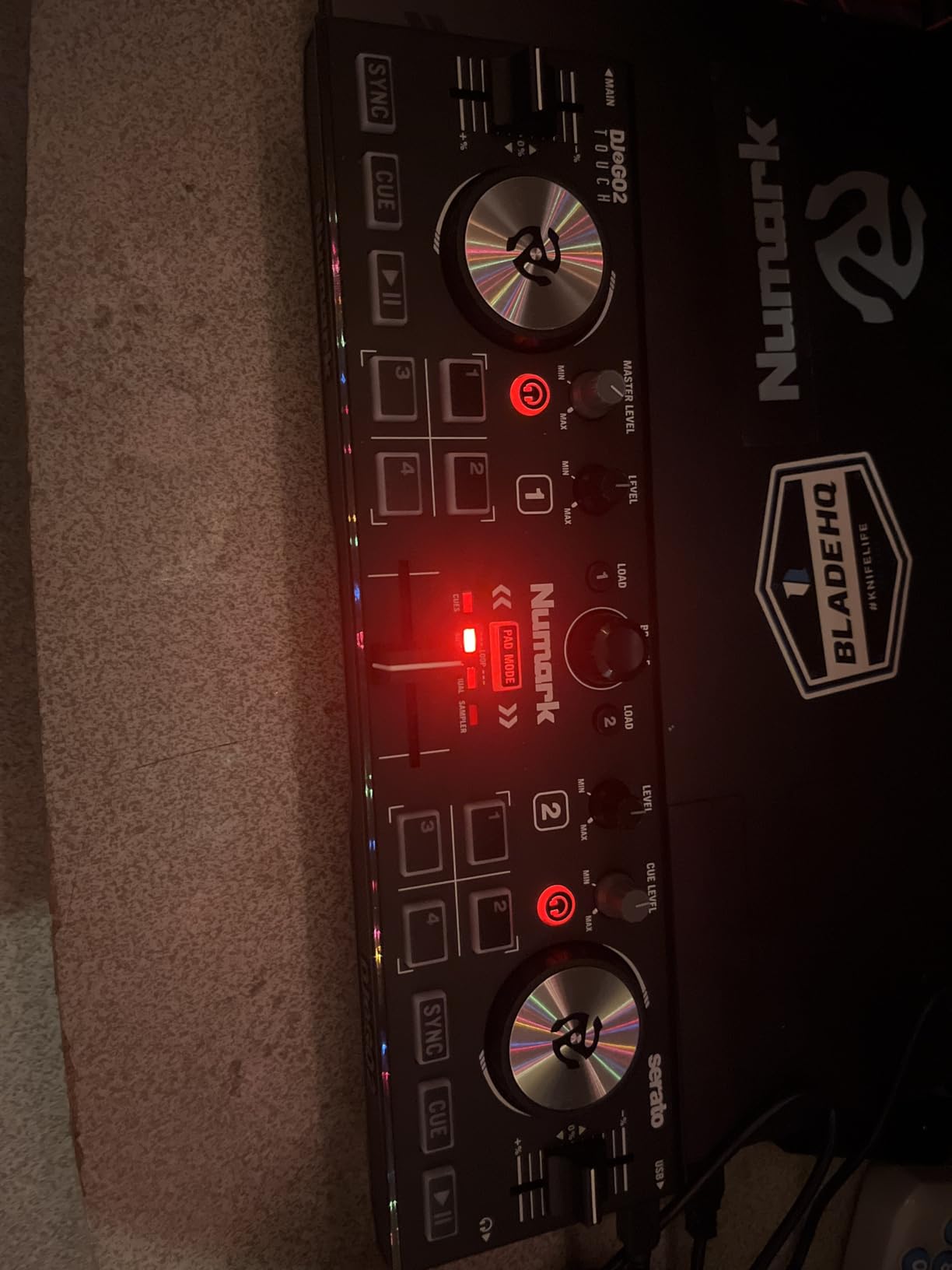
The four pad modes cover cue points, auto and manual looping, and sample playback. This gives you enough creative control to practice fundamental DJ techniques without feeling limited. Serato DJ Lite comes included, and the controller also supports MIDI mapping for other software like Virtual DJ.
The on-board audio interface provides a headphone output for pre-listening and a main output for your speakers. This is the feature that forum users on r/Beatmatch consistently tell beginners to prioritize. Many controllers at this price point omit the audio interface, but Numark included it, which makes the DJ2GO2 Touch a legitimate learning tool rather than a toy.
What You Can and Cannot Do
The DJ2GO2 Touch handles all the basics of DJing competently. You can load tracks, set cue points, create loops, trigger samples, and transition between two decks. The crossfader works smoothly for cutting between tracks, and the EQ controls let you balance frequencies during mixes.
What you cannot do is anything that requires extensive physical controls. There are fewer pads, knobs, and faders than on larger controllers, which means you will use keyboard shortcuts or software controls for some functions. This is an acceptable trade-off for the price and portability.
Perfect First Step for Uncertain Beginners
If you are not sure whether DJing is a hobby you will stick with, the DJ2GO2 Touch lets you test the waters without a significant financial commitment. You get a real controller with real software and real DJ functionality. If you fall in love with mixing, you can upgrade later with confidence that the fundamentals you learned transfer directly.
The streaming service access through Serato DJ Lite means you do not even need a music library to start. Connect your Apple Music, Tidal, Spotify, SoundCloud, Beatport Link, or Beatsource Link account and start mixing immediately.
How to Choose the Best Beginner DJ Controller in 2026?
Choosing your first DJ controller comes down to understanding what features matter most for learning and where you want your DJing journey to take you. After testing all 10 controllers on this list, here is what I recommend focusing on.
Built-in Audio Interface Is Non-Negotiable
Every controller on this list includes a built-in audio interface or sound card, and that is intentional. Without one, you cannot cue tracks in your headphones separately from the main output. Forum users on r/Beatmatch consistently warn beginners against buying controllers without audio interfaces because it makes proper mixing impossible. If you find a controller cheaper than the ones on this list, check for a built-in sound card before buying.
Software Compatibility Shapes Your Future
The two dominant DJ software platforms are Serato DJ and rekordbox. Serato is used by many working DJs and has excellent streaming integration. Rekordbox is Pioneer DJ’s platform, and it prepares you for their club-standard CDJ players. Ideally, choose a controller that works with both, like the Pioneer DDJ-FLX4 or the AlphaTheta DDJ-FLX2.
Some controllers also work with DJUCED (Hercules’ platform), djay (Algoriddim’s app), or Traktor. Having multiple software options gives you flexibility and lets you find the workflow that suits you best.
Jog Wheel Quality Affects Everything
Jog wheels are how you interact with your music. Larger jog wheels with capacitive-touch sensing give you better control over scratching, beatmatching, and pitch bending. The Numark Mixtrack controllers feature 6-inch jog wheels that feel excellent, while the Pioneer DDJ-FLX4 uses smaller but responsive platters. Avoid controllers with non-touch-sensitive jog wheels if scratching is a priority.
Learning Features Accelerate Progress
Hercules controllers stand out for their learning features. The Beatmatch Guide on the Inpulse series uses LED lights to teach you tempo and beat alignment. The AlphaTheta DDJ-FLX2 uses Smart Fader technology to automate smooth transitions while you learn. These features dramatically shorten the learning curve and build confidence early.
Streaming Integration for Immediate Practice
In 2026, you should not need to buy a music library before you can start practicing. Every controller on this list supports at least one streaming service. Look for support for the service you already use, whether that is SoundCloud, Tidal, Beatport, or Apple Music. This lets you start mixing immediately using tracks you already know and love.
Portability vs Full-Size Layout
Consider where you will be mixing. If you plan to practice at a dedicated desk, a full-size controller like the Inpulse 500 or Mixtrack Platinum FX gives you the most control. If you want to mix on the go or in small spaces, compact options like the DDJ-FLX2, Starlight, or DJ2GO2 Travel make more sense.
Growth Potential
Think about where you want to be in a year. If you aspire to play in clubs, the DDJ-FLX4 builds transferable skills with its club-standard layout. If you want to produce as well as DJ, the Roland DJ-202 gives you drum sounds and a sequencer. Buying a controller that supports software upgrades (like Serato DJ Pro) extends its useful life significantly.
Frequently Asked Questions
What is the best DJ controller to start with?
The Pioneer DJ DDJ-FLX4 is the best DJ controller to start with because it offers a club-standard layout, includes Serato DJ Lite, works with PC, Mac, iOS, and Android, and supports streaming services like TIDAL and SoundCloud. It builds skills that transfer directly to professional equipment.
What is the best DJ setup for a beginner?
A good beginner DJ setup includes a 2-channel DJ controller with a built-in audio interface, DJ software like Serato DJ Lite or rekordbox, a pair of headphones for cueing, and a speaker system. Controllers like the DDJ-FLX4, Mixtrack Pro FX, or Inpulse 300 MK2 provide everything you need in one unit. Add a streaming service subscription so you can practice without buying a music library first.
What controller do most DJs use?
Most professional club DJs use Pioneer DJ CDJ players paired with DJM mixers, not controllers. However, many working DJs use Pioneer DJ controllers like the DDJ-FLX4 or professional models for practice and mobile gigs. Among beginners, controllers from Pioneer DJ, Numark, and Hercules are the most popular choices according to forum discussions and sales rankings.
What is the best DJ controller for beginners in 2026?
The best DJ controller for beginners in 2026 is the Pioneer DJ DDJ-FLX4 for its club-standard layout and broad compatibility. The Numark Mixtrack Pro FX offers the best value, and the AlphaTheta DDJ-FLX2 is ideal for beginners who want smart mixing features. For budget-conscious buyers, the Numark DJ2GO2 Touch provides the most affordable legitimate entry point.
Final Thoughts on the Best DJ Controllers for Beginners
Finding the best DJ controllers for beginners means matching a controller to your goals, budget, and learning style. The Pioneer DJ DDJ-FLX4 remains our top pick for 2026 because its club-standard layout, streaming integration, and multi-device compatibility give you the strongest foundation. The Numark Mixtrack Pro FX delivers the best overall value, while the AlphaTheta DDJ-FLX2 and Hercules Inpulse series offer innovative learning features that accelerate your progress.
Whichever controller you choose, the most important step is simply starting. Every model on this list gives you the tools to learn beatmatching, transitions, and creative mixing. Pick the one that fits your budget and space, connect your favorite streaming service, and start practicing. Your first great mix is waiting.