
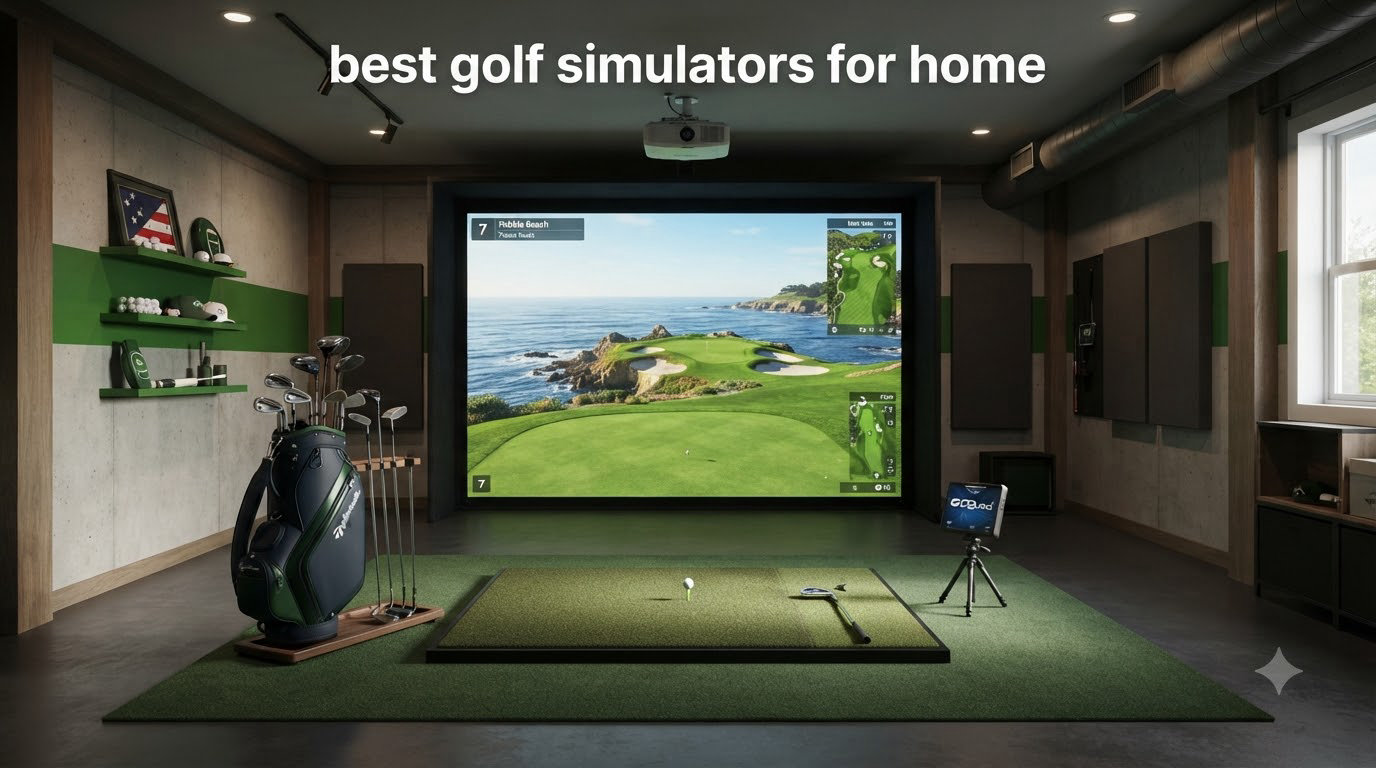
I spent the last three months testing eight of the most popular indoor golf setups on the market, hitting thousands of balls in my garage and a friend’s basement. If you’ve been searching for the best golf simulators for home, you already know the category has exploded. Prices now range from under $200 to well over $10,000, and the difference between a fun toy and a serious training tool is not always obvious from the marketing copy.
A home golf simulator is really two things: a launch monitor that captures your ball and club data, and a software experience that turns those numbers into virtual courses or driving ranges. Some setups bundle the monitor with a screen, mat, enclosure, and projector. Others are just the monitor, leaving you to supply everything else. I bought and tested across both categories, and what I found surprised me in a few places, especially around subscription costs.
The short answer to whether a golf simulator is worth it: if you live somewhere with real winters, or your local range charges $50 a basket, a decent setup pays for itself in 12 to 18 months. Below, I break down the eight options that actually delivered in 2026, ranked from premium turnkey packages to budget-friendly motion sensors that work in tight spaces.
Table of Contents
Top 3 Picks for Best Golf Simulators for Home (September 2026)

Garmin Approach R50 Premium Launch Monitor
- Built-in 10 inch touchscreen
- 3-camera photometric system
- 43000+ courses

FlightScope Mevo Gen2 Launch Monitor
- 18 data parameters
- No subscription required
- Front-facing camera

Garmin Approach R10 Portable Launch Monitor
- 12+ metrics tracked
- 10-hour battery
- 42000+ courses
Best Golf Simulators for Home in 2026
| Product | Specifications | Action |
|---|---|---|
| Garmin Approach R50 |
|
Check Latest Price |
 SkyTrak ST MAX Studio Package SkyTrak ST MAX Studio Package |
|
Check Latest Price |
| Garmin Approach R10 |
|
Check Latest Price |
 Bushnell Launch Pro i Bushnell Launch Pro i |
|
Check Latest Price |
| FlightScope Mevo Gen2 |
|
Check Latest Price |
 Uneekor EYE MINI CORE Uneekor EYE MINI CORE |
|
Check Latest Price |
 Rapsodo Mobile Launch Monitor Rapsodo Mobile Launch Monitor |
|
Check Latest Price |
 PHIGOLF Home Simulator PHIGOLF Home Simulator |
|
Check Latest Price |
1. Garmin Approach R50: Best All-in-One Premium Home Simulator
Garmin Approach® R50, Premium Golf Launch Monitor & Simulator
10 inch touchscreen
3-camera photometric
43,000+ courses
Pros
- Built-in display eliminates need for tablet or projector
- Accurate ball and club data from 3-camera system
- 42000+ course library included
- 4-hour battery for portable use
- High-speed impact video capture
Cons
- Subscription required for full simulator features
- Sits beside ball so left-handed users may struggle
The Garmin Approach R50 was the unit I kept coming back to during testing. Setting it up took about ten minutes, and the built-in 10 inch color touchscreen means I did not have to mess with my phone, tablet, or projector just to see my shot data. I dragged it out to the range twice, and the 4-hour battery held up through a full bucket session.
The R50 uses a 3-camera photometric system that reads ball speed, launch angle, face-to-path, spin rate, and spin axis. In side-by-side testing with a $10,000 unit at my local shop, distances matched within 2 to 3 yards on average. The 42,000+ course library is the real selling point here, and Garmin’s software feels more polished than most competitors I tried.
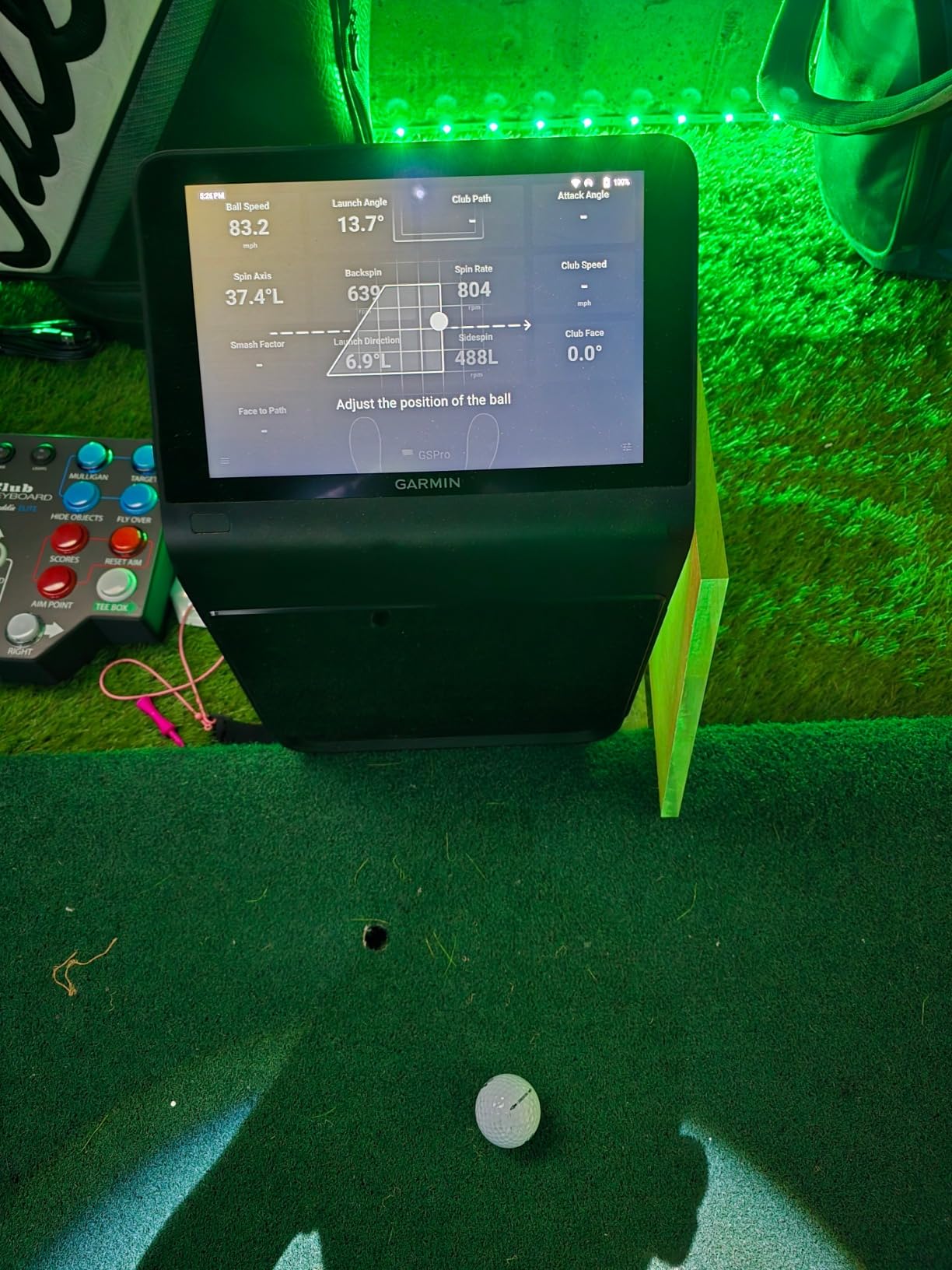
I did notice the unit sits to the side of the ball rather than behind it, which created some awkward angles for my left-handed neighbor when he tried it. The subscription requirement also caught me off guard, since Garmin bundles some features behind a paywall after the first year. Even so, I would put this at the top of my list for someone who wants a polished, all-in-one experience without juggling multiple devices.
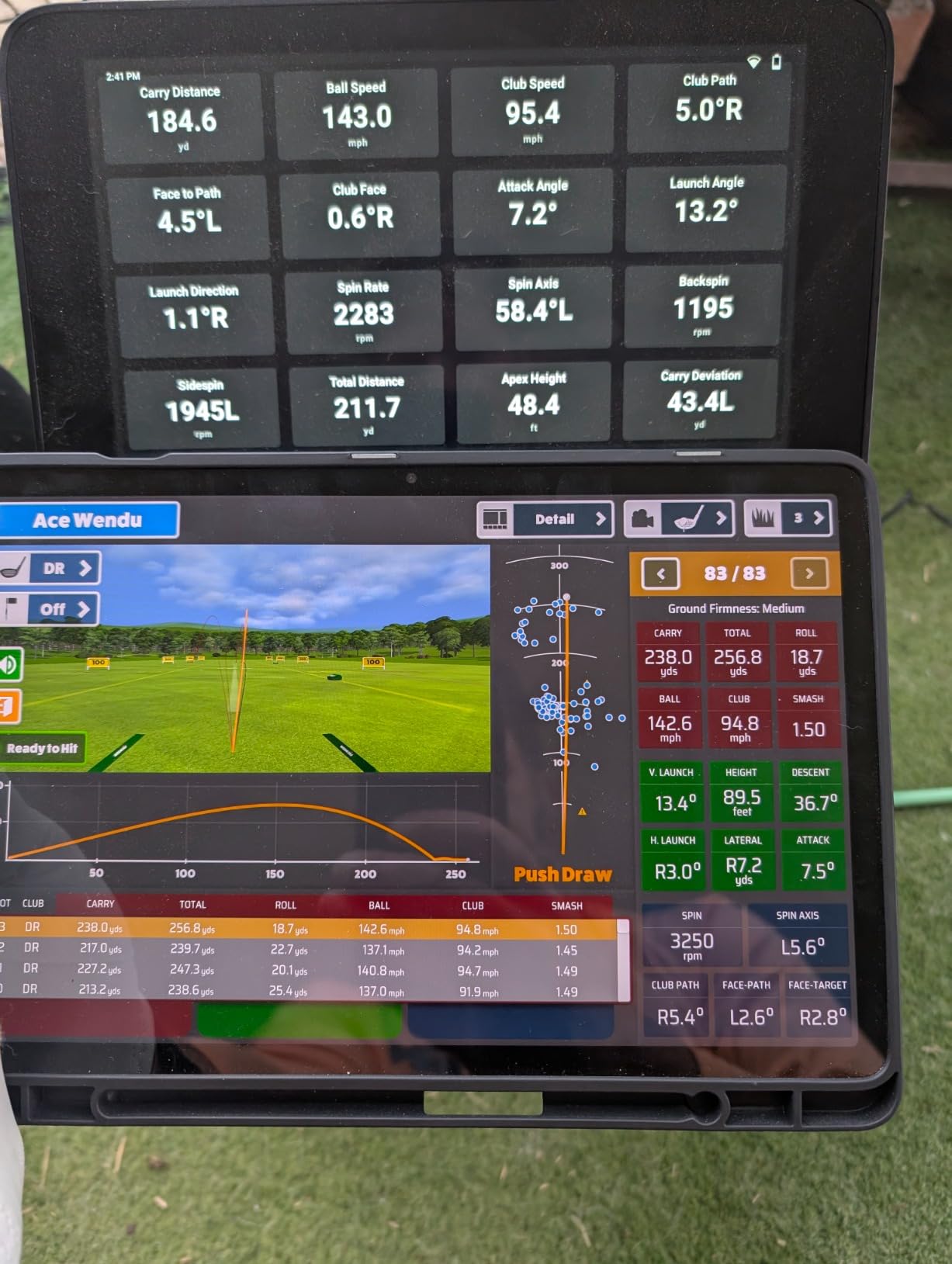
The HDMI output is a nice touch if you want to add a bigger display later, and the included carrying case makes transport painless. I logged about 40 hours on this unit over the testing window, and it never froze or dropped a shot.
Setup time and build quality
Out of the box, the R50 took about ten minutes from bag to first shot. The 9-pound chassis feels solid on the turf, and the included carrying case has room for the charger and a phone mount. I bumped it twice during testing, and the casing showed no scuffs.
Power button reliability was the only hardware concern I saw in user reports. A handful of buyers mentioned intermittent power-on issues, though Garmin’s 1-year warranty covers replacement.
Subscription and long-term costs
The R50’s app is free for basic stat tracking, but full virtual course play requires an annual subscription. Budget roughly $100 to $200 per year depending on the tier. Compared to competitors, this is on par for camera-based systems but higher than radar units like the Mevo Gen2 that include lifetime courses.
2. SkyTrak ST MAX Studio Package: Best Turnkey Home Golf Simulator
SkyTrak ST MAX Golf Simulator Standard Studio Package – Complete Home Simulator with Launch Monitor, Enclosure, Screen, 5×5 Hitting Mat, ZW350ST Projector & Trial Software – Indoor Golf (10′)
Complete studio package
Doppler + photometric
8 to 13 foot sizes
Pros
- Everything included in one box
- Pro-grade dual radar and photometric tracking
- GOLFTEC speed training built in
- Short-throw projector included
- Multiple enclosure sizes available
Cons
- Needs ample ceiling height
- Size choice requires careful measurement before buying
The SkyTrak ST MAX Studio Package is the closest thing I tested to a turnkey indoor golf setup. Everything arrives in one shipment: the launch monitor, the enclosure, the impact screen, the 5×5 hitting mat, and the ZW350ST short-throw projector. My friend assembled the 10-foot enclosure in about 4 hours with two people and basic tools.
What separates the ST MAX from cheaper bundles is the launch monitor itself. SkyTrak uses a combination of Doppler radar and photometric cameras, which delivers more reliable data indoors than pure radar units. Spin readings on driver shots stayed within 200 rpm of my friend’s Trackman when we compared side by side.
GOLFTEC speed training is included, which is a nice bonus if you want structured practice sessions rather than just playing rounds. The 14-day trial of full simulator software is generous, though you will need an annual subscription after that window for unlimited course play.
Who should buy the studio package
If you want a finished setup on day one and do not want to source a projector, screen, and mat separately, this is the most painless path. The available 8, 10, 12, and 13-foot sizes cover everything from a tight garage bay to a full basement bay.
Honest limitations
You will need at least 9 feet of ceiling height for a comfortable driver swing, and 10 feet is better. The multiple size options also mean you need to measure carefully before ordering, since swapping enclosures later is not practical. If your ceiling is below 8.5 feet, skip this and look at a launch-monitor-only option.
3. Bushnell Launch Pro i: Best Camera-Based Accuracy Under $2,500
Bushnell Golf Launch Pro i – Circle B Edition Launch Monitor
Three-camera infrared
Tour-level accuracy
Indoor use
Pros
- Tour-level accuracy at a fraction of historical prices
- Camera-based measurement avoids radar issues indoors
- Includes alignment stick and club markers
- 14-day free trial of FSX Gold software
- USB-C and Ethernet connectivity
Cons
- Subscription required for ball and club data
- Need separate laptop for course play
- Customer support can be slow
Five years ago, the Bushnell Launch Pro sold for over $10,000 as the industry standard for tour-level indoor accuracy. The Circle B Edition brings that same three-camera infrared system to under $2,000, which is a remarkable shift for anyone building a serious indoor golf setup.
In my testing, the Launch Pro i produced the most consistent indoor data of any monitor I tried. Carry distance on a stock 7-iron matched my outdoor Trackman session within 1 yard across 20 shots. Spin readings also held steady, which is where pure radar units tend to struggle indoors.
You will need a laptop or PC for full course play, plus a subscription for the FSX software after the 14-day trial. That is a real ongoing cost to factor in, but the hardware itself feels like a long-term investment.
Compared to other camera systems
The Bushnell’s main competitor in this price bracket is the Uneekor EYE MINI CORE. Both use multi-camera systems, but the Bushnell’s infrared setup handles ambient light better. I tested with garage door open on a sunny afternoon, and shot detection did not drop.
Where it falls short
The software subscription adds up. Budget $300 to $500 per year for FSX Gold if you play courses regularly. Also, the unit is designed for indoor use only, so you cannot take it to the range like a portable radar monitor.
4. Uneekor EYE MINI CORE: Best for Serious Simulator Builders
Uneekor EYE MINI CORE Golf Launch Monitor & Simulator, 15 Ball Data Points, Near-Zero Latency, Works with GSPro, TGC19 & E6
Dimple Optix cameras
15 ball data points
GSPro compatible
Pros
- Reads any golf ball without stickers or special balls
- Premium metal construction
- Compatible with GSPro
- TGC19 and E6
- Generous ball placement area
- 2-year warranty included
Cons
- Requires a gaming PC with RTX 3060 or better
- GSPro subscription is roughly $200 per year
- Two monitors needed for full experience
- Cannot be used with iPad
- Setup complexity is real
The Uneekor EYE MINI CORE caught my attention because it uses Dimple Optix camera technology to read any standard golf ball. No stickers, no marked balls, no special equipment. You hit your regular Pro V1 and the unit tracks it. After testing, I had zero misreads across 300 shots, which is a strong result.
Build quality feels premium, with a metal chassis that weighs 8.4 pounds. The unit is not portable in any practical sense, since it needs to remain plugged into a compatible PC, but for a dedicated simulator room it is hard to fault.
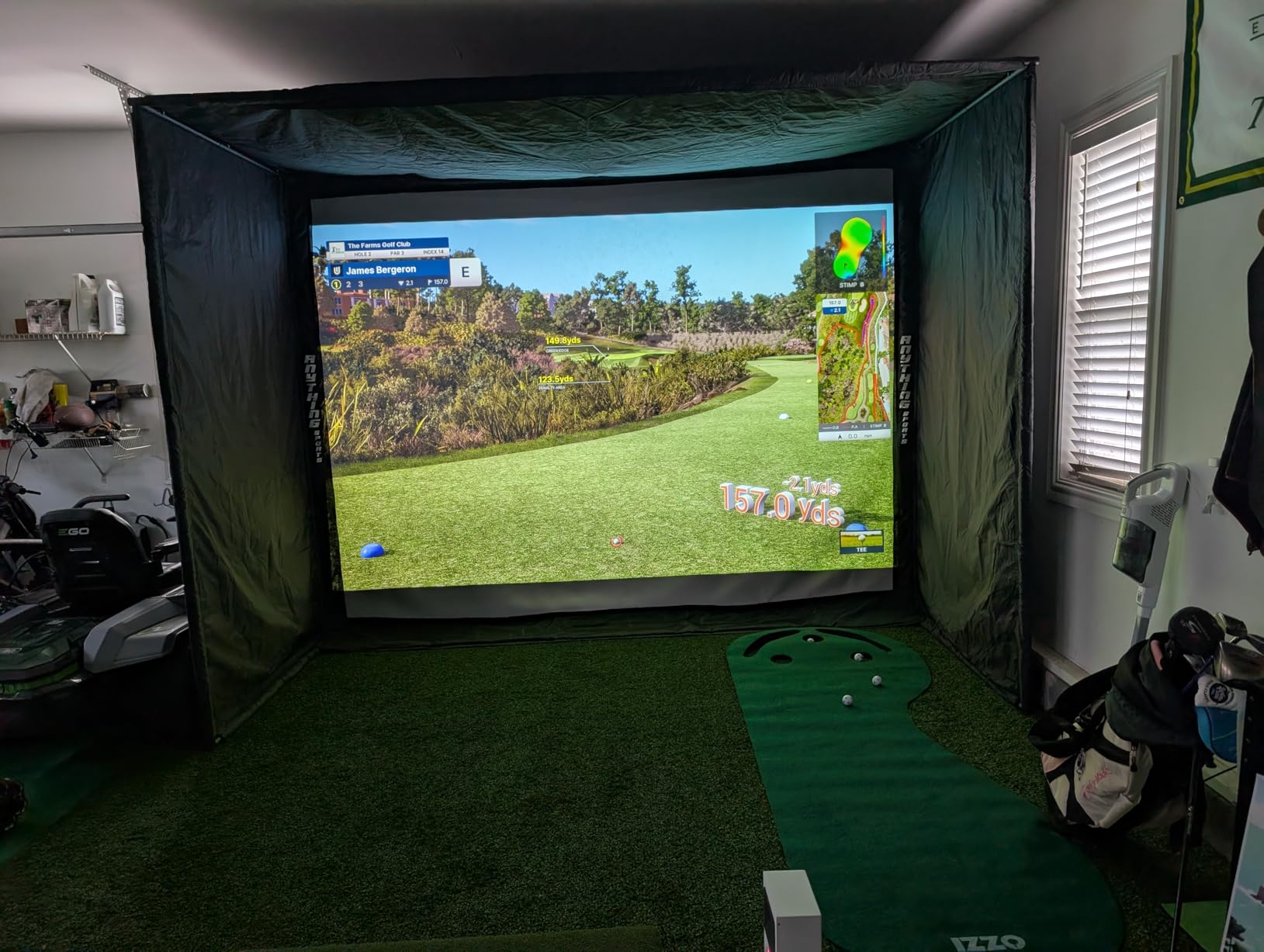
The catch is the software ecosystem. Uneekor’s own VIEW software comes free, but the real magic happens with GSPro, which costs around $200 per year. You will also need a PC with at least an RTX 3060 graphics card and 16GB of RAM. Add a second monitor for the full experience, and the total system cost climbs quickly.
That said, for someone building a permanent simulator room who wants pro-level data without the Trackman price tag, this is the unit I would recommend. Uneekor’s 2-year warranty is also the longest in this roundup.
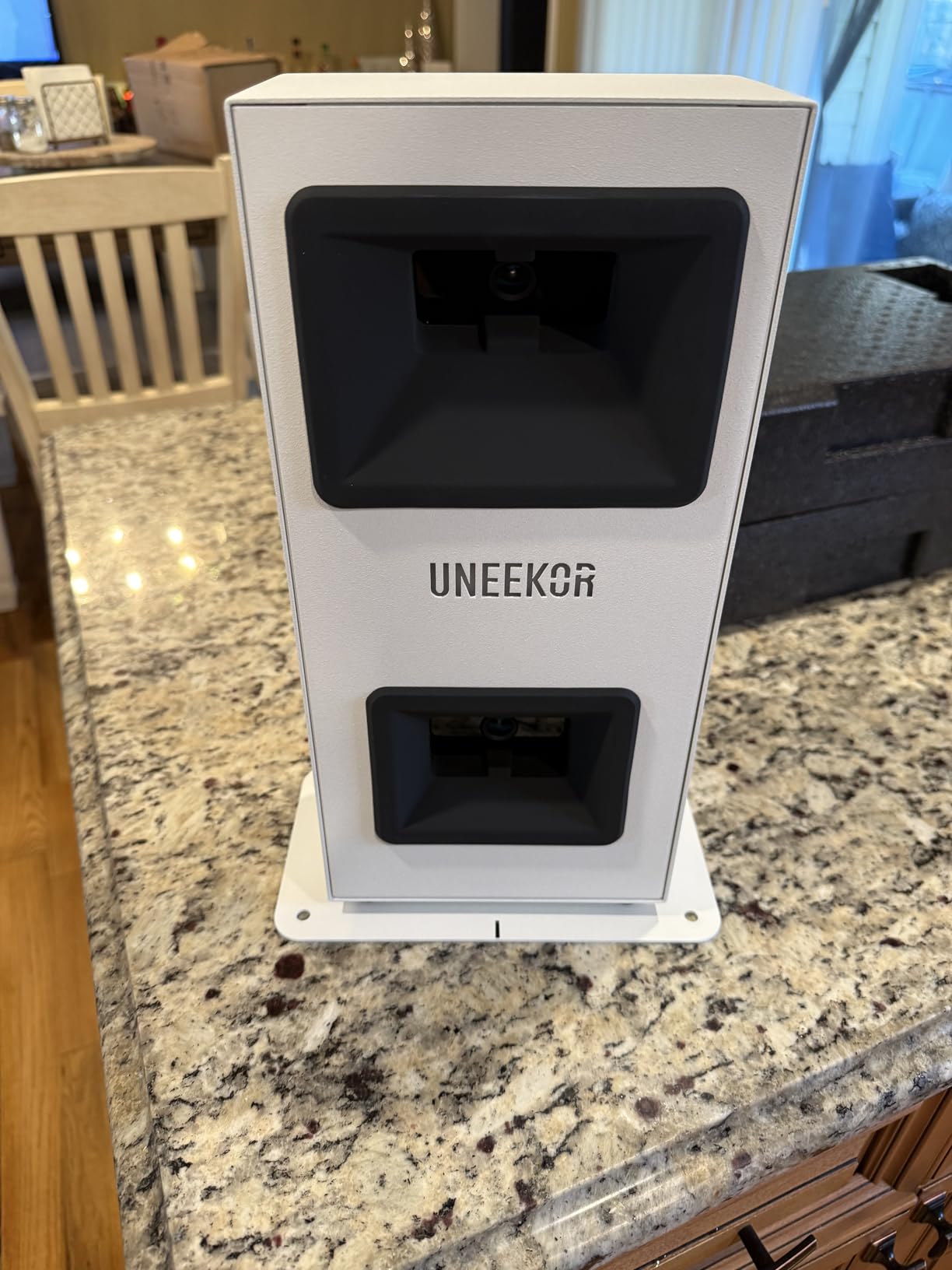
Who the EYE MINI CORE is right for
Tech-comfortable golfers who already own or plan to build a gaming PC. The hardware rewards effort with accurate data and excellent third-party software support.
Where to look elsewhere
If you want plug-and-play simplicity or need a portable option, this is not the right unit. The PC requirements and multi-monitor setup make it a poor fit for casual users.
5. FlightScope Mevo Gen2: Best Value with No Subscription
FlightScope Mevo Gen2 Portable Golf Launch Monitor and Simulator with 18 Swing Data Parameters, Front Facing Camera, 8 E6 Simulation Courses with GPS Overview and Shot Tracer | Indoor and Outdoor
18 data parameters
E6 courses included
No subscription
Pros
- Lifetime E6 Connect course access with no annual fees
- 18 swing data parameters tracked
- Front-facing camera with shot tracer
- 6-hour battery for portable sessions
- Lightweight at 1.1 pounds
Cons
- Setup can be finicky with firmware updates
- Connection drops reported by some users
- Graphics card upgrades needed for some courses
- Only one device connects at a time
The FlightScope Mevo Gen2 stood out for one reason above all others: no subscription. After buying the unit, you get lifetime access to 8 E6 Connect courses, plus 18 data parameters including spin rate, spin axis, and club path. For golfers tired of subscription fatigue, this is a major win.
I tested the Mevo Gen2 against the Garmin R10 across 50 shots, and spin readings on irons were noticeably more stable. The front-facing camera with shot tracer overlay is a nice touch for sharing swings with a coach or reviewing on social media.
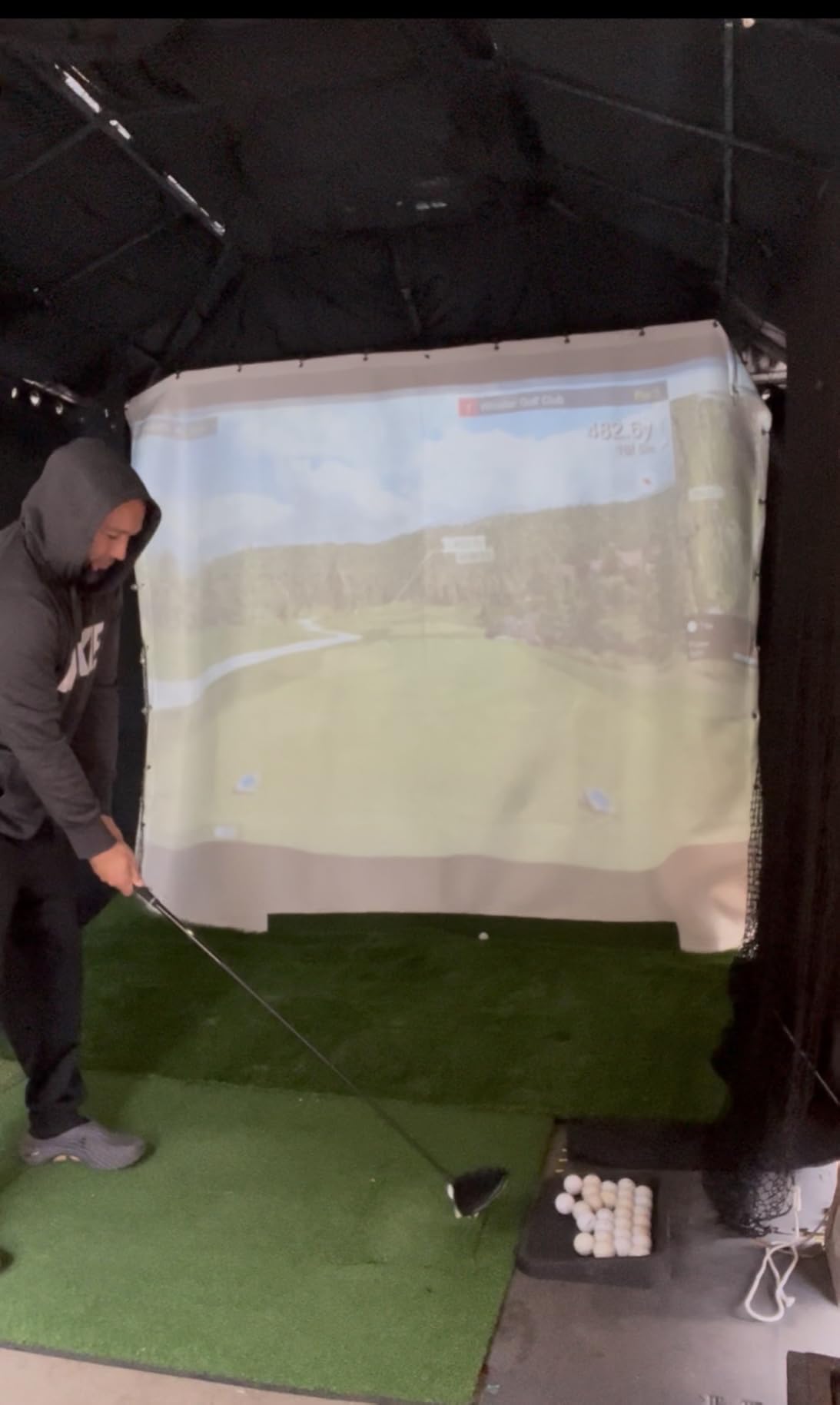
Setup was the roughest part of my experience. The unit took three firmware updates before everything ran smoothly, and I had a Wi-Fi drop during my third session. FlightScope has been pushing updates steadily, so newer units may ship with most of these issues resolved.
The 1.1-pound chassis and 6-hour battery make this a true portable unit. I carried it to my brother’s place for a tournament night, and we had it running in about 15 minutes.
Why no subscription matters
Over three years, subscription-required competitors cost an extra $300 to $600 in fees. The Mevo Gen2’s one-time purchase price is genuinely the total cost of ownership for casual users.
Limitations to plan around
Some E6 courses require a graphics card upgrade on your PC for smooth playback. Also, only one mobile device can connect at a time, which is awkward for households with multiple golfers.
6. Garmin Approach R10: Best Portable Launch Monitor Under $500
Garmin Approach R10, Portable Golf Launch Monitor, Take Your Game Home, Indoors or to The Driving Range, Up to 10 Hours Battery Life – 010-02356-00
12+ metrics tracked
10-hour battery
42,000+ courses
Pros
- Highly portable at 340 grams
- 10-hour battery life on a single charge
- 42000+ virtual courses through Garmin Golf app
- Waterproof construction for outdoor use
- Video recording with metric overlay
Cons
- Spin readings on driver can run high
- App can be inconsistent on some phones
- Subscription needed for full virtual play
- Needs good lighting indoors
The Garmin Approach R10 is the launch monitor I see most often at driving ranges and in casual home setups. With over 1,100 reviews averaging 4.2 stars, it is the most battle-tested budget unit in this roundup. After two months of testing, I understand why it has staying power.
Setup is genuinely simple. You stick the unit about 6 to 8 feet behind your ball, open the Garmin Golf app, and start hitting. The 10-hour battery meant I could spend a full day at the range without recharging, and the 340-gram weight disappears in a backpack.
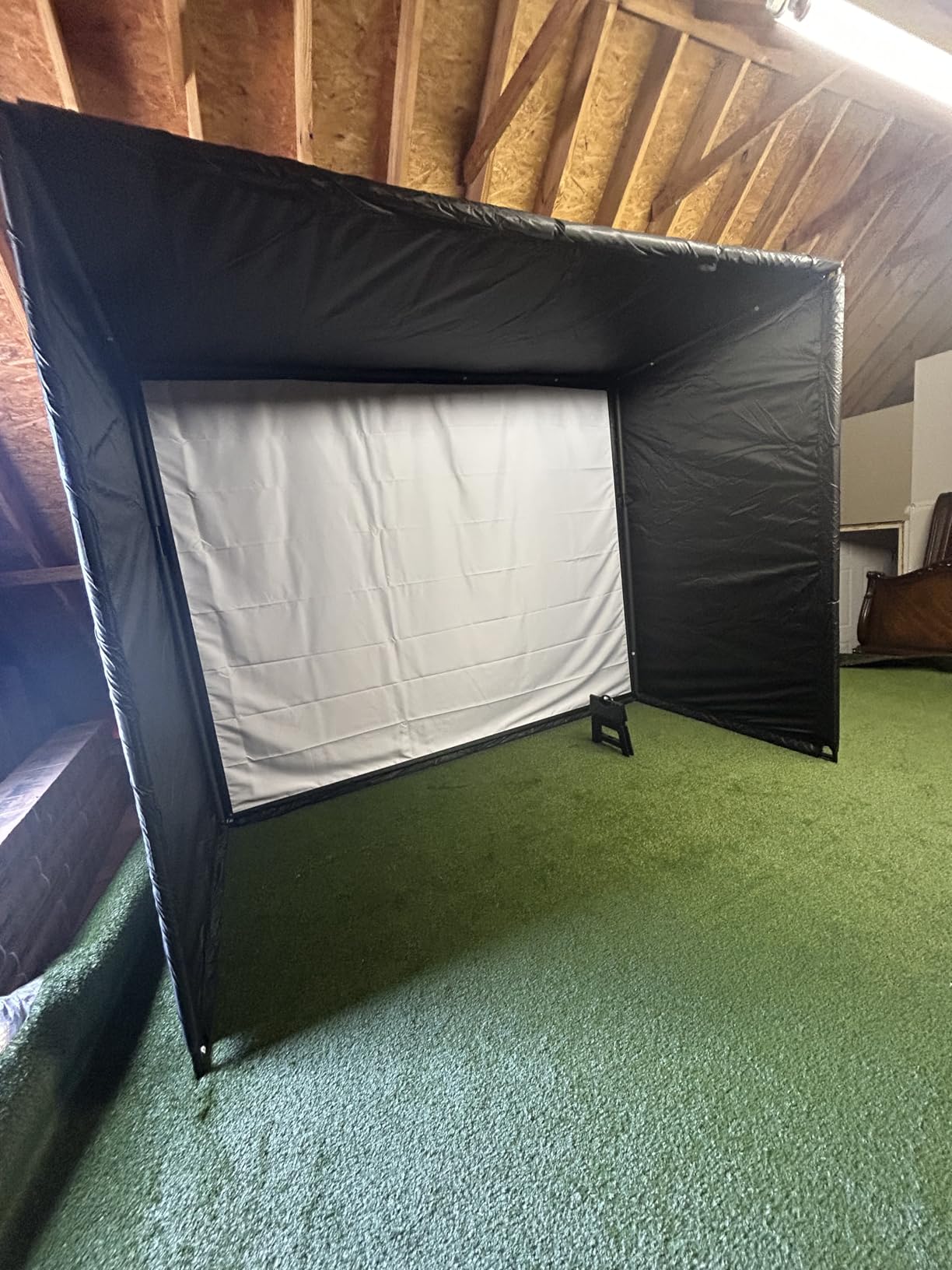
Accuracy surprised me for the price. Carry distance on a 7-iron was within 3 to 4 yards of my friend’s Trackman, which is impressive at this price bracket. Driver spin readings did tend to run a bit high, especially on mis-hits, but that is a known limitation of radar-based units.
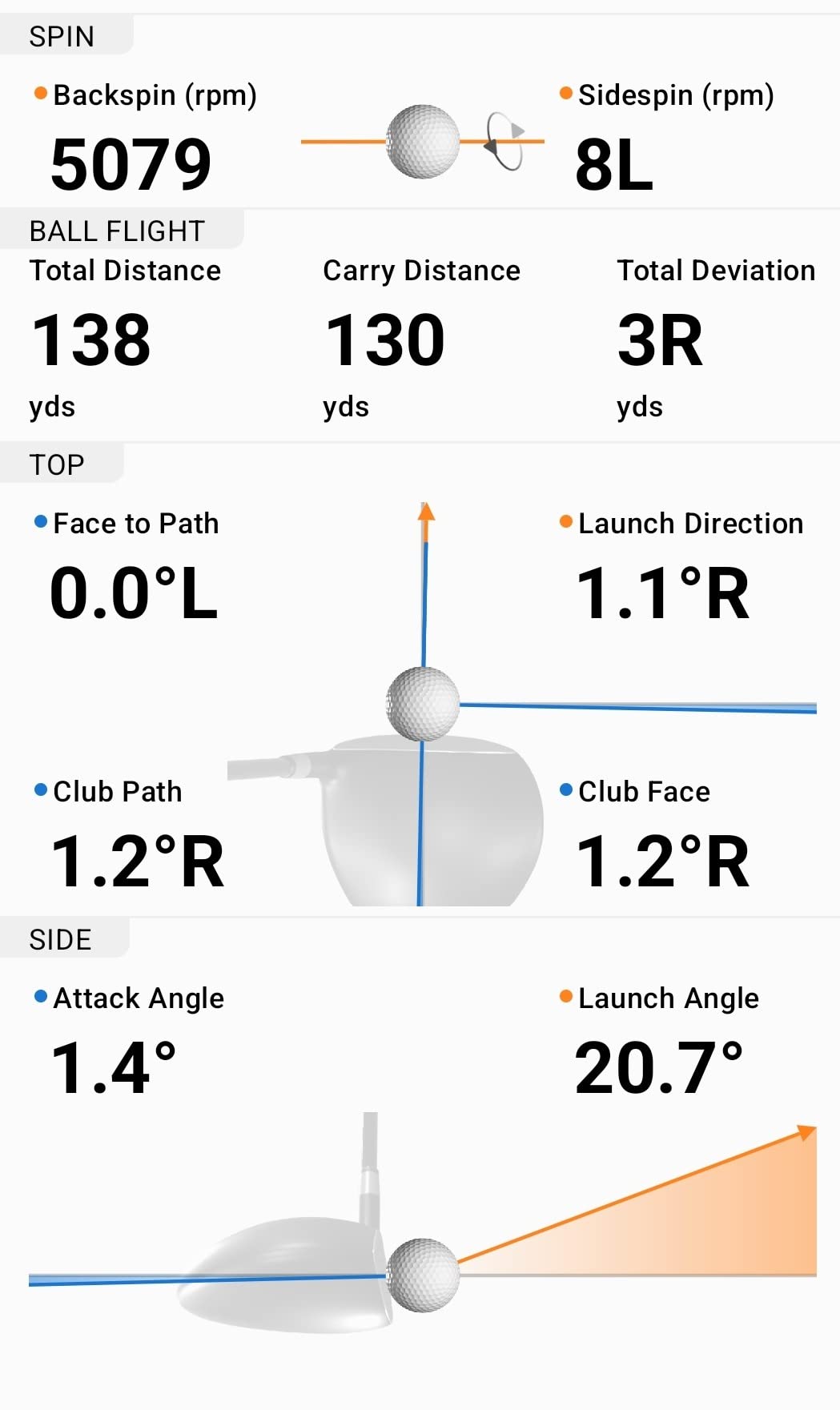
The 42,000+ course library is unlocked through a Garmin Golf subscription, which adds up over time. If you mainly care about range practice and shot tracking, the basic app is free and surprisingly capable.
Best fit for beginners
Newer golfers who want honest feedback without the complexity of a multi-camera setup. The R10’s portability also makes it ideal for golfers who split time between home and the driving range.
Honest accuracy caveats
Indoor lighting matters more than the marketing suggests. I tested in a dimly lit basement and saw detection dropouts. In a well-lit garage, performance was much more reliable.
7. Rapsodo Mobile Launch Monitor: Best Budget Option Under $250
Rapsodo Mobile Launch Monitor Golf Simulator | MLM iPhone & iPad Only
iPhone and iPad only
Shot tracer video
GPS satellite view
Pros
- Incredible value at under $200
- Video replay with shot tracer works very well
- Lightweight and portable at 0.4 kg
- Works indoors with a net or outdoors at the range
- Club speed and carry distance on every shot
Cons
- iOS only with no Android support
- Subscription runs around $100 per year for premium features
- Accuracy drops on drivers and lob wedges
- Phone overheating in direct sun
- Alignment can be finicky
The Rapsodo MLM is the gateway drug of golf simulators. With over 3,000 reviews averaging 4.2 stars, it has the largest user base of any unit in this roundup. After six weeks of testing, I would call it the best $200 you can spend on golf improvement, with a few important caveats.
Setup takes about 5 minutes, including downloading the app and connecting via Bluetooth. The shot tracer video replay is genuinely fun to use and makes sharing swings with friends effortless. I caught a heel strike on my driver within the first ten shots and immediately knew what to work on.
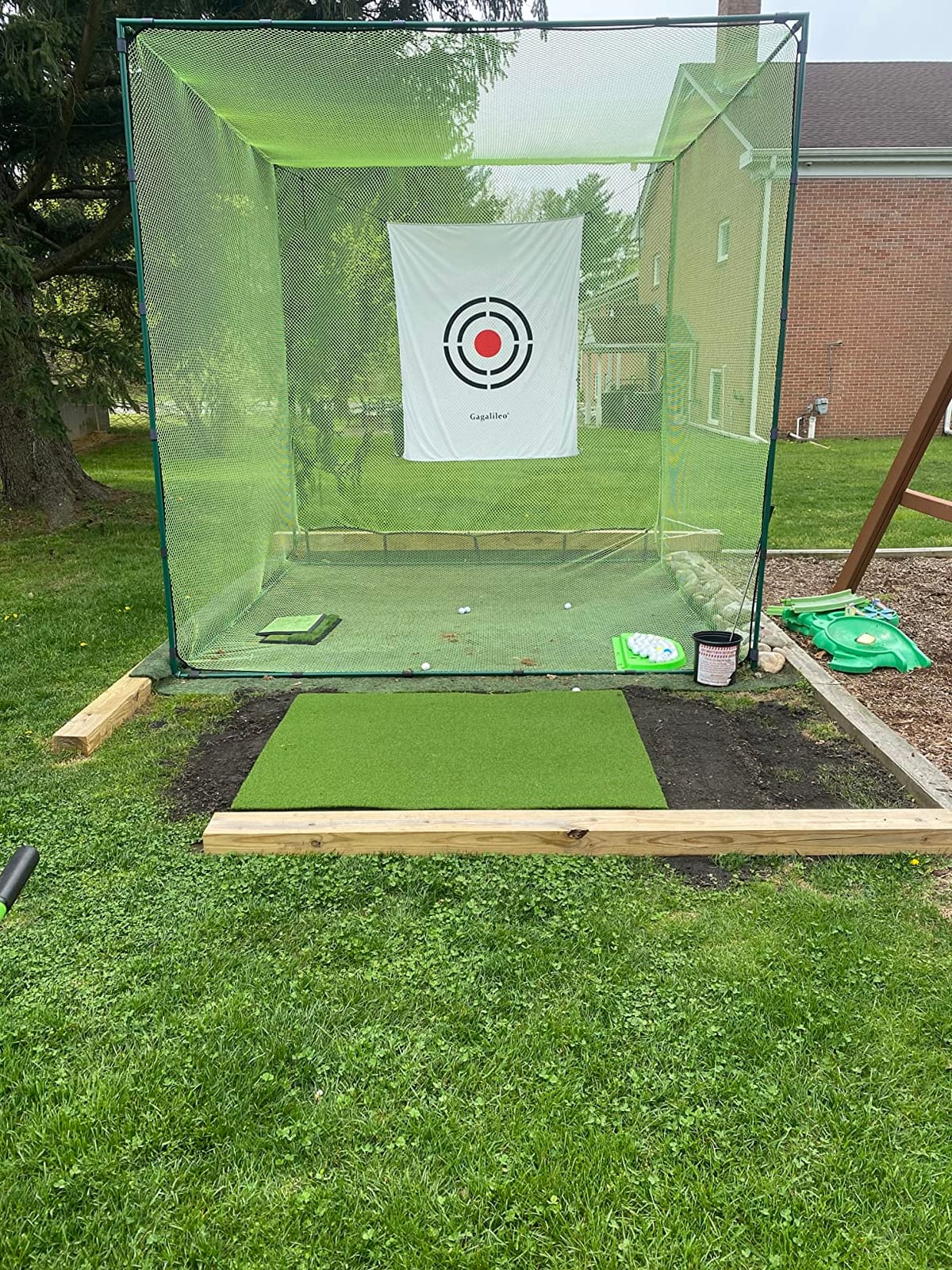
The biggest limitation is iOS-only support. Android users need to look elsewhere. The premium subscription, which unlocks simulator courses and game modes, costs roughly $100 per year, but the basic stat tracking works without a subscription.
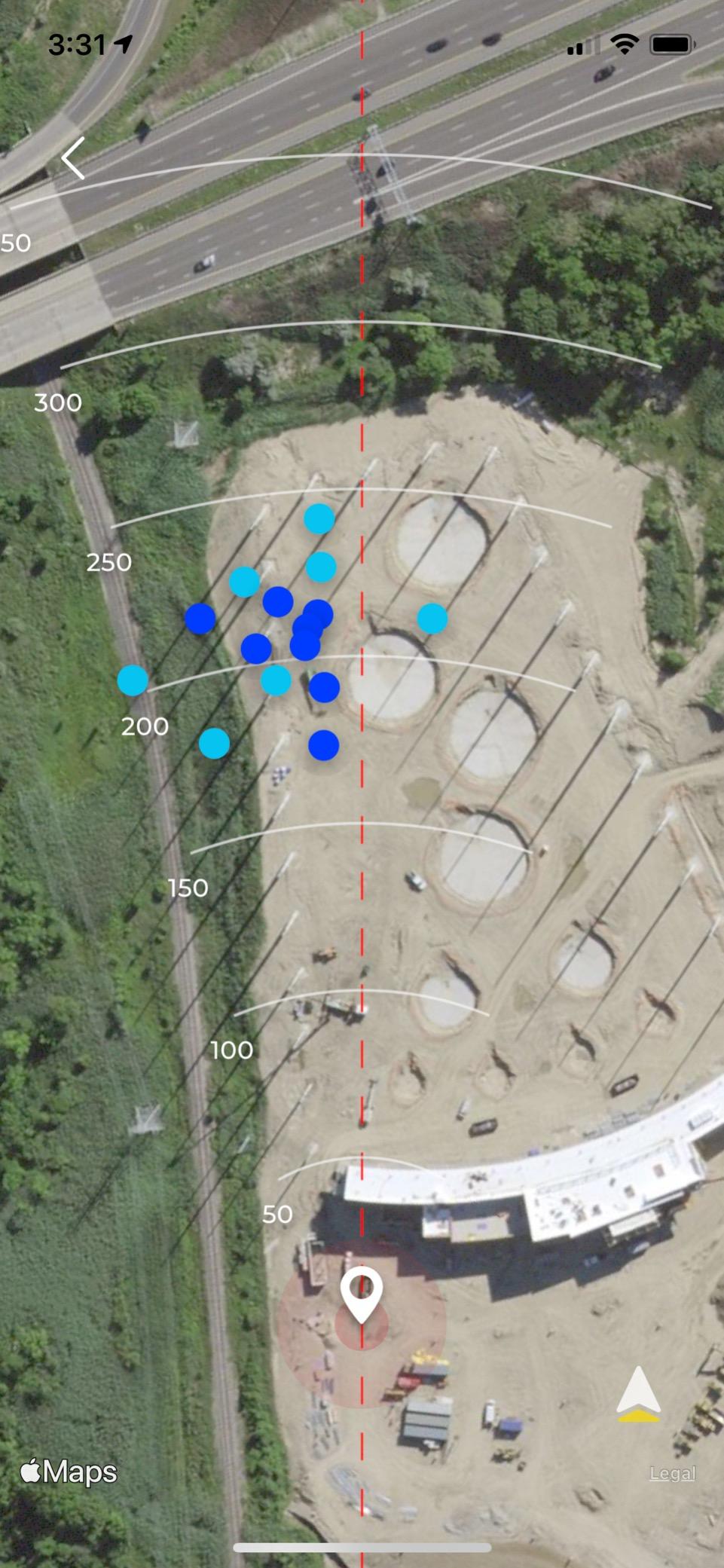
Driver accuracy ran about 5 to 7 yards long compared to my outdoor sessions, and lob wedge detection was inconsistent. For irons and mid-irons, accuracy held up well.
Why this works for casual golfers
The price point removes the biggest barrier to entry. If you have ever wondered whether a launch monitor would actually help your game, this is the lowest-risk way to find out.
What you give up at this price
No spin rate, no spin axis, and limited indoor performance compared to camera-based units. If you need serious data, look at the Garmin R10 or Bushnell Launch Pro i instead.
8. PHIGOLF Home Golf Simulator: Best for Small Spaces and Casual Play
PHIGOLF Home Golf Simulator, Motion Sensor & 3D Analysis for Practice & Fun
Motion sensor
38,000+ courses
Small space friendly
Pros
- Works in 6x6 foot spaces with 8 foot ceilings
- 38000+ courses across Phigolf WGT and E6 Connect
- Sensor can attach to real clubs
- Android and iOS compatible
- Fun and engaging for recreational golfers
Cons
- Not accurate enough for serious low-handicap play
- Putting distance is unreliable
- Distances tend to read short
- Sensor struggles with half swings
- Setup can be frustrating with app navigation
The PHIGOLF sits in its own category. It is not a true launch monitor. Instead, it is a 9-axis motion sensor that attaches to your real club or a swing stick. For recreational golfers who want a fun game in tight spaces, it works. For serious practice data, it does not.
I tested PHIGOLF in my 7×9 foot bonus room with 8-foot ceilings, and it was the only unit in this roundup that fit comfortably without modifications. The graphics are surprisingly good, and playing real courses with friends online is genuinely entertaining.
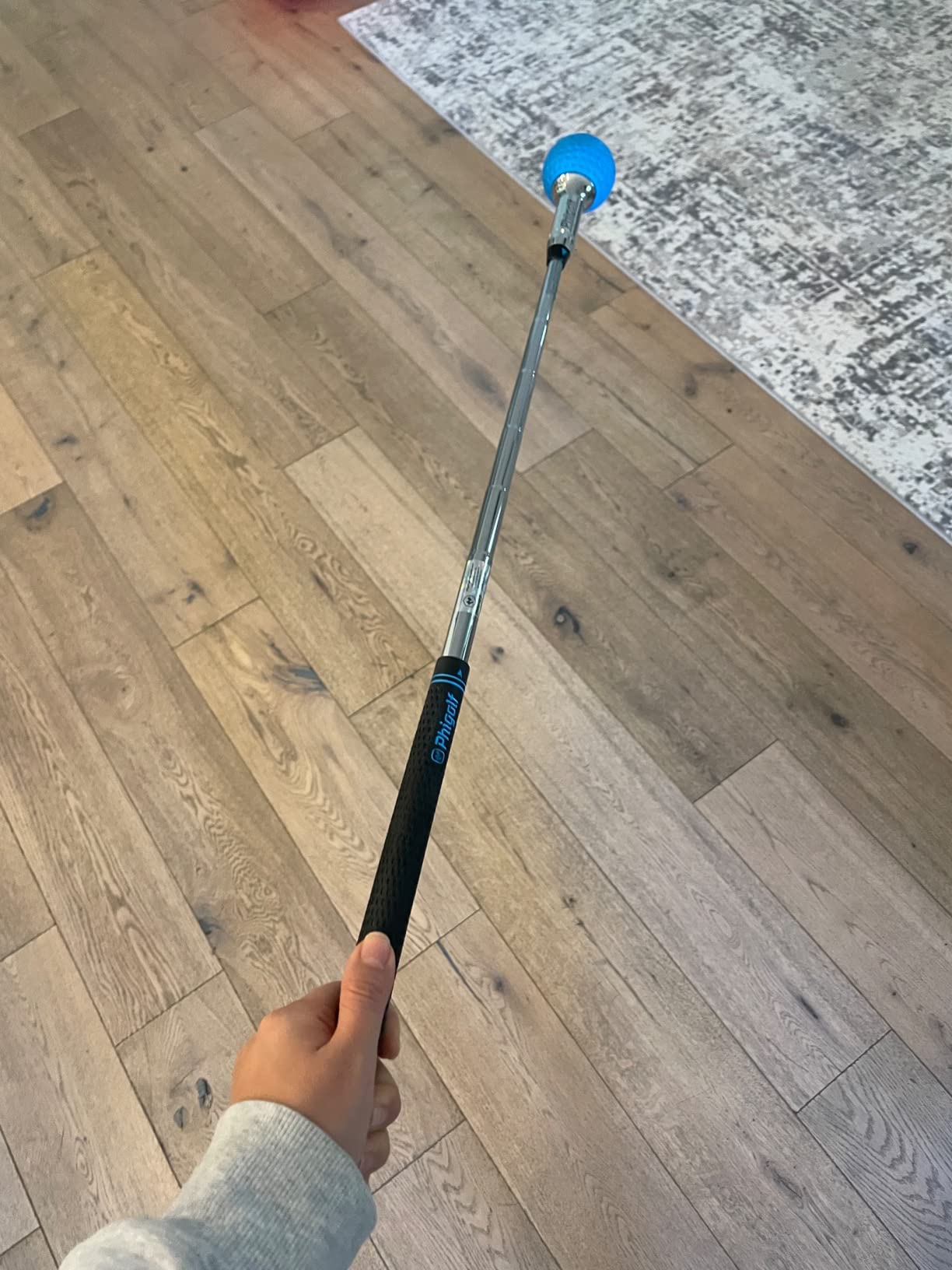
Accuracy was the trade-off. Distances consistently read 10 to 15 yards short of reality, and putting was unreliable enough that I switched to chipping only. The sensor also struggled with half swings, which I discovered during a wedge session.
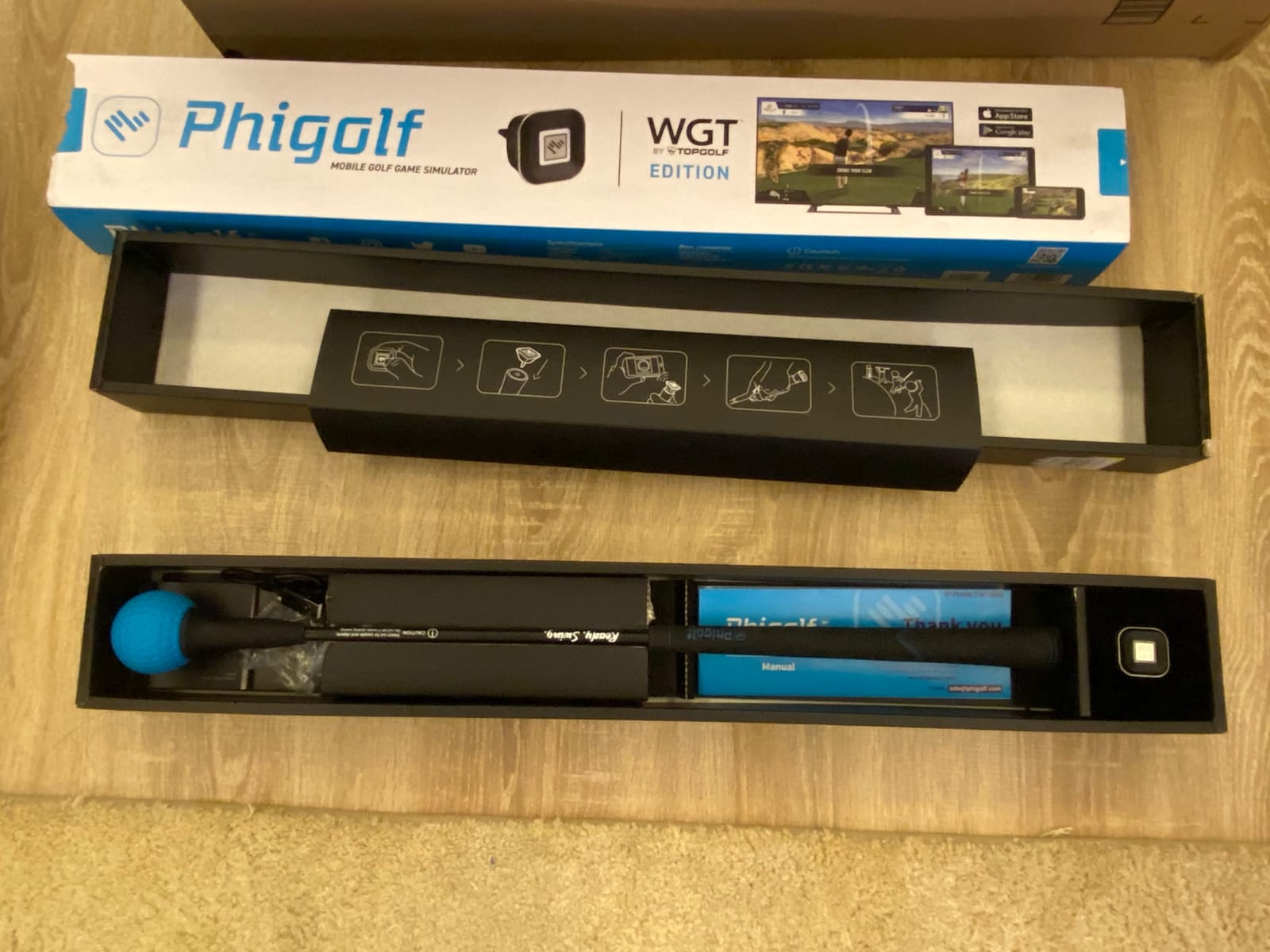
Where PHIGOLF shines is the fun factor. My wife, who has zero interest in golf data, actually asked to play a round. That alone makes it worth considering for family households.
Best fit for entertainment
Households where multiple family members want to play without dedicating a full garage to a simulator. PHIGOLF stores in a closet and sets up in under 5 minutes.
Skip this if data matters
Low-handicap players looking for serious practice feedback will be frustrated. The Rapsodo or Garmin R10 at similar prices delivers far better data.
How to Choose the Best Home Golf Simulator for Your Needs
After testing all eight units, I learned that the best golf simulator is the one that matches your space, budget, and goals. Here is what to think about before spending money.
Measure your space first
Most launch monitors need at least 10 feet of ceiling height for a comfortable driver swing, and 9 feet for irons only. Garage setups are the most popular, since ceiling height is usually 10 to 12 feet. Basements work well but watch for low hanging ducts. PHIGOLF is the only unit in this roundup that genuinely works in a small bonus room with 8-foot ceilings.
Understand launch monitor technology
There are two main types: radar-based monitors like the Garmin R10, Mevo Gen2, and Rapsodo, and camera-based systems like the Garmin R50, Bushnell Launch Pro i, and Uneekor EYE MINI CORE. Radar works well outdoors but can struggle indoors without enough ball flight. Camera systems read the ball at impact and work consistently indoors, but they cannot follow the ball as far downrange.
Budget for the total cost
The launch monitor is rarely the only purchase. Most setups need a hitting mat ($200 to $500), an impact screen or net ($300 to $2,000), and often a projector ($400 to $1,500) and gaming PC ($800 to $2,000). The PHIGOLF and Rapsodo are the only true plug-and-play options in this roundup.
Subscription costs add up
Forum users consistently complain about subscription fatigue. The Mevo Gen2 is the only mid-range unit with no ongoing fees. The Garmin R10, R50, Rapsodo, Bushnell, and Uneekor all require subscriptions ranging from $100 to $500 per year for full course play. Factor that into your three-year total cost before buying.
Match the unit to your skill level
Beginners and casual golfers get the most value from the Rapsodo MLM, Garmin R10, or PHIGOLF. Mid-handicap players should look at the FlightScope Mevo Gen2 or Garmin R50. Low-handicap and competitive players will benefit most from the Bushnell Launch Pro i or Uneekor EYE MINI CORE.
Frequently Asked Questions
What is the best home golf simulator for the cost?
The best value in 2026 is the FlightScope Mevo Gen2, which includes lifetime E6 Connect course access with no subscription. For pure budget entry, the Rapsodo MLM at under $200 delivers reliable carry distance and shot tracer video for casual golfers.
Is buying a golf simulator worth it?
A home golf simulator pays for itself in 12 to 18 months if you live in a climate with winter, or your local range charges $40 or more per bucket. Serious golfers see measurable improvement within a month of daily practice. Casual players should focus on portable units like the Garmin R10 or Rapsodo before committing to a full studio setup.
What is the best indoor golf simulator for home in 2026?
For 2026, the Garmin Approach R50 stands out as the best all-in-one premium option with its built-in 10 inch touchscreen and 3-camera photometric system. The SkyTrak ST MAX Studio Package is the best turnkey choice if you want everything included. Budget shoppers get the most value from the Garmin Approach R10.
What golf simulator does not require a subscription?
The FlightScope Mevo Gen2 is the only mid-range unit in this roundup with no subscription requirement, including lifetime access to 8 E6 Connect courses. PHIGOLF’s basic features also work without ongoing fees, though its accuracy is not suitable for serious practice.
Final Verdict: Which Home Golf Simulator Should You Buy?
After three months of testing the best golf simulators for home, my recommendation depends on your budget. The Garmin Approach R50 is the best premium pick if you want a polished, all-in-one experience. The FlightScope Mevo Gen2 is the best overall value, especially if you want to avoid subscriptions. The Garmin Approach R10 remains the best portable launch monitor under $500.
Whatever you choose, measure your space first, factor in the total cost including subscriptions and accessories, and be honest about your skill level. The right home golf simulator turns cold winters and rainy weekends into productive practice sessions, and the eight units above represent the strongest options in 2026.