
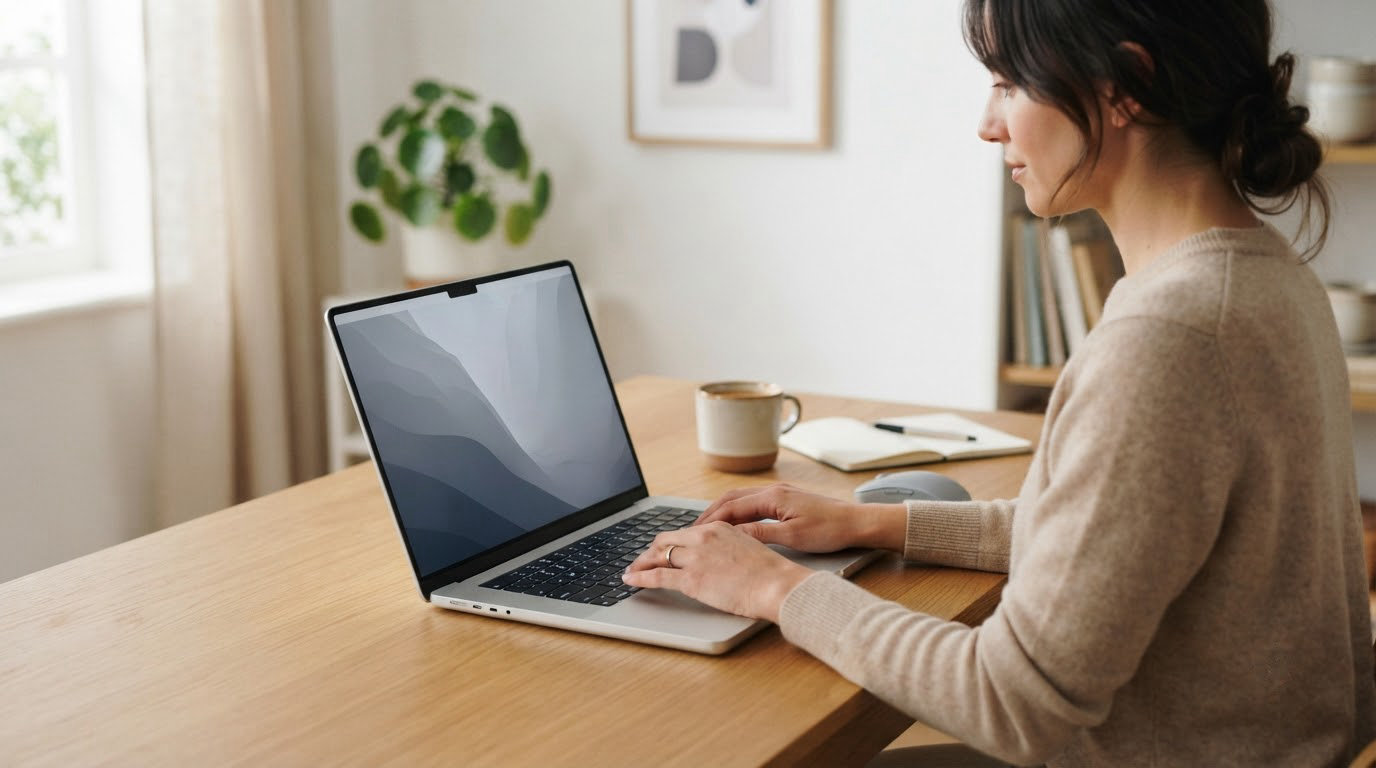
HP covers more of the laptop market than any other laptop brand, and its October event is one of the widest windows most of those models see their best prices in. The machine worth watching first is the HP Pavilion 15.6 Touch, which pairs a Full HD anti-glare touchscreen with 16GB of RAM and a 1TB drive. For anyone who just needs a dependable everyday laptop, the HP Pavilion 15.6 N100 is the cheaper route in, and shoppers who want a genuinely large screen should look at the HP OmniBook 3 17.3.
Prime Big Deal Days runs October 6-7, 2026, and most of the offers need an active Prime membership. These are the HP machines worth watching when those prices appear, not confirmed discounts, because deal levels shift through the event.
Table of Contents
Our Top 3 Picks for Best Amazon Prime Big Deal Days HP Deals

HP Pavilion 15.6 Touch
- 15.6-inch FHD IPS touchscreen
- 16GB DDR4 RAM
- 1TB SSD
- Windows 11 with a Type-C port

HP Pavilion 15.6 N100
- 15.6-inch FHD anti-glare display
- 16GB DDR4 RAM
- 256GB NVMe SSD
- 3.64-pound chassis

HP OmniBook 3 17.3
- 17.3-inch FHD IPS display
- 8GB LPDDR5 RAM
- 512GB NVMe SSD
- Up to 14 hours 15 minutes battery
Best Amazon Prime Big Deal Days HP Deals Compared (2026)
| Product | Specifications | Action |
|---|---|---|
| HP Pavilion 15.6 Touch |
|
Check Deal Price |
| HP Pavilion 15.6 N100 |
|
Check Deal Price |
| HP OmniBook 3 17.3 |
|
Check Deal Price |
 HP 15.6 Ryzen 5 Touch HP 15.6 Ryzen 5 Touch |
|
Check Deal Price |
 HP 14 Celeron HP 14 Celeron |
|
Check Deal Price |
 HP Victus 15 GTX 1650 HP Victus 15 GTX 1650 |
|
Check Deal Price |
 HP Victus 15 RTX 2050 HP Victus 15 RTX 2050 |
|
Check Deal Price |
 HP EliteBook 840 G7 HP EliteBook 840 G7 |
|
Check Deal Price |
 HP Envy x360 14 HP Envy x360 14 |
|
Check Deal Price |
 HP 14 N150 HP 14 N150 |
|
Check Deal Price |
How We Chose
We compared the specifications that decide whether an HP laptop fits the job, then read the owner reviews and star ratings on Amazon for each one. Every spec and rating here was checked on October 2026, and the picks are ordered by how well each machine serves a clear, common need rather than by spec sheet size alone.
1. HP Pavilion 15.6 Touch: Editor’s Choice for Everyday Work and Study
HP Pavilion 15.6 Inch FHD IPS Touchscreen Anti-Glare Laptop, Windows 11, 16GB RAM, 1TB SSD, Intel Processor Up to 3.8GHz, 11Hours Battery Life, Privacy Camera Shutter, Type-C, Cozy Cashmere
Display: 15.6 in FHD IPS touch
Memory: 16 GB DDR4
Storage: 1 TB SSD
OS: Windows 11
Pros
- Crisp 15.6-inch Full HD anti-glare IPS touchscreen
- 16GB RAM and 1TB SSD for files and apps
- Long battery life for classes and streaming
- Type-C port and a privacy camera shutter
Cons
- Intel Core i3-N305 is entry-level only
- Owners dislike the key placement on the keyboard
- 3.8-pound body is heavier than lighter machines here
The most-reviewed machine on this list by a wide margin, and the reason is simple: for a class, a home office or a work laptop that gets carried between meetings, it has almost nothing missing. A 15.6-inch Full HD IPS panel with capacitive touch and anti-glare treatment handles a bright room better than a glossy screen would, and 300 nits is enough for indoor work.
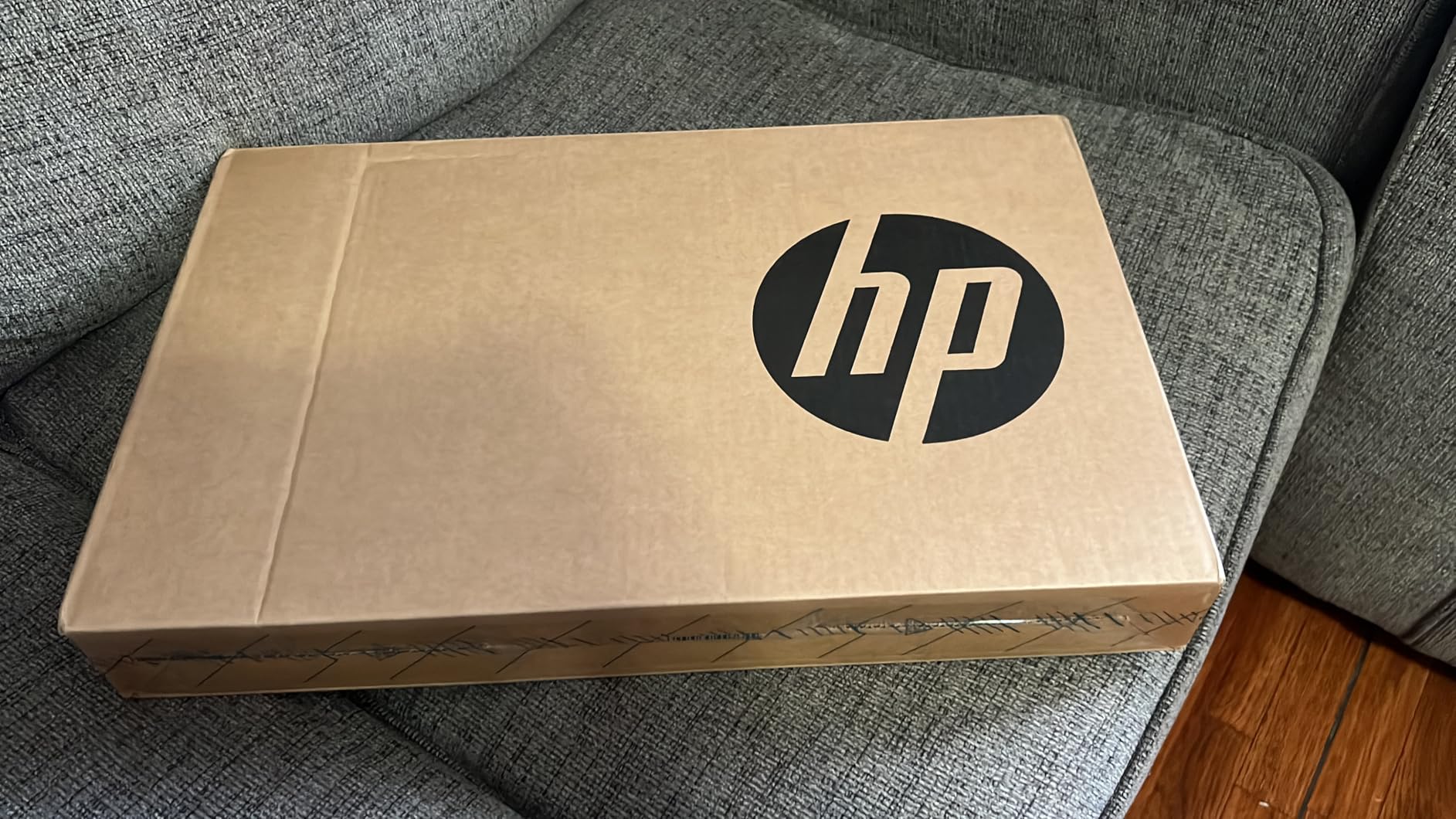
Where it separates from the cheaper picks is memory and storage. 16GB of DDR4 alongside a 1TB drive means a decade of documents, coursework and photos fit without a second drive or a cloud subscription, and that headroom is why it keeps up with new software years after the purchase. The anti-glare panel also means the screen works near a window, which is where this kind of machine usually lives.
Owners report the trade-off clearly: the Intel Core i3-N305 is an entry-level chip, and it shows on anything heavier than browsing, documents and streaming. The 3.8-pound body is the other thing to weigh, since it is not the lightest machine in this roundup.
The HP Pavilion 15.6 N100 sits one step down, giving up the touchscreen and about three-quarters of the storage while carrying less weight. The HP OmniBook 3 17.3 goes the other way, trading RAM and portability for a much larger screen, so pick it when screen size matters more than a numpad-free footprint.
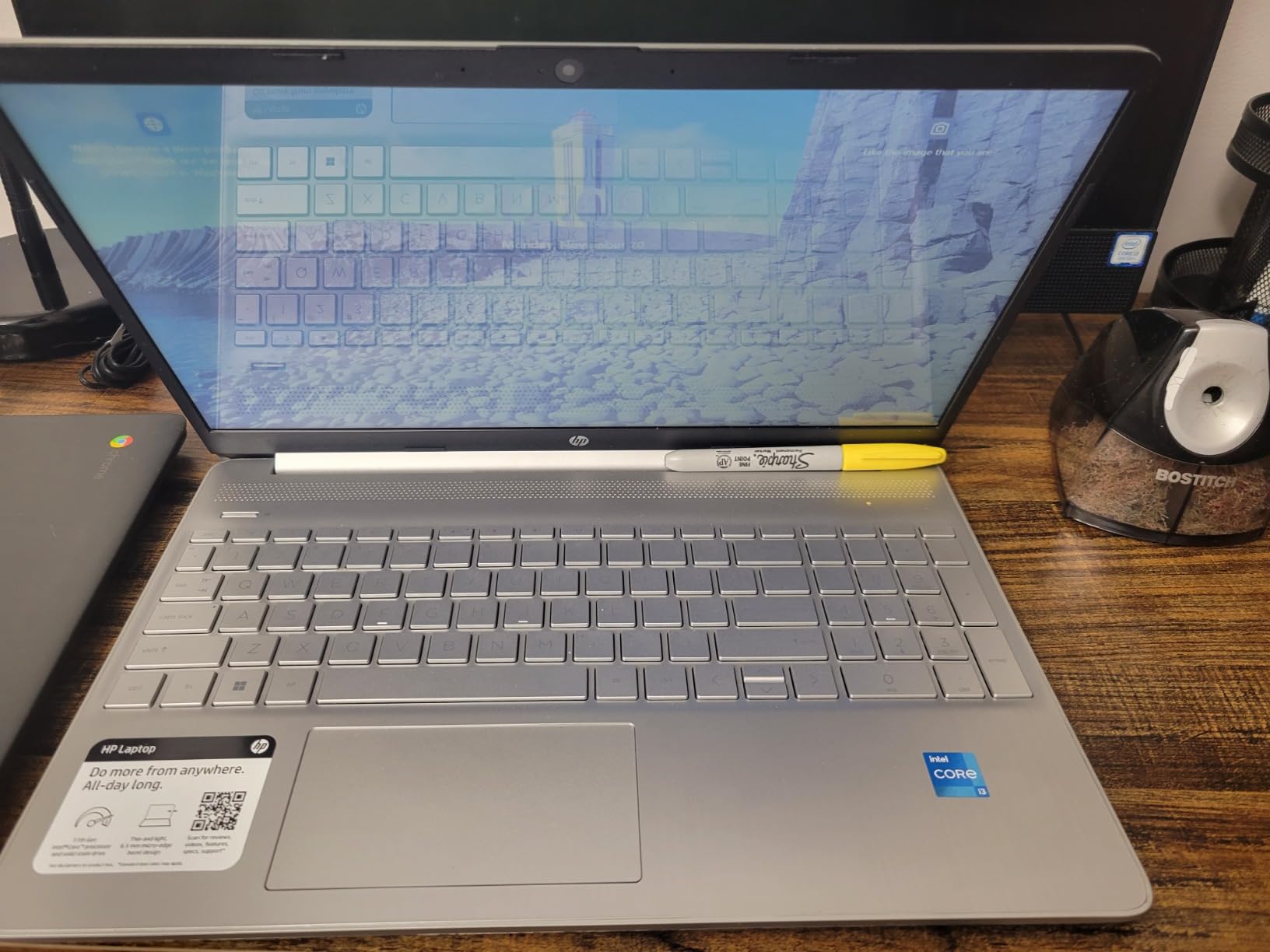
Good to know: the privacy shutter over the camera is a small touch that matters more in shared rooms than it sounds, and the Type-C port handles both data and charging so you are not hunting for a proprietary brick.
2. HP Pavilion 15.6 N100: Best Value for Light Computing
HP Pavilion 15.6 FHD Laptop, Intel N100, 16GB RAM, 256GB SSD
Display: 15.6 in FHD anti-glare
Memory: 16 GB DDR4
Storage: 256 GB NVMe SSD
OS: Windows 11 Home
Pros
- Fast boot and snappy everyday response
- 16GB RAM is generous for the class
- Light 3.64-pound body is easy to carry
- Pairs easily with external monitors and printers
- Quiet during normal use
Cons
- Only two USB-A ports in practice
- No touchscreen
- Page up and page down keys sit far from the arrow keys
Buy this one if your workload is email, documents, streaming and video calls, because that is exactly the range the N-series chip inside handles well. The 256GB PCIe NVMe drive is the reason it feels quicker than the price suggests, with boot times reported under ten seconds. Sixteen gigabytes of RAM is unusual at this level and leaves room for a dozen browser tabs plus a video call.
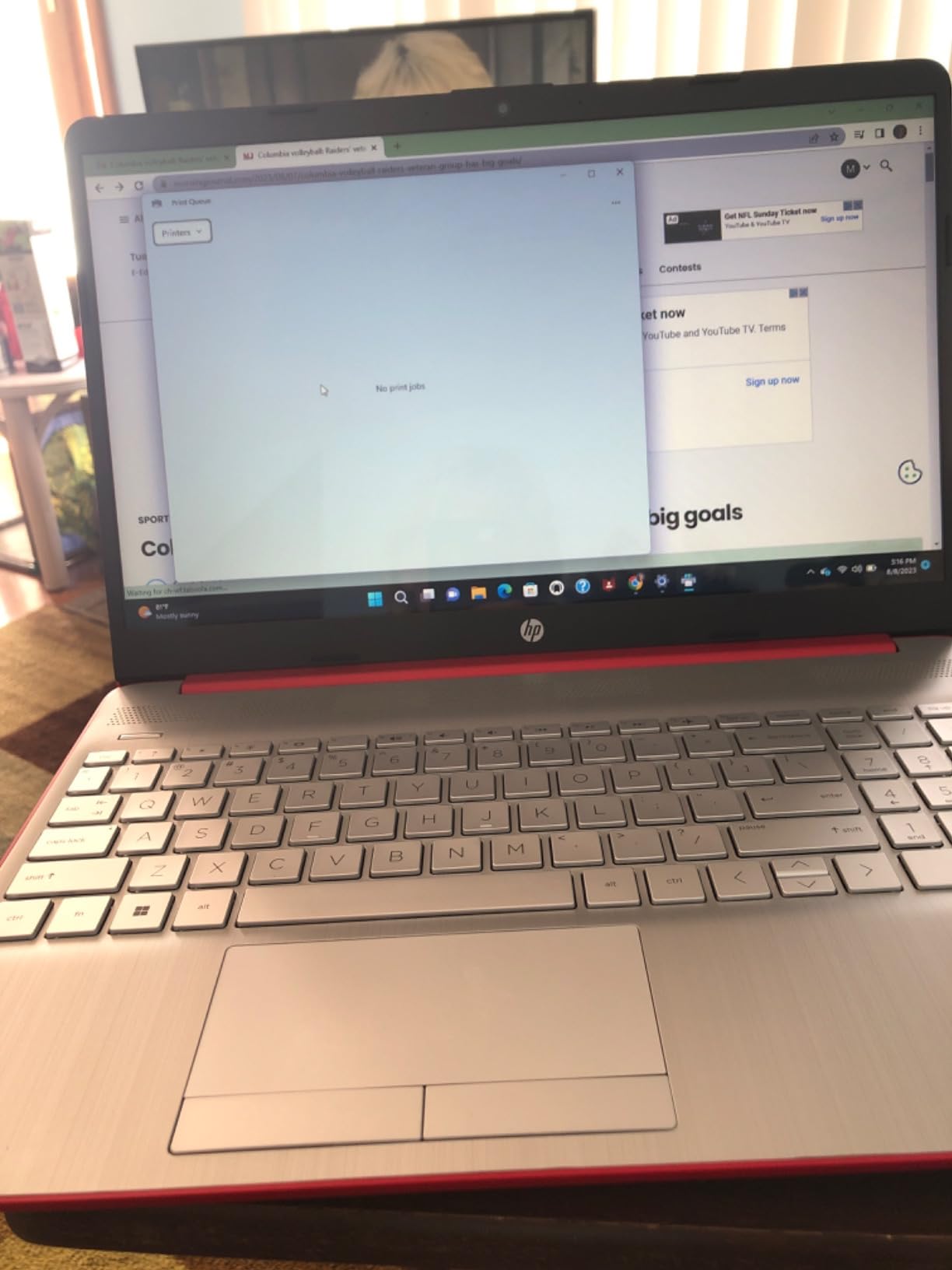
Owners single out the weight. At 3.64 pounds it is a light 15.6-inch HP that still carries a numeric keypad, and reviewers describe it as dependable work that pairs without fuss with an external monitor, a drive and a printer.
The main limitation is port count. Two USB-A ports in practice means a hub for anyone plugging in a mouse, a charger and an external drive at the same time. A few buyers also expected a touchscreen, since this is a Pavilion and not every Pavilion in the range has one.
The HP Pavilion 15.6 Touch is the step up if touch input and storage matter: you give up the touchscreen, about three-quarters of the drive and several hours of rated battery to carry less. The HP 14 N150 makes sense only when portability is the priority, since this one is the faster machine with far more memory.
Good to know: the page up and page down keys sit away from the arrow cluster, which reviewers who type heavily tend to notice within a day.
3. HP OmniBook 3 17.3: Best for Big Screens
HP OmniBook 3 17.3 inch Laptop PC, FHD Display, AMD Ryzen 3 30, 8 GB RAM, 512 GB SSD, AMD Radeon 610M Graphics, Windows 11 Home, Mica Silver, 17-dp0199nr
Display: 17.3 in FHD IPS
Memory: 8 GB LPDDR5
Storage: 512 GB NVMe SSD
OS: Windows 11 Home
Pros
- Large 17.3-inch IPS screen with 178-degree viewing angles
- Backlit full-size keyboard with numeric keypad
- Up to 14 hours 15 minutes of rated battery
- HP Fast Charge reaches about 50 percent in 45 minutes
- 1080p FHD camera with AI noise reduction
Cons
- 4.4-pound body is awkward to carry
- 8GB LPDDR5 memory is soldered
- Integrated Radeon 610M is not for gaming
The Ryzen 3 30 inside this OmniBook runs up to 4.1 GHz, which is a real step over the N-series chips elsewhere in this list, and owners report smooth general productivity with no memory lag once the preinstalled software is cleared away. The 178-degree viewing angles mean a big panel is actually usable rather than a glossy mirror.
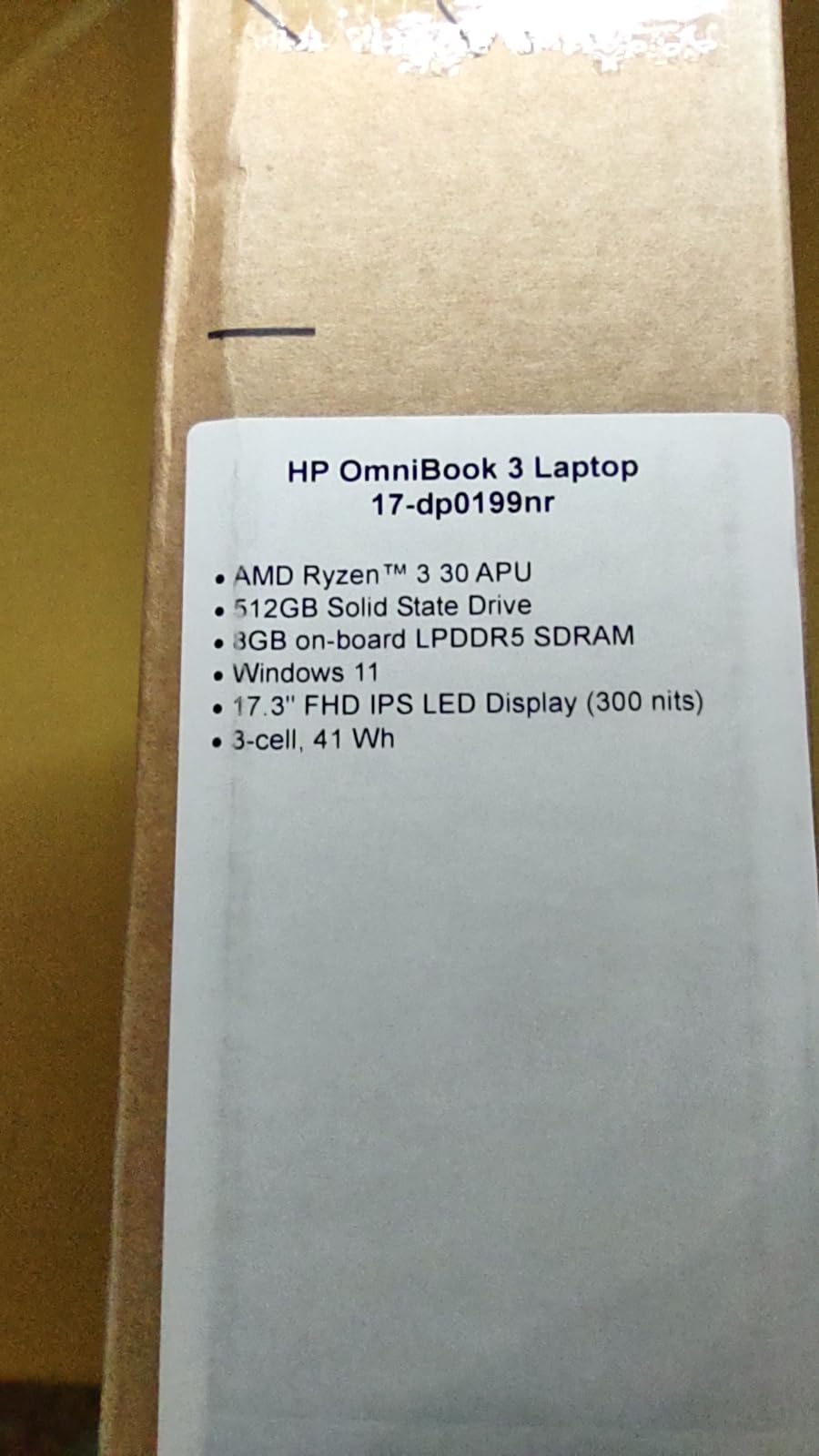
What draws people here is the 17.3-inch screen. Reviewers, older users in particular, call out the clarity, and at 300 nits with anti-glare it holds up in a bright room. The battery figure of up to 14 hours 15 minutes is the longest rated runtime of any machine in this roundup, and HP Fast Charge takes it to roughly half in about 45 minutes.
Two compromises come with the size. The 8GB of LPDDR5-5500 memory is soldered with no upgrade path, so 8GB is what you will always have. And at 4.4 pounds with a 15.65-inch-deep chassis, this is a machine that lives on a desk rather than a bag.
Skip this one if you need real gaming or video work, since the Radeon 610M is integrated graphics with no dedicated option. The HP Victus 15 RTX 2050 is the honest alternative there. If you want a big screen but need more memory headroom, the HP Pavilion 15.6 Touch keeps 16GB and adds a touchscreen at a smaller size.
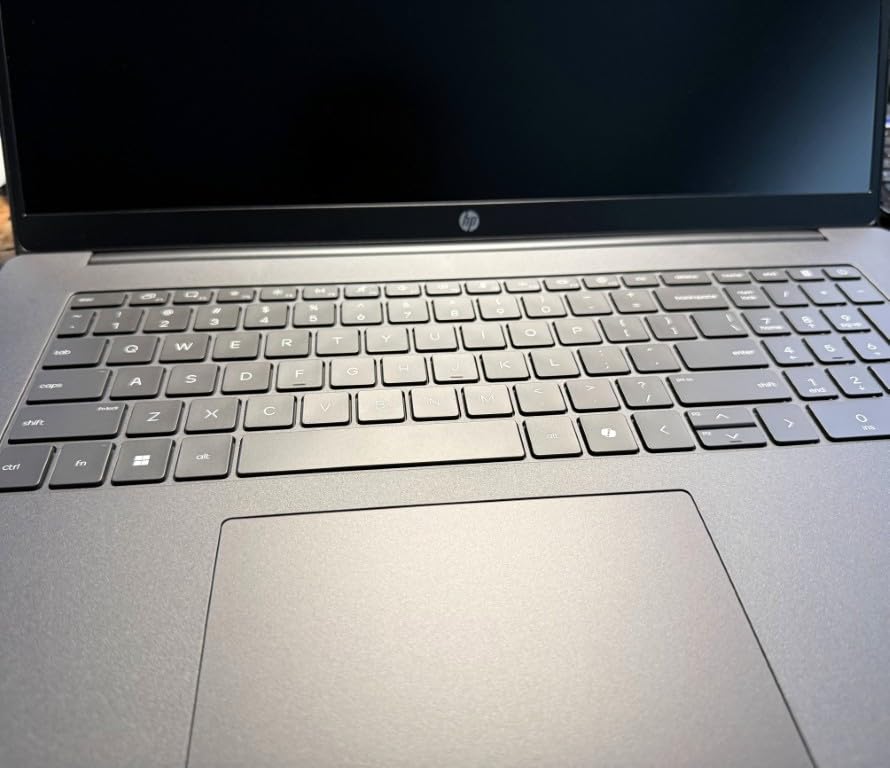
Good to know: the recurring advice in the reviews is to sign out of the pre-configured OneDrive backup and delete unneeded preinstalled software, which frees a surprising amount of the 512GB drive.
4. HP 15.6 Ryzen 5 Touch: Best for Touchscreen Value
HP 15.6 inch Laptop, HD Touchscreen Display, AMD Ryzen 5 7520U, 8 GB RAM, 512 GB SSD, AMD Radeon Graphics, Windows 11 Home, Natural Silver, 15-fc0499nr
Display: 15.6 in HD touch
Memory: 8 GB LPDDR5
Storage: 512 GB NVMe SSD
OS: Windows 11 Home
Pros
- Responsive capacitive touchscreen at an entry price
- 512GB NVMe drive boots and loads fast
- Light 3.5-pound body with a numeric keypad
- Ryzen 5 7520U reaches up to 4.3 GHz
Cons
- 1366 x 768 panel is below Full HD
- 8GB LPDDR5 is soldered with no upgrade path
- USB-C is data only with no charging or display output
Touchscreens usually mean paying for a feature most people never tap. This is the exception in the list where a 15.6-inch capacitive micro-edge display lands in a genuinely cheap machine, and owners describe the touch response as responsive for scrolling, drawing and form-filling.
The Ryzen 5 7520U has four cores running up to 4.3 GHz, which handles schoolwork, browsing and light creative tasks without complaint, and the 512GB NVMe drive keeps everything responsive. The 3.5-pound body is one of the lighter machines here, and the full-size keyboard includes a numeric keypad.
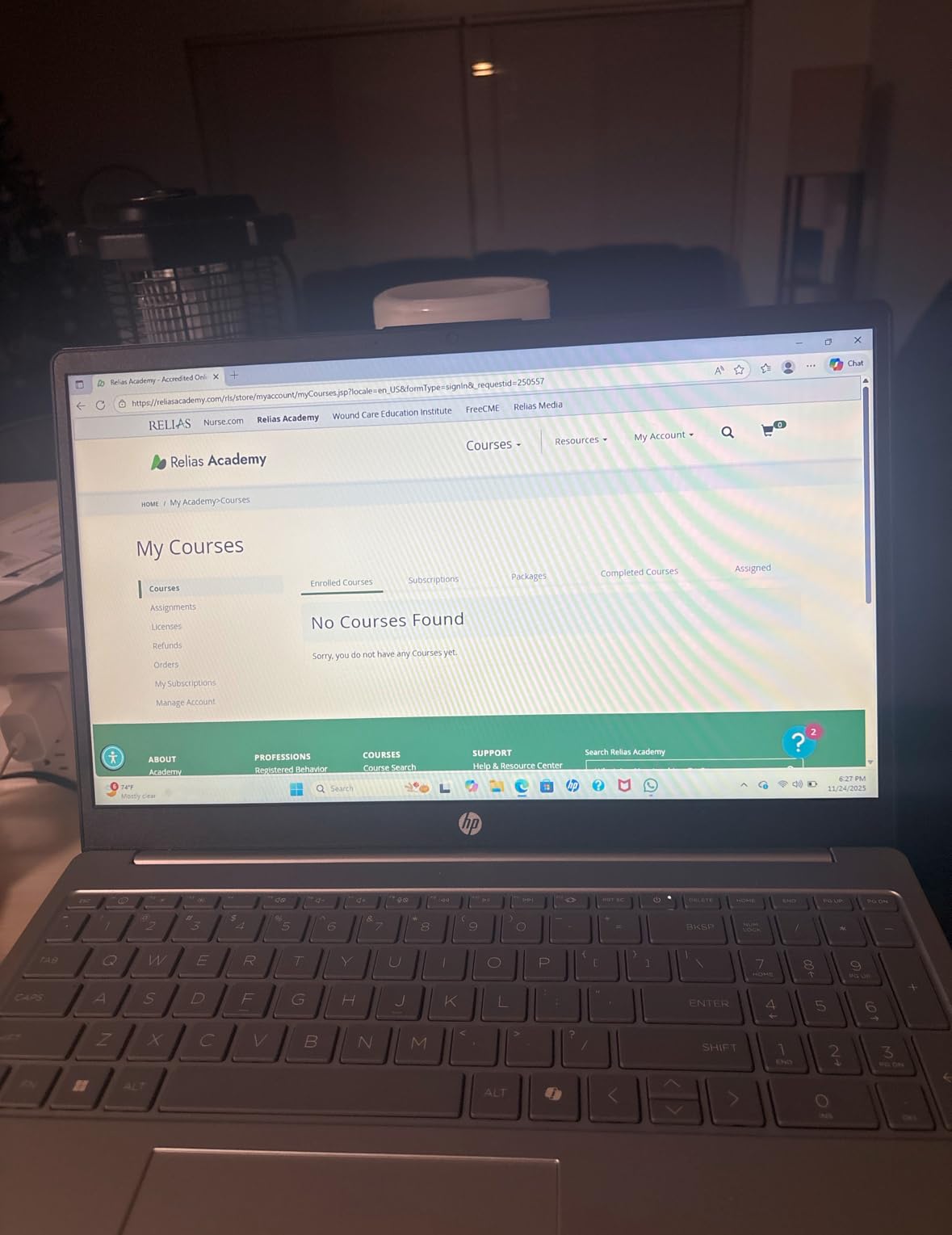
The 1366 by 768 resolution is the limitation reviewers mention most, and it is a visible one next to a Full HD panel. Text on a document looks softer than it does on the HP Pavilion 15.6 N100, which shares the same screen size at twice the pixel count. If you stare at documents for hours, that difference matters more than the touchscreen does.
The USB-C port is also data only, so it will not charge the laptop or drive an external monitor. Plan on the HDMI 1.4b port for a second screen and bring your own charger placement.
Owners also note the 8GB of onboard LPDDR5 has no upgrade path, and integrated Radeon graphics rule out anything demanding. Gaming is out of reach on this tier; the HP Victus 15 GTX 1650 is the entry point to a dedicated graphics card. The HP Pavilion 15.6 Touch trades touch input for a Full HD screen at a higher level of processing power.
5. HP 14 Celeron: Budget Pick for the Cheapest Way In
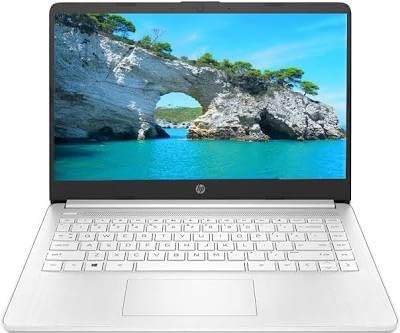
HP 14″ Ultra-Light Laptop for Student & Home (1-Year Office 365, Intel Celeron N4500, 4GB RAM, 64GB eMMC + 64GB SD Card), 12-Hr Long Battery Life, Webcam, Fast Charge, Wi-Fi 6, Win 11 Home in S, White
Display: 14 in HD
Memory: 4 GB DDR4
Storage: 128 GB eMMC and SD
OS: Win 11 S mode
Pros
- Lowest entry point for a full Windows 11 machine
- Light 3.2-pound body in a 14-inch frame
- Up to 12 hours of rated battery
- One year of Microsoft 365 included
- SD card reader and support for two external monitors
Cons
- Celeron N4500 and 4GB RAM struggle with many tabs
- 64GB eMMC plus SD card fills quickly
- Windows 11 Home in S mode restricts app installs
This is the machine for a first laptop, a loaner for a kid learning to type, or a secondary computer for light browsing. It comes with a full year of Microsoft 365, so Word, Excel and PowerPoint are covered without a separate subscription, and the 3.2-pound body with a 14-inch screen is easy to carry to class.
Be clear-eyed about what 4GB of RAM and a dual-core Celeron N4500 can do. The reviews split sharply: buyers are delighted for writing, online classes and streaming, while a loud group reports the machine feeling extremely slow out of the box. Several of those cases trace back to pending Windows updates rather than the hardware, so give it a day to settle before judging it.
Storage is the other constraint. The total is 128GB, split between 64GB of eMMC and a bundled 64GB SD card, and that fills fast with a modern browser. The SD card reader is a genuine plus, and the three-year warranty on that card is unusual, but plan on external storage for anything large.
One thing to check before you order: this listing is sold and expanded by a third-party retailer rather than HP directly, so confirm what the warranty covers and who handles a claim. The Windows 11 Home in S mode also needs switching to full mode before you can install anything outside the Microsoft Store.
Compared with the HP 14 N150, you get a proper SD reader and dual-monitor support here but less internal storage. Compared with the HP Pavilion 15.6 N100, that machine’s N100 chip and 16GB of RAM are a large step up for anyone doing more than writing and streaming.
6. HP Victus 15 GTX 1650: Best for 1080p Gaming
HP – Victus 15.6″ Gaming Laptop – Intel Core i5-12450H – 8GB Memory – NVIDIA GeForce GTX 1650-512GB SSD – Mica Silver – Model 15-fa0031dx
Display: 15.6 in FHD IPS
Memory: 8 GB DDR4
Storage: 512 GB SSD
OS: Windows 11 Home
Pros
- Dedicated GTX 1650 with 4GB GDDR6
- 12th-gen Core i5 with eight cores
- Backlit gaming keyboard
- 512GB SSD keeps load times quick
Cons
- 8GB RAM is the bare minimum for modern titles
- Older 2022 design with only 4GB of VRAM
- Listings show inconsistent memory and storage details
Among the two dedicated-graphics machines here, this is the simpler and older platform, and dedicated graphics are the dividing line between a laptop that runs games and one that does not. The GTX 1650 carries 4GB of its own GDDR6 memory, so the load never falls on system RAM, and the 12th-gen Core i5 handles the CPU side of mainstream titles without trouble.
Owners are satisfied with the balance of price and performance at this tier. The 512GB SSD keeps load times quick, and the backlit keyboard is a welcome feature for playing in the dark.

The caution is age. This is a 2022 design, and 4GB of VRAM limits settings in demanding titles. The 8GB of system memory is also the bare minimum for modern gaming, and reviewers note that an upgrade is often the first thing to do. Several listings for this model show inconsistent memory and storage specifications, so confirm the configuration on the page you are buying from.
Against the HP Victus 15 RTX 2050, the older card is the better deal only if the price gap is wide. The RTX 2050 brings ray tracing, DDR5 memory and a 144Hz panel, and it is the pick for competitive shooters. The Victus gaming line also carries a reputation for build quality that budget buyers should read about before committing, since owners report plastic chassis and loose hinges in this class of machine.
Keep the HP OmniBook 3 17.3 in mind as the alternative if gaming is occasional rather than a regular activity, since it will cost you far less and last longer on battery.
7. HP Victus 15 RTX 2050: Best for High-Refresh Gaming
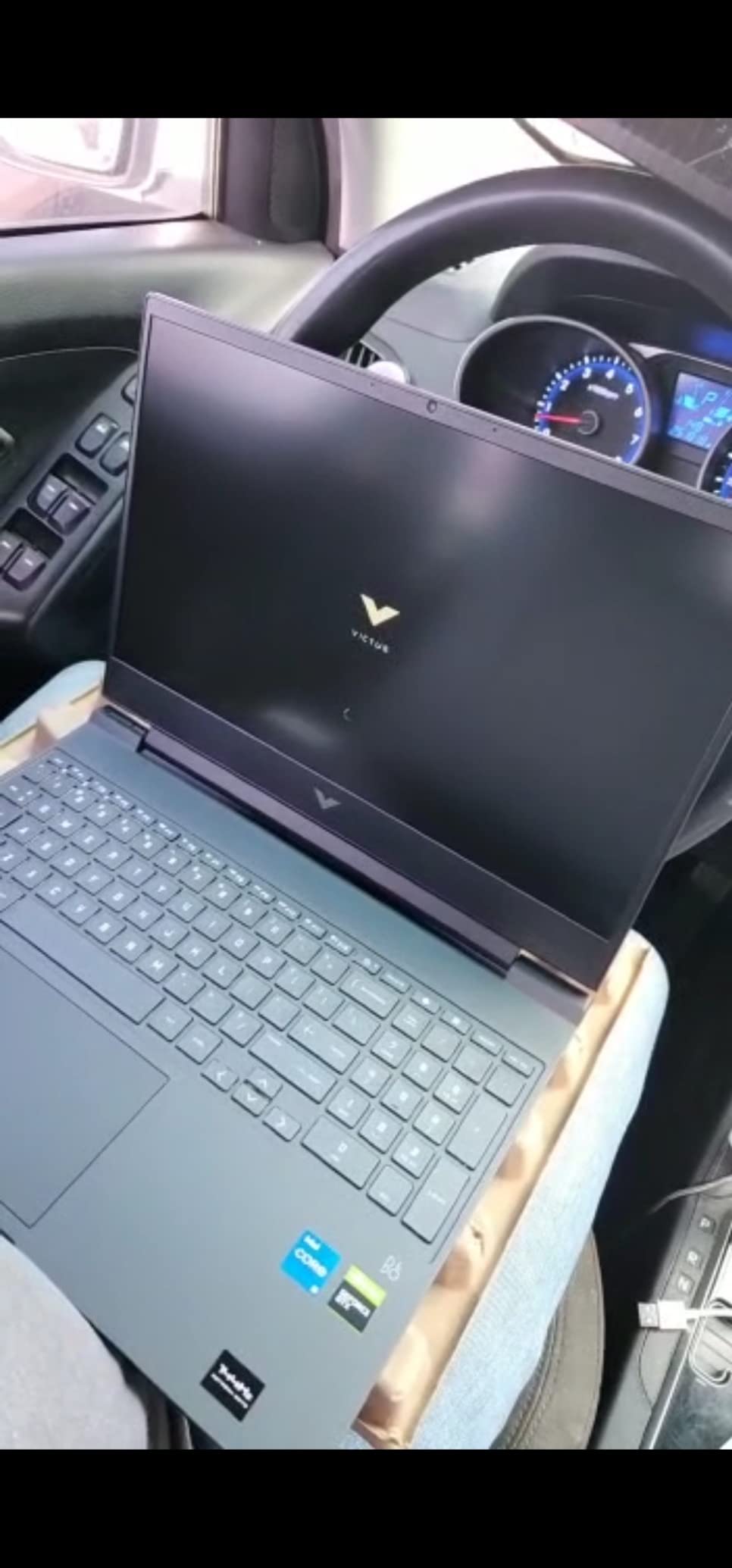
HP – Victus 15.6″ Gaming Laptop – AMD Ryzen 5 7535HS – 8GB Memory – NVIDIA GeForce RTX 2050-512GB SSD – Mica Silver
Display: 15.6 in FHD IPS at 144Hz
Memory: 8 GB DDR5
Storage: 512 GB NVMe SSD
OS: Windows 11 Home
Pros
- 144Hz anti-glare IPS panel for competitive games
- RTX 2050 supports ray tracing at 1080p
- DDR5 memory and NVMe storage stay responsive
- Backlit keyboard with numeric pad and large touchpad
Cons
- 8GB of RAM is tight for this class
- About 6 hours of battery is the shortest here
- 4GB of VRAM caps settings in demanding titles
The refresh rate is the reason to choose this Victus over the other one. At 144Hz, competitive shooters feel measurably smoother than on a 60Hz panel, and the anti-glare IPS screen means you can play near a window without reflections washing out the image. The RTX 2050 adds ray tracing support that the GTX 1650 lacks.
Under the hood it is a newer platform all round: Ryzen 5 7535HS with six cores, DDR5-4800 memory and an NVMe drive. The backlit keyboard includes a numeric pad and the touchpad is enlarged, so there is more room to place a mouse without shifting your hand off the keys.
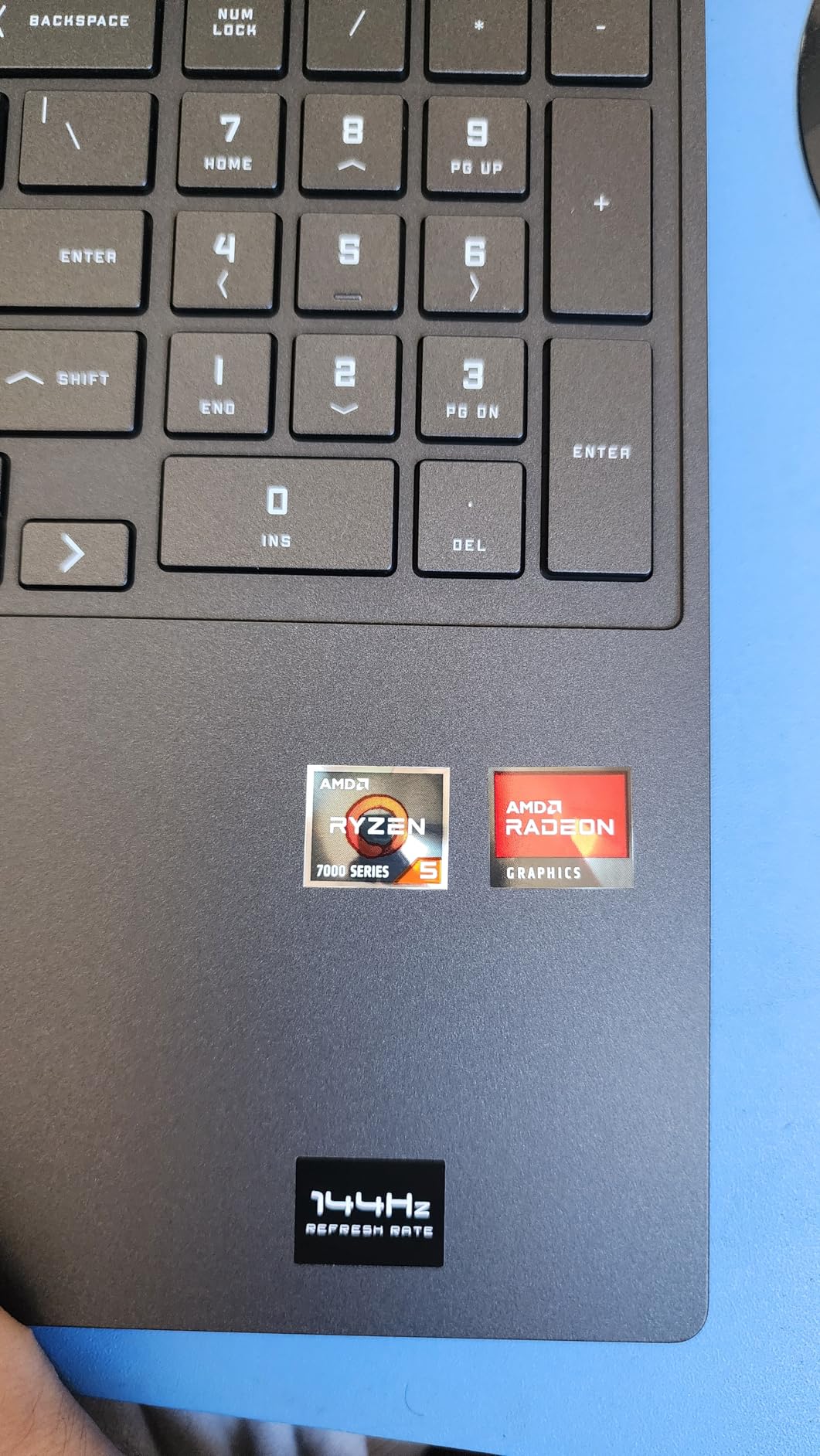
What holds it back is the same 8GB of memory and 4GB of VRAM pattern seen across this gaming class. The battery gives roughly six hours, the shortest rated runtime in this roundup, so a gaming laptop still needs a charger within reach.
Against the other gaming pick here, this model wins on refresh rate, memory generation and storage speed. Neither suits someone who will mostly work from it, and the HP Pavilion 15.6 Touch does that job better with a touchscreen and far better battery life.
Owners of this class of HP gaming laptop report that frame rates improve noticeably once the Omen Gaming Hub is installed and configured, and that the display often ships with a yellow tint that needs correcting in the graphics software. Budget ten minutes for both before you judge the screen.
8. HP EliteBook 840 G7: Best for Business on a Budget
HP EliteBook 840 G7 14” FHD Intel Core i5-10310U 1.7GHz Quad Core, 16GB RAM, 512GB NVMe, Windows 11 Pro 64Bit, CAM (Renewed)
Display: 14 in FHD IPS
Memory: 16 GB DDR4
Storage: 512 GB NVMe SSD
OS: Win 11 Pro 64-bit
Pros
- Windows 11 Pro 64-bit out of the box
- 16GB RAM and a 512GB NVMe drive
- Business-grade EliteBook chassis
- Several owners report machines better than expected with strong batteries
- Backlit keyboard and Full HD IPS display
Cons
- Renewed condition varies between machines
- Some arrive dusty or scratched or with a dead fingerprint reader
- Batteries sometimes arrive near 72 percent capacity
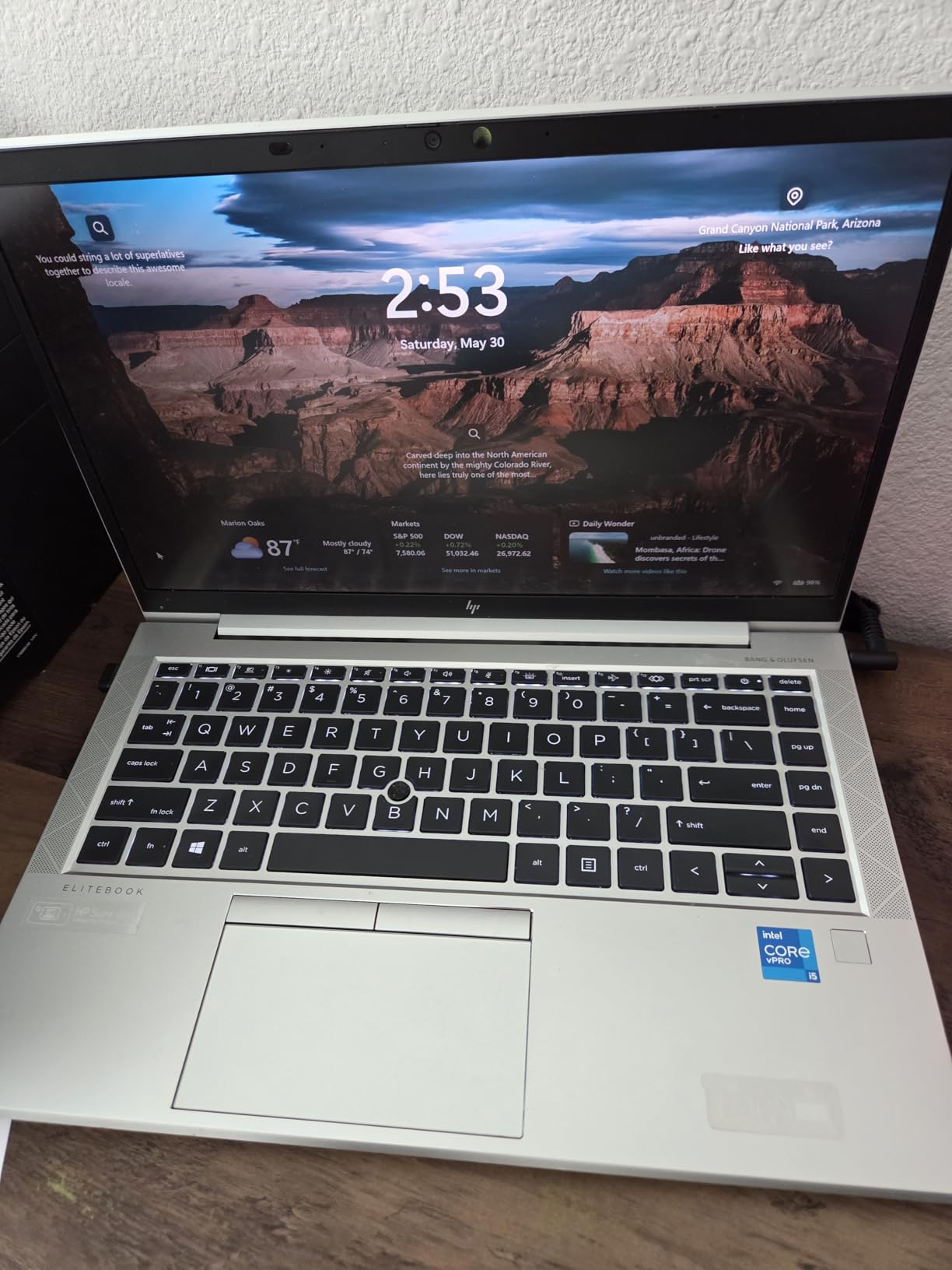
The reason to look at a renewed EliteBook is the specification sheet, not the model year. A 10th-gen quad-core i5, 16GB of DDR4 memory, a 512GB NVMe drive and Windows 11 Pro 64-bit is a configuration you rarely see from a new machine at this level, and Pro is the edition that actually joins a company domain and carries BitLocker.
Owners frequently praise the value and several report units that look better than new with strong batteries. The 14-inch Full HD IPS non-touch display is standard business fare, which means it is matte, readable in an office and built for a keyboard-driven workday.
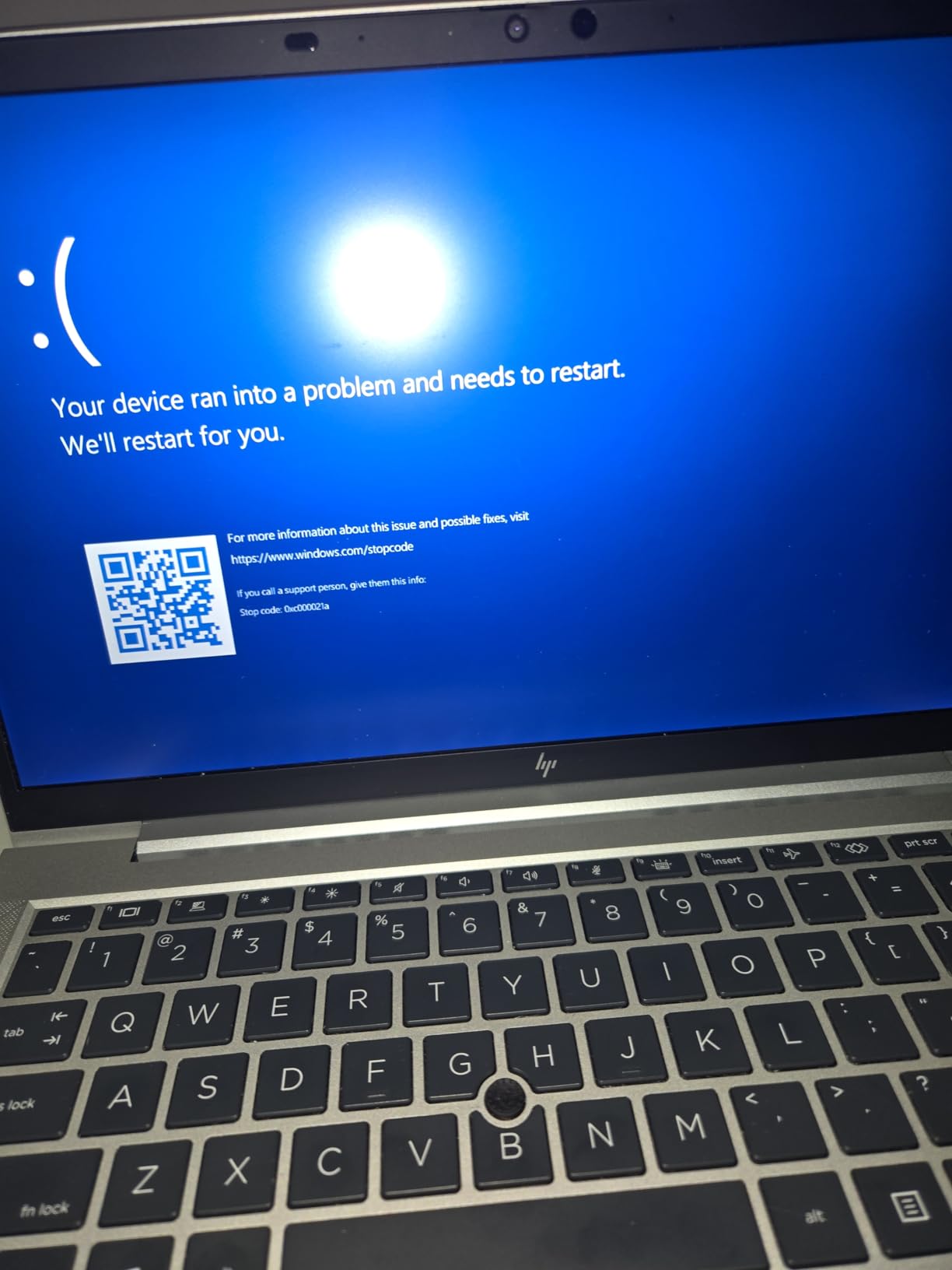
Renewed condition is the trade-off, and it needs stating plainly. The reviews describe arriving machines that were dusty or scratched, one buyer received a machine that would not power on at all, some keyboards have non-original replacement keys, and batteries sometimes show around 72 percent capacity instead of over 80 percent. Chargers are occasionally missing, and the 4.0 star average across those reviews reflects exactly this variance.
Because condition varies piece by piece, the return window matters more here than on any other pick in this list. Check the coverage terms before you order and inspect the machine the day it arrives.
The HP Envy x360 14 comparison is about the hinge and the edition: the EliteBook gives up the touchscreen and convertible form factor but adds Pro, a business chassis and a lower entry point. The Envy is the one to choose if the budget stretches; for a first office machine or a fleet refresh, this is the pick.
9. HP Envy x360 14: Best for 2-in-1 Use
HP Envy x360 2-in-1 14″ FHD Touchscreen Laptop, Intel i7-1355U, 16GB RAM, 1TB SSD, Backlit Keyboard, 5MP Camera, Fingerprint Reader, Wi-Fi 6E, Win 11, Silver
Display: 14 in FHD IPS touch
Memory: 16 GB DDR4
Storage: 1 TB PCIe SSD
OS: Windows 11 Home
Pros
- 360-degree hinge folds into a tablet
- Core i7 with 16GB RAM and a 1TB SSD
- Light 3.4-pound body travels well
- Battery life around 12 hours for a full day
- 5MP IR camera and fingerprint reader
Cons
- Some owners report audio problems and crashes
- Windows 11 setup is not intuitive
- 16GB memory is soldered
The strongest specification package of any non-gaming machine here. A 13th-gen Core i7 with ten cores running up to 5 GHz, 16GB of RAM and a 1TB PCIe drive is genuinely fast, and reviewers describe it as a step up from anything else in this roundup for productivity work.
What the extra money buys beyond speed is flexibility. The 360-degree hinge folds the 14-inch Full HD IPS touchscreen into a tablet for note-taking, reading or media, and the 3.4-pound body means it is small enough to do that without feeling like a slab. The battery is rated around 12 hours, which covers a full day of classes or a working day of video calls.
Owners frequently describe buying it as a first college laptop for a daughter or a student, and the 5MP IR camera with face recognition plus a fingerprint reader make that use case easy. The built-in speakers cover the media side when it is folded.
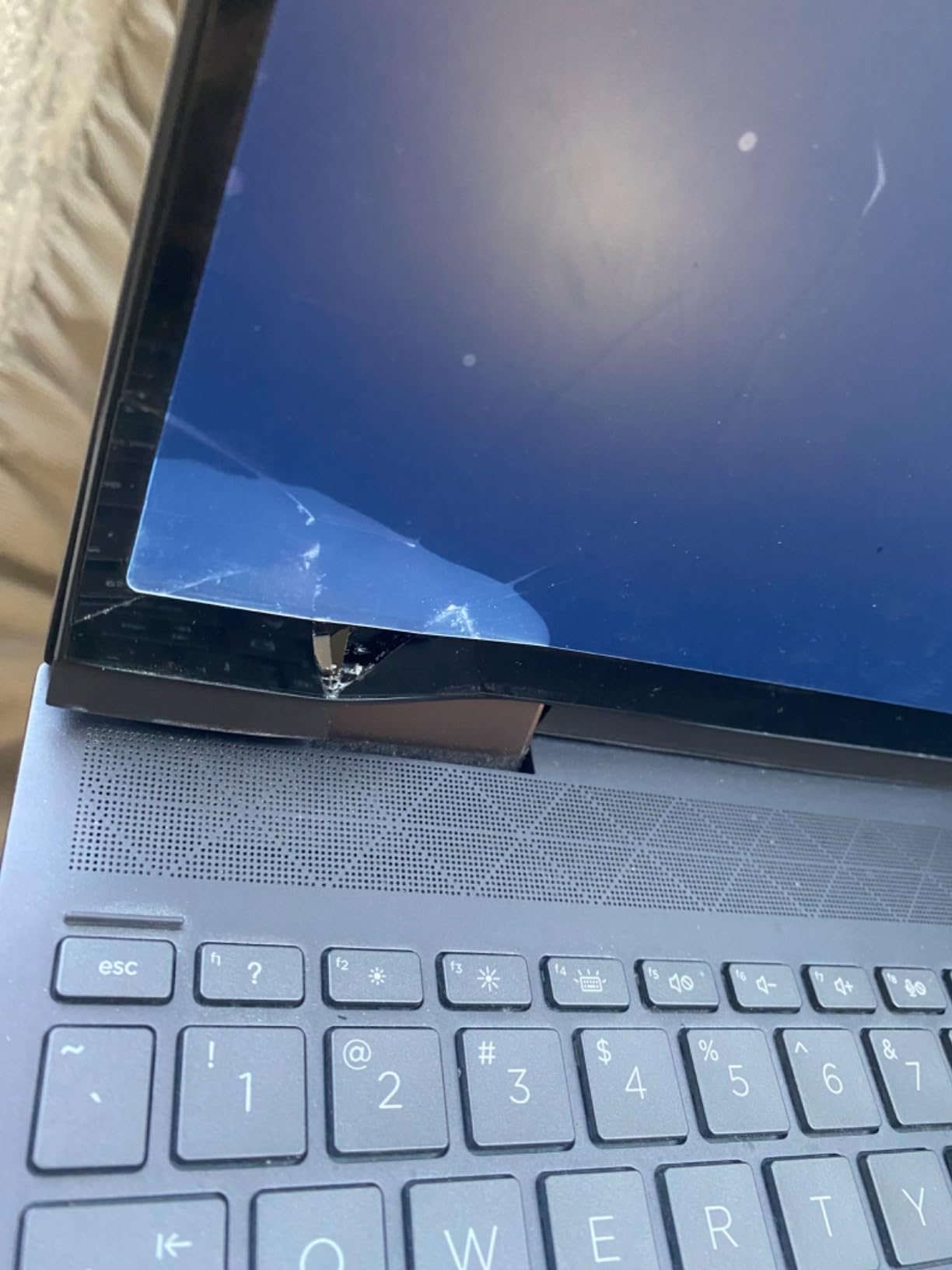
The reported problems are worth weighing. A small but notable group mentions audio faults, frequent crashes and video playback glitches, and several buyers found the initial Windows 11 setup confusing even with technical experience. The 16GB of memory is soldered, so the specification is fixed for the life of the machine.
For a commuter weighing the HP Pavilion 15.6 Touch, the Envy is faster, lighter and convertible, though smaller at 14 inches. Set against the HP EliteBook 840 G7, it is a new machine with a touchscreen and much more processing power, while the EliteBook trades that for Windows 11 Pro at a lower entry point.
10. HP 14 Laptop N150: Best for Extra Storage on a Budget
HP Laptop 14″ Computer 2026, Intel Processor, 1-Year Office 365
Display: 14 in HD IPS
Memory: 4 GB LPDDR5
Storage: 128 GB UFS plus drive
OS: Windows 11 Home
Pros
- Bundled 500GB external drive doubles the small internal storage
- Very light at 3.0 pounds
- USB-C with DisplayPort and an SD card reader
- 720p camera with AI noise reduction and dual microphones
- Windows 11 Home plus Office 365 for students
Cons
- Intel N150 with 4GB RAM caps performance at everyday tasks
- 1366 x 768 display is below Full HD
- 128GB internal storage fills quickly
The newest model-year entry in this list, and its distinguishing feature is the bundle. A 500GB portable external hard drive comes in the box, which turns a 128GB internal drive into something workable for coursework downloads, photo libraries and a season of video files. That bundle is the reason this machine is worth watching rather than the HP 14 Celeron.
At 3.0 pounds it is the lightest full Windows laptop here, and the port selection is unusually good for the tier: a USB-C port with DisplayPort 1.2, two USB-A ports, HDMI, an SD card reader and a headphone jack. The 720p camera carries AI noise reduction and dual array microphones, which the reviews credit with clear video calls.
The ceiling is the Intel N150 with 4GB of LPDDR5 memory. Owners treat it as a capable basic machine for online classes, streaming and documents, and they describe the same limit: performance stops at everyday tasks. The 1366 by 768 panel is below the Full HD standard, and the 79 percent screen-to-body ratio on a 14-inch frame is not much screen for the size.
The HP 14 N150 comparison runs both ways: less internal storage and no bundled drive, but better dual-monitor support and a longer battery rating. And if the budget stretches at all, the HP Pavilion 15.6 N100 changes daily use more, thanks to 16GB of RAM and a Full HD screen.
How to Choose an HP Laptop During Prime Big Deal Days
Performance and everyday use
Match the processor to the work rather than to the badge on the lid. N-series chips such as the N100 and N150 handle browsing, documents and streaming; an N305 or a Ryzen 5 7520U adds headroom for many tabs and heavier multitasking; a Core i7 or a Ryzen 5 7535HS with a dedicated GPU is for gaming and creative work. On gaming machines, look for a card with its own memory rather than integrated graphics.
How much memory and storage you need
Eight gigabytes of RAM is the practical floor in 2026, and sixteen is the comfortable target for anything you will keep for years. Storage matters more than most buyers expect: 256GB fills up with a few months of downloads, while 512GB is a sensible minimum and 1TB removes the question. Several machines here use soldered LPDDR memory, which means 8GB is 8GB forever, so check the type before buying.
Compatibility and connectivity
Count your ports before you commit. Every machine here has at least two USB-A ports and HDMI, but some USB-C ports are data only and will not charge the laptop or drive a monitor. A card reader matters if you work with camera files, gigabit Ethernet matters for large transfers, and Wi-Fi 6E only helps if your router supports it.
Portability and size
Screen size and weight trade directly against each other in this list. The 3.0-pound HP 14 N150 and the 3.2-pound HP 14 Celeron are the easiest to carry, the 3.4-pound HP Envy x360 14 still fits a work bag, and the 4.4-pound HP OmniBook 3 17.3 is a machine that stays on a desk. For commuting, anything above four pounds becomes a second bag.
Reliability and support
Warranty length is similar across new machines here, so the more useful question is who handles the claim. Check whether the listing is sold by HP, by a marketplace seller, or renewed through a refurbishment program, because that decides where a warranty request goes. Renewed machines carry the most variance, with reported issues around battery capacity, missing chargers and cosmetic condition.
How to Shop HP Laptop Deals During the Sale
Read the model number before you compare anything. HP uses codes like 15-fa0031dx, and two listings that look identical can be different generations, so paste the code into a search to confirm the specs match. Check what is in the box, since bundles here differ: some include an external drive, some a year of Microsoft 365, some neither. Confirm whether the unit is new or renewed, and who both sells and delivers it, because a marketplace seller and a different fulfilment partner can both appear on the same laptop page. Most offers need a Prime membership to show, and deal levels change through October 6-7, 2026, so the button on each card is the only reliable way to see the current price.
Quick checklist before you buy any of these:
- Confirm the model number matches the specifications you care about
- Check whether memory is soldered or upgradeable
- Verify who sells and who delivers the unit
- Look for the resolution, not just the screen size
- Decide new versus renewed based on your return tolerance
- Confirm what the bundle actually includes
Frequently Asked Questions
When does Amazon Prime Big Deal Days run in 2026?
Amazon Prime Big Deal Days runs October 6-7, 2026. Laptop offers usually appear shortly before the window opens and change throughout the two days, so the price on any given HP listing is not fixed until you check it during the event.
Is Prime membership required to buy during Amazon Prime Big Deal Days?
Yes, most offers need an active Prime membership to appear, and a free trial counts. Some smaller items in the event are open to everyone, but the HP laptop pricing that draws shoppers is generally restricted to members.
Are Amazon Prime Big Deal Days HP Deals available on all HP products?
No. The event covers selected models and configurations rather than the whole HP range, and the same machine can be included in one storage or memory variant and excluded in another. Check the specific listing you want rather than assuming the whole line is marked down.
Should shoppers choose renewed or new electronics during the sale?
Renewed is a reasonable choice when a machine such as an EliteBook gives you a business specification at a much lower entry point, provided you accept variable condition. New is the safer pick when the budget stretches, since warranty handling and included accessories are simpler.
How can I tell whether two HP product listings are the same model?
Compare the full model number in the listing title or specification block, such as 15-fa0031dx, rather than the marketing name. HP reuses series names like Pavilion and Victus across many generations, and two listings can share a name while differing in processor, memory and screen.
What should I check before buying an HP laptop during the sale?
Check the model number, the memory type and whether it is soldered, the screen resolution, the port layout, who sells and delivers the unit, and what the bundle includes. On renewed machines also check the return window and the expected battery condition.
Final Verdict: Best Amazon Prime Big Deal Days HP Deals
The pick most worth watching during the sale is the HP Pavilion 15.6 Touch, our Editor’s Choice, because 16GB of RAM, a 1TB drive and a Full HD anti-glare touchscreen cover almost every everyday need in a machine that weighs 3.8 pounds. If the budget is tighter, the HP Pavilion 15.6 N100 is the Best Value option, giving up the touchscreen and most of the storage for a lighter body and a quicker chip in daily use.
The HP OmniBook 3 17.3 is the choice for anyone who works at a desk and wants a big, clear screen with long battery life. The HP 15.6 Ryzen 5 Touch makes sense when touch input matters more than resolution, and the HP 14 N150 serves students who want a bundled drive and a three-pound body. For gaming, the HP Victus 15 RTX 2050 handles competitive titles at 144Hz while the HP Victus 15 GTX 1650 covers 1080p play for less. The HP Envy x360 14 is the strongest all-round specification for a student or commuter who wants a 2-in-1, and the HP EliteBook 840 G7 remains the practical route to Windows 11 Pro for a small business when a renewed machine is acceptable. Check each listing carefully during October 6-7, 2026, and use the buttons above to see the current price before deciding.