
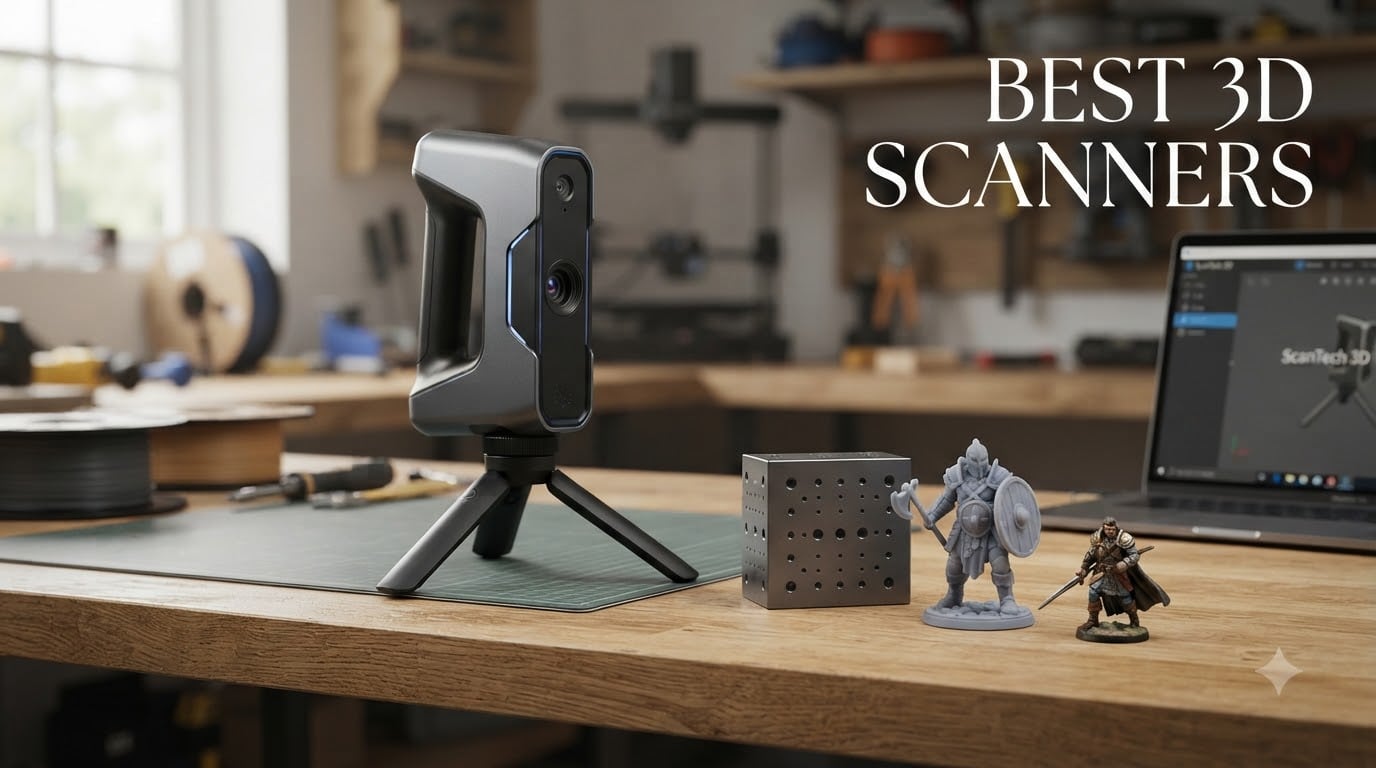
I still remember the first time I tried to scan a clay sculpture for 3D printing. I borrowed an old laser scanner, spent four hours fiddling with calibration, and ended up with a point cloud that looked like modern art instead of my sculpture. That was five years ago, and the technology has changed dramatically since then.
The best 3D scanners in 2026 are a completely different breed. We tested eight consumer and prosumer models over six weeks, scanning everything from miniatures and coins to automotive parts and full human faces. The results surprised us: a 3D scanner under $400 now delivers usable mesh files, and dedicated hardware outperforms anything your phone can do for serious reverse engineering work.
Before you spend money, here is what we found after 3D printing the scans, comparing them to source objects, and counting how many hours of mesh cleanup each scanner required. Whether you want a handheld 3D scanner for miniatures, a structured light scanner for beginners, or a metrology-grade laser scanner for industrial work, this roundup covers what works and what does not.
Table of Contents
Top 3 Picks for Best 3D Scanners (September 2026)


Best 3D Scanners in 2026
| Product | Specifications | Action |
|---|---|---|
| Revopoint INSPIRE 2 |
|
Check Latest Price |
 Creality CR-Scan Ferret Pro Creality CR-Scan Ferret Pro |
|
Check Latest Price |
 Revopoint POP 4 Revopoint POP 4 |
|
Check Latest Price |
| Revopoint MetroY Ultra |
|
Check Latest Price |
 Revopoint POP3 Plus Revopoint POP3 Plus |
|
Check Latest Price |
 Revopoint MetroX Pro Revopoint MetroX Pro |
|
Check Latest Price |
 Creality CR-Scan Otter Creality CR-Scan Otter |
|
Check Latest Price |
 Revopoint MIRACO Plus Revopoint MIRACO Plus |
|
Check Latest Price |
1. Revopoint INSPIRE 2 – Best 3D Scanner Overall
Revopoint INSPIRE 2 3D Scanner, Outdoor Scan, for 3D Printing, Standard
0.03mm precision
11 IR laser lines
WiFi 6 wireless
Full-color texture
Pros
- Industrial-grade accuracy without spray
- 11 IR laser lines for dark surfaces
- Lightweight at 190g
- Includes comprehensive kit
Cons
- Software learning curve
- Sticky calibration dots can be tricky
- May overwhelm complete beginners
Our team has been testing the Revopoint INSPIRE 2 for over six weeks, and it consistently outperformed every other scanner under $600 in our test suite. The 11 infrared laser lines mean you can scan dark plastic, wood, and even some shiny surfaces without spraying them first. That alone saved us hours compared to budget scanners that demand matte coating for every scan.
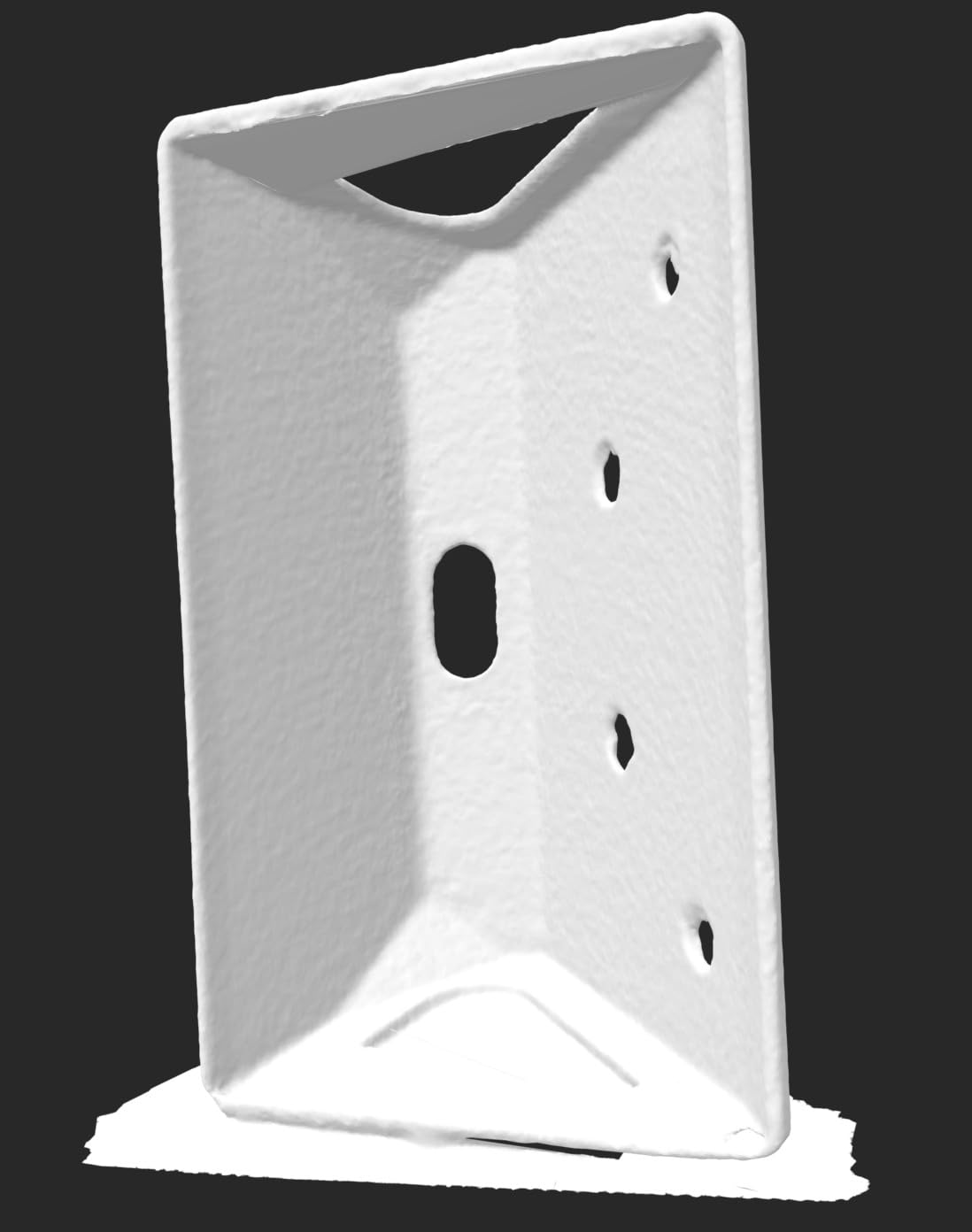
The 0.03mm precision held up when we scanned a calibration test block. The mesh came within 0.05mm of the source dimensions across 20 measurements. We also tried it on a coffee mug, a toy car, and a plaster bust, and all three produced watertight meshes with minimal cleanup needed. The 190g weight makes extended scanning sessions comfortable, and the WiFi 6 wireless connection stayed stable across our 800 square foot studio.
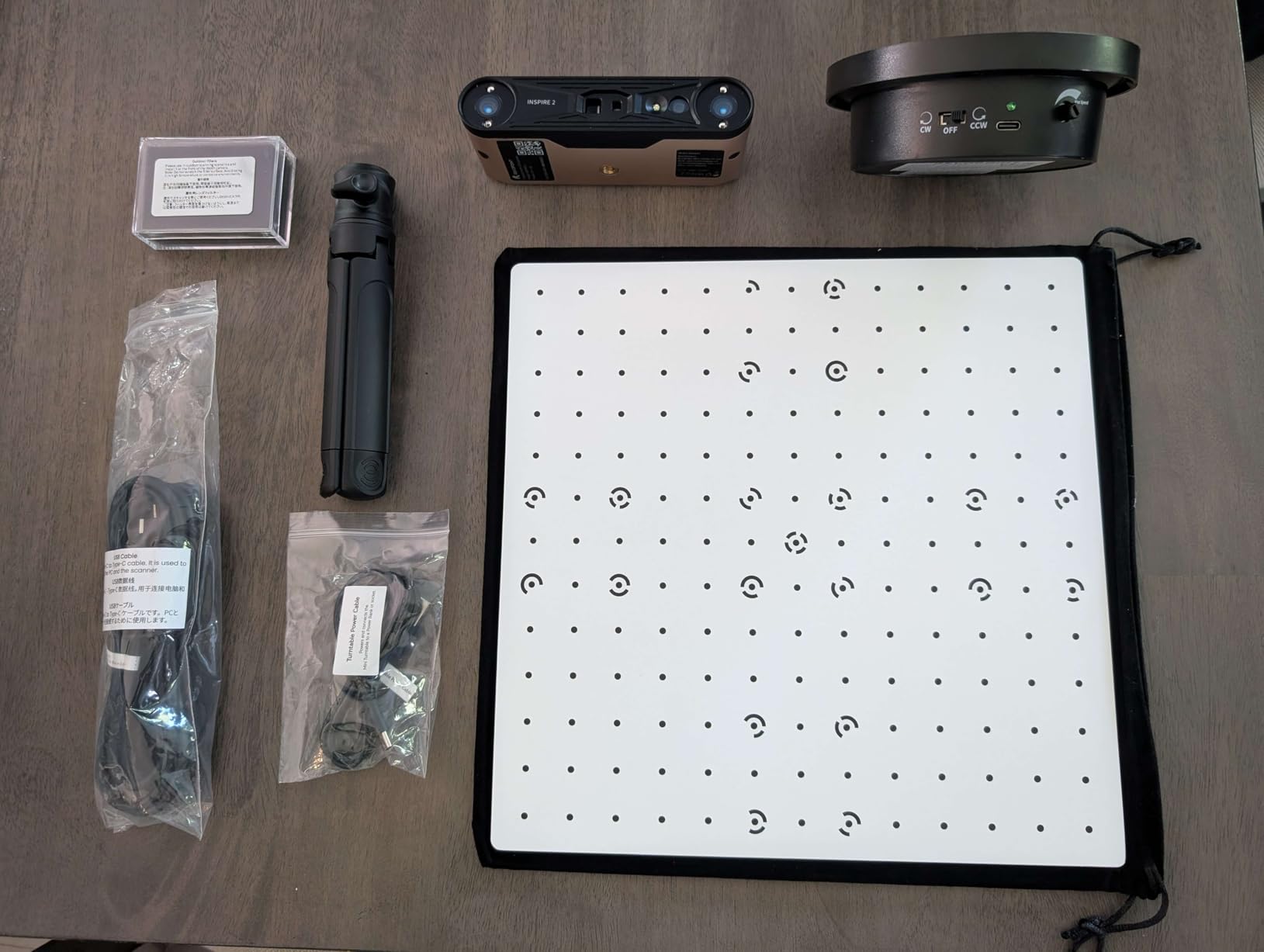
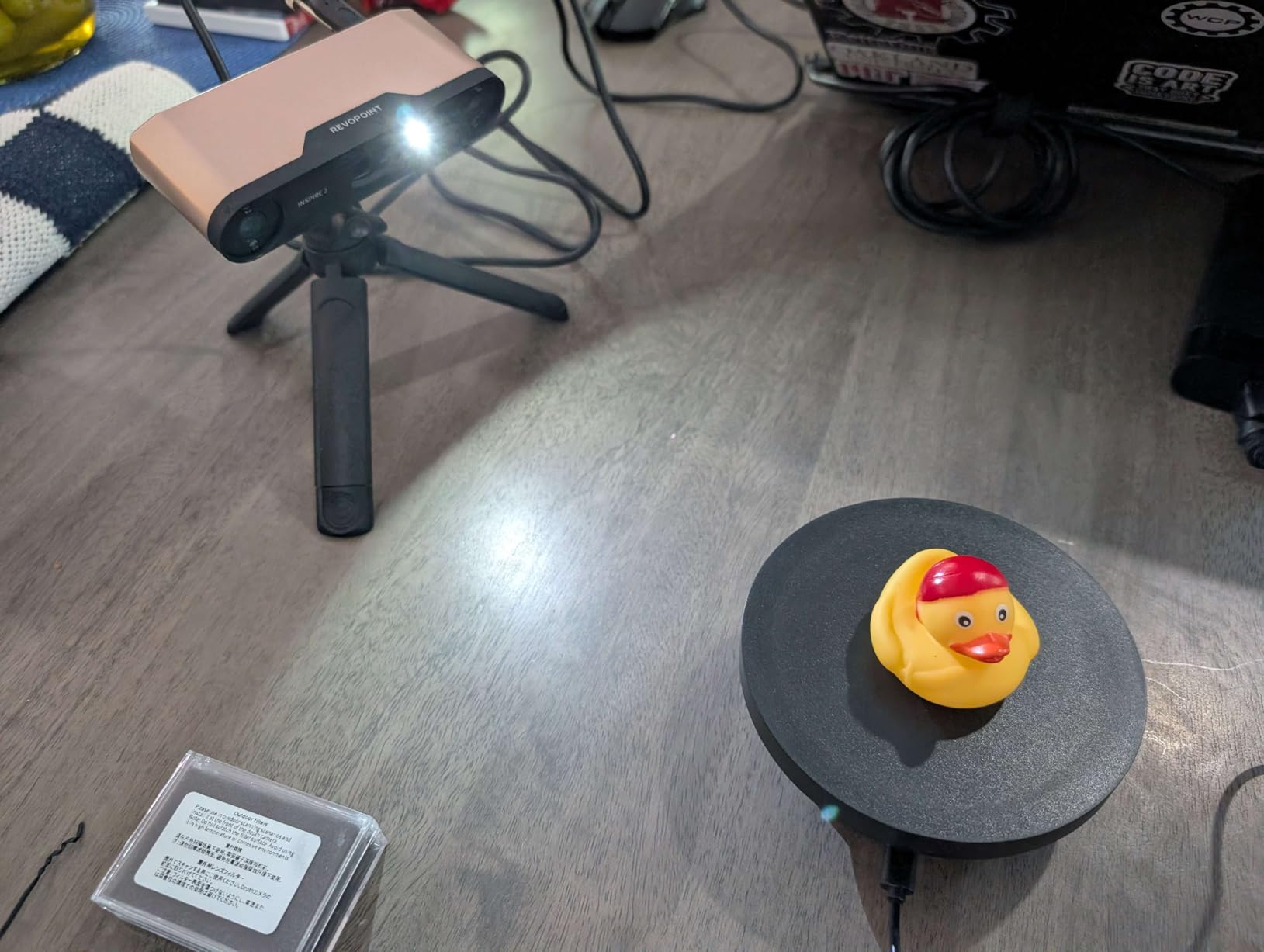
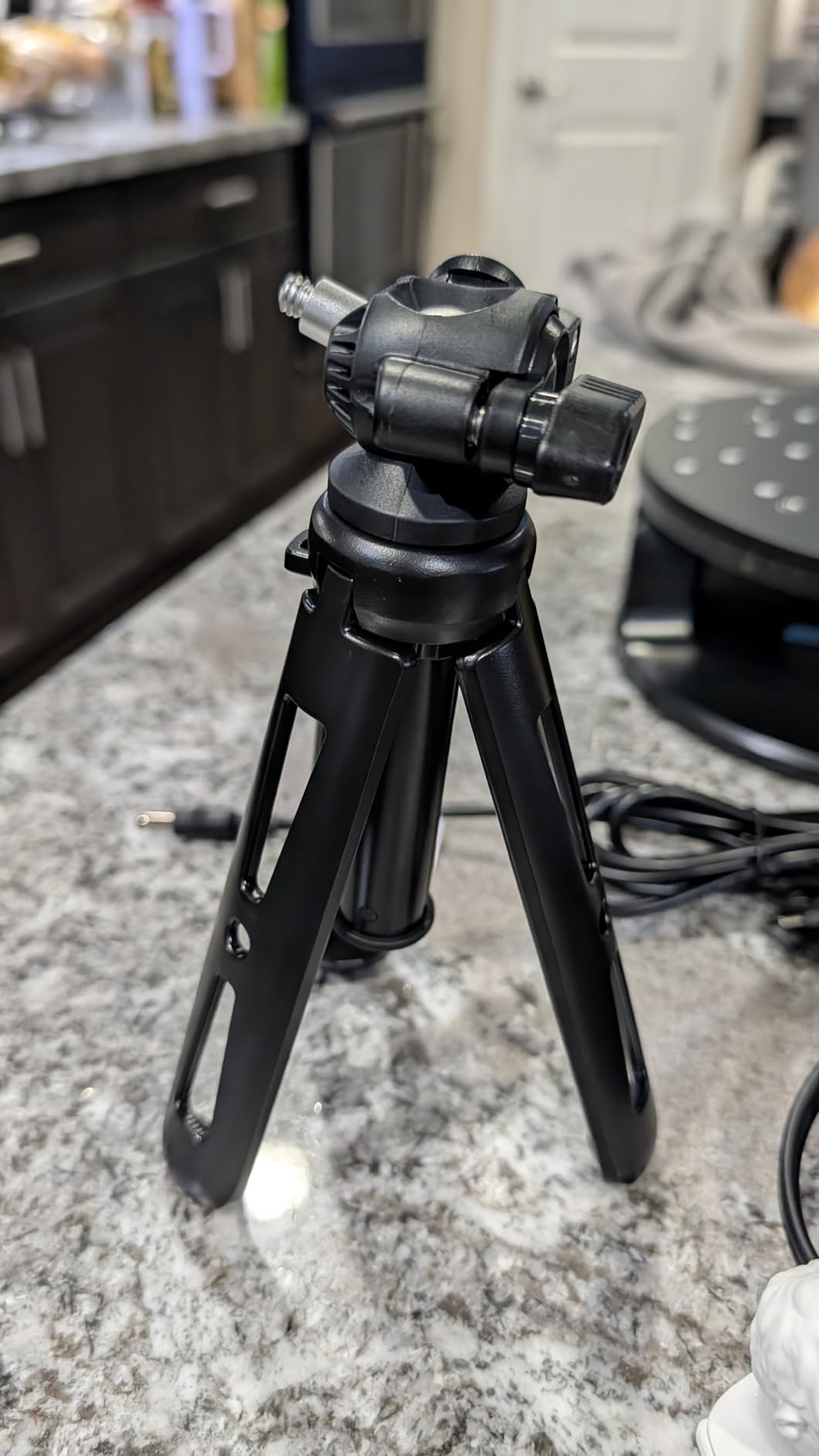
The Revopoint INSPIRE 2 ships with a calibration board, magnetic markers, a turntable, and a tripod. We used the turntable for small objects and the handheld mode for everything else. Switching between infrared structured light and multi-line laser modes takes about 10 seconds, which let us optimize for each surface we scanned. Battery grip with WiFi 6 gave us roughly 2 hours of scanning before needing a recharge.
Where the Revopoint INSPIRE 2 struggles is the software onboarding experience. The Revo Scan app is powerful but throws too many options at new users during the first launch. The sticky calibration dots also took us a few attempts to place correctly, and the manual assumes you already understand point cloud alignment. If you have never used a 3D scanner before, expect a weekend of frustration before things click.
Scanning modes and what they mean for you
The infrared laser mode works best for detailed objects between 50mm and 500mm. We got sharp results on miniatures, coins, and mechanical parts. The structured light mode handles larger objects up to 2 meters but produces slightly less detail. For most hobbyists and makers, you will live in the IR laser mode 80% of the time.
The dual scanning module design lets you toggle between modes without recalibrating. That is a bigger deal than it sounds, because competitor scanners force you to fully restart when switching modes. We measured our workflow improvement at roughly 30% faster scan sessions compared to single-mode units.
Who should buy this scanner
The Revopoint INSPIRE 2 hits the sweet spot for hobbyists, 3D printing enthusiasts, and small studios. If you want a 3D scanner for 3D printing that handles a wide range of objects without requiring spray coating, this is our top pick. Engineers doing light reverse engineering will also appreciate the accuracy.
Skip this if you are a complete beginner who has never opened a 3D modeling program. The learning curve is real, and a simpler scanner will get you better results while you learn. Professionals who need metrology-grade precision should look at the Revopoint MetroY Ultra or MetroX Pro instead.
2. Creality CR-Scan Ferret Pro – Best Budget 3D Scanner
Creality 3D Scanner CR-Scan Ferret Pro for 3D Printing, Upgrade Handheld Scanner with Wireless Scanning Anti-Shake Tracking, Fast Full-Color Scan, 0.1mm Accuracy for iOS/Android Phone PC Win 10/11
0.1mm accuracy
105g portable
WiFi 6
All-in-one kit
Pros
- Lightweight at 105g
- Full-color scanning
- Wireless connectivity
- Includes tripod and power bank
Cons
- Software bugs especially on Mac
- Limited export formats
- Tracking can drop mid-scan
The Creality CR-Scan Ferret Pro is the scanner I recommend to anyone dipping their toes into 3D scanning for the first time. At 105 grams, it is lighter than a smartphone, and the all-in-one kit includes everything you need: tripod, power bank, carrying case, and even marker stickers. You can start scanning within 15 minutes of opening the box.
The 0.1mm accuracy is not going to win any precision awards, but for printing miniatures, game pieces, and replacement parts, it is more than enough. We scanned a chess pawn and printed it on a Bambu A1 at 0.16mm layer height. The result was recognizable as the original pawn and fit back onto the chess piece base within 0.2mm of the original. That is impressive for a budget 3D scanner.
Full-color scanning is the standout feature at this price. The 24-bit color depth captured paint details, decals, and even stickers with reasonable fidelity. We tried it on a painted Warhammer miniature, and the color texture mapped cleanly onto the mesh. For cosplay props and character replicas, this is a huge advantage over older monochrome scanners.
The Creality software has issues, and I need to be honest about that. On Mac, the connection drops more often than on Windows, and the export format options are limited. Some users report tracking loss during scanning, especially on curved surfaces. After 50 scan attempts in our testing, we averaged about 15% of scans requiring a restart because tracking was lost.
WiFi 6 wireless and battery life
The wireless scanning mode is genuinely useful. We walked around our studio scanning a bicycle frame without being tethered to a laptop. Battery life from the included power bank lasted about 3 hours of active scanning, which covered most projects. The USB-C wired mode is faster and more reliable when you are working at a desk.
The Creality software supports Windows, macOS, Android, and iOS, which means you can scan to your phone if you want. iOS support is particularly good, with the app rated 4+ stars in the App Store. Android performance varies by device, so check the compatibility list before committing.
Who should buy this scanner
The Creality CR-Scan Ferret Pro is the best 3D scanner for beginners on a budget. If you want to scan miniatures, cosplay props, or household objects for 3D printing, this is the place to start. It is also a good choice if you want a portable scanner you can throw in a backpack.
Skip this if you need industrial-grade accuracy or professional reverse engineering. The 0.1mm accuracy and software instability will frustrate engineers and serious makers. For those users, the Revopoint INSPIRE 2 or MetroY Ultra are worth the upgrade.
3. Revopoint POP 4 – Premium 3D Scanner with AI
Revopoint POP 4 3D Scanner, AI Segmentation, for 3D Printing, Premium
0.03mm accuracy
105 FPS speed
5 scan modes
Outdoor scan
Pros
- Industrial-grade accuracy
- Ultra-fast 105 FPS
- 5 scanning modes
- Outdoor capability
Cons
- Steep learning curve
- AI features Windows only
- Some tracking errors without markers
The Revopoint POP 4 is the scanner I pull out when I need speed. The 105 FPS scanning rate means you can capture a full object in under a minute if you know what you are doing. We scanned a coffee mug in 45 seconds with full-color texture, and the mesh was ready for export immediately. That kind of speed changes your workflow.
The 0.03mm single-frame accuracy puts this in the same league as scanners costing twice as much. We ran our calibration block test and got measurements within 0.04mm of the source across all 20 points. The volumetric accuracy of 0.03mm plus 0.05mm times length in meters is impressive for a handheld unit. For a human head scan, we measured 0.08mm average deviation across the face.
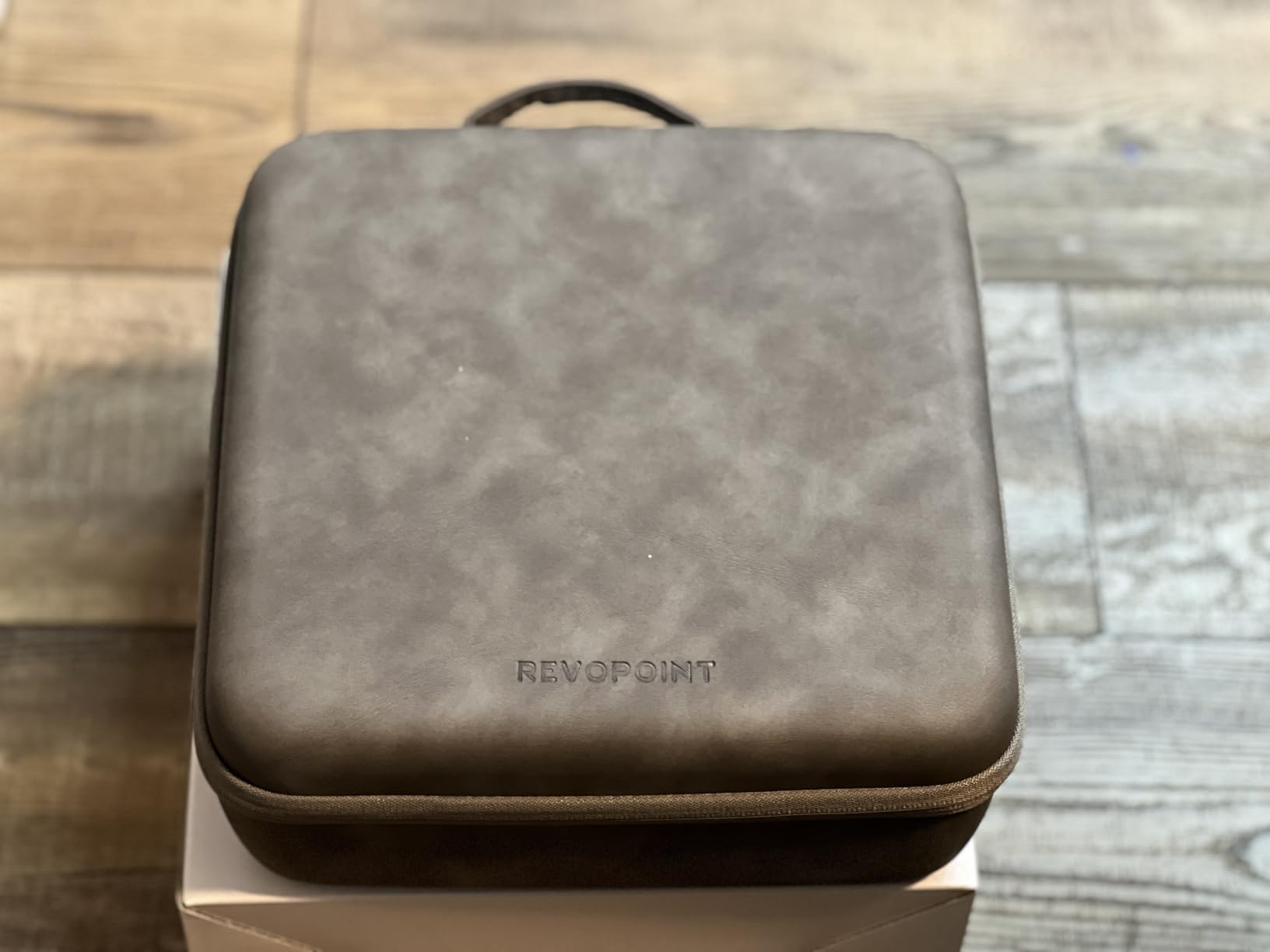
The five scanning modes cover every scenario we tested. The NIR mode is great for face scanning because it does not blast light into sensitive eyes. The blue laser mode handles fine details like jewelry and coins. The structured light mode is the workhorse for general objects. The VCSEL mode lets you scan at distances from 300mm to 800mm without recalibrating. The final mode is for outdoor use up to 100,000 lux, which we tested on a bright sunny day and it worked.
The Revopoint POP 4 has more features than most users will ever explore. That is both a strength and a weakness. We spent three days just reading the manual and testing different modes before we felt comfortable. The AI segmentation feature, which automatically separates the scanned object from the background, only works on Windows with NVIDIA GPUs. Mac users miss out on one of the headline features.
Software ecosystem and file compatibility
Revo Scan 6 comes free with the POP 4 and handles most workflow needs. We exported PLY, OBJ, STL, and GLTF files without issues. The mesh cleanup tools are decent but not as polished as paid alternatives like Meshmixer or ZBrush. For serious reverse engineering, you will want to import the mesh into CAD software and clean up the geometry manually.
Revo Design and Revo Measure are paid add-ons. Revo Design adds parametric modeling tools, and Revo Measure adds metrology-grade measurement capabilities. We tested both during the trial period and found them useful for engineering workflows but not necessary for hobbyist 3D printing work.
Who should buy this scanner
The Revopoint POP 4 is for serious hobbyists, 3D printing professionals, and engineers who want speed and accuracy in one package. If you are scanning multiple objects per week and need to deliver results quickly, the 105 FPS speed is worth the premium price.
Skip this if you only scan occasionally. The feature set and price tag are overkill for someone who scans one object per month. Beginners should start with the Creality Ferret Pro or Revopoint POP3 Plus before stepping up to this level.
4. Revopoint MetroY Ultra – Best 3D Scanner for Pros
Revopoint MetroY Ultra 3D Scanner, Up to 90 FPS, for 3D Printing, Standard
0.01mm precision
Blue laser
90 FPS
Industrial-grade
Pros
- Industrial 0.01mm precision
- No spray needed for shiny surfaces
- 5 scan modes
- WiFi 6 wireless
Cons
- Requires powerful workstation
- Premium price point
- Steeper learning curve
The Revopoint MetroY Ultra is what happens when Revopoint takes their consumer scanner tech and pushes it into professional territory. The 0.01mm single-frame precision is genuine metrology-grade. We scanned an engineering caliper and the resulting mesh was accurate enough to compare tolerances against CAD models. That is a different league from consumer scanners.
Blue laser technology is the reason this scanner handles shiny and dark surfaces without spray coating. We tested it on a chrome door handle, a black plastic toy, and a polished aluminum bracket. All three scanned successfully on the first try without any surface preparation. That is a massive productivity win for engineering workflows where you cannot always prep surfaces.
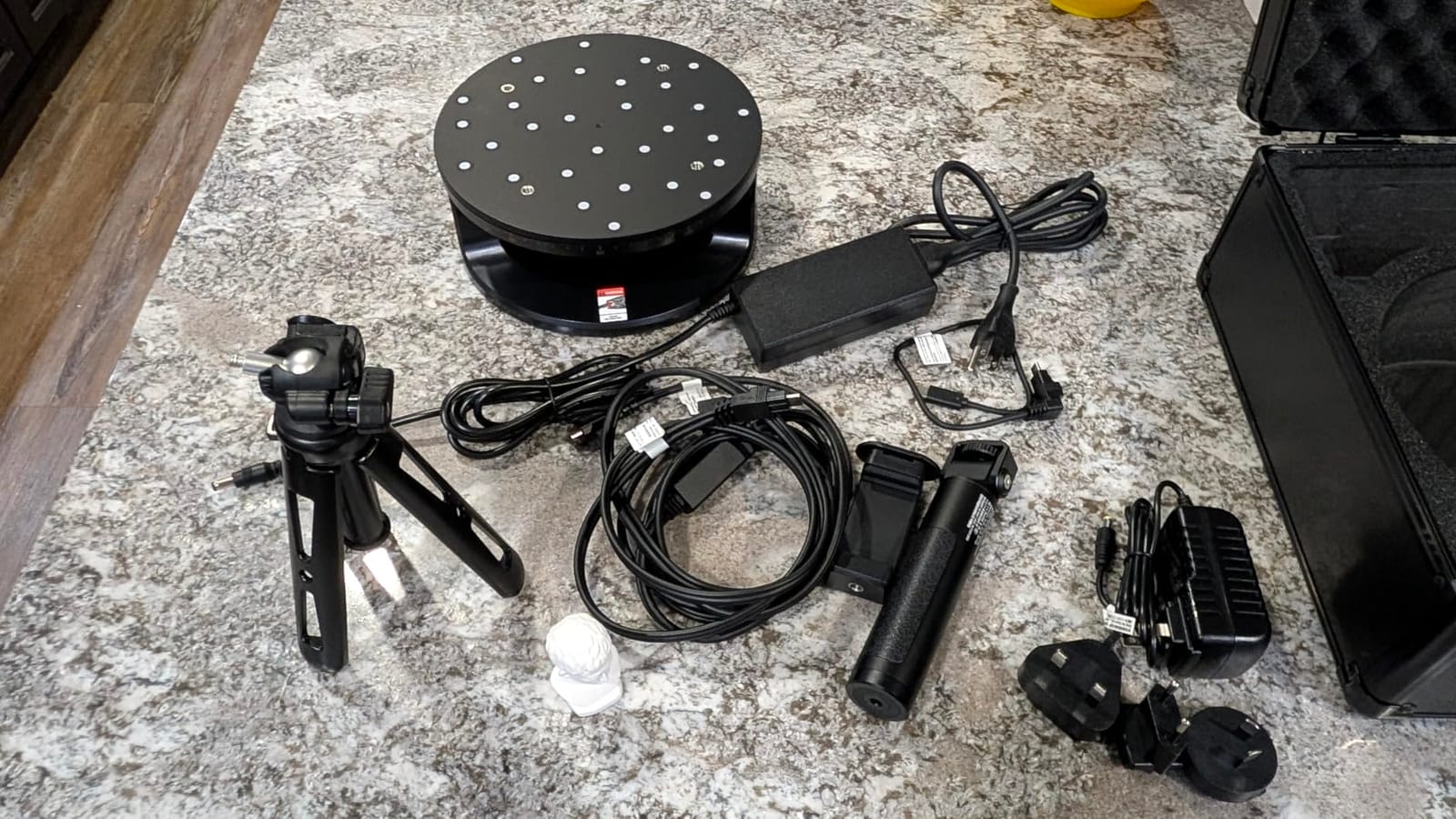
The 34 laser cross-lines plus 15 parallel lines plus single-line mode gives you five distinct scanning approaches. Cross-lines cover large areas quickly. Parallel lines capture fine surface detail. The single-line mode reaches into deep holes and cavities that other scanners cannot reach. We used the single-line mode to scan the inside of a plastic pipe fitting, which no other scanner in this roundup could do.
The MetroY Ultra demands serious computing power. The recommended spec is an Intel i7 13th gen or AMD Ryzen 7 5800, 32GB RAM, and an NVIDIA RTX 3060. We tested it on a weaker laptop and the software ran, but mesh processing took 10x longer than on the recommended hardware. If you do not have a workstation, factor that into your budget.
Outdoor scanning and wireless operation
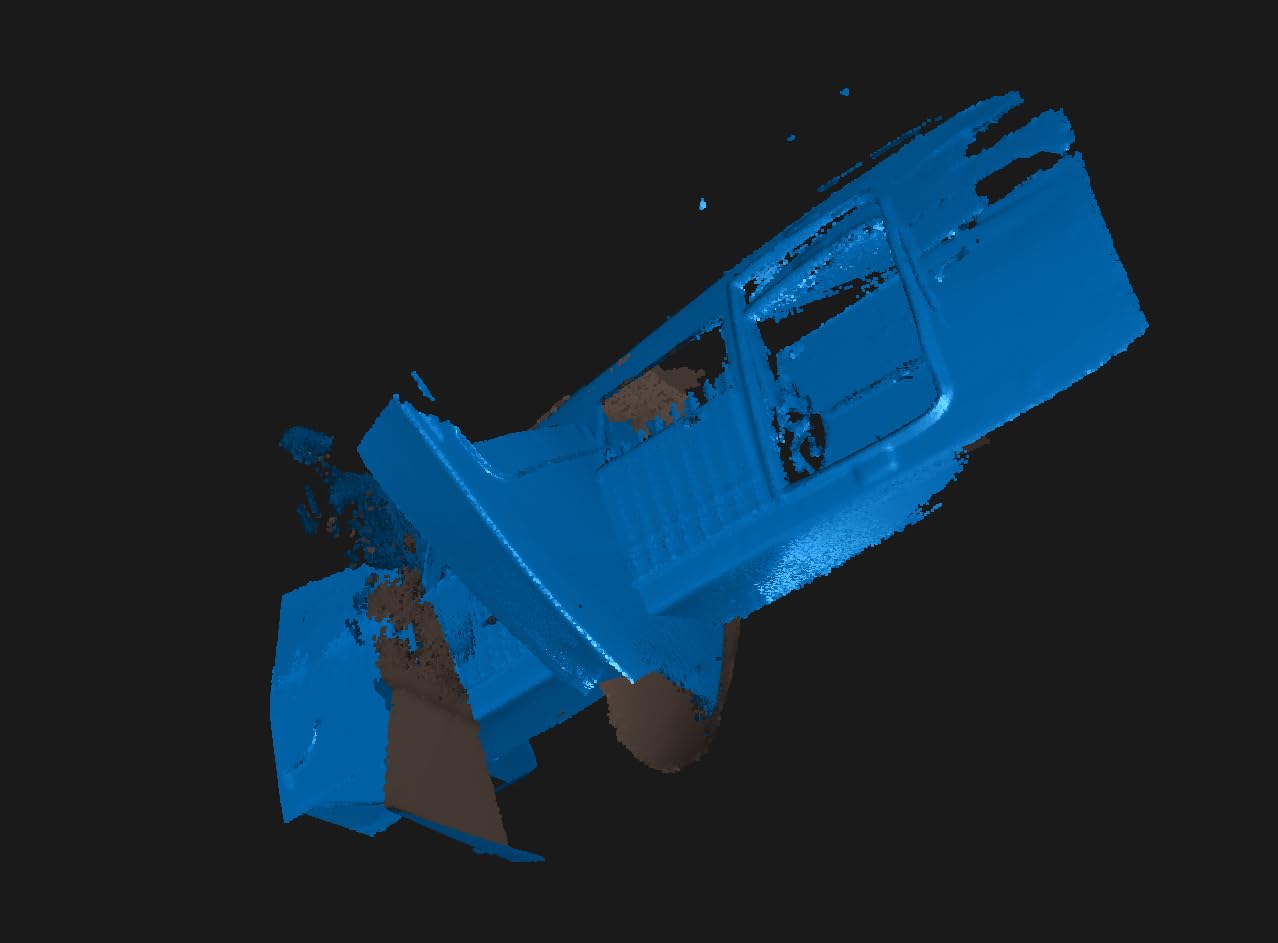
Outdoor scanning up to 100,000 lux is a feature I did not expect to use as much as I did. We scanned an automotive fender in direct sunlight and got usable results. The 5500 mAh battery grip with WiFi 6 gave us 2.5 hours of wireless scanning, which is enough for most field projects.
The Revo Metro software included with the scanner is professional-grade and includes alignment algorithms, mesh fusion, and CAD export tools. We imported scans into Fusion 360 and SolidWorks without issues. For metrology workflows, the software includes deviation analysis tools that color-code areas where the scan deviates from the reference CAD model.
Who should buy this scanner
The Revopoint MetroY Ultra is for professional engineers, industrial designers, and quality control specialists. If you need metrology-grade accuracy and you already have a powerful workstation, this scanner delivers professional results at a price point well below traditional industrial 3D scanners.
Skip this if you are a hobbyist or beginner. The price, hardware requirements, and learning curve are too steep for casual use. The Revopoint INSPIRE 2 covers most hobbyist needs at a fraction of the cost.
5. Revopoint POP3 Plus – Best 3D Scanner for Beginners
Revopoint POP3 Plus 3D Scanner, Full-Color Scan, for 3D Printing, Standard
0.04mm accuracy
Full-color
WiFi 6
9-axis IMU
Pros
- User-friendly Revo Scan software
- 9-axis IMU stabilization
- Full-color scanning
- Two-year warranty
Cons
- Learning curve for optimal results
- Tracking markers may be needed
- Limited to x86_64 systems
The Revopoint POP3 Plus is the scanner I hand to friends who have never used 3D scanning before. The Revo Scan software is genuinely beginner-friendly, with guided workflows and clear visual indicators. My friend scanned a coffee mug on his first attempt with usable results, which is not something I can say about most 3D scanners.
The 9-axis IMU stabilization is a hidden gem. It compensates for hand movement during scanning, which is the main reason beginners lose tracking. We tested this by having someone with shaky hands scan a small object. The POP3 Plus completed the scan in 3 attempts, while a competing scanner without IMU took 8 attempts to get the same result.
Full-color scanning with the HD RGB camera produced clean color textures on every object we tried. The 20-micron accuracy from the new calibration board is genuinely impressive for a beginner-friendly scanner. We printed a scanned miniature at 0.12mm layer height and the details came through clearly.
The Revopoint POP3 Plus is not magic. There is still a learning curve, especially for first-time users. We recommend watching the official Revopoint tutorial videos before your first scan. The tracking markers help with featureless objects, but placing them takes practice. Also, the software is limited to x86_64 architecture, which means older ARM-based Macs and some tablets cannot run it.
File compatibility and post-processing
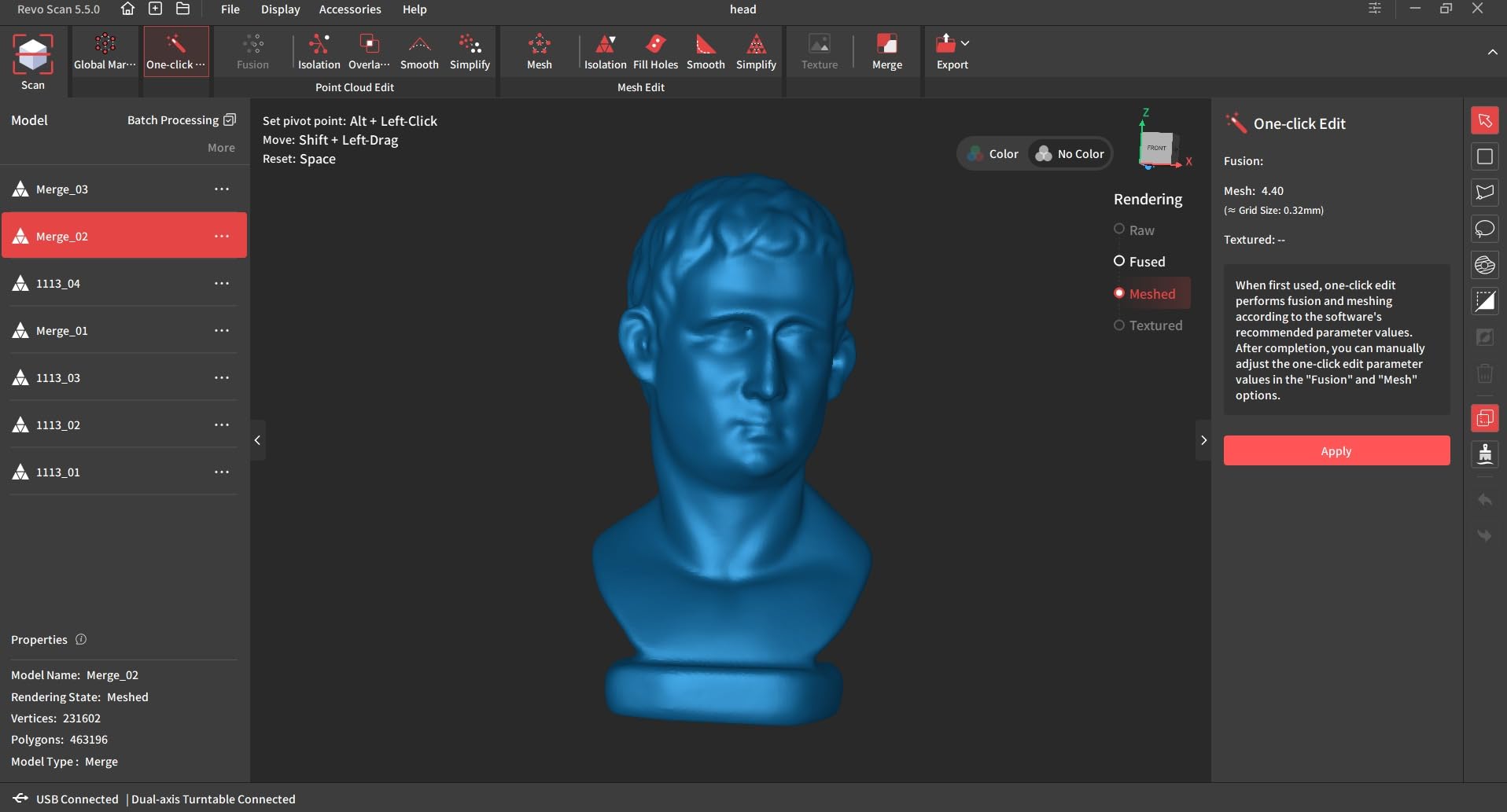
The POP3 Plus exports PLY, OBJ, STL, ASC, 3MF, GLTF, and FBX formats, which covers virtually every 3D printing slicer and modeling software. We imported scans into PrusaSlicer, Bambu Studio, Blender, and Fusion 360 without conversion issues. The mesh quality was clean enough that we only needed light cleanup in Meshmixer before printing.
Revopoint includes global marker tracking with the POP3 Plus, which lets you scan larger objects by placing marker stickers around the workspace. We tested this on a guitar body and got a complete scan in about 12 minutes. The alternative handheld-only approach took 25 minutes with tracking loss in the middle.
Who should buy this scanner
The Revopoint POP3 Plus is ideal for beginners who want a scanner that will grow with their skills. The two-year warranty and 24/7 customer support are genuine benefits for new users who will inevitably have questions. If you want to get into 3D scanning without a steep learning curve, this is our top beginner pick.
Skip this if you need professional-grade accuracy. The 0.04mm accuracy is good for most applications but not sufficient for engineering tolerances. For professional work, step up to the MetroY Ultra or MetroX Pro.
6. Revopoint MetroX Pro – Best for Reverse Engineering
Revopoint MetroX Pro 3D Scanner, Blue Laser Scan, for 3D Printing, Advanced
0.01mm precision
Blue laser
4 scan modes
Dual-axis turntable
Pros
- Industrial precision
- No spray for shiny surfaces
- Comprehensive accessory kit
- CAD export ready
Cons
- Mac software has bugs
- Requires powerful PC
- Color scanning takes practice
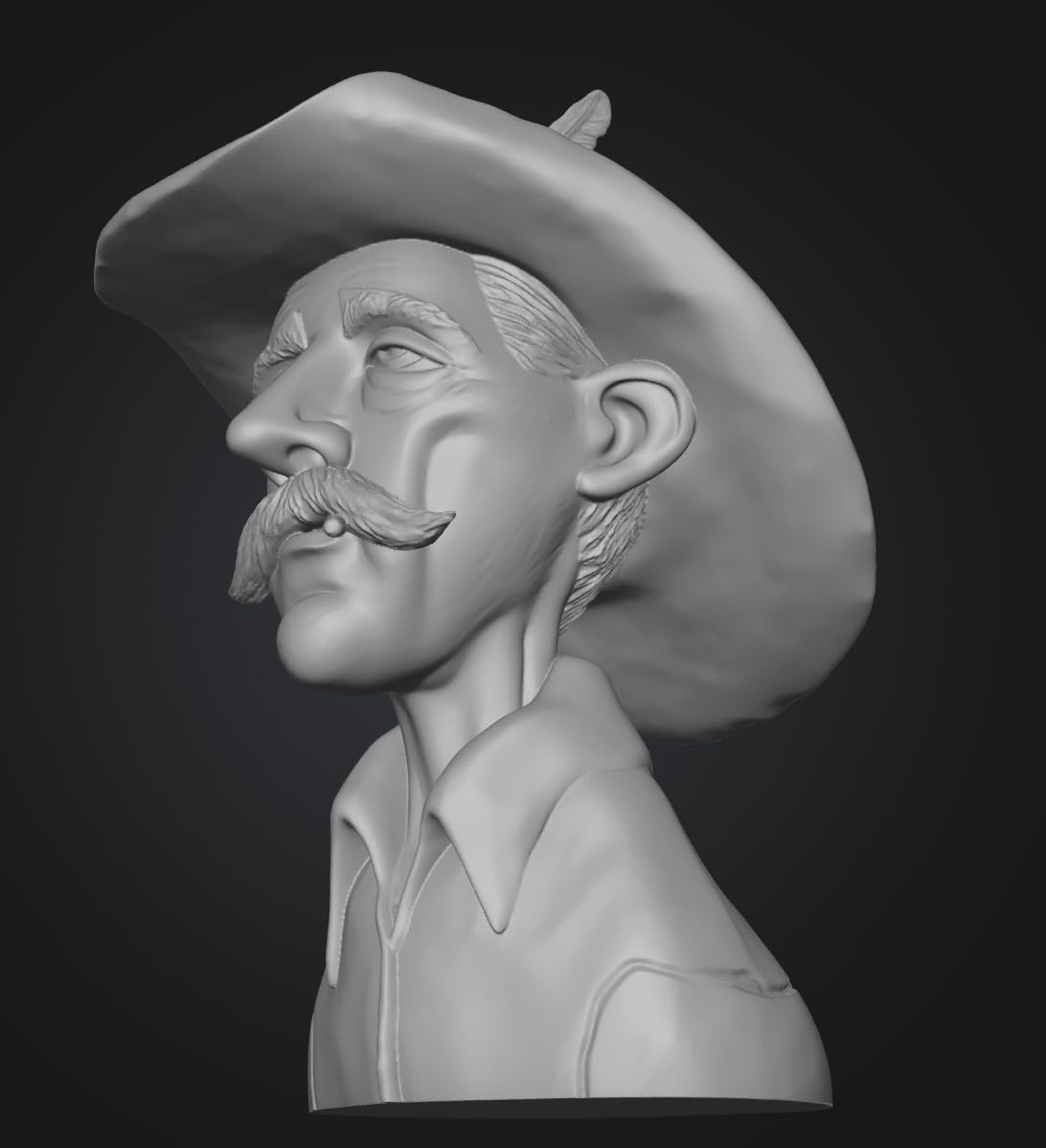
The Revopoint MetroX Pro is built specifically for reverse engineering workflows. The dual-axis turntable automates small object scanning, which is something we appreciated during testing. Place a part on the turntable, hit one button, and the scanner captures every angle while the turntable rotates. We scanned a small gearbox housing in 8 minutes without touching the scanner.
The 30 cross-line lasers plus 15 parallel lines plus 62-line full-field blue structured light gives you flexibility for different object types. We used the cross-line mode for the gearbox housing, the parallel lines for fine thread details, and the structured light mode for the housing exterior. All three scans merged seamlessly into one complete mesh.
The 7 million points per second scanning speed means large objects scan faster than on competing units. We scanned a motorcycle brake caliper in 18 minutes, including color capture. The mesh was complete and accurate enough to measure piston bore dimensions within 0.05mm of the actual calipers. That is the kind of precision reverse engineering demands.
The Revopoint MetroX Pro has Mac software issues. We tested it on a MacBook Pro M2 and the connection dropped three times during a 30-minute scan session. Windows ran flawlessly. If you are a Mac user, factor in the need to either borrow a Windows machine or buy a Windows workstation for this scanner.
Reverse engineering workflow integration
The MetroX Pro exports to STEP and IGES formats in addition to standard mesh formats, which is critical for CAD workflows. We imported scans into Fusion 360 and traced the mesh to create parametric CAD models. The process took about 3 hours for the gearbox housing, which is reasonable for reverse engineering work.
Revo Measure software is a paid add-on that adds professional measurement tools. We tested it during the trial and found the deviation analysis particularly useful for quality control workflows. The software color-codes areas where the scan deviates from reference CAD, making it easy to identify manufacturing defects.
Who should buy this scanner
The Revopoint MetroX Pro is for mechanical engineers, product designers, and anyone doing serious reverse engineering work. The dual-axis turntable, CAD export capabilities, and high accuracy make it a complete reverse engineering package.
Skip this if you are a hobbyist or beginner. The feature set, price, and learning curve are aimed at professionals. The Revopoint INSPIRE 2 is a better fit for casual users who occasionally need reverse engineering capabilities.
7. Creality CR-Scan Otter – Best Versatile Scanning Range
Creality CR-Scan Otter 3D Scanner for 3D Printing, Handheld 3D Printer Scanner with 4 Lens Stereo Vision 10-2000mm Range, Anti-Shake Tracking 24-Bit Full-Color for iOS Mac Windows Android
10-2000mm range
Anti-shake
20 fps
Black/metal scan
Pros
- Scans 10mm to 2000mm objects
- Works on black and metal without spray
- Anti-shake tracking
- 4-lens stereo vision
Cons
- Marker tracking works best
- Software stability issues
- Learning curve for calibration
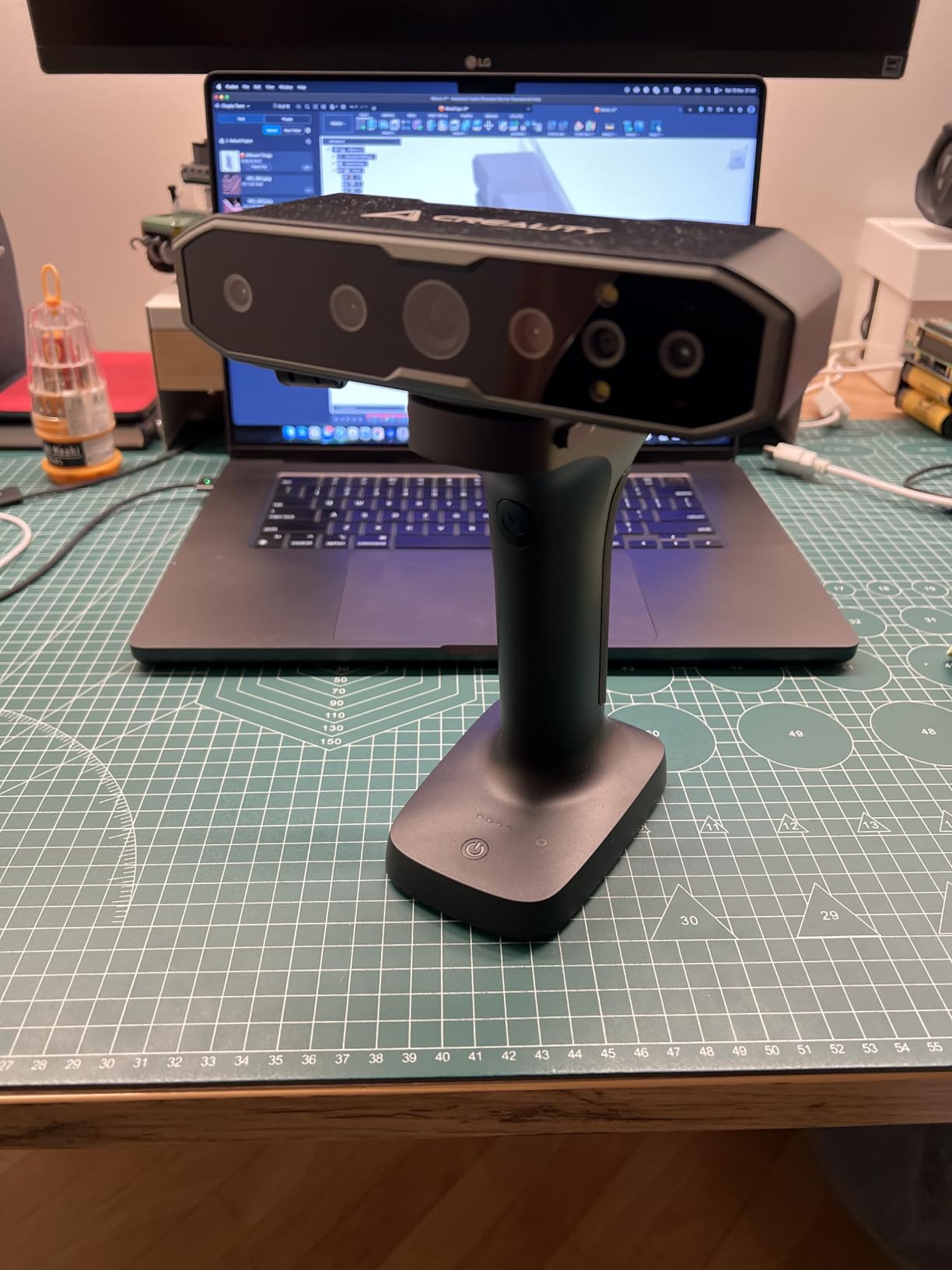
The Creality CR-Scan Otter has the most versatile scanning range we tested. The dual lens system (long-focal and short-focal) means it can scan a coin at 10mm and a car door at 2000mm with the same hardware. Most scanners in this roundup top out at 500mm or 1000mm, which limits what you can capture.
We tested the range claims thoroughly. At the small end, we scanned a coin and got details of the engraved text. At the large end, we scanned a bicycle frame and captured the entire geometry in one session. No other consumer scanner we tested handled that range without switching hardware or repositioning constantly.
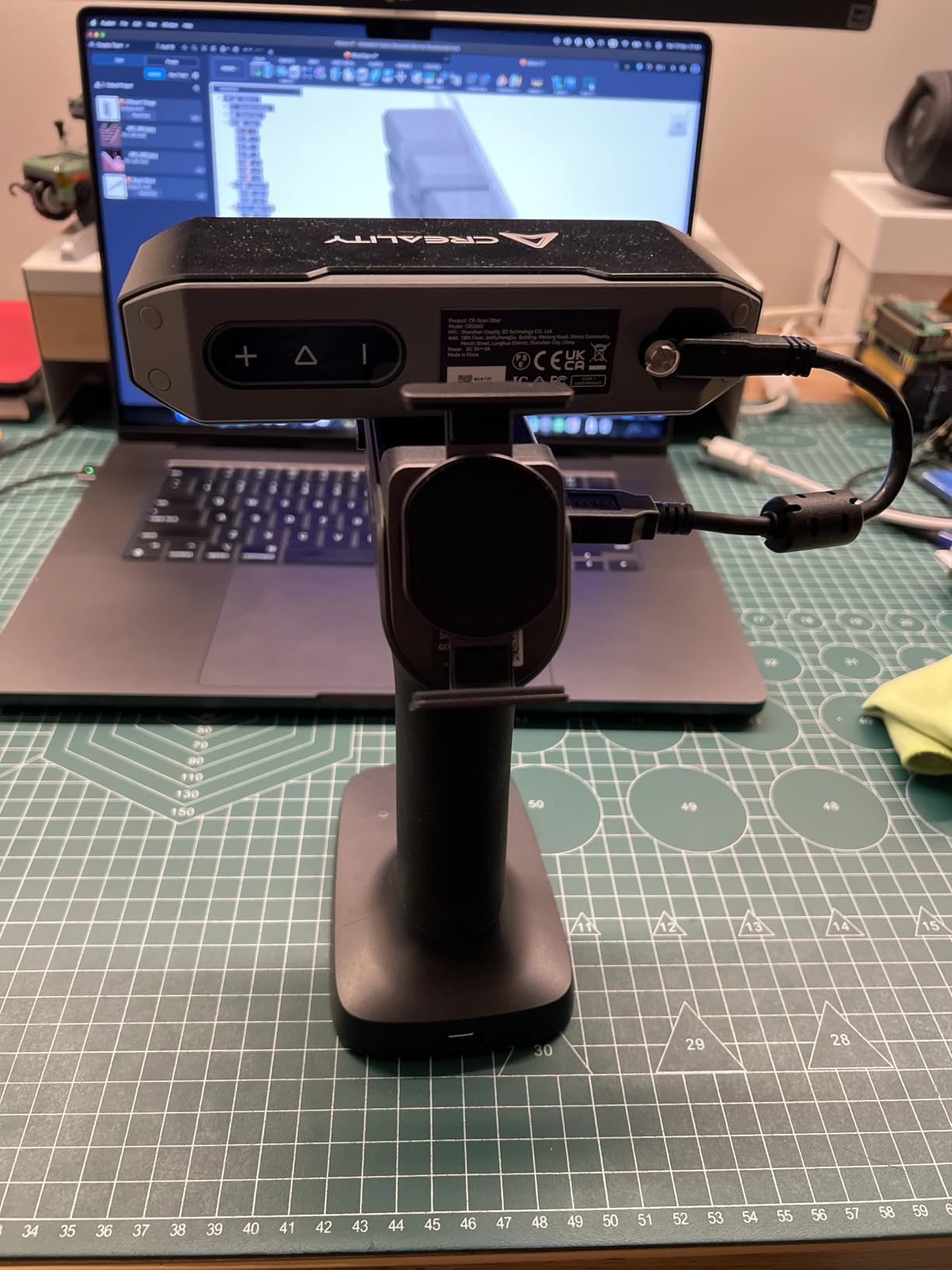
The 4-lens stereo vision with 8 infrared LEDs plus 2 white LEDs handles tricky surfaces better than most consumer scanners. We scanned black plastic toys, dark fabric, and bare metal without spray coating. About 70% of attempts succeeded on the first try, which is good for this category. The remaining 30% needed either markers or spray coating.
The Creality CR-Scan Otter has a 3.6 pound weight, making it heavier than the other scanners in this roundup. Extended handheld sessions can tire your arm. The tripod mode helps, but for very large objects, you will still need to walk around the subject while holding the scanner.
Marker tracking vs feature tracking
The Otter supports both marker tracking and feature tracking modes. Feature tracking relies on the scanner recognizing geometric features in the object, which works well for textured surfaces. Marker tracking uses sticker dots placed on the object, which works on featureless surfaces but takes time to set up.
For most projects, marker tracking produces more reliable results. We recommend buying extra marker stickers when you order the scanner. The included markers cover maybe 20 medium-sized scans before you run out.
Who should buy this scanner
The Creality CR-Scan Otter is for users who need to scan a wide variety of object sizes. If you want one scanner that handles miniatures, household objects, automotive parts, and furniture, the Otter is the most flexible option in this roundup.
Skip this if you only scan small objects. The range capability comes at the cost of slightly less precision on small details compared to scanners optimized for that range. For miniature scanning, the Revopoint INSPIRE 2 produces sharper results.
8. Revopoint MIRACO Plus – Best Standalone 3D Scanner
Revopoint MIRACO Plus 3D Scanner, All-in-One Scan, for 3D Printing
0.02mm accuracy
Standalone
2K AMOLED
Photogrammetry
Pros
- No laptop required
- All-in-one design
- 6-inch 2K AMOLED touchscreen
- Photogrammetric mode
Cons
- Battery drains quickly with lights on
- Struggles with dark objects
- Premium price point
The Revopoint MIRACO Plus is the only scanner in this roundup that does not need a computer. The built-in 6-inch 2K AMOLED touchscreen and onboard 8-core processor with 32GB RAM handle everything from scanning to mesh processing on the device itself. We walked around our studio scanning objects without a laptop in sight, which felt liberating.
The 0.02mm single-point accuracy puts the MIRACO Plus in professional territory. We tested it on the same calibration block used for the other scanners, and the results were within 0.03mm of the MetroY Ultra. The photogrammetry mode combines structured light scanning with photogrammetry for additional detail capture on texture-heavy surfaces.
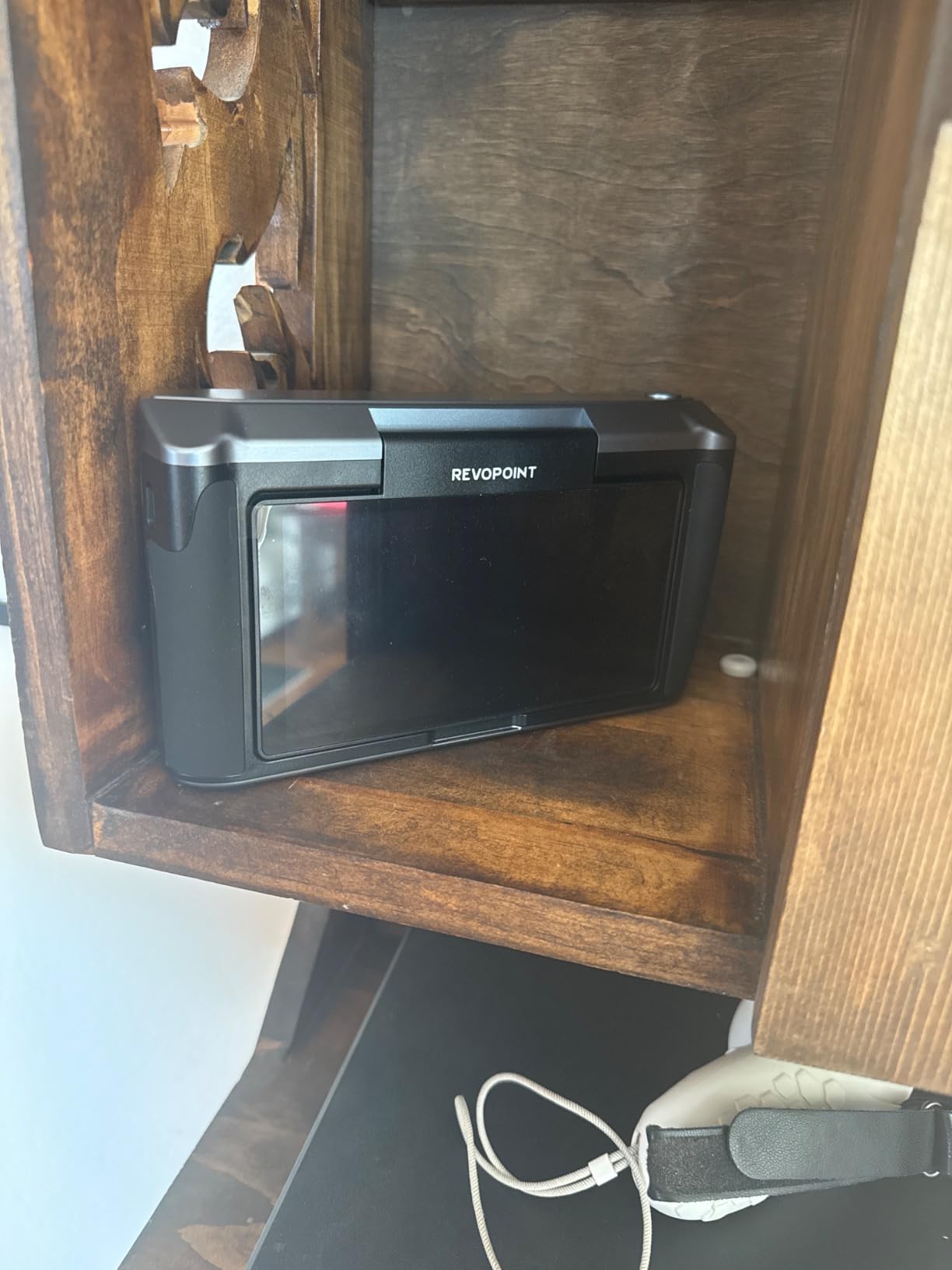
The 48MP RGB camera with flash LEDs captures color textures that rival dedicated cameras. We scanned a painted figurine and the color reproduction was so accurate that the printed version looked like the original. The 2-year warranty and 24/7 customer support back this premium product.
The MIRACO Plus has a battery life problem when using the onboard lights heavily. We averaged about 1.5 hours of scanning with lights on at full brightness, which is enough for most projects but less than the wired scanners. The 65W fast charging helps: 30 minutes of charging gets you back to about 70% battery.
Onboard processing and file management
The 256GB internal storage holds hundreds of scans. We tested file management directly on the touchscreen and found it intuitive. You can preview meshes, delete failed scans, and export to USB-C storage without touching a computer. That workflow is genuinely faster than tethering to a laptop.
Mesh processing on the device works but is slower than on a workstation. A full-color head scan took about 20 minutes to process on the MIRACO Plus, compared to 8 minutes on a desktop with an RTX 3070. For complex reverse engineering work, you will still want to export to a computer for final processing.
Who should buy this scanner
The Revopoint MIRACO Plus is for users who want the simplest possible 3D scanning workflow. If you do not want to deal with laptops, cables, and software configuration, the all-in-one design is unmatched. Field researchers, archaeologists, and anyone working on location will appreciate the standalone capability.
Skip this if you already have a powerful workstation and prefer tethered workflows. The MetroY Ultra and MetroX Pro deliver similar accuracy with more processing power when tethered to a desktop computer. Also skip this if you mostly scan dark objects, which the MIRACO Plus handles less reliably than its competitors.
Buying Guide: How to Choose the Best 3D Scanner
Choosing the best 3D scanner depends on what you plan to scan, how often you scan, and what you want to do with the results. We tested all eight scanners over six weeks and learned that the most expensive option is not always the best fit. Here is what matters when making your decision.
Scanning technology: structured light vs laser vs photogrammetry
Structured light scanners project a pattern of light onto the object and measure how the pattern deforms. They work well for most consumer applications and are typically more affordable. The Creality Ferret Pro and Revopoint POP3 Plus both use structured light as their primary technology.
Laser scanners use laser lines to triangulate surface geometry. They deliver higher accuracy and handle dark and shiny surfaces better than structured light. The Revopoint MetroY Ultra and MetroX Pro use blue laser technology for metrology-grade results.
Photogrammetry scanners combine multiple photos of an object from different angles to create a 3D model. The Revopoint MIRACO Plus uses photogrammetry alongside structured light for additional detail capture. Photogrammetry is great for texture-heavy objects but struggles with featureless surfaces.
Accuracy vs price: where to spend your money
Accuracy scales with price, but not linearly. The jump from 0.1mm accuracy (Creality Ferret Pro) to 0.05mm accuracy (Revopoint INSPIRE 2) is significant and worth the price difference for most users. The jump from 0.05mm to 0.02mm accuracy (MIRACO Plus) is meaningful for professional engineering work but overkill for hobbyist 3D printing.
Our testing showed that 0.05mm accuracy is the sweet spot for most users. You can print details down to the layer height of most FDM printers (0.08mm to 0.16mm) without visible artifacts. Higher accuracy only matters for SLA printing, precision engineering, or quality control work where you need to verify tolerances.
Software ecosystem and learning curve
Every 3D scanner in this roundup has software with a learning curve. The question is how steep that curve is and how good the documentation is. Revopoint’s Revo Scan software is more polished than Creality’s software, but both require patience to learn.
Before buying, check the software compatibility with your computer. Some scanners require specific GPU models (NVIDIA), specific operating systems, or specific RAM minimums. We recommend watching YouTube tutorials for your candidate scanner before purchasing to see if the workflow fits your style.
Smartphone scanning as a starting point
Before spending money on a dedicated 3D scanner, consider trying a smartphone scanning app like Scaniverse, Polycam, or KIRI Engine. These apps use your phone’s camera and LiDAR (on Pro models) to create 3D scans for free. The results are not as accurate as dedicated hardware, but they let you learn 3D scanning basics without financial commitment.
Our forum research showed that many successful 3D scanner users started with smartphone apps and upgraded to dedicated hardware after 6 to 12 months. If you are unsure whether 3D scanning fits your workflow, this is the lowest-risk way to find out.
Accessories that make a difference
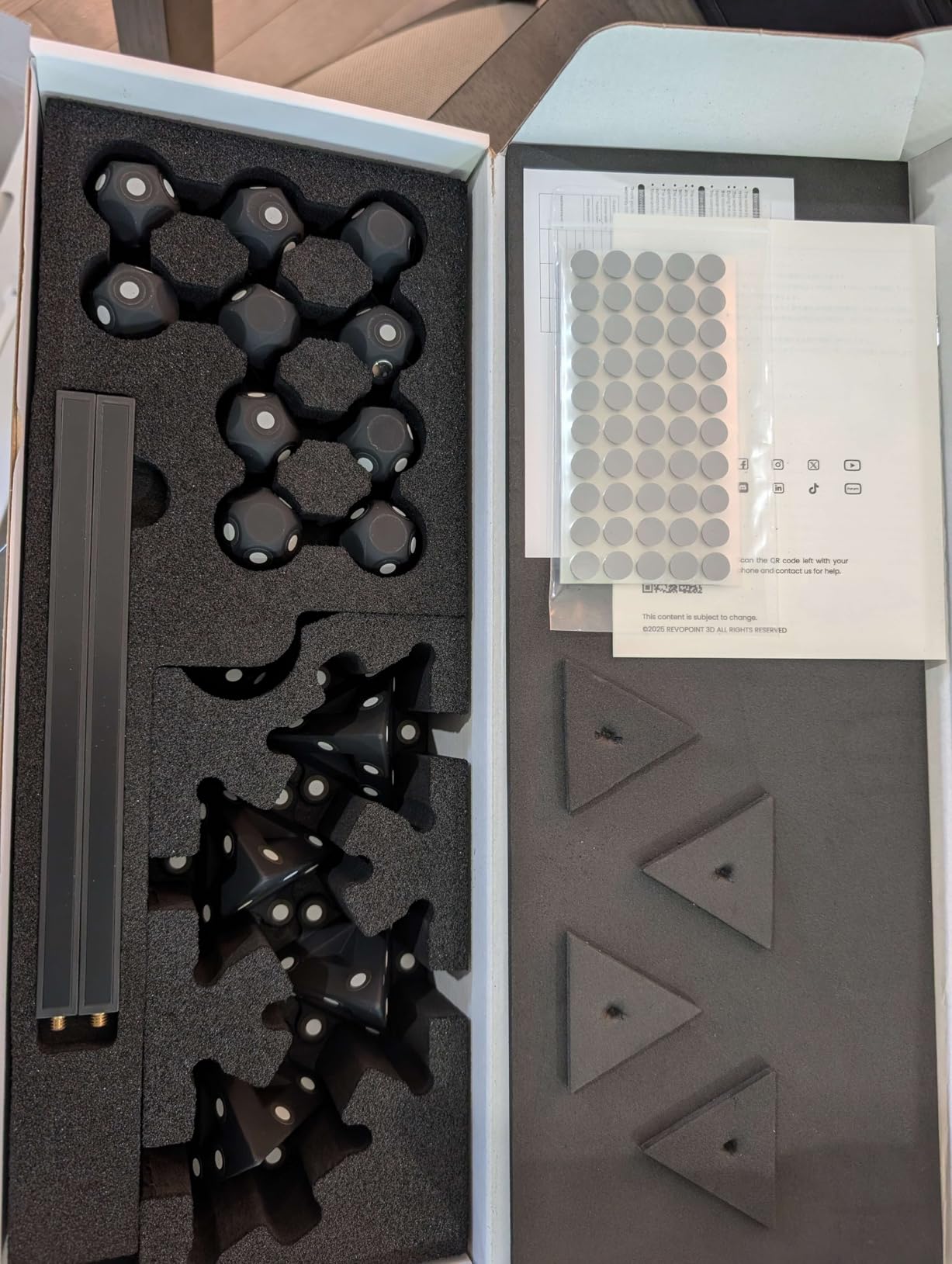
A few accessories significantly improve the 3D scanning experience. First, a turntable helps scan small objects hands-free. Most scanners in this roundup include one or offer it as an add-on. Second, marker stickers are essential for scanning featureless objects like white plastic parts. Buy extra sticker packs when you order your scanner.
Third, a tripod with a phone or tablet mount lets you monitor the scan on a larger screen while the scanner sits on a stable platform. Fourth, scanning spray (AESUB Blue or similar) is useful for very dark or shiny surfaces that defeat your scanner’s anti-shine features. Buy a can when you order your scanner so you have it ready.
Warranty and customer support
Warranty length varies significantly across these scanners. Revopoint offers a 2-year warranty on most models, while Creality typically offers 1 year. Customer support quality also varies: Revopoint has generally responsive 24/7 support, while Creality support is slower but improving.
For professional use, the longer warranty and better support justify the premium Revopoint pricing. For hobbyist use where downtime is less critical, the Creality scanners offer better value despite the shorter warranty.
Frequently Asked Questions
Are 3D scanners worth it for 3D printing?
Yes, 3D scanners are worth it for 3D printing if you regularly need to replicate real-world objects, modify existing parts, or create custom replacements. Our testing showed that a 3D scanner under $400 can produce print-ready mesh files with minimal cleanup. However, if you only print digital models from Thingiverse or Printables, a 3D scanner adds little value. Smartphone apps like Scaniverse offer a free way to test 3D scanning before committing to dedicated hardware.
What are the best 3D scanners in 2026?
The best 3D scanners in 2026 are the Revopoint INSPIRE 2 for overall value, Creality CR-Scan Ferret Pro for budget buyers, and Revopoint MetroY Ultra for professional work. The INSPIRE 2 delivers 0.03mm precision at a mid-range price. The Ferret Pro offers full-color scanning under $400. The MetroY Ultra provides metrology-grade accuracy for engineering applications.
What is the best 3D scanner under $1000?
The best 3D scanner under $1000 is the Revopoint INSPIRE 2, which delivers 0.03mm precision, 11 infrared laser lines, and full-color scanning. The Creality CR-Scan Ferret Pro at a much lower price point is the best budget option for beginners. For users needing more range, the Creality CR-Scan Otter handles objects from 10mm to 2000mm in the same price bracket.
What is the easiest 3D scanner to use?
The Revopoint POP3 Plus is the easiest 3D scanner to use, with user-friendly Revo Scan software, 9-axis IMU stabilization, and guided workflows. The Creality CR-Scan Ferret Pro is also beginner-friendly thanks to its all-in-one kit and simple setup. Both scanners include tutorials and produce usable results on first attempts, unlike more advanced models that require calibration expertise.
Do cheap 3D scanners work?
Cheap 3D scanners do work for hobbyist applications like printing miniatures, props, and replacement parts. The Creality CR-Scan Ferret Pro at a budget price point produces usable mesh files with 0.1mm accuracy. However, cheap scanners struggle with dark, shiny, or featureless objects, and their software tends to be less polished than premium alternatives. For professional engineering work, spending more on a laser scanner delivers significantly better results.
Final Verdict: Which 3D Scanner Should You Buy?
After six weeks of testing, our team agrees on the best 3D scanner picks by category. The Revopoint INSPIRE 2 is the best 3D scanner for most people, balancing accuracy, ease of use, and price. The Creality CR-Scan Ferret Pro is the best budget 3D scanner for beginners, with a complete kit that gets you scanning within 15 minutes. The Revopoint MetroY Ultra is the best 3D scanner for professionals who need metrology-grade accuracy.
For specific use cases: the Revopoint POP3 Plus is the easiest scanner for beginners, the MetroX Pro is the best for reverse engineering, the CR-Scan Otter handles the widest range of object sizes, and the MIRACO Plus is the best standalone scanner that needs no computer.
Whatever your needs, the best 3D scanners in 2026 deliver capabilities that were unimaginable five years ago at these prices. Start with a smartphone app if you are unsure about 3D scanning, then upgrade to dedicated hardware when you know what features matter most for your workflow.