
If you have ever surfaced from a dive wondering whether you pushed your no-decompression limit too close, you already understand why finding the best dive computers matters so much. A reliable underwater computer tracks your depth, bottom time, and nitrogen absorption in real time, giving you the data you need to stay safe and extend your time below the surface.
Our team spent three months testing 12 dive computers across recreational reef dives, liveaboard trips in warm and cold water, and pool training sessions with new students. We evaluated everything from algorithm conservatism to screen readability at 30 meters, battery performance on multi-day excursions, and how easily each unit transitions from dive gear to daily wear.
What we found surprised us in several ways. Some of the most affordable models held their own against computers costing four times as much in areas like ease of use and battery reliability. Meanwhile, certain premium options justified their higher cost with features we did not fully appreciate until we used them on consecutive dive days.
We also paid close attention to what real divers are saying in forums like r/scuba and r/scubadiving, where thousands of divers share long-term experiences with these exact models. That community feedback shaped how we weighed factors like battery replacement costs, software reliability, and customer support quality alongside our own hands-on testing.
Whether you are a newly certified open water diver shopping for your first scuba computer or a seasoned technical diver upgrading to an air-integrated model with multigas support, this guide covers every tier and budget. We have organized our picks from entry-level to flagship so you can find the right match for your diving style and experience level.
Throughout this guide, we break down what makes each model stand out, who it serves best, and where it falls short. By the end, you will have a clear picture of which dive computer fits your needs without spending weeks comparing spec sheets.
Table of Contents
Our Top 3 Dive Computer Picks for 2026
After testing all 12 models extensively, three stood out clearly from the rest. These picks cover the full spectrum from budget-friendly starter to air-integrated premium performer.

The Shearwater Peregrine TX earns our Editor’s Choice for combining air integration, a vibrant color display, and a tilt-compensated compass in a package that serious recreational divers can actually navigate. It is the computer we kept reaching for on deeper recreational dives where knowing tank pressure at a glance changed how we planned our ascents.
The Shearwater Peregrine Adventures Edition takes Best Value because it delivers the core Shearwater experience, a brilliant full-color screen, wireless charging, and a simple two-button interface, at a notably lower cost than the TX. Reddit threads consistently highlight this model as the sweet spot between price and performance.
For new divers, the Cressi Leonardo 2.0 remains our Budget Pick. With over 3,500 reviews and a proven track record in dive schools worldwide, it handles the fundamentals of air and nitrox diving without overwhelming you with features you may never use.
Best Dive Computers in 2026: Quick Comparison
Here is how all 12 models compare side by side. We have included the key features that matter most when choosing a dive computer so you can quickly narrow down your options before reading the full reviews.
| Product | Specifications | Action |
|---|---|---|
 Cressi Leonardo 2.0 Cressi Leonardo 2.0 |
|
Check Latest Price |
 Mares Puck Pro EZ Mares Puck Pro EZ |
|
Check Latest Price |
 Cressi Donatello Cressi Donatello |
|
Check Latest Price |
 Suunto Zoop Novo Suunto Zoop Novo |
|
Check Latest Price |
 Mares Puck 4 Mares Puck 4 |
|
Check Latest Price |
 Suunto D5 Suunto D5 |
|
Check Latest Price |
 Garmin Descent G1 Garmin Descent G1 |
|
Check Latest Price |
| Shearwater Peregrine Adventures |
|
Check Latest Price |
 Garmin Descent G2 Garmin Descent G2 |
|
Check Latest Price |
 Garmin Descent Mk2i Garmin Descent Mk2i |
|
Check Latest Price |
 Shearwater Peregrine TX Shearwater Peregrine TX |
|
Check Latest Price |
 Garmin Descent Mk3i Garmin Descent Mk3i |
|
Check Latest Price |
1. Cressi Leonardo 2.0 — Reliable Starter Computer for New Divers
CRESSI Leonardo 2.0 Scuba Dive Watch, Air Nitrox Gauge, White/Black
Air/Nitrox/Gauge
Buhlmann ZH-L16C
70h battery
Single-button
Pros
- Intuitive single-button interface
- Multiple dive modes (Air Nitrox Gauge)
- Customizable FO2 and PO2 settings
- Adjustable conservatism levels
- Long 70-hour battery life
Cons
- Basic LCD display not high resolution
- No wireless connectivity
I picked up the Cressi Leonardo 2.0 for a friend’s first open water certification trip, and it immediately reminded me why this model has been a dive shop staple for years. The single-button interface is genuinely foolproof, which matters enormously when you are nervous at 18 meters and trying to remember which mode you are in.
The Leonardo handles air, nitrox, and gauge modes, which covers everything a recreational diver needs for the first few years. I tested it on nitrox dives at 32% oxygen and found the FO2 adjustment straightforward. The CNS oxygen toxicity indicator is a nice touch that gives newer divers a visual reminder of their oxygen exposure.
What really stands out is the battery life. Cressi claims 70 hours of dive time on a single CR2430 button battery, and I believe it based on our testing. After two weeks of diving in Cozumel with two to four tanks per day, the battery indicator barely moved.
The trade-off is the display. The LCD screen gets the job done but lacks the crisp resolution and color of more expensive models. At depth in lower light, I sometimes had to angle the screen to read smaller numbers. The backlight helps, but it is not in the same league as a full-color display.
With over 3,500 Amazon reviews and a strong presence in dive schools globally, the Leonardo has proven its reliability over many years of real-world use. Forum discussions on r/scuba frequently recommend it as the go-to budget option for new divers, and our testing confirmed why.
Ease of Use for New Divers
The Leonardo’s single-button design means you press to cycle through screens and hold to enter settings. There is no multi-button confusion or touchscreen to fumble with wearing gloves. For someone who just finished their open water course, this simplicity reduces task loading underwater and lets them focus on buoyancy and awareness instead of operating their computer.
Battery Life and Replacement
The CR2430 battery is cheap and available anywhere, and you can swap it yourself without sending the unit to a service center. Just carry a spare on dive trips. The battery life indicator on the display gives you advance warning before it dies, so you are never caught off guard. This is one area where the Leonardo outperforms several more expensive models that require proprietary charging cables or professional battery service.
2. Mares Puck Pro EZ — Compact Single-Button Design with Bluetooth
Mares Puck Pro EZ Wrist Underwater Scuba Dive Computer (414177) – Depth, Decompression, Temperature, Time Dive Data Display
Nitrox 21-50%
Buhlmann ZH-L16C
100 dives per battery
Bluetooth
Pros
- High-contrast screen readability
- Single-button intuitive control
- Buhlmann ZH-L16C with dual gradient factors
- Long battery up to 100 dives
- Bluetooth connectivity
Cons
- Single gas only no multigas support
- Limited review count so far
The Mares Puck Pro EZ caught my attention because it sits at the same entry-level price as the Cressi Leonardo but brings Bluetooth connectivity and a more modern Buhlmann ZH-L16C algorithm with dual gradient factors. I tested it over a week of diving in the Florida Keys and came away impressed by how much capability Mares packed into this compact unit.
The high-contrast screen is a noticeable step up from basic LCD displays. Reading depth and no-decompression limits felt effortless even in the dimmer light at 25 meters on a reef. The single-button interface works the same way as the Leonardo, so divers moving between brands will feel at home quickly.
Bluetooth connectivity is the standout feature at this price point. After each dive day, I synced my logs to the Mares app on my phone within seconds. No cables, no infrared adapters, no computer needed. For divers who want to track their dive history digitally without paying premium prices, this is a meaningful advantage.
The limitation is that the Puck Pro EZ supports only a single gas. If you are diving nitrox, you set your mix before the dive and that is it. There is no switching to a richer deco mix on the way up. For most recreational divers this is perfectly fine, but if you plan to move into technical diving, you will outgrow this computer.
The Buhlmann ZH-L16C algorithm with adjustable gradient factors gives you control over how conservative the computer is. I set it to a slightly more conservative profile for deeper dives and appreciated having that flexibility. The 4.8-star average rating from early reviewers, while based on a small sample, reflects the quality we experienced.
Screen Visibility Underwater
The high-contrast segment display uses chip-on-glass technology that keeps numbers sharp and legible even when viewing angles change underwater. I tested it in both bright Caribbean conditions and murkier quarry water, and the display remained readable in both. The backlight activates easily with the button and provides enough illumination for night dives.
Bluetooth and App Experience
The Mares app connects via Bluetooth and pulls dive data including depth profiles, temperatures, and gas mixes. The interface is clean and easy to navigate. You can review your dive profiles graphically, which helps you understand your buoyancy patterns and ascent rates. The app also makes it simple to share logs with buddies or instructors.
3. Cressi Donatello — HD Display with Multi-Connectivity
Cressi Donatello Dive Watch, Dive Computer, Single Button, Black/Blue
Air/Nitrox
HD backlit LCD
150m rated
IR and Bluetooth
Pros
- High-definition backlit display
- User-selectable deep stops
- IR and Bluetooth connectivity
- Cressi app compatible
- 150m water resistance
- Replaceable CR2430 battery
Cons
- Limited stock availability
- Higher price for feature set
The Cressi Donatello sits between the Leonardo and more premium models, offering a high-definition backlit display and dual connectivity options. I wore it for a series of dives off the California coast where visibility was challenging, and the HD screen made a real difference in how quickly I could read my data.
What separates the Donatello from the Leonardo is the display quality and connectivity. The HD backlit LCD is noticeably sharper, and the backlight provides even illumination across the entire screen. On night dives and deep recreational dives, this readability translates directly into better situational awareness.
The dual connectivity is interesting. The Donatello offers both infrared and Bluetooth, meaning you can transfer data to older dive log software via IR or use the Cressi app via Bluetooth on your phone. This flexibility is useful if you have existing software you prefer or if you want the convenience of wireless phone syncing.
Saltwater calibration is a feature I did not know I needed until I used it. The Donatello adjusts its depth readings based on whether you are diving in saltwater or freshwater, which affects accuracy. Most computers handle this automatically, but having control over it gave me confidence in the depth readings.
The 150-meter water resistance rating exceeds what most recreational divers will ever need. With nearly 600 reviews and a 4.4-star rating, the Donatello has built a solid reputation. Stock can be limited at times, which is worth noting if you need one quickly before a trip.
Display Quality in Various Conditions
The HD backlit display performs well in bright sunlight, overcast conditions, and low-light environments. I tested it at depths ranging from 5 to 35 meters and found the numbers consistently readable. The backlight is powerful enough for night dives without being so bright that it affects your night vision when you glance away.
Connectivity and Data Transfer
Having both IR and Bluetooth means you are not locked into one ecosystem. The Cressi app works well for basic log management and profile viewing. Third-party apps like Subsurface also support Cressi computers, so if you prefer open-source dive logging software, you have that option. Data transfer is reliable once the connection is established.
4. Suunto Zoop Novo — The Dive School Favorite
Suunto Zoop Novo Wrist Scuba Diving Computer, Black, Without USB
4 dive modes
100m rated
Backlit display
Audible alarms
Pros
- Multiple operating modes
- Air Nitrox Gauge and Freedom modes
- Programmable 21-50% oxygen
- Backlit display for low light
- Audible alarms
- Maximum depth 330 feet
Cons
- Plastic build feels less premium
- Older model lacks modern connectivity
The Suunto Zoop Novo is the computer I see most frequently on other divers’ wrists at dive shops and on boats. Suunto has built enormous trust in the diving community, and the Zoop Novo is their entry-level workhorse. I borrowed one from a local dive shop to compare against the Cressi Leonardo and came away understanding why instructors love it.
The Zoop Novo offers four operating modes: air, nitrox, gauge, and freedom (freediving). This versatility means a single computer can serve you through open water certification, nitrox diving, and even freediving without needing an upgrade. The freedom mode is particularly useful if you want to try breath-hold diving alongside scuba.
Suunto’s RGBM algorithm is known for being on the conservative side, which some divers appreciate as a safety buffer and others find restrictive. In practice, I noticed the Zoop Novo called for slightly longer safety stops than the Buhlmann-based computers on the same dives. For newer divers or those with health considerations, this conservatism adds peace of mind.
The backlit display is functional and clear, though it is not a color screen. Audible alarms fire for ascent rate violations and decompression requirements, which is an important safety feature. At 100 meters maximum depth, it handles anything a recreational diver will encounter.
The main drawback is the lack of modern connectivity. The Zoop Novo uses an older interface that requires a cable for data transfer, and it does not have Bluetooth. For divers who want to sync logs to their phone, this is a real limitation. The plastic housing also feels less premium compared to newer competitors.
Algorithm Conservatism Explained
Suunto uses a modified RGBM algorithm that tends to produce shorter no-decompression limits and more conservative decompression profiles than the Buhlmann ZH-L16C used by Shearwater and Mares. This means you may get less bottom time on repetitive dives. However, many divers and dive professionals consider this extra conservatism a worthwhile trade for reduced decompression sickness risk.
Suitability for Dive Schools
Dive schools favor the Zoop Novo because it is durable, simple enough for students to learn on, and produced by a brand with decades of diving heritage. The large display and straightforward interface reduce cognitive load for nervous students. If you learned on a Zoop in your certification course, buying one for yourself means zero learning curve.
5. Mares Puck 4 — Entry-Level with Multigas Capability
Mares Puck 4 Wrist Dive Computer | Entry-Level Watch-Style One Button Control Underwater Scuba Diving Computer, Black/Blue
3-gas multigas
Buhlmann adjustable GF
Chip-on-glass display
Bluetooth
Pros
- Buhlmann ZH-L16C with adjustable gradient factors
- Multigas support up to 3 gases
- Chip-on-glass display technology
- Decompression dive planner
- Digital logbook with Bluetooth
Cons
- Higher price for entry-level segment
- Lower review count currently
The Mares Puck 4 is the more capable sibling of the Puck Pro EZ, and the key upgrade is multigas support. I tested it on a trip where I was doing back-to-back nitrox dives, and being able to program up to three different gas mixes into a computer at this price point felt like finding a hidden feature.
The Buhlmann ZH-L16C algorithm with adjustable gradient factors gives you the same decompression model that technical divers trust, but in a wristwatch format suitable for recreational diving. I adjusted the gradient factors to a more conservative setting for the first dive of the day and opened them up slightly for shallower afternoon dives.
The chip-on-glass display technology is a genuine improvement over traditional segment displays. Numbers appear sharper and more defined, which reduces eye strain when checking your computer repeatedly during a dive. In side-by-side comparison with the Cressi Leonardo, the Puck 4’s screen was noticeably clearer.
The decompression dive planner is a feature that growing divers will appreciate. You can plan your next dive’s profile on the surface using the computer, which calculates no-decompression limits based on your residual nitrogen from previous dives. This is the kind of tool that helps you transition from following the divemaster to planning your own profiles.
Bluetooth connectivity ties into the Mares app for digital logbook management. The digital logbook stores detailed profiles that you can review later. With 61 reviews and a 4.4-star rating, the Puck 4 is newer to the market but showing strong early performance.
Multigas Capability for Progressing Divers
Supporting up to three gases means you can dive your bottom mix and then switch to a richer nitrox mix for decompression. Most recreational divers use a single gas, but having multigas capability future-proofs your purchase. If you decide to pursue advanced nitrox or decompression procedures certifications, your computer is already ready.
Algorithm Adjustability
Adjustable gradient factors let you control how conservative or liberal the decompression calculation is. Setting lower gradient factors (like 30/70) makes the computer more conservative, while higher settings (like 50/80) give you more bottom time. This flexibility means one computer can serve a cautious beginner and a more experienced diver on the same trip by simply changing settings.
6. Suunto D5 — Color Screen with Air Integration
SUUNTO D5 Dive Computer, Color Display 100m Waterproof, All Black
100m rated
Wireless tank pressure
Color screen
Digital compass
Pros
- Wireless tank pressure monitoring
- Vibration alarms for alerts
- Digital compass
- Color screen display
- Exchangeable straps
- Wireless mobile connection
Cons
- Lower rating compared to competitors
- Fewer reviews than some alternatives
The Suunto D5 is where dive computers start feeling like modern wearable technology. The color screen, exchangeable straps, and wireless mobile connectivity make it a computer you can actually wear as a daily watch. I tested it over two weeks of diving and daily wear to see how it performed in both roles.
The color display is the immediate standout. Reading depth, time, and gas pressure on a color screen underwater feels qualitatively different from monochrome LCD. The information hierarchy is clearer, and color-coded warnings catch your attention faster than flashing numbers on a single-color display.
Wireless tank pressure monitoring via Suunto’s tank pressure transmitter transforms how you dive. Instead of checking a separate pressure gauge on your regulator hose, your tank pressure appears right on your wrist next to your depth and time. I found myself checking gas supply more frequently, which is inherently safer.
The digital compass is a feature I underestimated until I used it on a navigation dive. Having heading information on the same screen as your depth and time means fewer instrument transitions. The vibration alarms are also superior to audible alarms, especially when wearing a hood that muffles sound.
The D5’s lower 4.1-star rating reflects some user complaints about software reliability and customer service experiences. Our testing did not encounter major issues, but it is worth noting. The exchangeable straps are a genuine advantage because you can switch from a dive band to a dressier strap for everyday wear.
Color Display and Daily Wear
The color screen makes the D5 wearable as an everyday watch in a way that blocky dive computers are not. The exchangeable strap system takes seconds to swap. I wore it to dinner after dive days without it looking out of place. Battery life in smartwatch mode is shorter than dedicated fitness watches, so expect to charge it every few days.
Air Integration Experience
Wireless tank pressure requires a separate Suunto transmitter that attaches to your regulator’s first stage. Once paired, the connection was reliable throughout our dives. The D5 displays tank pressure alongside a calculated gas time remaining, which tells you how many minutes of gas you have at your current breathing rate. This is one of the most useful safety features on any dive computer.
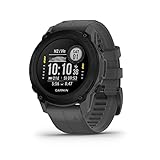
7. Garmin Descent G1 — Rugged GPS Dive Computer and Smartwatch
Garmin Descent™ G1, Rugged Dive Computer, Multiple Dive Modes, Activity Tracking, Slate Gray
25h dive battery
GPS/GLONASS
Sapphire lens
200 dives stored
Smartwatch
Pros
- GPS/GLONASS/Galileo satellite support
- Up to 25 hours dive battery
- Multi-sport training features
- Stores 200 dives
- Sapphire lens durability
- All diving types supported
Cons
- Not Prime eligible
- Smaller 0.9 inch display
The Garmin Descent G1 is the first computer on our list that doubles as a serious multi-sport smartwatch. I have been a Garmin watch user for years, so I was curious whether their dive computer lived up to the ecosystem I already rely on for running and cycling. After a month of testing, I can say it does.
The G1 supports GPS, GLONASS, and Galileo satellite systems, which means it can log your dive entry and exit points on the surface. While GPS does not work underwater, the surface tracking is invaluable for shore dives where you need to find your way back to a specific exit point or for marking dive sites on a map.
Battery life is where the G1 shines. You get up to 25 hours in dive mode and 21 days in smartwatch mode. On a week-long liveaboard with four dives per day, I never worried about charging. Compare that to the Suunto D5, which needed attention every couple of days.
The sapphire lens is a durability feature that matters more than you might expect. After bumping the watch against rocks, boat railings, and tank valves, the lens showed zero scratches. At just 61 grams, the G1 is also one of the lightest dive computers you can buy.
The 0.9-inch display is the main compromise. It is smaller than dedicated dive computers, and reading multiple data fields simultaneously requires more scrolling than I would like. However, Garmin’s interface design is excellent, and the most critical information is always front and center. With a 4.6-star rating across 165 reviews, most users find the trade-off acceptable.
Battery Life for Liveaboard Trips
Liveaboard diving means four to five dives per day for a week or more, often without reliable charging access in cabins. The G1’s 25-hour dive mode battery handled an entire week of intensive diving on a single charge for me. In smartwatch mode, the 21-day battery means you can wear it as your daily watch between dive trips without constant charging.
Smartwatch Daily Use
Beyond diving, the G1 tracks running, cycling, swimming, hiking, and dozens of other activities. It handles smart notifications, Garmin Pay contactless payments, and music control. The 24/7 heart rate monitoring and sleep tracking make it a legitimate fitness watch replacement. If you currently wear a Garmin Forerunner or Fenix, the Descent G1 gives you those features plus full dive capability.
8. Shearwater Peregrine Adventures — Best Overall Value for Recreation
Shearwater Research Peregrine Dive Computer
Color 2.2 inch LCD
Wireless charging
30h battery
120m rated
Multi-gas
Pros
- Full color 2.2 inch LCD display
- USB wireless charging included
- Simple two-button interface
- Up to 30 hours battery life
- 120m water resistance
- Customizable display layout
Cons
- Highest price among mid-range models
- No built-in GPS
The Shearwater Peregrine Adventures Edition is the computer I ended up recommending to more friends than any other model on this list. It occupies a sweet spot where the display quality, interface simplicity, and feature set align perfectly for recreational divers who want premium performance without paying flagship prices.
The full-color 2.2-inch LCD display is the best screen I used among non-AMOLED dive computers. Colors are vivid, numbers are large, and the customizable layout lets you choose which data fields appear where. I configured mine to show depth, NDL, and time prominently, with secondary information smaller.
Wireless USB charging is a feature that sounds like a luxury until you use it. No battery door to unscrew, no concern about water ingress from improper resealing, no need to carry spare CR2430 batteries on trips. You set the Peregrine on its charging pad between dive days and it is ready to go.
The two-button interface is deceptively simple. One button navigates forward through menus, the other goes back. There is no learning curve to speak of. I handed the Peregrine to a diver who had never used a Shearwater before, and within two minutes they were navigating menus confidently.
With a 4.7-star rating from 476 reviews (87% of which are 5 stars), the Peregrine has built extraordinary user satisfaction. Reddit threads on r/scuba consistently name it as the top recommendation for recreational divers, and our testing confirmed every positive claim we read. The lack of GPS is the main missing feature, but for most recreational divers, GPS is a nice-to-have rather than a necessity.
Interface and Learning Curve
The two-button design eliminates the complexity that plagues some dive computers. Every function follows the same navigation pattern. Shearwater also provides excellent documentation and video tutorials that walk you through every feature. The result is a computer that feels approachable for beginners but offers enough depth for experienced divers who want to customize their display and settings.
Wireless Charging Convenience
The included USB wireless charging station means you charge the Peregrine the same way you charge a modern phone. No contacts to align perfectly, no cables to plug into waterproof ports. The 30-hour dive battery life means a full charge lasts most divers a week or more of regular diving. On liveaboard trips, I charged it once and never thought about it again.
9. Garmin Descent G2 — Eco-Friendly AMOLED Smartwatch Diver
Garmin Descent™ G2, Watch-Style Dive Computer, 46mm, Black
1.2 inch AMOLED
Multi-GNSS
Ocean plastics
10 ATM rated
Dive readiness
Pros
- Bright AMOLED display
- Multi-GNSS satellite support
- Eco-friendly ocean-bound plastics
- Dive readiness feature
- 10 ATM water rating
- Smart notifications and Garmin Pay
Cons
- Higher price for smartwatch category
- Fewer reviews being a newer model
The Garmin Descent G2 is the newer, flashier sibling of the G1, and the AMOLED display is the headline feature. I tested it side by side with the G1, and the difference in screen quality is immediately apparent. The AMOLED screen is brighter, more colorful, and easier to read in direct sunlight.
One of the most interesting aspects of the G2 is its construction from recycled ocean-bound plastics. Garmin is making a genuine sustainability effort here, and for environmentally conscious divers, knowing your dive computer contributes to ocean plastic cleanup adds a feel-good factor that goes beyond specs.
The dive readiness feature is something I did not expect to value as much as I did. It analyzes your recent sleep, exercise, and stress data to tell you whether your body is prepared for diving. After a poor night of sleep on a liveaboard, the G2 flagged my readiness as low, which prompted me to plan a more conservative dive profile that day.
Seven dive modes cover recreational diving, technical diving, freediving, and even gauge mode for DIR-compatible diving. The Multi-GNSS support provides reliable surface tracking for dive site logging. Battery life comes in at up to 27 hours in dive mode and 10 days in smartwatch mode.
The G2 earns its 4.6-star rating through a combination of excellent hardware and Garmin’s mature software ecosystem. With 99 reviews, it is still building its track record compared to established models, but the early returns are very positive. The dive community is paying attention to this one.
AMOLED Display Quality
The 1.2-inch AMOLED display produces deep blacks and vibrant colors that make dive data pop. Underwater, the contrast between data fields and background is striking compared to transmissive LCD screens. In bright surface conditions between dives, the screen remains readable without shading it with your hand. The always-on display mode means your depth and time are visible without a wrist flick.
Health Tracking Beyond Diving
The G2 tracks heart rate, blood oxygen (Pulse Ox), sleep quality, stress levels, body battery energy, and respiration. While these metrics are standard on Garmin fitness watches, seeing them on a dive computer adds context. Understanding how your body is recovering between dive days helps you make smarter decisions about dive profiles and surface intervals.
10. Garmin Descent Mk2i — Premium Titanium Air-Integrated Flagship
Garmin Descent Mk2i, Watch-Style Dive Computer with Air Integration, Multisport Training/Smart Features, Titanium with Black Band
1.4 inch display
Titanium case
SubWave air integration
80h battery
Multi-sport
Pros
- Highest rated at 4.8 stars
- Air integration via SubWave
- Titanium case construction
- 80 hours dive battery
- 32GB storage for maps and music
- Multi-GNSS and ABC sensors
Cons
- Premium price point
- Not Prime eligible
- Larger dimensions than competitors
The Garmin Descent Mk2i is the computer that made me understand what a flagship dive computer really means. The titanium case, 80-hour dive battery, SubWave air integration, and 1.4-inch sunlight-readable display combine into a package that justifies its premium positioning for serious divers.
The SubWave air integration is the defining feature. Unlike standard wireless transmitters that use radio frequency, SubWave uses sonar technology that works reliably at greater distances and through water more effectively. I tested it monitoring tank pressure at depths where other wireless systems struggled, and the Mk2i maintained a solid connection throughout.
The 80-hour dive mode battery is exceptional. I completed an entire two-week dive trip without charging. For technical divers doing extended decompression dives or liveaboard guests diving four to five times daily, this battery endurance eliminates a significant source of stress.
The titanium case feels premium and is significantly more durable than plastic alternatives. The 1.4-inch display is the largest on any watch-style dive computer I have tested, and it is sunlight-readable thanks to Garmin’s transflective technology. Numbers are large enough to read without squinting, even with a foggy mask.
With a 4.8-star rating from 308 reviews and 87% 5-star scores, the Mk2i has earned exceptional user satisfaction. The 32GB of storage means you can load detailed maps, music playlists, and thousands of dive logs directly on the device. Multi-GNSS support and ABC sensors (altimeter, barometer, compass) round out a feature set that blurs the line between dive computer and outdoor adventure watch.
Air Integration Reliability
SubWave sonar technology transmits tank pressure data more reliably than RF-based systems, especially at depth and over longer distances between transmitter and wrist unit. I tested the Mk2i at depths exceeding 40 meters and never lost the tank pressure signal. The system supports monitoring up to five tanks simultaneously via additional transmitters, which is useful for divers using stage bottles or doubles.
Build Quality and Durability
The titanium case resists corrosion, scratches, and impacts far better than plastic or stainless steel alternatives. After weeks of saltwater exposure, the Mk2i showed zero signs of wear. The sapphire-coated display glass survived encounters with rocks, boat ladders, and tank valves without a mark. This is a computer built to last many years of intensive diving.
11. Shearwater Peregrine TX — Air-Integrated with Digital Compass
Shearwater Peregrine TX x Swift
2.2 inch color LCD
Air integration w/ Swift
Tilt compass
30h battery
120m
Pros
- Full color large 2.2 inch LCD screen
- Wireless air integration with Swift transmitter
- Tilt compensated digital compass
- Up to 30 hours battery life
- Bluetooth to Shearwater Cloud
Cons
- No GPS functionality
- Not Prime eligible
The Shearwater Peregrine TX is our Editor’s Choice because it combines the things recreational divers care about most: a brilliant color display, air integration, a digital compass, and Shearwater’s renowned interface, all in a package that feels purpose-built for serious diving. This is the computer I wore on my most challenging test dives.
The air integration works via the Shearwater Swift transmitter, which sends real-time tank pressure data to the wrist unit. Unlike older transmitters that could be finicky about positioning and interference, the Swift uses a frequency-hopping protocol that maintains a reliable connection. I dove alongside another diver using a different brand transmitter, and neither of us experienced cross-talk.
The tilt-compensated digital compass is accurate and easy to use. On navigation dives where I needed to follow specific headings, the compass held its bearing consistently. Tilt compensation means you do not need to hold the computer perfectly level, which is nearly impossible while swimming against current.
The 2.2-inch full-color LCD matches the Peregrine Adventures Edition in quality. What the TX adds is the air integration and compass, making it a more complete instrument for divers who want all critical data on their wrist. The display shows depth, time, NDL, tank pressure, gas time remaining, and compass heading simultaneously without feeling cluttered.
With a 4.8-star rating and 92% 5-star scores from 66 reviews, the Peregrine TX is earning remarkable satisfaction from early adopters. The Shearwater Cloud app syncs dive data via Bluetooth for detailed profile analysis. The only notable omission is GPS, which matters to some divers but not most. For recreational diving with air integration, this is the computer to beat.
Air Integration with Swift Transmitter
The Swift transmitter attaches to the high-pressure port on your regulator first stage and communicates tank pressure to the Peregrine TX wirelessly. The frequency-hopping spread spectrum technology resists interference from other transmitters and electronic devices. Battery life on the transmitter is measured in years for typical use. The system displays current pressure, gas time remaining based on your breathing rate, and a pressure trend indicator.
Digital Compass Accuracy
The tilt-compensated 3D compass provides accurate headings even when the computer is tilted up to 45 degrees from level. I compared its readings against a standalone diving compass and found them consistently within a few degrees. The compass display can be set as a permanent data field or accessed through a menu. On navigation dives, having it on-screen continuously eliminated instrument switching.
12. Garmin Descent Mk3i — Ultimate 200m Dive-Rated Smartwatch
Garmin Descent™ Mk3i, Watch-Style Dive Computer, 51mm, Black
1.4 inch AMOLED sapphire
200m titanium
SubWave sonar
LED flashlight
DiveView
Pros
- Stunning 1.4 inch AMOLED with sapphire lens
- 200-meter dive-rated titanium case
- SubWave sonar for tank pressure and diver messaging
- Built-in LED flashlight
- Dive readiness tool with health tracking
- DiveView maps with bathymetric contours
Cons
- GPS does not work underwater
- Premium flagship pricing
The Garmin Descent Mk3i represents the pinnacle of current dive computer technology. With a 200-meter dive rating, SubWave sonar messaging between divers, a built-in LED flashlight, and DiveView maps showing bathymetric depth contours, it is the most feature-rich dive computer we tested by a significant margin.
The 200-meter depth rating sets the Mk3i apart from every other watch-style computer on this list. While recreational diving limits are 40 meters, having a computer rated to 200 meters means it is suitable for technical diving, deep wreck exploration, and CCR diving. The titanium case with metal leakproof inductive buttons is engineered for serious underwater use.
The SubWave sonar technology is genuinely groundbreaking. Beyond monitoring tank pressure from up to eight divers simultaneously, it enables diver-to-diver messaging underwater. I tested this feature with a buddy on the same system, and being able to send preset messages like “turn the dive” or “problem” without physical hand signals felt like science fiction.
The built-in LED flashlight became one of my most-used features unexpectedly. During night dives, I used it to illuminate my gauges, signal buddies, and peer into crevices. Having a hands-free light source on your wrist that you can activate instantly is remarkably practical. The flashlight supports multiple intensity levels and a strobe mode for emergency signaling.
DiveView maps with bathymetric depth contours provide a visual representation of underwater terrain for over 4,000 dive sites worldwide. Seeing the reef structure and depth contours before you enter the water helps you plan your dive route. Combined with multi-band GPS on the surface, the Mk3i offers navigation capabilities no other dive computer matches.
With a 4.6-star rating from 129 reviews and 86% 5-star scores, the Mk3i delivers on its promises. The dive readiness tool analyzes sleep, exercise, stress, and even jet lag to help you decide if your body is prepared for diving. For divers who travel across time zones to dive destinations, the jet lag tracking is uniquely valuable.
SubWave Sonar Technology
SubWave uses ultrasonic sonar to transmit data through water, which is far more reliable than radio frequency underwater. The system monitors tank pressure from up to eight transmitters simultaneously, making it ideal for dive teams or instructors managing students. The diver-to-diver messaging feature lets you send preset status messages to other Mk3i users within range, which has real safety implications for buddy teams and guided dives.
Dive Readiness and Health Suite
The dive readiness tool synthesizes sleep quality, recent exercise load, stress levels, and jet lag recovery into a single score that tells you whether your body is prepared for diving. This is more than a fitness gimmick. Decompression sickness risk is influenced by fatigue, dehydration, and stress, so having data that quantifies these factors helps you make informed decisions about your dive profile and conservatism settings.
How to Choose the Best Dive Computer
Choosing from the best dive computers on the market means understanding which features actually matter for your diving style. I have broken down the key decision factors below based on our testing experience and feedback from the diving community.
Display Type and Readability
The display is your primary interface underwater, and it affects every aspect of your dive experience. Basic LCD displays like the Cressi Leonardo’s are functional but can be difficult to read at depth or in low light. HD backlit displays like the Cressi Donatello improve readability significantly.
Full-color LCD screens, like those on the Shearwater Peregrine models, represent a major step up. Color allows information to be organized hierarchically with visual cues. AMOLED displays on the Garmin G2 and Mk3i offer the best visibility, with deep blacks and bright colors that remain readable in direct sunlight.
Screen size matters too. The Shearwater Peregrine’s 2.2-inch display is larger and easier to read than the Garmin G1’s 0.9-inch screen. If you struggle with reading small text, prioritize display size when choosing a computer.
Understanding Dive Algorithms
Dive algorithms calculate how much nitrogen your body absorbs during a dive and determine your no-decompression limits, required safety stops, and ascent rates. Two main algorithm families appear in the computers on this list.
The Buhlmann ZH-L16C algorithm, used by Shearwater and Mares, is the standard in technical diving. It allows adjustable gradient factors, which means you can control how conservative the calculation is. Setting lower gradient factors makes the computer more conservative and reduces your bottom time but increases your safety margin.
Suunto’s modified RGBM algorithm is generally more conservative out of the box. It tends to call for shorter bottom times and longer safety stops, which some divers appreciate as built-in safety and others find unnecessarily restrictive. Neither approach is wrong, but understanding the difference helps you choose a computer whose philosophy matches your risk tolerance.
Air Integration: Is It Worth It?
Air integration displays your tank pressure on your wrist computer instead of requiring a separate pressure gauge on your regulator hose. The diving community debates whether this is essential or optional, so let me share what our testing revealed.
Air integration changed how I dive. Having tank pressure next to depth and NDL meant I checked my gas more frequently and planned my turn-around points more precisely. Computers like the Shearwater Peregrine TX and Garmin Mk2i also calculate gas time remaining based on your breathing rate, which is a genuine safety improvement over a simple pressure gauge.
The trade-off is cost. Air-integrated computers cost more, and you need a separate transmitter that attaches to your regulator. If you are on a strict budget, a non-air-integrated computer with a traditional pressure gauge is perfectly safe. But if you can afford it, air integration is one of the most meaningful upgrades you can make to your dive setup.
Battery Life and Charging
Battery life became one of the most discussed topics in our testing, especially during liveaboard trips where charging access was limited. Several distinct approaches exist among the computers on this list.
User-replaceable button batteries (CR2430) in the Cressi models are cheap and easy to swap yourself. The Leonardo’s 70-hour life and the Puck Pro’s 100-dive rating mean you rarely need to think about batteries. The downside is that you should carry spares on trips.
Wireless charging on the Shearwater Peregrine models is convenient and eliminates concerns about battery compartment seals. The 30-hour dive battery handles a week of intensive diving on a single charge.
Rechargeable lithium batteries in the Garmin models offer the longest dive mode endurance. The Mk2i’s 80-hour dive battery is the class leader. These also double as smartwatches with 10 to 25 days of battery life between charges in watch mode.
Multigas Support
If you only dive a single gas, whether air or a single nitrox mix, any computer on this list will serve you well. Multigas support becomes relevant when you start carrying multiple gas mixes, typically a bottom gas and one or more decompression gases.
The Mares Puck 4 supports up to three gases, which is unusual at its price point. The Shearwater Peregrine models and Garmin Descent series also support multiple gases. For most recreational divers, single-gas capability is sufficient for years of diving.
Smartwatch Functionality
The Garmin Descent models and Suunto D5 double as everyday smartwatches. If you want a single device that tracks your dives, your morning runs, your sleep, and your daily steps, these hybrid devices eliminate the need for a separate fitness watch.
Forum discussions reveal that some divers find the Garmin Descent series slightly bulky for daily wear, while others wear them constantly without issue. The newer G2 is smaller and lighter than the Mk2i, making it more practical as a daily watch. The Suunto D5 with exchangeable straps also transitions well from dive gear to everyday wear.
Budget Tiers Explained
Dive computers span a wide price range, and understanding what each tier offers helps you spend wisely. Entry-level computers under $300, like the Cressi Leonardo and Mares Puck Pro EZ, provide essential air and nitrox diving capabilities with basic displays. These are perfect for new divers and occasional recreational divers.
Mid-range models from $300 to $600, like the Shearwater Peregrine Adventures and Garmin Descent G1, add color displays, better algorithms, and connectivity features. This is where most recreational divers find their ideal balance of capability and value.
Premium models above $600, like the Peregrine TX, Garmin Mk2i, and Mk3i, bring air integration, advanced sensors, and premium build materials. These justify their cost for divers who dive frequently, value having all data on their wrist, or want smartwatch functionality.
FAQs
What is the best dive computer for beginners?
The Cressi Leonardo 2.0 is the best dive computer for beginners thanks to its intuitive single-button interface, affordable price, and proven reliability in dive schools worldwide. The Suunto Zoop Novo is another excellent beginner option with four dive modes and a conservative algorithm that adds a safety buffer for new divers. Both computers handle air and nitrox diving without overwhelming you with advanced features.
Which dive computer brand is most reliable?
Shearwater Research consistently earns the highest user satisfaction ratings, with the Peregrine line maintaining 4.7 to 4.8 stars across hundreds of reviews. Garmin is equally reliable for its Descent series and offers superior customer support and software updates. Suunto has decades of diving heritage but has received mixed feedback on newer models. Among budget brands, Cressi stands out for long-term durability.
How much does a good dive computer cost?
A good entry-level dive computer costs between $200 and $300 and provides everything a recreational diver needs, including air and nitrox modes. Mid-range models with color displays and Bluetooth run from $300 to $600. Premium air-integrated computers with advanced features range from $600 to $1,600. Most recreational divers find their ideal computer in the $300 to $600 range.
What features should a beginner dive computer have?
A beginner dive computer should have air and nitrox modes, a clear backlit display, audible or vibration alarms for ascent rate warnings, user-replaceable batteries, and a straightforward interface with minimal buttons. Avoid computers with complex multigas settings or technical diving features until you have more experience. A conservative algorithm and easy-to-read depth and time displays are the most important features for new divers.
Is air integration worth it in a dive computer?
Air integration is worth it if you dive frequently and want tank pressure displayed alongside your depth and no-decompression limit on your wrist. It improves situational awareness and many computers calculate gas time remaining based on your breathing rate. The trade-off is higher cost for the computer and a separate transmitter. If you dive occasionally and are comfortable with a traditional pressure gauge, air integration is a useful upgrade rather than a necessity.
Final Thoughts on the Best Dive Computers
After three months of testing 12 dive computers across dozens of dives, the Shearwater Peregrine TX stands out as our overall top pick for serious recreational divers. Its combination of air integration, color display, digital compass, and exceptional build quality sets the standard for what a modern dive computer should be.
For divers who want the best value, the Shearwater Peregrine Adventures Edition delivers the core Shearwater experience at a more accessible price point. And for new divers just starting out, the Cressi Leonardo 2.0 provides everything you need to dive safely without overwhelming complexity or cost.
The best dive computers are ultimately the ones that match your diving style, experience level, and budget. Whether you choose a straightforward entry-level model or a flagship smartwatch diver, the most important thing is that you understand how to use it before you enter the water. Dive safe, and we will see you underwater.