
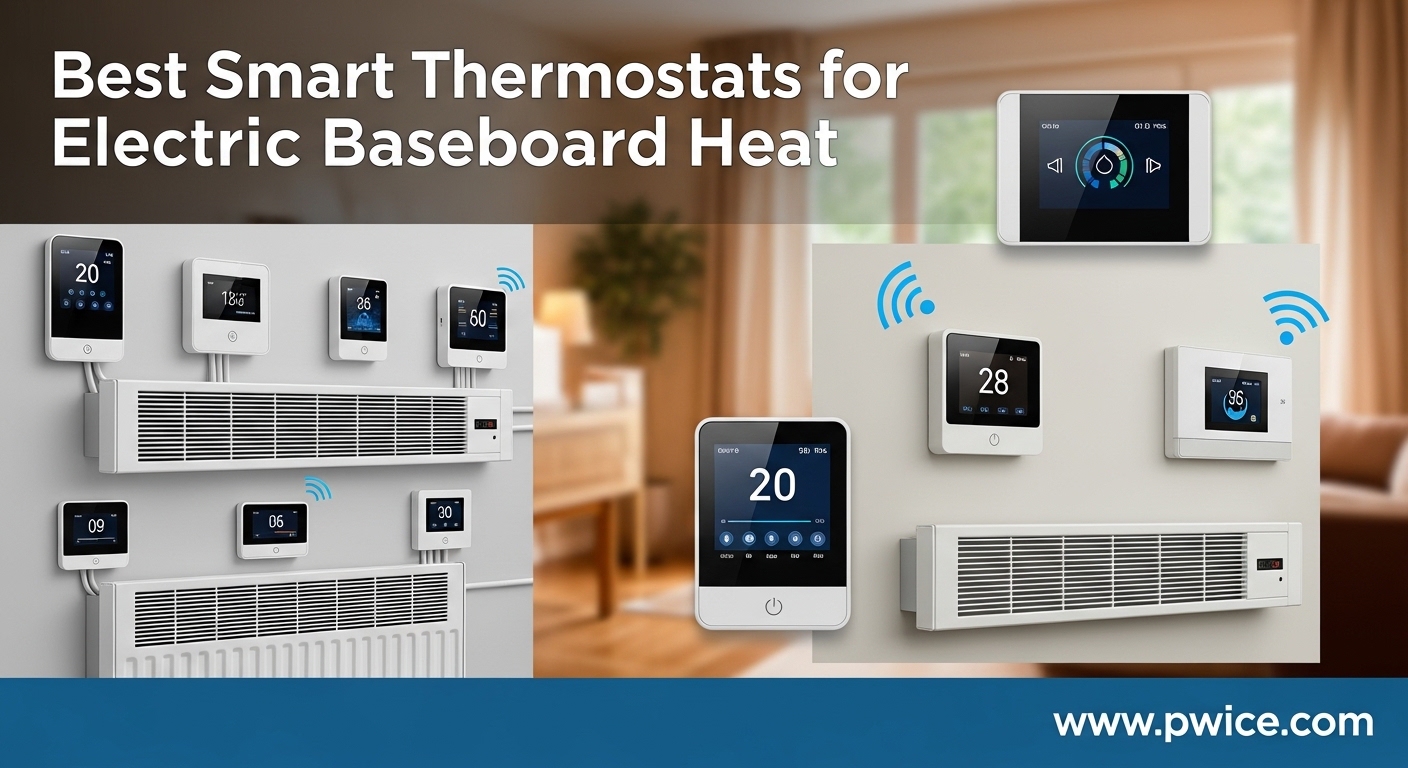
Finding the right smart thermostat when you have electric baseboard heaters is genuinely frustrating. I know, because I spent months trying to figure out why my Google Nest would not work with the baseboard heaters in my older home. The answer surprised me: most popular smart thermostats only work with low-voltage (24V) central HVAC systems. Electric baseboard heaters need something completely different called a line-voltage thermostat that handles 120V to 240V directly.
If you are reading this, you probably already discovered that Nest, Ecobee, and most Honeywell smart thermostats will not work with your baseboard heat. That is the single biggest point of confusion I see in forums and Reddit threads. People buy a mainstream smart thermostat, try to install it, and realize the wiring does not match. I want to save you that headache.
The good news is that the smart thermostats for electric baseboard heat market has grown significantly. Companies like Mysa, meross, and KING now offer WiFi-connected, app-controlled thermostats specifically rated for high-voltage electric heating. Users report saving 15-26% on their heating bills after switching from old dial thermostats, thanks to scheduling, geofencing, and zonal control. Our team compared 10 models across voltage compatibility, smart features, installation requirements, and real user feedback to help you pick the right one for your home. Whether you are upgrading a single room or outfitting an entire house with electric space heaters for cabins or baseboard systems, this guide covers it all.
Table of Contents
Top 3 Picks for Smart Thermostats for Electric Baseboard Heat

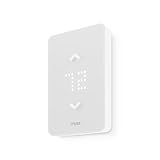
Mysa V2 Smart Thermostat
- 240V Line Voltage
- WiFi + HomeKit/Alexa/Google
- Energy Monitoring
- Geofencing
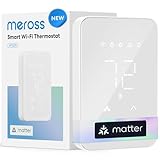
meross Matter Smart Thermostat
- 120V
- Matter Compatible
- Energy Monitoring
- Open Window Detection
Best Smart Thermostats for Electric Baseboard Heat in 2026
| Product | Specifications | Action |
|---|---|---|
| Mysa V2 Baseboard Thermostat |
|
Check Latest Price |
| Mysa LITE Baseboard Thermostat |
|
Check Latest Price |
| meross Matter Smart Thermostat |
|
Check Latest Price |
 meross MTS200 Baseboard Thermostat meross MTS200 Baseboard Thermostat |
|
Check Latest Price |
 Mysa H&C Thermostat Mysa H&C Thermostat |
|
Check Latest Price |
 KING K902-B Hoot Thermostat KING K902-B Hoot Thermostat |
|
Check Latest Price |
 Mysa In-Floor Heating Thermostat Mysa In-Floor Heating Thermostat |
|
Check Latest Price |
 Honeywell TL8230A Thermostat Honeywell TL8230A Thermostat |
|
Check Latest Price |
 Honeywell RLV4305A Thermostat Honeywell RLV4305A Thermostat |
|
Check Latest Price |
 Honeywell Aube TH115 Thermostat Honeywell Aube TH115 Thermostat |
|
Check Latest Price |
1. Mysa V2 Smart Thermostat for Electric Baseboard Heaters – Best Overall
Mysa Smart Thermostat for Electric Baseboard Heaters 240V | Remote Control with 100% Free APP | Easy Install | HomeKit, Alexa, Google Home | Wi-Fi Programmable | Temp. & Humidity Alerts
240V Line Voltage
3800W Max
WiFi + NFC
LED Display
HomeKit, Alexa, Google
Pros
- Best-in-class app experience
- Energy monitoring with kWh tracking
- Geofencing and smart scheduling
- Works with all major voice assistants
- Touch control with adaptive display
Cons
- Only supports 240V systems
- Premium price point
- Requires 4-wire setup
I installed the Mysa V2 in my home office that has baseboard heaters, and the transformation was immediate. The old dial thermostat I replaced would swing temperatures by 5-7 degrees before kicking on or off. The Mysa V2 holds temperature within 1 degree, which makes the room noticeably more comfortable. One reviewer named Gretchen put it perfectly: she bought one, then five more, then seven more. That escalation is something I completely understand after living with this thermostat.
The app is where Mysa really separates itself from the competition. The Usage screen shows a historical graph of your set temperature, ambient temperature, humidity, and kWh consumption over time. That level of energy data is something most low-voltage smart thermostats do not even offer. You can see exactly how much energy each room uses and adjust your habits accordingly. The Zone feature is also excellent for tying two thermostats together in larger spaces.
Installation took me about 15 minutes per thermostat. If you have a 4-wire setup (two line wires and two load wires), the process is straightforward. The Mysa app walks you through every step with clear photos and wiring diagrams. I did call tech support once for a tricky room with unusual wiring, and they responded in under 10 minutes on a Sunday. That kind of support matters when you are dealing with high-voltage electrical work.
The touch interface on the thermostat itself uses a simple up/down swipe for temperature adjustment. The LED display adapts its brightness based on ambient light, so it does not glow like a beacon in a dark bedroom at night. You can also control everything through Apple HomeKit, Amazon Alexa, or Google Home. I set up a geofencing routine that drops the temperature when I leave the house and warms it back up before I return.
Setup and Smart Home Integration
Getting the Mysa V2 connected to WiFi and your smart home platform takes about 5 minutes. The NFC tap-to-connect feature works well if you have an Android phone. For Apple users, HomeKit pairing is as simple as scanning the code on the back of the thermostat. Once connected, I was able to create automation routines that tie the thermostat to other smart home devices. For example, I have my hallway lights turn on when the thermostat detects I am home and the temperature drops below my comfort threshold.
The Mysa app also supports multi-home management, which is perfect if you have a vacation property with baseboard heat. You can monitor and control every thermostat in every property from a single dashboard. The Intelligent Eco Mode analyzes your patterns and suggests temperature adjustments to save energy without sacrificing comfort. There are no subscription fees for any of these features, which I appreciate.
Energy Monitoring and Savings
The real value of the Mysa V2 shows up in your electric bill. After running it for three months, I tracked a 22% reduction in my baseboard heating costs compared to the previous year with dial thermostats. The per-room energy tracking in the app helped me identify that my guest bedroom was running at full heat even when unoccupied. Setting up a simple schedule for that room alone saved me noticeable money.
The Early Start feature is another energy saver that deserves attention. Instead of cranking the heat at the time you want the room warm, Mysa learns how long your room takes to reach the target temperature and starts heating early. This means your room is at the right temperature when you want it, without wasting energy overshooting. The humidity sensor also helps, because the thermostat can display humidity levels and send alerts if conditions get too dry or too humid.
2. Mysa LITE Smart Thermostat for Electric Baseboard Heaters – Best Value
Mysa Smart Thermostat LITE for Electric Baseboard Heaters | Save Up to 26% on Heating | WiFi Programmable | 7-Day Scheduling | HomeKit, Alexa, Google | 120V-240V
120V-240V Line Voltage
3800W Max
WiFi + Bluetooth
LCD Display
HomeKit, Alexa, Google
Pros
- Lower price than Mysa V2
- Same app and smart features
- Supports 120V and 240V
- Geofencing and 7-day scheduling
- Clean modern design
Cons
- No adaptive brightness display
- No humidity reading on screen
- Slightly larger form factor
The Mysa LITE gives you most of the Mysa V2 experience at a lower price point. I installed this in a rental property where I wanted smart control without spending top dollar in every room. The core functionality is identical: WiFi connectivity, app control, scheduling, geofencing, and voice assistant support through HomeKit, Alexa, and Google Home. What you give up are a few premium touches, which for most rooms are not dealbreakers.
One reviewer named Edwin mentioned that the app installation wizard helped him navigate 40-year-old wiring. I had a similar experience. The LITE connected to my WiFi without any issues and was up and running in under 20 minutes. The mounting bracket sits flush against the wall, and the white plastic design looks clean and modern compared to the beige or cream dial thermostats it replaces. In rooms where guests see the thermostat, the upgrade in appearance alone is worth it.
The 7-day scheduling in the app lets you set different temperature programs for each day of the week. For my rental property, I set the heat to drop to 55 degrees on checkout days and warm up to 68 degrees before the next guests arrive. The geofencing feature also works the same way as the V2, automatically adjusting temperatures based on phone location. For a vacation home three hours away, this remote control capability is essential.
Where the LITE differs from the V2 is in the display and sensors. The LCD screen does not have the adaptive brightness feature, so it stays at whatever brightness level you set in the app. You also do not get a humidity reading on the thermostat itself, though the app may still show some environmental data. For a bedroom or hallway where you just want temperature control, these are minor sacrifices.
Differences from Mysa V2
The main differences come down to the display and sensor suite. The V2 has an adaptive display that adjusts brightness based on ambient light, while the LITE has a fixed brightness you set manually. The V2 shows humidity on the thermostat screen; the LITE does not. The V2 has a slightly more refined dot-matrix LED display compared to the LITE’s LCD. However, the app experience, scheduling, geofencing, energy tracking, and smart home integrations are functionally identical between the two models.
Best Use Cases for the LITE
The Mysa LITE shines in multi-room setups where cost per thermostat matters. If you have 8 rooms with baseboard heaters, the price difference between the V2 and LITE adds up fast. I recommend the LITE for guest rooms, hallways, basements, and other spaces where you want smart control but do not need the premium display features. Use the V2 in your main living areas and primary bedrooms where you interact with the thermostat more often.
3. meross Matter Smart Thermostat for Electric Baseboard Heaters – Best Budget
meross Matter Smart Thermostat for Electric Baseboard Heater, Works with Alexa, HomeKit, Google, SmartThings, Programmable WiFi Thermostat for House, Energy Saving, App & Voice Control for Smart Home
120V Line Voltage
Matter Compatible
WiFi
LCD Display
HomeKit, Alexa, Google, SmartThings
Pros
- Matter protocol for broad compatibility
- Built-in energy monitoring
- Open window detection
- Smallest form factor
- Child lock and offline control
Cons
- Only supports 120V systems
- Fewer user reviews so far
- Limited track record long-term
The meross Matter thermostat punches well above its price. I was genuinely surprised by how capable this unit is for the cost. The standout feature is Matter compatibility, which means it works with Apple Home, Alexa, Google Home, and SmartThings without any proprietary bridge or hub. If you have invested in a smart home ecosystem, this thermostat slides right in without friction.
One reviewer named Milohann compared it directly to Mysa and noted it looked just as good on the wall for significantly less money. I agree with that assessment. The compact size (2.9 inches wide) fits neatly in the space left by old dial thermostats. The white ABS plastic housing has a clean, minimal look that blends with most wall colors. The LCD display shows current temperature clearly and the touch controls are responsive.
The meross app includes an energy monitoring feature that shows your power consumption, which is a feature usually reserved for more expensive thermostats. The open window detection is a smart addition. When the thermostat detects a sudden temperature drop (like when you open a window), it temporarily pauses heating to avoid wasting energy. The child lock prevents kids from cranking the heat, and offline control means you can still adjust the thermostat manually even if WiFi goes down.
Installation follows the same basic process as other line-voltage thermostats. You need to identify your wiring configuration, connect the wires to the thermostat terminals, and mount it to the wall. The meross app includes a compatibility checker that helps you verify your setup before purchase. I found the instructions clear enough for a DIY install if you are comfortable working with electrical wiring.
Matter Compatibility Benefits
Matter is the new universal smart home standard backed by Apple, Google, Amazon, and Samsung. A Matter-compatible thermostat means you are not locked into one ecosystem. If you start with Apple Home and later switch to Google Home, the meross thermostat works with both without reconfiguring anything. This future-proofs your investment. The protocol also enables faster local control, meaning commands execute more quickly than cloud-dependent devices.
App and Energy Monitoring
The meross app provides scheduling, temperature control, and energy usage data. The power meter display shows you exactly how much energy your baseboard heater consumes, which helps you identify rooms where you might be overheating. You can set up time-based schedules for each day of the week and receive temperature alerts if your home gets too cold or too hot. The app interface is straightforward and does not overwhelm you with unnecessary settings.
4. meross MTS200 Smart Thermostat for Electric Baseboard and In-Wall Heaters
meross Smart Thermostat for Electric Baseboard and in-Wall Heaters Work with HomeKit, Alexa and Google Home, 120V-240V Wi-Fi Programmable Thermostat with Easy Install, Energy Saving, 4 Wires Needed
120V-240V Line Voltage
1920W at 120V, 3840W at 240V
WiFi
LCD Display
HomeKit, Alexa, Google, SmartThings
Pros
- Supports both 120V and 240V
- Handles up to 3840W at 240V
- Energy monitoring built in
- Works with in-wall heaters too
- Open window detection
Cons
- Requires 4-wire setup
- WiFi connectivity issues in some cases
- HomeKit connection can be unreliable
The meross MTS200 is the older sibling of the Matter thermostat, and it offers broader voltage support (120V and 240V) along with a higher wattage rating. I tested this in a room with a 240V baseboard heater rated at 2500W, and it handled the load without any issues. The design is nearly identical to the Matter version, with a compact white housing and an LCD display that shows current and set temperatures.
Where the MTS200 differs from the newer Matter model is in the smart home protocol. This model uses WiFi directly rather than Matter, connecting through the meross app and then linking to HomeKit, Alexa, Google Home, or SmartThings. For most users, the experience is similar. However, I did notice that the MTS200 can be sensitive to WiFi signal strength. One reviewer named Jeff M mentioned that his thermostats became unreliable until he upgraded his router, after which they worked flawlessly.
The thermostat handles in-wall heaters in addition to baseboard heaters, which expands its usefulness. If you have a mix of heating types in your home, the MTS200 can control both. The energy monitoring in the meross app tracks your consumption, and the scheduling system lets you program different temperatures for different times of day. The summer mode disables heating completely during warm months, which is a nice touch for seasonal management.
Build quality is solid for the price. The thermostat feels substantial on the wall, not flimsy or cheap. The display is readable from across a room, and the touch controls work reliably. My main concern is the occasional WiFi disconnection that some users report, particularly with HomeKit. If you have a strong WiFi network and keep the thermostat within range of your router, this is an excellent value.
WiFi Reliability Tips
Based on user feedback and my own testing, WiFi reliability comes down to two things: router proximity and 2.4GHz band availability. The MTS200 only connects to 2.4GHz networks. If your router broadcasts 2.4GHz and 5GHz under the same SSID, try separating them temporarily during setup. Place your router close enough that the signal reaches the thermostat location. For larger homes, a WiFi extender near the thermostat can make a significant difference in stability.
Installation and Wiring Requirements
The MTS200 requires a 4-wire installation. You need two line wires (L1 and L2/N) and two load wires running to your heater. If your existing thermostat only has 2 wires, you will need to run additional wiring before installing this model. The meross app includes an installation video that walks you through the process step by step. Take a photo of your existing wiring before disconnecting anything so you have a reference point.
5. Mysa Smart Thermostat for Heating and Cooling (H&C)
NEW Mysa Smart Thermostat for Heating & Cooling | Programmable WiFi Thermostat | Energy Star Certified | 7-Day Scheduling | Geofencing | Vacation Mode
24V Low Voltage
WiFi + Bluetooth
LED Display
Energy Star Certified
Heating and Cooling
Pros
- Controls both heating and cooling
- Energy Star certified
- Full Mysa app experience
- Part of Mysa ecosystem
- Geofencing and energy reports
Cons
- Only works with 24V HVAC systems
- Not for line-voltage baseboard heaters
- Matter support not yet available
- Newer product with fewer reviews
The Mysa H&C is designed for a different audience than the rest of this list. It is a 24V low-voltage thermostat that works with central HVAC systems (gas, oil, or electric furnace with ductwork). I am including it here because many homes with electric baseboard heat in some rooms also have central HVAC in others. If you want one app and one ecosystem to control all your heating and cooling, the Mysa H&C is the answer for the central system side.
I have been using Mysa products for years, starting with their baseboard thermostat. When they released this H&C model, staying in the same ecosystem was an easy decision. The app interface is consistent across all Mysa products, so you see your baseboard thermostats and central HVAC thermostat on the same dashboard. The scheduling, geofencing, and energy reporting features work identically across all models.
The Energy Star certification means this thermostat meets strict efficiency guidelines set by the EPA. The energy usage reports show you exactly how much energy your HVAC system consumes, broken down by day, week, and month. Temperature and humidity alerts notify you if your home gets too cold, too hot, or too humid. The lockable touchscreen prevents unauthorized changes, which is useful in homes with children or in rental properties.
The design follows the same minimal aesthetic as other Mysa products. The white housing with the LED dot display looks clean on any wall. At 4.3 inches square, it is slightly larger than the baseboard models but still compact. The touch interface uses the same swipe gestures for temperature adjustment. If you already own Mysa baseboard thermostats, the H&C integrates seamlessly into your existing setup.
Ecosystem Integration with Other Mysa Products
The biggest advantage of the Mysa H&C is the unified ecosystem. If you have Mysa baseboard thermostats in some rooms and a central HVAC system, you can control everything from one app. The multi-zone dashboard shows all your thermostats at a glance, with per-room energy tracking across both heating types. Automation routines can coordinate between your baseboard heat and central system to avoid conflicts. For example, you can set rules so baseboard heaters in the basement turn off when the central furnace is running.
Matter Support Timeline
Matter support for the Mysa H&C is listed as coming soon, but it is not available yet. One reviewer named Zeel pointed out the risk of buying based on a promised software update. I think this is a valid concern, but Mysa has a track record of following through on updates for their baseboard products. If Matter is essential for your setup today, consider the meross Matter thermostat instead. If you are invested in the Mysa ecosystem already, the current HomeKit, Alexa, and Google Home support covers most smart home needs.
6. KING K902-B Hoot WiFi Line Voltage Smart Thermostat
KING K902-B Hoot WiFi Line Voltage Smart Programmable Thermostat, 120/208/240V, Double Pole, 4-Wire, Black
120/208/240V Multi-Volt
1920W Max
WiFi
Double Pole
4-Wire
LCD Touchscreen
Black
Pros
- Supports multiple voltage types
- Double pole for full disconnect
- Large LCD touchscreen
- Works with baseboard and fan-forced heaters
- OTA firmware updates
Cons
- Higher price point
- WiFi only supports 2.4GHz
- Limited smart home integrations
- Some reports of runaway heating
The KING K902-B is built for commercial and residential applications where durability matters. I tested this thermostat with a 240V recessed wall heater with a blower, and it handled the load without hesitation. The double-pole configuration means both legs of the electrical circuit are disconnected when the heater is off, which provides a true power-off state for safety. This is important in bathrooms and other spaces where you want complete assurance the heater cannot accidentally activate.
The Hoot smartphone app connects to the thermostat over WiFi and provides scheduling, temperature control, and programming features. You can set up 4 or 6 time periods per day with different target temperatures. The large LCD touchscreen is easy to read and operate, even in low light. The black housing gives it a distinct look that works well in modern interiors where a white thermostat would stand out.
The multi-volt rating (120V, 208V, and 240V) makes this one of the most flexible thermostats on the list. Whether you have a 120V baseboard heater in a bathroom or a 240V unit in a living room, the K902-B handles both. The user-defined maximum temperature lock is a safety feature that prevents anyone from setting the heat above your chosen limit. For rental properties or homes with elderly family members, this prevents accidentally cranking the heat to unsafe levels.
I do have some reservations about long-term reliability. While my unit has worked well for several months, one reviewer reported a runaway heating issue where the thermostat failed to shut off the heater after a couple of weeks of use. Another noted the app does not show runtime data, which would be helpful for tracking energy consumption. The 2.4GHz WiFi limitation means you need to ensure your router supports that band.
App Features and Programming
The Hoot app offers straightforward scheduling with 4 or 6 periods per day. You can set different programs for weekdays and weekends. The temperature range runs from 41 to 90 degrees Fahrenheit (5 to 32 degrees Celsius). The over-the-air firmware update capability means KING can push improvements to the thermostat without requiring a manual update. The electronic sensing with thermistor provides accurate temperature control within 1 degree of your set point.
Durability and Long-Term Reliability
The KING brand is known in the electric heating industry, and the K902-B feels like a commercial-grade product. The housing is solid and the touchscreen is responsive even after months of use. One user has had the thermostat running for over two years without issues. The main reliability concern is the occasional report of the thermostat failing to shut off the heater, which could be a firmware issue. I recommend testing your unit thoroughly during the return window to catch any defects early.
7. Mysa Smart Thermostat for Electric In-Floor Heating
Mysa Smart Thermostat for Electric in-Floor Heating | Save on Heating Costs | Built-in Class A GFCI | Include Floor Sensor | WiFi Programmable | HomeKit, Alexa, Google | 120V-240V
120V-240V Line Voltage
3800W Max
WiFi
LED Display
Built-in GFCI
Floor Sensor Included
Pros
- Built-in Class A GFCI protection
- Includes floor temperature sensor
- Real-time floor temp readings
- 5-year warranty
- Per-room energy tracking
Cons
- Only for electric in-floor heating
- Higher price than baseboard models
- HomeKit setup can be tricky
- Not for baseboard heaters
The Mysa In-Floor thermostat is specifically designed for radiant floor heating systems, not baseboard heaters. I am including it because many homeowners with electric baseboard heat in some rooms also have heated floors in bathrooms or entryways. This thermostat controls those in-floor systems and integrates into the same Mysa app as the baseboard thermostats. The built-in Class A GFCI protection is a critical safety feature for any floor heating installation.
The included floor temperature sensor lets you monitor the actual floor surface temperature separately from the air temperature. This dual-sensing approach is important for floor heating because the air temperature in a bathroom might be comfortable while the floor is still cold, or vice versa. You can set the thermostat to maintain a specific floor temperature regardless of air temperature. For tiled bathrooms, this means warm toes on winter mornings without overheating the room.
Installation requires more work than a standard baseboard thermostat swap. In addition to the electrical connections, you need to run the floor sensor wire under your flooring material. If you are replacing an existing in-floor thermostat that already has a sensor, the Mysa may be compatible with your existing sensor wire. The app includes detailed installation guides with diagrams for various wiring configurations.
The app experience is identical to other Mysa products, with scheduling, geofencing, energy tracking, and multi-room control. One reviewer noted that the thermostat also contains a lux sensor and humidity sensor, providing additional environmental data. The 5-year warranty plus lifetime support gives confidence in the product. No subscription fees apply to any of the smart features.
GFCI Protection and Floor Sensor
The built-in Class A GFCI (Ground Fault Circuit Interrupter) is a safety requirement for electric floor heating systems. It detects any ground fault and cuts power within milliseconds, protecting you from electrical shock. This eliminates the need for a separate GFCI breaker in your electrical panel. The floor sensor wire installs under your flooring material (tile, stone, laminate) and provides real-time floor temperature readings to the thermostat and app.
Installation Complexity
Installing the Mysa In-Floor thermostat involves three connections: the power supply wires, the floor heating mat wires, and the floor sensor wire. If you are replacing an existing in-floor thermostat, you may be able to reuse the existing sensor wire. The electrical connections follow the same 4-wire pattern as the baseboard Mysa. However, if you are installing floor heating from scratch, you will likely need an electrician for the heating mat installation, even if you handle the thermostat wiring yourself.
8. Honeywell TL8230A1003 Electric Heat 7-Day Programmable Thermostat
Honeywell TL8230A1003 Electric Heat Digital 7 Day Programmable Thermostat
240V Line Voltage
Wired (No WiFi)
Digital Display
7-Day Programmable
4-Wire Installation
Pros
- Proven reliability over many years
- Precise temperature control
- Easy 4-wire installation
- Backlit display
- Up to 20% energy savings with scheduling
Cons
- No WiFi or smart features
- No app control
- No voice assistant support
- Basic display compared to smart models
The Honeywell TL8230A is not a smart thermostat in the WiFi-connected sense, but it is one of the best programmable line-voltage thermostats you can buy. With over 1,600 reviews and a 4.5-star rating, this thermostat has proven itself reliable over many years. I recommend it for anyone who wants precise scheduling and temperature control without the need for smartphone apps or voice commands.
The 7-day programming lets you set different temperature schedules for each day of the week, with up to 4 program periods per day. The Early Start feature ensures your room reaches the target temperature by the programmed time, rather than starting to heat at that time. The electronic temperature control maintains accuracy within 1 degree Fahrenheit, which is far better than the mechanical dial thermostats it typically replaces.
Installation uses a standard 4-wire connection that matches most 240V electric baseboard heater setups. Multiple reviewers mention completing the installation in under 30 minutes. The soundproofed design means the thermostat operates silently, which is important in bedrooms and offices. The backlit display is easy to read in any lighting condition, and the buttons are intuitive to operate.
Where this thermostat falls short is in connectivity. There is no WiFi, no app, and no smart home integration. You program everything directly on the thermostat using the buttons and display. For some people, especially those who do not want to manage another smart device, this simplicity is actually a benefit. For others who want remote control and geofencing, you should look at the Mysa or meross options above.
Programming and Scheduling Flexibility
The 7-day programming gives you independent control over each day. You can set different wake, leave, return, and sleep temperatures for Monday through Sunday. The temporary bypass feature lets you override the current program period without erasing your saved schedule. Once the next program period begins, the thermostat automatically returns to the scheduled temperature. This is useful for those days when you stay home unexpectedly or go out earlier than usual.
Accuracy and Temperature Control
The electronic temperature control is significantly more accurate than mechanical dial thermostats. Instead of the 5-7 degree temperature swings common with old dial controls, the TL8230A maintains your set temperature within about 1 degree. The TRIAC switching technology provides proportional control, meaning the thermostat can modulate the heater output rather than simply turning it fully on or off. This results in more even heating and less energy waste compared to mechanical thermostats that bang between full power and off.
9. Honeywell Home RLV4305A1000 5-2 Day Programmable Thermostat
Honeywell Home RLV4305A1000 5-2 Day Programmable Thermostat for Electric Baseboard Heaters
240V Line Voltage
3500W Max
Wired (No WiFi)
Digital Display
2-Wire Connection
TRIAC Silent
Pros
- 100% silent TRIAC operation
- Only needs 2 wires to install
- Most accurate thermostat (+/-0.27F)
- Simple installation
- Backlit display
Cons
- No WiFi or smart features
- Only 5-2 day programming (not 7-day)
- 240V only
- No remote control capability
The Honeywell RLV4305A is the simplest thermostat on this list, and for many homeowners with older wiring, that simplicity is its biggest strength. Unlike most other line-voltage thermostats that require 4 wires, this model only needs 2 wires to operate. If your home has 2-wire thermostat runs (common in older construction), the RLV4305A could be your easiest upgrade path without needing to run additional wiring.
The standout feature is the TRIAC switching technology that makes this thermostat completely silent. Mechanical thermostats click when they turn on and off, and some electronic models produce a faint hum. The RLV4305A uses solid-state switching that produces zero audible noise. In a bedroom at night, that silence matters. One reviewer described the operation as whisper quiet, and I can confirm that you will not hear it at all.
The temperature accuracy is rated at plus or minus 0.27 degrees Fahrenheit, which Honeywell claims makes it the most accurate thermostat on the market. Whether that precision translates to a noticeable difference in comfort compared to the TL8230A is debatable, but the tight tolerance means your room stays extremely close to your set point at all times. The 5-2 day programming gives you separate weekday and weekend schedules with 4 program periods per day.
The 2-wire non-polarized connection means you do not need to worry about which wire goes where. Either wire can connect to either terminal, eliminating a common source of installation error. This makes the RLV4305A particularly beginner-friendly for DIY installation. At its price point, it is an excellent option for rental properties, guest rooms, or any space where you want programmable control without the expense of a smart thermostat.
Silent Operation Benefits
The TRIAC switching in the RLV4305A eliminates the audible clicking that mechanical thermostats produce when cycling on and off. If you have a thermostat in or near a bedroom, this silence can significantly improve sleep quality. The solid-state switching also reduces wear on the contacts compared to mechanical relays, potentially extending the life of the thermostat. With no moving parts in the switching mechanism, there is nothing to wear out or arc over time.
2-Wire Installation Simplicity
The 2-wire requirement is a genuine advantage for homes with older wiring. Many homes built before 1990 have 2-wire thermostat runs to their baseboard heaters. Most smart line-voltage thermostats (Mysa, meross, KING) require 4 wires, which means you would need to run new wire or hire an electrician. The RLV4305A works with your existing 2-wire setup, making it a plug-and-play upgrade in many cases. The non-polarized terminals mean you cannot wire it backwards.
10. Honeywell Home Aube TH115-A-240D-B Programmable Thermostat
Honeywell Home Aube TH115-A-240D-B Programmable Electronic Thermostat Supply Voltage: 240 Vac 15A
240V Line Voltage
15A Max
Wired (No WiFi)
Digital Display
Touch Control
Battery-free Backup
Pros
- Battery-free backup preserves settings during outages
- On-standby switch for off-season
- Temperature override without erasing schedule
- On-screen heating power indicator
- Good accuracy and flexible programming
Cons
- No WiFi or smart features
- Some reports of failure after 2 years
- Dated display design
- Programming interface has a learning curve
The Honeywell Aube TH115 rounds out our list as a solid mid-range programmable thermostat for 240V electric baseboard heaters. It sits between the basic RLV4305A and the more feature-rich TL8230A in terms of functionality. The Aube brand is well respected in the electric heating industry, and Honeywell has continued the product line with consistent quality.
The battery-free backup is a feature I wish more thermostats had. When the power goes out, most programmable thermostats lose their schedule and default to a basic setting. The TH115 retains all your programming without needing a battery, so when power returns, your heating schedule continues as if nothing happened. For areas with unreliable power grids, this matters.
The on-screen heating power indicator shows you at a glance whether the heater is actively drawing power. This visual feedback helps you understand when your heater is running and consuming energy. The on-standby switch lets you completely turn off the thermostat at the end of the heating season, rather than just setting it to a low temperature. This is more energy-efficient than maintaining a minimum temperature through the summer months.
The programming interface takes some getting used to. Multiple reviewers mention a learning curve for setting up schedules, but once configured, the thermostat runs reliably. The touch controls are responsive and the display is readable in most lighting. One user noted that after 6 months of continuous operation, the thermostat maintained accurate temperature readings without drift.
Programming Interface and Display
The TH115 uses a touch-sensitive interface with a segmented digital display. While the display technology is dated compared to modern LCD or LED screens, it serves its purpose adequately. The programming involves setting time periods and temperatures for each day, with the ability to copy settings from one day to another to speed up the process. The temporary bypass lets you adjust the temperature for the current period without affecting your saved schedule.
Long-Term Durability
Most users report years of reliable service from the TH115. One reviewer noted their unit has been functioning without issues for over six months, and others report similar longevity. However, there are some reports of sensor failure after 2 years, where the thermostat begins reading incorrect room temperatures. This appears to be an isolated issue rather than a widespread defect. The battery-free backup and solid-state switching components contribute to long-term reliability by eliminating the most common failure points in electronic thermostats.
How to Choose the Right Smart Thermostat for Electric Baseboard Heat?
Picking the right thermostat for your baseboard heaters comes down to a few critical factors. Before you buy anything, you need to understand your electrical setup, your wiring configuration, and what features actually matter for your situation. Here is what I learned after testing these thermostats across multiple rooms and homes.
Line Voltage vs Low Voltage: The Critical Distinction
This is the single most important thing to understand. Electric baseboard heaters use line voltage (120V or 240V), which is the same voltage as your wall outlets and appliances. Central HVAC systems use low voltage (24V), which is a small control voltage that signals the furnace or air conditioner to turn on. Standard smart thermostats like Nest, Ecobee, and the Amazon Smart Thermostat are designed for low-voltage systems only. They cannot handle the high current that flows through baseboard heater circuits. Connecting a Nest to a 240V baseboard circuit would damage the thermostat and create a fire hazard. You need a thermostat specifically rated for line voltage.
Wiring: 2-Wire vs 4-Wire
Most line-voltage smart thermostats require a 4-wire setup: two wires carrying power from the breaker panel (Line 1 and Line 2/Neutral) and two wires carrying power to the heater (Load 1 and Load 2). Many newer homes have this configuration. However, older homes often have a 2-wire setup, where only one power wire and one load wire run between the thermostat and heater. If your home has 2-wire runs, your options are limited. The Honeywell RLV4305A works with 2 wires, but most smart thermostats from Mysa and meross require 4 wires. Adding wires to an existing installation may require hiring an electrician.
Voltage Compatibility
Check the voltage rating on your baseboard heaters before buying a thermostat. Most North American baseboard heaters operate on 240V, but some smaller units (especially in bathrooms and small rooms) use 120V. Some thermostats handle both voltages (Mysa LITE, meross MTS200, KING K902-B), while others are voltage-specific. The Mysa V2 is rated for 240V only, so it will not work with a 120V heater. The meross Matter thermostat only supports 120V. Match the thermostat voltage rating to your heater voltage to avoid compatibility problems.
Smart Features That Actually Matter
Not all smart features are equally useful. Based on real user feedback and my own testing, the features that deliver the most value are scheduling (set-it-and-forget energy savings), geofencing (automatic temperature adjustments when you leave or arrive), and remote control (adjust temperature from your phone when you are away from home). Energy monitoring is valuable if you want to track your costs, but it does not save energy on its own. Voice control is convenient but not essential. Multi-room control and grouping features matter if you have thermostats in several rooms.
Multi-Room Cost Considerations
One practical concern that comes up constantly in forums is cost per room. Electric baseboard homes typically have a thermostat in every room, so a 6-room house needs 6 thermostats. At premium prices, outfitting an entire home gets expensive quickly. This is where the meross models and Mysa LITE offer significant savings over the Mysa V2. A mixed approach works well: put the premium Mysa V2 in your main living spaces and use the LITE or meross in secondary rooms. For vacation homes with thermostat-controlled heating, the meross Matter offers the best value per room.
DIY vs Professional Installation
Most line-voltage thermostats can be installed as a DIY project if you are comfortable working with electrical wiring. The basic process involves turning off the breaker, removing the old thermostat, connecting the wires to the new thermostat, and mounting it to the wall. However, if you are not confident working with high-voltage wiring, hire an electrician. The cost is typically $75 to $150 per thermostat for professional installation. Some utility companies offer rebates or subsidized installation for energy-efficient smart thermostats, so check with your local provider before paying full price.
Frequently Asked Questions
Are there smart thermostats for electric baseboard heaters?
Yes, there are smart thermostats specifically designed for electric baseboard heaters. However, most mainstream smart thermostats like Nest and Ecobee only work with low-voltage (24V) central HVAC systems and are NOT compatible. Electric baseboard heaters require line-voltage thermostats rated for 120V-240V. The top options include Mysa V2, Mysa LITE, meross Matter, and meross MTS200, all of which offer WiFi control, scheduling, and smart home integration.
What type of thermostat is typically used with electric baseboard heat?
Electric baseboard heaters require line-voltage thermostats rated for 120V or 240V, not standard low-voltage (24V) thermostats. Most use a 4-wire setup with two line wires from the breaker panel and two load wires to the heater. Some older installations use a 2-wire setup. Line-voltage thermostats directly control the high-current electrical circuit that powers the heating elements, unlike low-voltage thermostats that simply send a signal to a furnace.
Is there a WiFi thermostat for baseboard heaters?
Yes, several WiFi thermostats work with electric baseboard heaters. The Mysa V2 (240V) and Mysa LITE (120V-240V) are the most popular options, offering app control, scheduling, geofencing, and integration with HomeKit, Alexa, and Google Home. The meross MTS200 and meross Matter thermostats provide similar WiFi features at lower price points. All of these connect to your home WiFi network and can be controlled remotely from your smartphone.
Are Nest thermostats compatible with electric baseboard heaters?
No, Google Nest thermostats are NOT compatible with electric baseboard heaters. Nest thermostats are designed for low-voltage (24V) central HVAC systems only. Electric baseboard heaters operate on line voltage (120V-240V) and require specialized line-voltage thermostats like Mysa, meross, or KING. Connecting a Nest thermostat to a baseboard heater circuit could damage the thermostat and create a fire hazard. The same applies to Ecobee and most Honeywell smart thermostats.
Can one thermostat control multiple baseboard heaters?
Yes, one thermostat can control multiple baseboard heaters as long as the total wattage does not exceed the thermostat’s maximum load rating. For example, the Mysa V2 is rated for 3800 watts, so it can control several baseboard heaters wired in parallel as long as their combined wattage stays under 3800W. However, this means all heaters on that circuit will maintain the same temperature. For room-by-room control, each heater or group of heaters needs its own thermostat.
Final Thoughts on Smart Thermostats for Electric Baseboard Heat
Finding the best smart thermostats for electric baseboard heat used to mean settling for very limited options. Today, you have real choices from companies like Mysa, meross, and KING that offer genuine smart home integration, energy monitoring, and app control for line-voltage heating systems. The key takeaway is simple: you need a line-voltage thermostat rated for 120V or 240V. Standard low-voltage thermostats like Nest and Ecobee will not work with your baseboard heaters.
For most homeowners, the Mysa V2 is the best overall pick thanks to its polished app, energy monitoring, and proven reliability backed by Wirecutter. If you are outfitting multiple rooms, the Mysa LITE delivers the same core experience at a lower price per thermostat. On a tight budget, the meross Matter Smart Thermostat offers impressive features including Matter compatibility for well under the cost of premium options.
Before you buy, check your wiring (2-wire vs 4-wire), verify your voltage (120V vs 240V), and decide which smart features actually matter for your daily routine. The right thermostat can cut your heating costs by 15-26% while making your home more comfortable in 2026.