
Ask anyone who has sat through a hybrid meeting from the other side of the screen what went wrong, and the answer is almost never the video. It is the audio. A laptop microphone sits two feet from one person, catches the keyboard, the fan, the HVAC vent and every bit of room echo, and the remote attendees end up straining to hear half the conversation.
A dedicated conference room speakerphone fixes that with an omnidirectional microphone array placed at the center of the table, plus digital signal processing that cancels echo and suppresses background noise so people can talk and listen at the same time. That is the entire reason the best conference room speakerphones exist, and it is the standard we used to sort this list of 12 models.
We compared published specifications, verified buyer feedback and room fit for every unit below, then grouped them by the space they actually serve. Whether you are outfitting a four-person huddle room, a 30-seat boardroom, a home office or a bag you carry between client sites, the right pick is a room-size question before it is a feature question. For reference on the other half of the room, we have also covered room dividers for open-plan floors and large room air purifiers, both of which change how a meeting space sounds and feels.
Table of Contents
Top 3 Picks for Conference Room Speakerphones in 2026

Anker PowerConf
- 6-mic 360 degree array
- Voice Radar 3.0 AI processing
- 24-hour battery
- USB-C and Bluetooth
The Anker PowerConf takes the top slot on the strength of proof rather than hype. It carries more than 5,800 reviews, a Zoom certification, and a six-microphone array, and buyers describe the same behavior: voices get picked up from every seat without anyone leaning toward the device.
The EMEET Luna is the value leader. It brings full-duplex audio, four connection options and a metal chassis at a step below the mainstream tier, and the 85 dB ceiling gives it more headroom in a medium room than most compact units.
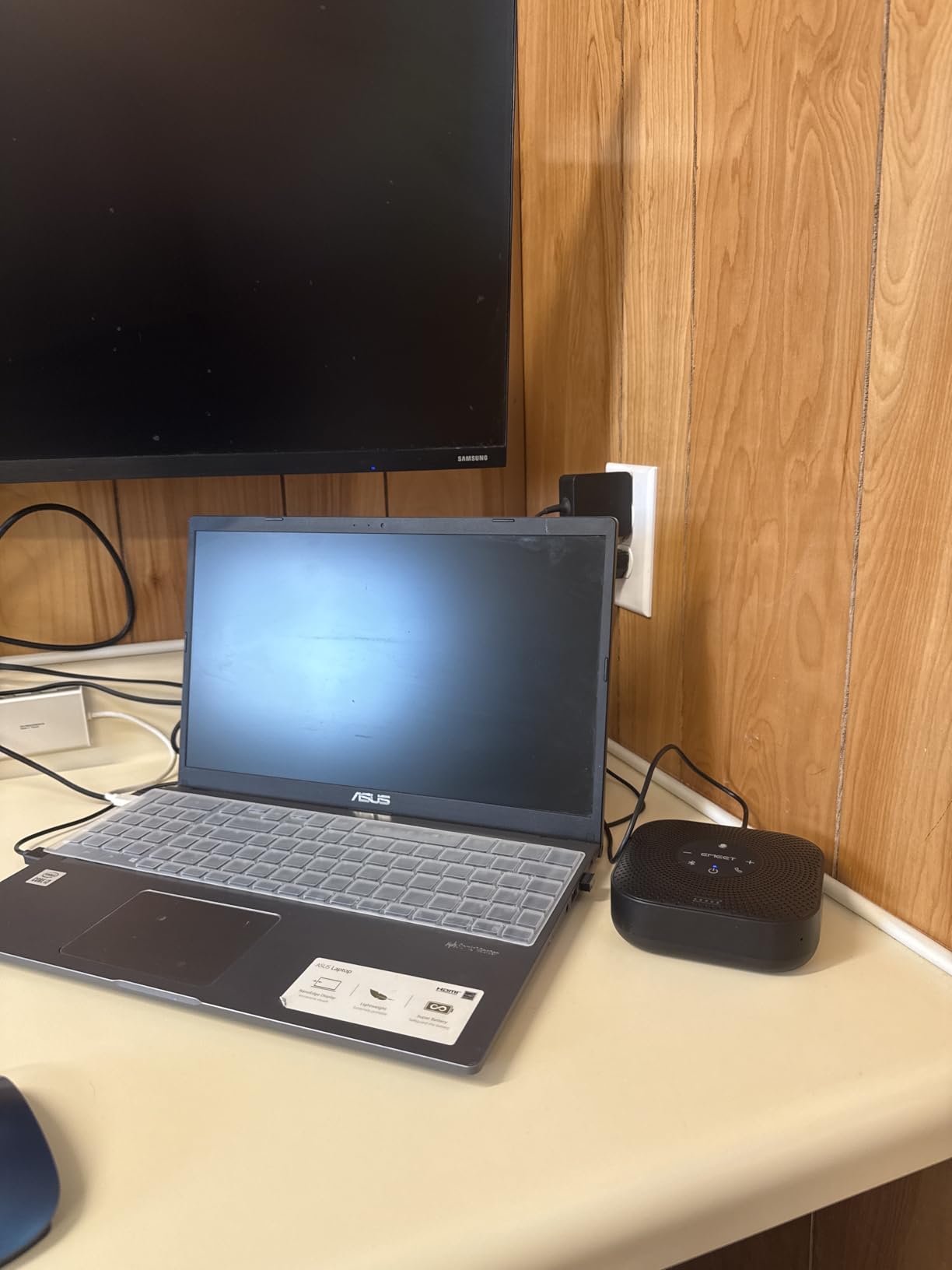
The EMEET M0 Plus is the budget pick that punches above its tier. Four microphones with VoiceIA filtering, a 3-watt full-duplex speaker rated for a room of roughly 14 by 24 feet, and daisy chaining to 16 attendees make it the cheapest way to cover a real conference table rather than a huddle corner.
All 12 Conference Room Speakerphones Compared in 2026
| Product | Specifications | Action |
|---|---|---|
| Anker PowerConf |
|
Check Latest Price |
 EMEET Luna EMEET Luna |
|
Check Latest Price |
 Anker PowerConf S330 Anker PowerConf S330 |
|
Check Latest Price |
 EMEET M0 Plus EMEET M0 Plus |
|
Check Latest Price |
 AIRHUG Speakerphone AIRHUG Speakerphone |
|
Check Latest Price |
 Dell SP3022 Dell SP3022 |
|
Check Latest Price |
 Yealink SP92 Yealink SP92 |
|
Check Latest Price |
 EMEET M220 EMEET M220 |
|
Check Latest Price |
 AV Access AnyCo A6 AV Access AnyCo A6 |
|
Check Latest Price |
 Tenveo MagiCall-EX Tenveo MagiCall-EX |
|
Check Latest Price |
 PolaTab Q95 mini PolaTab Q95 mini |
|
Check Latest Price |
 Jabra Speak 510 Jabra Speak 510 |
|
Check Latest Price |
A note on how to read that table: microphone count tells you how wide the pickup cone is, but the published pickup radius is the number that actually maps to a room. A four-microphone array with a stated 3-meter radius is a huddle room device, while a single microphone paired with 10 watts of speaker output is a small-table device with loud output, not a wide-coverage one.
1. Anker PowerConf – Best Six-Mic Pick for Most Rooms
Anker PowerConf Speakerphone, Zoom Certified Conference Speaker with 6 Mics
6-mic 360 array
Voice Radar 3.0 AI processing
24-hour battery
USB-C and Bluetooth
Pros
- Six microphones give true 360 degree pickup
- Voice Radar 3.0 handles noise and echo
- No drivers needed on USB-C
- 24-hour call time plus PowerIQ charging
- Zoom certified
Cons
- Battery falls short of the 24-hour claim for some owners
- 3W output is modest for rooms over 10 people
The Anker PowerConf is the speakerphone I recommend to anyone who asks me where to start. It has more verified owner feedback than any other model in this roundup, and that feedback is unusually consistent: people stop repeating themselves and stop being asked to move closer to the microphone.
Six microphones arranged in a 360-degree array do the pickup work, and Voice Radar 3.0 handles the processing layer, applying deep learning to cut background noise, cancel echo and detect when more than one person is talking. Automatic volume balancing compensates for the fact that the person nearest the device does not get to be twice as loud as everyone else.
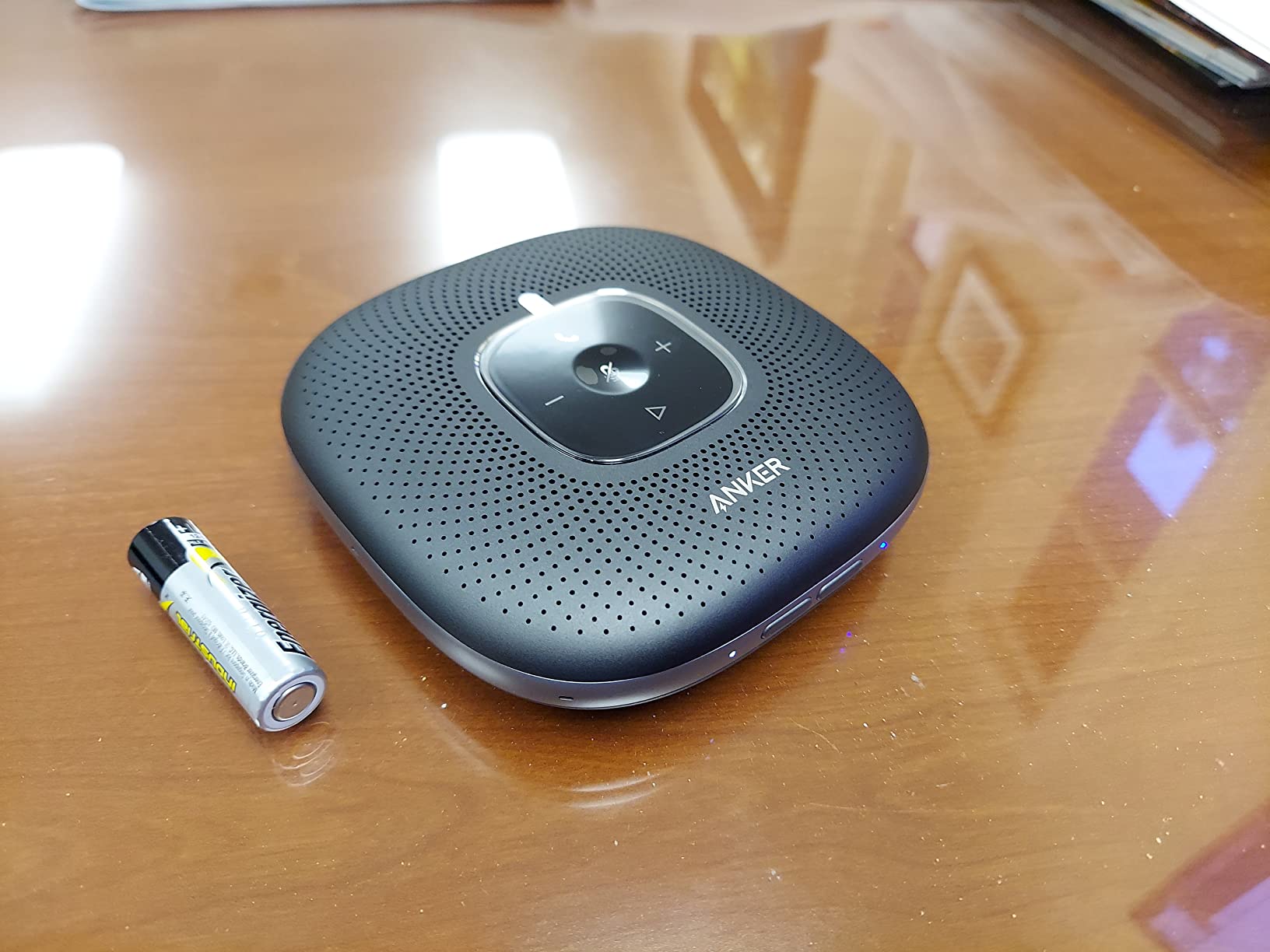
Setup is the part I appreciate most. Connect USB-C to a computer and it behaves as a microphone and speaker with no driver install, or pair over Bluetooth and connect to a phone. The battery runs 24 hours on a charge, and the PowerIQ output can top up a phone during a long call, which matters when the room has no spare outlet.
There is one honest caveat, and it comes from owner reports rather than the spec sheet: real-world battery life sometimes lands well short of the advertised 24 hours. The listed capacity also differs between the feature bullets and the technical specs, so treat the endurance figure as a ceiling rather than a promise.
The 3-watt speaker is the other limit. It carries a huddle room and a medium conference room without strain, and in a 15-plus seat boardroom you would feel the volume ceiling from the far end of the table.
How it holds up in a medium conference room
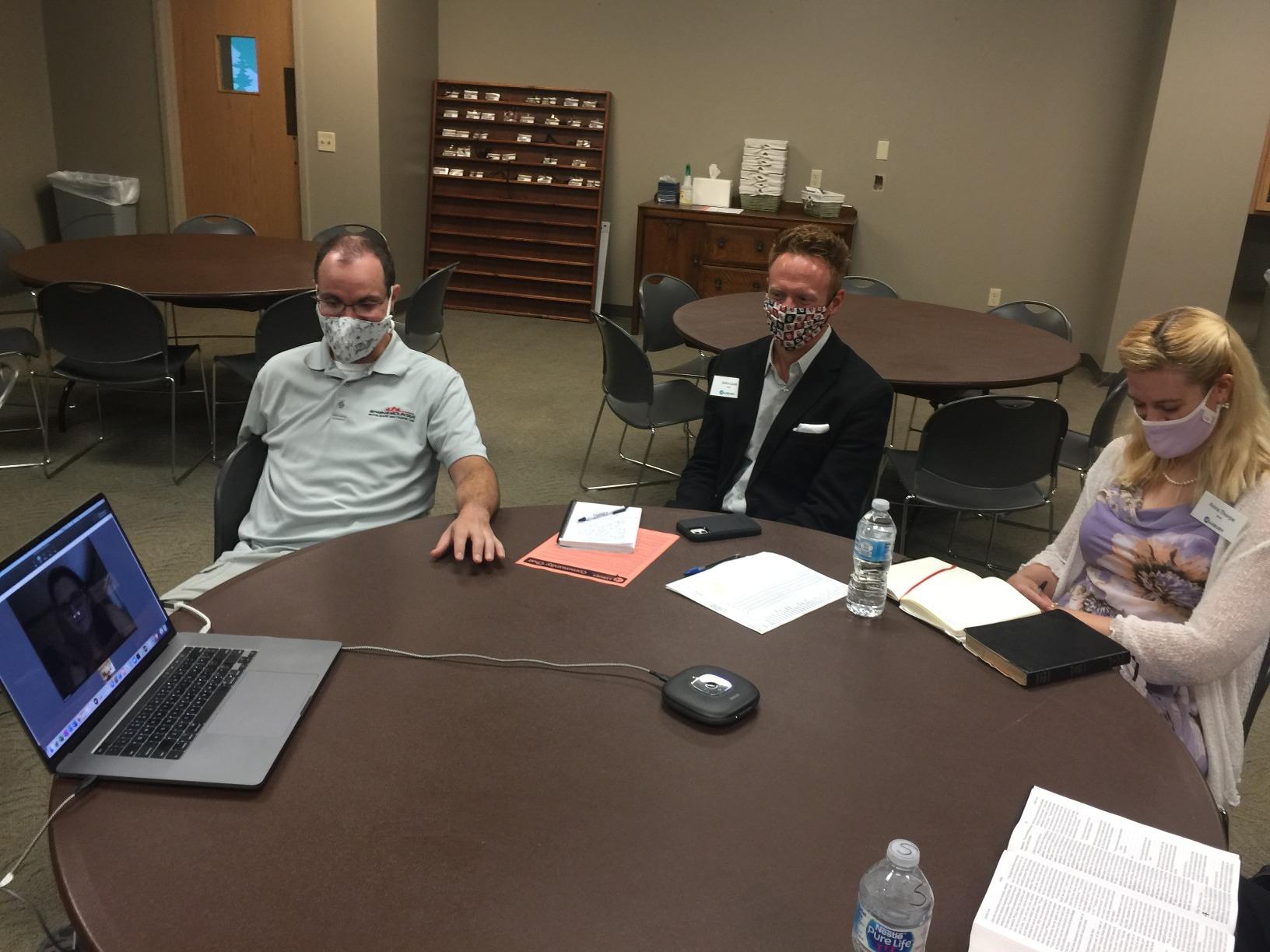
This is the sweet spot for the PowerConf. Six omnidirectional microphones mean no seat is a dead zone, so a rectangular table with eight to ten people works without anyone rotating the device toward whoever is talking. That property matters more than raw output power, because the failure mode in most rooms is not volume, it is a quiet person at the far end being dropped.
The Zoom certification gives procurement teams a documented reason to approve it, and the same unit works fine on Teams and Meet because it presents as a standard USB audio endpoint. A companion app exists for firmware and settings, but nothing about normal use requires it.
Where it falls short
Very large rooms are the honest gap. If your table seats more than about a dozen people or has long ends, the 3-watt output stops filling the space and people start leaning in. In that case the EMEET M220 or the Tenveo MagiCall-EX, both of which pair two speakerphones, is a better structural answer.
There is also no physical power switch, so the unit stays on whenever it has power, and the capacitive touch controls are the only physical interface. If your organization treats hardware mute as a compliance requirement, check the model you shortlist for that switch before you commit.
2. EMEET Luna – Best Value Full-Duplex Speakerphone
EMEET Luna Conference Speaker and Microphone, 360° Voice Pickup for 8 Users
3-mic 360 pickup
Full-duplex audio
85 dB maximum volume
USB, Bluetooth, AUX, dongle
Pros
- VoiceIA filters AC hum and keyboard clicks
- Four connection paths including AUX and dongle
- Metal sandblasted casing
- 85 dB ceiling suits a larger room
- Two-year warranty
Cons
- Daisy chain cable sold separately
- Auto power-off after one hour idle
- 10 meter Bluetooth range is among the shortest here
The EMEET Luna is the pick when the budget is real but the room is not tiny. At 4.4 stars across more than 2,000 reviews, it is one of the best-proven devices in the category, and the feedback pattern is steady: the noise filtering works, the conversation feels natural, and nobody has to think about connections.
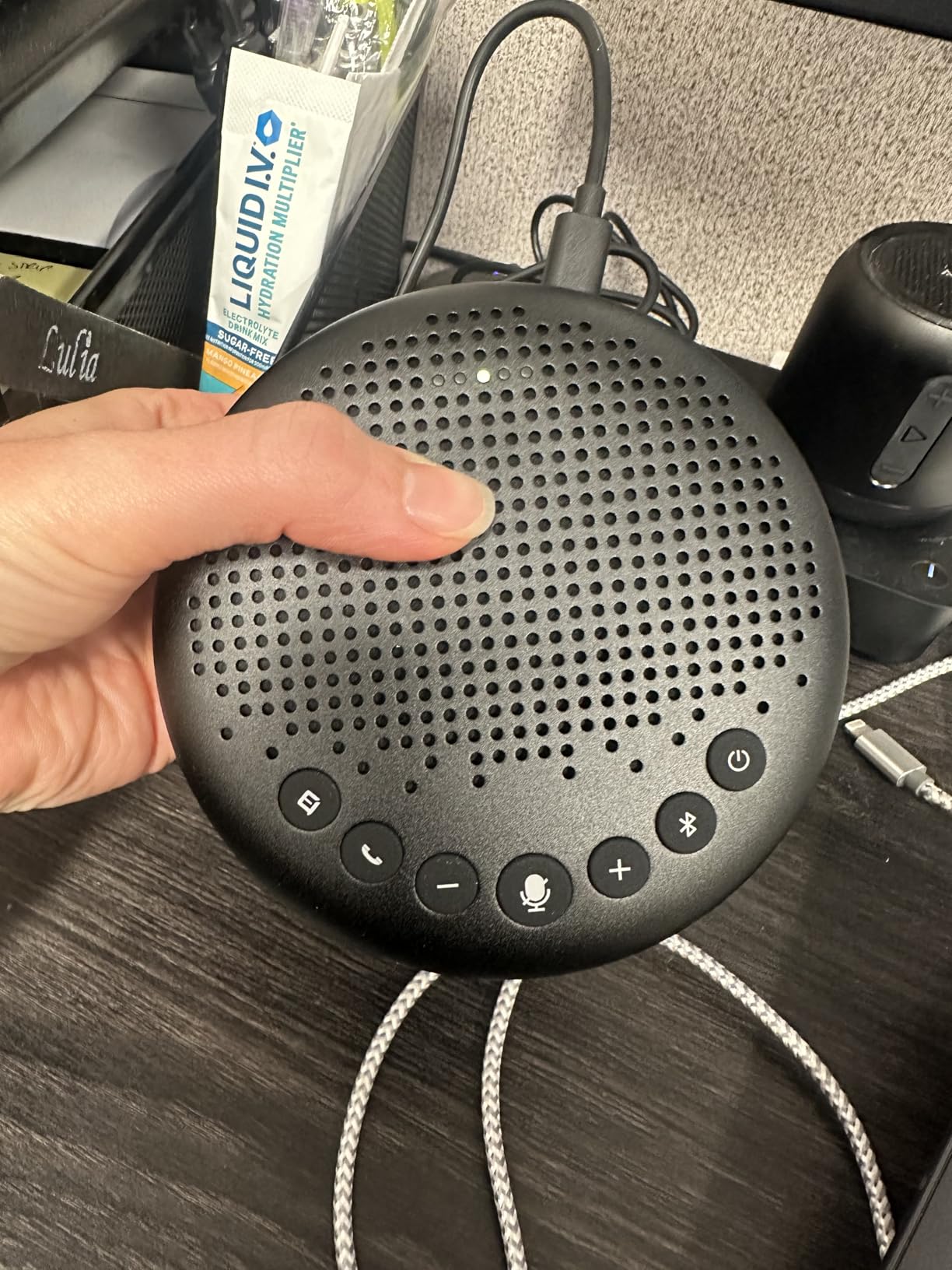
Three microphones give 360-degree pickup, and the full-duplex operation means a remote participant can interrupt without the room cutting out mid-sentence. VoiceIA is the noise reduction engine, and reviewers specifically call out air conditioning hum and keyboard clicks as the two things it removes most convincingly, which are also the two things that wreck a laptop-based call.
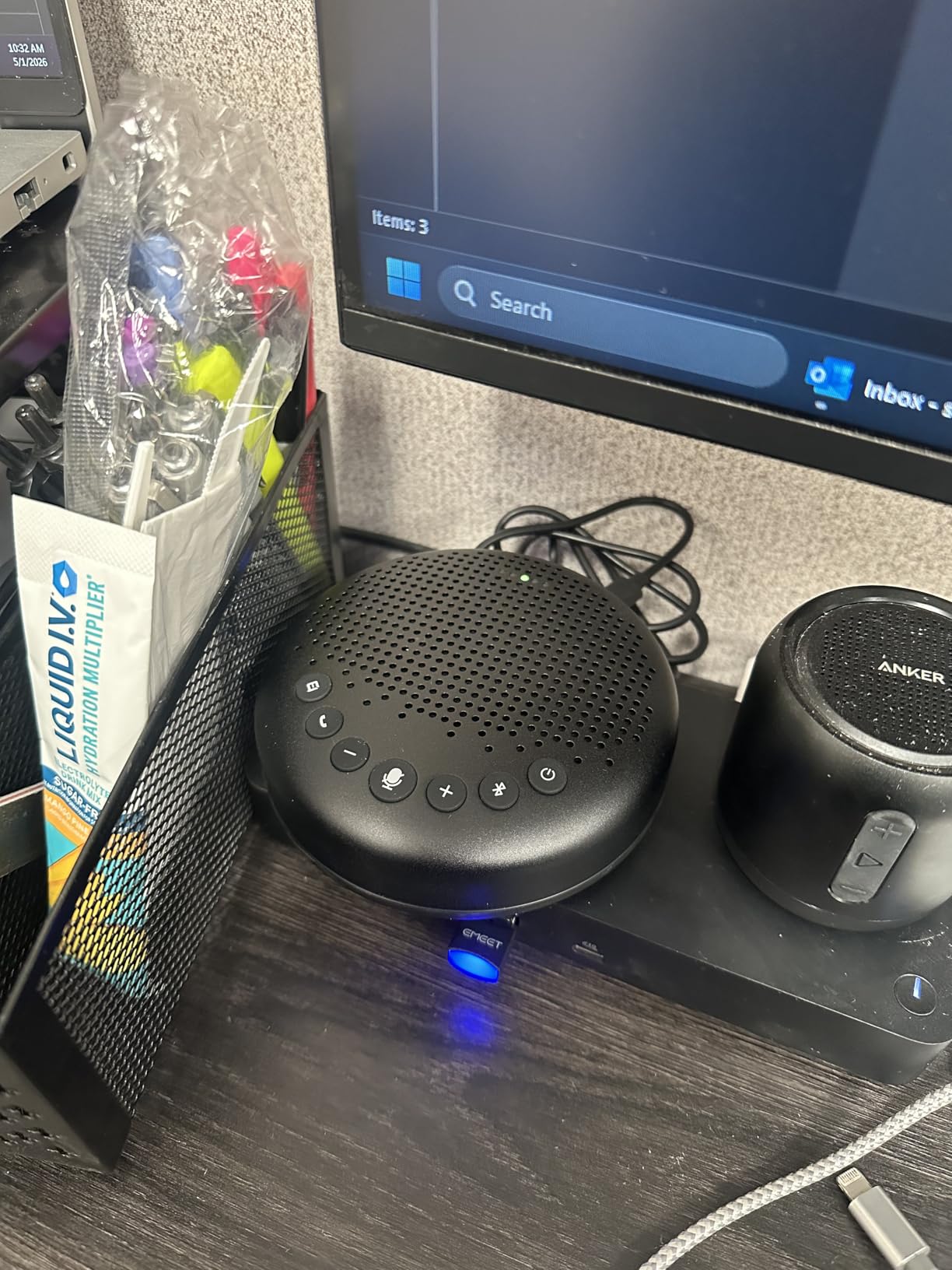
Auto-vocal-increase is the feature I did not expect to care about. It detects how far away a speaker is and adjusts the level accordingly, and paired with the 85 dB maximum volume, it means the same unit works in a 4-person huddle and a 12-person conference room. The connection list is unusually generous for the tier: USB, Bluetooth, AUX and a dongle option, all without driver installation.
The build is a full metal matte sandblasted casing, which is a step above the plastic shells common at this level and should survive being carried between rooms. The two-year warranty is longer than most competitors offer.
Two things to know before you buy. The daisy-chain cable is sold separately, so expanding to two devices is an extra line item. And the unit powers itself off after an hour of inactivity, which is fine for scheduled meetings and irritating for an all-day room that people drop in and out of.
Why full duplex matters more than most buyers realize
Full duplex means the device transmits and receives at the same time without treating its own output as an echo to be cancelled out of the incoming stream. Half-duplex devices force turn-taking, and the room goes silent whenever anyone on the far end speaks, which reads as a broken call to everyone listening.
On the Luna, the practical test is simple: have two people in the room talk over each other briefly and watch whether the remote side keeps both voices. The three-mic array and the full-duplex path hold up, and that is what makes it feel like an in-person conversation rather than a walkie-talkie exchange.
When the Bluetooth range becomes a problem
Ten meters is the shortest Bluetooth range in this group, and it is the one specification that could genuinely limit you. In a standard conference room with the table between the unit and the laptop, that is not an issue. In a boardroom where the laptop sits at the far end behind a display wall, you will want the USB or dongle path instead.
That is also the argument for buying this one over a cheaper Bluetooth-only model. Having four connection options means you are never forced to depend on the weakest link in the chain.
3. Anker PowerConf S330 – Best Corded Pick for Home Offices
Anker PowerConf S330 USB Speakerphone for Home Office, Plug and Play
4 mics within 3 meters
Corded USB-C plug and play
1.75-inch driver
8 ounces
Pros
- Genuine zero-configuration USB setup
- Four high-sensitivity mics to 3 meters
- Corded design removes battery and pairing problems
- Mute and volume buttons mirror app controls
- Only 8 ounces
Cons
- Fixed short USB-C cable cannot be swapped
- No on/off switch
- Built-in mute does not reflect in the app
The PowerConf S330 is what I suggest to people whose main complaint is wearing a headset for four hours a day. Verified buyers describe the same before-and-after: the headset comes off during calls, and the remote side stops hearing keyboard clatter and a headset mic clipped to a shirt collar.
The corded design is the underrated decision here. There is no battery to degrade, no pairing to break, and no Bluetooth dropouts mid-sentence, which is the single most common complaint about wireless speakerphones. Plug the USB-C end into a laptop and it becomes the input and output device automatically, with a USB-C to USB-A adapter in the box for older machines.
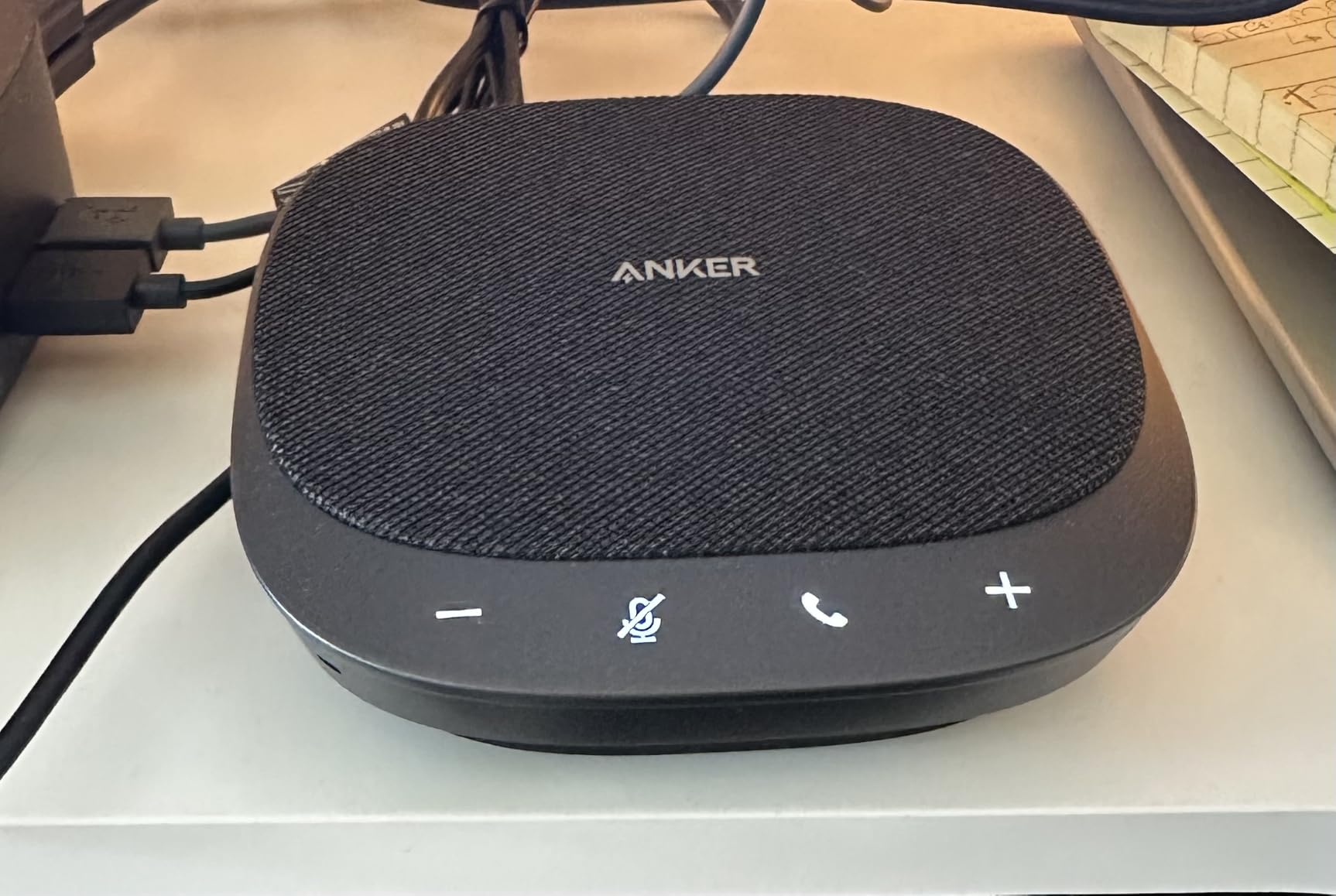
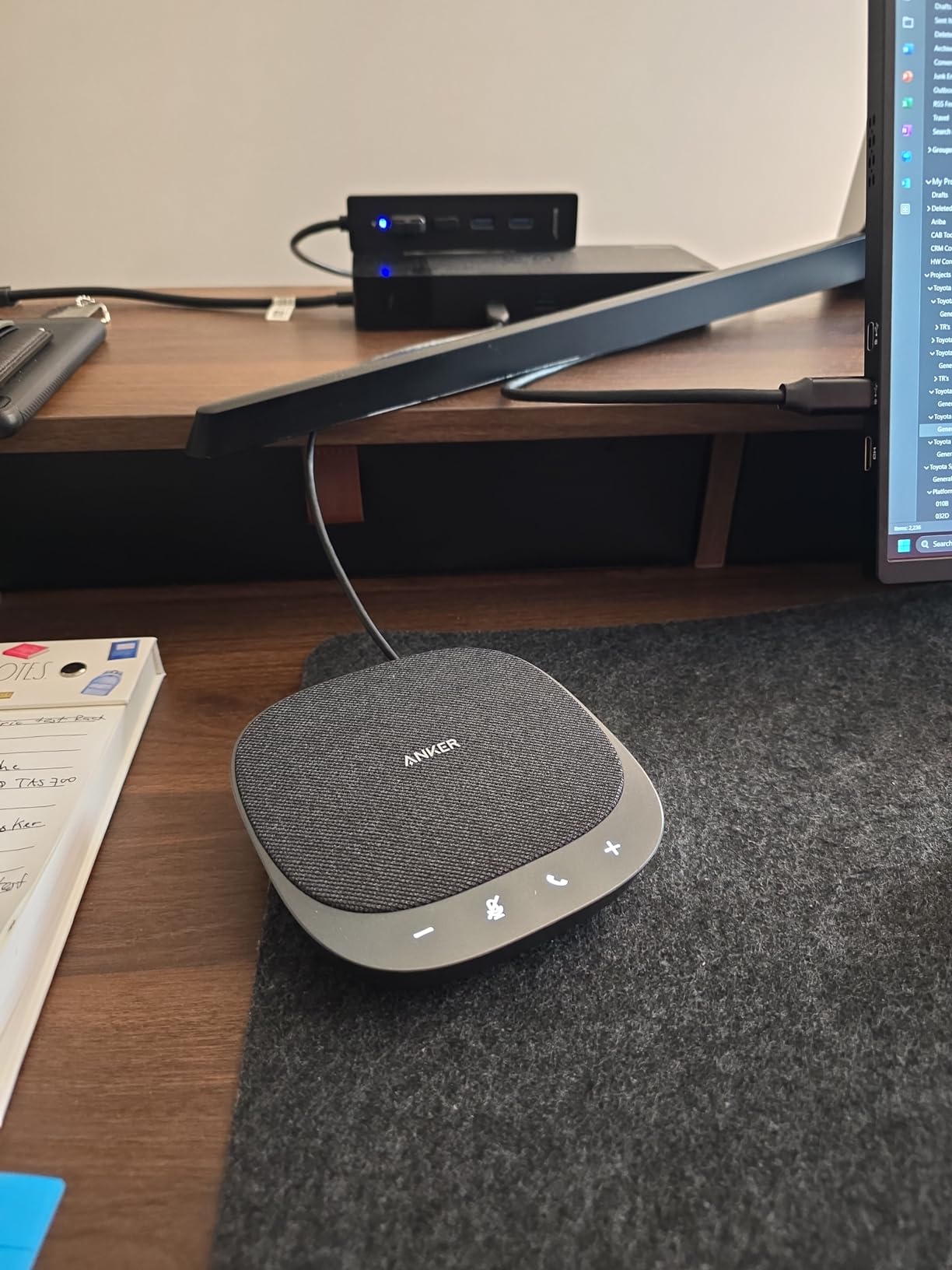
Four high-sensitivity microphones cover every voice within 3 meters, which is exactly a home office, a small huddle room or a hot-desking spot. Smart Voice Enhancement cancels background noise while boosting the voices, and the mute and volume buttons on the device mirror the equivalent controls inside Teams and Zoom, so people who learn one interface already know the other.
Sound quality is better than a typical laptop mic deserves to get. A 1.75-inch dynamic driver with two passive bass radiators adds depth, so it can handle music between calls without sounding like a modem speaker, which is more than most competitors at this size manage.
What you give up is portability in the literal cable sense. The attached USB-C lead is short and fixed, so you cannot swap in a longer cable for a conference table, and there is no power switch, meaning the unit is on whenever it is plugged in.
Room size and placement
The 3-meter pickup radius is the number to plan around, and it is genuinely useful because it is a hard, published limit rather than a vague claim. A round table under 6 feet across fits inside it comfortably. A long rectangular table does not, and in that case the far end will be quiet even if the near end is loud.
Placement is simple: put it in the center of the table, not near your laptop. The single biggest improvement most people get from this device comes from moving the microphone away from their own mouth and keyboard, and no amount of processing fully compensates for a mic sitting 12 inches from a mechanical keyboard.
The one detail that annoys long-term users
Pressing the physical mute button mutes the device, but that state does not always show up in the conferencing app interface, so people occasionally join a meeting believing they are live when the device is not transmitting. Teams-first organizations should confirm the behavior in their own app before standardizing on it, and the Dell SP3022 is the safer choice when visual and app-level mute state is a requirement.
It is also worth noting the warranty is listed as limited rather than a multi-year term, so for a permanent office install a longer-warranty alternative may serve you better.
4. EMEET M0 Plus – Most Versatile That Chains for 16
EMEET M0 Plus Conference Speaker and Microphone, 4 Mics 360° Voice Pickup
4-mic VoiceIA array
Daisy chain to 16
3W full-duplex speaker
10-hour battery
Pros
- Ranks first in Telephone Audio Conferencing
- Upgraded VoiceIA filtering across four mics
- Daisy chain cross-compatible with M3 and Capsule
- Covers rooms up to about 14 by 24 ft
- Two-year warranty
Cons
- Speaker output is thin for music and slightly metallic on voice
- Docking station users report repeated disconnect and reconnect
- Touch controls are easy to brush accidentally
The EMEET M0 Plus is the value pick, and its position at the top of its category in sales rank reflects how many people have landed on it. Four microphones with the upgraded VoiceIA algorithm give 360-degree pickup, and the 3-watt full-duplex speaker is rated to fill a space of roughly 14 by 24 feet, which is a real medium conference room rather than a huddle closet.
Buyers consistently praise how natural the conversation feels, which comes down to full-duplex audio and the echo elimination working together. If two people talk at once, neither gets chopped off, and that is what stops a meeting from feeling like a series of interruptions.
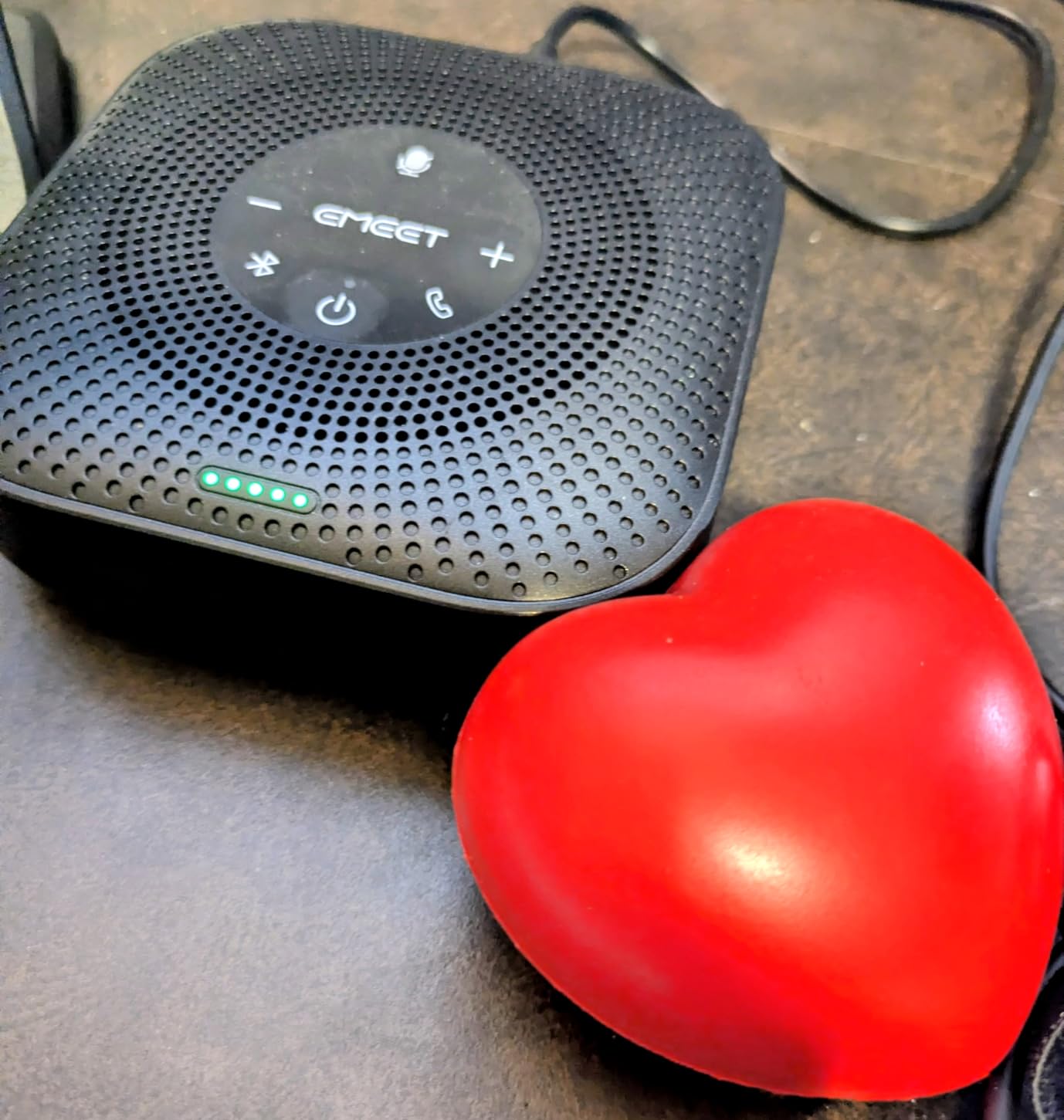
The daisy-chain capability is the sleeper feature at this price. Two devices cover up to 16 attendees, and they are cross-compatible with the EMEET M3 and Meeting Capsule, so a room can grow without replacing hardware. You get USB-C, a USB-C to USB-A adapter, and Bluetooth 5.0 in single or dual-device mode, and the battery gives a little over 10 hours of talk time per charge.
Compatibility is broad: Zoom, Microsoft Teams, Slack, Webex and other platforms, with no drivers or extra software to install. The two-year warranty is standard for the brand.
The recurring complaints are audio purity and docking stations. The speaker output is described as thin and tinny for music, with a slight metallic edge on the human voice, so it is a call device rather than a music device. And users routing audio through a docking station report the speaker repeatedly disconnecting and reconnecting, which is a workstation-architecture problem rather than a product defect, but it is a real one if you deploy these by the hundred.
When the budget pick beats the flagship
It wins in three specific situations. First, a medium room where you need daisy-chain expansion later, since adding a second device is cheaper than replacing with a larger unit. Second, a mixed-device environment where the USB-C adapter and Bluetooth 5.0 options cover whatever hardware lands on the table. Third, a deployment where procurement wants a single standardized SKU with a two-year warranty rather than a range of specialty models.
It also holds up well as a secondary room device. A 4.2-star average across more than 1,700 reviews with 69 percent five-star ratings tells you the failure rate is not the issue here. The rating sits below the top three because of audio character complaints, not reliability.
Where it will disappoint you
Do not buy it as a music speaker, and do not deploy it into a room that runs through USB-C docks without testing that path first. The 10-hour battery also rules it out for a full day of back-to-back meetings without a charging point in the room.
The touch controls deserve a warning because they generate genuine complaints: they are sensitive enough to trigger when a hand brushes the surface, and in a busy room that means accidental volume changes or a dropped call. Physical buttons would be better, and the fact that they are not is the clearest gap in an otherwise capable device.
5. AIRHUG – Best for Four to Six Person Huddle Calls
AIRHUG Conference Speaker and Microphone, Bluetooth & USB Speakerphone
6 ft pickup for 4-6 people
48000 samples per second
DSP echo cancellation
6 ounces
Pros
- Two devices connected at once over Bluetooth and USB-C
- Full-duplex pickup within 6 ft
- 48K sampling with DSP echo cancellation to 400ms
- Included carry bag
- Works with Zoom
- Teams
- Meet and FaceTime
Cons
- Several owners report unit failure or dropouts after six to eight months
- Bluetooth described as unsteady even at close range
- Volume ceiling cannot be raised past the built-in limit
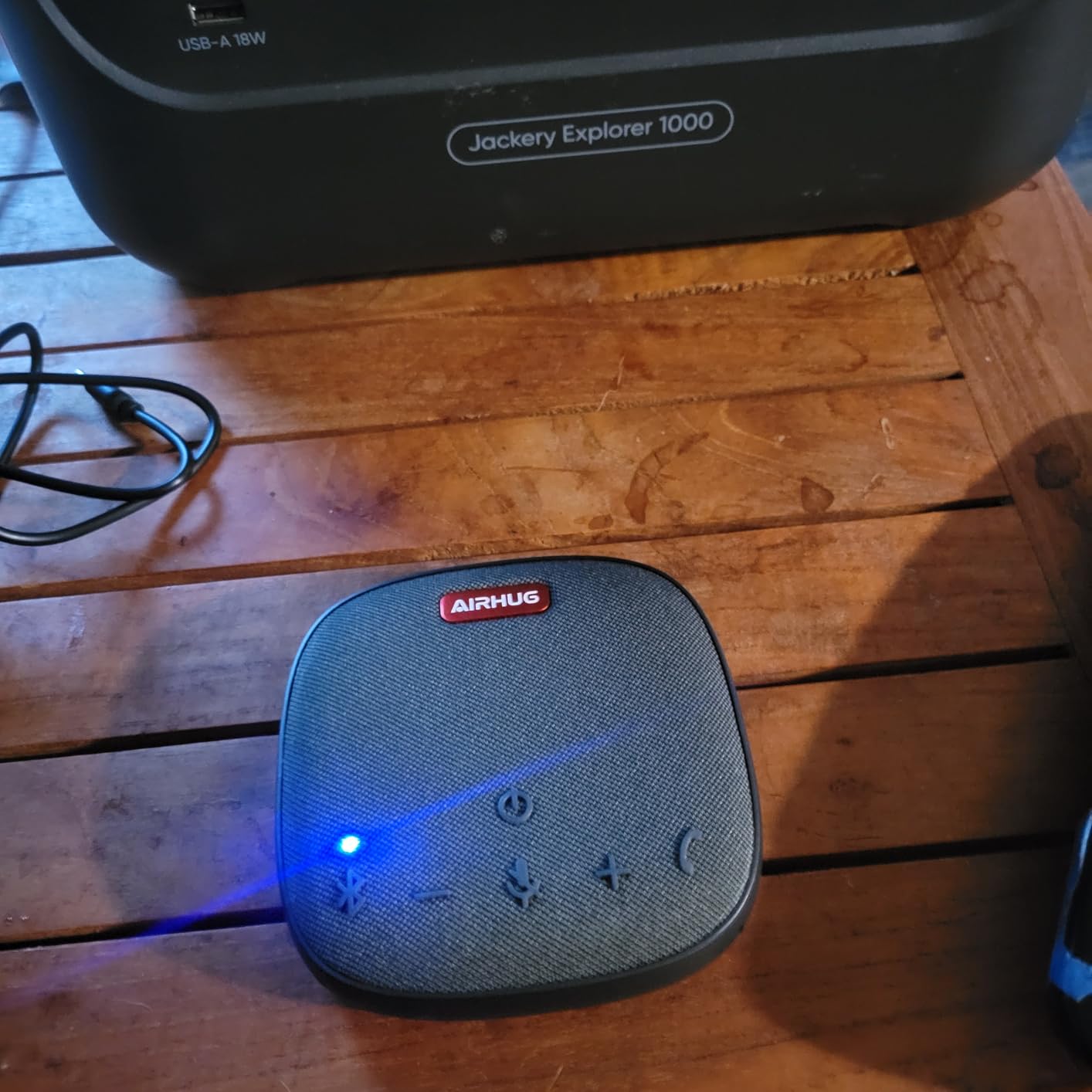
The AIRHUG is the smallest and lightest unit here at 6 ounces, and it is built for a specific job: a four to six person huddle call where the device sits in the middle of a small table. The published pickup is within 6 feet, which matches that room almost exactly.
What makes it interesting is the processing. Sampling runs at 48,000 samples per second, and the integrated DSP handles linear and nonlinear echo suppression up to 400 milliseconds, with intelligent noise reduction working across 100 Hz to 24 kHz and lifting the conversation signal-to-noise ratio above 25 dB. In practice reviewers find the noise reduction noticeable, which is more than you can say for many devices in this tier.
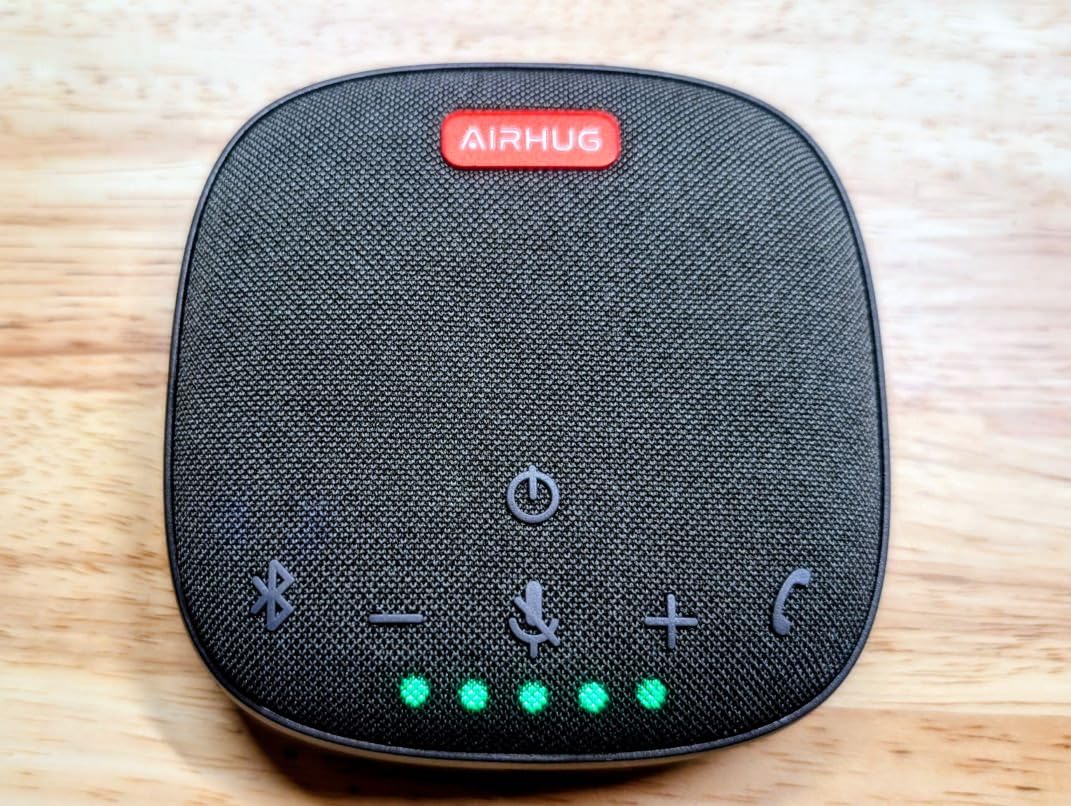
Connection is genuinely flexible. Bluetooth and USB-C can be active at the same time, so a laptop and a phone can both stay linked, and it works across Windows, Mac, Linux and Android. Acoustic voice reminders announce power, Bluetooth and USB mode changes, which sounds like a gimmick until you are setting up alone in an unfamiliar room.
The low weight and included carry bag make it the easiest device here to move between a home office, a spare room and a client office. The two-year manufacturer warranty is respectable.
I want to be direct about the weakness, because it is the most serious in this roundup. Multiple verified reviews describe the unit failing completely or cutting out intermittently after roughly six to eight months of use, and the 12 percent one-star share is the highest of any product on this list. Bluetooth is also described as unsteady even at close range, with wired use being the reliable path.
Who should and should not buy it
Buy it if the device lives in one small room, gets used a few times a week, and you value being able to carry it anywhere at essentially no weight. The echo and noise handling at this size is better than the spec sheet suggests, and for a 4-6 person table nothing else needs to be considered.
Skip it if it will be in daily use in a shared office, or if you are rolling it out across a floor. A device with a reported half-year service life is a poor choice for fleet deployment, regardless of how good the first month feels, and the earlier forum complaint pattern on budget units failing under daily use matches what the reviews here report.
If you want the same small footprint with a better warranty and clearer durability, the EMEET M0 Plus costs more and carries a two-year warranty with a much larger review base.
The volume ceiling nobody mentions
Even when it works, the maximum volume is a fixed ceiling that cannot be pushed past. For a small huddle room that is irrelevant. For a room with high ceilings, hard surfaces or more than six people, you will hit the limit and no amount of gain will get you past it, because the limit is in the amplifier, not the processing.
Music playback quality is also noticeably worse than the call audio, which reinforces the point: this is a voice device, and it is at its best when that is all you need from it.
6. Dell SP3022 – Best for Microsoft Teams Rooms
Dell Speakerphone SP3022, Microsoft Teams Certified, Zoom Certified
Teams and Zoom certified
2 mics at 90 dB signal ratio
1.8W soundbar
3-year warranty
Pros
- Dedicated Microsoft Teams button for one-touch joins
- Three-year warranty
- Single cable with both USB-A and USB-C
- LED indicators for call and mute state
- No companion app required
Cons
- Microphone quality reported as muffled and distant
- Teams button and software control clunky on macOS
- 1.8W output and 7 kHz response limit music
The Dell SP3022 is the choice for an organization standardized on Microsoft Teams, and the reason is certification plus a dedicated Teams button. Press it and the meeting launches or the app comes to the front, which removes the single most common friction in a Teams room where people fumble with meeting links.
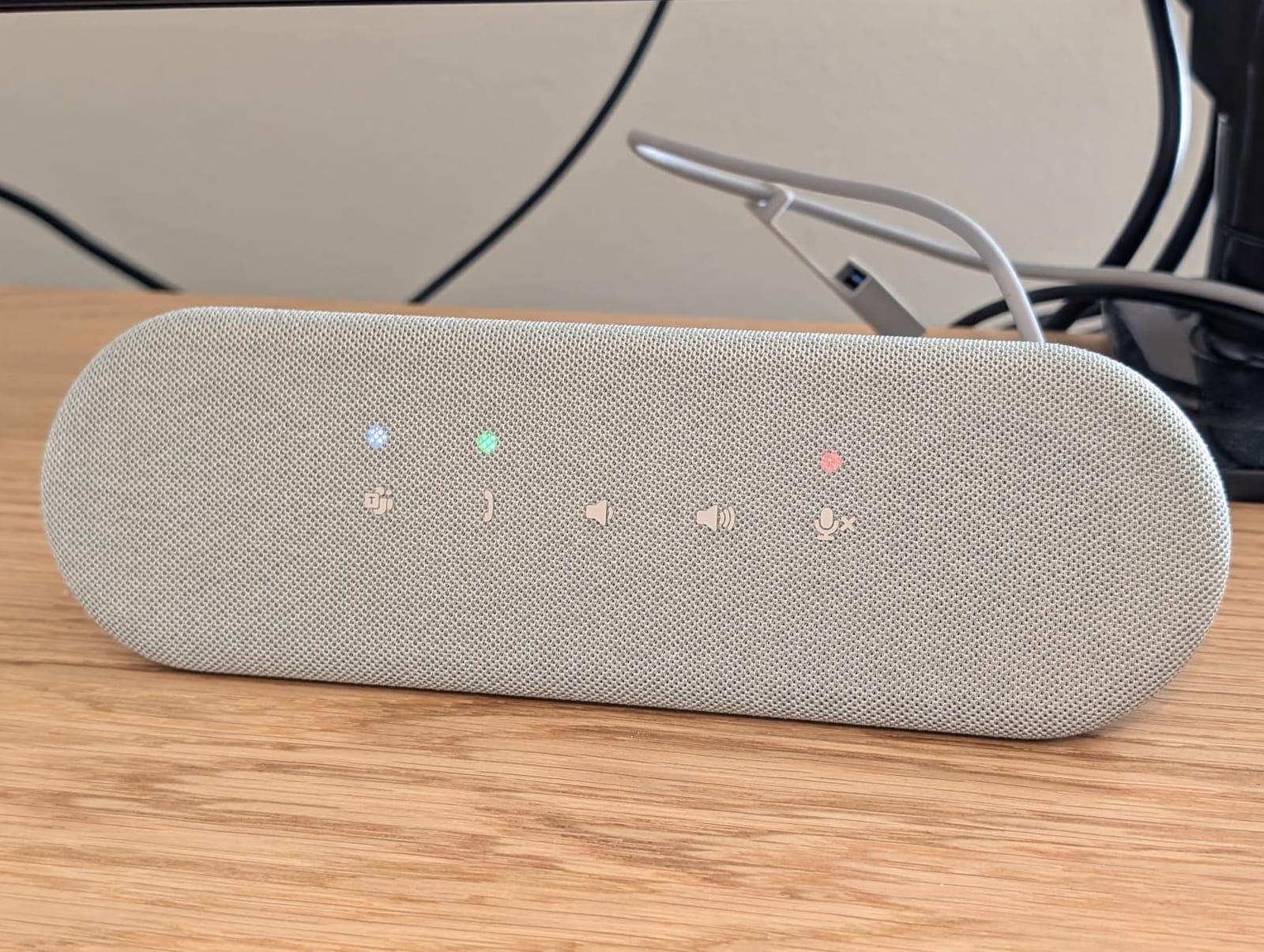
It is a soundbar rather than a puck, at 8.89 inches wide and 2.79 inches tall, so it sits under a monitor or next to a laptop without looking like meeting hardware. LED indicators on the front show Teams app status, call and hang-up, volume and mic mute, and the front touch controls respond to volume, mute and hang-up without opening any software.
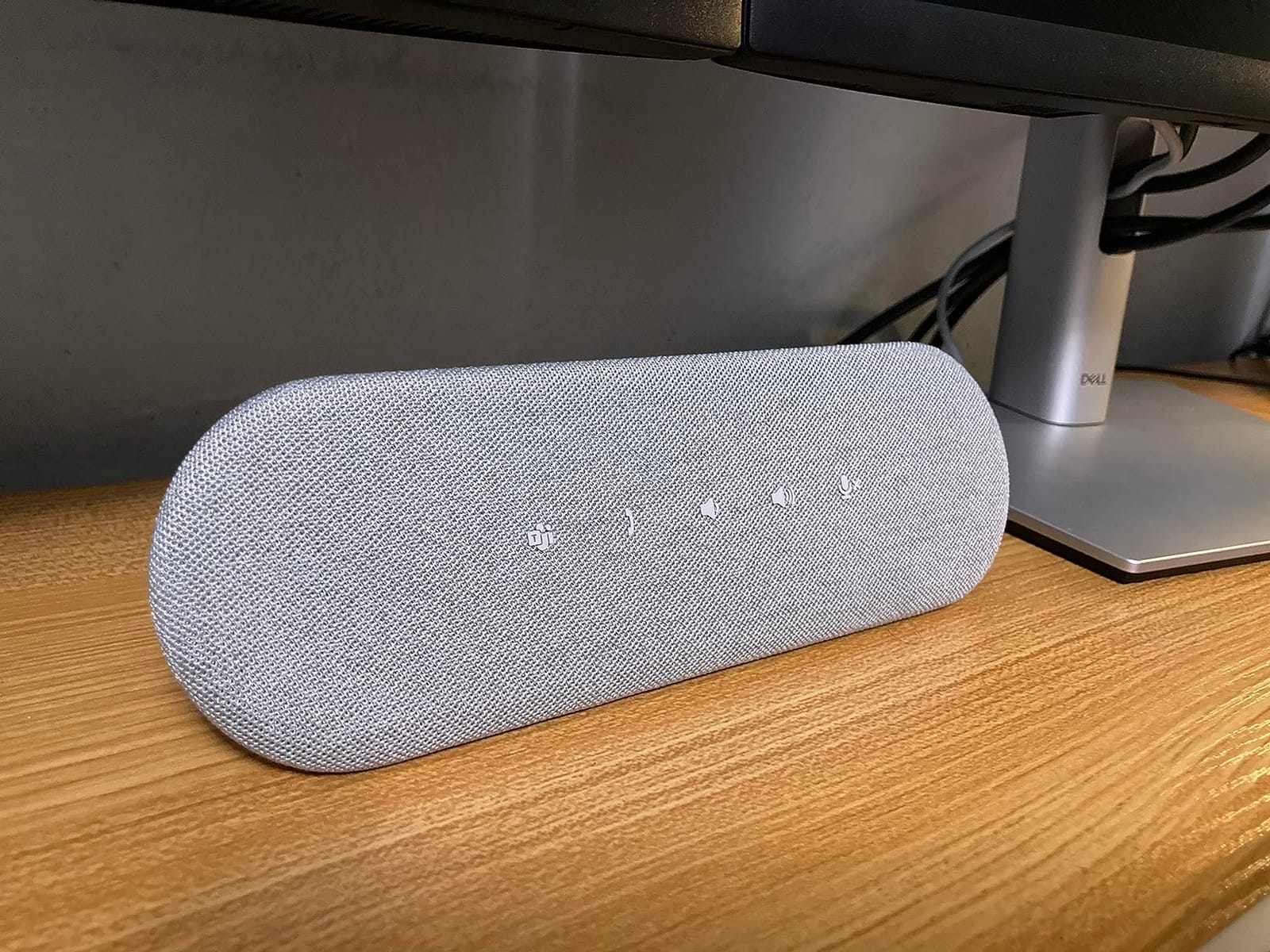
Setup is a single cable carrying both USB-A and USB-C, with no companion app and no driver install. The listed signal-to-noise ratio is 90 dB, one of the highest here, and the AI noise cancellation is reported to handle keyboard clatter, HVAC hum and side conversations well on the incoming side. The three-year warranty is among the longest here and is a meaningful signal for commercial deployments.
The weakness is the microphone, and buyers say so plainly: callers describe the outgoing voice as muffled, distant, or like a phone on speaker. Two microphones with 1.8 watts of output and a 7 kHz frequency response is a listening-first design, so it works best in a small huddle room where people are close to it.
It is also built around Windows and Teams. The dedicated button and the software control are reported as clunky on macOS, and Mac notification sounds come through thin even at full volume.
Why certification matters for a standard roll-out
Platform certification is not a marketing badge in a standardized environment. It means the device has been tested against the platform’s audio expectations, so IT teams are not debugging why the mute button behaves differently than the app, or why a device shows up as an unknown endpoint in meeting diagnostics. For fleets, that removes a category of support ticket entirely.
Both Teams and Zoom certification are listed here, so the device is not a dead end if your organization standardizes on a different platform later. What is less certain is software behavior on macOS, so if a meaningful share of your room users are on Macs, test that path first.
When a soundbar shape is the wrong answer
Soundbar form factors are designed to sit in front of a screen, which makes them awkward in rooms where the camera is on a ceiling mount or the display is at the far end of a long table. The sound points forward rather than spreading 360 degrees, and the two-microphone array is the smallest here, so a wide table will have a quiet corner.
If your room seats more than six or has an unusual table shape, a puck-style omnidirectional unit is a better geometry than a soundbar. The SP3022 is strongest as a personal or huddle-room device at a workstation, where the screen is close and the soundbar sits exactly where it should.
7. Yealink SP92 – Best Lightweight Pick for Travel
Yealink Sp92 Conference Speaker and Microphone Teams Certified Mic with Al Noise Cancelling 20H Call Time USB Speakerphone for Small Meeting Room, Bluetooth Speaker for Computer/Laptop
13 ft pickup for 4-8 people
20-hour battery
5W speaker
Teams certified with case
Pros
- AI noise cancellation filters over 1000 noise types
- 13 ft pickup suits 4-8 person rooms
- 20-hour battery with 2.5 hour recharge
- Only 276 g and 5 by 5 inches
- Carrying case and both cables included
Cons
- Single microphone and mono output reported hollow on calls
- Top buttons are highly touch-sensitive
- Echo and noise settings not exposed on device or in software
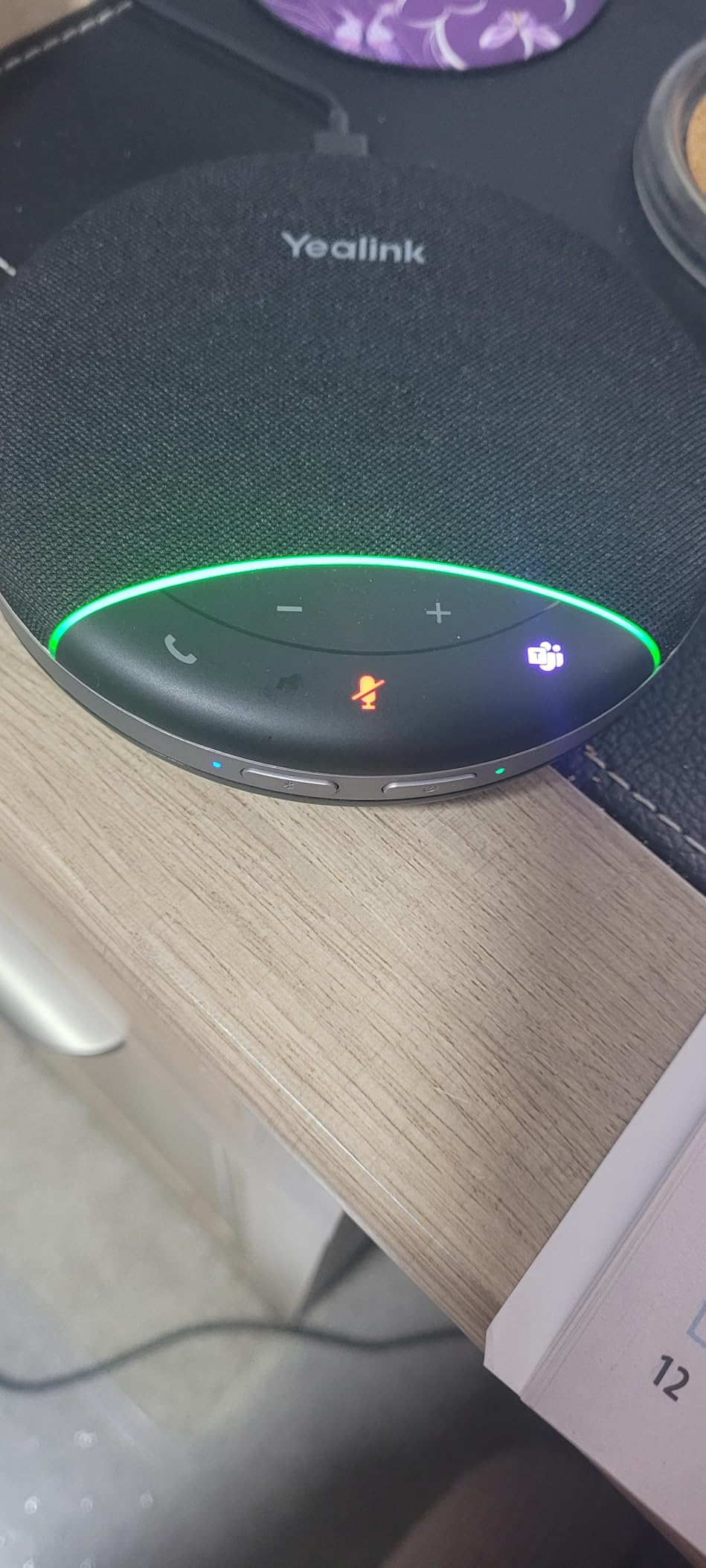
The Yealink SP92 is the one to pack. At 276 grams and roughly 5 by 5 by 1.3 inches, with a carrying case and both USB-C and USB-C to USB-A cables in the box, it is among the most travel-friendly devices in this roundup, and the 20-hour battery with a 2.5-hour recharge means it survives a multi-city week without a charger hunt.
Despite the small footprint, the pickup radius is 13 feet, or 4 meters, which covers a four to eight person room. The 5-watt speaker with Virtual Bass gives it noticeably more output than most compact units, and the AI noise cancellation filters over 1,000 noise sources, which in practice means keyboard taps and air conditioning hum get removed before they reach the far end.
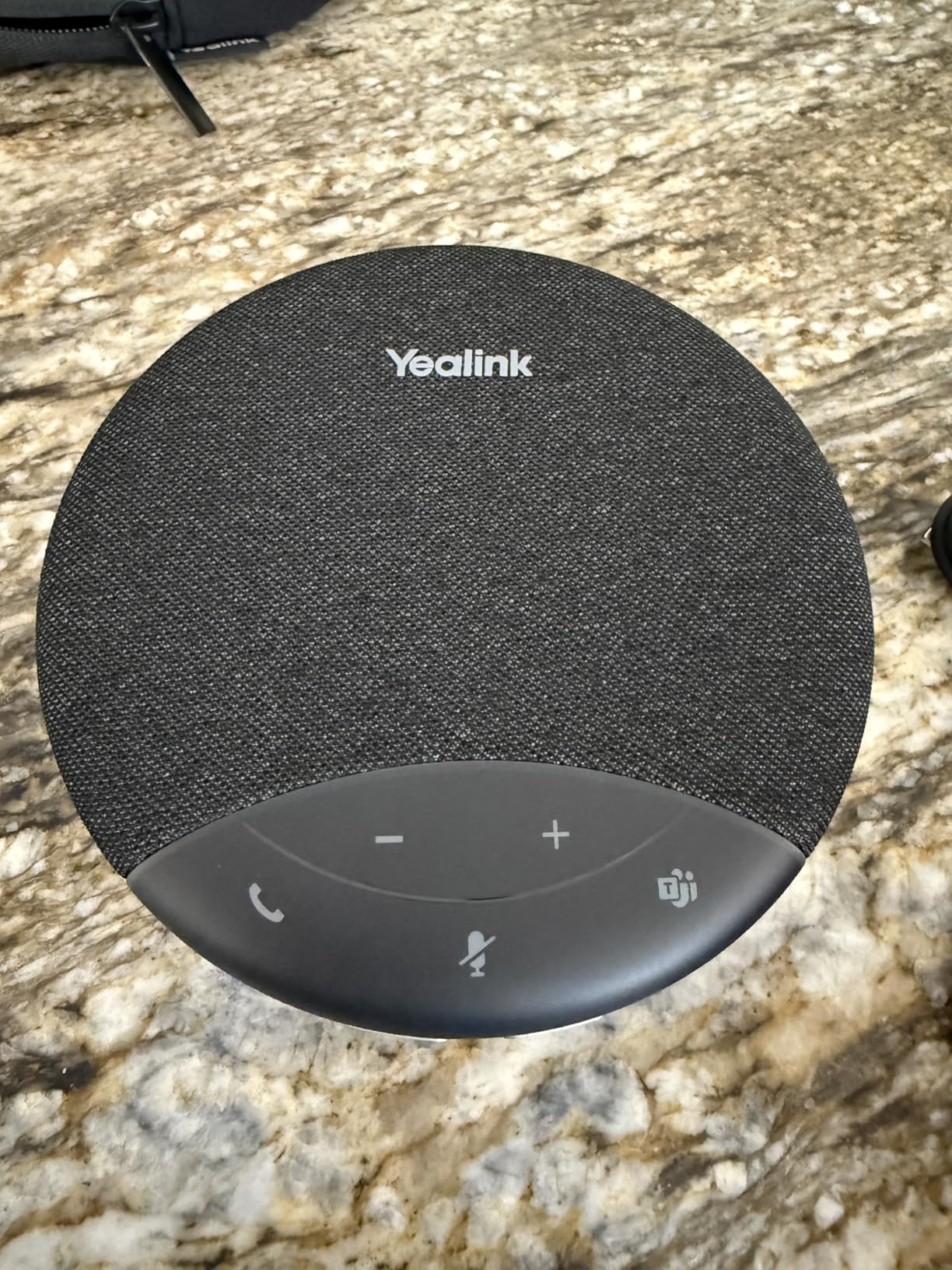
It is Microsoft Teams certified and also works with Zoom, Google Meet and Cisco Webex on Windows, macOS and Android. Connectivity covers Bluetooth 5.3 at 30 meters, USB-C, or an optional BT51C dongle for rooms where wireless is unreliable. Controls work from the unit or from the computer, which is helpful when the laptop is across the table.
The two-year manufacturer warranty is solid, and one owner reported using it as a stand-in when a professional AV install failed, which tells you something about the gap between a certified portable device and a fixed room system.
The limitation is the single omnidirectional microphone with mono audio output. Callers frequently describe the outgoing voice as hollow, tin-can or underwater, particularly on quiet speech. For a room where every seat is close to the device it is fine, and for a table where the far end is 10 feet away it is not.
Travel setup: what to do on arrival
The setup routine matters more with a portable device than a fixed one, because most travel failures are placement errors rather than hardware faults. Put the speaker in the center of whatever surface you have, at roughly seated head height if possible, and connect over USB-C when the host laptop allows it.
That advice is not cosmetic. A conference speakerphone cancels the echo of its own output relative to its distance from the speakers, and a device pushed to one end of a table while the laptop sits at the other end will underperform its published pickup figures. That is the reason placement matters, and it is why the unit should sit at the center of the table instead. Place it there and the same pickup figures hold.
The button problem to test before you standardize
The top buttons are described as highly touch-sensitive, with owners reporting accidental disconnections partway through a meeting. That is a serious issue for a device whose entire purpose is not dropping a call, so if you plan to deploy these, confirm the button behavior on the units you actually receive before rolling them out.
Related: the claimed echo and noise cancellation settings are not exposed on the device or in the USB Connect utility, so you cannot tune them for a difficult room. And a single mic plus mono output means it is not compatible with every business soft-phone platform beyond basic Windows sound routing, so test your own calling stack if it is not a standard conferencing app.
8. EMEET M220 – Best Match for 10 to 20 Person Rooms
EMEET M220 Bluetooth Speaker, Daisy Chain/Use Alone up to 16 attendees
Two devices included
10W speaker each
Daisy chain to 16
LED direction ring
Pros
- Two speakerphones included
- either chained or split between rooms
- 10W output per device is clearly louder than compact units
- Four MEMS omnidirectional mics per device
- Full-duplex dual talk for overlapping speech
- Soft cases included for both
Cons
- Proprietary 10 ft daisy-chain cable is short and cannot be extended
- Each device must be charged separately
- Zoom lists chained devices separately and the mic must be reselected
The EMEET M220 is the answer for a room that has outgrown a single puck, and it arrives as a pair. Two devices either daisy chain to cover 16 attendees or run separately in two small rooms, which makes it unusually flexible for a company with a mix of room sizes.
At 4.5 stars, this is among the highest averages in the roundup, with only 1 percent one-star ratings, and that consistency shows in the feedback. Owners report that it resolved meetings where both a phone on speaker and a higher-end desk unit had failed, and the 10-watt speaker per device is noticeably louder than the 3-watt class, which is exactly the gap that makes big rooms work.
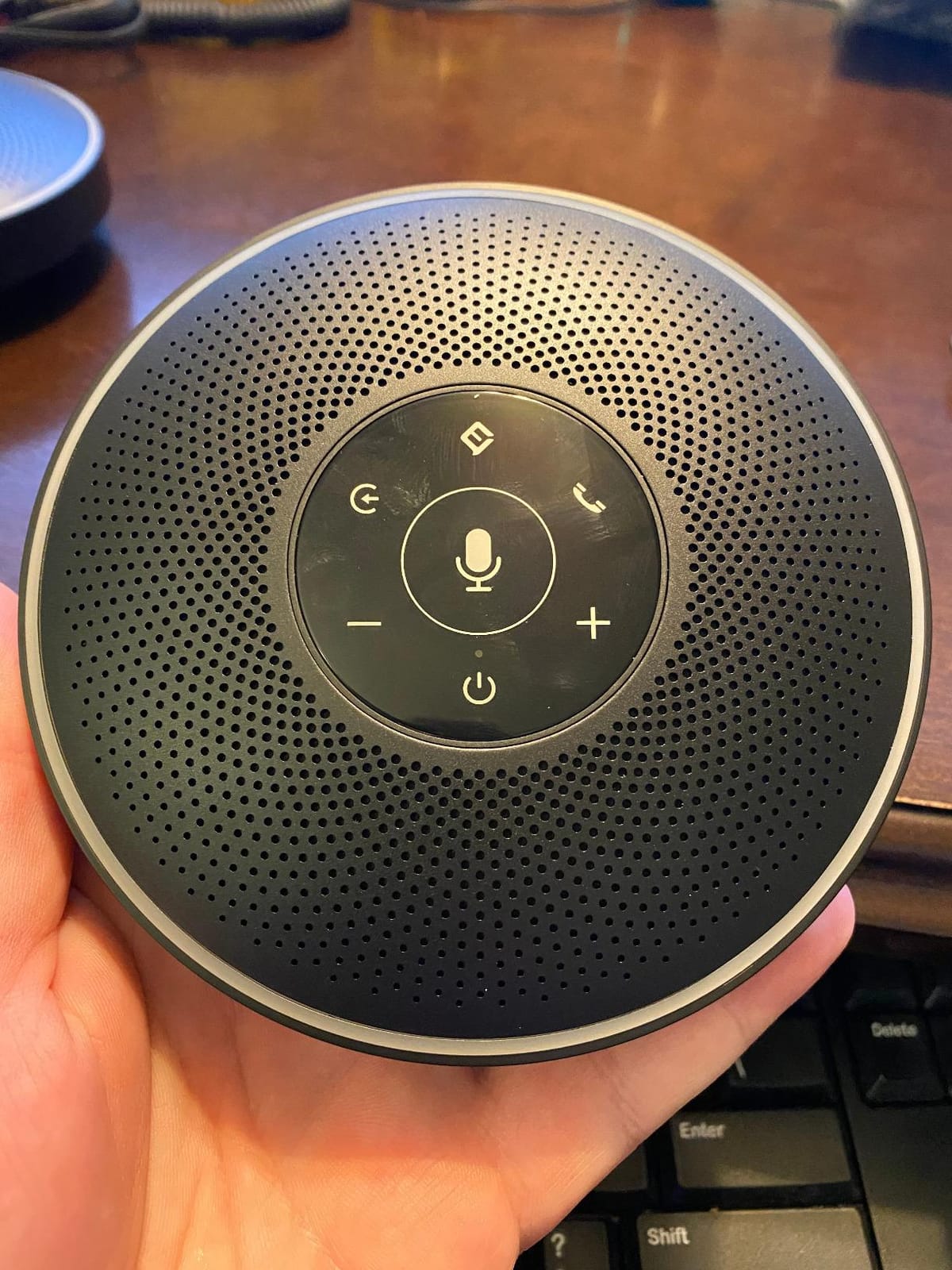
Each device carries four high-sensitivity MEMS omnidirectional microphones for genuine 360-degree pickup, and the VoiceIA algorithm balances volume by speaker distance. The LED ring is more than decoration: it displays the direction of the active speaker, plus volume, power, connection and mute state, so people in the room can see where the audio is coming from and whether the device is live.
Full-duplex dual talk means several people can speak at once without cutting each other off. Connectivity covers Bluetooth, AUX, USB and two included USB audio dongles, and it runs on Windows, macOS, Android and Linux. Soft padded cases for both devices are included, which matters more than it sounds for a pair of 2.1-pound devices moving between rooms.
The daisy-chain cable is the frustration, and it is specific: it is a proprietary 10-foot cable that cannot be extended, and longer standard AV cables do not substitute. That limits you to roughly eight people per device with proper spacing, and it means a U-shaped table layout will not work without repositioning.
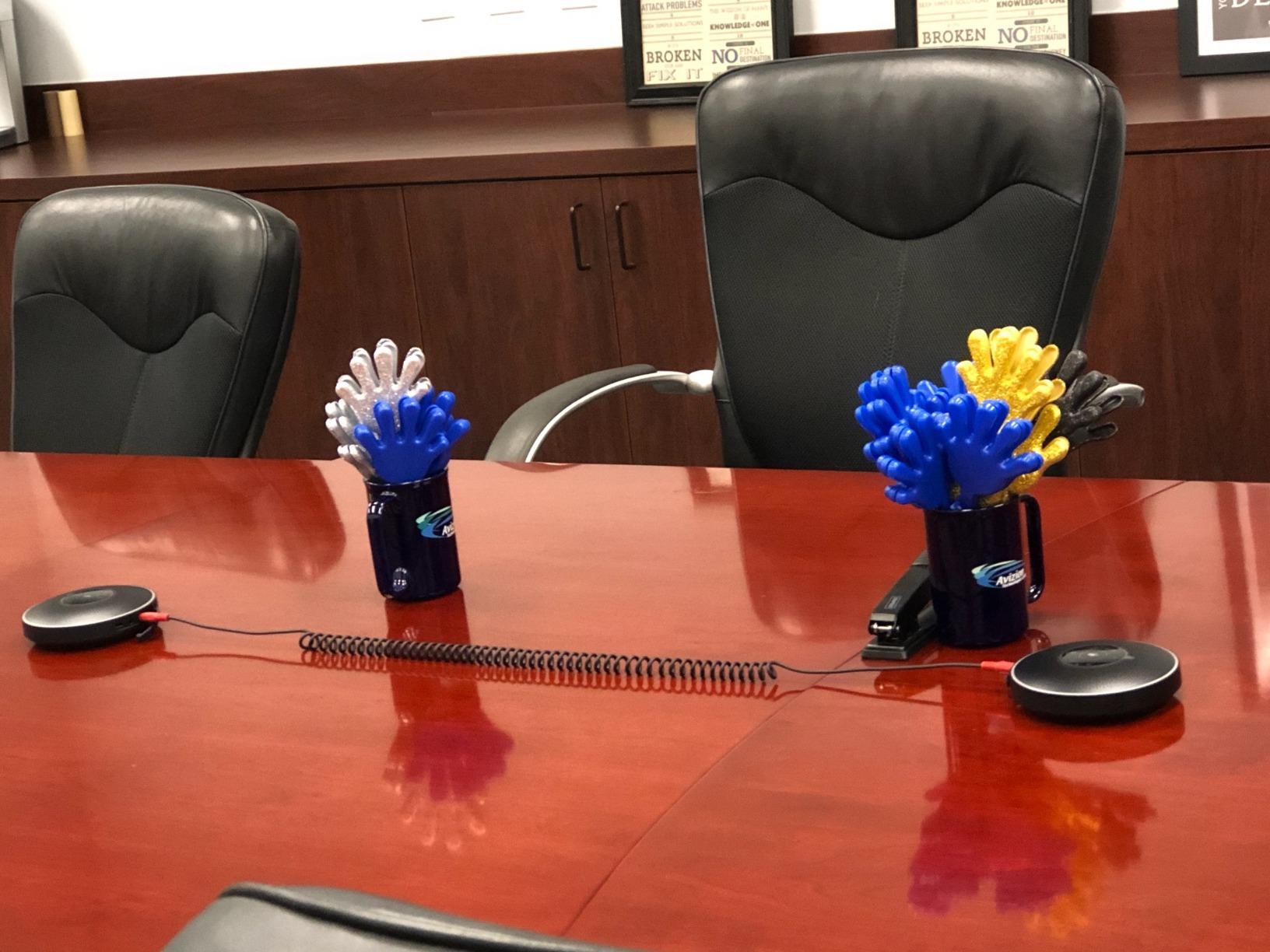
How to lay out two devices in a long room
Place one device near each end of the table, not side by side. The 10-foot cable is the constraint, so the usable layout is a straight table where each device sits within reach of the far end of its own half. If your table is U-shaped or the far ends are more than 10 feet apart, you need a different expansion path, and the AV Access AnyCo A6 or the Tenveo MagiCall-EX both handle wider tables more gracefully.
Charge both devices before the meeting. The chain does not pass power, so a mid-call flat battery on one device takes half your coverage out, and a three-hour boardroom session is exactly the scenario where that happens. Add a charge point to the room rather than treating the battery as all-day capacity.
What to expect in the conferencing app
This is the detail that catches people out. With the chain active, Zoom lists each speaker as a separate device, so you may need to reselect the correct microphone in the meeting rather than trusting the default. Budget five minutes for that the first time, and write it into the room instructions so the next person does not lose ten minutes to it.
One further limitation: there is no USB power-out charging for phones, which the brand’s earlier model supported. If your team charges phones from the room, that is a real regression, and Bluetooth-only calling can be finicky with some soft-phone setups, so test that path if you rely on it.
9. AV Access AnyCo A6 – Best Match for 25 to 50 Person Boardrooms
Conference Speaker & Microphone, Daisy Chain upto 9 Units for 50 Attendees
Daisy chain up to 9 for 50 attendees
16 ft pickup
AEC, ANS and AGC
Full-duplex audio
Pros
- Only single device here that chains to 9 for 50 attendees
- 16 ft pickup from four omnidirectional microphones
- Output fills a room seating 25 to 30
- LED ring shows active speaker direction
- Includes daisy chain cable and 12V adapter
Cons
- Noise suppression can thin out the speaker's own voice
- Power button needs a 1-2 second hold and self-starts with computer sound
- USB-C port sits on the front near the mute side
- Chaining nine exposes many cables
The AnyCo A6 is the specialist choice here for genuinely large rooms. It is the only single-unit device in this roundup rated to daisy chain as far as nine units for 50 attendees, and with four omnidirectional microphones picking up voices within 5 meters, or 16 feet, in every direction, one unit covers a substantial section of a boardroom table.
Owners confirm the output is loud enough for a room seating 25 to 30 people, which is the number that matters when the furthest attendee is 20 feet from the screen. Processing runs AEC echo cancellation, ANS noise suppression and AGC auto gain control, and the crisp speaker audio on Zoom and Teams with plug-and-play behavior on Windows and Mac is consistently reported.
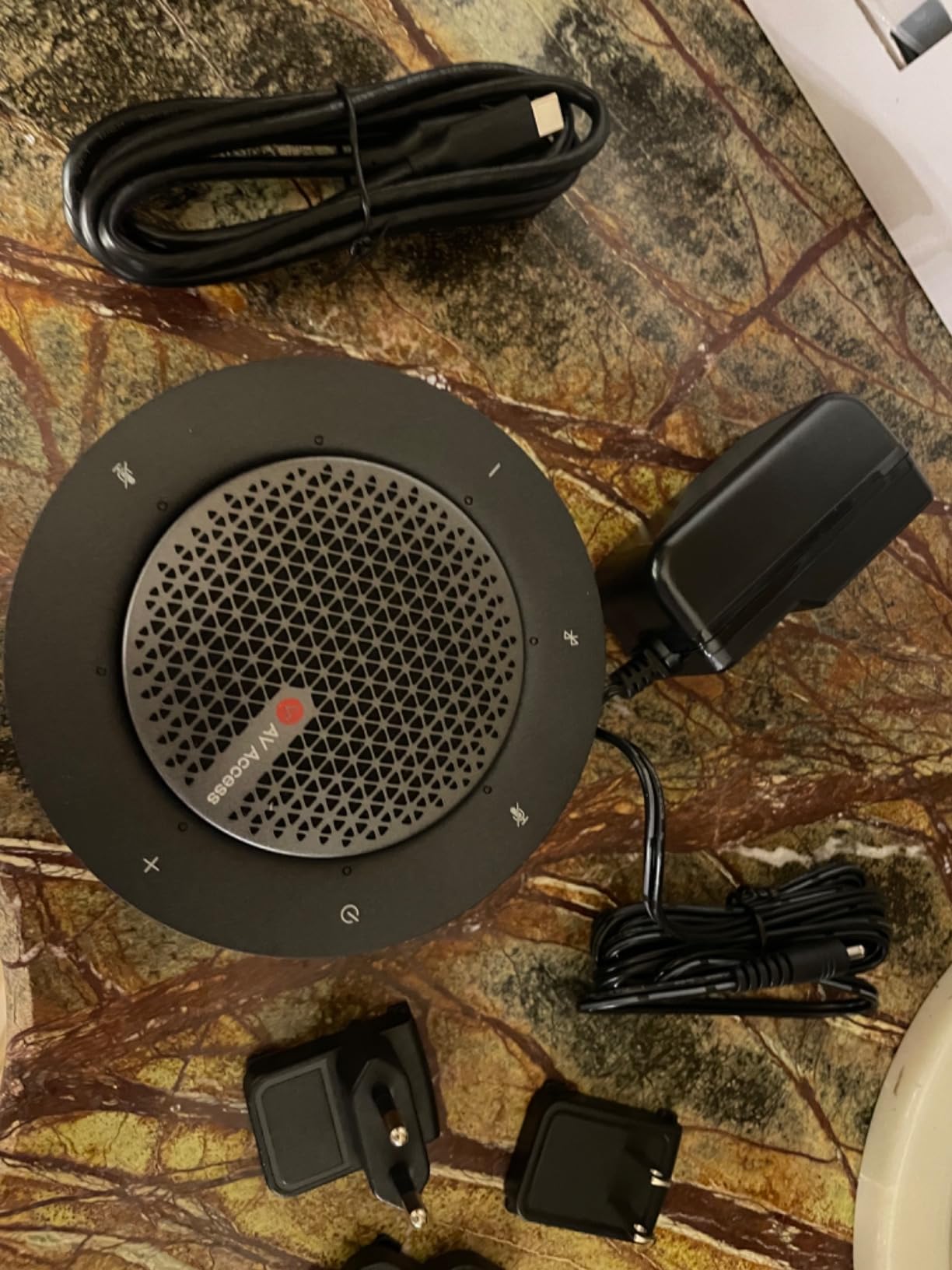
The LED ring is genuinely useful in a large room: a circle of LEDs displays the volume level, and the indicators show which direction the active speaker is coming from, so a muted or distant participant can be spotted from across the table. Volume steps are fine-grained rather than a single coarse wheel.
Bluetooth 5.0 reaches 40 meters, the longest wireless range here, alongside USB in UAC protocol, and the package includes the device, a 12V adapter, a USB A-to-C cable, a daisy-chain cable and the manual. The business warranty runs three years for partners, with a one-year term and 30-day return for end users.
The trade-off is aggressive processing. Owners report that the noise suppression sometimes thins the speaker’s own voice to the point of being harder to hear, which is the classic failure of a system tuned for a hostile environment. In a live room, over-suppression sounds worse than a little background noise, so this is a setting worth evaluating with your actual acoustics.
Planning a nine-device chain
Start from the table shape, not the device count. Nine devices chained means eight cables crossing the table surface between them, so a single long boardroom table works and a segmented or horseshoe arrangement does not. Budget the cable run before you order, because the included chain cable is fixed length and the exposed run is a real usability issue in a room where people move around the table.
Place devices at roughly even intervals, no more than 16 feet apart, and confirm the spacing with a sound check from the furthest seat. The pickup figure assumes unobstructed line of sight to the microphone array, and a tall monitor or a projector screen in the middle of the table will create a dead zone you cannot fix with gain.
The quirks to know before deployment
Three small things cause most of the frustration reports. The power button requires a one to two second hold rather than a press, and the device can power itself back on when the computer plays any sound, so it will wake up on a notification. The USB-C port sits on the front near the mute side, which is an awkward layout when you are plugging in behind furniture. And a small number of users report the device stopping working within a week due to charging issues, so validate the power adapter on your first unit.
It is also poor for music playback, which is fine in a boardroom but worth stating plainly if the same device will sit in an executive office.
10. Tenveo MagiCall-EX – Best Match for 30 People and Harsh Noise
Tenveo MagiCall-EX Bluetooth Conference Speakerphone, Daisy Chain Expandable for up to 30 Attendees, 360° Voice Pickup, AI Noise Cancelling, USB/Bluetooth Wireless Speaker for Meetings & Large Rooms
40 ft pickup
8-mic array with AI localization
Daisy chain two for 30
5W and 8000mAh battery
Pros
- Longest pickup range at 40 ft
- Zero one-star reviews in the category
- Holds up near aircraft and road traffic
- Two devices included for up to 30 participants
- Four connection paths plus 3.5mm audio
- Three-year warranty
Cons
- Claimed 27-hour battery is not met in practice
- Bluetooth endurance closer to 6 hours per charge
- Bulkiest unit here at 1.24 kg
- No carrying case included
The Tenveo MagiCall-EX is built for the hardest audio environments rather than the typical office. The 12-meter, or 40-foot, voice capture range is the longest in this roundup, and one owner reported using it outdoors through passing aircraft and traffic and still getting a clean call, which is the most convincing noise-rejection claim any of these products makes.
Two devices are included, and daisy chaining them covers up to 30 participants, or they run standalone in smaller rooms. The microphone architecture is an eight-analog-mic array over a four-mic base array, with AI voice localization determining where the active speaker is sitting, and a built-in DSP handling noise reduction and echo cancellation.
What stands out statistically is the rating distribution: 0 percent one-star reviews, which no other product in this list matches. With 68 percent five-star ratings, it is the most consistently positive device in the lineup, and the three-year warranty plus lifetime technical support with a 12-hour response target are stronger service commitments than most competitors offer.
Connectivity is broad: USB-C, Bluetooth, a wireless dongle and 3.5mm audio, working across Windows, macOS, Linux and Android. It is compatible with Zoom, Microsoft Teams, Webex, Google Meet, GoToMeeting and OBS, and the package includes both speakerphones, a USB cable, Bluetooth dongle, OTG adapter, 3.5mm cable and manual.
The battery is the weak point, and it is worth planning around. The listed 8000mAh cell is claimed at up to 27 hours of talk time, but independent reviewers report substantially less, with real-world Bluetooth endurance closer to 6 hours on a full charge and one report of the device dying partway through a three-hour meeting.
It is also the bulkiest device here by a wide margin, at 8.19 by 8.66 by 5.24 inches and 1.24 kg, and no carrying case is included for the larger device despite the two-device package.
When a 40-foot pickup radius actually earns its keep
Most conference rooms do not need 40 feet. A warehouse office with open steel racking, a training room with a raised floor, a showroom with glass walls, or any space with hard reflective surfaces is where that range converts into a real meeting instead of a struggle. In those rooms, a 3-meter device leaves the back third of the table effectively off the call.
The AI voice localization also changes behavior in a large room: the system can tell which direction a voice is coming from, so the level of a quiet attendee on the far side can be raised without the near side being amplified into distortion. That is a capability the smaller arrays simply do not have.
Where the size becomes a problem
This is a fixed-room device, not a travel device. At 1.24 kg per unit and over 8 inches on each side of the base, there is no realistic way to move it between meetings daily, and no case is included. Budget for a permanent table position and a nearby outlet, and treat the battery as a backup rather than the primary power plan, given the gap between claimed and observed endurance.
It also draws a 9 percent share of 2-star ratings, which is higher than most of the lineup, so it is not flawless. The pattern behind those mid ratings matches the battery complaint, which is a solvable problem in a room that has a charger.
11. PolaTab Q95 mini – Best for Desks With a USB Hub Shortage
Conference Speaker and Microphone, USB Speakerphone Microphone with USB Hub
3 m omnidirectional pickup
Built-in USB hub
3 m cable included
Physical mute button
Pros
- Only device here with a built-in USB hub for peripherals
- Longest included cable at 3 m
- Wired USB avoids Bluetooth dropouts entirely
- Physical mute button
- No driver installation required
Cons
- Pickup limited to a 3 m radius
- No Bluetooth or wireless option so it is desk bound
- 8 kHz frequency response caps audio bandwidth
- Corded power with no battery
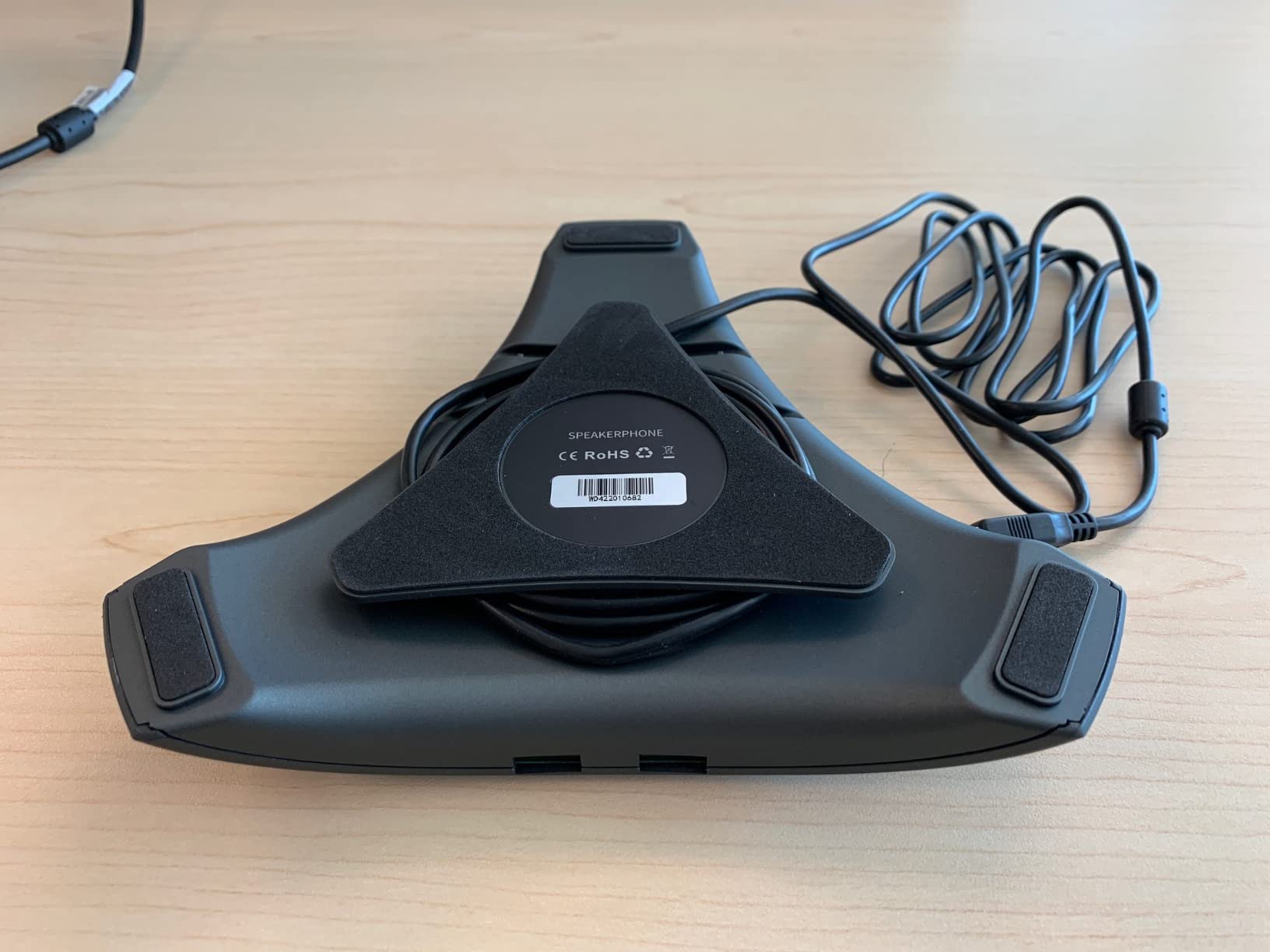
The PolaTab Q95 mini solves a problem no other device on this list addresses: a laptop or thin desktop with no spare USB port. It has a built-in USB hub, so a mouse, keyboard, USB stick, desk handset or even a second conferencing device can plug into the speakerphone instead of fighting over the single port on the computer.
That makes it the most practical choice for a hot-desking station or a shared workstation, where peripherals are constantly being connected and disconnected. At 310 grams and 7.01 by 7.99 by 1.57 inches, it sits flat on a desk without being obtrusive, and the wired USB connection is completely stable with no Bluetooth dropouts by design.
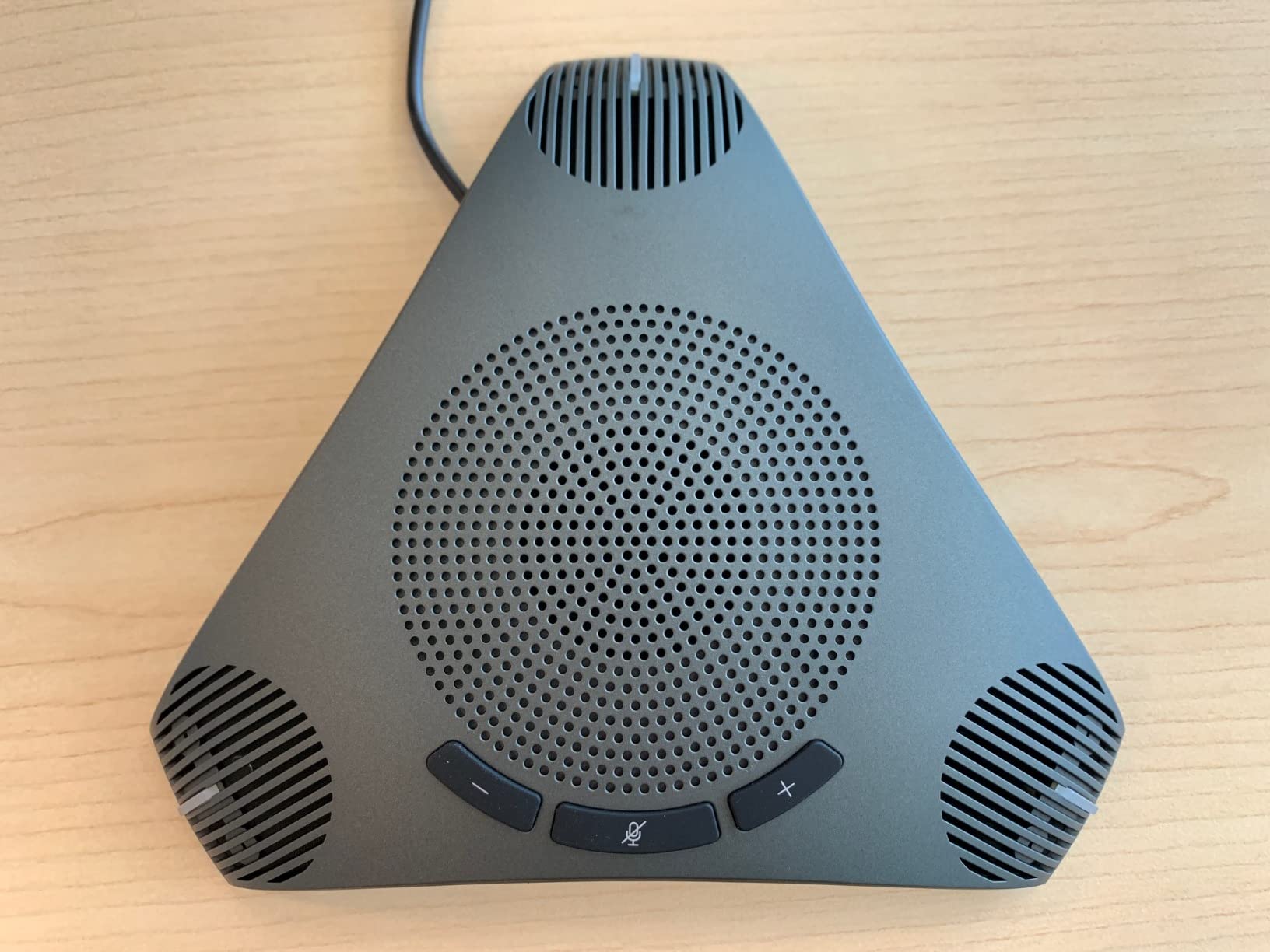
The 3-meter, or 9.8-foot, cable is the longest included anywhere in this roundup, which is what makes the hub feature usable in practice. There is no driver installation, and the compatibility list is broad: Windows 7 through 10, macOS, Zoom, Skype, Lync, Teams, WebEx, GoToMeeting, FaceTime and Google Voice.
At 4.3 stars across 215 reviews with 72 percent five-star ratings, it is a well-liked device. The 360-degree omnidirectional microphone with DSP-based acoustic echo cancellation and automatic noise suppression handles the basics correctly, and there is a physical mute button, which is rarer than it should be in this category.
The limits are honest. Pickup is capped at a 3-meter radius, which is tighter than most rivals. There is no wireless option at all, so the device is bound to its desk. And the 8 kHz frequency response caps audio bandwidth below what the better units achieve, so it is a functional voice device rather than an enjoyable one.
When a USB hub is the whole decision
If your meeting computer has one USB-C port and you need it for power, a hub becomes mandatory rather than convenient. That is the situation in a lot of shared and hot-desking setups, and it is the exact gap the Q95 mini fills. In that scenario the 3-meter pickup radius and the 8 kHz response are acceptable limits because the room is a single desk, not a conference table.
The same reasoning applies to a home office where a partner or a second computer shares the desk, and to setups with a USB headset that needs to coexist with the speakerphone. Rather than buying an external dongle, the hub is already in the device.
What to accept when you choose it
This is a corded, desk-bound device. If the room needs flexible seating, a device that moves with the group, or a battery for a room without a nearby outlet, this is the wrong shape. The fixed USB cable and no wireless path also mean a single point of failure for the whole room, with no fallback if the port or cable fails.
The 8 kHz frequency response also caps how voices sound, and remote participants sometimes describe speech as thin over long calls. If your organization runs many-hour sessions, that is worth factoring in against the convenience of the hub.
12. Jabra Speak 510 – Best Rated Pick for Small Tables
Jabra Speak 510 (2025 Edition) Portable USB Bluetooth Speaker, Black
10W speaker
15-hour battery
Bluetooth and USB
195 g with travel pouch
Pros
- Highest rated at 4.7 stars with 87 percent five-star reviews
- 10W output is loud for the size
- 195 g with an included travel pouch
- 15-hour battery and 2 hour recharge
- Works with desk phones and soft-phones
Cons
- Single microphone with 1.5 m optimum range
- Docking stations can cause handshake failures and fall back to internal audio
- This edition dropped the back leg so it cannot stand vertically
- Included connector is USB-A rather than USB-C
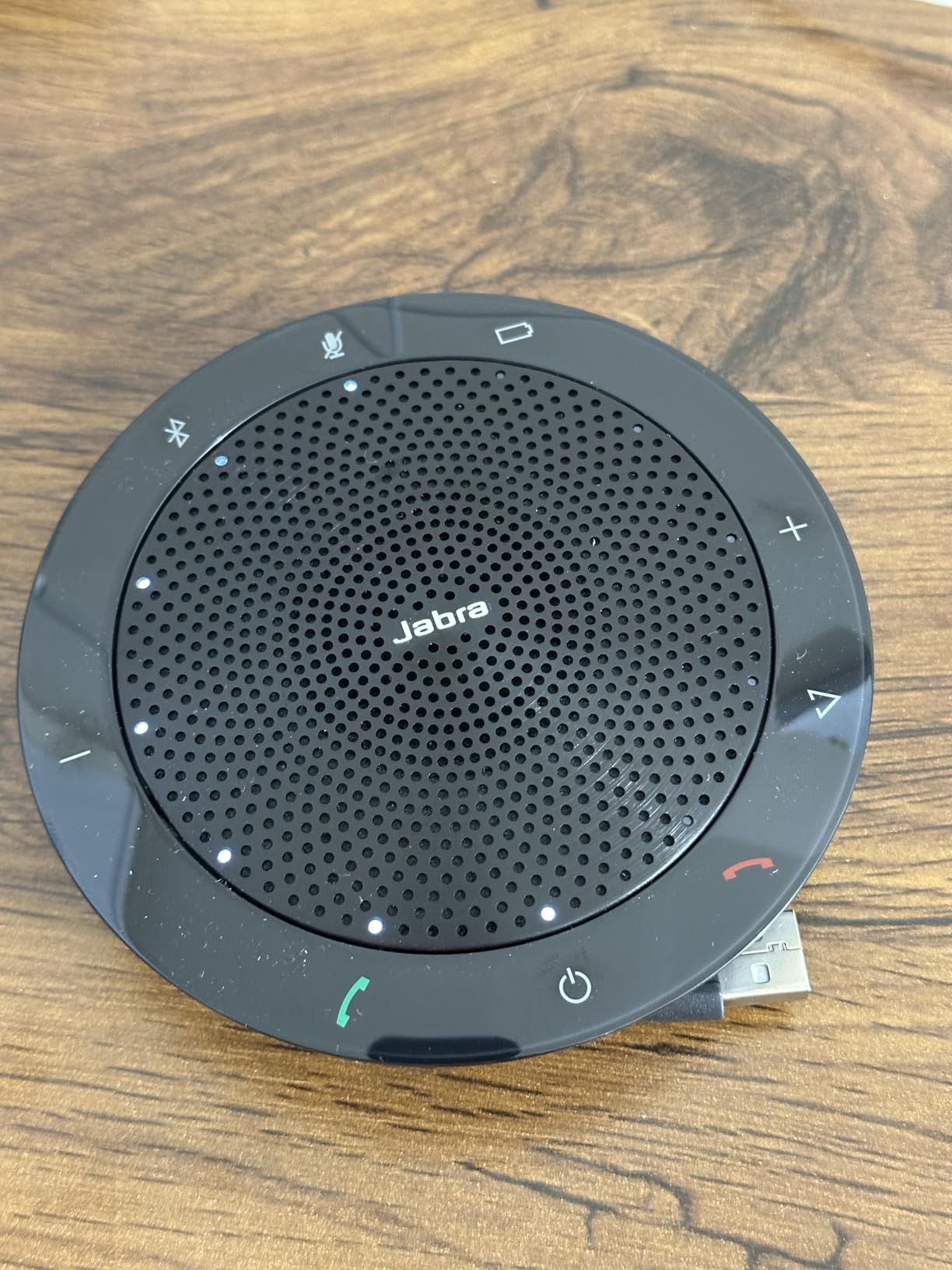
The Jabra Speak 510 is the best-rated device in this roundup by a clear margin, at 4.7 stars with 87 percent five-star ratings, and the feedback explains why. Owners consistently report clear voice quality and effective noise suppression, and the usual comparison is to a headset worn for hours, which the Jabra replaces entirely for meeting audio.
Noise cancellation is praised in genuinely messy environments, with owners specifically mentioning 3D printers and computer fans, which are the two noise types that a laptop mic cannot handle. The 10-watt speaker is unusually loud for a unit this size, so it covers more seats than its single microphone suggests it should.
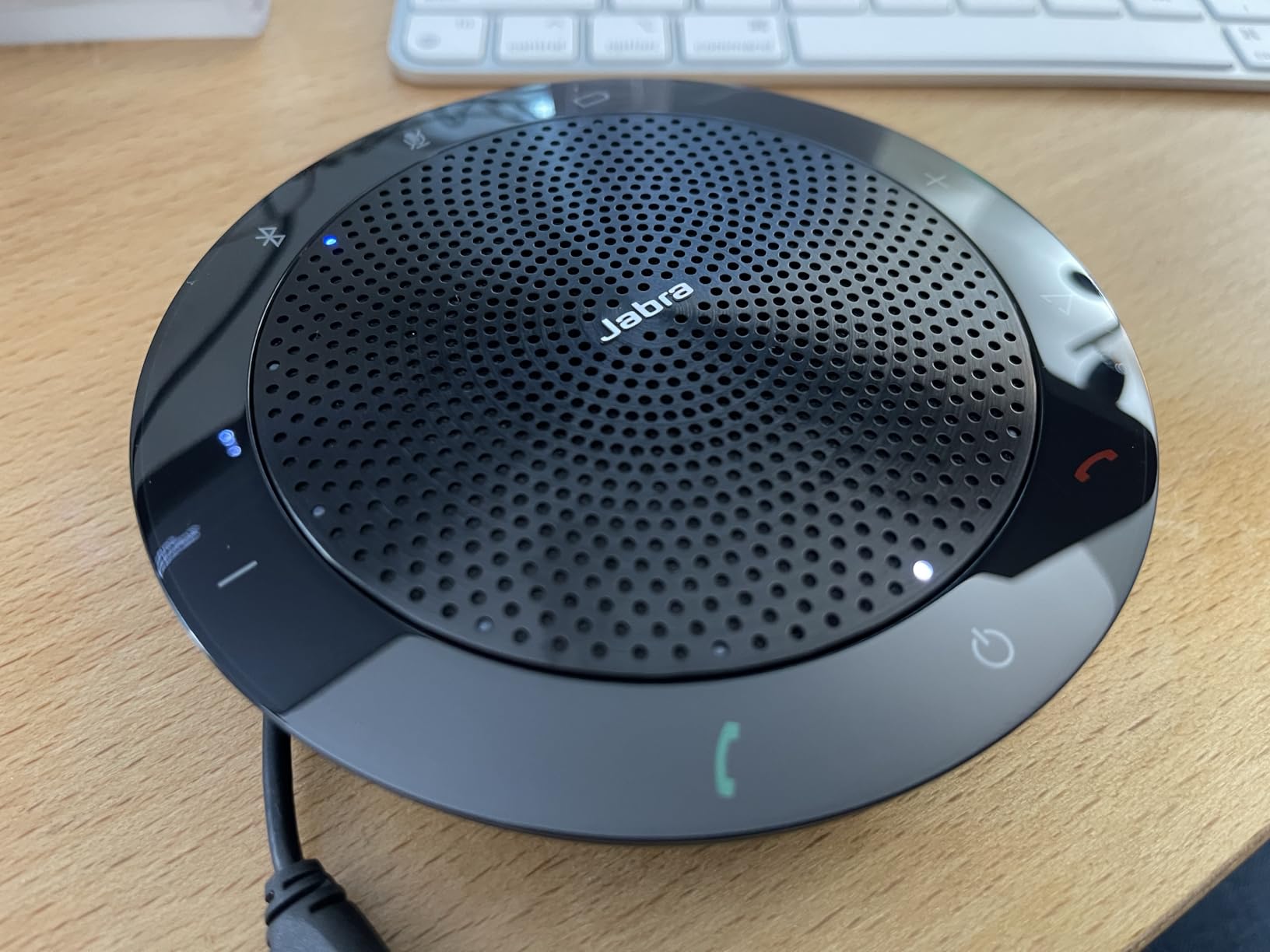
Setup is the simplest on this list: plug it into a laptop or PC over USB for the most consistent performance, or pair over Bluetooth, which reaches 100 feet. It works with desk phones, mobile phones, soft-phones and all major meeting platforms, the battery runs 15 hours and recharges in 2 hours, and the whole thing weighs 195.4 grams with a travel pouch in the box.
The geometry is the limit, and it is important to be honest about it. There is a single microphone with a 1.5-meter optimum range, so this is a small-table device, not a conference room one despite the output power. Placed at the center of a four to six person huddle table it performs very well; stretched across a ten-person conference room it will not.
This edition also dropped the back leg, so the unit cannot stand vertically, which some people prefer for a lower profile on a desk. The included connector is USB-A rather than USB-C, so modern laptops need an adapter.
The docking station problem to test before buying
This is the most repeated issue with the Speak 510, and it is worth understanding rather than dismissing. When the laptop is connected through a USB-C dock or docking station, the handshake can fail, and the meeting app falls back to the internal microphone and speakers, which defeats the purpose entirely.
If your organization issues docks, plug the device into a docked machine before you standardize on it. If it falls back, use the Bluetooth path instead, which most owners report as stable, or choose a wired device that negotiates cleanly with your dock firmware. The Jabra is not at fault; dock audio routing is simply fussy.
How it fits into a larger setup
The 10-watt output and 15-hour battery make the Speak 510 a good fit for a room used as a hybrid of meeting space and shared office, where music playback between calls also happens to be tolerable. It is not a fit for a room where a group moves furniture, since the single microphone favors a fixed central position.
For most buyers it does one thing extremely well at 195 grams, which is why it holds the top rating in this list despite not being the most capable device. If your room is a small table, the highest-rated option and the right option are frequently the same choice, and this is that product.
How to Choose a Conference Room Speakerphone in 2026
The fastest way to shortlist is to answer one question before you read a single feature: how many people are in the room, and how far apart are they sitting? Almost every specification on this list becomes interpretable once you have that number, because pickup radius determines who can be heard and speaker wattage determines whether they can hear back.
Match the microphone array to participant count
For four to six people at a table under 6 feet across, a one- or two-microphone device is enough, and the Jabra Speak 510 or the AIRHUG both work. For six to ten people, look for four microphones and a pickup radius of at least 3 meters, which covers the Anker S330, the EMEET M0 Plus and the PolaTab Q95 mini. For ten to sixteen people, move to six microphones and a longer radius, which is where the Anker PowerConf and the Yealink SP92 land.
Above sixteen people, stop looking for a single device and start looking at expansion. The EMEET M220 comes as a pair and chains to 16, the Tenveo MagiCall-EX comes as a pair and chains to 30, and the AV Access AnyCo A6 chains as far as nine devices for 50. Note that microphone count and coverage are related but not identical: two good omnidirectional microphones in a soundbar geometry will not match four in a puck, because the array shape decides the pickup cone.
Room size is only half of it. A 10-person room with a long glass table and a high hard ceiling behaves like a much larger room, because reflections reach the array from angles the published pickup radius never accounted for.
USB for reliability versus Bluetooth for flexibility
This is the tradeoff that generates most of the complaints on this list, so decide it deliberately. Wired USB removes Bluetooth dropouts, removes pairing as a failure mode, removes battery anxiety and usually improves recognition in the conferencing app. Reviewers converge on the same point: people who switch to wired USB stop reporting connection problems.
Bluetooth buys you flexibility. You can move the device, connect a phone instead of a laptop, and run a room without a cable to the table. The 15- to 30-meter ranges here are all adequate for a normal room, and the one outlier is the EMEET Luna at 10 meters.
The devices that handle this well offer both without making you choose. The Anker PowerConf, the AIRHUG and the AV Access AnyCo A6 all support simultaneous wired and wireless paths, so a room can be wired for daily meetings and wireless for an ad hoc phone call.
Why hardware mute matters for privacy
A physical mute switch that cuts the microphone at the hardware level is a privacy control, not a convenience feature. Software mute depends on the app honoring it, and app state can desynchronize from the device, which is exactly the problem reported with the Anker S330 where the button mutes the mic but the app does not reflect it. Owners consistently prefer a hardware button for exactly this reason.
The PolaTab Q95 mini has a physical mute button. Several touch-only devices do not, and on those, confirm the LED state is visible from across the table before you buy. For legal, HR or clinical conversations, treat a visible hardware mute indicator as a requirement rather than a preference. The M220’s LED ring showing voice direction, volume, connection and mute state is the most informative status display in this roundup.
What daisy chaining actually does
Daisy chaining links multiple speakerphones so one call can use all of them as a single system, which is how you cover a room that one device physically cannot reach. The benefit is coverage, not louder sound, so the second device should sit near the far end of the table rather than next to the first.
Three things cause trouble. First, cables: the EMEET M220 uses a proprietary 10-foot cable that cannot be extended, which restricts table layout, while the AnyCo A6 includes a chain cable but nine units means many exposed runs. Second, power: the M220 requires charging each device separately because the chain does not pass power. Third, app behavior: with the M220 chained, Zoom lists each device separately and the correct microphone must be reselected, so budget setup time and write it into the room instructions.
Room acoustics: where to place the unit and what to fix first
No competitor we analyzed covers this, and it matters more than any spec. Put the speakerphone at the center of the table at roughly seated head height, equidistant from the furthest participants, and never next to the laptop. A device two feet from a mouth is not a room microphone, it is a personal one, and no amount of digital processing turns a close mic into a distant one.
Then fix the room. Soft furnishings do more than any firmware: a rug, curtains, acoustic panels on the first reflection surfaces, and fabric-covered chairs all reduce reverberation, and reverberation is what makes a 16-foot pickup device sound like a 4-foot one. Rooms with hard walls, glass and polished floors are the ones that need daisy chaining, while carpeted rooms with curtains can often be covered by a single device.
If you are configuring a room from scratch, the audio and the furniture decisions belong together. A sound-absorbing divider can replace an expensive second speakerphone, which is worth weighing against the hardware options in our room divider guide and the freestanding divider picks.
Deploying and managing speakerphones across many rooms
For a single room, any of these works. For twenty rooms, the decision changes from features to operations, and this is where most buying guides stop talking. Standardize on a single certified SKU so IT has one firmware path and one support article, and prefer devices that present as standard USB audio endpoints so they do not need drivers or per-room configuration.
Check three operational things before a rollout. Whether the device reports mute state reliably in your conferencing app, since mismatches generate support calls. Whether it works through your standard docking and cable setup, since the Jabra Speak 510 and the EMEET M0 Plus both have reported handshake or reconnect behavior on certain dock architectures. And whether firmware updates are pushed centrally, because none of these devices offers a remote management console.
That last point is the honest limitation of the whole category. Consumer-grade speakerphones have no fleet management, so your update path is manual, and a device left unpatched for two years is a device with unpatched audio firmware. The three-year terms on the Dell SP3022 and the Tenveo MagiCall-EX at least indicate a manufacturer likely to still be shipping updates when you need one.
One more deployment detail: fixed versus portable. If the room is always set up the same way, choose a wired device and a permanent table position. If the space doubles as a project room, a battery device with a carrying case, like the Yealink SP92 or the Jabra Speak 510, saves a cable management project. Depending on the furniture around it, a suitable TV stand or media unit can also free up the table space a fixed audio position needs.
Frequently Asked Questions
What is the best speakerphone for large conference rooms?
For rooms over about 16 people, a single speakerphone is rarely enough. Look for daisy-chain support: the EMEET M220 comes as a pair and covers up to 16 attendees, the Tenveo MagiCall-EX comes as a pair and covers up to 30 with a 40-foot pickup radius, and the AV Access AnyCo A6 chains up to nine devices for 50 people. Above 16 seats, add acoustic treatment to the room, because daisy chaining fixes reach but not reflection.
What is the best speakerphone for a conference room?
The Anker PowerConf is the best all-round choice for a typical conference room. It has a six-microphone 360-degree array, Voice Radar 3.0 processing for noise and echo, USB-C and Bluetooth, a 24-hour battery and Zoom certification, supported by more than 5,800 reviews. For a small huddle room the Anker PowerConf S330 or the Jabra Speak 510 are simpler, and for a large room a chained pair beats any single unit.
What is the best speakerphone for a meeting room?
Match the pickup radius to the table. For four to six people within 6 feet, the Jabra Speak 510 or AIRHUG works. For six to ten people, choose four microphones and a 3-meter radius such as the Anker PowerConf S330 or EMEET M0 Plus. For ten to sixteen people, the Anker PowerConf or Yealink SP92 with a 13-foot radius is a better fit. Place the unit at the center of the table, not beside the laptop.
What is the best speaker with a microphone for conference calls?
A conference speakerphone combines a 360-degree microphone array with a full-duplex speaker and digital processing, so several people can be heard and can hear at the same time. In this roundup the Anker PowerConf is the strongest general choice, the EMEET Luna offers full-duplex audio with four connection options, and the EMEET M0 Plus is the lowest-cost option that still covers a real conference table. Laptop microphones cannot match any of them in a room.
Which Jabra speakerphone is the best?
The Jabra Speak 510 is the strongest-rated unit in this group at 4.7 stars, with 10 watts of output, a 15-hour battery, 195 g weight and an included travel pouch. It suits a small table for four to six people because it has a single microphone with a 1.5-meter optimum range. For a larger room, the EMEET M220 or Tenveo MagiCall-EX give you daisy-chained coverage instead.
Should I get a Bluetooth or USB speakerphone?
Choose USB for reliability and Bluetooth for flexibility. A wired USB connection removes dropouts, removes pairing as a failure mode and improves recognition in the conferencing app, which is why people who switch to wired stop reporting connection problems. Bluetooth lets you move the device or connect a phone instead of a laptop. Several models here, including the Anker PowerConf and the AV Access AnyCo A6, support both at the same time.
Final Verdict for 2026
There is no single best conference room speakerphone, because the category splits cleanly by room size rather than by quality. For most rooms, the Anker PowerConf is the answer: six microphones, proven processing, 24-hour battery and the largest review base in the group, with the fewest surprises attached to it.
Buy the EMEET Luna when value is the priority, the Anker PowerConf S330 when you want a corded device that never needs pairing, and the EMEET M0 Plus when the room will need to grow. For four to six people, the Jabra Speak 510 is the highest-rated option and the right one, and once you pass sixteen seats, stop shopping for single devices and start pairing them.
Whichever you choose, put it in the center of the table. It is the only piece of advice on this list that costs nothing and improves every result above. For the wider room setup, our large room air purifier guide covers the other environmental factor that affects how a meeting space feels for six hours at a time.