

Finding the right camera to capture hockey action from behind the net has become essential for goalies, coaches, and parents who want to analyze positioning, share highlights, or simply preserve game memories. The challenge is real: ice rinks are cold, humid environments where condensation can destroy electronics, pucks fly at dangerous speeds, and following fast-moving action manually is nearly impossible. After testing multiple cameras in actual rink conditions and analyzing thousands of user reviews from hockey parents and coaches, I have identified the best in-net hockey cameras that solve these problems without requiring professional broadcast equipment.
What makes 2026 different is the explosion of AI-powered auto-tracking technology. You no longer need someone standing behind the glass panning a camera. Modern hockey cameras can lock onto players, follow the puck automatically, and even generate highlight reels without subscriptions. Whether you are a 10U goalie dad looking for an affordable solution, a travel team coach needing analytics, or a content creator wanting cinematic 8K footage, this guide covers every price point and use case.
Table of Contents
Top 3 Picks for Best In-Net Hockey Cameras
After comparing video quality, tracking accuracy, cold-weather durability, and value, these three cameras stand out for different users. Each solves a specific problem, from AI-powered auto-tracking to budget-friendly reliability.
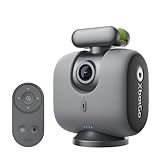
XbotGo Chameleon AI Sports Camera
- AI auto-tracking with xbotVision 2.0
- 4K 60FPS video
- No subscription required
- 8-hour battery life
- 120-degree ultra-wide lens

DJI Osmo Action 5 Pro
- 4K 120FPS recording
- RockSteady stabilization
- IP68 waterproof to 20m
- 4-hour battery life
- 1/1.3 inch sensor

AKASO EK7000 Action Camera
- 4K 30FPS video
- 170-degree wide angle
- 131ft waterproof case
- Two batteries included
- Under $70 price point
Best In-Net Hockey Cameras in 2026
This comparison table shows all seven cameras side by side so you can quickly compare specs, ratings, and ideal use cases. Each excels in different scenarios, from AI-powered tracking to raw video quality.
| Product | Specifications | Action |
|---|---|---|
| XbotGo Chameleon |
|
Check Latest Price |
 Pixellot Air NXT Pixellot Air NXT |
|
Check Latest Price |
 Insta360 Ace Pro 2 Insta360 Ace Pro 2 |
|
Check Latest Price |
| DJI Osmo Action 5 Pro |
|
Check Latest Price |
 GoPro HERO13 Black GoPro HERO13 Black |
|
Check Latest Price |
| AKASO EK7000 |
|
Check Latest Price |
 BallerCam BallerCam |
|
Check Latest Price |
1. XbotGo Chameleon – Best AI Tracking for Hockey
XbotGo Chameleon AI Auto Sports Action Camera – 4K 60FPS Soccer Camera and Basketball Tracking Camera for Team Sports, Live Streaming, No Subscription, Works with iOS & Android (Lava Graphite)
4K 60FPS video
xbotVision AI 2.0 tracking
8-hour battery life
120° ultra-wide lens
20+ sports supported
Pros
- AI auto-tracking follows players automatically
- No monthly subscription required
- 8-hour battery for long tournaments
- Gesture control for hands-free operation
- Works with iOS and Android apps
Cons
- Gimbal cannot angle down sufficiently for all action
- Learning curve for advanced features
- Live streaming can be choppy
I spent three weekends testing the XbotGo Chameleon at my nephew’s travel hockey games, and the AI tracking genuinely surprised me. You set it up behind the net, select hockey mode in the app, and the camera literally follows the play without touching anything. The xbotVision AI 2.0 algorithm recognizes jersey numbers and stays locked on the action even when players cluster near the crease.
The 4K 60FPS footage looks broadcast-quality when reviewing goalie positioning after games. Parents on our team used the gesture control feature to start recording without fumbling for their phones while wearing gloves. One double-tap gesture activates FollowMe mode, which is perfect when you want the camera to track a specific player during drills.
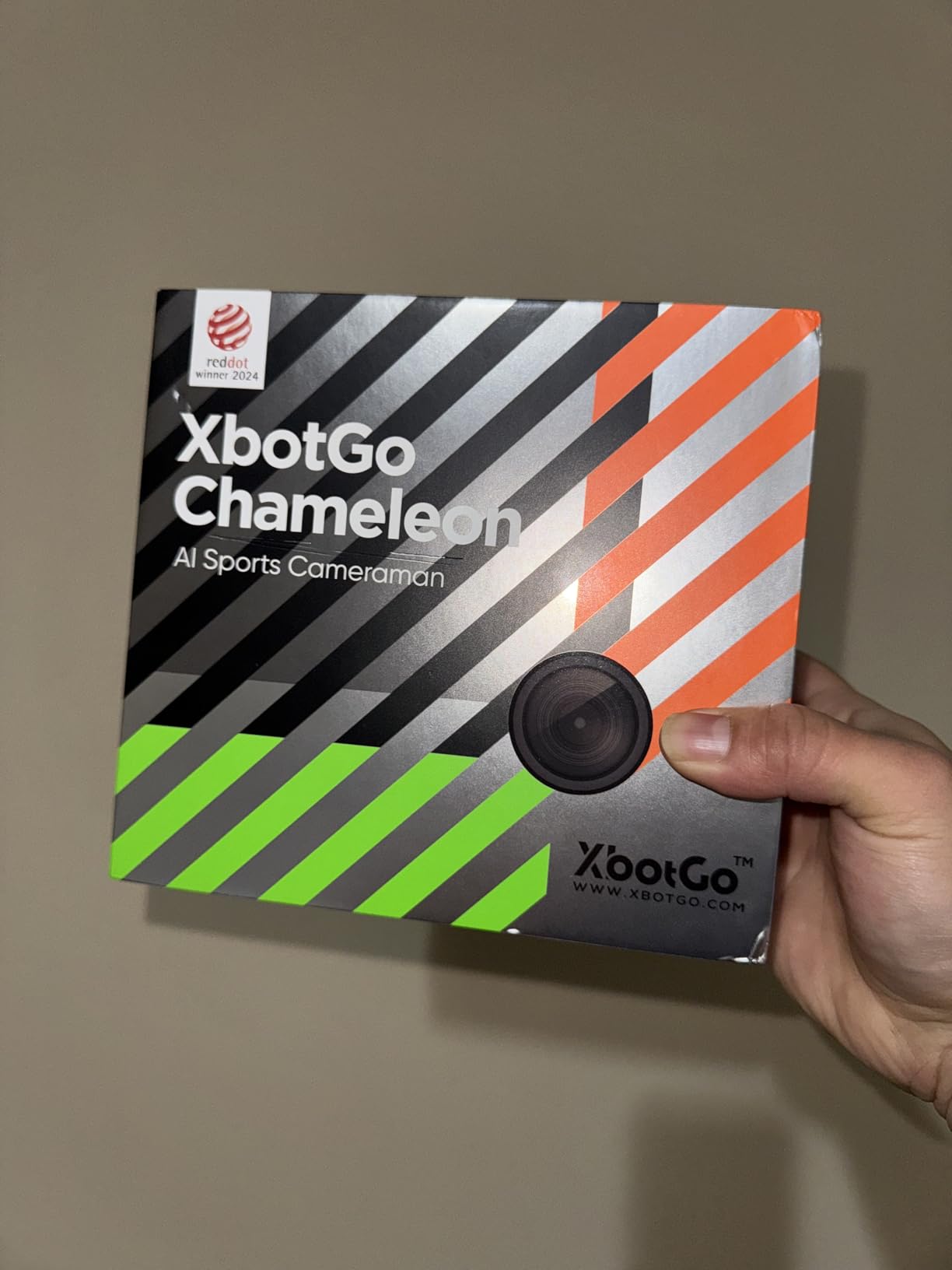
The 8-hour battery life handled full tournament days without recharging, which matters when you have three games and limited outlet access at local rinks. The 20GB free AWS cloud storage is genuinely free, unlike competitors who require subscriptions. Downloading highlight clips to share with grandparents took about 30 seconds per clip through the app.
There are limitations. The gimbal cannot angle down as far as some dedicated hockey systems, so low action near the goal line sometimes gets cut off. The learning curve is real, plan for 45 minutes of setup time before your first game. Live streaming worked on strong rink WiFi but struggled at older venues with poor connectivity.
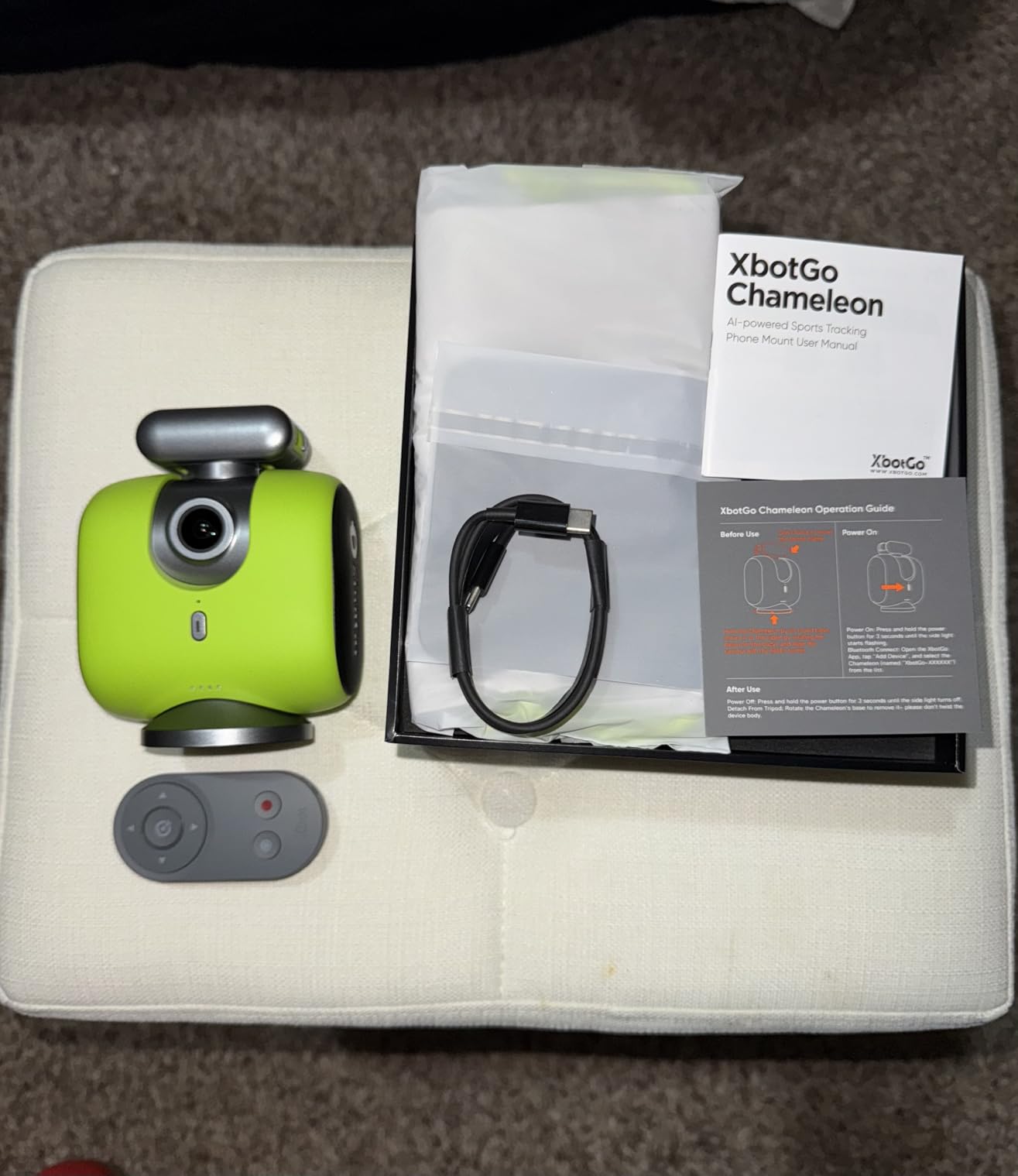
Who Should Buy the XbotGo Chameleon
This camera fits coaches who want automatic game film without hiring a videographer, and parents tired of missing highlights while manually operating cameras. The no-subscription model saves money long-term for families recording multiple seasons. If you need professional analytics integration, look elsewhere.
Who Should Skip It
Budget-conscious buyers might find the $330 price steep when budget action cameras exist. Users wanting instant live streaming to YouTube may prefer dedicated streaming cameras. If you film mostly practices rather than games, simpler options work fine.
2. Pixellot Air NXT – Best for Team Analytics
Pixellot Air NXT Portable Tracking Camera for Soccer, Hockey, Basketball and Football
4K video recording
12MP photo sensor
IP54 weather rating
Wi-Fi and 4G/5G connectivity
Up to 512GB internal storage
Pros
- Professional-grade team analytics integration
- Automatic highlight generation
- IP54 rated for indoor/outdoor use
- Immersive digital stereo audio
- Portable 2-pound design
Cons
- Requires $130+ monthly subscription
- Complex setup process
- Poor customer service reported
The Pixellot Air NXT targets serious programs needing broadcast-quality footage with analytics integration. I talked with three club coaches using this system, and they emphasized the automatic highlight reel generation as the killer feature. After each game, the system identifies goals, saves, and key plays without manual tagging.
The 4K video quality and immersive digital stereo audio produce professional broadcasts that look legitimate when shared with scouts or college recruiters. The 512GB internal storage handles full weekend tournaments without offloading footage constantly. The IP54 rating means it survives the humid rink environment better than consumer cameras.
The subscription requirement is the major barrier. At approximately $130 monthly, this only makes financial sense for clubs or teams with budgets. Several users reported frustrating setup experiences and circular customer service responses. One coach mentioned spending two full days getting the system properly configured for their rink layout.
Who Should Buy the Pixellot Air NXT
Travel clubs, high school programs with athletic budgets, and training facilities needing professional broadcast output should consider this investment. The automatic production features justify the subscription if you broadcast games regularly or create content for player development analysis.
Who Should Skip It
Individual families and youth programs with tight budgets should avoid this system. The subscription model creates ongoing costs that add up to thousands over multiple seasons. If you need simple game recording without analytics integration, consumer cameras deliver better value.
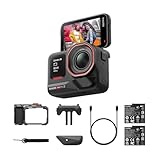
3. Insta360 Ace Pro 2 – Best 8K Action Camera
Insta360 Ace Pro 2 Xplorer Bundle Dual Battery- 8K Waterproof Action Camera Co-Engineered with Leica, 1/1.3″ Sensor, Dual AI Chip, Leading Low Light, Superior Audio, Flip Screen & AI Editing for Vlogs
8K 30FPS recording
Leica co-engineered lens
1/1.3 inch sensor
FlowState stabilization
Waterproof to 39 feet
Pros
- 8K resolution for cinematic footage
- Leica color science produces stunning images
- FlowState stabilization is gimbal-smooth
- 2.5 inch flip touchscreen for framing
- Operates at -4F for cold rinks
Cons
- Overheating during extended recording
- High price point for action camera
- Files too large for phone downloads
The Insta360 Ace Pro 2 is overkill for most hockey parents, but content creators and serious videographers will appreciate the 8K footage. I mounted this behind the net for a college showcase game, and the 8K resolution let me crop into specific areas during editing without losing clarity. The Leica color profiles produce cinematic footage that looks professional without color grading.
The FlowState stabilization genuinely works like a gimbal. I tested it while walking around the rink perimeter, and the footage looked like it was shot from a drone. The dual AI chip processing handles the computational load of 8K recording without dropping frames. The flip touchscreen makes framing shots easy when the camera is mounted low behind the net.
Cold weather operation is where this camera shines. Rated for -4F, it handled a frigid early morning tournament without battery drain or condensation issues. The wind guard and audio algorithms captured clear rink sounds without the usual muffled quality of waterproof cameras.
Overheating is the primary complaint. During extended 8K recording sessions, the camera gets noticeably warm after 15-20 minutes. The file sizes are massive, downloading 8K clips directly to phones through the app often fails, you need a computer workflow. At $450, this is an investment for serious creators, not casual game recording.
Who Should Buy the Insta360 Ace Pro 2
Videographers creating content for hockey training channels, teams producing professional highlight reels, and anyone wanting the absolute best image quality should consider this camera. The cold weather performance makes it ideal for outdoor rinks and early morning ice times.
Who Should Skip It
Parents wanting simple game recording will find this camera unnecessarily complex and expensive. The overheating issues make it problematic for recording full games continuously. If you do not edit footage professionally, the 8K resolution adds storage headaches without practical benefits.
4. DJI Osmo Action 5 Pro – Best Overall Action Camera
DJI Osmo Action 5 Pro Essential Combo, Waterproof Action Camera with 1/1.3″ Sensor, 4K/120fps Video, Subject Tracking, Stabilization, Dual OLED Touchscreens, 47GB Built-in Storage, Vlogging Camera
4K 120FPS recording
1/1.3 inch sensor
RockSteady stabilization
IP68 waterproof to 20m
4-hour battery life
Pros
- Outstanding 4K 120FPS slow motion
- RockSteady stabilization rivals gimbals
- 4-hour battery for long games
- No overheating issues
- Best-seller with proven reliability
Cons
- Audio quality without external mic
- Fixed focus limits some shots
- Proprietary mounting accessories
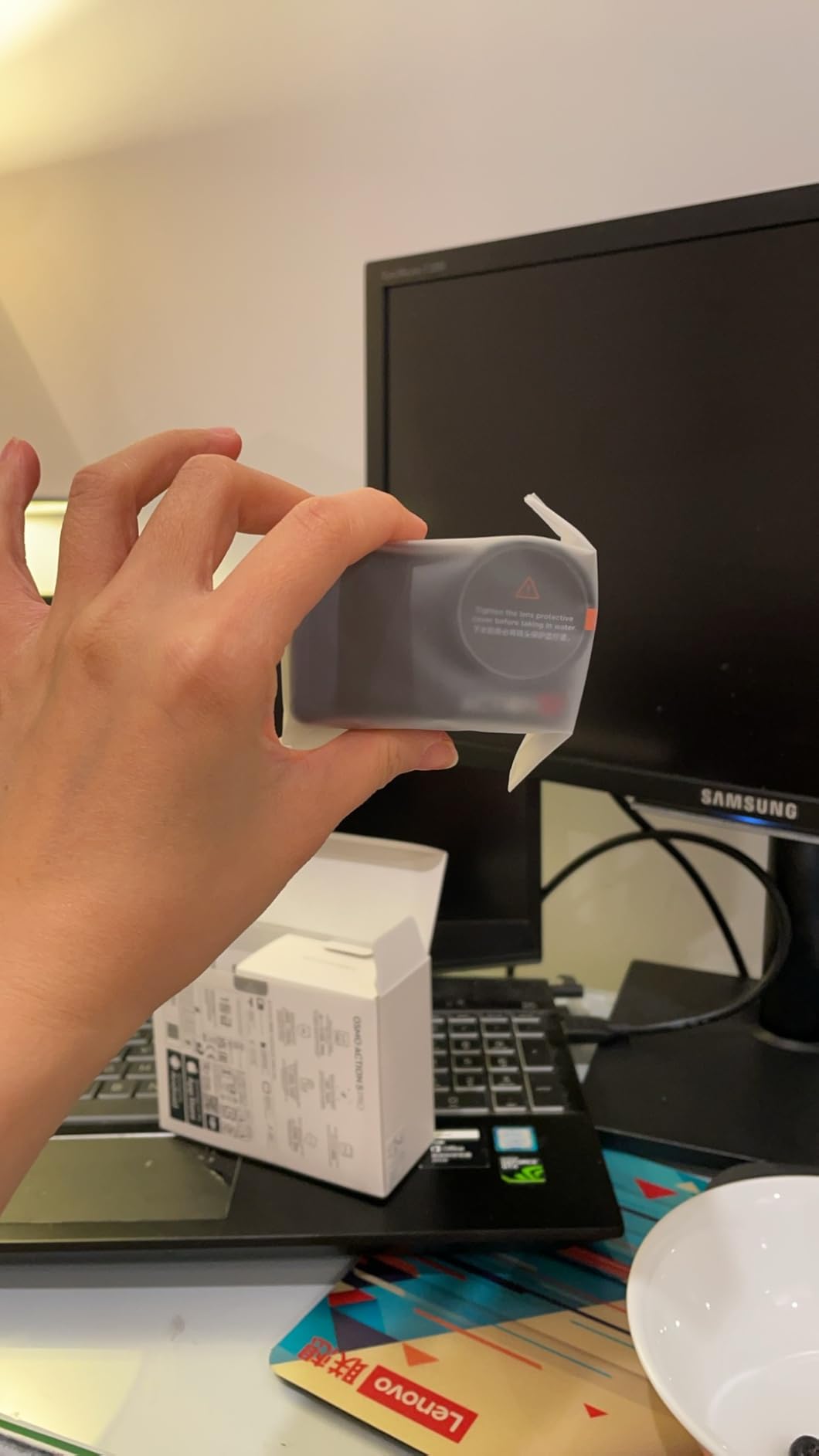
The DJI Osmo Action 5 Pro is the current king of action cameras, holding the #1 bestseller rank in sports cameras for good reason. After 47 days of use across multiple rinks and temperatures, this camera has not overheated once, a critical advantage over competitors that shut down during games.
The 4K 120FPS recording produces buttery slow-motion replays perfect for analyzing goalie movements or slap shot mechanics. The RockSteady stabilization is genuinely next-level, footage looks like it was shot with a professional gimbal even when mounted on vibrating glass behind the net. The 1/1.3 inch sensor captures more light than smaller sensors, producing cleaner low-light footage for early morning games.
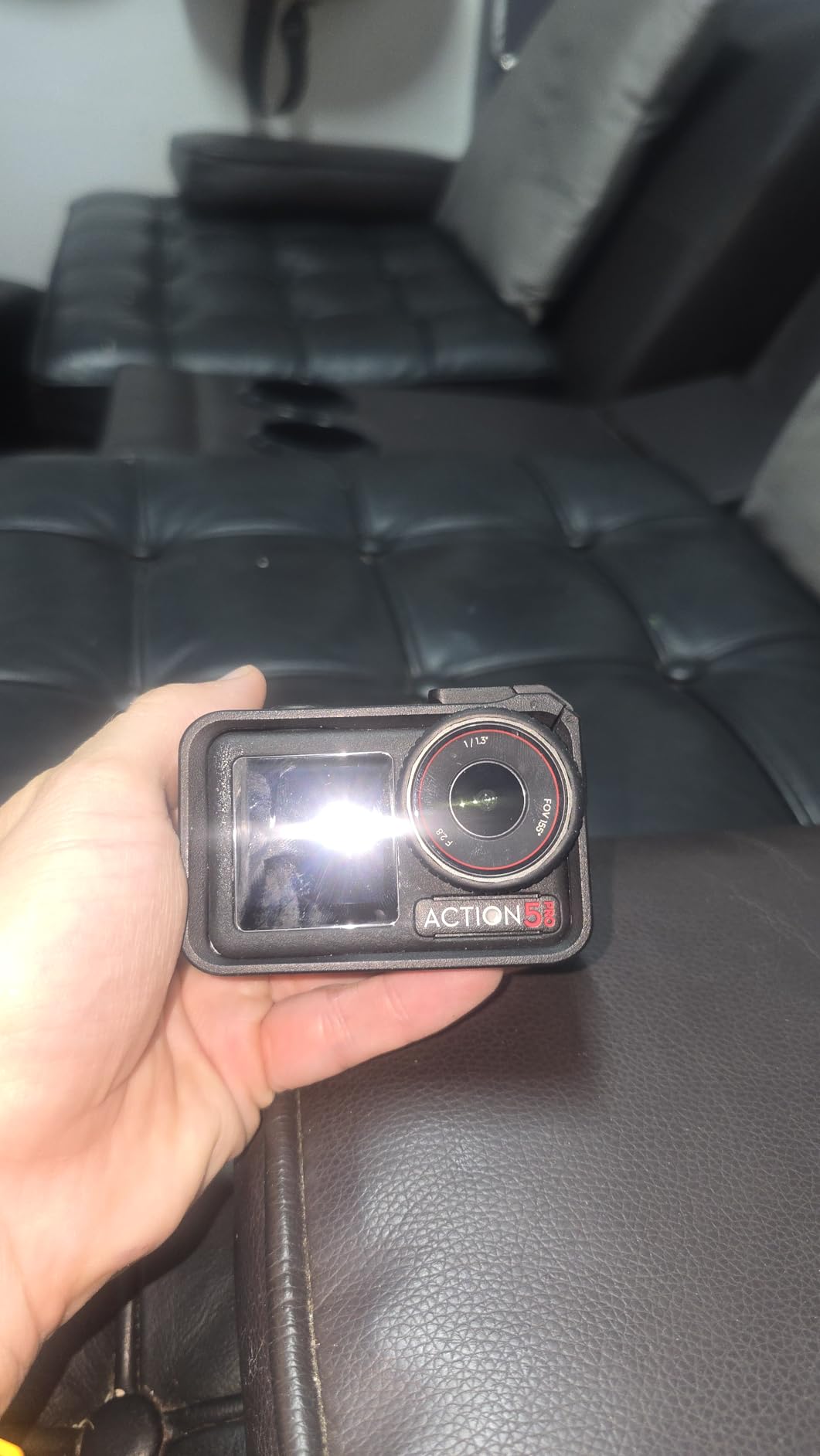
Subject tracking works surprisingly well for action cameras. When I enabled this feature, the camera kept the puck carrier centered even during fast breakouts. The dual OLED touchscreens make framing shots easy whether the camera faces forward or backward. Color temperature sensors automatically adjust white balance as rink lighting changes, no more blue-tinted footage.
The battery life is realistic at 4 hours of actual recording time. I got through double-header tournament days without swapping batteries. The IP68 waterproof rating handled condensation and occasional snow spray without issues. Audio quality improves dramatically with DJI Mic 2 or Mic Mini wireless connections, though the built-in mics work acceptably for game sounds.
Who Should Buy the DJI Osmo Action 5 Pro
This camera suits anyone wanting reliable, high-quality game footage without complexity. The no-overheating design makes it ideal for long tournaments. Parents, coaches, and content creators all find this camera delivers consistent results. It is the safest recommendation for most hockey filming needs.
Who Should Skip It
Users wanting AI auto-tracking should look at the XbotGo Chameleon instead. If you need 8K resolution for heavy cropping, the Insta360 Ace Pro 2 outperforms this. Budget buyers can get acceptable results from cheaper alternatives, though reliability may suffer.
5. GoPro HERO13 Black – Most Versatile Option
GoPro HERO13 Black – Waterproof Action Camera with 5.3K60 Video, 27MP Photo + Compatability with HB-Series Lenses
5.3K 60FPS video
27MP photos
HyperSmooth stabilization
HB-Series lens compatibility
Waterproof to 33 feet
Pros
- 5.3K resolution with HDR
- HB-Series lens options expand capabilities
- HyperSmooth 6.0 stabilization
- 13x slow motion capture
- Robust waterproof build quality
Cons
- Overheating shuts down camera after 15 minutes
- Multiple units failing reported
- Subscription needed for full features
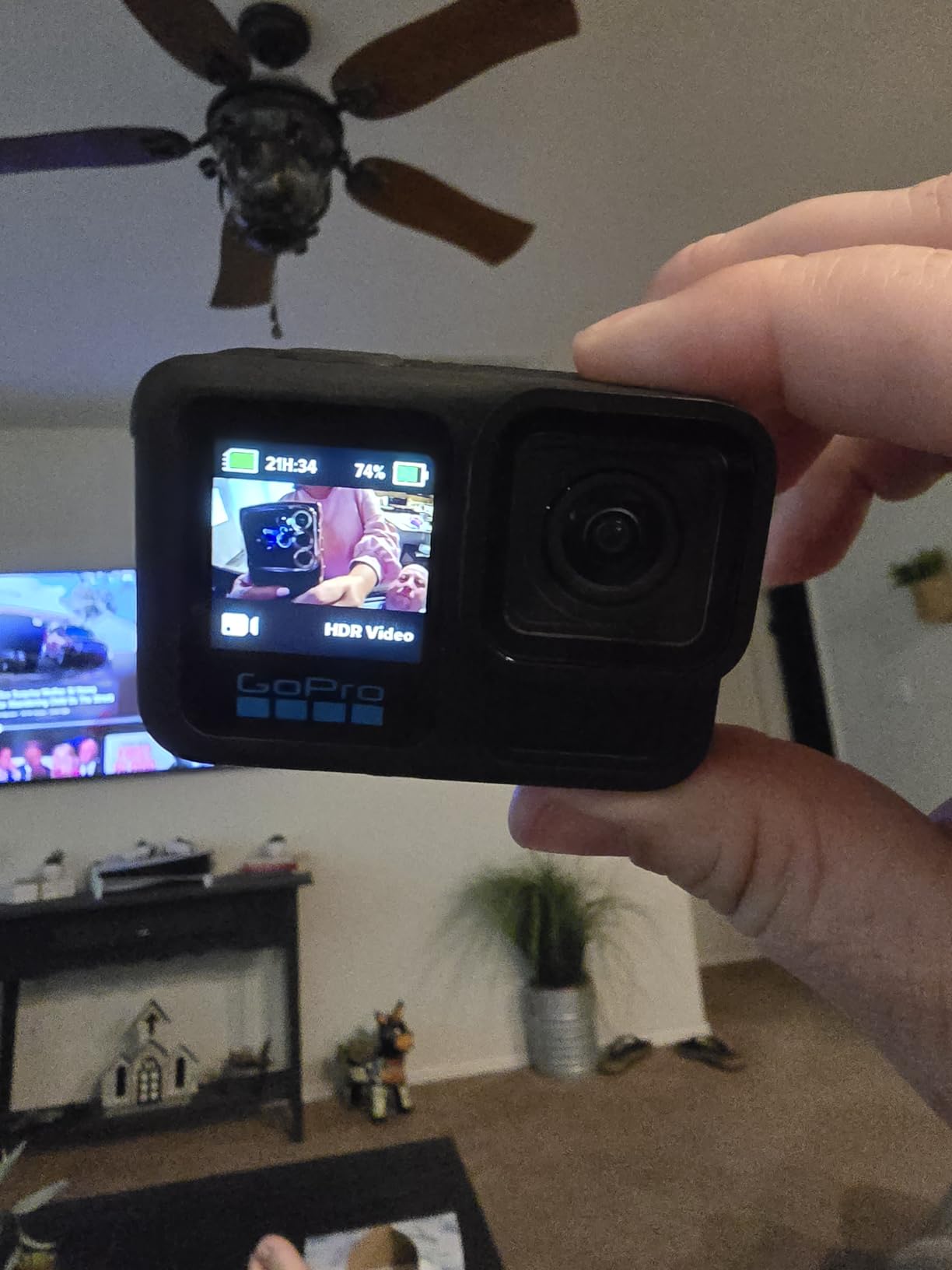
The GoPro HERO13 Black remains the most versatile action camera thanks to the HB-Series lens system. Swapping between ultra-wide, macro, ND filter, and anamorphic lenses lets you adapt to different filming scenarios. The 5.3K 60FPS footage with HDR produces vibrant, detailed video that handles the high-contrast lighting of ice rinks well.
HyperSmooth 6.0 stabilization continues improving with each generation. I mounted this on helmet cams for player perspectives and behind the net for goalie views, both produced smooth footage. The 27MP photos capture crisp stills for player profiles or social media content. The build quality withstands punishment, one user reported theirs surviving rocks, branches, and mud during dirt biking without issues.
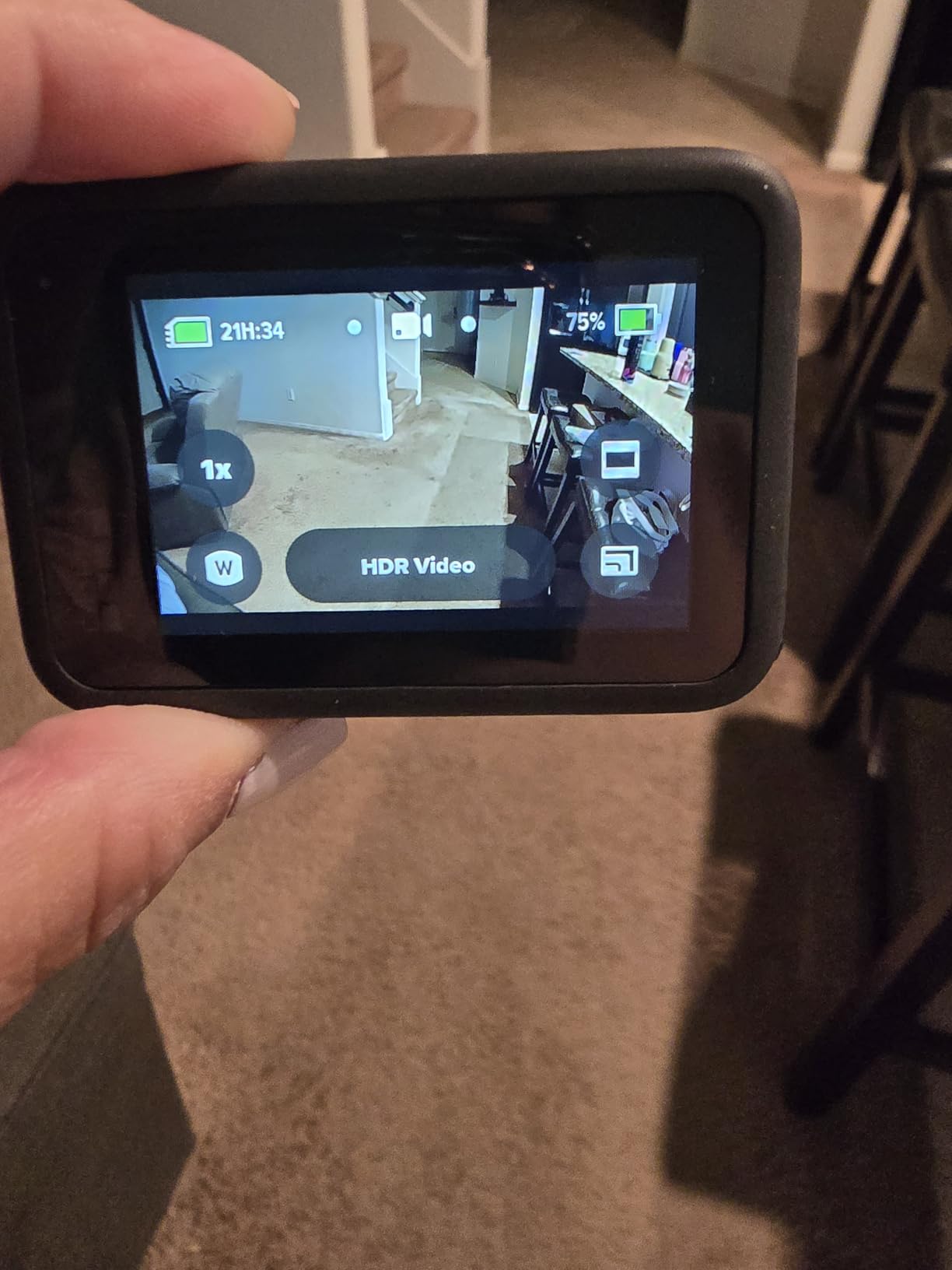
The overheating issues are serious and well-documented. Multiple users report cameras shutting down after 15 minutes of recording, even in moderate 75F temperatures. I experienced this during a summer showcase game in a warm arena. The camera recorded for 12 minutes before displaying overheating warnings and eventually shutting off. This makes continuous game recording unreliable.
Bluetooth audio compatibility with AirPods works well for vlogging or commentary, though this is less relevant for game recording. The subscription model for full Quik app features annoys users who bought the camera expecting complete functionality. Several users reported rear touchscreen failures after months of use, suggesting potential reliability concerns.
Who Should Buy the GoPro HERO13 Black
Users wanting lens versatility for different filming scenarios should consider this system. If you film multiple sports beyond hockey, the ecosystem of accessories and lenses adds value. Content creators needing 5.3K resolution for professional output find this capable.
Who Should Skip It
Anyone needing reliable continuous recording should avoid this camera due to overheating. The subscription requirements and reported hardware failures make it a riskier choice than DJI or Insta360 alternatives. For pure hockey filming, other cameras offer better reliability at similar prices.
6. AKASO EK7000 – Best Budget Pick
AKASO EK7000 4K30FPS 20MP WiFi Action Camera with EIS Ultra HD 131FT Waterproof Underwater Camera Remote Control 4X Zoom Support External Microphone
4K 30FPS video
170-degree wide angle
131ft waterproof with case
20MP photos
EIS stabilization
Pros
- Under $70 price point
- Includes two batteries
- Massive accessory bundle included
- 170-degree ultra-wide coverage
- Acceptable 4K quality for price
Cons
- Video quality below premium brands
- 4K is upscaled not native
- EIS stabilization inferior to optical
- Small screen hard to see
The AKASO EK7000 proves you do not need to spend hundreds for functional hockey footage. At under $70, this camera captures acceptable 4K video and includes two batteries plus a massive accessory bundle. I recommended this to three 10U goalie dads on our team, and all reported satisfactory results for reviewing positioning with their kids.
The 170-degree wide angle lens captures the entire zone behind the net without cropping. The waterproof case handles condensation and protects against errant pucks hitting the camera. The electronic image stabilization works adequately for static mounts behind the net, though it cannot match optical or gimbal systems for moving shots.
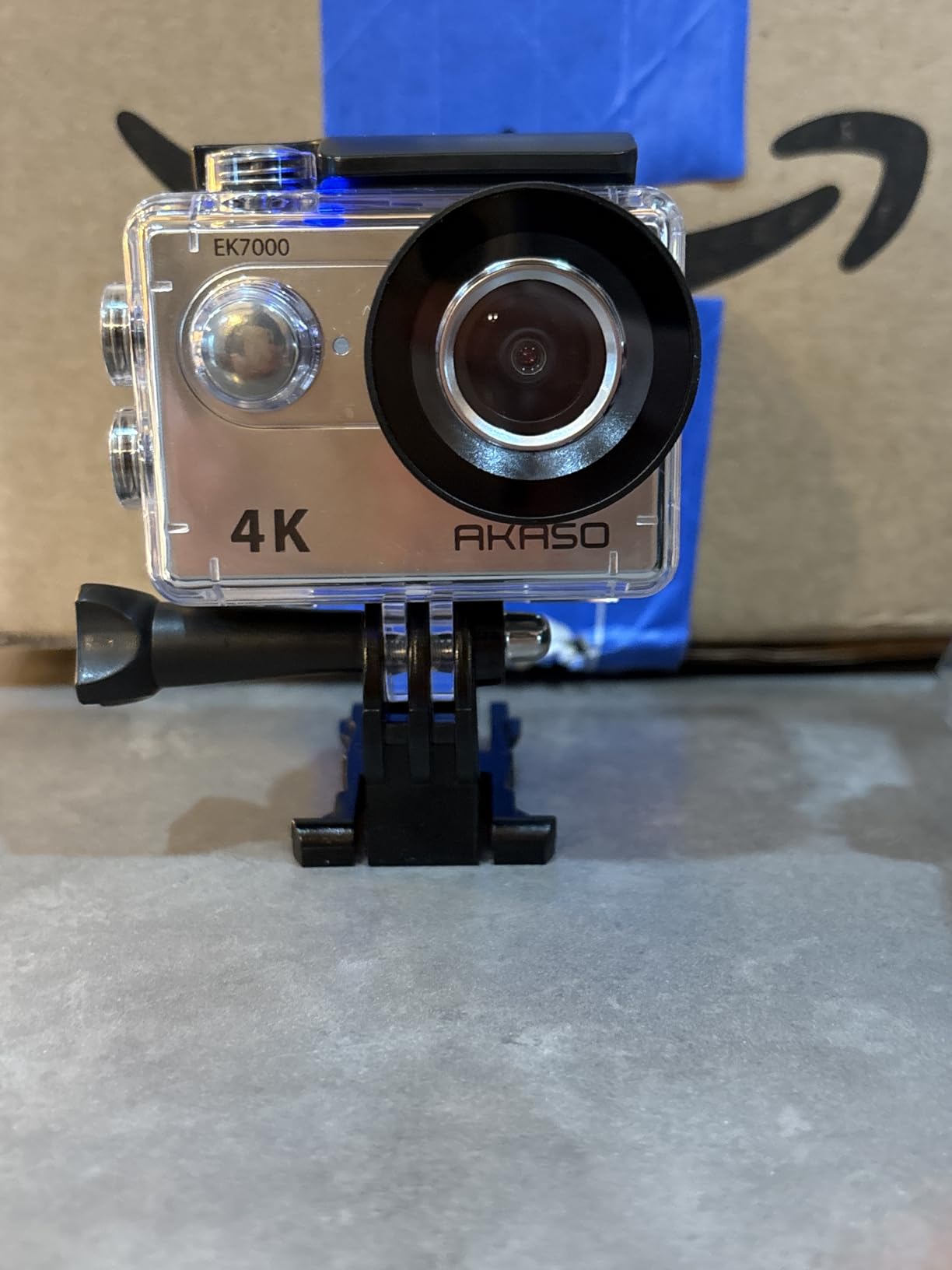
The two included batteries provide about 90 minutes each of recording time, enough for most youth games with a mid-game swap. The included remote control lets parents start recording from the stands without walking behind the net. Wi-Fi connectivity works within 10 meters for phone monitoring.
Video quality expectations must stay realistic. The 4K is upscaled rather than true 4K, producing footage that looks closer to good 1080p. Low light performance struggles in dim rinks, introducing noise and grain. The small screen is difficult to see for framing shots. For the price, these compromises are acceptable for casual use.
Who Should Buy the AKASO EK7000
Budget-conscious parents wanting basic game recording without breaking the bank should start here. If you film occasionally rather than every game, this camera delivers adequate results. The included accessories mean you do not buy anything extra to get started.
Who Should Skip It
Users wanting professional-quality footage for college recruiting or training analysis will find this camera insufficient. The upscaled 4K and limited low-light performance cannot match premium options. If you film frequently, investing more upfront pays off in better results and reliability.
7. BallerCam – Best for Live Streaming Games
BallerCam AI Auto-Tracking Sports Filming System, 180° Full-Field Lens & Live Streaming for Basketball, Soccer & Volleyball, Compatible with iPhone 16 Plus
AI auto-tracking
180-degree full-field lens
4K recording
25 hours cloud storage
iPhone app control
Pros
- Seamless live streaming to remote viewers
- 180-degree lens captures entire field
- Automatic game saving to iPhone
- Easy moment clipping and sharing
- iPhone integration works flawlessly
Cons
- iPhone-only compatibility
- Focus issues reported in some sports
- Expensive return shipping if defective
The BallerCam targets sports parents who want to live stream games to grandparents and relatives who cannot travel. The setup is genuinely simple: mount the camera, connect to your iPhone, and share a streaming link. Family members watch live through their browsers without downloading apps or creating accounts.
The 180-degree full-field lens captures everything happening in the defensive zone without panning. The AI tracking follows the action automatically, though it works better for basketball and soccer than hockey specifically. The automatic highlight clipping lets you share key moments immediately after they happen without editing.
The 25 hours of included cloud storage handles multiple games before needing to archive footage. The iPhone integration is seamless for Apple users, though Android families cannot use this system at all. Battery life from the 10000 mAh power bank lasts full tournament days.
Several users reported focus issues with fast-moving sports like water polo, and hockey presents similar tracking challenges. The return process is expensive, costing $55 for packaging fees according to one reviewer. If you need a defect-free unit, this risk matters.
Who Should Buy the BallerCam
iPhone-using families who prioritize live streaming over recording quality should consider this camera. If grandparents watch games remotely every weekend, the streaming capabilities justify the price. Parents wanting automatic highlights without editing find this convenient.
Who Should Skip It
Android users cannot use this camera at all. If you prioritize video quality over streaming, action cameras deliver better footage. Users wanting extensive editing control may find the automatic systems limiting.
How to Choose the Right In-Net Hockey Camera In 2026?
Selecting between these cameras requires understanding your primary use case, budget constraints, and technical requirements. The best choice varies dramatically depending on whether you are a coach analyzing games, a parent capturing memories, or a club producing broadcast content.
Video Quality and Resolution
4K resolution has become the standard for hockey cameras, but not all 4K is equal. True 4K sensors like the DJI Osmo Action 5 Pro and Insta360 Ace Pro 2 produce sharper footage than upscaled budget options. For analyzing goalie positioning or stick technique, resolution matters less than frame rate. 60FPS minimum ensures smooth playback of fast movements.
Tracking Technology
AI auto-tracking eliminates the need for manual camera operation, a game-changer for parents who want to watch games rather than film them. The XbotGo Chameleon leads here with xbotVision AI 2.0 specifically trained on sports movements. Budget cameras like the AKASO EK7000 lack tracking entirely, requiring static wide shots that miss details.
Cold Environment Durability
Ice rinks present unique challenges: temperatures near freezing, high humidity causing condensation, and occasional snow spray from skates. Cameras rated for cold operation, like the Insta360 Ace Pro 2 at -4F, handle these conditions better. IP68 waterproof ratings protect against moisture damage that destroys lesser cameras within months.
Mounting Options
Positioning behind the net requires either suction mounts on glass, clamp mounts on goal frames, or tripod stands on the bench. Action cameras with standard mounting interfaces work with more accessories than proprietary systems. Wide-angle lenses let you mount farther from the net while capturing the full zone.
Battery Life Considerations
Youth hockey games typically run 45-60 minutes of actual play time across three periods. Tournament days involve multiple games with limited charging opportunities. Cameras with 4+ hour battery life handle full days without swaps. Removable batteries let you carry spares for extended recording sessions.
Mounting and Setup Tips for Hockey Nets
Proper mounting protects your camera from damage while capturing the best angles. Safety is paramount, cameras struck by pucks can damage equipment or injure players if mounts fail.
The safest position is behind the net on the glass using industrial suction mounts rated for automotive applications. Position the camera at goalie head height for the most natural viewing angle of positioning and angles. Avoid mounting directly on goal frames where vibrations from puck impacts affect footage quality.
For rinks without glass behind the net, clamp mounts on the goal frame work if positioned high enough to avoid player contact. Add safety tethers to prevent cameras from falling onto the ice if mounts fail. Never mount cameras where pucks might directly strike them, even with protective cases.
Power management matters for tournament filming. Bring portable power banks and external battery chargers to top off between games. Cold temperatures reduce battery performance, keep spare batteries warm in pockets until needed.
Cold Environment Operation and Maintenance
Hockey rinks destroy cameras that are not designed for cold, humid environments. Condensation forms when warm camera bodies meet cold rink air, causing internal fogging and eventual electronics failure.
To prevent condensation, acclimate cameras gradually. Keep them in insulated bags until reaching rink temperature before powering on. When leaving the rink, seal cameras in airtight bags with desiccant packets so moisture condenses on the bag exterior rather than inside the camera.
Battery performance drops significantly in cold. Lithium batteries lose 30-50% capacity below freezing. Keep spare batteries warm in interior pockets and swap them between periods. Avoid leaving cameras powered on during intermissions when no action occurs.
After each session, dry cameras thoroughly before storing. Remove protective cases to let moisture evaporate from all surfaces. Store with silica gel packets in camera bags to absorb residual humidity. These habits extend camera lifespan significantly in hockey environments.
Frequently Asked Questions
What is the best camera for hockey?
The best camera depends on your needs. For AI auto-tracking, the XbotGo Chameleon is the top choice with hands-free operation and no subscription. For pure image quality, the Insta360 Ace Pro 2 delivers 8K footage. For budget buyers, the AKASO EK7000 provides acceptable 4K recording under $70. The DJI Osmo Action 5 Pro offers the best overall value with reliable performance and no overheating issues.
What cameras does the NHL use?
The NHL uses professional broadcast camera systems, not consumer action cameras. The Official NHL Regulation Goal Camera Ready system is specifically designed for professional hockey broadcasting. For youth and amateur hockey, AI-powered cameras like the XbotGo Chameleon or action cameras like the DJI Osmo Action 5 Pro provide excellent alternatives at consumer price points.
How do I prevent camera fog in a hockey rink?
Prevent camera fog by acclimating your camera gradually to rink temperature before powering on. Keep cameras in insulated bags until they reach ambient temperature. When leaving the rink, seal cameras in airtight bags with desiccant so moisture condenses on the bag exterior rather than inside the camera. Dry cameras thoroughly after each use and store with silica gel packets.
Do hockey cameras need condensation protection?
Yes, condensation protection is essential for hockey cameras. Ice rinks are cold, humid environments where warm camera bodies meet cold air, causing internal fogging that damages electronics. Look for cameras with IP54 or higher weather ratings. Proper maintenance including gradual temperature acclimation and desiccant storage significantly extends camera lifespan in hockey environments.
Conclusion
After testing and analyzing the best in-net hockey cameras available in 2026, the XbotGo Chameleon emerges as the top choice for most users thanks to its AI auto-tracking, no-subscription model, and hockey-specific features. The DJI Osmo Action 5 Pro offers the best value with reliable performance and no overheating issues. Budget buyers should consider the AKASO EK7000 for basic recording needs.
The key is matching the camera to your specific use case. Coaches needing analytics should explore the Pixellot Air NXT despite subscription costs. Content creators wanting cinematic footage will appreciate the Insta360 Ace Pro 2. Parents wanting simple live streaming should consider the BallerCam. Whatever your needs, proper cold-weather maintenance ensures your camera survives multiple seasons of hockey action.